
Ask AI
— answers from the official manualAnswers from the official manual.
Common questions
Common Questions
4 totalHow can I check my calls and texts using Google Voice?
Visit https://voice.google.com/ with your browser or open the Google Voice app on your phone. You will be able to view and manage all call and text history linked to your Google Voice number.
Can I use Google Voice for making phone calls?
Yes, you can dial numbers directly through the Google Voice app. When you place a call, it will route using your linked phone number and display your Google Voice number on the recipient’s screen (Page 1).
How does caller ID work with Google Voice?
When placing calls through Google Voice, the caller ID shows as your Google Voice number instead of your personal phone number to the recipient.
Can I modify how incoming calls are handled on Google Voice?
Yes, you can customize settings such as 'Do Not Disturb' to route calls directly to voicemail without ringing your personal device (Page 1).
Full Manual
2 pages
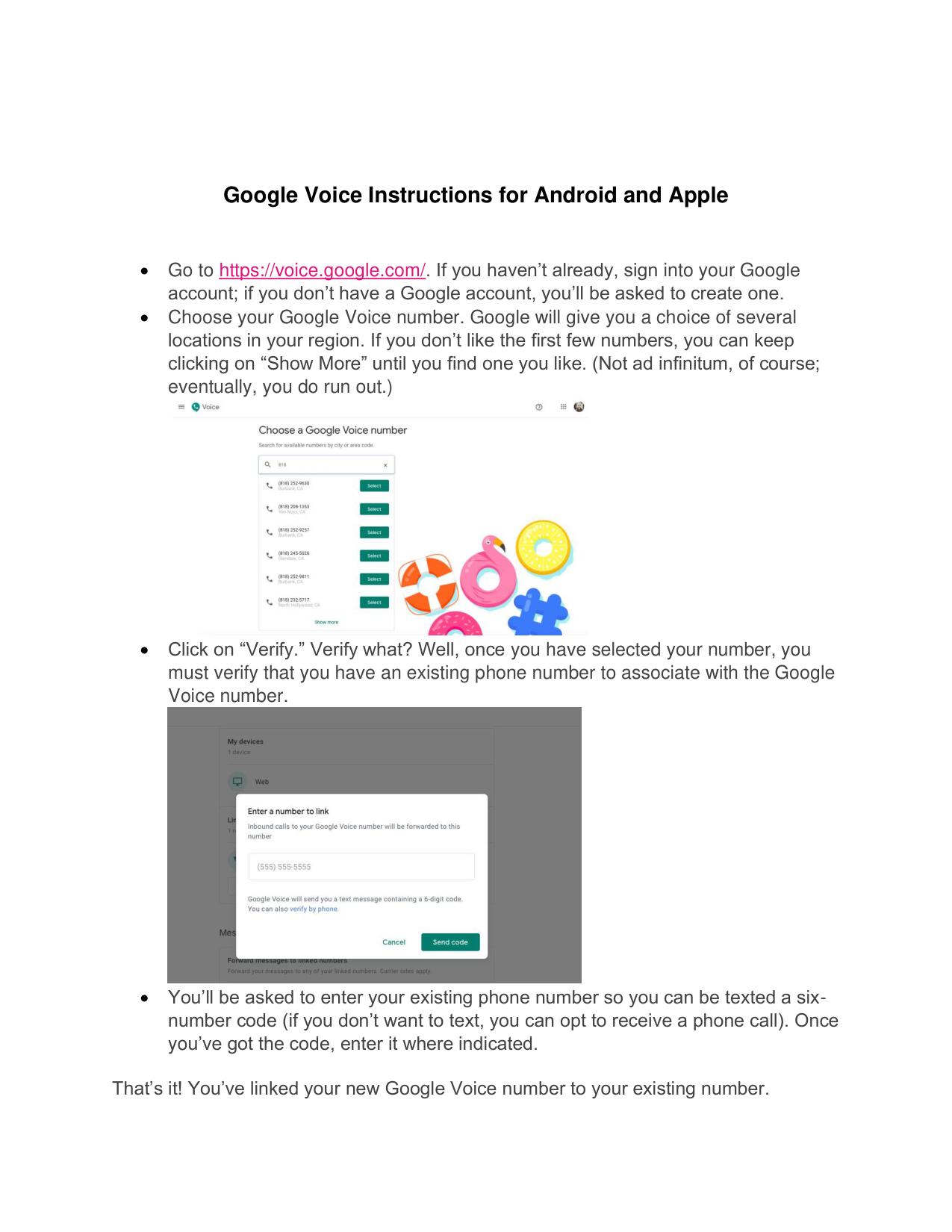
Google Voice Instructions for Android and Apple
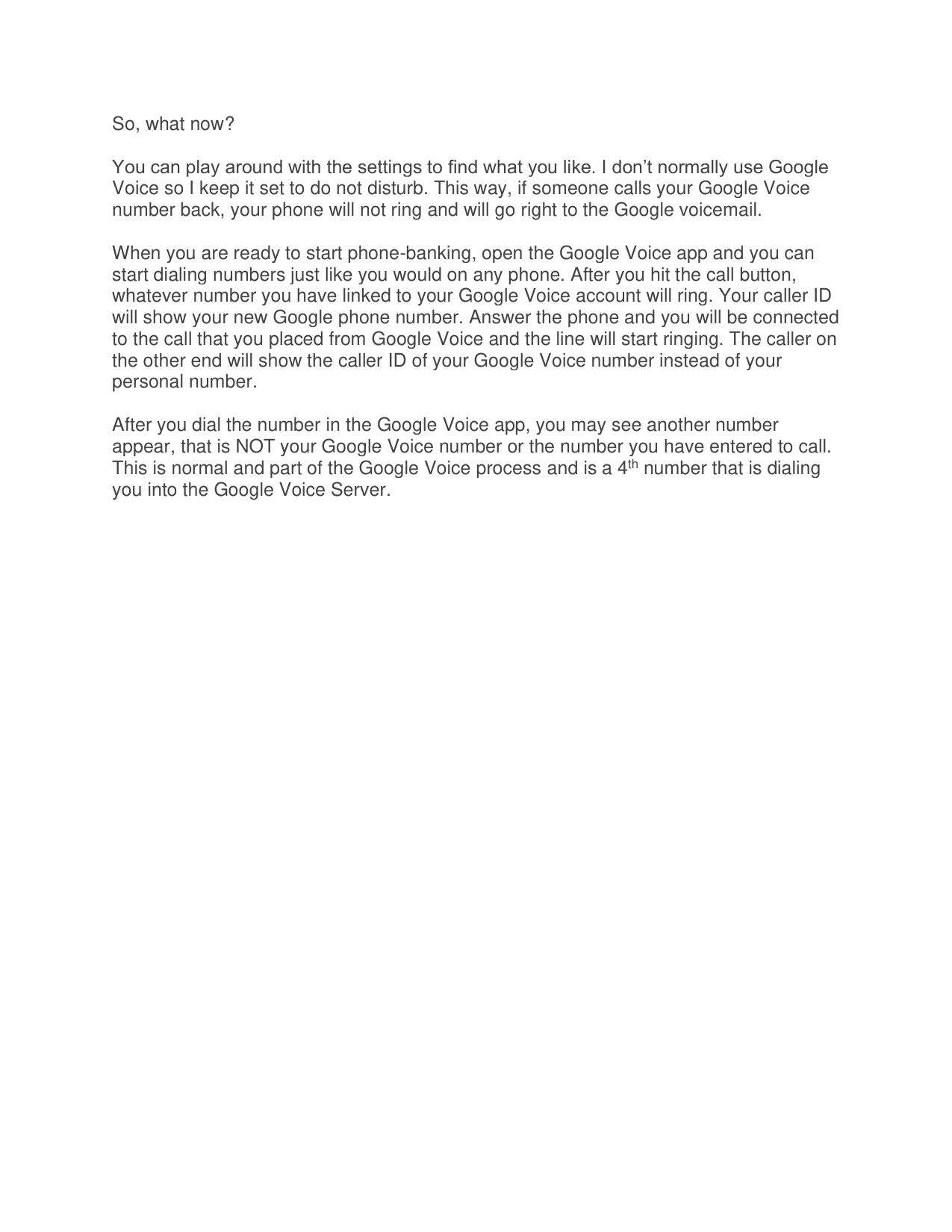


That’s it! You’ve linked your new Google Voice number to your existing number.
So, what now? You can play around with the settings to find what you like. I don’t normally use Google Voice so I keep it set to do not disturb. This way, if someone calls your Google Voice number back, your phone will not ring and will go right to the Google voicemail. When you are ready to start phone-banking, open the Google Voice app and you can start dialing numbers just like you would on any phone. After you hit the call button, whatever number you have linked to your Google Voice account will ring. Your caller ID will show your new Google phone number. Answer the phone and you will be connected to the call that you placed from Google Voice and the line will start ringing. The caller on the other end will show the caller ID of your Google Voice number instead of your personal number. After you dial the number in the Google Voice app, you may see another number appear, that is NOT your Google Voice number or the number you have entered to call. This is normal and part of the Google Voice process and is a 4th number that is dialing you into the Google Voice Server.