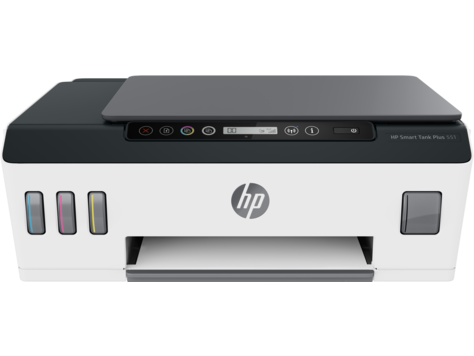
HP Smart Tank Plus 550 Wireless All IN One
Ask AI
— answers from the official manualAnswers from the official manual.
Common questions
Common Questions
29 totalWhat is the correct order for filling the ink tanks during initial setup?
During setup, you fill the ink tanks in step 2, following the color order indicated (C, M, Y, K — Cyan, Magenta, Yellow, Black). After filling, you must close the covers as shown in step 3. (Page 3)
How do I install the printhead during setup?
Open the covers and wait for the carriage to move to the center of the product and stop, then turn the orange handle. Press the blue latch down to open it, remove and discard the orange plastic piece carefully to avoid ink stains, then install the printheads and close the blue latch and covers. (Pages 4–6)
How do I complete the alignment step after the printer is set up?
After setup, the printer will print an alignment page that you must scan by pressing the Color Copy button. This step is required to properly calibrate the printer. (Page 8)
Should I open the blue latch after the initial setup is complete?
No, after setup is complete you should not open the blue latch unless specifically instructed to do so. This is an important caution noted in the setup guide. (Page 11)
Where can I find help if I have problems during the setup process?
If you have trouble getting started, you can find setup information and videos online at hp.com/support/printer-setup. This resource is available to assist with setup issues. (Page 10)
How do I safely move the HP Smart Tank Plus 550 when the ink tanks are full?
If you need to move the printer outside of your home or office with filled ink tanks, you should consult the 'Moving printer?' guide at hp.com/support/smarttankmoving to avoid ink leakage or damage to the printer. Taking precautions before transport is strongly recommended. (Page 12)
Show 23 more questions
Should I keep the original packaging after unboxing the HP Smart Tank Plus 550?
What precaution should I take when removing the orange plastic piece from the printhead area?
How do I load paper into the HP Smart Tank Plus 550?
How do I factory reset the HP Smart Tank Plus 550 series?
What should I do if I encounter issues when setting up my HP Smart Tank Plus 550?
How do I open the blue latch after installation of my HP printer without being instructed?
Can you explain how to install colored print heads on my HP Smart Tank Plus 550 printer?
How do I handle moving my HP Smart Tank Plus 550 with full tank while maintaining printer safety?
How do I remove the orange plastic part from the printer?
What should I do if there's an error code saying 'Install required software' on my new HP printer?
How do I scan an alignment page from my HP printer?
How do I insert paper into my HP Smart Tank Plus 550 series printer?
How do I configure or access wireless settings on HP Smart Tank Plus 550 series?
What steps should I follow to connect the printer to a wireless network using HP software?
How do I reset my printer if it can't be discovered during setup?
What should I do if my printer gets an ink tank error indicating that a color is out of ink?
What is a carriage jam and how do I fix it?
How do I factory reset my printer?
What should I do if my printer is not printing due to a paper jam?
How do I enable Wi-Fi Direct on my printer for direct wireless connections?
What are the details of the ink bottle warranty?
How do I check for information about my printer's wireless capability?
What should I do if my printer is getting low ink or out of ink?
Full Manual
14 pages

HP Smart Tank Plus550 series
Reference Guide
Set up printer, then install HP software
###### To set up the printer, follow the instructions in the Start here guide. 1
After completing the hardware setup, visit 123.hp.com on your computer or mobile device (such as smartphone or tablet), and then install the HP printer software or the HP Smart app. HP software will help you connect the printer to your network.
1
2


Note: Each device must have the app or software installed in order to print.
Set up a wireless connection Connect the printer to a wireless network Note: For help on connecting to the wireless network or a mobile device, visit www.hp.com/go/wirelessprinting or www.hp.com/go/mobileprinting, or press and hold (Information button) for three seconds to print the information. To connect printer wirelessly using HP software

When you install the HP printer software or the HP Smart app, you will be guided through connecting the printer to your wireless network. If the printer cannot be discovered, place it in setup mode by restoring its original network settings. Setup mode will last two hours.
To restore the printer network settings Press (Wireless button) and (Cancel button) at the same time, and hold them for five seconds.
Use the printer without connecting to a wireless network (Wi-Fi Direct) With Wi-Fi Direct, you can directly connect your computer or mobile device to a printer wirelessly (without connecting to an existing wireless network).
To turn on Wi-Fi Direct Press (Wireless button) and (Resume button) at the same time, and hold them for three seconds.
Note: To use Wi-Fi Direct, you might need HP software installed on your computer or mobile device. For Wi-Fi Direct help, press (Resumebutton) and (Information button) at the same time to print the information, or visit www.hp.com/go/wifidirectprinting.
Scan
To scan, use the HP printer software or the HP Smart app.
Learn more
www.support.hp.com
Important
After printer setup, do not open the printhead latch unless instructed to do so.
If you are moving the printer, see the instructions provided inbox for moving printer. Follow instructions closely to prevent ink leakage or printer damage.
English
For details, visit www.hp.com/support/smarttankmoving
Control panel
| | | | | | | |---|---|---|---|---|---| | | | | | | |
C M Y K
| | | | | | | |---|---|---|---|---|---| | | | | | | |
#### English

(Resumebutton) to continue printing after resolving a printer problem.
of copies, paper status, printheads and ink status or errors, Wi-Fi Direct status, as well as wireless status and signal strength.
For more information, see the user guide on www.support.hp.com.
(Wi-Fi Direct icon): Wi-Fi Direct is turned on when the icon is on.
Wireless light: Indicates whether the printer is connected to a wireless network. A blinking Wireless light indicates that the printer is not connected to a network or is trying to connect. During setup, it also indicates the printer is in setup mode.
Printer problems and solutions Control panel lights indicate printer status and errors. Note: For more information, see the user guide on www.support.hp.com.
|Display and Lights|Cause andSolution| |---|---| |The Paper icon ( ), the Alert icon ( ), and the Resume light ( ) are blinking.
|Out of paper Load paper in the input tray, and then press (Resumebutton) to continue printing.
|
|or
The Resume light ( ) is blinking.
|Paper width mismatch (E1) or Paper length mismatch (E2)
1. Press (Cancel button) to cancel printing.
2. Load paper that matches the size of the page you want to print, or change the paper size settings in your application to match the size of the paper you are using.
3. Print the document again.
| |---|---| |The Ink/Printhead light ( ) and the Resume light ( ) are blinking.
|Carriage jam (E3)
1. Open the front door, then the printhead access door.
2. Make sure the printhead latch is properly closed and the print carriage is not obstructed. Do not open the printhead latch.
3. Remove any jammed paper or other objects blocking the carriage.
4. Close printhead access door and front door.
5. Press (Resume button) to continue printing or press (Cancel button).
| |The Resume light ( ) is blinking.
|Paper jam (E4) Clear paper jam, and then press (Resumebutton) to continue printing.
| |C M Y K
TheCMYKicons are on, and one or more Ink icons ( ) are blinking.
|Ink tank is low on ink Refill the indicated ink tank that is low on ink.| |C M Y K
TheCMYKicons are on, and one or more Ink icons ( ) are blinking. The Ink/Printhead light ( ) is on.
|Ink tank is very low on ink Refill the indicated ink tank that is very low on ink.| |C M Y K
TheCMYKicons are on. The Ink/Printhead light ( ), one or more Ink icons ( ), and the Alert icon ( ) are blinking.
|Ink tank is out of ink (E7) Refill the indicated ink tank that is out of ink.|

|The Ink/Printhead light ( ), the Color or Black Printhead icon ( ), and the Alert icon ( ) are blinking.
|Printhead issue
• Make sure both printheads are properly installed.
• If both printheads are installed, remove one or both printheads indicated, make sure there is no orange plug or plastic tape on them, and then reinsert the printheads securely.
• Make sure that you are using the correct HP printheads for your printer.
Note: Do not open the printhead latch unless instructed to do so.|
#### English
HP printer limited warranty statement
English
|HP Product|Limited Warranty Period| |---|---| |Software Media|90 days| |Printer|1 year or 30,000 pages, whichever is earlier.| |Ink bottles|Until the HP ink is depleted or the “end of warranty” date printed on the ink bottle has been reached, whichever occurs first. This warranty does not cover HP ink products that have been refilled, remanufactured, refurbished, misused, or tampered with.| |Printheads|1 year or 30,000 pages, whichever is earlier.| |Accessories (excludes printheads)|1 year unless otherwise stated|

HP Limited Warranty
Visit www.support.hp.com to access warranty support including troubleshooting tips, diagnostics tools, software and drivers, product information, and how-to videos. Support options like chat and forums are also accessible from this website.
The HP limited Warranty is a commercial guarantee voluntarily provided by HP. The name and address of the HP entity responsible for the performance of the HP Limited Warranty in your country is as follows:
U.K: HP Inc UK Limited, Cain Road, Amen Corner, Bracknell, Berkshire, RG12 1HN Ireland: Hewlett-Packard Ireland Limited, Liffey Park Technology Campus, Barnhall Road, Leixlip, Co.Kildare Malta: Hewlett-Packard Europe B.V., Amsterdam, Meyrin Branch, Route du Nant-d’Avril 150, 1217 Meyrin, Switzerland
United Kingdom: The HP Limited Warranty benefits apply in addition to any legal rights to a guarantee from a seller of nonconformity of goods with the contract of sale. These rights expire six years from delivery of goods for products purchased in England or Wales and five years from delivery of goods for products purchased in Scotland. However, various factors may impact your eligibility to receive these rights. For further information, please consult the following link: Consumer Legal Guarantee or you may visit the European Consumer Centers website.Consumers have the right to choose whether to claim service under the HP Limited Warranty or against the seller under the legal guarantee.
Ireland: The HP Limited Warranty benefits apply in addition to any statutory rights from seller in relation to nonconformity of goods with the contract of sale. However various factors may impact your eligibility to receive these rights. Consumer statutory rights are not limited or affected in any manner by HP Care Pack. For further information, please consult the following link: Consumer Legal Guarantee or you may visit the European Consumer Centers website.Consumers have the right to choose whether to claim service under the HP Limited Warranty or against the seller under the legal guarantee.
Malta: The HP Limited Warranty benefits apply in addition to any legal rights to a two-year guarantee from seller of nonconformity of goods with the contract of sale; however various factors may impact your eligibility to receive these rights. Consumer statutory rights are not limited or affected in any manner by the HP Limited Warranty. For further information, please consult the following link: Consumer Legal Guarantee or you may visit the European Consumer Centers website. Consumers have the right to choose whether to claim service under the HP Limited Warranty or against the seller under two-year legal guarantee.
For further information, please consult the following link: Consumer Legal Guarantee (www.hp.com/go/eu-legal) or you may visit the European Consumer Centers website(http://ec.europa.eu/consumers/solving_consumer_disputes/non-judicial_redress/ecc-net).
The information contained herein is subject to change without notice.
HP Smart Tank Plus série 550
Manuel de référence
Mettre en place l'imprimante, puis installer le logiciel HP
######## Pour mettre en place l'imprimante, suivez les instructions du guide Démarrer ici. 1
Après avoir terminé la mise en place du matériel, rendez-vous sur le site 123.hp.com sur votre ordinateur ou votre périphérique mobile (smartphone ou tablette), puis installez le logiciel de l'imprimante HP ou l'application HP Smart. Le logiciel HP vous aide à connecter votre imprimante à votre réseau.
1
2
Remarque : Chaque périphérique doit disposer de l'application ou du logiciel installé(e) afin d'imprimer.


Configurer une connexion sans fil Connecter l'imprimante à un réseau sans fil Remarque : Pour obtenir de l'aide concernant la connexion au réseau sans fil ou à un périphérique mobile, rendez
vous sur le site www.hp.com/go/wirelessprinting ou www.hp.com/go/mobileprinting, ou appuyez sur (bouton Informations) et maintenez-le enfoncé pendant trois secondes pour imprimer les informations.
Pour connecter l'imprimante sans fil à l'aide du logiciel HP Lorsque vous installez le logiciel de l'imprimante HP ou l'application HP Smart, vous êtes invité à connecter l'imprimante à un réseau sans fil. S'il est impossible de détecter l'imprimante, placez-la en mode configuration en restaurant ses paramètres réseau d'origine. Le mode configuration dure deux heures. Pour restaurer les paramètres réseau de l'imprimante Appuyez simultanément sur (bouton Sans fil) et sur (bouton Annuler) et maintenez-les enfoncés pendant cinq secondes. Utiliser l'imprimante sans se connecter à un réseau sans fil (Wi-Fi Direct) Wi-Fi Direct vous permet de connecter directement votre ordinateur ou votre périphérique mobile à une imprimante sans utiliser de câble (sans vous connecter à un réseau sans fil existant). Activer la fonction Wi-Fi Direct Appuyez simultanément sur (bouton Sans fil) et sur (bouton Reprendre) et maintenez-les enfoncés pendant trois secondes. Remarque : Pour utiliser Wi-Fi Direct, il se peut que vous deviez installer un logiciel HP sur votre ordinateur ou votre périphérique mobile. Pour obtenir de l'aide concernant Wi-Fi Direct, appuyez simultanément sur (bouton Reprendre) et sur (bouton Informations) pour imprimer les informations, ou rendez-vous sur le site www.hp.com/go/wifidirectprinting. Numérisation Pour numériser, utilisez le logiciel de l'imprimante HP ou l'application HP Smart. En savoir plus
www.support.hp.com
Important
Après la configuration de l'imprimante, n'ouvrez pas le loquet de la tête d'impression à moins d'y être invité.
Si vous déplacez l'imprimante, consultez les instructions fournies à ce sujet dans le carton. Suivez scrupuleusement les instructions pour éviter toute fuite d'encre ou détérioration de l'imprimante.
Français
Pour plus de détails, rendez-vous sur le site www.hp.com/support/smarttankmoving

Panneau de commande
| | | | | | | |---|---|---|---|---|---| | | | | | | |
C M Y K
| | | | | | | |---|---|---|---|---|---| | | | | | | |
Voyant Reprendre : Indique que vous devez appuyer sur (bouton Reprendre) pour continuer l'impression après avoir résolu un problème d'imprimante.
#### Français
d'impression et de l'encre ou des erreurs, l'état de Wi-Fi Direct ainsi que l'état de la liaison sans fil et la force du signal.
Pour plus d'informations, consultez le manuel de l'utilisateur sur le site www.support.hp.com.
(icône Wi-Fi Direct) : La fonction Wi-Fi Direct est activée lorsque l'icône est allumée.
Voyant Sans fil : Indique si l'imprimante est connectée à un réseau sans fil.
Un voyant Sans fil clignotant indique que l'imprimante n'est pas connectée à un réseau ou qu'elle tente de se connecter. Pendant la configuration, il indique également que l'imprimante se trouve en mode configuration.

Problèmes de l'imprimante et solutions Les voyants du panneau de commande signalent les états et les erreurs de l'imprimante. Remarque : Pour plus d'informations, consultez le manuel de l'utilisateur www.support.hp.com.
|Affichage et voyants|Cause et Solution| |---|---| |L'icône Papier ( ), l'icône Alerte ( ), et le voyant Reprendre ( ) clignotent.
|Bac à papier vide Chargez du papier dans le bac d'entrée, puis appuyez sur (bouton Reprendre) pour reprendre l'impression.
|
|ou
Le voyant Reprendre ( ) clignote.
|Erreur de largeur de papier (E1) ou Erreur de longueur de papier (E2)
1. Appuyez sur (bouton Annuler) pour annuler l'impression.
2. Chargez le papier correspondant au format que vous souhaitez imprimer ou modifiez les paramètres de format du papier dans votre application afin qu'il corresponde au format de papier utilisé.
3. Imprimez à nouveau le document.
| |---|---| |Le voyant Encre/Tête d'impression ( ) et le voyant Reprendre ( ) clignotent.
|Bourrage du chariot (E3)
1. Ouvrez la porte avant, puis ouvrez la porte d'accès à la tête d'impression.
2. Assurez-vous que le loquet de la tête d'impression est correctement fermé et que le chariot d'impression n'est pas obstrué. N'ouvrez pas le loquet de la tête d'impression.
3. Retirez tout papier coincé ou d'autres objets qui bloquent le chariot d'impression.
4. Fermez la porte d'accès aux têtes d'impression et la porte avant.
5. Appuyez sur (bouton Reprendre) pour poursuivre l'impression ou appuyez sur (bouton Annuler).
| |Le voyant Reprendre ( ) clignote.
|Bourrage papier (E4) Éliminez le bourrage, puis appuyez sur (bouton Reprendre) pour poursuivre l'impression.
| |C M Y K
Les icônes CMYK sont allumées, une ou plusieurs icônes Encre ( ) clignotent.
|Niveau d'encre bas du réservoir Remplissez le réservoir d'encre indiqué dont le niveau d'encre est bas.| |C M Y K
Les icônes CMYK sont allumées, une ou plusieurs icônes Encre ( ) clignotent. Le voyant Encre/Tête d'impression ( ) est allumé.
|Niveau encre très bas du réservoir Remplissez le réservoir d'encre indiqué dont le niveau d'encre est très bas.| |C M Y K
Les icônes CMYK sont allumées. Le voyant Encre/Tête d'impression ( ), une ou plusieurs icônes Encre ( ), et l'icône Alerte ( ) clignotent.
|Un réservoir d'encre est vide (E7) Remplissez le réservoir d'encre indiqué comme étant vide.| |Le voyant Encre/Tête d'impression ( ), l'icône Tête d'impression couleur ou Tête d'impression noire ( ), et l'icône Alerte ( ) clignotent.
|Problème lié aux têtes d'impression
• Assurez-vous que les deux têtes d'impression sont correctement installées.
• Si les deux têtes d'impression sont installées, retirez l'une ou les deux têtes d'impression indiquées, assurez-vous qu'il n'y a pas de bouchon orange ou de ruban adhésif sur celles-ci, puis réinsérezles correctement.
• Vérifiez que vous utilisez le type de tête d'impression HP approprié pour votre imprimante.
Remarque : N'ouvrez pas le loquet de la tête d'impression à moins d'y être invité.|
#### Français
Déclaration de garantie limitée de l'imprimante HP
Français
|Produit HP|Période de garantie limitée| |---|---| |Supports de logiciels|90 jours| |Imprimante|1 an ou 30 000 pages, l'échéance la plus proche étant retenue.| |Bouteilles d'encre|Jusqu'à épuisement de l'encre HP contenue dans la bouteille ou jusqu'à la date de fin de garantie indiquée sur la bouteille (selon celui de ces événements qui se produit le premier). Cette garantie ne couvre pas les cartouches d'impression HP rechargées, remises à neuf, reconditionnées ou ayant fait l'objet d'une utilisation incorrecte ou de modifications.| |Têtes d'impression|1 an ou 30 000 pages, l'échéance la plus proche étant retenue.| |Accessoires (têtes d'impression exclues)|1 an sauf spécification contraire|

########## Garantie du fabricant HP
La garantie limitée HP est une garantie commerciale fournie volontairement par HP. Voici les coordonnées de l’entité HP responsable de l’exécution de la garantie limitée HP dans votre pays :
France: HP France SAS, société par actions simplifiée identifiée sous le numéro 448 694 133 RCS Evry, 1 Avenue du Canada, 91947, Les Ulis
G.D. Luxembourg: Hewlett-Packard Luxembourg S.C.A., 75, Parc d’Activités Capellen, Rue Pafebruc, L-8308 Capellen Belgique: HP Belgium BVBA, Hermeslaan 1A, B-1831 Diegem France
Les avantages de la garantie limitée HP s’appliquent en complément des droits dont vous disposez au titre des garanties légales applicables dont le bénéfice est soumis à des conditions spécifiques. Vos droits en tant que consommateur au titre de la garantie légale de conformité mentionnée aux articles L. 211-4 à L. 211-13 du Code de la Consommation et de celle relative aux défauts du bien vendu, dans les conditions prévues aux articles 1641 à 1648 et 2232 du Code de Commerce ne sont en aucune façon limités ou affectés par la garantie limitée HP. Pour de plus amples informations, veuillez consulter le lien suivant : Garanties légales accordées au consommateur. Vous pouvez également consulter le site Web des Centres européens des consommateurs. Les consommateurs ont le droit de choisir d’exercer leurs droits au titre de la garantie limitée HP, ou auprès du vendeur au titre des garanties légales applicables mentionnées ci-dessus.
POUR RAPPEL : Garantie Légale de Conformité
Il répond également des défauts de conformité résultant de l’emballage, des instructions de montage ou de l’installation lorsque celle-ci a été mise à sa charge par le contrat ou a été réalisée sous sa responsabilité ».

Article 1641 du Code Civil : « Le vendeur est tenu de la garantie à raison des défauts cachés de la chose vendue qui la rendent impropre à l’usage auquel on la destine, ou qui diminuent tellement cet usage que l’acheteur ne l’aurait pas acquise, ou n’en aurait donné qu’un moindre prix, s’il les avait connus. »
Article 1648 alinéa 1 du Code Civil : « L’action résultant des vices rédhibitoires doit être intentée par l’acquéreur dans un délai de deux ans à compter de la découverte du vice. » G.D. Luxembourg & Belgique
Les avantages de la garantie limitée HP s'appliquent en complément des droits dont vous disposez au titre de la garantie de non-conformité des biens avec le contrat de vente. Cependant, de nombreux facteurs peuvent avoir un impact sur le bénéfice de ces droits. Vos droits en tant que consommateur au titre de ces garanties ne sont en aucune façon limités ou affectés par la garantie limitée HP. Pour de plus amples informations, veuillez consulter le lien suivant : Garanties légales accordées au consommateur ou vous pouvez également consulter le site Web des Centres européens des consommateurs. Les consommateurs ont le droit de choisir de réclamer un service sous la garantie limitée HP ou auprès du vendeur au cours d'une garantie légale de deux ans.
Pour plus d’information, consultez le lien suivant : Garantie légale du consommateur (www.hp.com/go/eu-legal) ou visitez le site des Centres Européens des Consommateurs (http://ec.europa.eu/consumers/solving_consumer_disputes/non-judicial_redress/ecc-net/).
#### Français
Les informations contenues dans ce document sont susceptibles de changer sans préavis.
HP Smart Tank Plus550 series
Guía de referencia
Configure la impresora y después, instale el software HP
Para configurar la impresora, siga las instrucciones que se incluyen en la guía Empiece aquí. 1
1
Una vez configurado el hardware, visite 123.hp.com desde el ordenador o dispositivo móvil (como un smartphone o tablet), e instale el software de la impresora HP o la aplicación HP Smart. El software HP le ayudará a conectar la impresora a la red.
2


Nota: cada dispositivo debe tener instalada la aplicación o el software para poder imprimir. Configurar una conexión inalámbrica Conectar la impresora a una red inalámbrica Nota: para obtener ayuda durante la conexión a la red inalámbrica o a un dispositivo móvil, visite www.hp.com/go/wirelessprinting o www.hp.com/go/mobileprinting, o pulse y mantenga pulsado (botón Información) durante tres segundos para imprimir la información. Conectar la impresora de forma inalámbrica utilizando el software HP
Cuando instale el software de la impresora HP o la aplicación HP Smart, recibirá instrucciones para conectar la impresora a la red inalámbrica. Si no es posible descubrir la impresora, póngala en modo de configuración restableciendo la configuración de red original de la impresora. El modo de configuración se mantendrá durante dos horas.
Restablecer la configuración de red de la impresora Pulse (botón Conexión inalámbrica) y (botón Cancelar) simultáneamente, y manténgalos pulsados durante 5 segundos.
Español
Usar la impresora sin conectarla a una red inalámbrica (Wi-Fi Direct) Con Wi-Fi Direct, puede conectar un equipo o dispositivo móvil directamente a una impresora de forma inalámbrica (no es necesario conectarse a una red inalámbrica existente).
Para activar WiFi Direct Pulse (botón Conexión inalámbrica) y (botón Reanudar) simultáneamente, y manténgalos pulsados durante 3 segundos.
Nota: para utilizar Wi-Fi Direct, puede que necesite instalar software de HP en el equipo o dispositivo móvil. Para obtener ayuda con Wi-Fi Direct, pulse (botón Reanudar) y (botón Información) simultáneamente para imprimir la información, o visite www.hp.com/go/wifidirectprinting.
Escanear
Para escanear, utilice el software de la impresora HP o la aplicación HP Smart.
Más información
www.support.hp.com
Importante

Una vez finalizada la configuración, no abra el pestillo del cabezal de impresión a menos que se indique lo contrario.
Si va a trasladar la impresora, consulte las instrucciones correspondientes que encontrará en la caja. Siga las instrucciones minuciosamente para evitar derrames de tinta o daños a la impresora.
Para obtener más detalles, visite www.hp.com/support/smarttankmoving
Panel de control
| | | | | | | |---|---|---|---|---|---| | | | | | | |
C M Y K
| | | | | | | |---|---|---|---|---|---| | | | | | | |
Indicador luminoso Reanudar: indica que debe pulsar (botón Reanudar) para continuar con la impresión después de resolver un problema de la impresora.
los cabezales de impresión o la tinta, el estado de Wi-Fi Direct, así como el estado inalámbrico y la potencia de la señal.
Para obtener más información, consulte la guía del usuario en www.support.hp.com.
(Icono Wi-Fi Direct): Wi-Fi Direct se enciende cuando el icono está activado.
Indicador luminoso de Conexión inalámbrica: indica si la impresora está conectada a una red inalámbrica.
Una luz parpadeante indica que la impresora no está conectada a una red o está intentando conectarse. Durante la configuración, también indica que la impresora está en modo de configuración.
#### Español
Problemas y soluciones de la impresora Los indicadores luminosos del panel de control indican el estado y los errores de la impresora. Nota: Más información en la guía de usuario disponible en www.support.hp.com.
|Pantalla y luces|Causa y solución| |---|---| |El icono de Papel ( ), el icono de Alerta ( ) y el indicador luminoso Reanudar ( ) parpadean.
|Sin papel Cargue papel en la bandeja de entrada y, a continuación, pulse (botón Reanudar) para seguir imprimiendo.
|
|O bien
El indicador luminoso Reanudar ( ) parpadea.
|El ancho del papel (E1) o la longitud del papel (E2) no coinciden
1. Pulse (botón Cancelar) para cancelar la impresión.
2. Cargue papel que coincida con el tamaño de la página que desea imprimir, o cambie la configuración del tamaño del papel en la aplicación para que coincida con el tamaño del papel que está utilizando.
3. Imprima nuevamente el documento.
| |---|---| |El indicador luminoso Tinta/Cabezal de impresión ( ) y el indicador luminoso Reanudar ( ) parpadean.
|Atasco del carro (E3)
1. Abra la puerta delantera y, a continuación, la puerta de acceso al cabezal de impresión.
2. Asegúrese de que el pestillo del cabezal de impresión esté bien cerrado y que no haya obstrucciones en el carro de impresión. No abra el pestillo del cabezal de impresión.
3. Retire el papel atascado u otro objeto que bloquee el carro de impresión.
4. Cierre la puerta de acceso a los cabezales de impresión y, a continuación, la puerta frontal.
5. Pulse (botón Reanudar) para seguir imprimiendo o (botón Cancelar).
| |El indicador luminoso Reanudar ( ) parpadea.
|Atasco de papel (E4) Elimine el atasco de papel y pulse (botón Reanudar) para continuar la impresión.
| |C M Y K
Los iconos CMYK están encendidos y uno o más iconos de Tinta ( ) parpadean.
|El depósito de tinta tiene poca tinta Vuelva a llenar el depósito de tinta que tiene poca tinta.| |C M Y K
Los iconos CMYK están encendidos y uno o más iconos de Tinta ( ) parpadean. El indicador luminoso Tinta/Cabezal de impresión ( ) está encendido.
|El depósito de tinta tiene muy poca tinta Vuelva a llenar el depósito de tinta que tiene muy poca tinta.| |C M Y K
Los iconos CMYK están encendidos. El indicador luminoso Tinta/Cabezal
de impresión ( ), uno o varios iconos de Tinta ( ) y el icono de Alerta ( ) parpadean.
|El depósito de tinta está vacío (E7) Vuelva a llenar el depósito de tinta vacío.| |El indicador luminoso Tinta/Cabezal de impresión ( ), el icono Cabezal de impresión de color o Cabezal de impresión negro ( ) y el icono de Alerta ( ) parpadean.
|Problema con el cabezal de impresión
• Asegúrese de que ambos cabezales de impresión están bien instalados.
• Si ambos cabezales de impresión están instalados, retire los cabezales indicados, asegúrese de que no tengan ningún tapón naranja o cinta de plástico y, a continuación, vuelva a insertarlos correctamente.
• Asegúrese de que esté utilizando cabezales de impresión HP compatibles con su impresora.
Nota: no abra el pestillo del cabezal de impresión a menos que se indique lo contrario.|
#### Español
Declaración de garantía limitada de la impresora HP
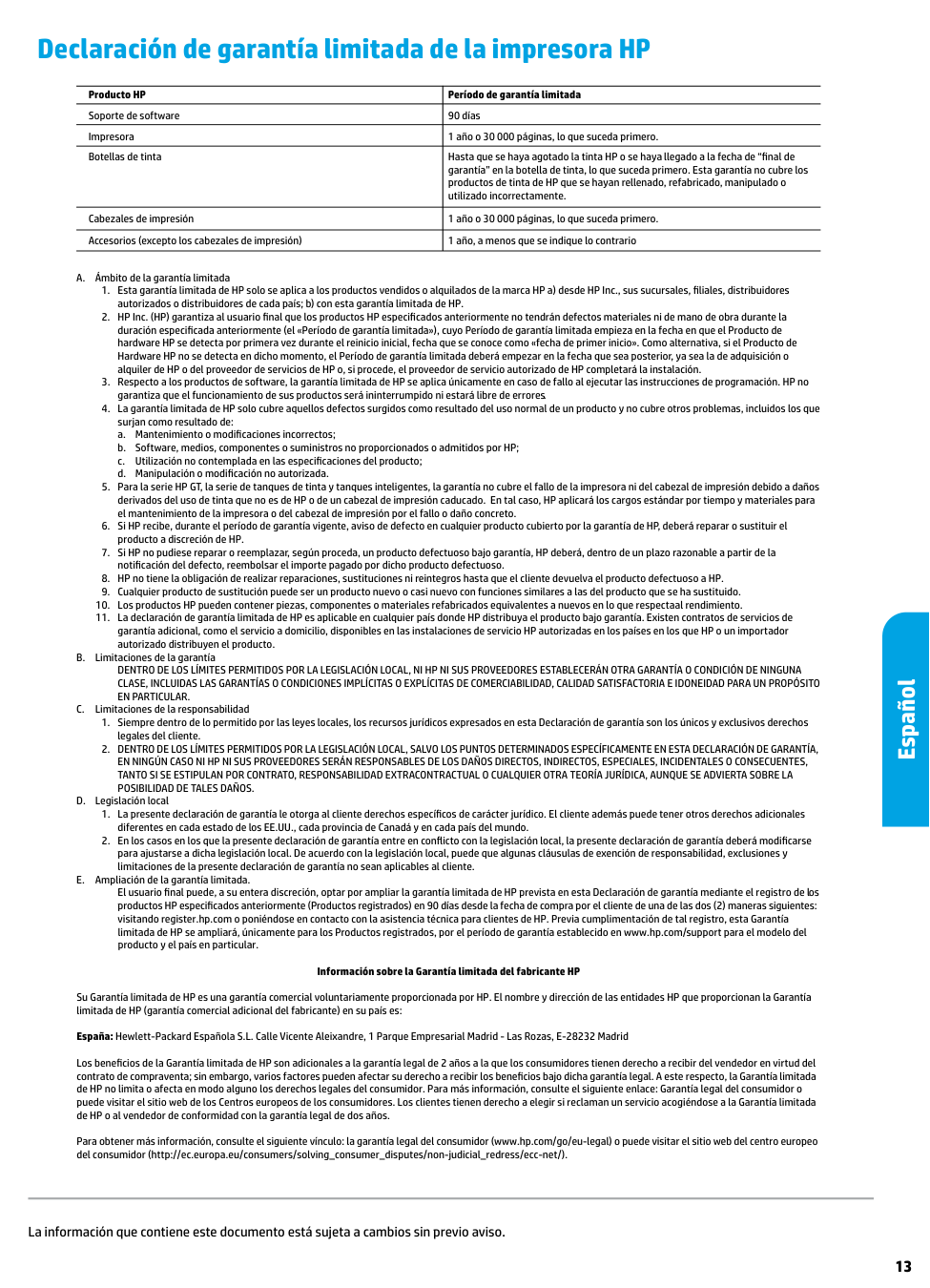
|Producto HP|Período de garantía limitada| |---|---| |Soporte de software|90 días| |Impresora|1 año o 30 000 páginas, lo que suceda primero.| |Botellas de tinta|Hasta que se haya agotado la tinta HP o se haya llegado a la fecha de “final de garantía” en la botella de tinta, lo que suceda primero. Esta garantía no cubre los productos de tinta de HP que se hayan rellenado, refabricado, manipulado o utilizado incorrectamente.| |Cabezales de impresión|1 año o 30 000 páginas, lo que suceda primero.| |Accesorios (excepto los cabezales de impresión)|1 año, a menos que se indique lo contrario|

########### Información sobre la Garantía limitada del fabricante HP
Su Garantía limitada de HP es una garantía comercial voluntariamente proporcionada por HP. El nombre y dirección de las entidades HP que proporcionan la Garantía limitada de HP (garantía comercial adicional del fabricante) en su país es:
España: Hewlett-Packard Española S.L. Calle Vicente Aleixandre, 1 Parque Empresarial Madrid - Las Rozas, E-28232 Madrid
Los beneficios de la Garantía limitada de HP son adicionales a la garantía legal de 2 años a la que los consumidores tienen derecho a recibir del vendedor en virtud del contrato de compraventa; sin embargo, varios factores pueden afectar su derecho a recibir los beneficios bajo dicha garantía legal. A este respecto, la Garantía limitada de HP no limita o afecta en modo alguno los derechos legales del consumidor. Para más información, consulte el siguiente enlace: Garantía legal del consumidor o puede visitar el sitio web de los Centros europeos de los consumidores. Los clientes tienen derecho a elegir si reclaman un servicio acogiéndose a la Garantía limitada de HP o al vendedor de conformidad con la garantía legal de dos años.
Para obtener más información, consulte el siguiente vínculo: la garantía legal del consumidor (www.hp.com/go/eu-legal) o puede visitar el sitio web del centro europeo del consumidor (http://ec.europa.eu/consumers/solving_consumer_disputes/non-judicial_redress/ecc-net/).
Español
La información que contiene este documento está sujeta a cambios sin previo aviso.
1TJ12-90014
EN FR ES Printed in [French]
Printed in [English]
Printed in [Spanish]
© Copyright 2019 HP Development Company, L.P.