Ask AI
— answers from the official manualAnswers from the official manual.
Common questions
Common Questions
30 totalWhat operating systems are compatible with the HP Wireless Multimedia Keyboard and Mouse?
The HP Wireless Multimedia Keyboard and Mouse is compatible with Microsoft Windows XP and Windows Vista. An available USB port is also required for installation. (Page 1)
What type of wireless technology does this keyboard and mouse use?
The keyboard and mouse use 27MHz wireless technology for fast and reliable wireless performance. The wireless receiver also includes an LED indicator and helps eliminate cable clutter. (Page 1)
What is the DPI of the wireless mouse?
The wireless mouse features an optical sensor with 800 DPI for precision tracking. It also includes a smooth and fast rubber scroll wheel to page through documents with ease. (Page 1)
What port do I need to connect the wireless receiver?
You need an available USB port to connect the wireless receiver. The receiver also has an LED indicator to confirm it is connected and working. (Page 1)
How many multimedia shortcut keys does the keyboard have?
The keyboard features 14 one-touch multimedia controls for easy access to music, video, email, internet, calculator, and My Computer. It also has 3 dedicated buttons for easy volume control. (Page 1)
Is this keyboard and mouse compatible with both laptops and desktop computers?
Yes, the HP Wireless Multimedia Keyboard and Mouse is compatible across all notebook and desktop platforms. You only need an available USB port and a supported Windows operating system. (Page 1)
Show 24 more questions
What warranty is included with the HP Wireless Multimedia Keyboard and Mouse?
Where can I get more information or support for the HP Wireless Multimedia Keyboard and Mouse?
What batteries do the keyboard and mouse require?
How long do the batteries last in the keyboard and mouse?
What batteries are included with the HP Wireless Keyboard and Mouse, and how long do they last?
What operating systems are compatible with the HP Wireless Keyboard and Mouse?
What is the wireless frequency and mouse sensor resolution for this keyboard and mouse combo?
How do I know when the keyboard battery is running low?
What multimedia controls are available on the keyboard?
What is included in the box when I purchase the HP Wireless Keyboard and Mouse?
What warranty and support are available for the HP Wireless Keyboard and Mouse?
Is the keyboard spill resistant?
What warranty coverage is included with this product?
What items are included in the product box?
What does the battery low indicator on the keyboard do?
Is the keyboard waterproof or spill resistant?
Can I adjust the height of the keyboard, and what design features make it comfortable to use?
What batteries does the HP Wireless Keyboard and Mouse use?
Is this keyboard and mouse compatible with my computer?
What is the wireless frequency and performance of this product?
How many multimedia control keys does the keyboard have?
What is the mouse's optical sensor specification?
Is the keyboard water-resistant or spill-proof?
What type of keyboard key design does this model have?
Full Manual
1 pages

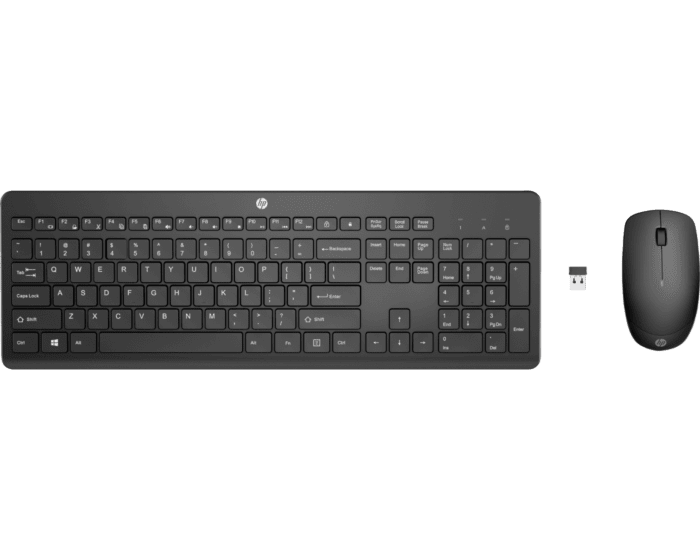
HP Wireless Multimedia Keyboard and Mouse Enhance your workspace and increase your productivity with the perfect all-in-one HP Wireless Keyboard and Mouse combo.
Features and Benefits:
Compatibility Statement:
System Requirements:
What’s in the Box:
Warranty and Support:
Additional Information: Questions about the HP Wireless Multimedia Keyboard and Mouse? Look us up online at www.hp.com