
Ask AI
— answers from the official manualAnswers from the official manual.
Common questions
Common Questions
10 totalHow do I safely place the Home Base charging station?
Ensure that the Home Base is placed at least 4 feet (1.2 meters) away from stairs to prevent the risk of your robot falling downstairs. Also, leave at least 1.5 feet (0.5 meters) on each side and at least 8 feet (2.5 meters) from Virtual Wall Barriers.
What should I do if the Robot Vacuum emits a two-tone alert?
The Roomba will give you a two-tone alert, a spoken message, and a blinking troubleshooting indicator to indicate that something is wrong. Follow the audible instructions or refer to the iRobot HOME App for detailed support.
How often should I clean the brushes on my Robot Vacuum?
Clean the Multi-Surface Brushes every month (twice a month if you have pets). Remove any hair or debris from both sides of the brushes and reinstall them correctly to maintain optimal performance.
What is the Spot Clean feature on my Roomba?
The Spot Clean feature allows you to direct your robot to clean a specific area. Place the robot in the center of the debris and press (Spot Clean) for it to spiral outward about 3 feet before spiraling inward to end where it started.
Where can I find instructional videos for maintenance tasks?
There are additional instructional videos available in the iRobot HOME App which cover various maintenance procedures like cleaning the brushes and replacing parts.
How do I perform a factory reset on my Robot Vacuum?
Press and hold the (Home) and (Spot Clean) buttons for 10 seconds until all indicators turn off. After releasing them, you will hear an audible tone confirming the reboot.
Full Manual
13 pages
WC#: 4632506v1
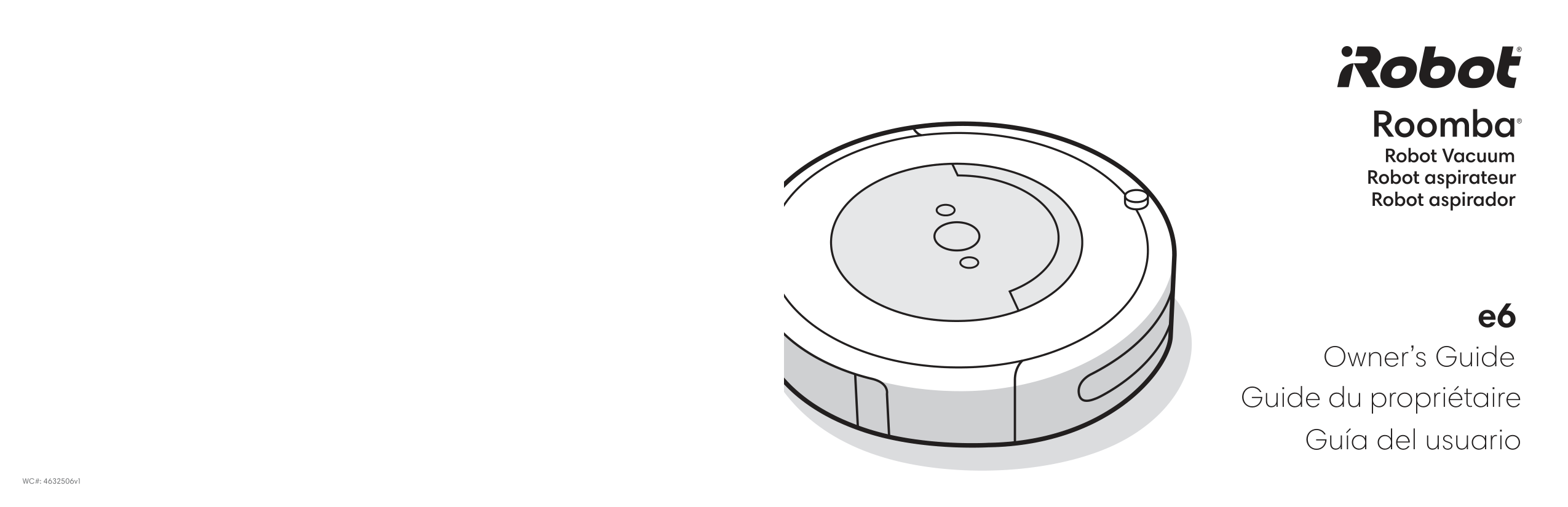
Robot aspirateur Robot aspirador
e6
Owner’s Guide
Guide du propriétaire Guía del usuario
#### Safety Information
Important Safety Information
SAVE THESE INSTRUCTIONS
WARNING: When using an electrical appliance, basic precautions should always be followed, including the following:
READ ALL INSTRUCTIONS
WARNING: To reduce the risk of injury or damage, read and follow the safety precautions when setting up, using and maintaining your robot.
This appliance can be used by children aged from 8 years and above and persons with reduced physical, sensory or mental capabilities or lack of experience and knowledge if they have been given supervision or instruction concerning use of the appliance in a safe way and understand the hazards involved. Children shall not play with the appliance. Cleaning and user maintenance shall not be made by children without supervision.
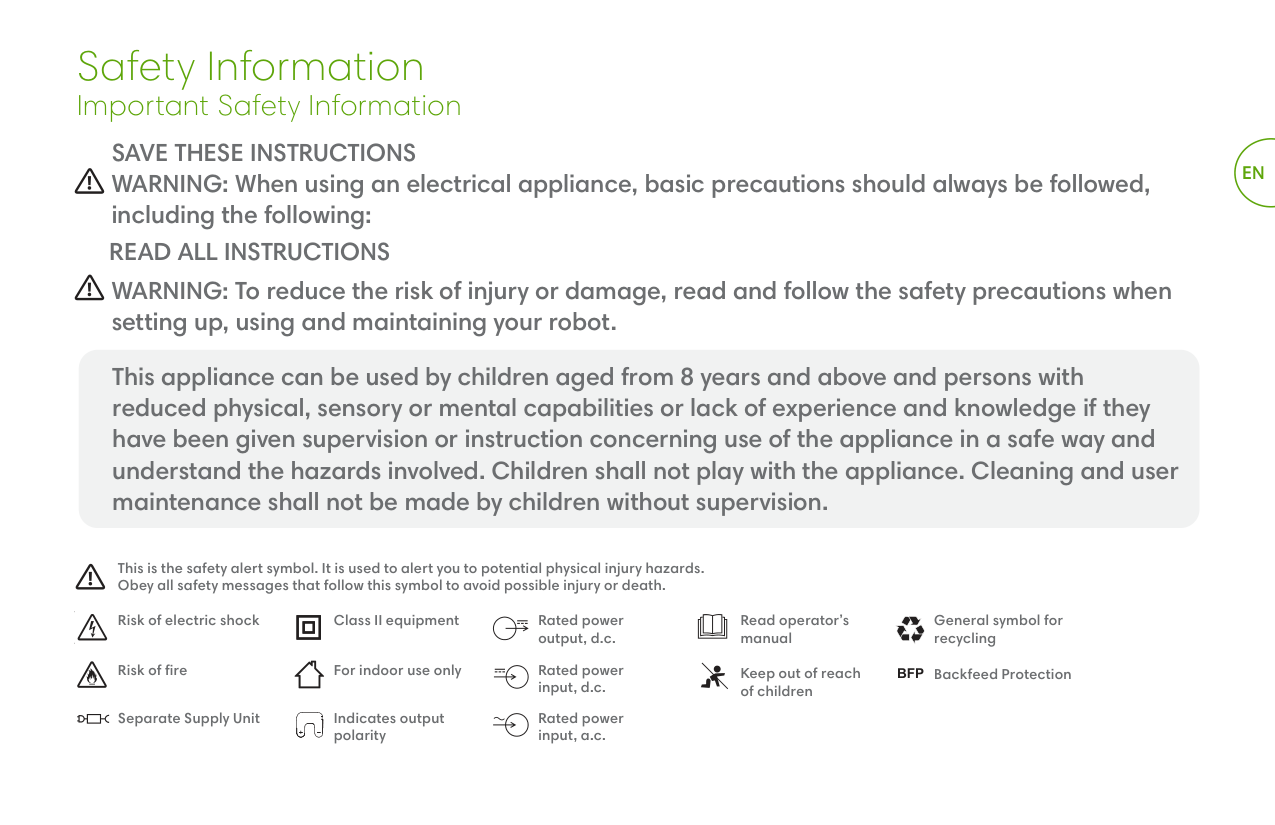
This is the safety alert symbol. It is used to alert you to potential physical injury hazards. Obey all safety messages that follow this symbol to avoid possible injury or death.
Risk of electric shock Class II equipment Read operator’s manual
Rated power output, d.c.
Risk of fire For indoor use only Keep out of reach of children
Rated power input, d.c.
Separate Supply Unit Rated power input, a.c.
Indicates output polarity
General symbol for recycling
Backfeed Protection
BFP
####### EN
EN
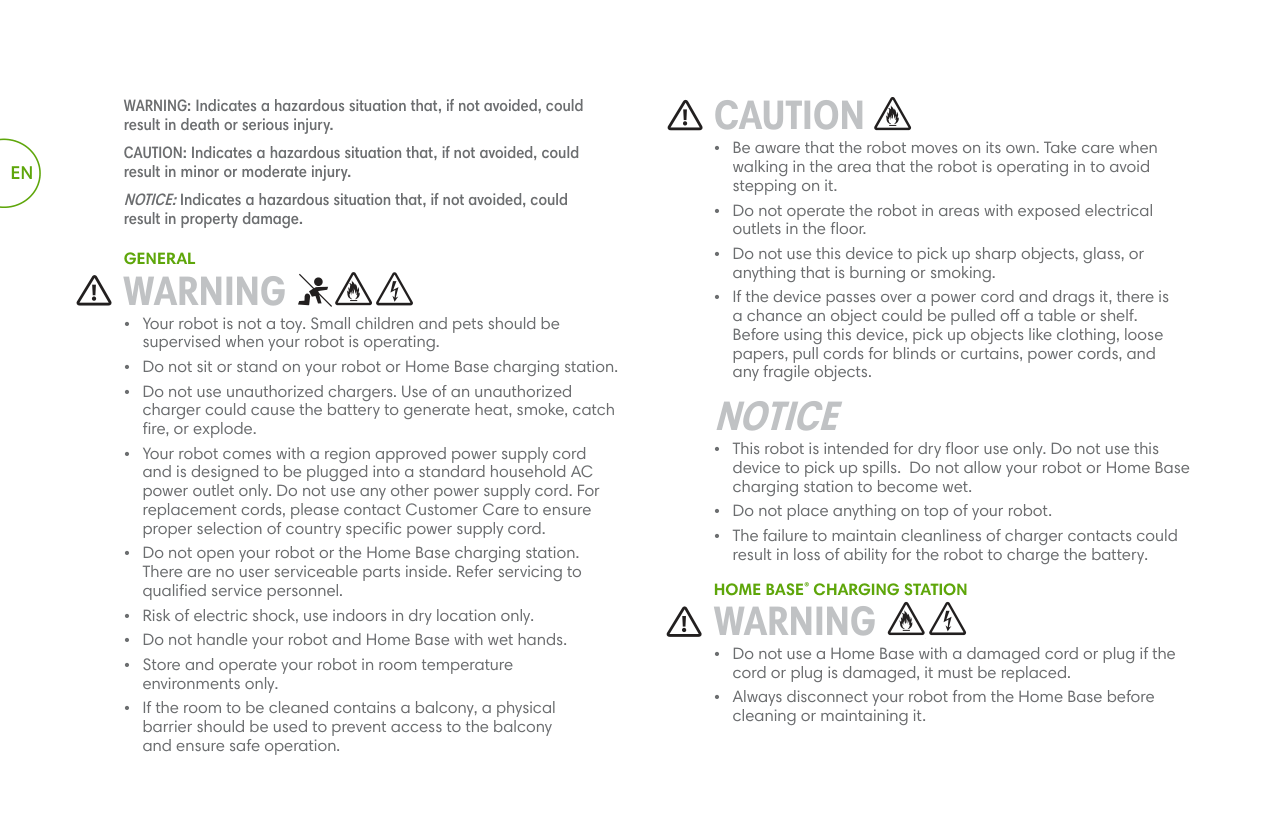
WARNING: Indicates a hazardous situation that, if not avoided, could result in death or serious injury.
CAUTION: Indicates a hazardous situation that, if not avoided, could result in minor or moderate injury.
NOTICE:Indicates a hazardous situation that, if not avoided, could result in property damage.
GENERAL
WARNING
CAUTION
NOTICE
HOME BASE® CHARGING STATION
WARNING
NOTICE
BATTERY
WARNING
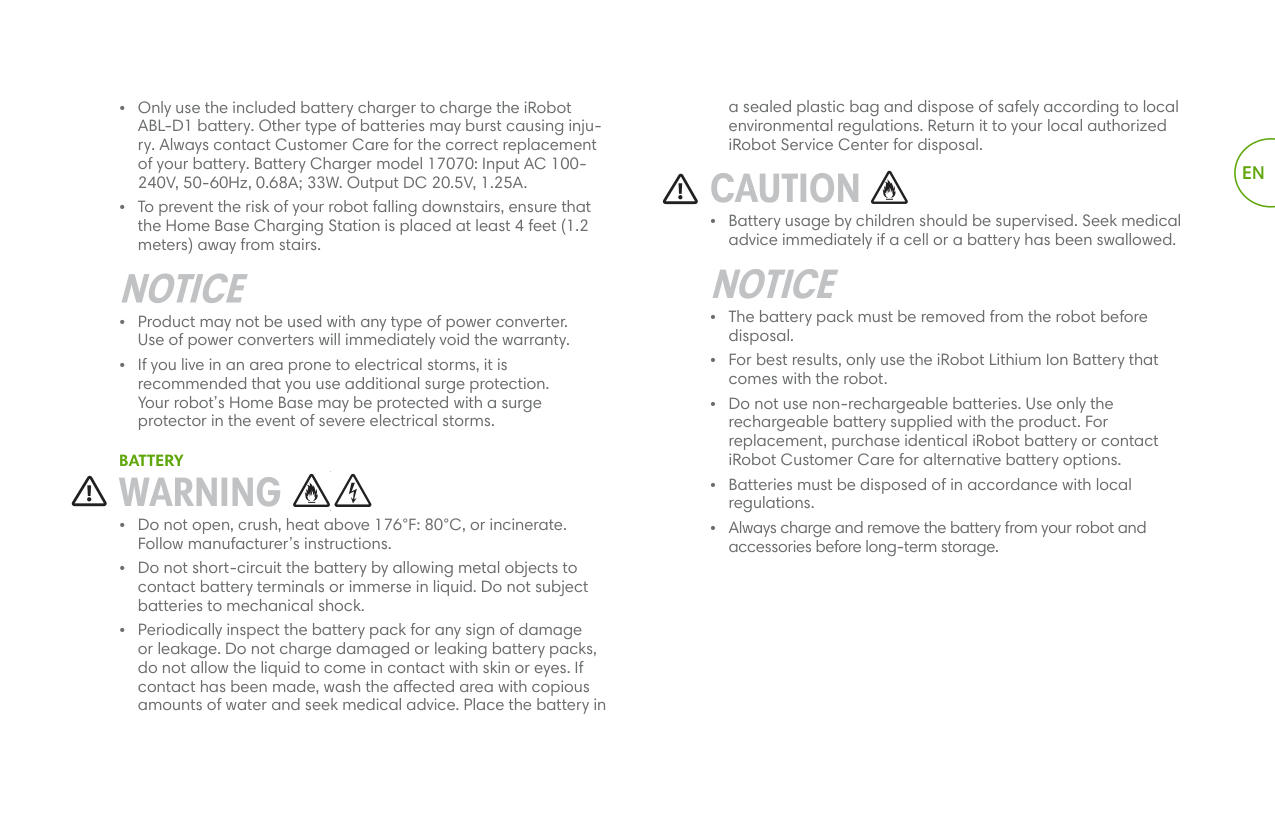
a sealed plastic bag and dispose of safely according to local environmental regulations. Return it to your local authorized iRobot Service Center for disposal.
CAUTION
• Battery usage by children should be supervised. Seek medical advice immediately if a cell or a battery has been swallowed.
NOTICE
EN
#### About your Roomba®Robot Vacuum
EN
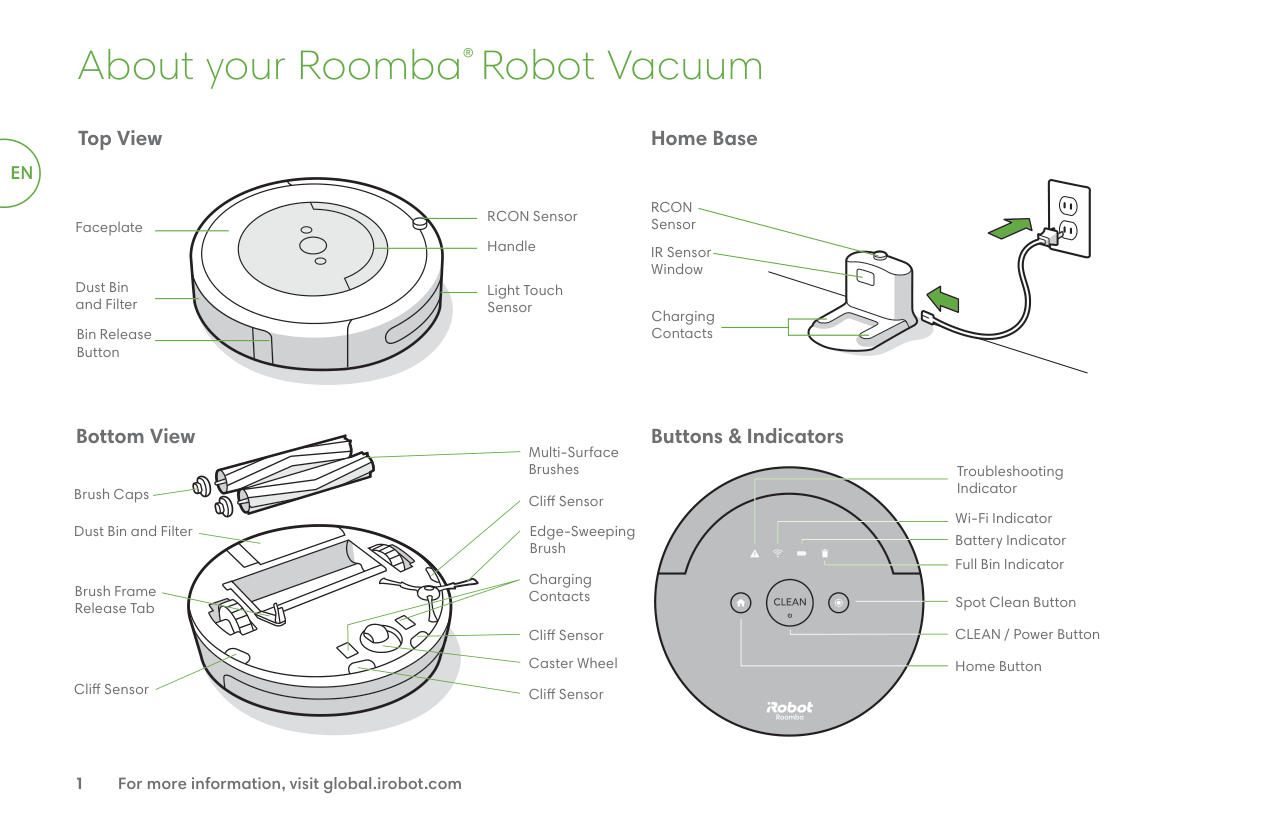
Top View
RCON Sensor
Faceplate
Handle
Dust Bin and Filter
Light Touch Sensor
Bin Release Button
Home Base
RCON Sensor
IR Sensor Window
Charging Contacts
| | | |---|---| | | |
Bottom View
Multi-Surface Brushes
Brush Caps
Cliff Sensor
Dust Bin and Filter
Edge-Sweeping Brush
Charging Contacts
Brush Frame Release Tab
Cliff Sensor
Caster Wheel
Cliff Sensor
Cliff Sensor
Buttons & Indicators
Troubleshooting Indicator
Wi-Fi Indicator
Battery Indicator Full Bin Indicator
Spot Clean Button
CLEAN / Power Button
Home Button
#### Using Your Roomba® Robot Vacuum
###### Place the Home Base®charging station
WARNING: To prevent the risk of your robot falling downstairs, ensure that the Home Base Charging Station is placed at least 4 feet (1.2 meters) away from stairs.
Place the Home Base in an open, uncluttered area leaving the following distances around the Home Base:
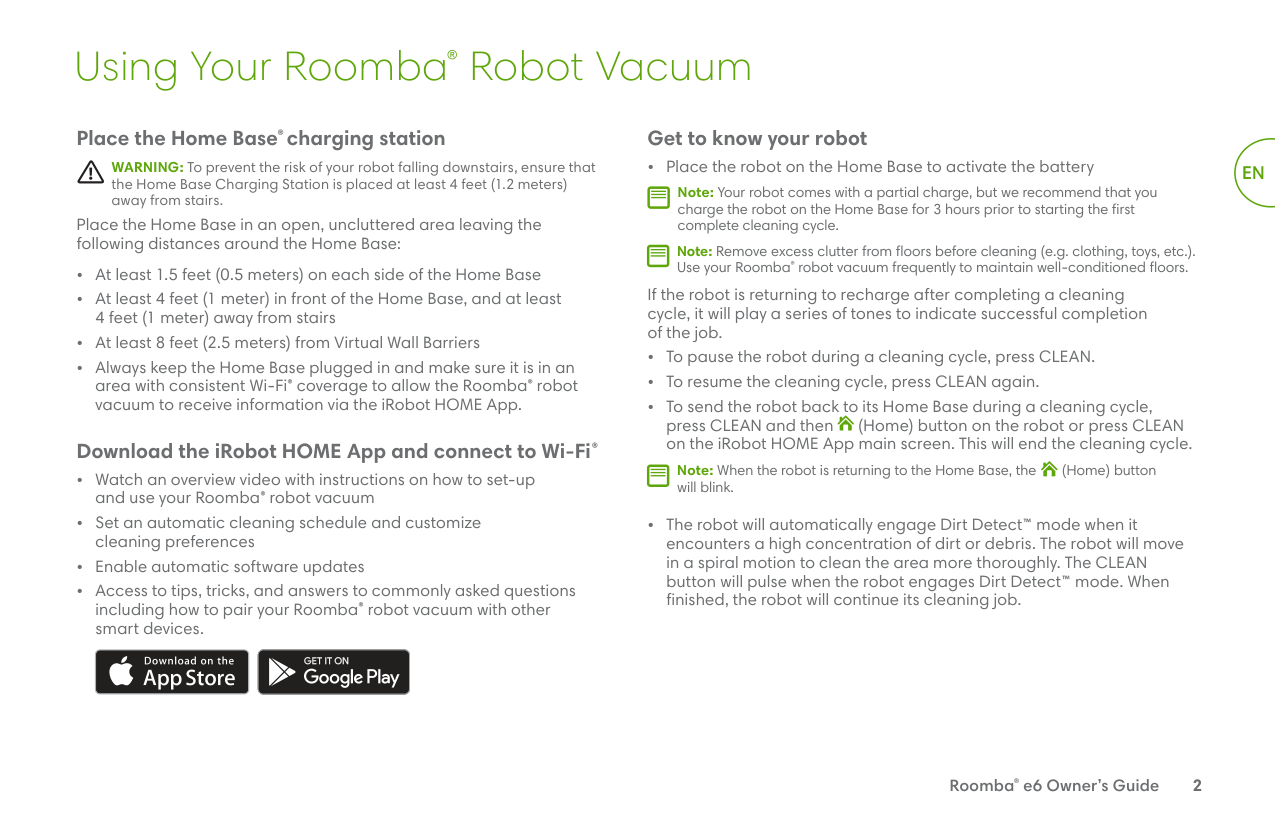
###### Download the iRobot HOME App and connect to Wi-Fi®
| | | |---|---| | | |
###### Get to know your robot
• Place the robot on the Home Base to activate the battery
Note: Your robot comes with a partial charge, but we recommend that you charge the robot on the Home Base for 3 hours prior to starting the first complete cleaning cycle.
| | |---|
Note: Remove excess clutter from floors before cleaning (e.g. clothing, toys, etc.). Use your Roomba® robot vacuum frequently to maintain well-conditioned floors.
| | |---|
If the robot is returning to recharge after completing a cleaning cycle, it will play a series of tones to indicate successful completion of the job.
Note: When the robot is returning to the Home Base, the (Home) button will blink.
| | |---|
EN
Roomba® e6 Owner’s Guide 2
EN
(Home) button for 9 seconds, all indicators will turn off and you will hear an audible tone, then store the robot in a cool, dry place. To wake the robot up and turn on the battery, plug in the Home Base charging station and place the robot on the charging station.
Note: After each use, empty the bin and clean the filter.
| | |---|
#### Accessories
###### Dual Mode Virtual Wall® Barrier (compatible with all models)
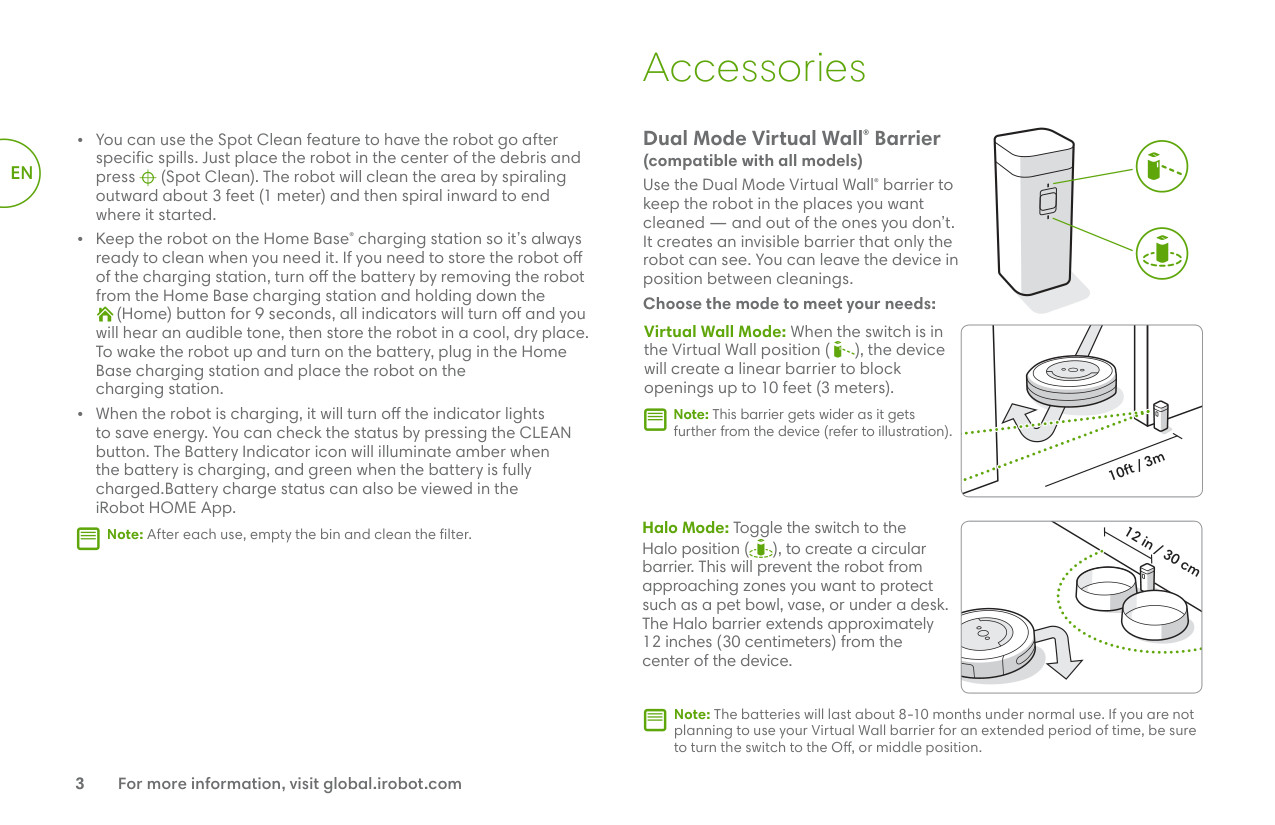
Use the Dual Mode Virtual Wall® barrier to keep the robot in the places you want cleaned — and out of the ones you don’t. It creates an invisible barrier that only the robot can see. You can leave the device in position between cleanings.
######## Choose the mode to meet your needs:
Virtual Wall Mode: When the switch is in the Virtual Wall position ( ), the device will create a linear barrier to block openings up to 10 feet (3 meters).
Note: This barrier gets wider as it gets further from the device (refer to illustration).
| | |---|
10ft / 3m
Halo Mode: Toggle the switch to the Halo position ( ), to create a circular barrier. This will prevent the robot from approaching zones you want to protect such as a pet bowl, vase, or under a desk. The Halo barrier extends approximately 12 inches (30 centimeters) from the center of the device.
12 in / 30 cm
Note: The batteries will last about 8-10 months under normal use. If you are not planning to use your Virtual Wall barrier for an extended period of time, be sure to turn the switch to the Off, or middle position.
| | |---|
#### Care and Maintenance
###### Care and Maintenance Instructions
To keep your Roomba® robot vacuum running at peak performance, perform the procedures on the following pages.
There are additional instructional videos in the iRobot HOME App. If you notice the robot picking up less debris from your floor, empty the bin, clean the filter and clean the brushes.
Care and Maintenance Overview
|Part|Care|Replace*|Details| |---|---|---|---| |Bin|Empty after each use| |Page 3| |Filter|Clean every week (twice a week if you have a pet)|Every 2 months|Page 3| |Front Caster Wheel|Clean every 2 weeks|Every 12 months|Page 4| |EdgeSweeping Brush and Multi-Surface Brushes|Clean every month (twice a month if you have a pet)|Every 12 months|Page 4-5| |Full Bin Sensor|Clean once every 2 weeks|n/a|Page 5| |Sensors and Charging Contacts|Clean once a month| |Page 5|
Note: iRobot manufactures various replacement parts and assemblies. If you think you need a replacement part, please contact iRobot Customer Care for more information. Ask Customer Care “Or visit an authorized iRobot® dealer.”
| | |---|
*Replacement frequency may vary. Parts should be replaced if visible wear appears.
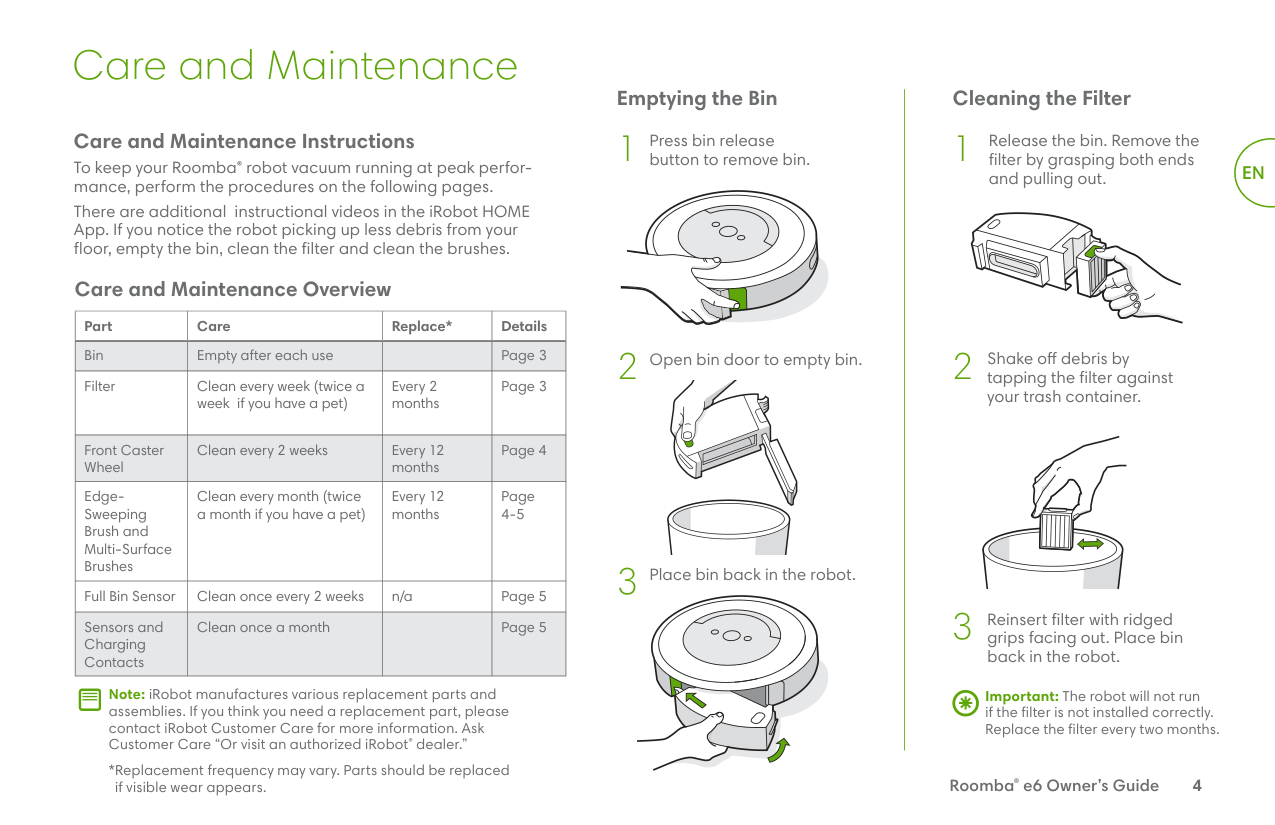
###### Emptying the Bin
button to remove bin.1
Press bin release
Place bin back in the robot.
Open bin door to empty bin.
###### Cleaning the Filter
Release the bin. Remove the filter by grasping both ends and pulling out.
Shake off debris by tapping the filter against your trash container.
Reinsert filter with ridged grips facing out. Place bin back in the robot.
EN
Important: The robot will not run if the filter is not installed correctly. Replace the filter every two months.
Roomba® e6 Owner’s Guide 4
EN
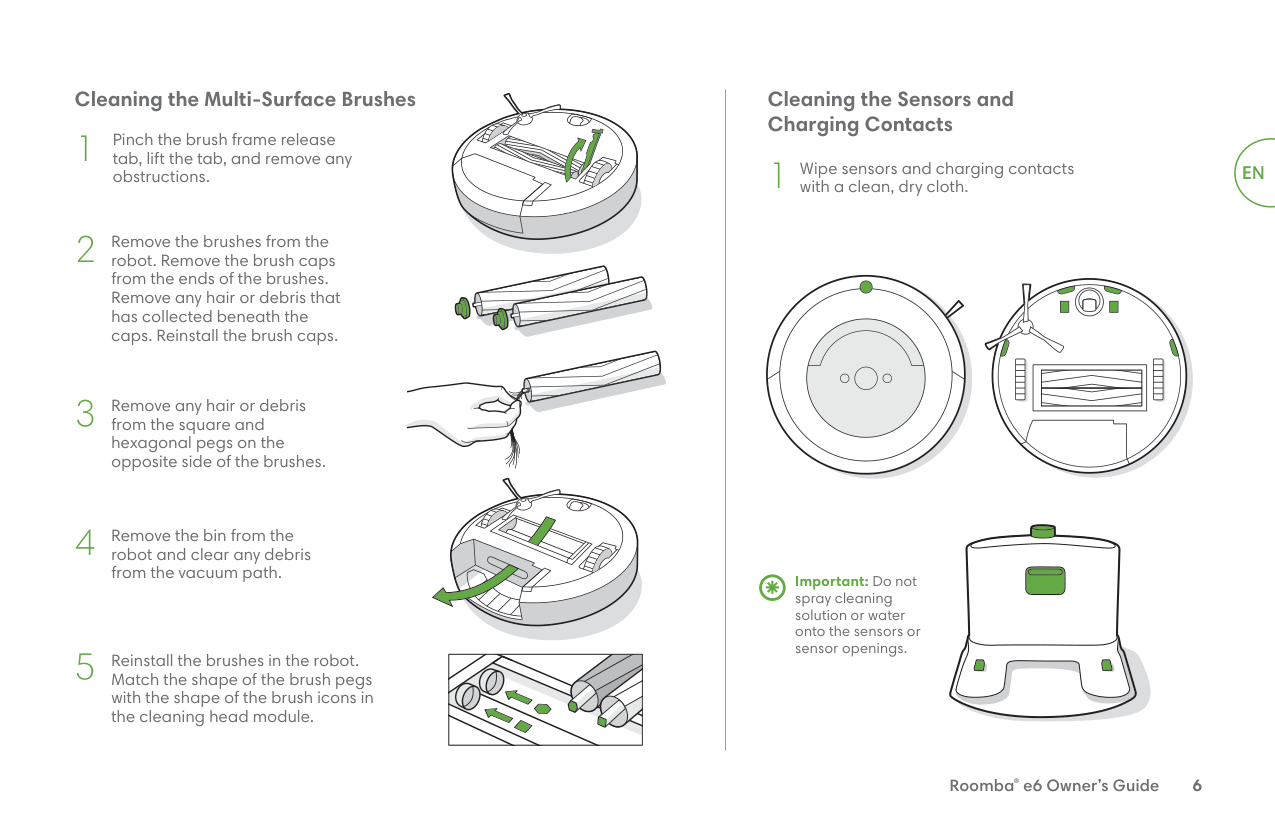
Cleaning the Full Bin Sensors
1
Remove and empty the bin.
2
Wipe the inner sensors with a clean, dry cloth
Washing the Bin
Important: Do not wash the filter. Remove the filter before washing the bin.
1
Release the bin, remove the filter, and open the bin door.
##### 2
Rinse the bin using warm water.
Note: Bin is not dishwasher safe.
| | |---|
3
Make sure bin is completely dry. Reinsert filter and place bin back in the robot.
###### Cleaning the Edge-Sweeping Brush
Use a coin or small screwdriver to remove the screw holding the Edge-Sweeping Brush in place.
Remove the Edge-Sweeping Brush, clean the brush and the brush post, and then reinstall the brush.
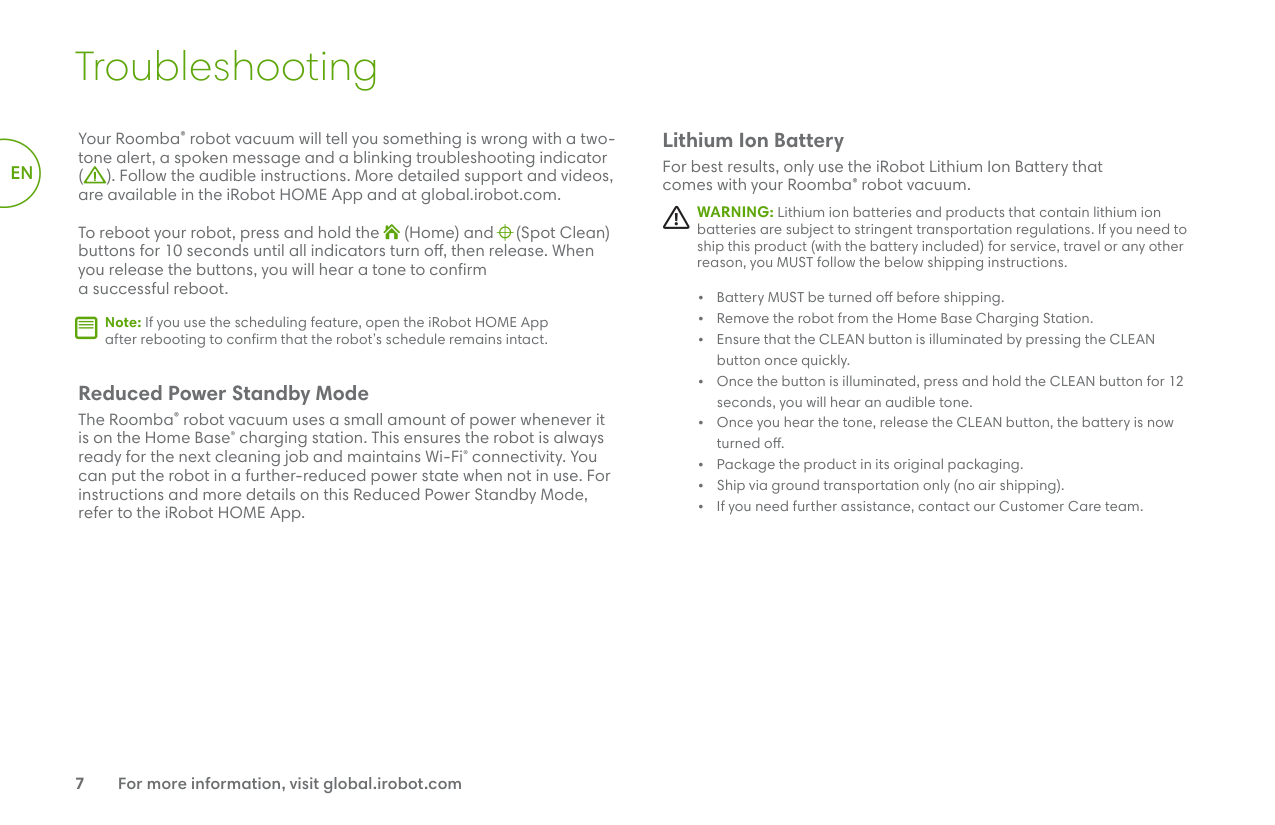
###### Cleaning the Front Caster Wheel
Pull firmly on the front wheel to remove it.
Remove any debris from inside the wheel cavity.
Reinstall all parts when finished. Make sure the wheel clicks back into place.
WheelAxle
Housing
Important: A front wheel clogged with hair and debris could result in damage to your floor. If the wheel is not spinning freely after you have cleaned it, please contact Customer Care.
###### Cleaning the Multi-Surface Brushes
Pinch the brush frame release tab, lift the tab, and remove any obstructions.
Remove the brushes from the robot. Remove the brush caps from the ends of the brushes. Remove any hair or debris that has collected beneath the caps. Reinstall the brush caps.
Remove any hair or debris from the square and hexagonal pegs on the opposite side of the brushes.
Remove the bin from the robot and clear any debris from the vacuum path.
Reinstall the brushes in the robot. Match the shape of the brush pegs with the shape of the brush icons in the cleaning head module.
| | |---|
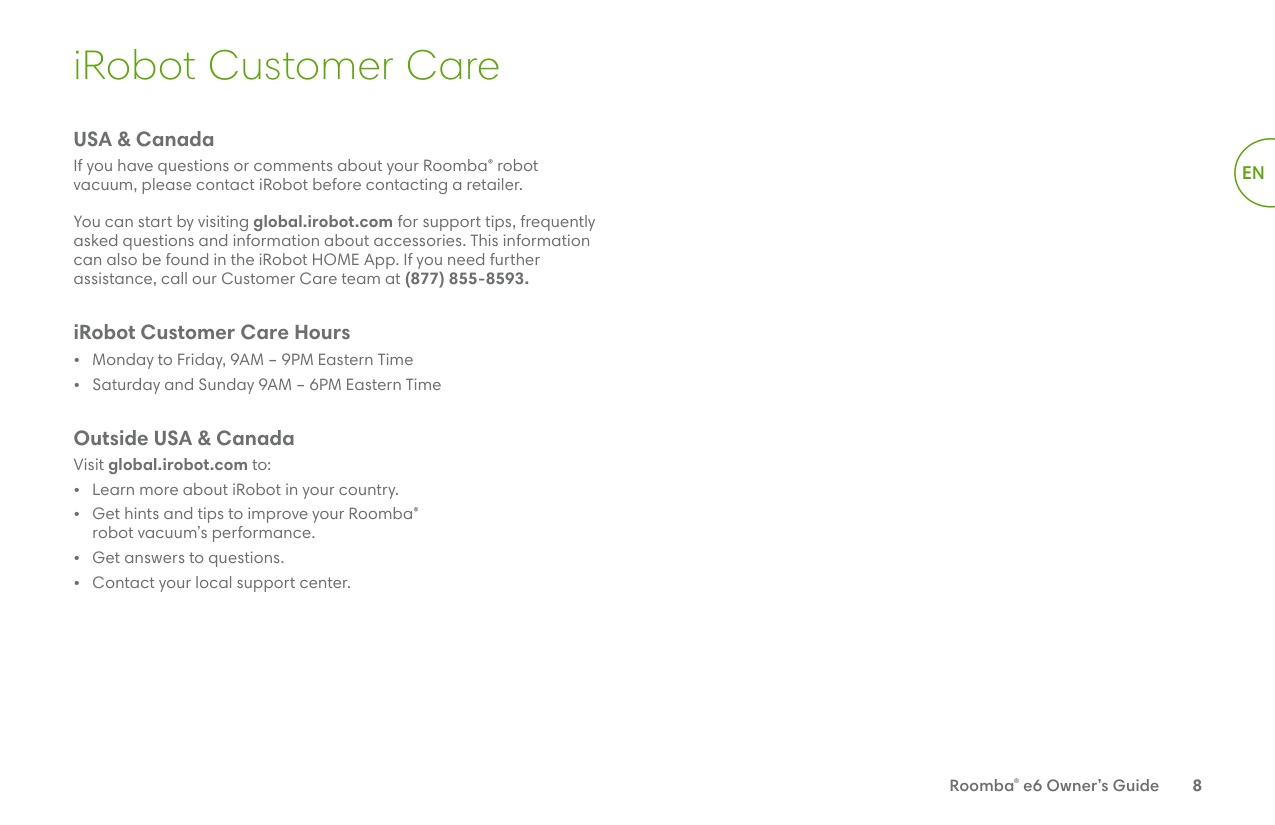
Cleaning the Sensors and Charging Contacts
##### 1
Wipe sensors and charging contacts with a clean, dry cloth.
EN
Important: Do not spray cleaning solution or water onto the sensors or sensor openings.
#### Troubleshooting
EN
Your Roomba® robot vacuum will tell you something is wrong with a twotone alert, a spoken message and a blinking troubleshooting indicator ( ). Follow the audible instructions. More detailed support and videos, are available in the iRobot HOME App and at global.irobot.com.
To reboot your robot, press and hold the (Home) and (Spot Clean) buttons for 10 seconds until all indicators turn off, then release. When you release the buttons, you will hear a tone to confirm a successful reboot.
Note: If you use the scheduling feature, open the iRobot HOME App after rebooting to confirm that the robot’s schedule remains intact.
| | |---|
###### Reduced Power Standby Mode
The Roomba® robot vacuum uses a small amount of power whenever it is on the Home Base® charging station. This ensures the robot is always ready for the next cleaning job and maintains Wi-Fi® connectivity. You can put the robot in a further-reduced power state when not in use. For instructions and more details on this Reduced Power Standby Mode, refer to the iRobot HOME App.
###### Lithium Ion Battery
For best results, only use the iRobot Lithium Ion Battery that comes with your Roomba® robot vacuum.
WARNING: Lithium ion batteries and products that contain lithium ion batteries are subject to stringent transportation regulations. If you need to ship this product (with the battery included) for service, travel or any other reason, you MUST follow the below shipping instructions.
#### iRobot Customer Care
###### USA & Canada
If you have questions or comments about your Roomba® robot vacuum, please contact iRobot before contacting a retailer.
You can start by visiting global.irobot.com for support tips, frequently asked questions and information about accessories. This information can also be found in the iRobot HOME App. If you need further assistance, call our Customer Care team at (877) 855-8593.
###### iRobot Customer Care Hours
Outside USA & Canada Visit global.irobot.com to:
EN
#### Regulatory Information
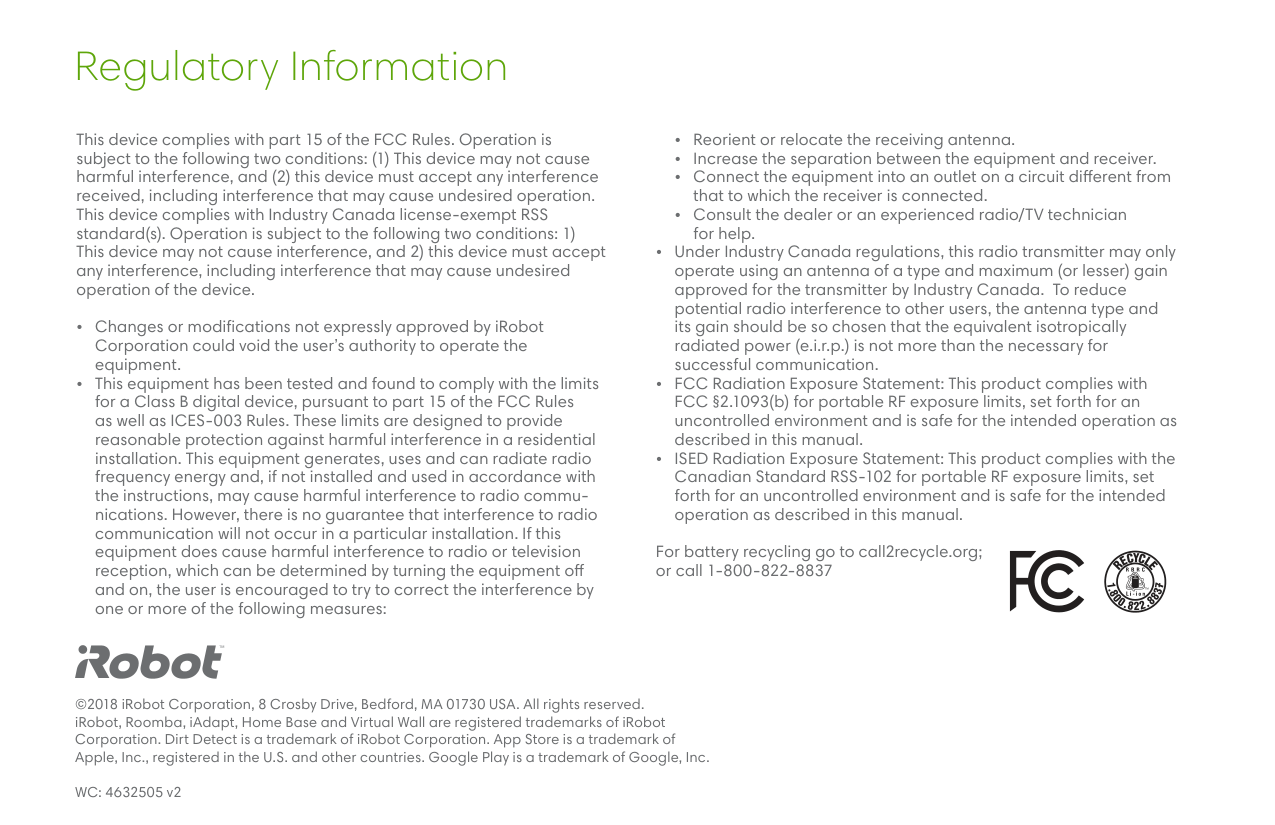
This device complies with part 15 of the FCC Rules. Operation is subject to the following two conditions: (1) This device may not cause harmful interference, and (2) this device must accept any interference received, including interference that may cause undesired operation. This device complies with Industry Canada license-exempt RSS standard(s). Operation is subject to the following two conditions: 1) This device may not cause interference, and 2) this device must accept any interference, including interference that may cause undesired operation of the device.
For battery recycling go to call2recycle.org; or call 1-800-822-8837
©2018 iRobot Corporation, 8 Crosby Drive, Bedford, MA 01730 USA. All rights reserved. iRobot, Roomba, iAdapt, Home Base and Virtual Wall are registered trademarks of iRobot Corporation. Dirt Detect is a trademark of iRobot Corporation. App Store is a trademark of Apple, Inc., registered in the U.S. and other countries. Google Play is a trademark of Google, Inc.
WC: 4632505 v2