
Jyx 66Bt Karaoke Machine With 2 Wireless Microphone
Ask AI
— answers from the official manualAnswers from the official manual.
Common questions
Common Questions
17 totalHow do I factory reset the Jyx Jyx 66bt Karaoke Machine?
To reset, long press the Power button for 8 seconds until the system responds to operations or behaves as if it has restarted. (Page 23)
What safety precautions should I follow when using this karaoke machine?
Use in dry environments, away from fire and water sources to prevent risks. Keep the battery module untouched by non-professionals to avoid explosion hazards.
How can I pair the Jyx Jyx 66bt with my phone via Bluetooth?
Turn on your device's Bluetooth and press the 'Mode' button to initiate pairing. Select ‘JYX-66BT’ from available devices.
How do I record audio with the Jyx Jyx 66bt?
Insert a TF card or flash drive, then long press the 'REC' button to start recording; short press once to stop and begin playback.
What should I do if there is no sound from my Jyx Jyx 66bt?
Make sure your device is powered on, adjust the volume control, or check connections for external audio sources like aux cables.
How do I charge the karaoke machine’s battery safely?
Plug the USB charging cable into a 5V charger until the LED on the charging port illuminates, indicating charging progression.
Show 11 more questions
What should I check if Bluetooth connection to Jyx Jyx 66bt is unstable?
How long does it take to fully charge the Jyx 66BT Karaoke Machine?
How do I set up the wireless microphones?
What does it mean when 'BLUE' is flashing on the display?
How do I connect my smartphone to the Jyx 66BT via Bluetooth?
What should I do if there is no sound output from the karaoke machine?
How do I record my karaoke performance?
What is the TWS function and how do I use it?
What do I do if I cannot establish a Bluetooth connection?
Can I connect the Jyx 66BT to a smart TV?
What should I check if the karaoke machine cannot start up?
Full Manual
6 pages
|115.00
| |MODEL:JYX-66BT
USER MANUAL
| |---|---| | |---|
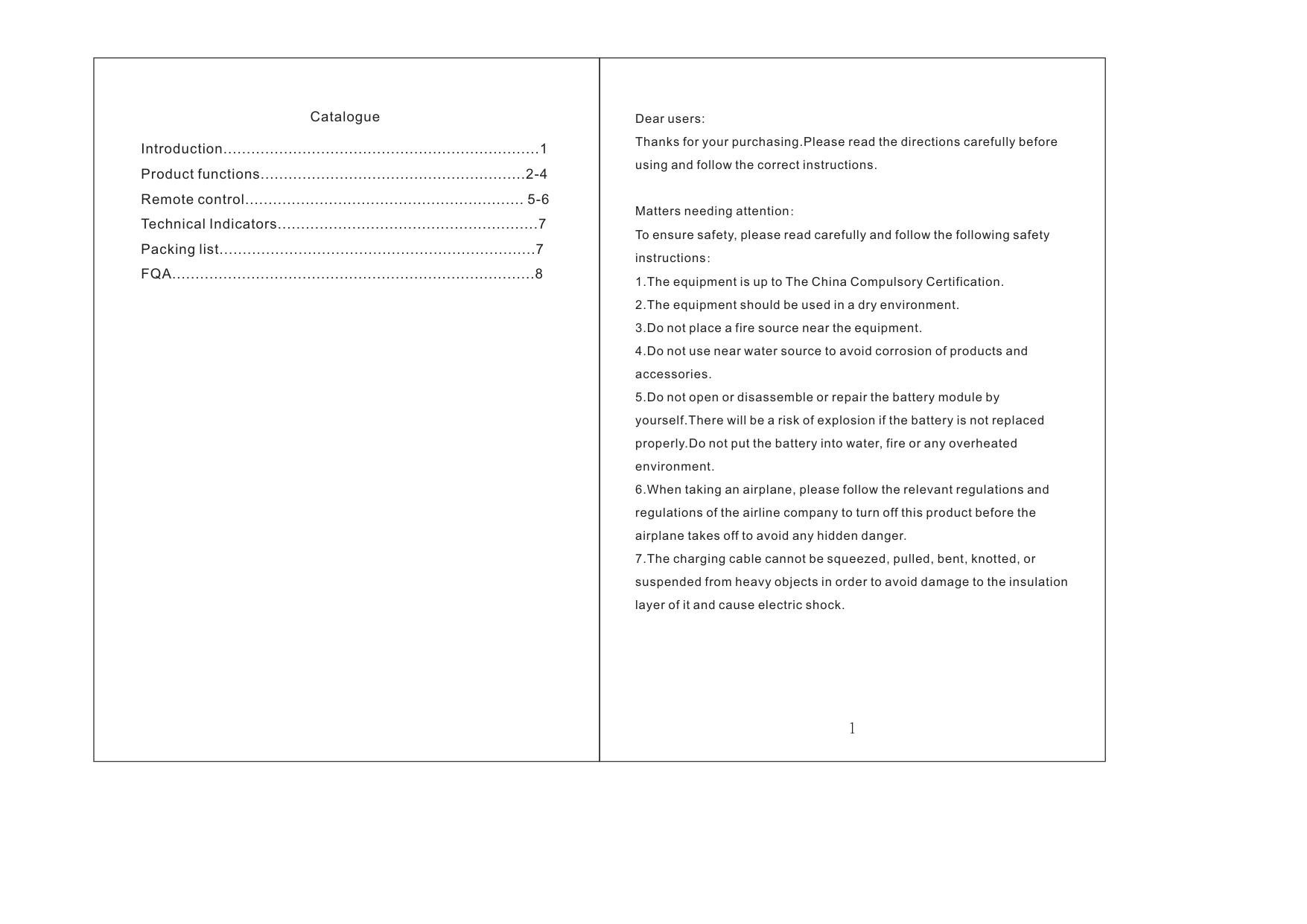
|Introduction....................................................................1 Product functions.........................................................2-4 Remote control............................................................ 5-6 Technical Indicators........................................................7 Packing list....................................................................7 FQA..............................................................................8
Catalogue|Dear users:
Matters needing attention
Thanks for your purchasing.Please read the directions carefully before using and follow the correct instructions.
To ensure safety, please read carefully and follow the following safety instructions
1.The equipment is up to The China Compulsory Certification.
2.The equipment should be used in a dry environment.
3.Do not place a fire source near the equipment.
4.Do not use near water source to avoid corrosion of products and accessories.
5.Do not open or disassemble or repair the battery module by yourself.There will be a risk of explosion if the battery is not replaced properly.Do not put the battery into water, fire or any overheated environment.
6.When taking an airplane, please follow the relevant regulations and regulations of the airline company to turn off this product before the airplane takes off to avoid any hidden danger.
7.The charging cable cannot be squeezed, pulled, bent, knotted, or suspended from heavy objects in order to avoid damage to the insulation layer of it and cause electric shock.
:
:| |---|---|
|11
1213141516
1
2 3 4 5 6 7 8 9 10
17181920
21
MASTER
5V 1A
USB
0 123 4
6 7 895
MIC VOL ECHO BASS
OFF ON
POWER
PREV PLAY/PAUSE NEXT REC MODE
TREBLE
TF Card AUX IN MIC1
MIC2 Priority MIC
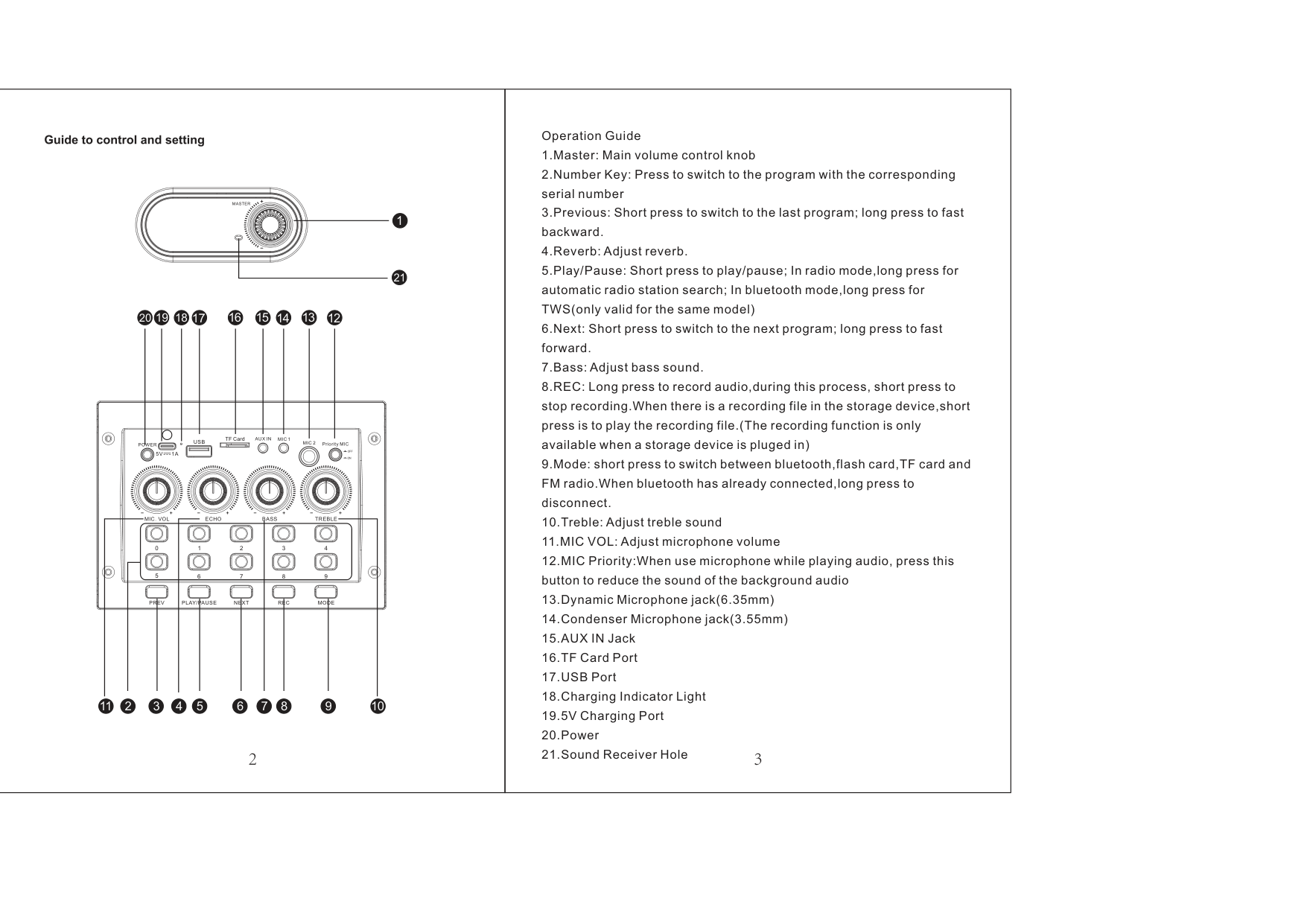
|Operation Guide
1.Master: Main volume control knob
2.Number Key: Press to switch to the program with the corresponding serial number
3.Previous: Short press to switch to the last program; long press to fast backward.
4.Reverb:Adjust reverb.
5.Play/Pause: Short press to play/pause; In radio mode,long press for automatic radio station search; In bluetooth mode,long press for TWS(only valid for the same model)
6.Next: Short press to switch to the next program; long press to fast forward.
7.Bass:Adjust bass sound.
8.REC: Long press to record audio,during this process, short press to stop recording.When there is a recording file in the storage device,short press is to play the recording file.(The recording function is only available when a storage device is pluged in)
9.Mode: short press to switch between bluetooth,flash card,TF card and FM radio.When bluetooth has already connected,long press to disconnect.
10.Treble:Adjust treble sound
11.MIC VOL:Adjust microphone volume
12.MIC Priority:When use microphone while playing audio, press this button to reduce the sound of the background audio
13.Dynamic Microphone jack(6.35mm)
14.Condenser Microphone jack(3.55mm)
15.AUX IN Jack
16.TF Card Port
17.USB Port
18.Charging Indicator Light
19.5V Charging Port
20.Power
21.Sound Receiver Hole
| |---|---|
|Bluetooth Connection
AUX- IN
USB and TF Input
FM Radio
REC
TWS Function
1.Turn on bluetooth on your mobile device.
2.Press “Mode” key and switch the speaker to BT mode.
3.Select “JYX-66BT” from available devices.(If JYX-66BT is unavailable,please switch back to Bluetooth mode and try again )
Transmit audio without Bluetooth by plug 3.5mm audio cable intoAUX IN jack,the speaker will play the audio from input device automatically.
When insert USB or TF card into speaker,the speaker will play the audio from USB/TF card automatically.
1.Pull out the antenna on the top of speaker.
2.Press “Mode” key to switch to radio station.
3.Long press “Play/Pause” key to search and save more available stations automatically.
4.The station searching completed when it no longer switch automatically.
5.Press “Next” or “Previous” to select your own station.
1.Plug in a TF card or flash card
2.Long press “REC” to start recording,short press to end recording.
3.Short press “REC” again to play the recording audio.
To use this feature,two JYX-66BT systems are required.
1.Turn on the two JYX-66BT and turn them both into Bluetooth mode.Two machines will flash “BLUE” on screen.
2.Long press the “PLAY/PAUSE” button of either of the two machines(Only need to press one button),the other machine will make a prompt tone and stop flashing. TWS function will be activated by then.
3.Connect your device with the speaker and play music.
4.Long press “PLAY/PAUSE” button again to inactivate TWS function. If you're still wondering about these steps, please contact customer service team for a video tutorial:[email protected]
|
Remote control| |---|---|
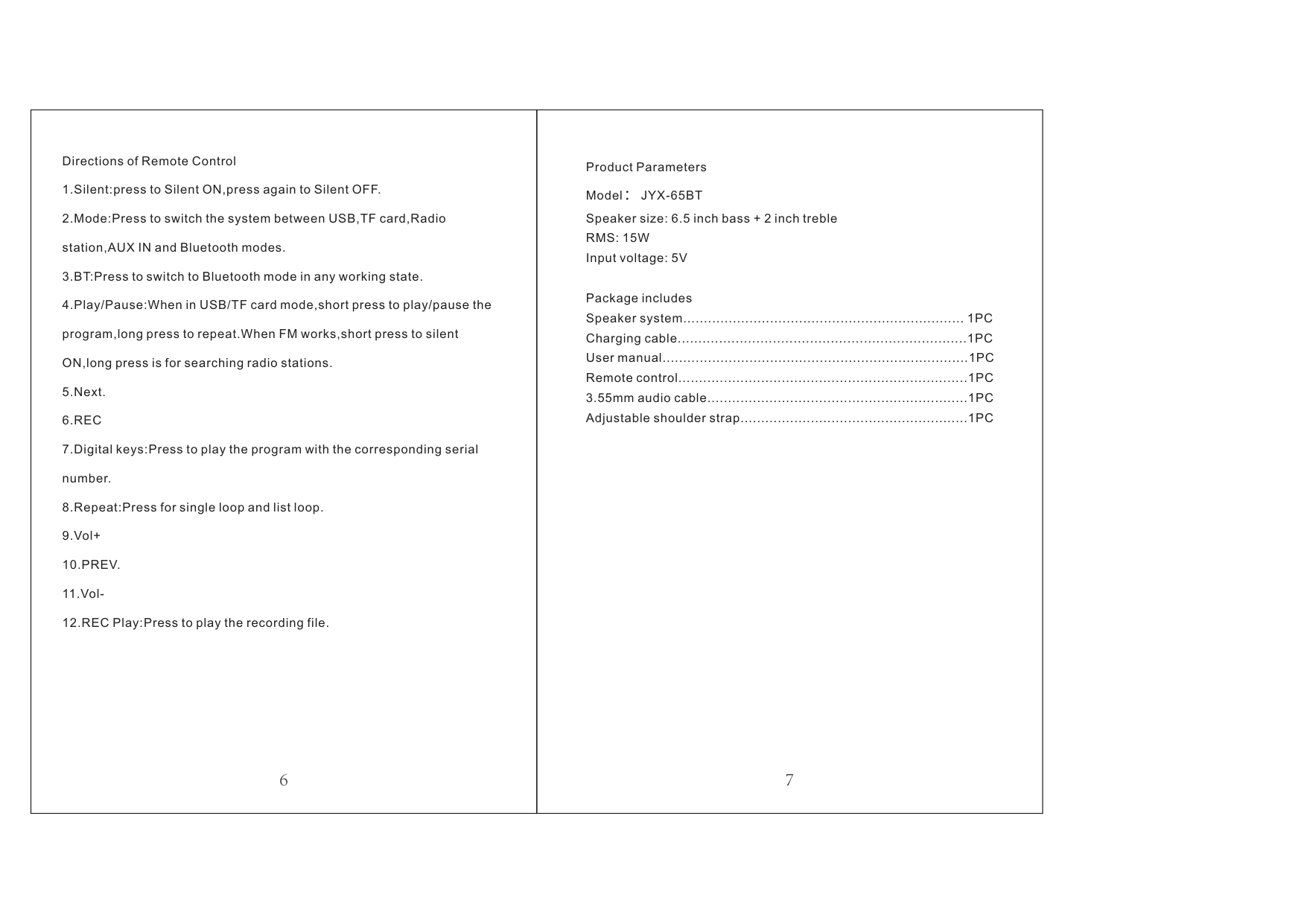
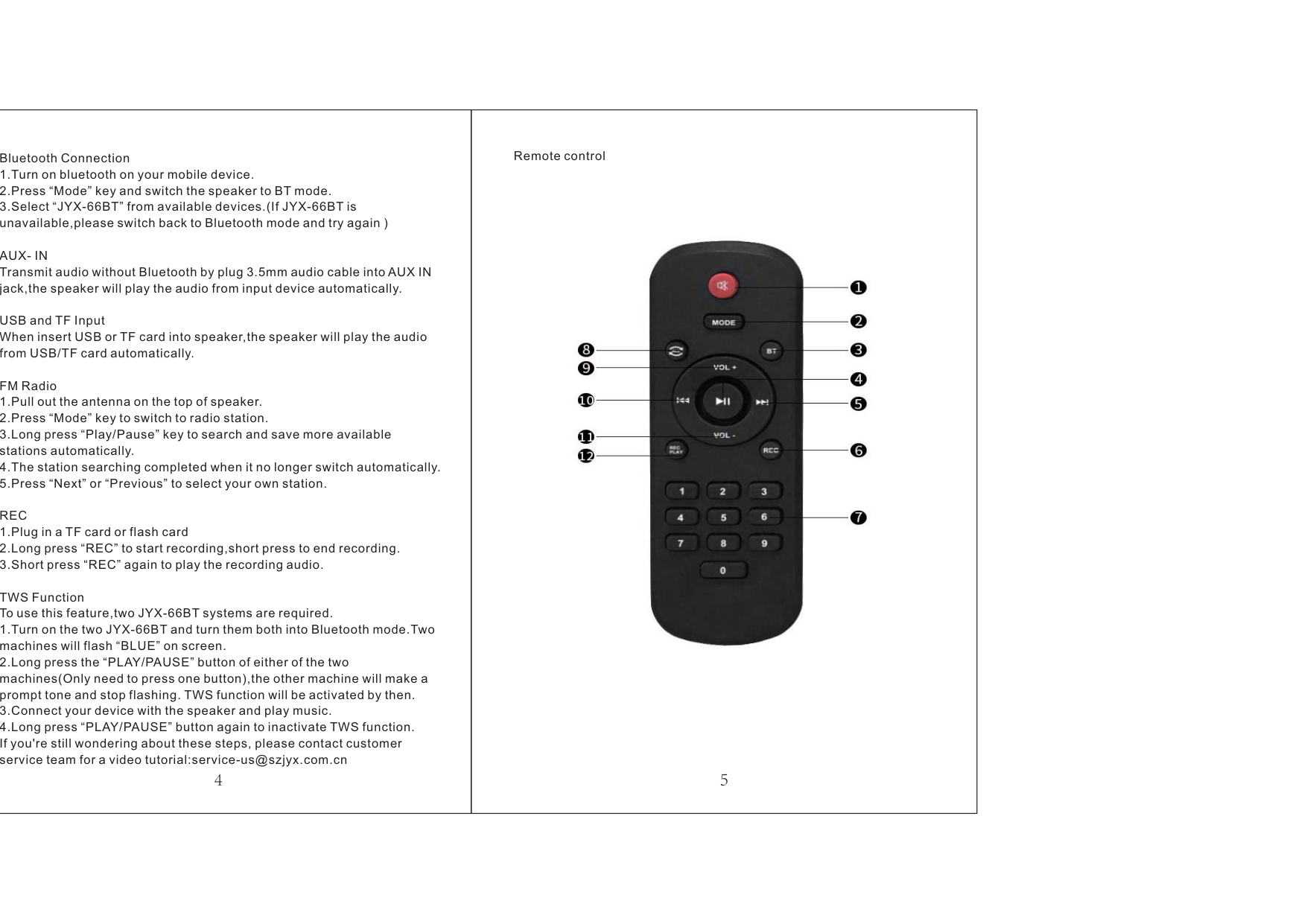
|Directions of Remote Control
1.Silent:press to Silent ON,press again to Silent OFF.
2.Mode:Press to switch the system between USB,TF card,Radio station,AUX IN and Bluetooth modes.
3.BT:Press to switch to Bluetooth mode in any working state.
4.Play/Pause:When in USB/TF card mode,short press to play/pause the program,long press to repeat.When FM works,short press to silent ON,long press is for searching radio stations.
5.Next.
6.REC
7.Digital keys:Press to play the program with the corresponding serial number.
8.Repeat:Press for single loop and list loop.
9.Vol+
10.PREV.
11.Vol-
12.REC Play:Press to play the recording file.
|Product Parameters Model JYX-65BT
Package includes
: Speaker size: 6.5 inch bass + 2 inch treble RMS: 15W Input voltage: 5V
Speaker system.................................................................... 1PC Charging cable......................................................................1PC User manual..........................................................................1PC Remote control......................................................................1PC 3.55mm audio cable...............................................................1PC Adjustable shoulder strap.......................................................1PC| |---|---|
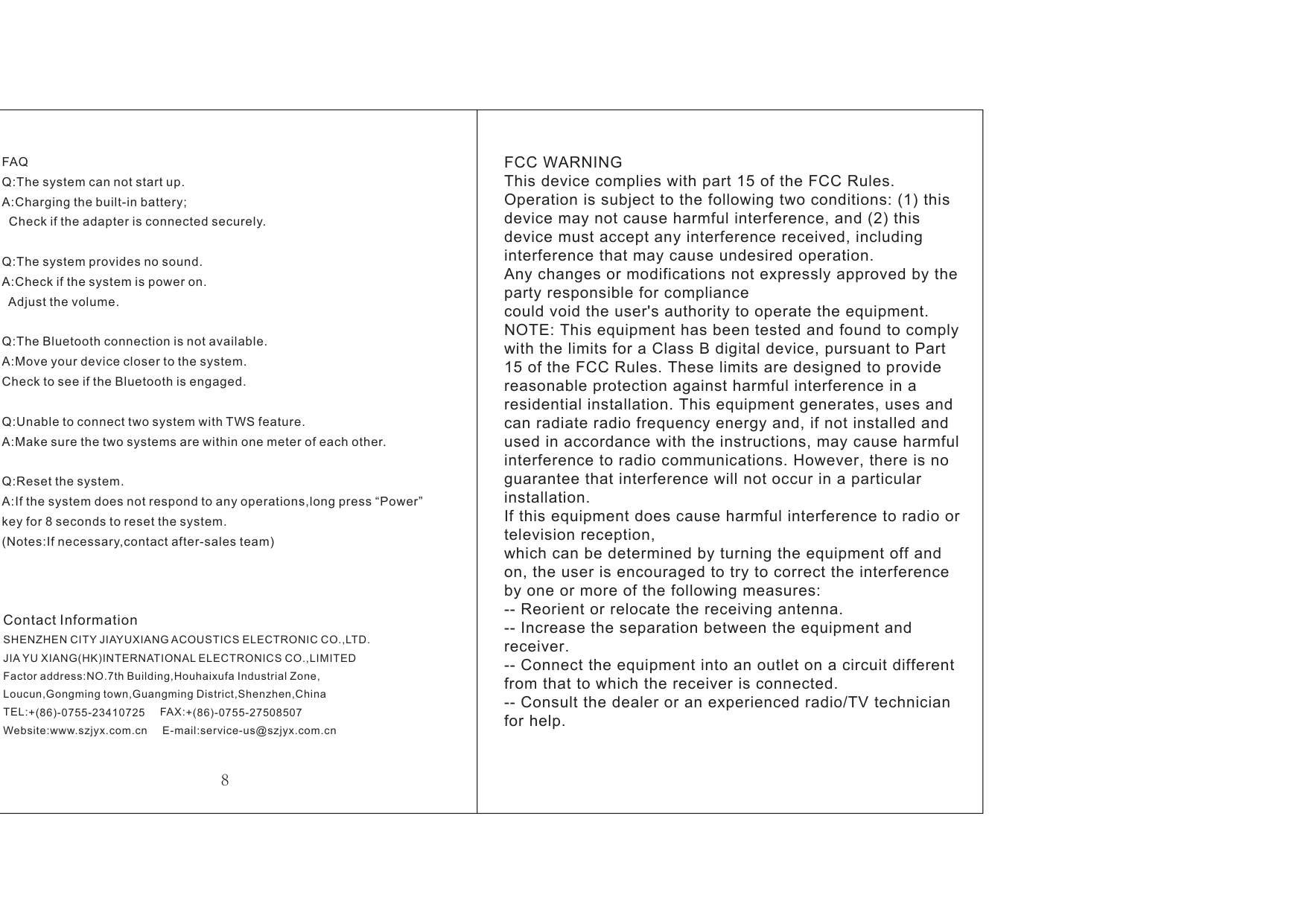
|FAQ Q: A:
Q: A:
Q:
Q:
Q: A:
The system can not start up. Charging the built-in battery;
Check if the adapter is connected securely.
The system provides no sound. Check if the system is power on.
Adjust the volume.
The Bluetooth connection is not available.
A:Move your device closer to the system. Check to see if the Bluetooth is engaged.
Unable to connect two system with TWS feature. A:Make sure the two systems are within one meter of each other.
Reset the system. If the system does not respond to any operations,long press “Power”
key for 8 seconds to reset the system. (Notes:If necessary,contact after-sales team)
Contact Information SHENZHEN CITY JIAYUXIANGACOUSTICS ELECTRONIC CO.,LTD. JIAYU XIANG(HK)INTERNATIONAL ELECTRONICS CO.,LIMITED Factor address:
TEL: FAX: Website: E-mail:
NO.7th Building,Houhaixufa Industrial Zone,
Loucun,Gongming town,Guangming District,Shenzhen,China +(86)-0755-23410725 +(86)-0755-27508507
www.szjyx.com.cn [email protected]|FCC WARNING This device complies with part 15 of the FCC Rules. Operation is subject to the following two conditions: (1) this device may not cause harmful interference, and (2) this device must accept any interference received, including interference that may cause undesired operation. Any changes or modifications not expressly approved by the party responsible for compliance could void the user's authority to operate the equipment. NOTE: This equipment has been tested and found to comply with the limits for a Class B digital device, pursuant to Part 15 of the FCC Rules. These limits are designed to provide reasonable protection against harmful interference in a residential installation. This equipment generates, uses and can radiate radio frequency energy and, if not installed and used in accordance with the instructions, may cause harmful interference to radio communications. However, there is no guarantee that interference will not occur in a particular installation. If this equipment does cause harmful interference to radio or television reception, which can be determined by turning the equipment off and on, the user is encouraged to try to correct the interference by one or more of the following measures:
-- Reorient or relocate the receiving antenna.
-- Increase the separation between the equipment and receiver.
-- Connect the equipment into an outlet on a circuit different from that to which the receiver is connected.
-- Consult the dealer or an experienced radio/TV technician for help.| |---|---|