
Keychron K3 Bluetooth Mechanical Keyboard
Ask AI
— answers from the official manualAnswers from the official manual.
Common questions
Common Questions
5 totalWhat are the specifications of the Keychron K3?
The Keychron K3 features mechanical and optical switches with an 84-key layout. It has a 1550mAh battery that fully charges in about three hours.
How do I pair my Keychron K3 with Bluetooth?
To initiate pairing, hold fn + 1 for four seconds. The device will display a fast-blinking indicator until the connection is established with 'Keychron K3'.
What materials are included in the K3 package?
The Keychron K3 Bluetooth Mechanical Keyboard box includes a manual, type-C cable, and an additional set of keycaps, as well as quick start instructions.
How do I check battery status on the K3?
When the battery is low, the LED indicator will blink red. A fully charged device displays a steady green light and charging shows static red lighting.
What should I do if I encounter errors during Bluetooth connection of my K3?
Ensure that all connecting devices have the correct settings and check for compatibility issues due to different Bluetooth versions. The manual suggests using 'fn + 1'/'fn + 2'/'fn + 3' keys for pairing multiple devices.
Full Manual
16 pages

K3 Bluetooth Mechanical Keyboard
IN THE BOX:
Keychron K3 Bluetooth Mechanical Keyboard x 1 Type-C Cable * 1 Manual * 1 Quick Start Guide * 1 Extra Keycaps Set * 1
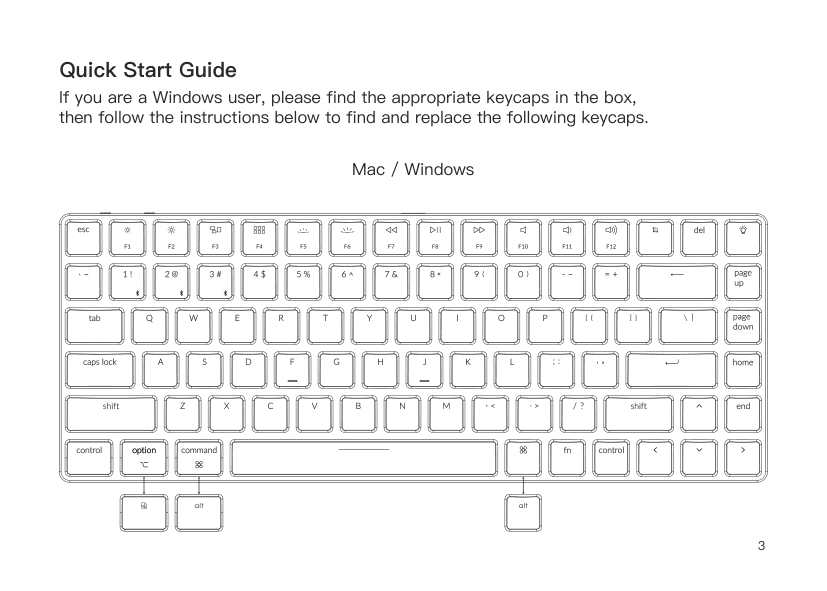
Quick Start Guide If you are a Windows user, please find the appropriate keycaps in the box, then follow the instructions below to find and replace the following keycaps.
Mac / Windows

| | | | | |---|---|---|---| | | | | |
########## Press fn + 1 (for 4 seconds) and pair with device named Keychron K3
| | |
|---|---| | | |
3
For RGB version - Press fn + right arrow /
#### 4
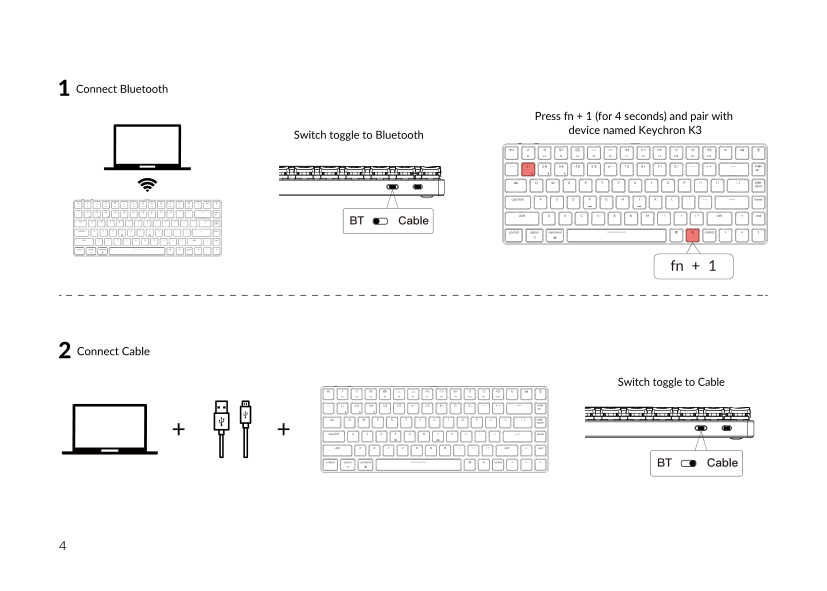
For Windows: Press fn + X + L (for 4 seconds) to switch


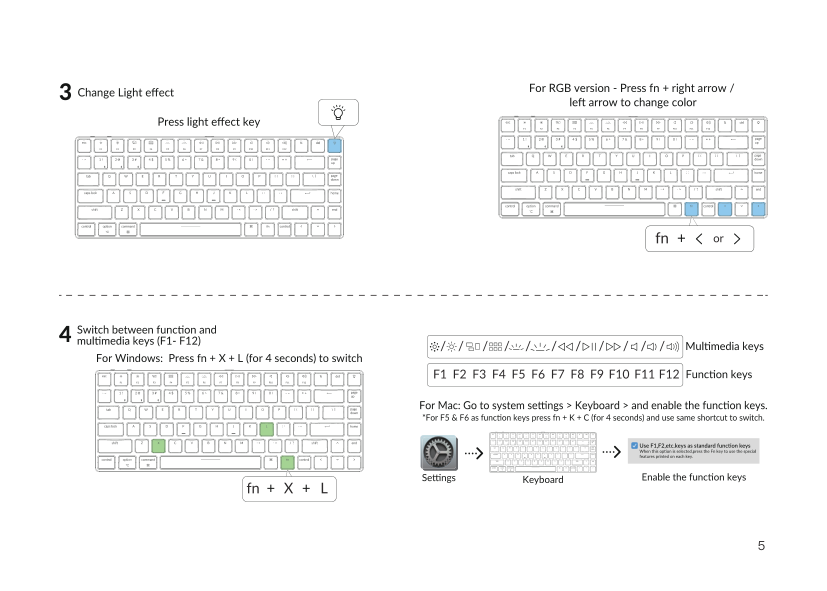
Keyboard
Disable Auto Sleep Mode5 Press fn + S + O (for 4 seconds) to disable the Auto Sleep Mode.
(If you want to go back to the Auto Sleep mode, press fn + S + O for 4 seconds again) The keyboard goes to Auto Sleep Mode in 10 minutes
6 6.5
Remap keys Linux’s Setting
We have a Linux user group on facebook. Please search “Keychron Linux Group” on facebook. So you can better experience with our keyboard.
We don’t have an official software to remap the keys yet. But you can use these two software to get the job done. (Except the light effect key)
For Mac - Karabiner For Windows - SharpKeys
Karabiner SharpKeys
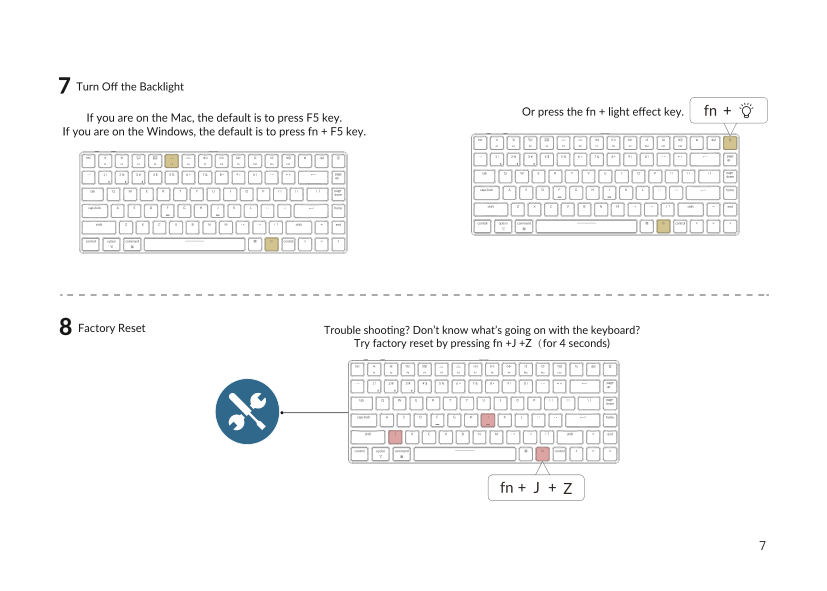

Factory Reset8
Try factory reset by pressing fn +J +Z(for 4 seconds)
J Z
##### K3 BLUETOOTH MECHANICAL KEYBOARD SPECIFICATIONS
Number of keys: 84 Switch type: Mechanical / Optical Switch Battery: 1550mAh Charging time: Around 3 hours Charging port: USB Type-C Mode: Bluetooth/Wired Bluetooth operating distance: Within 10 meters (open space) Name of Bluetooth device: Keychron K3
Operating Environment: -10 to 50°c Technical specifications can be subjected to change without notice we apologize for any inconvenience caused
##### K3 BLUETOOTH MECHANICAL KEYBOARD OVERVIEW
1
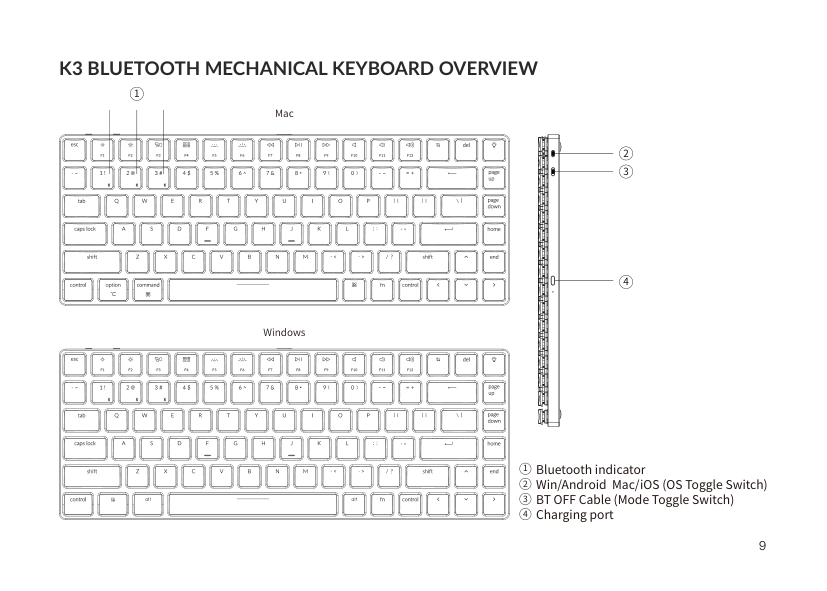
| | | |Mac| |---|---|---|---| | | | | | | | | | |
4
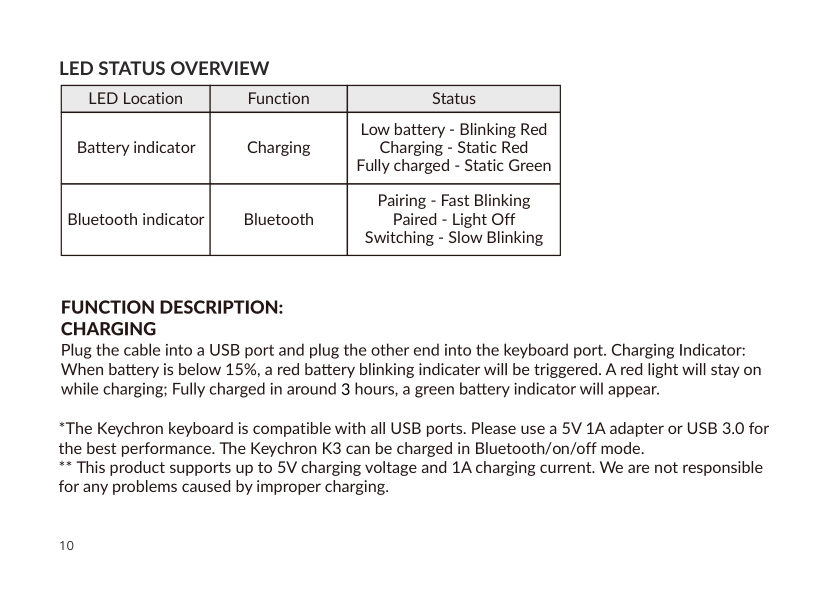
Windows
Bluetooth indicator Win/Android Mac/iOS (OS Toggle Switch) BT OFF Cable (Mode Toggle Switch) Charging port
##### LED STATUS OVERVIEW
LED Location
Function
Status Low battery - Blinking Red Charging - Static Red Fully charged - Static Green Pairing - Fast Blinking Paired - Light Off Switching - Slow Blinking
Battery indicator
Charging
Bluetooth indicator
Bluetooth
3
Backlit will be turned on.
######## BLUETOOTH MODE
Note: This keyboard supports pairing up to 3 devices simultaneously via combination key “fn” + “1” / “fn” + “2” / “fn” + “3”.

“fn” + “1” / “fn” + “2” / “fn” + “3”
####### RECONNECT:
4
TURN OFF THE KEYBOARD
Under Bluetooth mode, the keyboard backlight turns off when it is inactive for 10 minutes. Tap any button to wake the keyboard. If want to disable this auto battery save mode, press fn+S+O for 4 seconds. Then if want to enter this power save mode again, press fn+S+O for 4 seconds.
###### BACKLIT SETTING
confirm
connection
Settings find
connections