
Ask AI
— answers from the official manualAnswers from the official manual.
Common questions
Common Questions
10 totalHow do I factory reset my Soundpeats Truefree earbuds?
Press and hold both buttons on the earbuds for 10 seconds until they flash red and white twice, indicating a successful reset. (Page 2)
What should I do if my earbuds keep disconnecting from my device?
Clear the pairing record between the earbuds and all previous devices, try clearing Bluetooth listings on your device and restarting it, put the earbuds into the charging case to reset, then activate Bluetooth and choose 'Soundpeats Truefree' to pair again. (Page 2)
How can I clean my earbud charging connectors?
Use a bit of rubbing alcohol on a microfiber cloth to gently clean the charging contacts at the bottom of each earbud to avoid dust or secretions blocking them. (Page 7)
Why is my battery indicator blinking green when I charge my case?
Blinking green indicates that your charging case's battery is currently being charged. Ensure the indicator light stays steady at full charge (100%), which is displayed as a constant green LED. (Page 6)
What can I do if my earbuds stop charging?
Use rubbing alcohol on a microfiber cloth to clean the charging contacts and ensure the red light is visible during charging. Charge for at least two hours to fully charge your earbuds. (Page 7)
Why do I have signal interference when I'm outside with my earbuds?
Signal interference can occur outdoors due to various sources such as subways, trains, car engines, or nearby electronic devices. Keep your phone away from the body and in a pocket closer to the headphone side for better reception. (Page 2)
Full Manual
10 pages
FAQ
BLUETOOTH-------------------------------------------------------------------- 2 SOUND--------------------------------------------------------------------------- 4 CHARGING---------------------------------------------------------------------- 6 TOUCH CONTROL------------------------------------------------------------ 7 APP--------------------------------------------------------------------------------8 CUSTOMER SERVICE TEAM-------------------------------------------- 10
BLUETOOTH
##### How to pair SoundPEATS Mini Pro HS?
##### How to reset SoundPEATS Mini Pro HS?
##### Why is the Bluetooth connection unstable sometimes?
| |Reasons|Workarounds| |---|---|---| |Case 1|When using the earbuds close to personal computers, Wi-Fi routers, microwave ovens, refrigerators, etc. Refrigerators, microwave ovens, Wi-Fi routers, personal computers, etc. are devices that emit radio waves. The earbuds may be affected by these radio waves when using them in a location with a mixture of multiple radio waves.|Please use the earbuds away from Wi-Fi routers, personal computers, microwave ovens, refrigerators, etc. in order to avoid radio wave interference.|
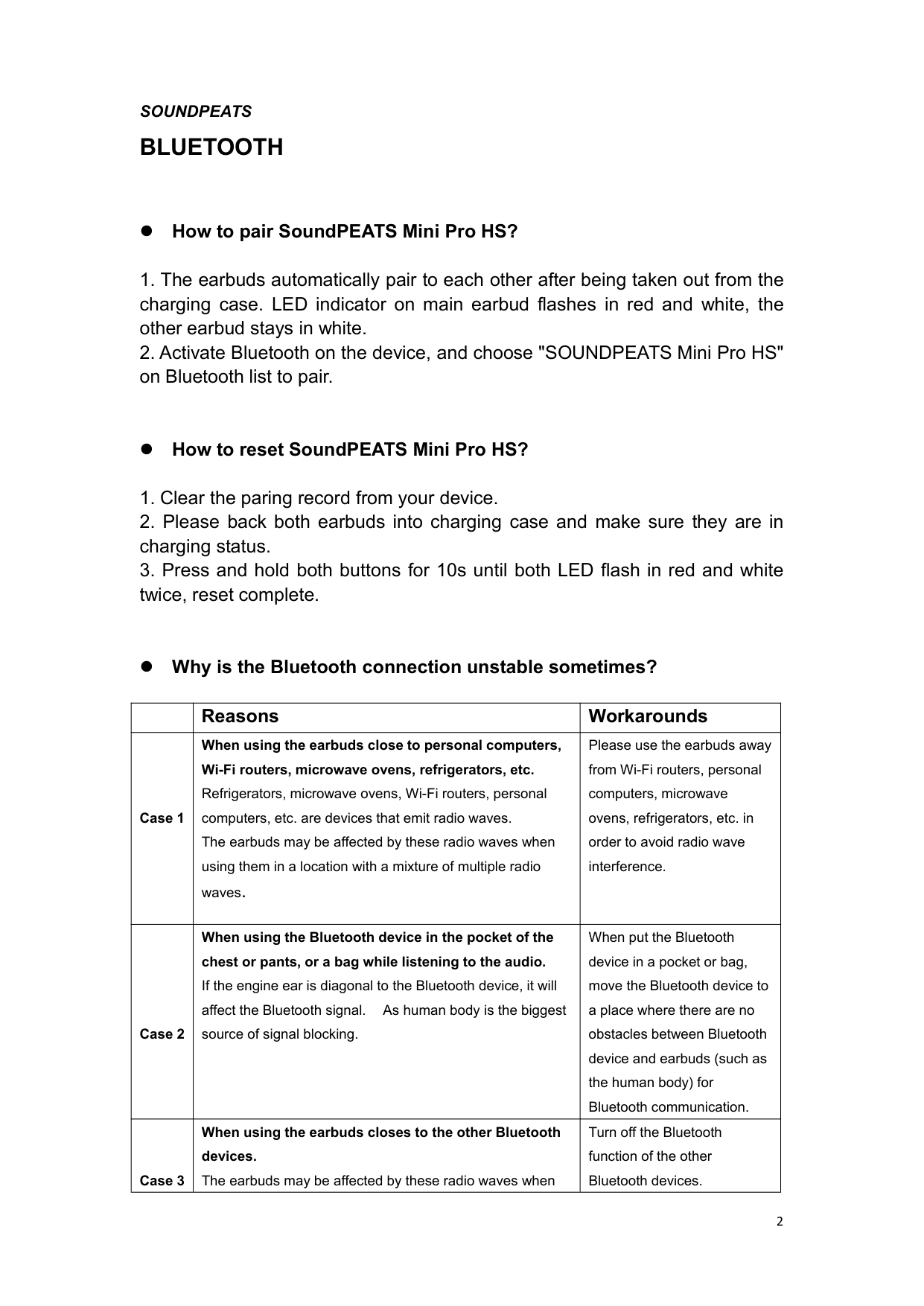
|Case 2|When using the Bluetooth device in the pocket of the chest or pants, or a bag while listening to the audio. If the engine ear is diagonal to the Bluetooth device, it will affect the Bluetooth signal. As human body is the biggest source of signal blocking.|When put the Bluetooth device in a pocket or bag, move the Bluetooth device to a place where there are no obstacles between Bluetooth device and earbuds (such as the human body) for Bluetooth communication.| |Case 3|When using the earbuds closes to the other Bluetooth devices. The earbuds may be affected by these radio waves when|Turn off the Bluetooth function of the other Bluetooth devices.|
| |using them in a location with a mixture of multiple radio waves.| | |---|---|---| |Case 4|When using the device away from the earbuds, such as in a different room. Bluetooth communication gradually becomes weaker the further away Bluetooth earbuds are placed from a Bluetooth player.When using Bluetooth earbuds and a Bluetooth player in different rooms with the doors closed, Bluetooth communication may be weak.|Keep the Bluetooth earbuds as close to the Bluetooth player as possible.| |Case 5|When a lot of applications are running at the same time when use the Bluetooth function.|Quit apps which you are not using on the device to reduce the load.|
##### What can I do if the earbuds stopped connecting to my device?
What can I do if the left earbud and the right earbud won’t work
together?
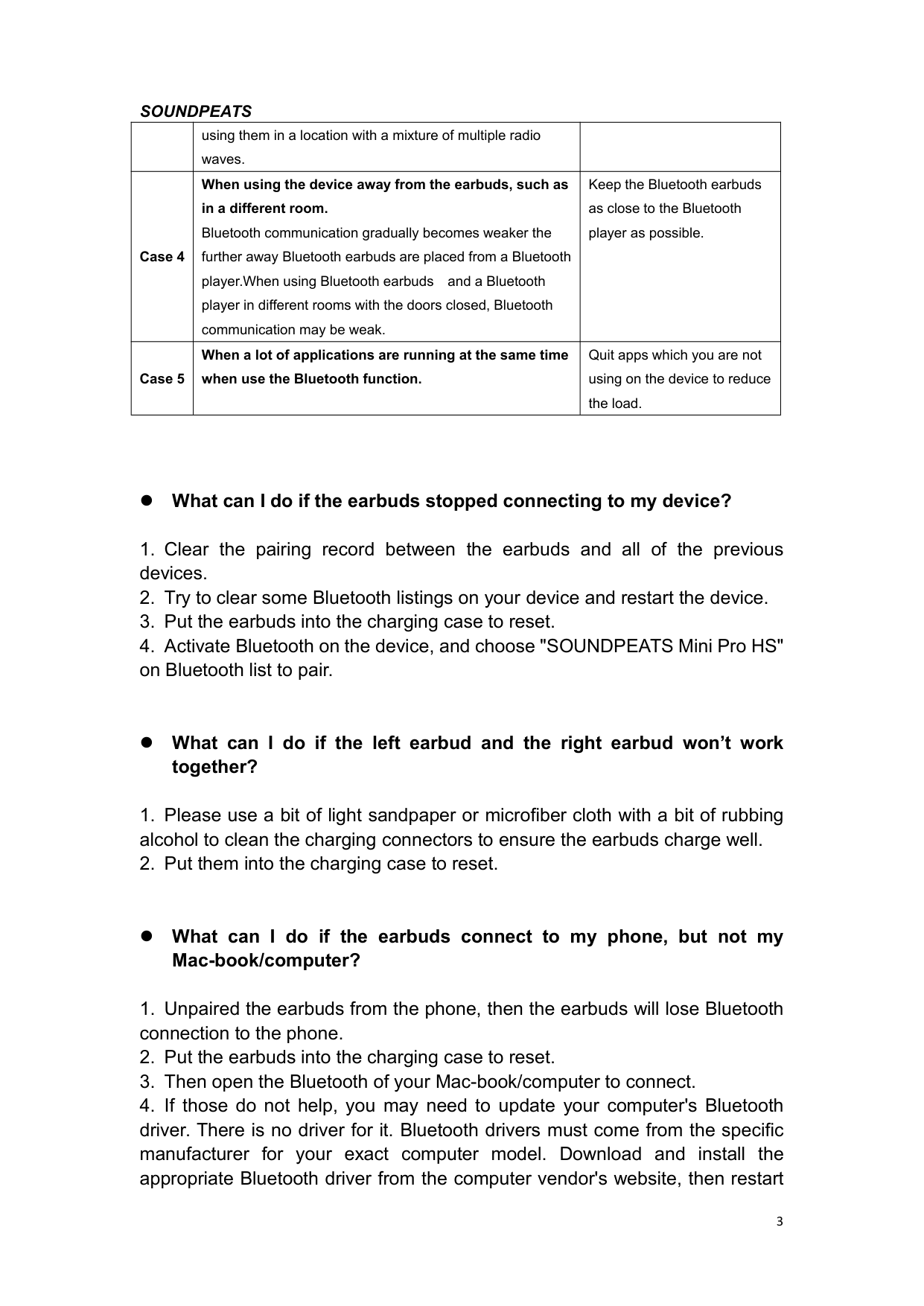
What can I do if the earbuds connect to my phone, but not my
Mac-book/computer?
your system before attempting to pair and connect to your SoundPEATS earbuds.
##### Why is the signal intermittent when I am outdoors?
In the outdoors, the Bluetooth signal will be interfered, such as subways, high-speed rails, trains, dense traffic lights, car engines and so on. And if the phone is in your pocket, and the engine ear is diagonal to the phone, it will affect the Bluetooth signal. As human body is the biggest source of signal blocking. So when the left earbud is the engine earbud, please put your phone in the left pocket, which will be better.
SOUND
Why does the volume of the earbuds reduce after using a period of
time?
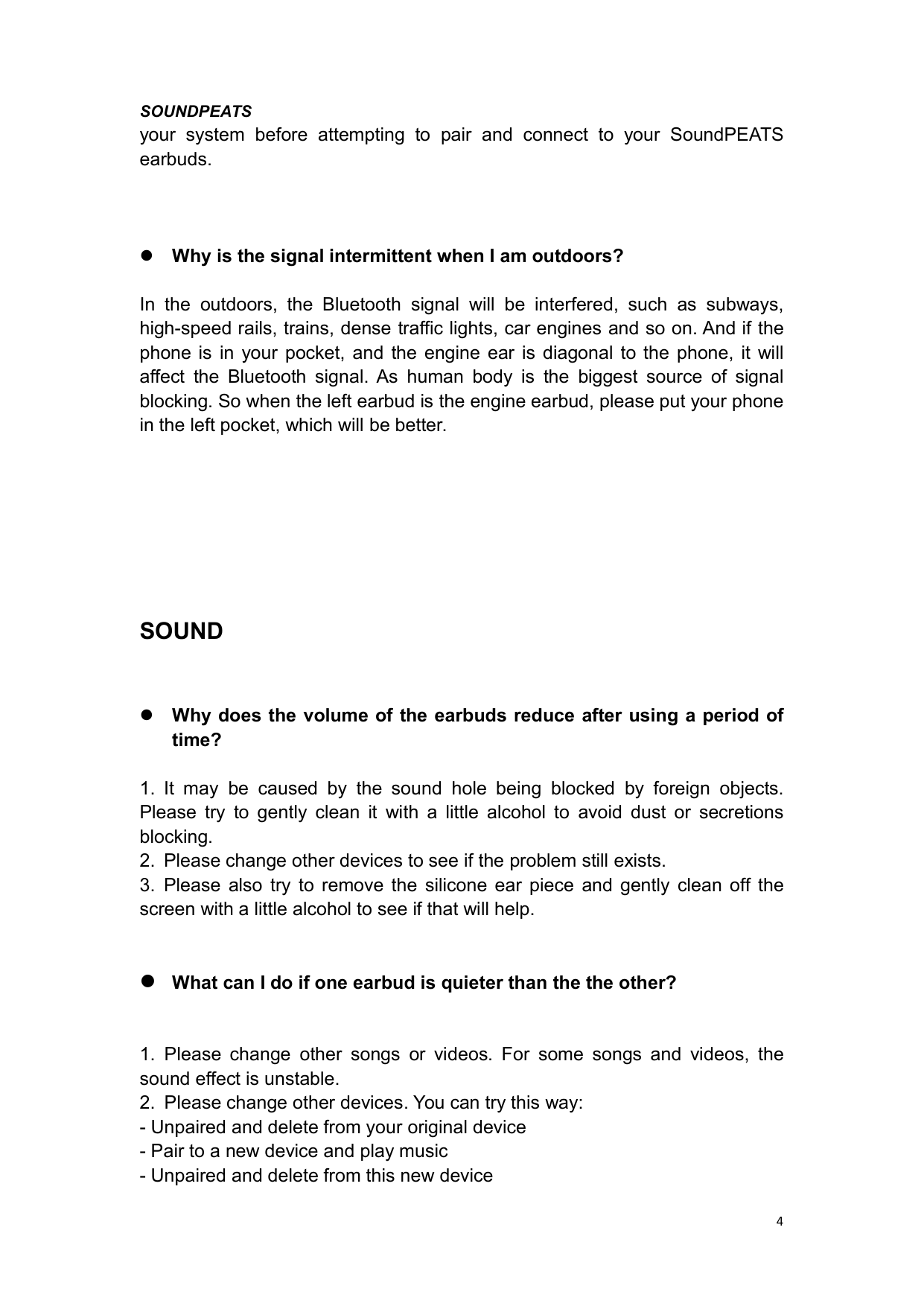
#### What can I do if one earbud is quieter than the the other?
##### Why the other side could not hear me when calling?
Why doesn't the mic work well when the earbuds are connected to
the PC/laptop?
When you connect our earbuds to the PC/laptop, for some devices in old windows version, it may show two lists: "SOUNDPEATS Mini Pro HS Hands- Free AG Audio" "SOUNDPEATS Mini Pro HS Stereo" please kindly choose "SOUNDPEATS Mini Pro HS Stereo" to play media audio, and if you use call audio, you can manually change to "SOUNDPEATS Mini Pro HS Hands- Free AG Audio" to give a try.
If you want use call audio via the earbuds on your Mac or Windows, please set the as follows:
Stereo"
CHARGING
##### What does the indicator on the charging case tell?
It shows the battery power left in the charging case.
50%-100% Green 10%-49% Yellow 10% or less Red
While charging the case, the indicator flashed slowly.
##### How to charge the charging case?
##### What should I do if the charging case won’t charge?
Please try to use another known working charging cable to charge the charging case for more than 10 hours through your computer. Compared to other electronics, the headphones are low power products. Hence for charging safety, please do not use fast charger.
##### What can I do if any earbud stopped charging?
Please put the earbuds into the case and you will see the red light on the earbuds when charging. If no light , please use a bit of microfiber cloth with rubbing alcohol to clean the charging connectors and try to adjust the earbuds to ensure the red light is on. Then please charge the earbuds for 2 hours.
Warm tip: Please be careful not to press the earbuds too hard in the charging case, so as not to damage the copper pillars in the charging case.
Why are the earbuds still connecting to my phone after placing
them back and close the case lid?
Does the earbuds not use for a long time without charging cause the
earbuds not to turn on or the battery to drain quickly?
In fact, the battery of the earbuds needs maintenance. Actually you need to charge your electronics at least every three months, if not, the earbuds can cause deep self-discharge by not charging for a long time, damaging the battery. In addition, not using the earbuds for a long time, and earbuds storage location is not dry, moisture will also cause damage to the earbuds.If you haven't used your headphones for five months, the battery is probably dead. At this point, we suggest that you first check whether the charging case has power (whether the indicator light is on) and whether the charging contact at the bottom of the earbuds and charging case is dirty. If there is dirt, please clean the charging contact at the bottom of the charging case with dry cloth or dry paper towel. As for earbuds not turn on or the battery drain rapidly when earbuds are taken out of the case, we recommend you to repeatedly place the earbuds into the charging case for 2 hours and close the cover. Please try it for
TOUCH CONTROL
##### What can I do if the touch controls do not work always?
APP
##### How to register an account?
##### Fail to receive the verification code?
##### What can I do if the earbuds won’t connect to the APP?
##### What can I do if the APP could not update?
Please try the following:
Precautions during the app upgrade process:
CUSTOMER SERVICE TEAM
What should I do if the problem about the earbuds is not mentioned
in this FAQ?
If there is no solution for your problem in this FAQ, please feel free to contact our Customer Service Team and we will provide you a solution as soon as possible. If we confirmed that the problem couldn't be solved, we will apply the replacement or refund for you. SoundPEATS provides an 12-month warranty for every product. Your satisfaction is always greatly important to us.