Wishhouse Walkie Talkie Communication Device
Ask AI
— answers from the official manualAnswers from the official manual.
Common questions
Common Questions
19 totalHow do I charge my Wishhouse Walkie Talkie M-8?
To charge your radio, insert the connector directly into the charge jack on the top of the device. The radio will indicate charging with a flashing battery icon and should preferably be turned off during this process.
What is meant by Battery Low in my Wishhouse Walkie Talkie?
Battery low is indicated when the final bar in the indicator blinks along with an audible tone sounding twice. The battery should be replaced or recharged if using rechargeable types during this condition.
How do I set channels on my Wishhouse Walkie Talkie M-8?
To select a channel, press and hold the Menu/Power button and use Up or Down buttons to navigate through available channels (channels 1 through 22 are FRS). Both devices must be tuned to the same channel for communication.
How do I activate the call alert tone in my Wishhouse Walkie Talkies M-8?
To change the call tone, press Menu/Power until 'C' and the current tone number (01 through 10) is displayed. Use Up or Down buttons to hear other tones before choosing a setting.
How do I set Privacy Codes in my Wishhouse Walkie Talkies M-8?
Access the CTCSS icon by pressing Menu/Power (step 1). Then use Up or Down buttons to select from privacy codes (01 through 38) while it flashes on display. Repeat similar steps for DCS privacy codes by accessing its icon instead.
How do I switch the Walkie Talkies into Voice-Activated Transmit mode?
Press Menu/Power until VOX appears, then use Up or Down buttons to turn it On or Off. Additionally, adjust sensitivity using the same method (VOX icon flashes and sensitivity levels 1 through 3 are shown).
Show 13 more questions
How can I enable the Lock Function to prevent accidental operations?
Where can I find detailed information about operational safety guidelines?
What is the procedure to turn on my Wishhouse Walkie Talkies M-8?
How should I hold the radio and position the microphone when talking?
How do I turn on my Wishhouse Walkie Talkie?
What should I do if my battery is low?
How do I install batteries in my walkie talkie?
Can I mix different types of batteries?
How do I lock the buttons to prevent accidental operation?
What is VOX mode and how do I use it?
What are privacy codes and do I need them to communicate?
How do I scan channels automatically?
What is the battery save feature and when does it activate?
Full Manual
17 pages
M-8 Walkie Talkie User Guide

1
8

12
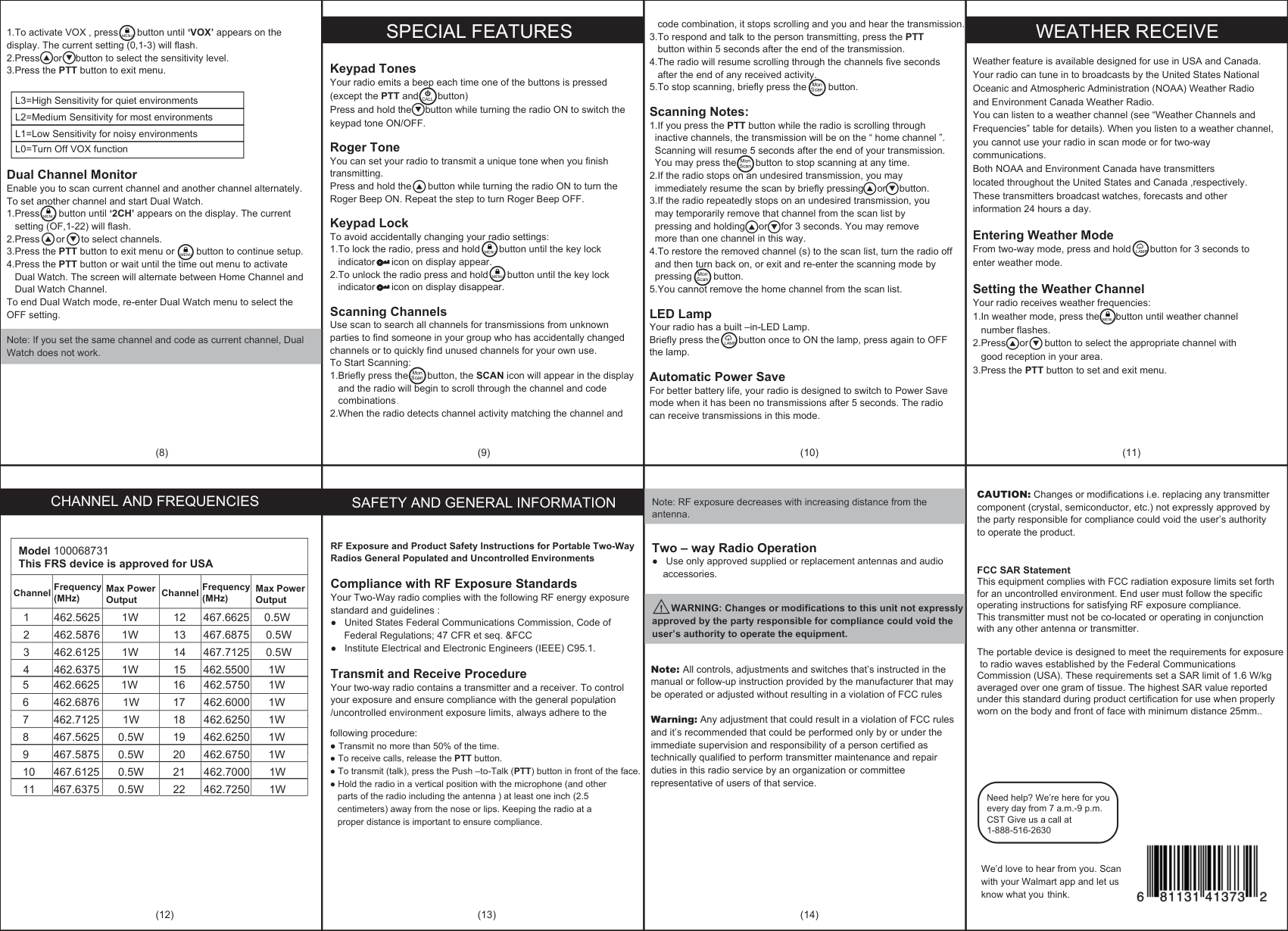
. Antenna
Call/Lock Button
Lamp
Backlit LCD Display
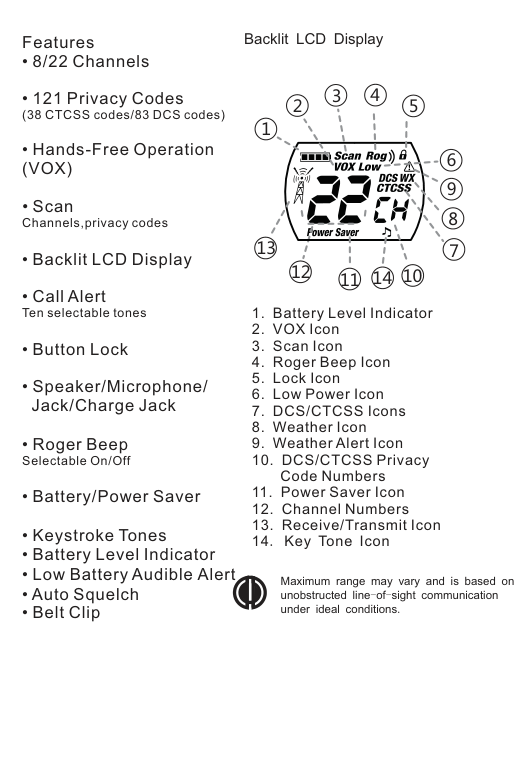
Features
3 4
2
5
1
6
13
1112
1014
Maximum range may vary and is based on unobstructed line-of sight communication under ideal conditions.
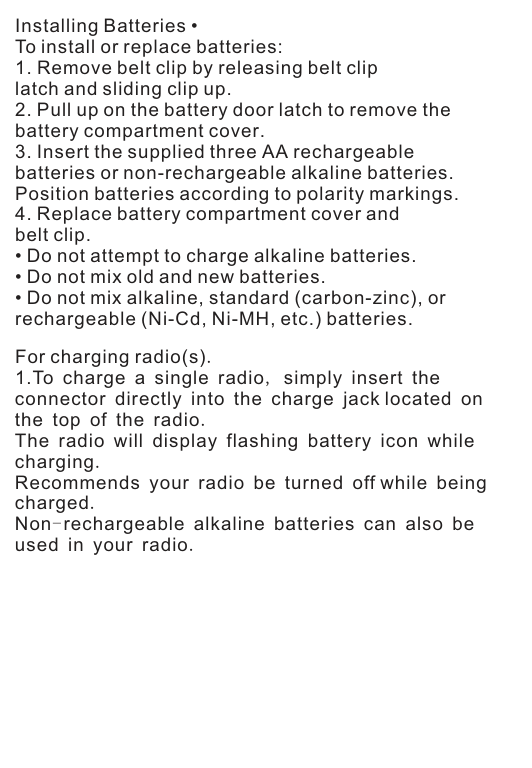
Installing Batteries • To install or replace batteries:
For charging radio(s). 1.To charge a single radio, simply insert the connector directly into the charge jack located on the top of the radio. The radio will display flashing battery icon while charging. Recommends your radio be turned off while being charged. Non-rechargeable alkaline batteries can also be used in your radio.
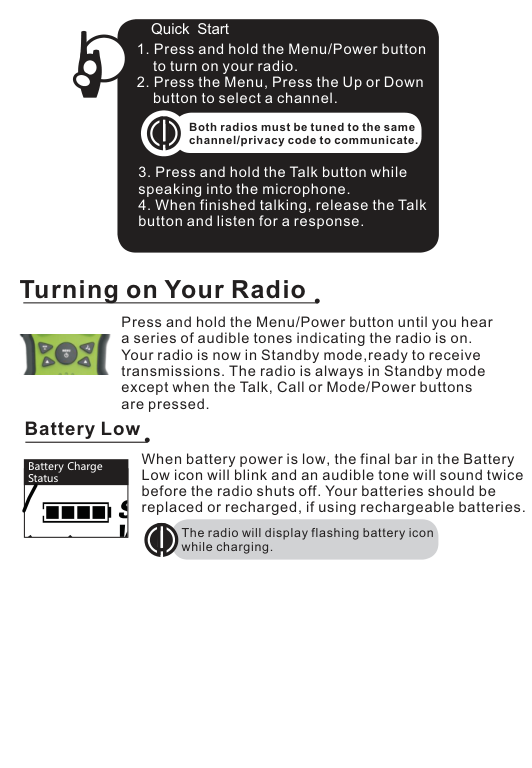
Quick Start
Both radios must be tuned to the same channel/privacy code to communicate.
Turning on Your Radio •
Press and hold the Menu/Power button until you hear a series of audible tones indicating the radio is on. Your radio is now in Standby mode,ready to receive transmissions. The radio is always in Standby mode except when the Talk, Call or Mode/Power buttons are pressed.

Battery Low
•
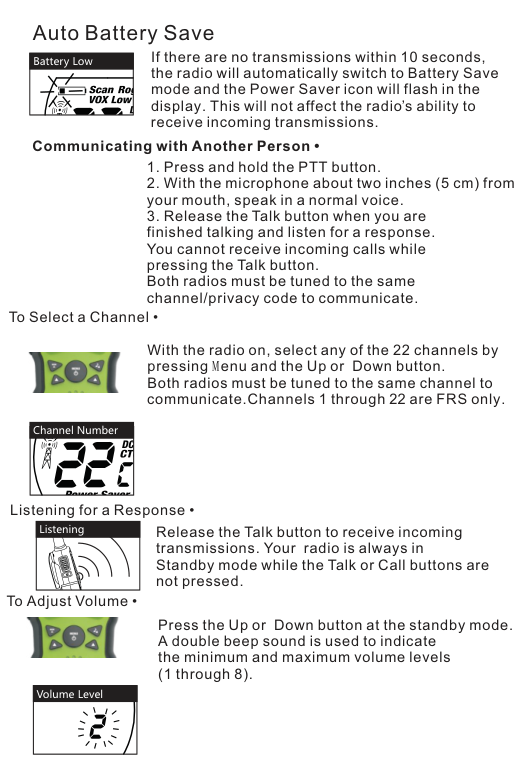
When battery power is low, the final bar in the Battery Low icon will blink and an audible tone will sound twice before the radio shuts off. Your batteries should be replaced or recharged, if using rechargeable batteries.
Battery Charge
|Status
| |---|
The radio will display flashing battery icon while charging.
Auto Battery Save
If there are no transmissions within 10 seconds, the radio will automatically switch to Battery Save mode and the Power Saver icon will flash in the display. This will not affect the radio’s ability to receive incoming transmissions.
Battery Low
Communicating with Another Person •
To Select a Channel •

With the radio on, select any of the 22 channels by pressing Menu and the Up or Down button. Both radios must be tuned to the same channel to communicate.Channels 1 through 22 are FRS only.
|Channel Number| |---|
Listening for a Response •
|Listening| |---|
Release the Talk button to receive incoming transmissions. Your radio is always in Standby mode while the Talk or Call buttons are not pressed.
To Adjust Volume •
Down button
Press the Up or at the standby mode. A double beep sound is used to indicate the minimum and maximum volume levels (1 through 8).

|Volume Level| |---|
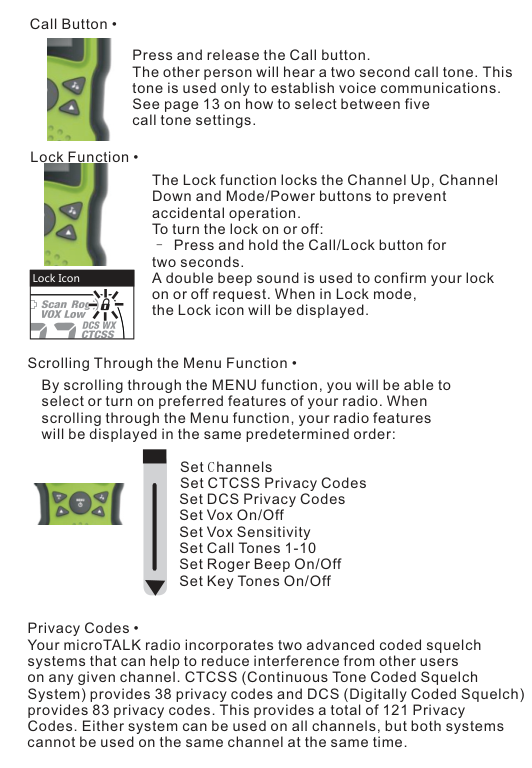
Call Button •

Press and release the Call button. The other person will hear a two second call tone. This tone is used only to establish voice communications. See page 13 on how to select between five call tone settings.
Lock Function •

The Lock function locks the Channel Up, Channel Down and Mode/Power buttons to prevent accidental operation. To turn the lock on or off:
Press and hold the Call/Lock button for two seconds. A double beep sound is used to confirm your lock on or off request. When in Lock mode, the Lock icon will be displayed.
Lock Icon
Scrolling Through the Menu Function •
By scrolling through the MENU function, you will be able to select or turn on preferred features of your radio. When scrolling through the Menu function, your radio features will be displayed in the same predetermined order:
Set Channels Set CTCSS Privacy Codes Set DCS Privacy Codes Set Vox On/Off Set Vox Sensitivity Set Call Tones 1-10 Set Roger Beep On/Off Set Key Tones On/Off

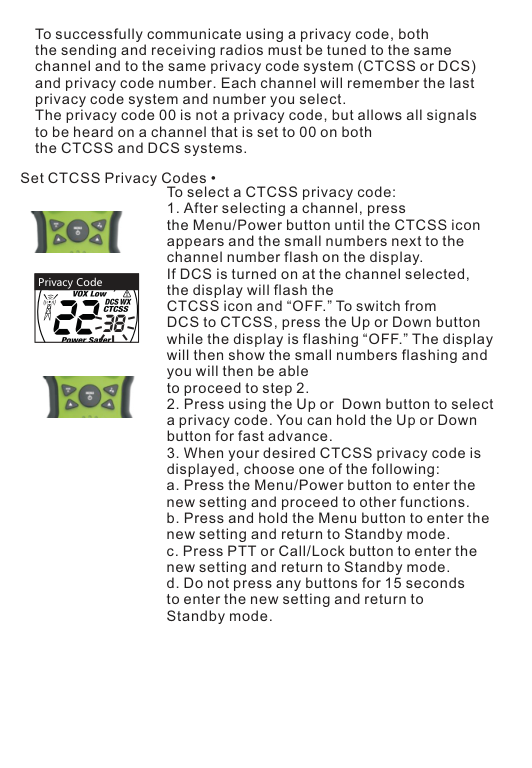
Privacy Codes • Your microTALK radio incorporates two advanced coded squelch systems that can help to reduce interference from other users on any given channel. CTCSS (Continuous Tone Coded Squelch System) provides 38 privacy codes and DCS (Digitally Coded Squelch) provides 83 privacy codes. This provides a total of 121 Privacy Codes. Either system can be used on all channels, but both systems cannot be used on the same channel at the same time.
To successfully communicate using a privacy code, both the sending and receiving radios must be tuned to the same channel and to the same privacy code system (CTCSS or DCS) and privacy code number. Each channel will remember the last privacy code system and number you select. The privacy code 00 is not a privacy code, but allows all signals to be heard on a channel that is set to 00 on both the CTCSS and DCS systems.
Set CTCSS Privacy Codes •
To select a CTCSS privacy code:

|Privacy Code| |---|

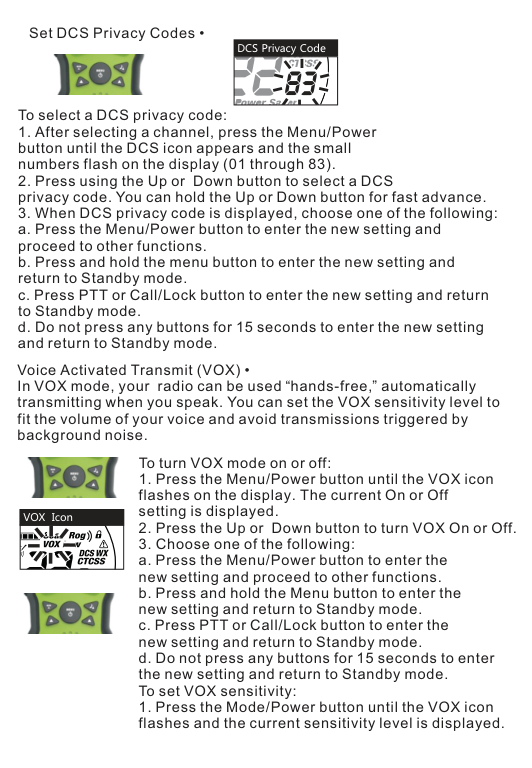
Set DCS Privacy Codes •
DCS Privacy Code

| | |---|
To select a DCS privacy code:
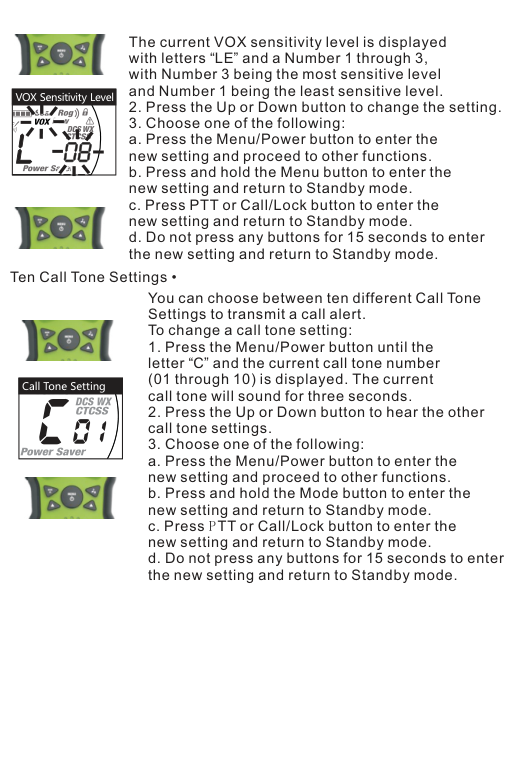
Voice Activated Transmit (VOX) • In VOX mode, your radio can be used “hands-free,” automatically transmitting when you speak. You can set the VOX sensitivity level to fit the volume of your voice and avoid transmissions triggered by background noise.
To turn VOX mode on or off:

VOX Icon
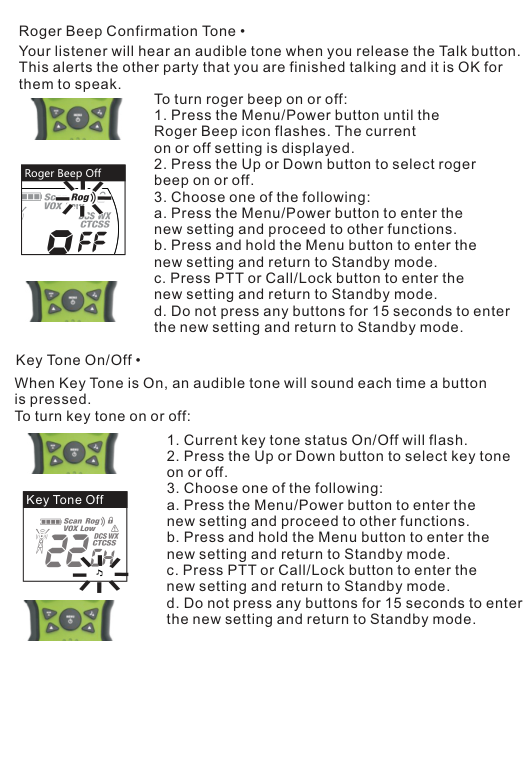

The current VOX sensitivity level is displayed with letters “LE” and a Number 1 through 3, with Number 3 being the most sensitive level and Number 1 being the least sensitive level.

VOX Sensitivity Level

Ten Call Tone Settings •
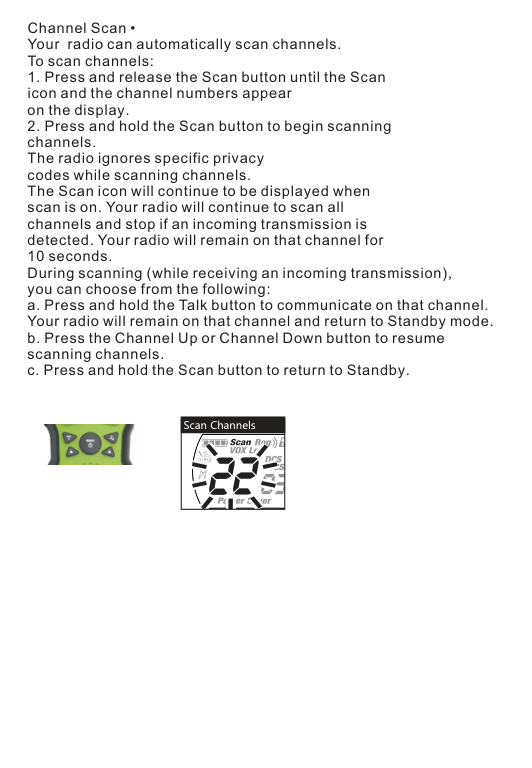
You can choose between ten different Call Tone Settings to transmit a call alert. To change a call tone setting:

|Call Tone Setting| |---|

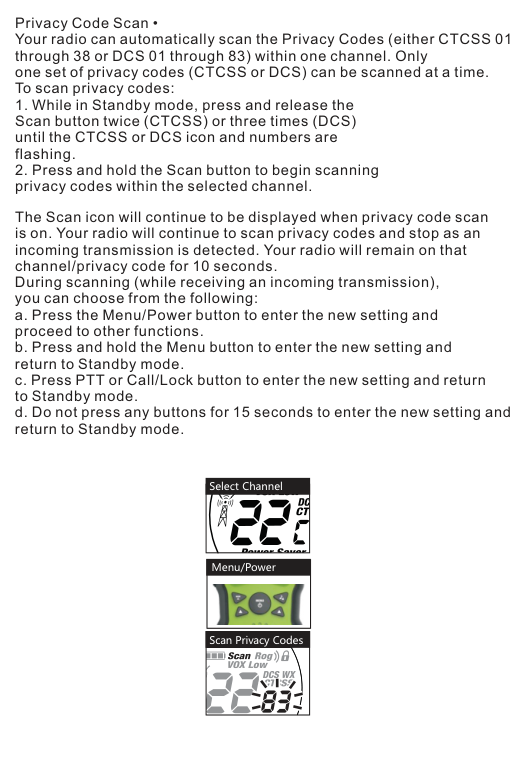
Roger Beep Confirmation Tone • Your listener will hear an audible tone when you release the Talk button. This alerts the other party that you are finished talking and it is OK for them to speak.
To turn roger beep on or off:

Roger Beep Off

Key Tone On/Off • When Key Tone is On, an audible tone will sound each time a button is pressed. To turn key tone on or off:

|Key Tone Off
| |---|

Channel Scan • Your radio can automatically scan channels. To scan channels:
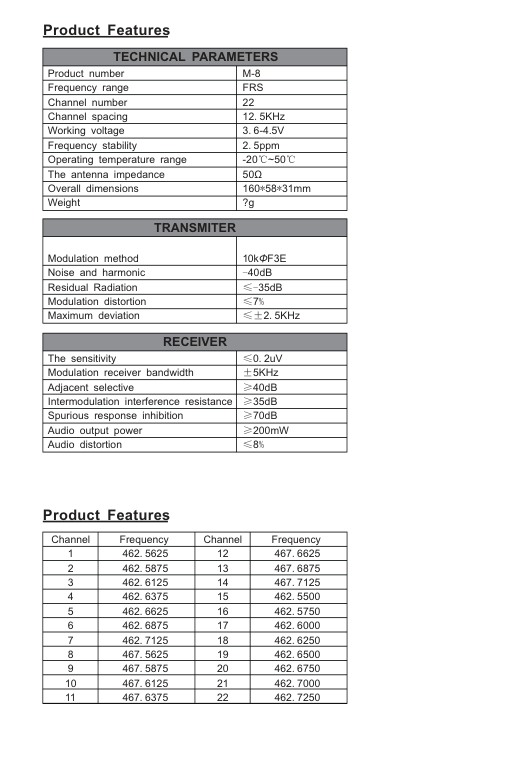

Scan Channels
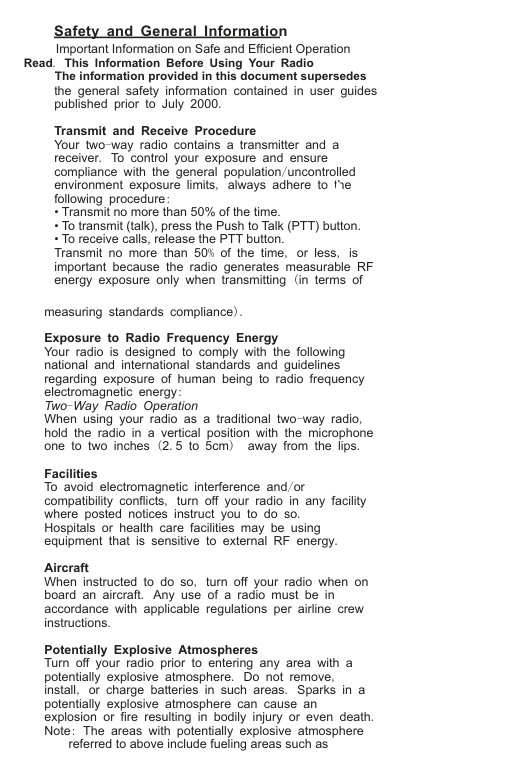
Privacy Code Scan • Your radio can automatically scan the Privacy Codes (either CTCSS 01 through 38 or DCS 01 through 83) within one channel. Only one set of privacy codes (CTCSS or DCS) can be scanned at a time. To scan privacy codes:
The Scan icon will continue to be displayed when privacy code scan is on. Your radio will continue to scan privacy codes and stop as an incoming transmission is detected. Your radio will remain on that channel/privacy code for 10 seconds. During scanning (while receiving an incoming transmission), you can choose from the following:
|Select Channel| |---|
|Menu/Power
| |---|
Scan Privacy Codes
Product Features
|TECHNICAL PARAMETERS|TECHNICAL PARAMETERS| |---|---| |Product number|M-8| |Frequency range|FRS| |Channel number|22| |Channel spacing|12.5KHz| |Working voltage|3.6-4.5V| |Frequency stability|2.5ppm| |Operating temperature range|-20℃~50℃| |The antenna impedance|50Ω| |Overall dimensions|160*58*31mm| |Weight|?g|
|TRANSMITER|TRANSMITER| |---|---| |Modulation method
|10kΦF3E| |Noise and harmonic|40dB| |Residual Radiation|≤-35dB| |Modulation distortion|≤7%| |Maximum deviation|≤±2.5KHz|
|RECEIVER|RECEIVER| |---|---| |The sensitivity|≤0.2uV| |Modulation receiver bandwidth|±5KHz|
|Adjacent selective|≥40dB| |Intermodulation interference resistance|≥35dB| |Spurious response inhibition|≥70dB| |Audio output power|≥200mW| |Audio distortion|≤8%|
Product Features
|Channel|Frequency|Channel|Frequency| |---|---|---|---| |1|462.5625|12|467.6625| |2|462.5875|13|467.6875| |3|462.6125|14|467.7125| |4|462.6375|15|462.5500| |5|462.6625|16|462.5750| |6|462.6875|17|462.6000| |7|462.7125|18|462.6250| |8|467.5625|19|462.6500| |9|467.5875|20|462.6750| |10|467.6125|21|462.7000| |11|467.6375|22|462.7250|
Safety and General Information
Important Information on Safe and Efficient Operation
Read. This Information Before Using Your Radio The information provided in this document supersedes the general safety information contained in user guides published prior to July 2000.
Transmit and Receive Procedure Your two way radio contains a transmitter and a receiver. To control your exposure and ensure compliance with the general population/uncontrolled environment exposure limits, always adhere to the following procedure:
measuring standards compliance). Exposure to Radio Frequency Energy Your radio is designed to comply with the following national and international standards and guidelines regarding exposure of human being to radio frequency electromagnetic energy: Two Way Radio Operation When using your radio as a traditional two-way radio, hold the radio in a vertical position with the microphone one to two inches (2.5 to 5cm) away from the lips. Facilities To avoid electromagnetic interference and or compatibility conflicts, turn off your radio in any facility where posted notices instruct you to do so. Hospitals or health care facilities may be using equipment that is sensitive to external RF energy. Aircraft When instructed to do so, turn off your radio when on board an aircraft. Any use of a radio must be in accordance with applicable regulations per airline crew instructions. Potentially Explosive Atmospheres Turn off your radio prior to entering any area with a potentially explosive atmosphere. Do not remove, install, or charge batteries in such areas. Sparks in a potentially explosive atmosphere can cause an explosion or fire resulting in bodily injury or even death. Note: The areas with potentially explosive atmosphere
referred to above include fueling areas such as
below decks on boats, fuel or chemical transfer or storage facilities, areas where the air contains chemicals or praticles, such as grain, dust or metal powders, and any other area where you would normally be advised to turn off your vehicle engine. Areas with potentially explosive atmospheres are often but not always posted.
Operational Cautions
Antennas Do not use any portable radio that has a damaged antenna.
If a damaged antenna comes into contact with your skin, a minor burn can result. Batteries All batteries can cause property damage and/or bodily injury such as burns if a conductive material such as jewelry, keys, or beaded chain touch exposed terminals. The conductive material may complete an electrical circuit (short circuit) and become quite hot. Exercise care in handling any charged battery, particularly when placing it inside a pocket, purse, or other container with metal objects.
#### Battery Charger Safety Instructions
FCC Statement This equipment has been tested and found to comply with the limits for Part 15 of the FCC rules. These limits are designed to provide reasonable protection against harmful interference in a residential installation. This equipment generates, uses and can radiate radio frequency energy and, if not installed and used in accordance with the instructions, may cause harmful interference to radio communications. However, there is no guarantee that interference will not occur in a particular installation. If this equipment does cause harmful interference to radio or television reception, which can be determined by turning the equipment off and on, the user is encouraged to try to correct the interference by one or more of the following measures:
Any changes or modifications not expressly approved by the party responsible for compliance could void the user’s authority to operate the equipment.
This device complies with part 15 of the FCC Rules. Operation is subject to the condition that this device does not cause harmful interference.
RF Exposure Warning This equipment must be installed and operated in accordance with provided instructions and must not be co-located or operating in conjunction with any other antenna or transmitter. End-users and installers must be provide with antenna installation instructions and transmitter operating conditions for satisfying RF exposure compliance. The SAR limit adopted by US is 1.6 W/kg averaged over 1 grams of tissue. The highest SAR value for this device type when properly worn on the body is 0.68 W/kg.