Ask AI
— answers from the official manualAnswers from the official manual.
Common questions
Common Questions
10 totalWhat audio file formats does the USB port support?
The speaker supports .mp3, .wma, and .wav file formats. The speaker plays audio files from the USB storage device from the root folder to the last level of subfolders in alphabetical sequence, with up to 8 levels of subfolders supported.
How do I adjust the volume of a connected microphone or guitar?
To adjust the volume of a microphone or guitar, rotate the respective microphone or guitar volume knob. To adjust the gain, rotate the GAIN control beside the microphone or guitar socket. Always set the guitar or microphone volume to minimum before connecting or disconnecting them.
What does the IPX4 rating mean for this speaker?
The speaker is IPX4 splash resistant. To ensure splash resistance, always keep the protective covers closed securely and always keep the charging port dry before connecting AC power.
How long can the PartyBox 110 play music on battery power?
Up to 12 hours of battery playtime is achievable with a predefined music source, light show switched off, volume level at 7, and Bluetooth streaming source. However, actual playtime may vary depending on music content and battery aging after numerous charging and discharging cycles.
How do I connect my smartphone to the PartyBox 110 via Bluetooth?
Press the Bluetooth button on the speaker to enter Bluetooth pairing mode, then choose "JBL PartyBox 110" on your Bluetooth device to connect. Once successfully connected, you can stream audio from your Bluetooth device to the speaker. The Bluetooth range is up to 10 meters (33 feet).
What should I do if no buttons are responding on the speaker?
The product may be in demo mode, where the power and Bluetooth buttons are disabled. Hold the power button and Bluetooth button simultaneously for more than 5 seconds to exit demo mode and restore normal button functionality.
Full Manual
17 pages
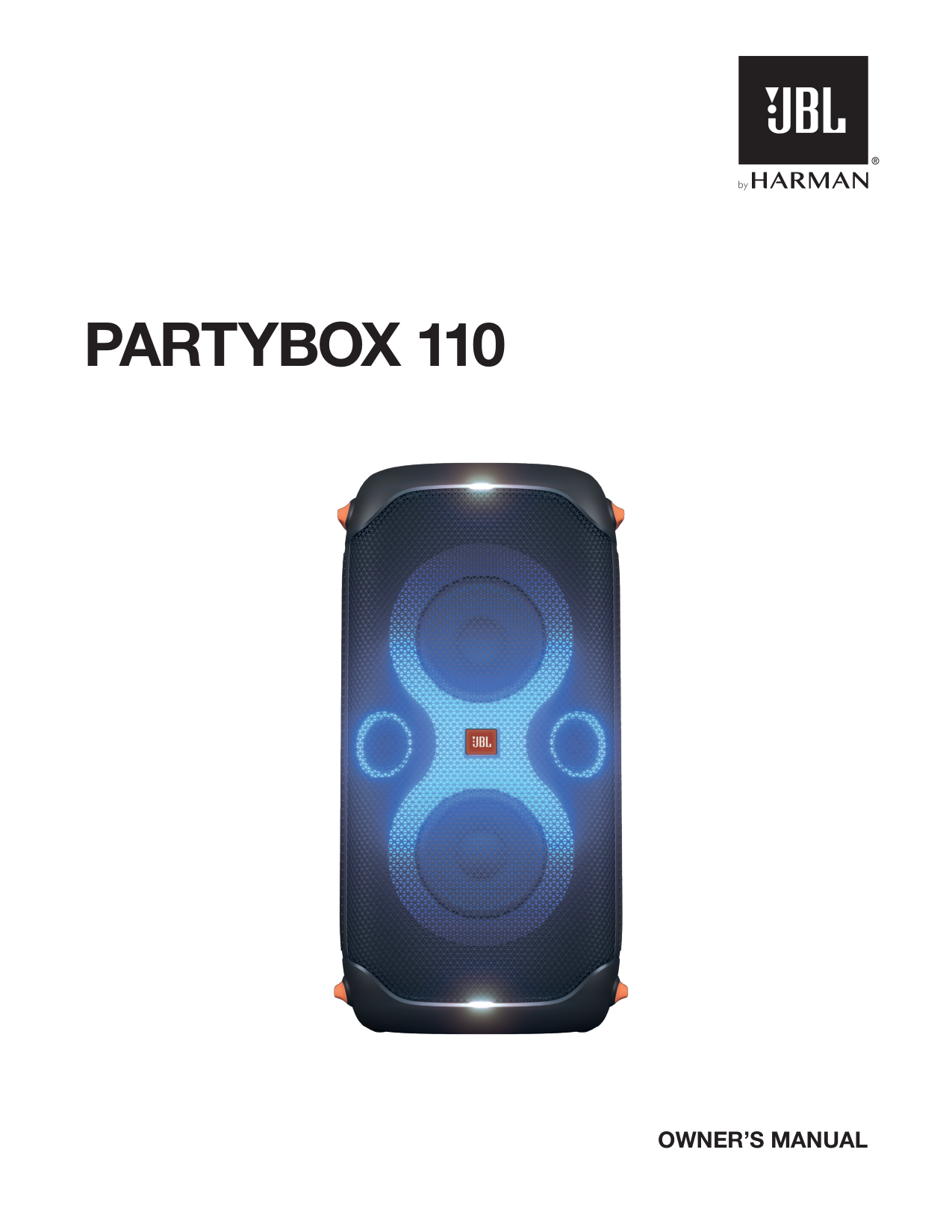
Partybox 110
Owner’S Manual
2
Important Safety Instructions
For all products:Caution
Risk Of Electric Shock. Do Not Open.
This Symbol On The Product Means There Is Uninsulated,
Dangerous Voltage Within The Product Enclosure That
May Present A Risk Of Electrical Shock.
This Symbol On The Product Means There Are Important
Operating And Maintenance Instructions In This Guide.
Caution Fcc And Ic Statement For Users (Usa And
Canada Only)
This device complies with part 15 of the FCC Rules. Operation is subject to the following two conditions: (1) This device may not cause harmful interference, and (2) this device must accept any interference received, including interference that may cause undesired operation.Can Ices-003(B)/Nmb-003(B)
Fcc Sdoc Supplier’S Declaration Of
Conformity
HARMAN International hereby declares that this equipment is in compliance with the FCC Part 15 Subpart B. The declaration of conformity may be consulted in the support section of our Web site, accessible from www.jbl.com Federal Communication Commission Interference Statement This equipment has been tested and found to comply with the limits for a Class B digital device, pursuant to Part 15 of the FCC Rules. These limits are designed to provide reasonable protection against harmful interference in a residential installation. This equipment generates, uses and can radiate radio frequency energy and, if not installed and used in accordance with the instructions, may cause harmful interference to radio communications. However, there is no guarantee that interference will not occur in a particular installation. If this equipment does cause harmful interference to radio or television reception, which can be determined by turning the equipment off and on, the user is encouraged to try to correct the interference by one or more of the following measures:
3 www.jbl.com English harmful interference; and (2) this device must accept any interference received, including interference that may cause undesired operation. (ii) FCC/IC Radiation Exposure Statement This equipment complies with FCC and ISED radiation exposure limits set forth for an uncontrolled environment. In case this equipment has to subject to FCC/IC SAR (Specific Absorption Rate) exposure test, this equipment is designed to meet the requirements for exposure to radio waves established by the FCC and ISED. These requirements set a SAR limit of 1.6 W/kg averaged over one gram of tissue. The highest SAR value reported under this standard during product certification for use when properly worn on the body or on the head, with no separation. To meet RF exposure guidelines and reduce exposure to RF energy during the operation, this equipment should be positioned at least this distance away from the body or the head. For radio equipment operates in 5150-5850MHz FCC and IC Caution: High power radars are allocated as primary users of the 5.25 to 5.35 GHz and 5.65 to 5.85 GHz bands. These radar stations can cause interference with and/or damage to LE LAN (Licence- Exempt Local Area Network) devices. No configuration controls are provided for this wireless equipment allowing any change in the frequency of operations outside the FCC grant of authorization for US operation according to Part 15.407 of the FCC rules. IC Caution: User should also be advised that: (i) The device for operation in the band 5150 - 5250 MHz is only for indoor use to reduce the potential for harmful interference to co-channel mobile satellite systems; (ii) the maximum antenna gain permitted for devices in the bands 5250 - 5350 MHz and 5470 - 5725 MHz shall comply with the e.i.r.p. limit: and (ii) The maximum antenna gain permitted for devices in the band 5725 - 5825 MHz shall comply with the e.i.r.p. limits specified for point-to-point and non point-to-point operation as appropriate. Use Restriction Attention in European Union, operation is limited to indoor use within the band 5150-5350 MHz. Correct disposal of this product (Waste Electrical & Electronic Equipment) This symbol means the product must not be discarded as household waste, and should be delivered to an appropriate collection facility for recycling. Proper disposal and recycling helps protect natural resources, human health and the environment. For more information on disposal and recycling of this product, contact your local municipality, disposal service, or the shop where you bought this product. This product is RoHS compliant. This product is in compliance with Directive 2011/65/EU, and its amendments, on the restriction of the use of certain hazardous substances in electrical and electronic equipment.
Reach
REACH (Regulation No 1907/2006) addresses the production and use of chemical substances and their potential impacts on human health and the environment. Article 33(1) of REACH Regulation requires suppliers to inform the recipients if an article contains more than 0.1 % (per weight per article) of any substance(s) on the Substances of Very High Concern (SVHC) Candidate List (‘REACH candidate list’). This product contains the substance “lead”(CAS-No. 7439-92-1) in a concentration of more than 0.1% per weight. At the time of release of this product, except for the lead substance, no other substances of REACH candidate list are contained in a concentration of more than 0.1% per weight in this product. Note: On June 27, 2018, lead was added to the REACH candidate list. The inclusion of lead in the REACH candidate list does not mean that lead-containing materials pose an immediate risk or results in a restriction of permissibility of its use. For devices with headphone jacksWarnings/Cautions
Do NOT use the headphones at a high volume for any extended period.
4
Epilepsy Warning
A few people may experience epileptic seizures when viewing flashing lights. Precautions Stand Mounting Safety Precautions Always follow instruction and precaution advice from speaker stand manufacturer. This speaker contains a 36 mm receptacle cup to allow mounting on tripod stands or on a pole over subwoofers. When using stands or poles, be sure to observe the following precautions:
5 www.jbl.com English
9. Advanced Usage
139.1 Jbl Partybox App
139.2 Light Effect
139.3 Tws Mode
139.4 Daisy Chain
139.5 Factory Reset
139.6 Ipx4
1410. Specifications
1411. Troubleshooting
1512. Compliance
1513. Trademark
16Table Of Contents
Important Safety Instructions
21. Introduction
62. What’S In The Box
63. Product Overview
73.1 Top Panel
73.2 Back Panel
74. Placement
85. Power On
96. Using Your Partybox
96.1 Bluetooth Connection
96.2 Usb Connection
106.3 Music Control
106.4 Aux Connection
106.5 Mixing Sound With A Microphone And /
Or Guitar
116.6 Charging Your Mobile Device
117. Carrying Your Partybox
128. Pole-Mounting Your Partybox
12
6
2. What’S In The Box
1 2 3 1) Main unit 2) Power cord* 3) Quick Start Guide, Safety Sheet, Warranty Card *Power cord quantity and plug type vary by regions.1. Introduction
Congratulations on your purchase! This manual includes information about PARTYBOX 110 speakers. We encourage you to take a few minutes to read this manual, which describes the product and includes step-by-step instructions to help you to set up and get started. Read and understand all the safety instructions before using your product. If you have any questions about these products, their installation or their operation, please contact your retailer or customer service, or visit us at www.jbl.com.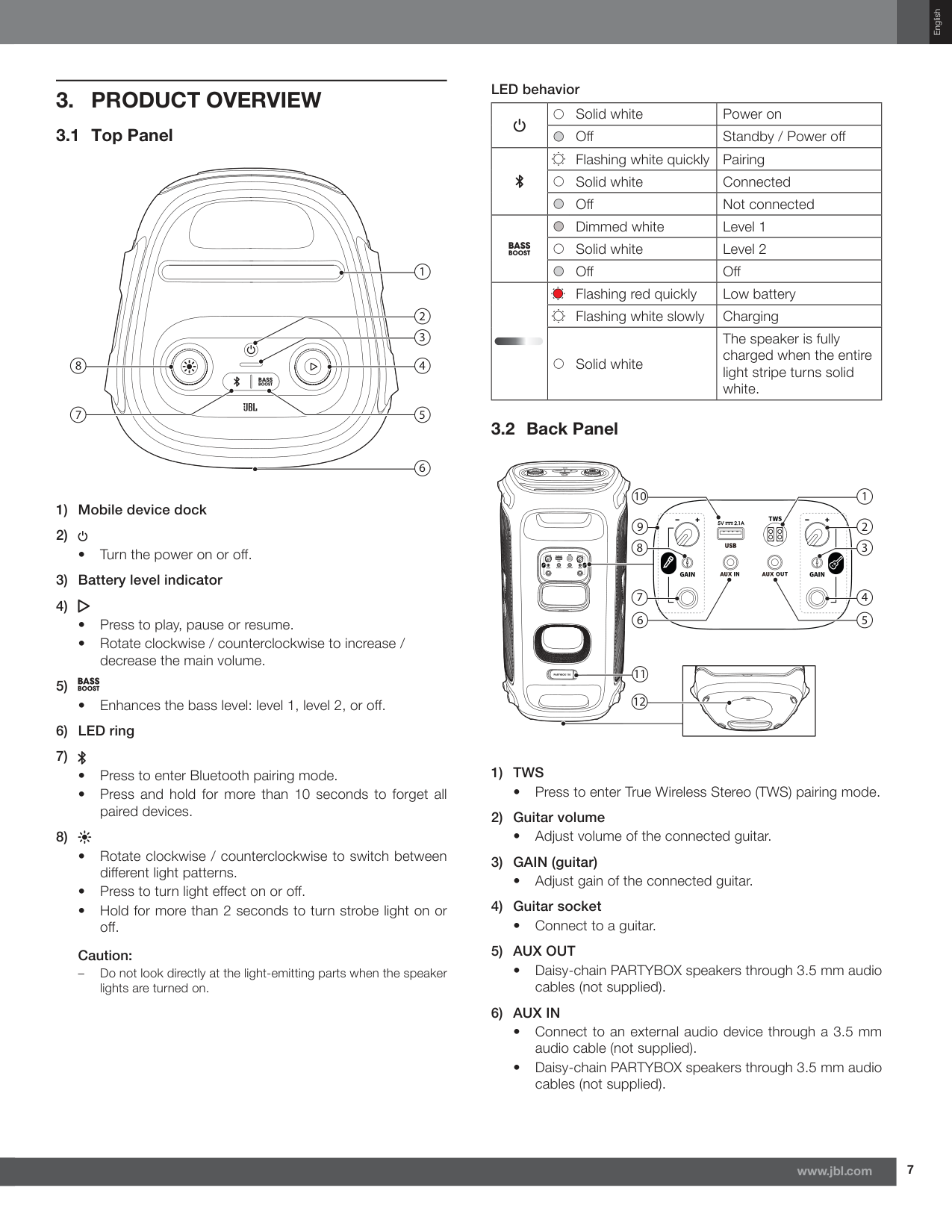
7 www.jbl.com English
3. Product Overview
3.1 Top Panel 4 6 1 8 2 3 7 5 1) Mobile device dock 2)1) Tws
5) Aux Out
6) Aux In
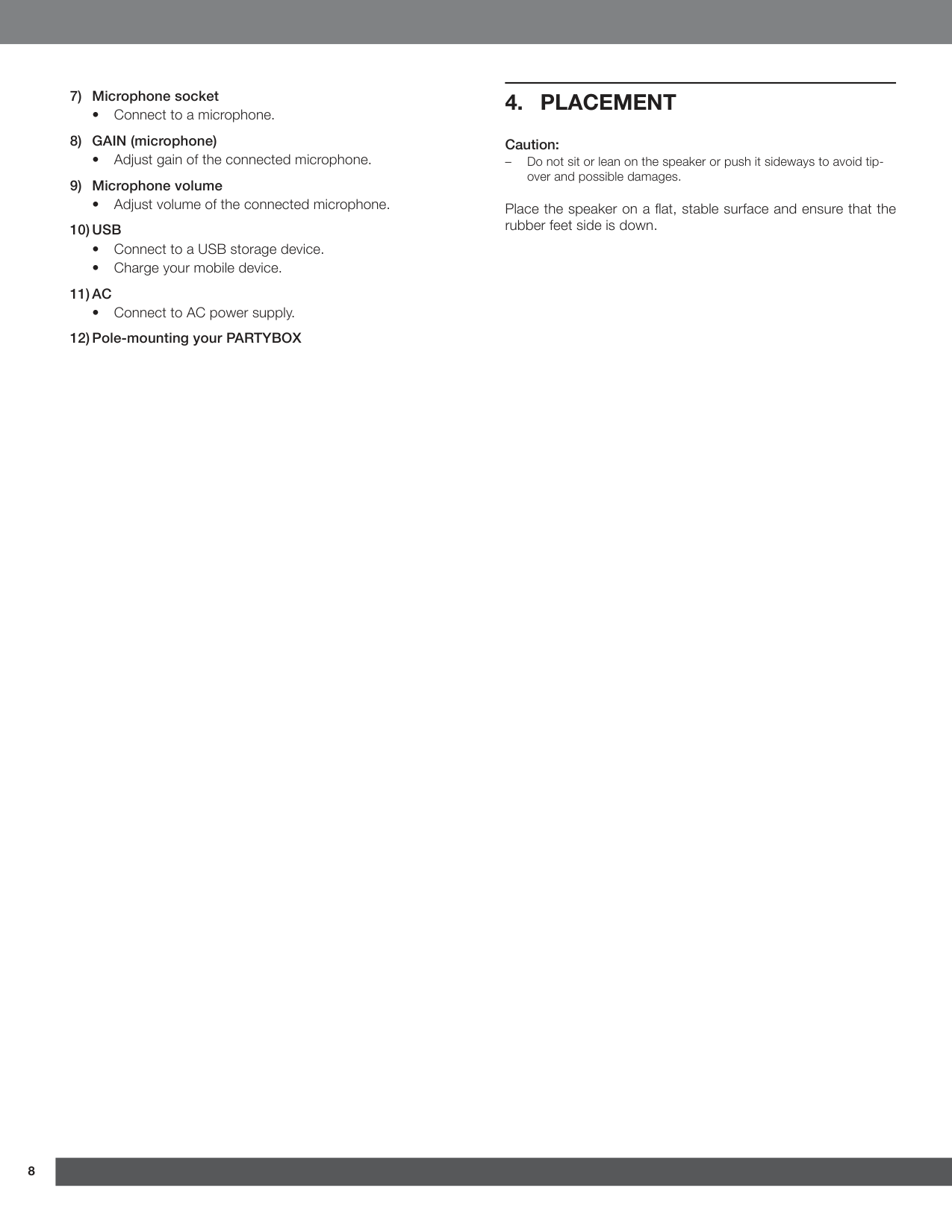
8 7) Microphone socket
10) Usb
11) Ac
4. Placement
Caution: – Do not sit or lean on the speaker or push it sideways to avoid tip- over and possible damages. Place the speaker on a flat, stable surface and ensure that the rubber feet side is down.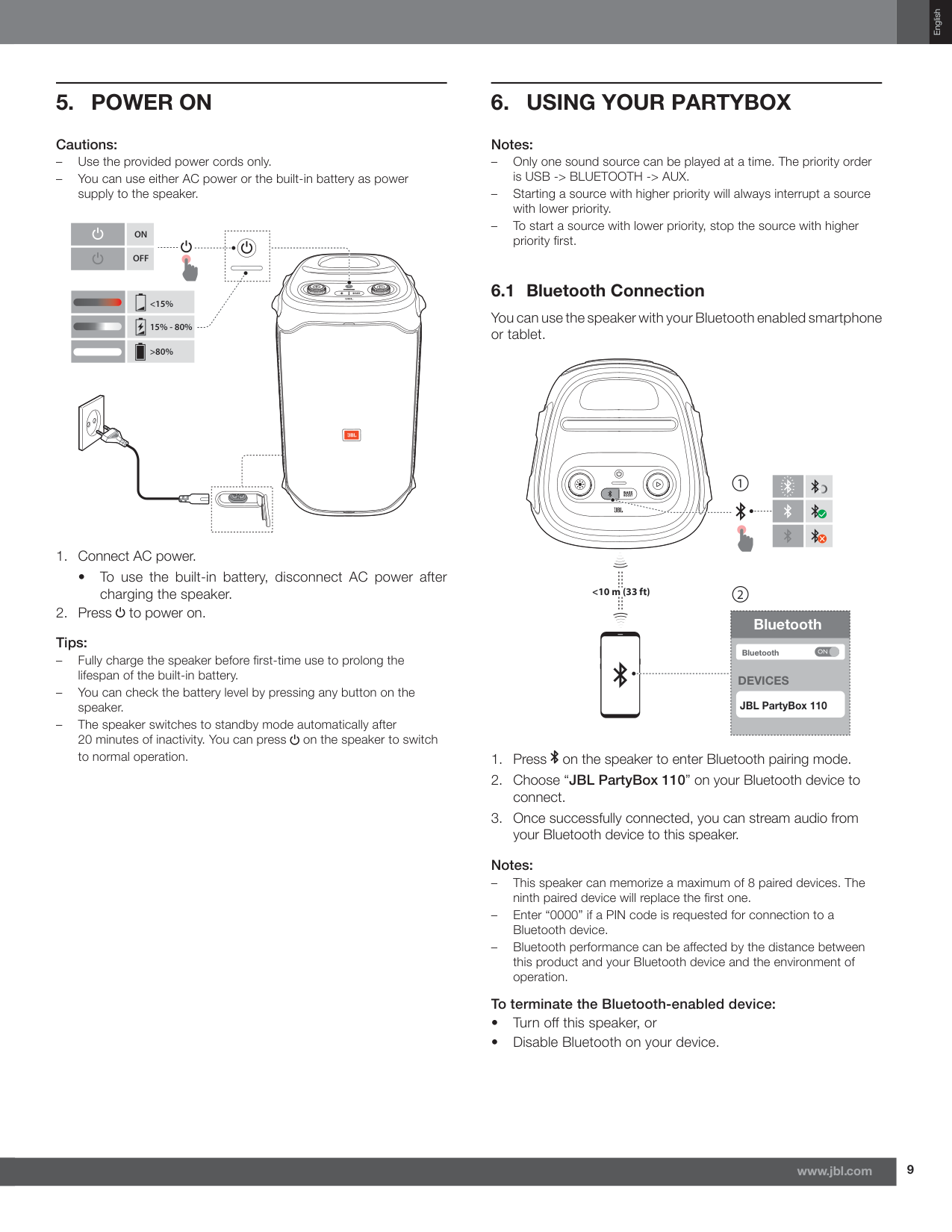
9 www.jbl.com English
5. Power On
Cautions: – Use the provided power cords only. – You can use either AC power or the built-in battery as power supply to the speaker.Off
On
<15% 15% - 80% >80%6. Using Your Partybox
Notes: – Only one sound source can be played at a time. The priority order is USB -> BLUETOOTH -> AUX. – Starting a source with higher priority will always interrupt a source with lower priority. – To start a source with lower priority, stop the source with higher priority first. 6.1 Bluetooth Connection You can use the speaker with your Bluetooth enabled smartphone or tablet.Devices
JBL PartyBox 110 Bluetooth Bluetooth 2 1 <10 m (33 ft)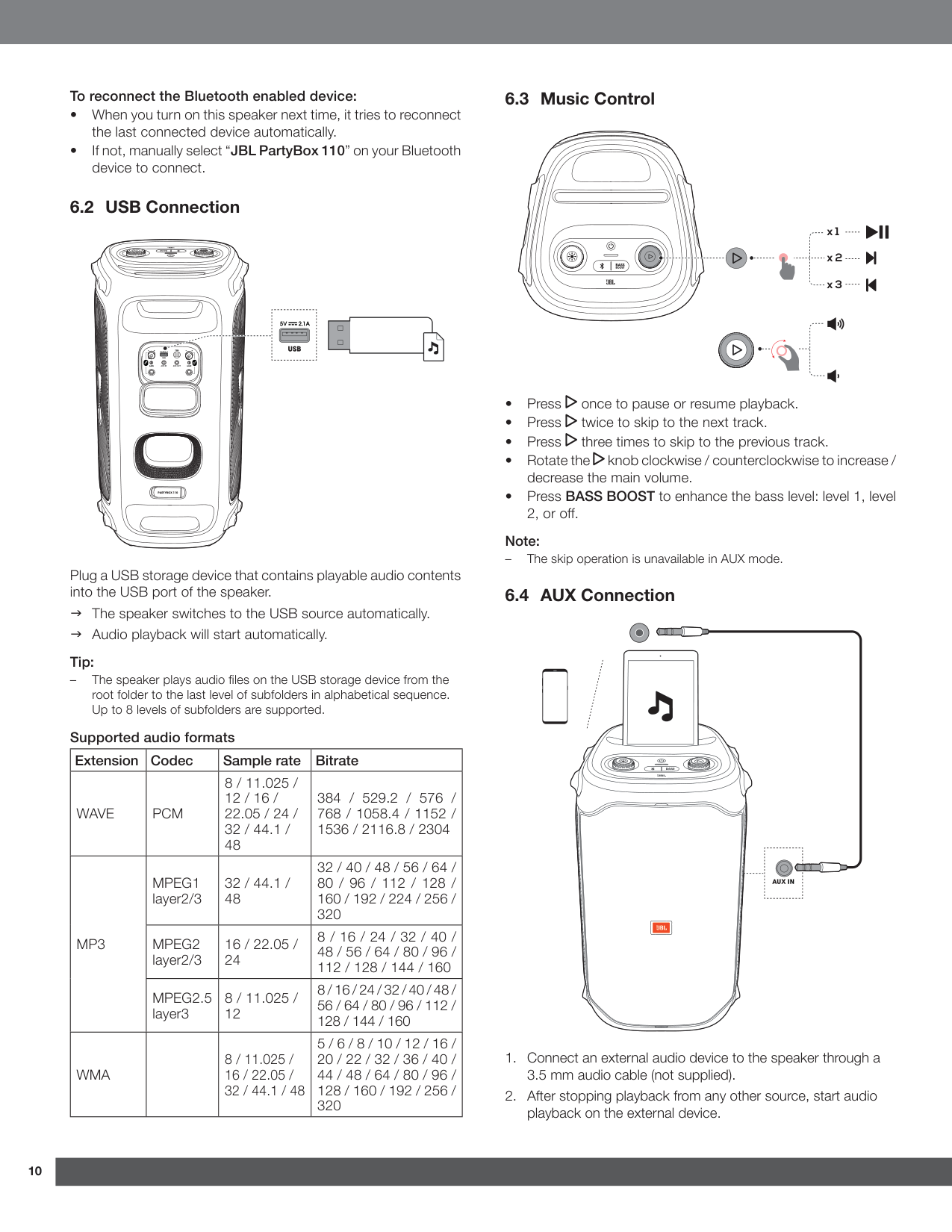
10 10 To reconnect the Bluetooth enabled device:
J The speaker switches to the USB source automatically.
J Audio playback will start automatically. Tip: – The speaker plays audio files on the USB storage device from the root folder to the last level of subfolders in alphabetical sequence. Up to 8 levels of subfolders are supported. Supported audio formats Extension Codec Sample rate Bitrate
Wave
Pcm
8 / 11.025 / 12 / 16 / 22.05 / 24 / 32 / 44.1 / 48 384 / 529.2 / 576 / 768 / 1058.4 / 1152 / 1536 / 2116.8 / 2304Mp3
Mpeg1
layer2/3 32 / 44.1 / 48 32 / 40 / 48 / 56 / 64 / 80 / 96 / 112 / 128 / 160 / 192 / 224 / 256 / 320Mpeg2
layer2/3 16 / 22.05 / 24 8 / 16 / 24 / 32 / 40 / 48 / 56 / 64 / 80 / 96 / 112 / 128 / 144 / 160Mpeg2.5
layer3 8 / 11.025 / 12 8 / 16 / 24 / 32 / 40 / 48 / 56 / 64 / 80 / 96 / 112 / 128 / 144 / 160Wma
8 / 11.025 / 16 / 22.05 / 32 / 44.1 / 48 5 / 6 / 8 / 10 / 12 / 16 / 20 / 22 / 32 / 36 / 40 / 44 / 48 / 64 / 80 / 96 / 128 / 160 / 192 / 256 / 320 6.3 Music Control x 1 x 2 x 3
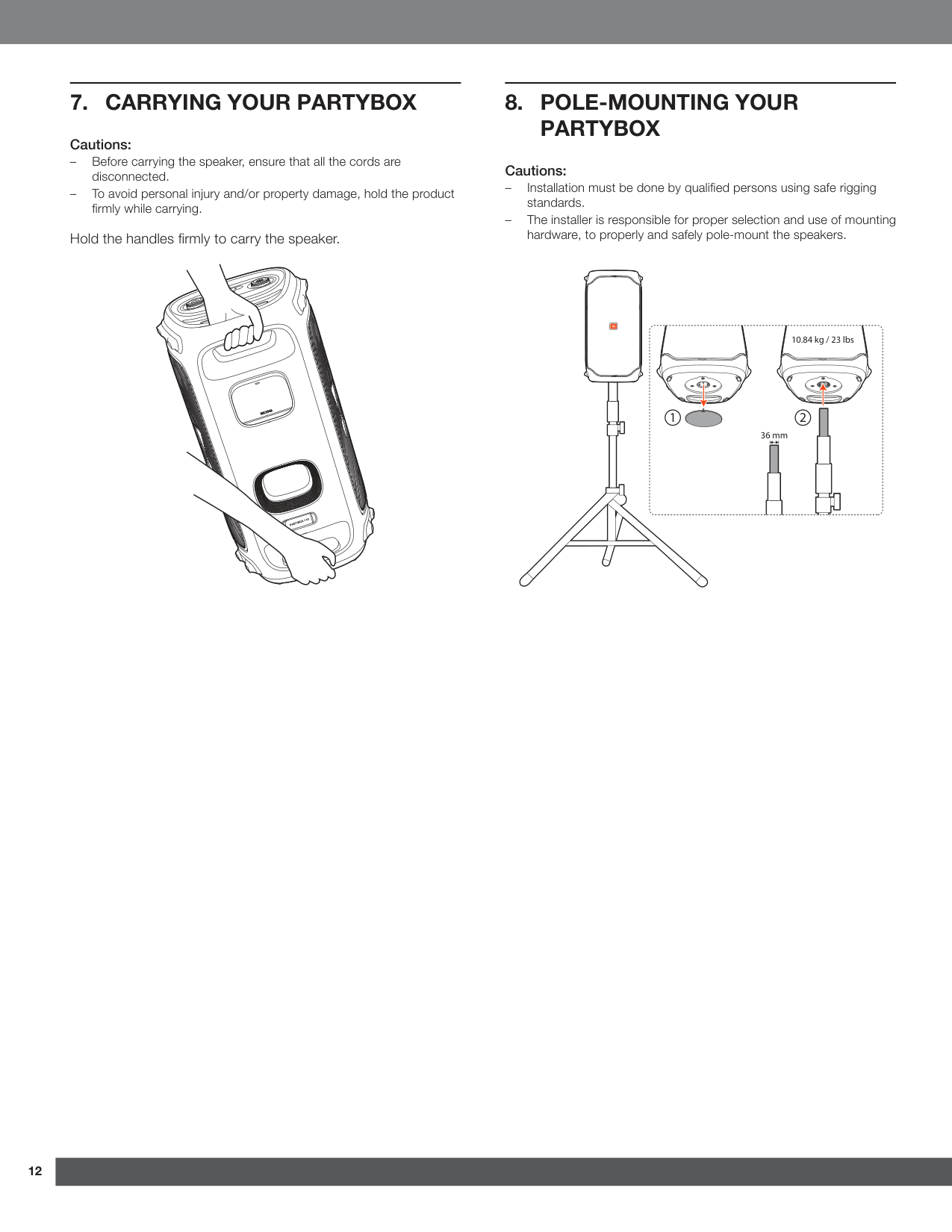
11 11 www.jbl.com English 6.5 Mixing Sound with a Microphone and / or Guitar By using a microphone or electric guitar (not supplied), you can mix sound with an audio source. Notes: – Always set the guitar or microphone volume to the minimum level before guitar or microphone connection / disconnection. – Always disconnect the guitar or microphone when you are not using them. 6.5.1 Connecting a Microphone Connect a microphone to the microphone socket. 6.5.2 Connecting a Guitar Connect a guitar to the guitar socket. 6.5.3 Mixing Sound Sing through the microphone or play guitar.
12 12
7. Carrying Your Partybox
Cautions: – Before carrying the speaker, ensure that all the cords are disconnected. – To avoid personal injury and/or property damage, hold the product firmly while carrying. Hold the handles firmly to carry the speaker.8. Pole-Mounting Your
Partybox
Cautions: – Installation must be done by qualified persons using safe rigging standards. – The installer is responsible for proper selection and use of mounting hardware, to properly and safely pole-mount the speakers. 2 36 mm 1 10.84 kg / 23 lbs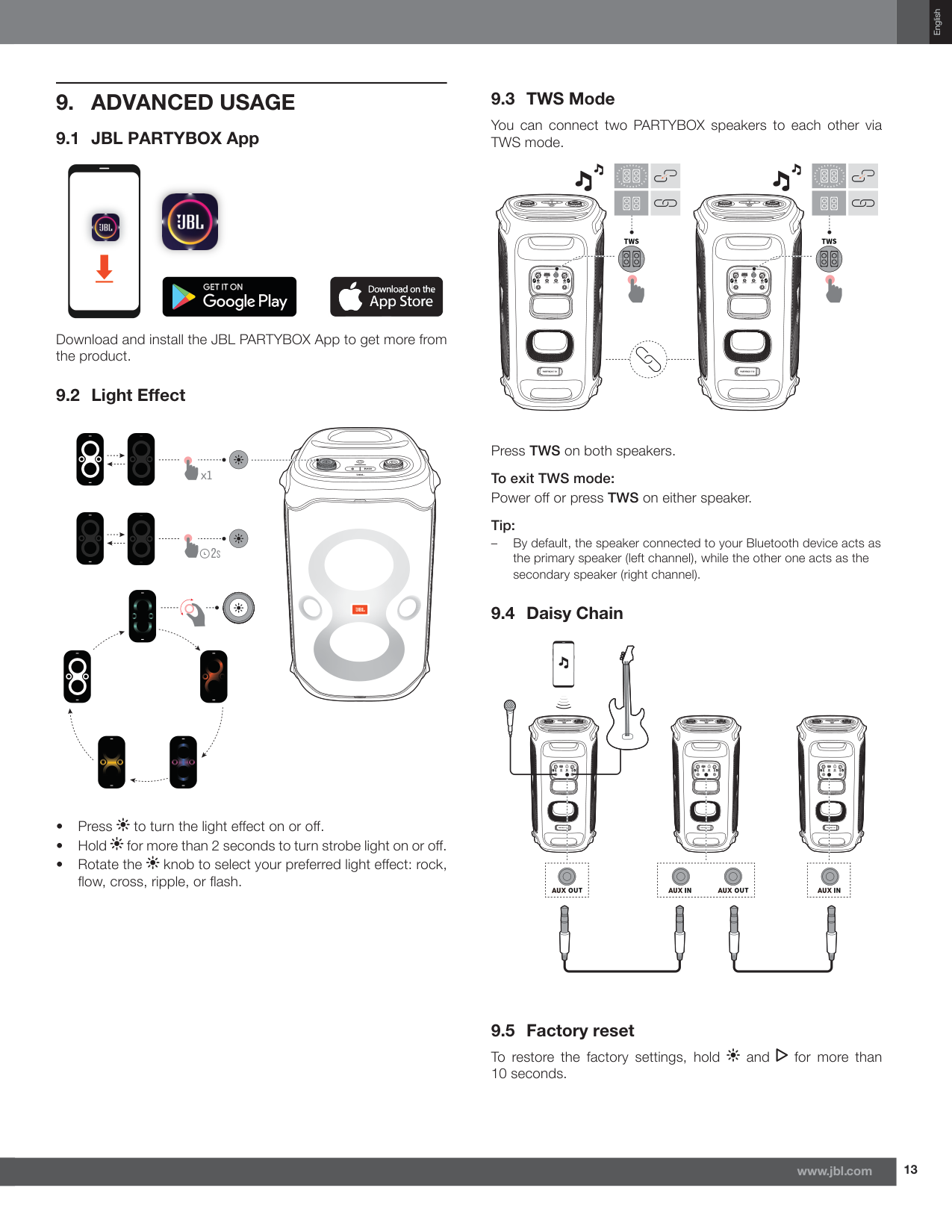
13 13 www.jbl.com English
9. Advanced Usage
9.1 JBL PARTYBOX App Download and install the JBL PARTYBOX App to get more from the product. 9.2 Light Effect2S
x1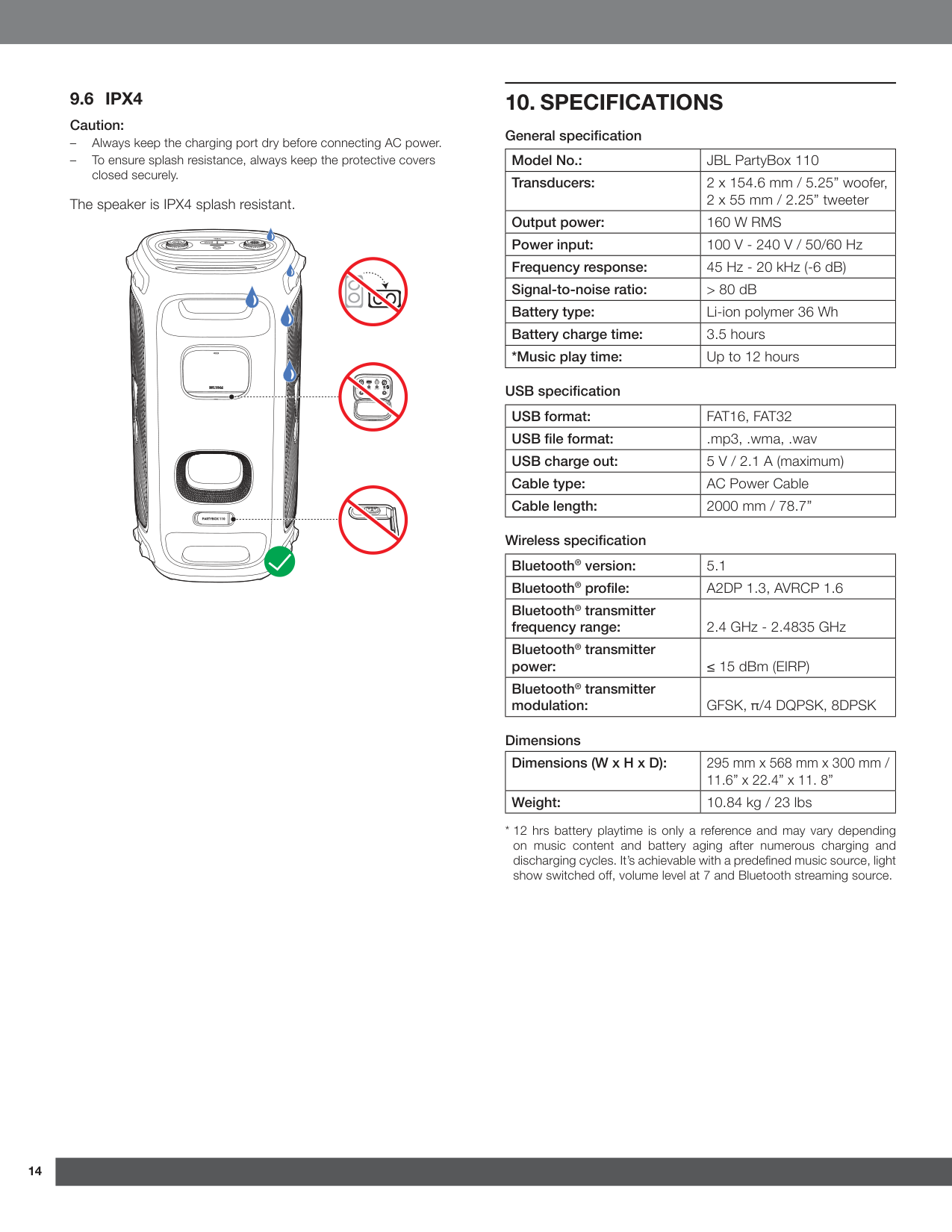
14 14
10. Specifications
General specification Model No.: JBL PartyBox 110 Transducers: 2 x 154.6 mm / 5.25” woofer, 2 x 55 mm / 2.25” tweeter Output power:160 W Rms
Power input: 100 V - 240 V / 50/60 Hz Frequency response: 45 Hz - 20 kHz (-6 dB) Signal-to-noise ratio: > 80 dB Battery type: Li-ion polymer 36 Wh Battery charge time: 3.5 hours *Music play time: Up to 12 hours USB specification USB format:Fat16, Fat32
USB file format: .mp3, .wma, .wav USB charge out: 5 V / 2.1 A (maximum) Cable type: AC Power Cable Cable length: 2000 mm / 78.7” Wireless specification Bluetooth® version: 5.1 Bluetooth® profile:A2Dp 1.3, Avrcp 1.6
Bluetooth® transmitter frequency range: 2.4 GHz - 2.4835 GHz Bluetooth® transmitter power: ≤ 15 dBm (EIRP) Bluetooth® transmitter modulation: GFSK, π/4 DQPSK, 8DPSK Dimensions Dimensions (W x H x D): 295 mm x 568 mm x 300 mm / 11.6” x 22.4” x 11. 8” Weight: 10.84 kg / 23 lbs9.6 Ipx4
Caution: – Always keep the charging port dry before connecting AC power. – To ensure splash resistance, always keep the protective covers closed securely. The speaker is IPX4 splash resistant.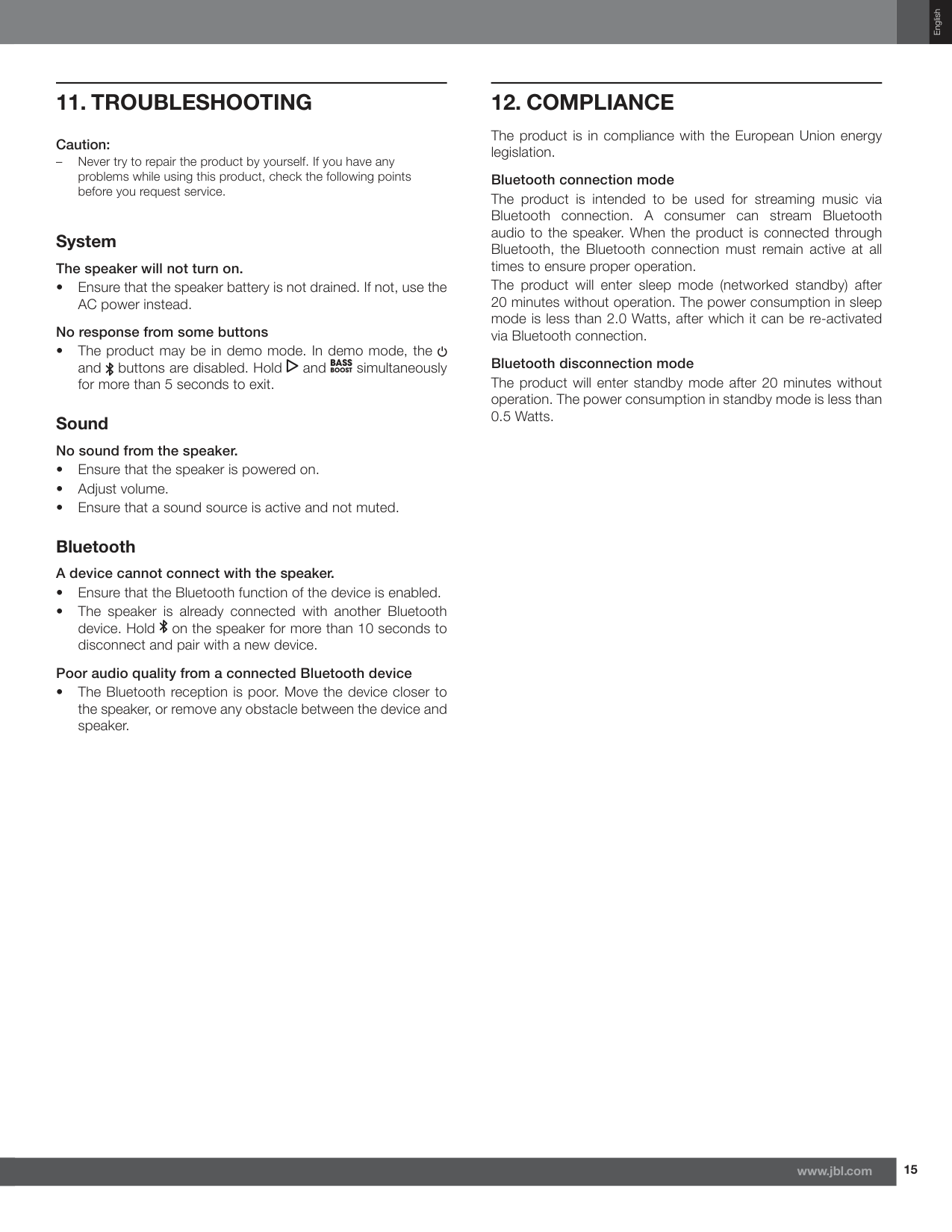
15 15 www.jbl.com English
12. Compliance
The product is in compliance with the European Union energy legislation. Bluetooth connection mode The product is intended to be used for streaming music via Bluetooth connection. A consumer can stream Bluetooth audio to the speaker. When the product is connected through Bluetooth, the Bluetooth connection must remain active at all times to ensure proper operation. The product will enter sleep mode (networked standby) after 20 minutes without operation. The power consumption in sleep mode is less than 2.0 Watts, after which it can be re-activated via Bluetooth connection. Bluetooth disconnection mode The product will enter standby mode after 20 minutes without operation. The power consumption in standby mode is less than 0.5 Watts.11. Troubleshooting
Caution: – Never try to repair the product by yourself. If you have any problems while using this product, check the following points before you request service. System The speaker will not turn on.
16 16
13. Trademark
The Bluetooth® word mark and logos are registered trademarks owned by Bluetooth SIG, Inc. and any use of such marks by HARMAN International Industries, Incorporated is under license. Other trademarks and trade names are those of their respective owners. Este produto está homologado pela Anatel, de acordo com os procedimentos regulamentados para avaliação da conformidade de produtos para telecomunicações e atende aos requisitos técnicos aplicados. Para maiores informações, consulte o site da Anatel – www.anatel.gov.br Este equipamento não tem direito à proteção contra interferência prejudicial e não pode causar interferência em sistemas devidamente autorizados.
Активная акустическая система Изготовитель: Харман Интернешнл Индастриз Инкорпорейтед, США, 06901 Коннектикут, г.Стэмфорд, Атлантик Стрит 400, офис 1500 Сделано в Китае Импортер: OOO “ХАРМАН РУС СиАйЭс“, Россия, 127018, г.Москва, ул. Двинцев, д.12, к. 1 Гарантийный период: 1 год Срок службы: 2 годаw Информация о сервисных центрах: www.harman.com/ru Техническая поддержка: 8 (800) 700 0467 Организация, уполномоченная на принятие претензий потребителей: OOO “ХАРМАН РУС СиАйЭс“ Товар сертифицирован Дата изготовления устройства определяется по двум буквенным обозначениям из второй группы символов серийного номера изделия, следующих после разделительного знака «-». Кодировка соответствует порядку букв латинского алфавита, начиная с января 2010 года: 000000- MY0000000, где «M» - месяц производства (А - январь, B - февраль, C - март и т.д.) и «Y» - год производства (A - 2010, B - 2011, C - 2012 и т.д.). HARMAN International Industries, Incorporated 8500 Balboa Boulevard, Northridge, CA 91329 USA www.jbl.com © 2022 HARMAN International Industries, Incorporated. All rights reserved. JBL is a trademark of HARMAN International Industries, Incorporated, registered in the United States and/or other countries. Features, specifications and appearance are subject to change without notice.