
Ask AI
— answers from the official manualAnswers from the official manual.
Common questions
Common Questions
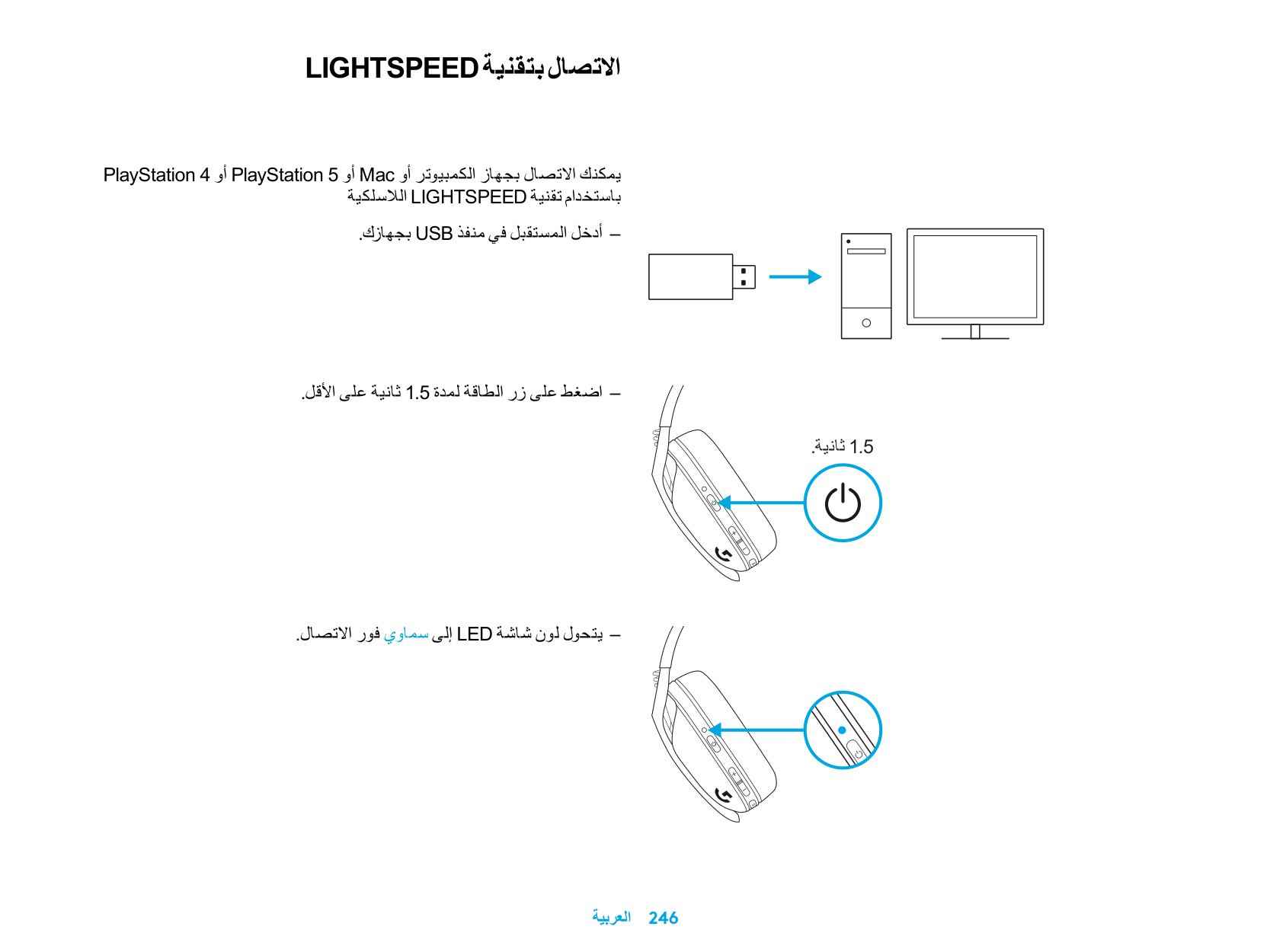
10 totalHow do I set up the Logitech G435 with LIGHTSPEED wireless connection?
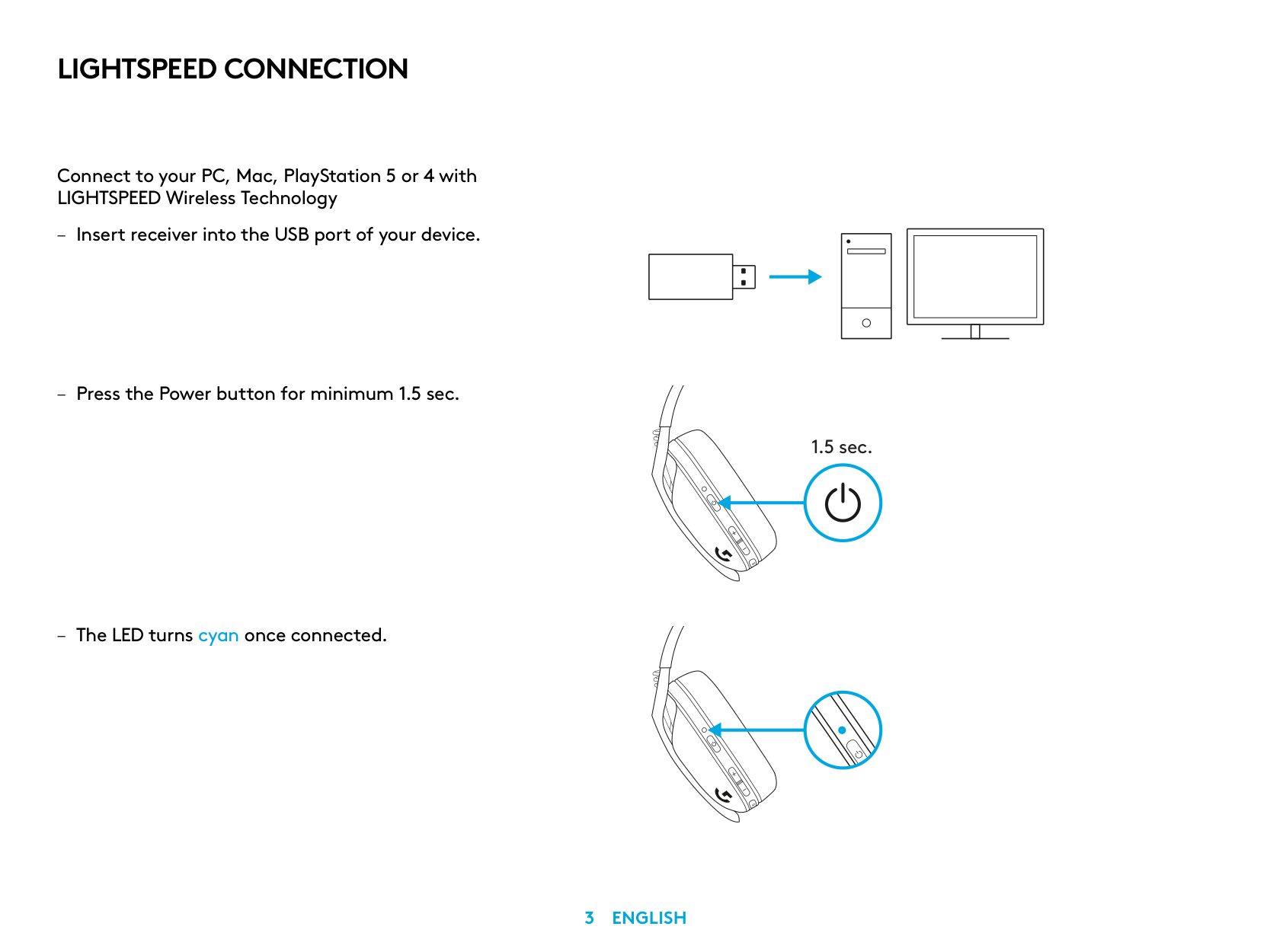
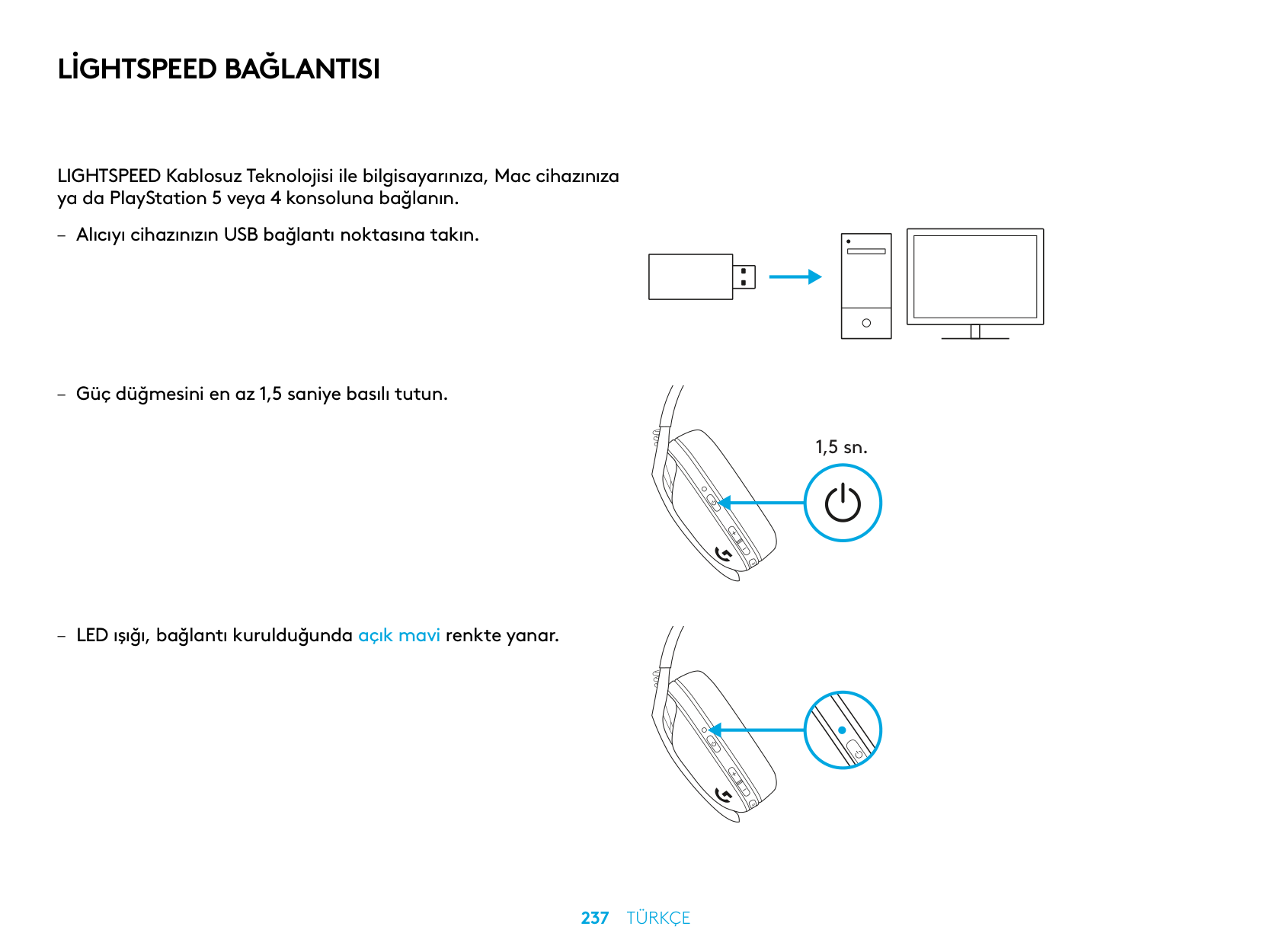
Insert the wireless USB receiver into the USB port of your device, then press and hold the Power button for at least 1.5 seconds. The LED indicator will turn cyan, confirming a successful LIGHTSPEED connection.
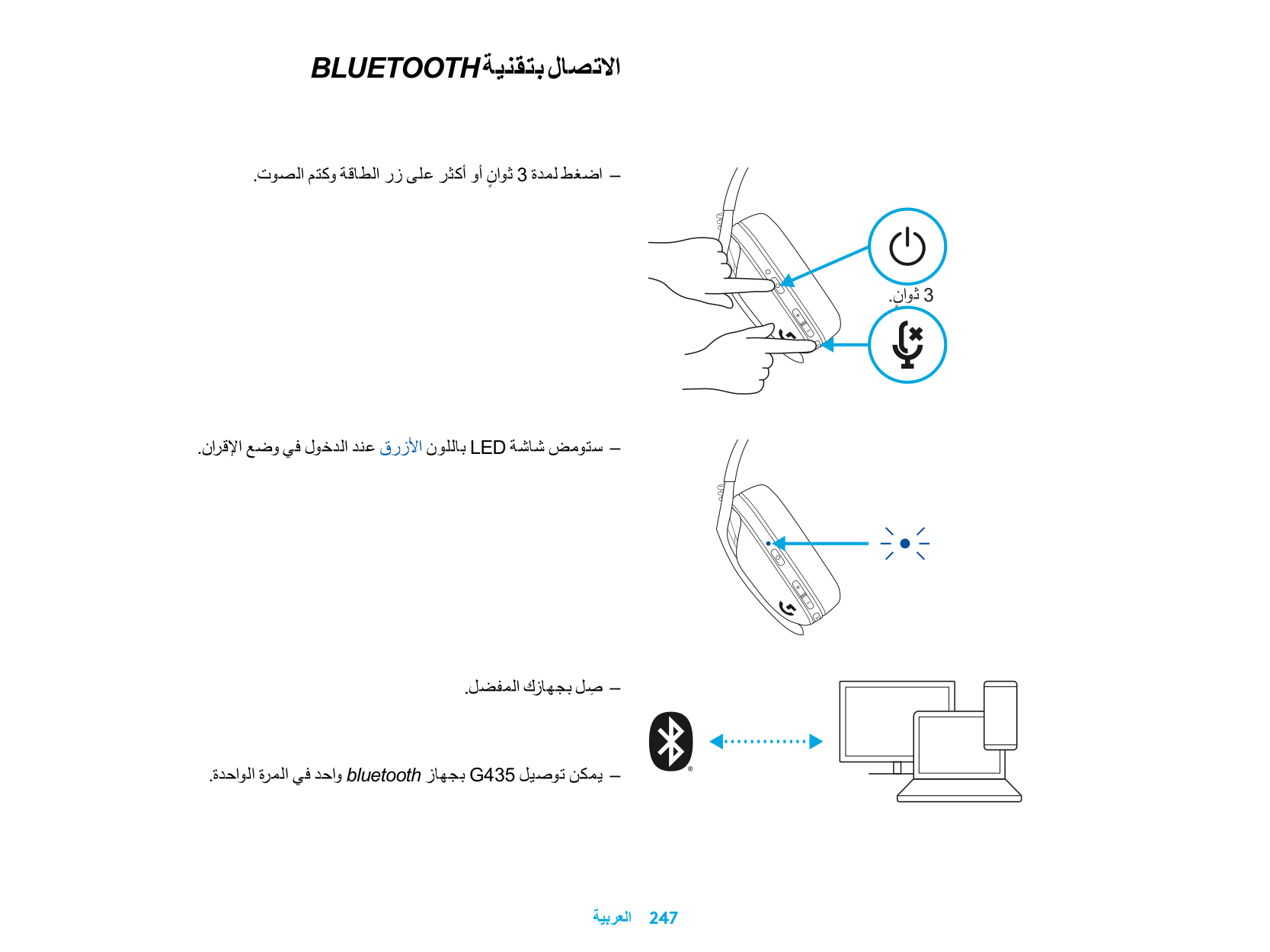
How do I pair the G435 to a Bluetooth device?
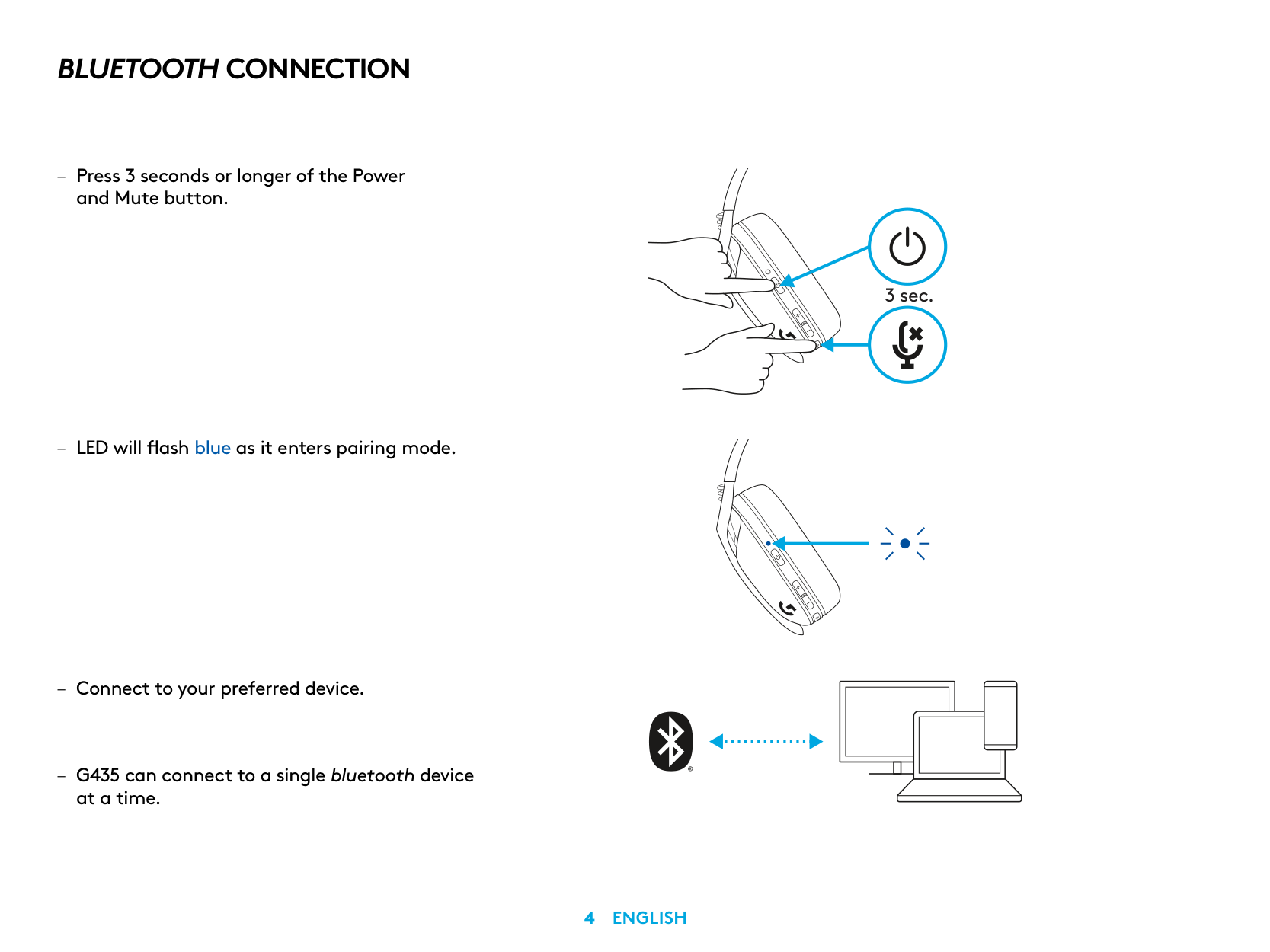
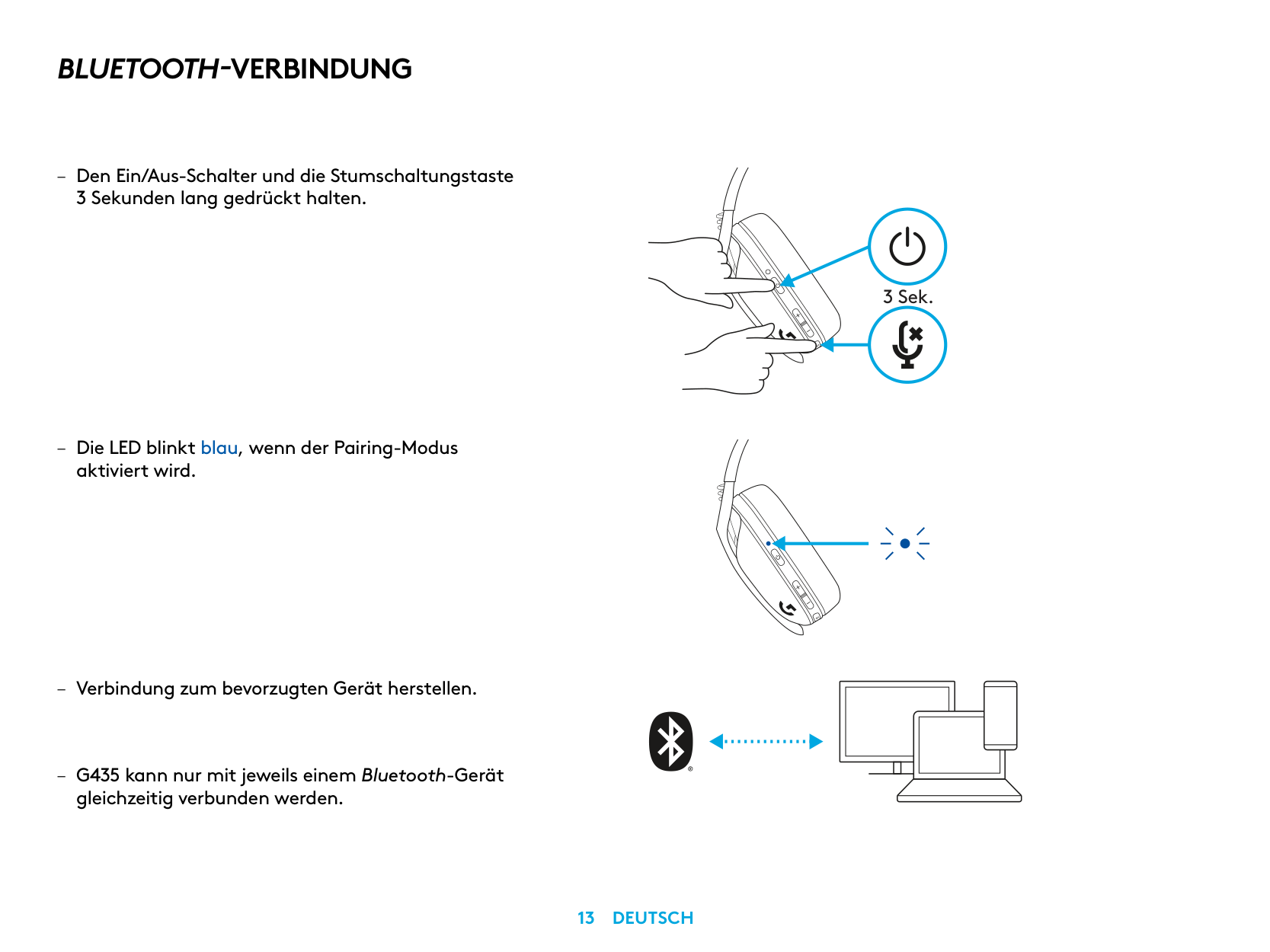
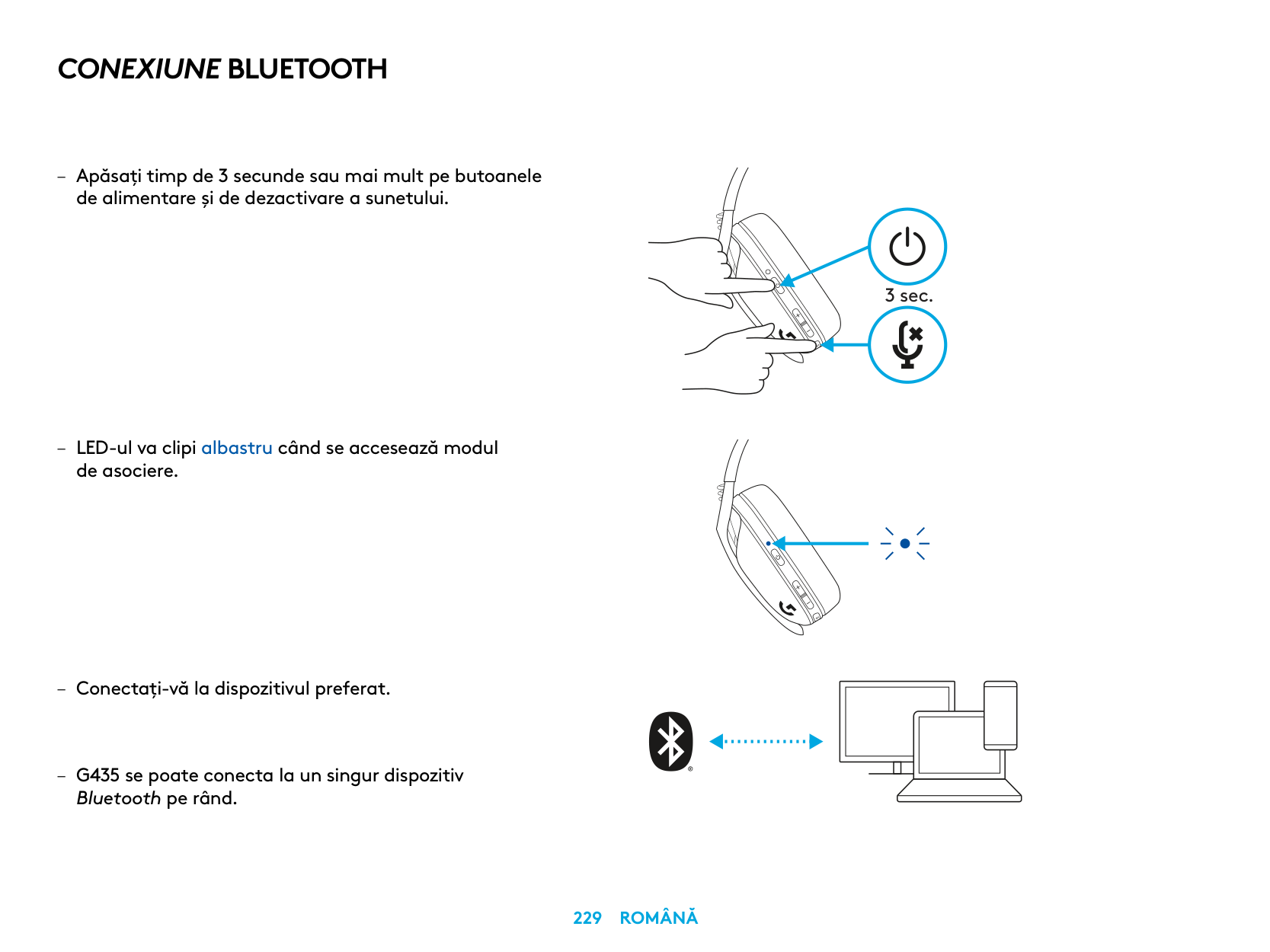
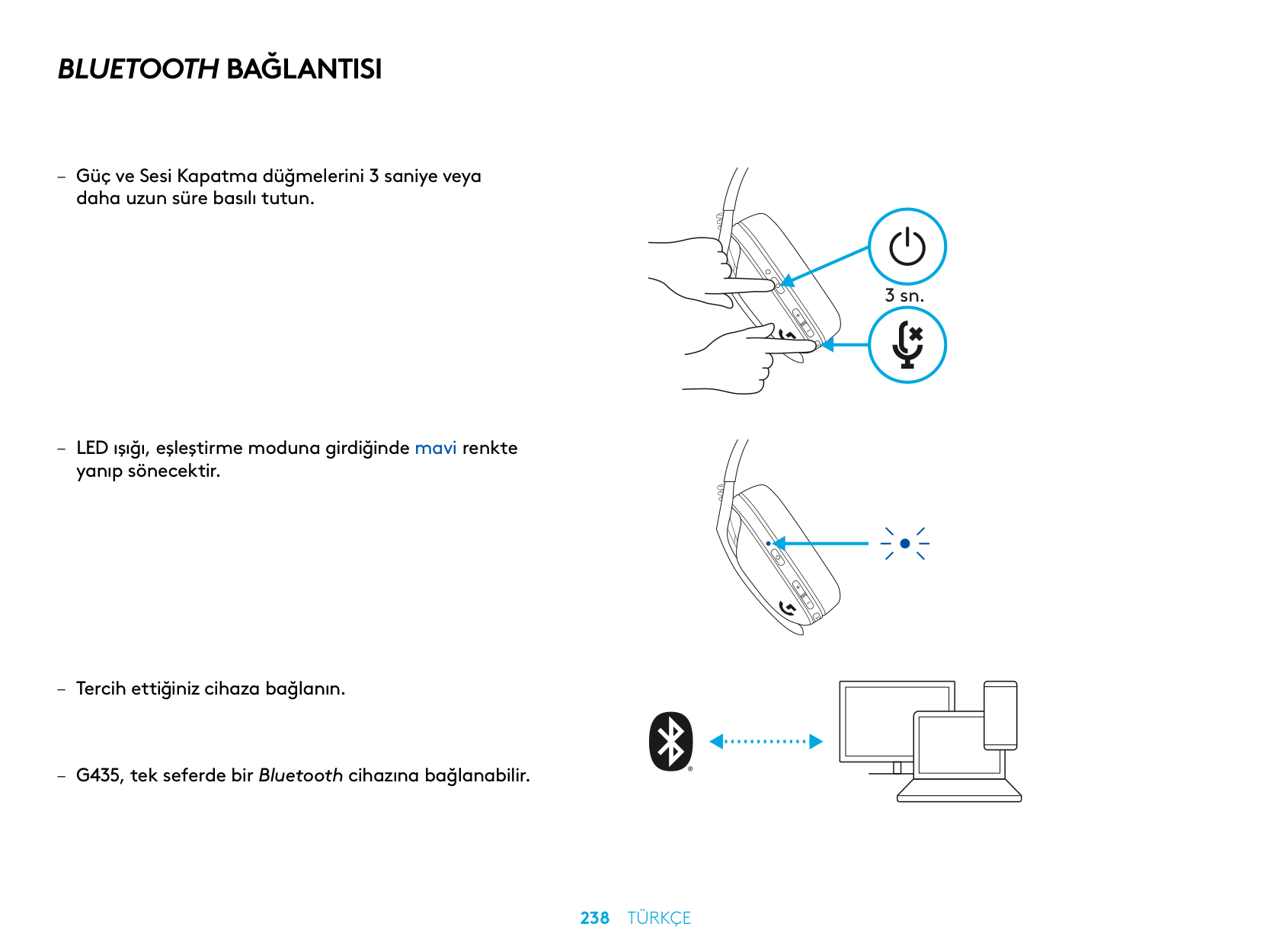
Press and hold both the Power and Mute buttons simultaneously for 3 seconds or longer until the LED flashes blue, indicating pairing mode. Then connect to your preferred device via Bluetooth settings. Note that the G435 can only connect to one Bluetooth device at a time.
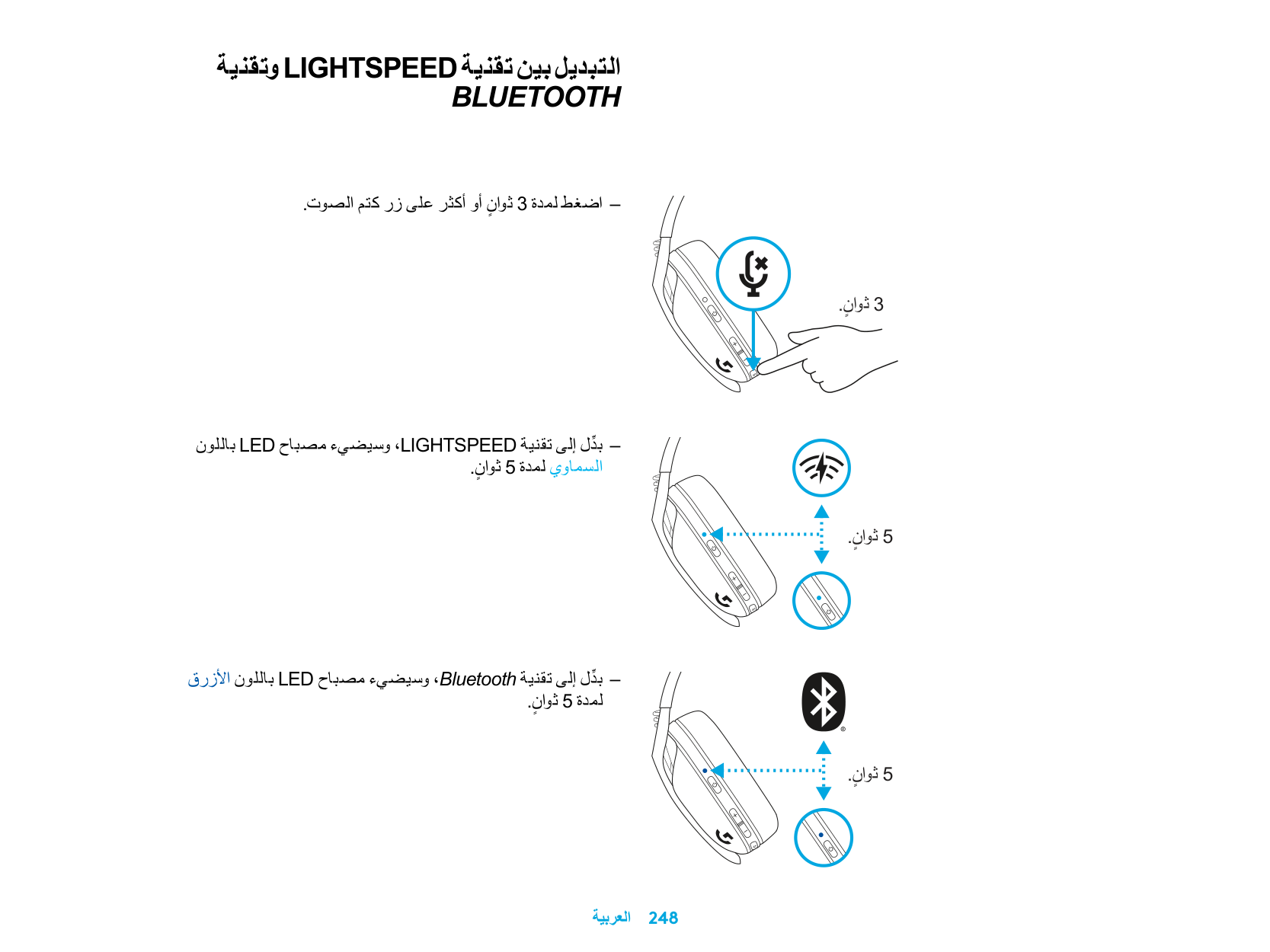
How do I switch between LIGHTSPEED and Bluetooth modes?
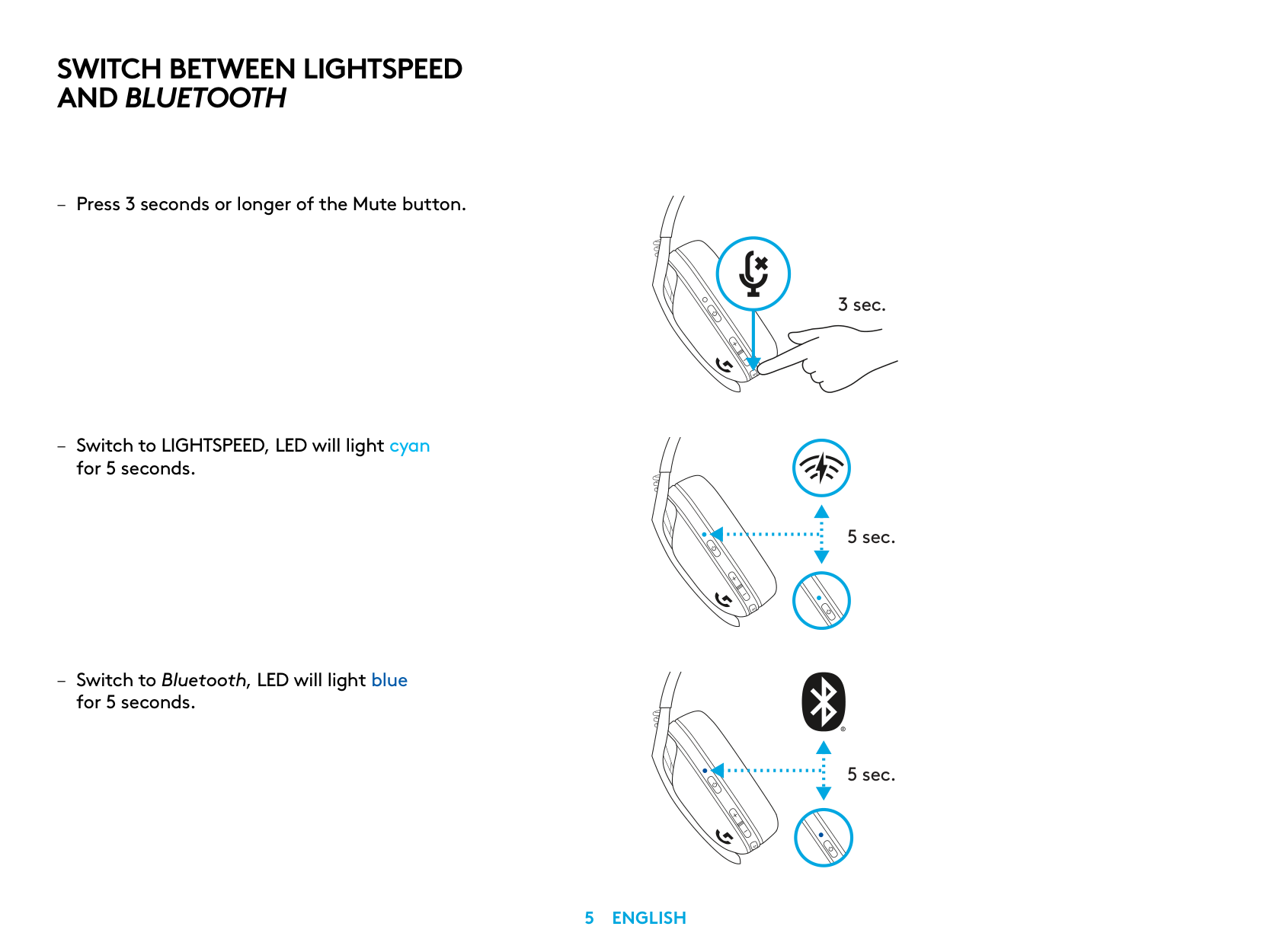
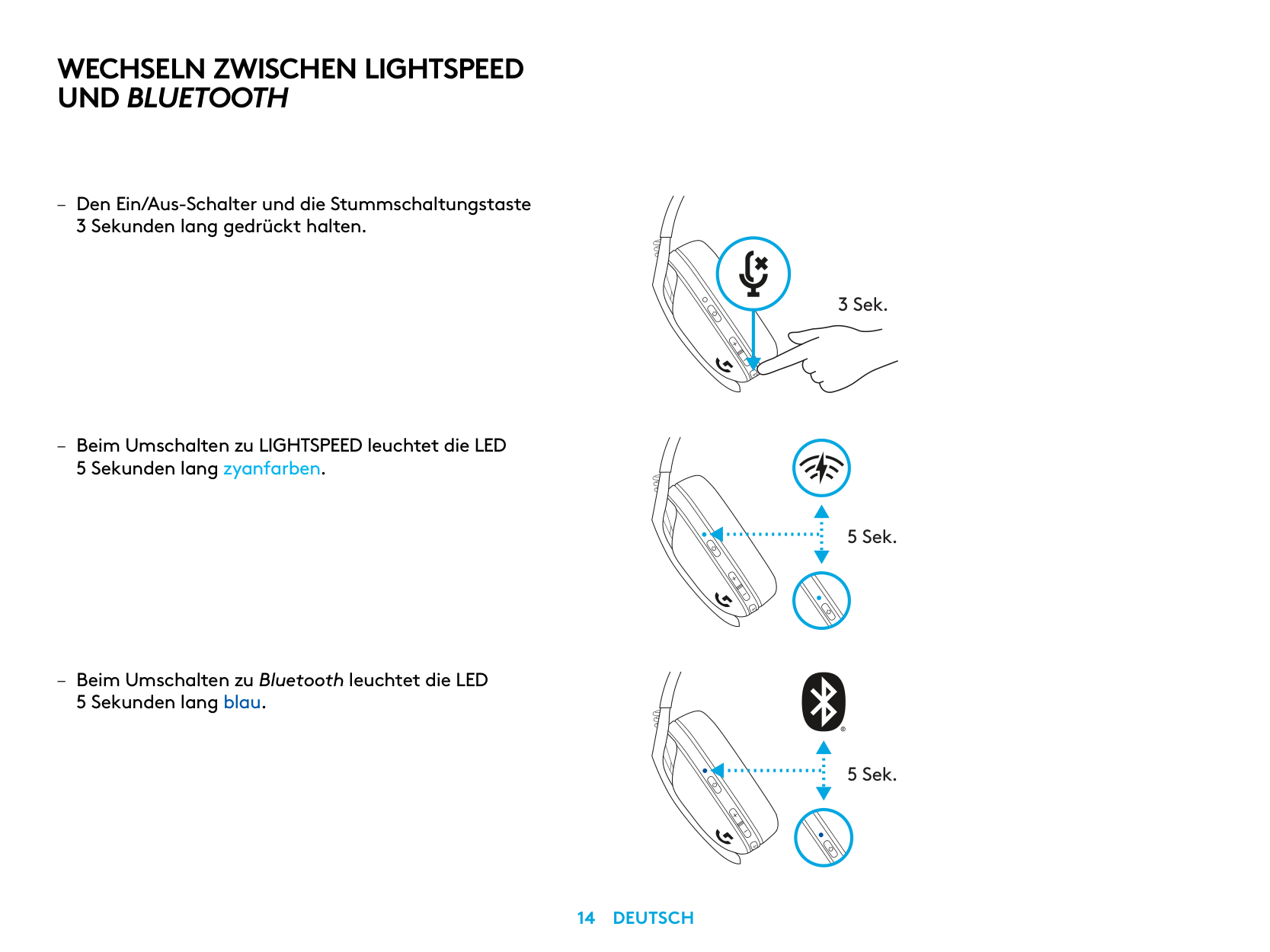
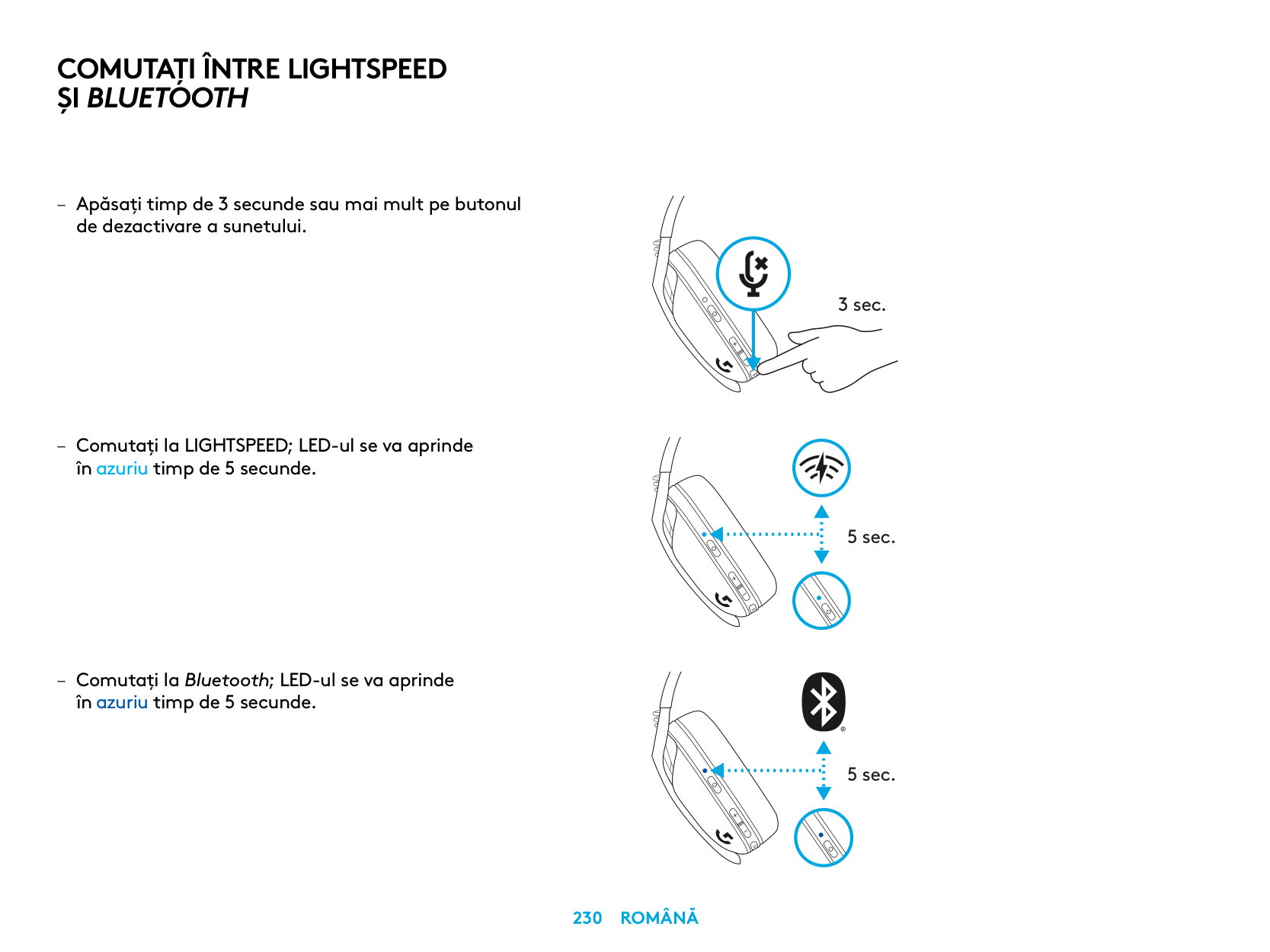
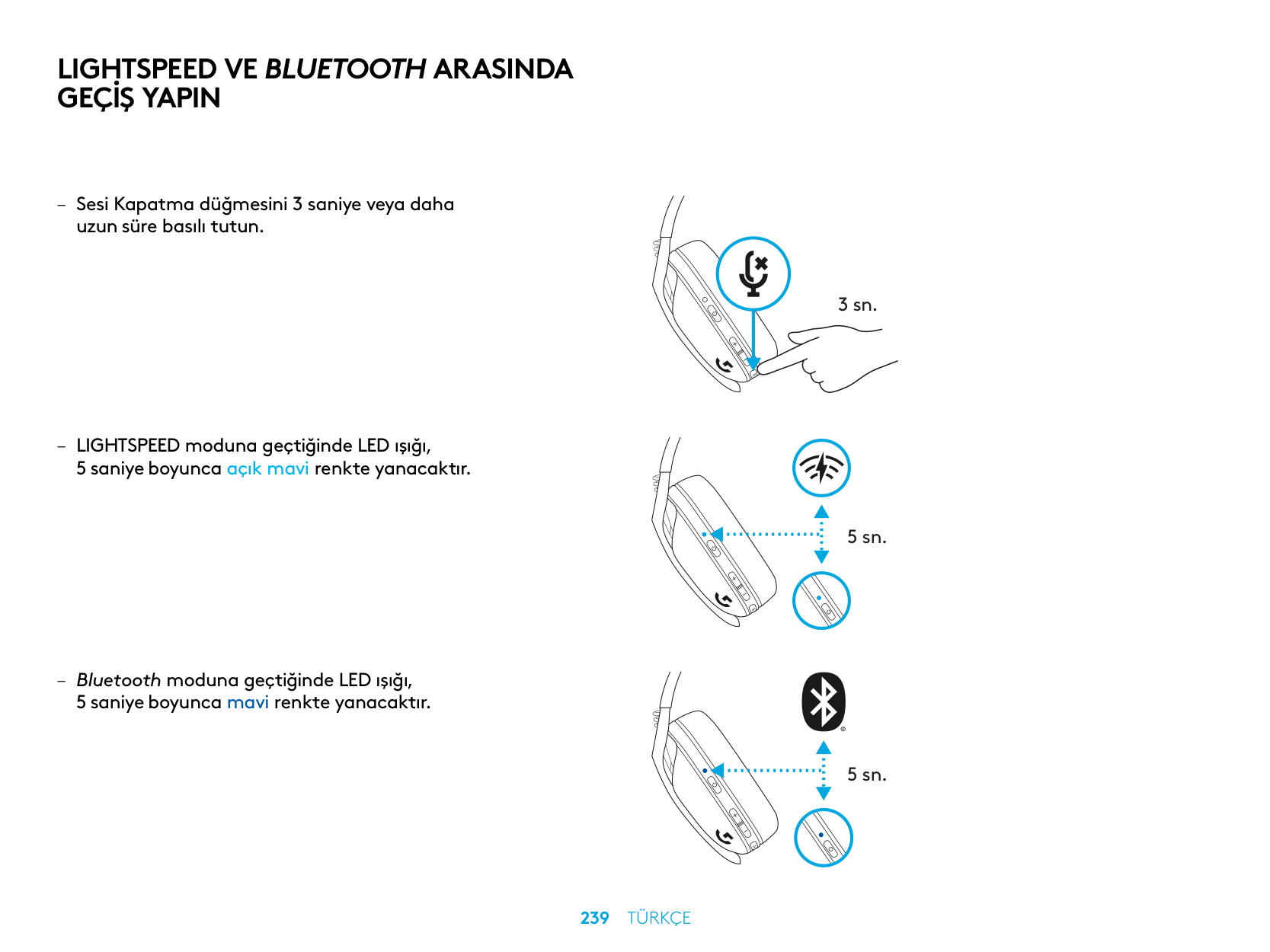
Press and hold the Mute button for 3 seconds or longer to switch between modes. The LED will light cyan for 5 seconds when switching to LIGHTSPEED, or blue for 5 seconds when switching to Bluetooth.
How long does the battery last on the G435?
The Logitech G435 offers up to 18 hours of battery life on a single charge. The headset will also automatically power off after 30 minutes of inactivity to conserve battery.
How do I check the battery status of the G435?
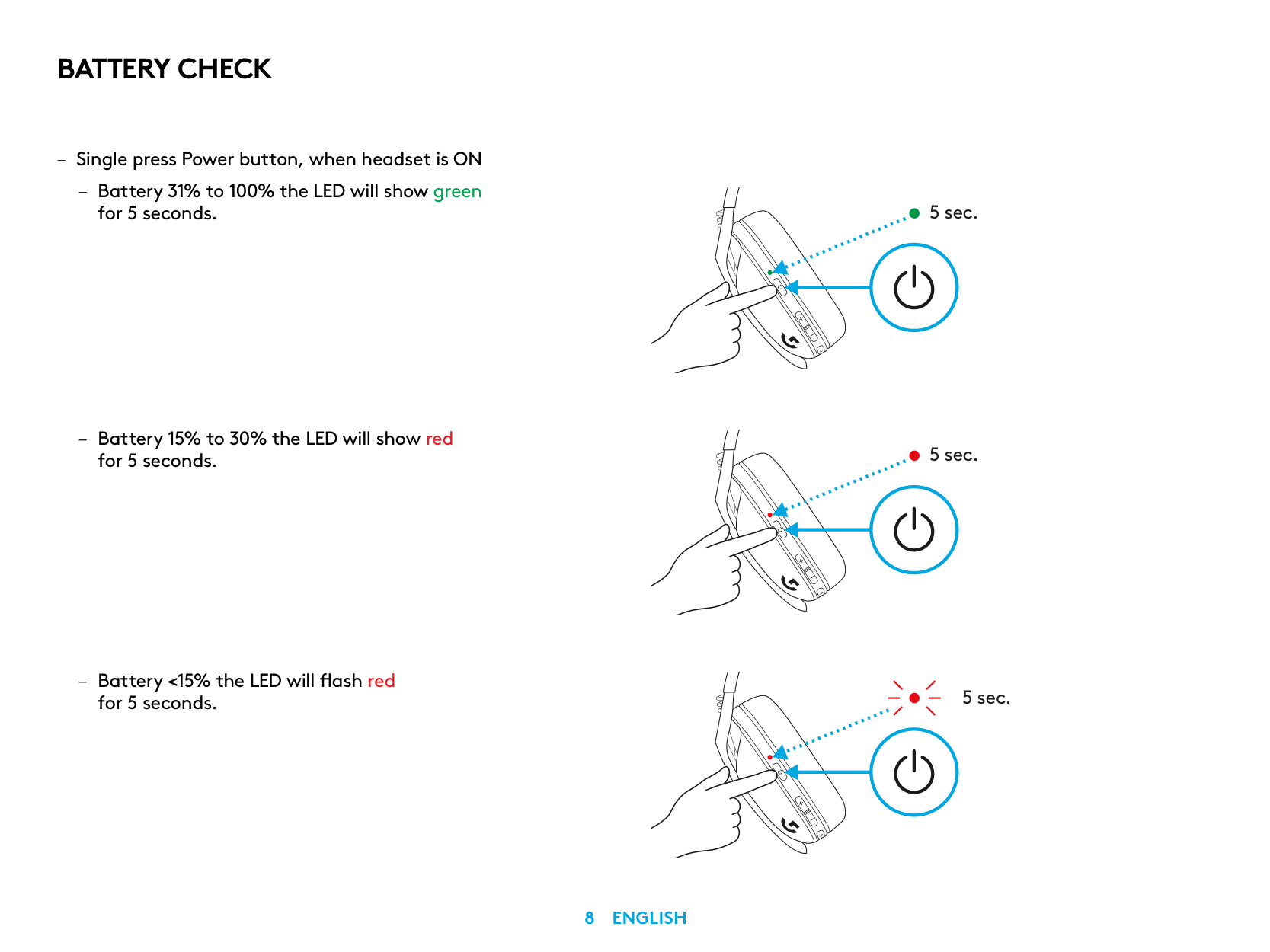
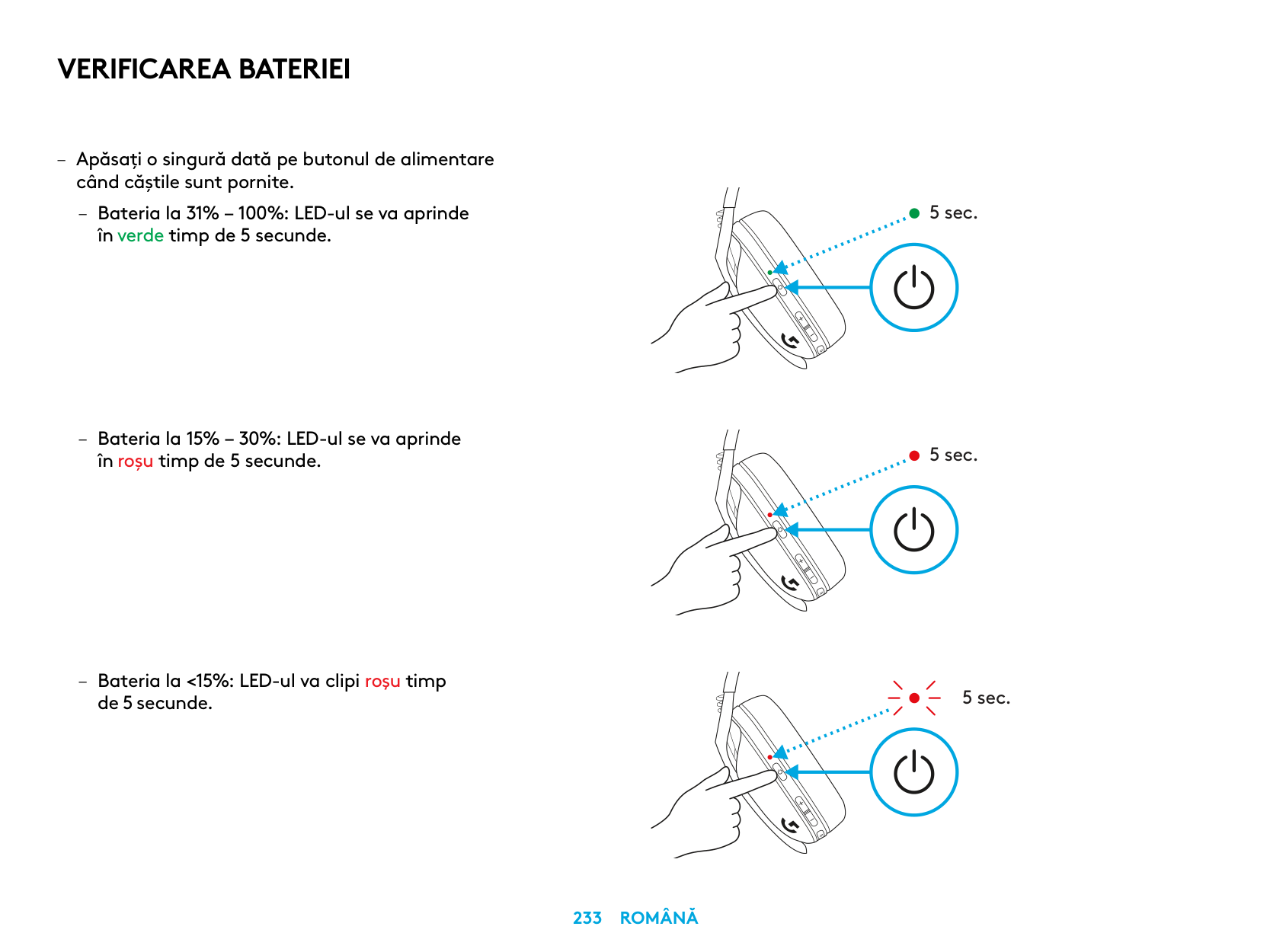
Press the Power button once when the headset is on to check battery status. The LED will show green for 5 seconds if the battery is 31-100%, red for 5 seconds if 15-30%, or flash red if below 15%.
How do I troubleshoot no sound from the G435?
Ensure the headset is powered on and properly connected to your device, check the volume settings on both the headset and your device, and verify that the headset is not muted by checking the microphone status.
Full Manual
264 pages
G435
SETUP GUIDE | GUIDE D’INSTALLATION


| | | | |---|---|---| | | | |
| | | | |---|---|---| | | | | | | | |
ENGLISH 3
DEUTSCH 12
FRANÇAIS 21
ITALIANO 30
ESPAÑOL 39
PORTUGUÊS 48
NEDERLANDS 57
SVENSKA 66
DANSK 75
NORSK 84
SUOMI 93
ΕΛΛΗΝΙΚΆ 102
ПО-РУССКИ 111
PO POLSKU 120
MAGYAR 129
ČESKÁ VERZE 138
SLOVENČINA 147
УКРАЇНСЬКА 156
EESTI 165
LATVISKI 174
LIETUVIŲ 183
БЪЛГАРСКИ 192
HRVATSKI 201
SRPSKI 210
SLOVENŠČINA 219
ROMÂNĂ 228
TÜRKÇE 237
246 ةيبرعلا
255 תירבע
LIGHTSPEED CONNECTION
Connect to your PC, Mac, PlayStation 5 or 4 with LIGHTSPEED Wireless Technology
| | | |---|---| | | | | | |
| | | | |---|---|---| | | | |
| | |---| | |
1.5 sec.
BLUETOOTH CONNECTION
3 sec.
SWITCH BETWEEN LIGHTSPEED AND BLUETOOTH
3 sec.
5 sec.
5 sec.
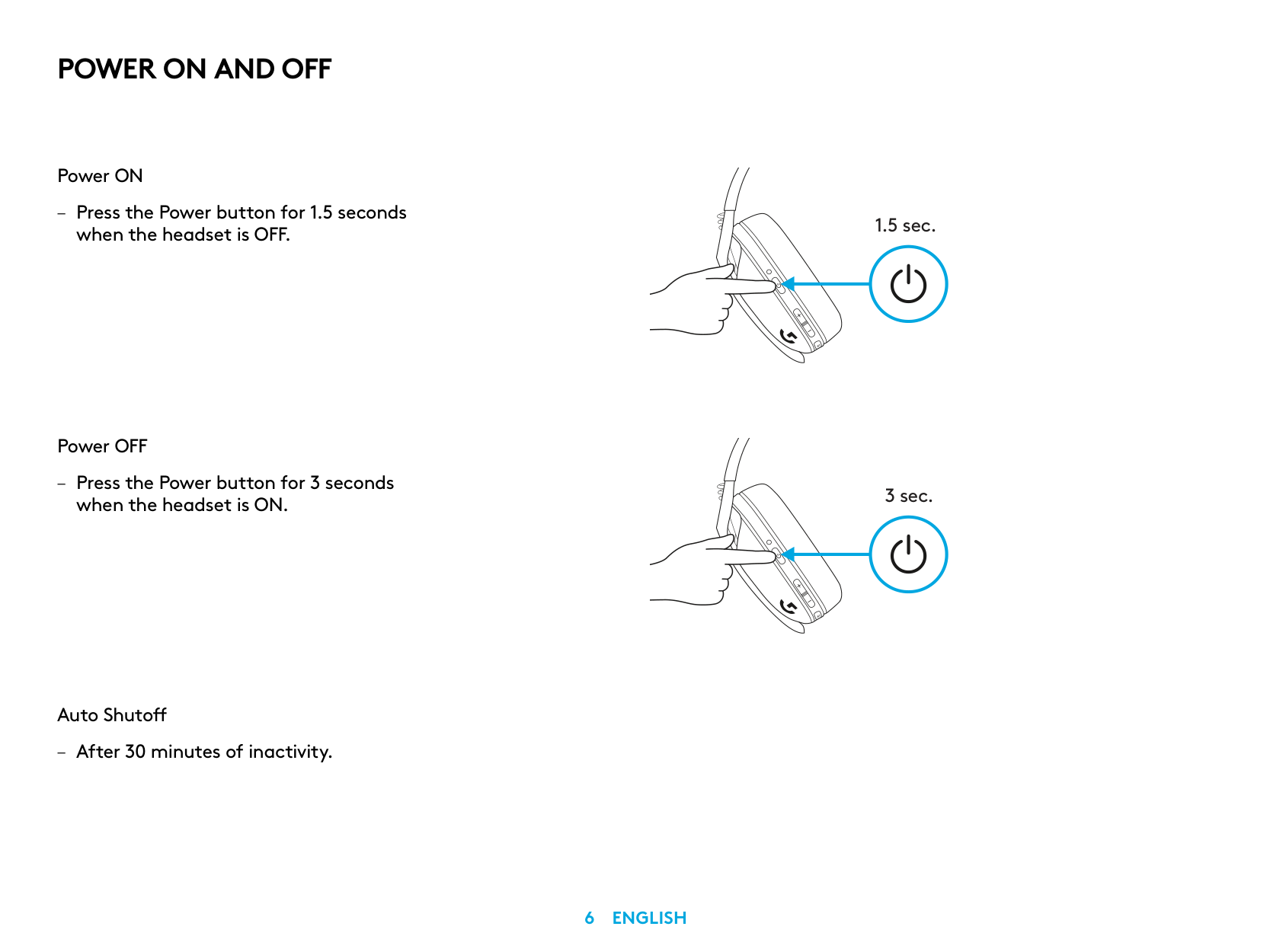
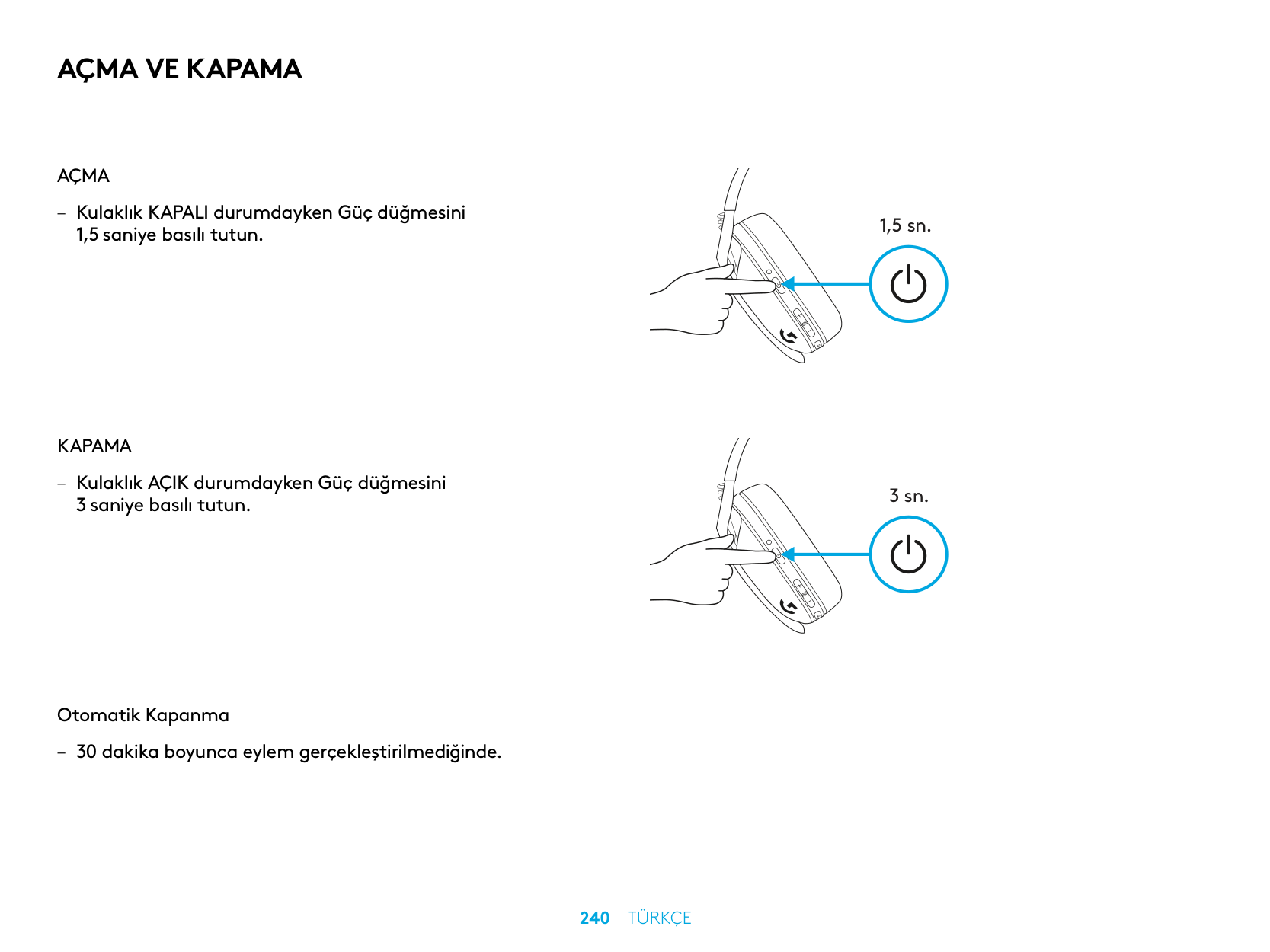
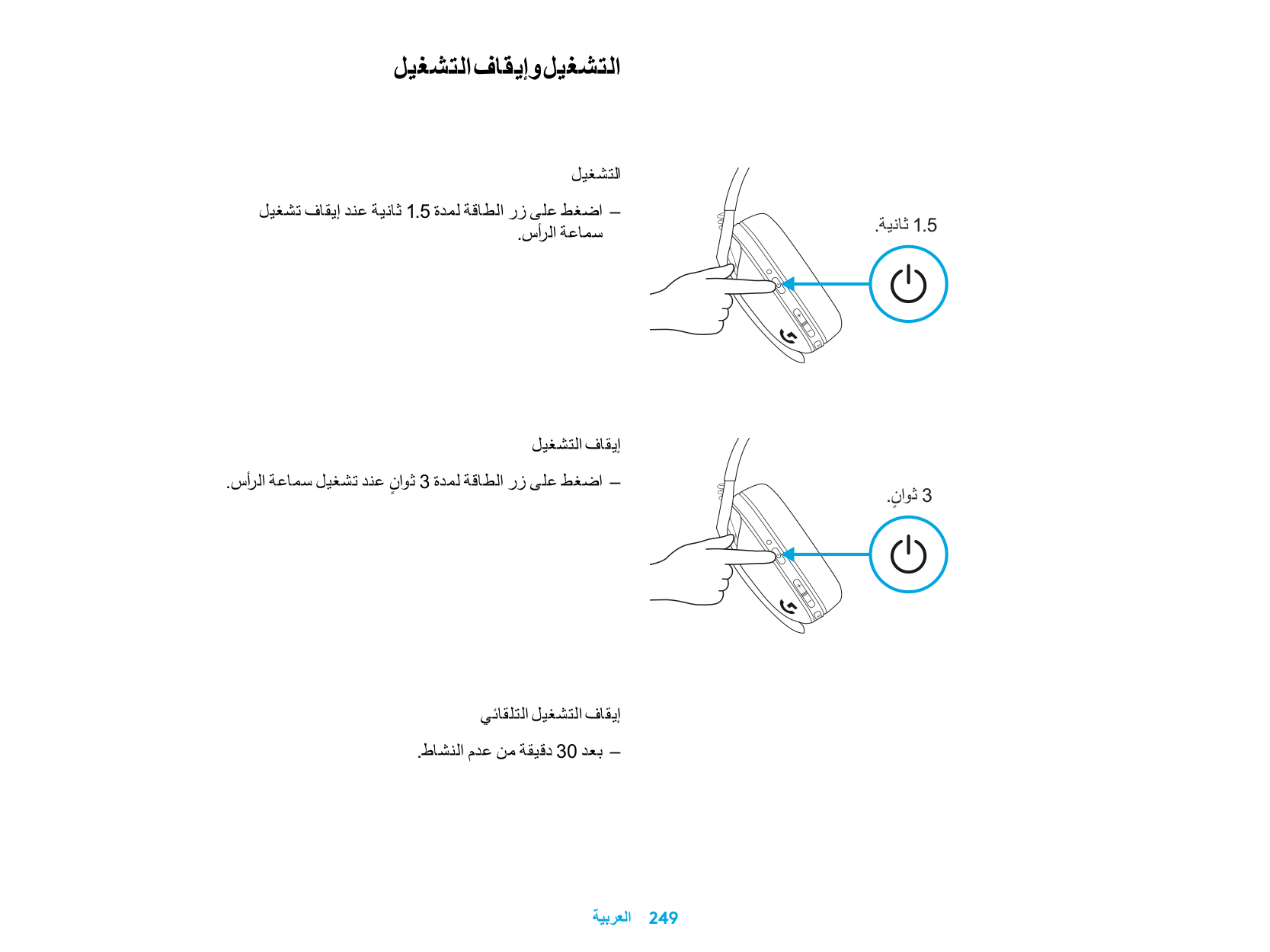
POWER ON AND OFF
Power ON
– Press the Power button for 1 5 seconds
when the headset is OFF
Power OFF
– Press the Power button for 3 seconds
when the headset is ON
Auto Shutoff
– After 30 minutes of inactivity
1.5 sec.
3 sec.
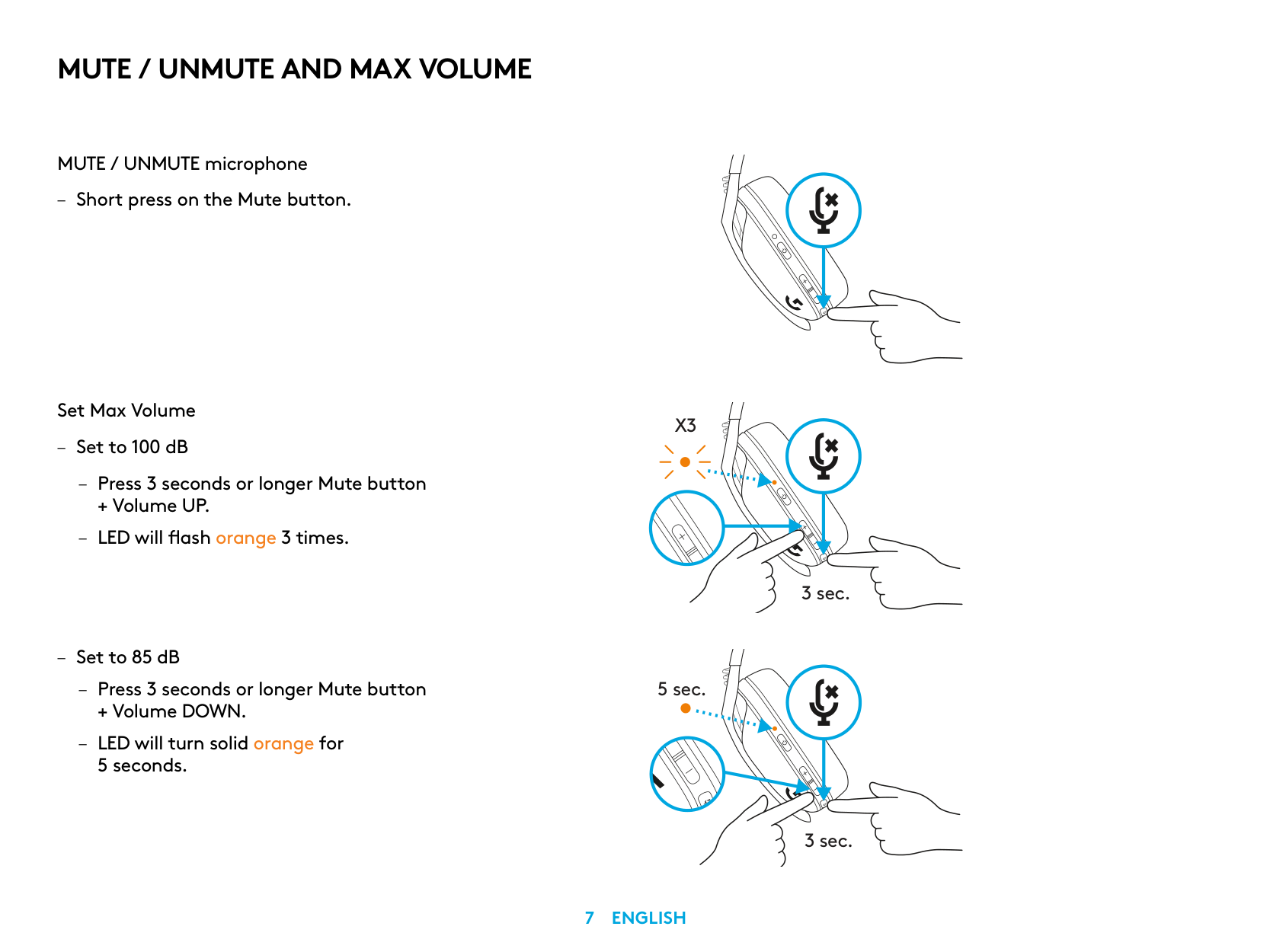
MUTE / UNMUTE AND MAX VOLUME
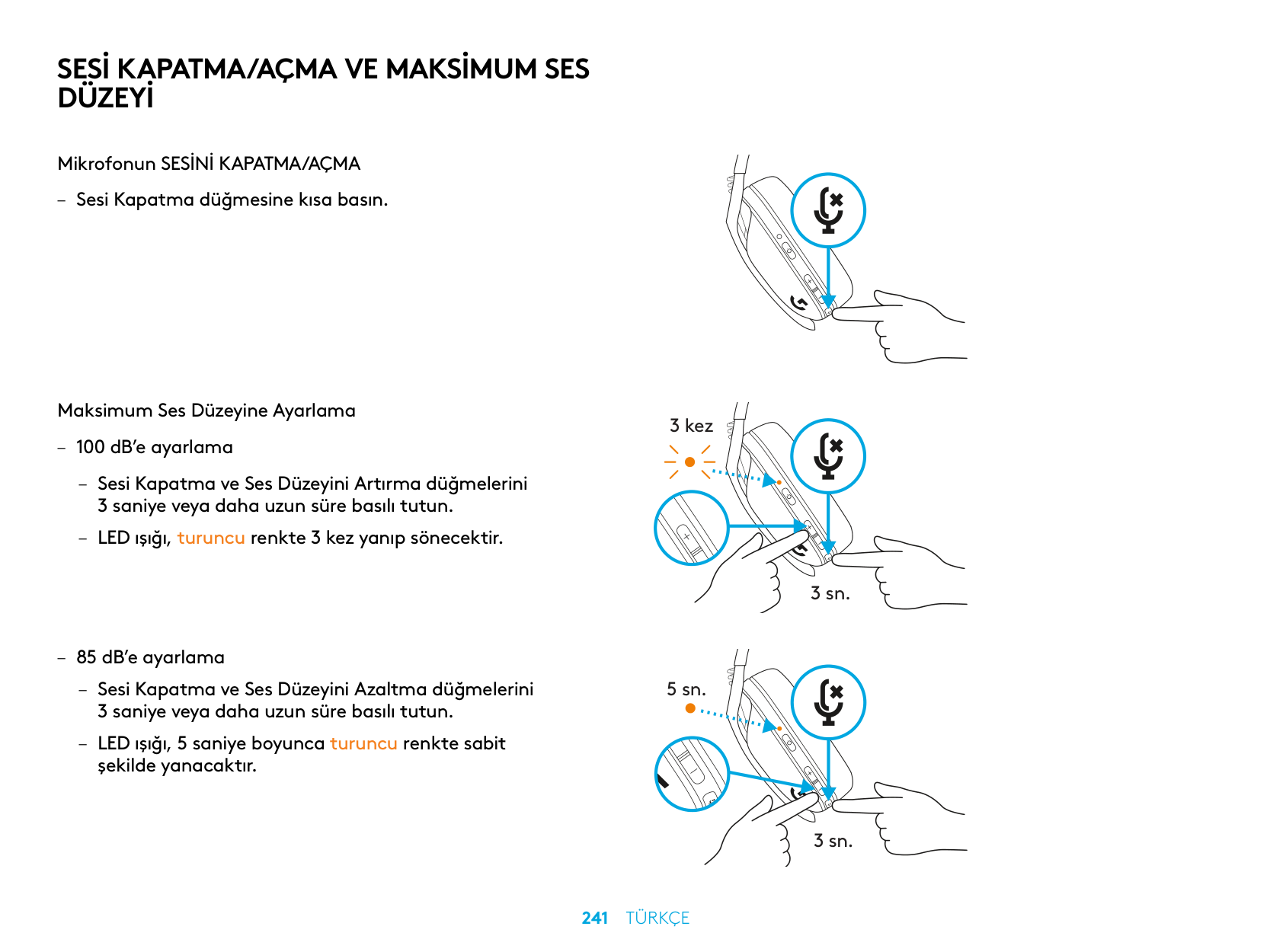
MUTE / UNMUTE microphone
Set Max Volume
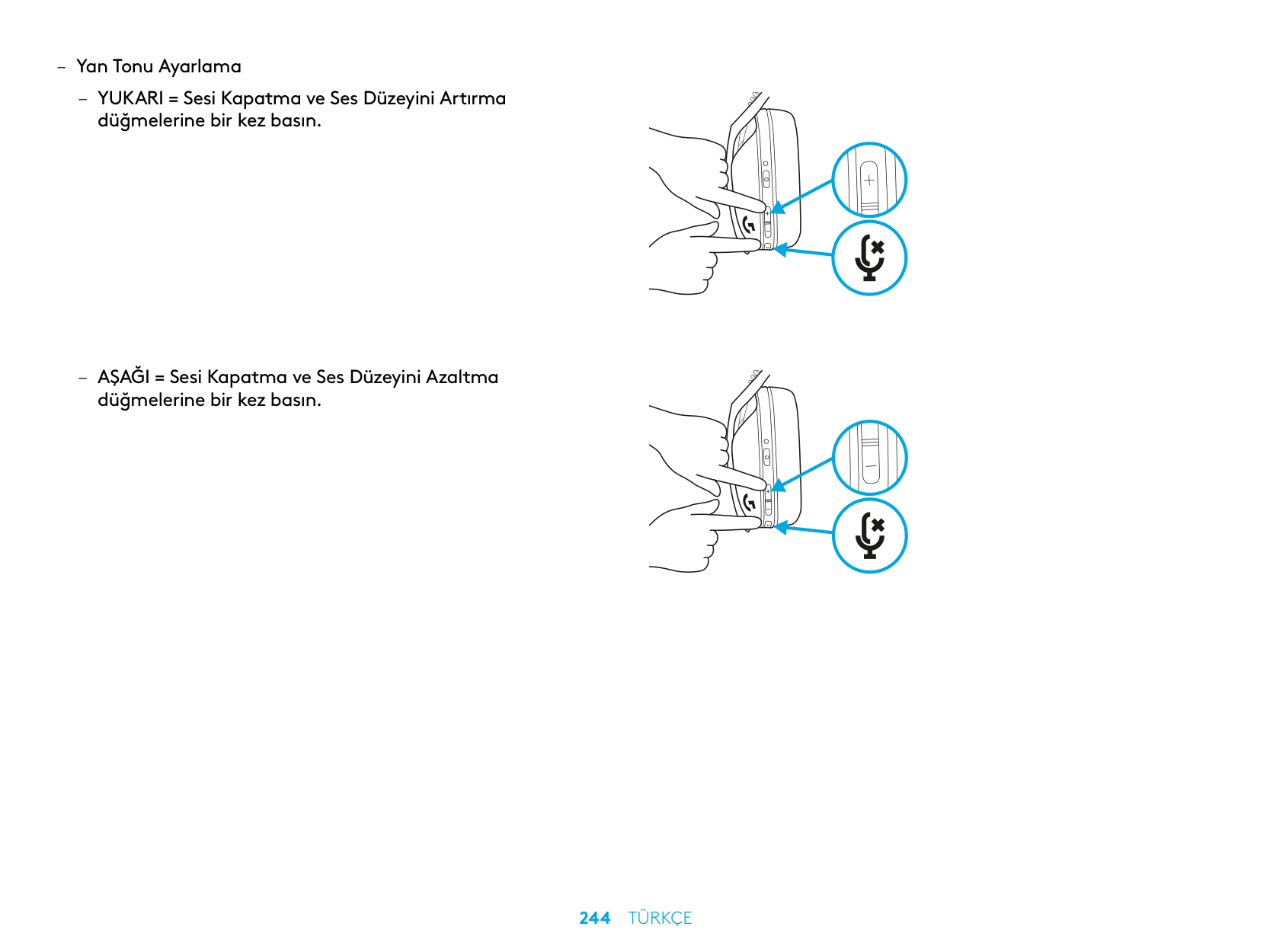
+ Volume UP
+ Volume DOWN
X3
3 sec.
5 sec.
3 sec.
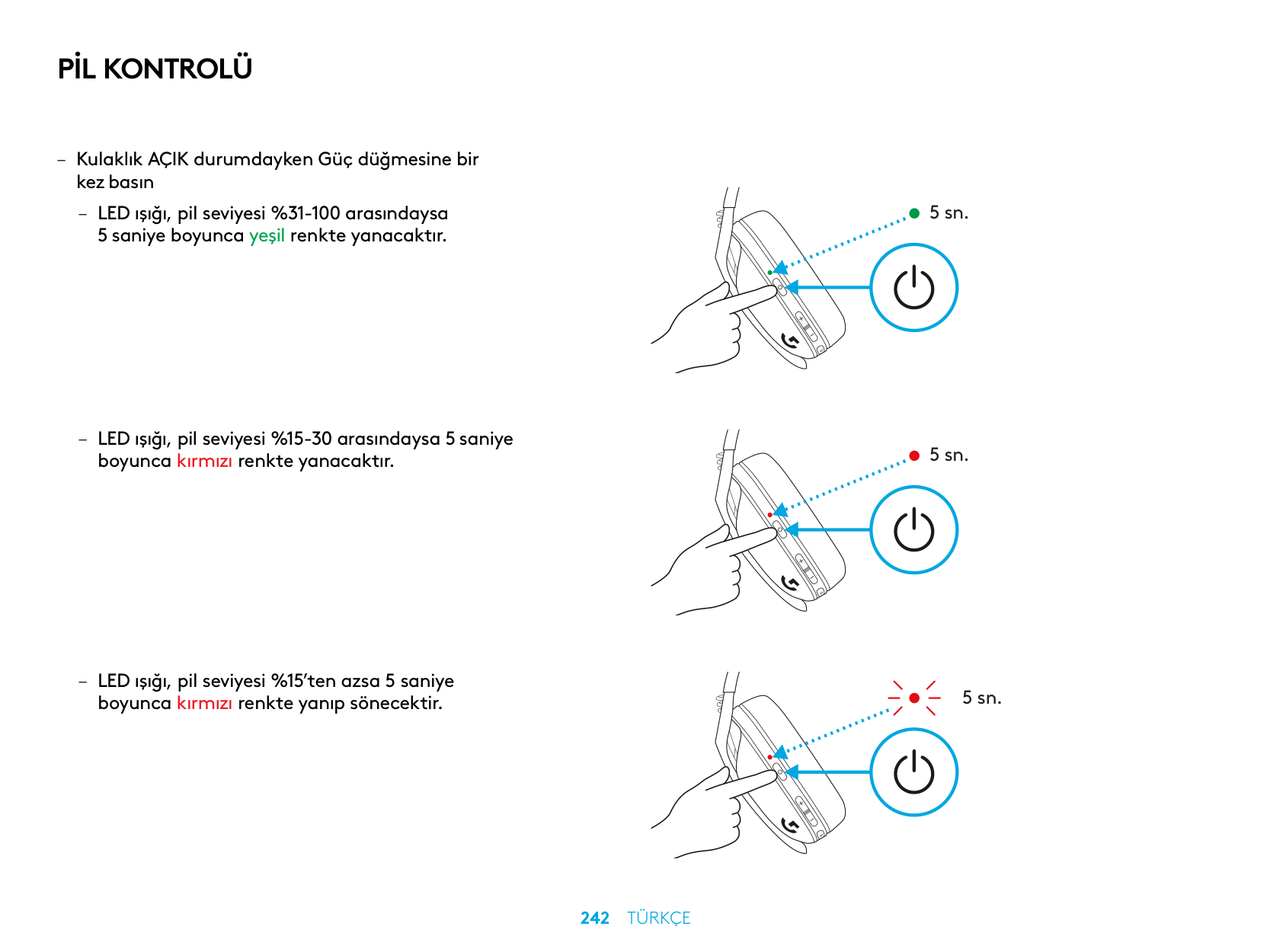
BATTERY CHECK
5 sec.
5 sec.
5 sec.
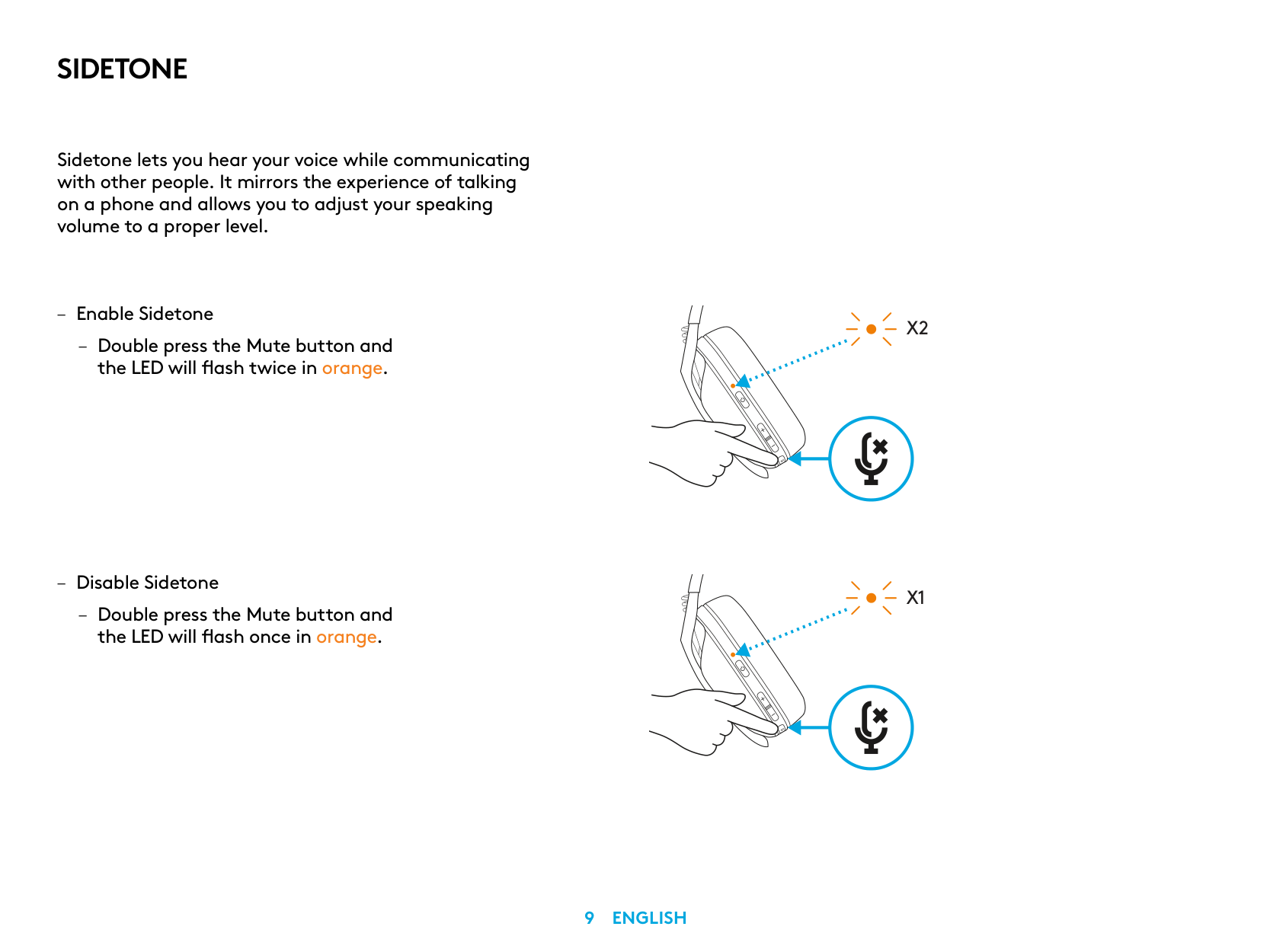
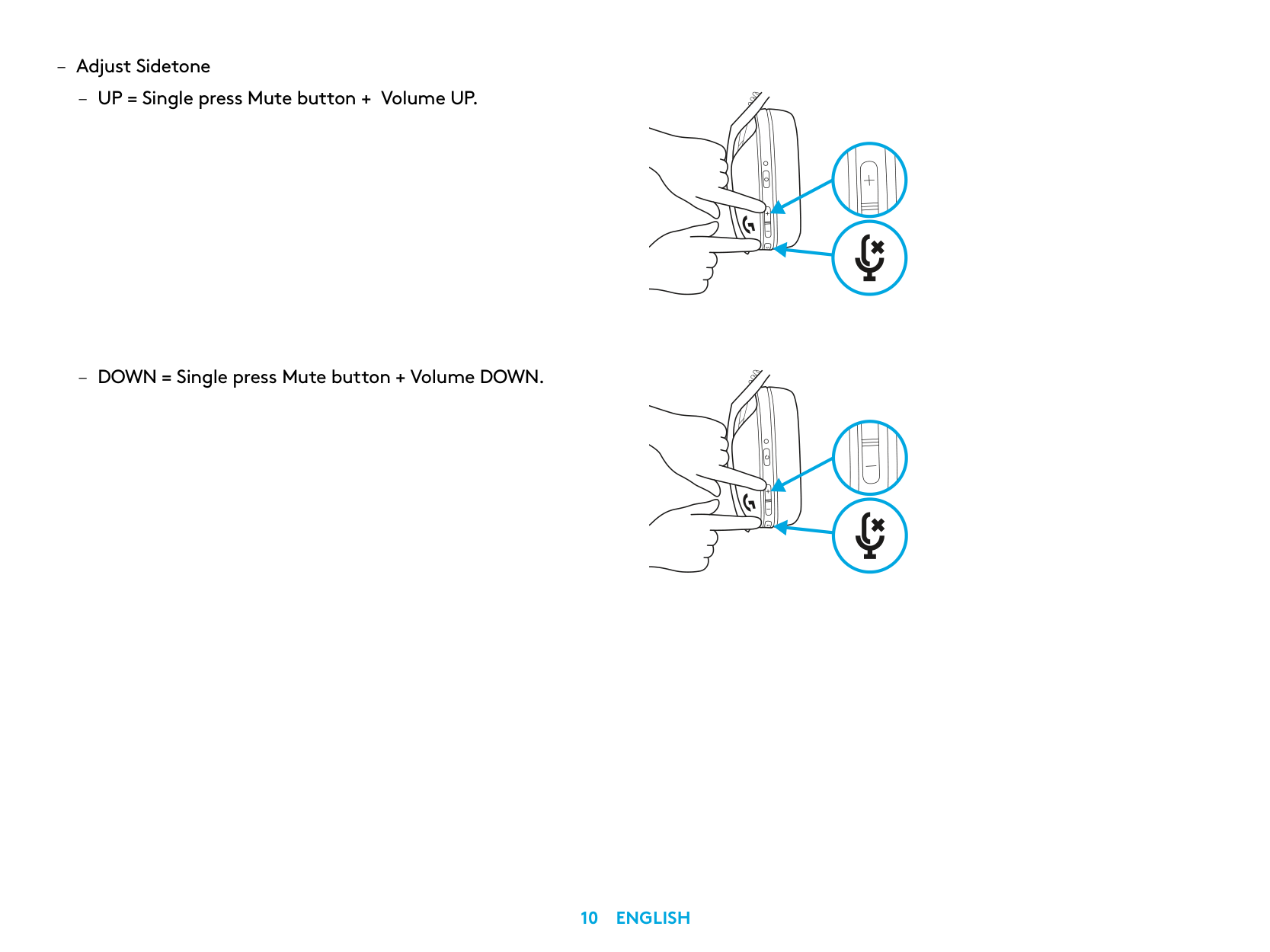
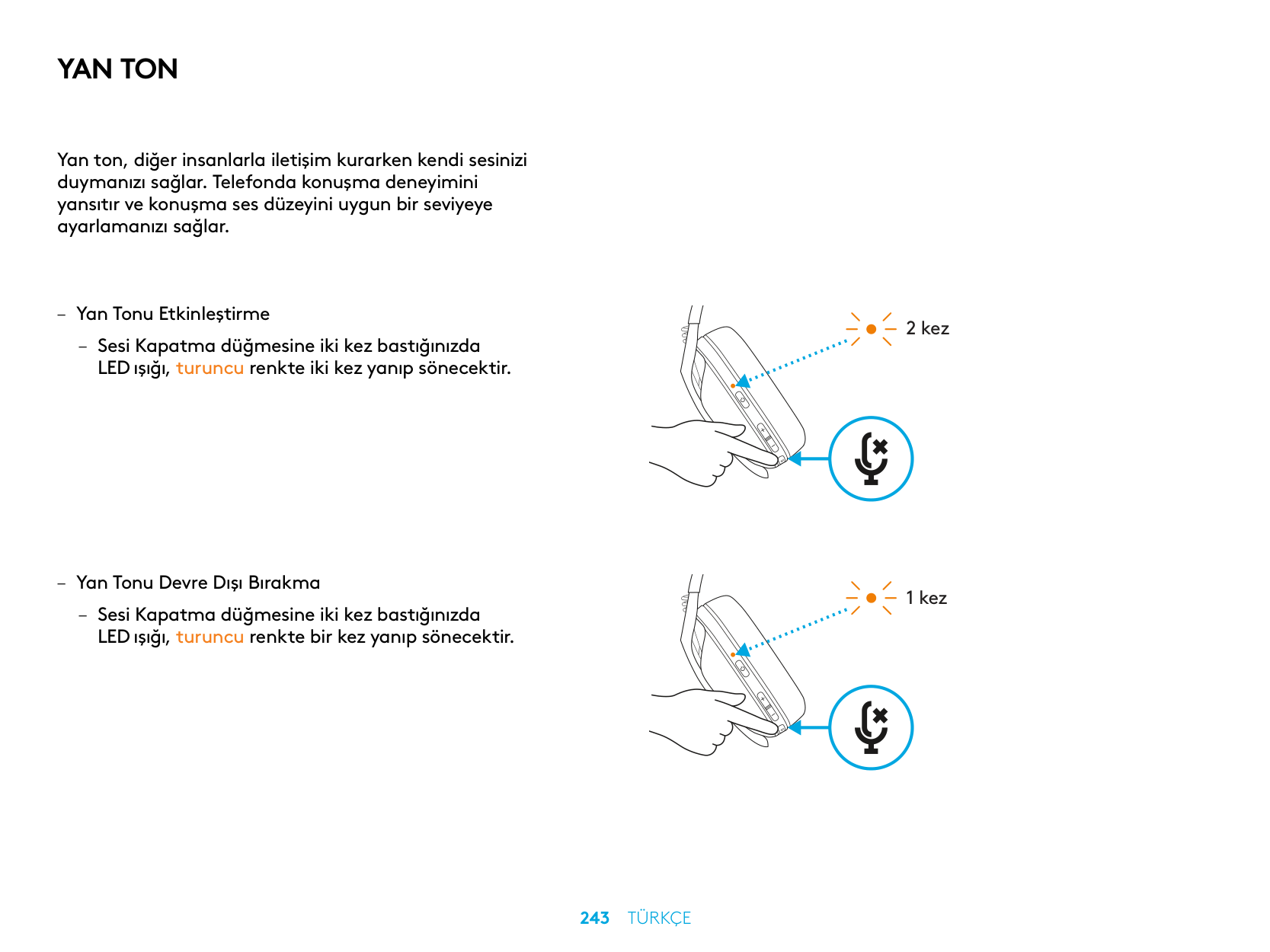
SIDETONE
Sidetone lets you hear your voice while communicating with other people It mirrors the experience of talking on a phone and allows you to adjust your speaking volume to a proper level
X2
X1
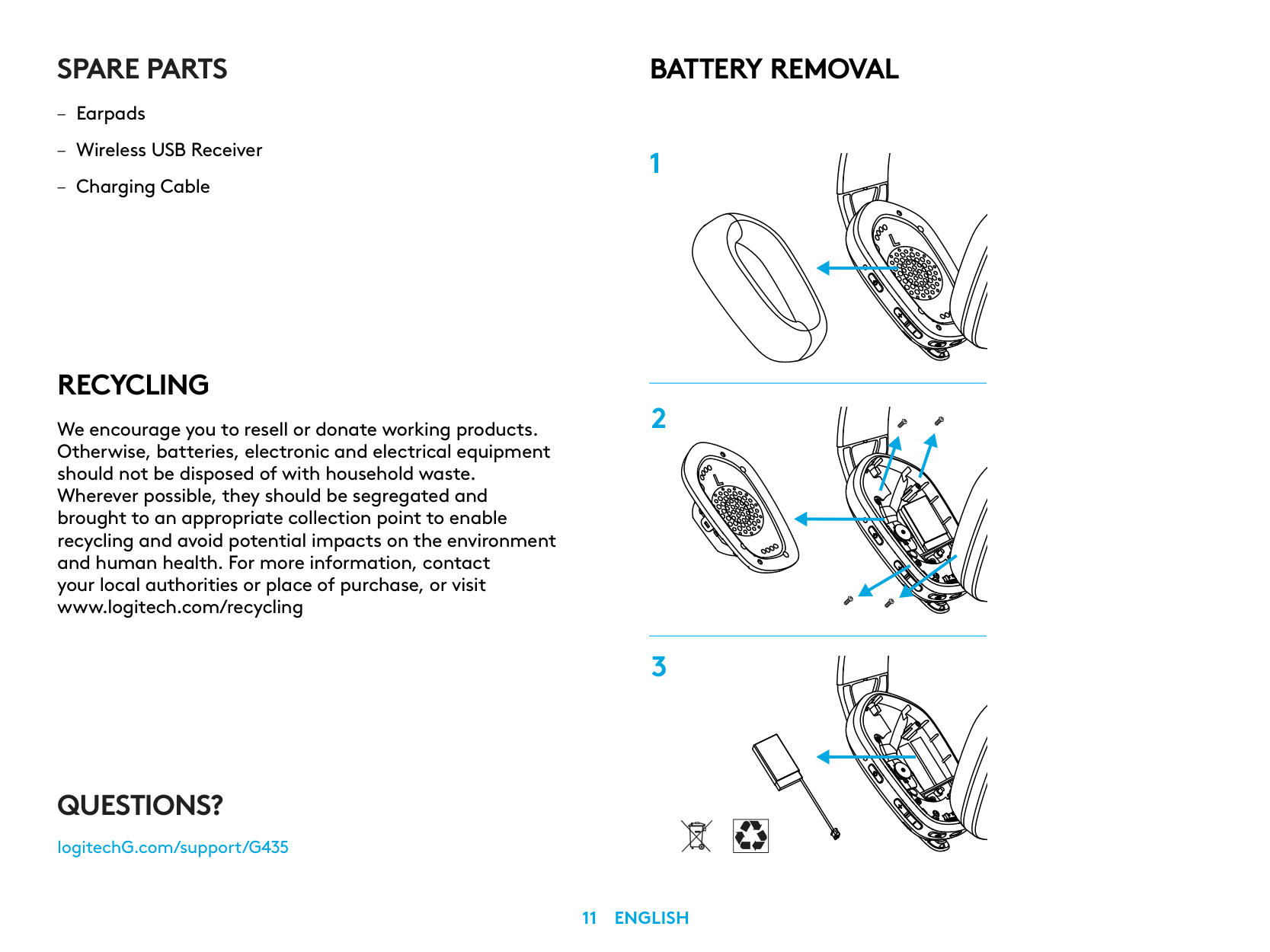
SPARE PARTS
RECYCLING
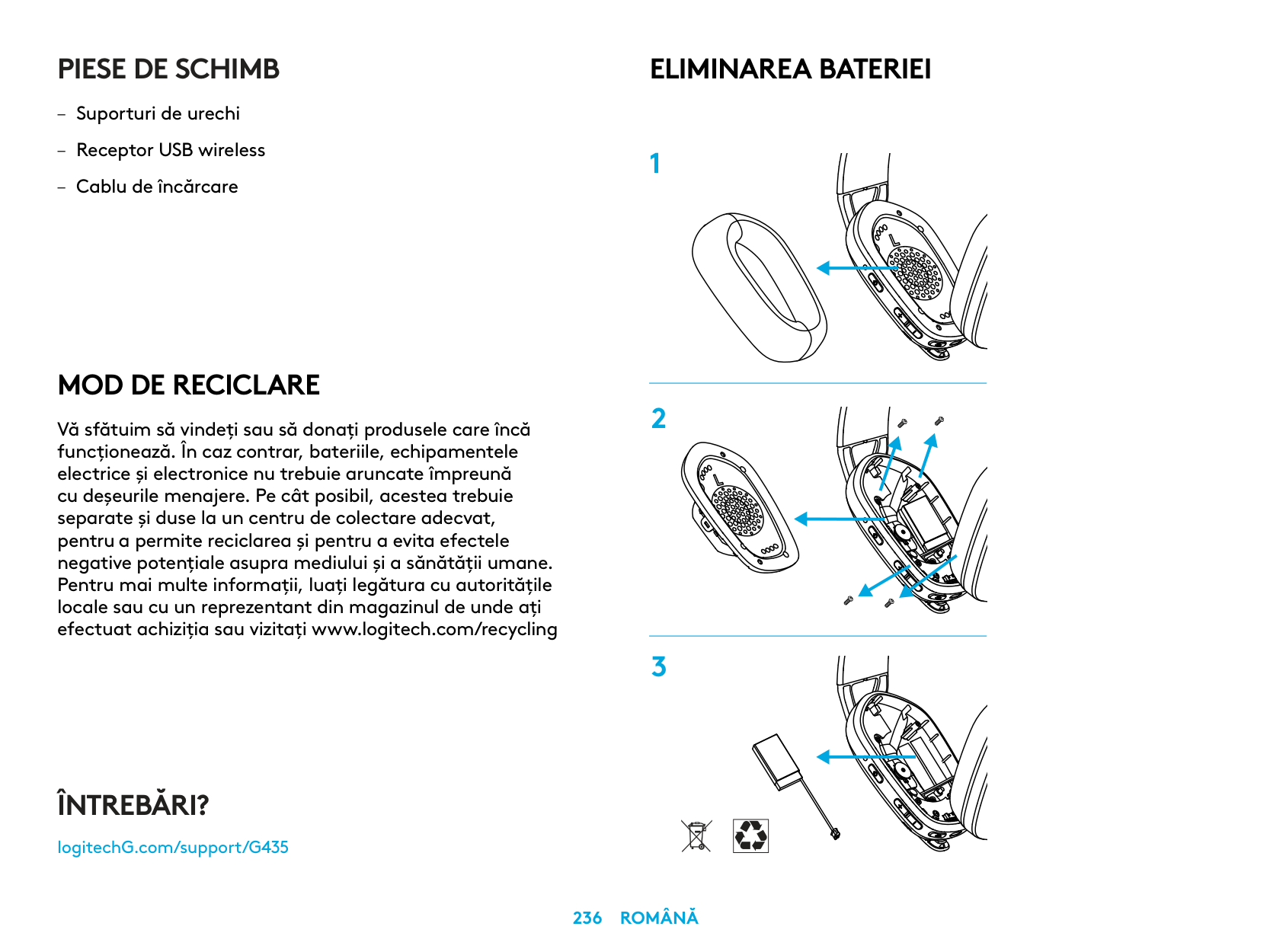
We encourage you to resell or donate working products. Otherwise, batteries, electronic and electrical equipment should not be disposed of with household waste. Wherever possible, they should be segregated and brought to an appropriate collection point to enable recycling and avoid potential impacts on the environment and human health. For more information, contact your local authorities or place of purchase, or visit www.logitech.com/recycling
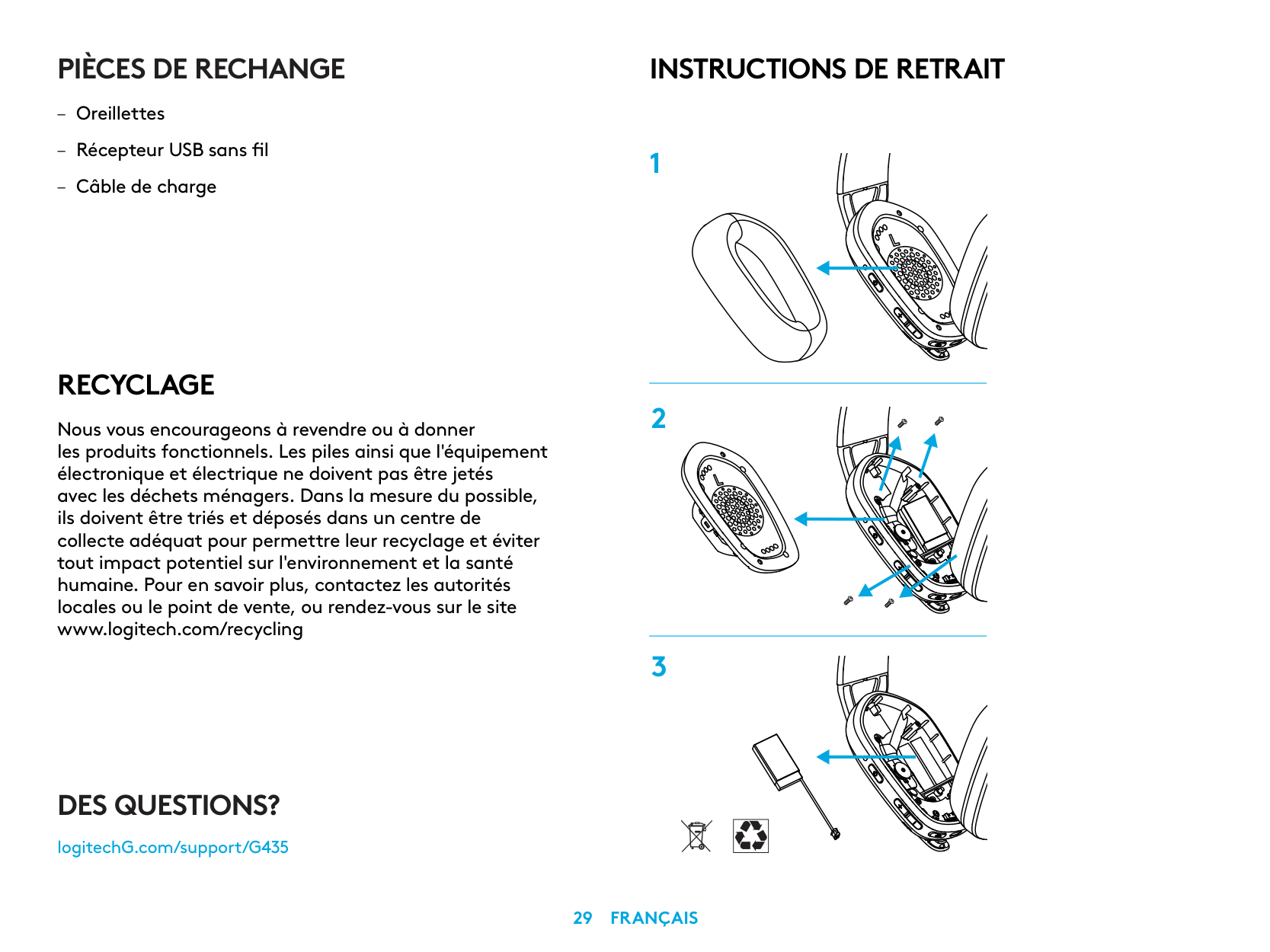
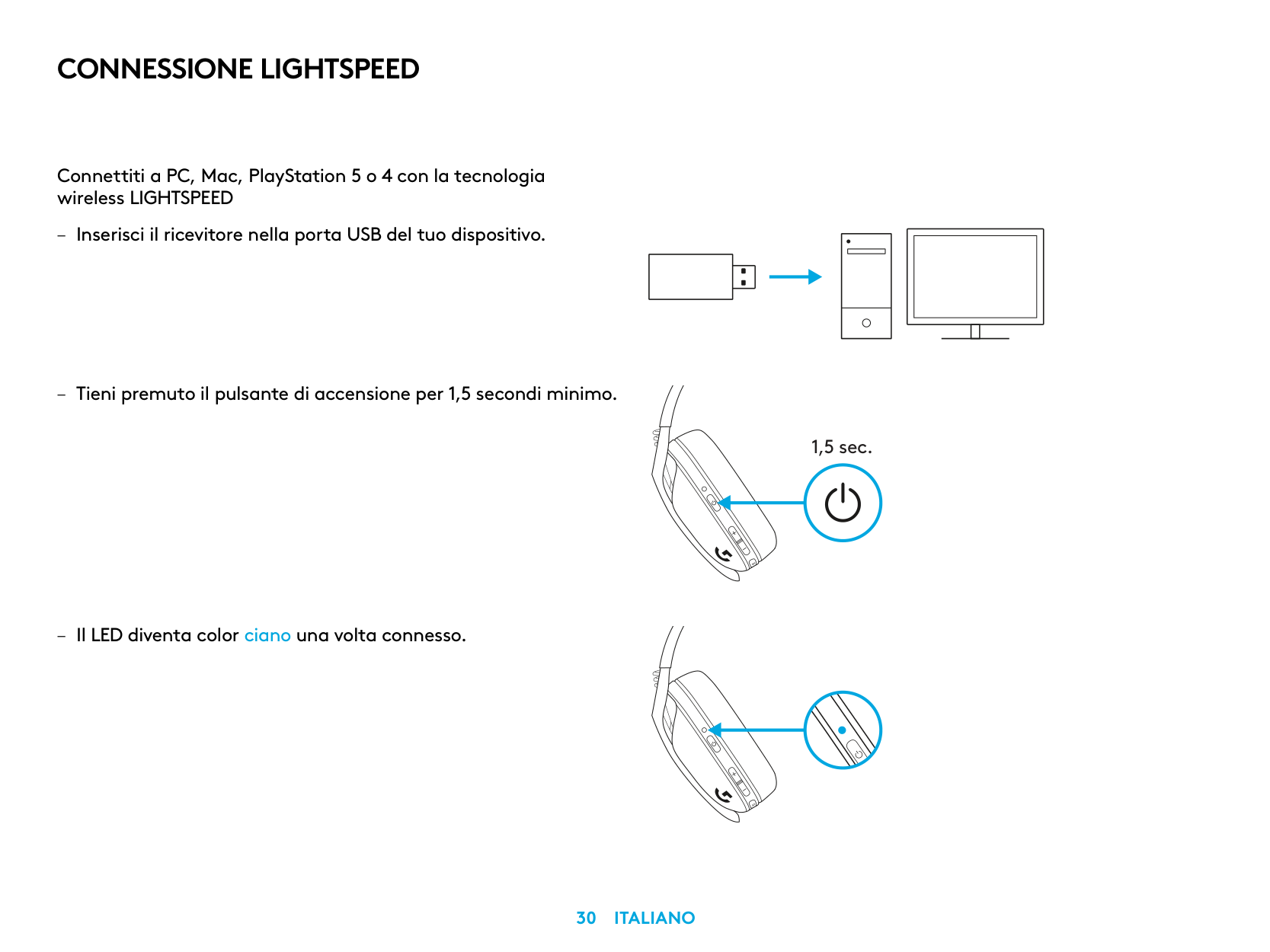
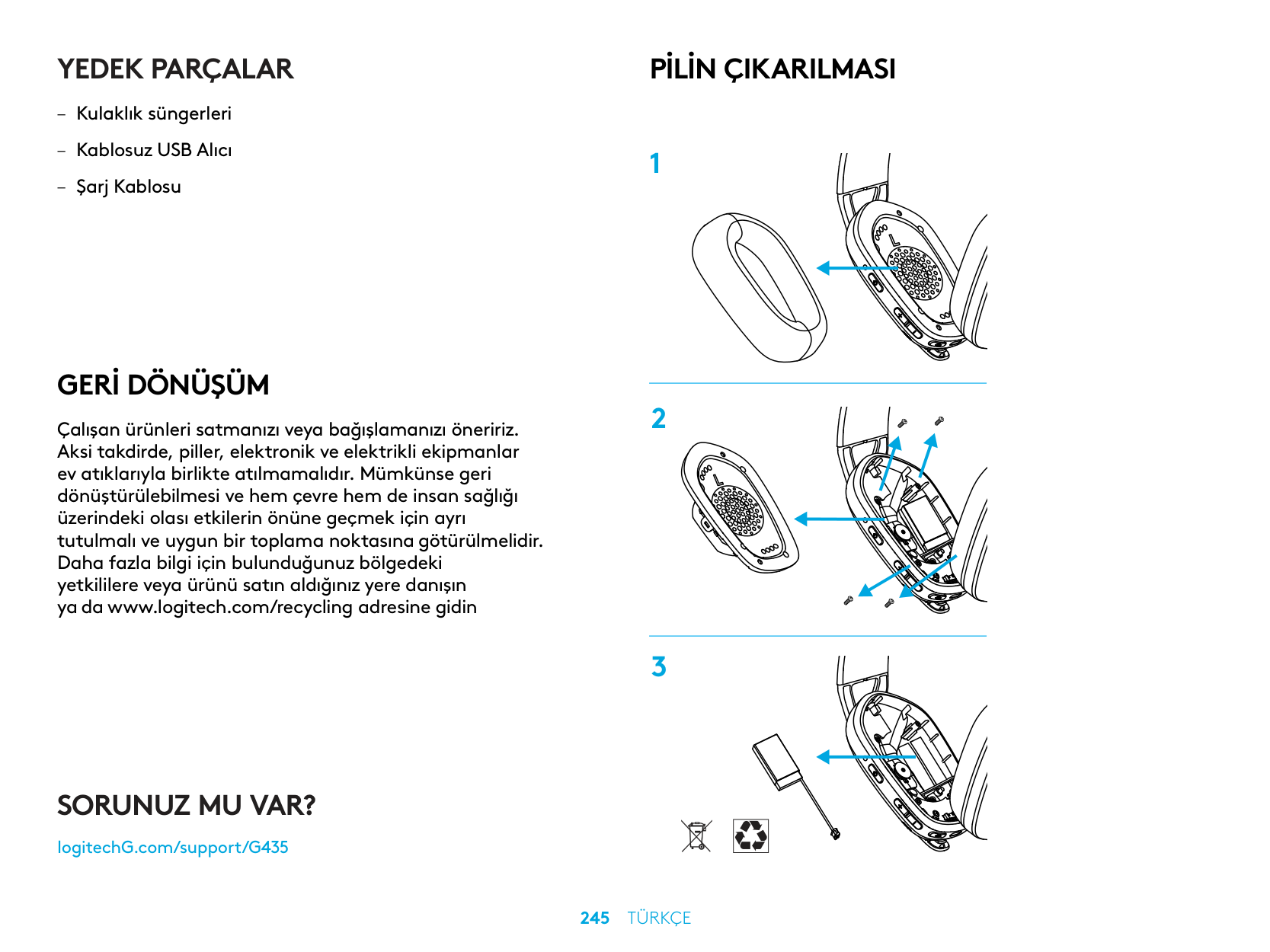
BATTERY REMOVAL
QUESTIONS?
logitechG.com/support/G435
| | |---|
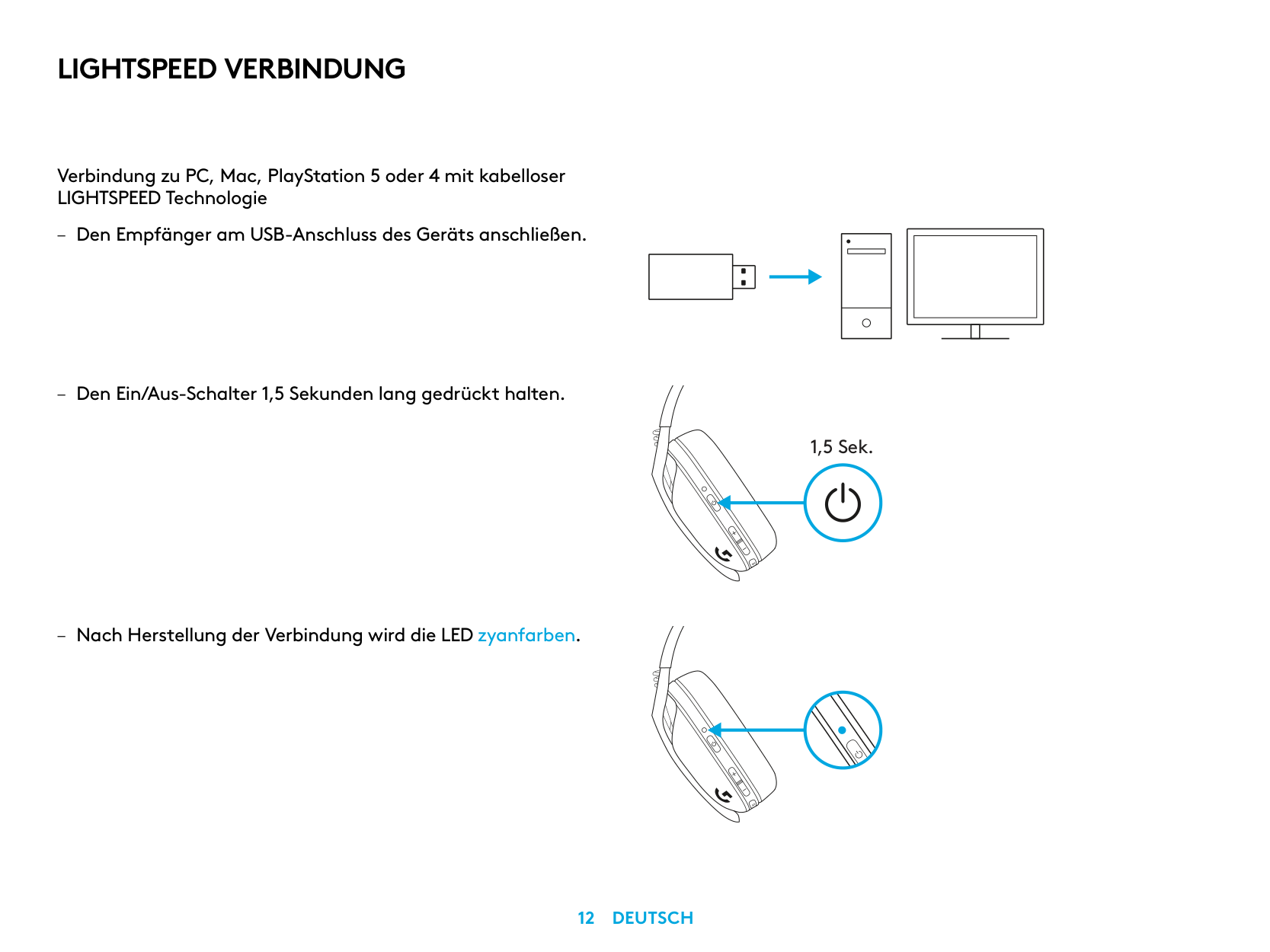
LIGHTSPEED VERBINDUNG
Verbindung zu PC, Mac, PlayStation 5 oder 4 mit kabelloser LIGHTSPEED Technologie
| | | |---|---| | | | | | |
| | | | |---|---|---| | | | |
| | |---| | |
1,5 Sek.
BLUETOOTH-VERBINDUNG
3 Sek.
WECHSELN ZWISCHEN LIGHTSPEED UND BLUETOOTH
3 Sek.
5 Sek.
5 Sek.
EIN- UND AUSSCHALTEN
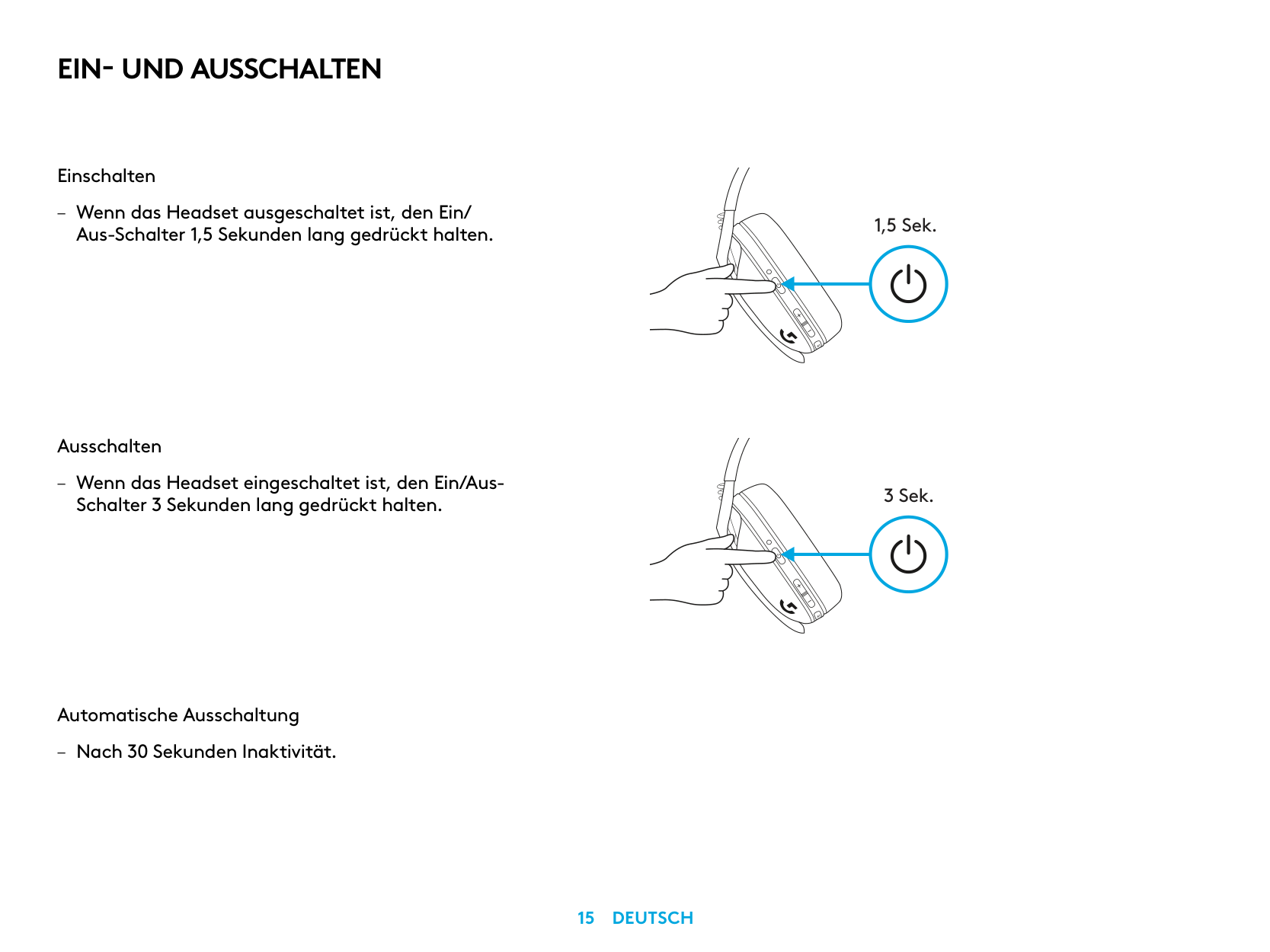
Einschalten
– Wenn das Headset ausgeschaltet ist, den Ein/
Aus-Schalter 1,5 Sekunden lang gedrückt halten
Ausschalten
– Wenn das Headset eingeschaltet ist, den Ein/Aus-
Schalter 3 Sekunden lang gedrückt halten
Automatische Ausschaltung
– Nach 30 Sekunden Inaktivität
1,5 Sek.
3 Sek.
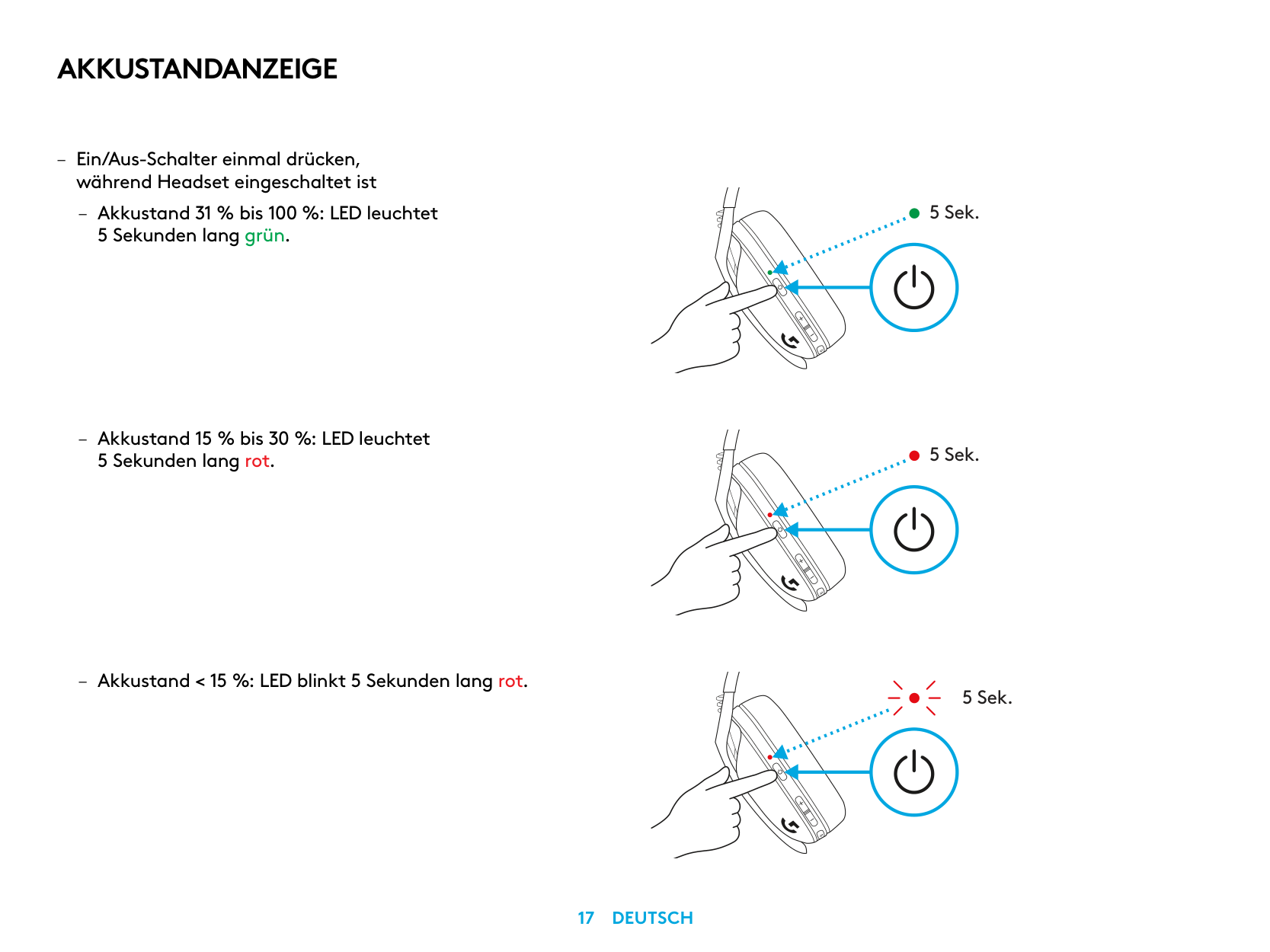
STUMMSCHALTEN/STUMMSCHALTUNG AUFHEBEN UND MAXIMALE LAUTSTÄRKE
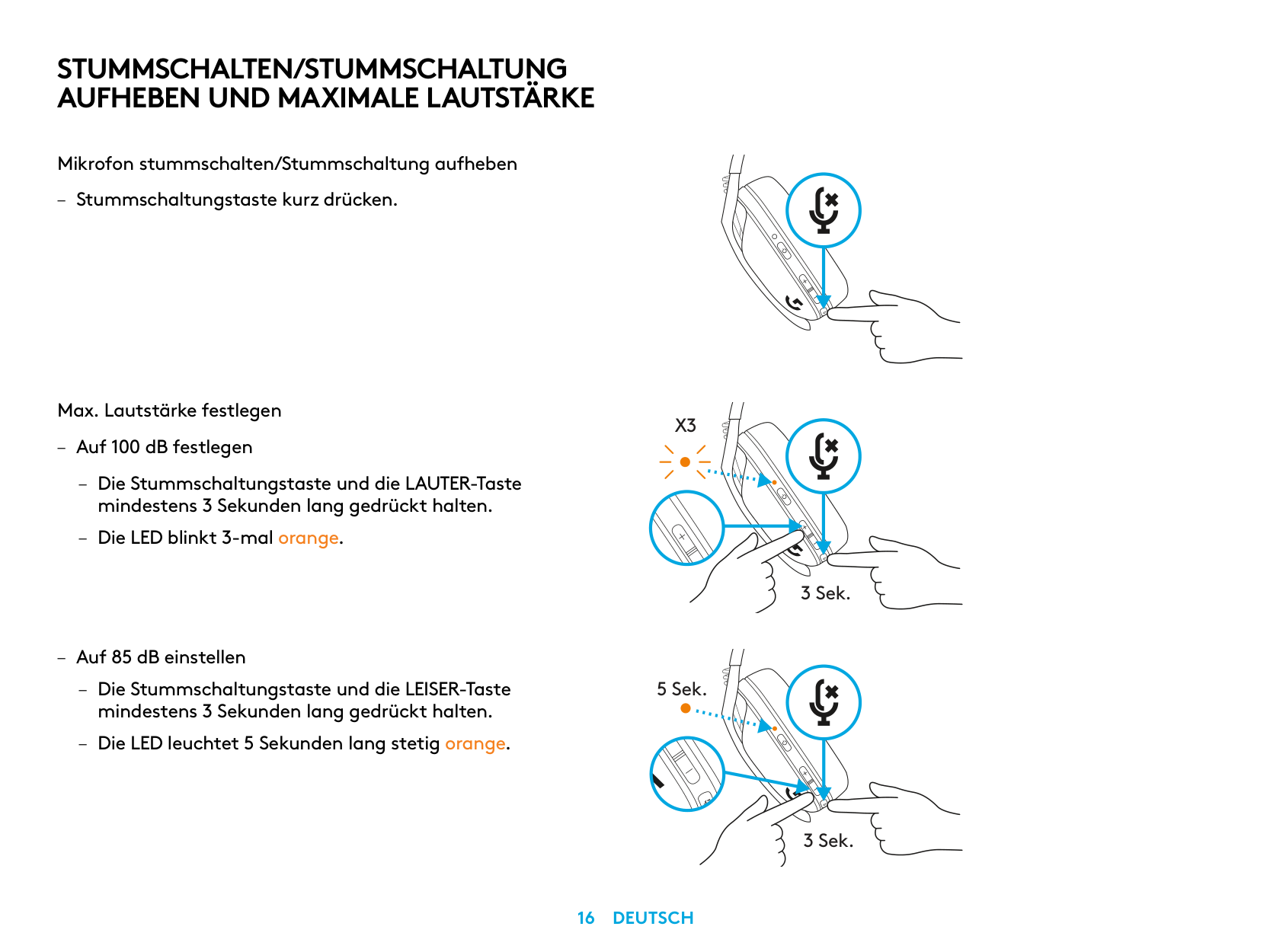
Mikrofon stummschalten/Stummschaltung aufheben
– Stummschaltungstaste kurz drücken
Max. Lautstärke festlegen
X3
– Auf 100 dB festlegen
– Die Stummschaltungstaste und die LAUTER-Taste
mindestens 3 Sekunden lang gedrückt halten
– Die LED blinkt 3-mal orange
3 Sek.
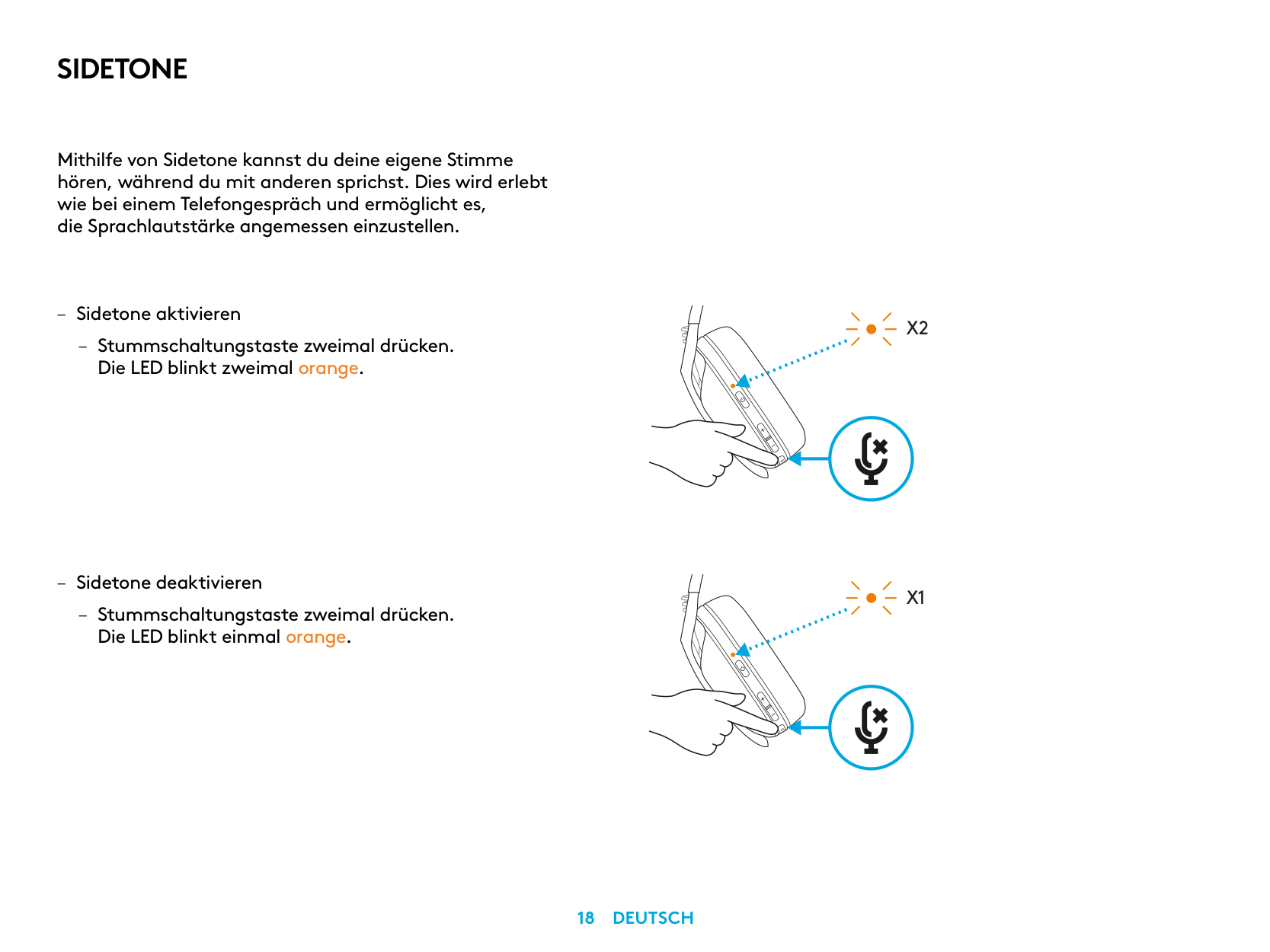
– Auf 85 dB einstellen
5 Sek.
3 Sek.
AKKUSTANDANZEIGE
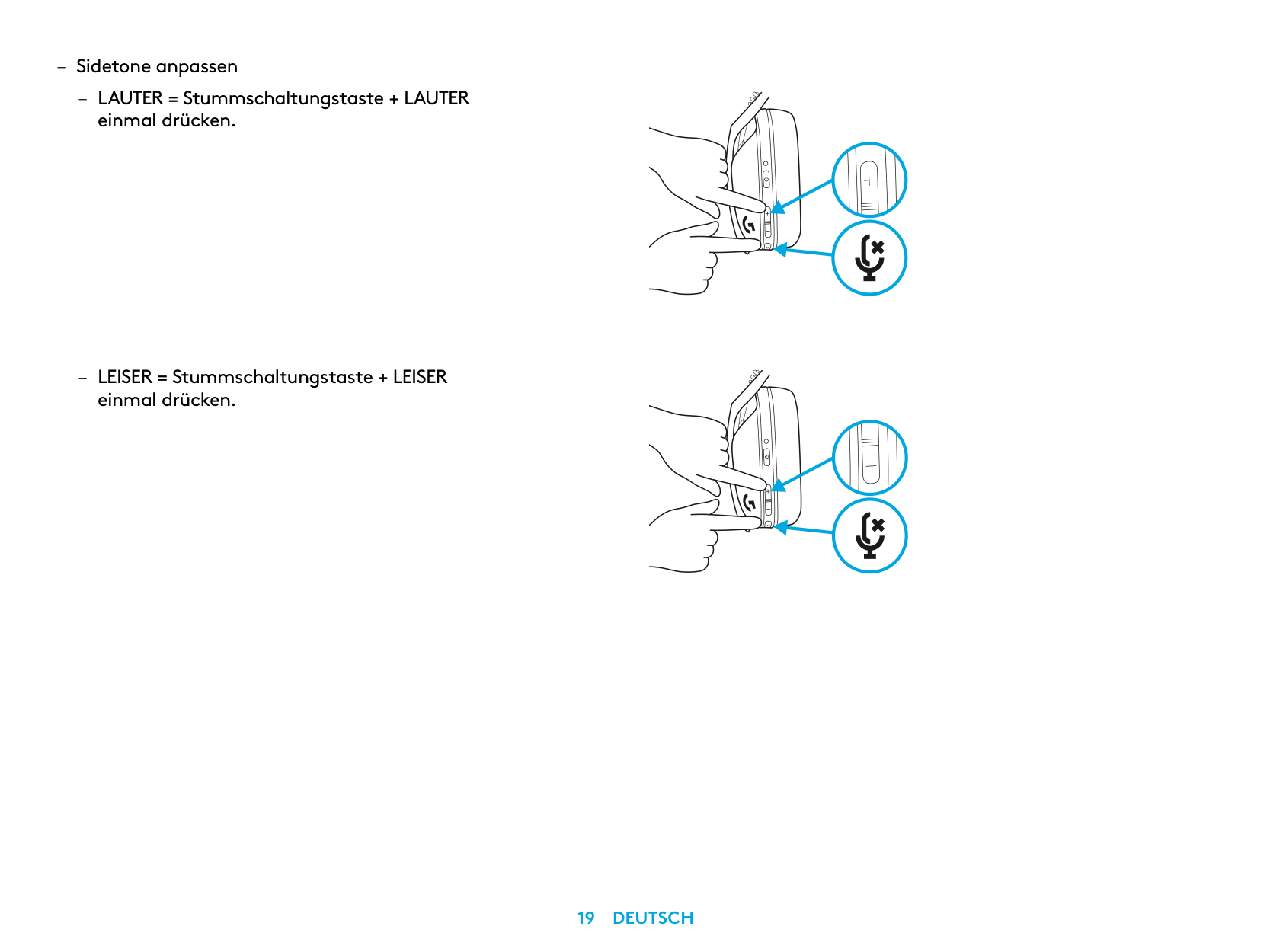
5 Sek.
5 Sek.
5 Sek.
SIDETONE
Mithilfe von Sidetone kannst du deine eigene Stimme hören, während du mit anderen sprichst Dies wird erlebt wie bei einem Telefongespräch und ermöglicht es, die Sprachlautstärke angemessen einzustellen
X2
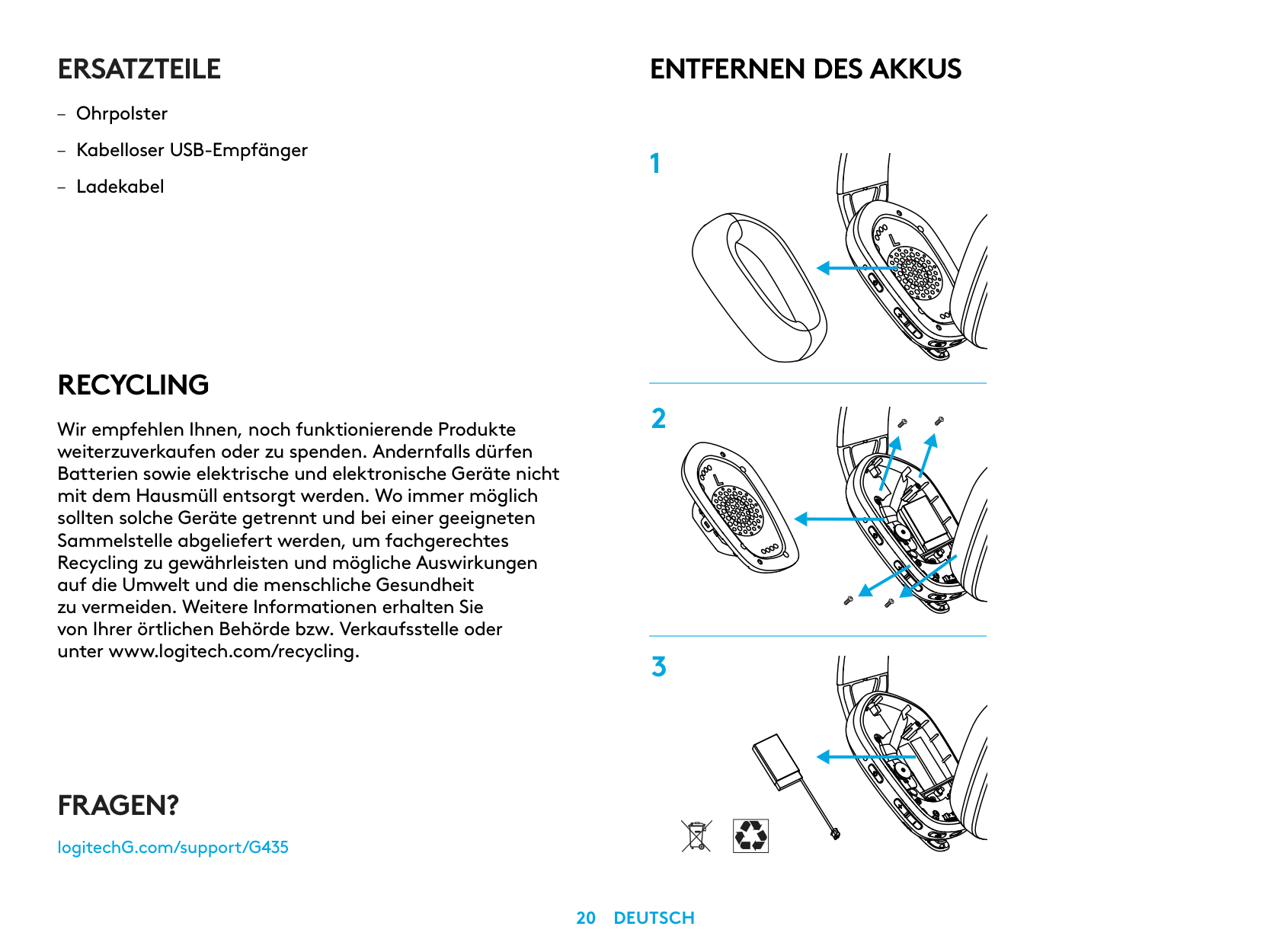
X1
ERSATZTEILE
RECYCLING
Wir empfehlen Ihnen, noch funktionierende Produkte weiterzuverkaufen oder zu spenden. Andernfalls dürfen Batterien sowie elektrische und elektronische Geräte nicht mit dem Hausmüll entsorgt werden. Wo immer möglich sollten solche Geräte getrennt und bei einer geeigneten Sammelstelle abgeliefert werden, um fachgerechtes Recycling zu gewährleisten und mögliche Auswirkungen auf die Umwelt und die menschliche Gesundheit zu vermeiden. Weitere Informationen erhalten Sie von Ihrer örtlichen Behörde bzw. Verkaufsstelle oder unter www.logitech.com/recycling.
ENTFERNEN DES AKKUS
FRAGEN?
logitechG.com/support/G435
| | |---|
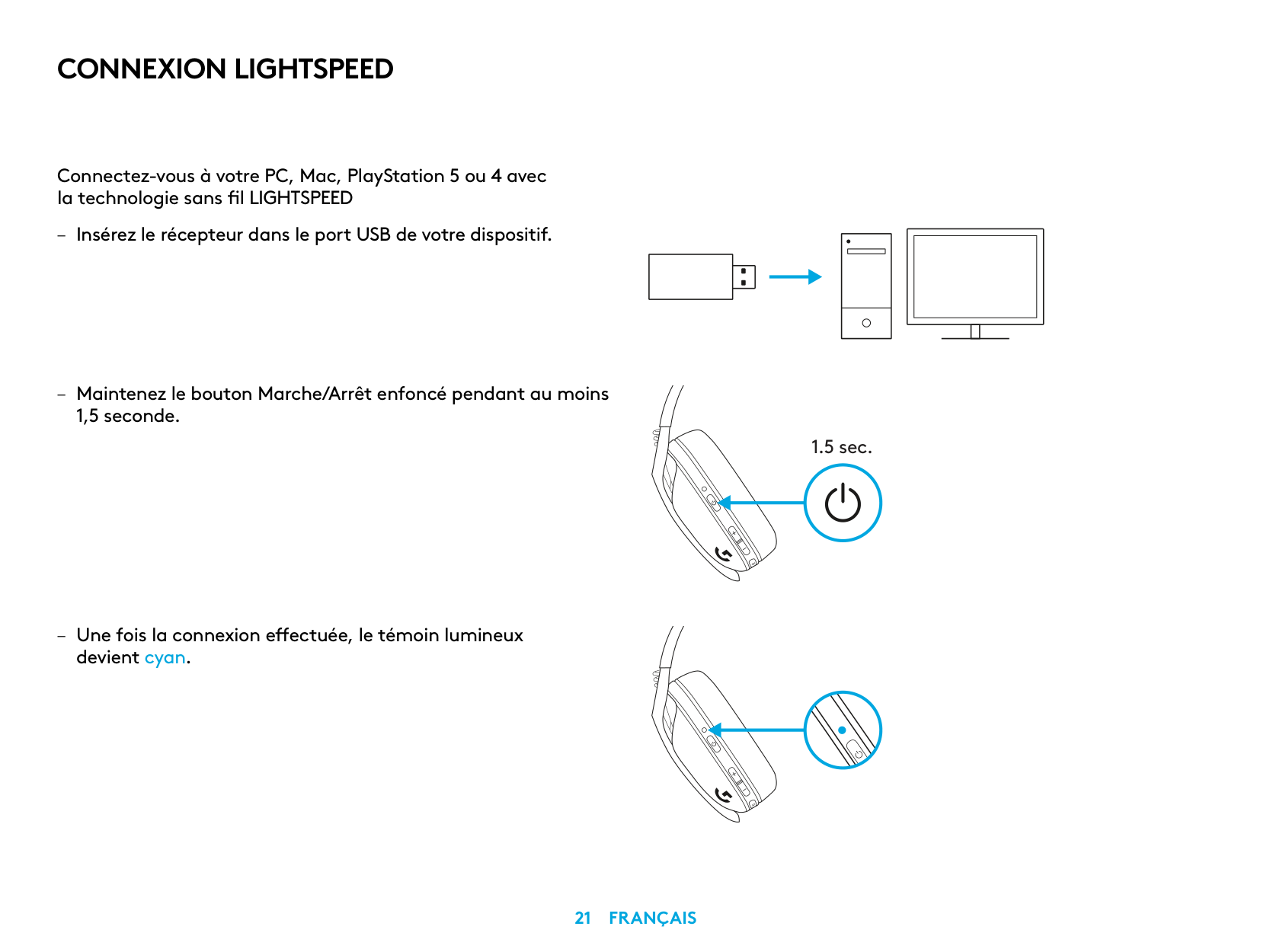
CONNEXION LIGHTSPEED
Connectez-vous à votre PC, Mac, PlayStation 5 ou 4 avec la technologie sans fil LIGHTSPEED
| | | |---|---| | | | | | |
| | | | |---|---|---| | | | |
| | |---| | |
1.5 sec.
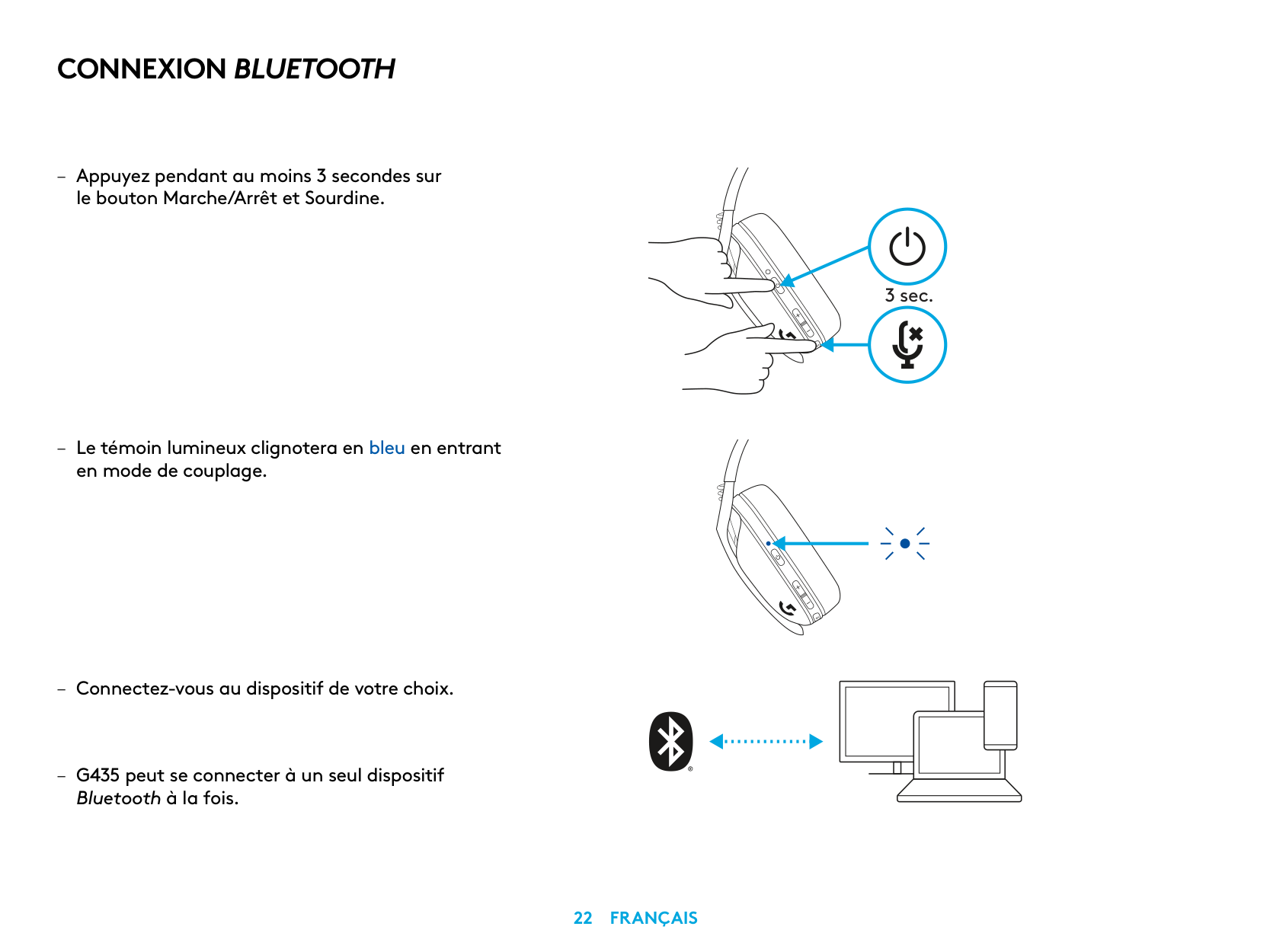
CONNEXION BLUETOOTH
– Appuyez pendant au moins 3 secondes sur
le bouton Marche/Arrêt et Sourdine
– Le témoin lumineux clignotera en bleu en entrant
en mode de couplage
Bluetooth à la fois
3 sec.
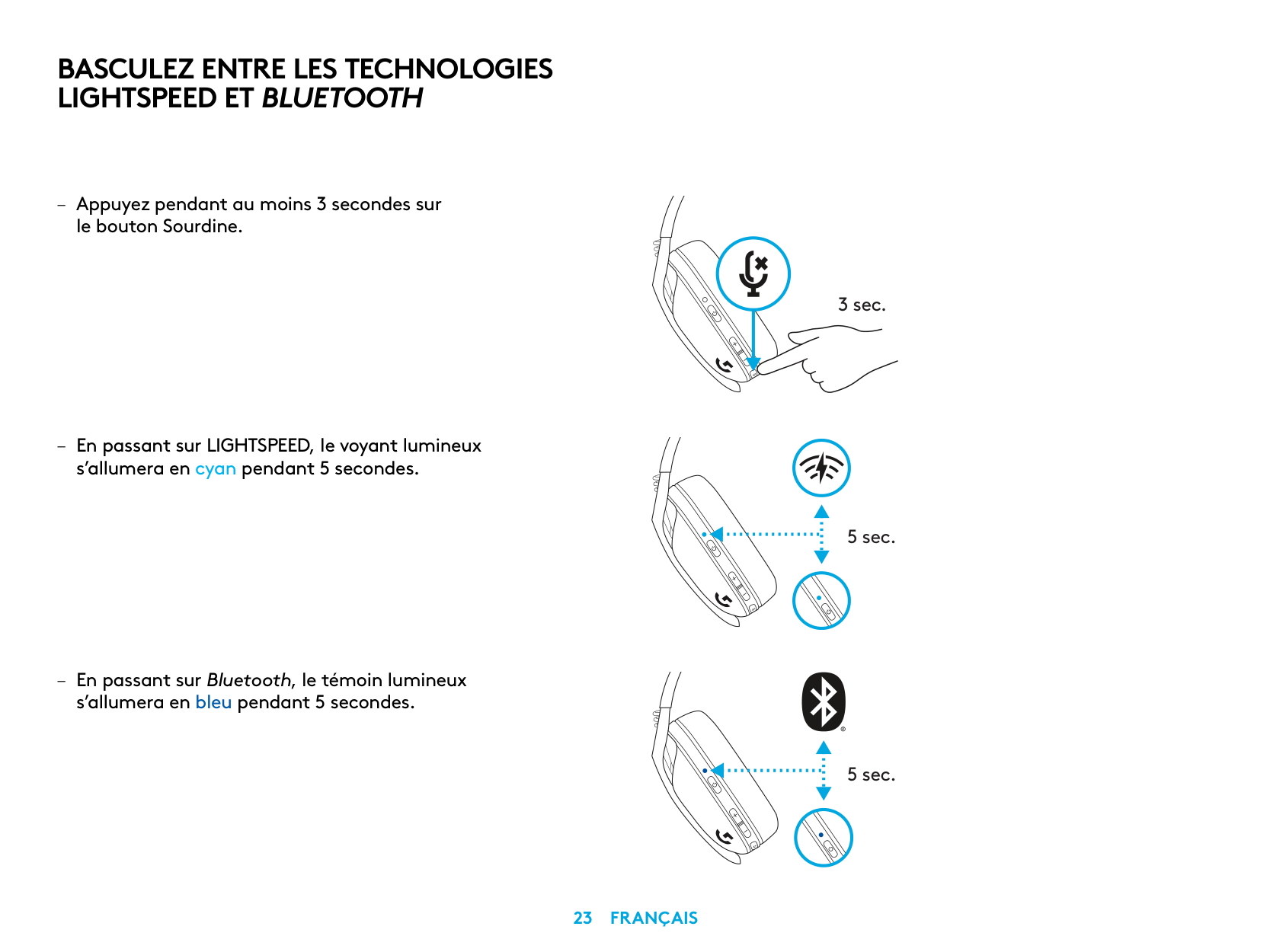
BASCULEZ ENTRE LES TECHNOLOGIES LIGHTSPEED ET BLUETOOTH
– Appuyez pendant au moins 3 secondes sur
le bouton Sourdine
– En passant sur LIGHTSPEED, le voyant lumineux
s’allumera en cyan pendant 5 secondes
– En passant sur Bluetooth, le témoin lumineux
s’allumera en bleu pendant 5 secondes
3 sec.
5 sec.
5 sec.
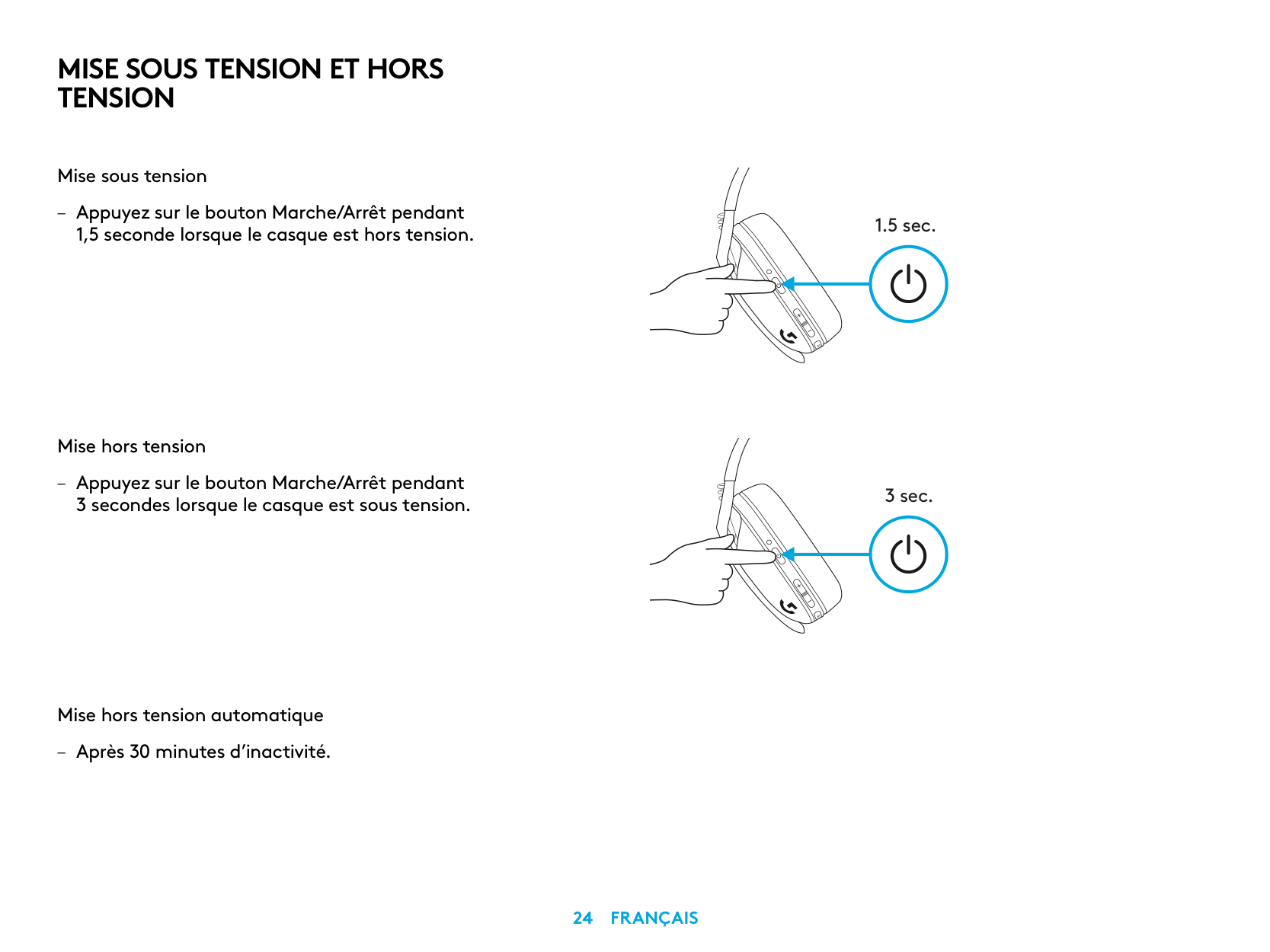
MISE SOUS TENSION ET HORS TENSION
Mise sous tension
– Appuyez sur le bouton Marche/Arrêt pendant
1,5 seconde lorsque le casque est hors tension
Mise hors tension
– Appuyez sur le bouton Marche/Arrêt pendant 3 secondes lorsque le casque est sous tension
Mise hors tension automatique – Après 30 minutes d’inactivité
1.5 sec.
3 sec.
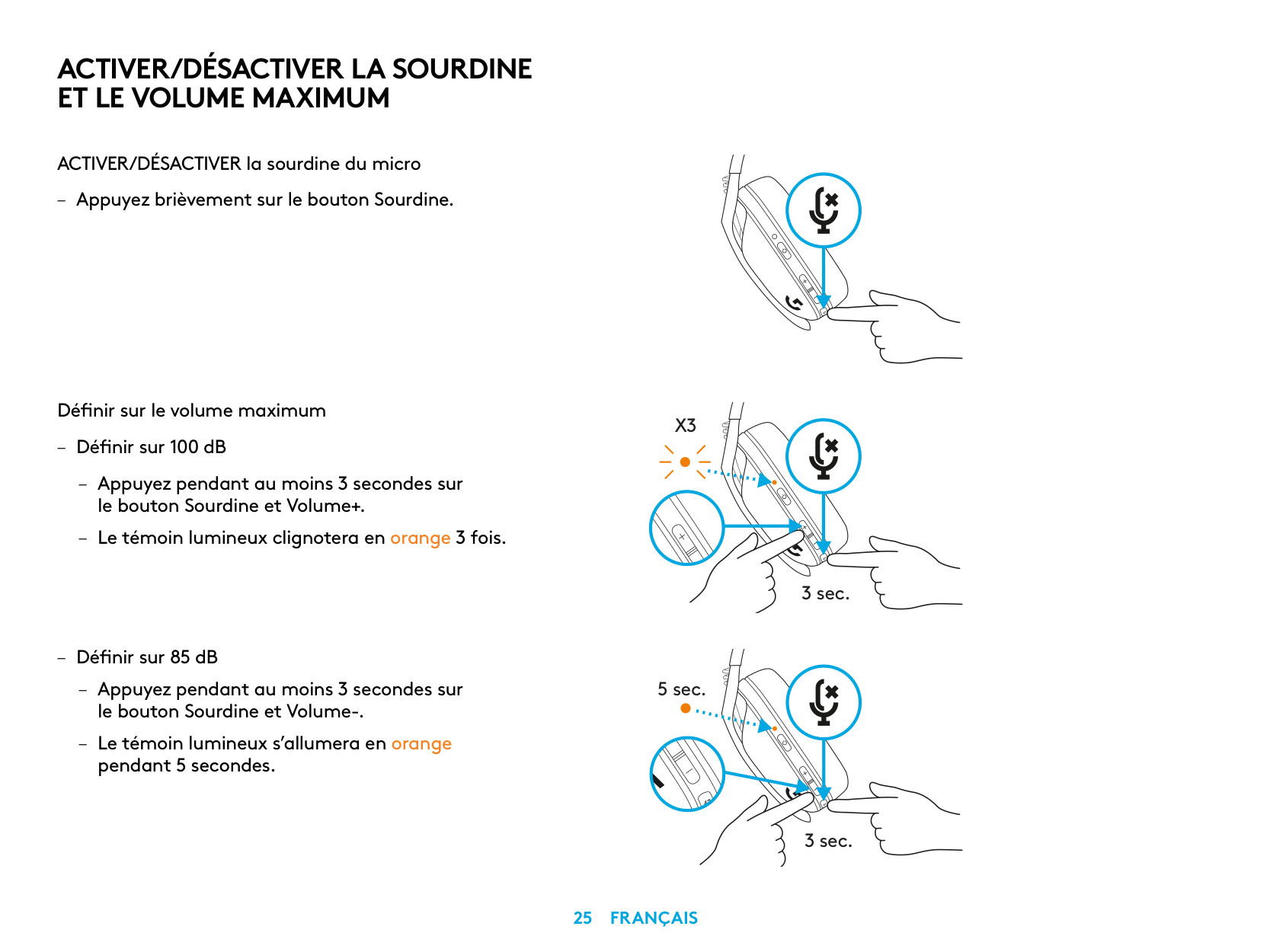
ACTIVER/DÉSACTIVER LA SOURDINE ET LE VOLUME MAXIMUM
ACTIVER/DÉSACTIVER la sourdine du micro
– Appuyez brièvement sur le bouton Sourdine
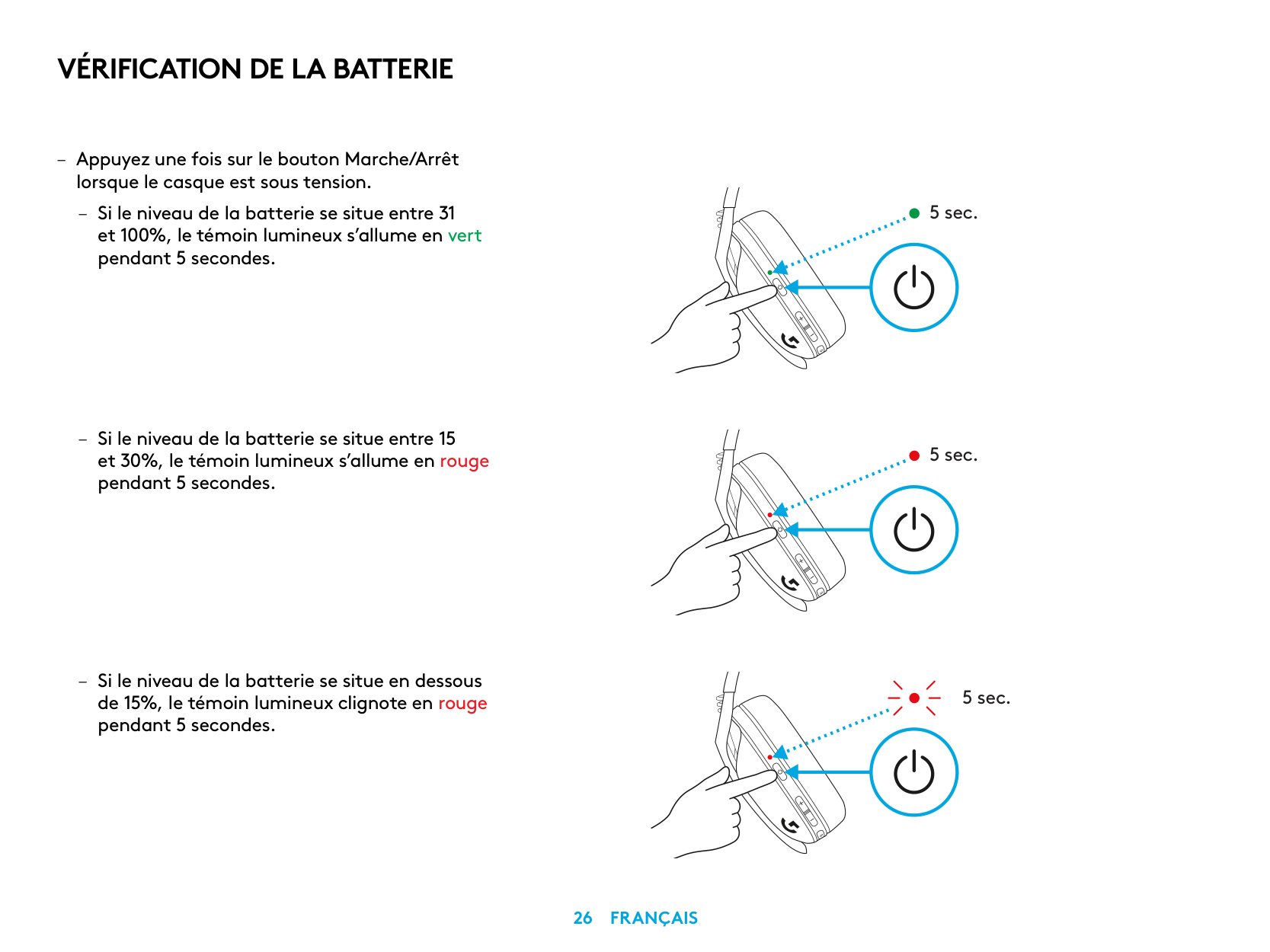
Définir sur le volume maximum
X3
– Définir sur 100 dB
– Appuyez pendant au moins 3 secondes sur
le bouton Sourdine et Volume+
– Le témoin lumineux clignotera en orange 3 fois
3 sec.
– Définir sur 85 dB
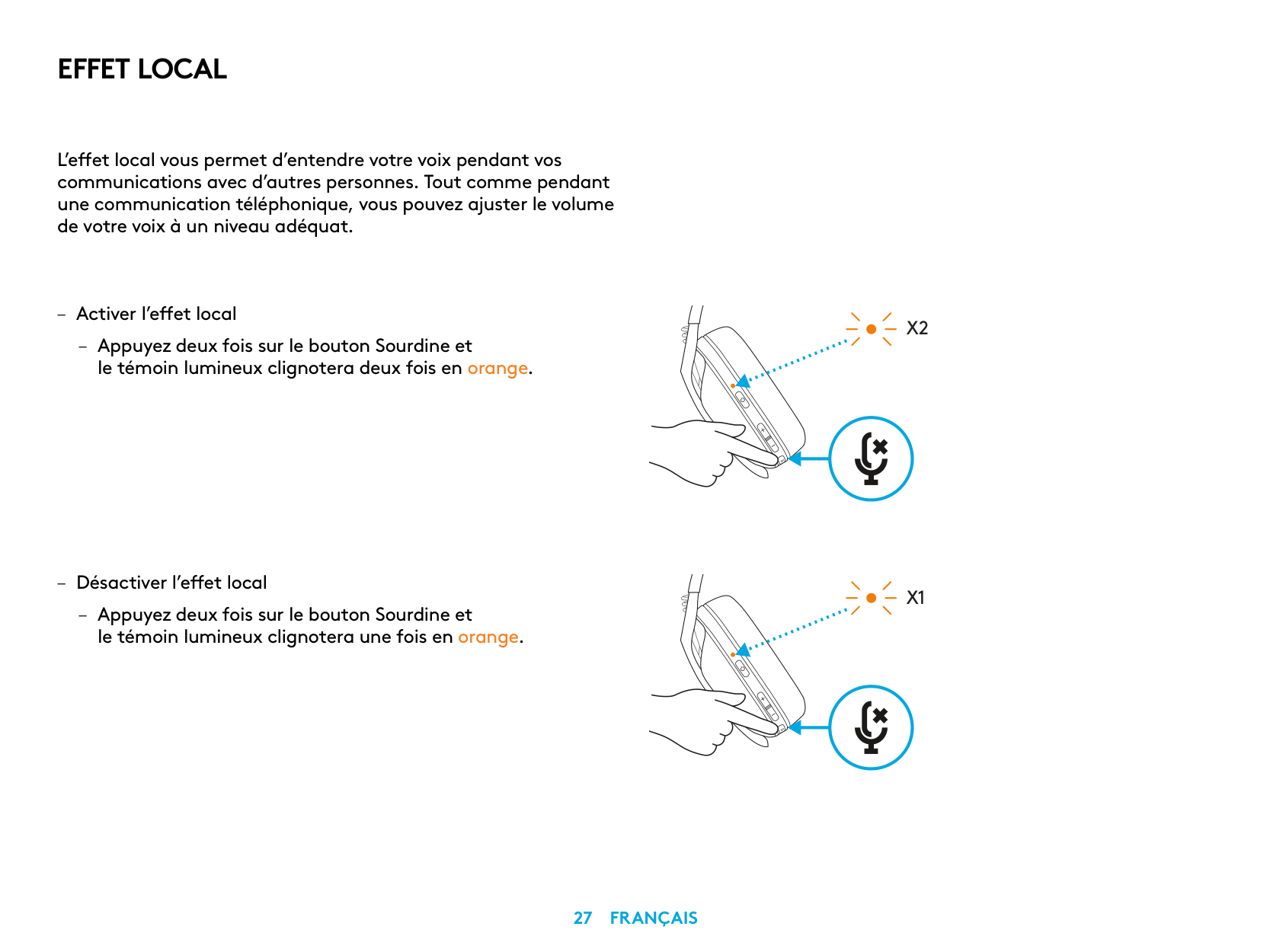
– Appuyez pendant au moins 3 secondes sur
5 sec.
le bouton Sourdine et Volume-
– Le témoin lumineux s’allumera en orange
pendant 5 secondes
3 sec.
VÉRIFICATION DE LA BATTERIE
– Appuyez une fois sur le bouton Marche/Arrêt
lorsque le casque est sous tension
– Si le niveau de la batterie se situe entre 31 et 100%, le témoin lumineux s’allume en vert pendant 5 secondes
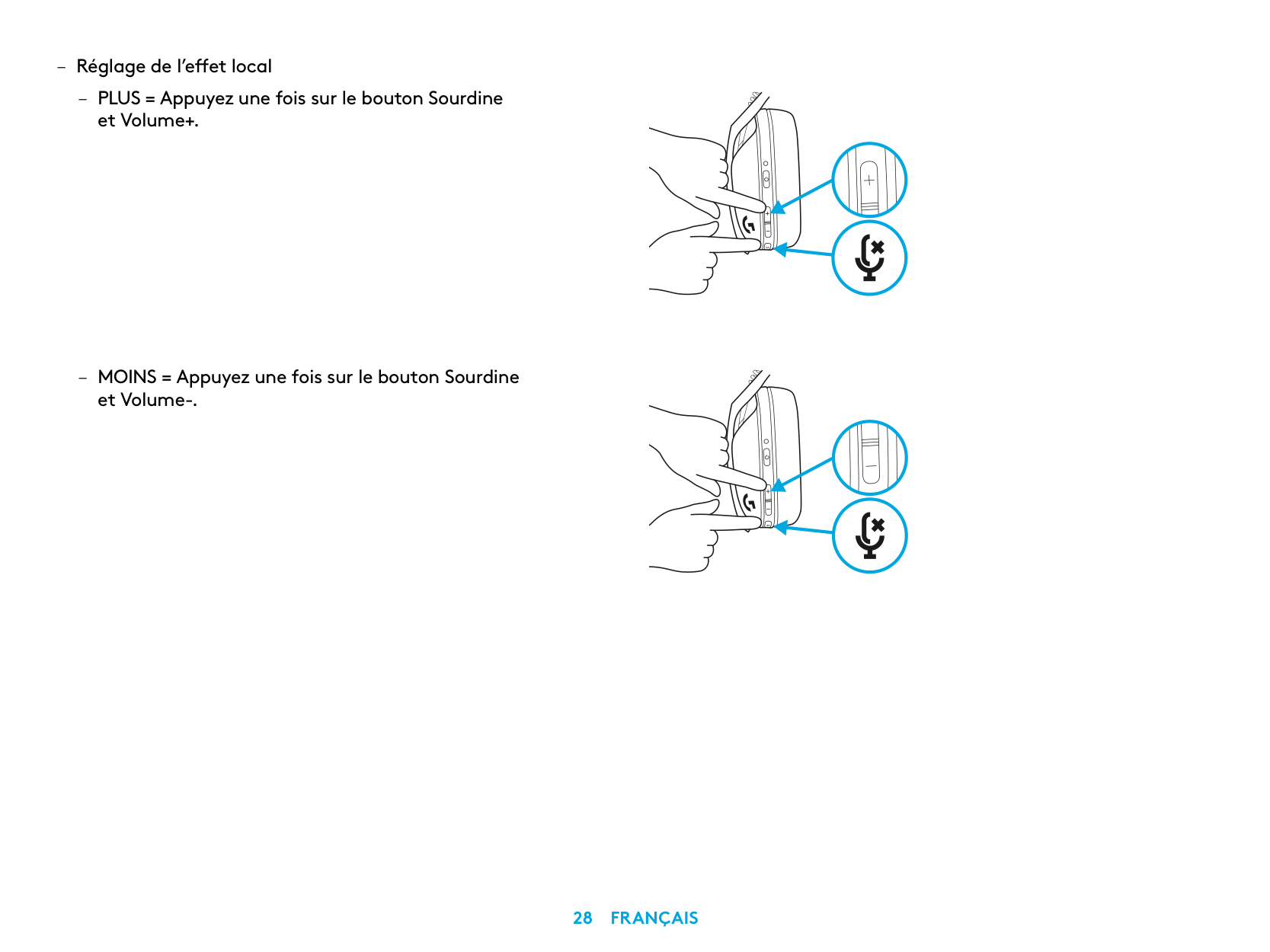
5 sec.
5 sec.
5 sec.
EFFET LOCAL
L’effet local vous permet d’entendre votre voix pendant vos communications avec d’autres personnes Tout comme pendant une communication téléphonique, vous pouvez ajuster le volume de votre voix à un niveau adéquat
X2
X1
PIÈCES DE RECHANGE
RECYCLAGE
Nous vous encourageons à revendre ou à donner les produits fonctionnels. Les piles ainsi que l'équipement électronique et électrique ne doivent pas être jetés avec les déchets ménagers. Dans la mesure du possible, ils doivent être triés et déposés dans un centre de collecte adéquat pour permettre leur recyclage et éviter tout impact potentiel sur l'environnement et la santé humaine. Pour en savoir plus, contactez les autorités locales ou le point de vente, ou rendez-vous sur le site www.logitech.com/recycling
INSTRUCTIONS DE RETRAIT
DES QUESTIONS?
logitechG.com/support/G435
| | |---|
CONNESSIONE LIGHTSPEED
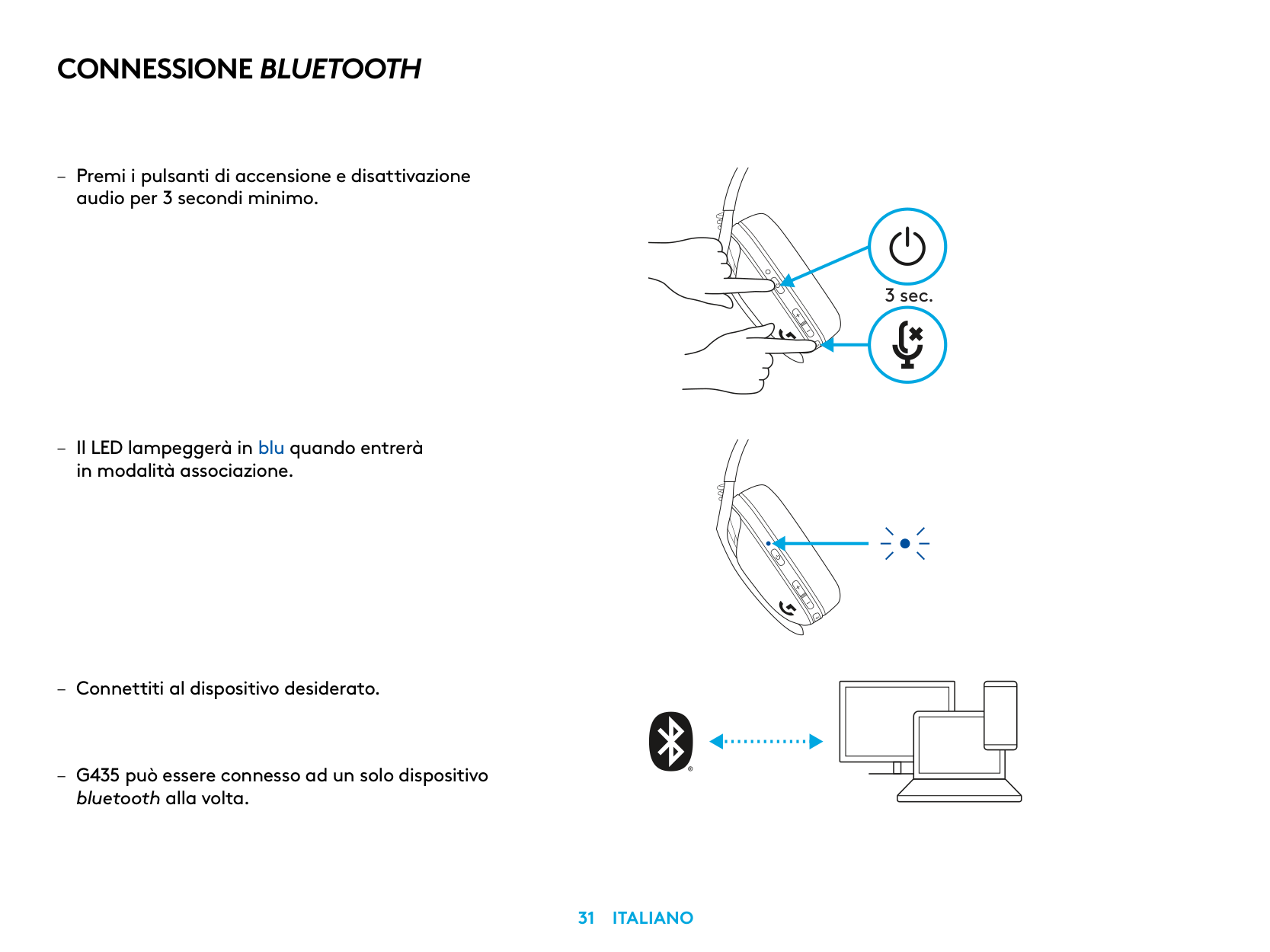
Connettiti a PC, Mac, PlayStation 5 o 4 con la tecnologia wireless LIGHTSPEED
| | | |---|---| | | | | | |
| | | | |---|---|---| | | | |
| | |---| | |
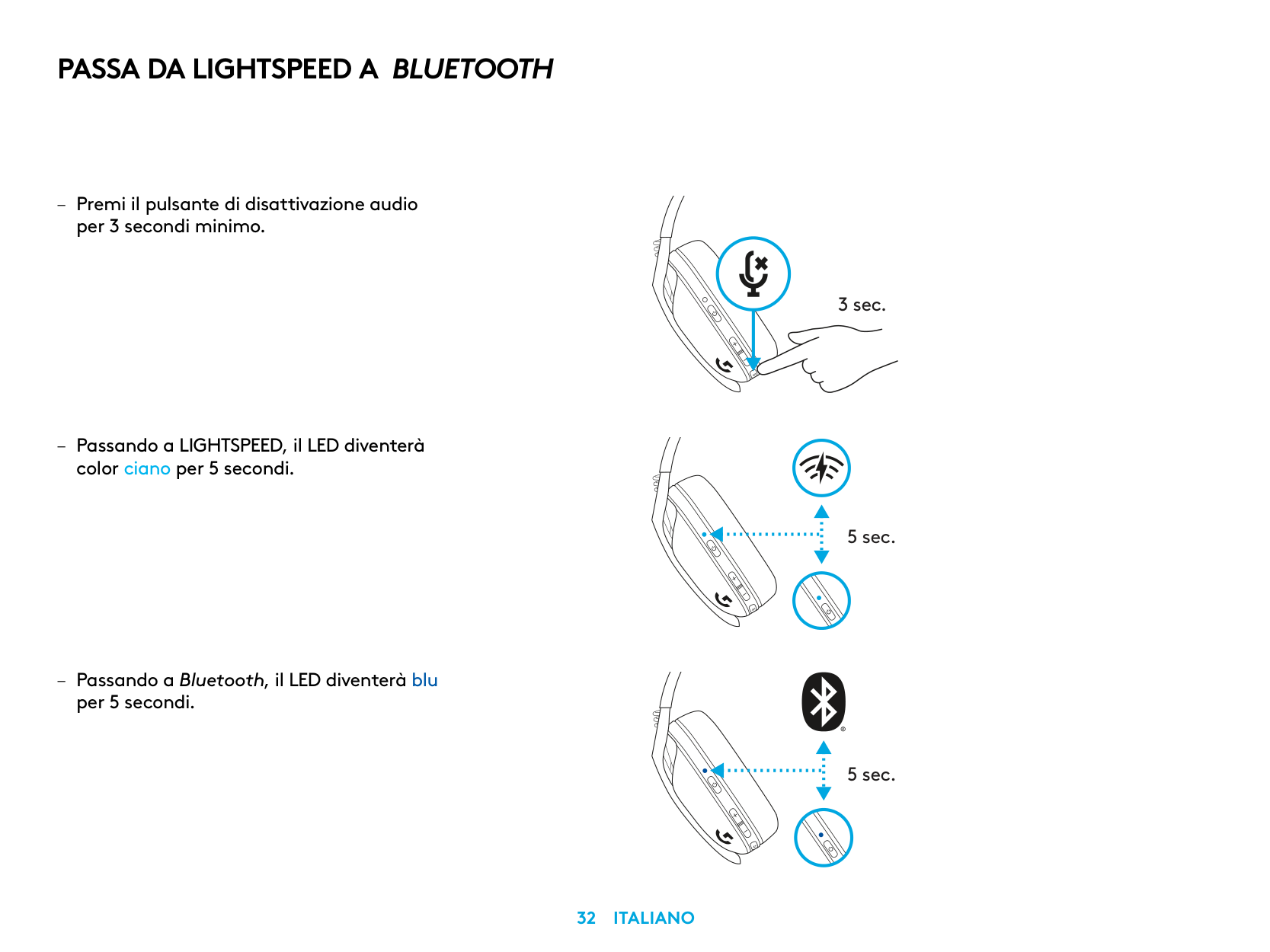
1,5 sec.
CONNESSIONE BLUETOOTH
– Premi i pulsanti di accensione e disattivazione
audio per 3 secondi minimo
– Il LED lampeggerà in blu quando entrerà
in modalità associazione
bluetooth alla volta
3 sec.
PASSA DA LIGHTSPEED A BLUETOOTH
– Premi il pulsante di disattivazione audio
per 3 secondi minimo
– Passando a LIGHTSPEED, il LED diventerà
color ciano per 5 secondi
– Passando a Bluetooth, il LED diventerà blu
per 5 secondi
3 sec.
5 sec.
5 sec.
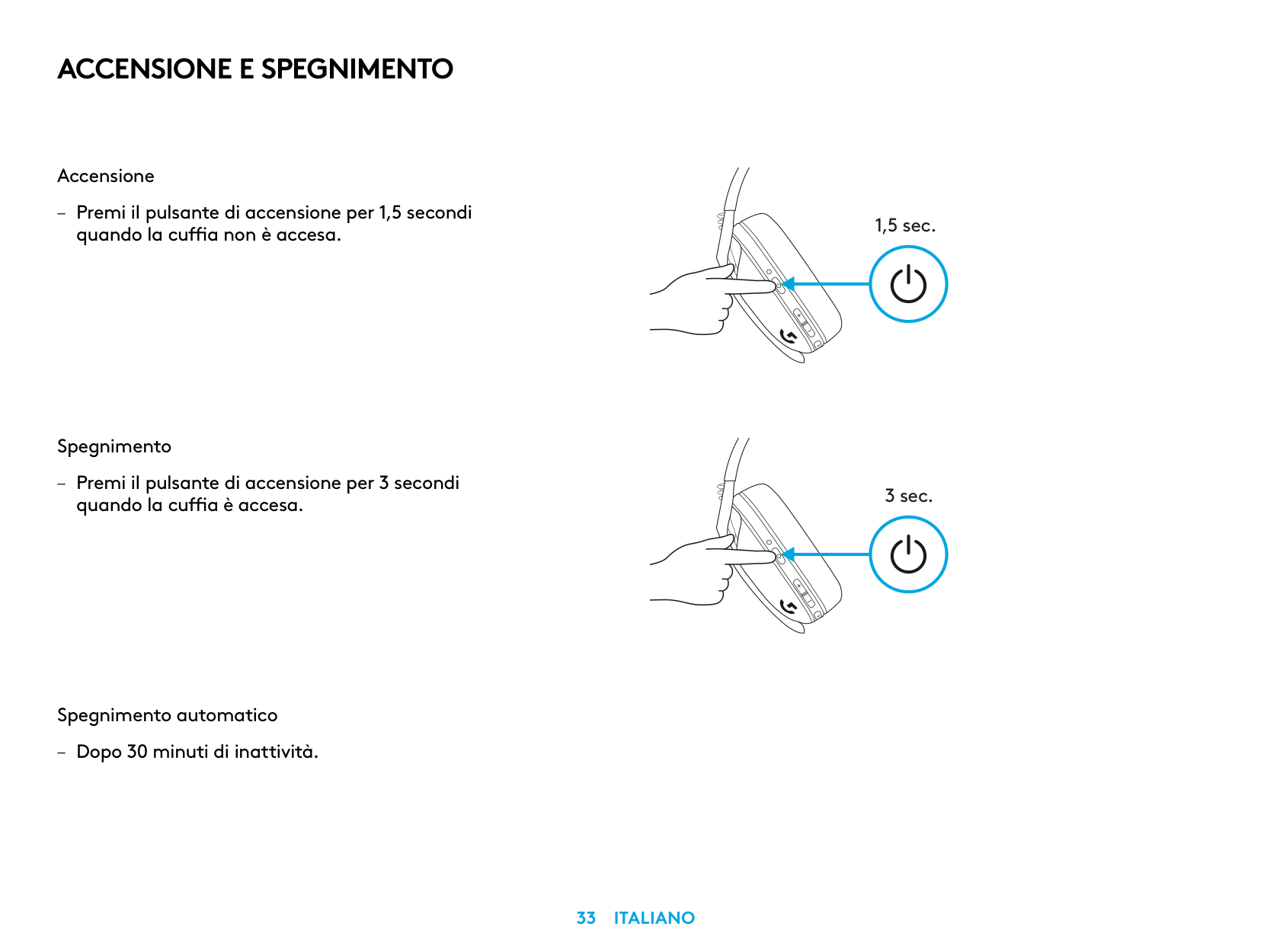
ACCENSIONE E SPEGNIMENTO
Accensione
– Premi il pulsante di accensione per 1,5 secondi
quando la cuffia non è accesa
Spegnimento
– Premi il pulsante di accensione per 3 secondi
quando la cuffia è accesa
Spegnimento automatico
– Dopo 30 minuti di inattività
1,5 sec.
3 sec.
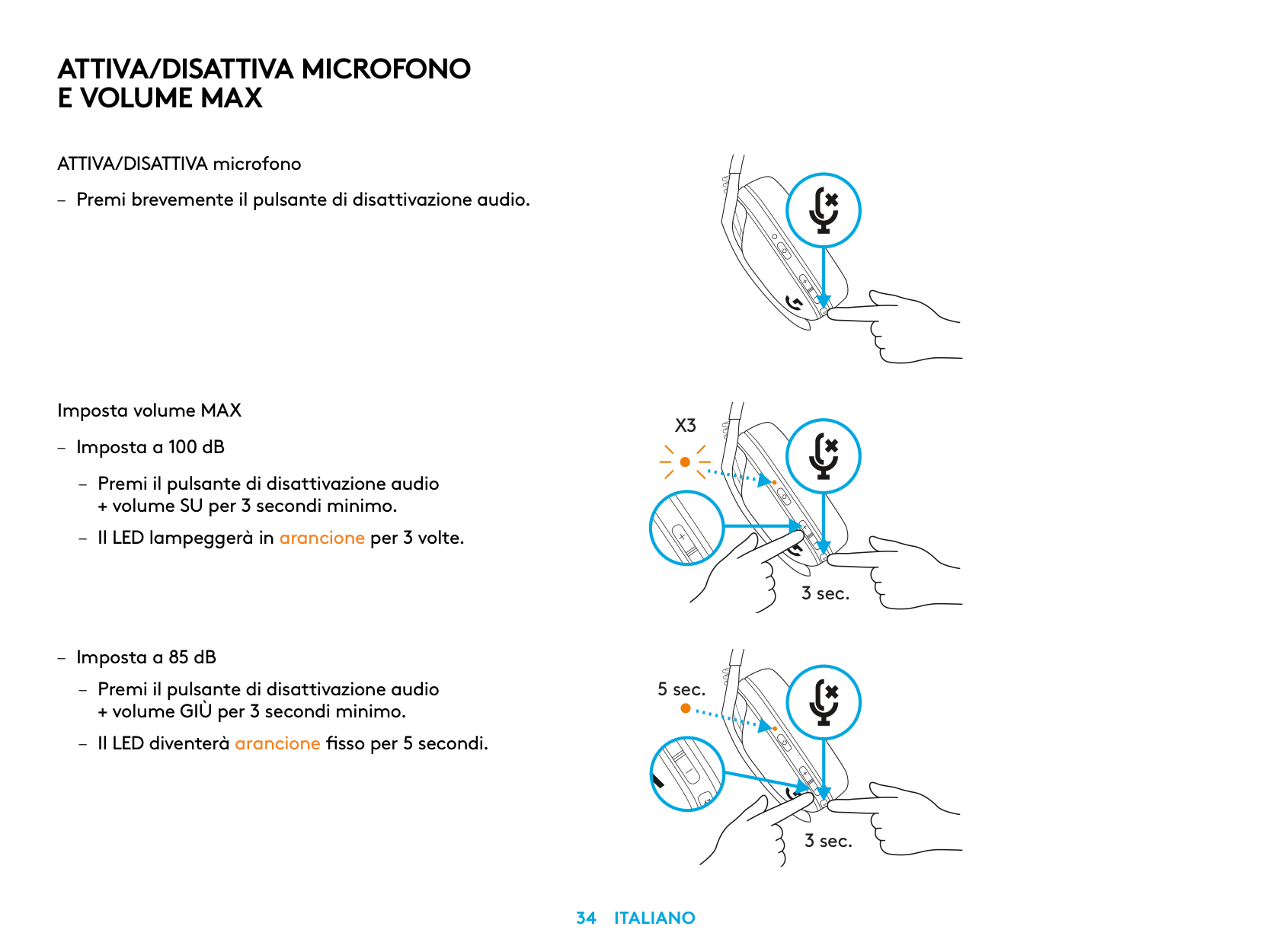
ATTIVA/DISATTIVA MICROFONO E VOLUME MAX
ATTIVA/DISATTIVA microfono
– Premi brevemente il pulsante di disattivazione audio
Imposta volume MAX
X3
– Imposta a 100 dB
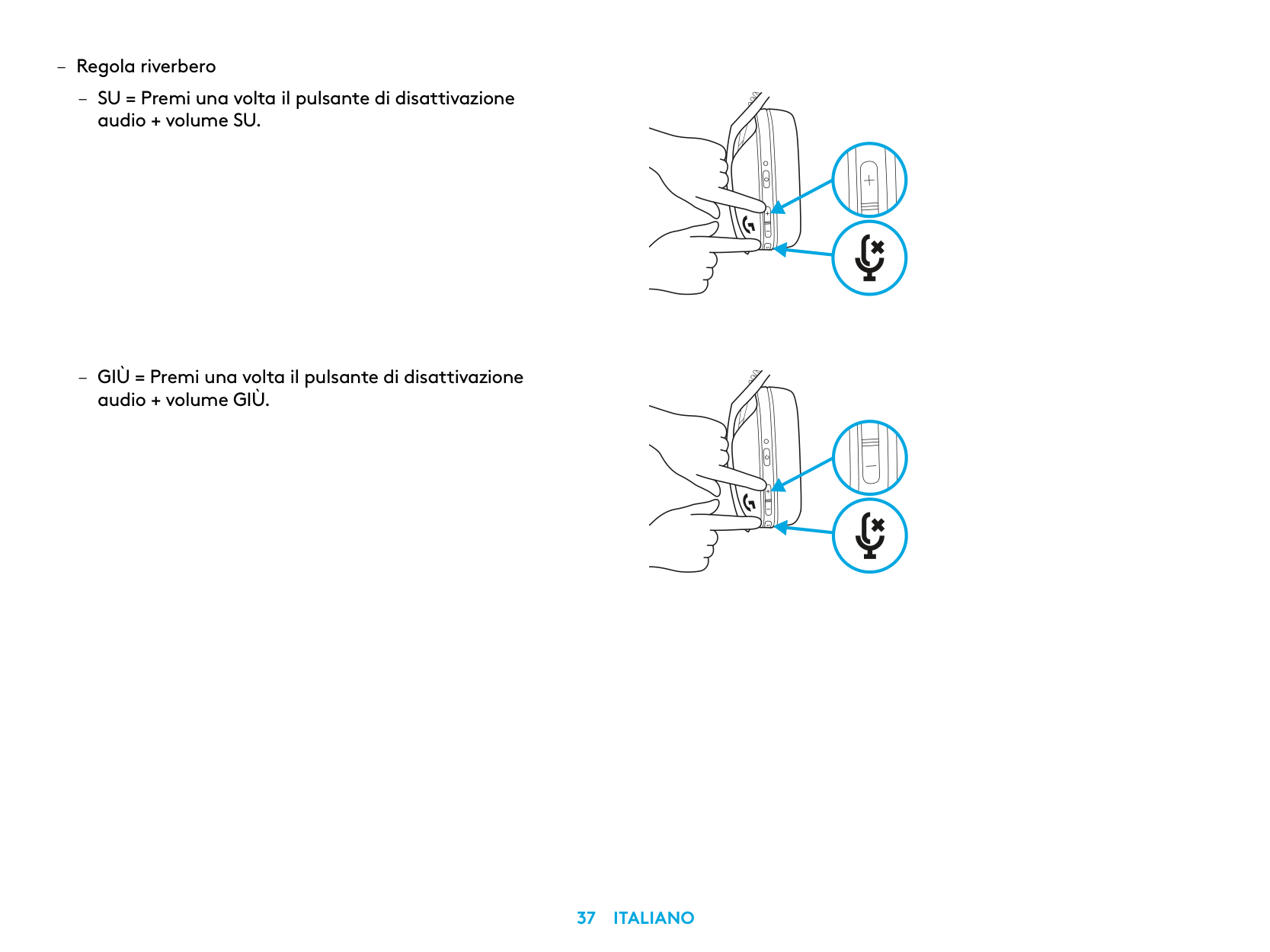
– Premi il pulsante di disattivazione audio
+ volume SU per 3 secondi minimo
– Il LED lampeggerà in arancione per 3 volte
3 sec.
– Imposta a 85 dB
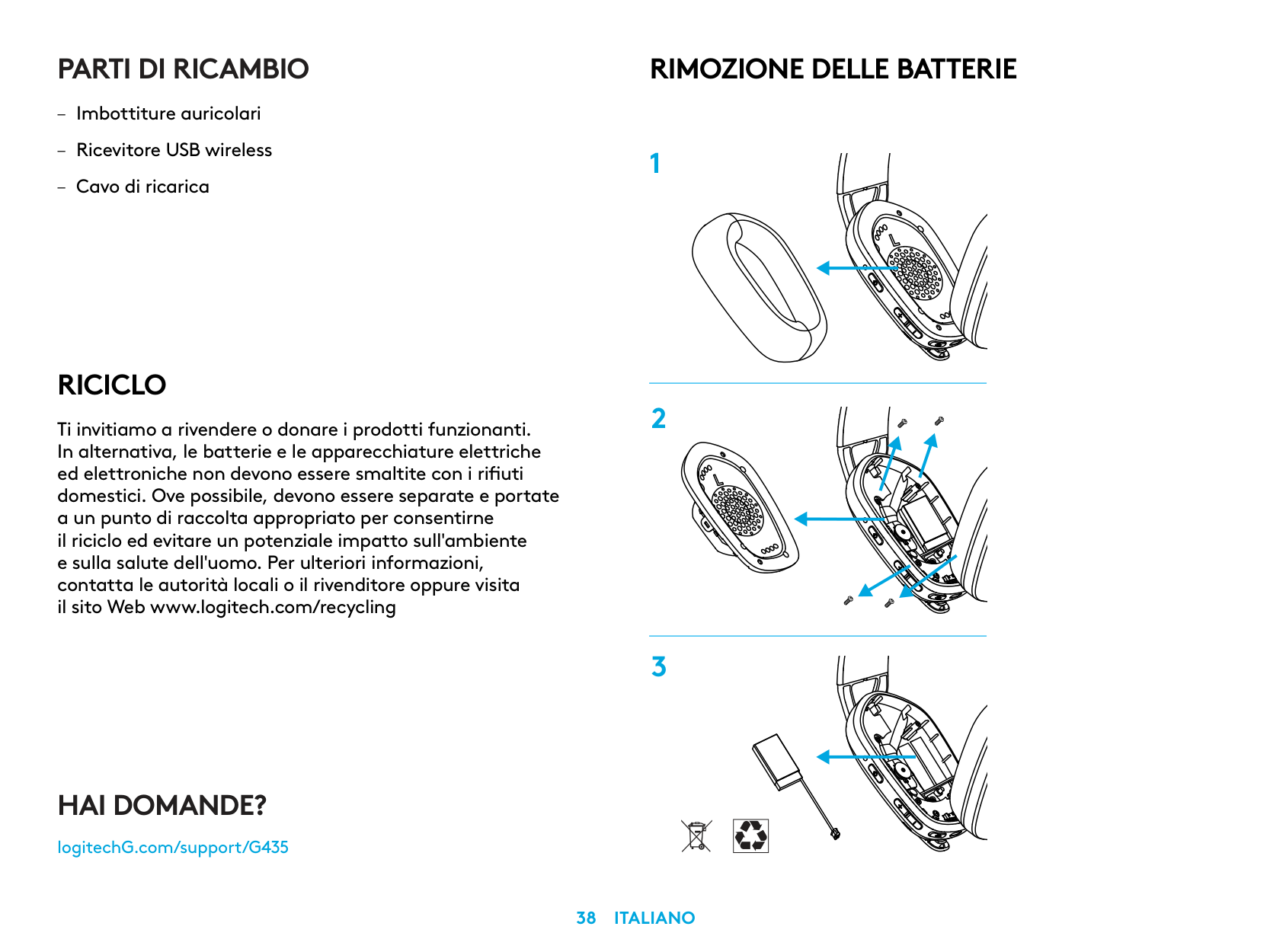
– Premi il pulsante di disattivazione audio
5 sec.
+ volume GIÙ per 3 secondi minimo
– Il LED diventerà arancione fisso per 5 secondi
3 sec.
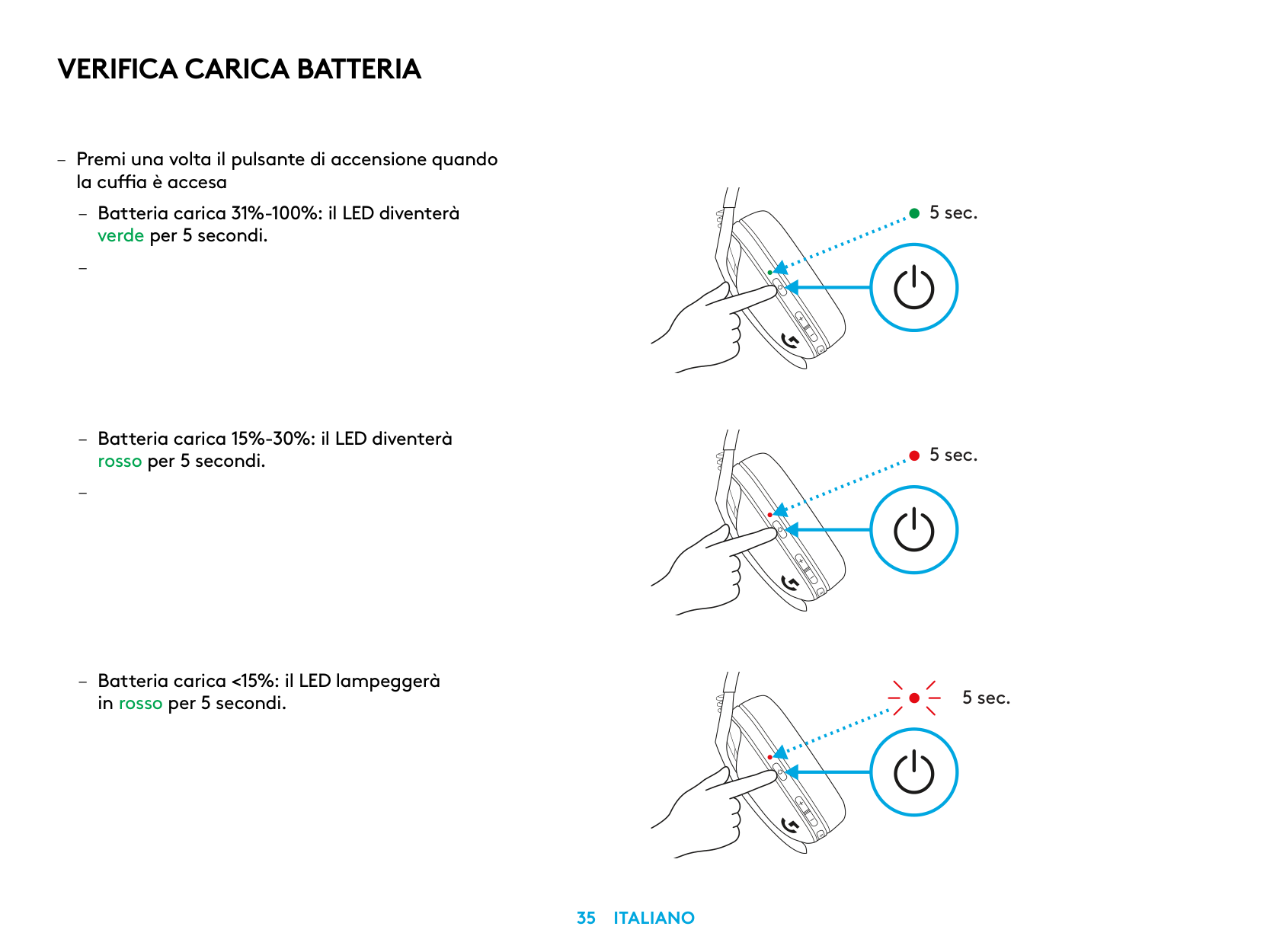
VERIFICA CARICA BATTERIA
– Premi una volta il pulsante di accensione quando
la cuffia è accesa
– Batteria carica 31%-100%: il LED diventerà
verde per 5 secondi
–
– Batteria carica 15%-30%: il LED diventerà
rosso per 5 secondi
–
5 sec.
5 sec.
5 sec.
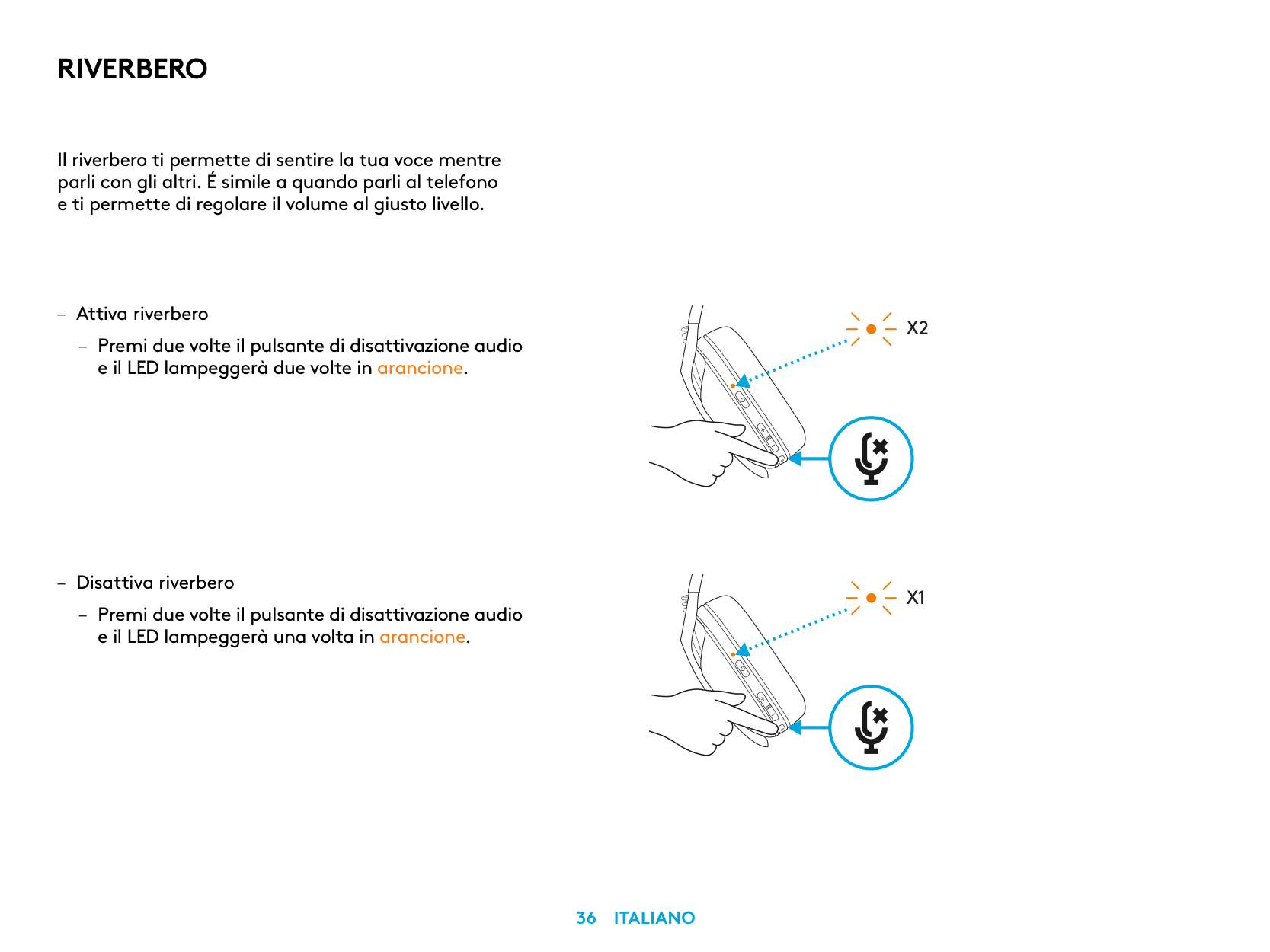
RIVERBERO
Il riverbero ti permette di sentire la tua voce mentre parli con gli altri É simile a quando parli al telefono e ti permette di regolare il volume al giusto livello
X2
X1
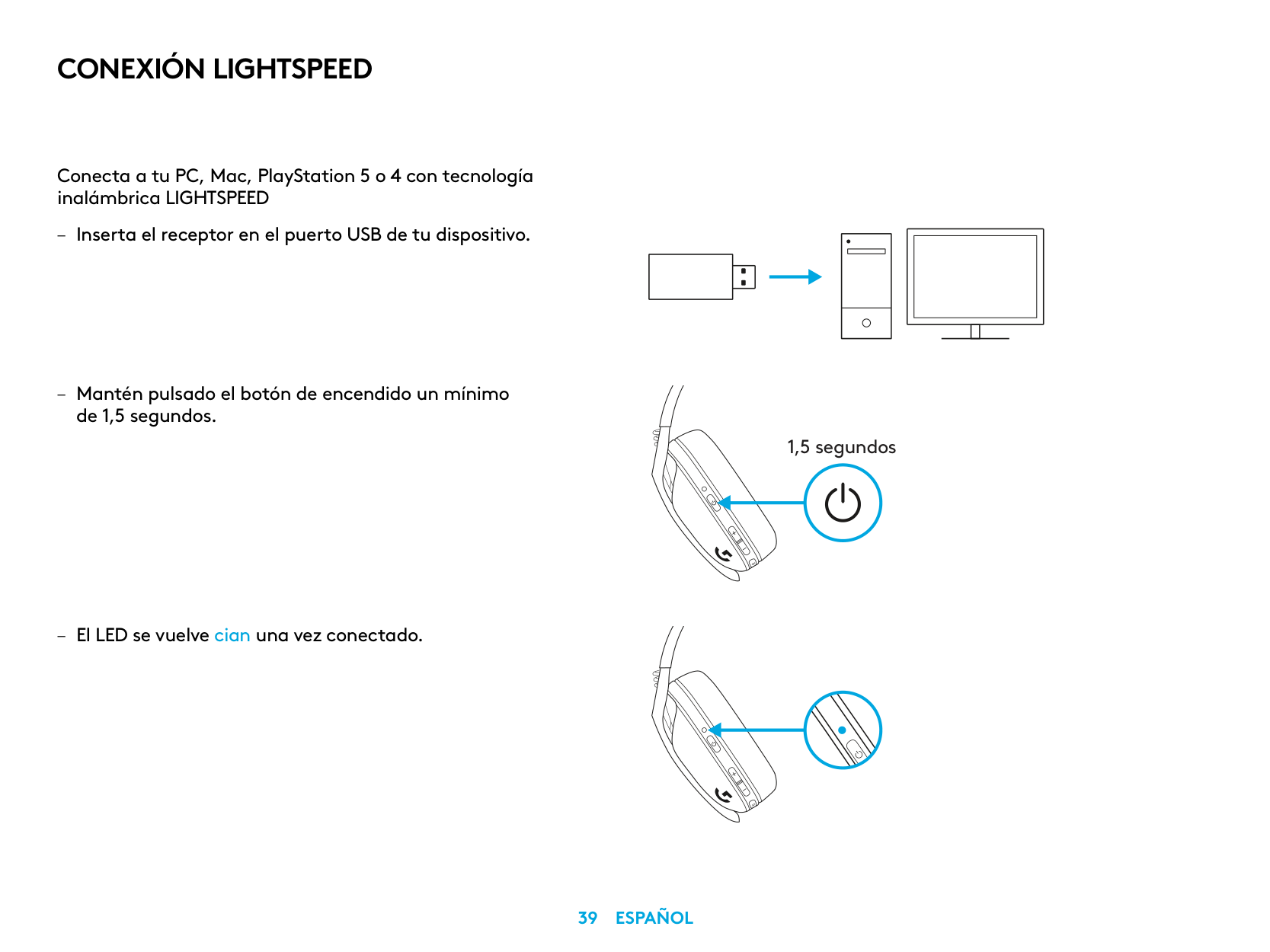
PARTI DI RICAMBIO
RICICLO
Ti invitiamo a rivendere o donare i prodotti funzionanti. In alternativa, le batterie e le apparecchiature elettriche ed elettroniche non devono essere smaltite con i rifiuti domestici. Ove possibile, devono essere separate e portate a un punto di raccolta appropriato per consentirne il riciclo ed evitare un potenziale impatto sull'ambiente e sulla salute dell'uomo. Per ulteriori informazioni, contatta le autorità locali o il rivenditore oppure visita il sito Web www.logitech.com/recycling
RIMOZIONE DELLE BATTERIE
HAI DOMANDE?
logitechG.com/support/G435
| | |---|
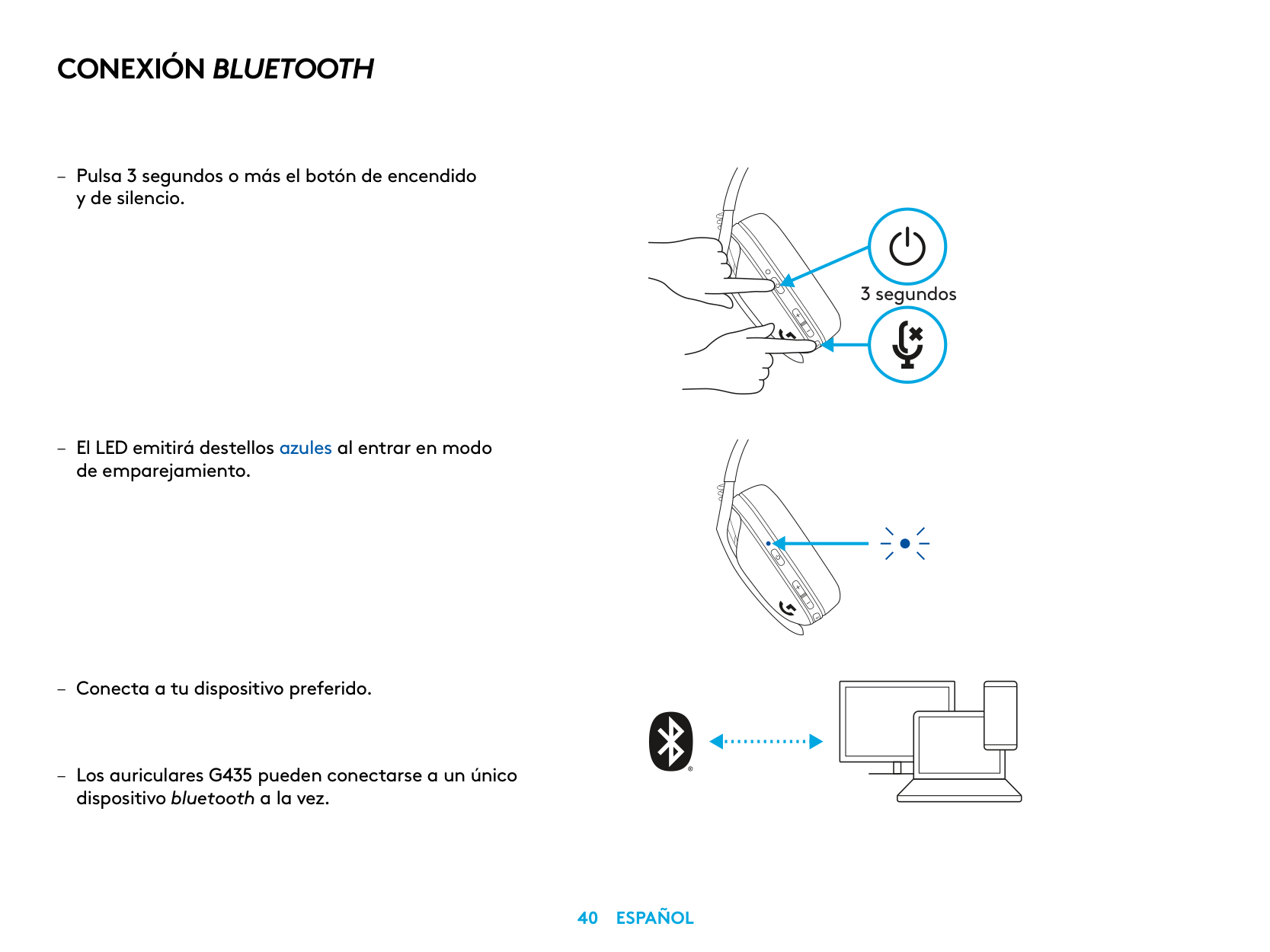
CONEXIÓN LIGHTSPEED
Conecta a tu PC, Mac, PlayStation 5 o 4 con tecnología inalámbrica LIGHTSPEED
de 1,5 segundos
– El LED se vuelve cian una vez conectado
| | | | |---|---|---| | | | |
| | |---| | |
| | | |---|---| | | | | | |
1,5 segundos
CONEXIÓN BLUETOOTH
3 segundos
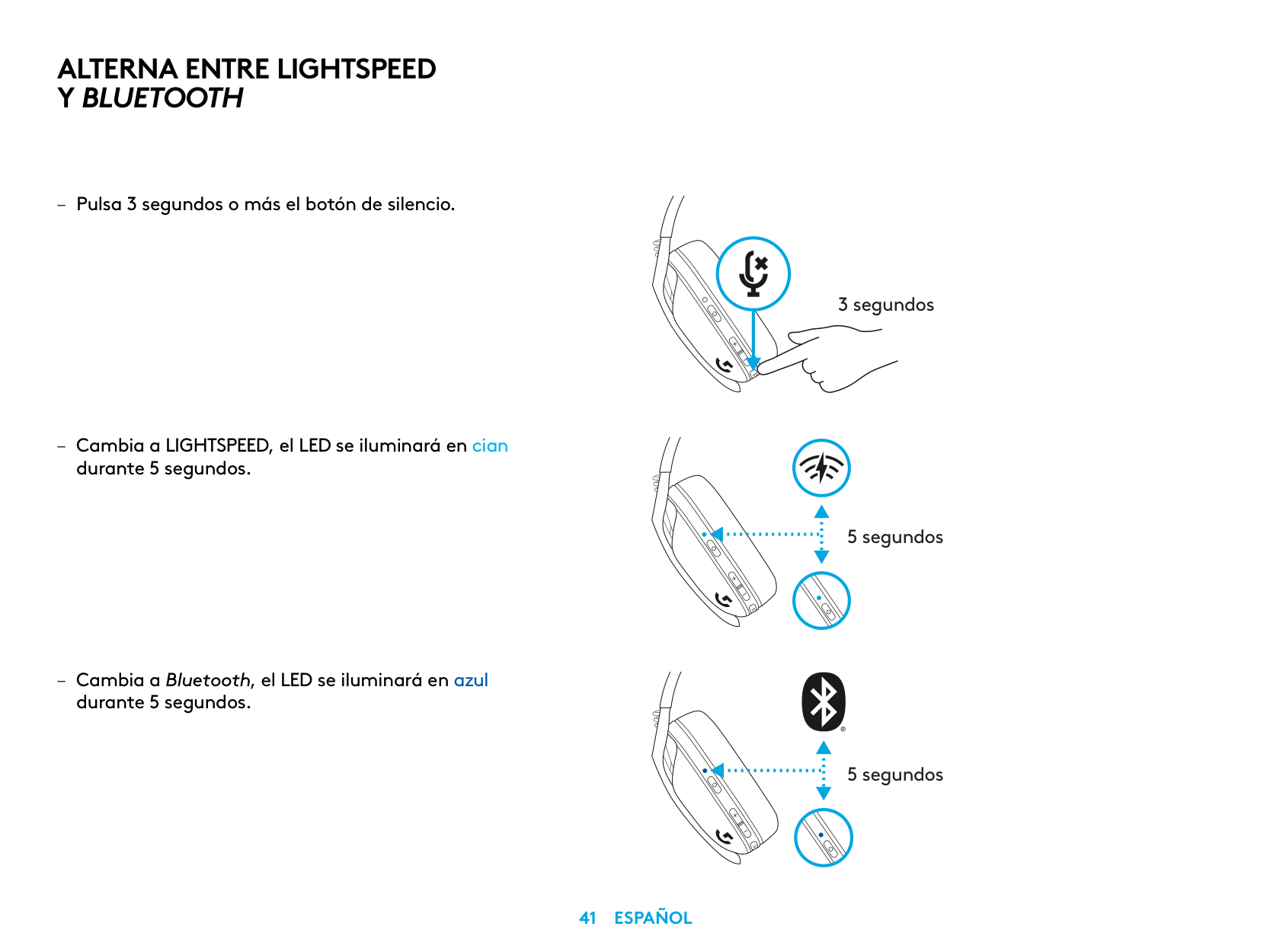
ALTERNA ENTRE LIGHTSPEED Y BLUETOOTH
3 segundos
5 segundos
5 segundos
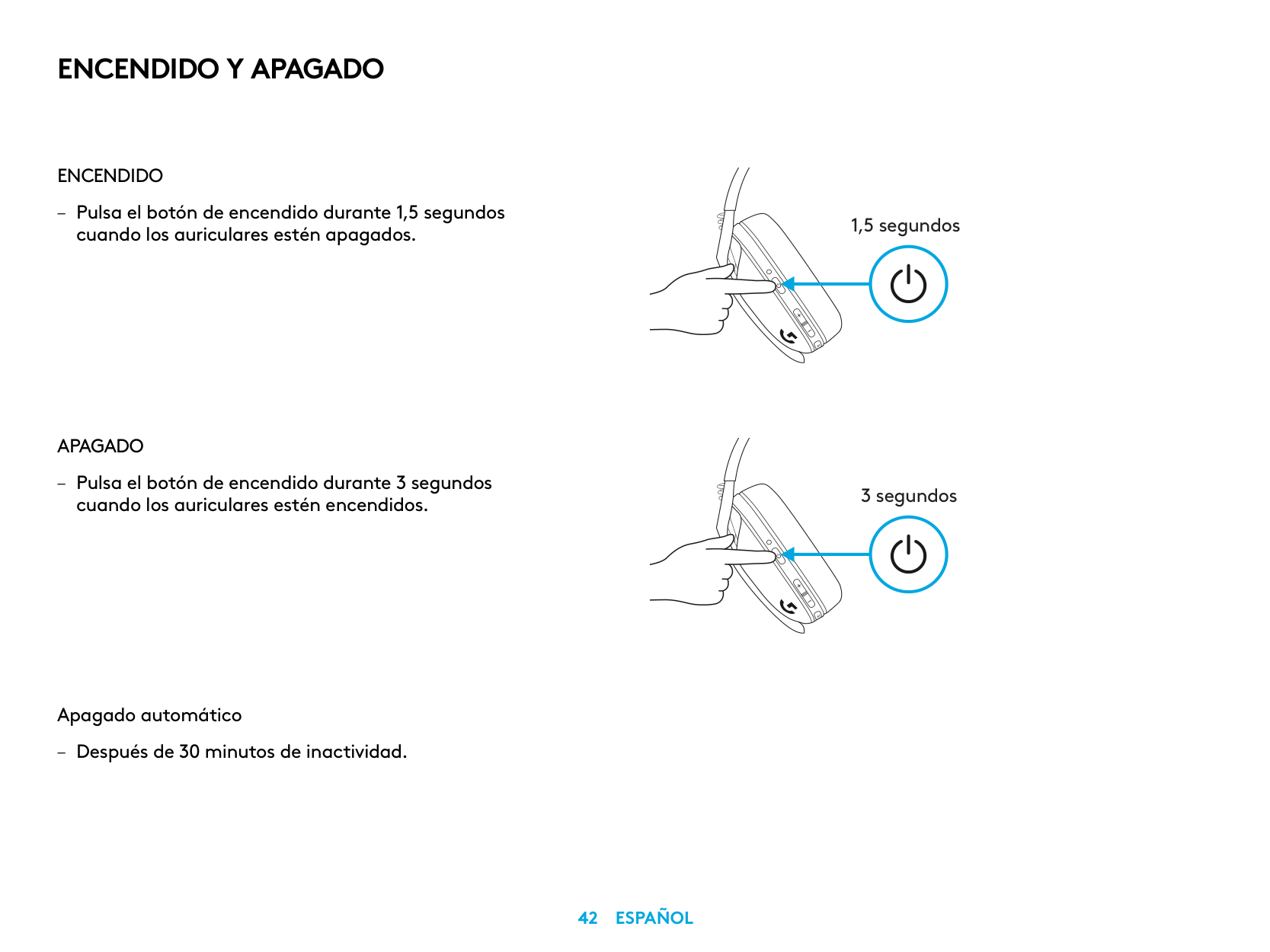
ENCENDIDO Y APAGADO
ENCENDIDO
– Pulsa el botón de encendido durante 1,5 segundos
cuando los auriculares estén apagados
APAGADO
– Pulsa el botón de encendido durante 3 segundos
cuando los auriculares estén encendidos
Apagado automático
– Después de 30 minutos de inactividad
1,5 segundos
3 segundos
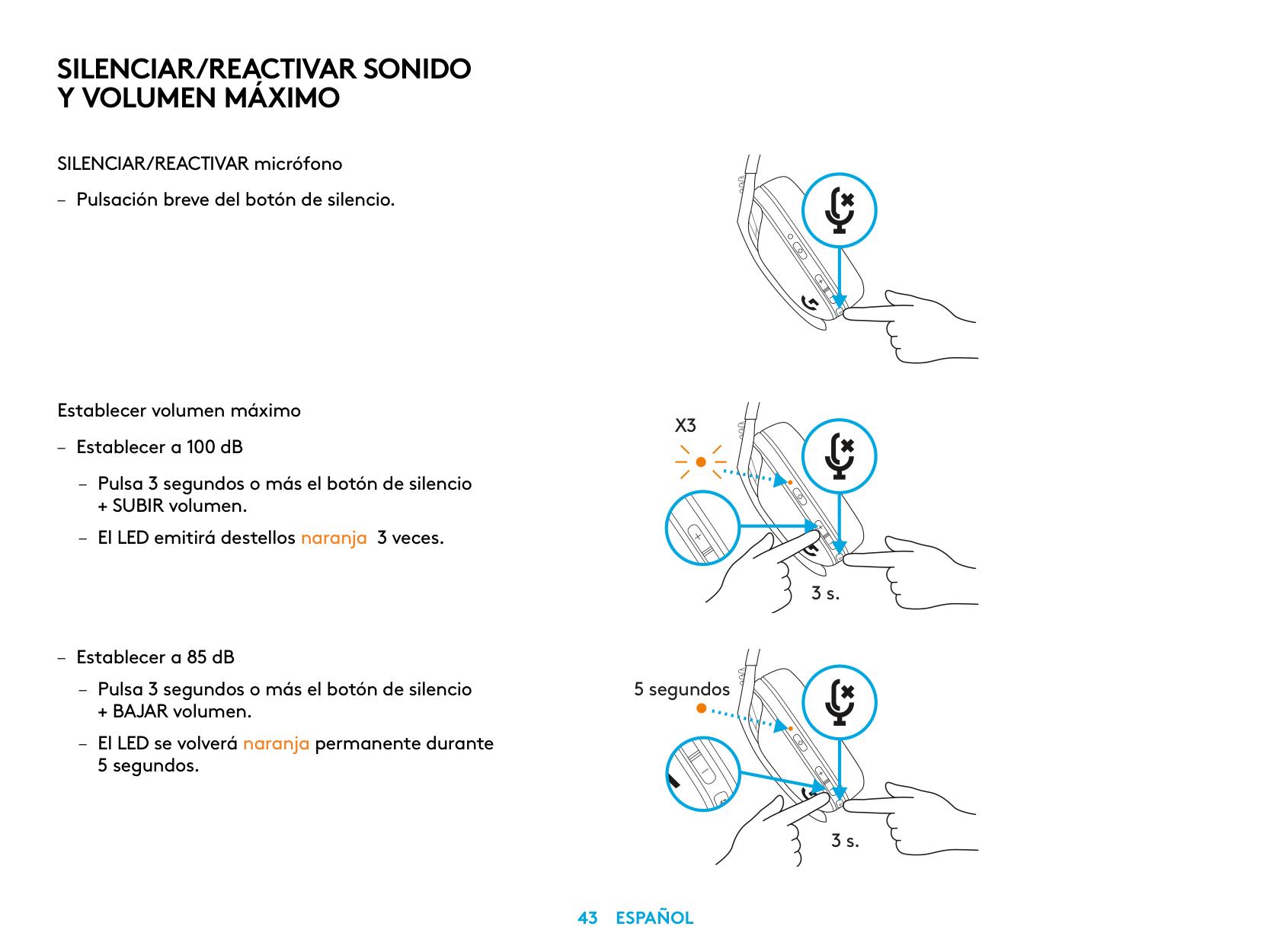
SILENCIAR/REACTIVAR SONIDO Y VOLUMEN MÁXIMO
SILENCIAR/REACTIVAR micrófono
– Pulsación breve del botón de silencio
Establecer volumen máximo
– Establecer a 100 dB
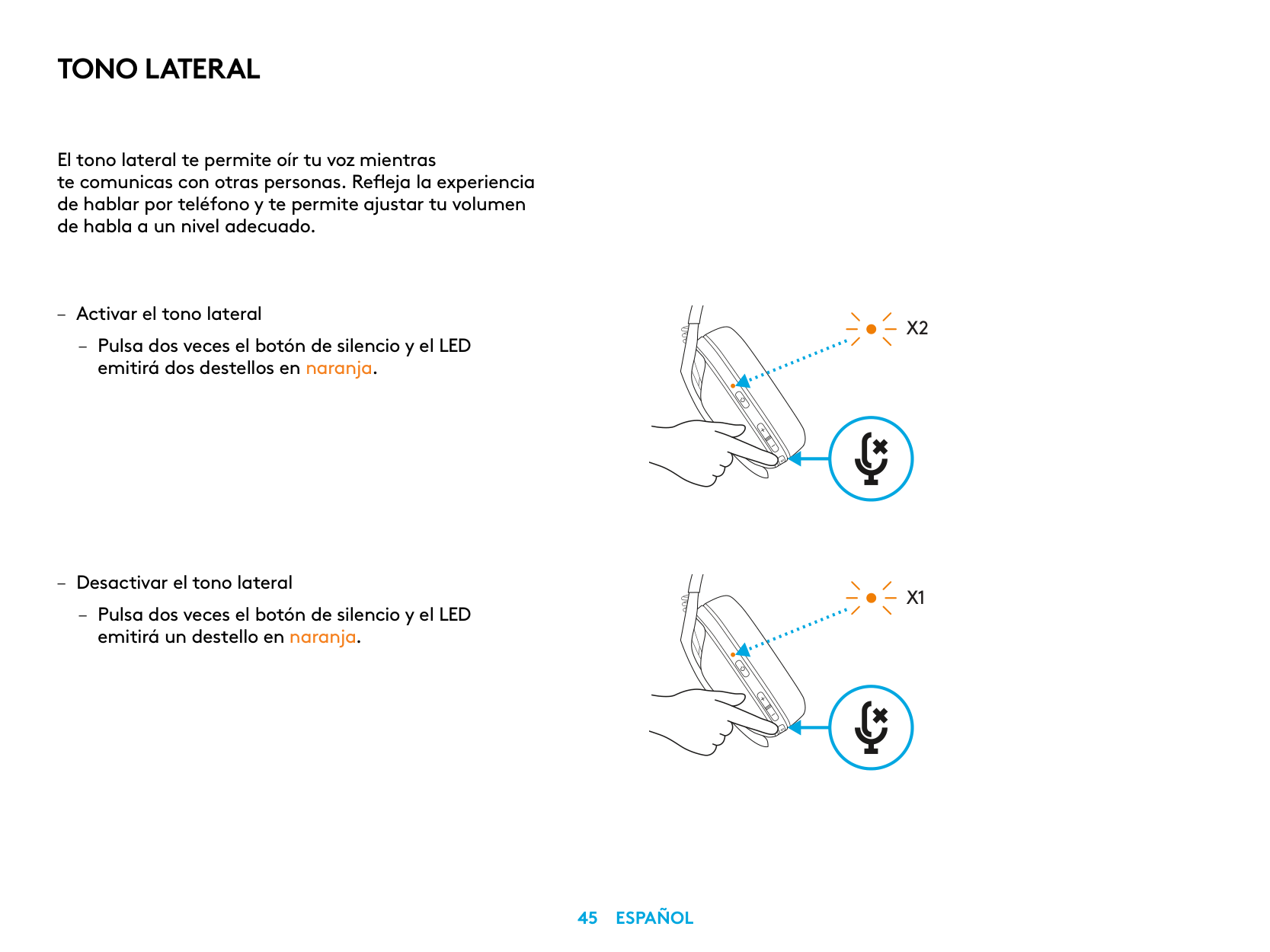
– Pulsa 3 segundos o más el botón de silencio
+ SUBIR volumen
– El LED emitirá destellos naranja 3 veces
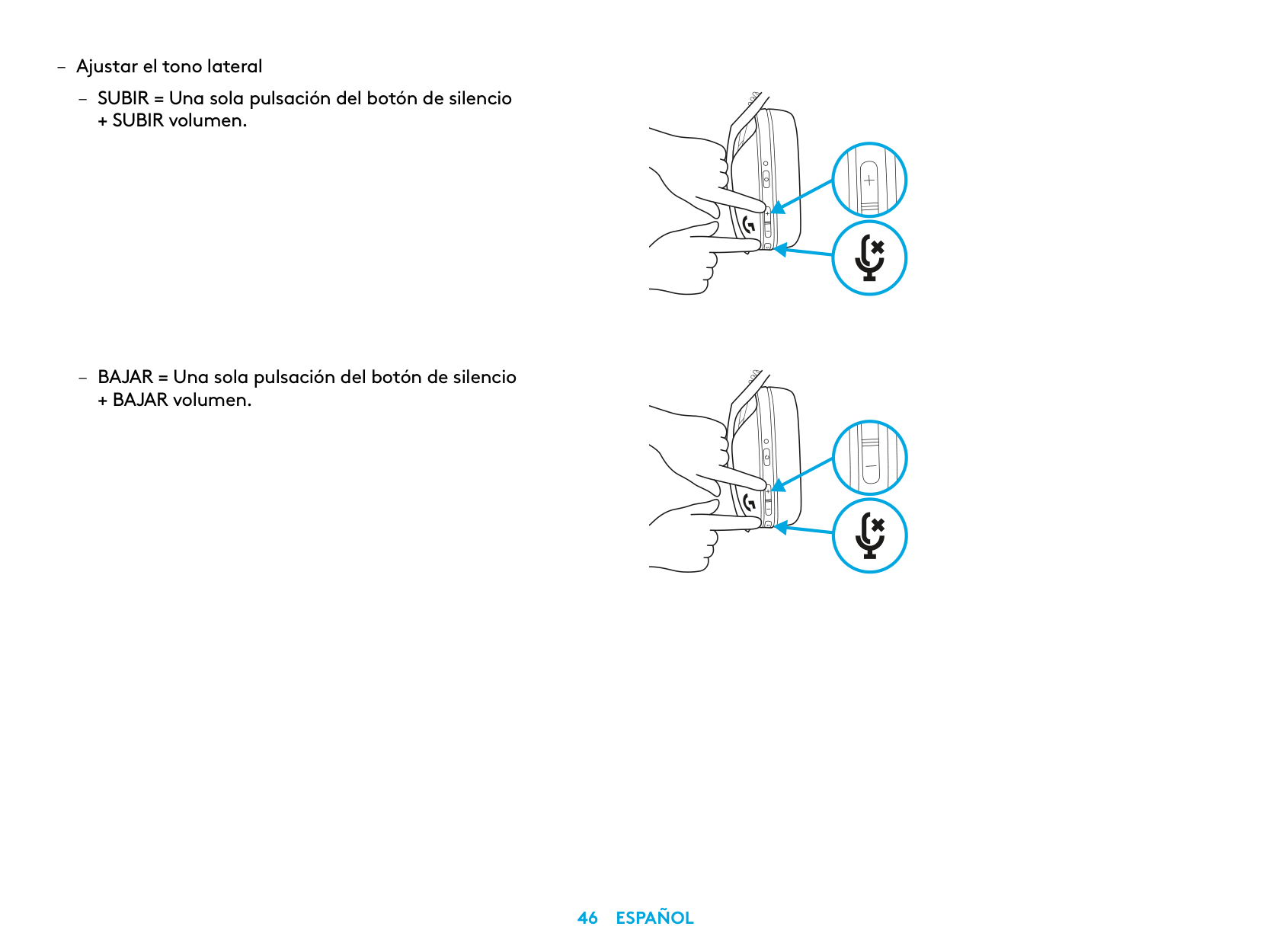
– Establecer a 85 dB
– Pulsa 3 segundos o más el botón de silencio
+ BAJAR volumen
– El LED se volverá naranja permanente durante
5 segundos
X3
3 s.
5 segundos
3 s.
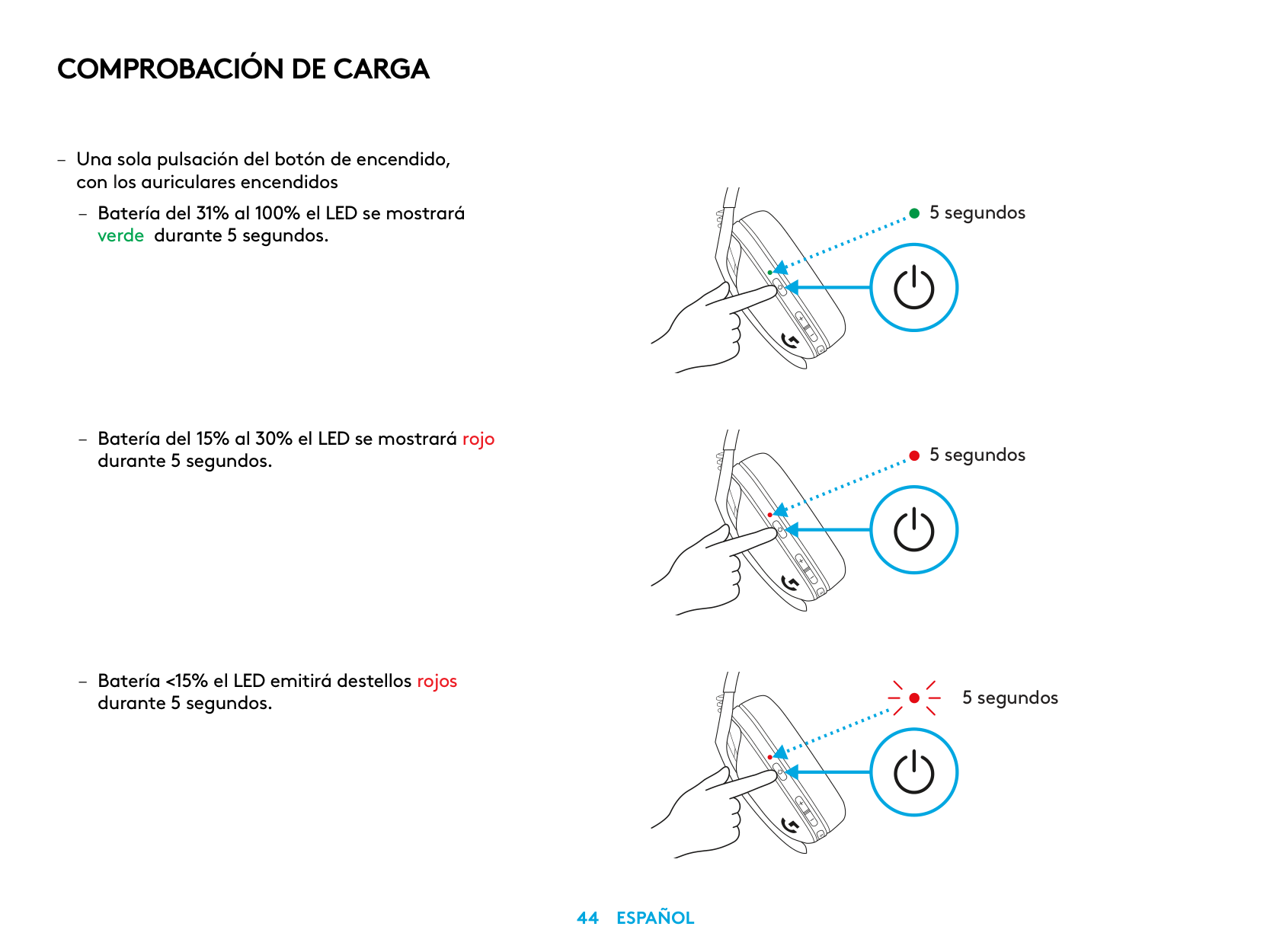
COMPROBACIÓN DE CARGA
– Una sola pulsación del botón de encendido,
con los auriculares encendidos
– Batería del 31% al 100% el LED se mostrará
verde durante 5 segundos
– Batería del 15% al 30% el LED se mostrará rojo
durante 5 segundos
– Batería <15% el LED emitirá destellos rojos
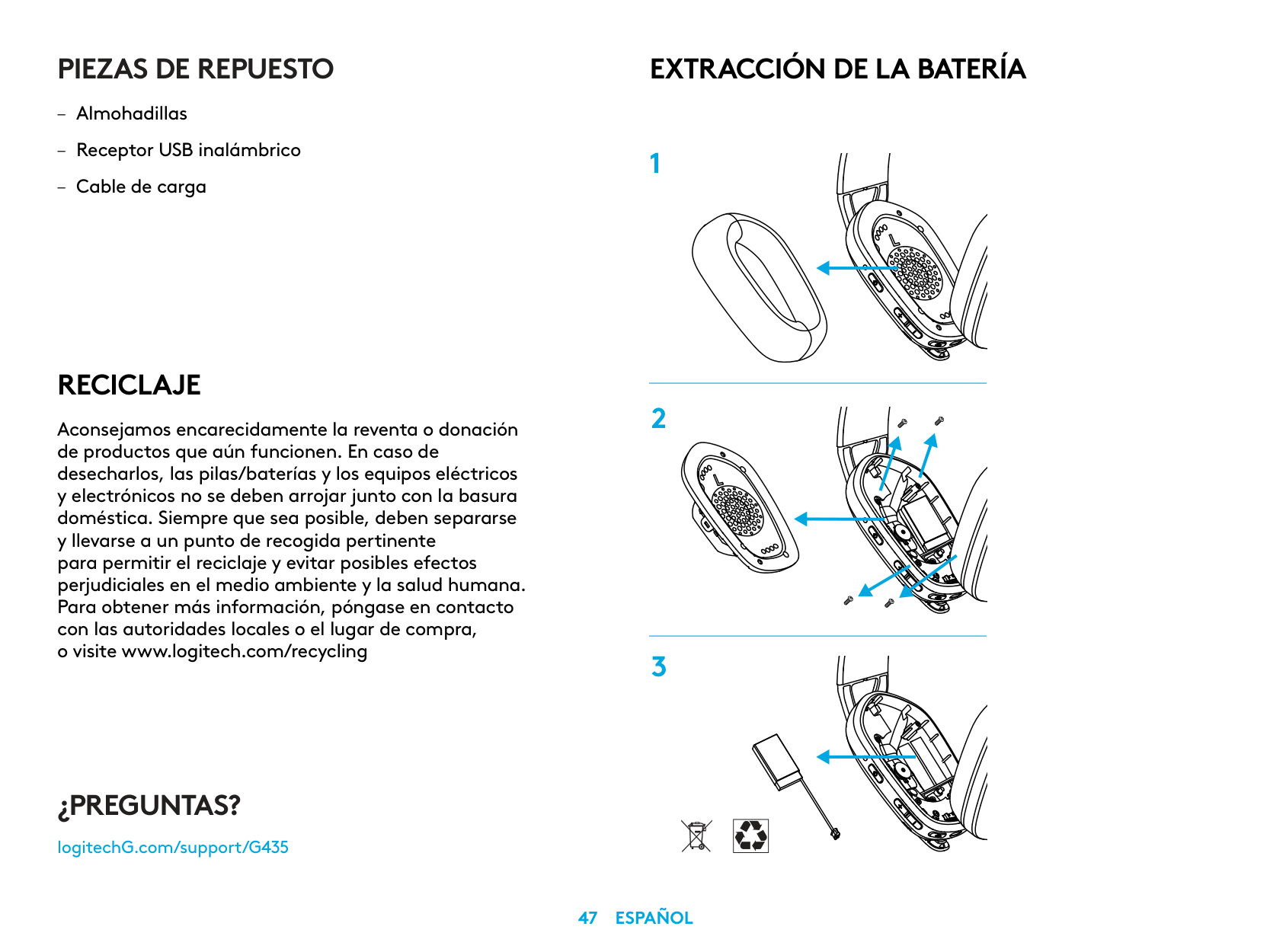
durante 5 segundos
5 segundos
5 segundos
5 segundos
TONO LATERAL
El tono lateral te permite oír tu voz mientras te comunicas con otras personas Refleja la experiencia de hablar por teléfono y te permite ajustar tu volumen de habla a un nivel adecuado
– Activar el tono lateral
– Pulsa dos veces el botón de silencio y el LED
emitirá dos destellos en naranja
– Desactivar el tono lateral
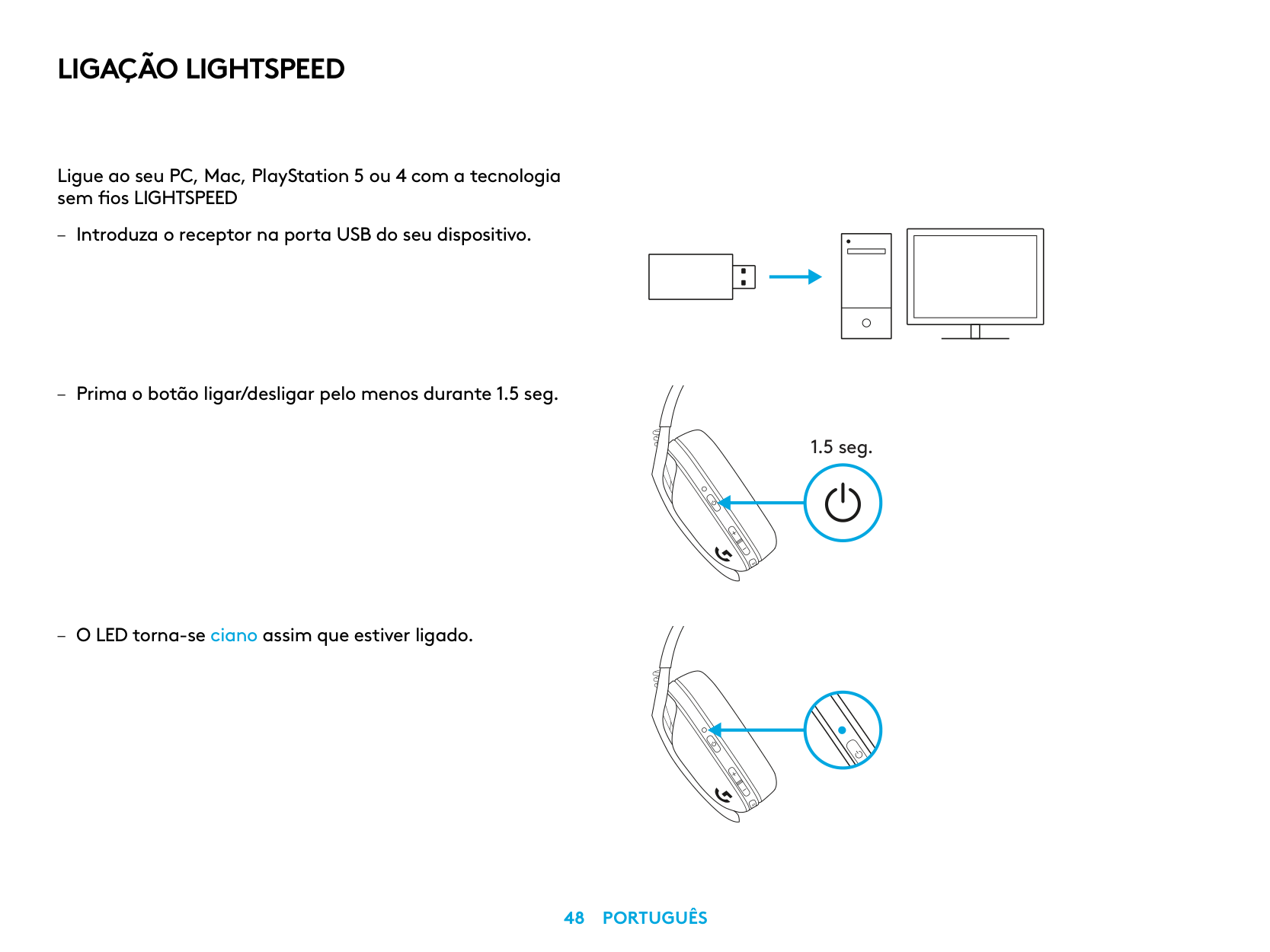
– Pulsa dos veces el botón de silencio y el LED
emitirá un destello en naranja
X2
X1
– Ajustar el tono lateral
– SUBIR = Una sola pulsación del botón de silencio
+ SUBIR volumen
– BAJAR = Una sola pulsación del botón de silencio
+ BAJAR volumen
PIEZAS DE REPUESTO
RECICLAJE
Aconsejamos encarecidamente la reventa o donación de productos que aún funcionen. En caso de desecharlos, las pilas/baterías y los equipos eléctricos y electrónicos no se deben arrojar junto con la basura doméstica. Siempre que sea posible, deben separarse y llevarse a un punto de recogida pertinente para permitir el reciclaje y evitar posibles efectos perjudiciales en el medio ambiente y la salud humana. Para obtener más información, póngase en contacto con las autoridades locales o el lugar de compra, o visite www.logitech.com/recycling
EXTRACCIÓN DE LA BATERÍA
¿PREGUNTAS?
logitechG.com/support/G435
| | |---|
LIGAÇÃO LIGHTSPEED
Ligue ao seu PC, Mac, PlayStation 5 ou 4 com a tecnologia sem fios LIGHTSPEED
| | | |---|---| | | | | | |
| | | | |---|---|---| | | | |
| | |---| | |
1.5 seg.
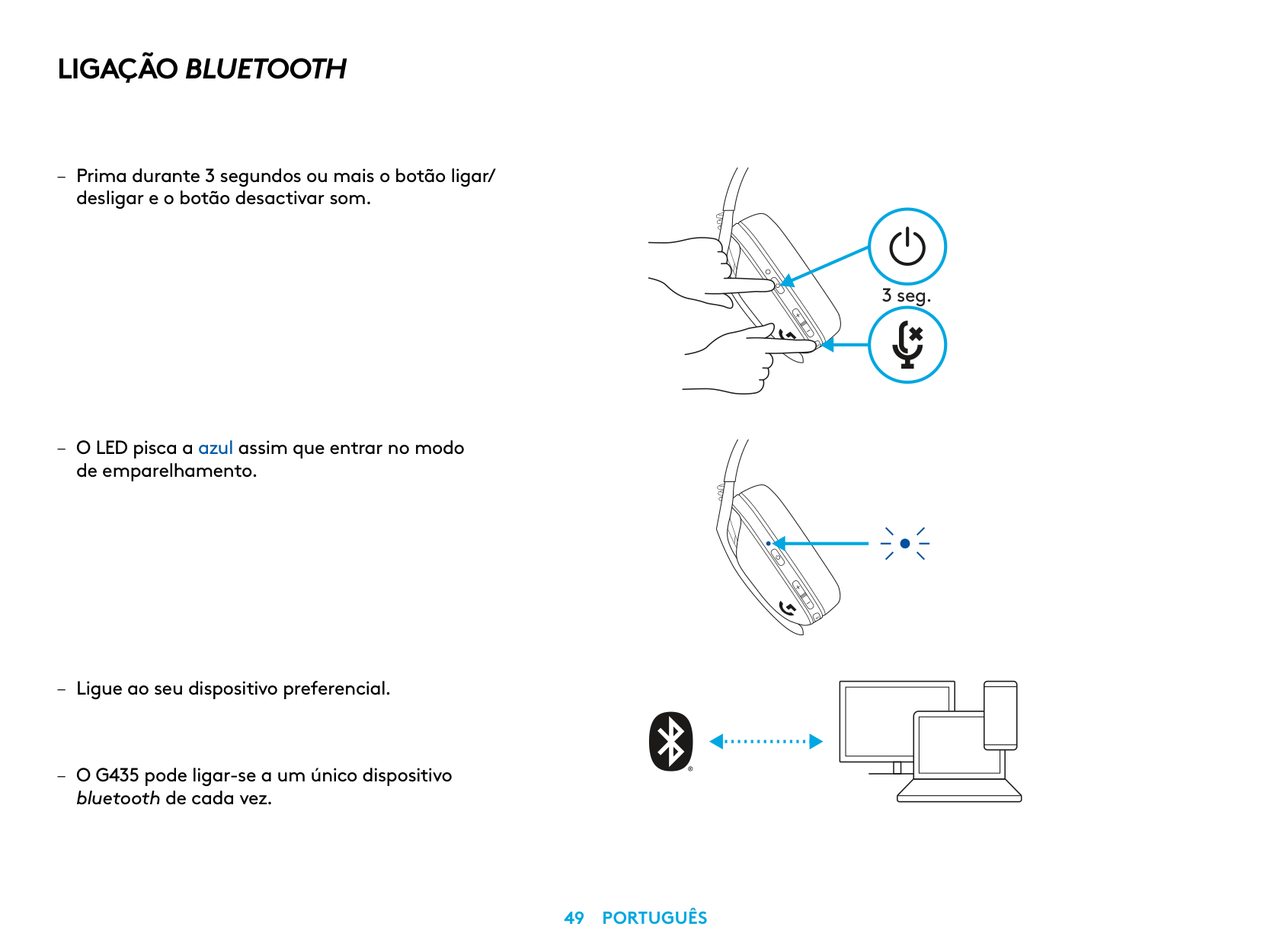
LIGAÇÃO BLUETOOTH
– Prima durante 3 segundos ou mais o botão ligar/
desligar e o botão desactivar som
– O LED pisca a azul assim que entrar no modo
de emparelhamento
bluetooth de cada vez
3 seg.
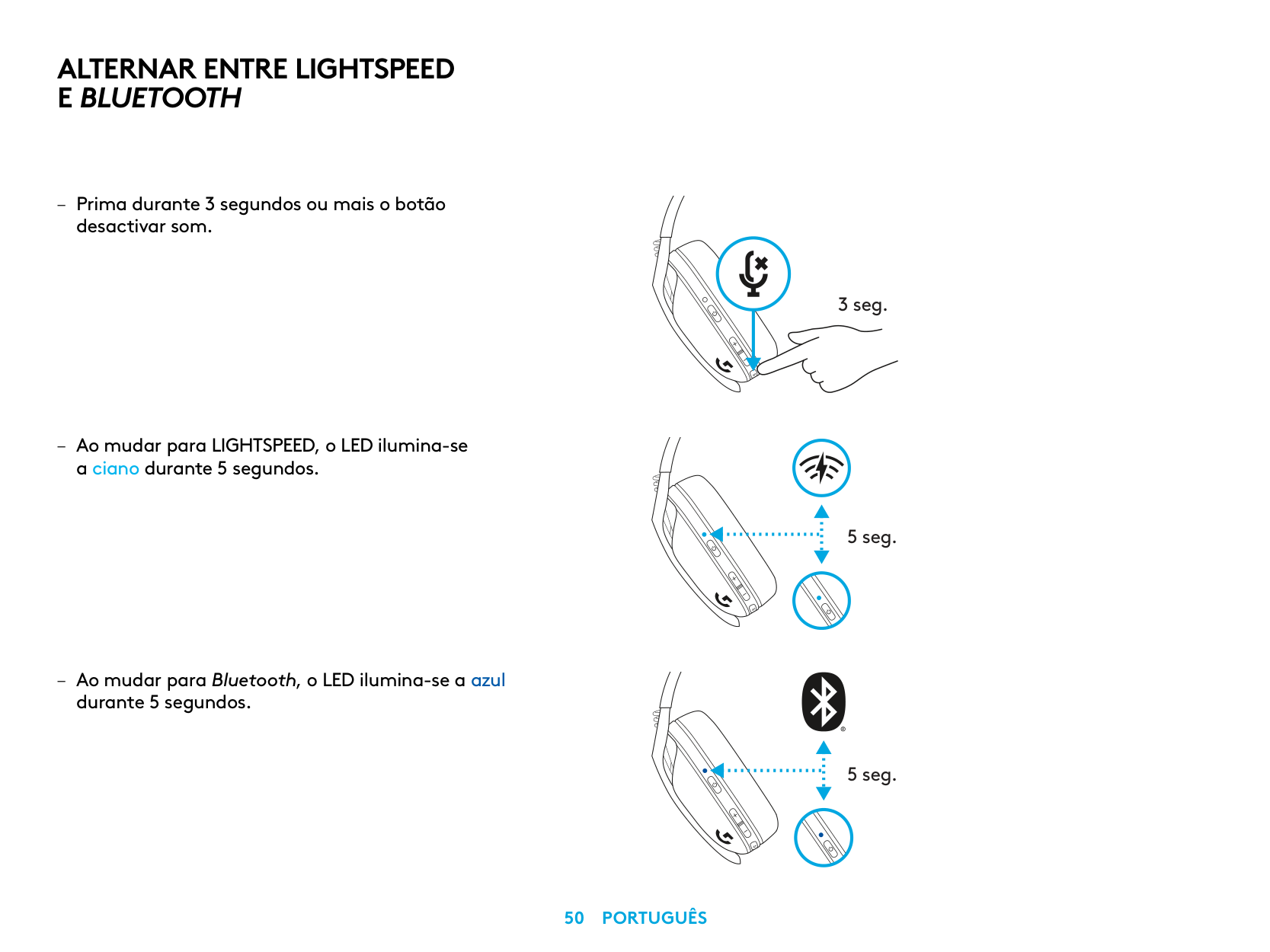
ALTERNAR ENTRE LIGHTSPEED E BLUETOOTH
– Prima durante 3 segundos ou mais o botão
desactivar som
– Ao mudar para LIGHTSPEED, o LED ilumina-se
a ciano durante 5 segundos
– Ao mudar para Bluetooth, o LED ilumina-se a azul
durante 5 segundos
3 seg.
5 seg.
5 seg.
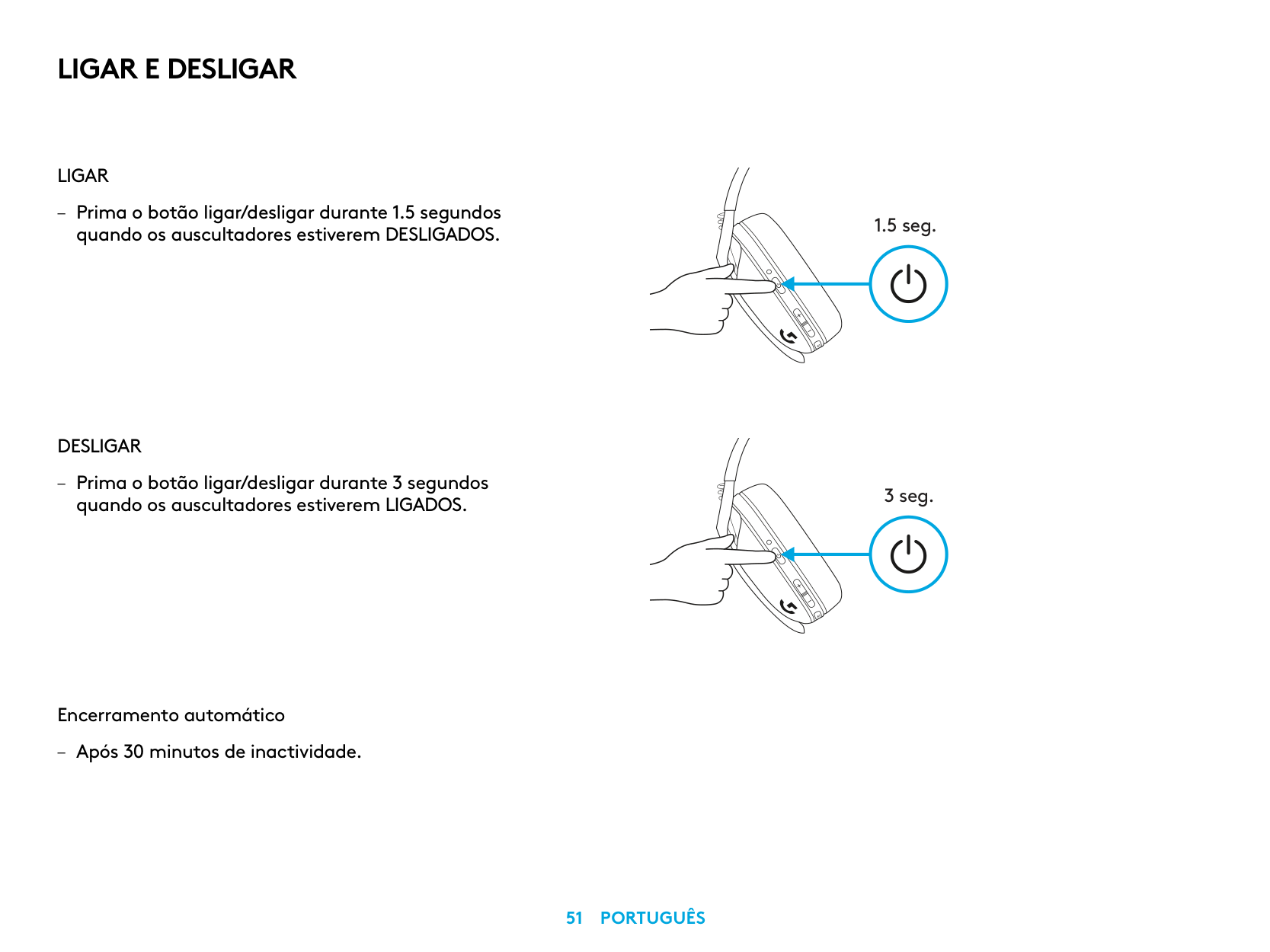
LIGAR E DESLIGAR
LIGAR
– Prima o botão ligar/desligar durante 1 5 segundos
quando os auscultadores estiverem DESLIGADOS
DESLIGAR
– Prima o botão ligar/desligar durante 3 segundos
quando os auscultadores estiverem LIGADOS
Encerramento automático
– Após 30 minutos de inactividade
1.5 seg.
3 seg.
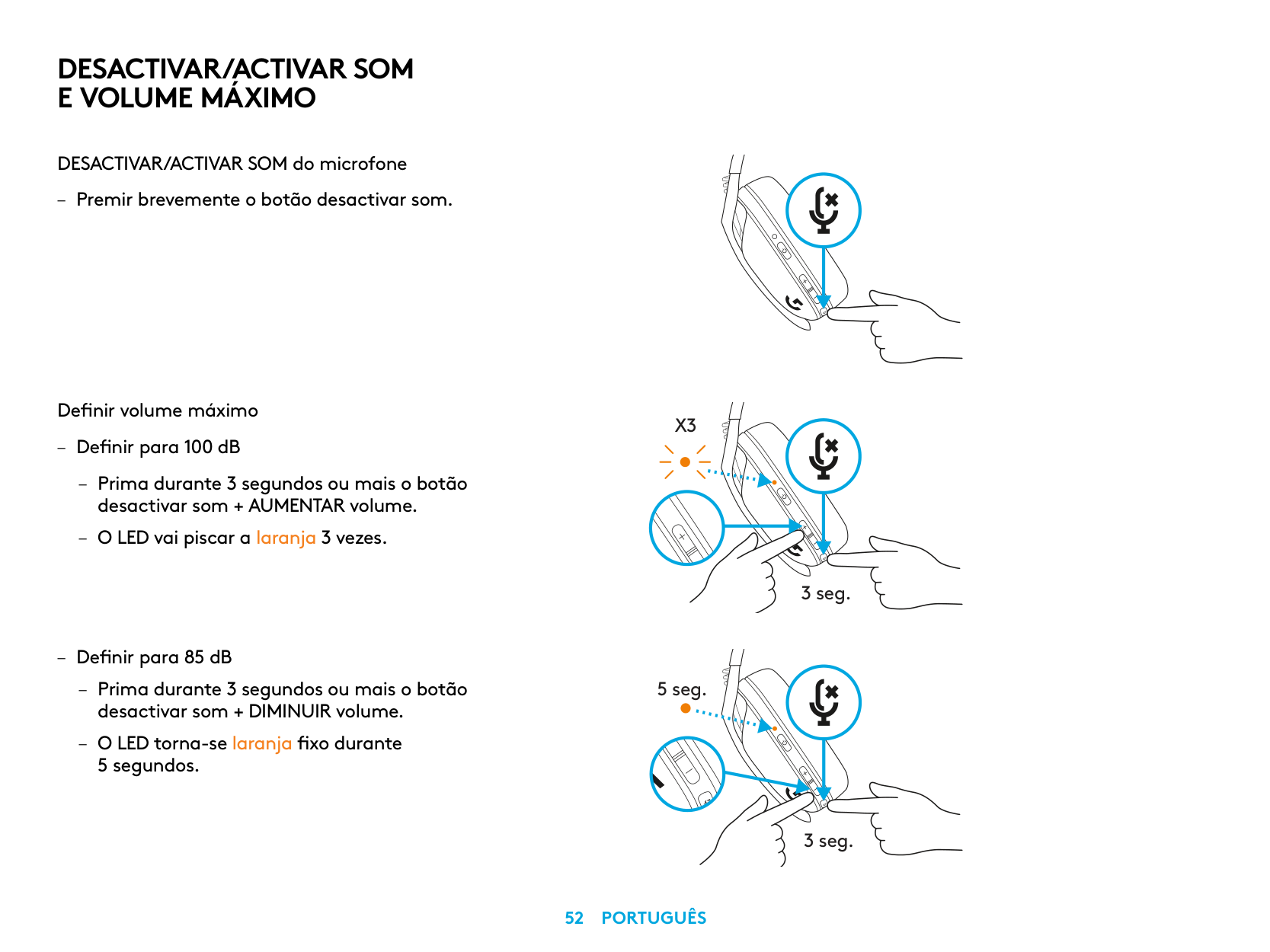
DESACTIVAR/ACTIVAR SOM E VOLUME MÁXIMO
DESACTIVAR/ACTIVAR SOM do microfone
– Premir brevemente o botão desactivar som
Definir volume máximo
– Definir para 100 dB
– Prima durante 3 segundos ou mais o botão
desactivar som + AUMENTAR volume
– O LED vai piscar a laranja 3 vezes
– Definir para 85 dB
– Prima durante 3 segundos ou mais o botão
desactivar som + DIMINUIR volume – O LED torna-se laranja fixo durante
5 segundos
X3
3 seg.
5 seg.
3 seg.
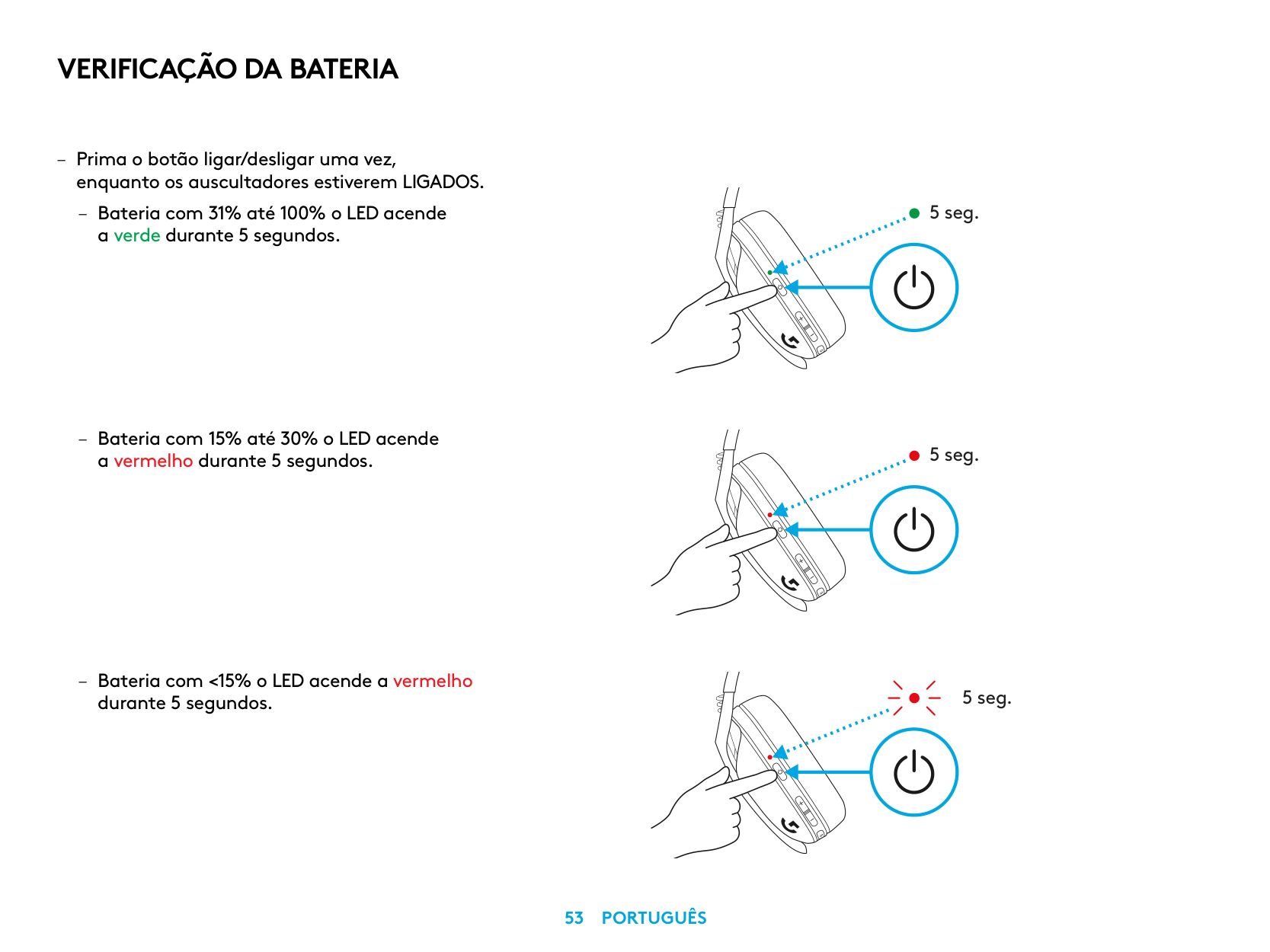
VERIFICAÇÃO DA BATERIA
– Prima o botão ligar/desligar uma vez,
enquanto os auscultadores estiverem LIGADOS
– Bateria com 31% até 100% o LED acende
a verde durante 5 segundos
– Bateria com 15% até 30% o LED acende
a vermelho durante 5 segundos
– Bateria com <15% o LED acende a vermelho
durante 5 segundos
5 seg.
5 seg.
5 seg.
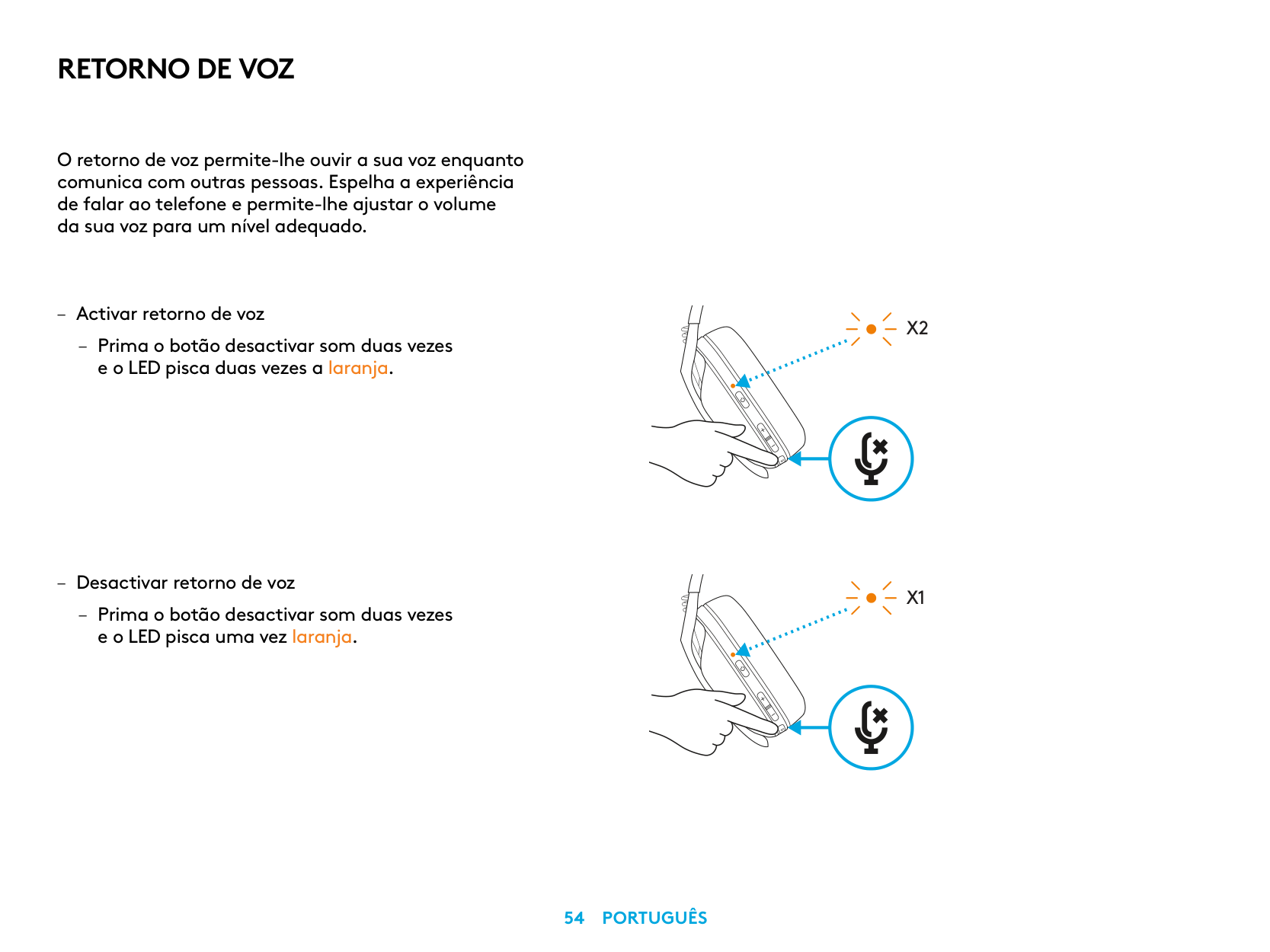
RETORNO DE VOZ
O retorno de voz permite-lhe ouvir a sua voz enquanto comunica com outras pessoas Espelha a experiência de falar ao telefone e permite-lhe ajustar o volume da sua voz para um nível adequado
– Activar retorno de voz
– Prima o botão desactivar som duas vezes
e o LED pisca duas vezes a laranja
– Desactivar retorno de voz
– Prima o botão desactivar som duas vezes
e o LED pisca uma vez laranja
X2
X1
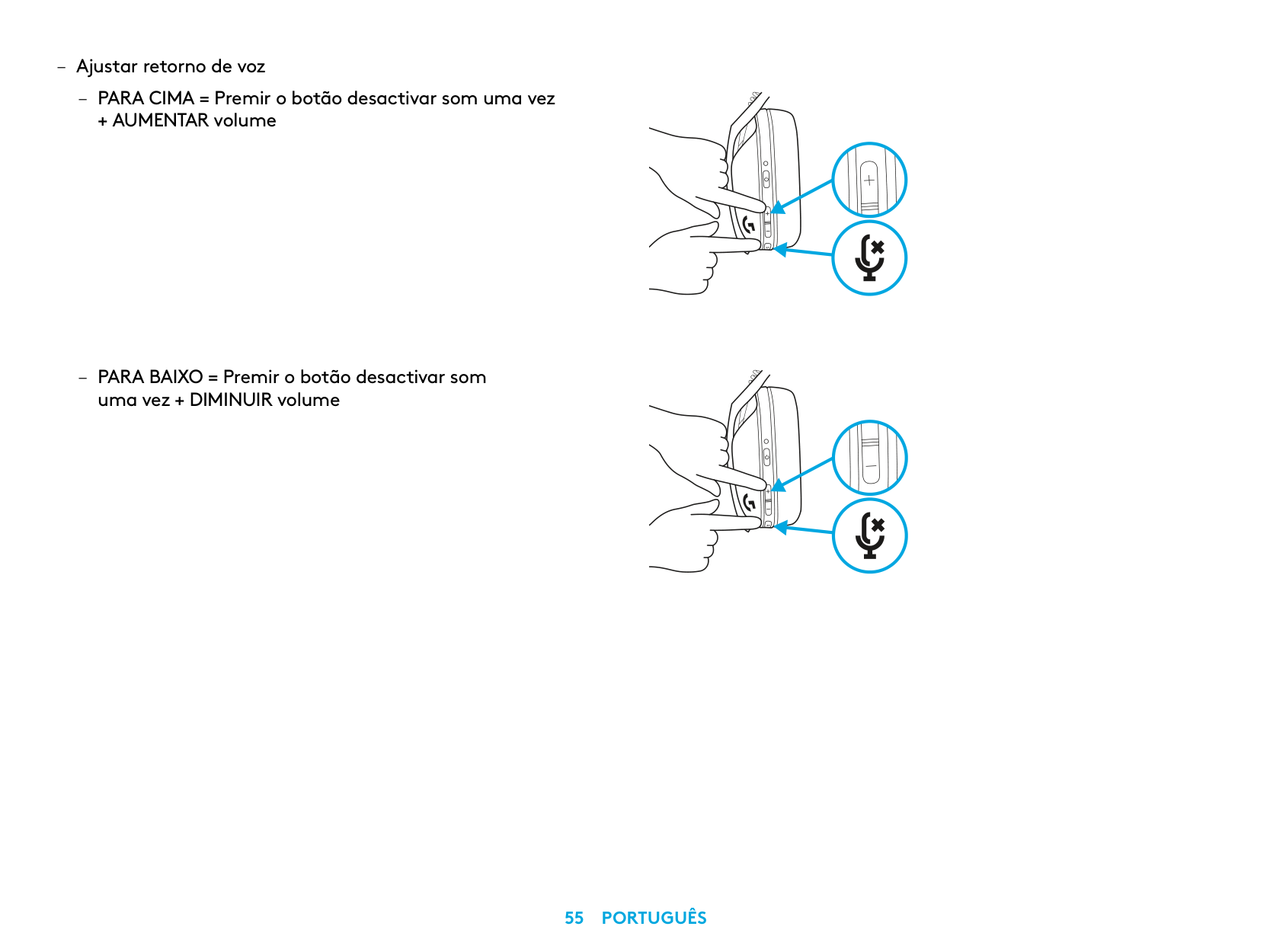
– Ajustar retorno de voz
– PARA CIMA = Premir o botão desactivar som uma vez
+ AUMENTAR volume
– PARA BAIXO = Premir o botão desactivar som
uma vez + DIMINUIR volume
PEÇAS SOBRESSALENTES
RECICLAGEM
Incentivamo-lo que revenda ou doe produtos que funcionem. Caso contrário, baterias, o equipamento eléctrico e electrónico não devem ser eliminados com os resíduos domésticos. Sempre que possível, devem ser separados e entregues num ponto de recolha apropriado para permitir a reciclagem e evitar possíveis impactos no meio ambiente e na saúde humana. Para obter mais informações, contacte as autoridades locais, o local de compra ou visite www.logitech.com/recycling
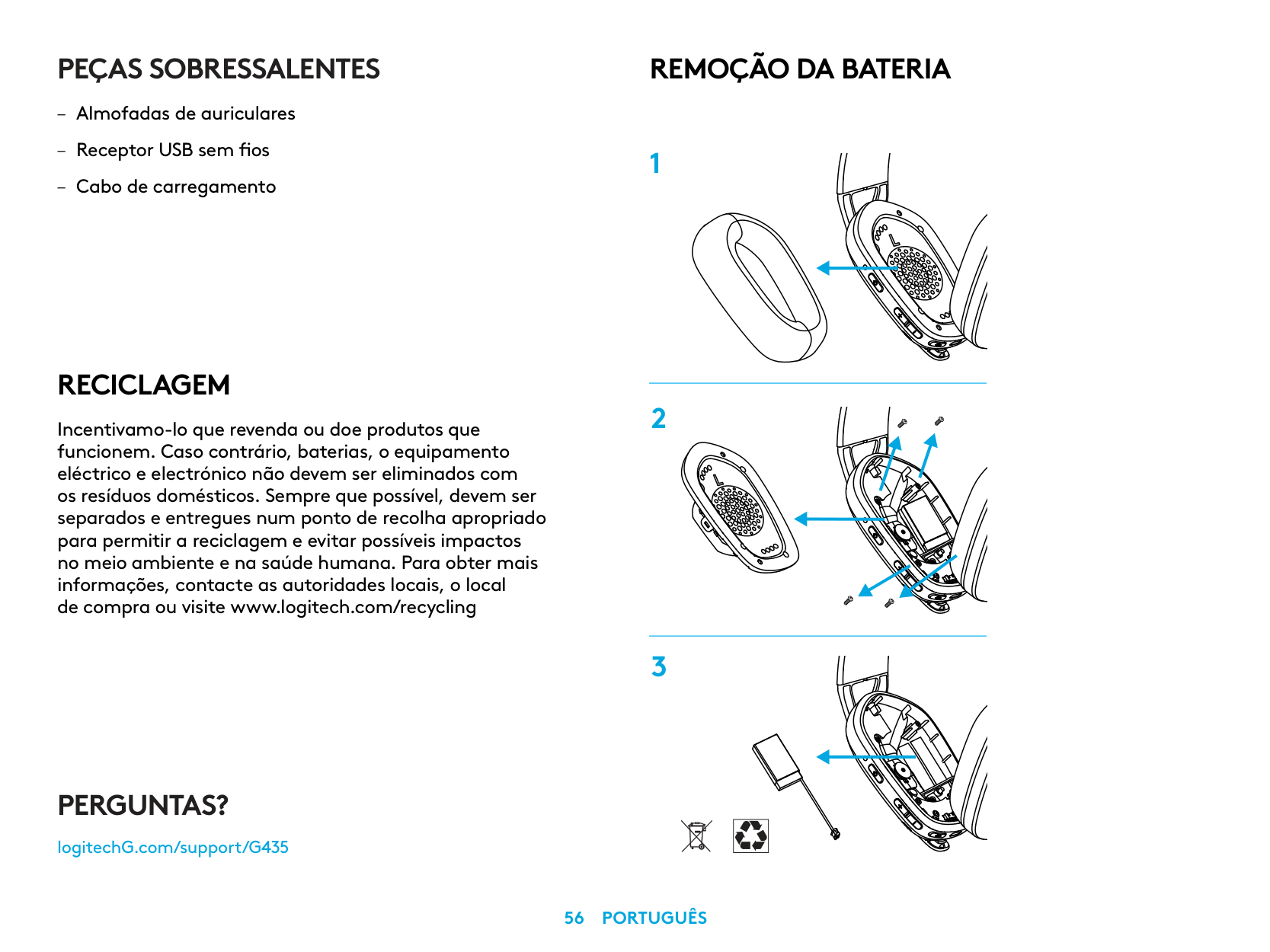
REMOÇÃO DA BATERIA
PERGUNTAS?
logitechG.com/support/G435
| | |---|
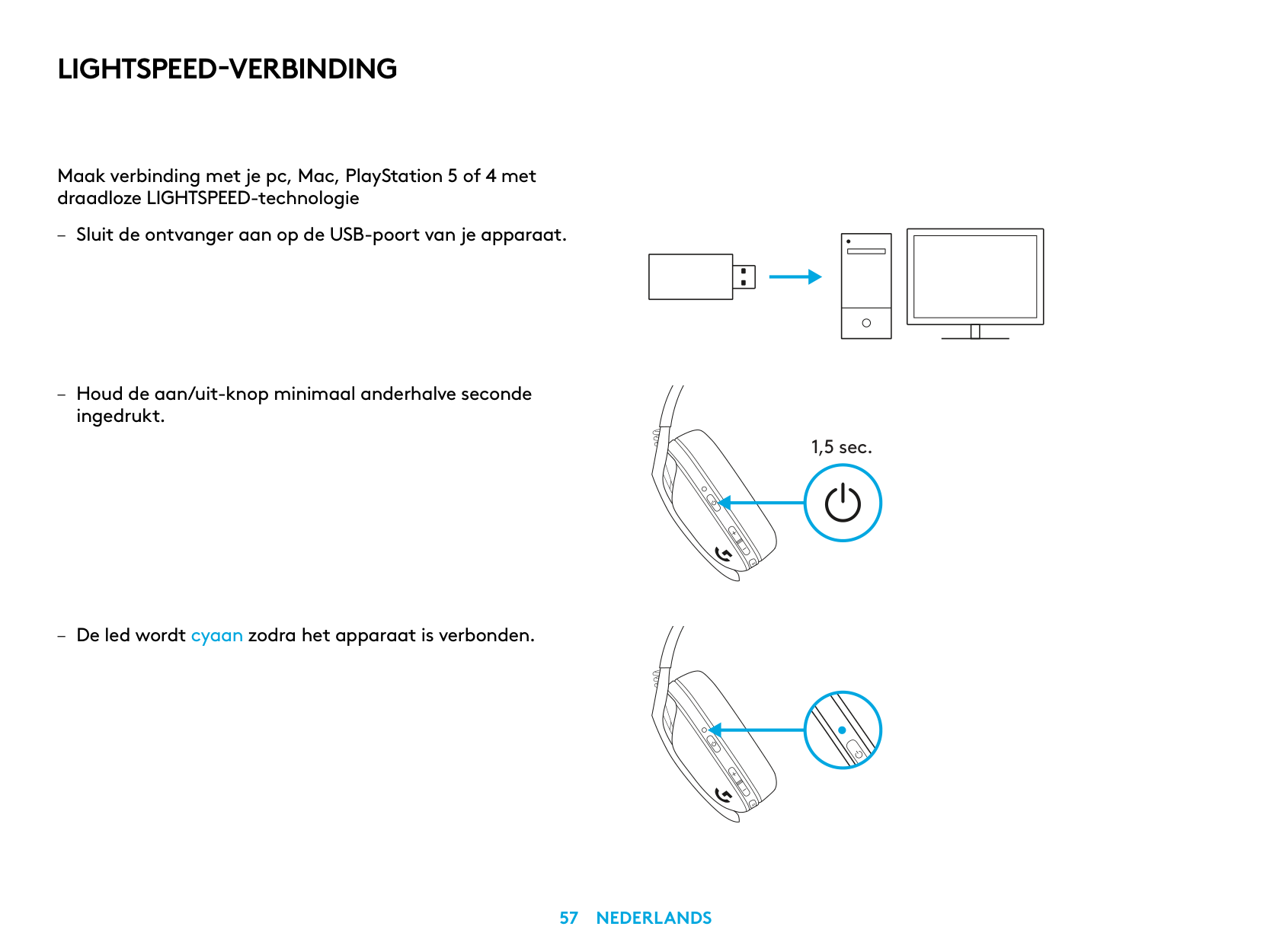
LIGHTSPEED-VERBINDING
Maak verbinding met je pc, Mac, PlayStation 5 of 4 met draadloze LIGHTSPEED-technologie
ingedrukt
– De led wordt cyaan zodra het apparaat is verbonden
| | | | |---|---|---| | | | |
| | |---| | |
| | | |---|---| | | | | | |
1,5 sec.
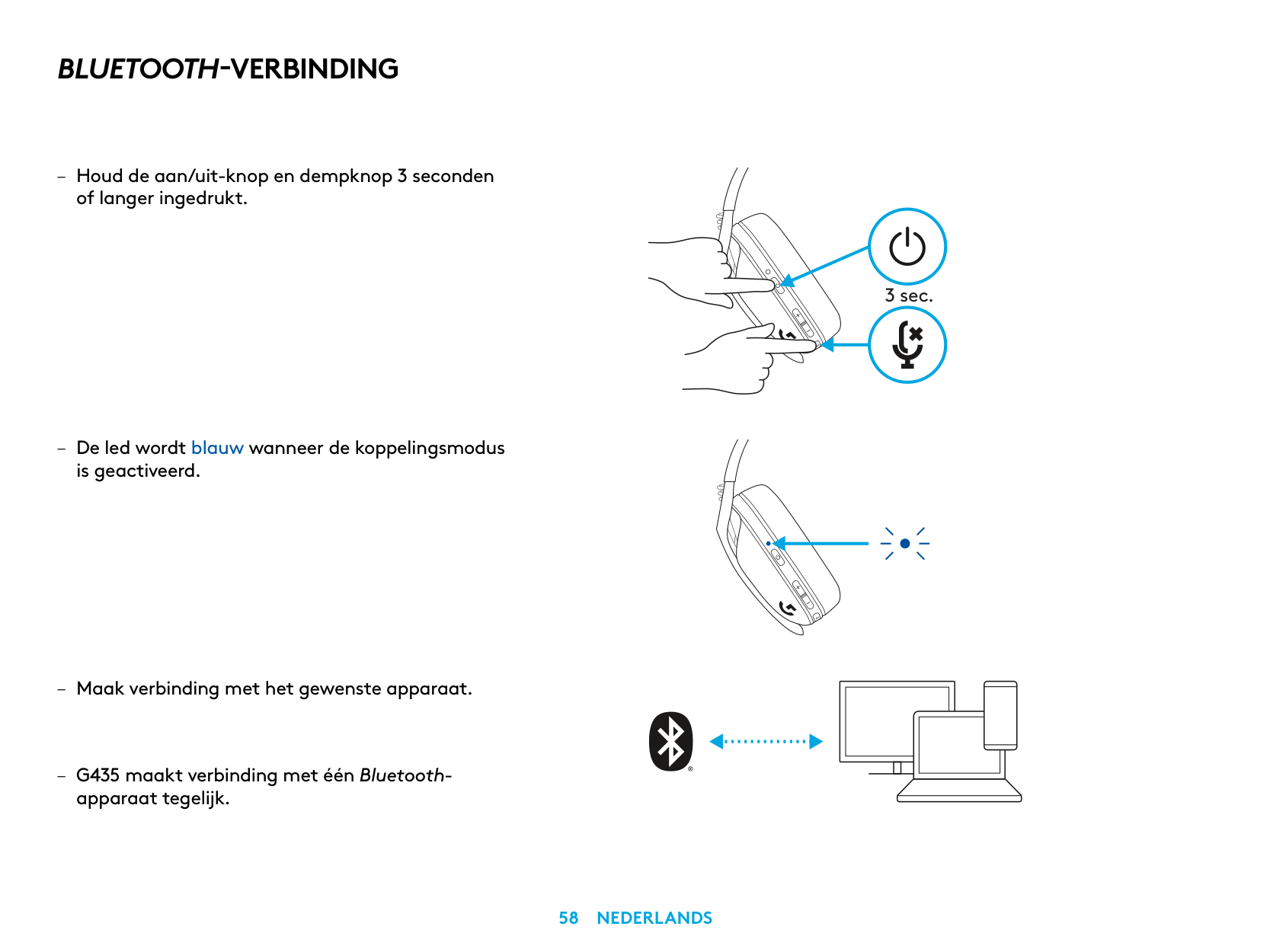
BLUETOOTH-VERBINDING
is geactiveerd
apparaat tegelijk
3 sec.
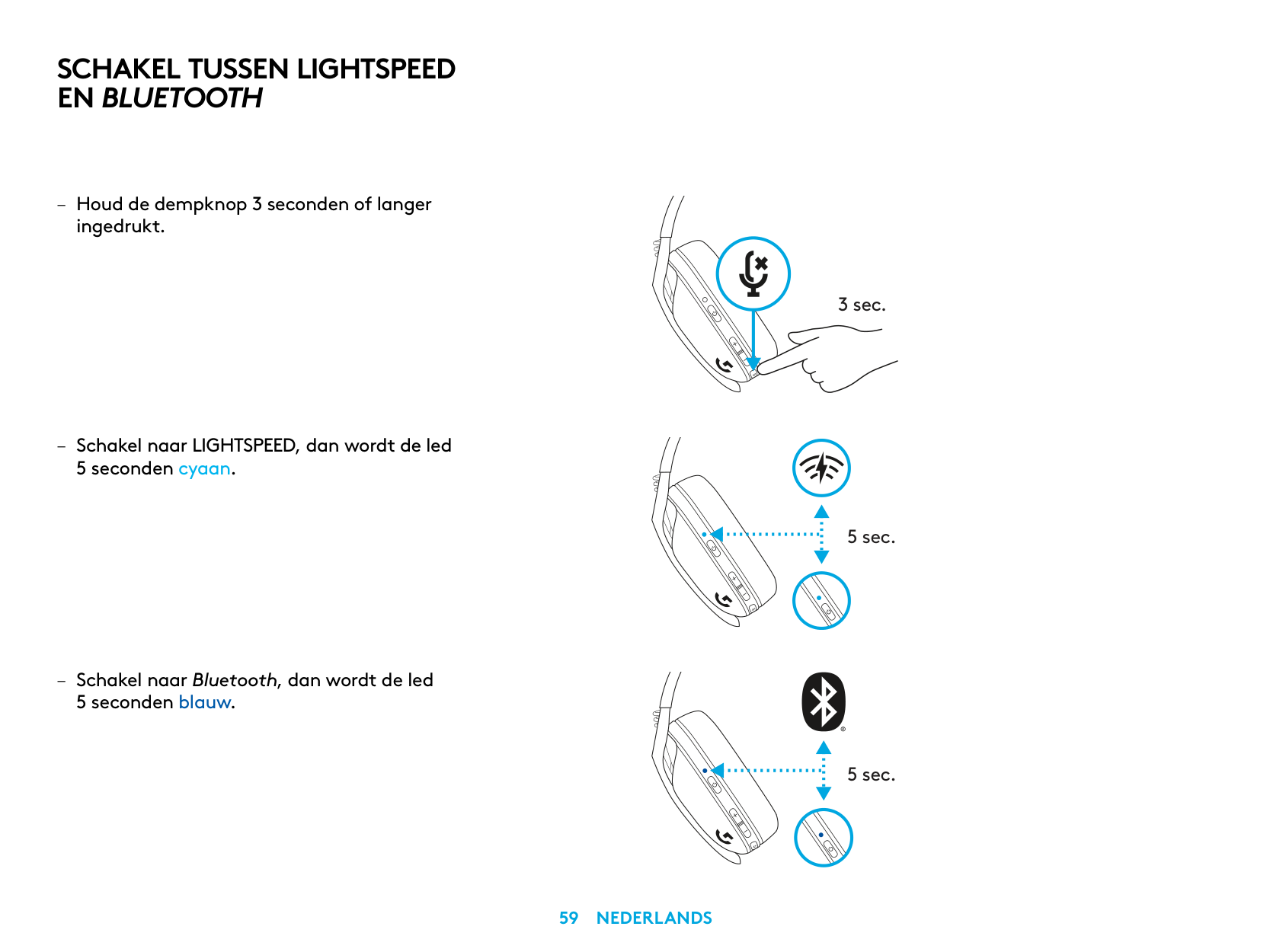
SCHAKEL TUSSEN LIGHTSPEED EN BLUETOOTH
– Houd de dempknop 3 seconden of langer
ingedrukt
– Schakel naar LIGHTSPEED, dan wordt de led
5 seconden cyaan
– Schakel naar Bluetooth, dan wordt de led
5 seconden blauw
3 sec.
5 sec.
5 sec.
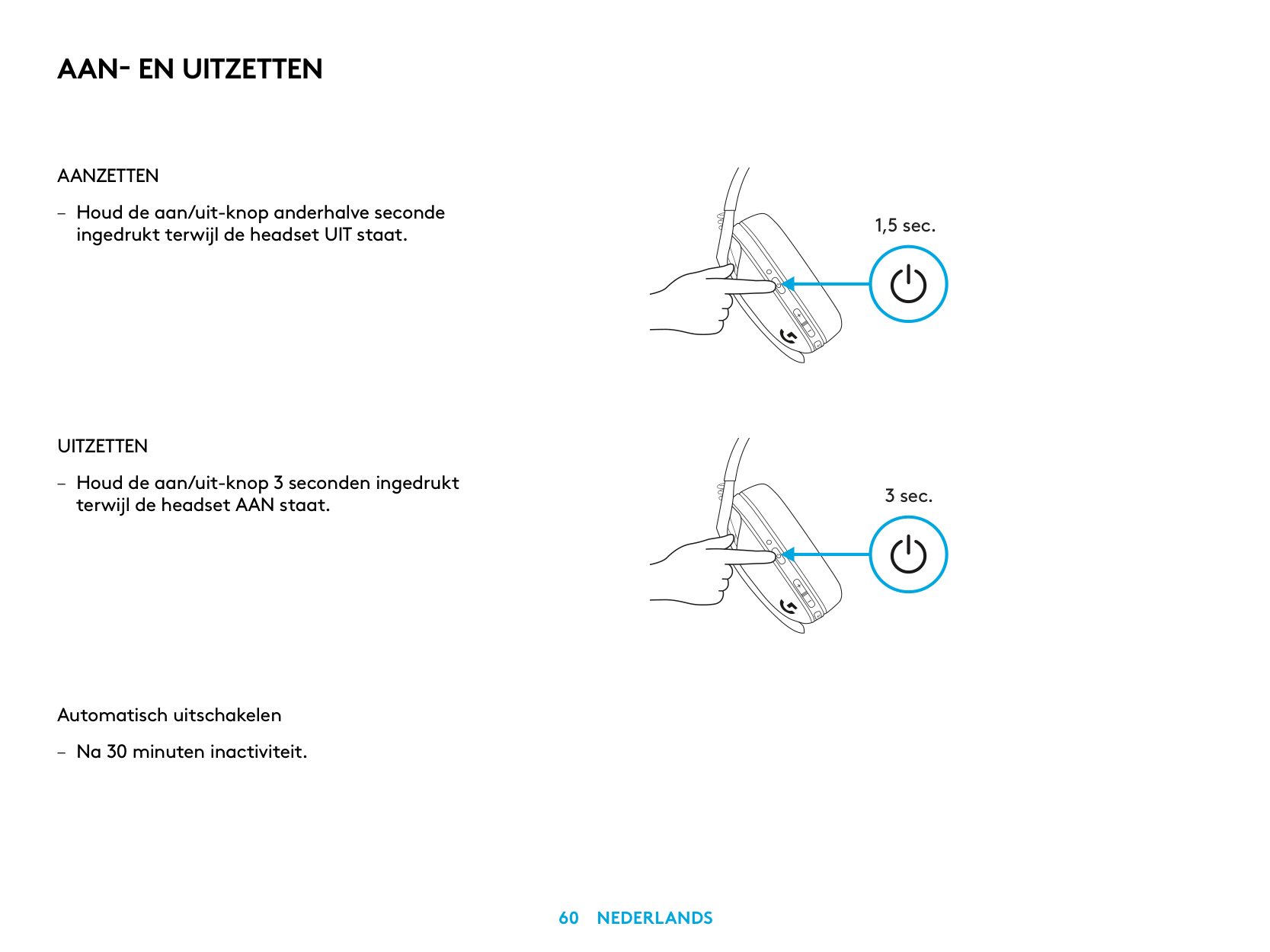
AAN- EN UITZETTEN
AANZETTEN
– Houd de aan/uit-knop anderhalve seconde
ingedrukt terwijl de headset UIT staat
UITZETTEN
– Houd de aan/uit-knop 3 seconden ingedrukt
terwijl de headset AAN staat
Automatisch uitschakelen
– Na 30 minuten inactiviteit
1,5 sec.
3 sec.
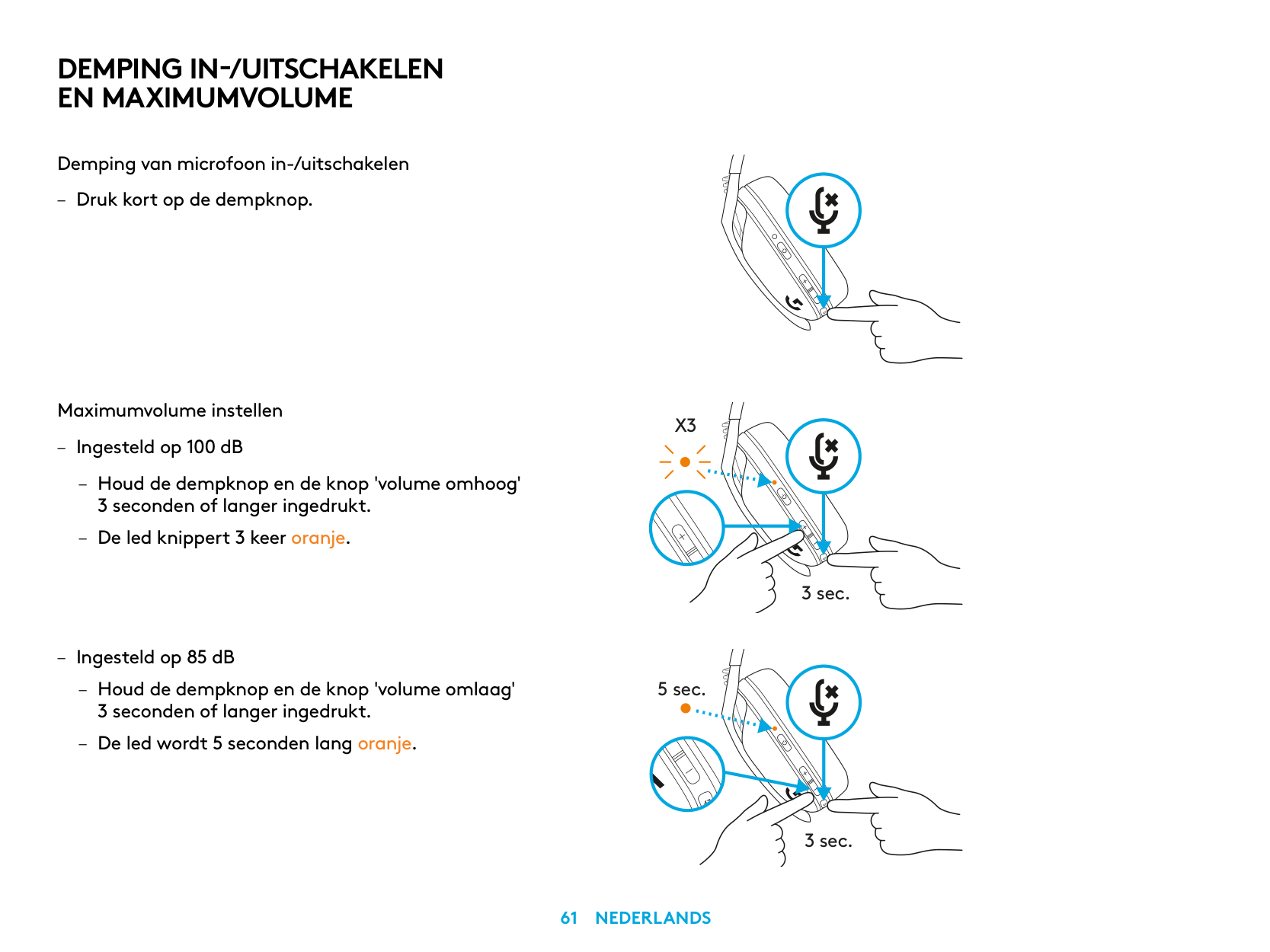
DEMPING IN-/UITSCHAKELEN EN MAXIMUMVOLUME
Demping van microfoon in-/uitschakelen
– Druk kort op de dempknop
Maximumvolume instellen
X3
– Ingesteld op 100 dB
– Houd de dempknop en de knop 'volume omhoog'
3 seconden of langer ingedrukt
– De led knippert 3 keer oranje
3 sec.
– Ingesteld op 85 dB
– Houd de dempknop en de knop 'volume omlaag'
5 sec.
3 seconden of langer ingedrukt
– De led wordt 5 seconden lang oranje
3 sec.
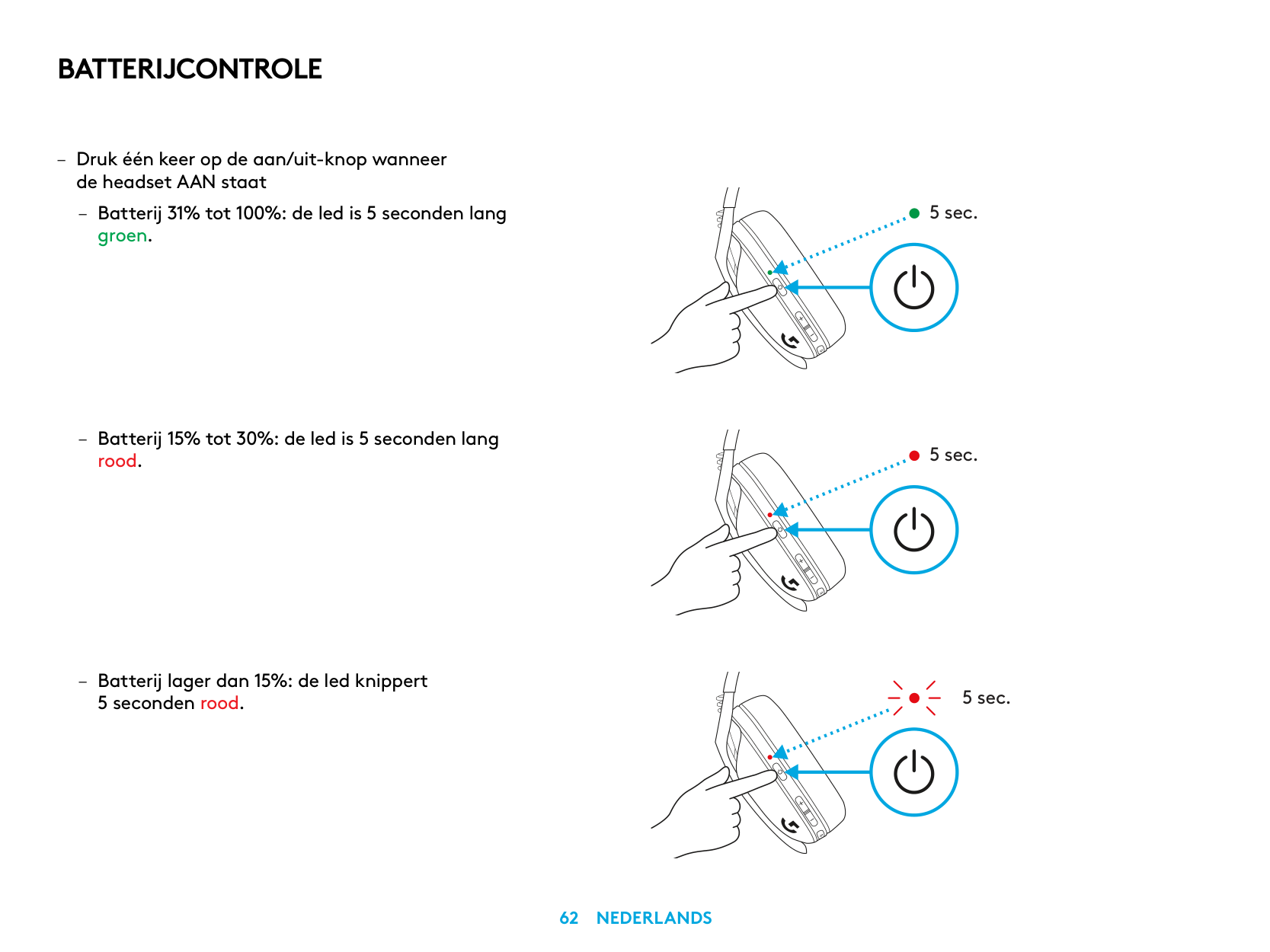
BATTERIJCONTROLE
– Druk één keer op de aan/uit-knop wanneer
de headset AAN staat
– Batterij 31% tot 100%: de led is 5 seconden lang
groen
– Batterij 15% tot 30%: de led is 5 seconden lang
rood
– Batterij lager dan 15%: de led knippert
5 seconden rood
5 sec.
5 sec.
5 sec.
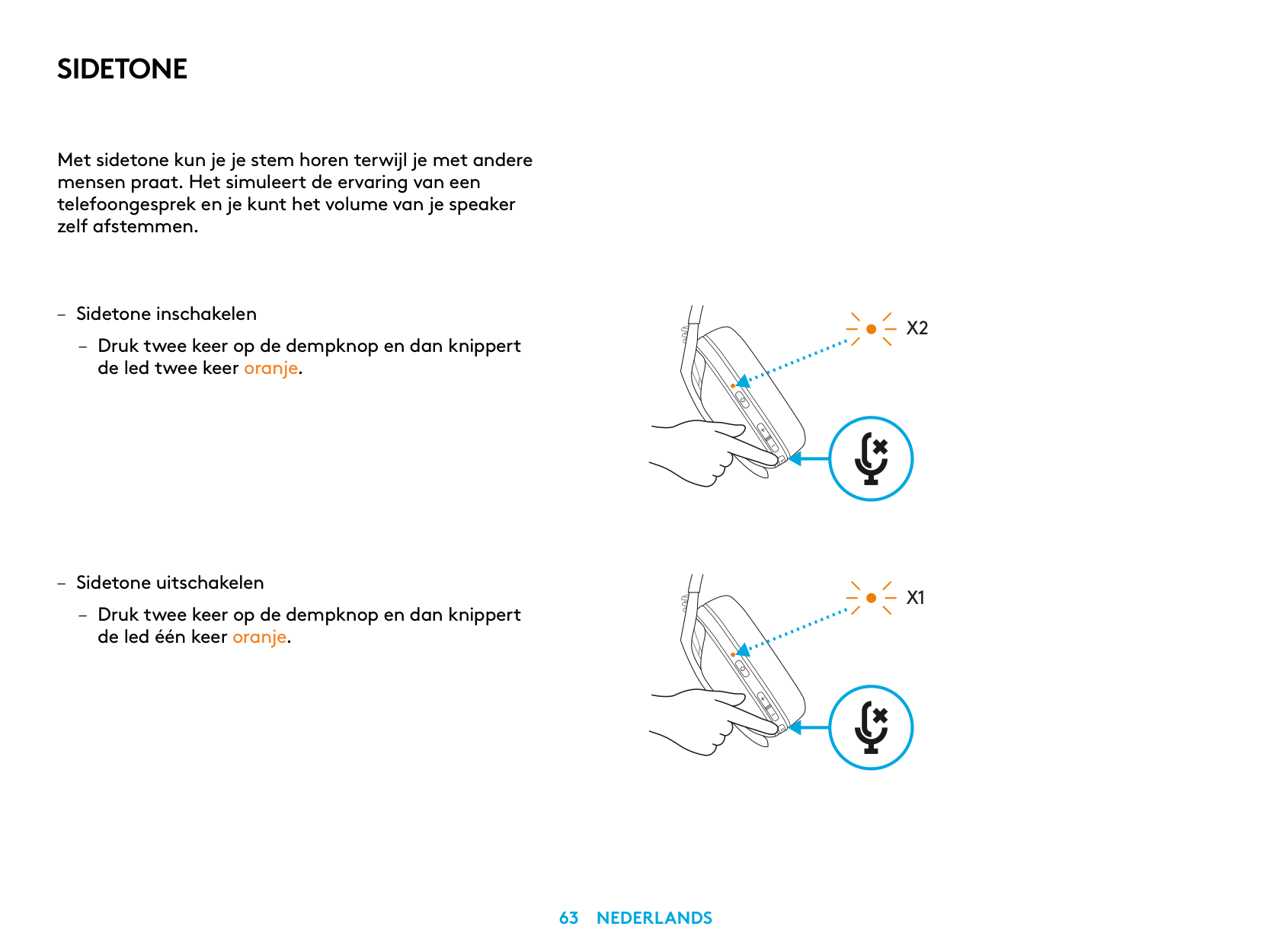
SIDETONE
Met sidetone kun je je stem horen terwijl je met andere mensen praat Het simuleert de ervaring van een telefoongesprek en je kunt het volume van je speaker zelf afstemmen
– Sidetone inschakelen
– Druk twee keer op de dempknop en dan knippert
de led twee keer oranje
– Sidetone uitschakelen
– Druk twee keer op de dempknop en dan knippert
de led één keer oranje
X2
X1
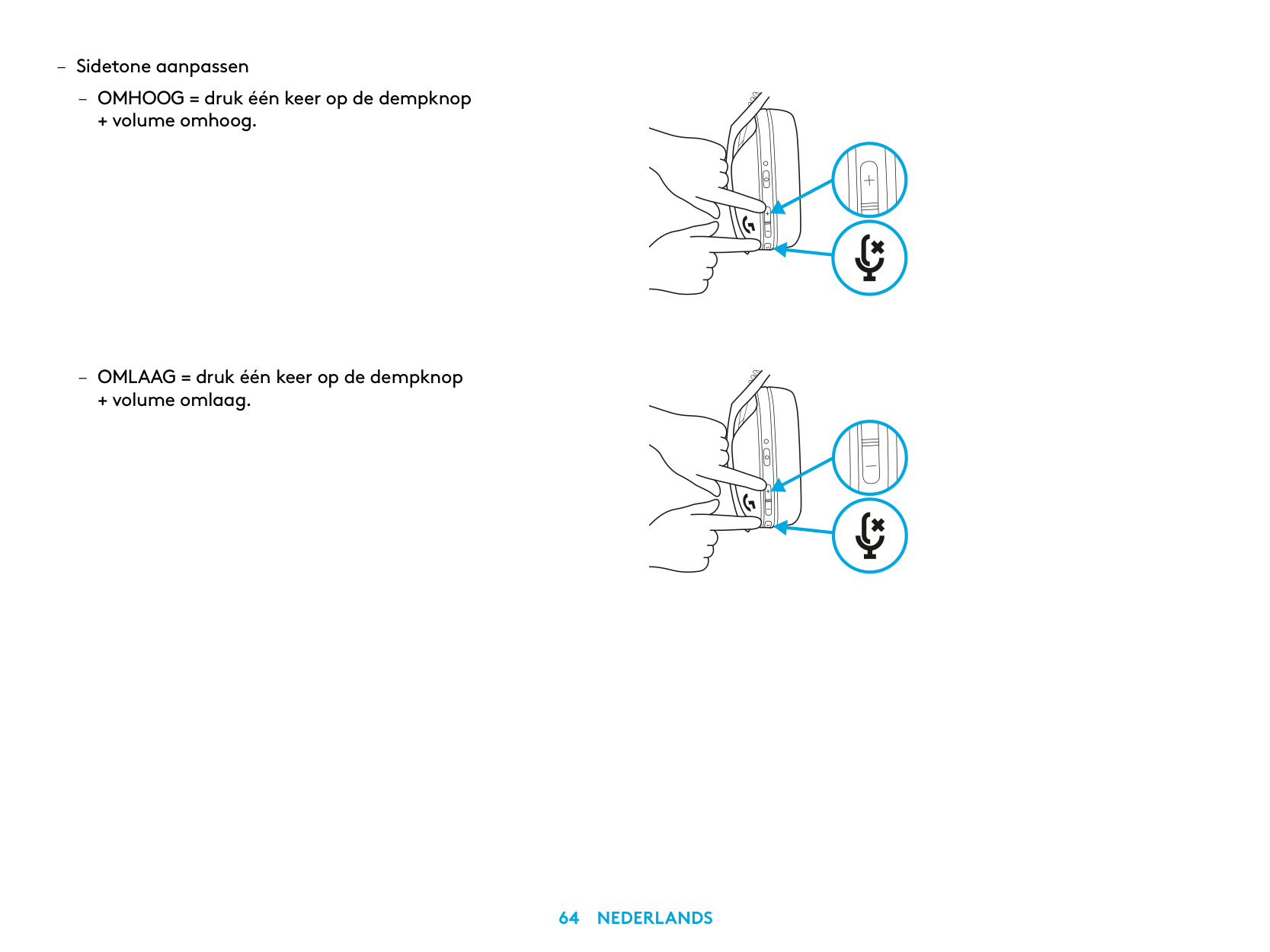
– Sidetone aanpassen
– OMHOOG = druk één keer op de dempknop
+ volume omhoog
– OMLAAG = druk één keer op de dempknop
+ volume omlaag
RESERVEONDERDELEN
RECYCLING
We moedigen je aan om werkende producten door te verkopen of te doneren. In alle andere gevallen mogen batterijen en elektronische en elektrische apparatuur niet worden behandeld als huishoudelijk afval. Waar mogelijk moeten ze worden gescheiden en naar een geschikt inzamelpunt voor recycling worden gebracht om mogelijke gevolgen voor het milieu en de volksgezondheid te voorkomen. Ga voor meer informatie naar www.logitech.com/recycling of neem contact op met de gemeente of de winkel waar je het product hebt gekocht
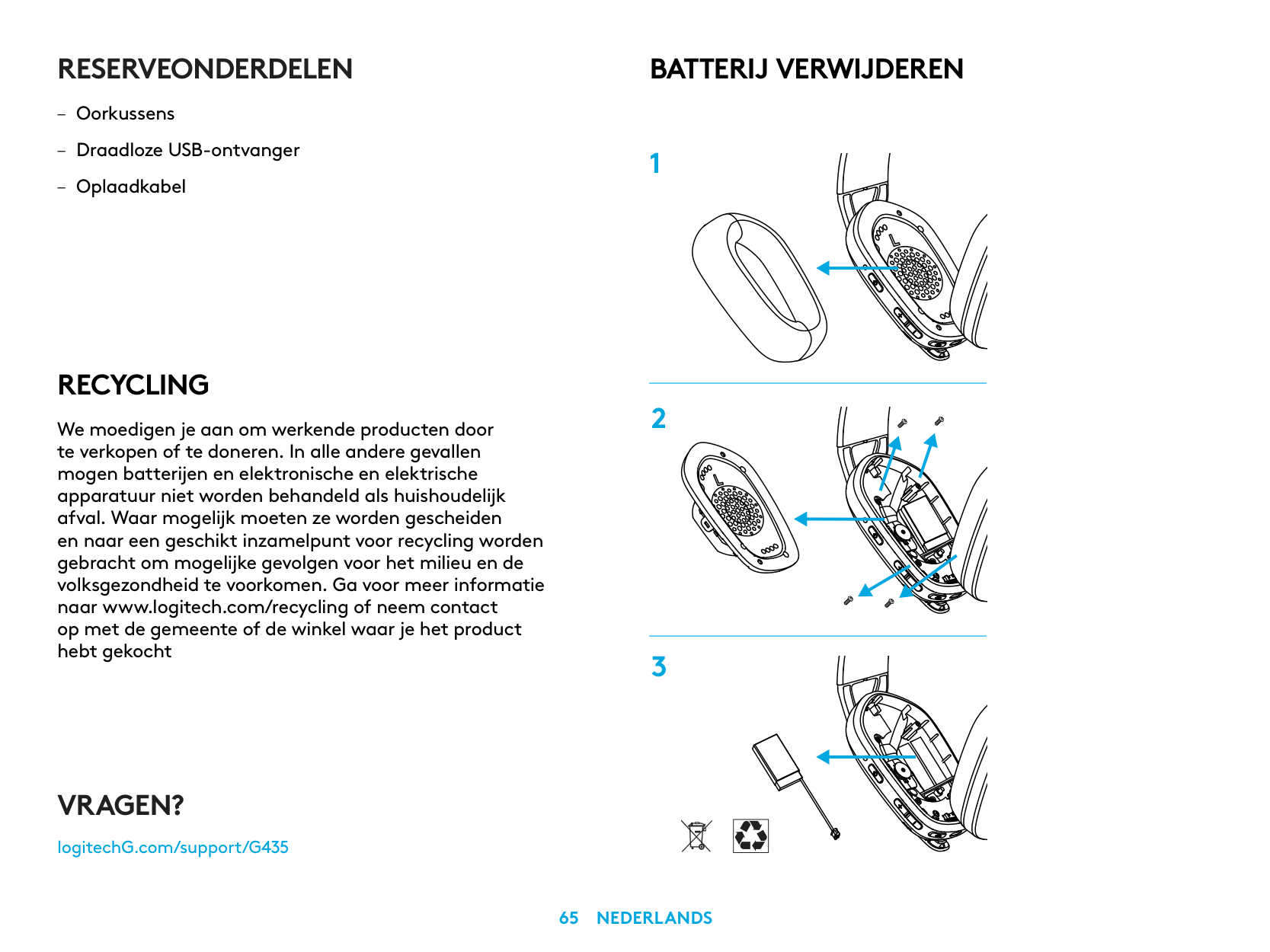
BATTERIJ VERWIJDEREN
VRAGEN?
logitechG.com/support/G435
| | |---|
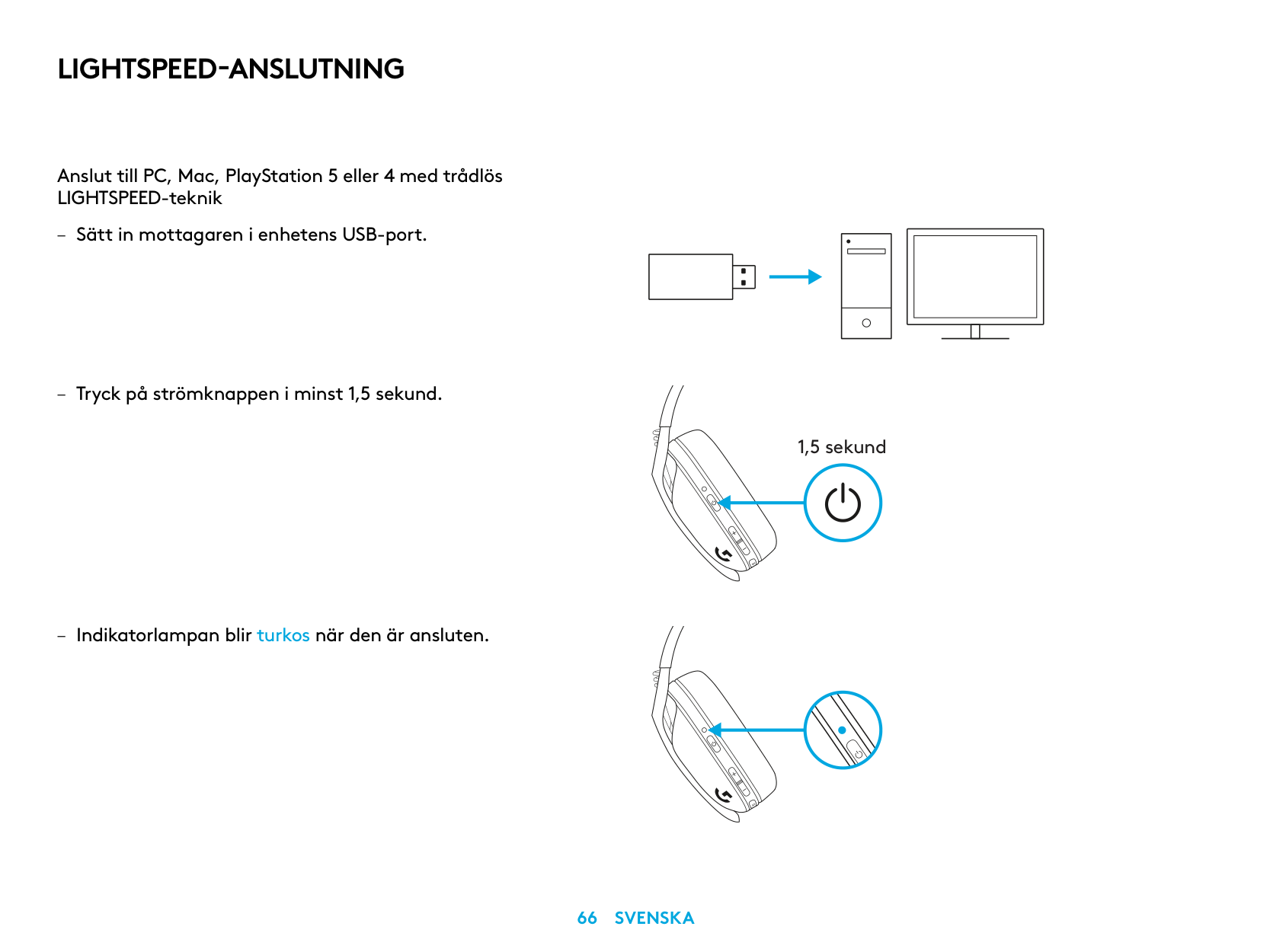
LIGHTSPEED-ANSLUTNING
Anslut till PC, Mac, PlayStation 5 eller 4 med trådlös LIGHTSPEED-teknik
| | | |---|---| | | | | | |
| | | | |---|---|---| | | | |
| | |---| | |
1,5 sekund
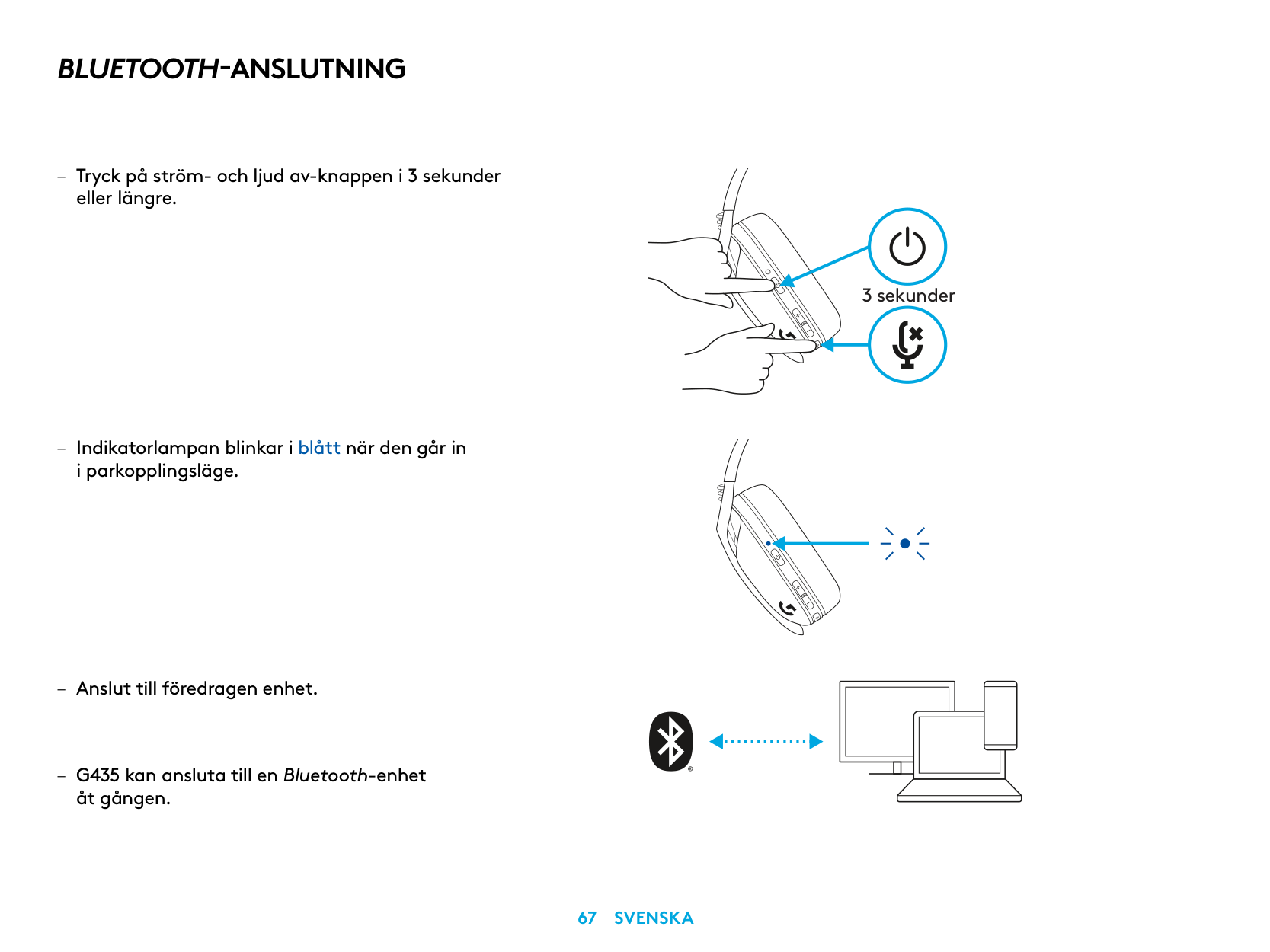
BLUETOOTH-ANSLUTNING
– Tryck på ström- och ljud av-knappen i 3 sekunder
eller längre
– Indikatorlampan blinkar i blått när den går in
i parkopplingsläge
åt gången
3 sekunder
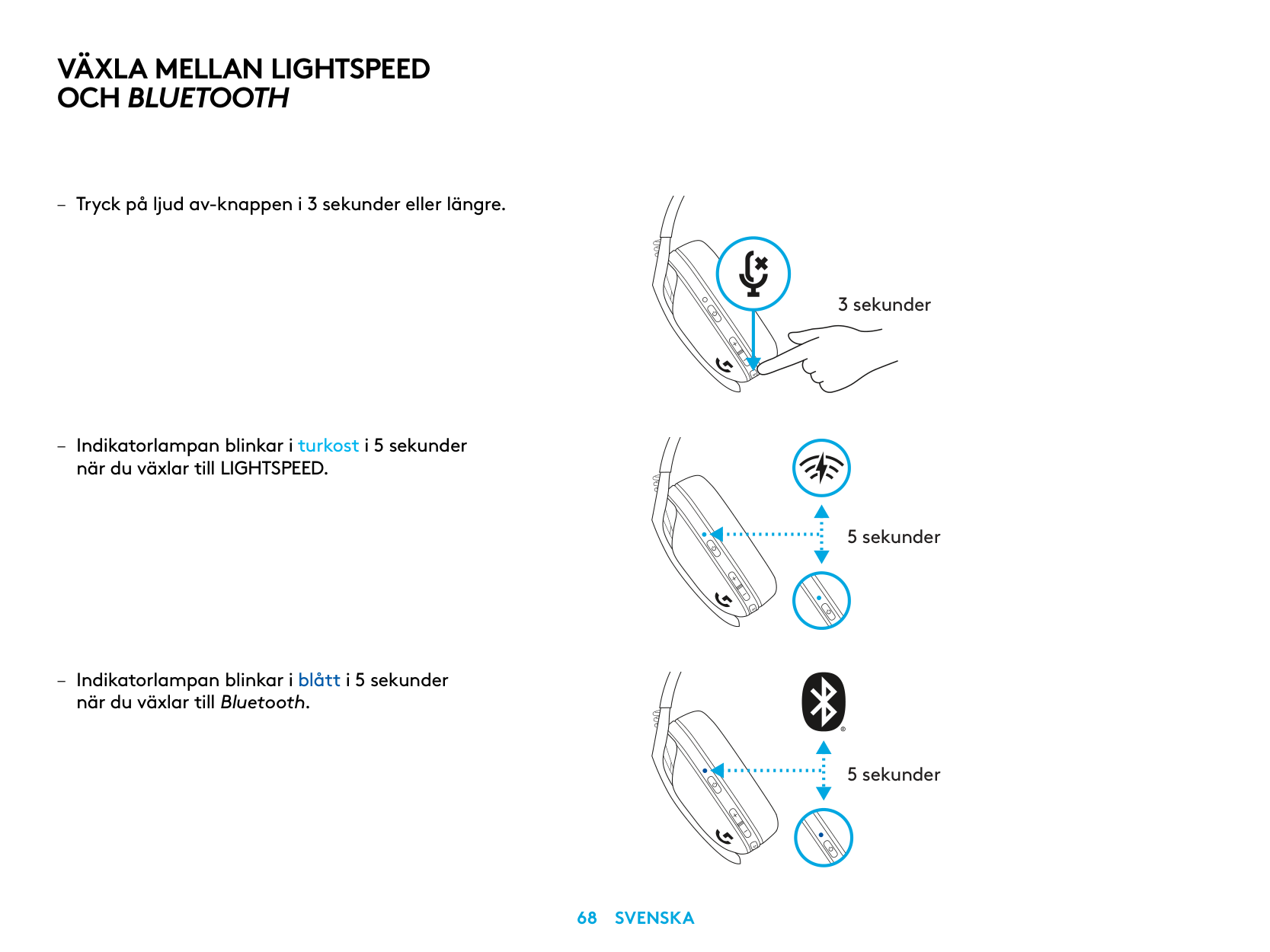
VÄXLA MELLAN LIGHTSPEED OCH BLUETOOTH
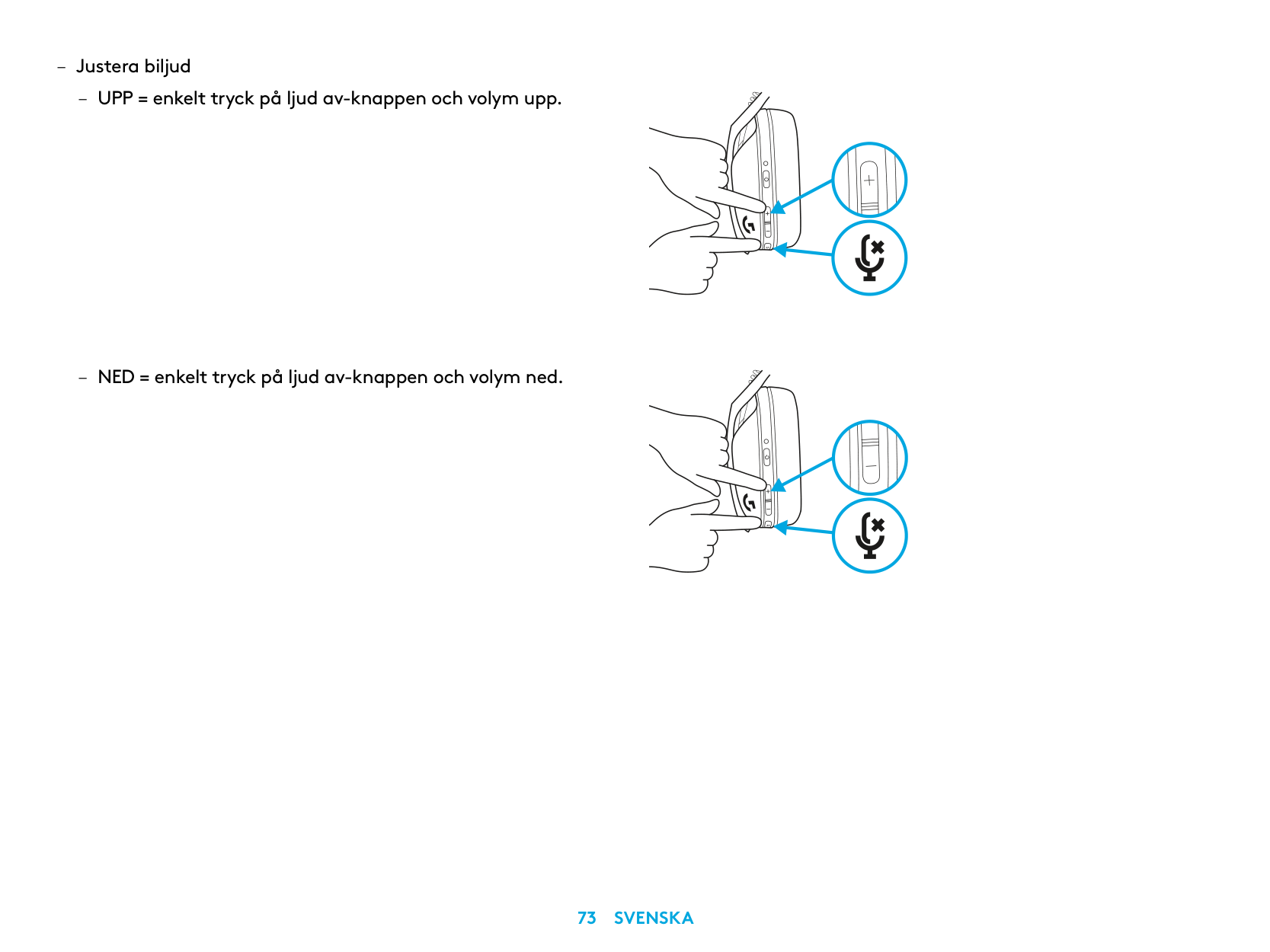
när du växlar till LIGHTSPEED
– Indikatorlampan blinkar i blått i 5 sekunder
när du växlar till Bluetooth
3 sekunder
5 sekunder
5 sekunder
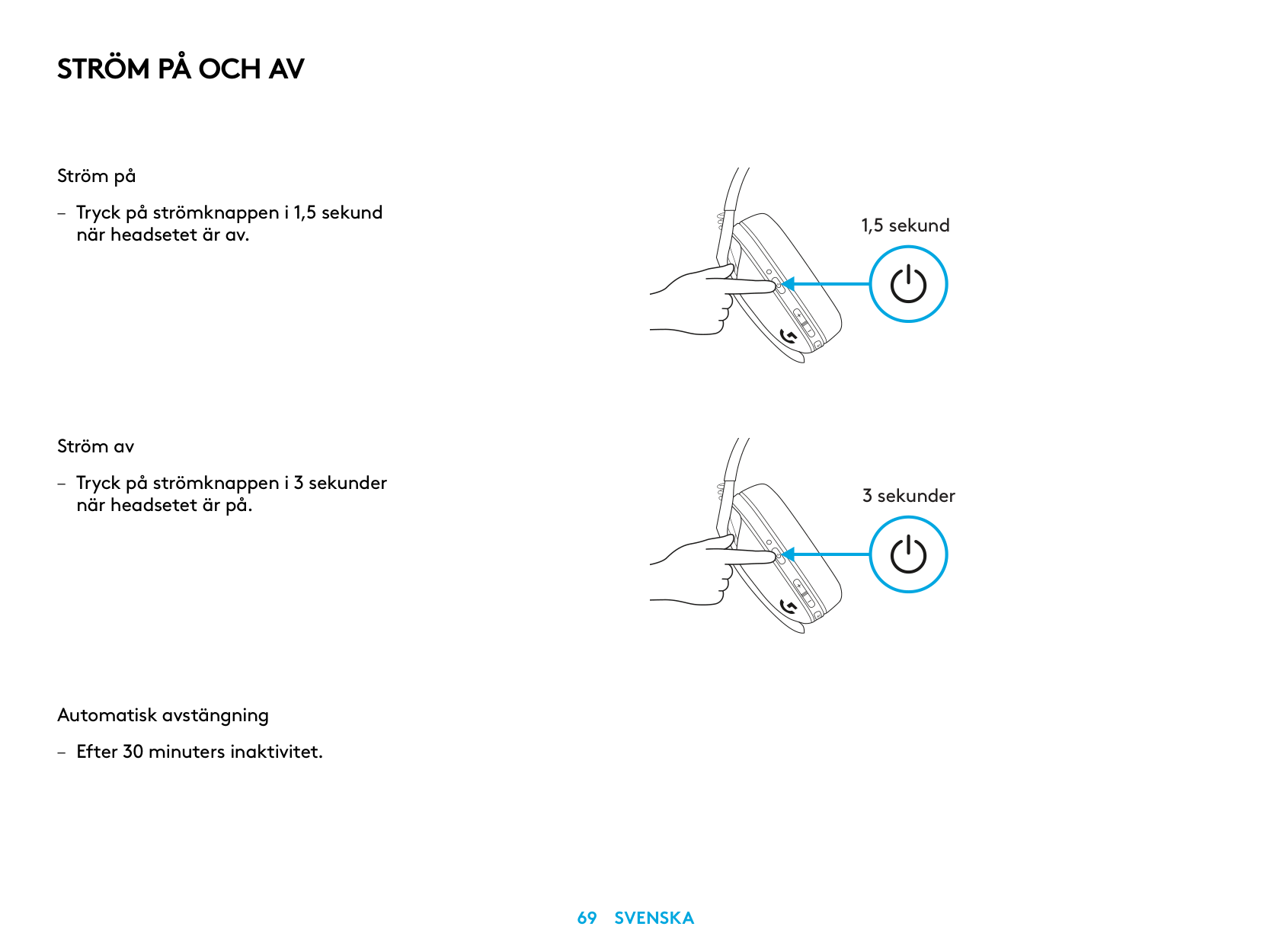
STRÖM PÅ OCH AV
Ström på
– Tryck på strömknappen i 1,5 sekund
när headsetet är av
Ström av
– Tryck på strömknappen i 3 sekunder
när headsetet är på
Automatisk avstängning
– Efter 30 minuters inaktivitet
1,5 sekund
3 sekunder
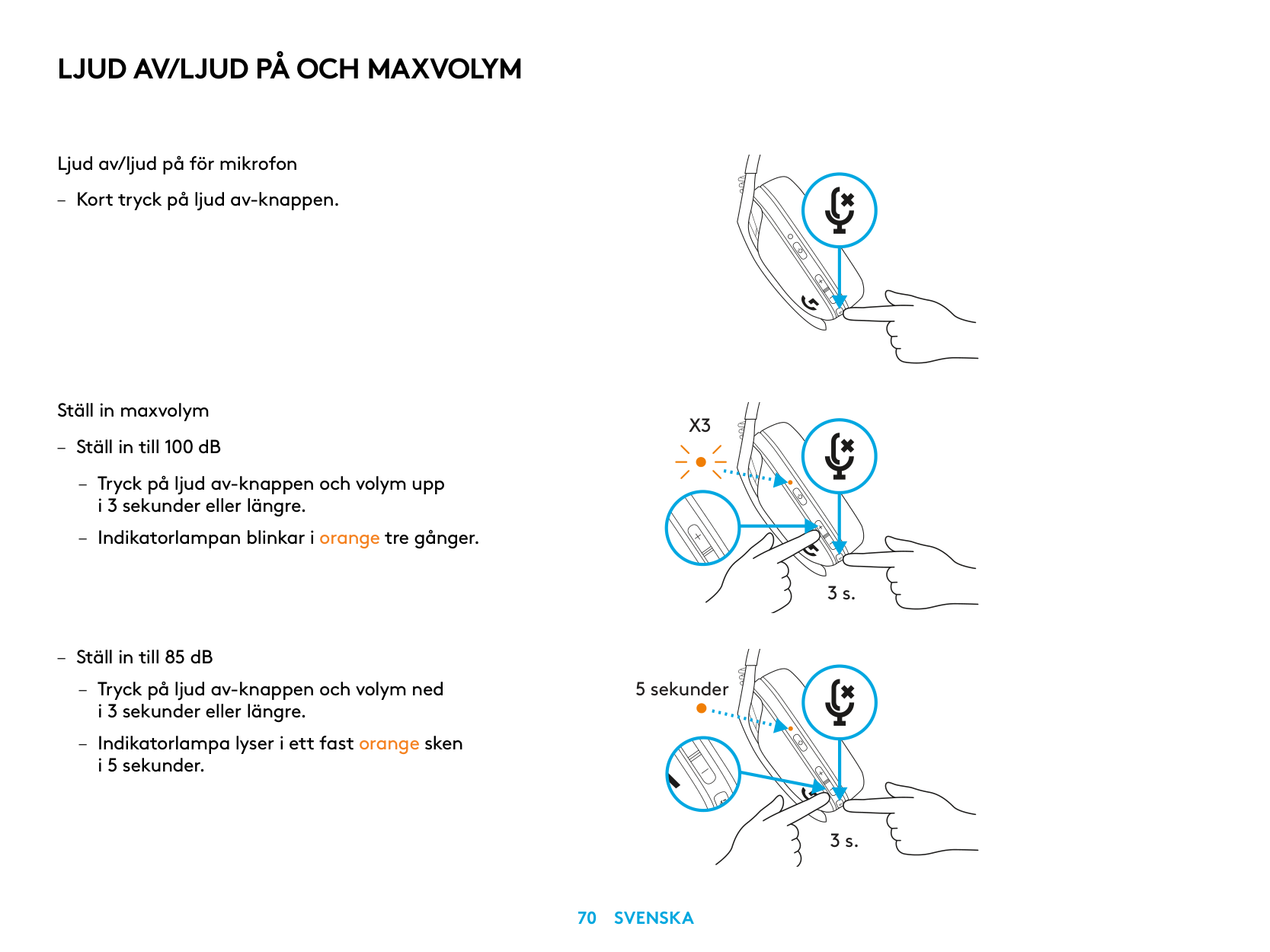
LJUD AV/LJUD PÅ OCH MAXVOLYM
Ljud av/ljud på för mikrofon
– Kort tryck på ljud av-knappen
Ställ in maxvolym
X3
– Ställ in till 100 dB
– Tryck på ljud av-knappen och volym upp
i 3 sekunder eller längre
– Indikatorlampan blinkar i orange tre gånger
3 s.
– Ställ in till 85 dB
– Tryck på ljud av-knappen och volym ned
5 sekunder
i 3 sekunder eller längre
– Indikatorlampa lyser i ett fast orange sken
i 5 sekunder
3 s.
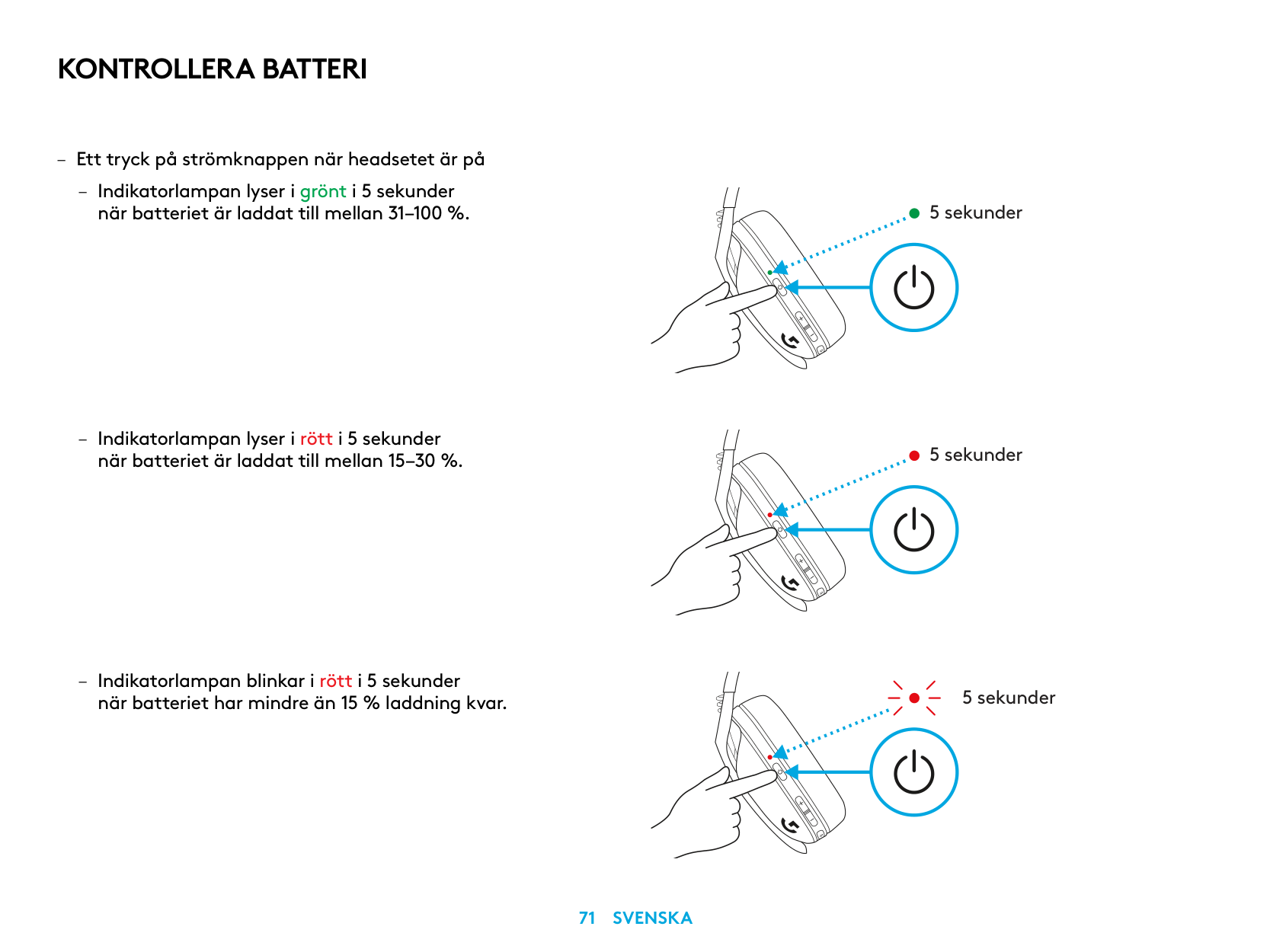
KONTROLLERA BATTERI
– Ett tryck på strömknappen när headsetet är på
– Indikatorlampan lyser i grönt i 5 sekunder
när batteriet är laddat till mellan 31–100 %
– Indikatorlampan lyser i rött i 5 sekunder
när batteriet är laddat till mellan 15–30 %
– Indikatorlampan blinkar i rött i 5 sekunder
när batteriet har mindre än 15 % laddning kvar
5 sekunder
5 sekunder
5 sekunder
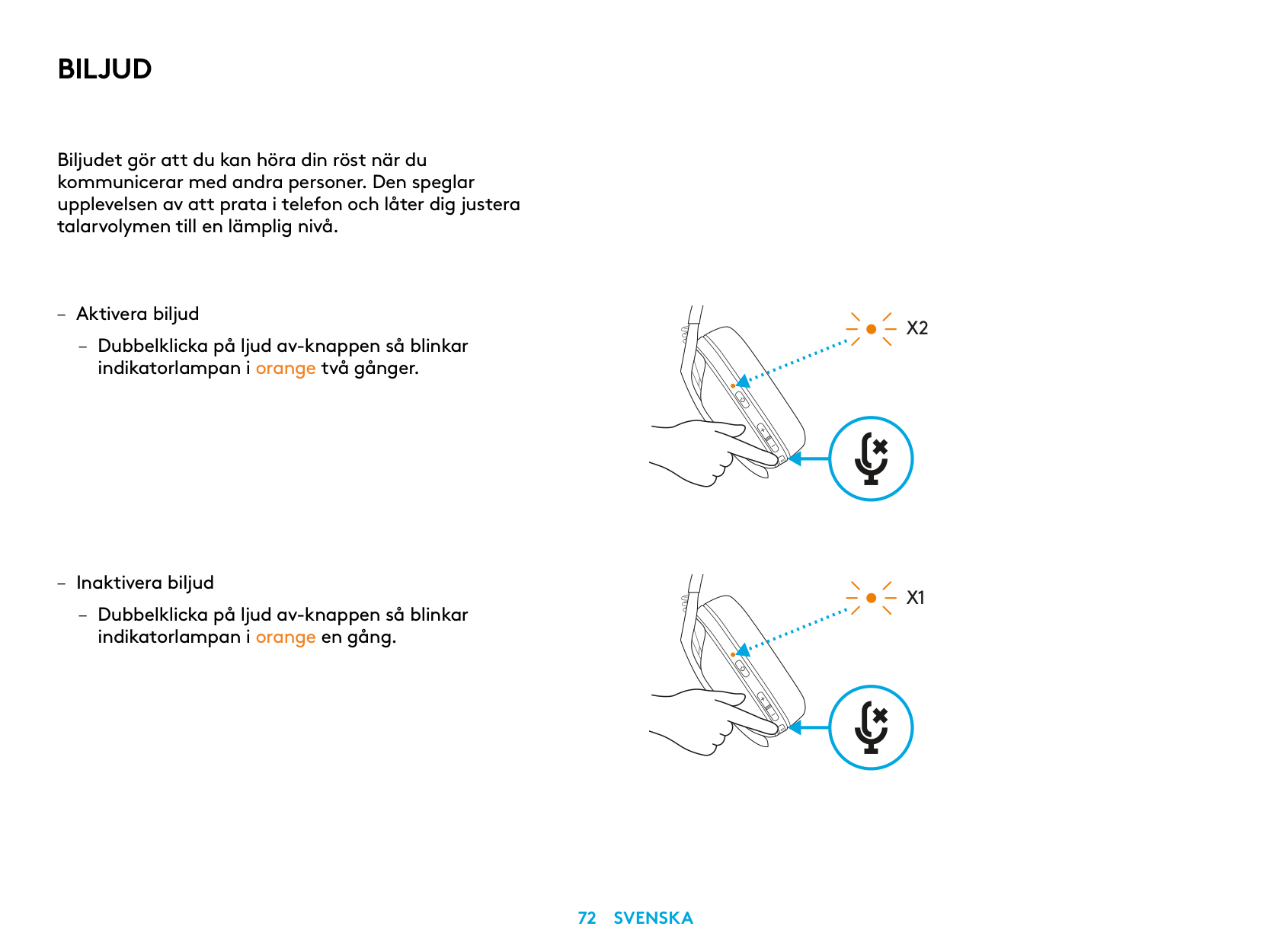
BILJUD
Biljudet gör att du kan höra din röst när du kommunicerar med andra personer Den speglar upplevelsen av att prata i telefon och låter dig justera talarvolymen till en lämplig nivå
– Aktivera biljud
– Dubbelklicka på ljud av-knappen så blinkar
indikatorlampan i orange två gånger
X2
X1
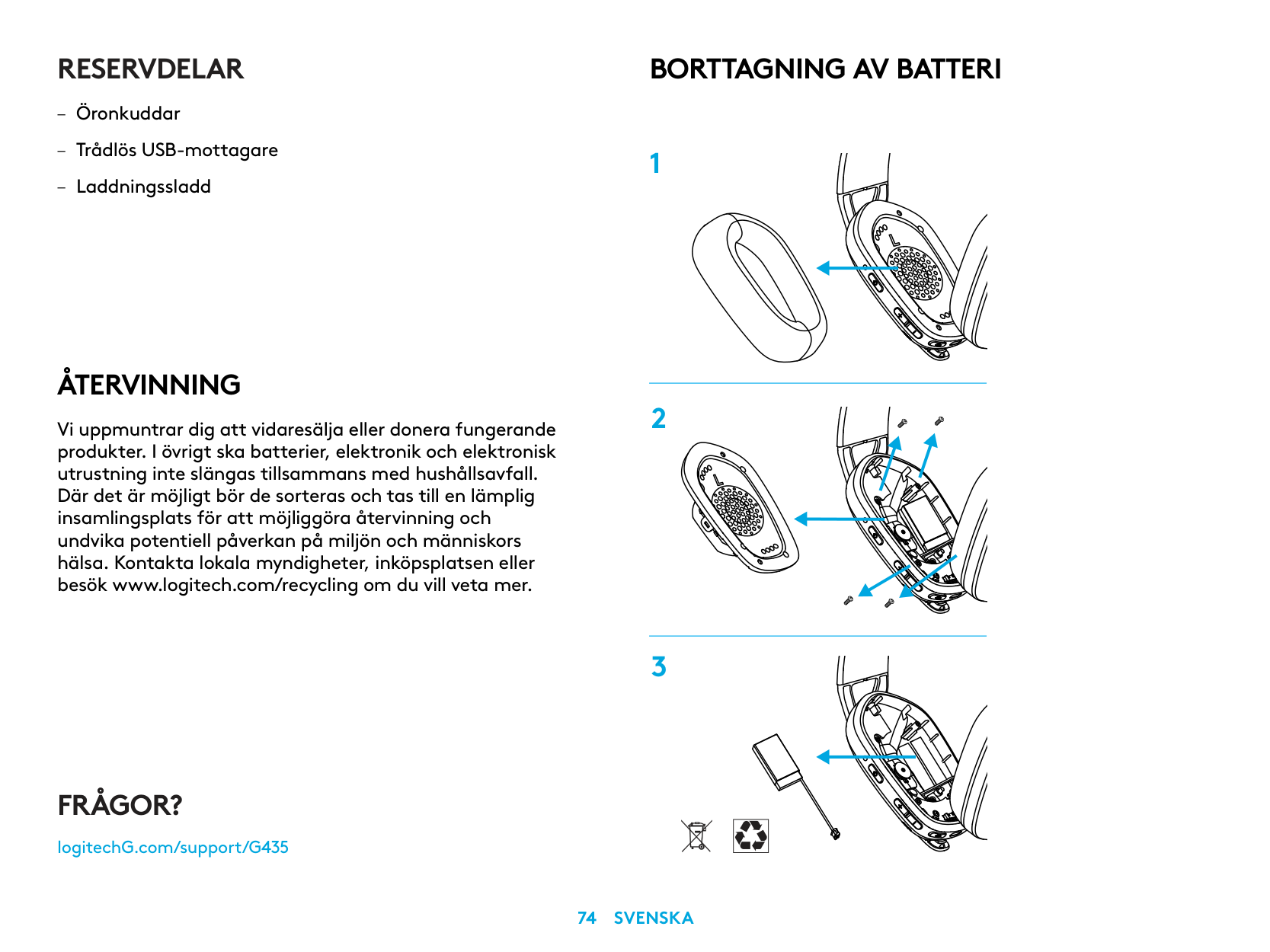
RESERVDELAR
ÅTERVINNING
Vi uppmuntrar dig att vidaresälja eller donera fungerande produkter. I övrigt ska batterier, elektronik och elektronisk utrustning inte slängas tillsammans med hushållsavfall. Där det är möjligt bör de sorteras och tas till en lämplig insamlingsplats för att möjliggöra återvinning och undvika potentiell påverkan på miljön och människors hälsa. Kontakta lokala myndigheter, inköpsplatsen eller besök www.logitech.com/recycling om du vill veta mer.
BORTTAGNING AV BATTERI
FRÅGOR?
logitechG.com/support/G435
| | |---|
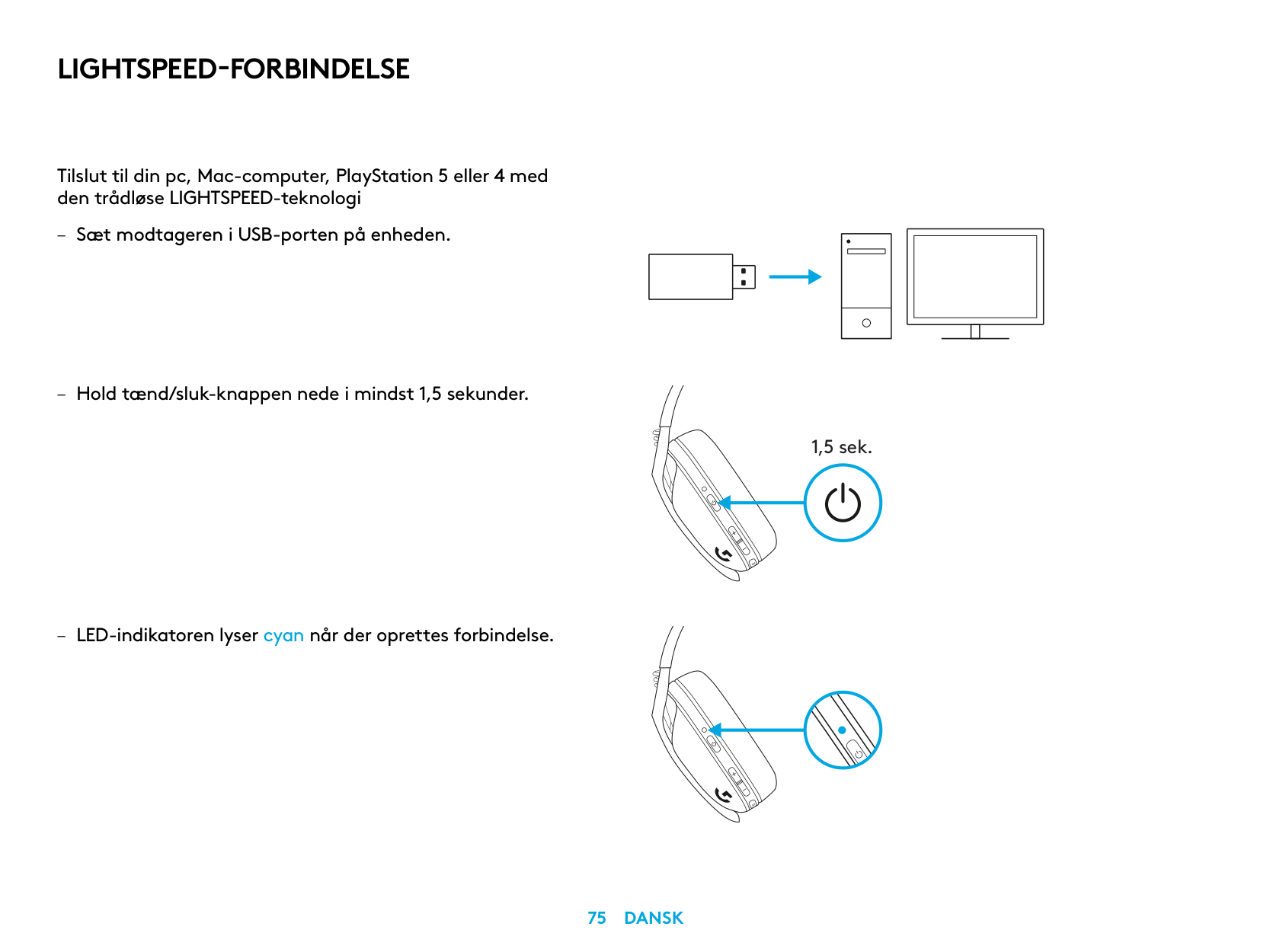
LIGHTSPEED-FORBINDELSE
Tilslut til din pc, Mac-computer, PlayStation 5 eller 4 med den trådløse LIGHTSPEED-teknologi
| | | |---|---| | | | | | |
| | | | |---|---|---| | | | |
| | |---|
| |
1,5 sek.
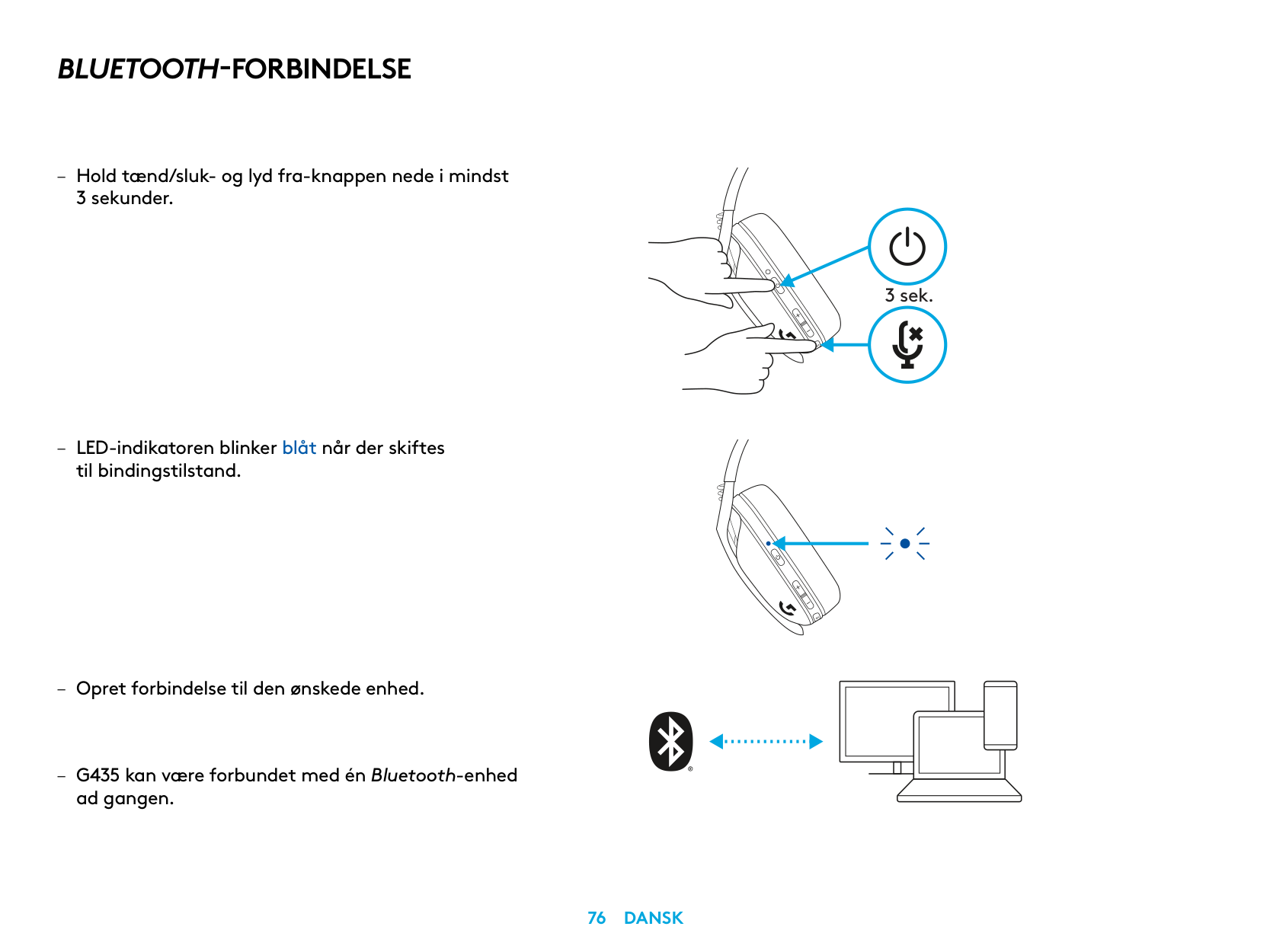
BLUETOOTH-FORBINDELSE
– Hold tænd/sluk- og lyd fra-knappen nede i mindst
3 sekunder
– LED-indikatoren blinker blåt når der skiftes
til bindingstilstand
ad gangen
3 sek.
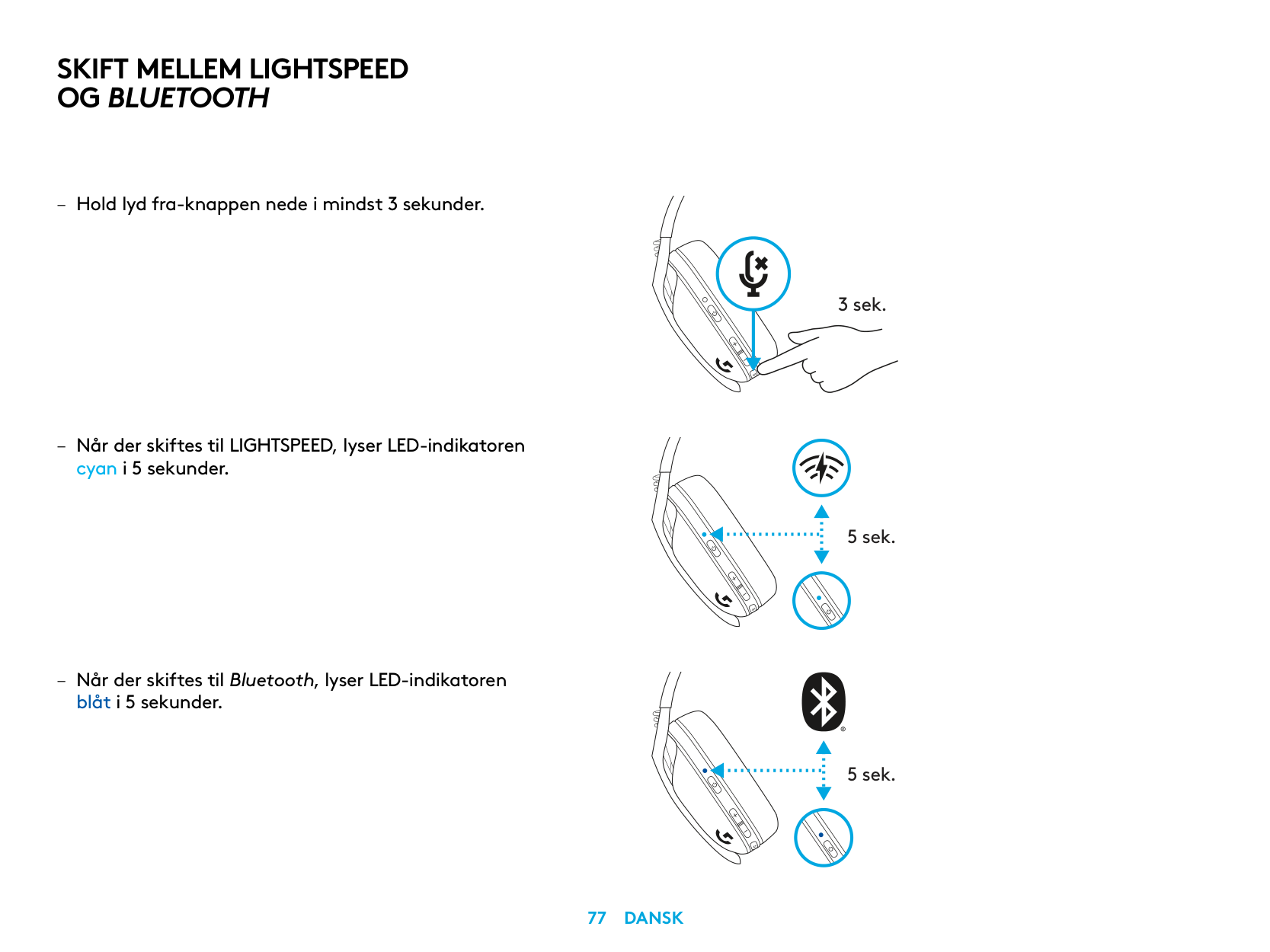
SKIFT MELLEM LIGHTSPEED OG BLUETOOTH
cyan i 5 sekunder
– Når der skiftes til Bluetooth, lyser LED-indikatoren
blåt i 5 sekunder
3 sek.
5 sek.
5 sek.
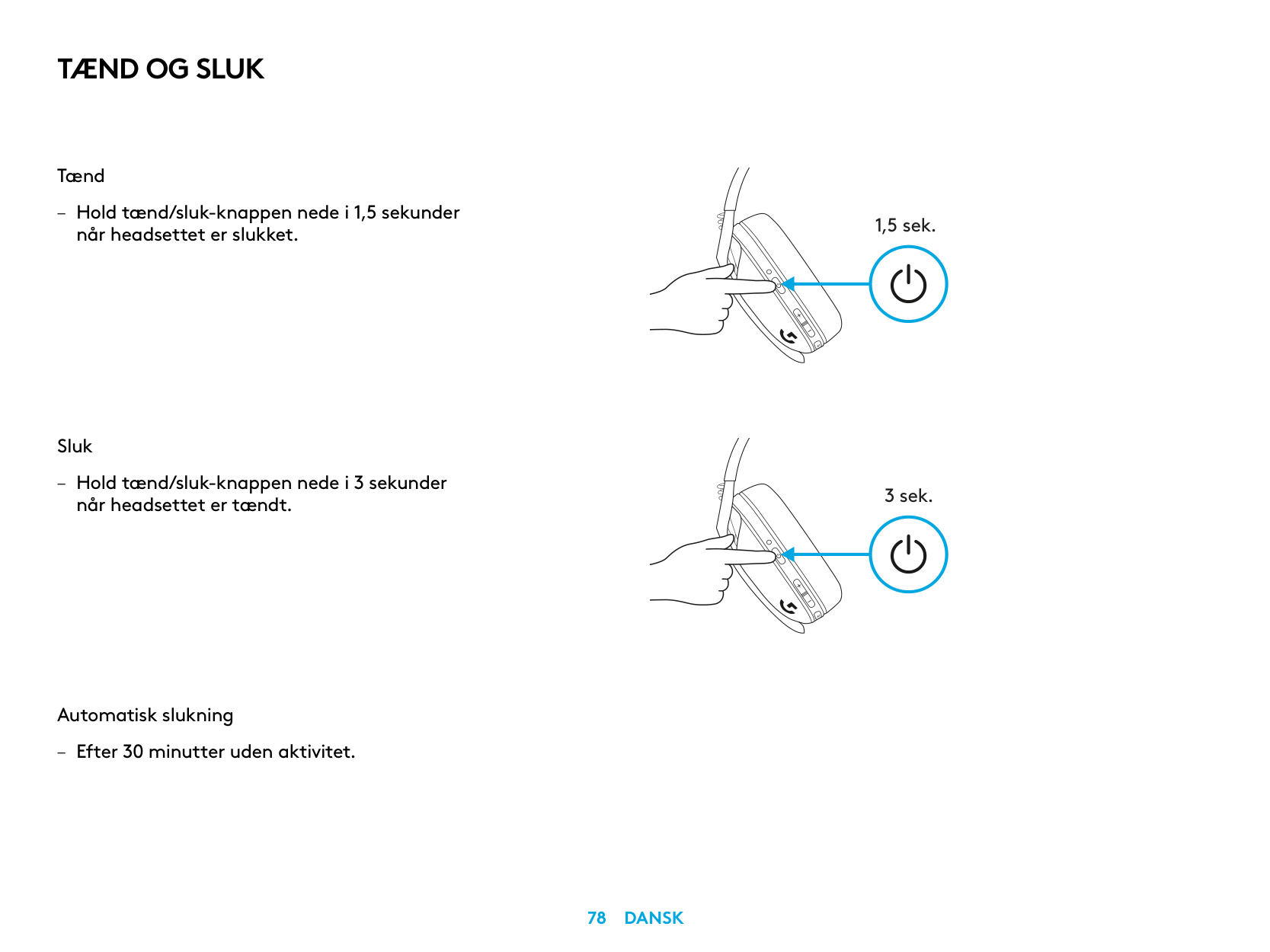
TÆND OG SLUK
Tænd
– Hold tænd/sluk-knappen nede i 1,5 sekunder
når headsettet er slukket
Sluk
– Hold tænd/sluk-knappen nede i 3 sekunder
når headsettet er tændt
Automatisk slukning
– Efter 30 minutter uden aktivitet
1,5 sek.
3 sek.
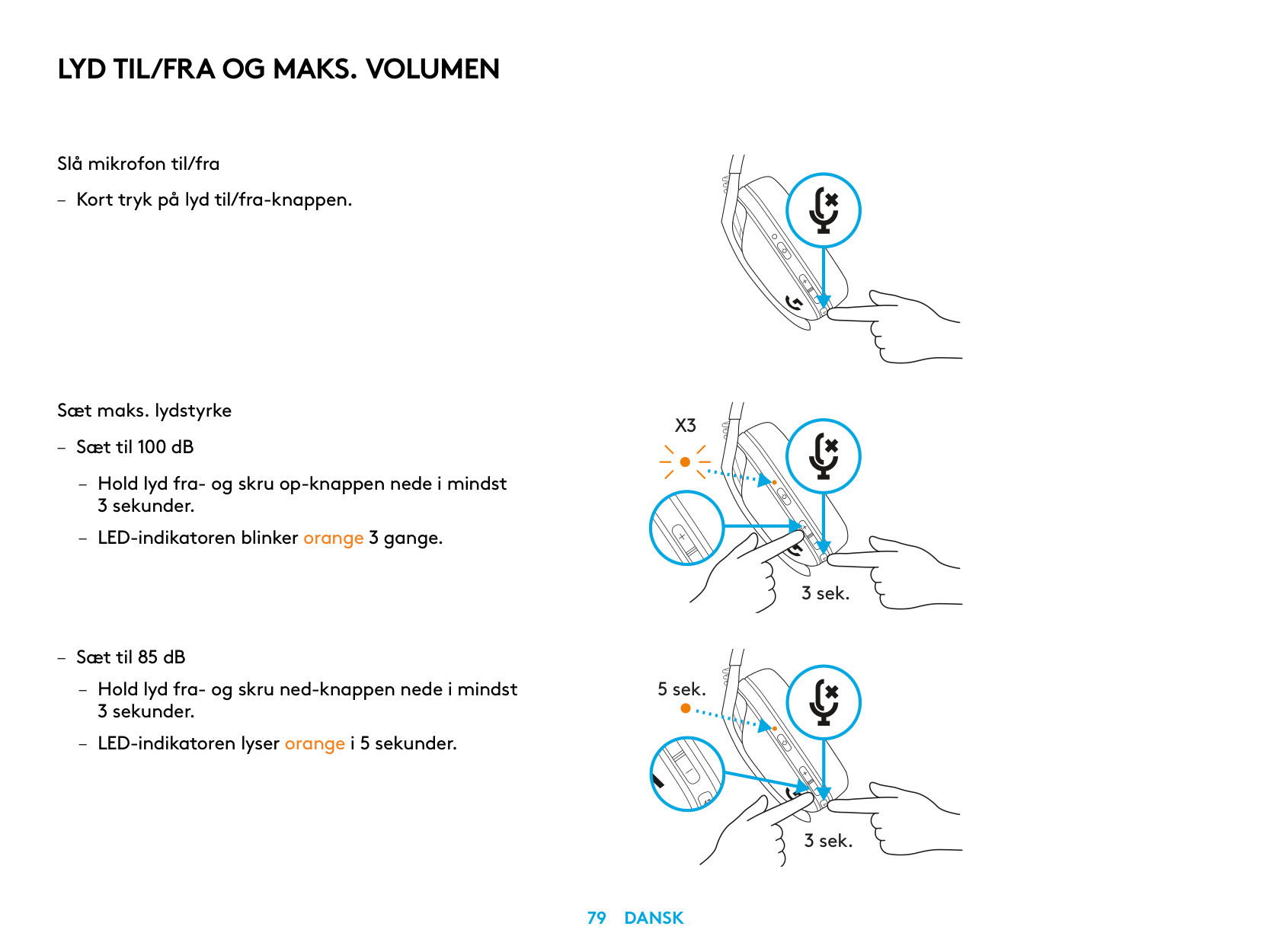
LYD TIL/FRA OG MAKS. VOLUMEN
Slå mikrofon til/fra
– Kort tryk på lyd til/fra-knappen
Sæt maks. lydstyrke
X3
– Sæt til 100 dB
– Hold lyd fra- og skru op-knappen nede i mindst
3 sekunder
– LED-indikatoren blinker orange 3 gange
3 sek.
– Sæt til 85 dB
– Hold lyd fra- og skru ned-knappen nede i mindst
5 sek.
3 sekunder
– LED-indikatoren lyser orange i 5 sekunder
3 sek.
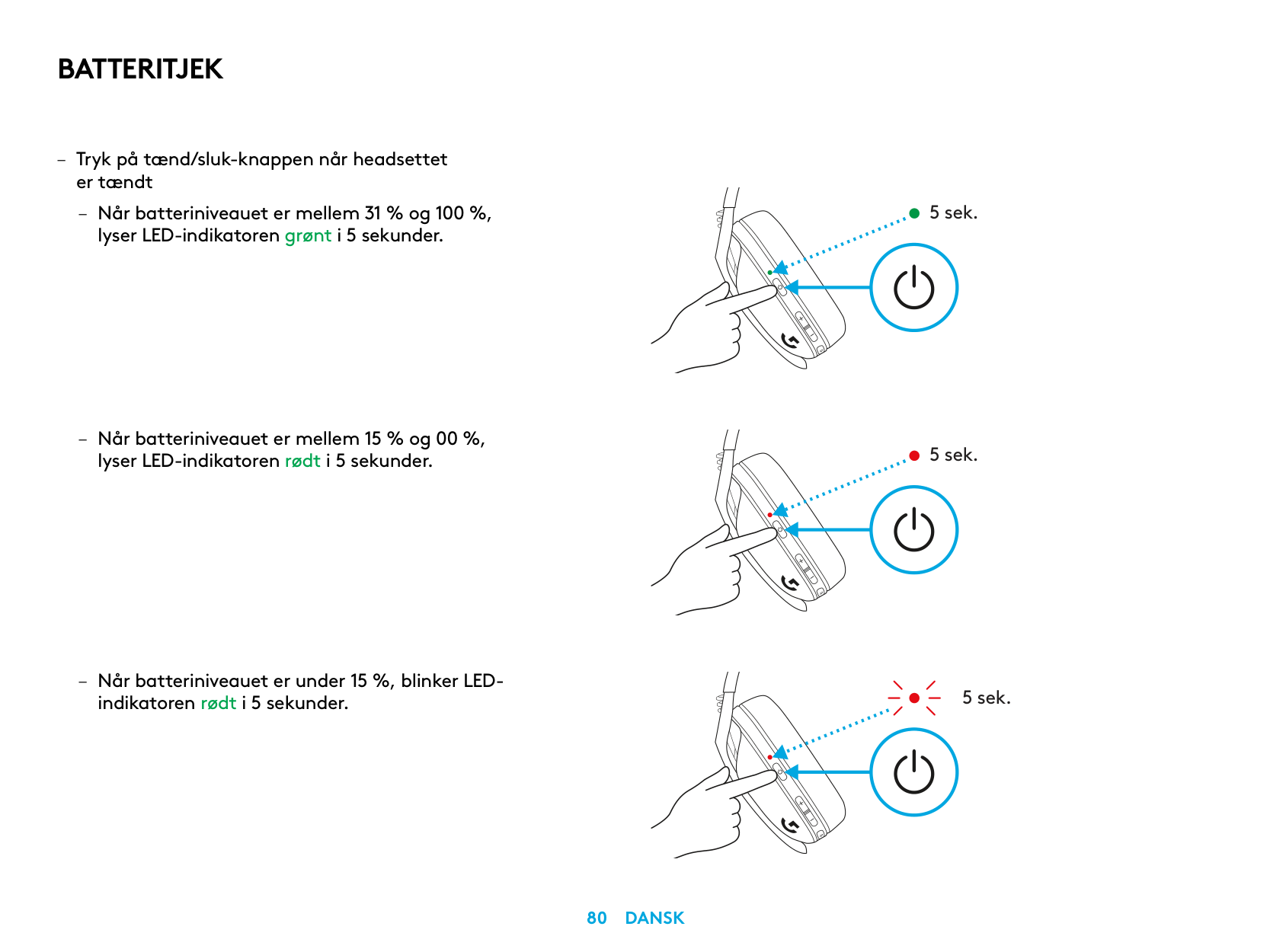
BATTERITJEK
– Tryk på tænd/sluk-knappen når headsettet
er tændt
– Når batteriniveauet er mellem 31 % og 100 %,
lyser LED-indikatoren grønt i 5 sekunder
– Når batteriniveauet er mellem 15 % og 00 %,
lyser LED-indikatoren rødt i 5 sekunder
– Når batteriniveauet er under 15 %, blinker LED-
indikatoren rødt i 5 sekunder
5 sek.
5 sek.
5 sek.
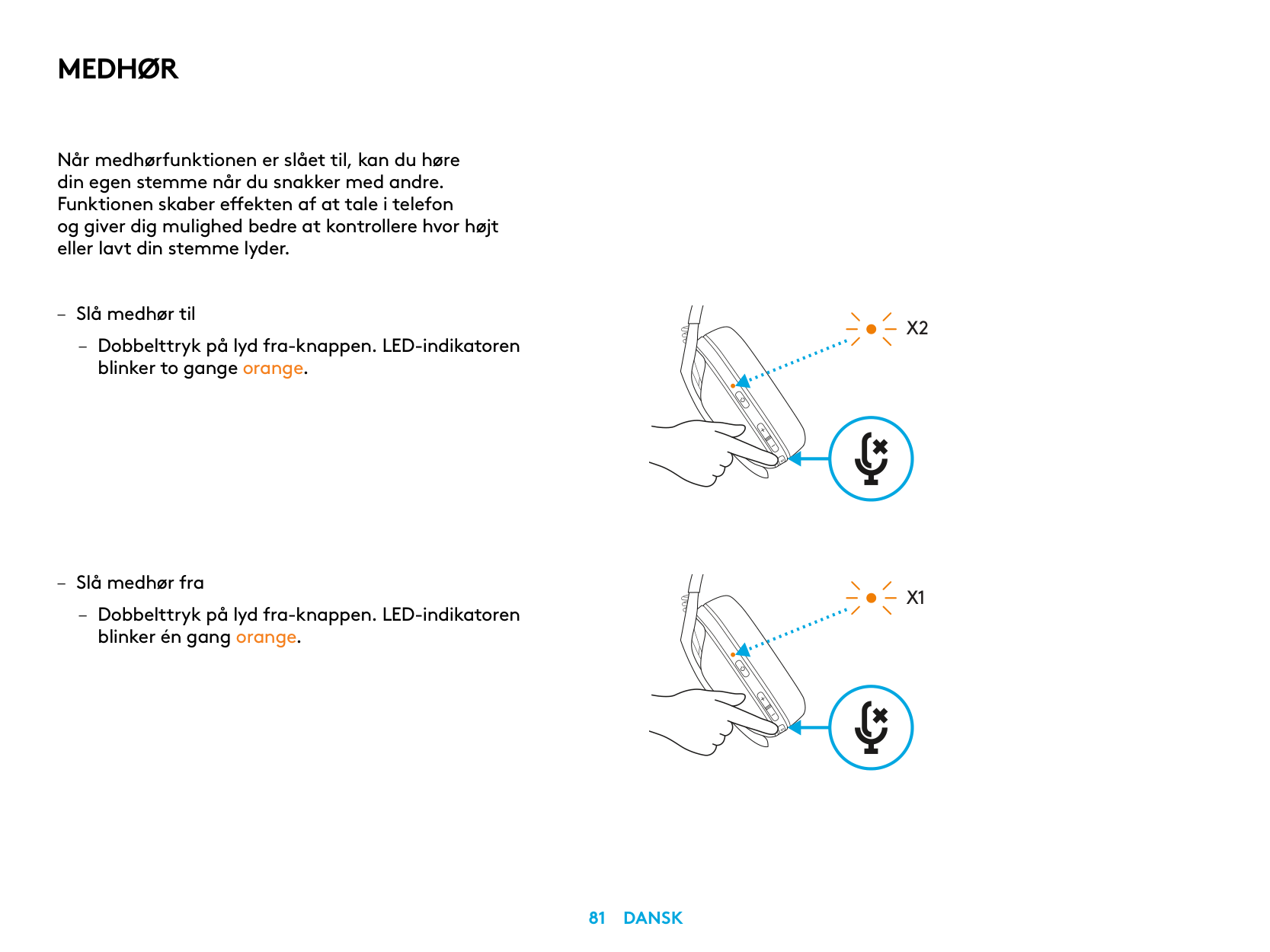
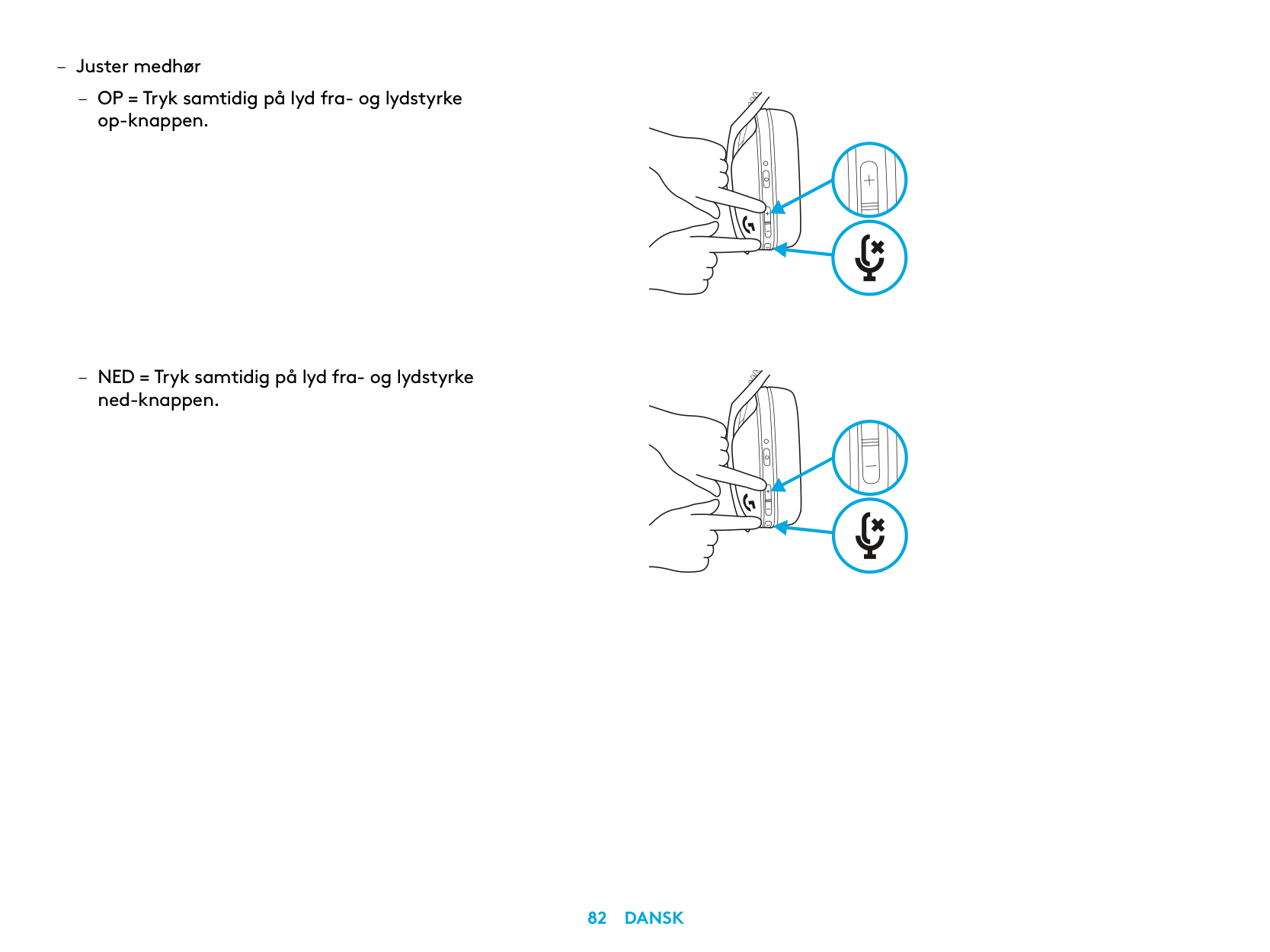
MEDHØR
Når medhørfunktionen er slået til, kan du høre din egen stemme når du snakker med andre Funktionen skaber effekten af at tale i telefon og giver dig mulighed bedre at kontrollere hvor højt eller lavt din stemme lyder
– Slå medhør til
– Dobbelttryk på lyd fra-knappen LED-indikatoren
blinker to gange orange
X2
X1
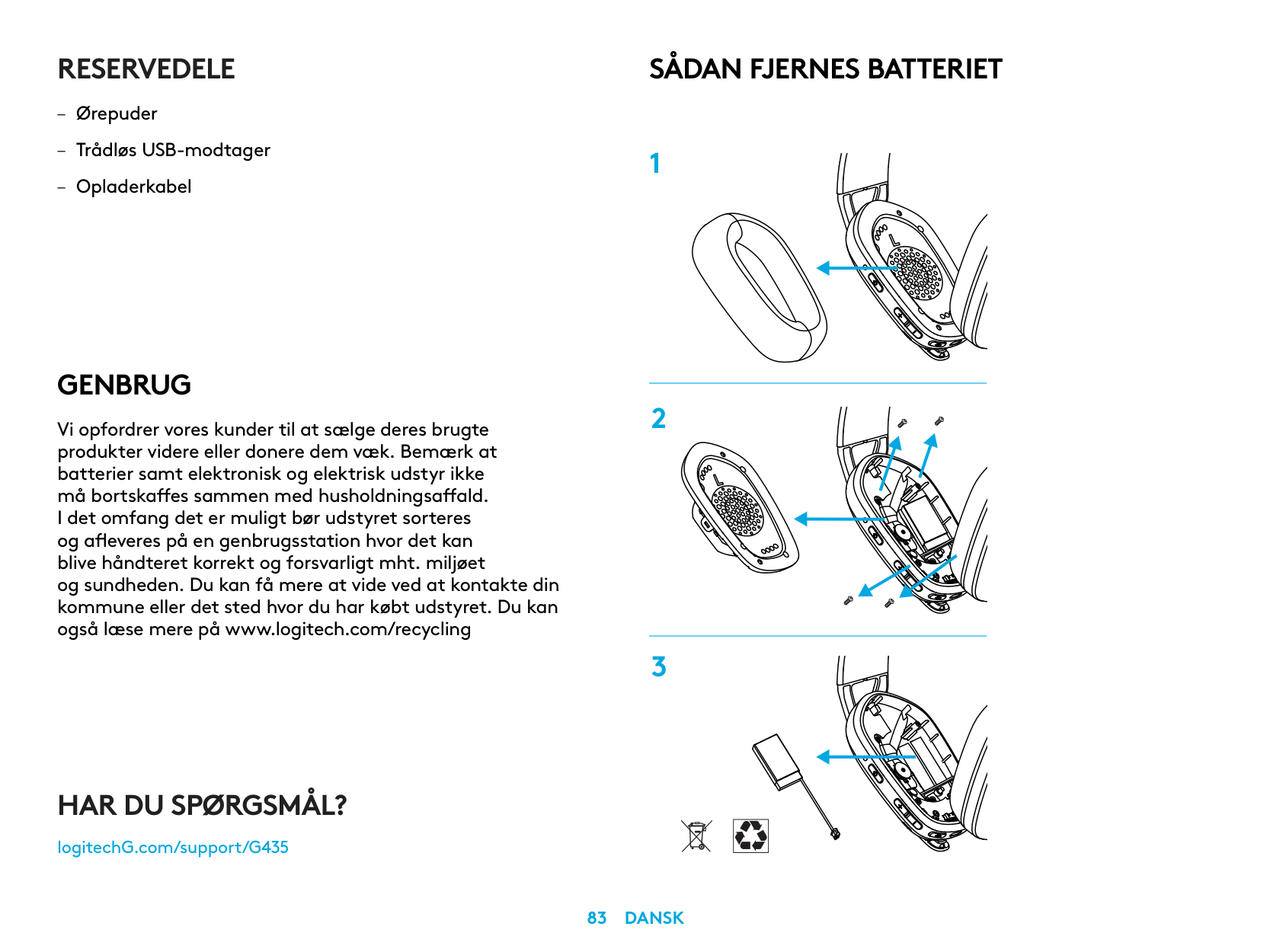
RESERVEDELE
GENBRUG
Vi opfordrer vores kunder til at sælge deres brugte produkter videre eller donere dem væk. Bemærk at batterier samt elektronisk og elektrisk udstyr ikke må bortskaffes sammen med husholdningsaffald. I det omfang det er muligt bør udstyret sorteres
SÅDAN FJERNES BATTERIET
HAR DU SPØRGSMÅL?
logitechG.com/support/G435
| | |---|
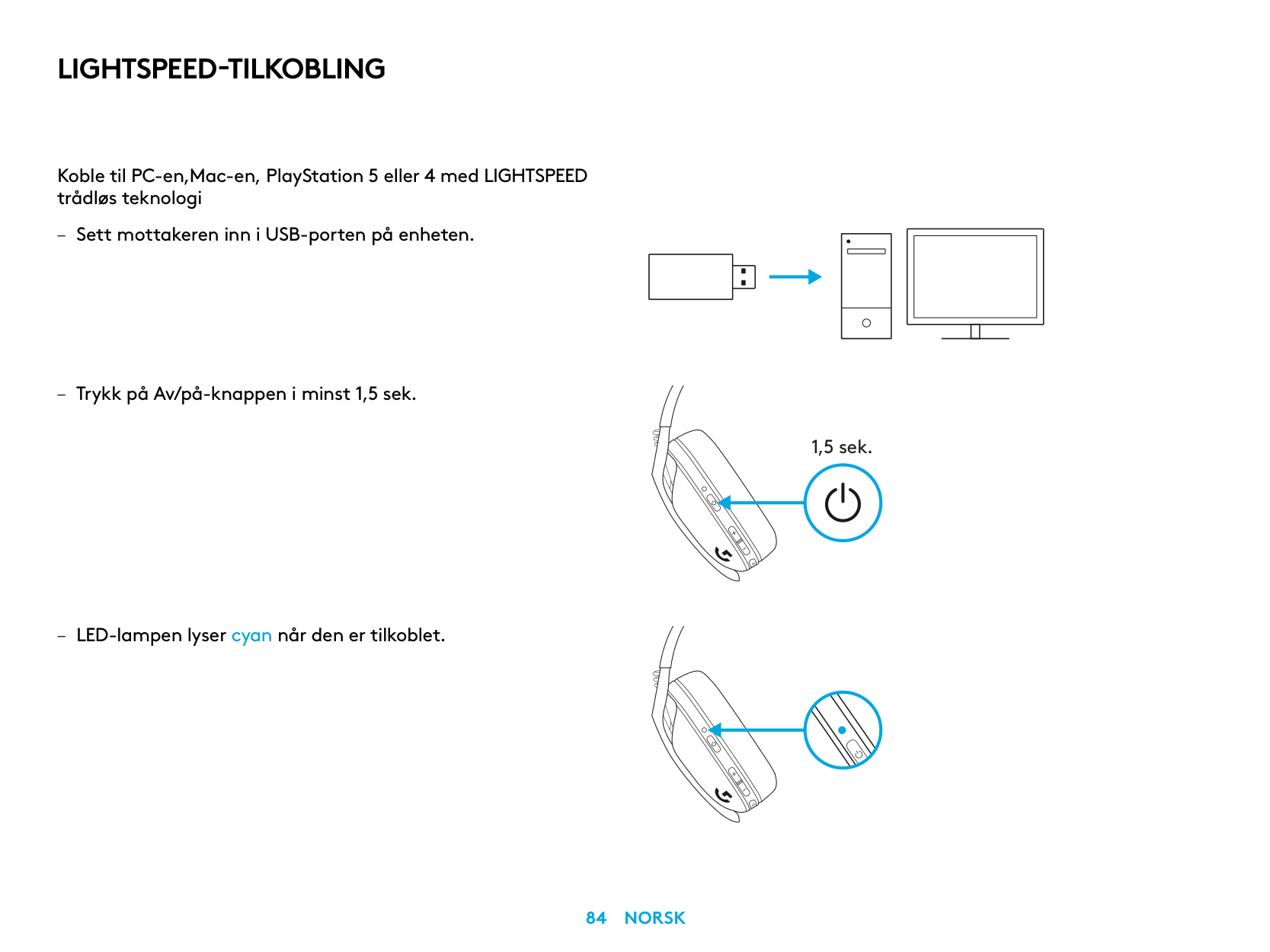
LIGHTSPEED-TILKOBLING
Koble til PC-en,Mac-en, PlayStation 5 eller 4 med LIGHTSPEED trådløs teknologi
| | | |---|---| | | | | | |
| | | | |---|---|---| | | | |
| | |---| | |
1,5 sek.
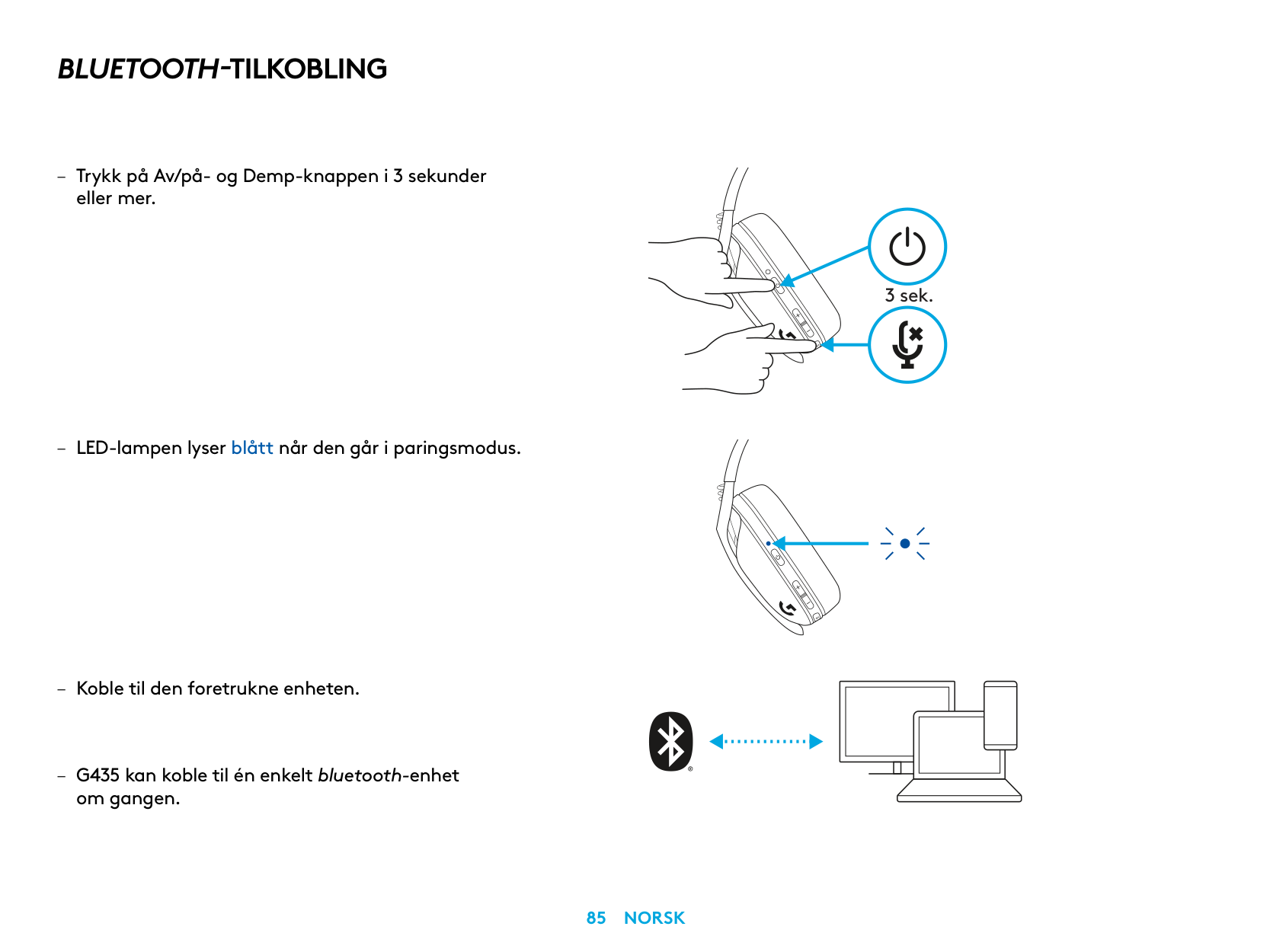
BLUETOOTH-TILKOBLING
– Trykk på Av/på- og Demp-knappen i 3 sekunder
eller mer
– LED-lampen lyser blått når den går i paringsmodus
om gangen
3 sek.
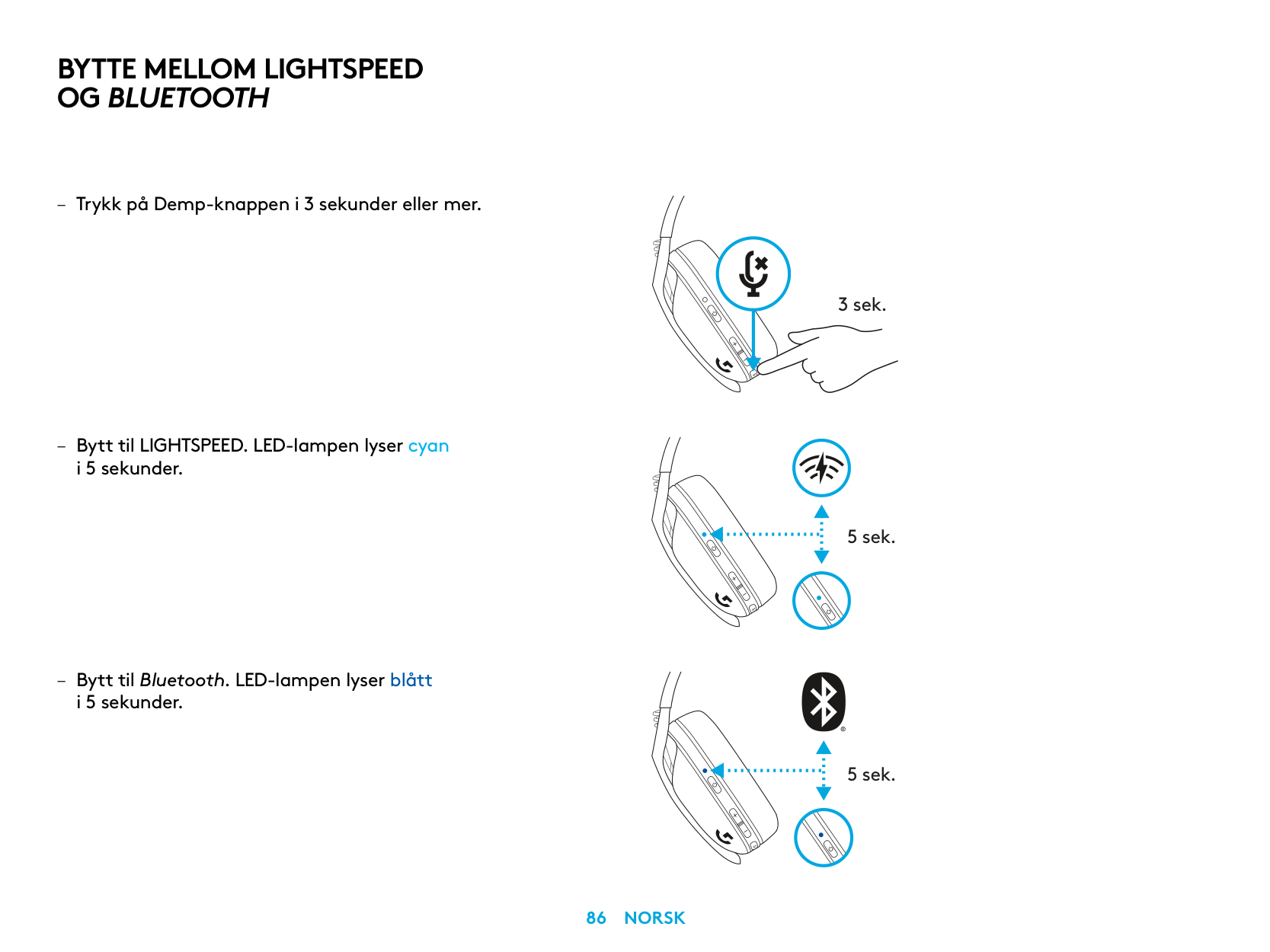
BYTTE MELLOM LIGHTSPEED OG BLUETOOTH
i 5 sekunder
– Bytt til Bluetooth LED-lampen lyser blått
i 5 sekunder
3 sek.
5 sek.
5 sek.
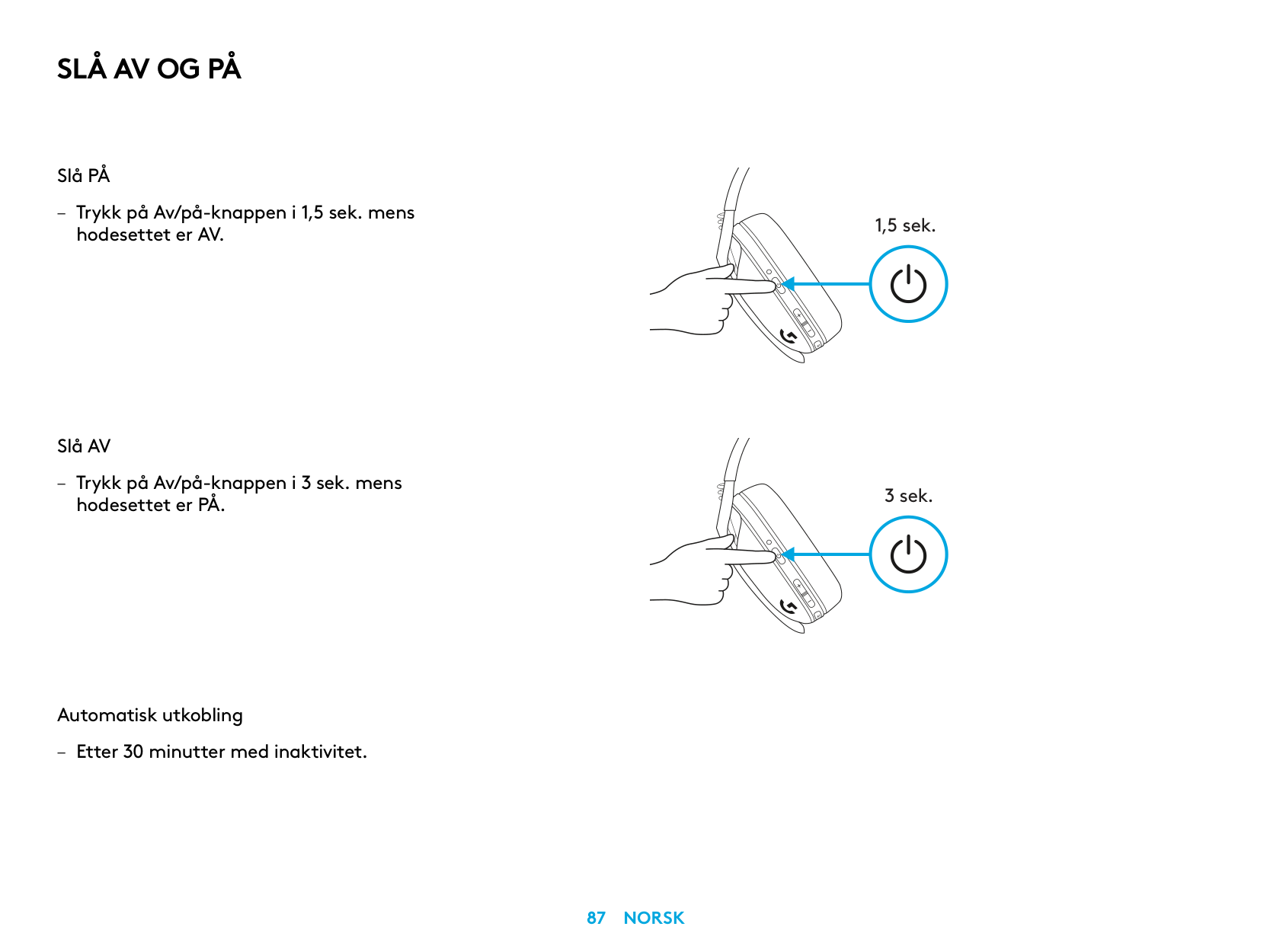
SLÅ AV OG PÅ
Slå PÅ
– Trykk på Av/på-knappen i 1,5 sek mens
hodesettet er AV
Slå AV
– Trykk på Av/på-knappen i 3 sek mens
hodesettet er PÅ
Automatisk utkobling
– Etter 30 minutter med inaktivitet
1,5 sek.
3 sek.
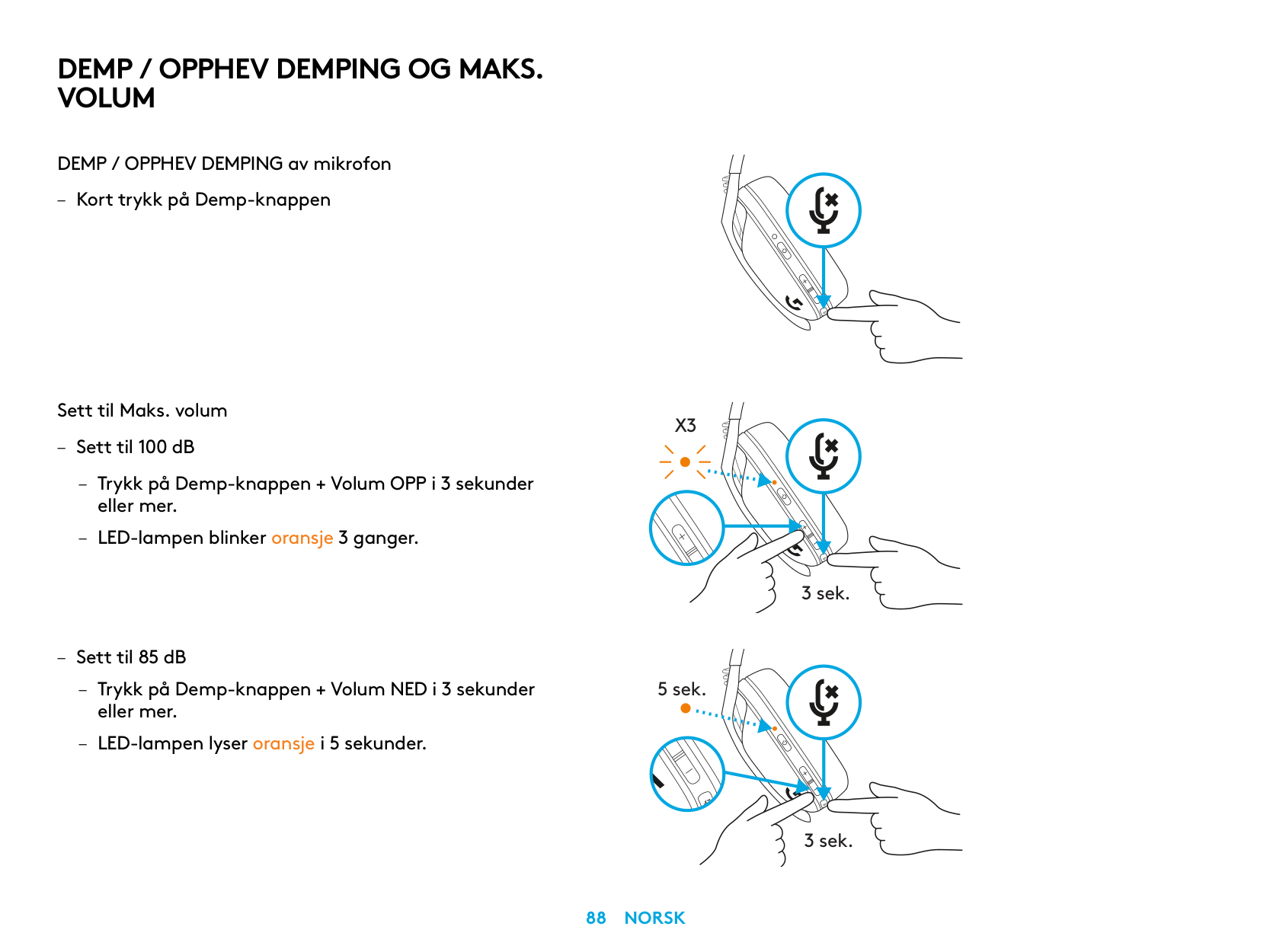
DEMP / OPPHEV DEMPING OG MAKS. VOLUM
DEMP / OPPHEV DEMPING av mikrofon
– Kort trykk på Demp-knappen
Sett til Maks. volum
X3
– Sett til 100 dB
– Trykk på Demp-knappen + Volum OPP i 3 sekunder
eller mer
– LED-lampen blinker oransje 3 ganger
3 sek.
– Sett til 85 dB
– Trykk på Demp-knappen + Volum NED i 3 sekunder
5 sek.
eller mer
– LED-lampen lyser oransje i 5 sekunder
3 sek.
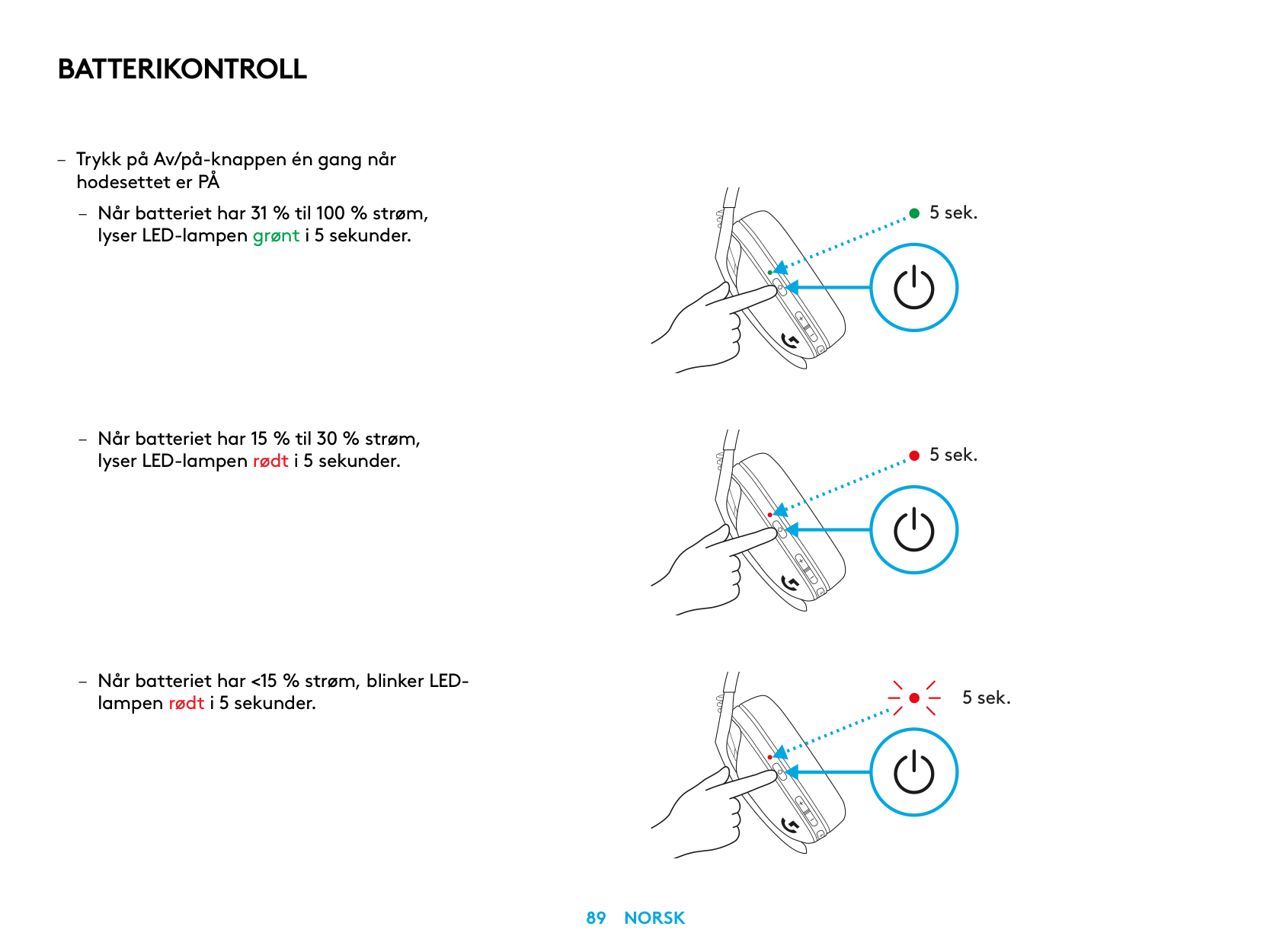
BATTERIKONTROLL
– Trykk på Av/på-knappen én gang når
hodesettet er PÅ
– Når batteriet har 31 % til 100 % strøm, lyser LED-lampen grønt i 5 sekunder
lampen rødt i 5 sekunder
5 sek.
5 sek.
5 sek.
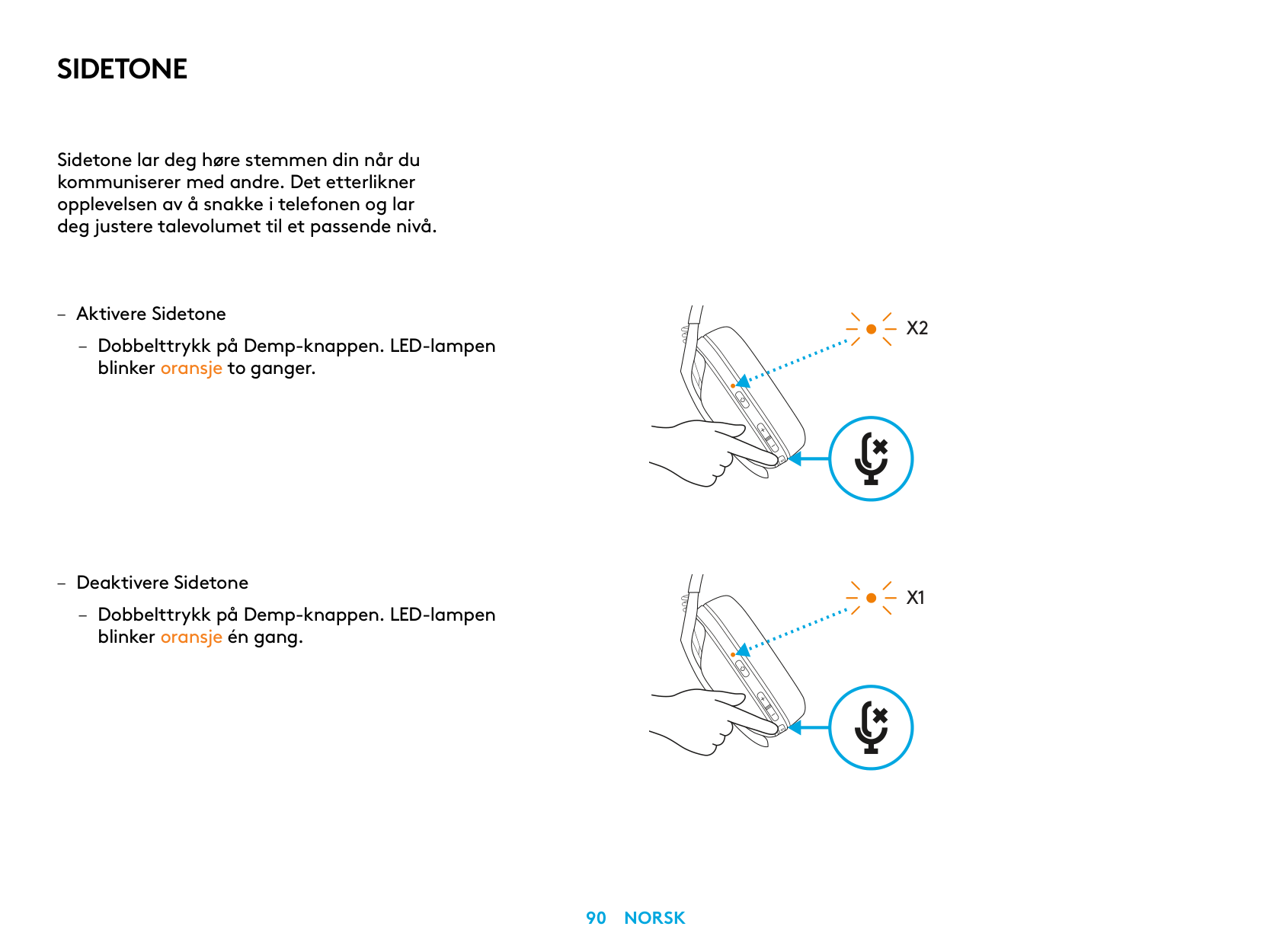
SIDETONE
Sidetone lar deg høre stemmen din når du kommuniserer med andre Det etterlikner opplevelsen av å snakke i telefonen og lar deg justere talevolumet til et passende nivå
– Aktivere Sidetone
– Dobbelttrykk på Demp-knappen LED-lampen
blinker oransje to ganger
– Deaktivere Sidetone
– Dobbelttrykk på Demp-knappen LED-lampen
blinker oransje én gang
X2
X1
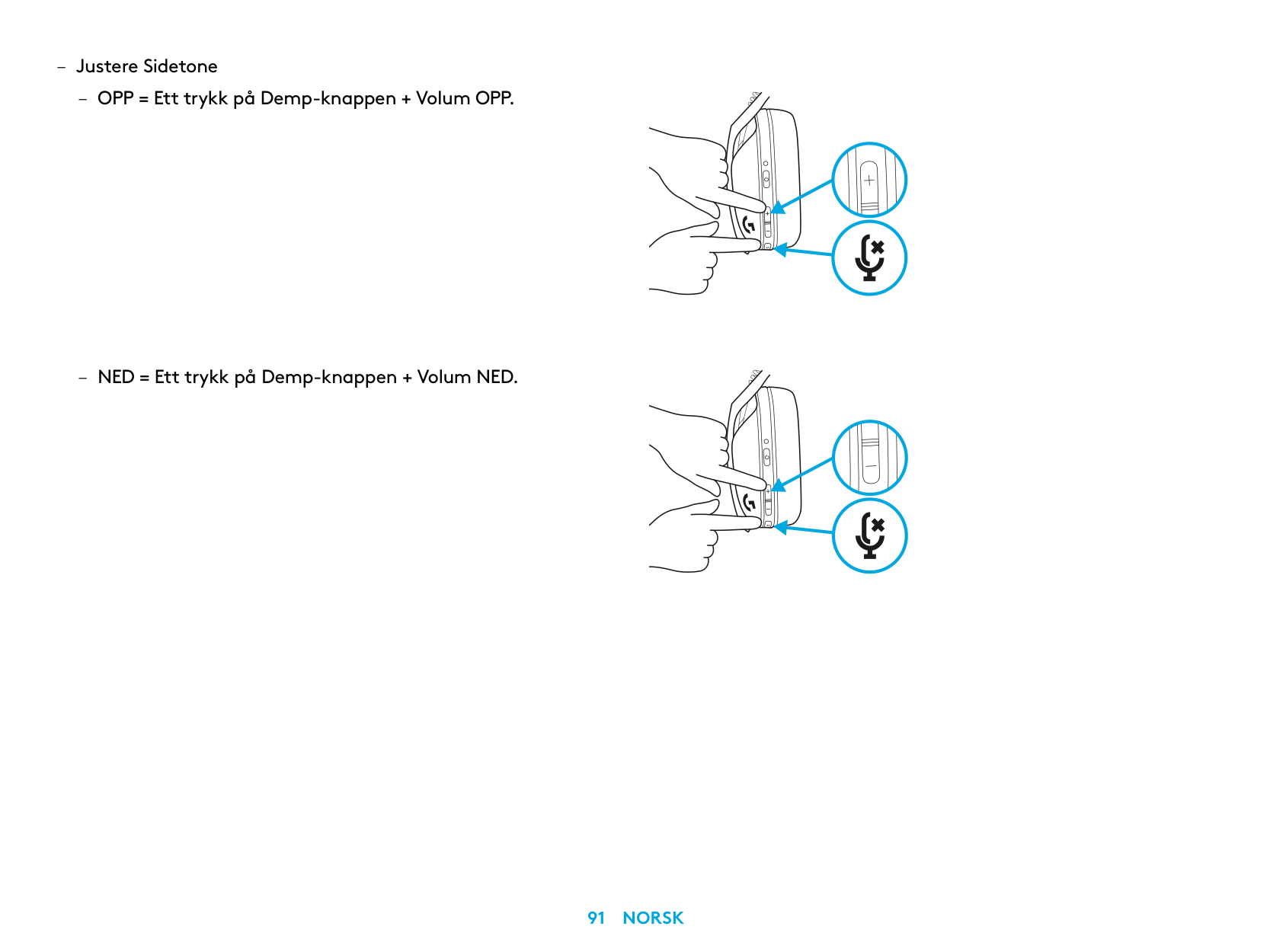
– Justere Sidetone
RESERVEDELER
RESIRKULERING
Vi oppfordrer deg til å videreselge eller donere fungerende produkter. Batterier og elektronisk og elektriskutstyr skal ikke avhendes sammen med vanlig husholdningsavfall. Hvis det er mulig, bør de kildesorteres og leveres på en resirkuleringsstasjon for å unngå potensiell innvirkning på miljøet og menneskers helse. Hvis du vil ha mer informasjon,
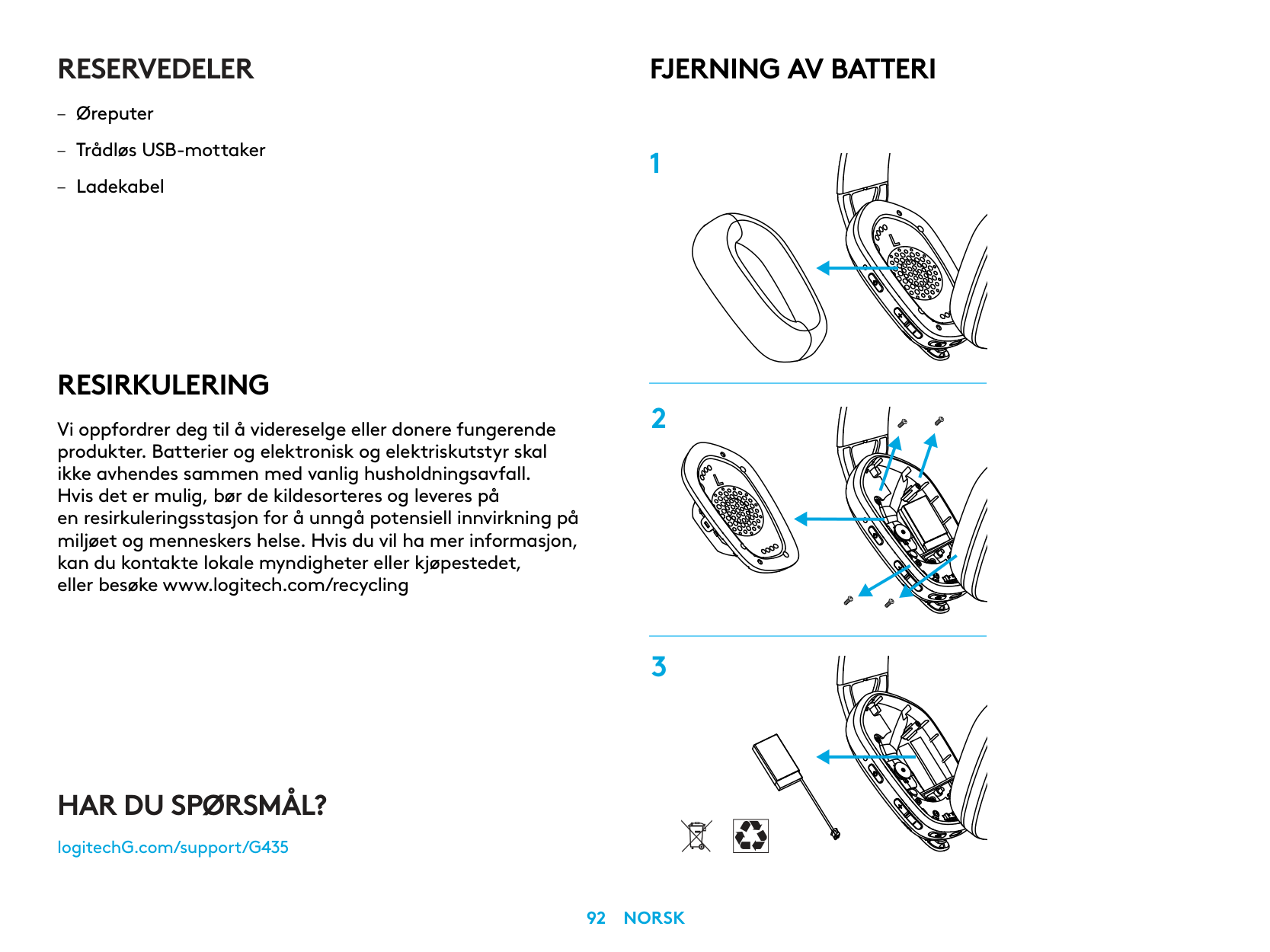
FJERNING AV BATTERI
HAR DU SPØRSMÅL?
logitechG.com/support/G435
| | |---|
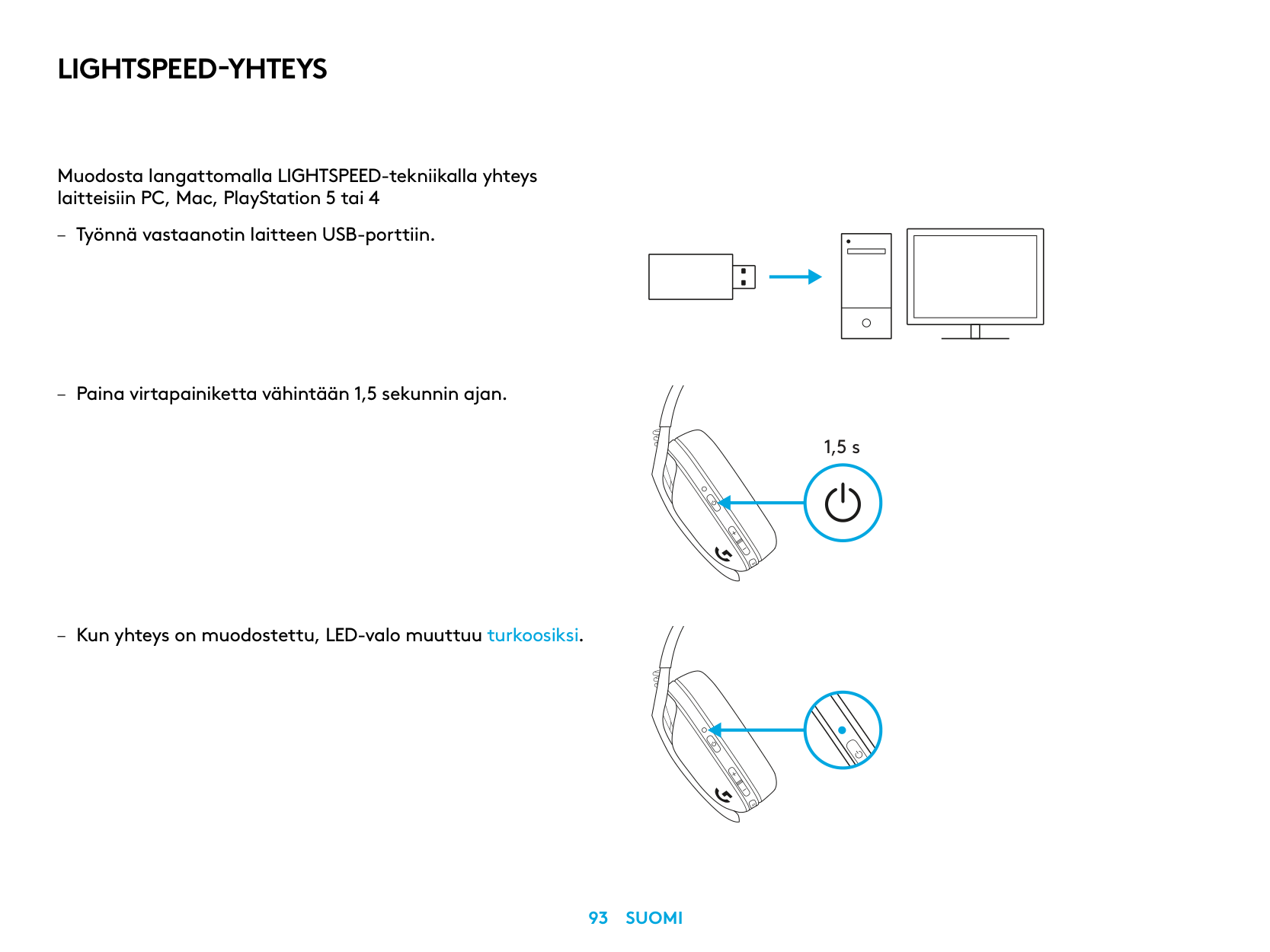
LIGHTSPEED-YHTEYS
Muodosta langattomalla LIGHTSPEED-tekniikalla yhteys laitteisiin PC, Mac, PlayStation 5 tai 4
| | | |---|---| | | | | | |
| | | | |---|---|---| | | | |
| | |---| | |
1,5 s
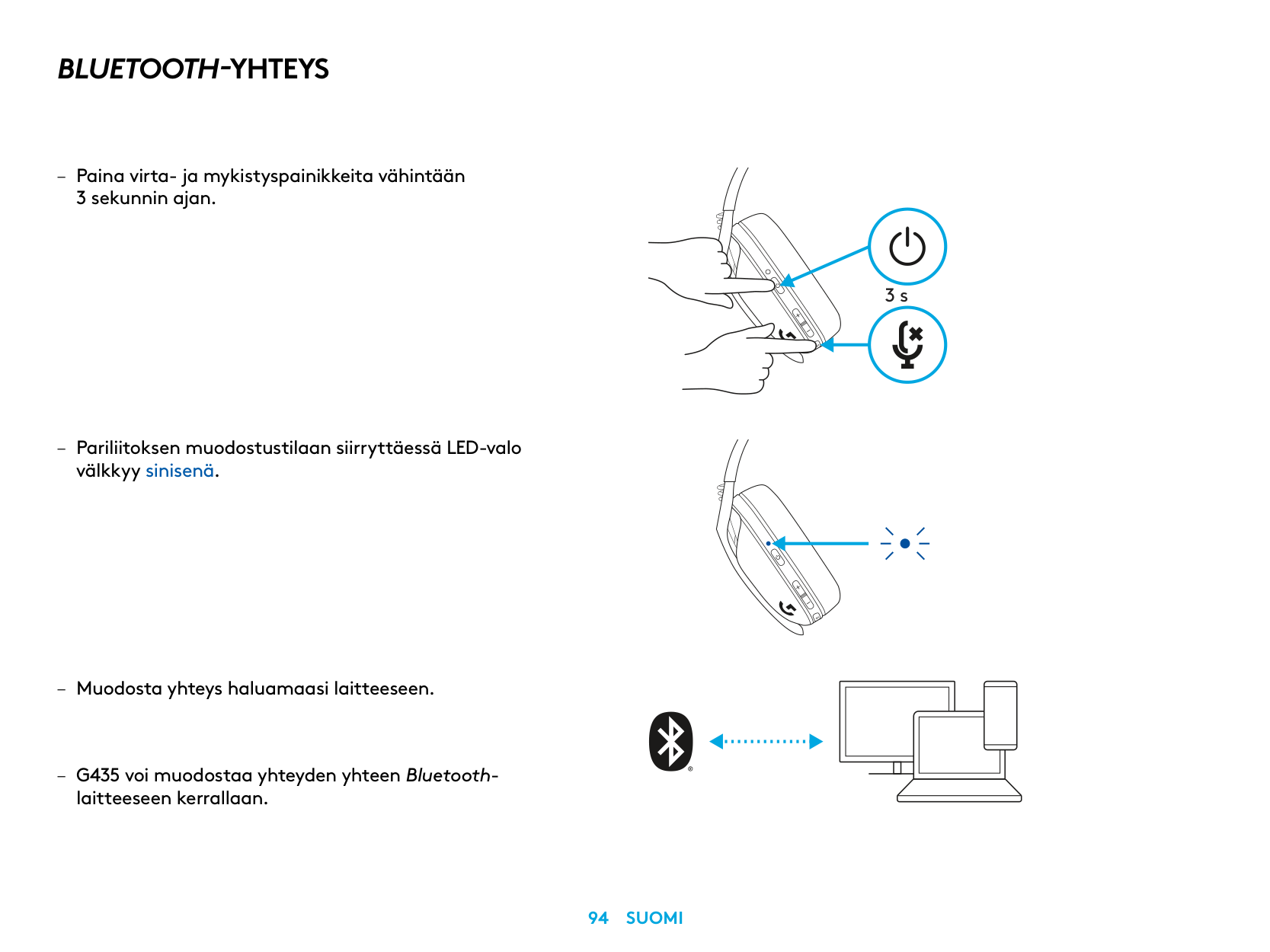
BLUETOOTH-YHTEYS
– Paina virta- ja mykistyspainikkeita vähintään
3 sekunnin ajan
– Pariliitoksen muodostustilaan siirryttäessä LED-valo
välkkyy sinisenä
laitteeseen kerrallaan
3 s
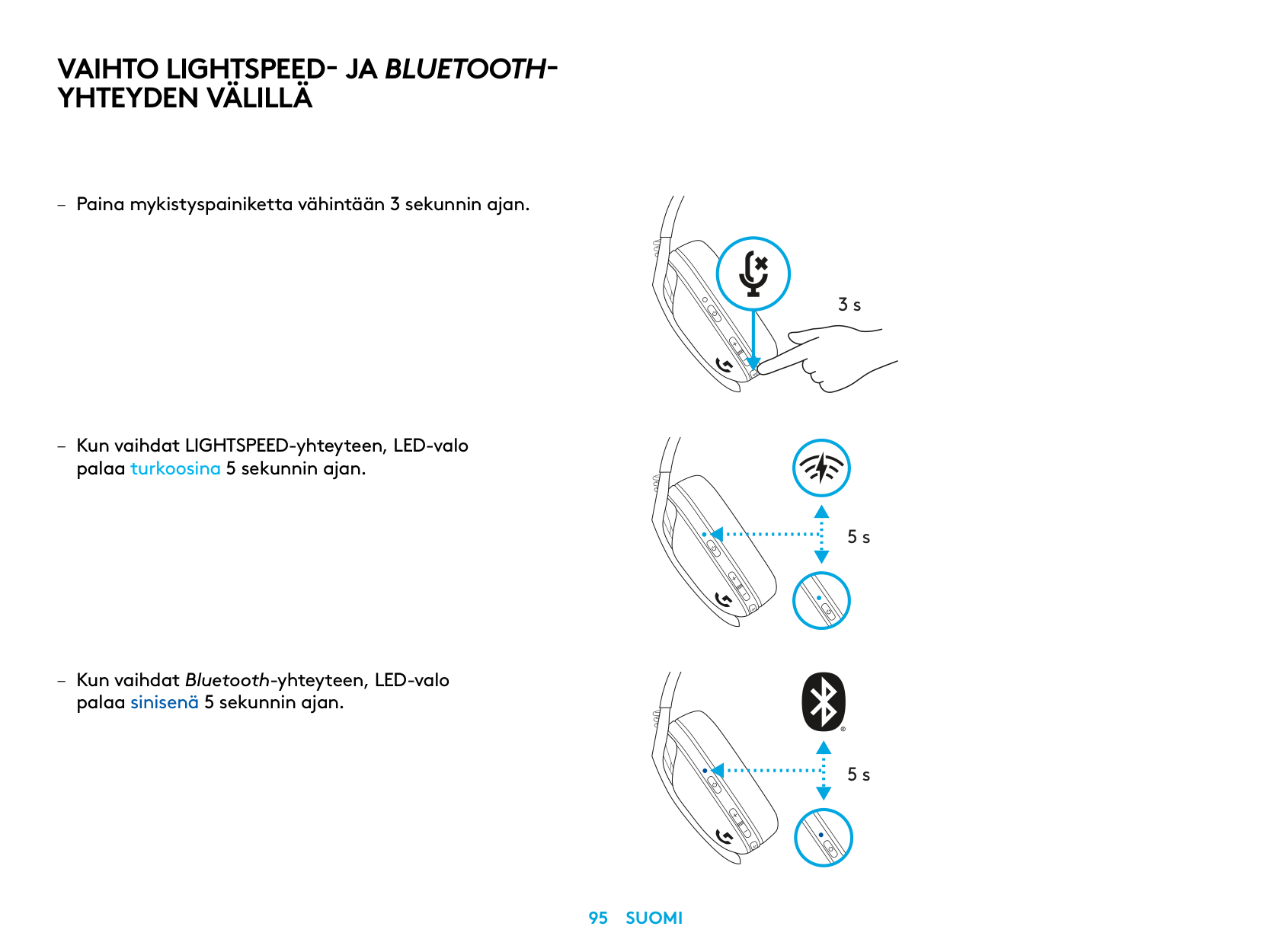
VAIHTO LIGHTSPEED- JA BLUETOOTHYHTEYDEN VÄLILLÄ
palaa turkoosina 5 sekunnin ajan
– Kun vaihdat Bluetooth-yhteyteen, LED-valo
palaa sinisenä 5 sekunnin ajan
3 s
5 s
5 s
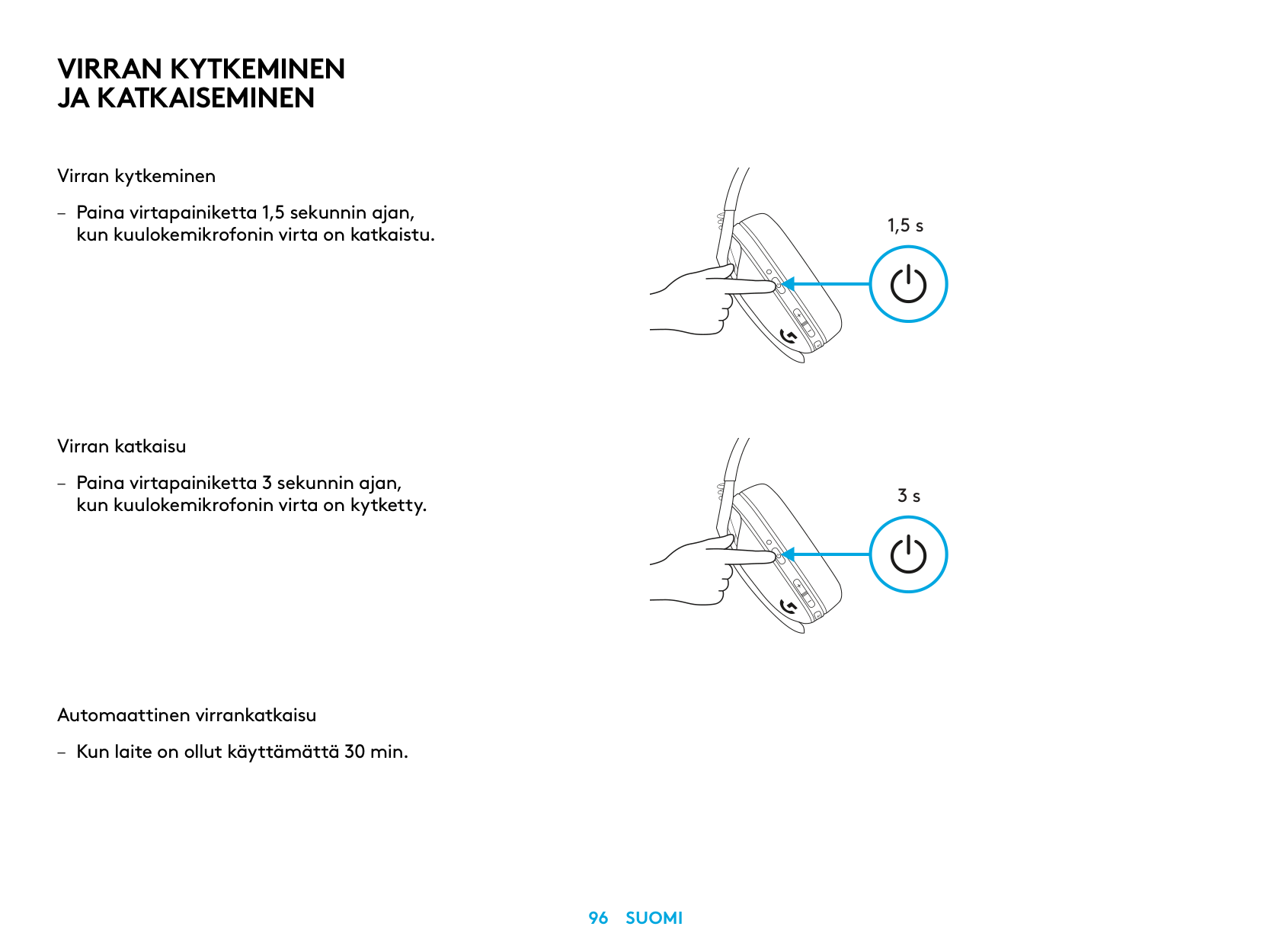
VIRRAN KYTKEMINEN JA KATKAISEMINEN
Virran kytkeminen
– Paina virtapainiketta 1,5 sekunnin ajan,
kun kuulokemikrofonin virta on katkaistu
Virran katkaisu
– Paina virtapainiketta 3 sekunnin ajan,
kun kuulokemikrofonin virta on kytketty
Automaattinen virrankatkaisu
– Kun laite on ollut käyttämättä 30 min
1,5 s
3 s
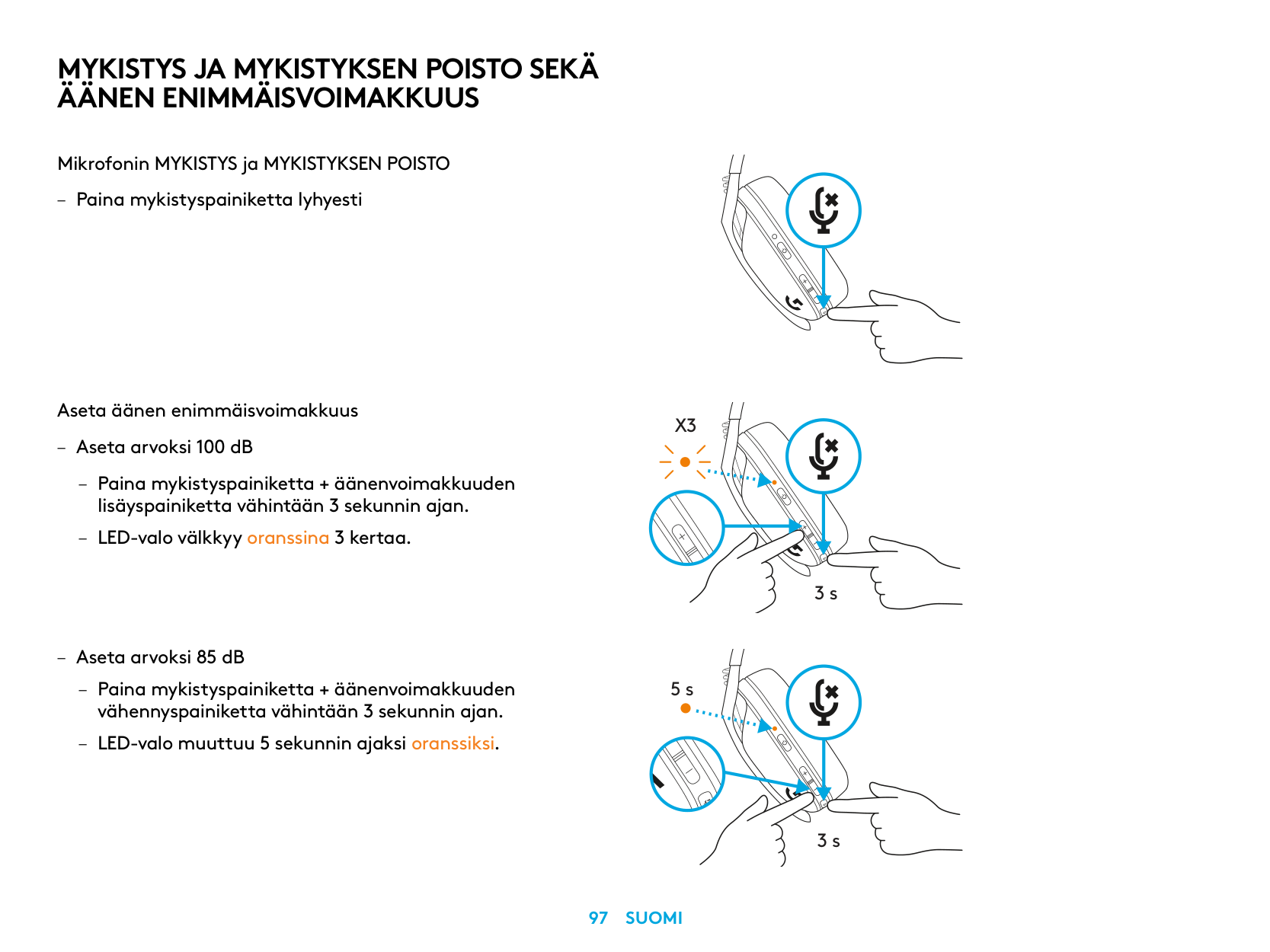
MYKISTYS JA MYKISTYKSEN POISTO SEKÄ ÄÄNEN ENIMMÄISVOIMAKKUUS
Mikrofonin MYKISTYS ja MYKISTYKSEN POISTO
– Paina mykistyspainiketta lyhyesti
Aseta äänen enimmäisvoimakkuus
X3
– Aseta arvoksi 100 dB
– Paina mykistyspainiketta + äänenvoimakkuuden
lisäyspainiketta vähintään 3 sekunnin ajan
– LED-valo välkkyy oranssina 3 kertaa
3 s
– Aseta arvoksi 85 dB
5 s
3 s
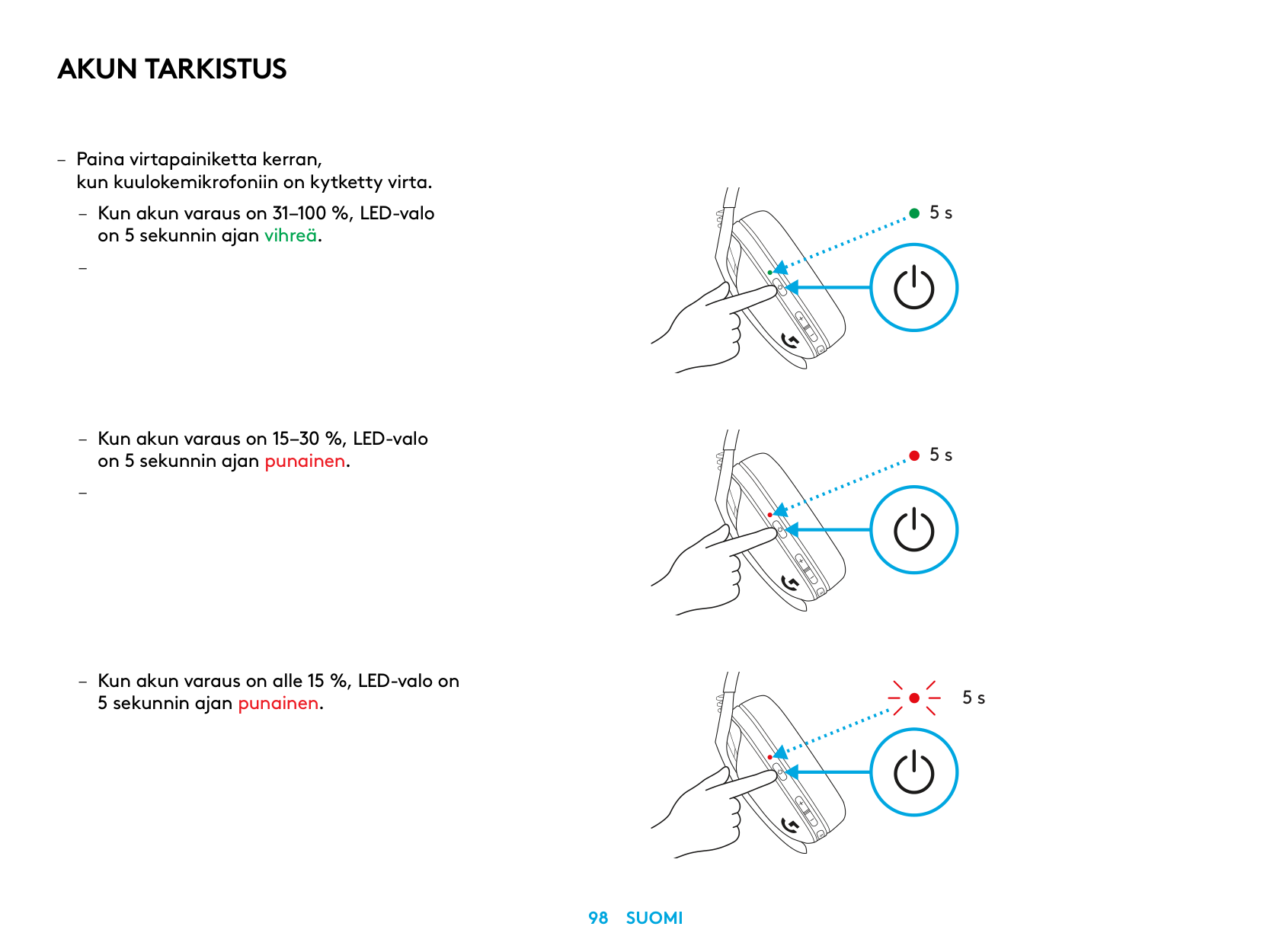
AKUN TARKISTUS
– Paina virtapainiketta kerran,
kun kuulokemikrofoniin on kytketty virta
– Kun akun varaus on 31–100 %, LED-valo
on 5 sekunnin ajan vihreä
–
– Kun akun varaus on 15–30 %, LED-valo
on 5 sekunnin ajan punainen
–
– Kun akun varaus on alle 15 %, LED-valo on
5 sekunnin ajan punainen
5 s
5 s
5 s
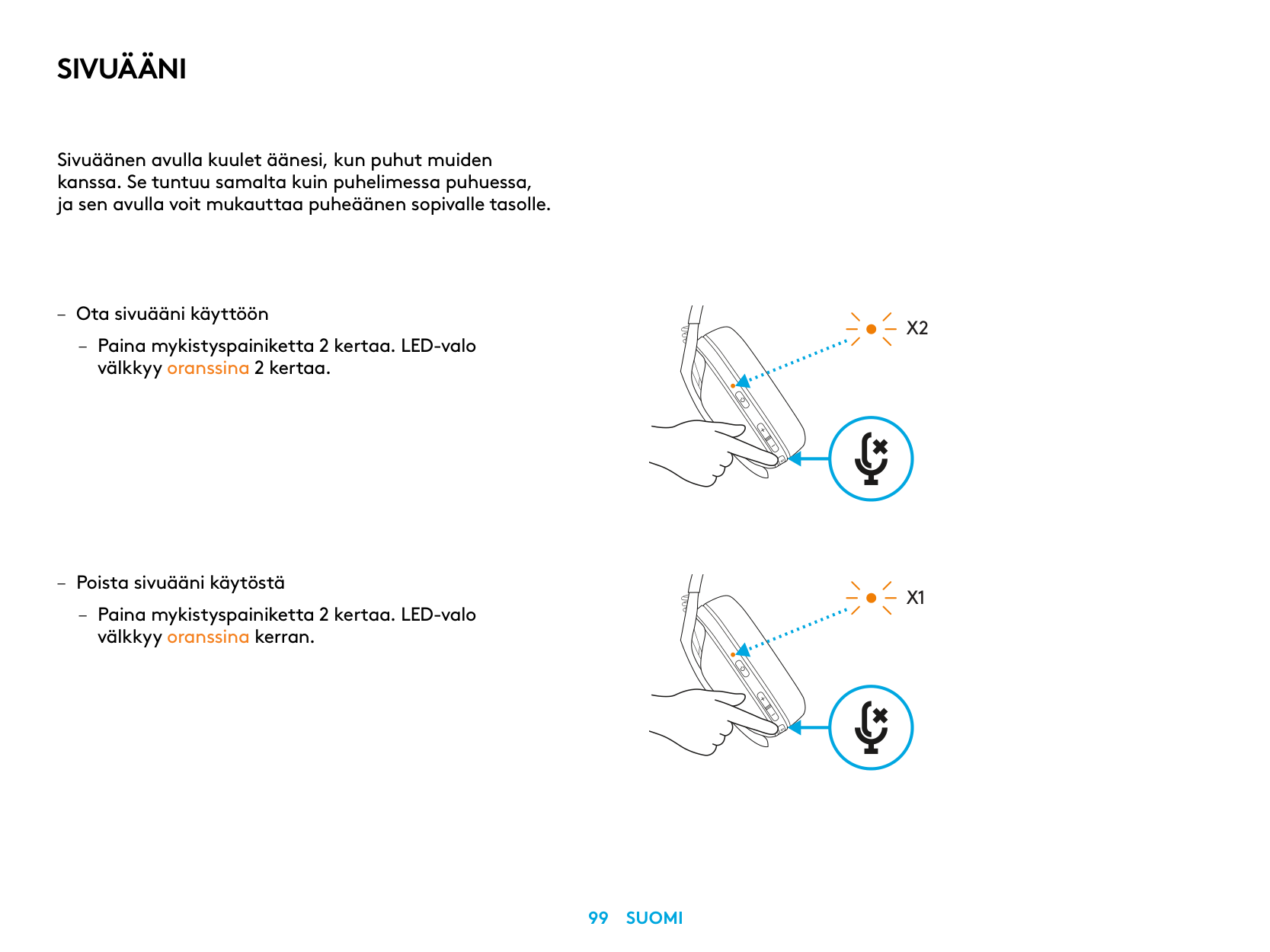
SIVUÄÄNI
Sivuäänen avulla kuulet äänesi, kun puhut muiden kanssa Se tuntuu samalta kuin puhelimessa puhuessa, ja sen avulla voit mukauttaa puheäänen sopivalle tasolle
– Ota sivuääni käyttöön
– Paina mykistyspainiketta 2 kertaa LED-valo
välkkyy oranssina 2 kertaa
– Poista sivuääni käytöstä
– Paina mykistyspainiketta 2 kertaa LED-valo
välkkyy oranssina kerran
X2
X1
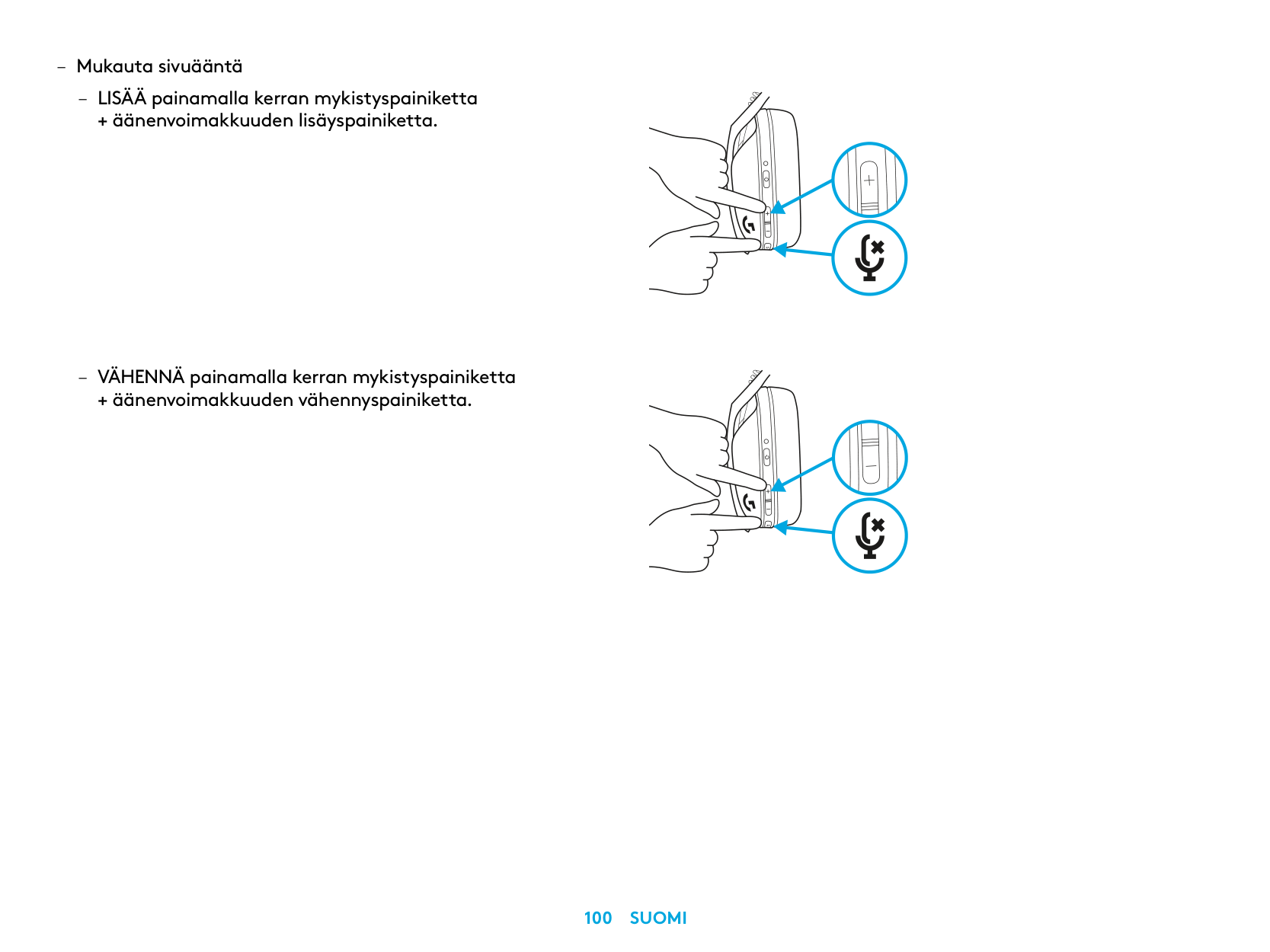
– Mukauta sivuääntä
– LISÄÄ painamalla kerran mykistyspainiketta
+ äänenvoimakkuuden lisäyspainiketta
– VÄHENNÄ painamalla kerran mykistyspainiketta
+ äänenvoimakkuuden vähennyspainiketta
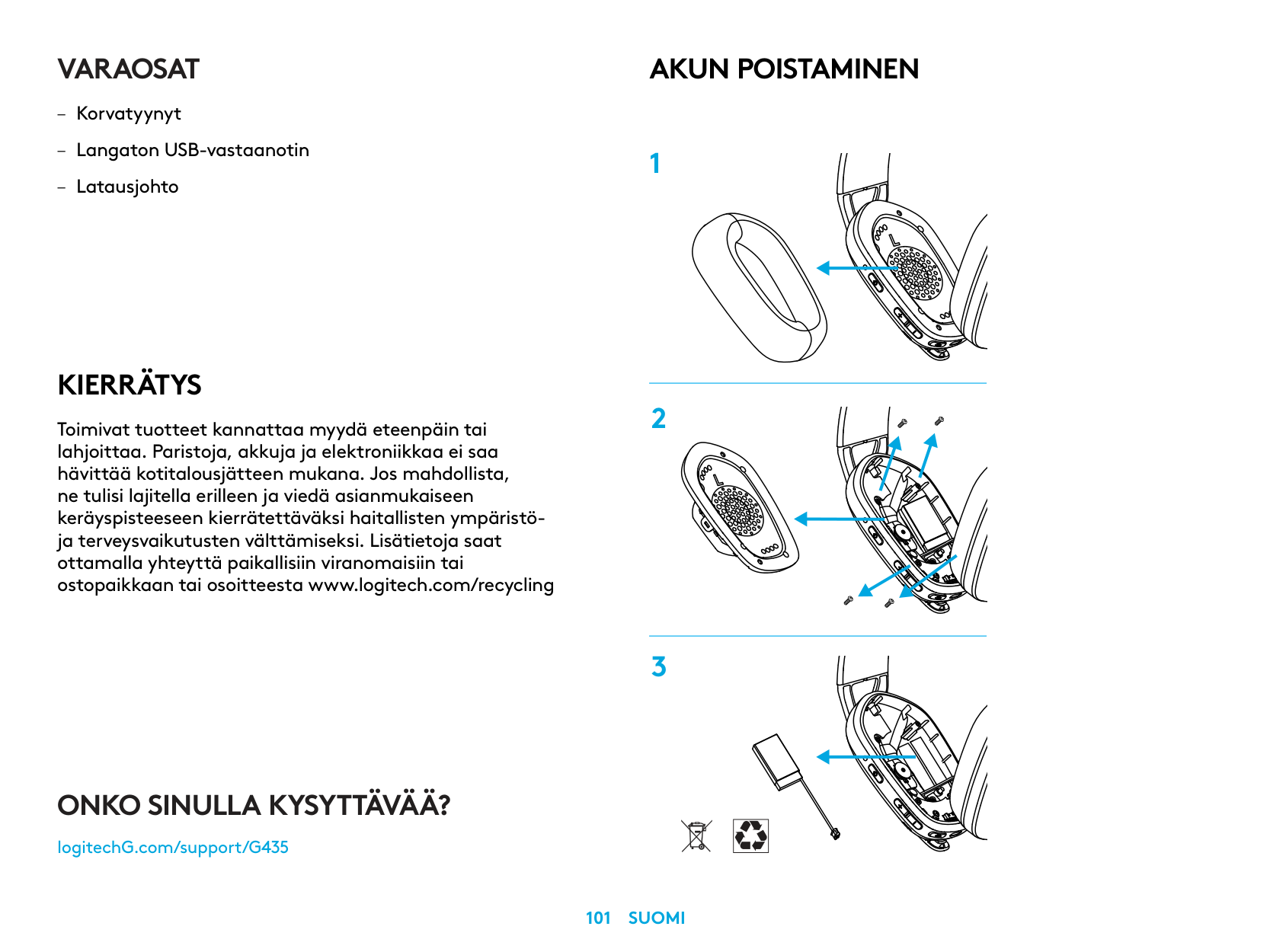
VARAOSAT
KIERRÄTYS
Toimivat tuotteet kannattaa myydä eteenpäin tai lahjoittaa. Paristoja, akkuja ja elektroniikkaa ei saa hävittää kotitalousjätteen mukana. Jos mahdollista, ne tulisi lajitella erilleen ja viedä asianmukaiseen keräyspisteeseen kierrätettäväksi haitallisten ympäristöja terveysvaikutusten välttämiseksi. Lisätietoja saat ottamalla yhteyttä paikallisiin viranomaisiin tai ostopaikkaan tai osoitteesta www.logitech.com/recycling
AKUN POISTAMINEN
ONKO SINULLA KYSYTTÄVÄÄ?
logitechG.com/support/G435
| | |---|
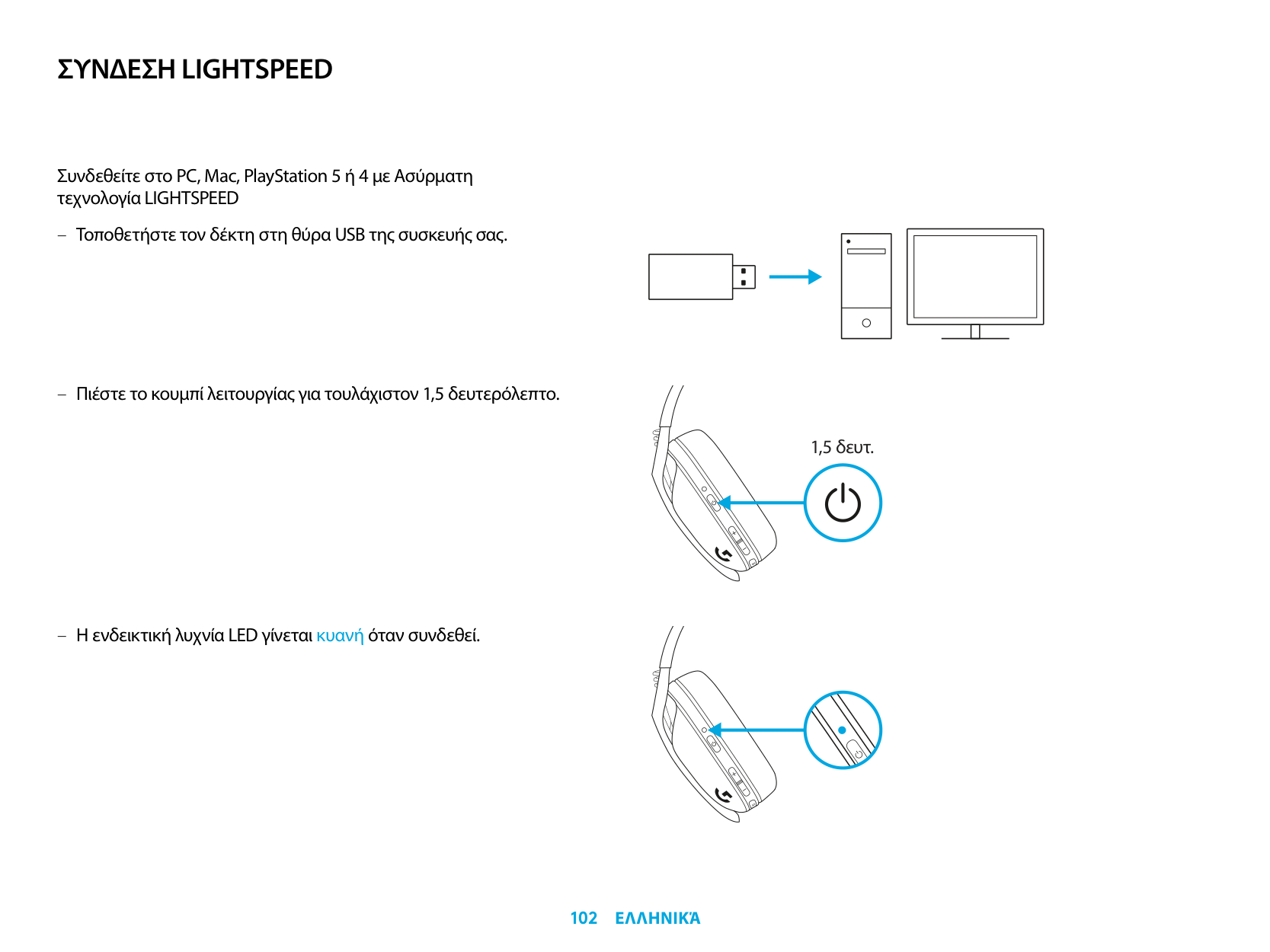
ΣΎΝΔΕΣΗ LIGHTSPEED
Συνδεθείτε στο PC, Mac, PlayStation 5 ή 4 με Άσύρματη τεχνολογία LIGHTSPEED
| | | |---|---| | | | | | |
| | | | |---|---|---| | | | |
| | |---| | |
1,5 δευτ.
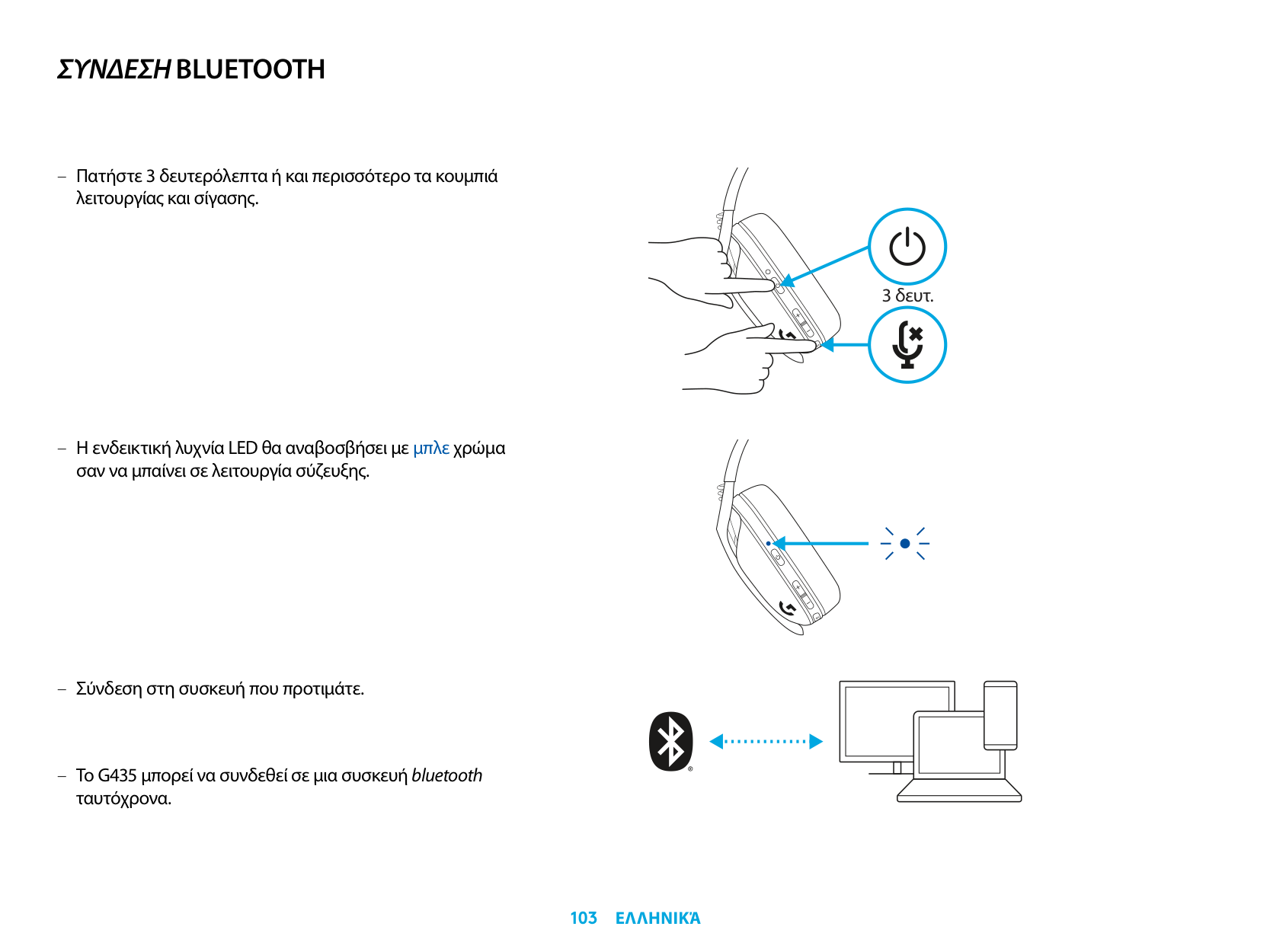
ΣΎΝΔΕΣΗ BLUETOOTH
3 δευτ.
Το G435 μπορεί να συνδεθεί σε μια συσκευή bluetooth ταυτόχρονα.
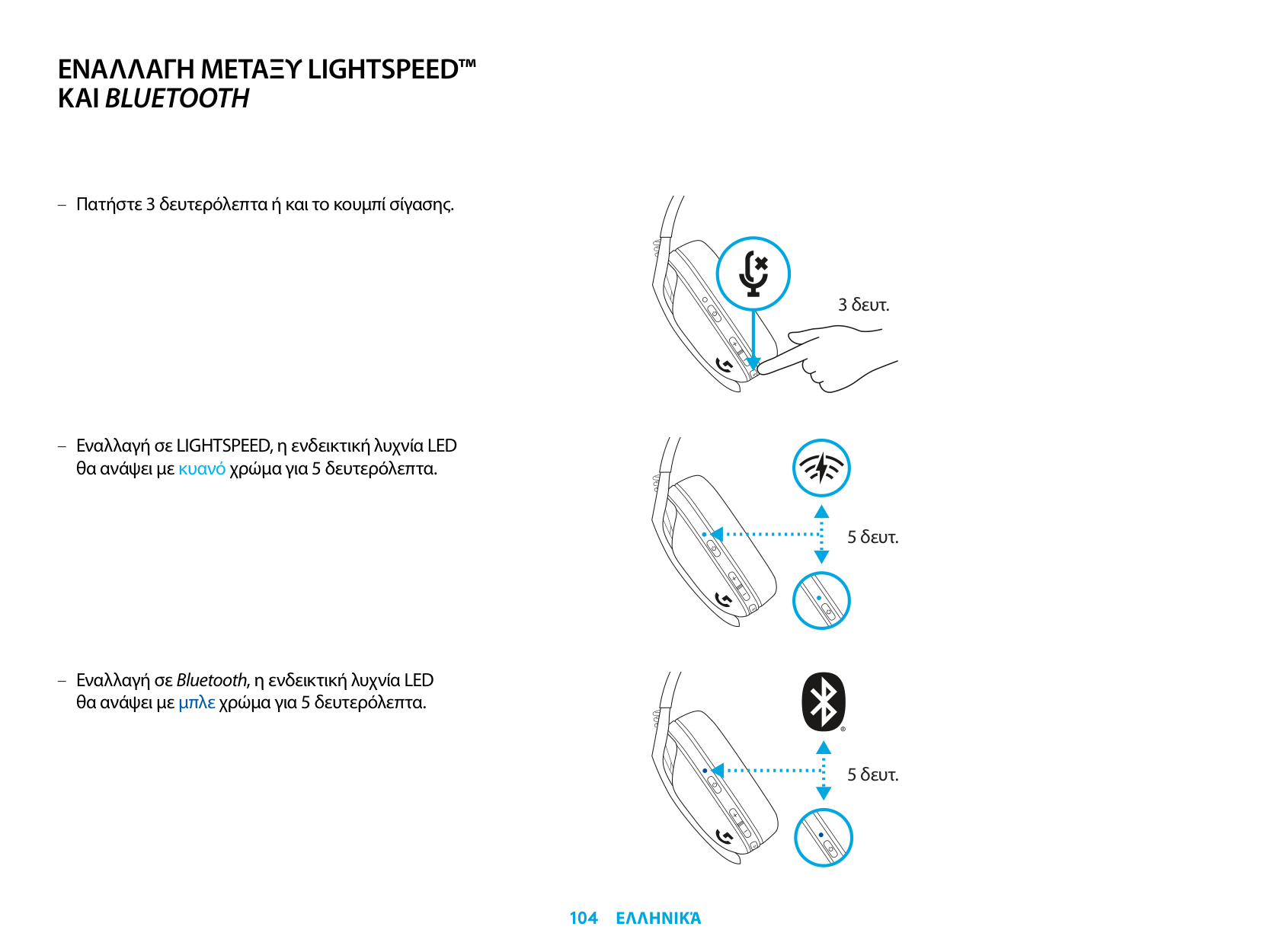
ΕΝΑΛΛΑΓΗ ΜΕΤΑΞΎ LIGHTSPEED™ ΚΑΙ BLUETOOTH
3 δευτ.
5 δευτ.
5 δευτ.
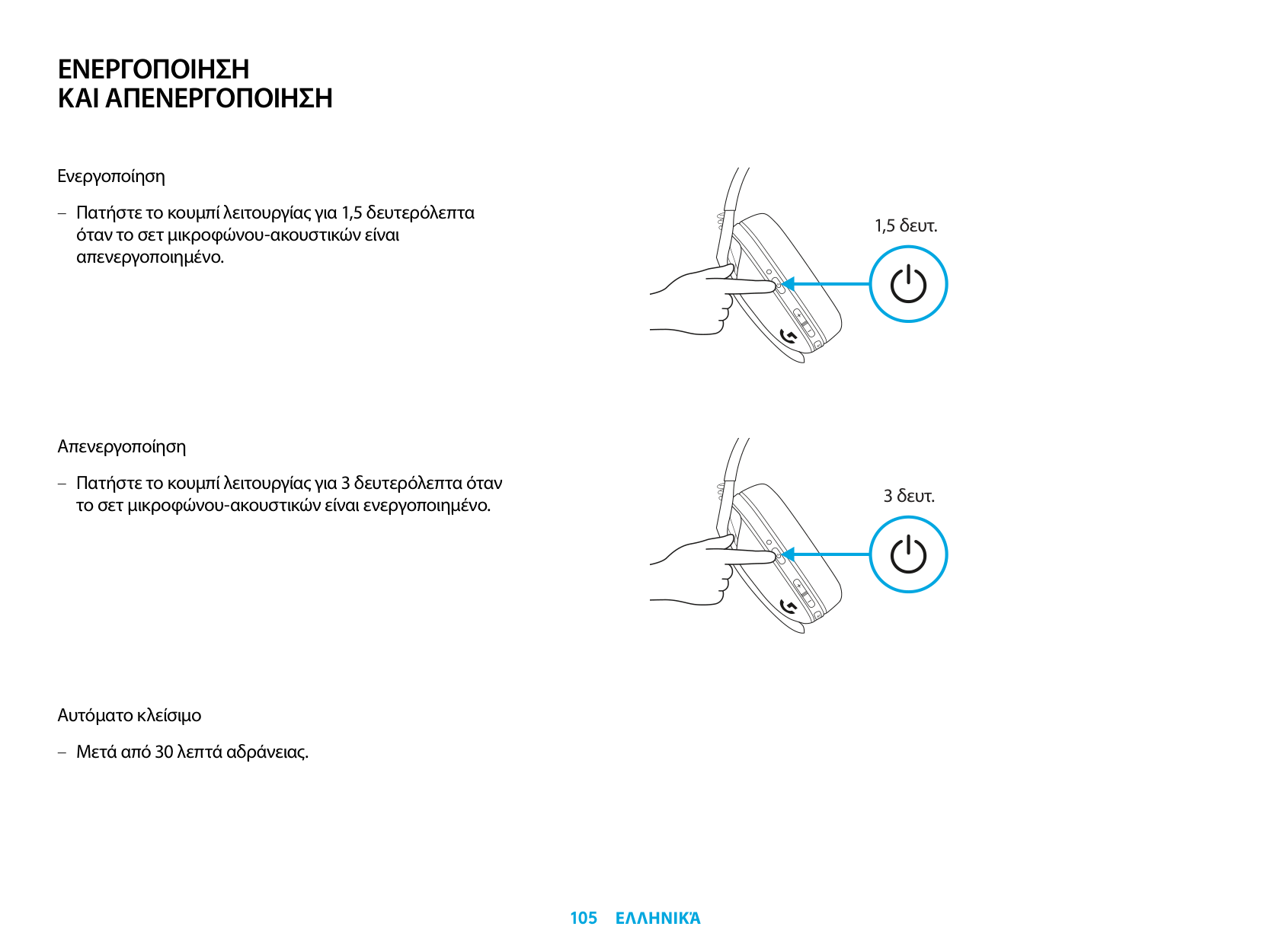
ΕΝΕΡΓΟΠΟΙΗΣΗ ΚΑΙ ΑΠΕΝΕΡΓΟΠΟΙΗΣΗ
Ενεργοποίηση
– Πατήστε το κουμπί λειτουργίας για 1,5 δευτερόλεπτα όταν το σετ μικροφώνου-ακουστικών είναι απενεργοποιημένο.
Άπενεργοποίηση
– Πατήστε το κουμπί λειτουργίας για 3 δευτερόλεπτα όταν το σετ μικροφώνου-ακουστικών είναι ενεργοποιημένο.
Άυτόματο κλείσιμο
– Μετά από 30 λεπτά αδράνειας.
1,5 δευτ.
3 δευτ.
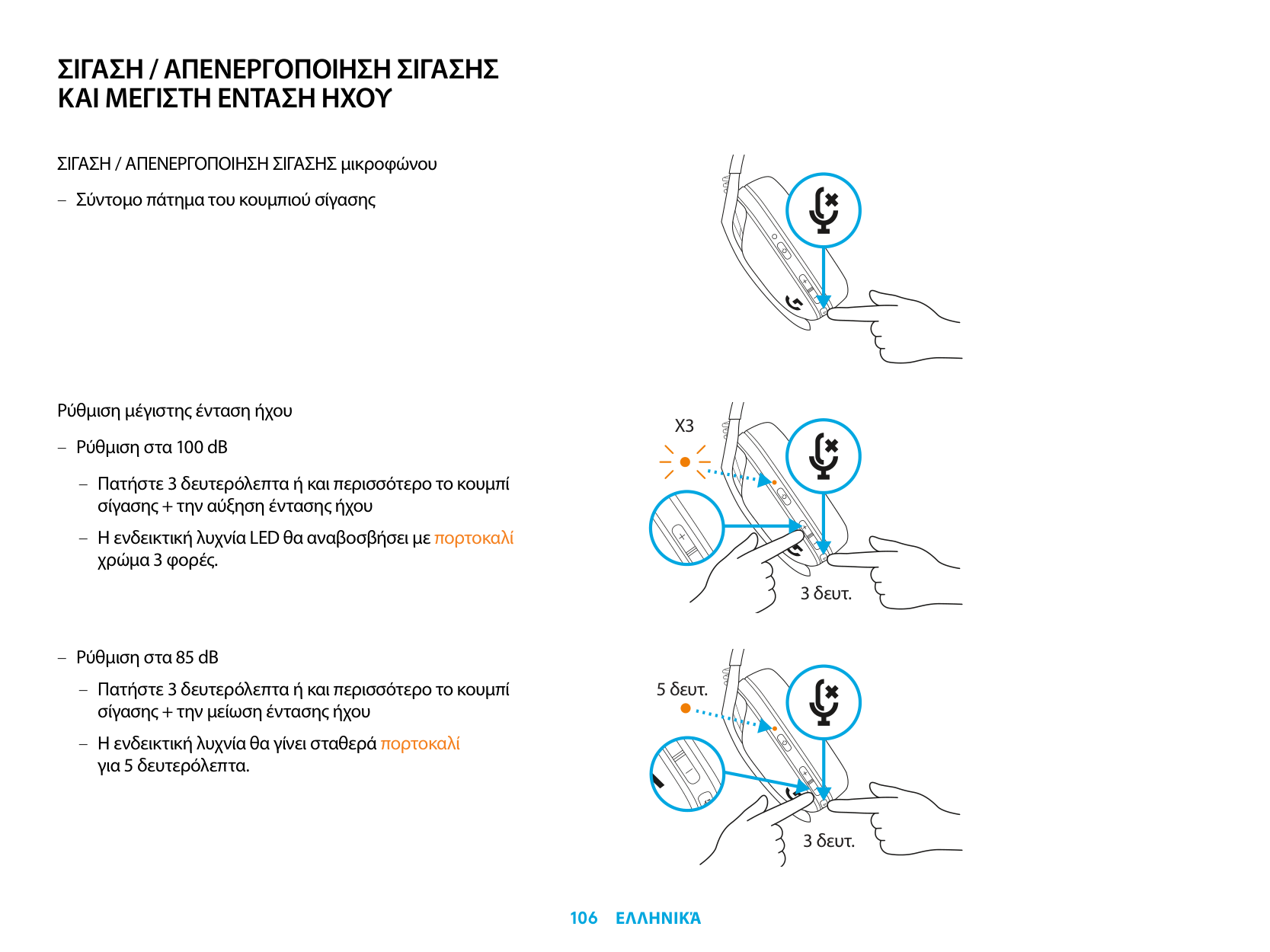
ΣΙΓΑΣΗ / ΑΠΕΝΕΡΓΟΠΟΙΗΣΗ ΣΙΓΑΣΗΣ ΚΑΙ ΜΕΓΙΣΤΗ ΕΝΤΑΣΗ ΗΧΟΎ
ΣΙΓΆΣΗ / ΆΠΕΝΕΡΓΟΠΟΙΗΣΗ ΣΙΓΆΣΗΣ μικροφώνου
Ρύθμιση μέγιστης ένταση ήχου
X3
3 δευτ.
5 δευτ.
3 δευτ.
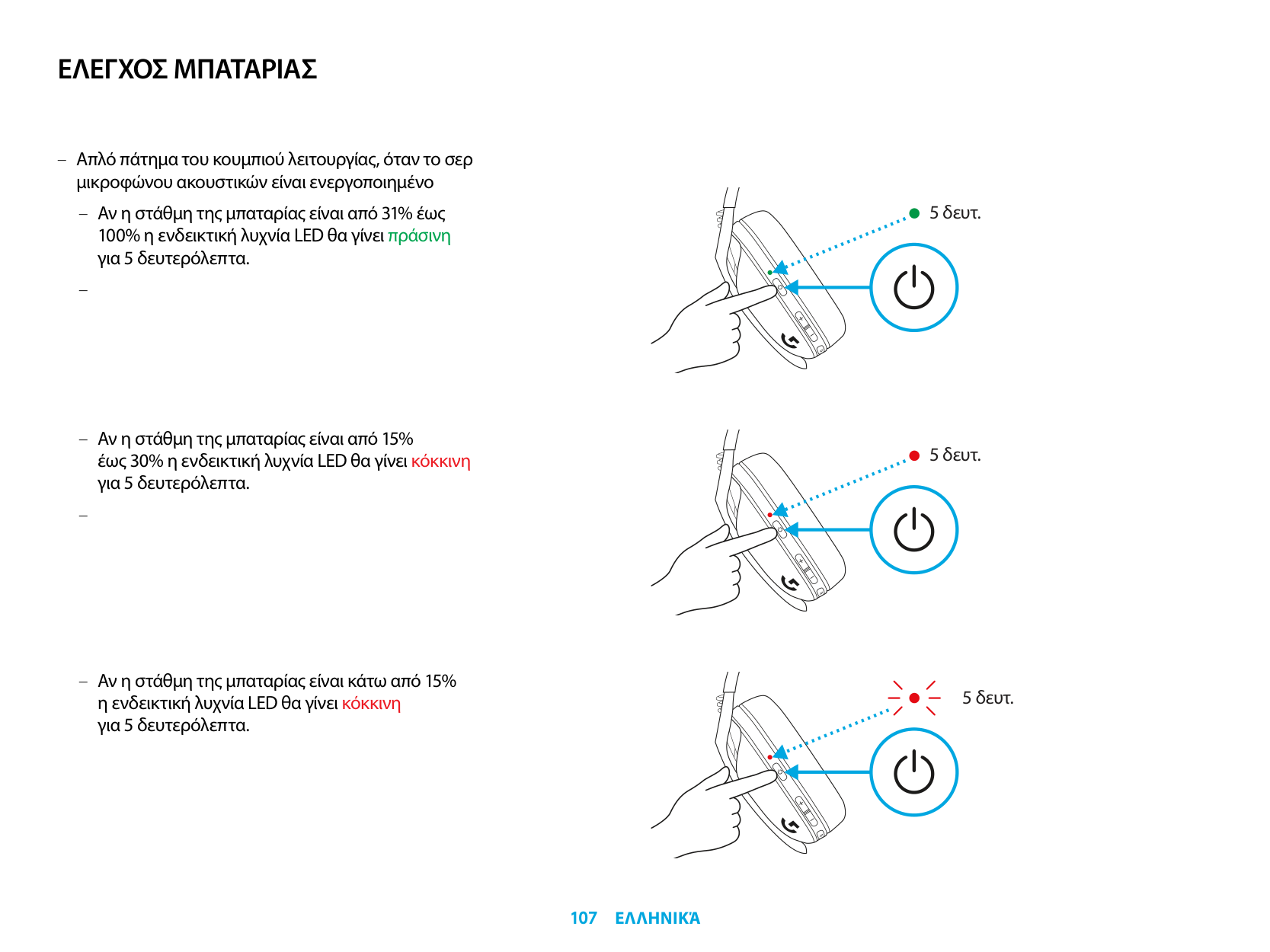
ΕΛΕΓΧΟΣ ΜΠΑΤΑΡΙΑΣ
– Άπλό πάτημα του κουμπιού λειτουργίας, όταν το σερ
μικροφώνου ακουστικών είναι ενεργοποιημένο
– Άν η στάθμη της μπαταρίας είναι από 31% έως 100% η ενδεικτική λυχνία LED θα γίνει πράσινη για 5 δευτερόλεπτα.
–
– Άν η στάθμη της μπαταρίας είναι από 15% έως 30% η ενδεικτική λυχνία LED θα γίνει κόκκινη για 5 δευτερόλεπτα.
–
5 δευτ.
5 δευτ.
5 δευτ.
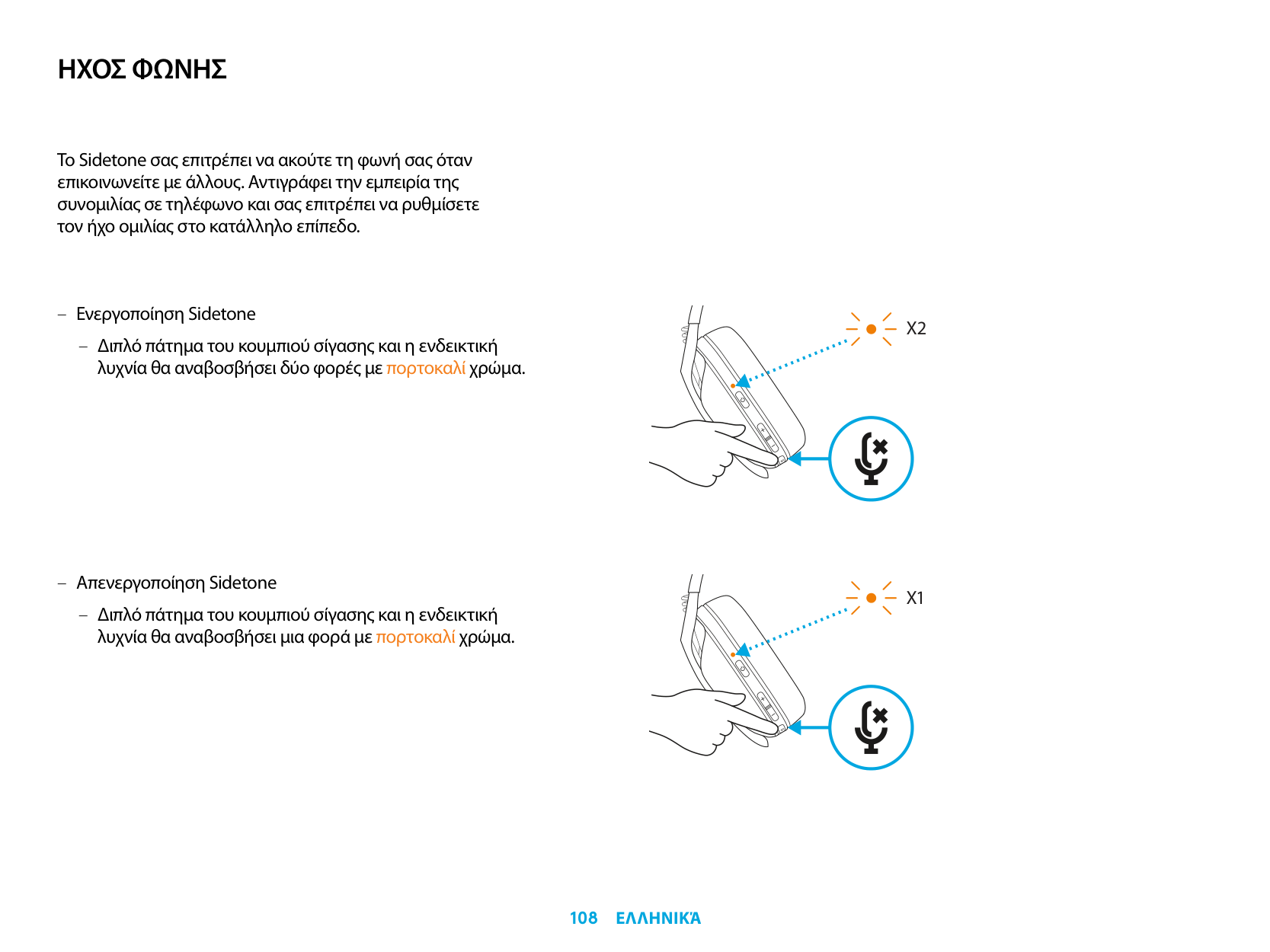
ΗΧΟΣ ΦΩΝΗΣ
Το Sidetone σας επιτρέπει να ακούτε τη φωνή σας όταν επικοινωνείτε με άλλους. Άντιγράφει την εμπειρία της συνομιλίας σε τηλέφωνο και σας επιτρέπει να ρυθμίσετε τον ήχο ομιλίας στο κατάλληλο επίπεδο.
– Άπενεργοποίηση Sidetone
– Διπλό πάτημα του κουμπιού σίγασης και η ενδεικτική
λυχνία θα αναβοσβήσει μια φορά με πορτοκαλί χρώμα.
X2
X1
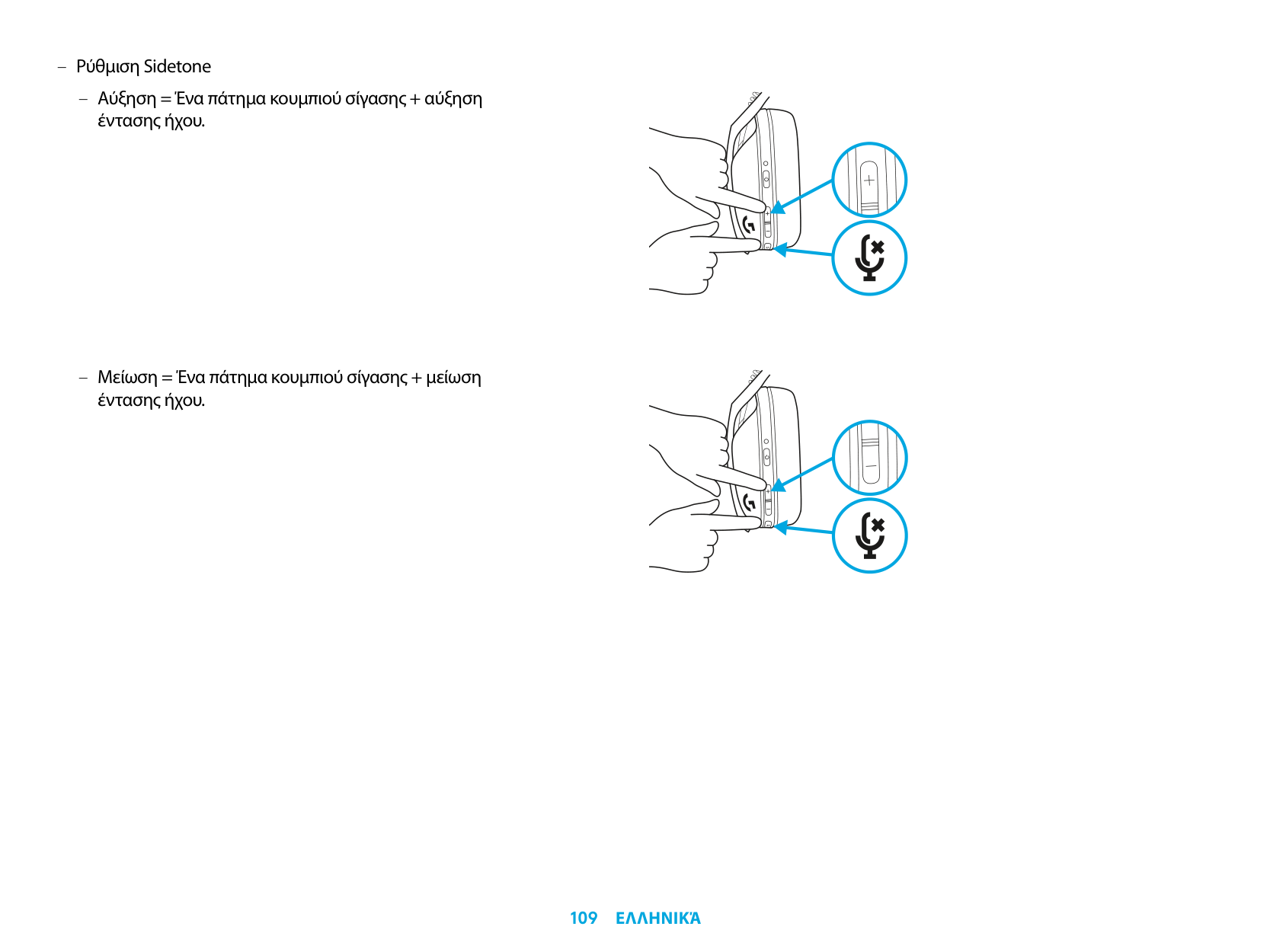
– Ρύθμιση Sidetone
– Άύξηση = Ένα πάτημα κουμπιού σίγασης + αύξηση
έντασης ήχου.
– Μείωση = Ένα πάτημα κουμπιού σίγασης + μείωση
έντασης ήχου.
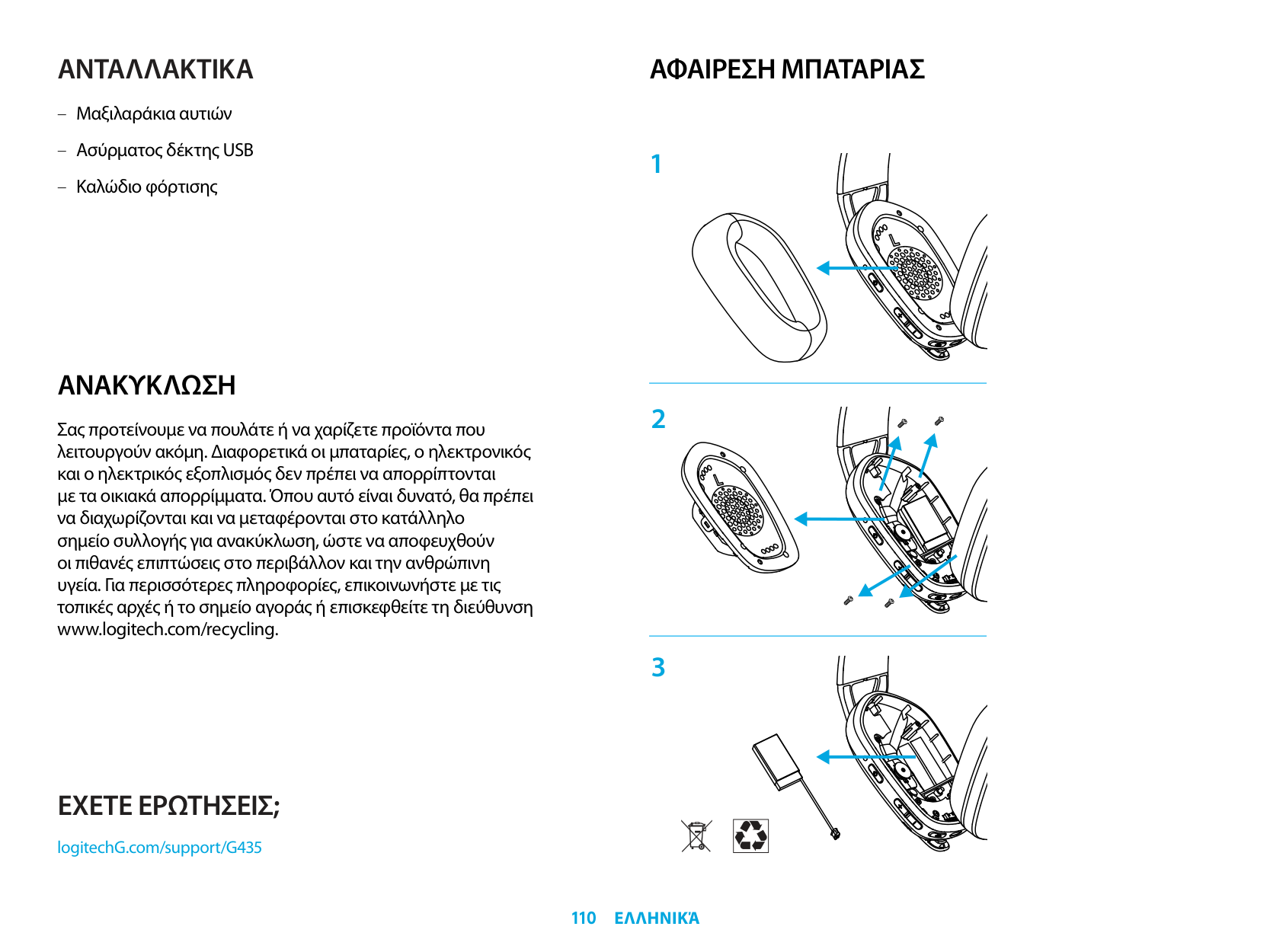
ΑΝΤΑΛΛΑΚΤΙΚΑ
ΑΝΑΚΎΚΛΩΣΗ
Σας προτείνουμε να πουλάτε ή να χαρίζετε προϊόντα που λειτουργούν ακόμη. Διαφορετικά οι μπαταρίες, ο ηλεκτρονικός και ο ηλεκτρικός εξοπλισμός δεν πρέπει να απορρίπτονται με τα οικιακά απορρίμματα. Όπου αυτό είναι δυνατό, θα πρέπει να διαχωρίζονται και να μεταφέρονται στο κατάλληλο σημείο συλλογής για ανακύκλωση, ώστε να αποφευχθούν οι πιθανές επιπτώσεις στο περιβάλλον και την ανθρώπινη υγεία. Για περισσότερες πληροφορίες, επικοινωνήστε με τις τοπικές αρχές ή το σημείο αγοράς ή επισκεφθείτε τη διεύθυνση www.logitech.com/recycling.
ΑΦΑΙΡΕΣΗ ΜΠΑΤΑΡΙΑΣ
ΕΧΕΤΕ ΕΡΩΤΗΣΕΙΣ;
logitechG.com/support/G435
| | |---|
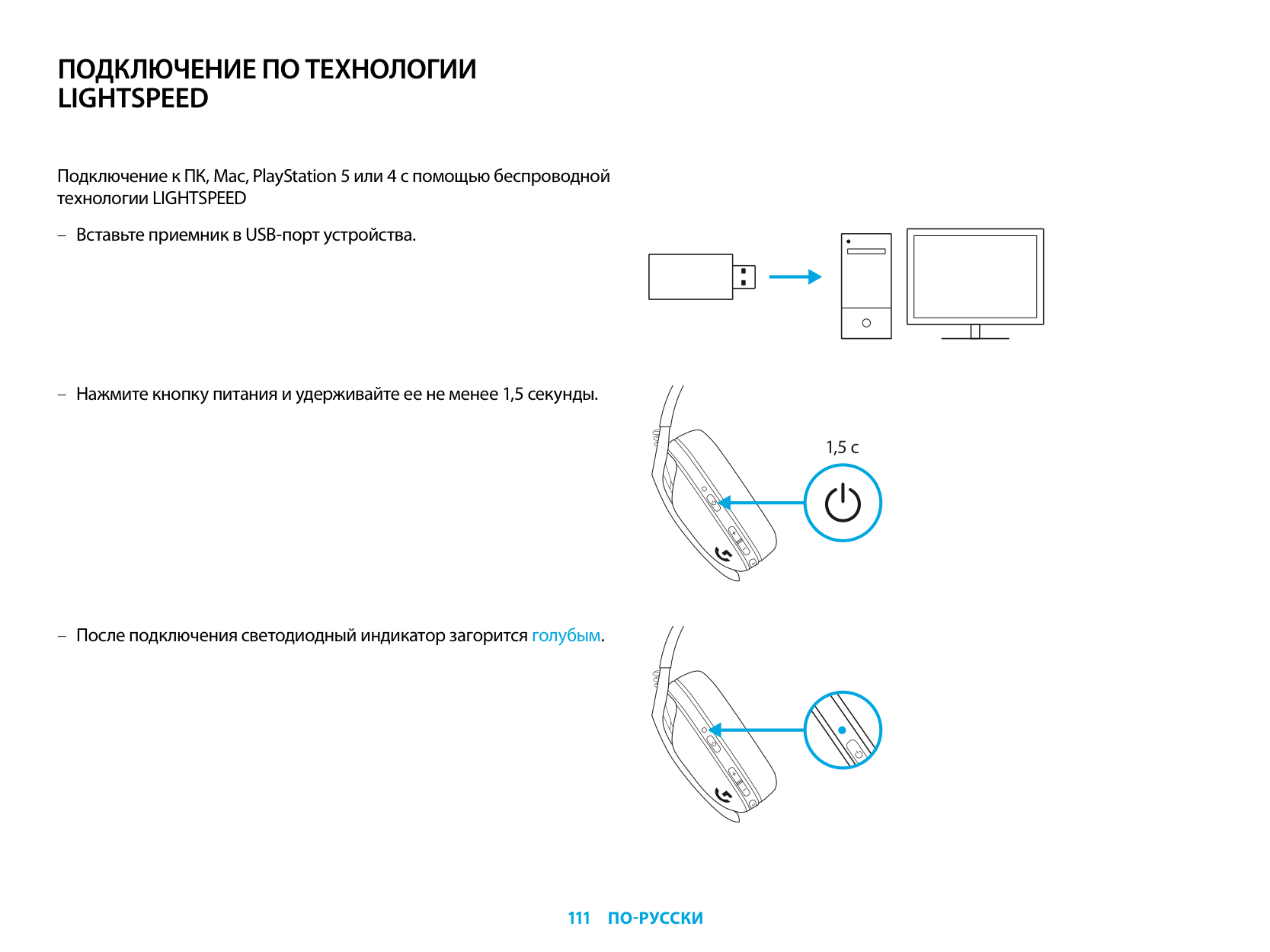
ПОДКЛЮЧЕНИЕ ПО ТЕХНОЛОГИИ LIGHTSPEED
Подключение к ПК, Mac, PlayStation 5 или 4 с помощью беспроводной технологии LIGHTSPEED
| | | |---|---| | | | | | |
| | | | |---|---|---| | | | |
| | |---| | |
1,5 с
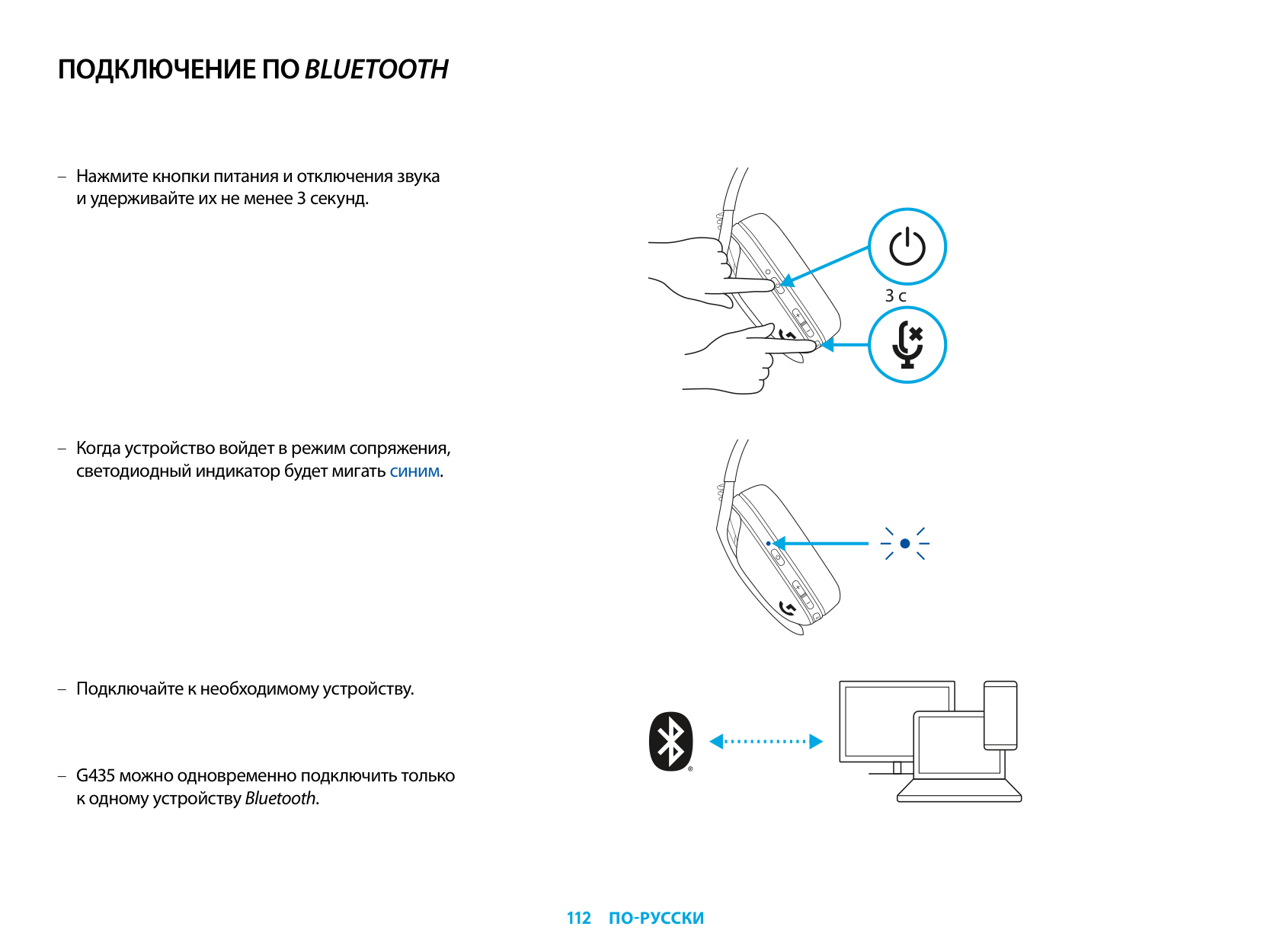
ПОДКЛЮЧЕНИЕ ПО BLUETOOTH
3 с
G435 можно одновременно подключить только к одному устройству Bluetooth.
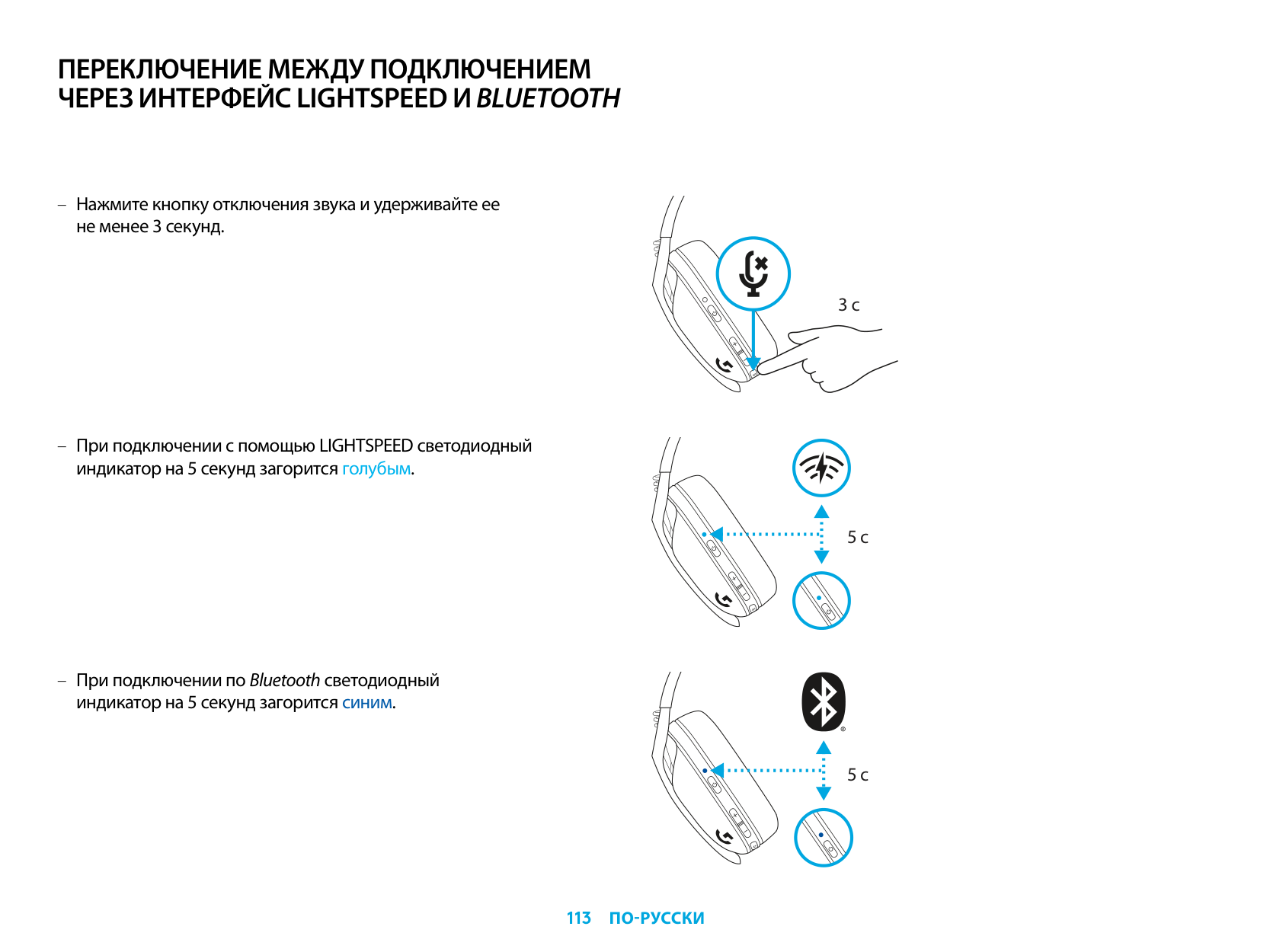
ПЕРЕКЛЮЧЕНИЕ МЕЖДУ ПОДКЛЮЧЕНИЕМ ЧЕРЕЗ ИНТЕРФЕЙС LIGHTSPEED ИBLUETOOTH
3 с
5 с
5 с
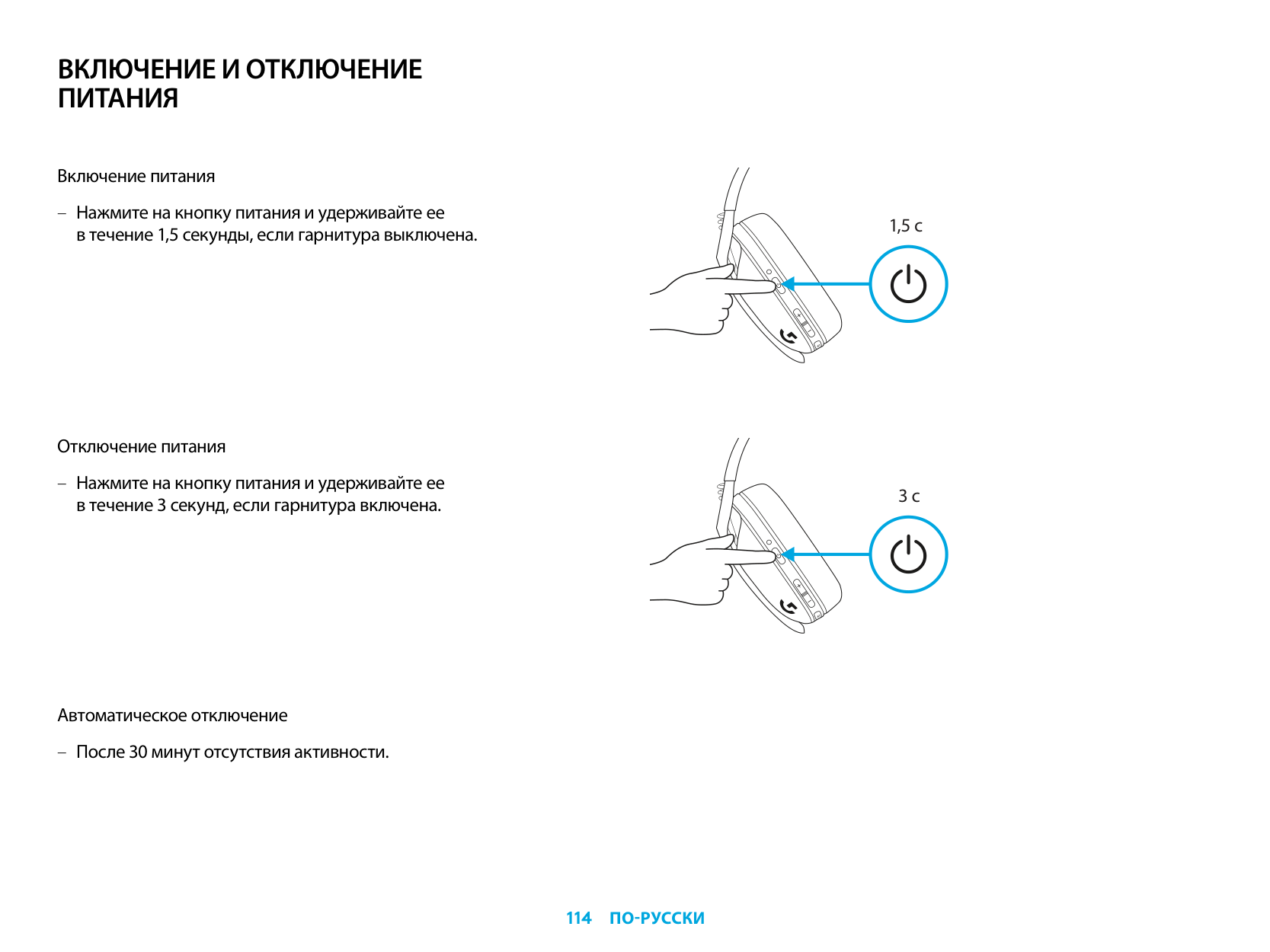
ВКЛЮЧЕНИЕ И ОТКЛЮЧЕНИЕ ПИТАНИЯ
Включение питания
– Нажмите на кнопку питания и удерживайте ее
в течение 1,5 секунды, если гарнитура выключена.
Отключение питания
– Нажмите на кнопку питания и удерживайте ее в течение 3 секунд, если гарнитура включена.
Автоматическое отключение
– После 30 минут отсутствия активности.
1,5 с
3 с
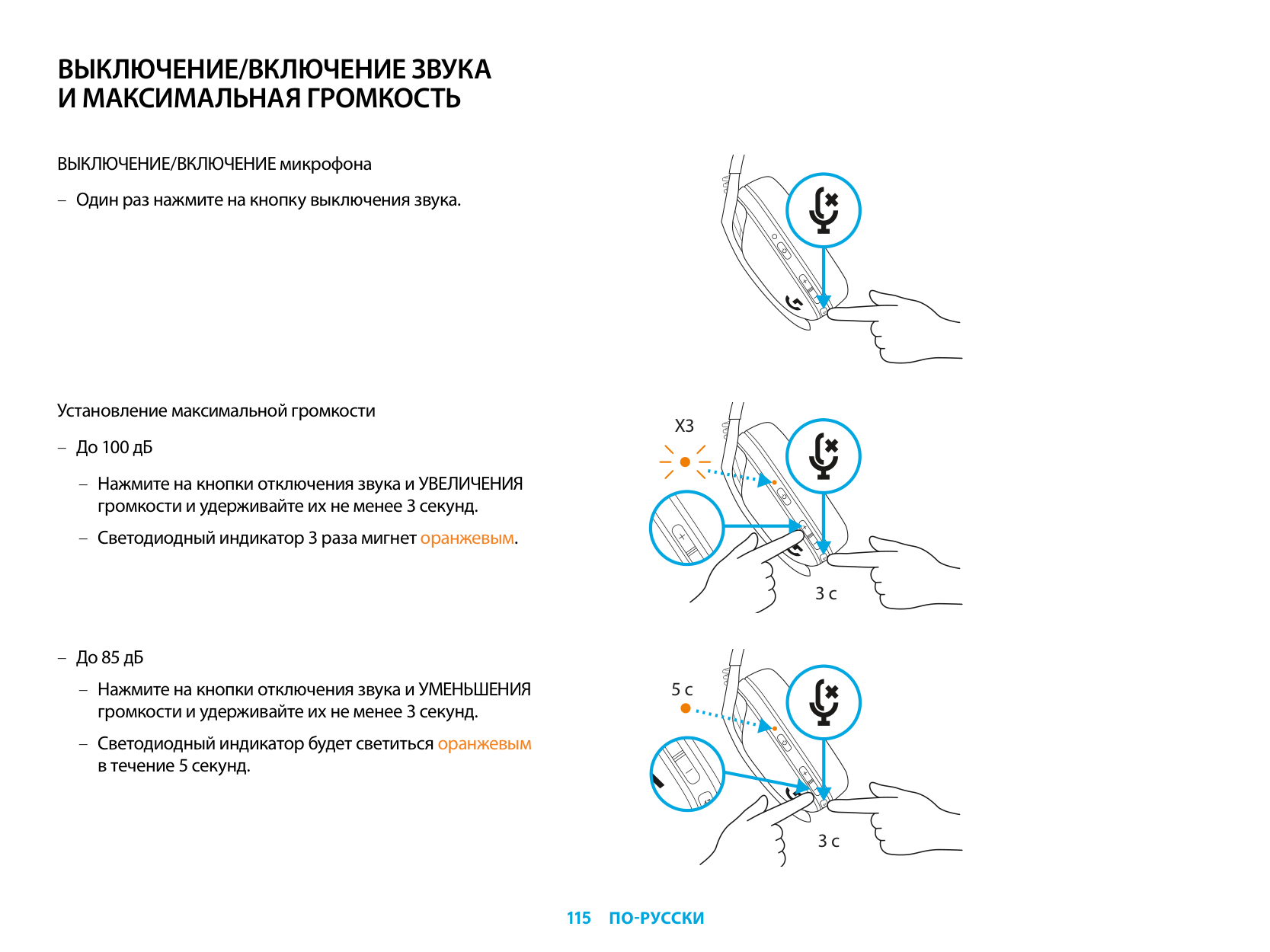
ВЫКЛЮЧЕНИЕ/ВКЛЮЧЕНИЕ ЗВУКА И МАКСИМАЛЬНАЯ ГРОМКОСТЬ
ВЫКЛЮЧЕНИЕ/ВКЛЮЧЕНИЕ микрофона
– Один раз нажмите на кнопку выключения звука.
Установление максимальной громкости
X3
– До 100 дБ
– Нажмите на кнопки отключения звука и УВЕЛИЧЕНИЯ
громкости и удерживайте их не менее 3 секунд.
– Светодиодный индикатор 3 раза мигнет оранжевым.
3 с
– До 85 дБ
– Нажмите на кнопки отключения звука и УМЕНЬШЕНИЯ
5 с
громкости и удерживайте их не менее 3 секунд.
– Светодиодный индикатор будет светиться оранжевым
в течение 5 секунд.
3 с
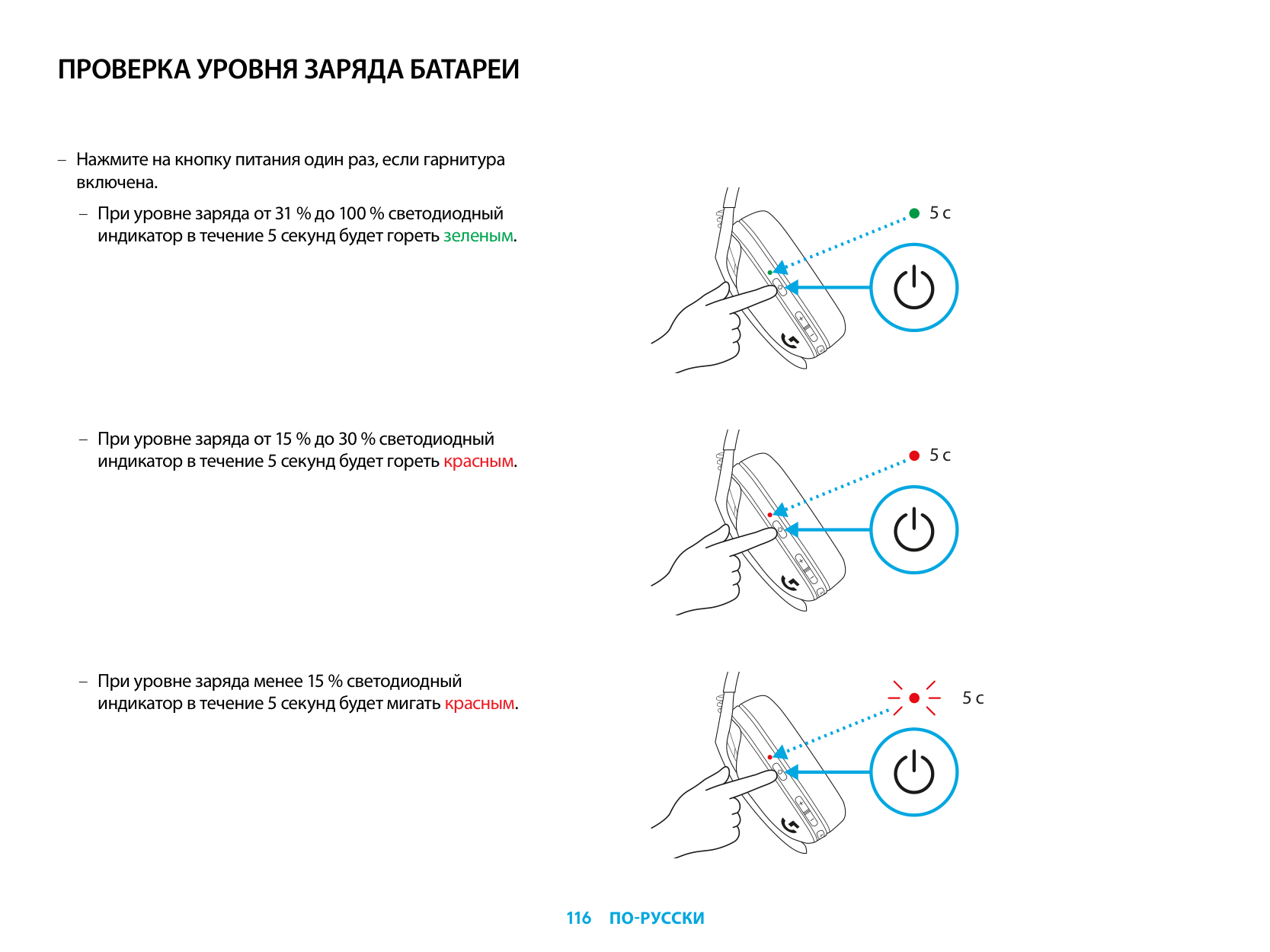
ПРОВЕРКА УРОВНЯ ЗАРЯДА БАТАРЕИ
– Нажмите на кнопку питания один раз, если гарнитура
включена.
– При уровне заряда от 31 % до 100 % светодиодный
индикатор в течение 5 секунд будет гореть зеленым.
– При уровне заряда от 15 % до 30 % светодиодный
индикатор в течение 5 секунд будет гореть красным.
– При уровне заряда менее 15 % светодиодный
индикатор в течение 5 секунд будет мигать красным.
5 с
5 с
5 с
МЕСТНЫЙ ЭФФЕКТ
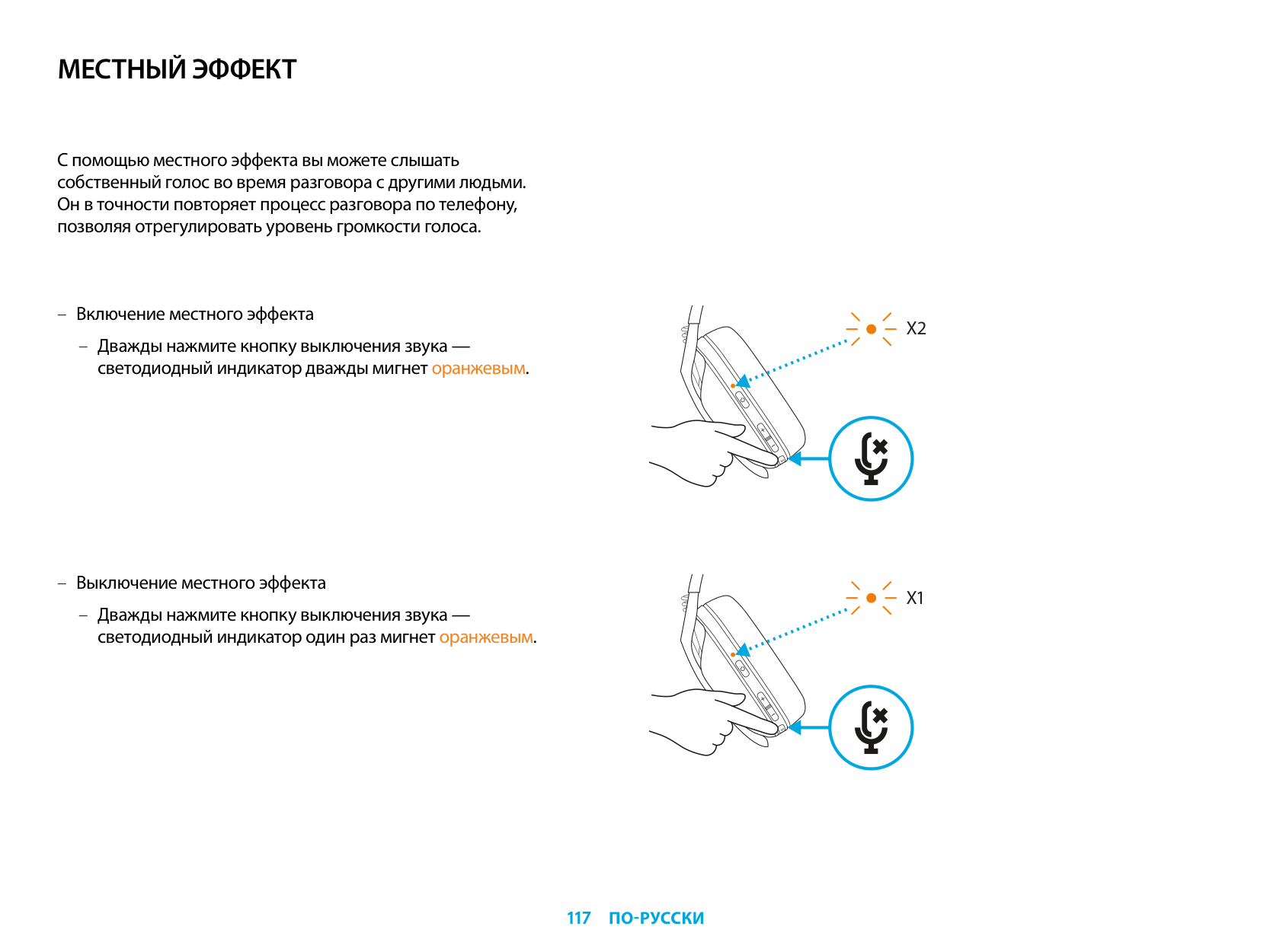
С помощью местного эффекта вы можете слышать собственный голос во время разговора с другими людьми. Он в точности повторяет процесс разговора по телефону, позволяя отрегулировать уровень громкости голоса.
– Включение местного эффекта
– Дважды нажмите кнопку выключения звука —
светодиодный индикатор дважды мигнет оранжевым.
– Выключение местного эффекта
– Дважды нажмите кнопку выключения звука —
светодиодный индикатор один раз мигнет оранжевым.
X2
X1
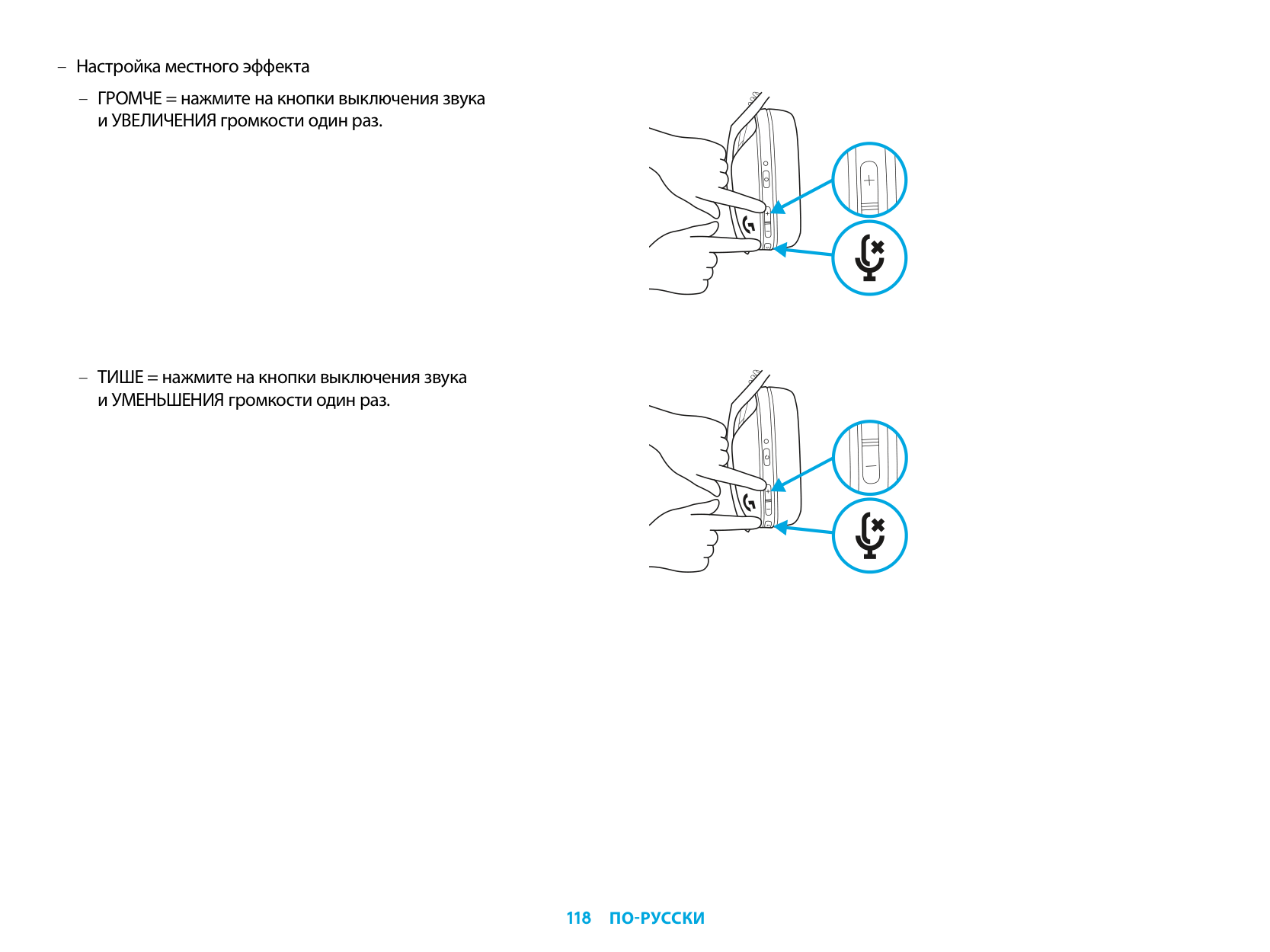
– Настройка местного эффекта
– ГРОМЧЕ = нажмите на кнопки выключения звука
и УВЕЛИЧЕНИЯ громкости один раз.
– ТИШЕ = нажмите на кнопки выключения звука
и УМЕНЬШЕНИЯ громкости один раз.
ЗАПАСНЫЕ ЧАСТИ
УТИЛИЗАЦИЯ И ПЕРЕРАБОТКА
Мы советуем пользователям отдавать или продавать исправные устройства, в которых больше нет необходимости. Напоминаем, что батареи, а также электронное и электрическое оборудование не следует утилизировать вместе с бытовыми отходами. Там, где это возможно, их следует разделять и сдавать в соответствующий пункт приема для переработки, чтобы избежать потенциального вредного воздействия на окружающую среду и здоровье человека. Для получения дополнительной информации обратитесь в местные законодательные органы, свяжитесь с поставщиком или посетите веб-страницу www.logitech.com/recycling.
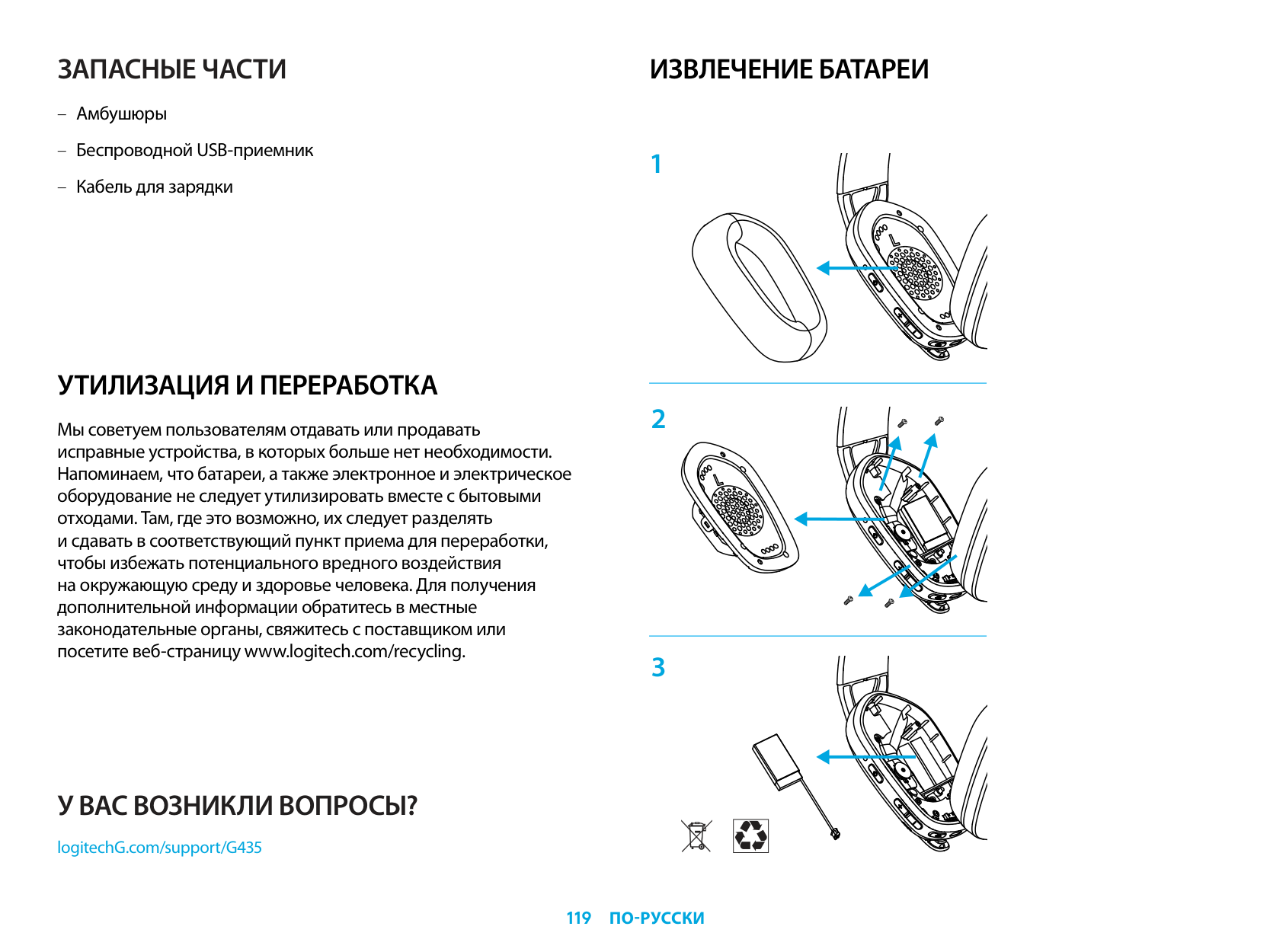
ИЗВЛЕЧЕНИЕ БАТАРЕИ
У ВАС ВОЗНИКЛИ ВОПРОСЫ?
logitechG.com/support/G435
| | |---|
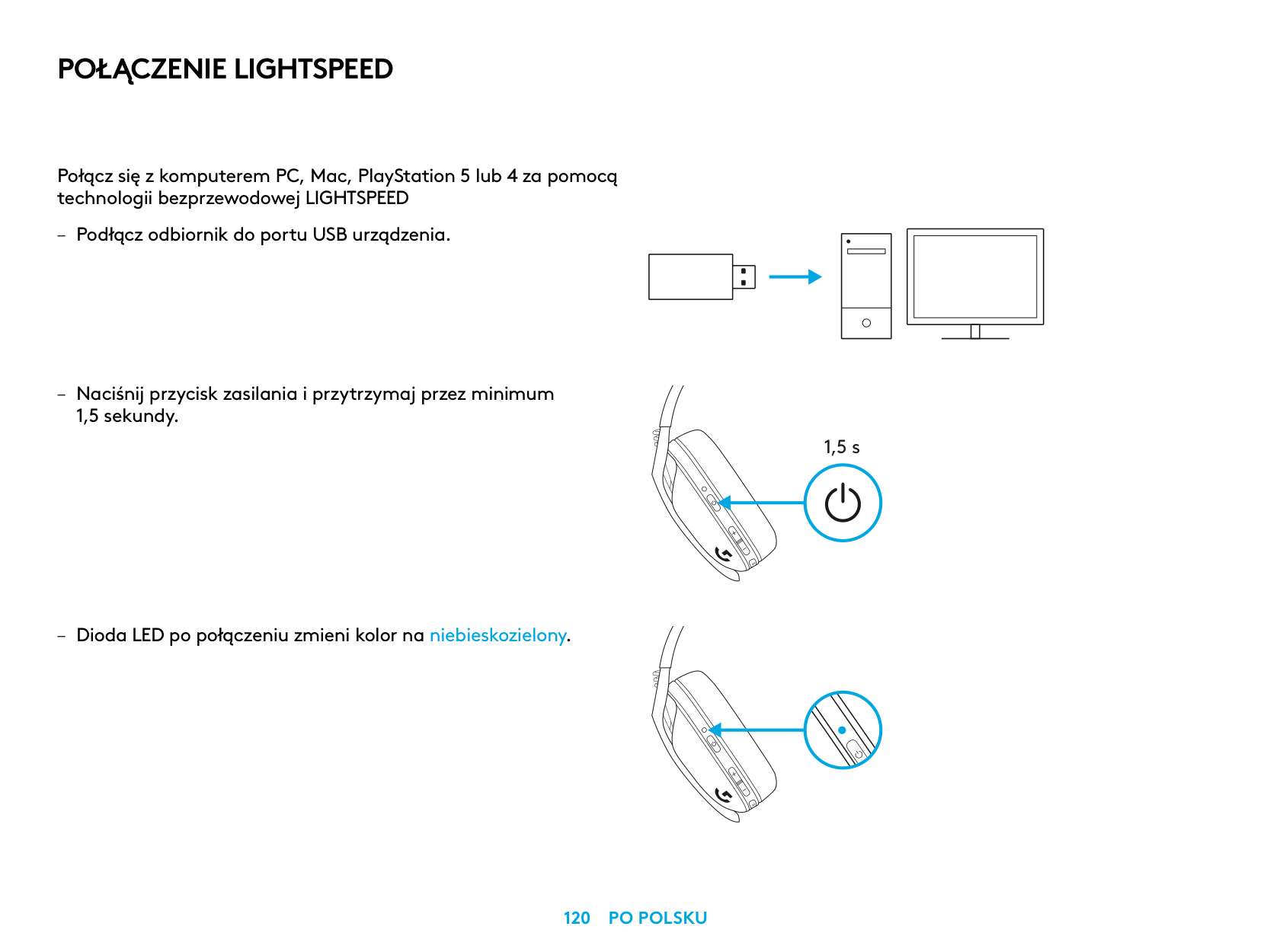
POŁĄCZENIE LIGHTSPEED
Połącz się z komputerem PC, Mac, PlayStation 5 lub 4 za pomocą technologii bezprzewodowej LIGHTSPEED
1,5 sekundy
– Dioda LED po połączeniu zmieni kolor na niebieskozielony
| | | | |---|---|---|
| | | |
| | |---| | |
| | | |---|---| | | | | | |
1,5 s
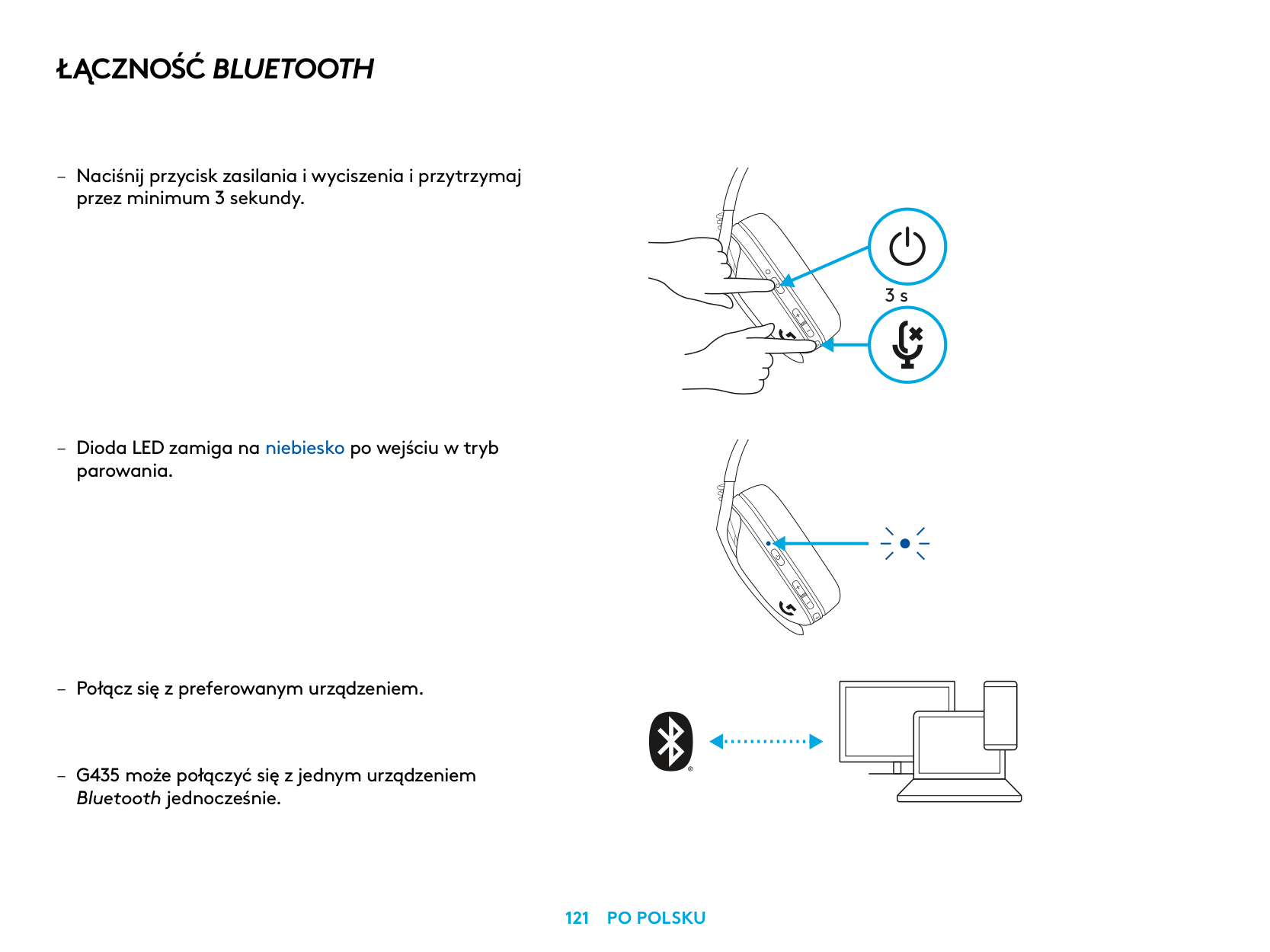
ŁĄCZNOŚĆ BLUETOOTH
– Naciśnij przycisk zasilania i wyciszenia i przytrzymaj
przez minimum 3 sekundy
– Dioda LED zamiga na niebiesko po wejściu w tryb
parowania
Bluetooth jednocześnie
3 s
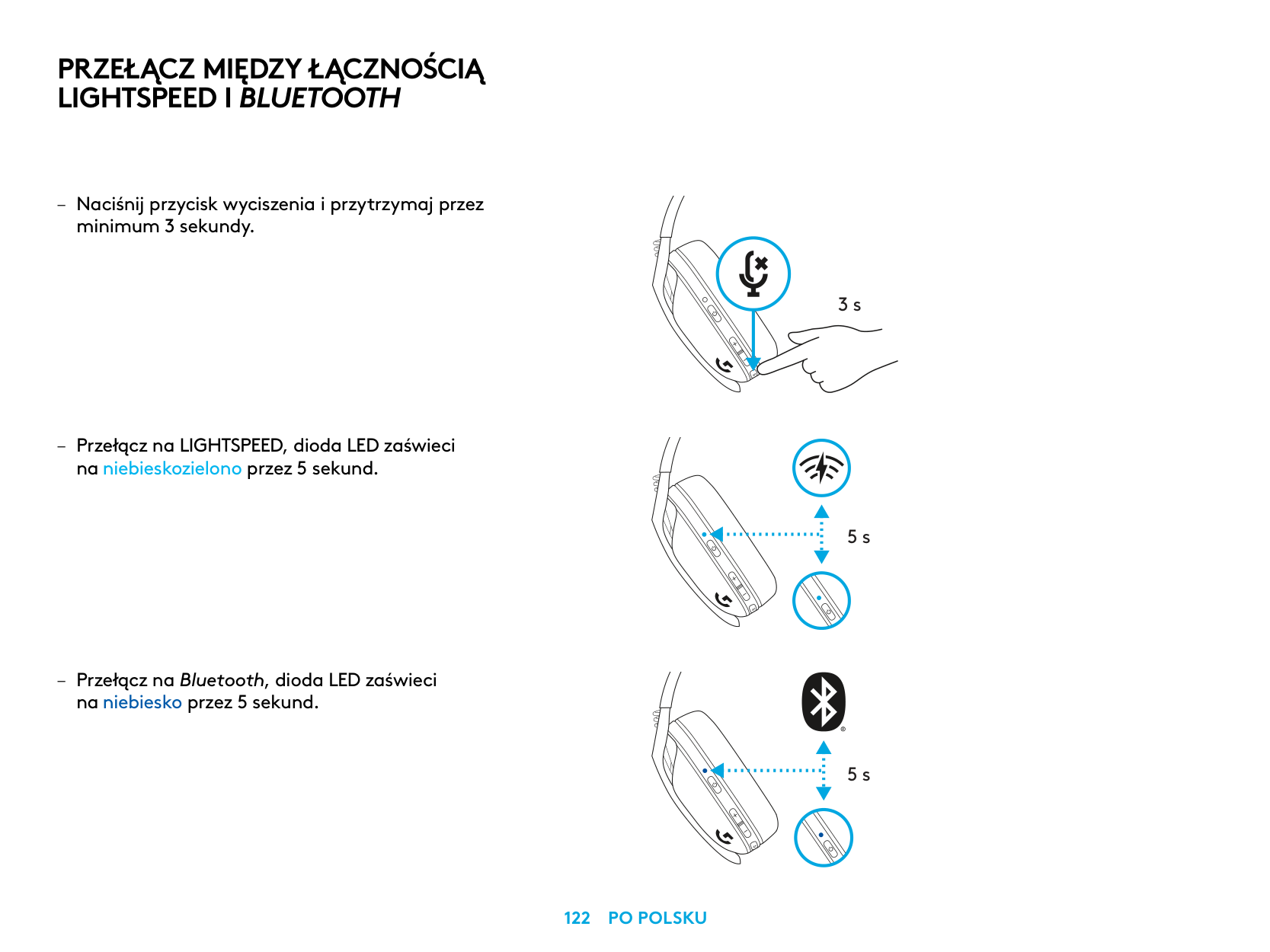
PRZEŁĄCZ MIĘDZY ŁĄCZNOŚCIĄ LIGHTSPEED I BLUETOOTH
– Naciśnij przycisk wyciszenia i przytrzymaj przez
minimum 3 sekundy
– Przełącz na LIGHTSPEED, dioda LED zaświeci
na niebieskozielono przez 5 sekund
– Przełącz na Bluetooth, dioda LED zaświeci
na niebiesko przez 5 sekund
3 s
5 s
5 s
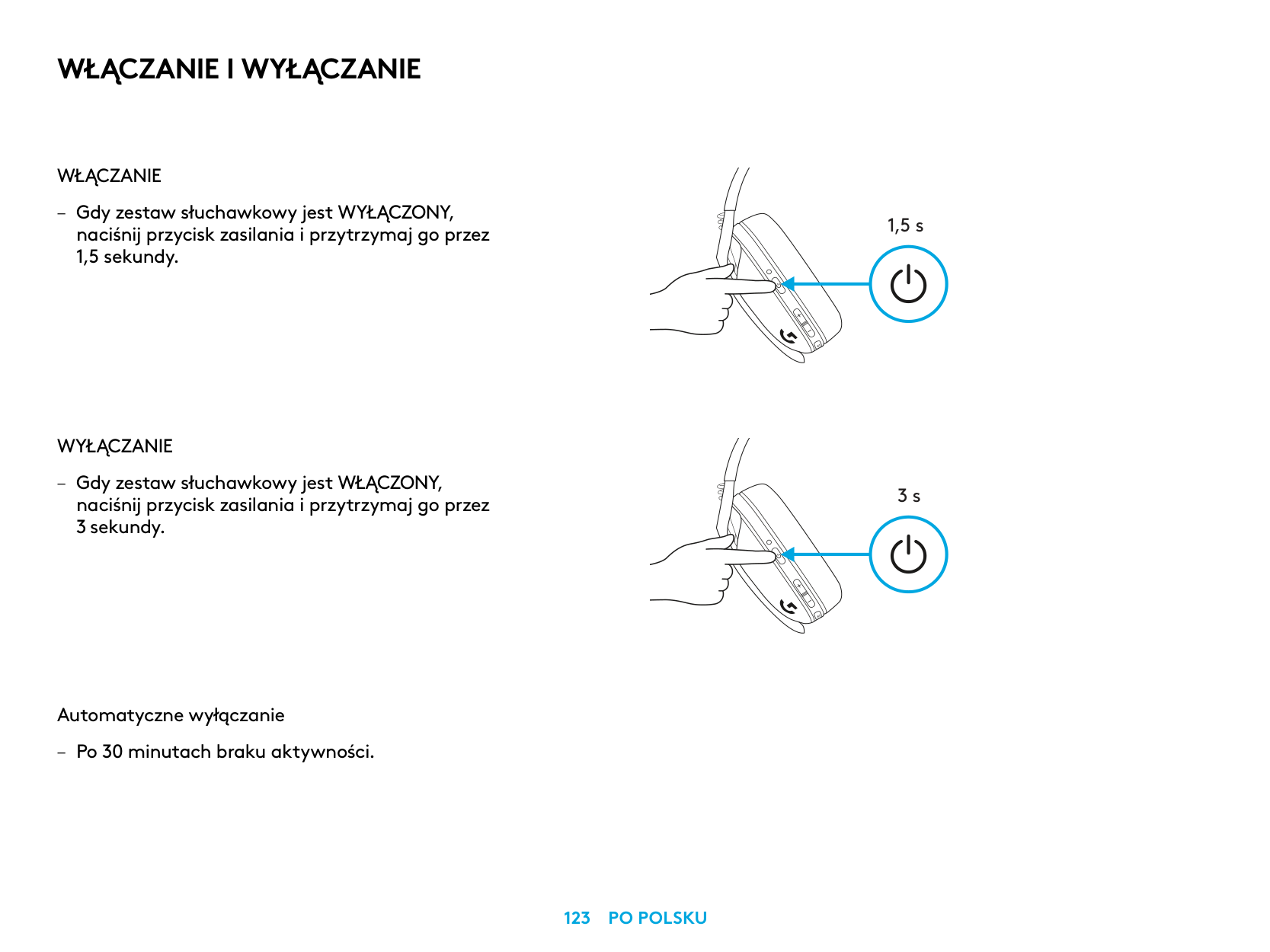
WŁĄCZANIE I WYŁĄCZANIE
WŁĄCZANIE
– Gdy zestaw słuchawkowy jest WYŁĄCZONY, naciśnij przycisk zasilania i przytrzymaj go przez 1,5 sekundy
WYŁĄCZANIE
– Gdy zestaw słuchawkowy jest WŁĄCZONY, naciśnij przycisk zasilania i przytrzymaj go przez 3 sekundy
Automatyczne wyłączanie
– Po 30 minutach braku aktywności
1,5 s
3 s
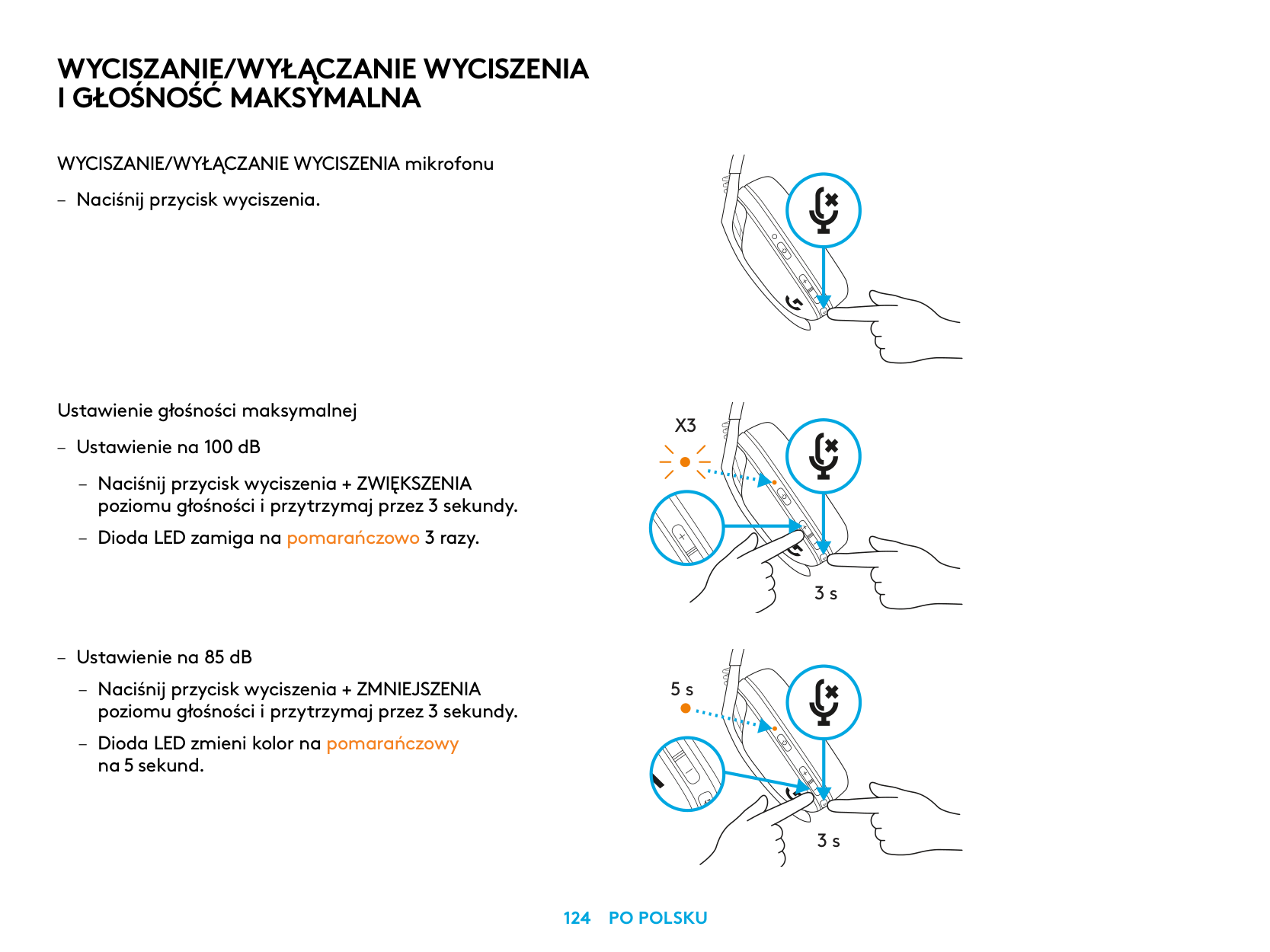
WYCISZANIE/WYŁĄCZANIE WYCISZENIA I GŁOŚNOŚĆ MAKSYMALNA
WYCISZANIE/WYŁĄCZANIE WYCISZENIA mikrofonu
– Naciśnij przycisk wyciszenia
Ustawienie głośności maksymalnej
X3
– Ustawienie na 100 dB
– Naciśnij przycisk wyciszenia + ZWIĘKSZENIA
poziomu głośności i przytrzymaj przez 3 sekundy
– Dioda LED zamiga na pomarańczowo 3 razy
3 s
– Ustawienie na 85 dB
– Naciśnij przycisk wyciszenia + ZMNIEJSZENIA
5 s
poziomu głośności i przytrzymaj przez 3 sekundy
– Dioda LED zmieni kolor na pomarańczowy
na 5 sekund
3 s
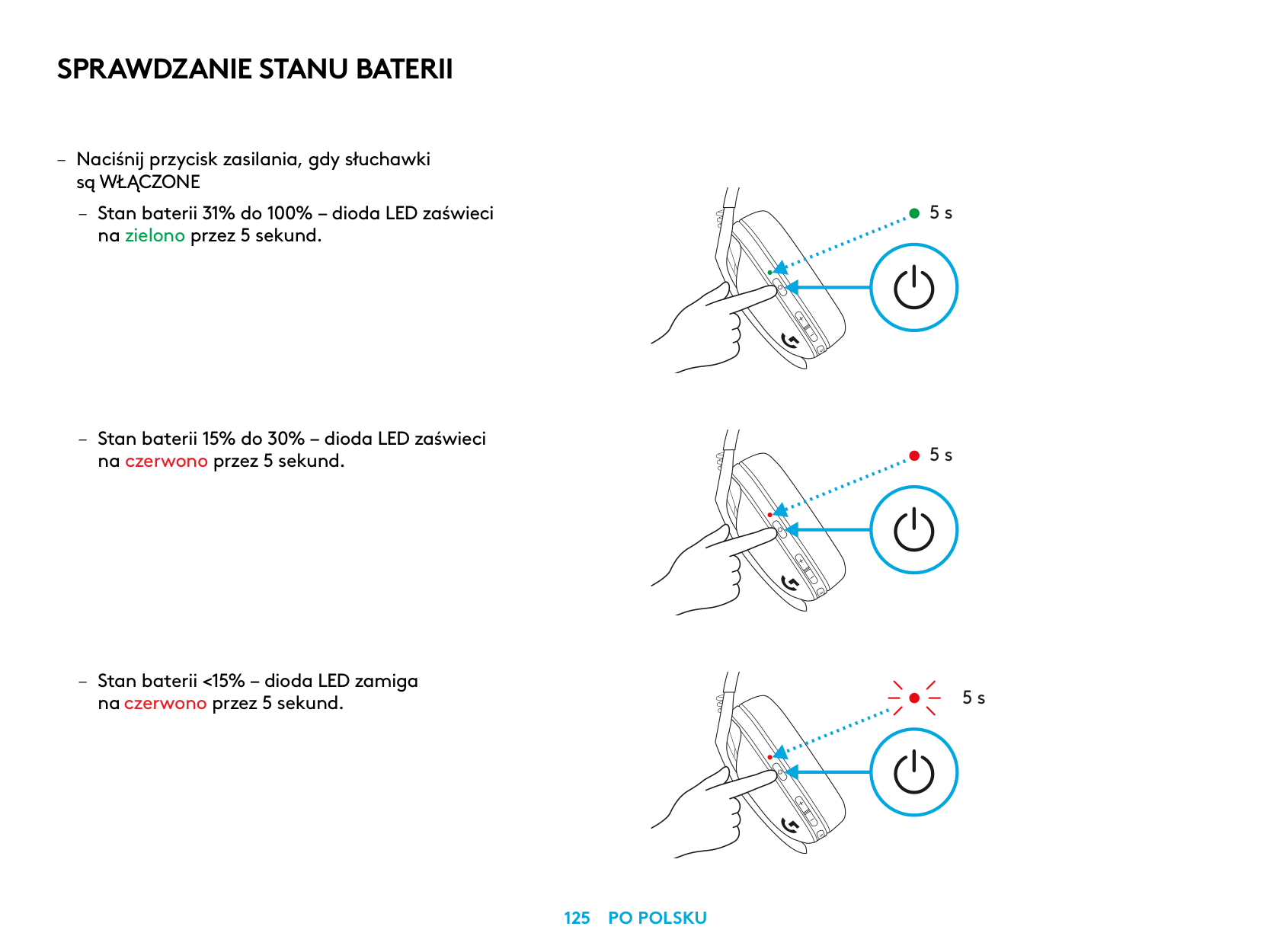
SPRAWDZANIE STANU BATERII
– Naciśnij przycisk zasilania, gdy słuchawki
są WŁĄCZONE
– Stan baterii 31% do 100% – dioda LED zaświeci
na zielono przez 5 sekund
– Stan baterii 15% do 30% – dioda LED zaświeci
na czerwono przez 5 sekund
– Stan baterii <15% – dioda LED zamiga
na czerwono przez 5 sekund
5 s
5 s
5 s
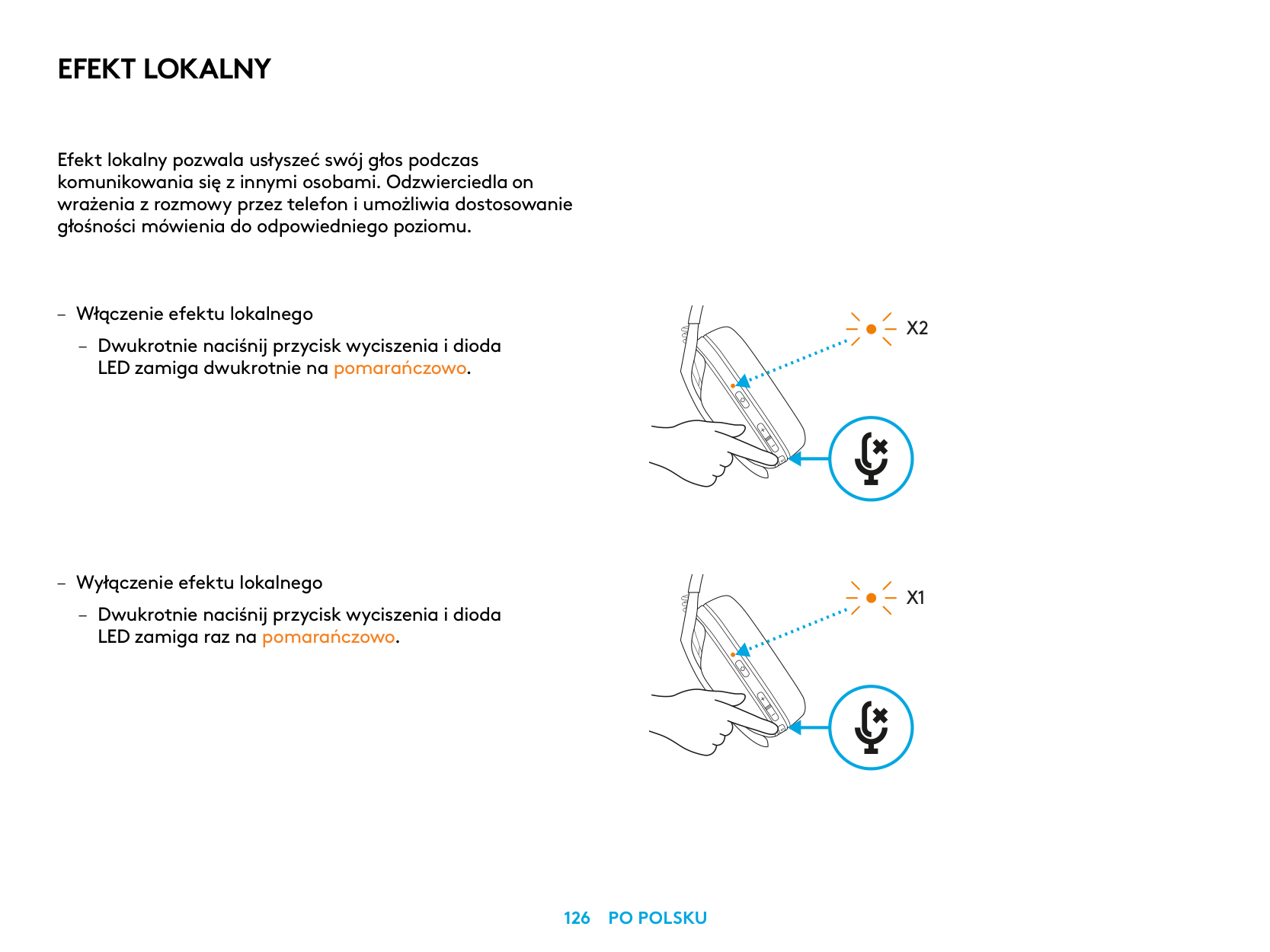
EFEKT LOKALNY
Efekt lokalny pozwala usłyszeć swój głos podczas komunikowania się z innymi osobami Odzwierciedla on wrażenia z rozmowy przez telefon i umożliwia dostosowanie głośności mówienia do odpowiedniego poziomu
– Włączenie efektu lokalnego
– Dwukrotnie naciśnij przycisk wyciszenia i dioda
LED zamiga dwukrotnie na pomarańczowo
– Wyłączenie efektu lokalnego
– Dwukrotnie naciśnij przycisk wyciszenia i dioda
LED zamiga raz na pomarańczowo
X2
X1
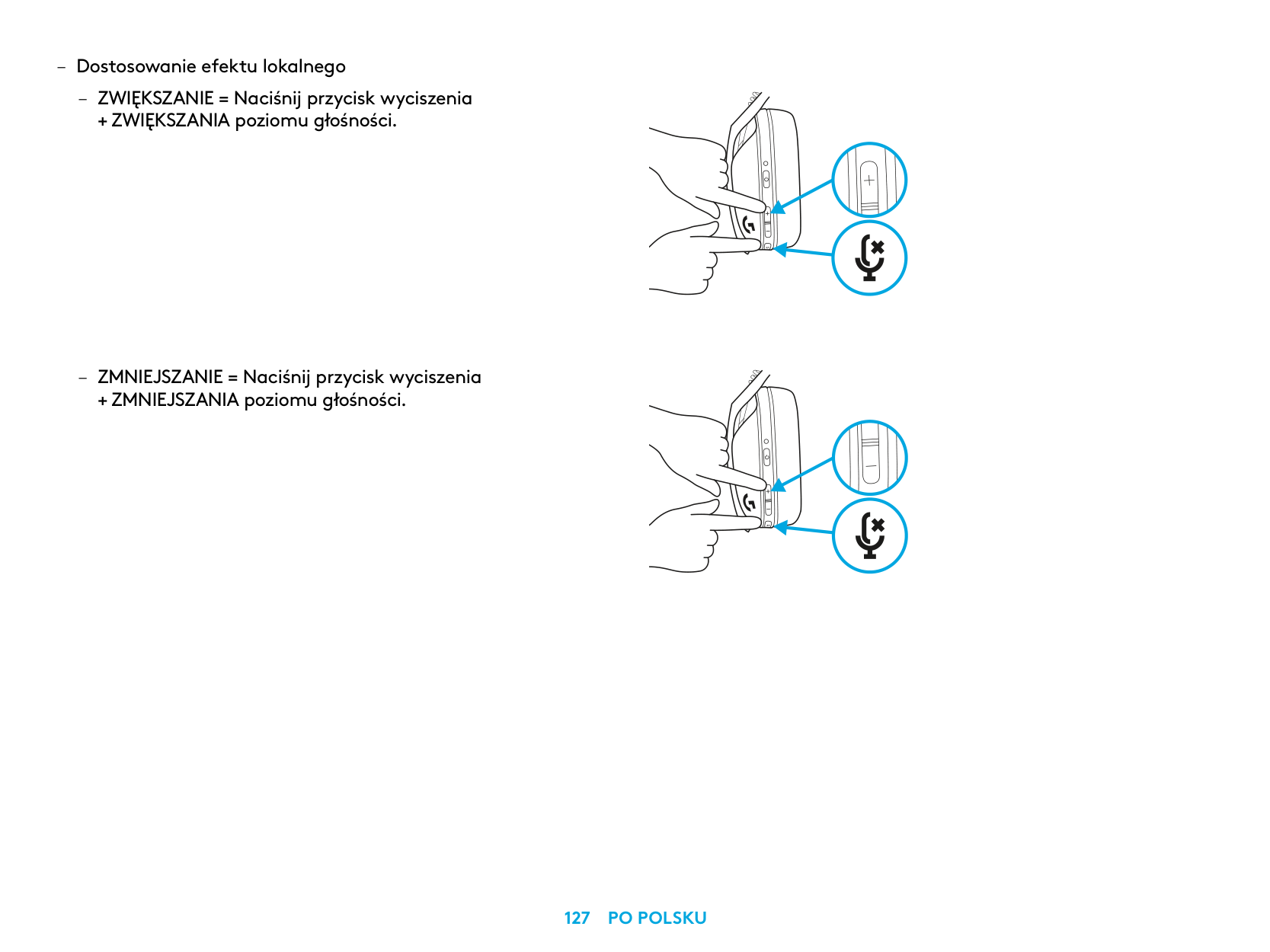
– Dostosowanie efektu lokalnego
– ZWIĘKSZANIE = Naciśnij przycisk wyciszenia
+ ZWIĘKSZANIA poziomu głośności
– ZMNIEJSZANIE = Naciśnij przycisk wyciszenia
+ ZMNIEJSZANIA poziomu głośności
CZĘŚCI ZAPASOWE
RECYKLING
Zachęcamy do odsprzedaży lub podarowania w prezencie działających produktów. W przeciwnym razie baterii, sprzętu elektronicznego i elektrycznego nie można usuwać wraz z odpadami domowymi. Gdy jest to możliwe, powinny być segregowane i dostarczane do odpowiedniego punktu zbiórki odpadów, aby umożliwić ich recykling i uniknąć potencjalnego negatywnego wpływu na środowisko i zdrowie człowieka. Aby uzyskać więcej informacji, należy skontaktować się z odpowiednim organem władz lokalnych, sklepem, w którym zakupiono produkt, bądź też odwiedzić stronę www.logitech.com/recycling
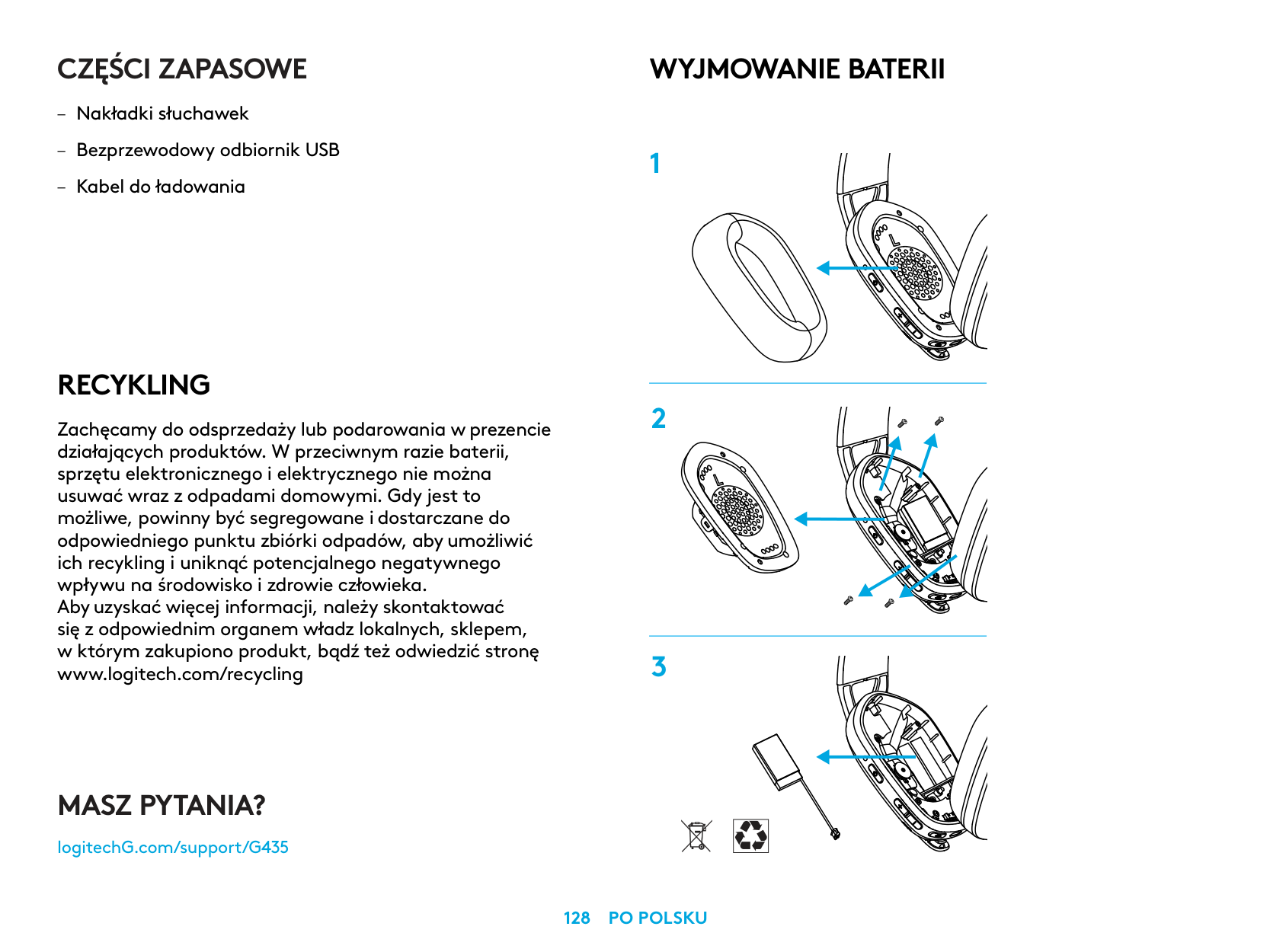
WYJMOWANIE BATERII
MASZ PYTANIA?
logitechG.com/support/G435
| | |---|
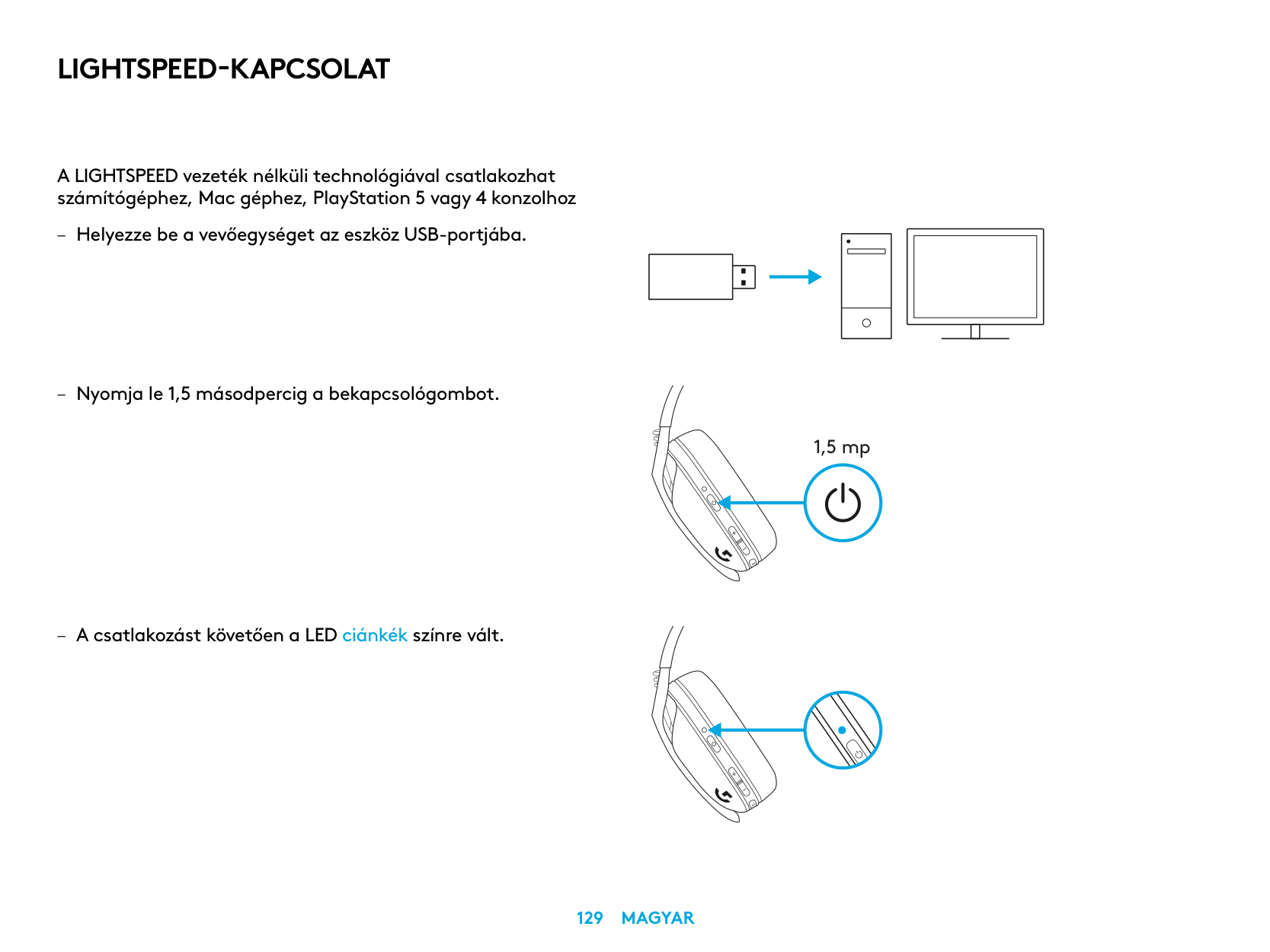
LIGHTSPEED-KAPCSOLAT
A LIGHTSPEED vezeték nélküli technológiával csatlakozhat számítógéphez, Mac géphez, PlayStation 5 vagy 4 konzolhoz
| | | |---|---| | | | | | |
| | | |
|---|---|---| | | | |
| | |---| | |
1,5 mp
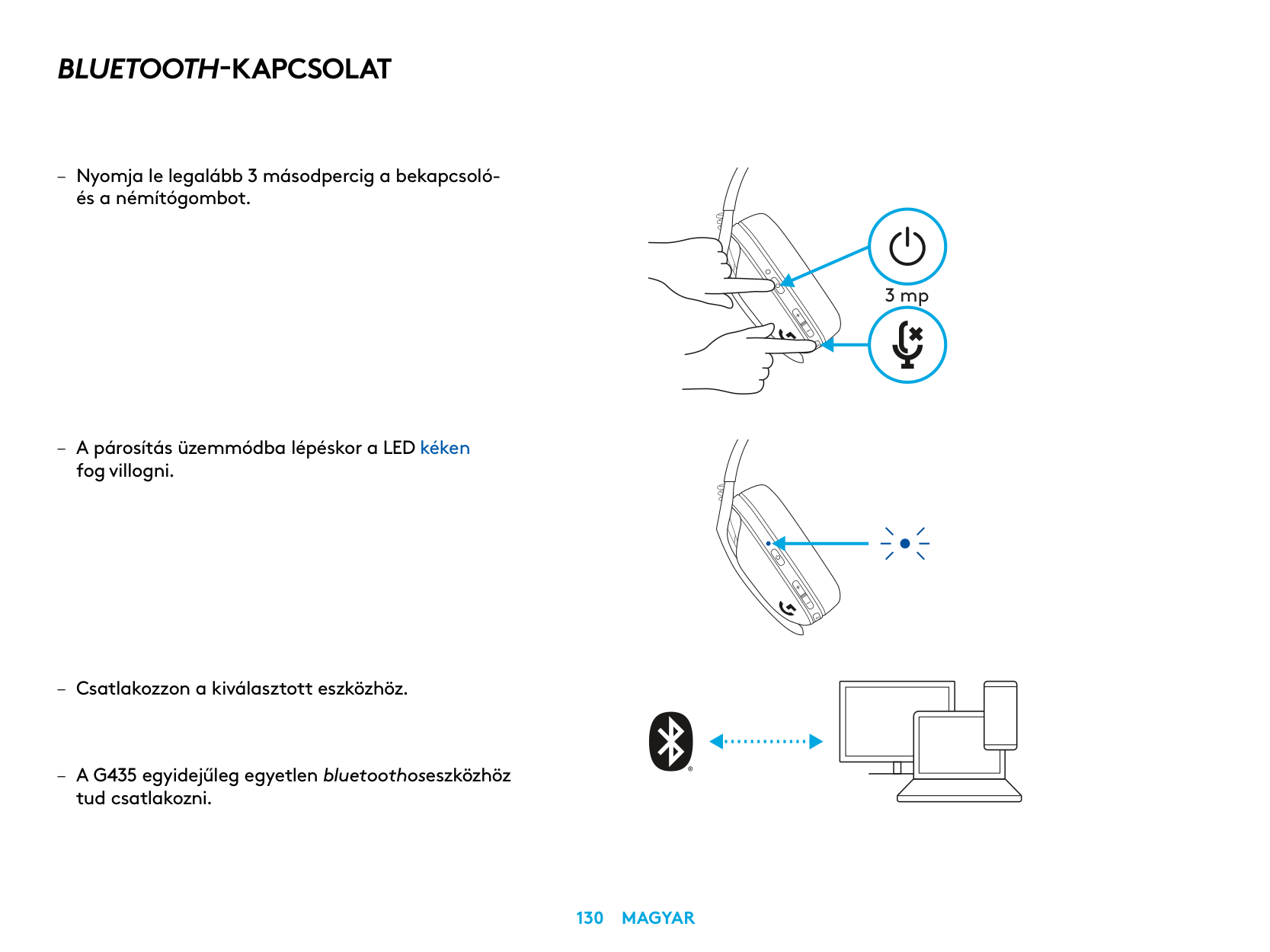
BLUETOOTH-KAPCSOLAT
– Nyomja le legalább 3 másodpercig a bekapcsoló-
és a némítógombot
– A párosítás üzemmódba lépéskor a LED kéken
fog villogni
tud csatlakozni
3 mp
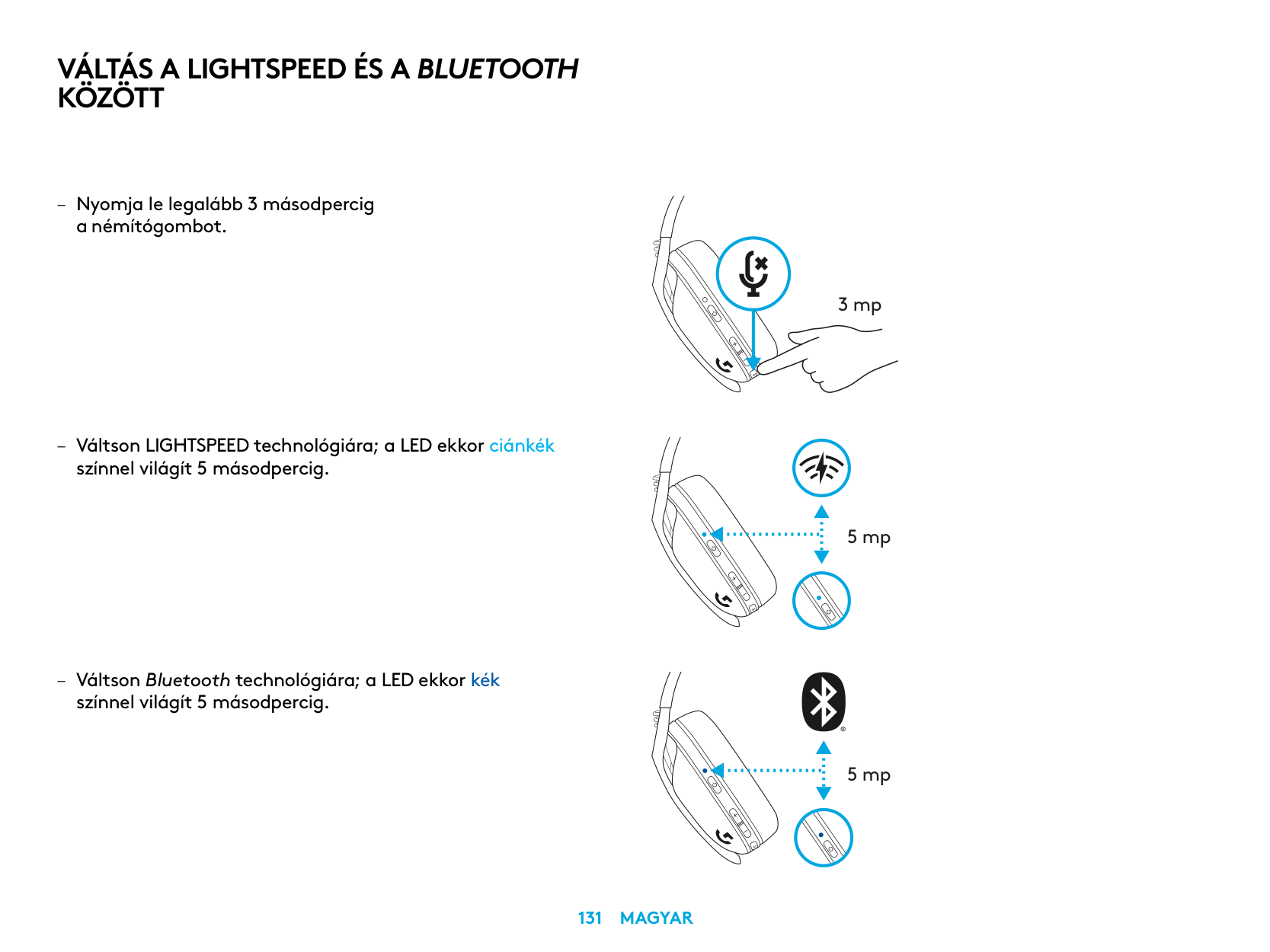
VÁLTÁS A LIGHTSPEED ÉS A BLUETOOTH KÖZÖTT
– Nyomja le legalább 3 másodpercig
a némítógombot
– Váltson LIGHTSPEED technológiára; a LED ekkor ciánkék
színnel világít 5 másodpercig
– Váltson Bluetooth technológiára; a LED ekkor kék
színnel világít 5 másodpercig
3 mp
5 mp
5 mp
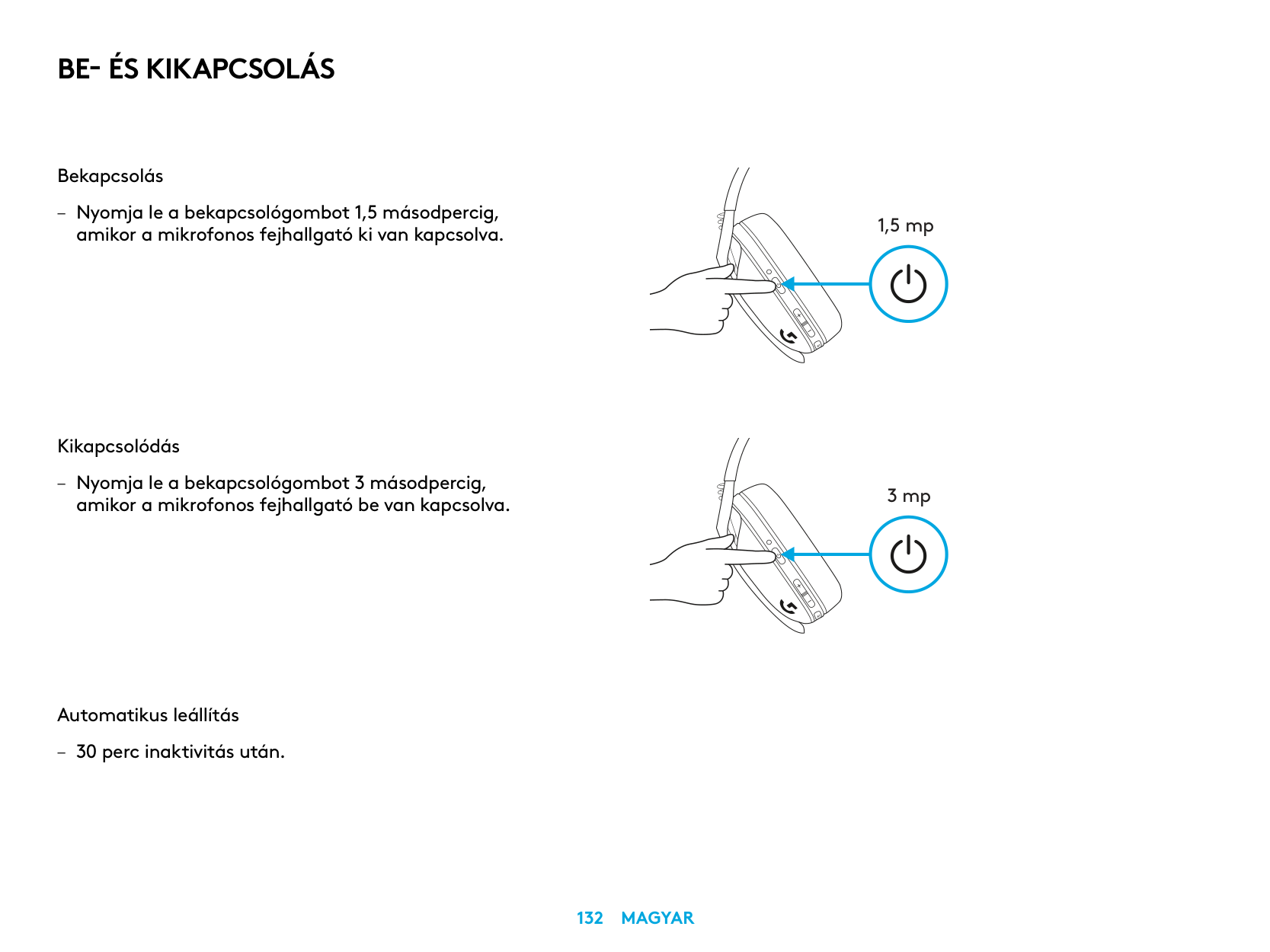
BE- ÉS KIKAPCSOLÁS
Bekapcsolás
– Nyomja le a bekapcsológombot 1,5 másodpercig, amikor a mikrofonos fejhallgató ki van kapcsolva
Kikapcsolódás
– Nyomja le a bekapcsológombot 3 másodpercig,
amikor a mikrofonos fejhallgató be van kapcsolva
Automatikus leállítás
– 30 perc inaktivitás után
1,5 mp
3 mp
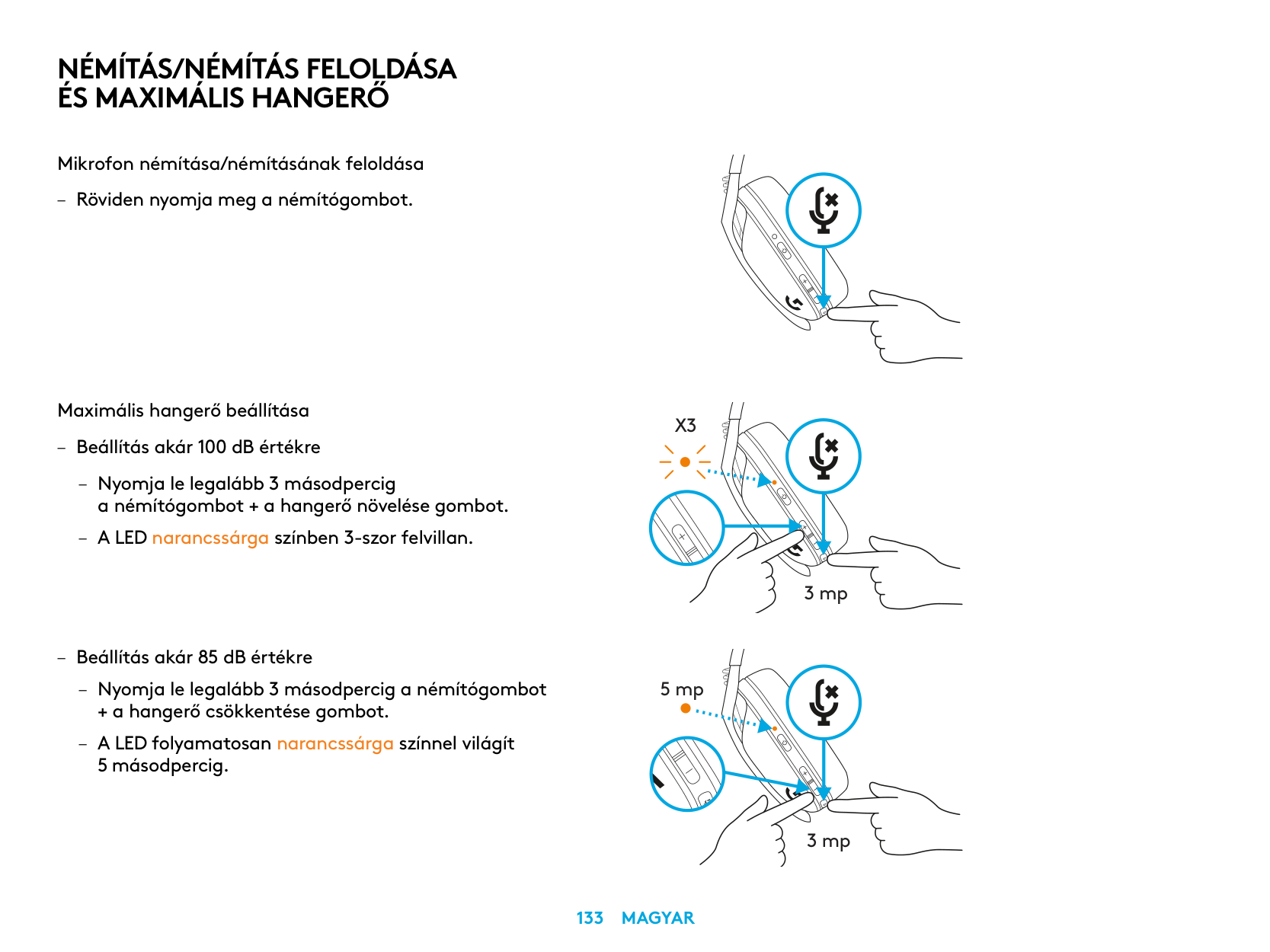
NÉMÍTÁS/NÉMÍTÁS FELOLDÁSA ÉS MAXIMÁLIS HANGERŐ
Mikrofon némítása/némításának feloldása
– Röviden nyomja meg a némítógombot
Maximális hangerő beállítása
X3
– Beállítás akár 100 dB értékre
– Nyomja le legalább 3 másodpercig
a némítógombot + a hangerő növelése gombot
– A LED narancssárga színben 3-szor felvillan
3 mp
– Beállítás akár 85 dB értékre
– Nyomja le legalább 3 másodpercig a némítógombot
5 mp
+ a hangerő csökkentése gombot
– A LED folyamatosan narancssárga színnel világít
5 másodpercig
3 mp
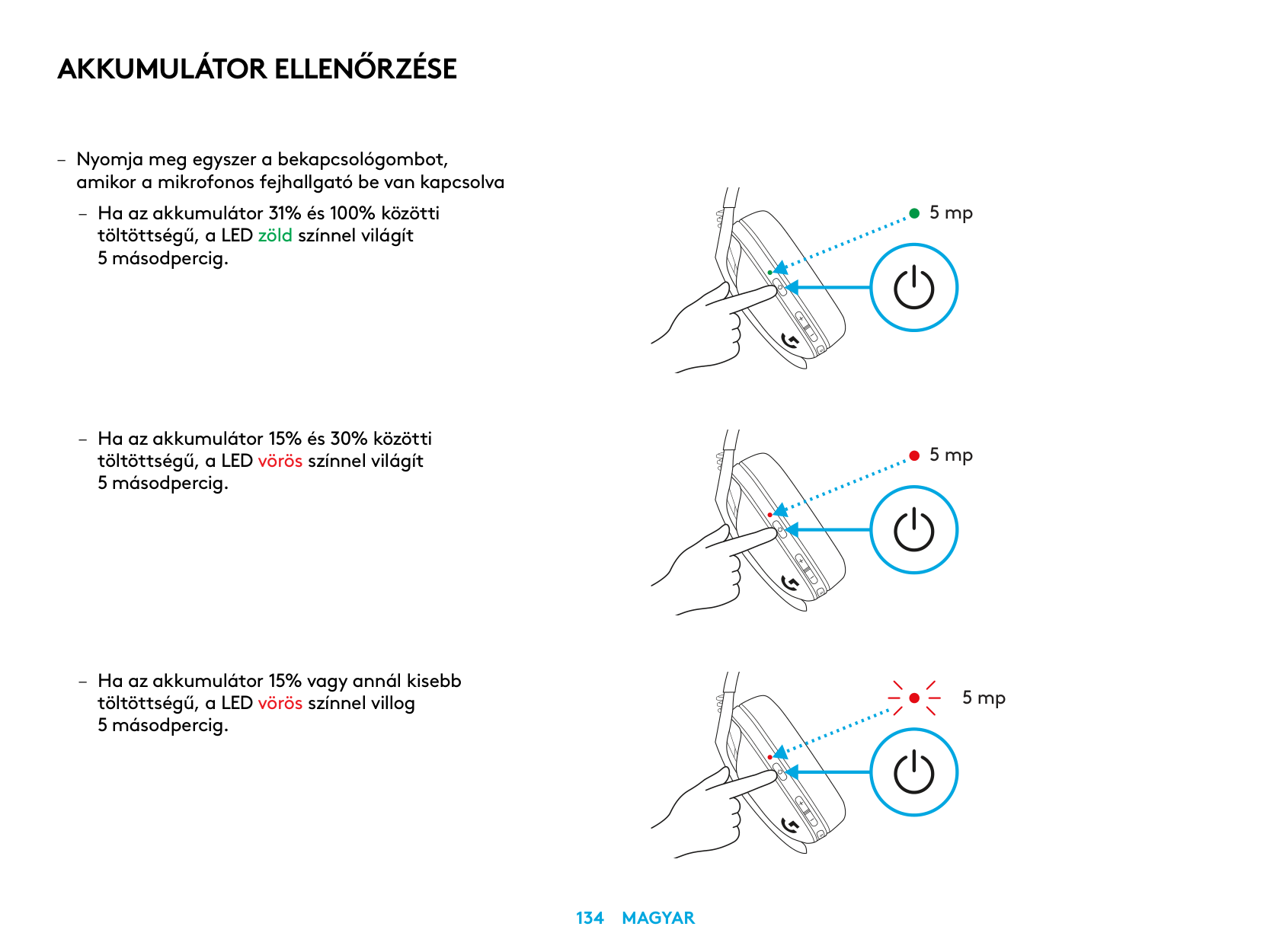
AKKUMULÁTOR ELLENŐRZÉSE
– Nyomja meg egyszer a bekapcsológombot,
amikor a mikrofonos fejhallgató be van kapcsolva
– Ha az akkumulátor 31% és 100% közötti töltöttségű, a LED zöld színnel világít 5 másodpercig
5 mp
5 mp
5 mp
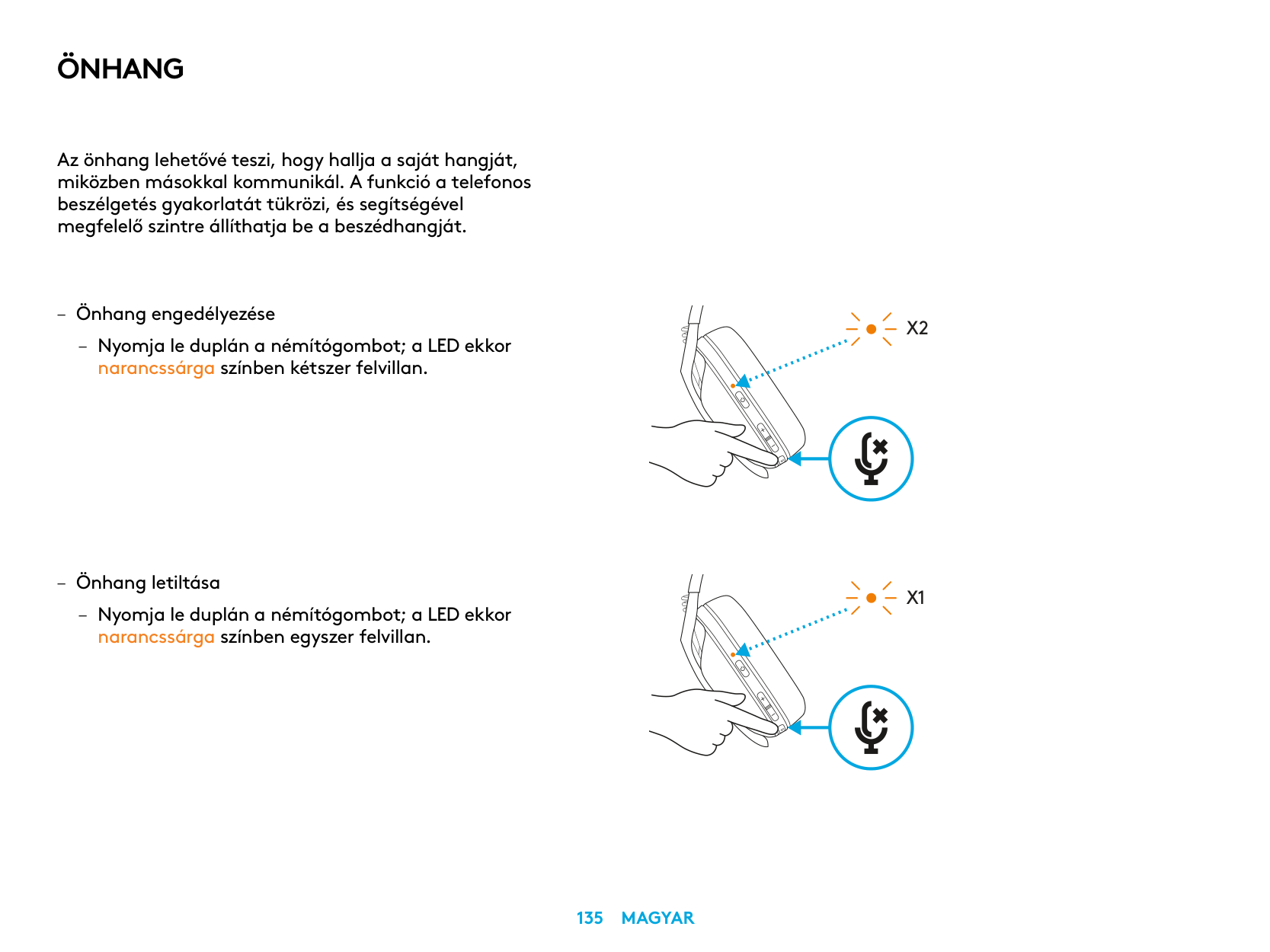
ÖNHANG
Az önhang lehetővé teszi, hogy hallja a saját hangját, miközben másokkal kommunikál A funkció a telefonos beszélgetés gyakorlatát tükrözi, és segítségével megfelelő szintre állíthatja be a beszédhangját
– Önhang engedélyezése
– Nyomja le duplán a némítógombot; a LED ekkor
narancssárga színben kétszer felvillan
– Önhang letiltása
– Nyomja le duplán a némítógombot; a LED ekkor
narancssárga színben egyszer felvillan
X2
X1
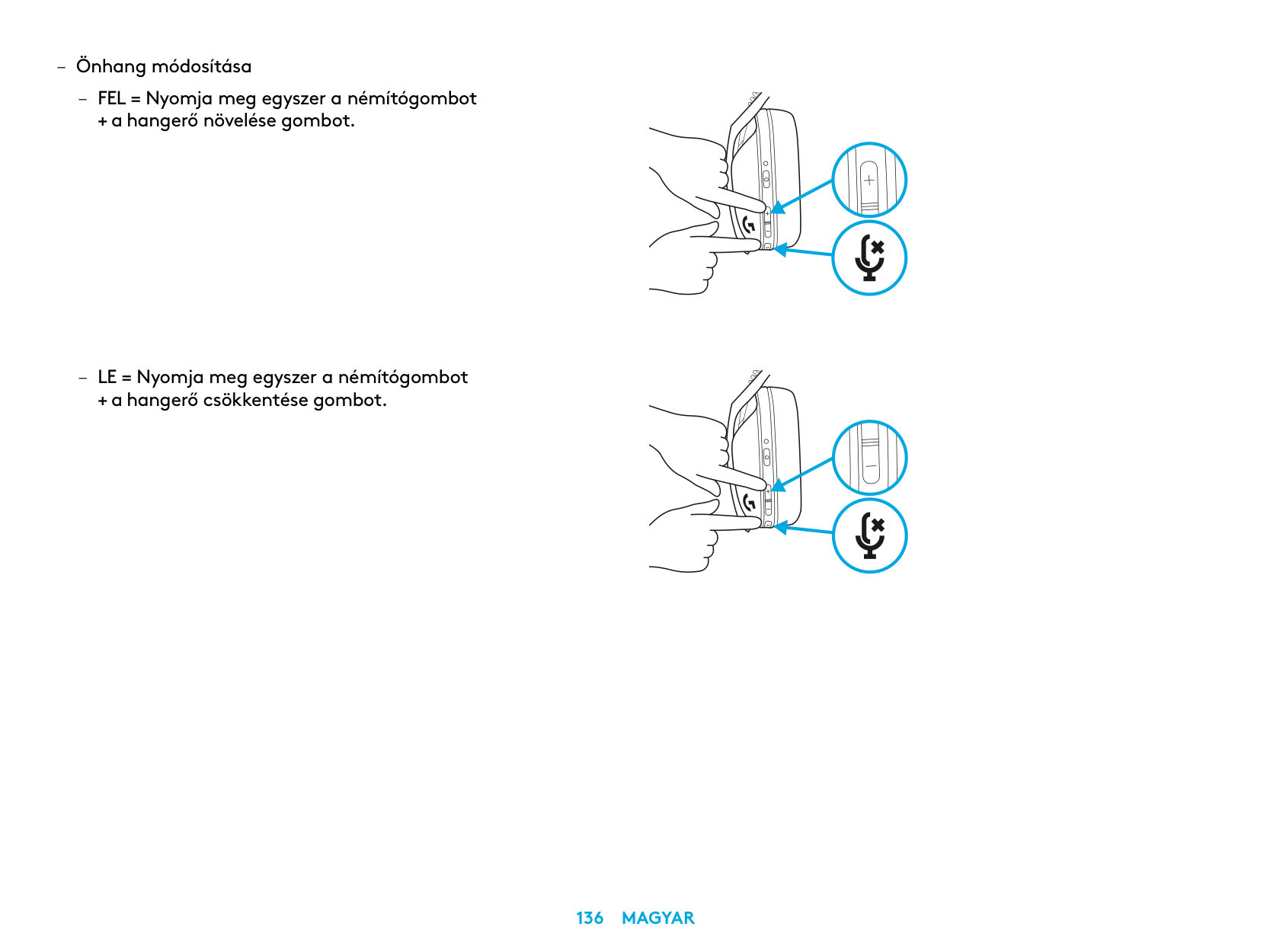
– Önhang módosítása
– FEL = Nyomja meg egyszer a némítógombot
+ a hangerő növelése gombot
– LE = Nyomja meg egyszer a némítógombot
+ a hangerő csökkentése gombot
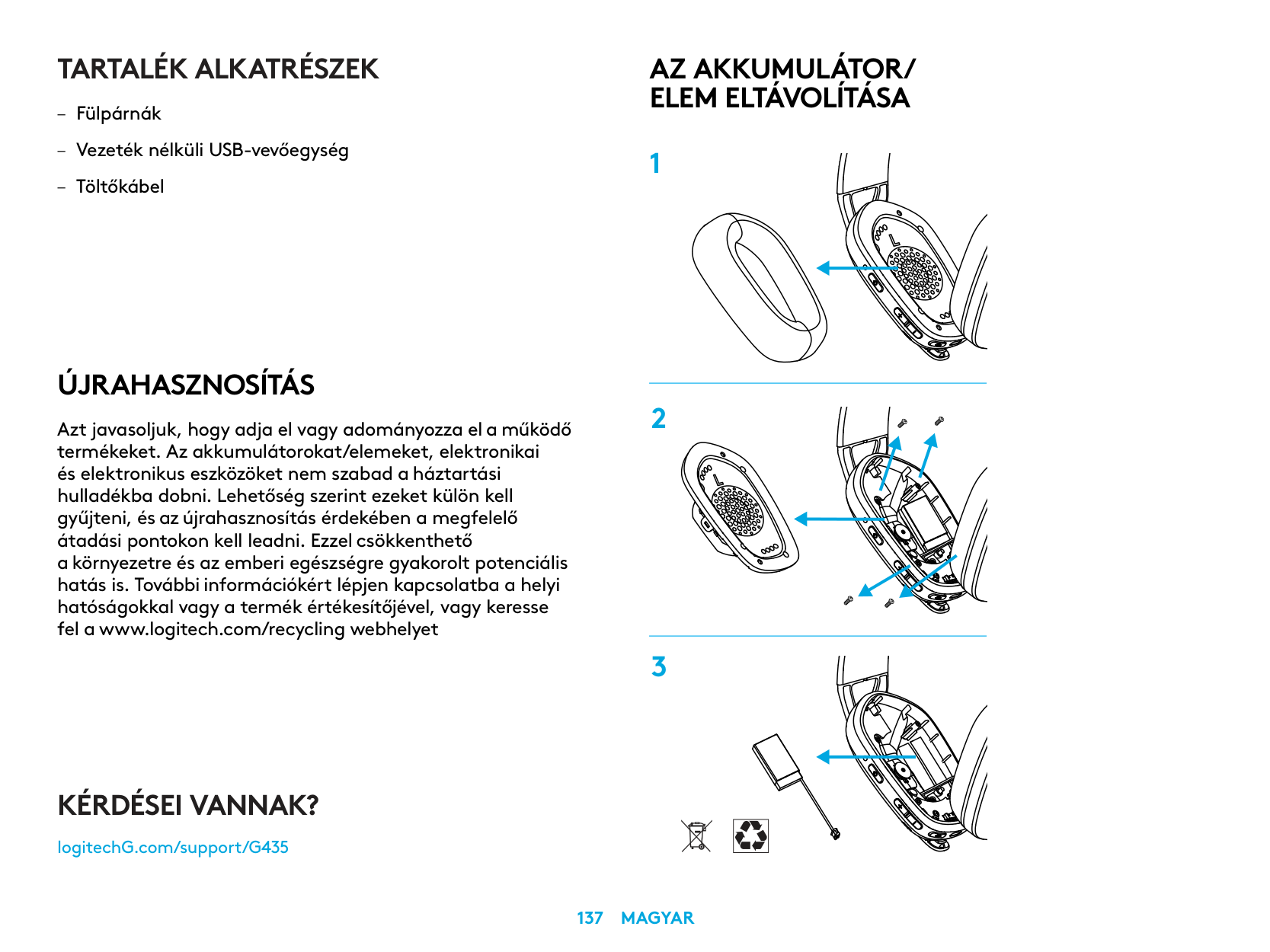
TARTALÉK ALKATRÉSZEK
ÚJRAHASZNOSÍTÁS
Azt javasoljuk, hogy adja el vagy adományozza el a működő termékeket. Az akkumulátorokat/elemeket, elektronikai és elektronikus eszközöket nem szabad a háztartási hulladékba dobni. Lehetőség szerint ezeket külön kell gyűjteni, és az újrahasznosítás érdekében a megfelelő átadási pontokon kell leadni. Ezzel csökkenthető a környezetre és az emberi egészségre gyakorolt potenciális hatás is. További információkért lépjen kapcsolatba a helyi hatóságokkal vagy a termék értékesítőjével, vagy keresse fel a www.logitech.com/recycling webhelyet
AZ AKKUMULÁTOR/ ELEM ELTÁVOLÍTÁSA
KÉRDÉSEI VANNAK?
logitechG.com/support/G435
| | |---|
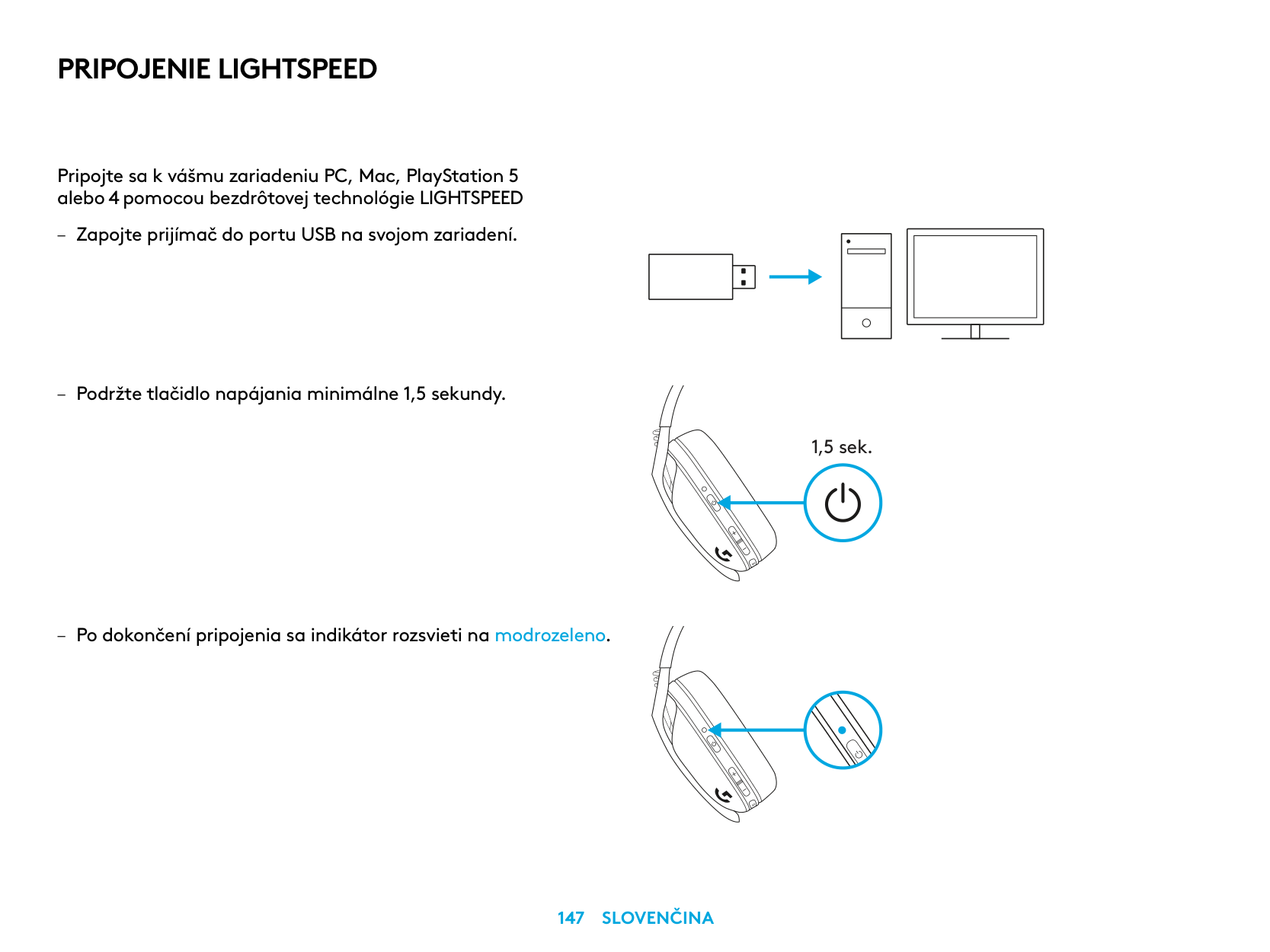
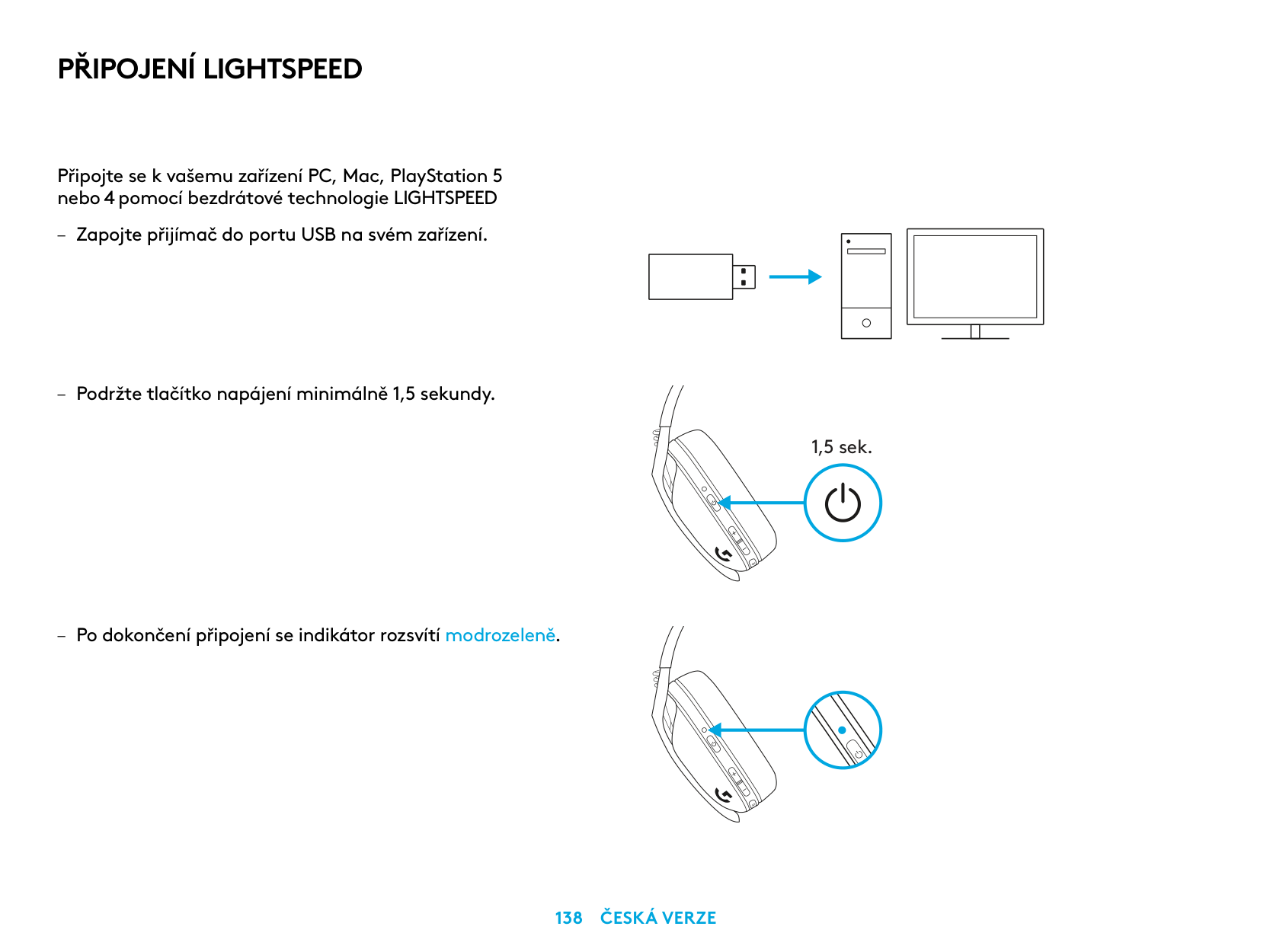
PŘIPOJENÍ LIGHTSPEED
Připojte se k vašemu zařízení PC, Mac, PlayStation 5 nebo 4 pomocí bezdrátové technologie LIGHTSPEED
| | | |---|---| | | | | | |
| | | | |---|---|---| | | | |
| | |---|
| |
1,5 sek.
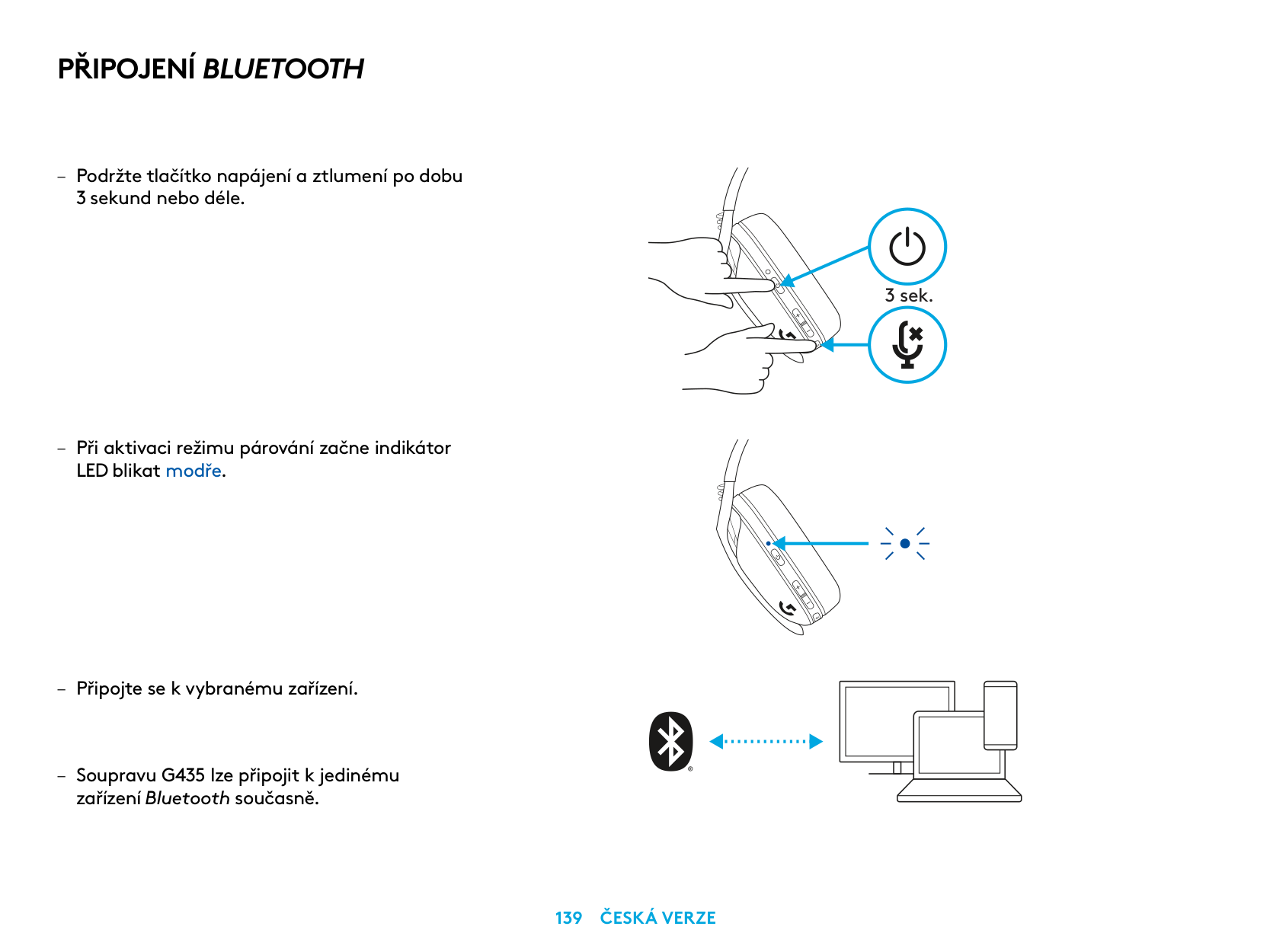
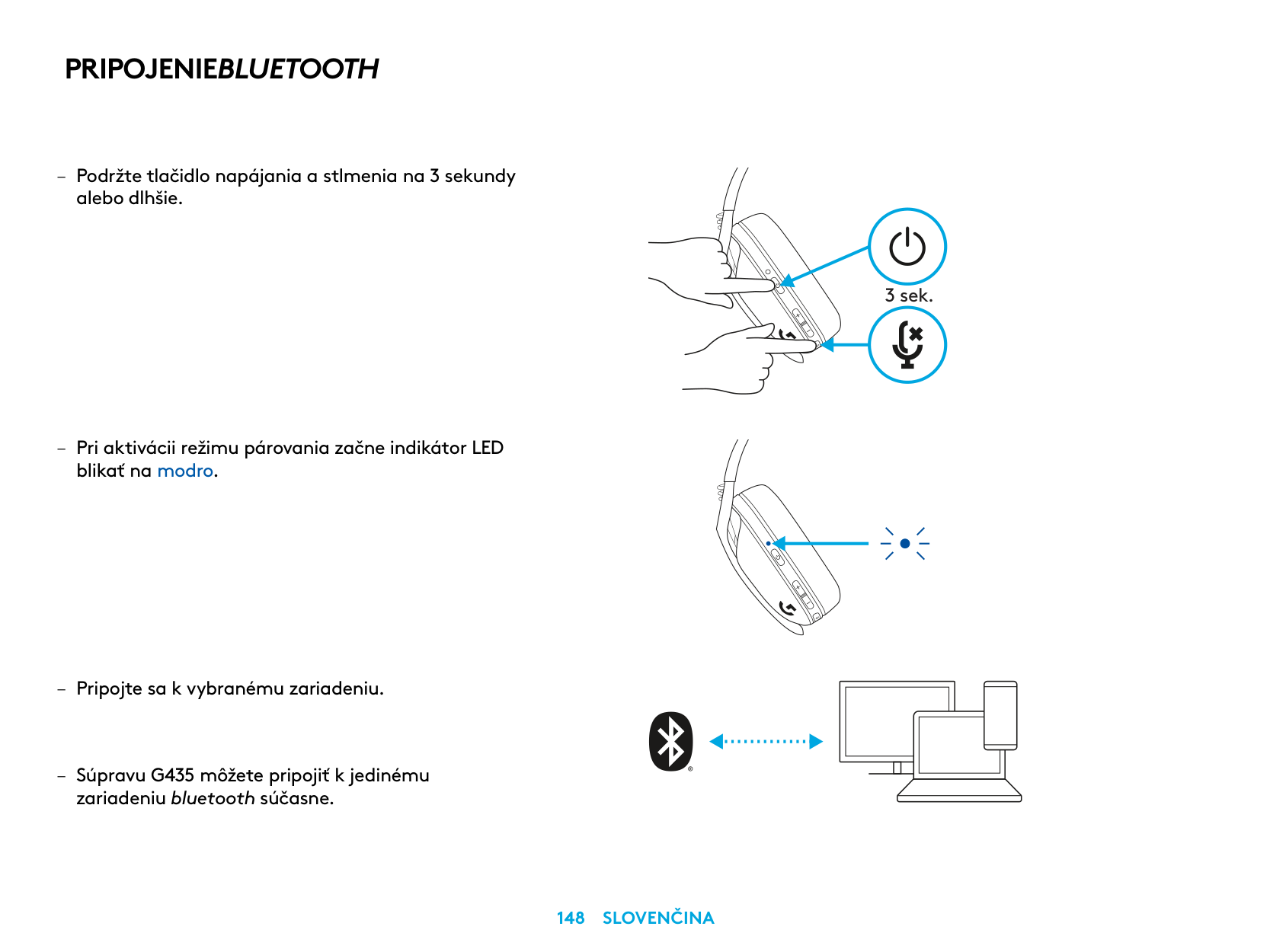
PŘIPOJENÍ BLUETOOTH
– Podržte tlačítko napájení a ztlumení po dobu
3 sekund nebo déle
– Při aktivaci režimu párování začne indikátor
LED blikat modře
zařízení Bluetooth současně
3 sek.
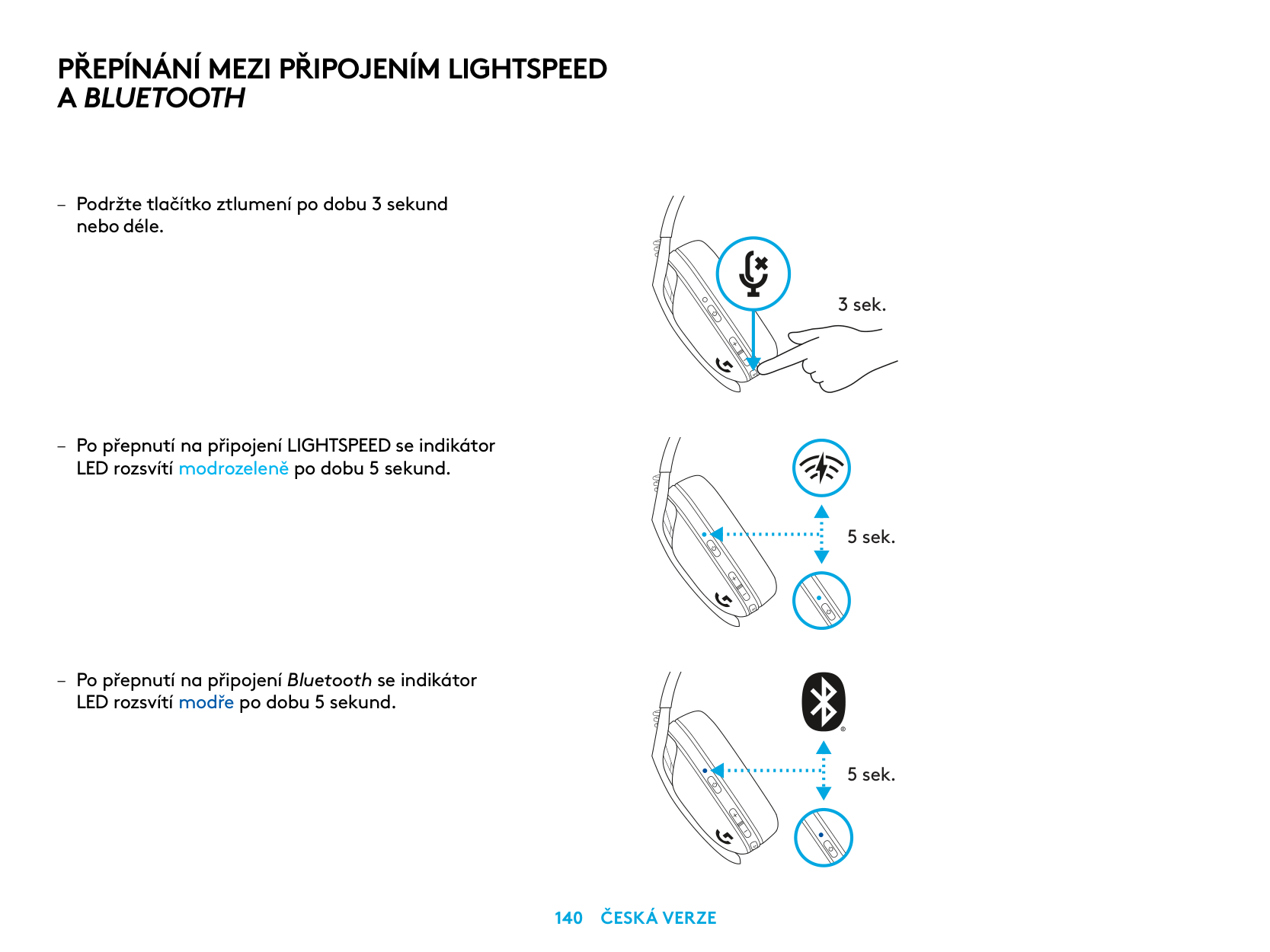
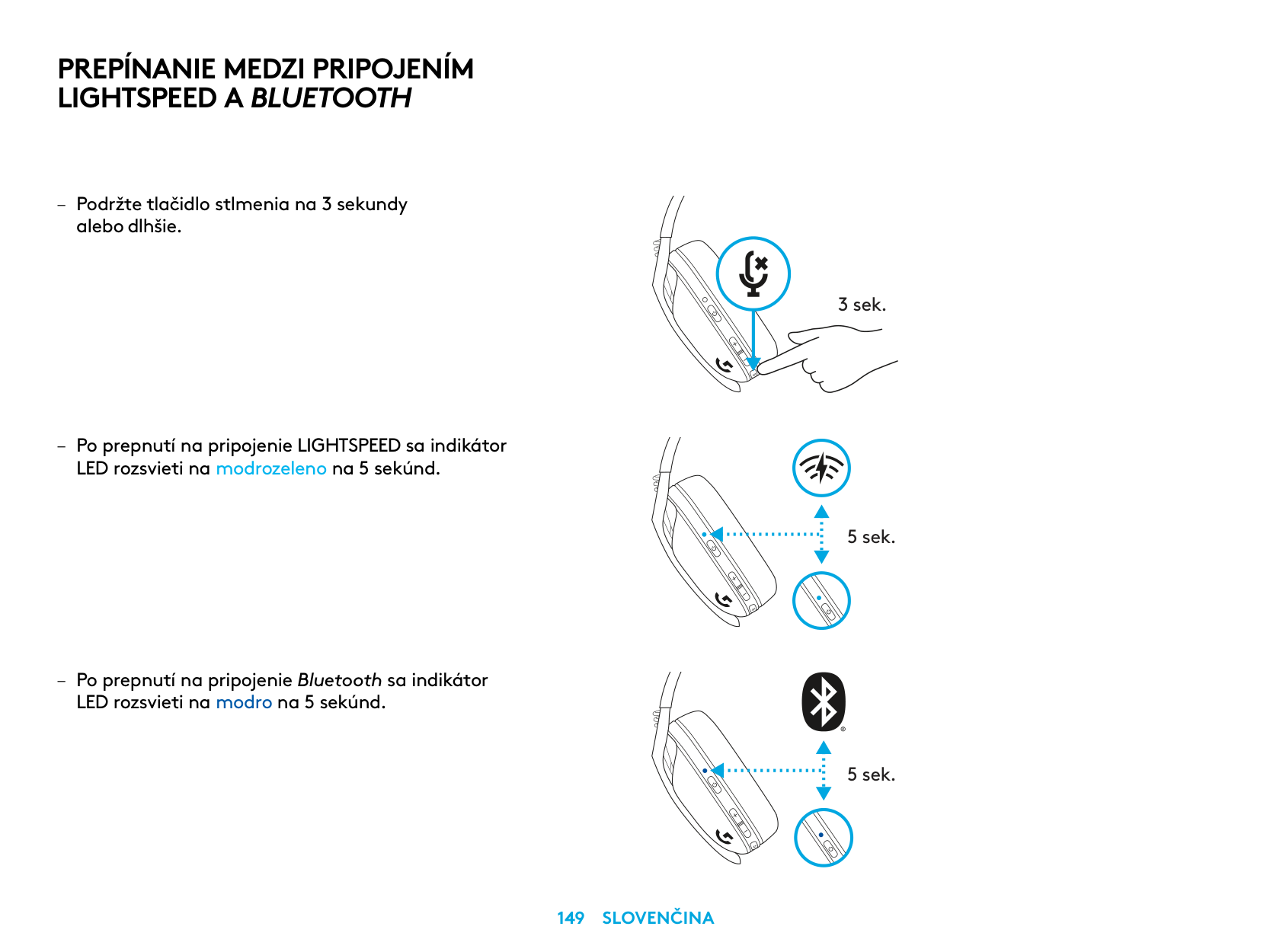
PŘEPÍNÁNÍ MEZI PŘIPOJENÍM LIGHTSPEED A BLUETOOTH
– Podržte tlačítko ztlumení po dobu 3 sekund
nebo déle
– Po přepnutí na připojení LIGHTSPEED se indikátor
LED rozsvítí modrozeleně po dobu 5 sekund
– Po přepnutí na připojení Bluetooth se indikátor
LED rozsvítí modře po dobu 5 sekund
3 sek.
5 sek.
5 sek.
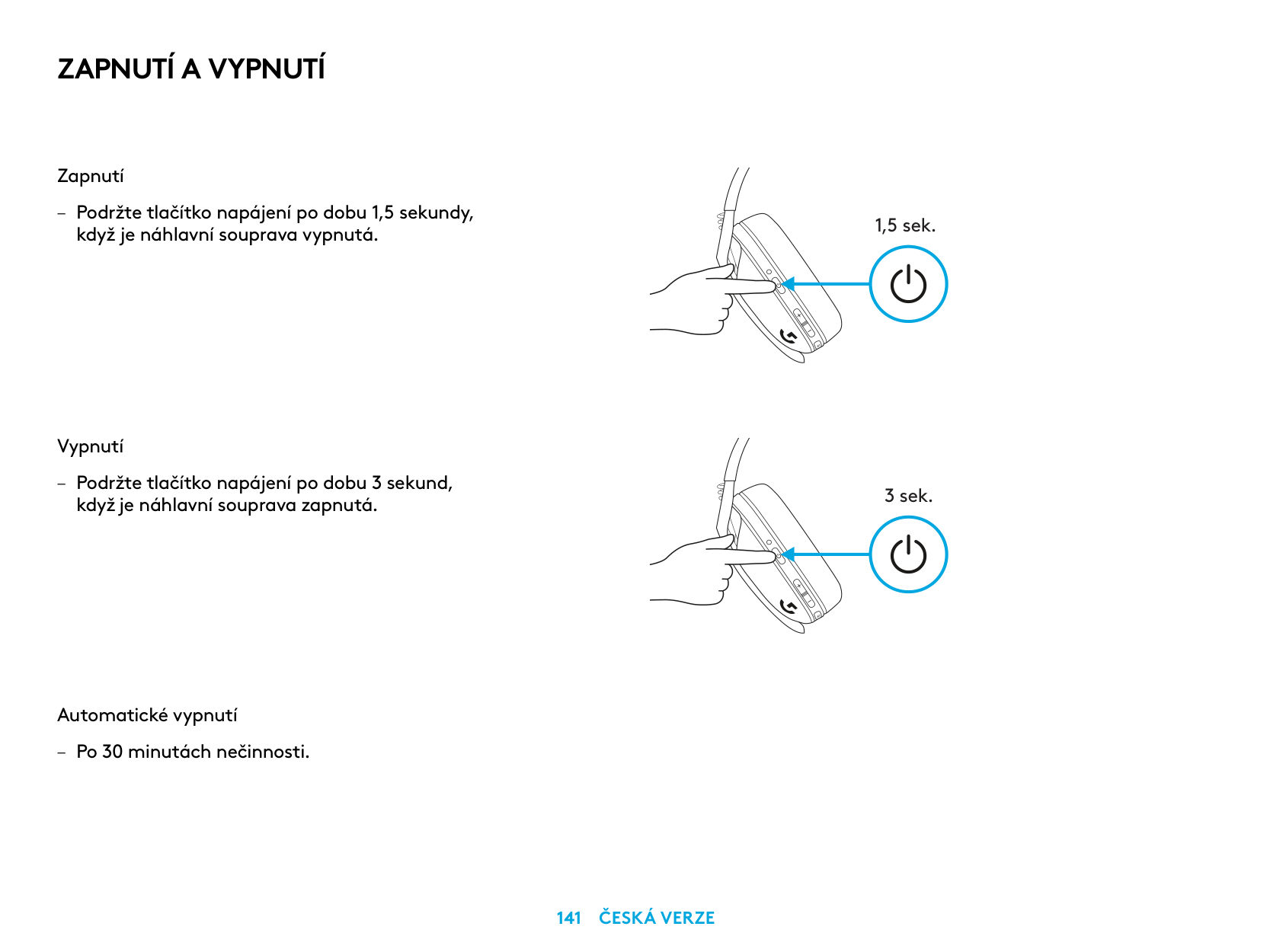
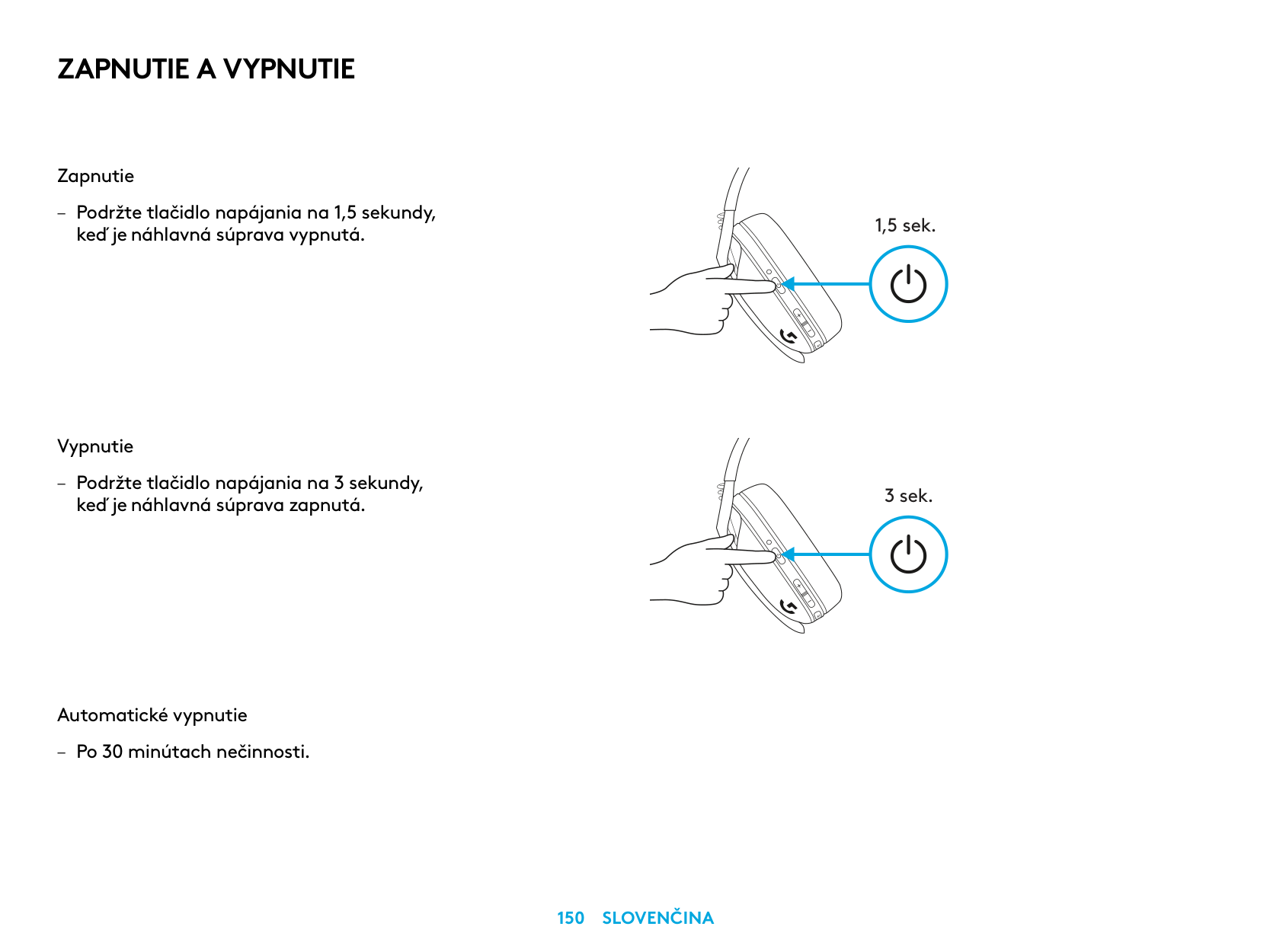
ZAPNUTÍ A VYPNUTÍ
Zapnutí
– Podržte tlačítko napájení po dobu 1,5 sekundy,
když je náhlavní souprava vypnutá
Vypnutí
– Podržte tlačítko napájení po dobu 3 sekund,
když je náhlavní souprava zapnutá
Automatické vypnutí
– Po 30 minutách nečinnosti
1,5 sek.
3 sek.
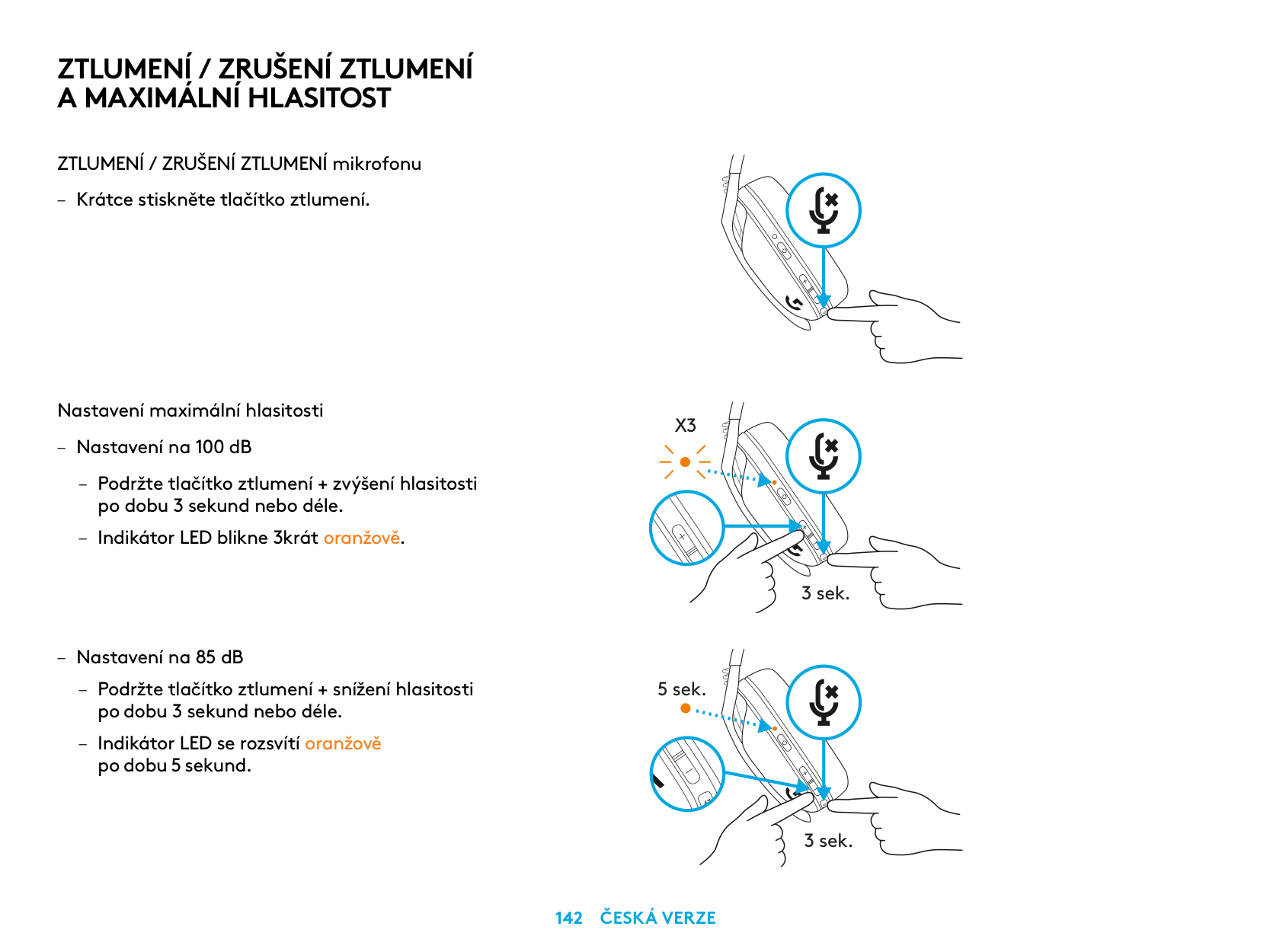
ZTLUMENÍ / ZRUŠENÍ ZTLUMENÍ A MAXIMÁLNÍ HLASITOST
ZTLUMENÍ / ZRUŠENÍ ZTLUMENÍ mikrofonu
– Krátce stiskněte tlačítko ztlumení
Nastavení maximální hlasitosti
– Nastavení na 100 dB
– Podržte tlačítko ztlumení + zvýšení hlasitosti
po dobu 3 sekund nebo déle
– Indikátor LED blikne 3krát oranžově
– Nastavení na 85 dB
– Podržte tlačítko ztlumení + snížení hlasitosti
po dobu 3 sekund nebo déle
– Indikátor LED se rozsvítí oranžově
po dobu 5 sekund
X3
3 sek.
5 sek.
3 sek.
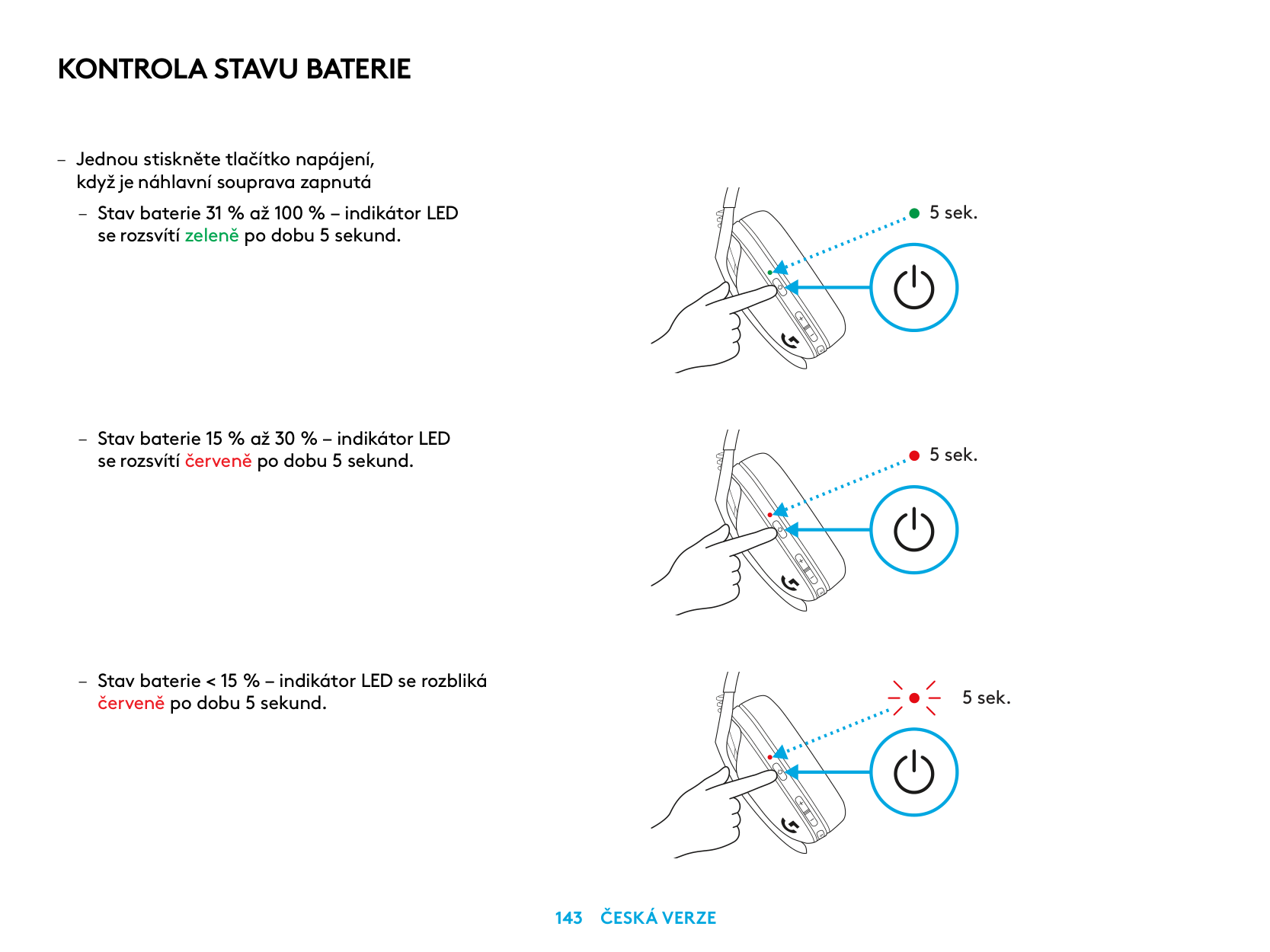
KONTROLA STAVU BATERIE
– Jednou stiskněte tlačítko napájení,
když je náhlavní souprava zapnutá
– Stav baterie 31 % až 100 % – indikátor LED
se rozsvítí zeleně po dobu 5 sekund
– Stav baterie 15 % až 30 % – indikátor LED
se rozsvítí červeně po dobu 5 sekund
– Stav baterie < 15 % – indikátor LED se rozbliká
červeně po dobu 5 sekund
5 sek.
5 sek.
5 sek.
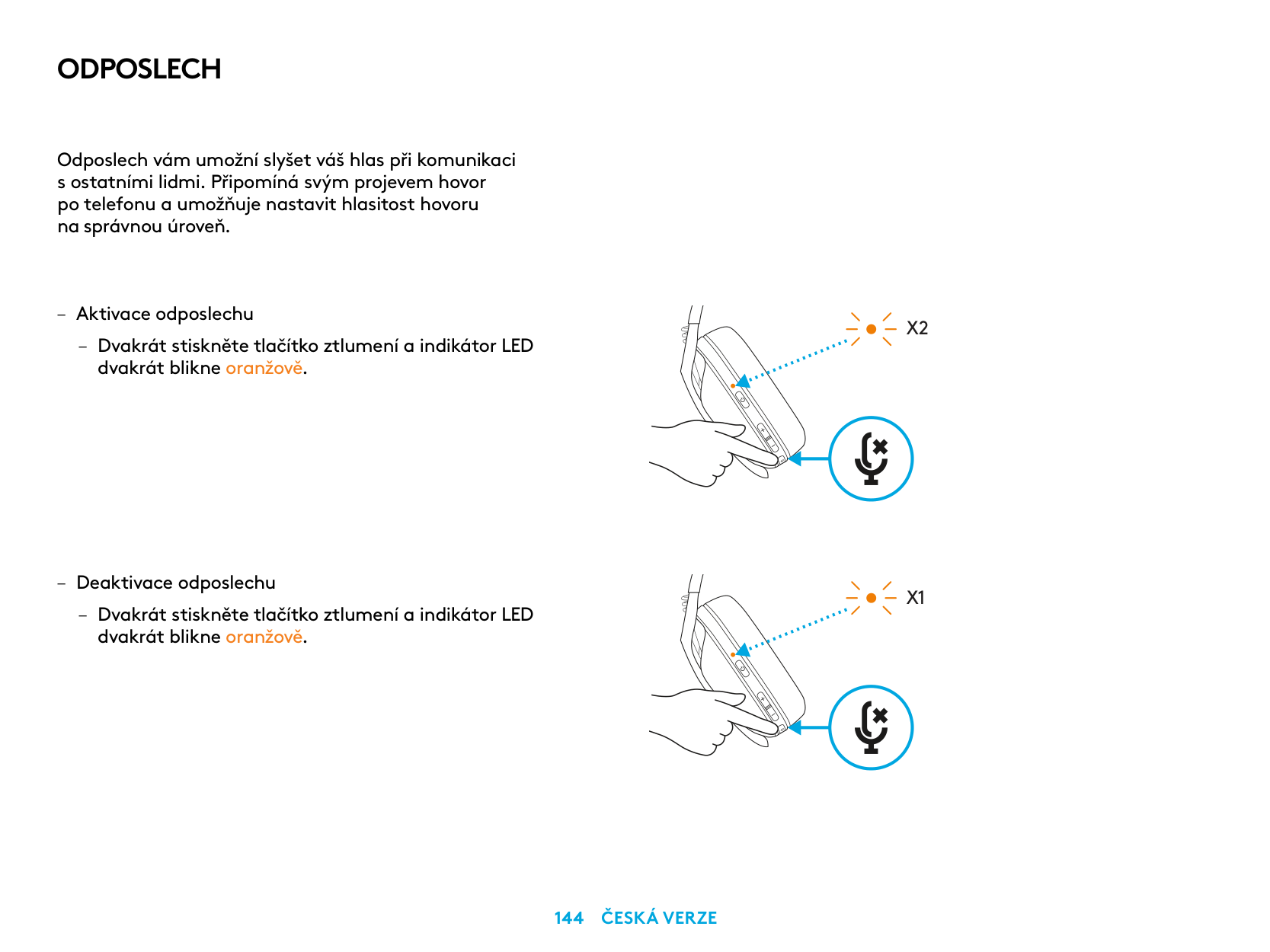
ODPOSLECH
Odposlech vám umožní slyšet váš hlas při komunikaci s ostatními lidmi Připomíná svým projevem hovor po telefonu a umožňuje nastavit hlasitost hovoru na správnou úroveň
– Aktivace odposlechu
– Dvakrát stiskněte tlačítko ztlumení a indikátor LED
dvakrát blikne oranžově
– Deaktivace odposlechu
– Dvakrát stiskněte tlačítko ztlumení a indikátor LED
dvakrát blikne oranžově
X2
X1
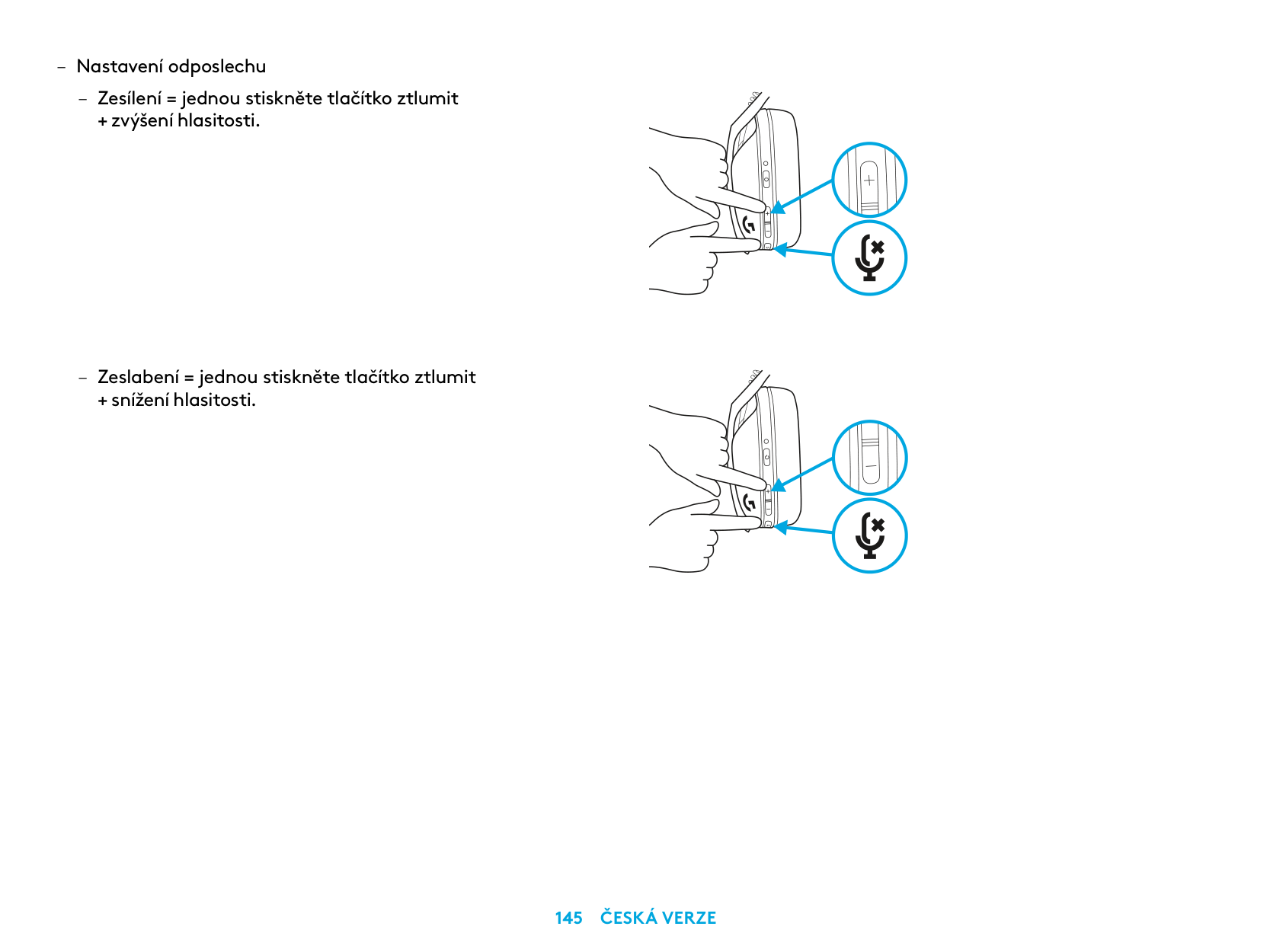
– Nastavení odposlechu
– Zesílení = jednou stiskněte tlačítko ztlumit
+ zvýšení hlasitosti
– Zeslabení = jednou stiskněte tlačítko ztlumit
+ snížení hlasitosti
NÁHRADNÍ DÍLY
RECYKLACE
Doporučujeme, abyste funkční produkty prodávali dále nebo darovali. Jinak je třeba mít na paměti, že baterie, elektrická a elektronická zařízení nesmějí být likvidovány spolu s domovním odpadem. Je-li to možné, je třeba je vytřídit a odevzdat na patřičném sběrném místě za účelem recyklace, čímž předejdete možným dopadům na životní prostředí a lidské zdraví. Chcete-li získat podrobnější informace, obraťte se na místní úřady nebo obchod, ve kterém byl výrobek zakoupen, nebo přejděte na stránku www.logitech.com/recycling
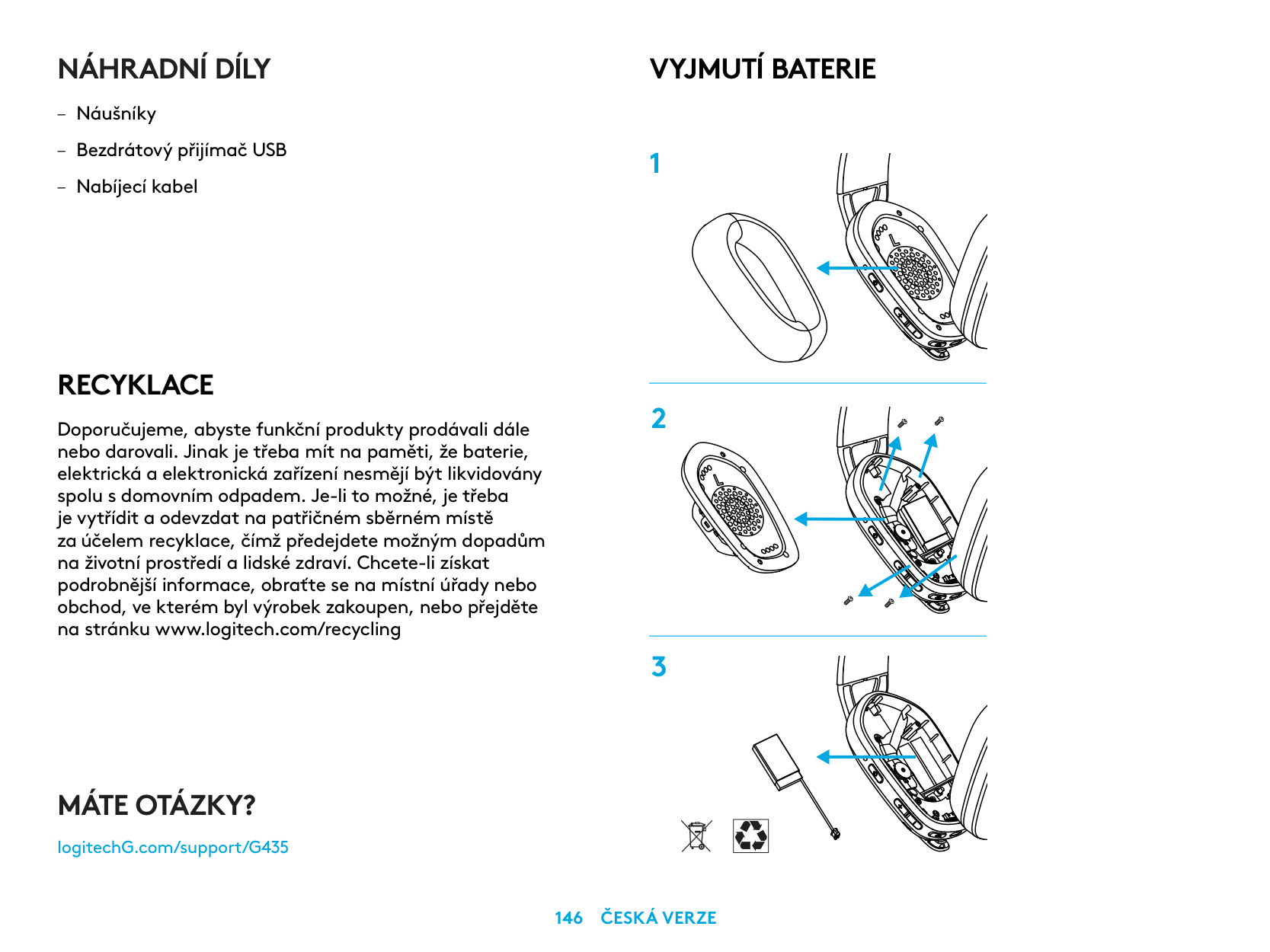
VYJMUTÍ BATERIE
MÁTE OTÁZKY?
logitechG.com/support/G435
| | |---|
PRIPOJENIE LIGHTSPEED
Pripojte sa k vášmu zariadeniu PC, Mac, PlayStation 5 alebo 4 pomocou bezdrôtovej technológie LIGHTSPEED
| | | |---|---| | | | | | |
| | | | |---|---|---| | | | |
| | |---| | |
1,5 sek.
PRIPOJENIEBLUETOOTH
3 sek.
PREPÍNANIE MEDZI PRIPOJENÍM LIGHTSPEED A BLUETOOTH
3 sek.
5 sek.
5 sek.
ZAPNUTIE A VYPNUTIE
Zapnutie
– Podržte tlačidlo napájania na 1,5 sekundy,
keď je náhlavná súprava vypnutá
Vypnutie
– Podržte tlačidlo napájania na 3 sekundy,
keď je náhlavná súprava zapnutá
Automatické vypnutie
– Po 30 minútach nečinnosti
1,5 sek.
3 sek.
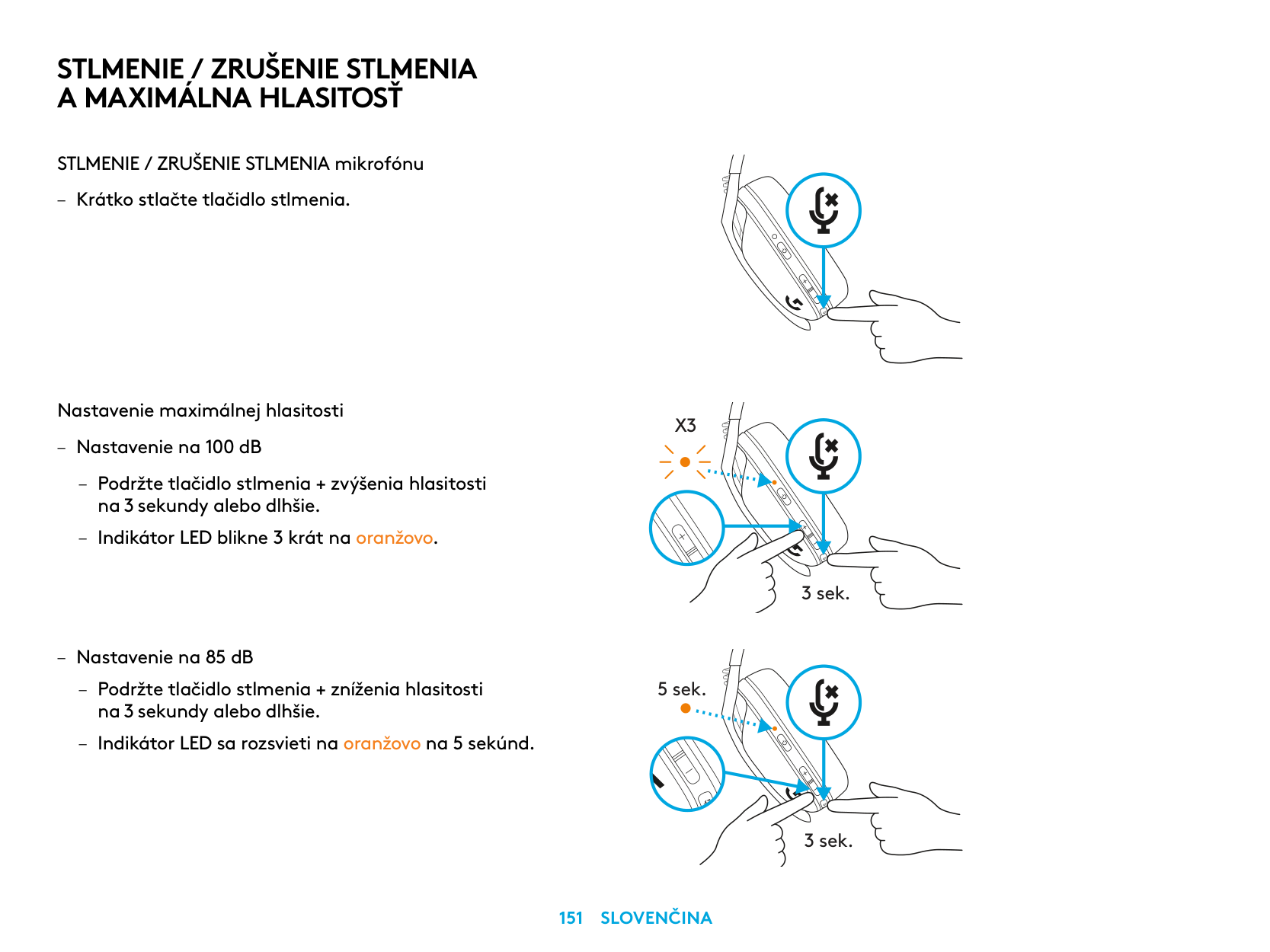
STLMENIE / ZRUŠENIE STLMENIA A MAXIMÁLNA HLASITOSŤ
STLMENIE / ZRUŠENIE STLMENIA mikrofónu
– Krátko stlačte tlačidlo stlmenia
Nastavenie maximálnej hlasitosti
X3
– Nastavenie na 100 dB
– Podržte tlačidlo stlmenia + zvýšenia hlasitosti
na 3 sekundy alebo dlhšie
– Indikátor LED blikne 3 krát na oranžovo
3 sek.
– Nastavenie na 85 dB
– Podržte tlačidlo stlmenia + zníženia hlasitosti
5 sek.
na 3 sekundy alebo dlhšie
– Indikátor LED sa rozsvieti na oranžovo na 5 sekúnd
3 sek.
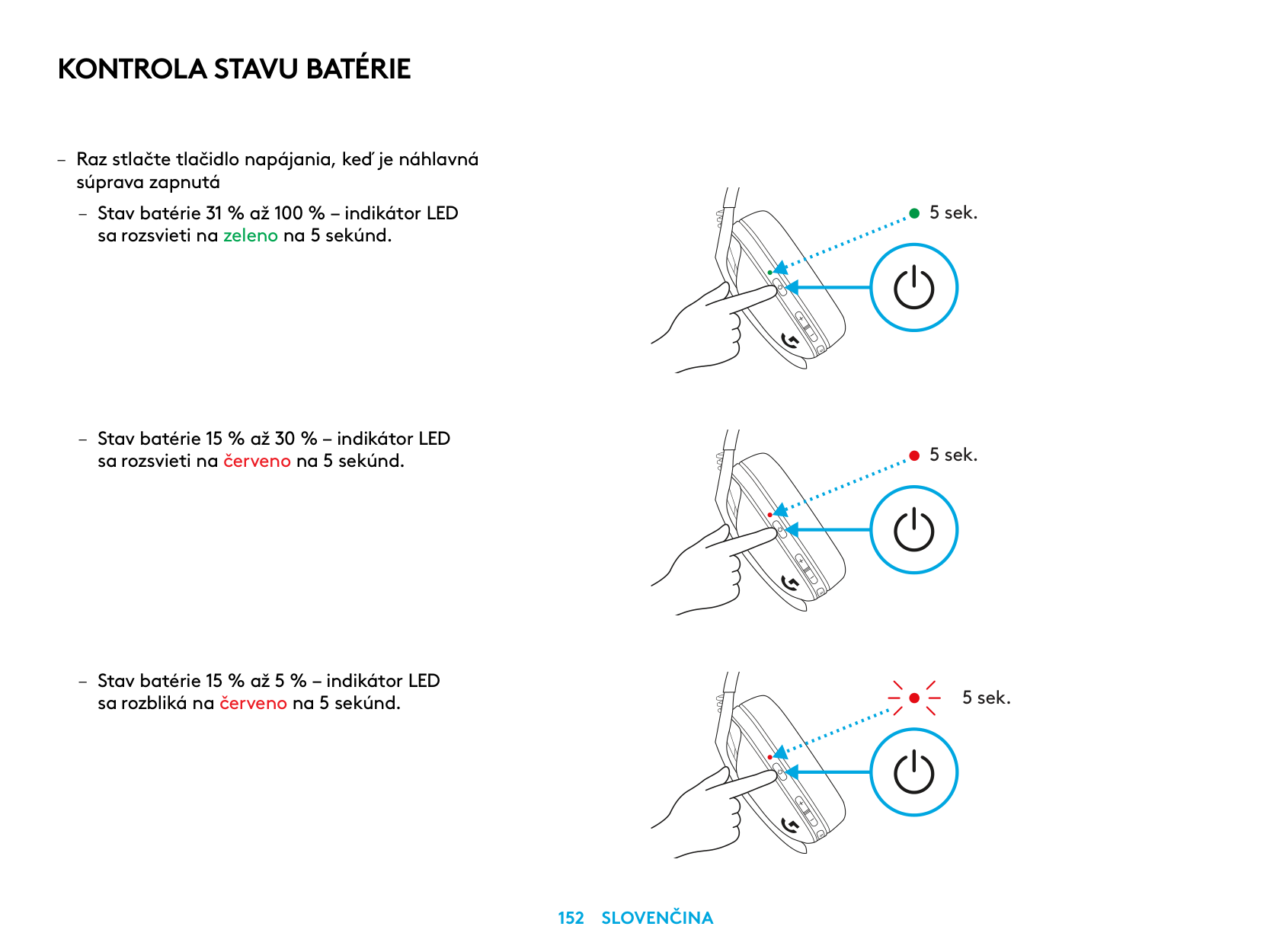
KONTROLA STAVU BATÉRIE
– Raz stlačte tlačidlo napájania, keď je náhlavná
súprava zapnutá
– Stav batérie 31 % až 100 % – indikátor LED
sa rozsvieti na zeleno na 5 sekúnd
– Stav batérie 15 % až 30 % – indikátor LED
sa rozsvieti na červeno na 5 sekúnd
– Stav batérie 15 % až 5 % – indikátor LED
sa rozbliká na červeno na 5 sekúnd
5 sek.
5 sek.
5 sek.
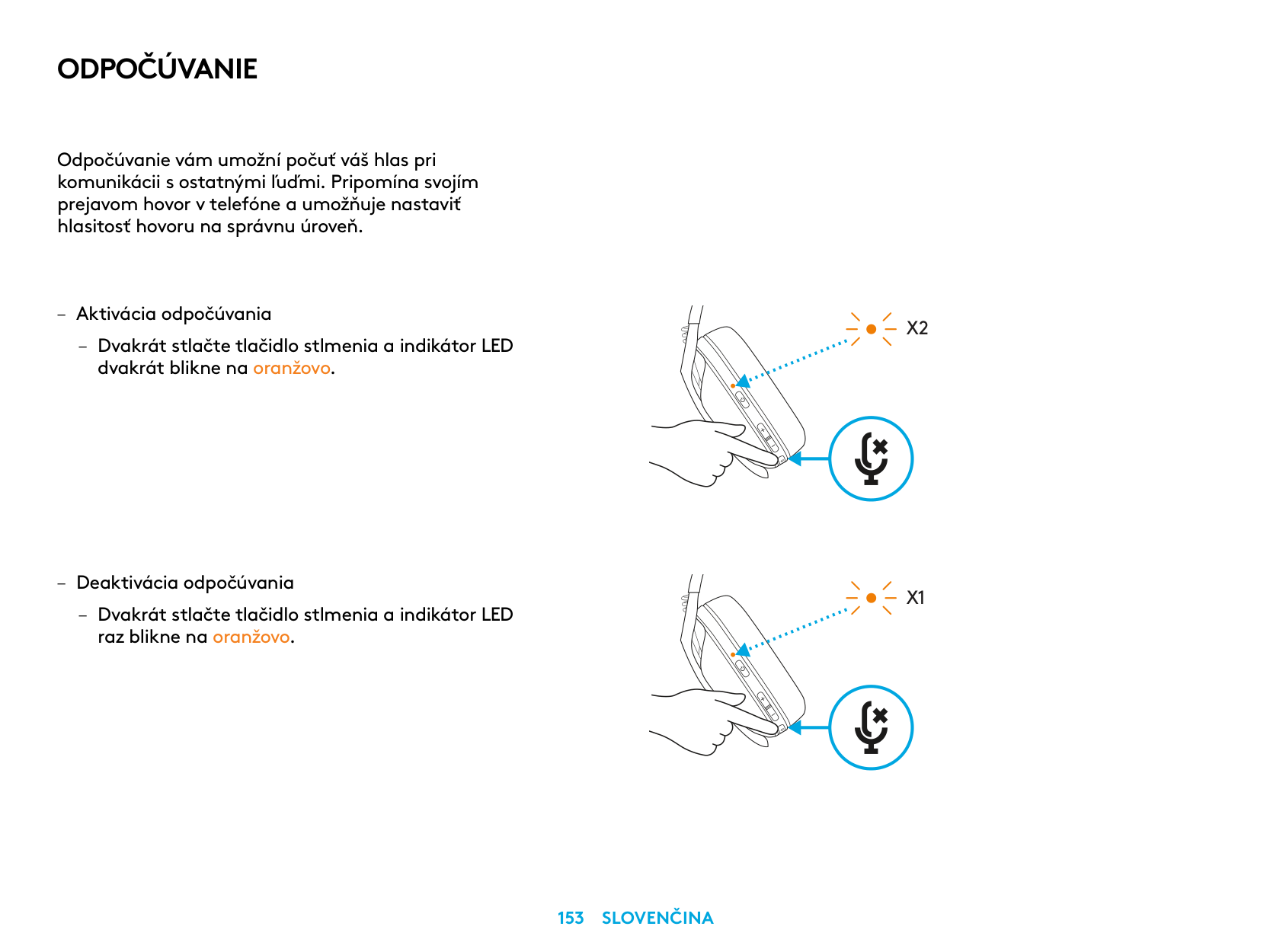
ODPOČÚVANIE
Odpočúvanie vám umožní počuť váš hlas pri komunikácii s ostatnými ľuďmi Pripomína svojím prejavom hovor v telefóne a umožňuje nastaviť hlasitosť hovoru na správnu úroveň
– Aktivácia odpočúvania
– Dvakrát stlačte tlačidlo stlmenia a indikátor LED
dvakrát blikne na oranžovo
– Deaktivácia odpočúvania
– Dvakrát stlačte tlačidlo stlmenia a indikátor LED
raz blikne na oranžovo
X2
X1
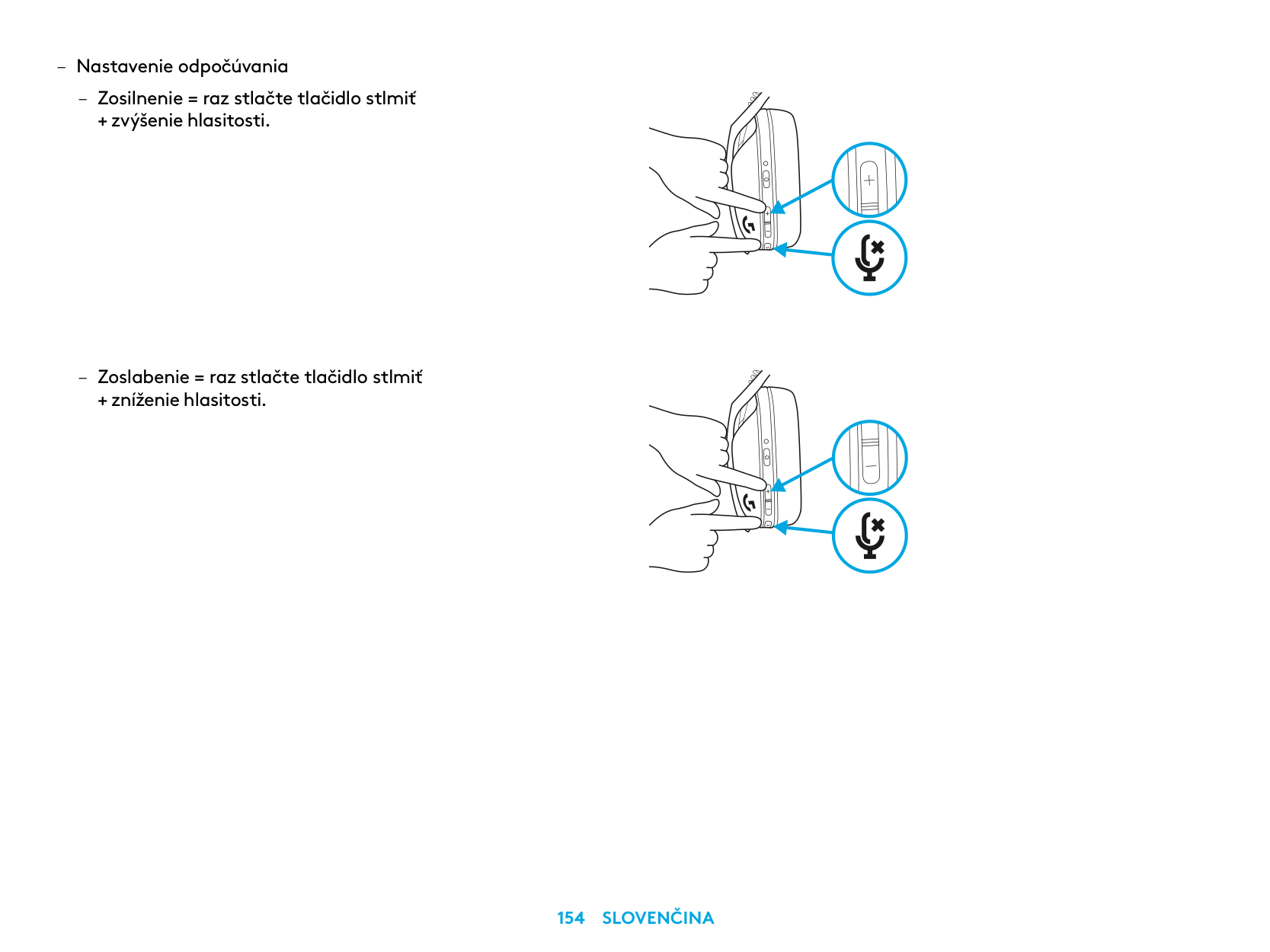
– Nastavenie odpočúvania
– Zosilnenie = raz stlačte tlačidlo stlmiť
+ zvýšenie hlasitosti
– Zoslabenie = raz stlačte tlačidlo stlmiť
+ zníženie hlasitosti
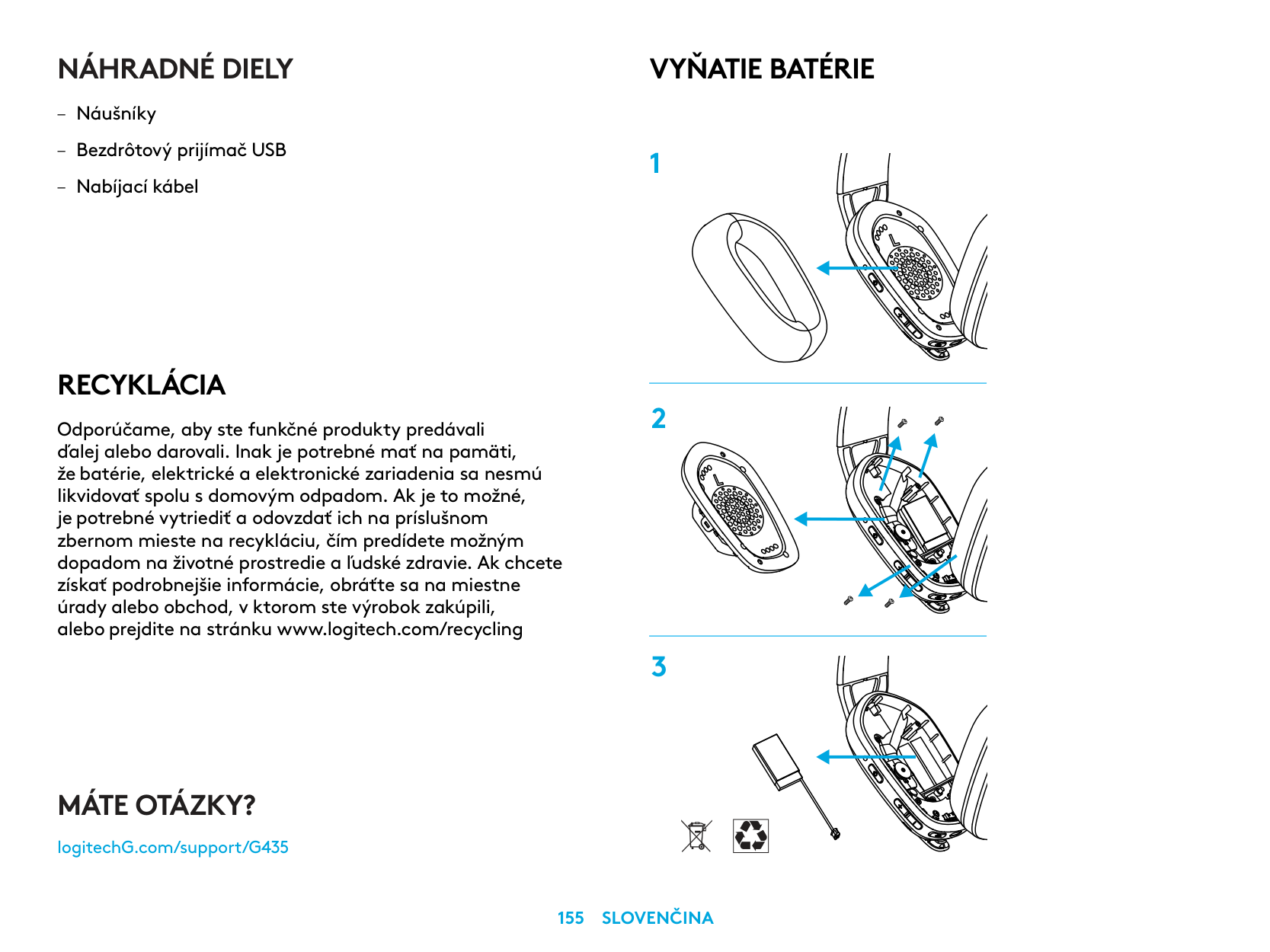
NÁHRADNÉ DIELY
RECYKLÁCIA
Odporúčame, aby ste funkčné produkty predávali ďalej alebo darovali. Inak je potrebné mať na pamäti, že batérie, elektrické a elektronické zariadenia sa nesmú likvidovať spolu s domovým odpadom. Ak je to možné, je potrebné vytriediť a odovzdať ich na príslušnom zbernom mieste na recykláciu, čím predídete možným dopadom na životné prostredie a ľudské zdravie. Ak chcete získať podrobnejšie informácie, obráťte sa na miestne úrady alebo obchod, v ktorom ste výrobok zakúpili, alebo prejdite na stránku www.logitech.com/recycling
VYŇATIE BATÉRIE
MÁTE OTÁZKY?
logitechG.com/support/G435
| | |---|
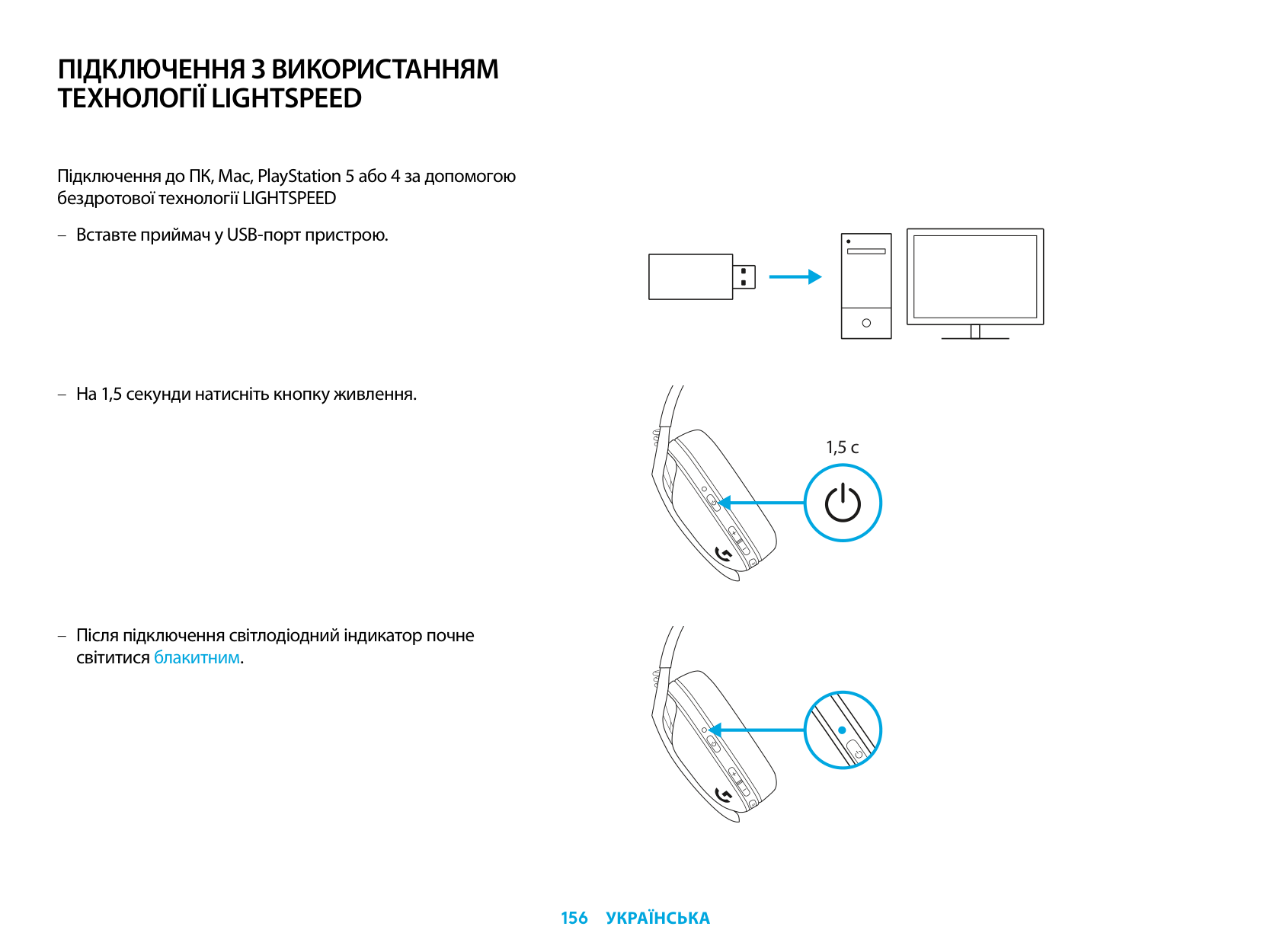
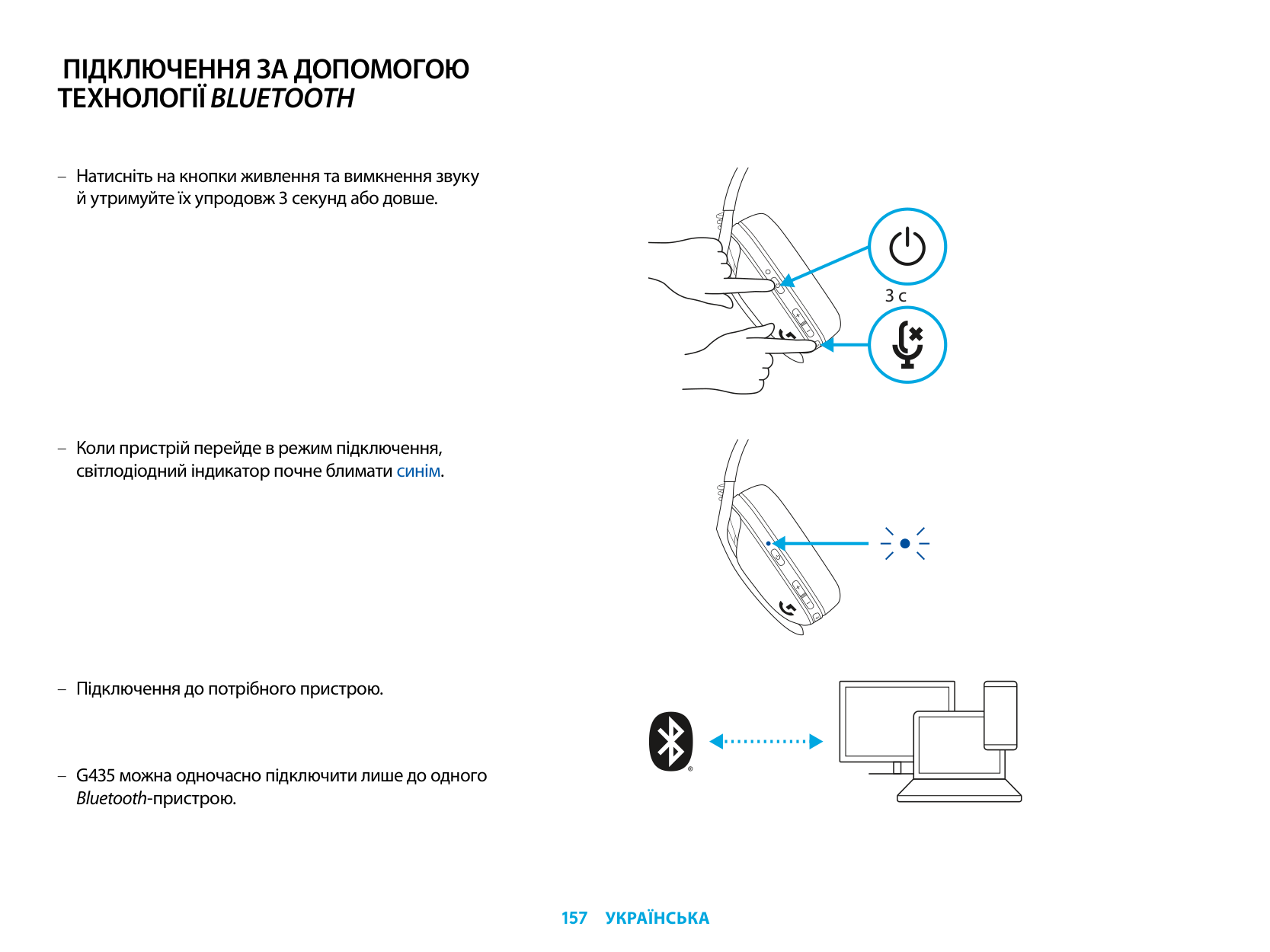
ПІДКЛЮЧЕННЯ З ВИКОРИСТАННЯМ ТЕХНОЛОГІЇ LIGHTSPEED
Підключення до ПК, Mac, PlayStation 5 або 4 за допомогою бездротової технології LIGHTSPEED
| | | |---|---| | | | | | |
| | | | |---|---|---| | | | |
| | |---| | |
світитися блакитним.
1,5 с
ПІДКЛЮЧЕННЯ ЗА ДОПОМОГОЮ ТЕХНОЛОГІЇBLUETOOTH
3 с
G435 можна одночасно підключити лише до одного Bluetooth-пристрою.
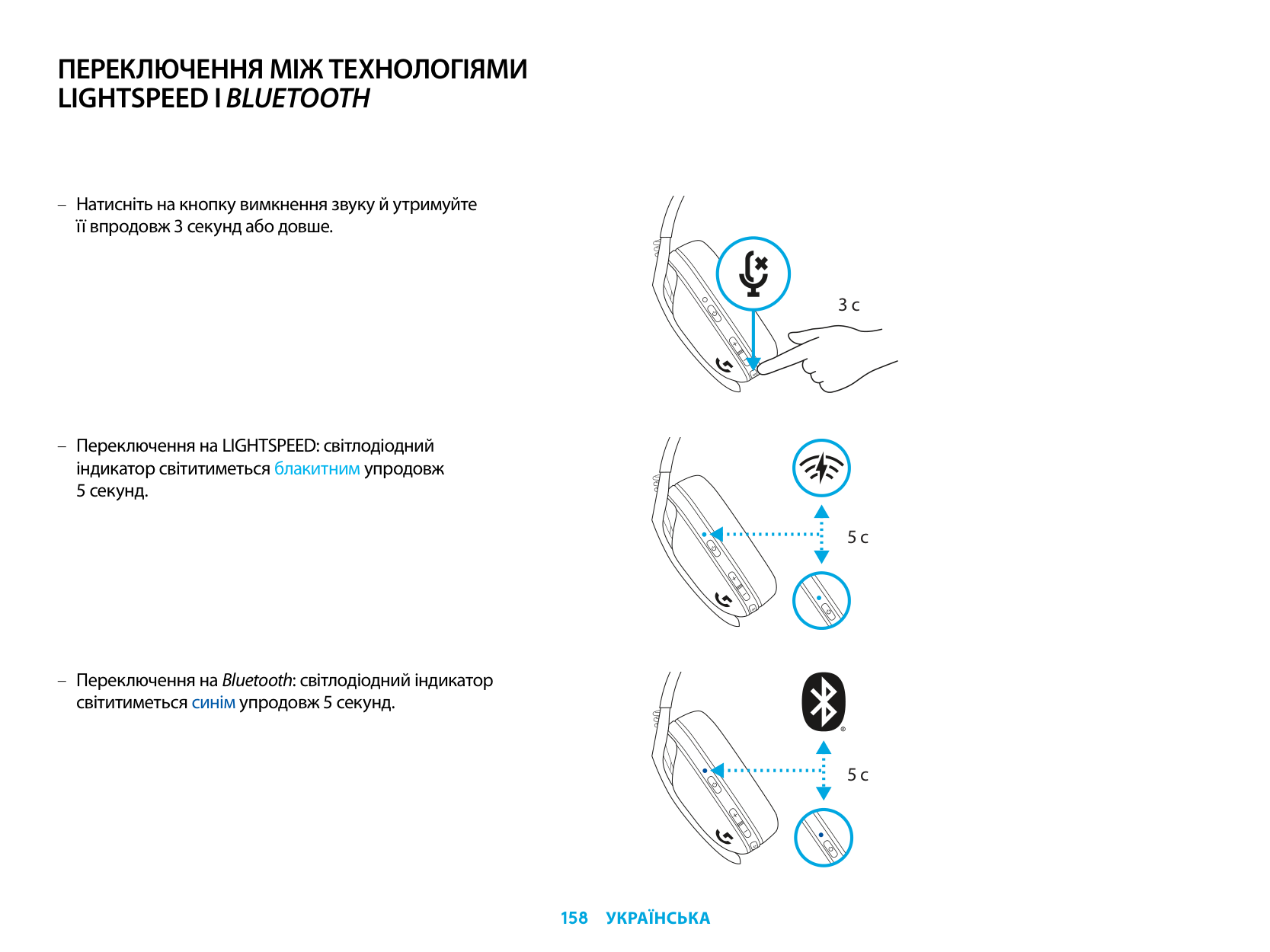
ПЕРЕКЛЮЧЕННЯ МІЖ ТЕХНОЛОГІЯМИ LIGHTSPEED ІBLUETOOTH
3 с
5 с
5 с
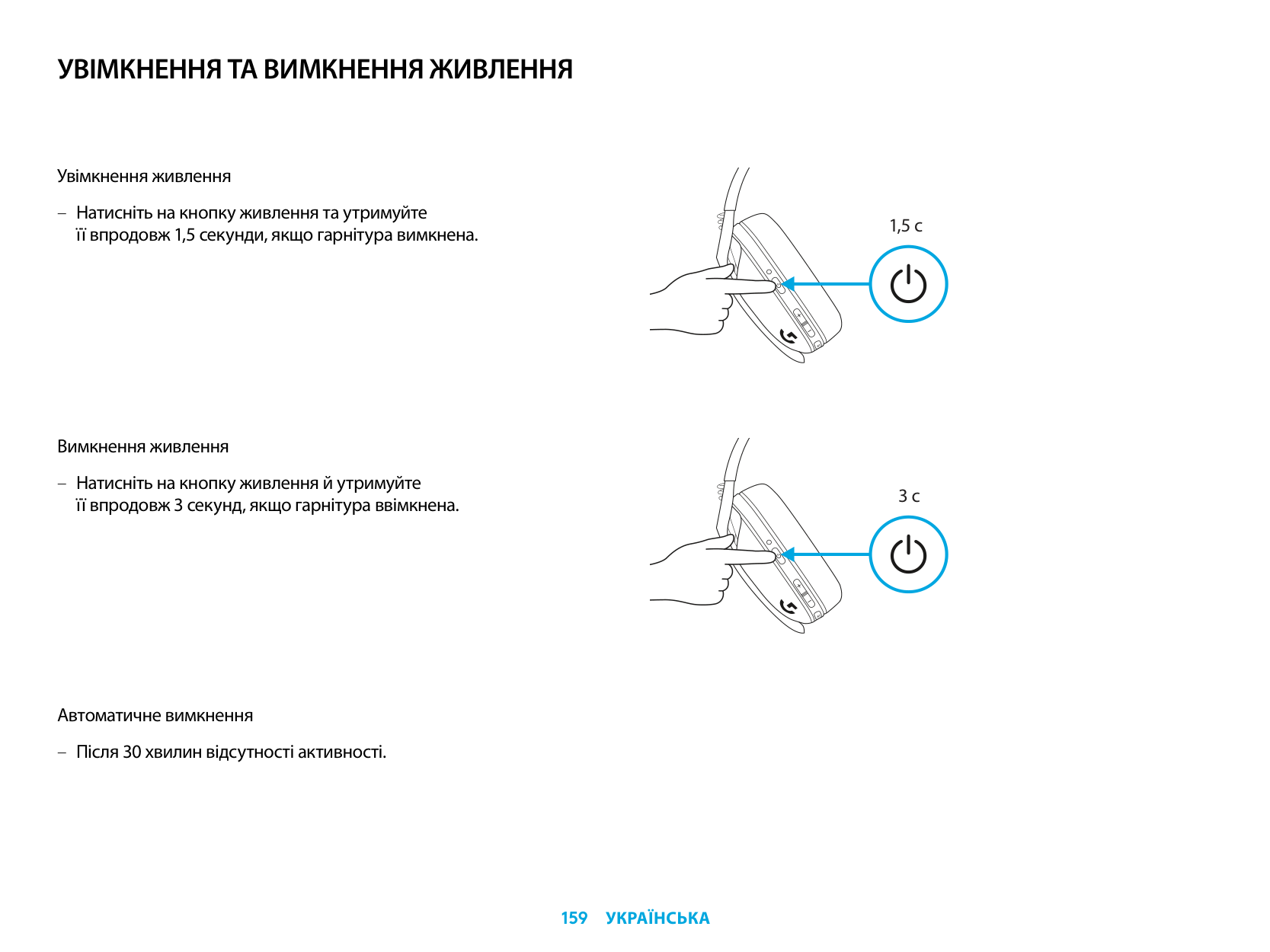
УВІМКНЕННЯ ТА ВИМКНЕННЯ ЖИВЛЕННЯ
Увімкнення живлення
– Натисніть на кнопку живлення та утримуйте
її впродовж 1,5 секунди, якщо гарнітура вимкнена.
Вимкнення живлення
– Натисніть на кнопку живлення й утримуйте
її впродовж 3 секунд, якщо гарнітура ввімкнена.
1,5 с
3 с
Автоматичне вимкнення
– Після 30 хвилин відсутності активності.
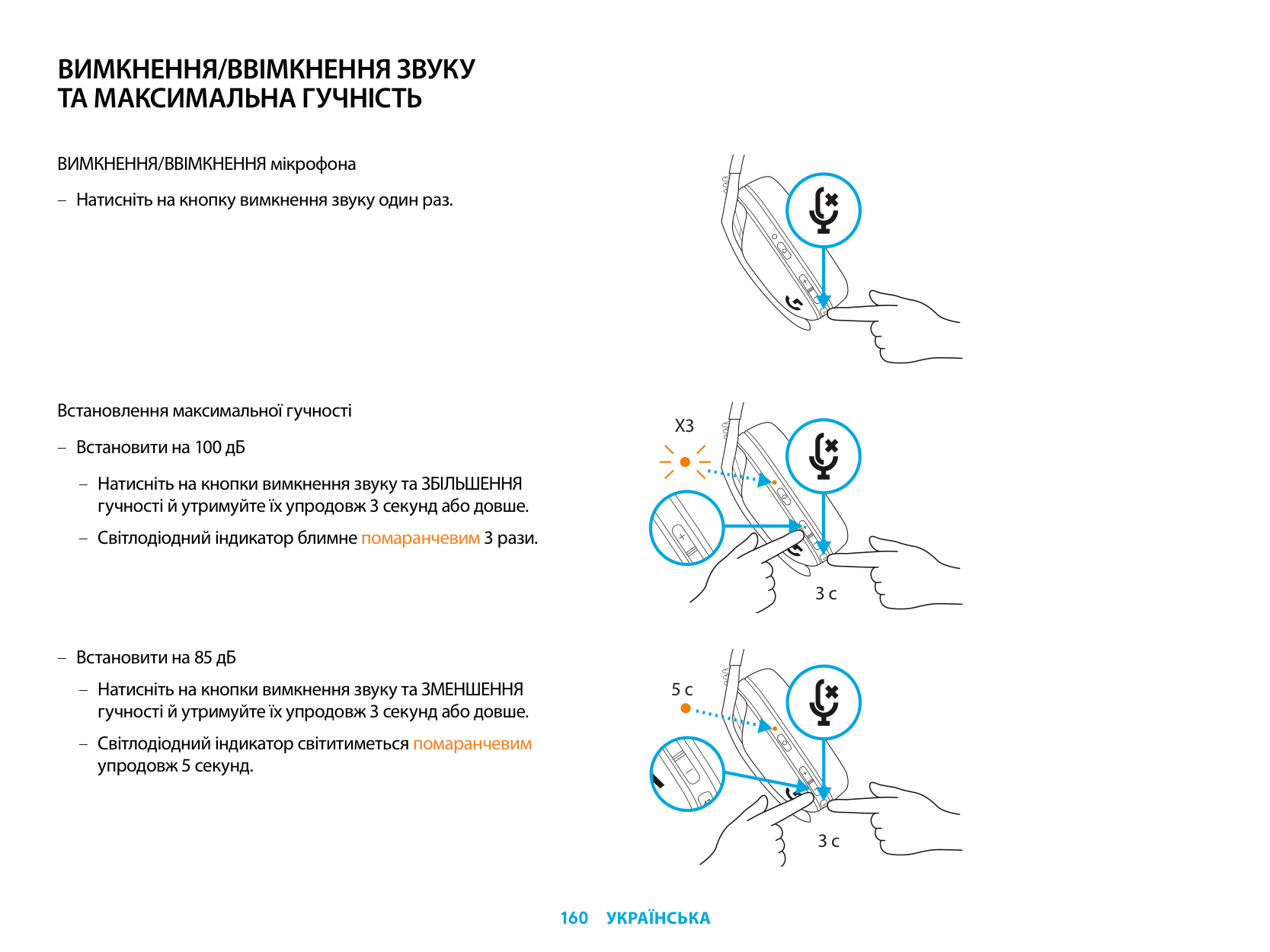
ВИМКНЕННЯ/ВВІМКНЕННЯ ЗВУКУ ТА МАКСИМАЛЬНА ГУЧНІСТЬ
ВИМКНЕННЯ/ВВІМКНЕННЯ мікрофона
– Натисніть на кнопку вимкнення звуку один раз.
Встановлення максимальної гучності
X3
– Встановити на 100 дБ
– Натисніть на кнопки вимкнення звуку та ЗБІЛЬШЕННЯ
гучності й утримуйте їх упродовж 3 секунд або довше.
– Світлодіодний індикатор блимне помаранчевим 3 рази.
3 с
– Встановити на 85 дБ
– Натисніть на кнопки вимкнення звуку та ЗМЕНШЕННЯ
5 с
гучності й утримуйте їх упродовж 3 секунд або довше. – Світлодіодний індикатор світитиметься помаранчевим
упродовж 5 секунд.
3 с
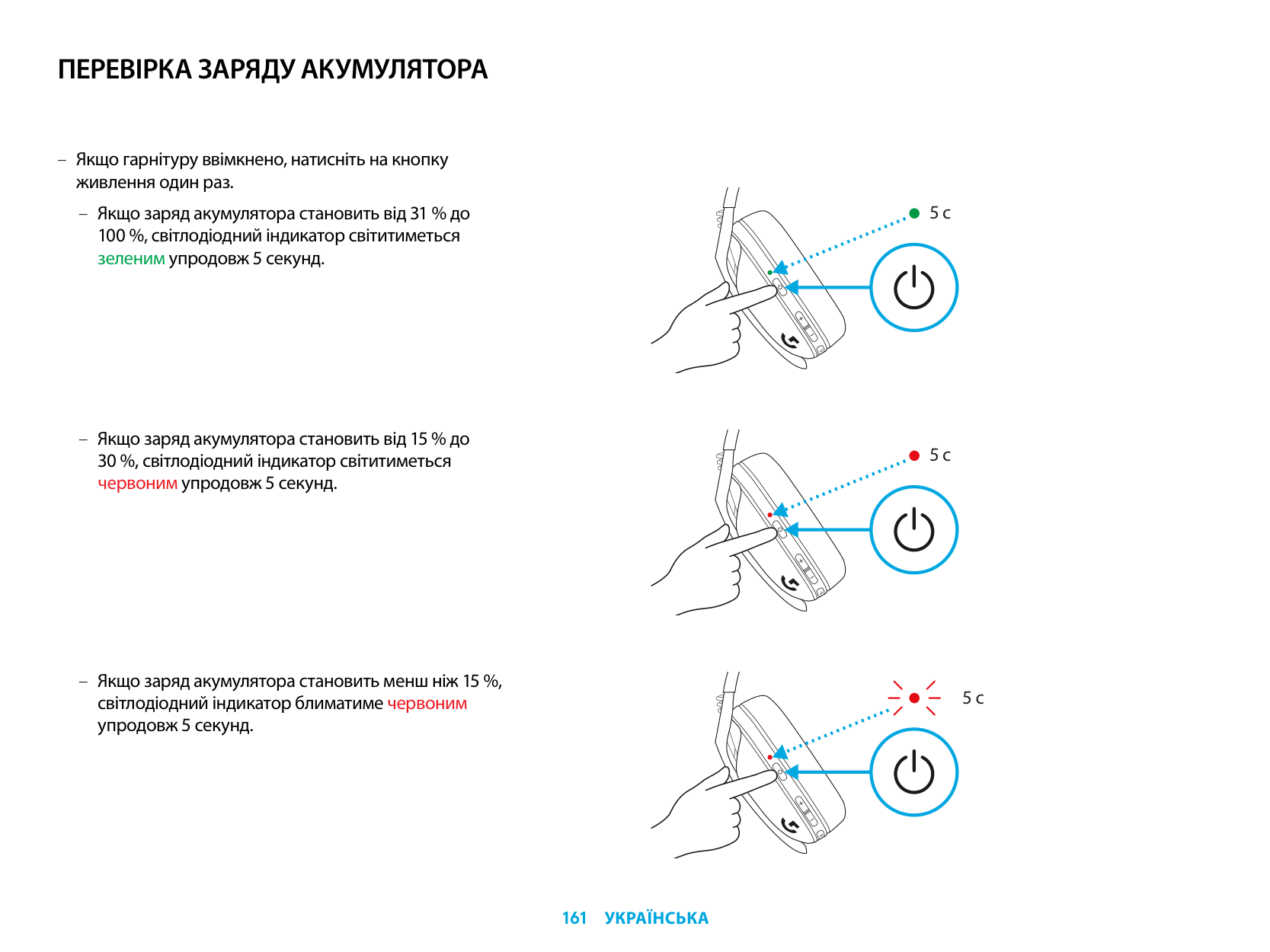
ПЕРЕВІРКА ЗАРЯДУ АКУМУЛЯТОРА
– Якщо гарнітуру ввімкнено, натисніть на кнопку
живлення один раз.
– Якщо заряд акумулятора становить від 31 % до 100 %, світлодіодний індикатор світитиметься зеленим упродовж 5 секунд.
5 с
5 с
5 с
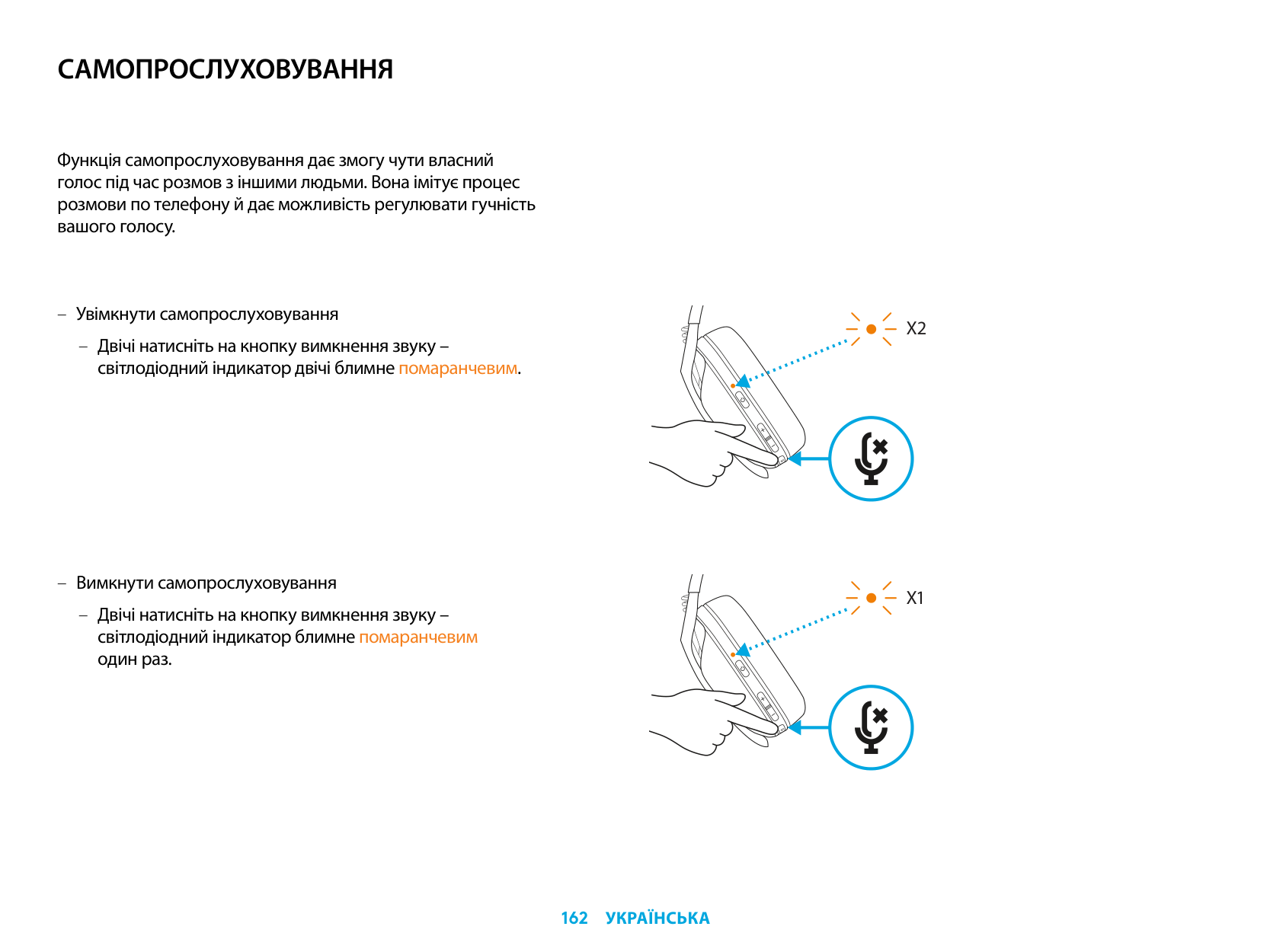
САМОПРОСЛУХОВУВАННЯ
Функція самопрослуховування дає змогу чути власний голос під час розмов з іншими людьми. Вона імітує процес розмови по телефону й дає можливість регулювати гучність вашого голосу.
– Увімкнути самопрослуховування
– Двічі натисніть на кнопку вимкнення звуку –
світлодіодний індикатор двічі блимне помаранчевим.
– Вимкнути самопрослуховування
– Двічі натисніть на кнопку вимкнення звуку – світлодіодний індикатор блимне помаранчевим один раз.
X2
X1
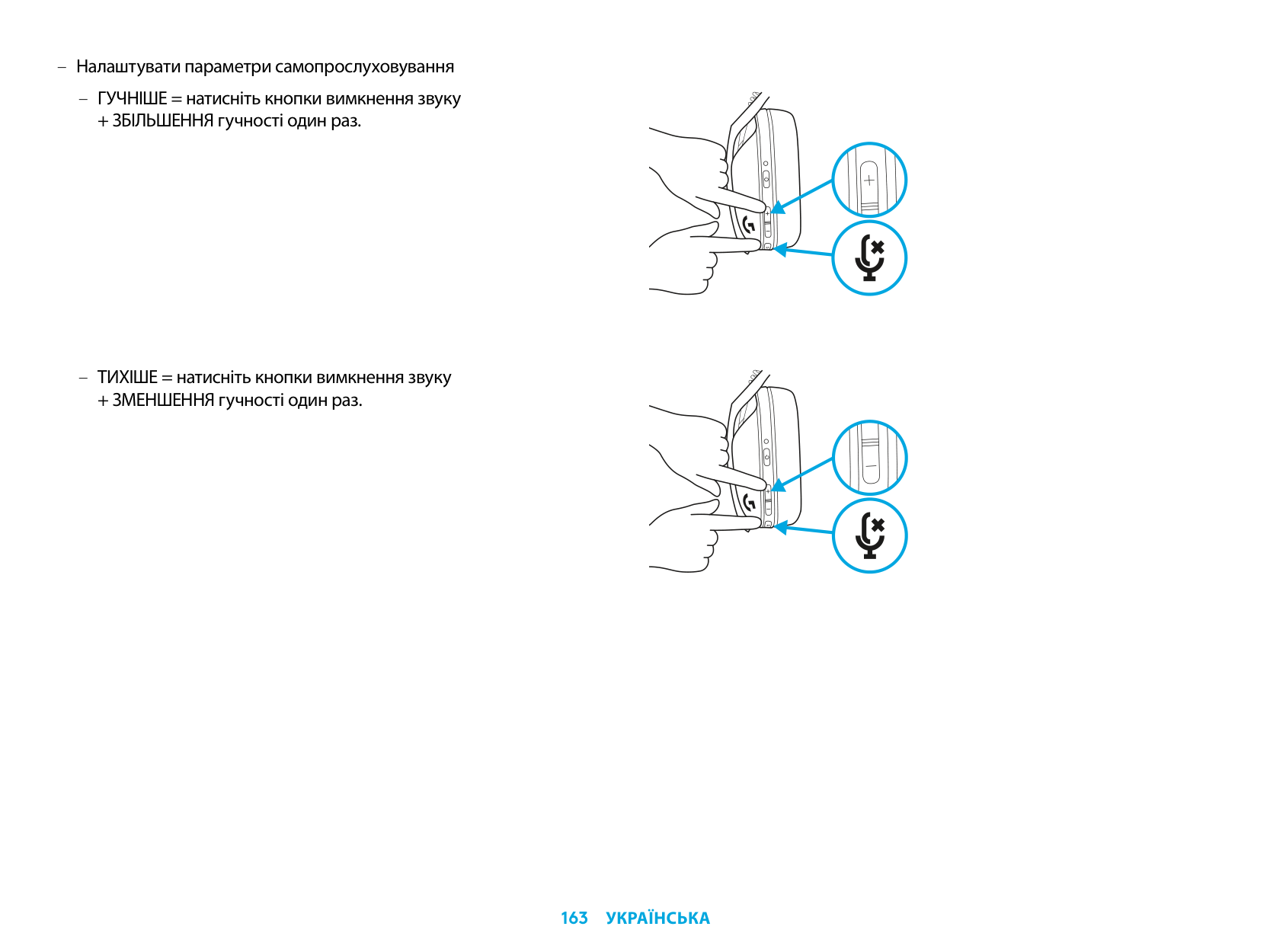
– Налаштувати параметри самопрослуховування
– ГУЧНІШЕ = натисніть кнопки вимкнення звуку
+ ЗБІЛЬШЕННЯ гучності один раз.
– ТИХІШЕ = натисніть кнопки вимкнення звуку
+ ЗМЕНШЕННЯ гучності один раз.
ЗАПАСНІ ЧАСТИНИ
УТИЛІЗАЦІЯ ТА ПЕРЕРОБКА
Ми радимо користувачам віддавати або продавати справні пристрої, якщо вони не потрібні. Нагадуємо, що акумулятори, а також електронне та електричне обладнання не слід утилізувати разом із побутовими відходами. Завжди, коли це можливо, їх слід відокремлювати і здавати до відповідного пункту прийому для переробки, щоб уникнути потенційного шкідливого впливу на довкілля та здоров’я людей. Щоб отримати додаткову інформацію, зверніться до місцевих законодавчих органів, зв’яжіться з продавцем виробу або відвідайте вебсторінку www.logitech.com/recycling
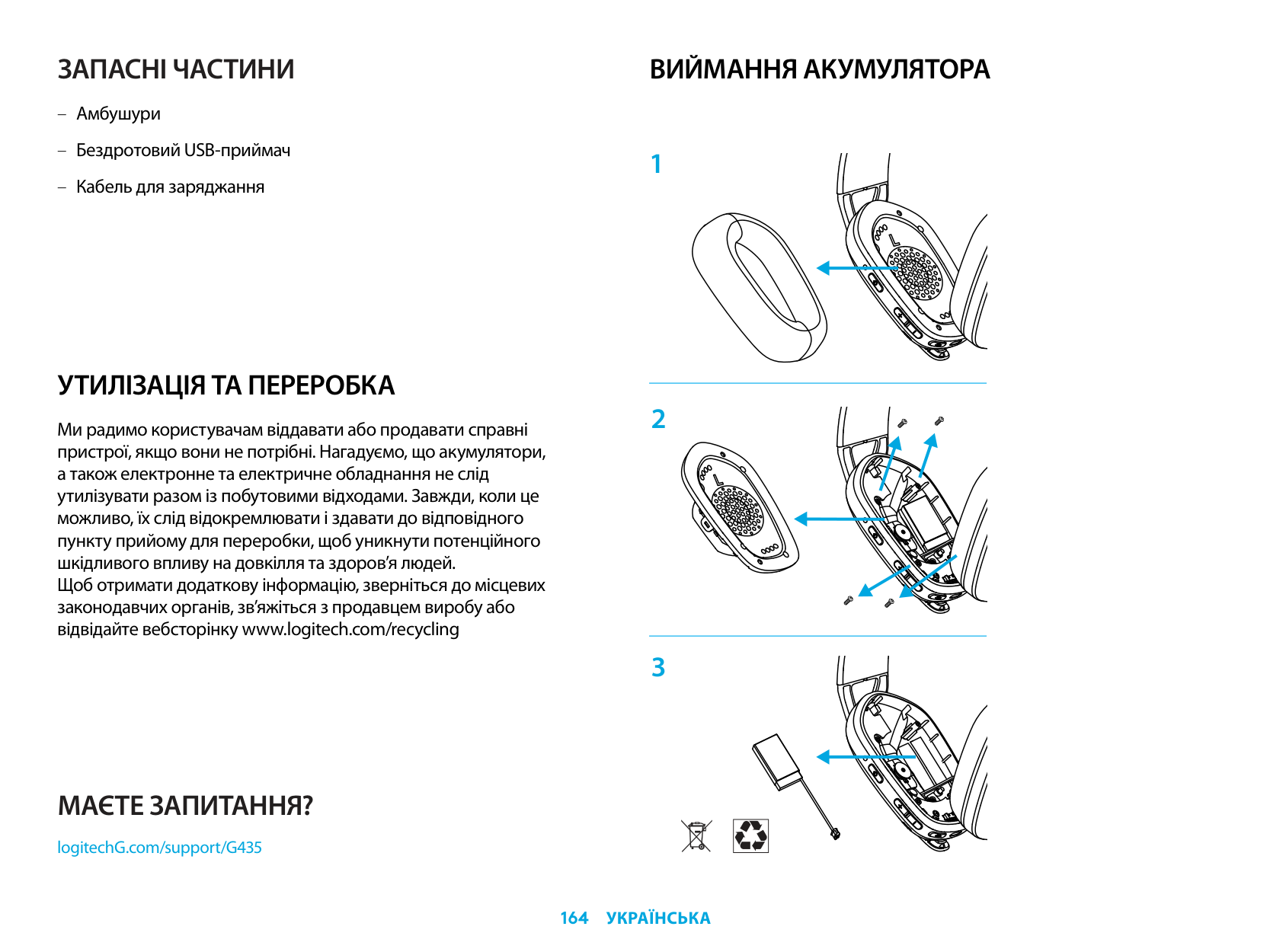
ВИЙМАННЯ АКУМУЛЯТОРА
МАЄТЕ ЗАПИТАННЯ?
logitechG.com/support/G435
| | |---|
LIGHTSPEED-ÜHENDUS
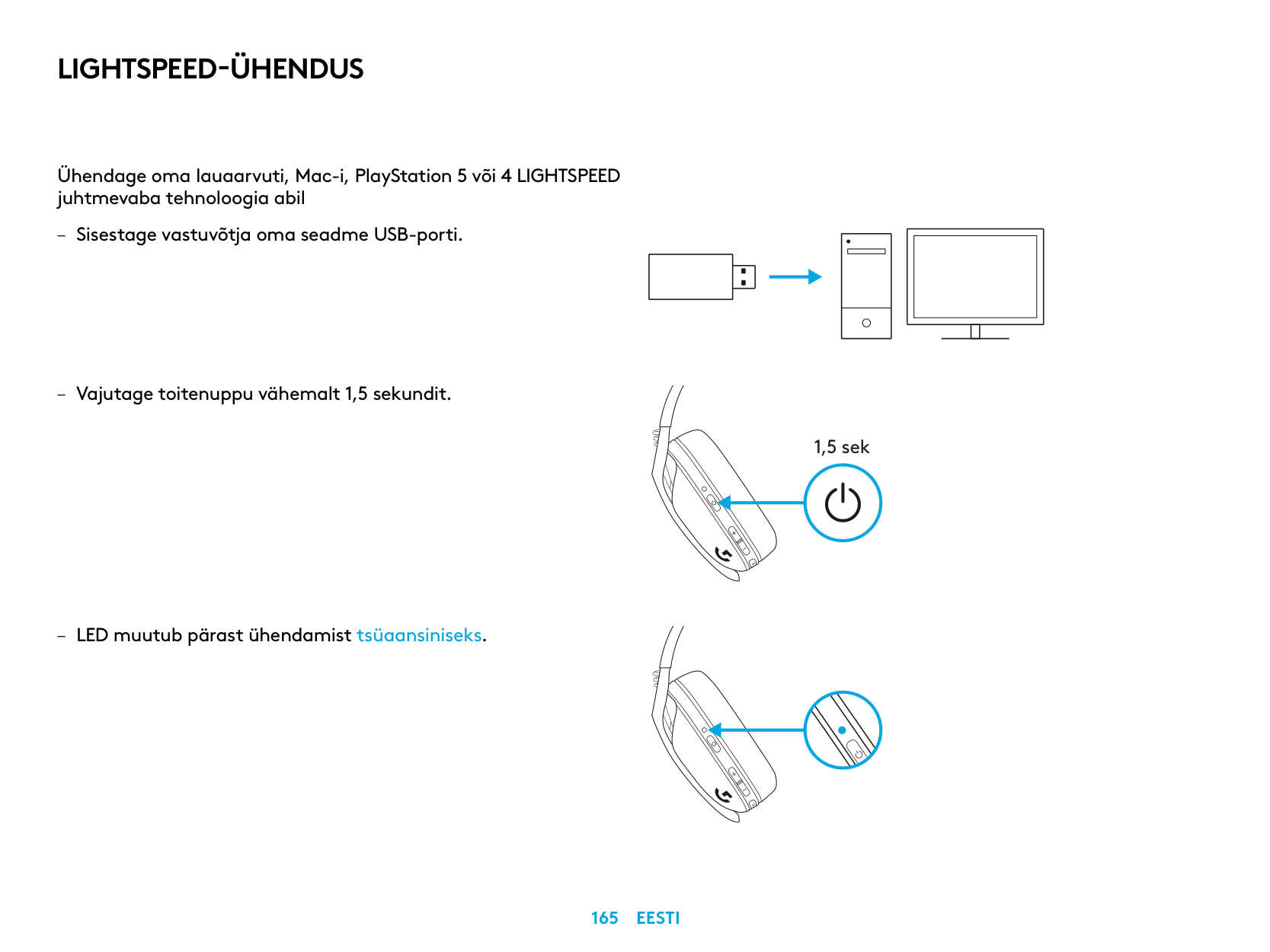
Ühendage oma lauaarvuti, Mac-i, PlayStation 5 või 4 LIGHTSPEED juhtmevaba tehnoloogia abil
| | | |---|---| | | | | | |
| | | | |---|---|---| | | | |
| | |---| | |
1,5 sek
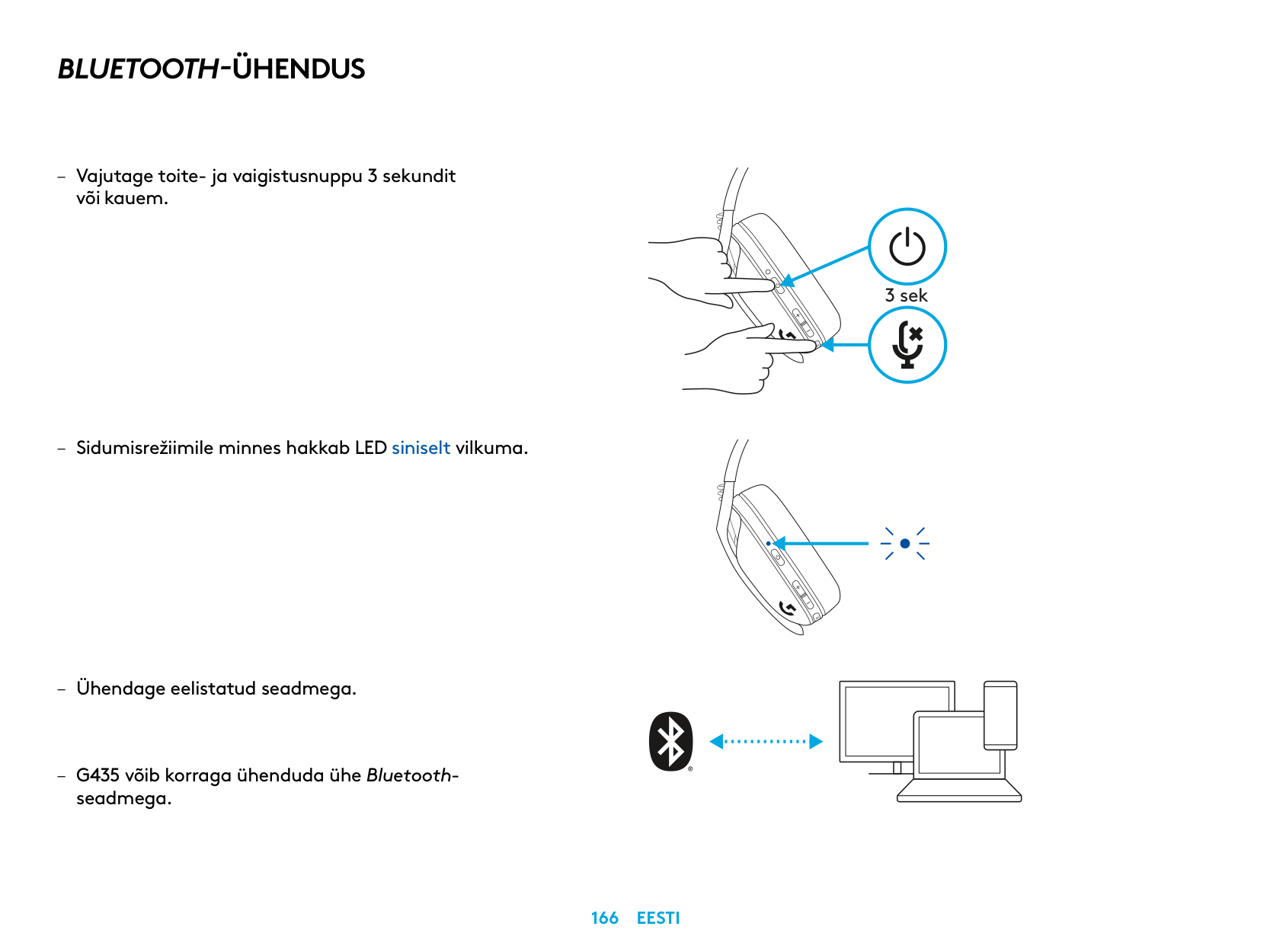
BLUETOOTH-ÜHENDUS
– Vajutage toite- ja vaigistusnuppu 3 sekundit
või kauem
– Sidumisrežiimile minnes hakkab LED siniselt vilkuma
seadmega
3 sek
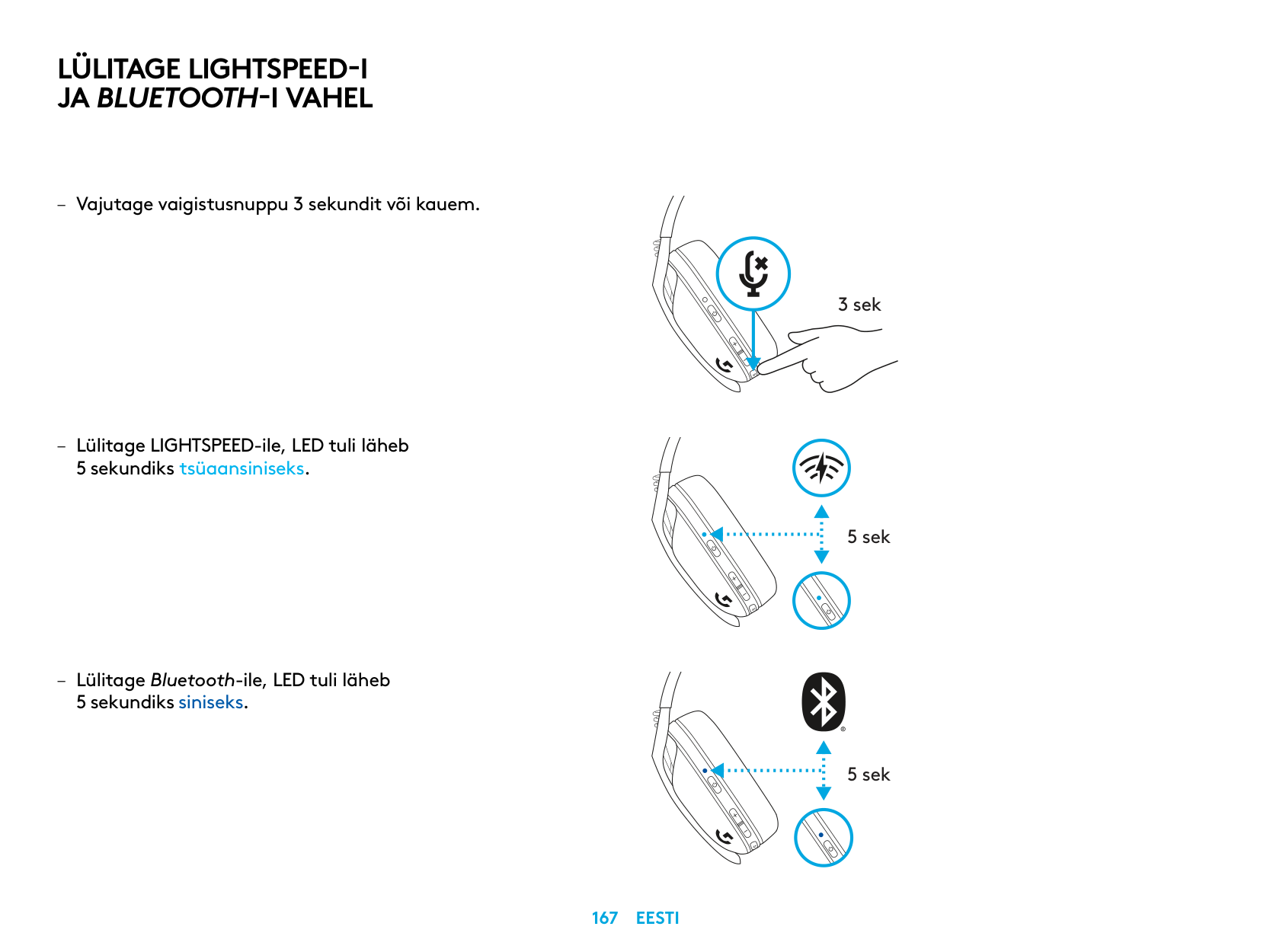
LÜLITAGE LIGHTSPEED-I JA BLUETOOTH-I VAHEL
5 sekundiks tsüaansiniseks
– Lülitage Bluetooth-ile, LED tuli läheb
5 sekundiks siniseks
3 sek
5 sek
5 sek
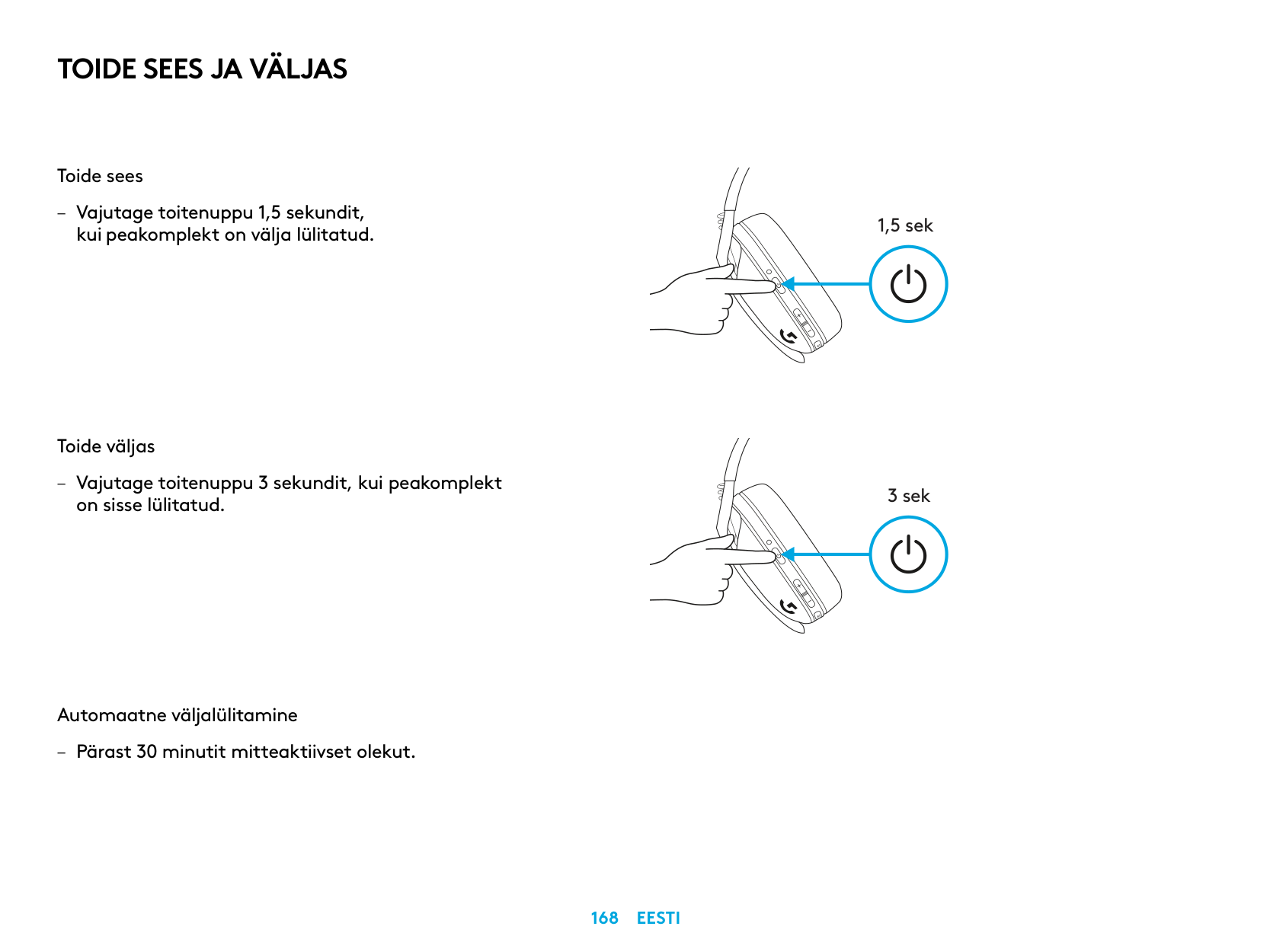
TOIDE SEES JA VÄLJAS
Toide sees
– Vajutage toitenuppu 1,5 sekundit, kui peakomplekt on välja lülitatud
Toide väljas
– Vajutage toitenuppu 3 sekundit, kui peakomplekt
on sisse lülitatud
Automaatne väljalülitamine
– Pärast 30 minutit mitteaktiivset olekut
1,5 sek
3 sek
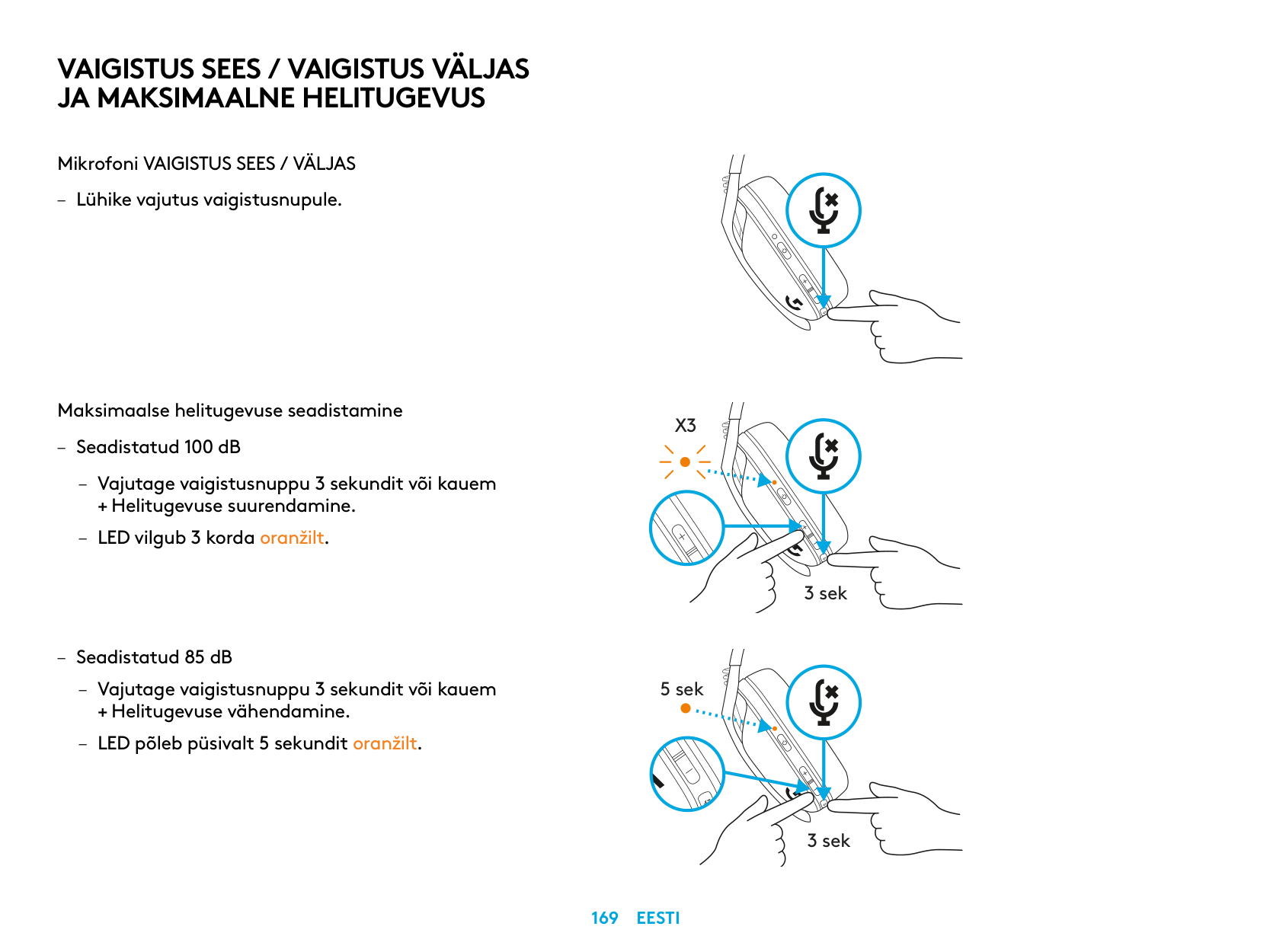
VAIGISTUS SEES / VAIGISTUS VÄLJAS JA MAKSIMAALNE HELITUGEVUS
Mikrofoni VAIGISTUS SEES / VÄLJAS
– Lühike vajutus vaigistusnupule
Maksimaalse helitugevuse seadistamine
X3
– Seadistatud 100 dB
– Vajutage vaigistusnuppu 3 sekundit või kauem
+ Helitugevuse suurendamine
– LED vilgub 3 korda oranžilt
3 sek
– Seadistatud 85 dB
– Vajutage vaigistusnuppu 3 sekundit või kauem
5 sek
+ Helitugevuse vähendamine
– LED põleb püsivalt 5 sekundit oranžilt
3 sek
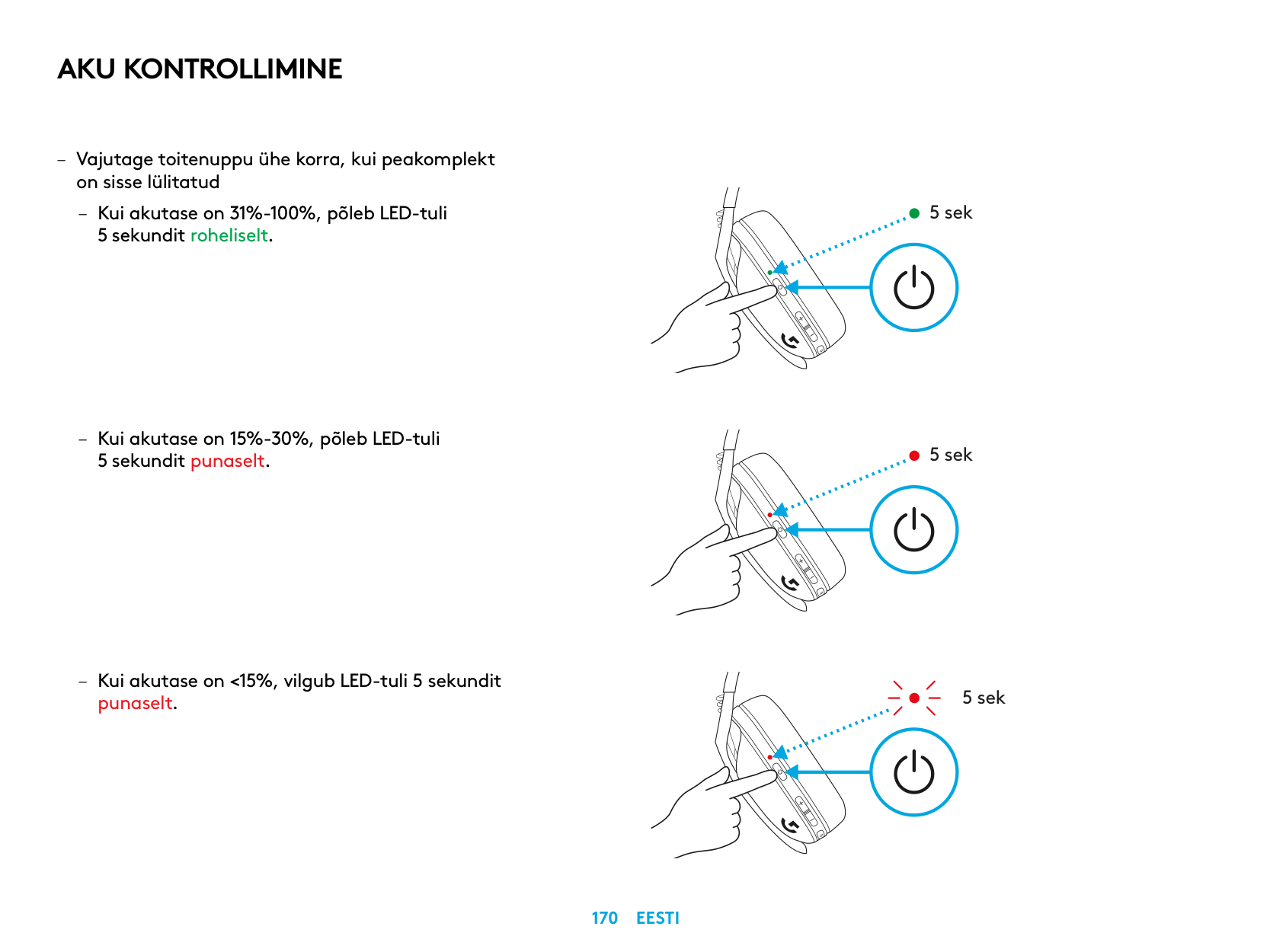
AKU KONTROLLIMINE
– Vajutage toitenuppu ühe korra, kui peakomplekt
on sisse lülitatud
– Kui akutase on 31%-100%, põleb LED-tuli
5 sekundit roheliselt
– Kui akutase on 15%-30%, põleb LED-tuli
5 sekundit punaselt
– Kui akutase on <15%, vilgub LED-tuli 5 sekundit
punaselt
5 sek
5 sek
5 sek
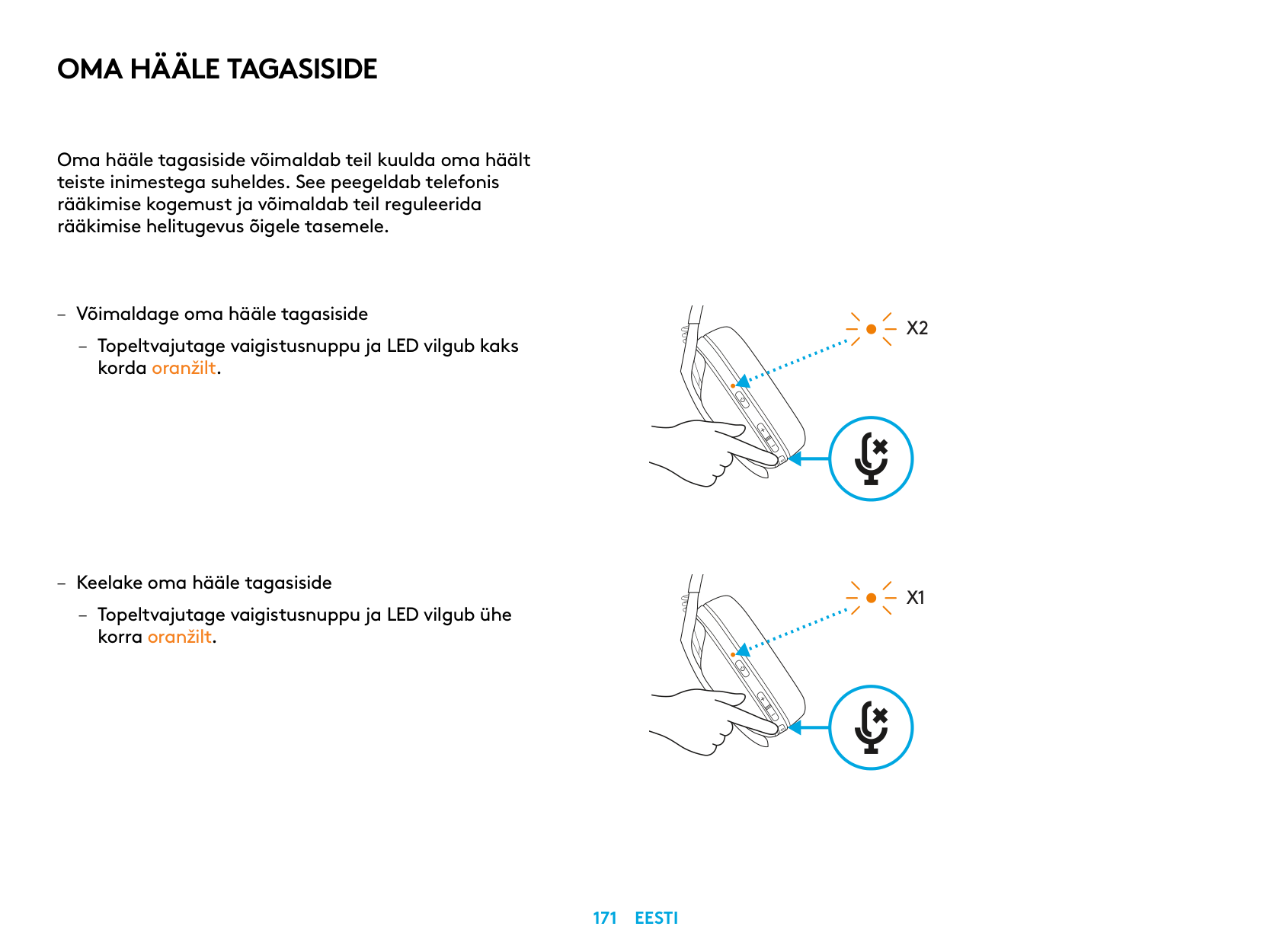
OMA HÄÄLE TAGASISIDE
Oma hääle tagasiside võimaldab teil kuulda oma häält teiste inimestega suheldes See peegeldab telefonis rääkimise kogemust ja võimaldab teil reguleerida rääkimise helitugevus õigele tasemele
– Võimaldage oma hääle tagasiside
– Topeltvajutage vaigistusnuppu ja LED vilgub kaks
korda oranžilt
– Keelake oma hääle tagasiside
– Topeltvajutage vaigistusnuppu ja LED vilgub ühe
korra oranžilt
X2
X1
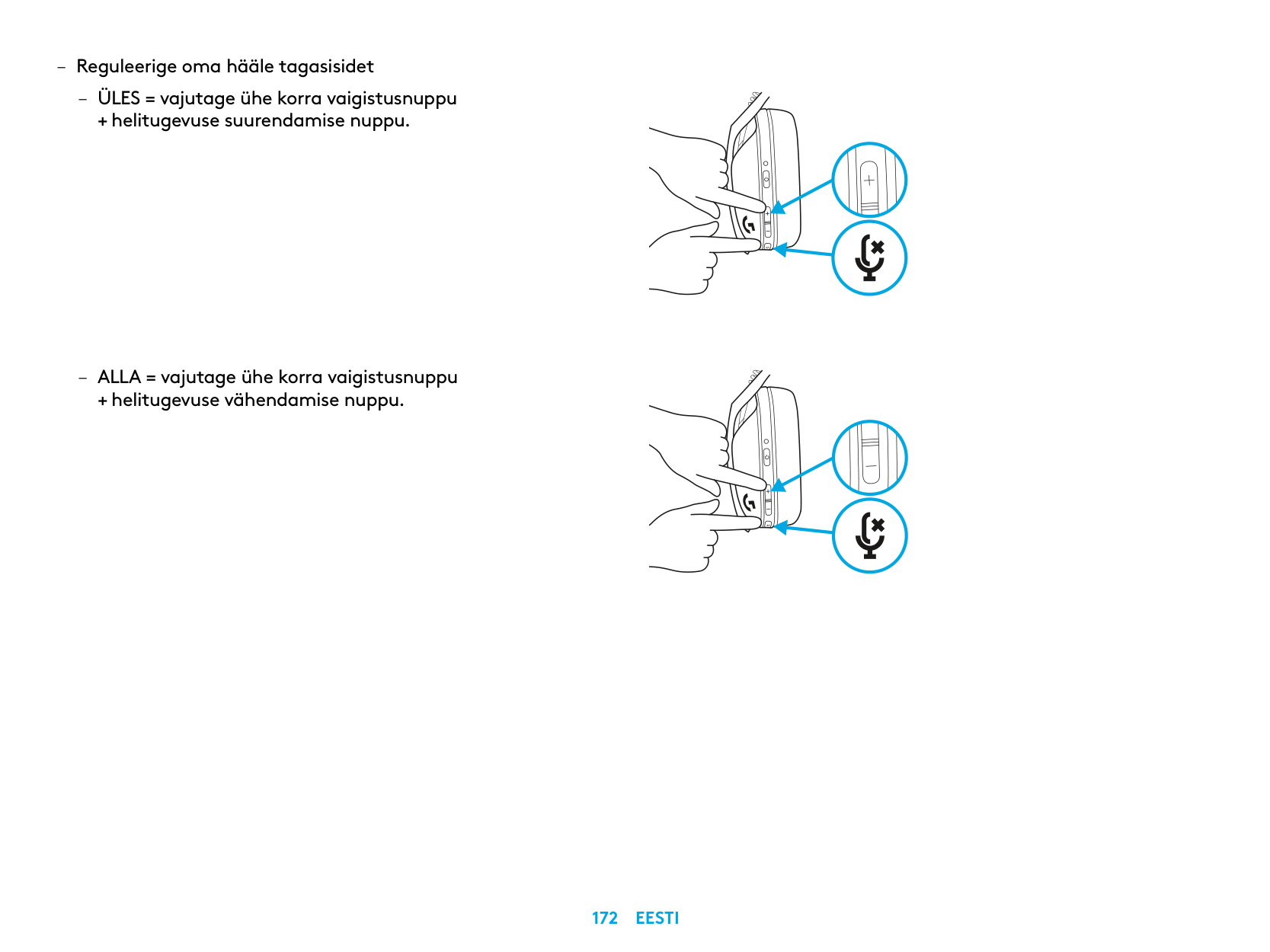
– Reguleerige oma hääle tagasisidet
– ÜLES = vajutage ühe korra vaigistusnuppu
+ helitugevuse suurendamise nuppu
– ALLA = vajutage ühe korra vaigistusnuppu
+ helitugevuse vähendamise nuppu
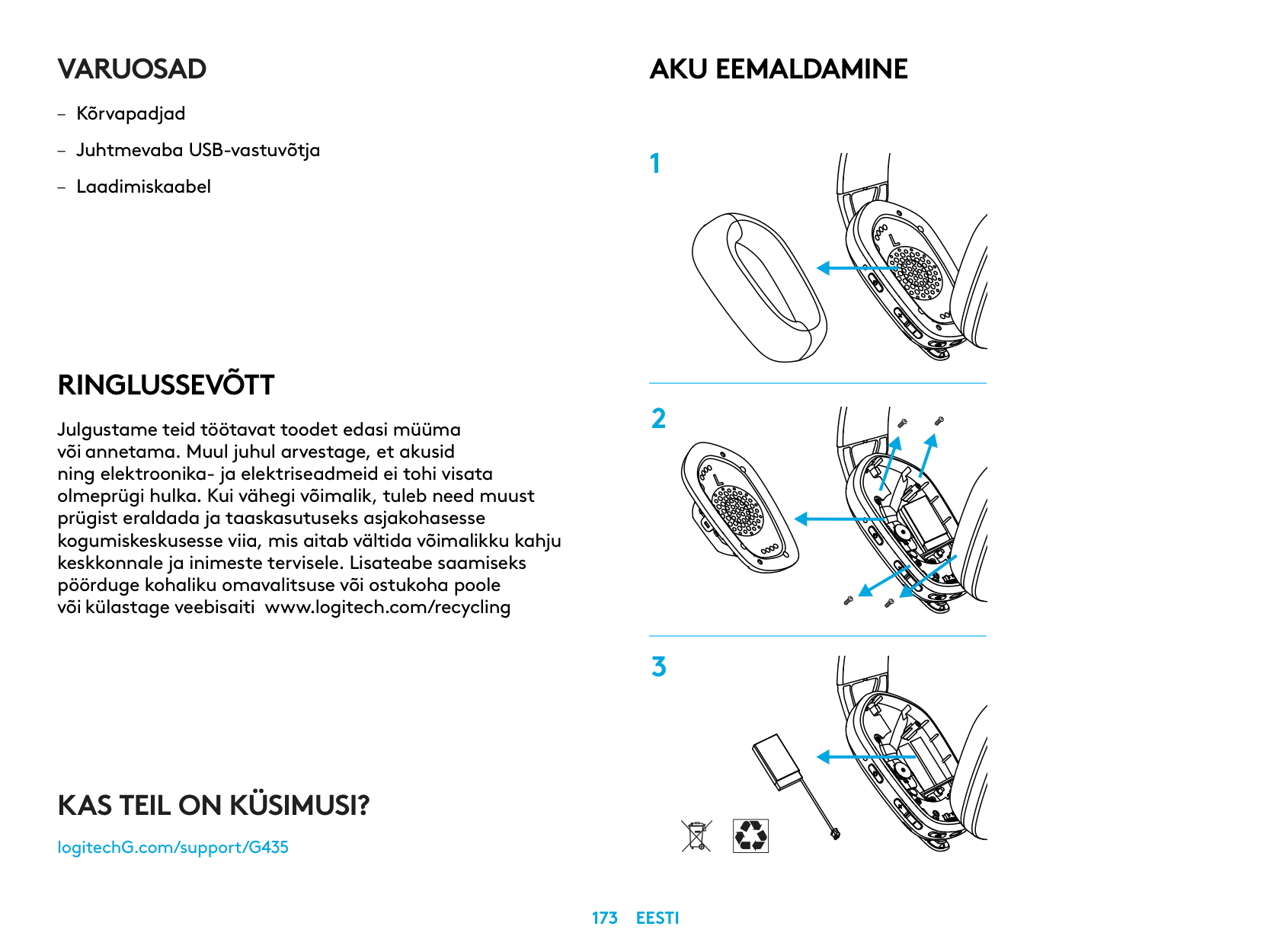
VARUOSAD
RINGLUSSEVÕTT
Julgustame teid töötavat toodet edasi müüma või annetama. Muul juhul arvestage, et akusid ning elektroonika- ja elektriseadmeid ei tohi visata olmeprügi hulka. Kui vähegi võimalik, tuleb need muust prügist eraldada ja taaskasutuseks asjakohasesse kogumiskeskusesse viia, mis aitab vältida võimalikku kahju keskkonnale ja inimeste tervisele. Lisateabe saamiseks pöörduge kohaliku omavalitsuse või ostukoha poole või külastage veebisaiti www.logitech.com/recycling
AKU EEMALDAMINE
KAS TEIL ON KÜSIMUSI?
logitechG.com/support/G435
| |
|---|
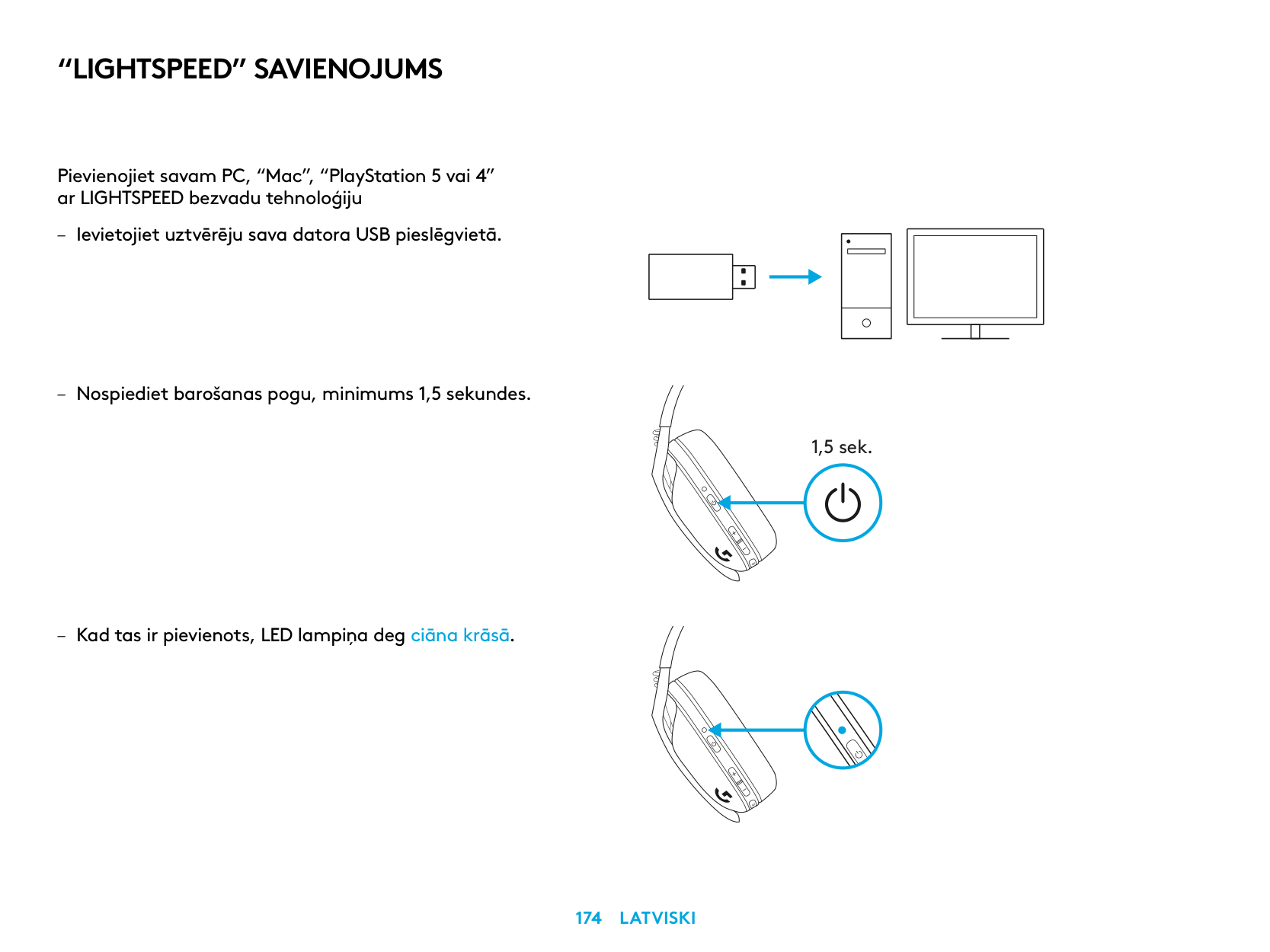
“LIGHTSPEED” SAVIENOJUMS
Pievienojiet savam PC, “Mac”, “PlayStation 5 vai 4” ar LIGHTSPEED bezvadu tehnoloģiju
| | | |---|---| | | | | | |
| | | | |---|---|---| | | | |
| | |---| | |
1,5 sek.
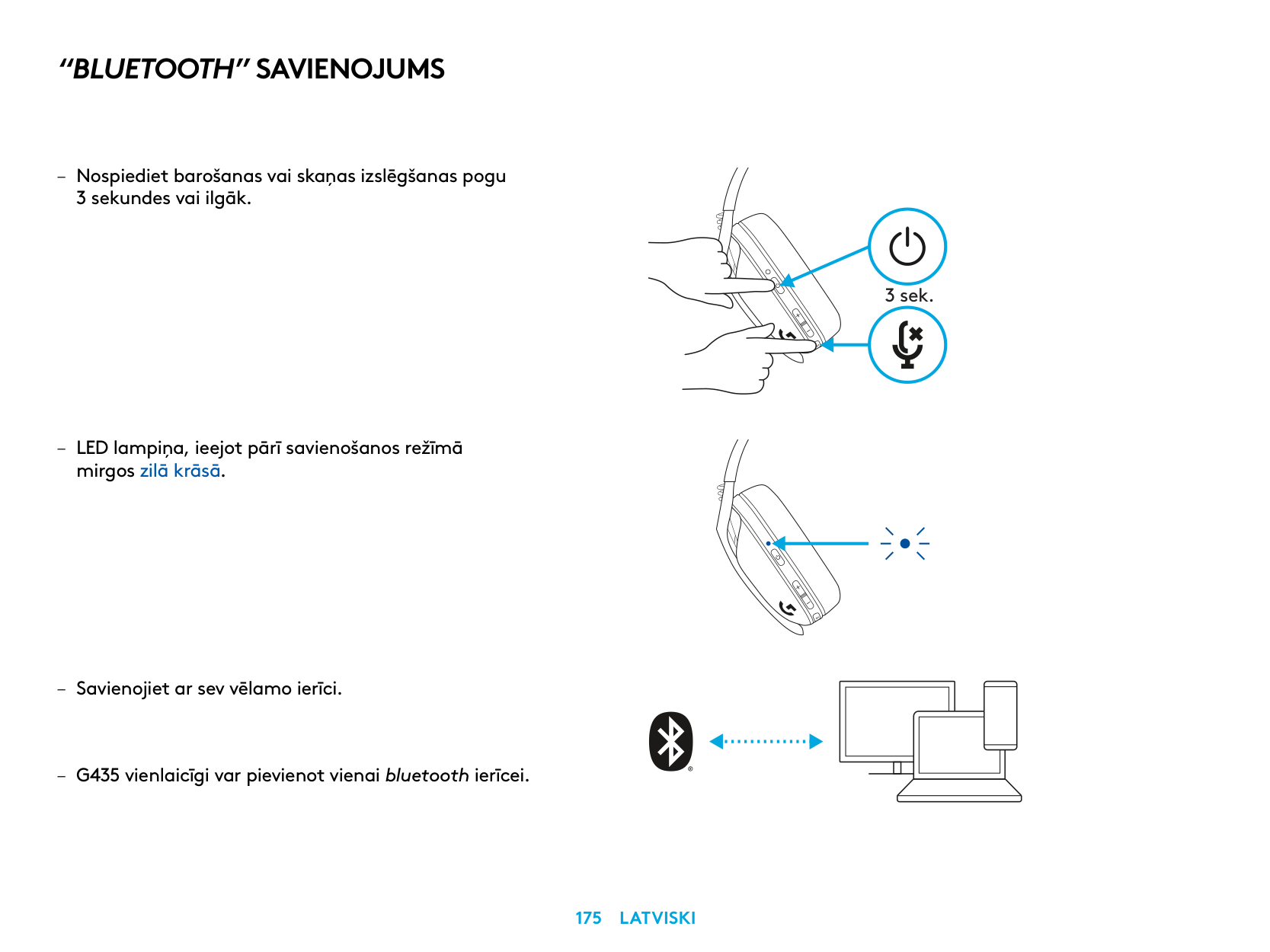
“BLUETOOTH” SAVIENOJUMS
– Nospiediet barošanas vai skaņas izslēgšanas pogu
3 sekundes vai ilgāk
– LED lampiņa, ieejot pārī savienošanos režīmā
mirgos zilā krāsā
3 sek.
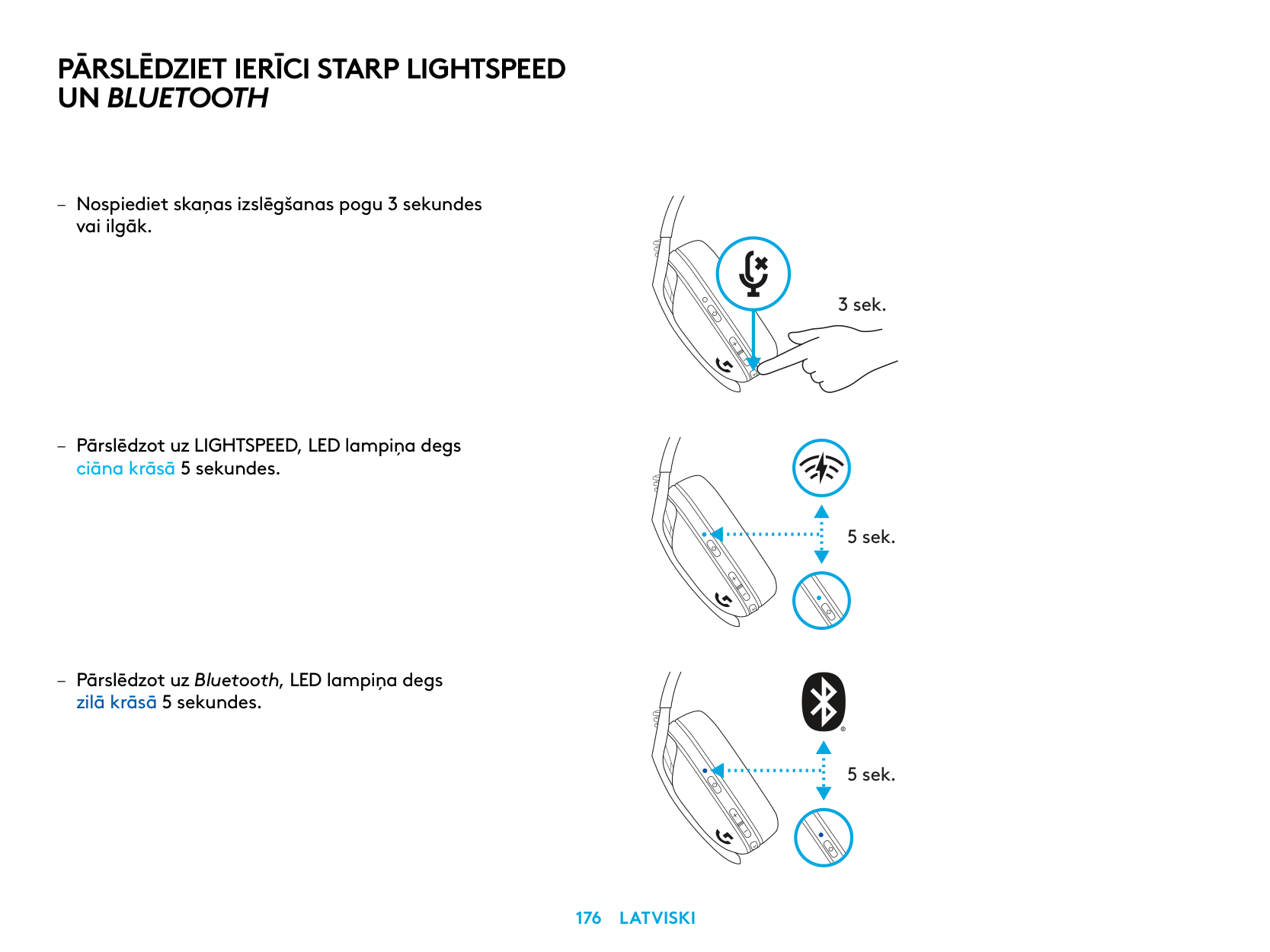
PĀRSLĒDZIET IERĪCI STARP LIGHTSPEED UN BLUETOOTH
– Nospiediet skaņas izslēgšanas pogu 3 sekundes
vai ilgāk
– Pārslēdzot uz LIGHTSPEED, LED lampiņa degs
ciāna krāsā 5 sekundes
– Pārslēdzot uz Bluetooth, LED lampiņa degs
zilā krāsā 5 sekundes
3 sek.
5 sek.
5 sek.
BAROŠANAS IESLĒGŠANA UN IZSLĒGŠANA
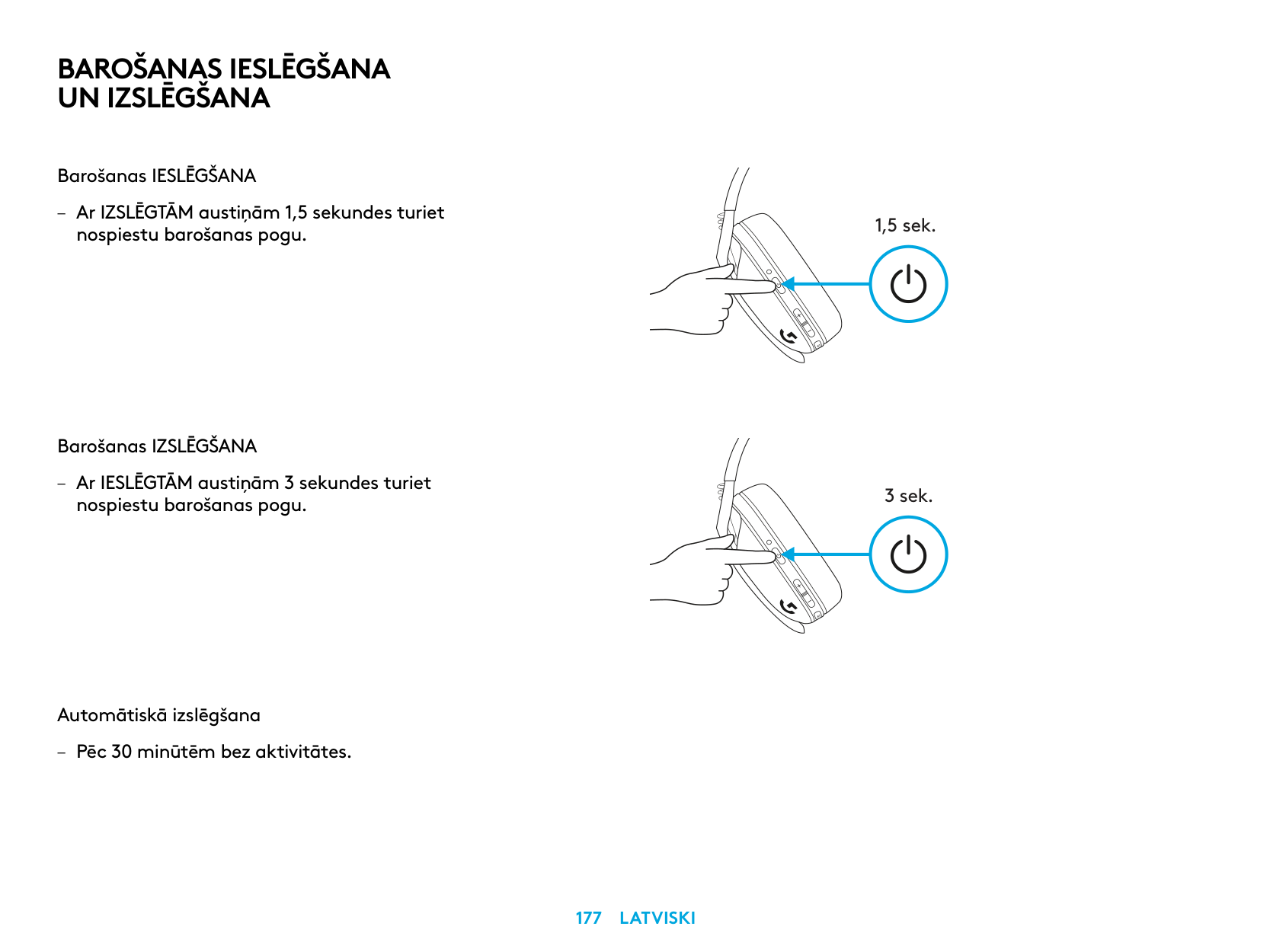
Barošanas IESLĒGŠANA
– Ar IZSLĒGTĀM austiņām 1,5 sekundes turiet
nospiestu barošanas pogu
Barošanas IZSLĒGŠANA
– Ar IESLĒGTĀM austiņām 3 sekundes turiet
nospiestu barošanas pogu
Automātiskā izslēgšana
– Pēc 30 minūtēm bez aktivitātes
1,5 sek.
3 sek.
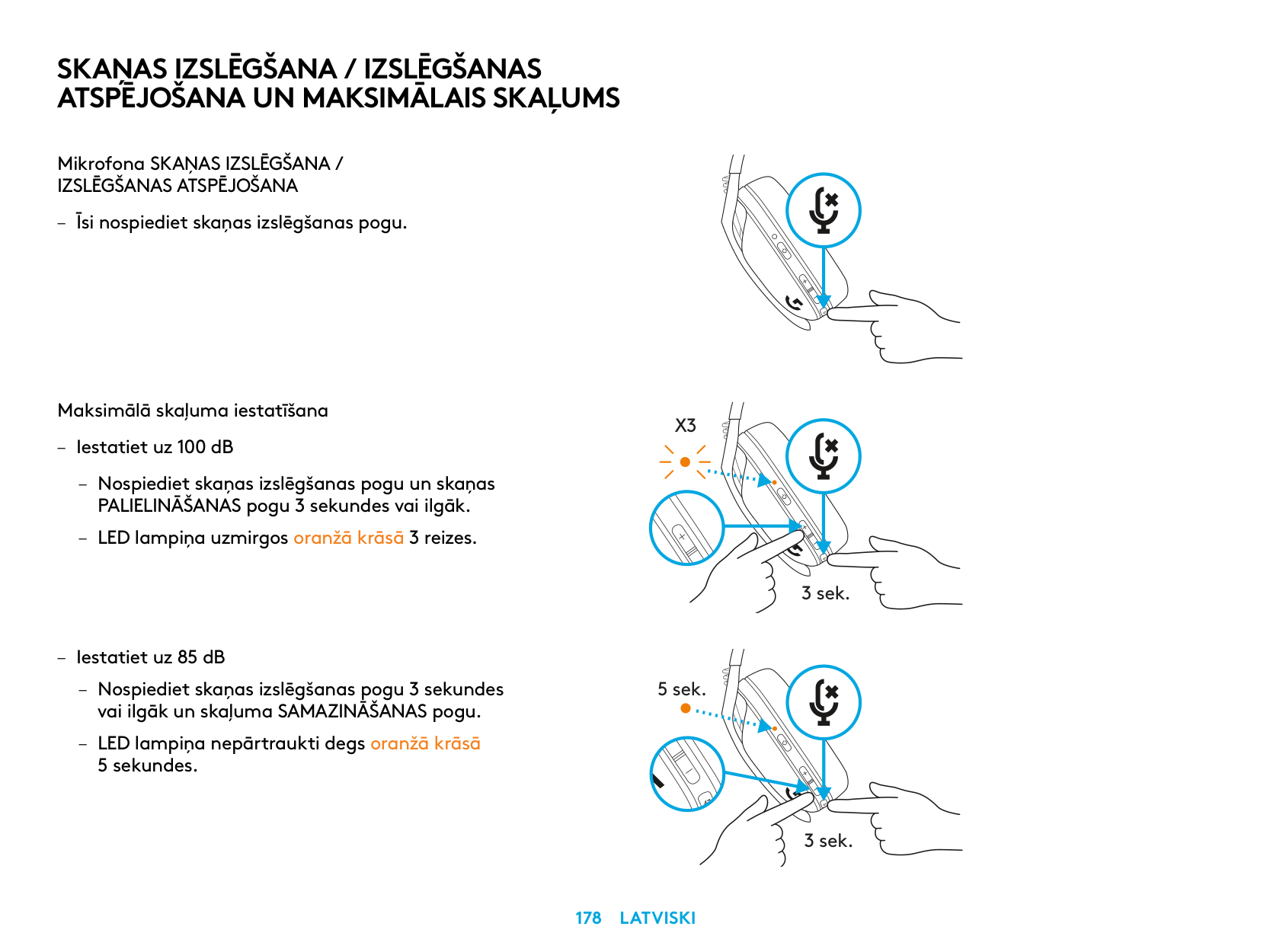
SKAŅAS IZSLĒGŠANA / IZSLĒGŠANAS ATSPĒJOŠANA UN MAKSIMĀLAIS SKAĻUMS
Mikrofona SKAŅAS IZSLĒGŠANA / IZSLĒGŠANAS ATSPĒJOŠANA
Maksimālā skaļuma iestatīšana
X3
3 sek.
5 sek.
3 sek.
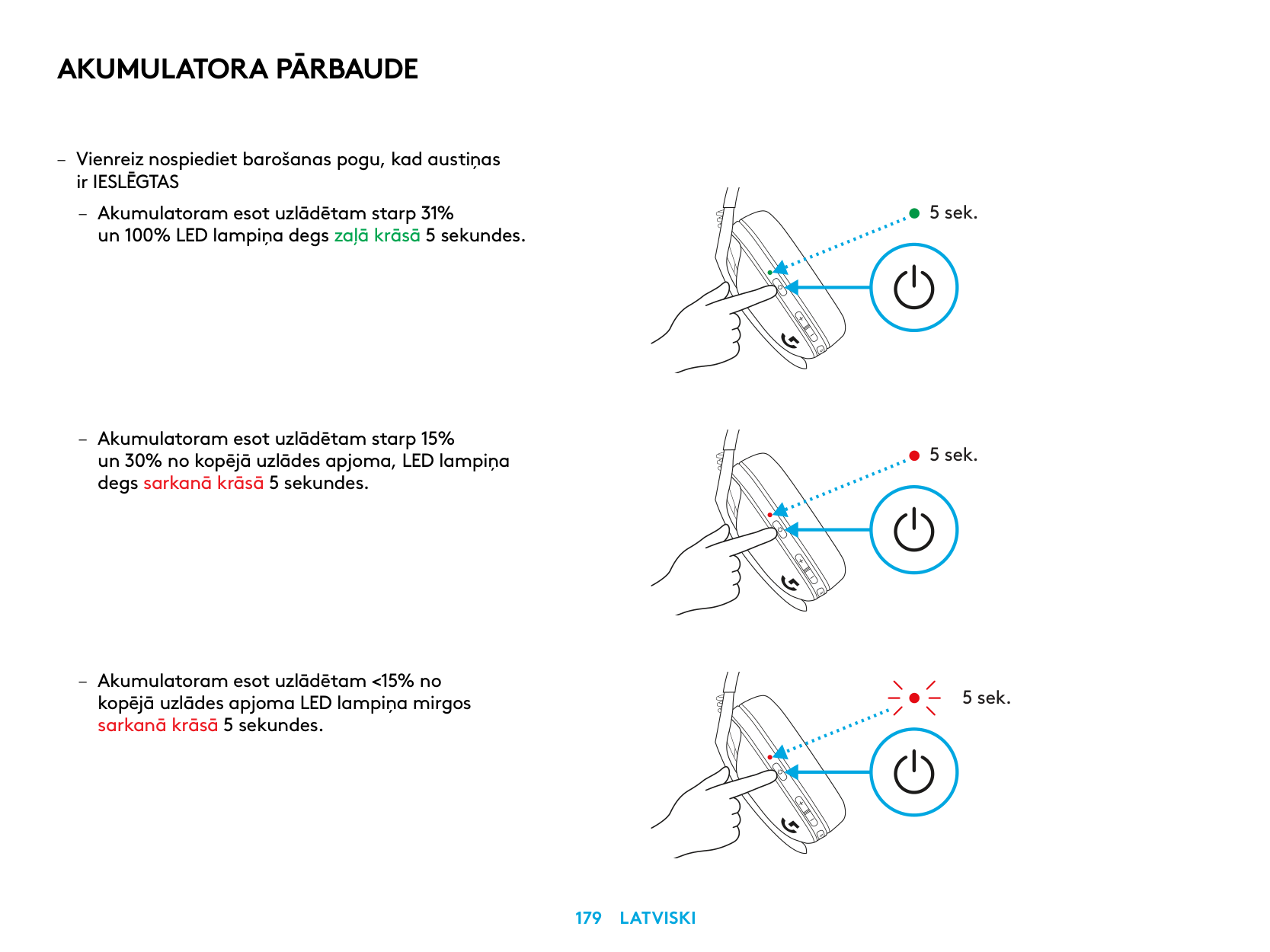
AKUMULATORA PĀRBAUDE
– Vienreiz nospiediet barošanas pogu, kad austiņas
ir IESLĒGTAS
– Akumulatoram esot uzlādētam starp 31%
un 100% LED lampiņa degs zaļā krāsā 5 sekundes
5 sek.
5 sek.
5 sek.
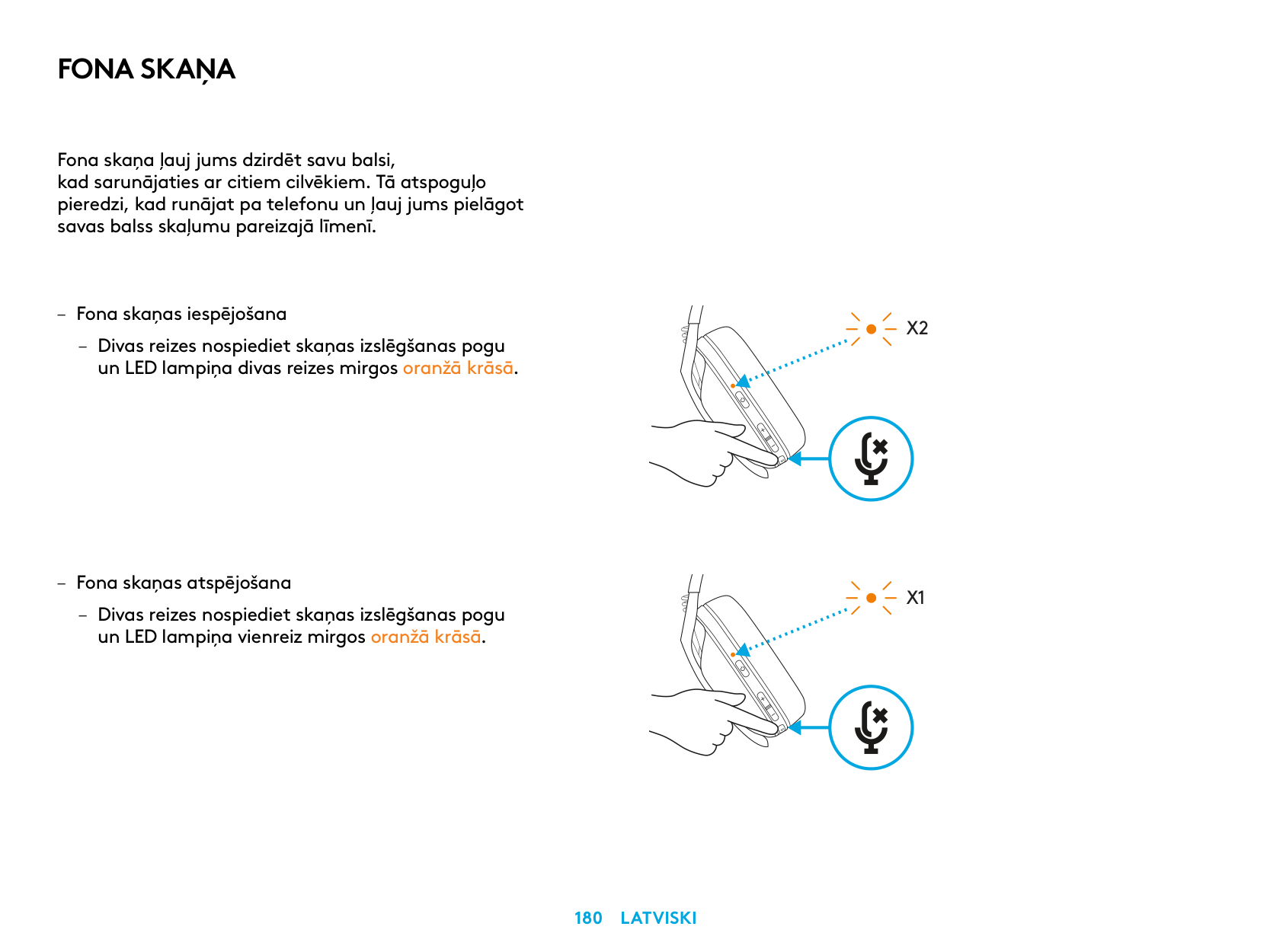
FONA SKAŅA
Fona skaņa ļauj jums dzirdēt savu balsi, kad sarunājaties ar citiem cilvēkiem Tā atspoguļo pieredzi, kad runājat pa telefonu un ļauj jums pielāgot savas balss skaļumu pareizajā līmenī
– Fona skaņas atspējošana
– Divas reizes nospiediet skaņas izslēgšanas pogu un LED lampiņa vienreiz mirgos oranžā krāsā
X2
X1
– Fona skaņas pielāgošana
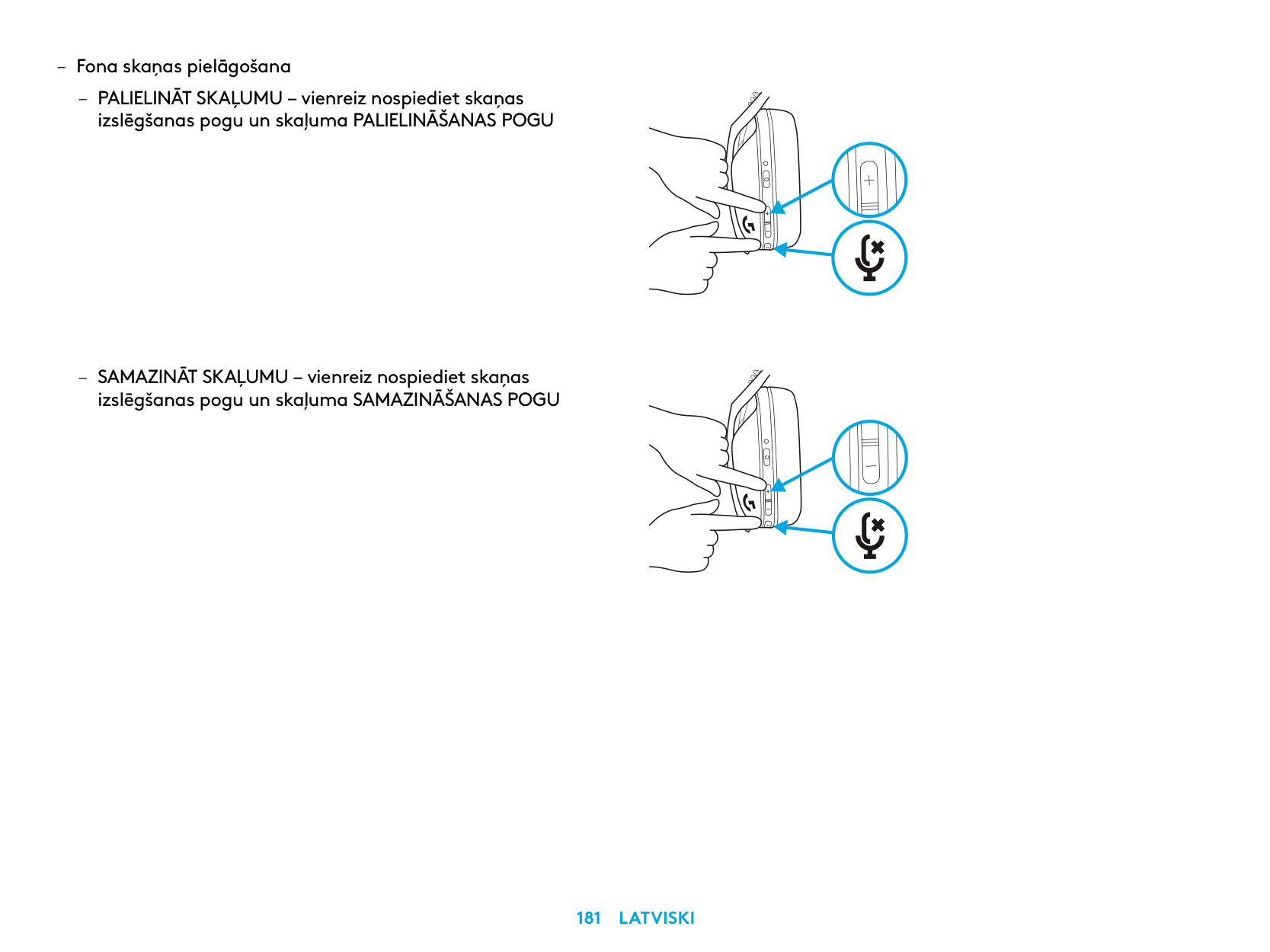
– PALIELINĀT SKAĻUMU – vienreiz nospiediet skaņas
izslēgšanas pogu un skaļuma PALIELINĀŠANAS POGU
– SAMAZINĀT SKAĻUMU – vienreiz nospiediet skaņas
izslēgšanas pogu un skaļuma SAMAZINĀŠANAS POGU
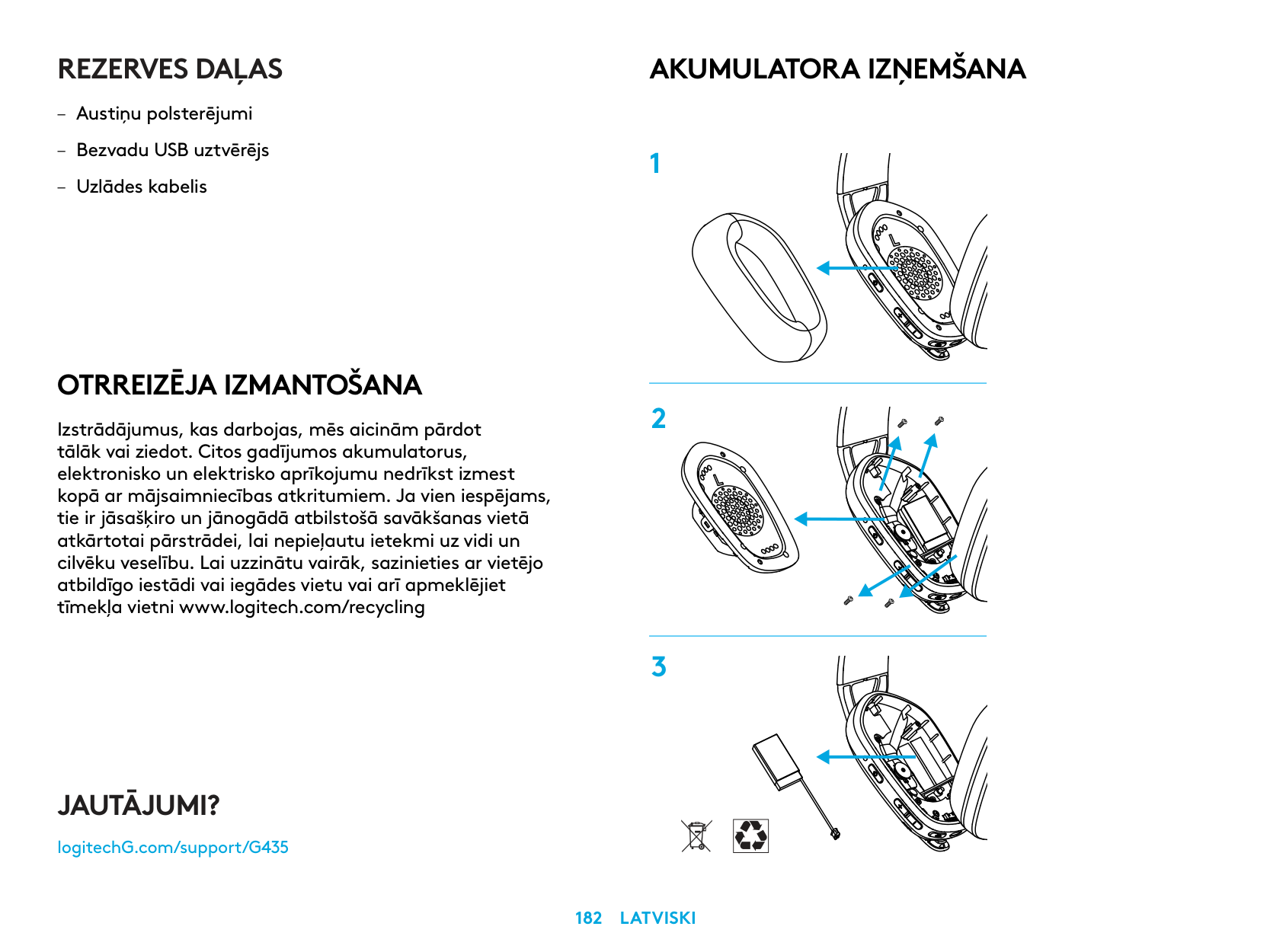
REZERVES DAĻAS
OTRREIZĒJA IZMANTOŠANA
Izstrādājumus, kas darbojas, mēs aicinām pārdot tālāk vai ziedot. Citos gadījumos akumulatorus, elektronisko un elektrisko aprīkojumu nedrīkst izmest kopā ar mājsaimniecības atkritumiem. Ja vien iespējams, tie ir jāsašķiro un jānogādā atbilstošā savākšanas vietā atkārtotai pārstrādei, lai nepieļautu ietekmi uz vidi un cilvēku veselību. Lai uzzinātu vairāk, sazinieties ar vietējo atbildīgo iestādi vai iegādes vietu vai arī apmeklējiet tīmekļa vietni www.logitech.com/recycling
AKUMULATORA IZŅEMŠANA
JAUTĀJUMI?
logitechG.com/support/G435
| | |---|
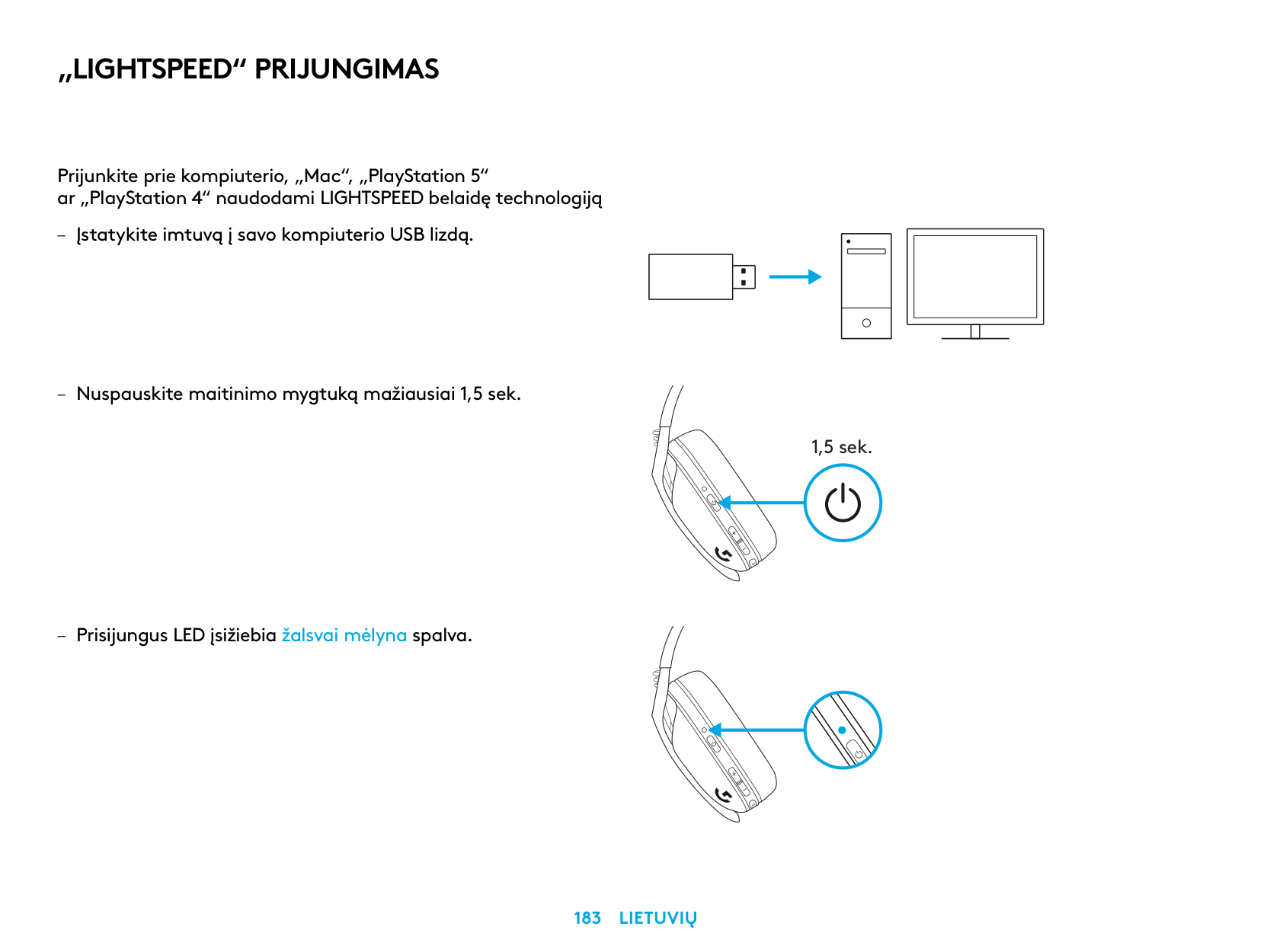
„LIGHTSPEED“ PRIJUNGIMAS
Prijunkite prie kompiuterio, „Mac“, „PlayStation 5“ ar „PlayStation 4“ naudodami LIGHTSPEED belaidę technologiją
| | | |---|---| | | | | | |
| | | | |---|---|---|
| | | |
| | |---| | |
1,5 sek.
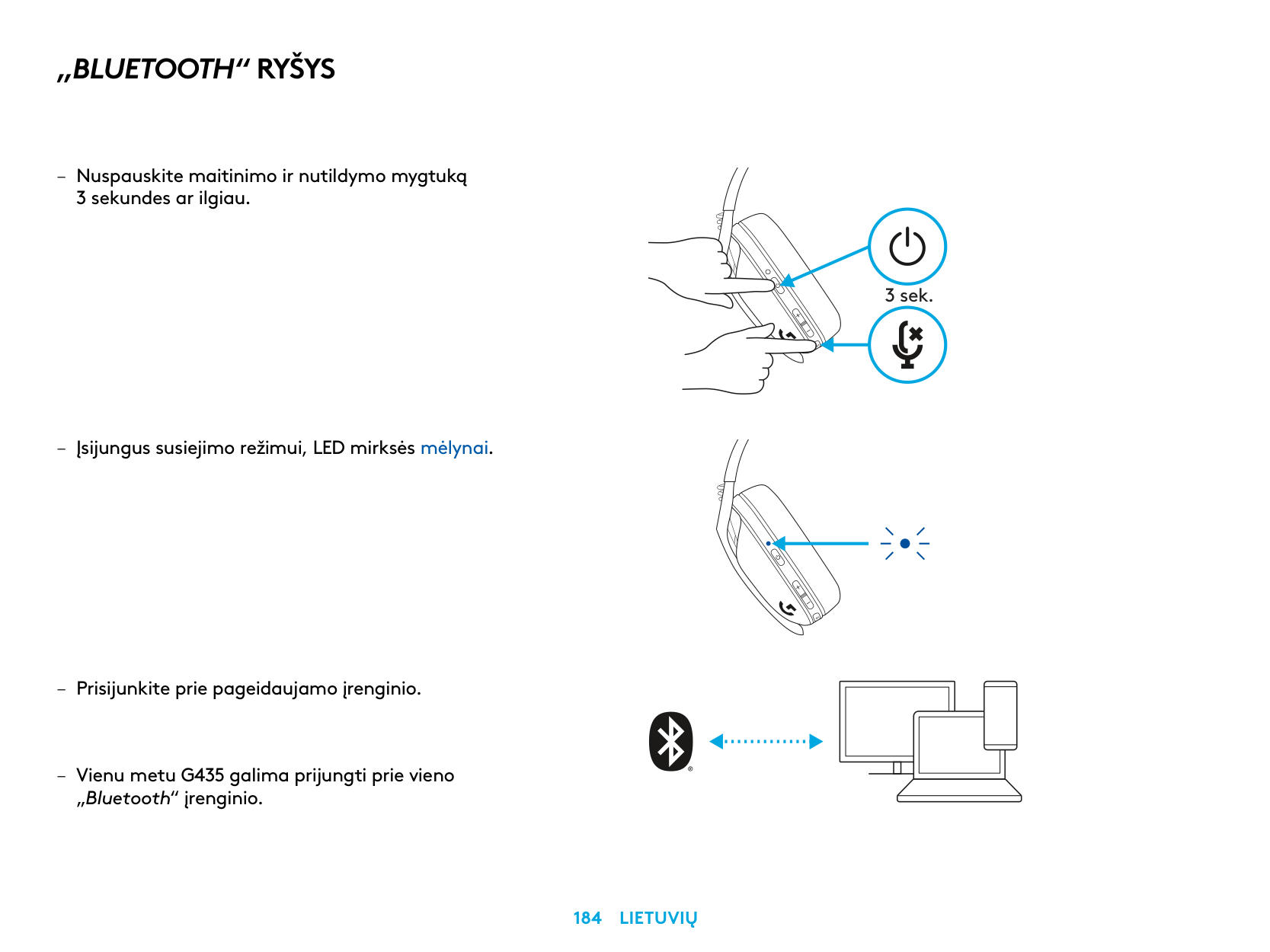
„BLUETOOTH“ RYŠYS
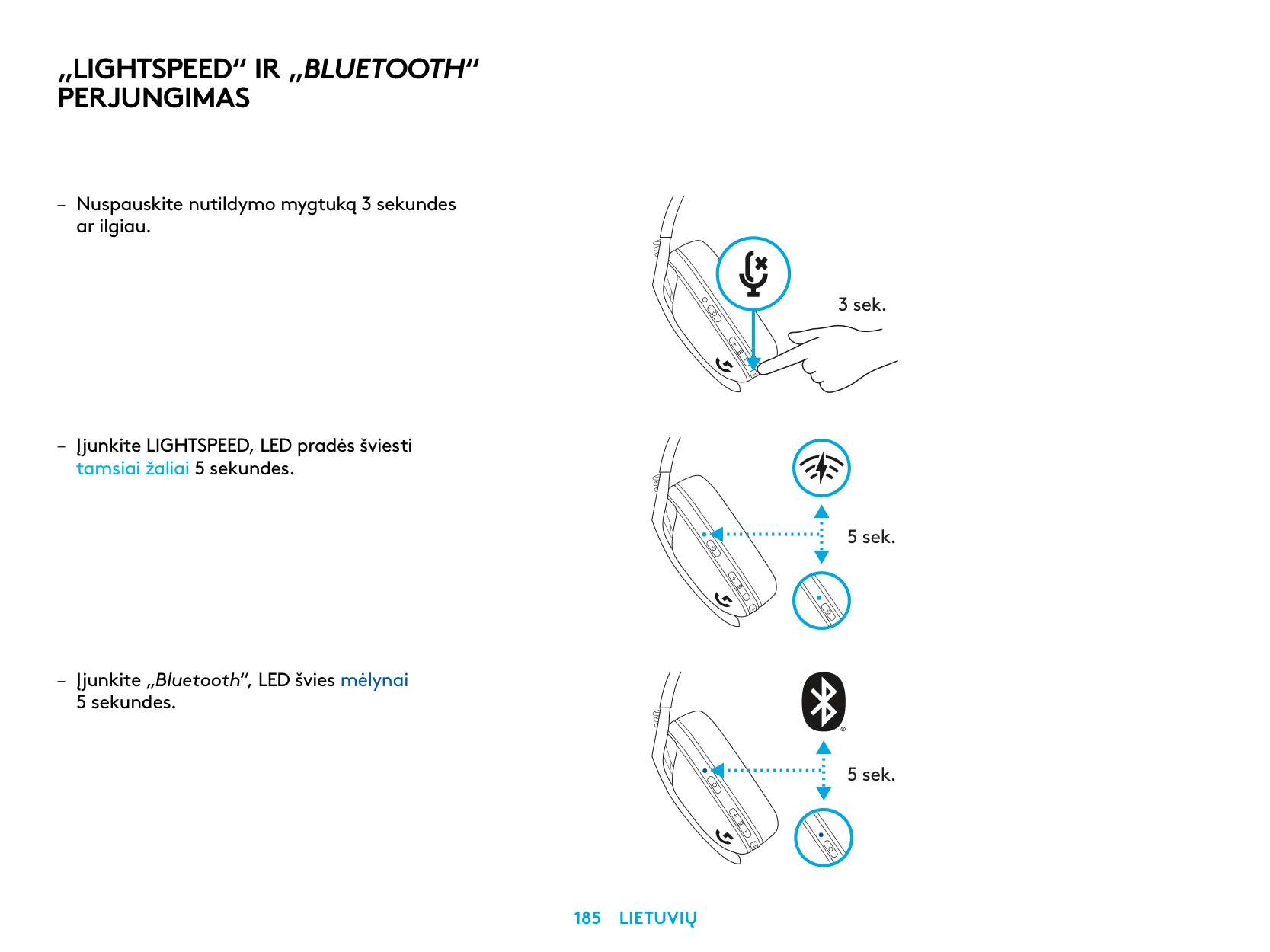
3 sek.
„LIGHTSPEED“ IR „BLUETOOTH“ PERJUNGIMAS
3 sek.
5 sek.
5 sek.
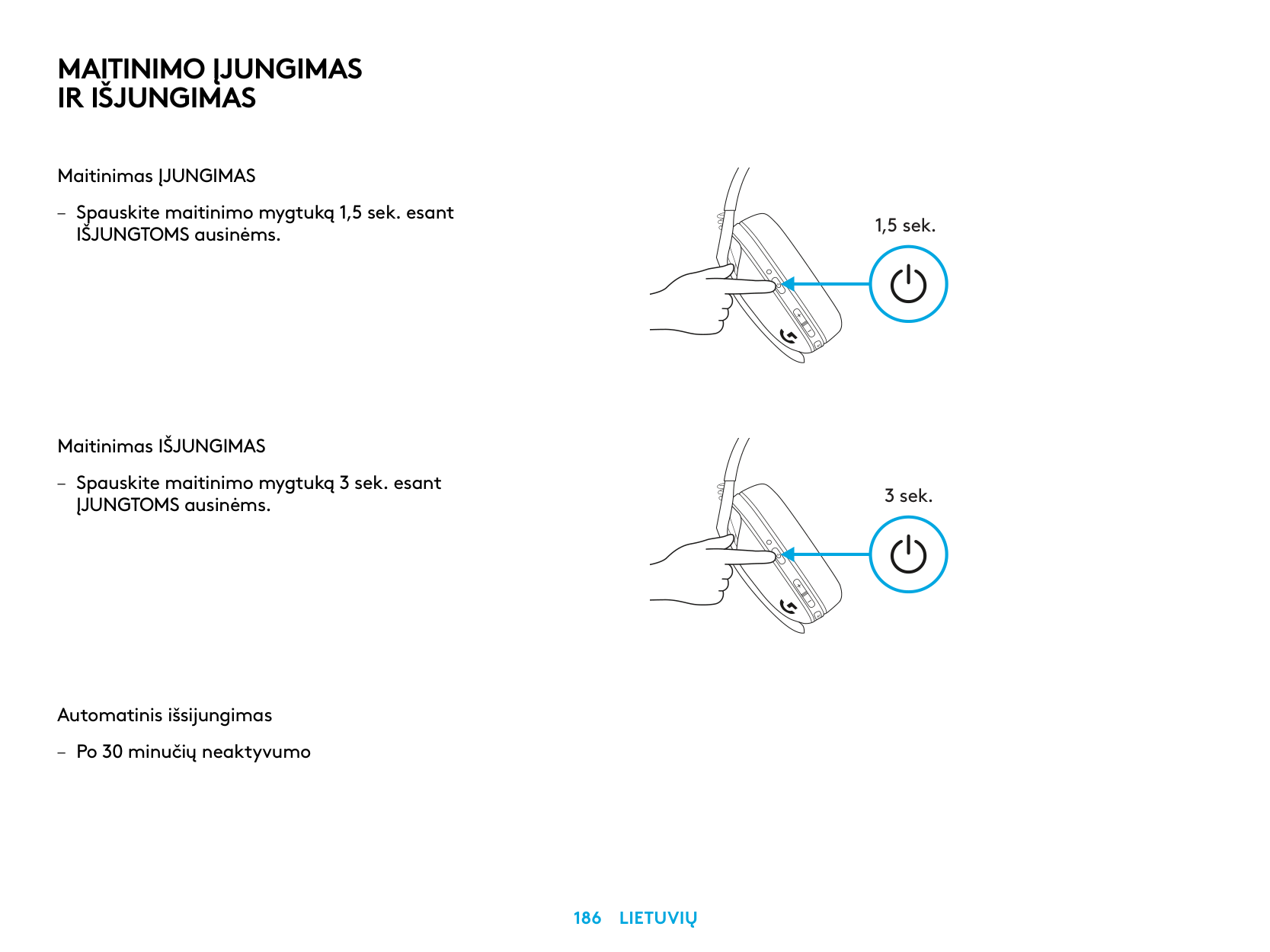
MAITINIMO ĮJUNGIMAS IR IŠJUNGIMAS
Maitinimas ĮJUNGIMAS
– Spauskite maitinimo mygtuką 1,5 sek esant
IŠJUNGTOMS ausinėms
Maitinimas IŠJUNGIMAS
– Spauskite maitinimo mygtuką 3 sek esant
ĮJUNGTOMS ausinėms
Automatinis išsijungimas
– Po 30 minučių neaktyvumo
1,5 sek.
3 sek.
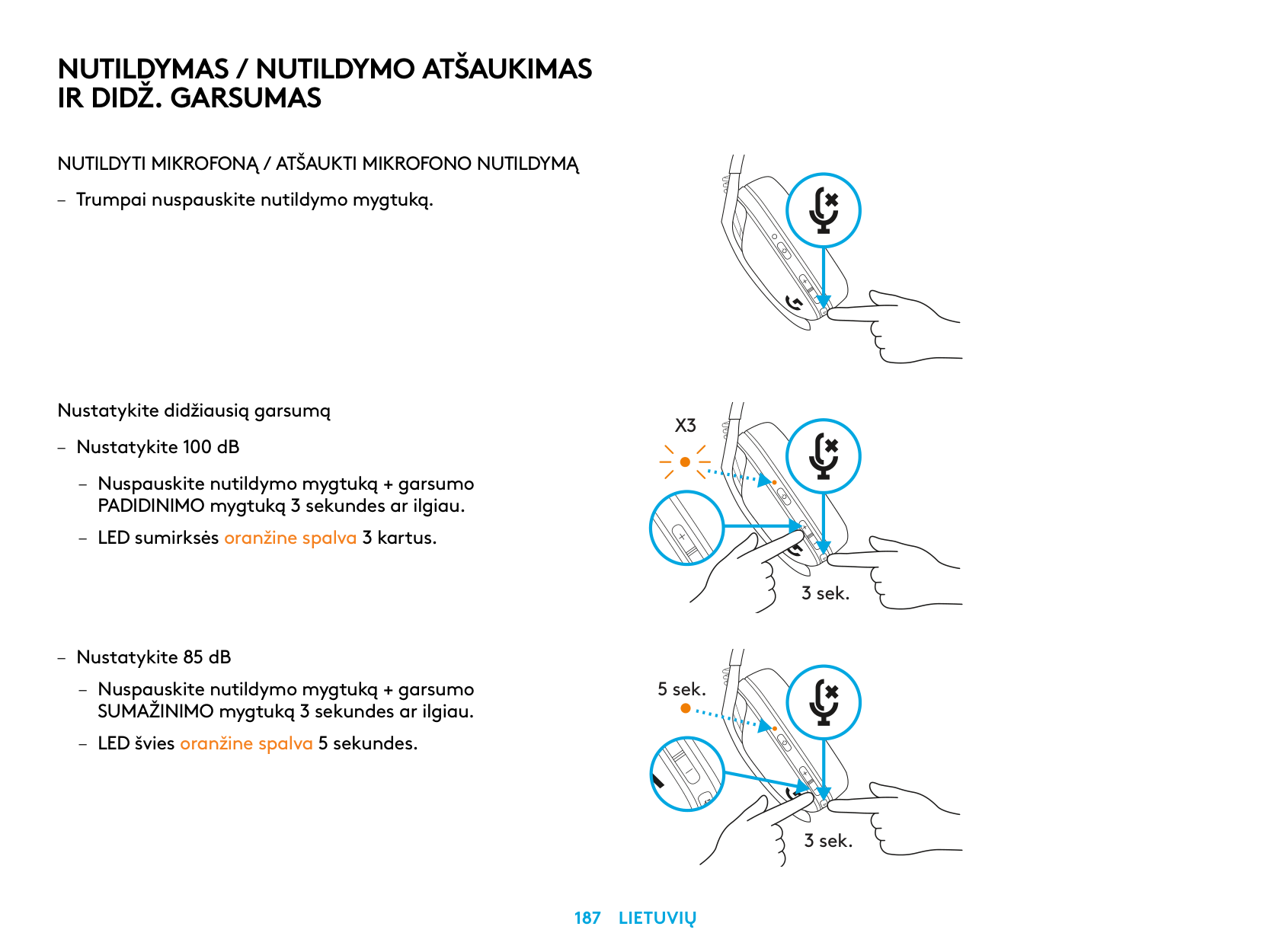
NUTILDYMAS / NUTILDYMO ATŠAUKIMAS IR DIDŽ. GARSUMAS
NUTILDYTI MIKROFONĄ / ATŠAUKTI MIKROFONO NUTILDYMĄ
– Trumpai nuspauskite nutildymo mygtuką
Nustatykite didžiausią garsumą
X3
– Nustatykite 100 dB
3 sek.
– Nustatykite 85 dB
– Nuspauskite nutildymo mygtuką + garsumo
5 sek.
SUMAŽINIMO mygtuką 3 sekundes ar ilgiau
– LED švies oranžine spalva 5 sekundes
3 sek.
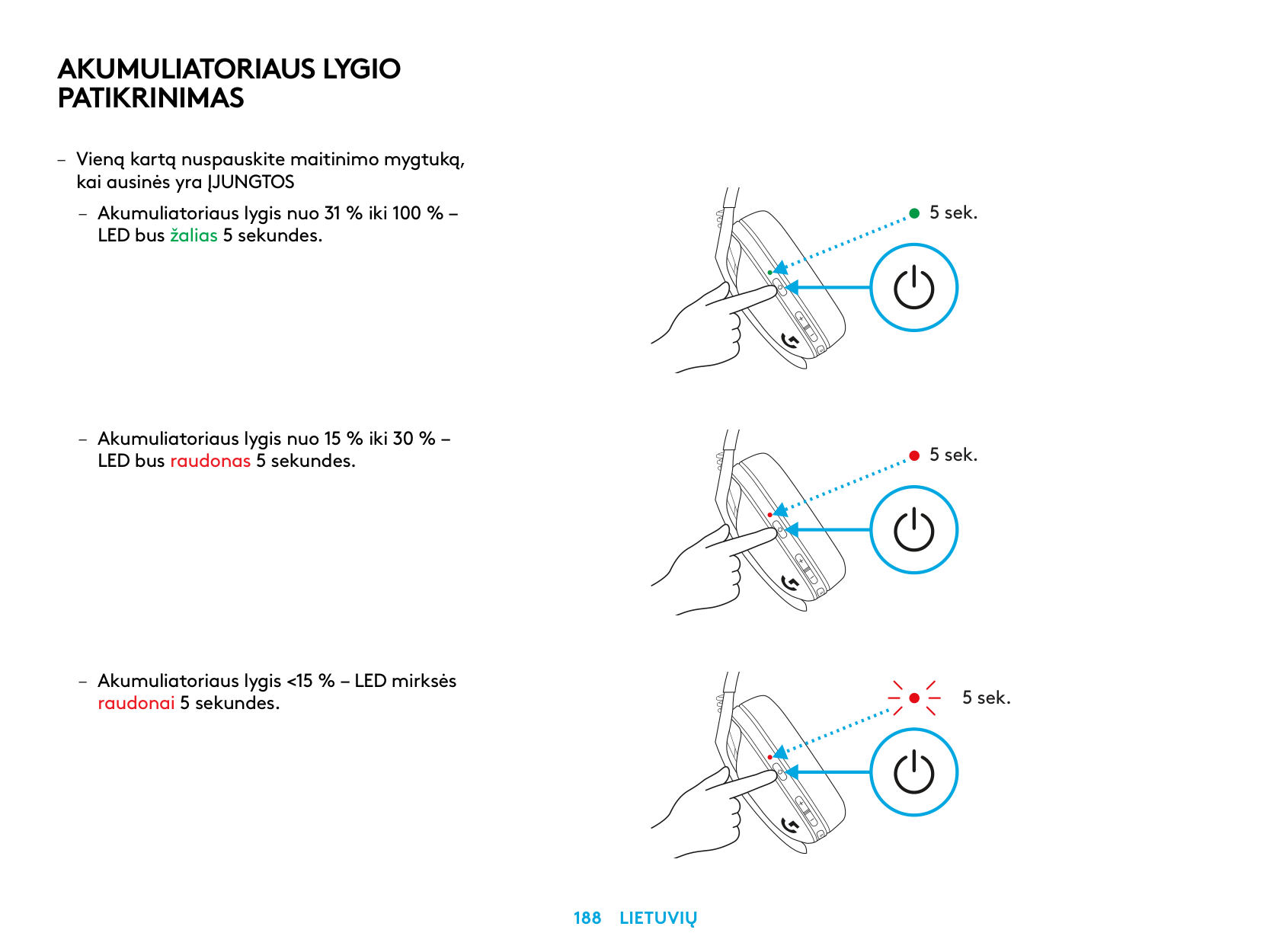
AKUMULIATORIAUS LYGIO PATIKRINIMAS
– Vieną kartą nuspauskite maitinimo mygtuką,
kai ausinės yra ĮJUNGTOS
– Akumuliatoriaus lygis nuo 31 % iki 100 % –
LED bus žalias 5 sekundes
5 sek.
5 sek.
5 sek.
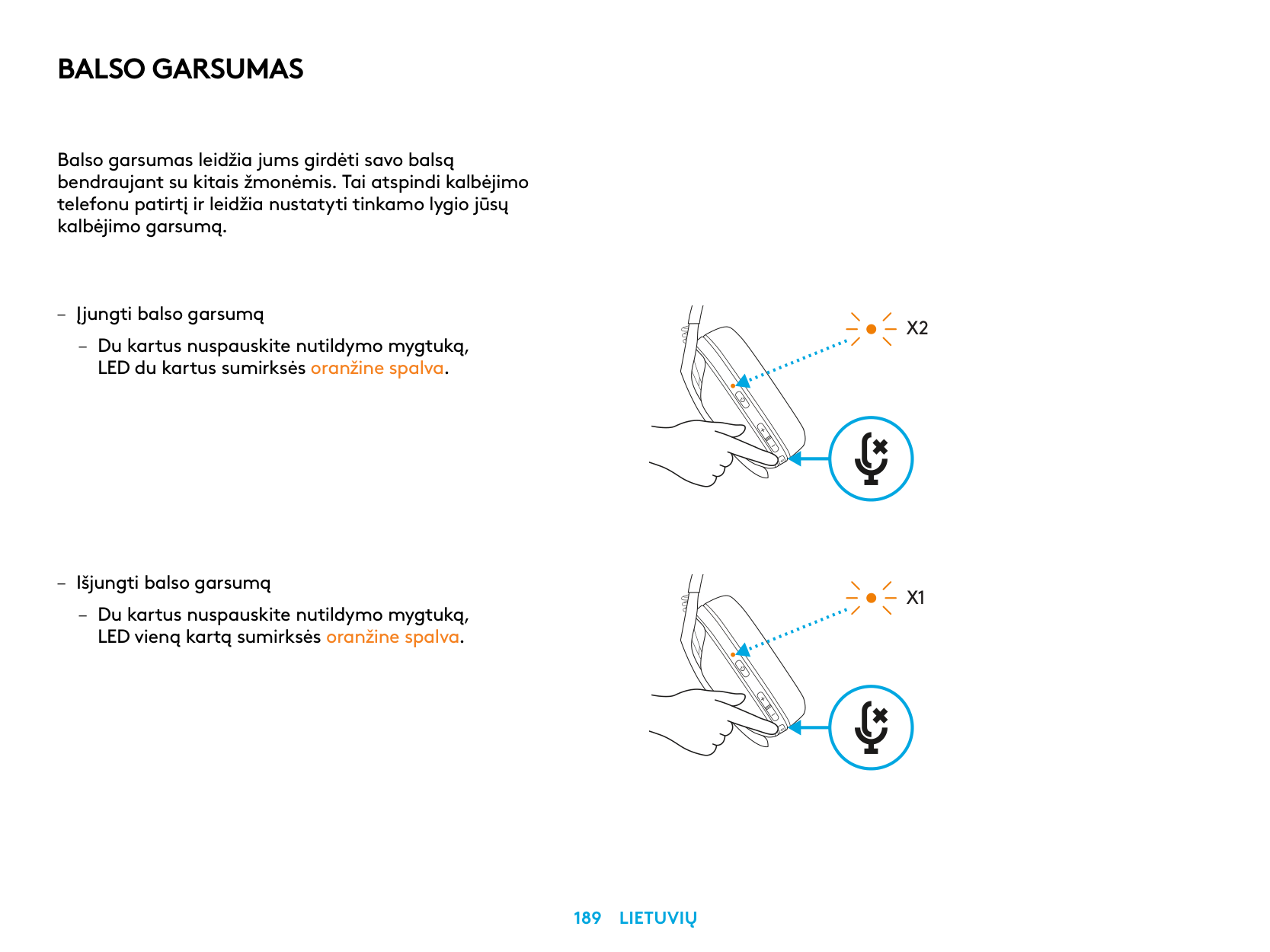
BALSO GARSUMAS
Balso garsumas leidžia jums girdėti savo balsą bendraujant su kitais žmonėmis Tai atspindi kalbėjimo telefonu patirtį ir leidžia nustatyti tinkamo lygio jūsų kalbėjimo garsumą
– Išjungti balso garsumą
– Du kartus nuspauskite nutildymo mygtuką,
LED vieną kartą sumirksės oranžine spalva
X2
X1
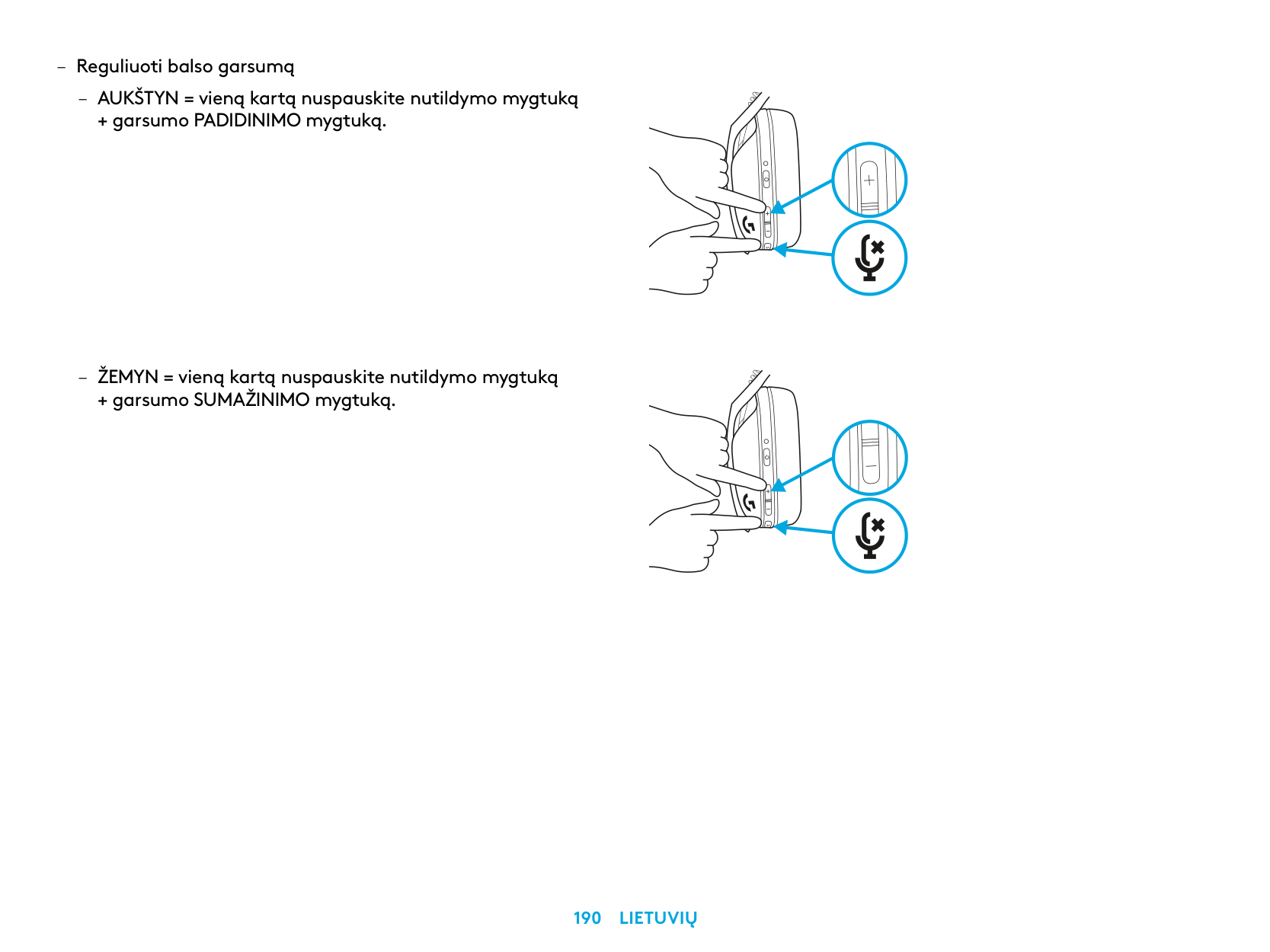
– Reguliuoti balso garsumą
– AUKŠTYN = vieną kartą nuspauskite nutildymo mygtuką
+ garsumo PADIDINIMO mygtuką
– ŽEMYN = vieną kartą nuspauskite nutildymo mygtuką
+ garsumo SUMAŽINIMO mygtuką
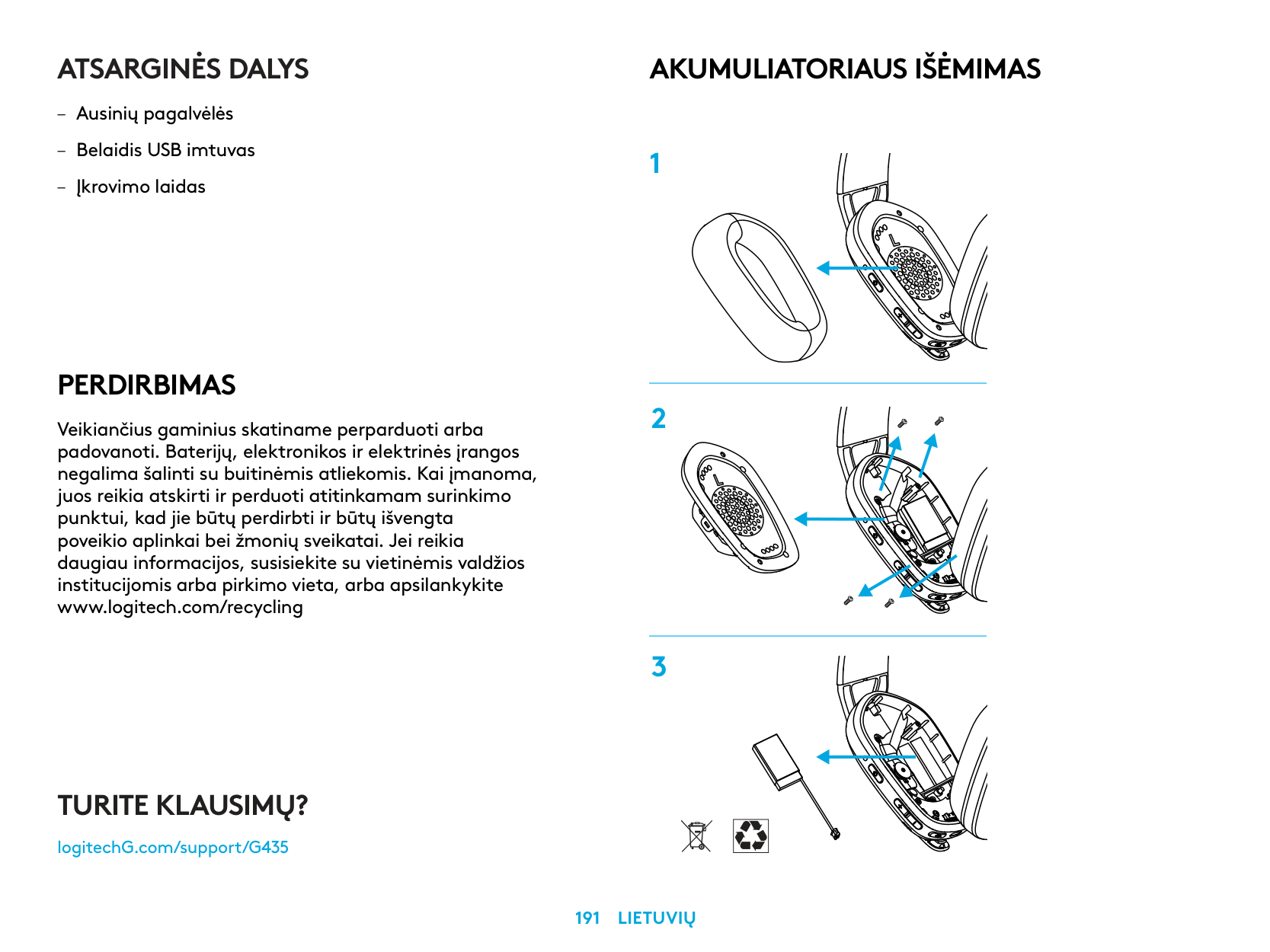
ATSARGINĖS DALYS
PERDIRBIMAS
Veikiančius gaminius skatiname perparduoti arba padovanoti. Baterijų, elektronikos ir elektrinės įrangos negalima šalinti su buitinėmis atliekomis. Kai įmanoma, juos reikia atskirti ir perduoti atitinkamam surinkimo punktui, kad jie būtų perdirbti ir būtų išvengta poveikio aplinkai bei žmonių sveikatai. Jei reikia daugiau informacijos, susisiekite su vietinėmis valdžios institucijomis arba pirkimo vieta, arba apsilankykite www.logitech.com/recycling
AKUMULIATORIAUS IŠĖMIMAS
TURITE KLAUSIMŲ?
logitechG.com/support/G435
| |
|---|
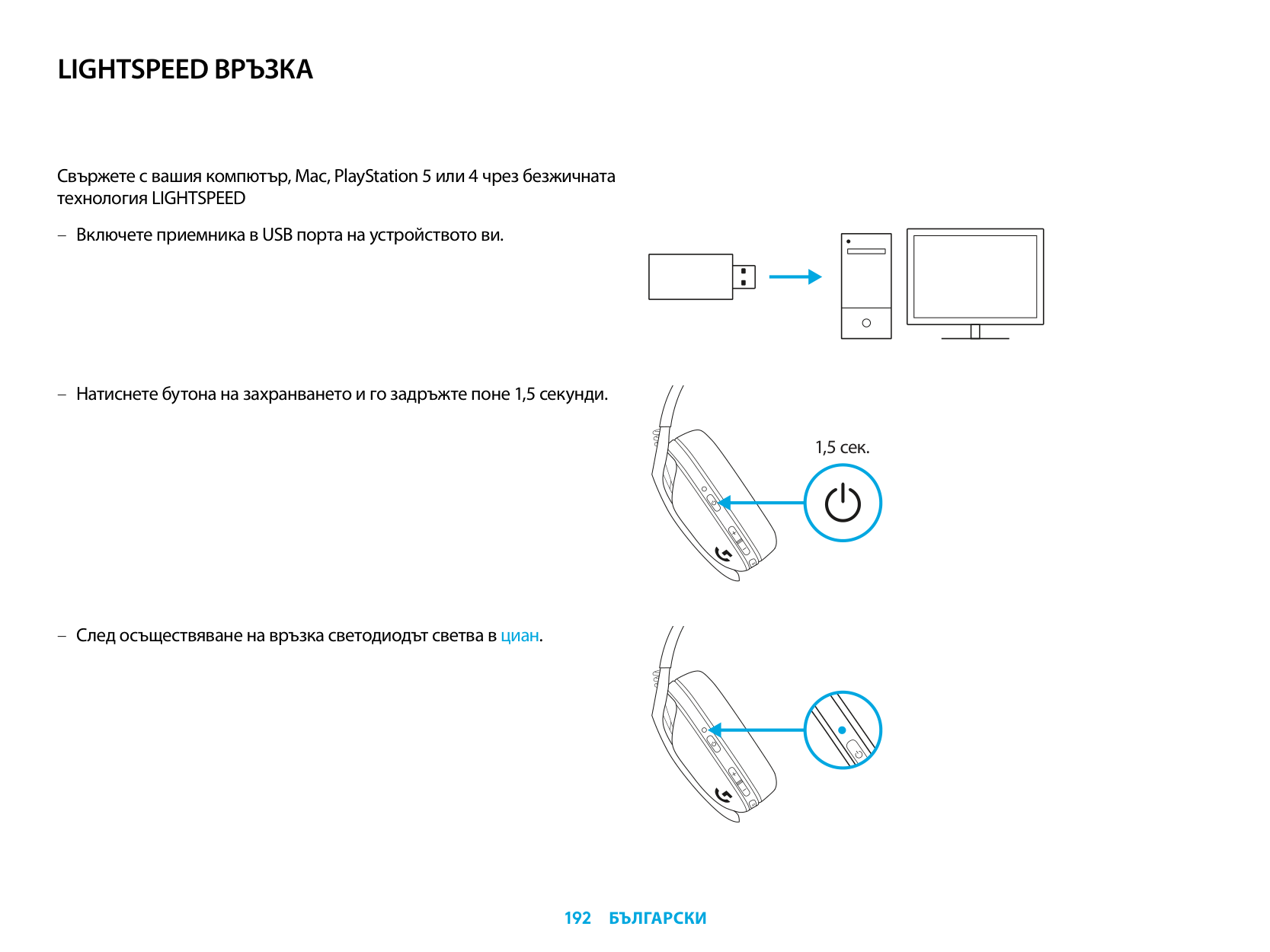
LIGHTSPEED ВРЪЗКА
Свържете с вашия компютър, Mac, PlayStation 5 или 4 чрез безжичната технология LIGHTSPEED
| | | |---|---| | | | | | |
| | | | |---|---|---| | | | |
| | |---| | |
1,5 сек.
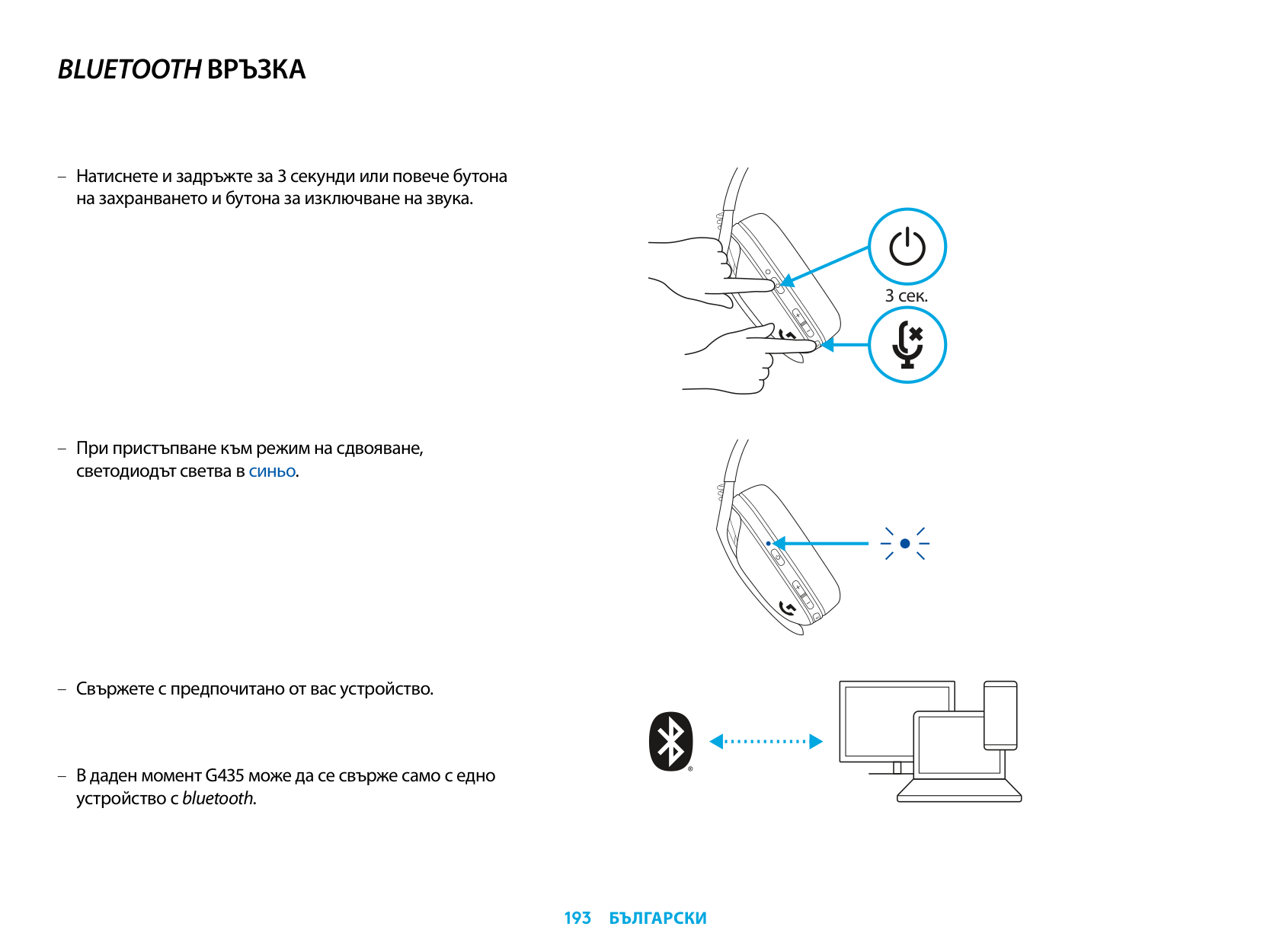
BLUETOOTH ВРЪЗКА
– Натиснете и задръжте за 3 секунди или повече бутона
на захранването и бутона за изключване на звука.
– При пристъпване към режим на сдвояване,
светодиодът светва в синьо.
– Свържете с предпочитано от вас устройство.
В даден момент G435 може да се свърже само с едно устройство с bluetooth.
3 сек.
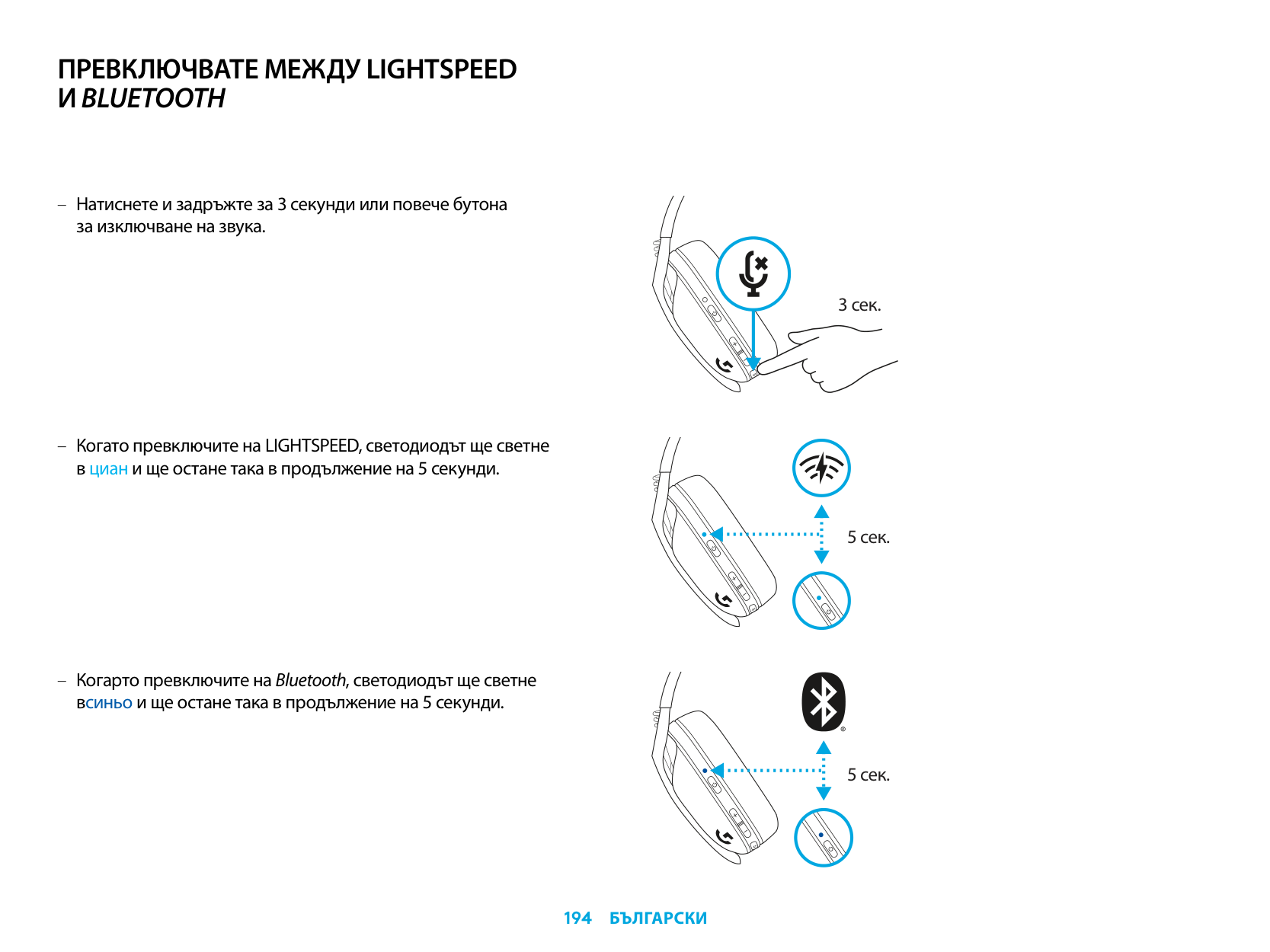
ПРЕВКЛЮЧВАТЕ МЕЖДУ LIGHTSPEED ИBLUETOOTH
– Натиснете и задръжте за 3 секунди или повече бутона
за изключване на звука.
– Когато превключите на LIGHTSPEED, светодиодът ще светне
в циан и ще остане така в продължение на 5 секунди.
– Когарто превключите на Bluetooth, светодиодът ще светне
всиньо и ще остане така в продължение на 5 секунди.
3 сек.
5 сек.
5 сек.
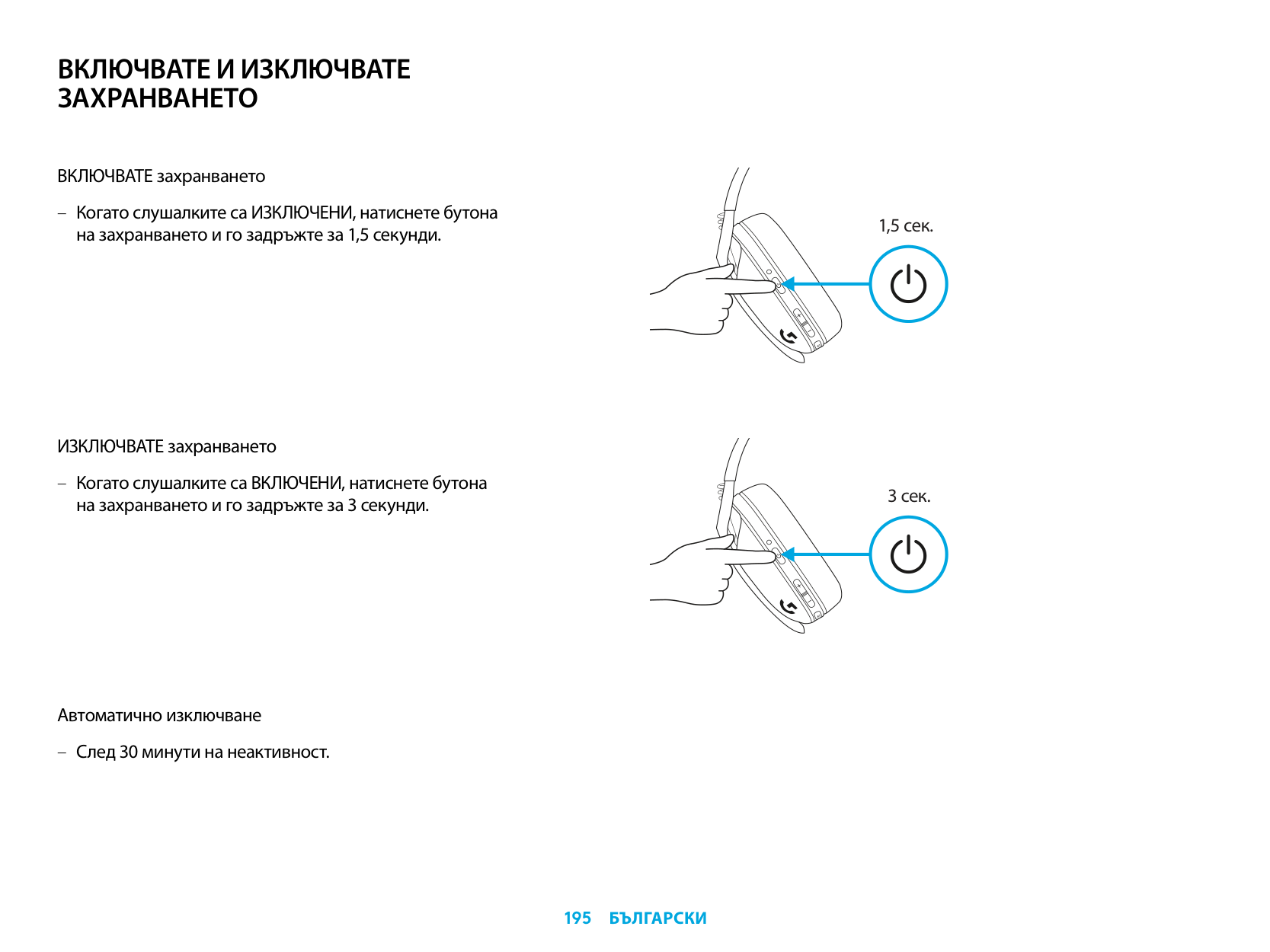
ВКЛЮЧВАТЕ И ИЗКЛЮЧВАТЕ ЗАХРАНВАНЕТО
ВКЛЮЧВАТЕ захранването
– Когато слушалките са ИЗКЛЮЧЕНИ, натиснете бутона
на захранването и го задръжте за 1,5 секунди.
ИЗКЛЮЧВАТЕ захранването
– Когато слушалките са ВКЛЮЧЕНИ, натиснете бутона
на захранването и го задръжте за 3 секунди.
Автоматично изключване
– След 30 минути на неактивност.
1,5 сек.
3 сек.
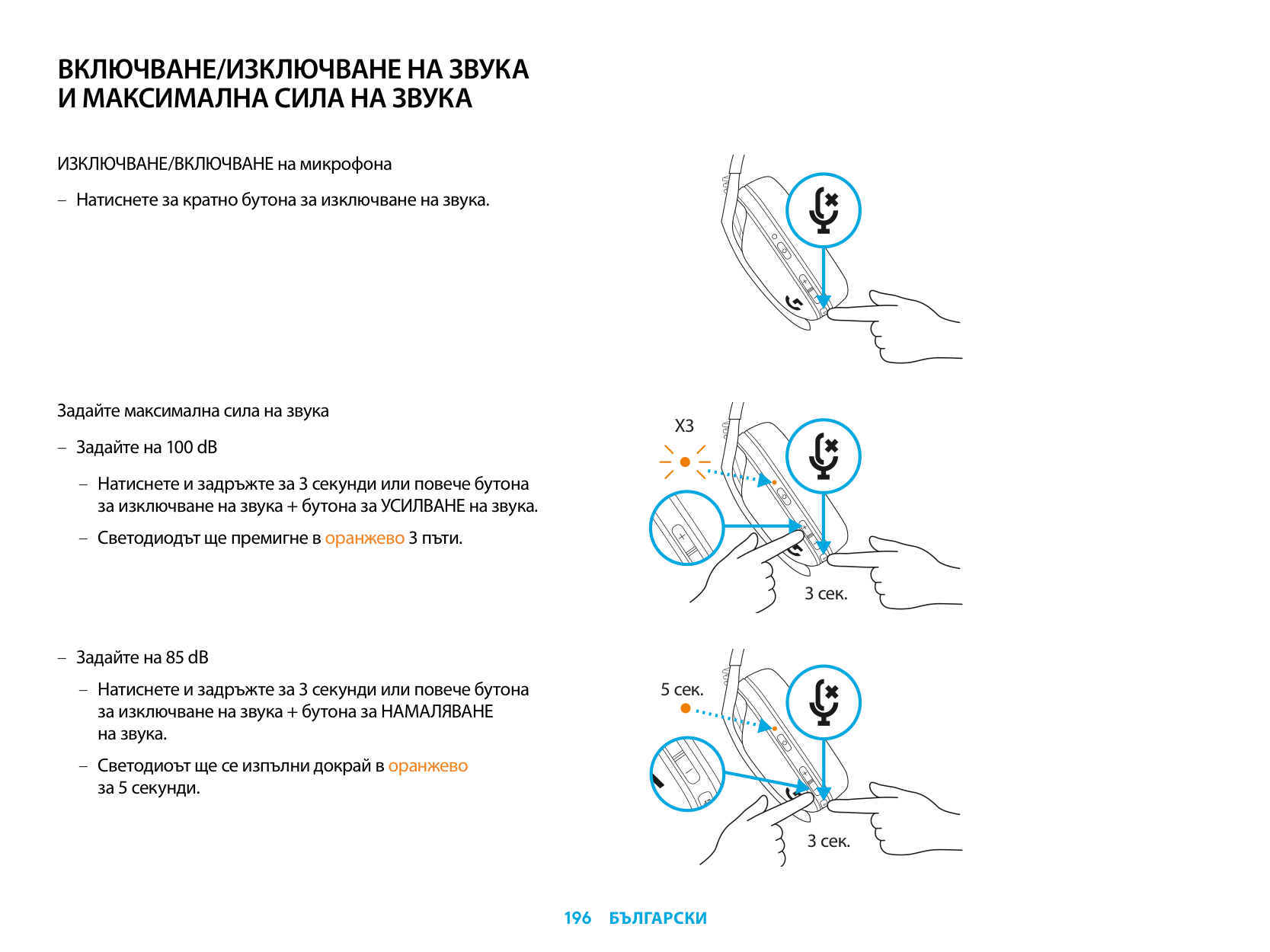
ВКЛЮЧВАНЕ/ИЗКЛЮЧВАНЕ НА ЗВУКА И МАКСИМАЛНА СИЛА НА ЗВУКА
ИЗКЛЮЧВАНЕ/ВКЛЮЧВАНЕ на микрофона
Задайте максимална сила на звука
X3
3 сек.
5 сек.
3 сек.
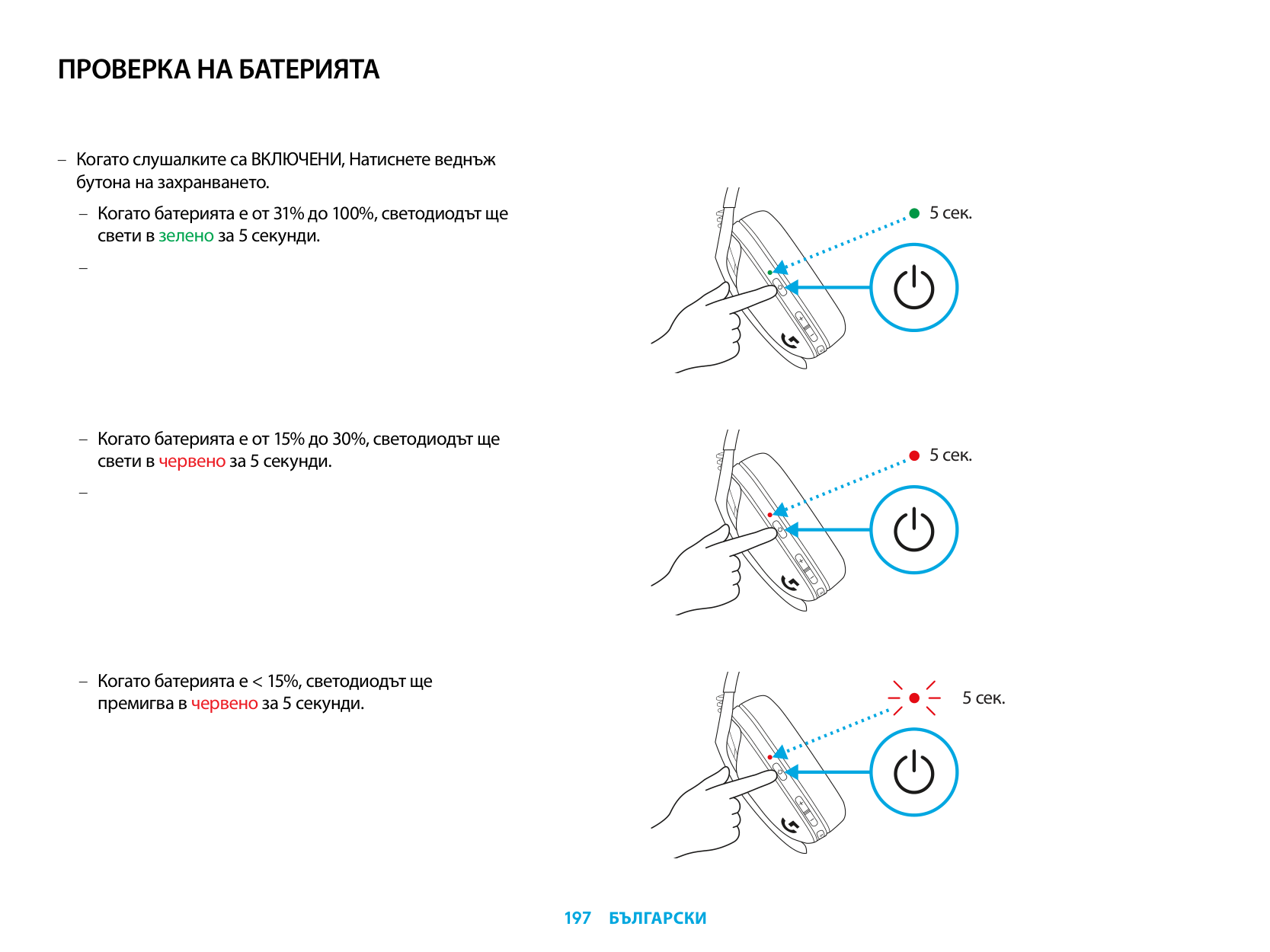
ПРОВЕРКА НА БАТЕРИЯТА
– Когато слушалките са ВКЛЮЧЕНИ, Натиснете веднъж
бутона на захранването.
– Когато батерията е от 31% до 100%, светодиодът ще
свети в зелено за 5 секунди.
–
– Когато батерията е от 15% до 30%, светодиодът ще
свети в червено за 5 секунди.
–
– Когато батерията е < 15%, светодиодът ще
премигва в червено за 5 секунди.
5 сек.
5 сек.
5 сек.
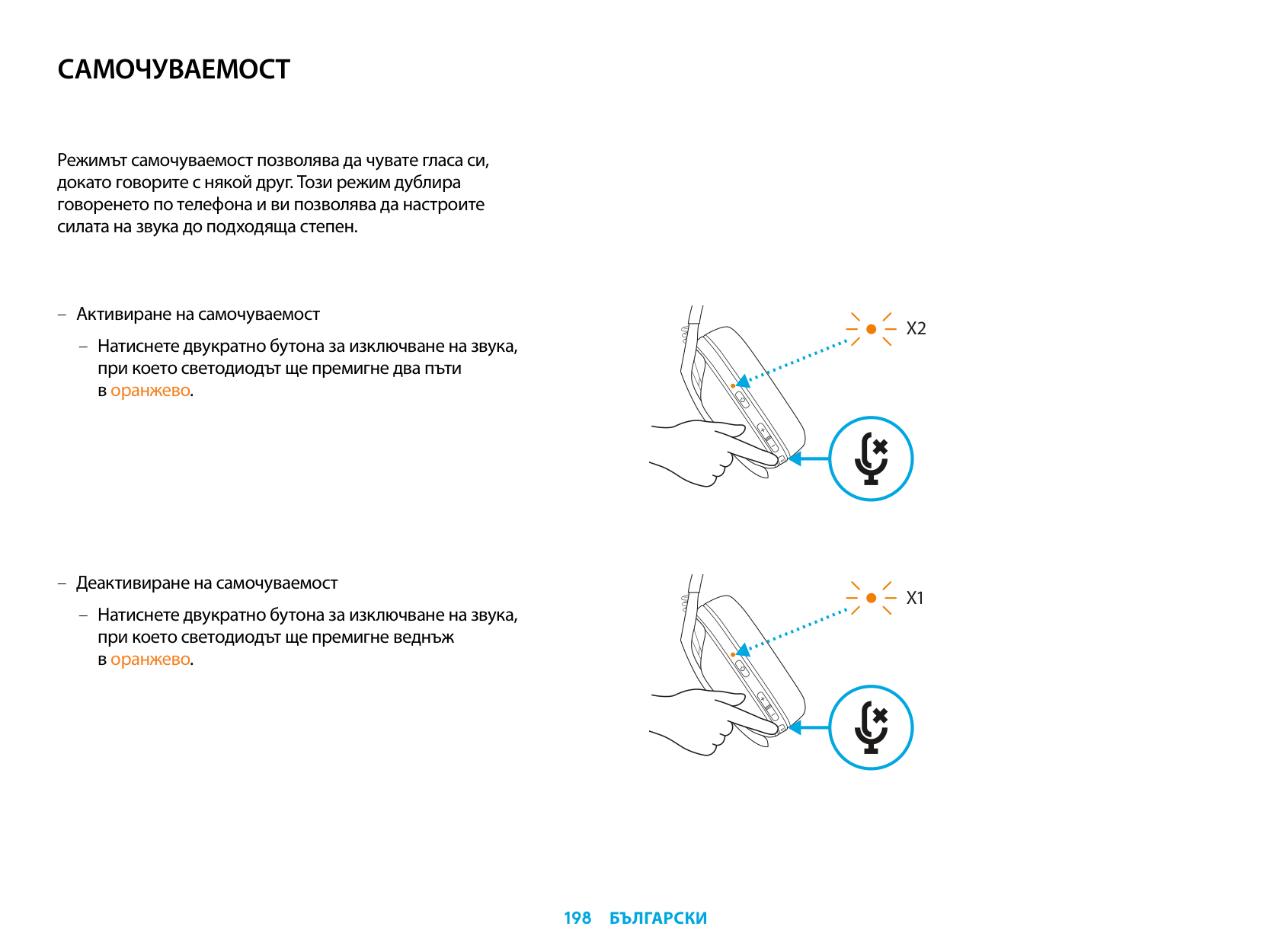
САМОЧУВАЕМОСТ
Режимът самочуваемост позволява да чувате гласа си, докато говорите с някой друг. Този режим дублира говоренето по телефона и ви позволява да настроите силата на звука до подходяща степен.
– Активиране на самочуваемост
– Натиснете двукратно бутона за изключване на звука, при което светодиодът ще премигне два пъти в оранжево.
– Деактивиране на самочуваемост
– Натиснете двукратно бутона за изключване на звука, при което светодиодът ще премигне веднъж в оранжево.
X2
X1
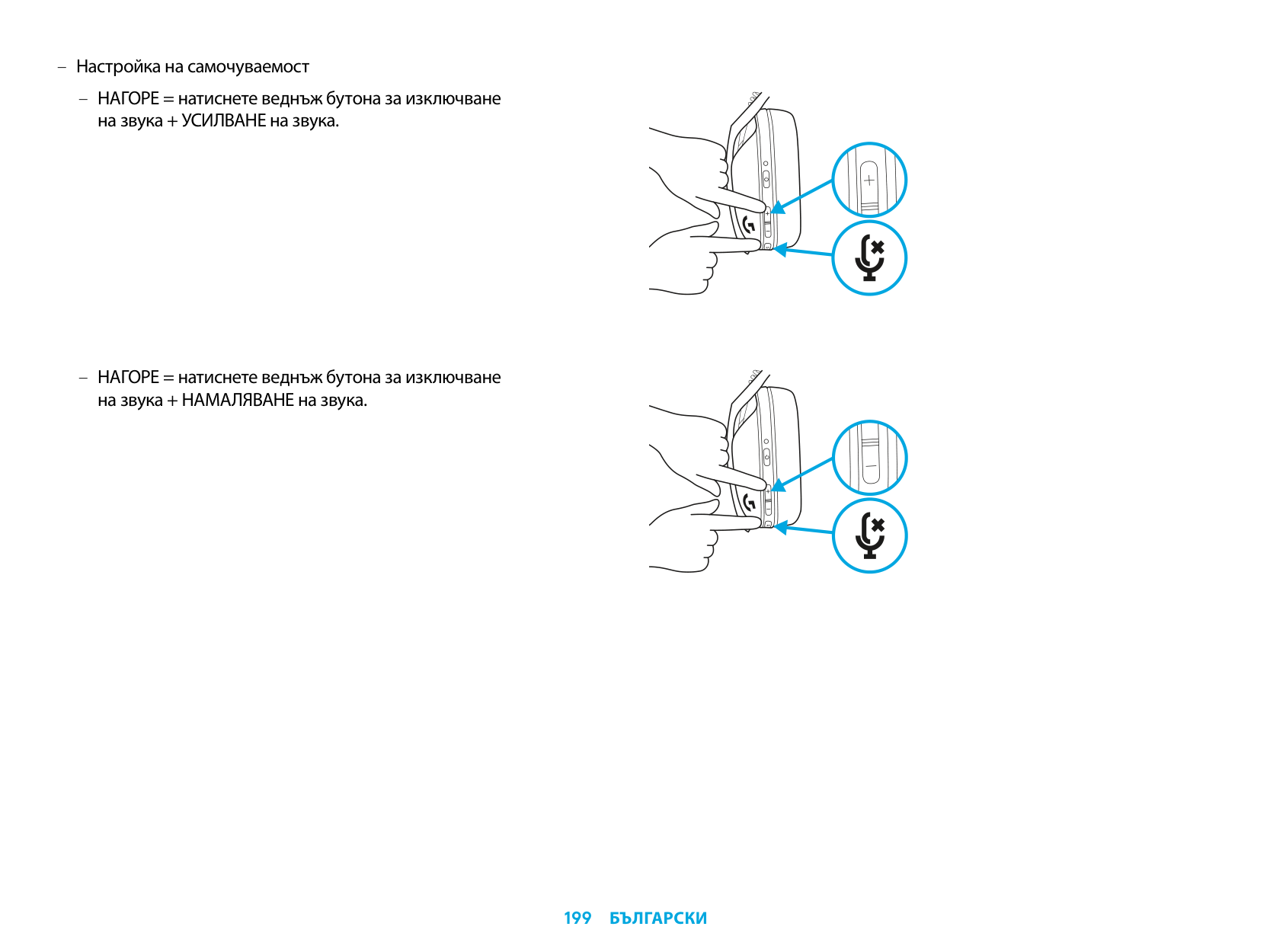
– Настройка на самочуваемост
– НАГОРЕ = натиснете веднъж бутона за изключване
на звука + УСИЛВАНЕ на звука.
– НАГОРЕ = натиснете веднъж бутона за изключване
на звука + НАМАЛЯВАНЕ на звука.
РЕЗЕРВНИ ЧАСТИ
РЕЦИКЛИРАНЕ
Съветваме ви след извеждане от употреба да продадете или дарите продуктите. В противен случай батериите, електрониката и електрическото оборудване не трябва да се изхвърля като битов отпадък. Където е възможно, те следва да бъдат отделени и отнесени до подходящо място за събиране, което да позволи рециклирането и да се избегне потенциалното въздействие върху околната среда и човешкото здраве. За допълнителна информация потърсете съдействие от местните органи или мястото на покупка или посетете адрес www.logitech.com/recycling
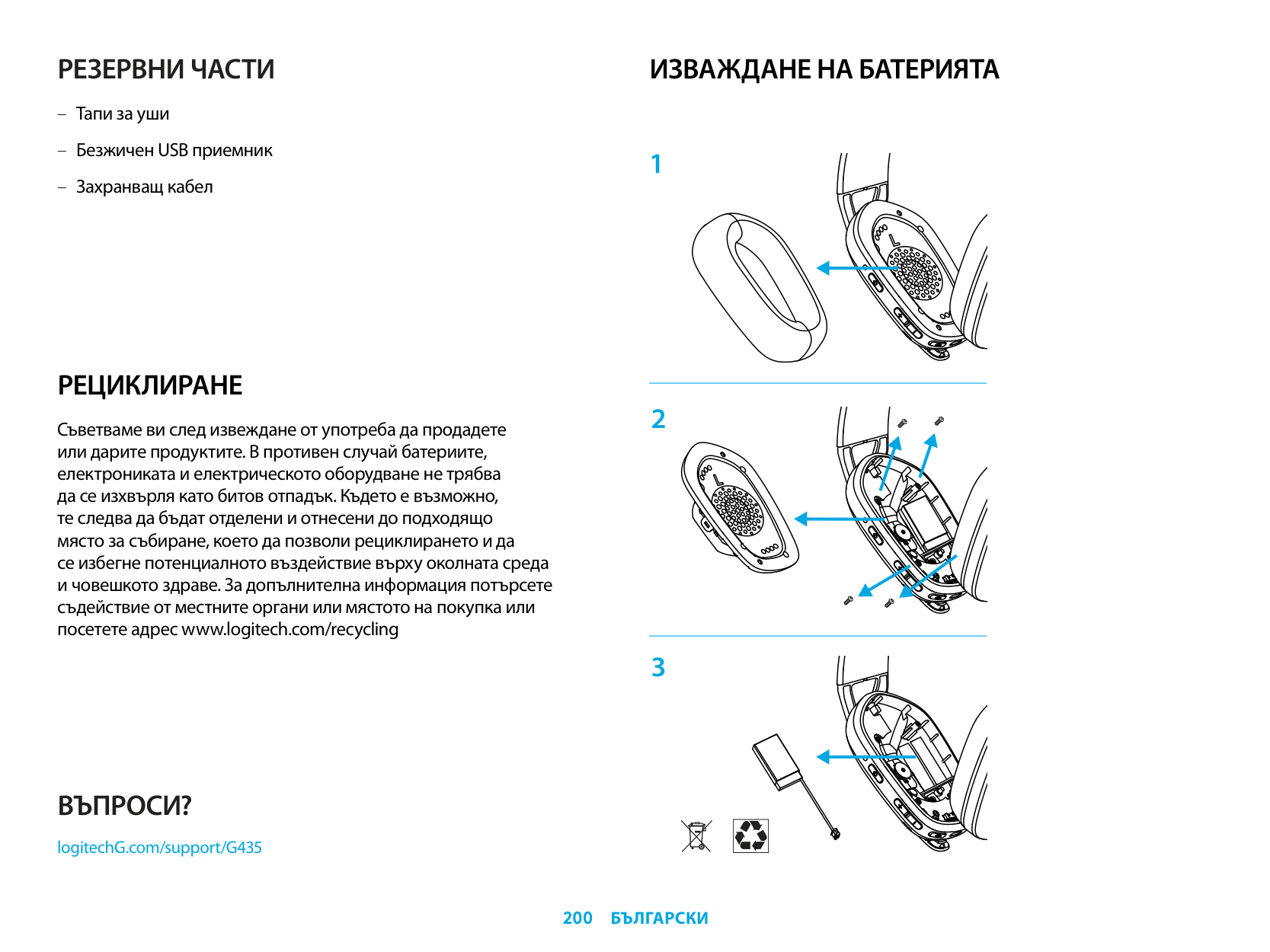
ИЗВАЖДАНЕ НА БАТЕРИЯТА
ВЪПРОСИ?
logitechG.com/support/G435
| | |---|
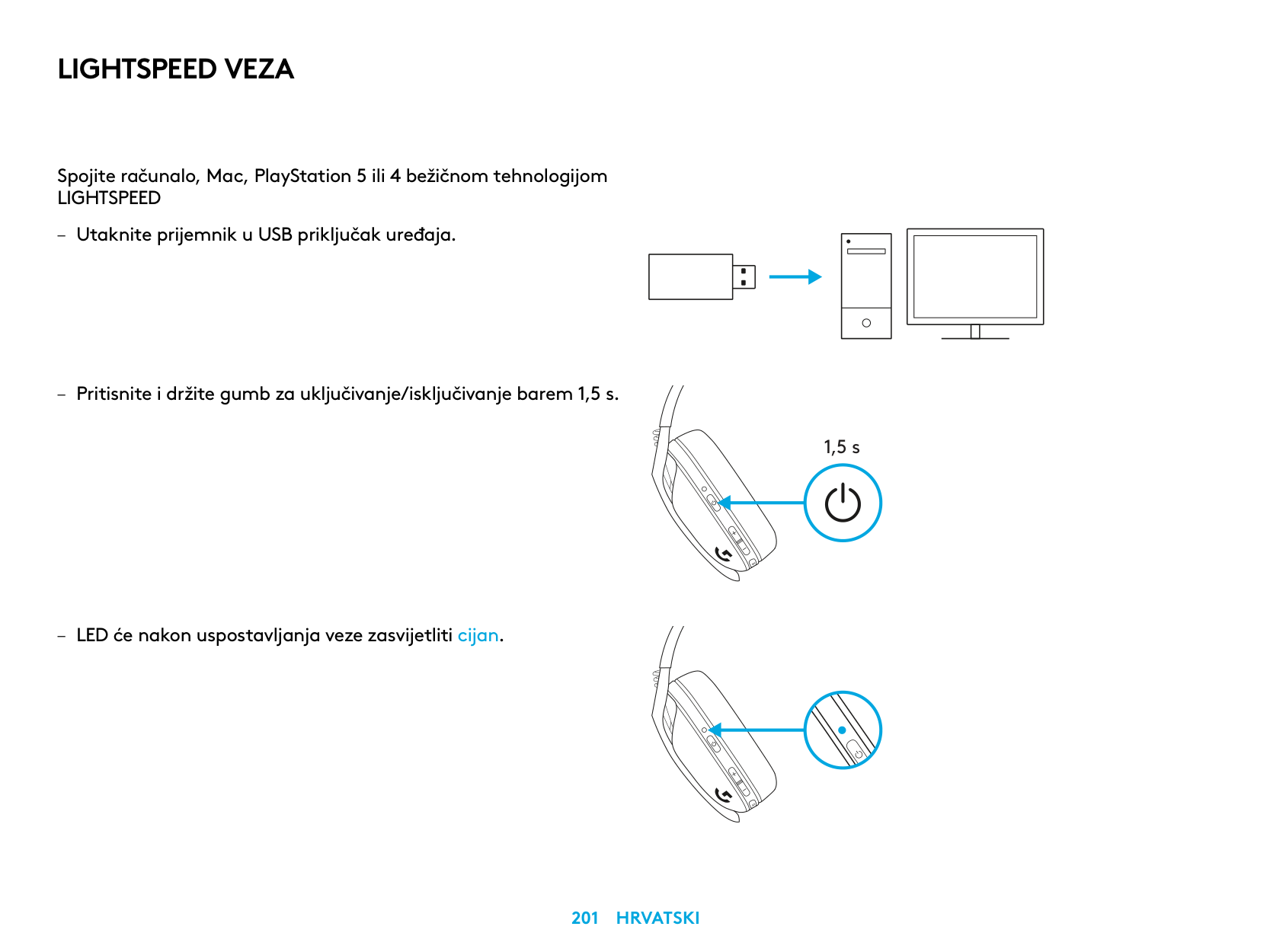
LIGHTSPEED VEZA
Spojite računalo, Mac, PlayStation 5 ili 4 bežičnom tehnologijom LIGHTSPEED
| | | |---|---| | | | | | |
| | | | |---|---|---| | | | |
| | |---| | |
1,5 s
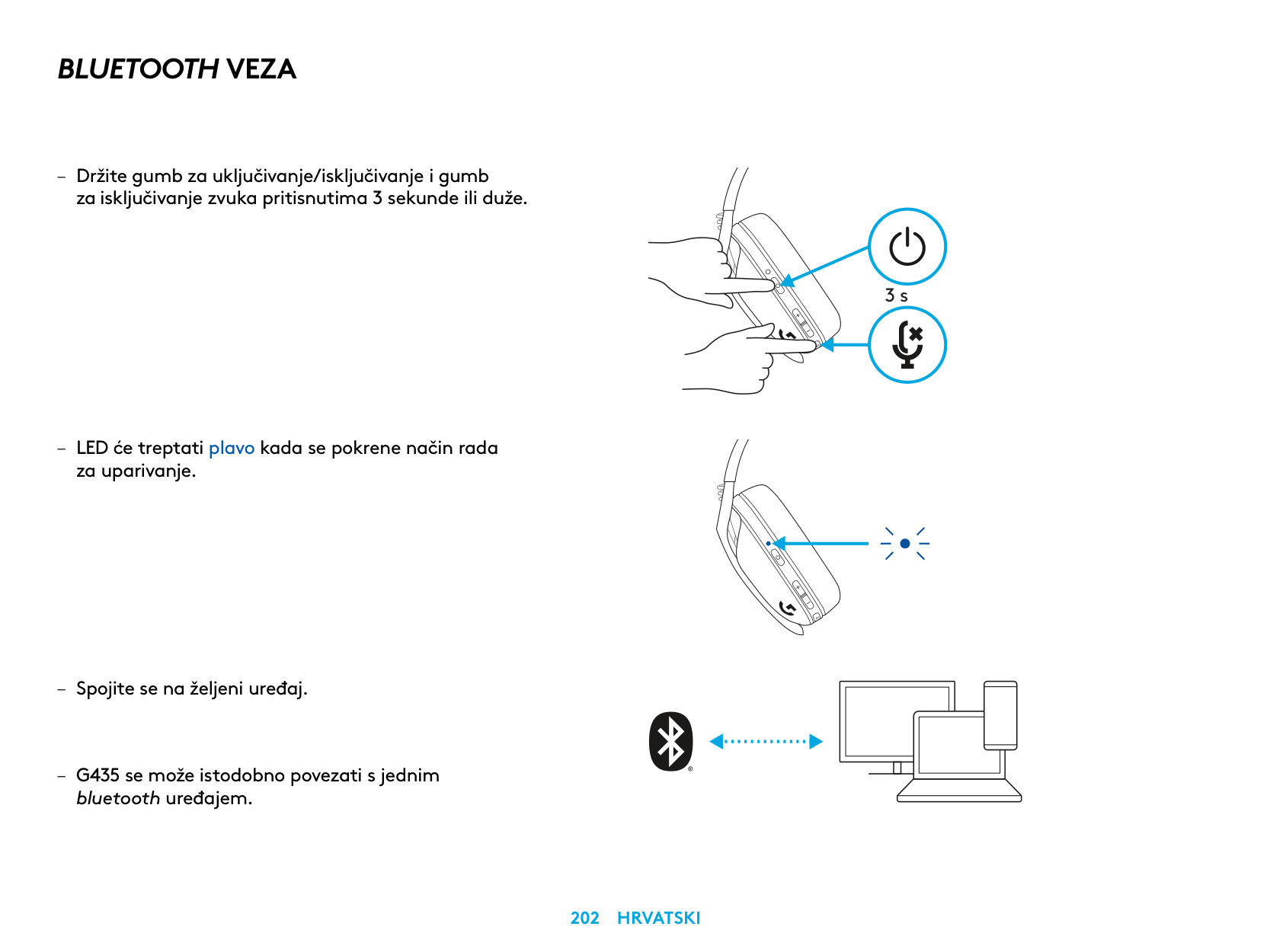
BLUETOOTH VEZA
– Držite gumb za uključivanje/isključivanje i gumb
za isključivanje zvuka pritisnutima 3 sekunde ili duže
– LED će treptati plavo kada se pokrene način rada
za uparivanje
bluetooth uređajem
3 s
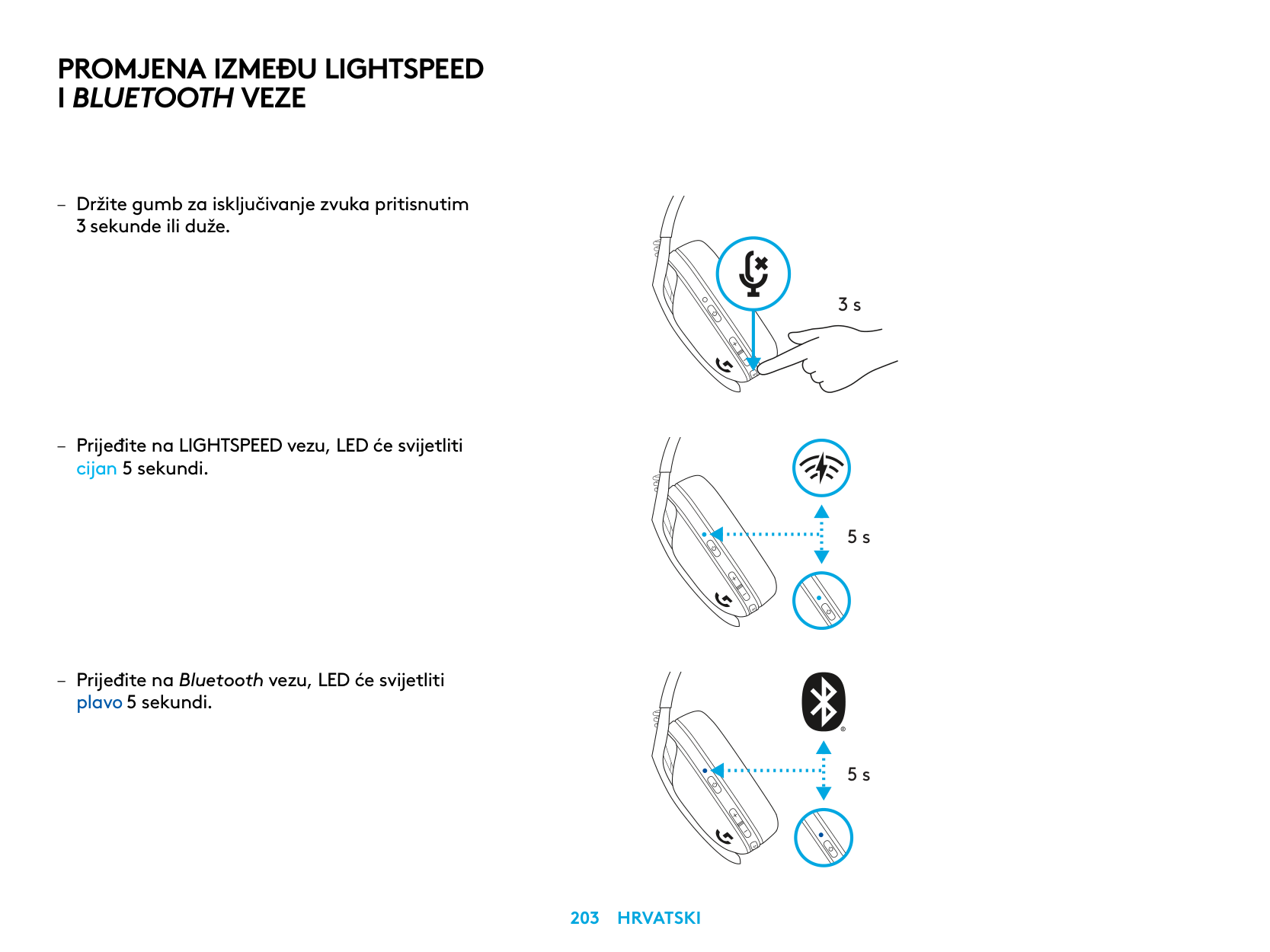
PROMJENA IZMEĐU LIGHTSPEED I BLUETOOTH VEZE
– Držite gumb za isključivanje zvuka pritisnutim
3 sekunde ili duže
– Prijeđite na LIGHTSPEED vezu, LED će svijetliti
cijan 5 sekundi
– Prijeđite na Bluetooth vezu, LED će svijetliti
plavo 5 sekundi
3 s
5 s
5 s
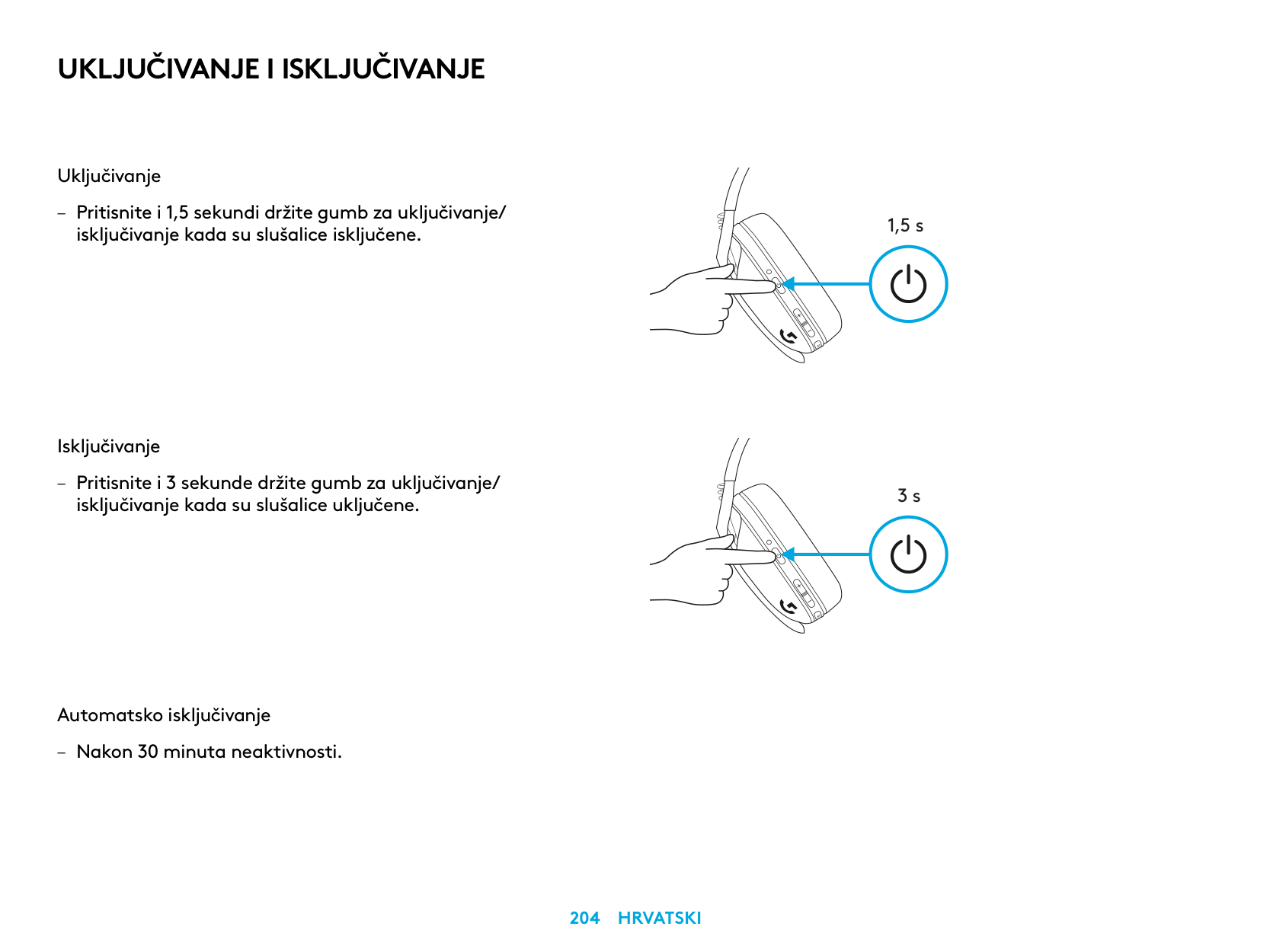
UKLJUČIVANJE I ISKLJUČIVANJE
Uključivanje
– Pritisnite i 1,5 sekundi držite gumb za uključivanje/
isključivanje kada su slušalice isključene
Isključivanje
– Pritisnite i 3 sekunde držite gumb za uključivanje/
isključivanje kada su slušalice uključene
Automatsko isključivanje
– Nakon 30 minuta neaktivnosti
1,5 s
3 s
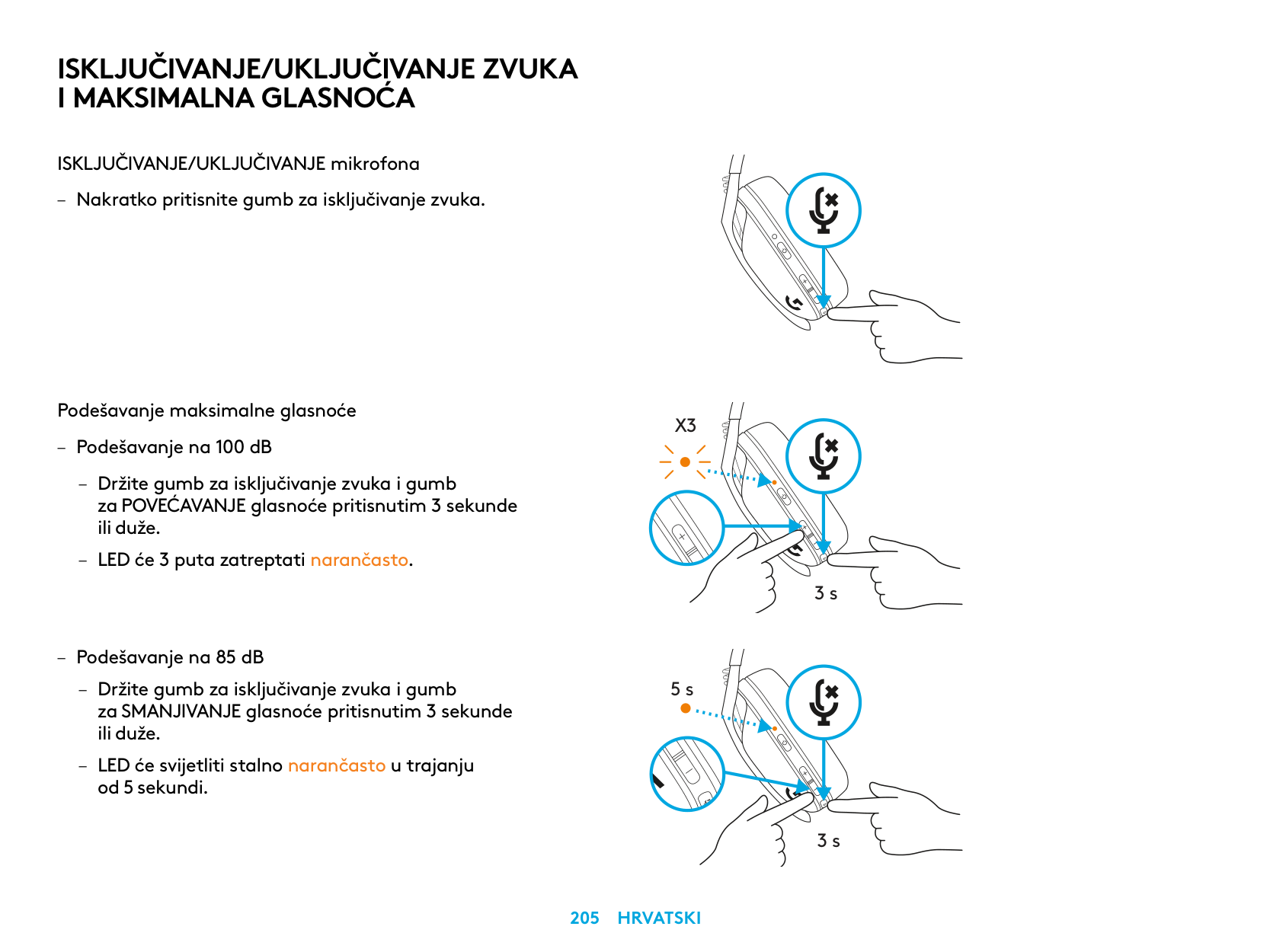
ISKLJUČIVANJE/UKLJUČIVANJE ZVUKA I MAKSIMALNA GLASNOĆA
ISKLJUČIVANJE/UKLJUČIVANJE mikrofona
Podešavanje maksimalne glasnoće
X3
3 s
5 s
3 s
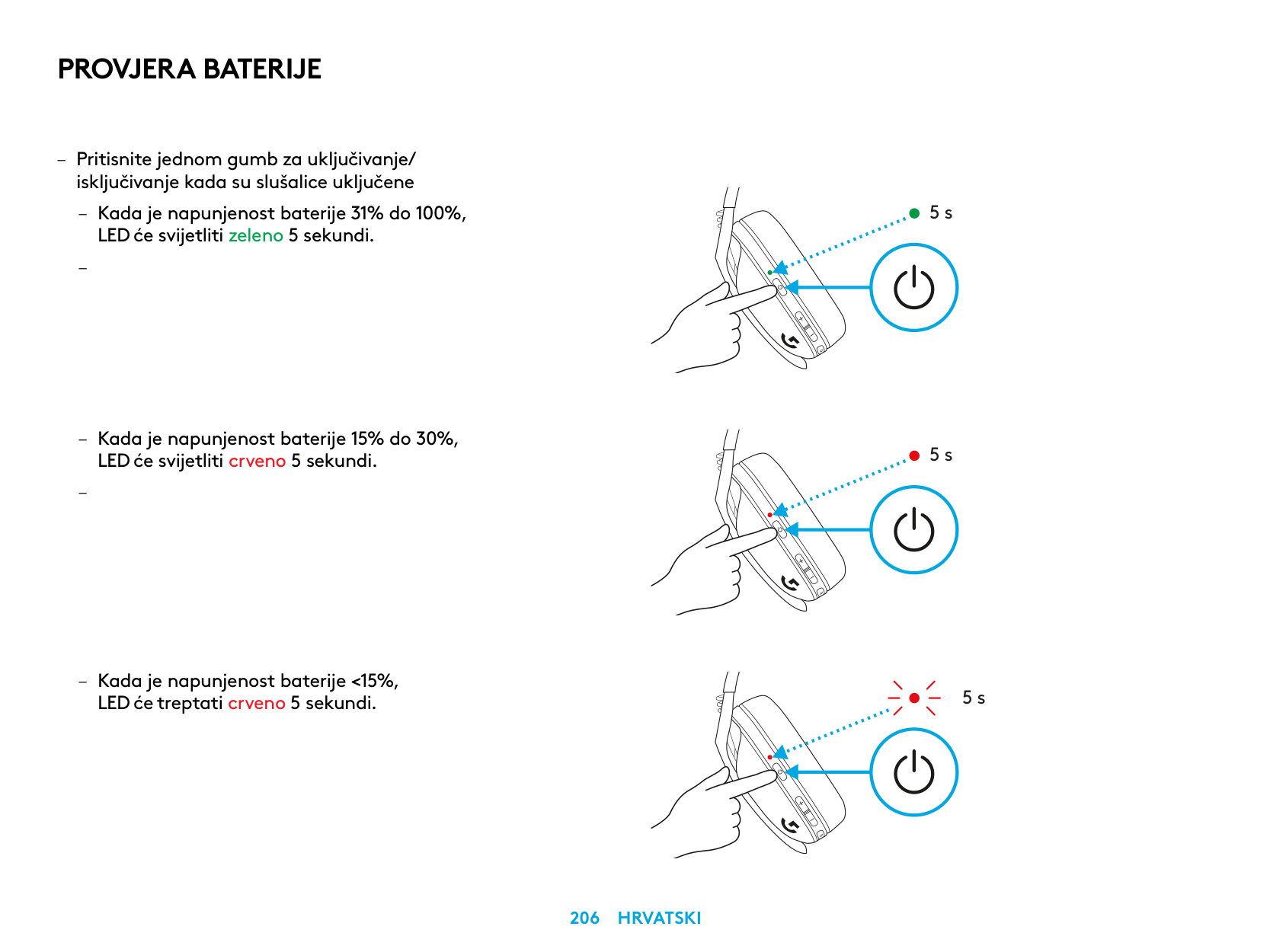
PROVJERA BATERIJE
– Pritisnite jednom gumb za uključivanje/ isključivanje kada su slušalice uključene
– Kada je napunjenost baterije 31% do 100%,
LED će svijetliti zeleno 5 sekundi
–
– Kada je napunjenost baterije 15% do 30%,
LED će svijetliti crveno 5 sekundi
–
– Kada je napunjenost baterije <15%,
LED će treptati crveno 5 sekundi
5 s
5 s
5 s
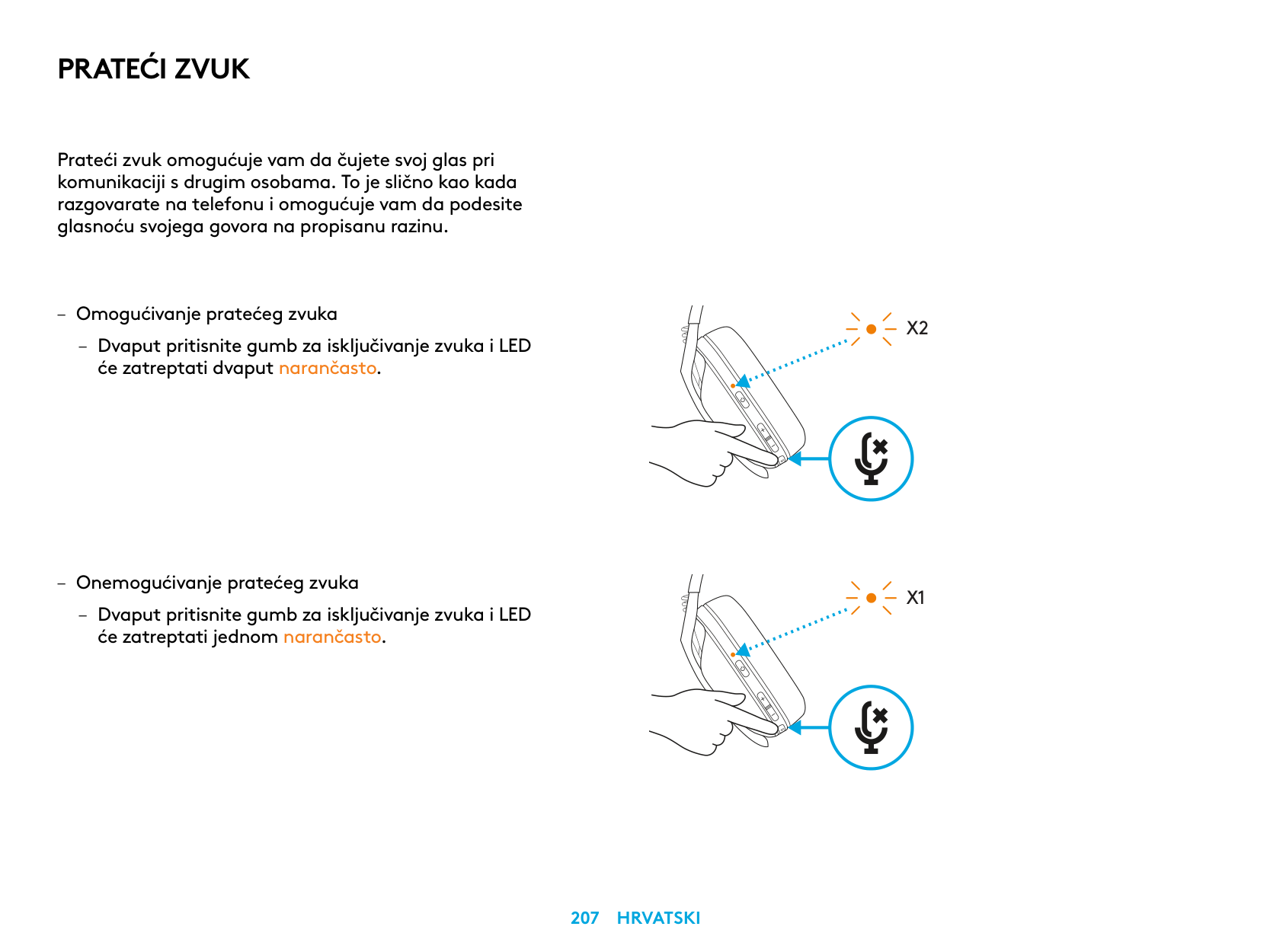
PRATEĆI ZVUK
Prateći zvuk omogućuje vam da čujete svoj glas pri komunikaciji s drugim osobama To je slično kao kada razgovarate na telefonu i omogućuje vam da podesite glasnoću svojega govora na propisanu razinu
– Omogućivanje pratećeg zvuka
– Dvaput pritisnite gumb za isključivanje zvuka i LED
će zatreptati dvaput narančasto
– Onemogućivanje pratećeg zvuka
– Dvaput pritisnite gumb za isključivanje zvuka i LED
će zatreptati jednom narančasto
X2
X1
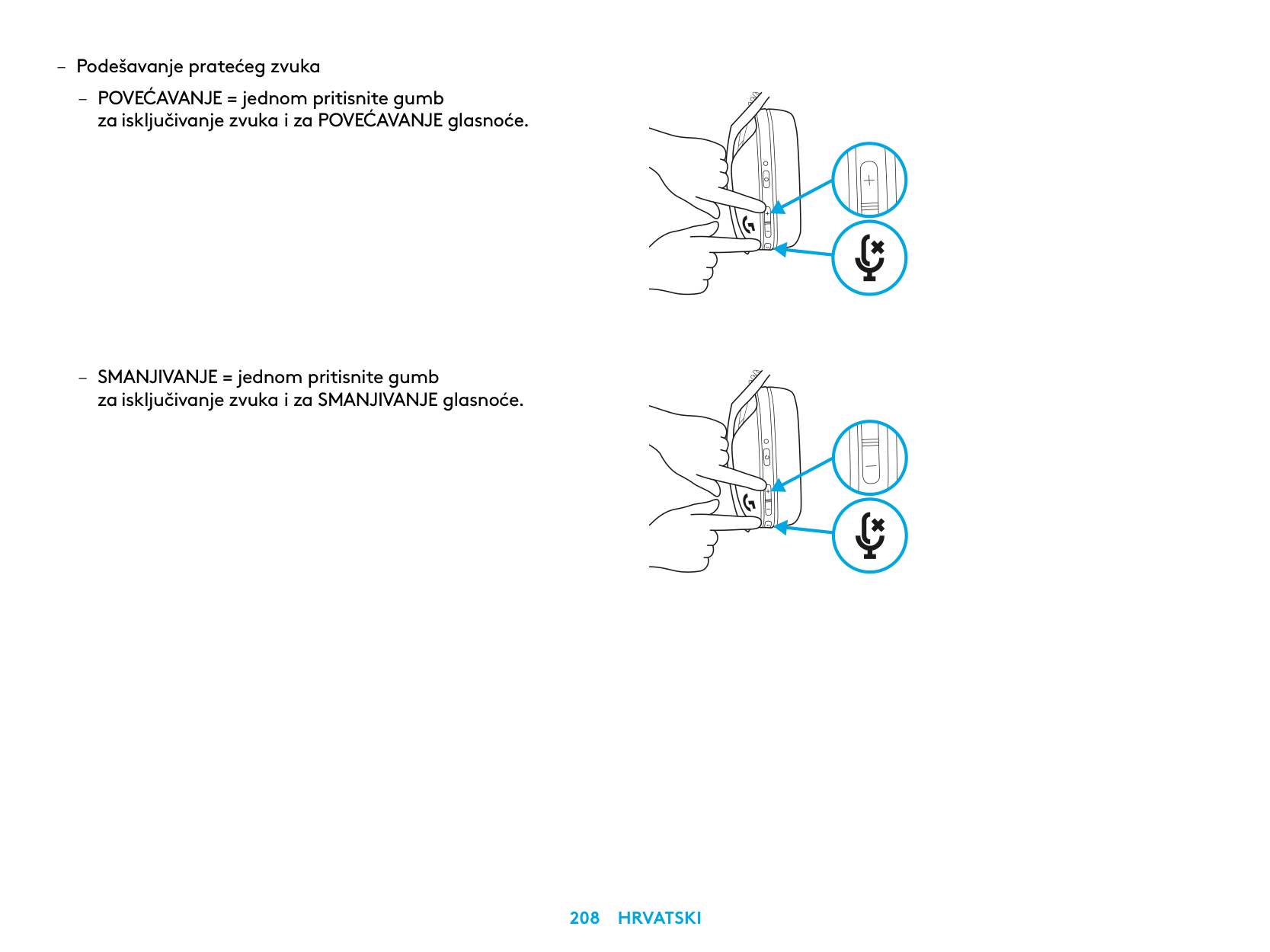
– Podešavanje pratećeg zvuka
– POVEĆAVANJE = jednom pritisnite gumb
za isključivanje zvuka i za POVEĆAVANJE glasnoće
– SMANJIVANJE = jednom pritisnite gumb
za isključivanje zvuka i za SMANJIVANJE glasnoće
REZERVNI DIJELOVI
RECIKLIRANJE
Potičemo vas da preprodajete i poklanjate ispravne uređaje. U protivnom, baterije, elektronički i električni uređaji ne smiju se zbrinjavati kao kućanski otpad. Kad god je to moguće, oni se moraju zasebno prikupljati i odnijeti na odgovarajuće sabirno mjesto kako bi se omogućilo njihovo recikliranje i izbjegao mogući štetni utjecaj na ljudski okoliš i zdravlje. Za dodatne informacije obratite se lokalnim službama ili mjestu gdje ste kupili proizvod ili posjetite www.logitech.com/recycling
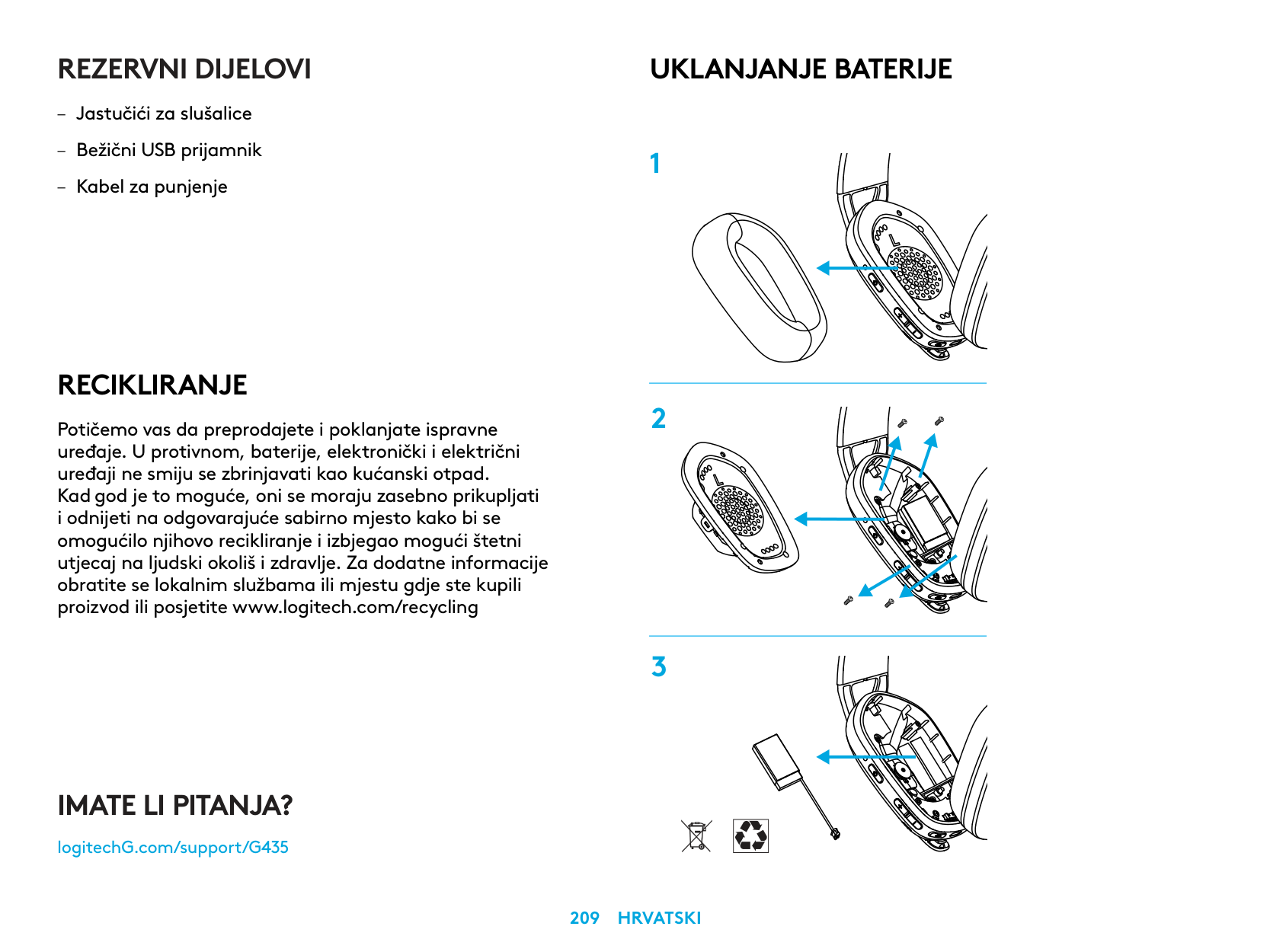
UKLANJANJE BATERIJE
IMATE LI PITANJA?
logitechG.com/support/G435
| | |---|
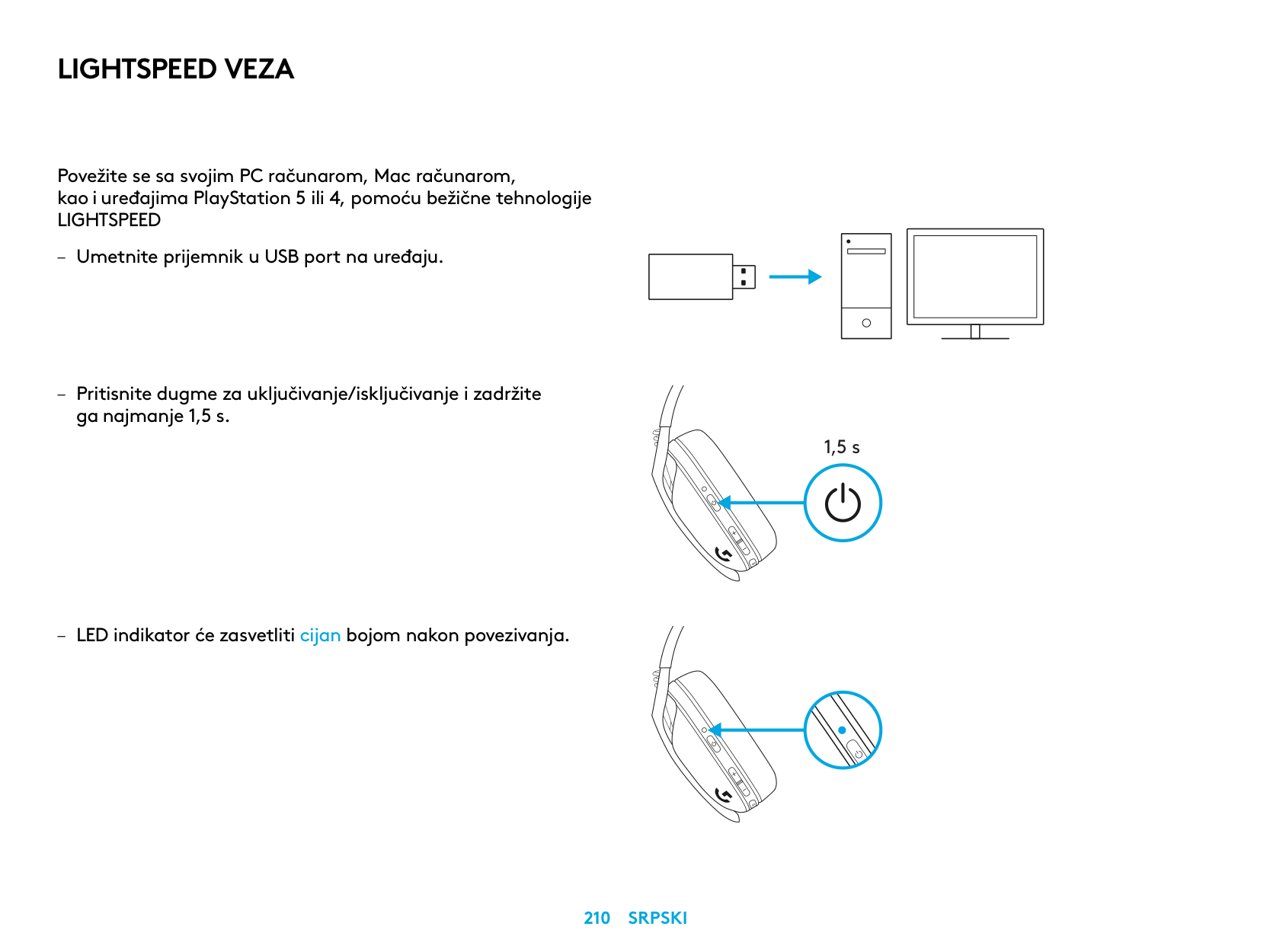
LIGHTSPEED VEZA
Povežite se sa svojim PC računarom, Mac računarom,
| | | |---|---| | | |
| | |
| | | | |---|---|---| | | | |
| | |---| | |
1,5 s
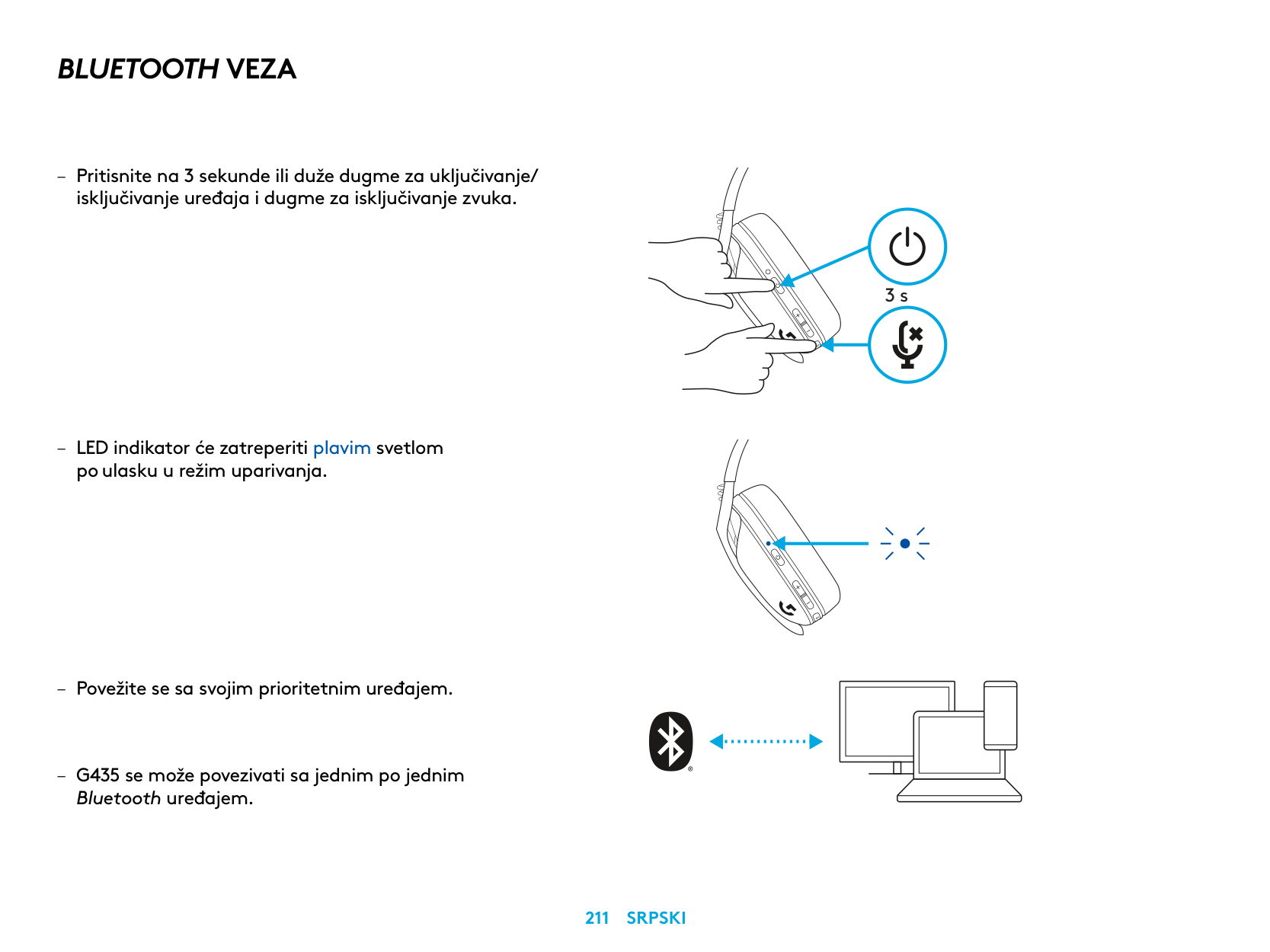
BLUETOOTH VEZA
po ulasku u režim uparivanja
Bluetooth uređajem
3 s
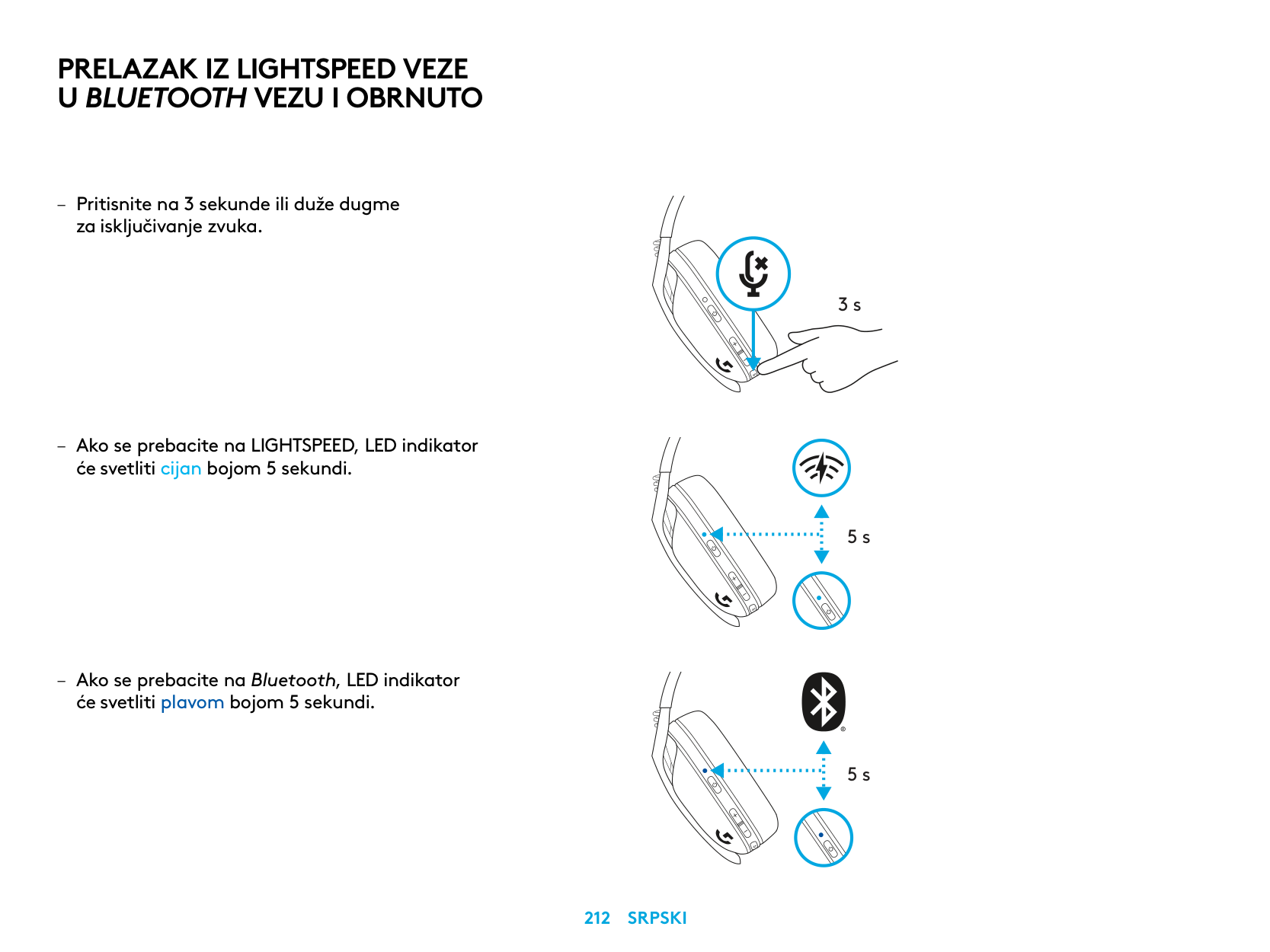
PRELAZAK IZ LIGHTSPEED VEZE
U BLUETOOTH VEZU I OBRNUTO
– Pritisnite na 3 sekunde ili duže dugme
za isključivanje zvuka
– Ako se prebacite na LIGHTSPEED, LED indikator
će svetliti cijan bojom 5 sekundi
– Ako se prebacite na Bluetooth, LED indikator
će svetliti plavom bojom 5 sekundi
3 s
5 s
5 s
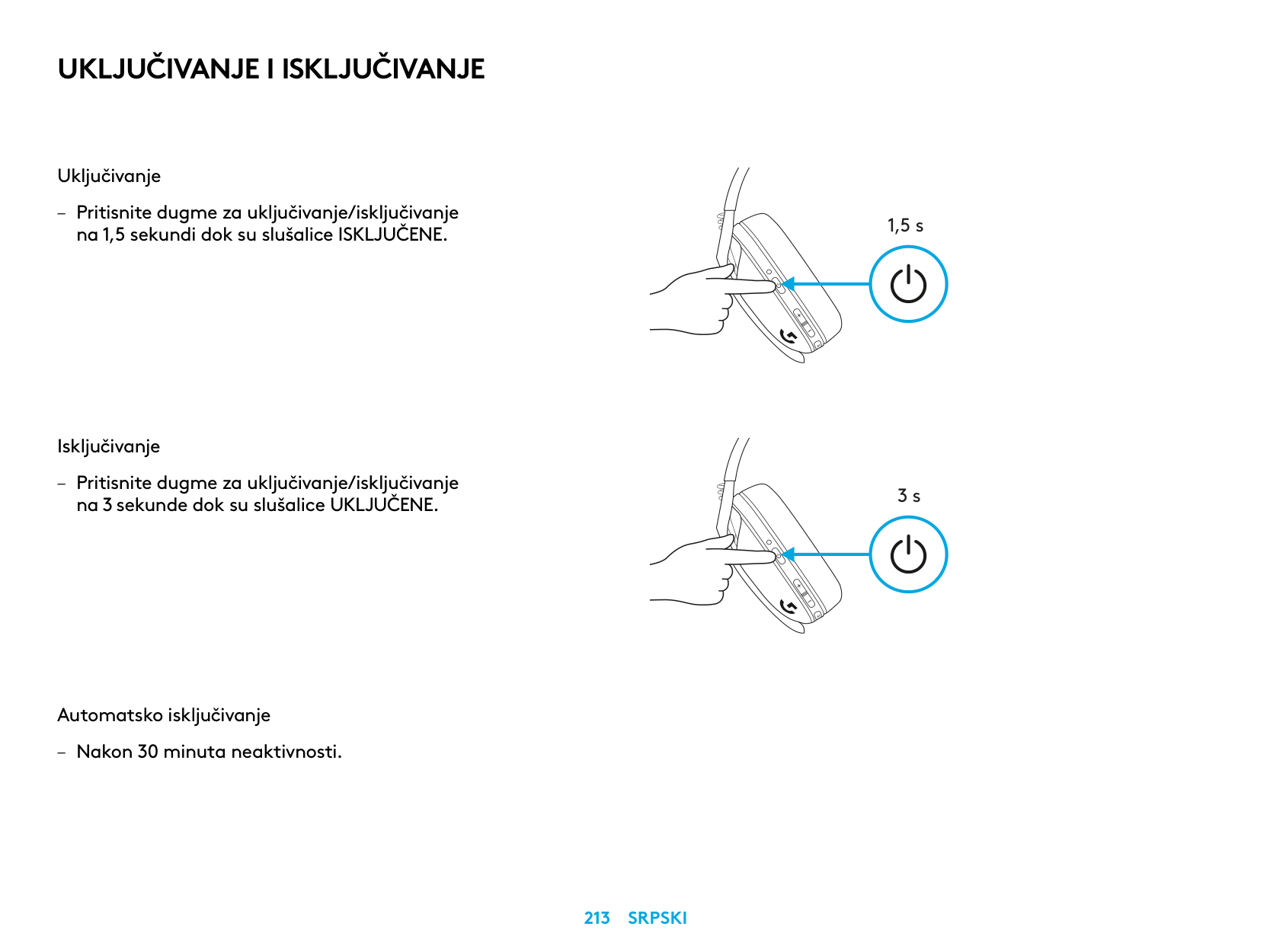
UKLJUČIVANJE I ISKLJUČIVANJE
Uključivanje
– Pritisnite dugme za uključivanje/isključivanje na 1,5 sekundi dok su slušalice ISKLJUČENE
Isključivanje
– Pritisnite dugme za uključivanje/isključivanje na 3 sekunde dok su slušalice UKLJUČENE
Automatsko isključivanje
– Nakon 30 minuta neaktivnosti
1,5 s
3 s
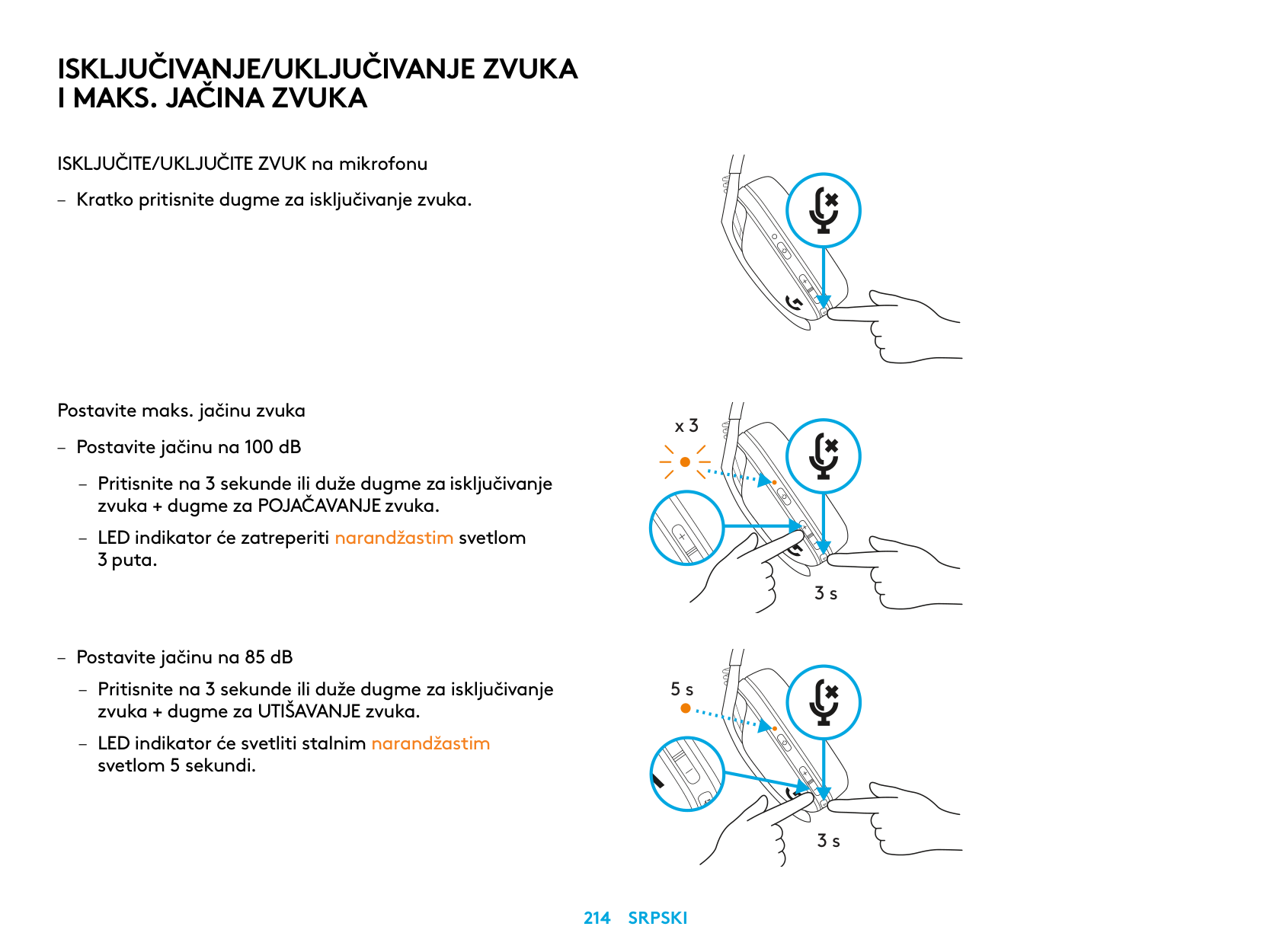
ISKLJUČIVANJE/UKLJUČIVANJE ZVUKA I MAKS. JAČINA ZVUKA
ISKLJUČITE/UKLJUČITE ZVUK na mikrofonu
– Kratko pritisnite dugme za isključivanje zvuka
Postavite maks. jačinu zvuka
x 3
– Postavite jačinu na 100 dB
– Pritisnite na 3 sekunde ili duže dugme za isključivanje
zvuka + dugme za POJAČAVANJE zvuka
– LED indikator će zatreperiti narandžastim svetlom
3 puta
3 s
– Postavite jačinu na 85 dB
– Pritisnite na 3 sekunde ili duže dugme za isključivanje
5 s
zvuka + dugme za UTIŠAVANJE zvuka
– LED indikator će svetliti stalnim narandžastim
svetlom 5 sekundi
3 s
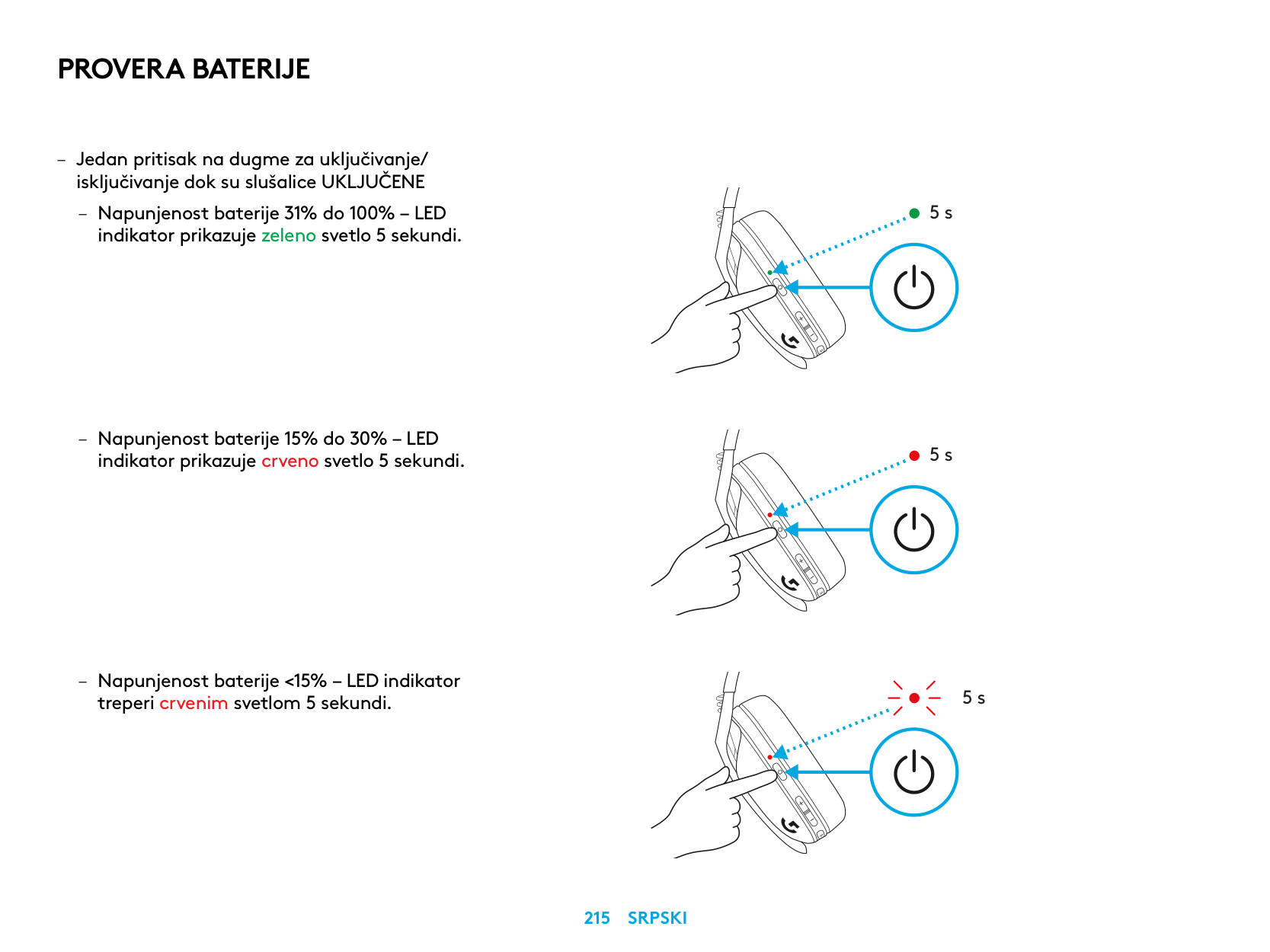
PROVERA BATERIJE
– Jedan pritisak na dugme za uključivanje/ isključivanje dok su slušalice UKLJUČENE
– Napunjenost baterije 31% do 100% – LED
indikator prikazuje zeleno svetlo 5 sekundi
– Napunjenost baterije 15% do 30% – LED
indikator prikazuje crveno svetlo 5 sekundi
– Napunjenost baterije <15% – LED indikator
treperi crvenim svetlom 5 sekundi
5 s
5 s
5 s
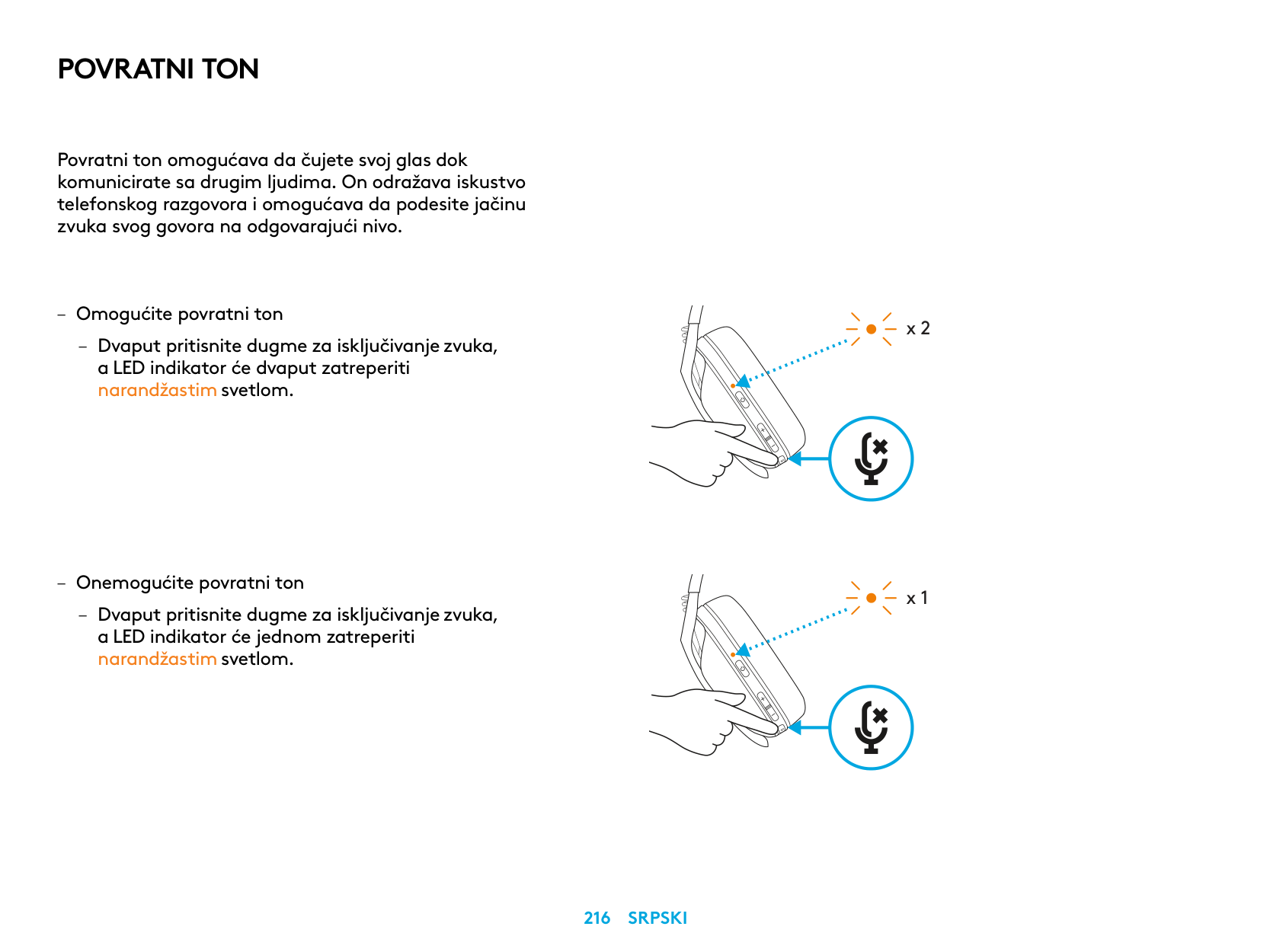
POVRATNI TON
Povratni ton omogućava da čujete svoj glas dok komunicirate sa drugim ljudima On odražava iskustvo telefonskog razgovora i omogućava da podesite jačinu zvuka svog govora na odgovarajući nivo
– Omogućite povratni ton
– Dvaput pritisnite dugme za isključivanje zvuka, a LED indikator će dvaput zatreperiti narandžastim svetlom
– Onemogućite povratni ton
– Dvaput pritisnite dugme za isključivanje zvuka, a LED indikator će jednom zatreperiti narandžastim svetlom
x 2
x 1
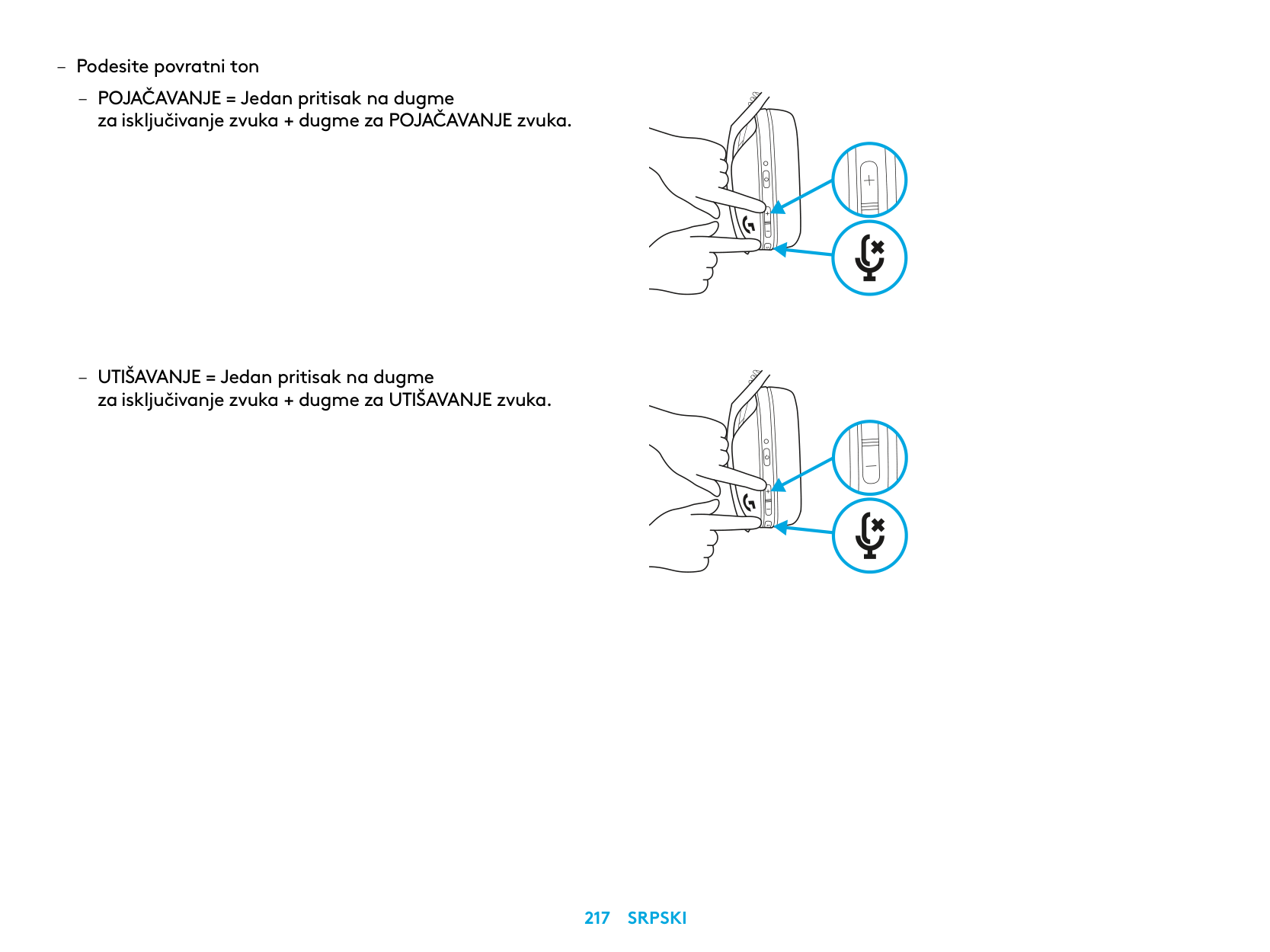
– Podesite povratni ton
– POJAČAVANJE = Jedan pritisak na dugme
za isključivanje zvuka + dugme za POJAČAVANJE zvuka
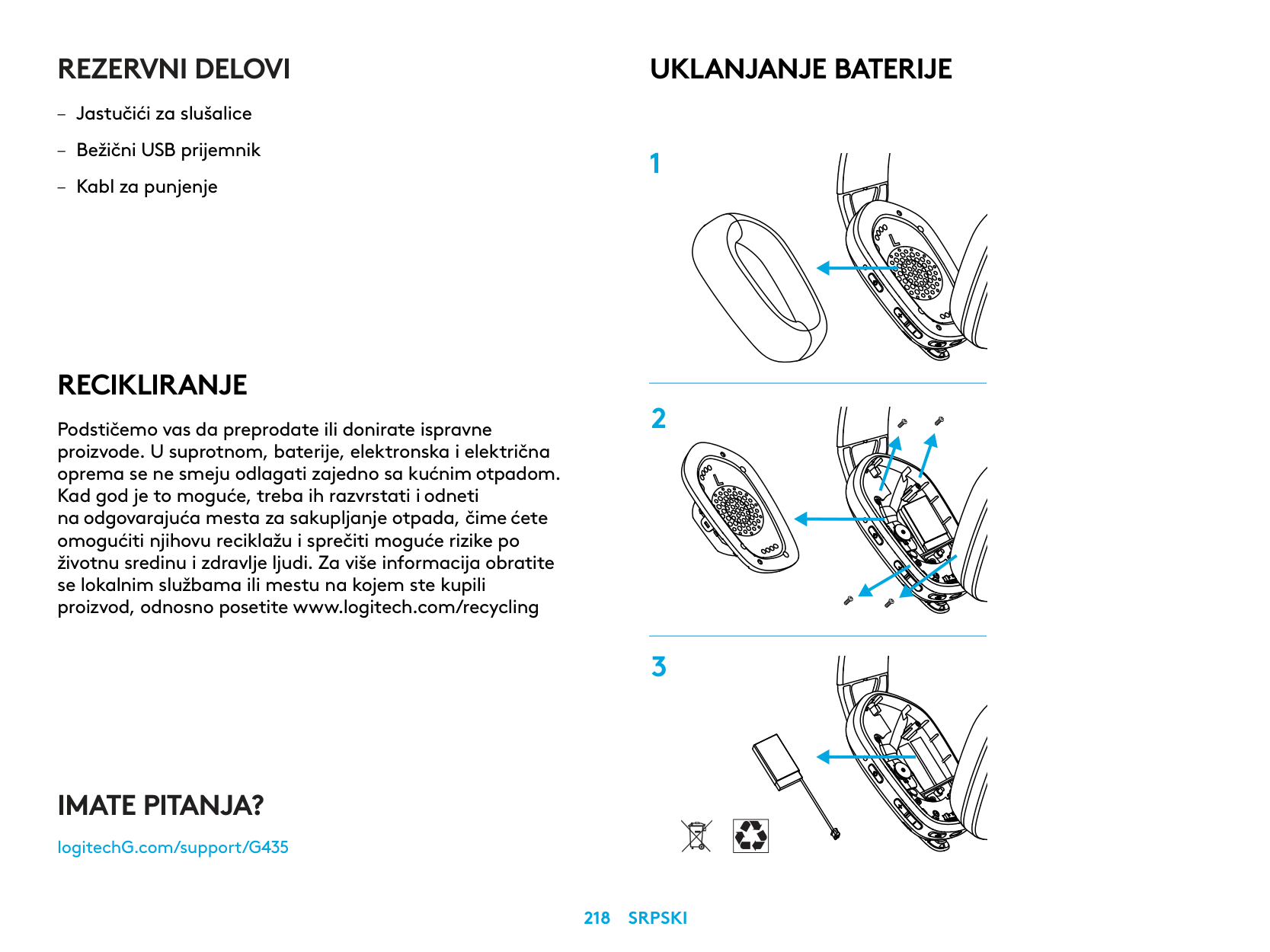
– UTIŠAVANJE = Jedan pritisak na dugme
za isključivanje zvuka + dugme za UTIŠAVANJE zvuka
REZERVNI DELOVI
RECIKLIRANJE
Podstičemo vas da preprodate ili donirate ispravne proizvode. U suprotnom, baterije, elektronska i električna oprema se ne smeju odlagati zajedno sa kućnim otpadom. Kad god je to moguće, treba ih razvrstati i odneti na odgovarajuća mesta za sakupljanje otpada, čime ćete omogućiti njihovu reciklažu i sprečiti moguće rizike po životnu sredinu i zdravlje ljudi. Za više informacija obratite se lokalnim službama ili mestu na kojem ste kupili proizvod, odnosno posetite www.logitech.com/recycling
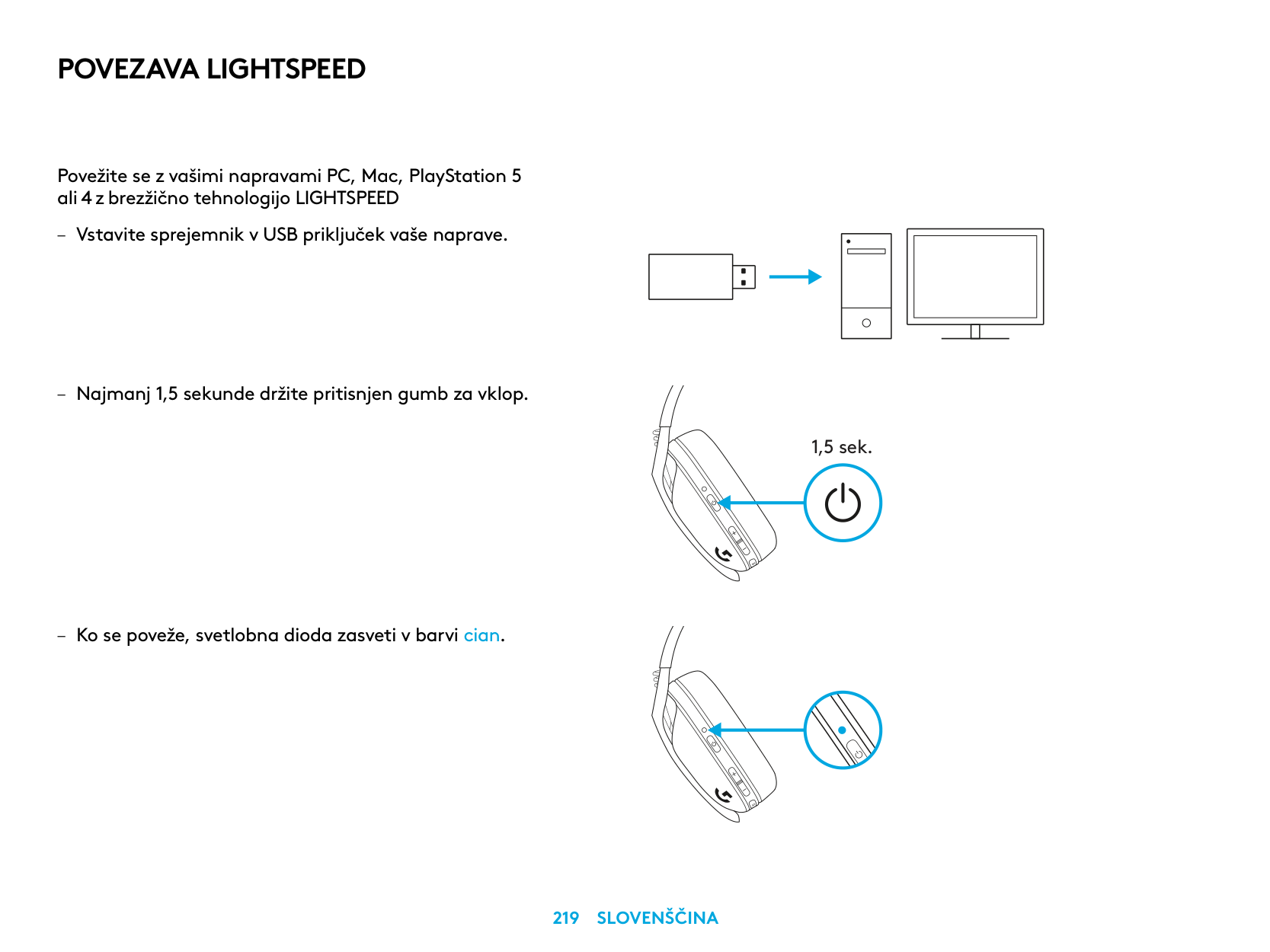
UKLANJANJE BATERIJE
IMATE PITANJA?
logitechG.com/support/G435
| | |---|
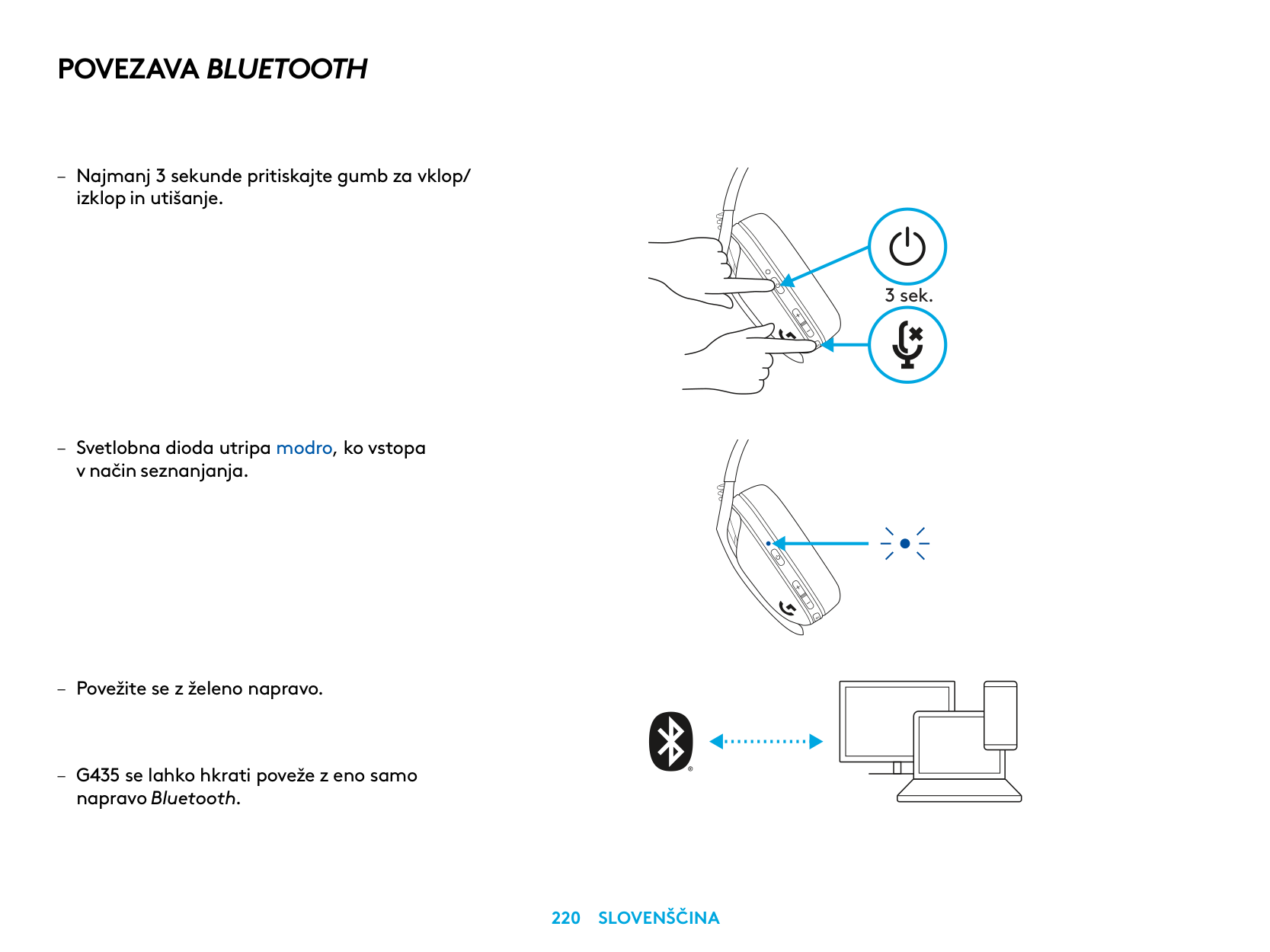
POVEZAVA LIGHTSPEED
Povežite se z vašimi napravami PC, Mac, PlayStation 5 ali 4 z brezžično tehnologijo LIGHTSPEED
| | | |---|---| | | | | | |
| | | | |---|---|---| | | | |
| | |---| | |
1,5 sek.
POVEZAVA BLUETOOTH
– Najmanj 3 sekunde pritiskajte gumb za vklop/
izklop in utišanje
– Svetlobna dioda utripa modro, ko vstopa
v način seznanjanja
napravo Bluetooth
3 sek.
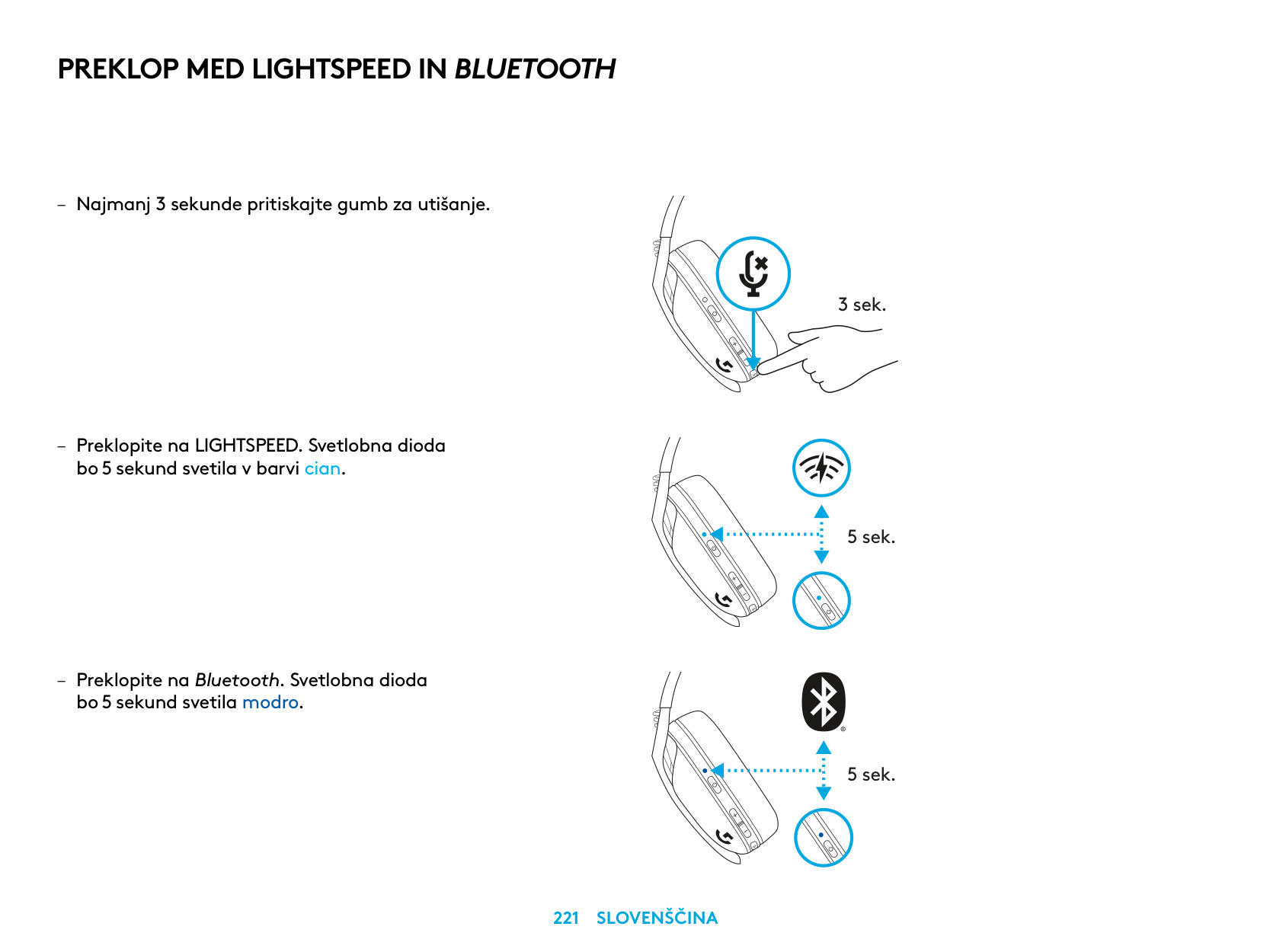
PREKLOP MED LIGHTSPEED IN BLUETOOTH
bo 5 sekund svetila v barvi cian
– Preklopite na Bluetooth Svetlobna dioda
bo 5 sekund svetila modro
3 sek.
5 sek.
5 sek.
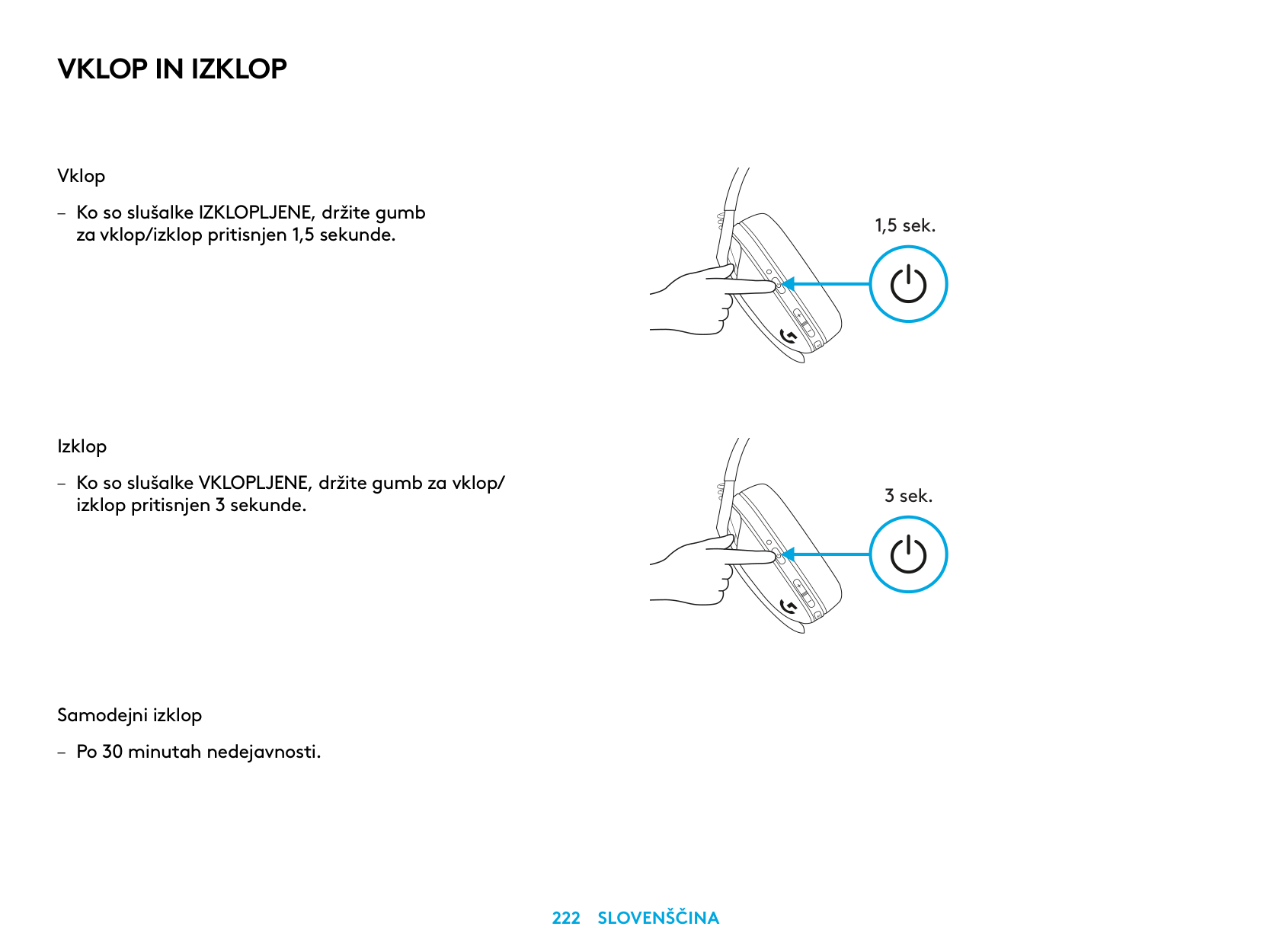
VKLOP IN IZKLOP
Vklop
– Ko so slušalke IZKLOPLJENE, držite gumb
za vklop/izklop pritisnjen 1,5 sekunde
Izklop
– Ko so slušalke VKLOPLJENE, držite gumb za vklop/
izklop pritisnjen 3 sekunde
Samodejni izklop
– Po 30 minutah nedejavnosti
1,5 sek.
3 sek.
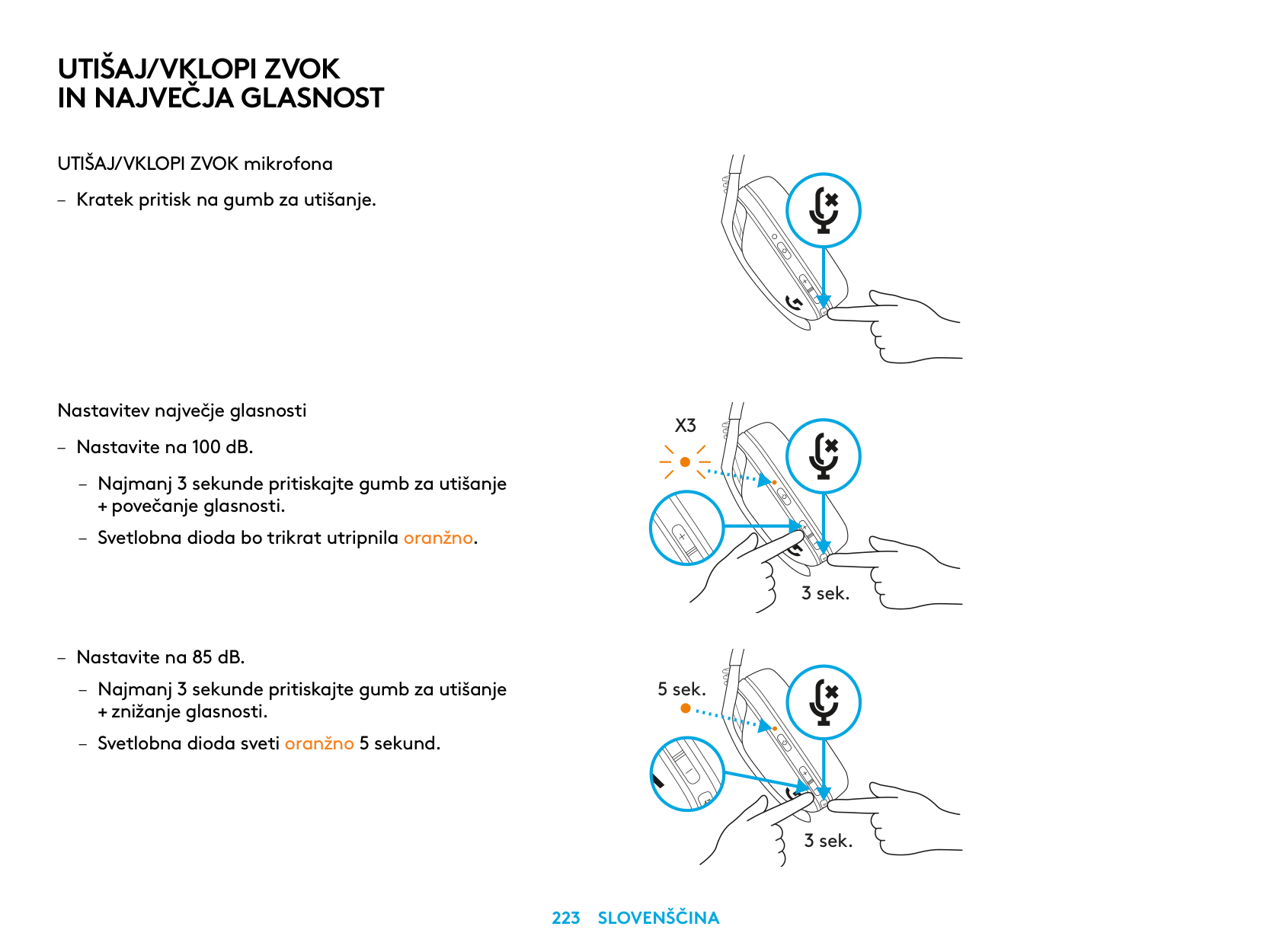
UTIŠAJ/VKLOPI ZVOK IN NAJVEČJA GLASNOST
UTIŠAJ/VKLOPI ZVOK mikrofona
– Kratek pritisk na gumb za utišanje
Nastavitev največje glasnosti
X3
– Nastavite na 100 dB
– Najmanj 3 sekunde pritiskajte gumb za utišanje
+ povečanje glasnosti
– Svetlobna dioda bo trikrat utripnila oranžno
3 sek.
– Nastavite na 85 dB
– Najmanj 3 sekunde pritiskajte gumb za utišanje
5 sek.
+ znižanje glasnosti
– Svetlobna dioda sveti oranžno 5 sekund
3 sek.
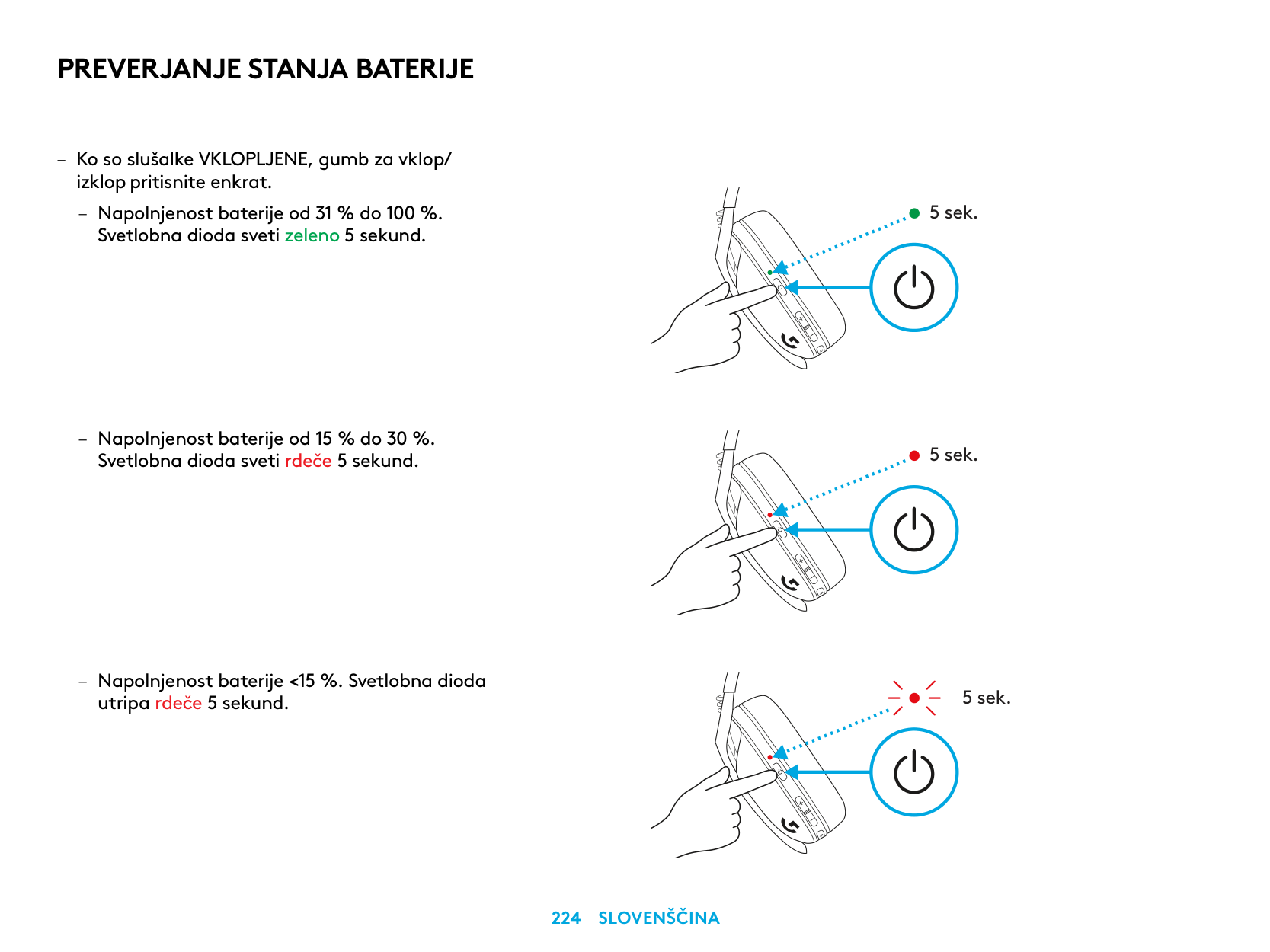
PREVERJANJE STANJA BATERIJE
– Ko so slušalke VKLOPLJENE, gumb za vklop/
izklop pritisnite enkrat
– Napolnjenost baterije od 31 % do 100 % Svetlobna dioda sveti zeleno 5 sekund
utripa rdeče 5 sekund
5 sek.
5 sek.
5 sek.
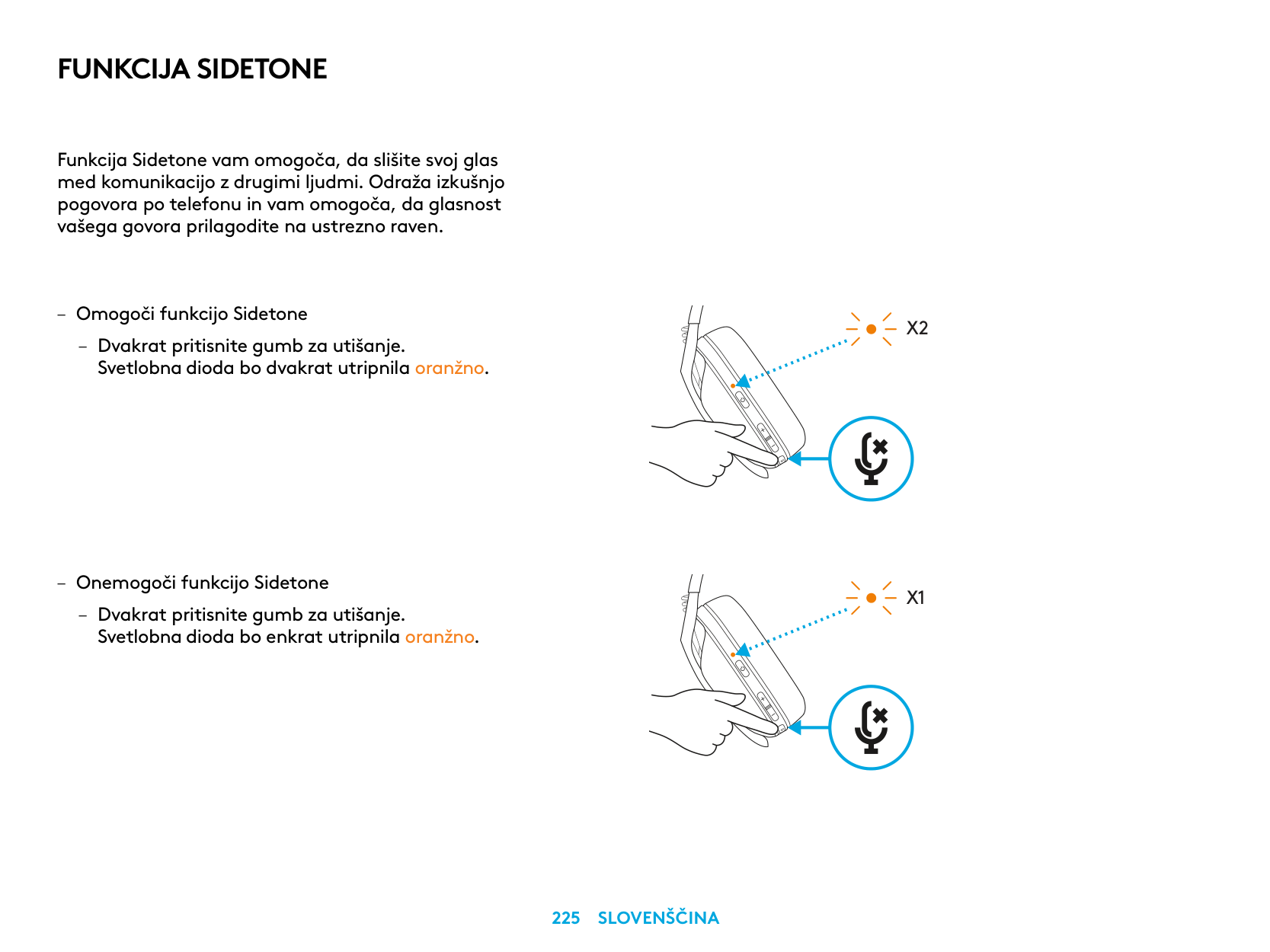
FUNKCIJA SIDETONE
Funkcija Sidetone vam omogoča, da slišite svoj glas med komunikacijo z drugimi ljudmi Odraža izkušnjo pogovora po telefonu in vam omogoča, da glasnost vašega govora prilagodite na ustrezno raven
– Omogoči funkcijo Sidetone
– Dvakrat pritisnite gumb za utišanje
Svetlobna dioda bo dvakrat utripnila oranžno
– Onemogoči funkcijo Sidetone
– Dvakrat pritisnite gumb za utišanje
Svetlobna dioda bo enkrat utripnila oranžno
X2
X1
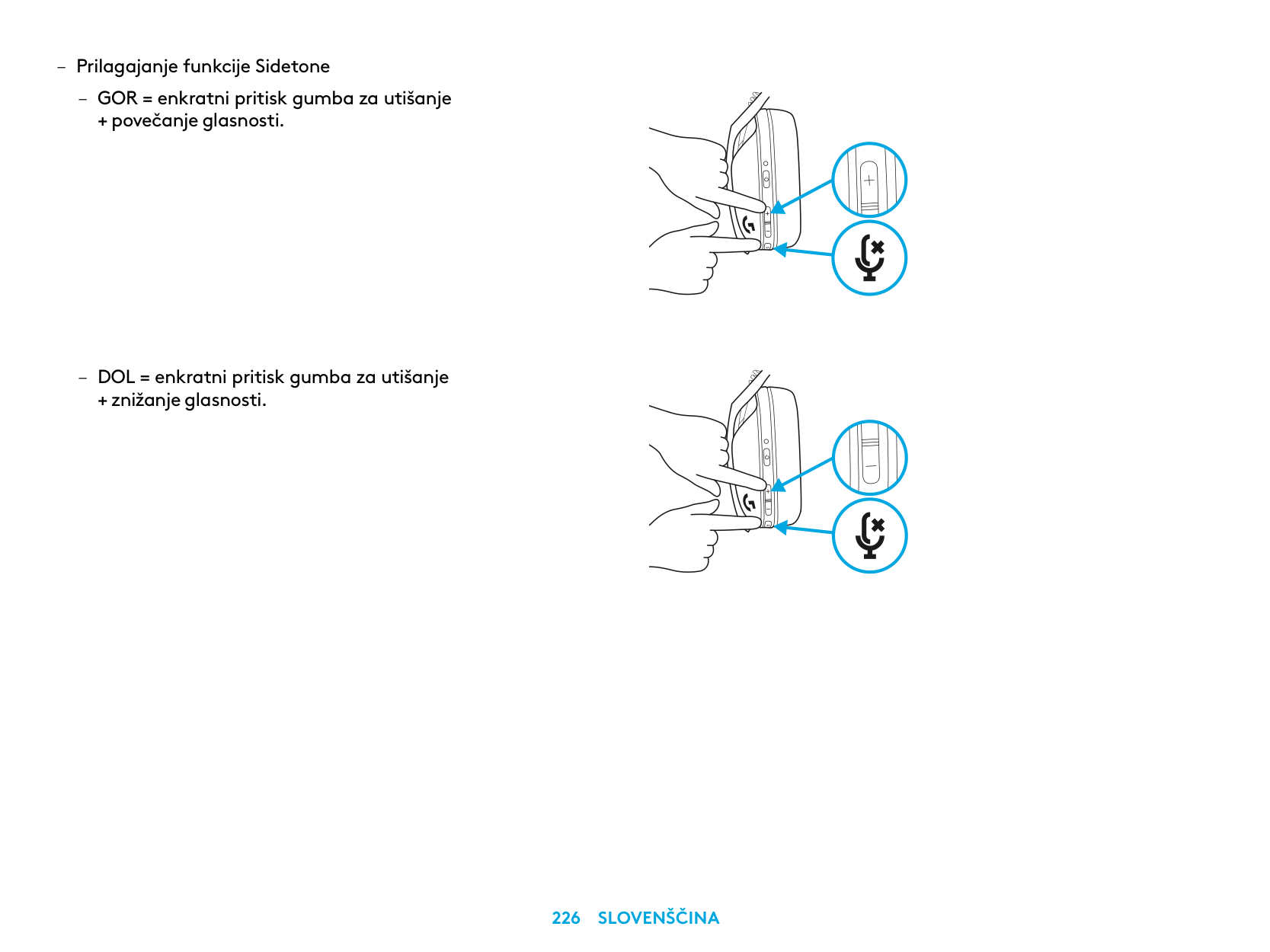
– Prilagajanje funkcije Sidetone
– GOR = enkratni pritisk gumba za utišanje
+ povečanje glasnosti
– DOL = enkratni pritisk gumba za utišanje
+ znižanje glasnosti
REZERVNI DELI
RECIKLIRANJE
Svetujemo vam, da delujoče izdelke prodate ali podarite. V nasprotnem primeru, baterij, električnih in elektronskih naprav ne smete odstraniti skupaj z drugimi gospodinjskimi odpadki. Kadarkoli je to mogoče, jih je treba ločiti in oddati na ustreznem zbirnem mestu, da omogočite recikliranje in preprečite morebitne vplive na okolje in zdravje ljudi. Za več informacij se obrnite na lokalne oblasti ali prodajno mesto oziroma obiščite www.logitech.com/recycling.
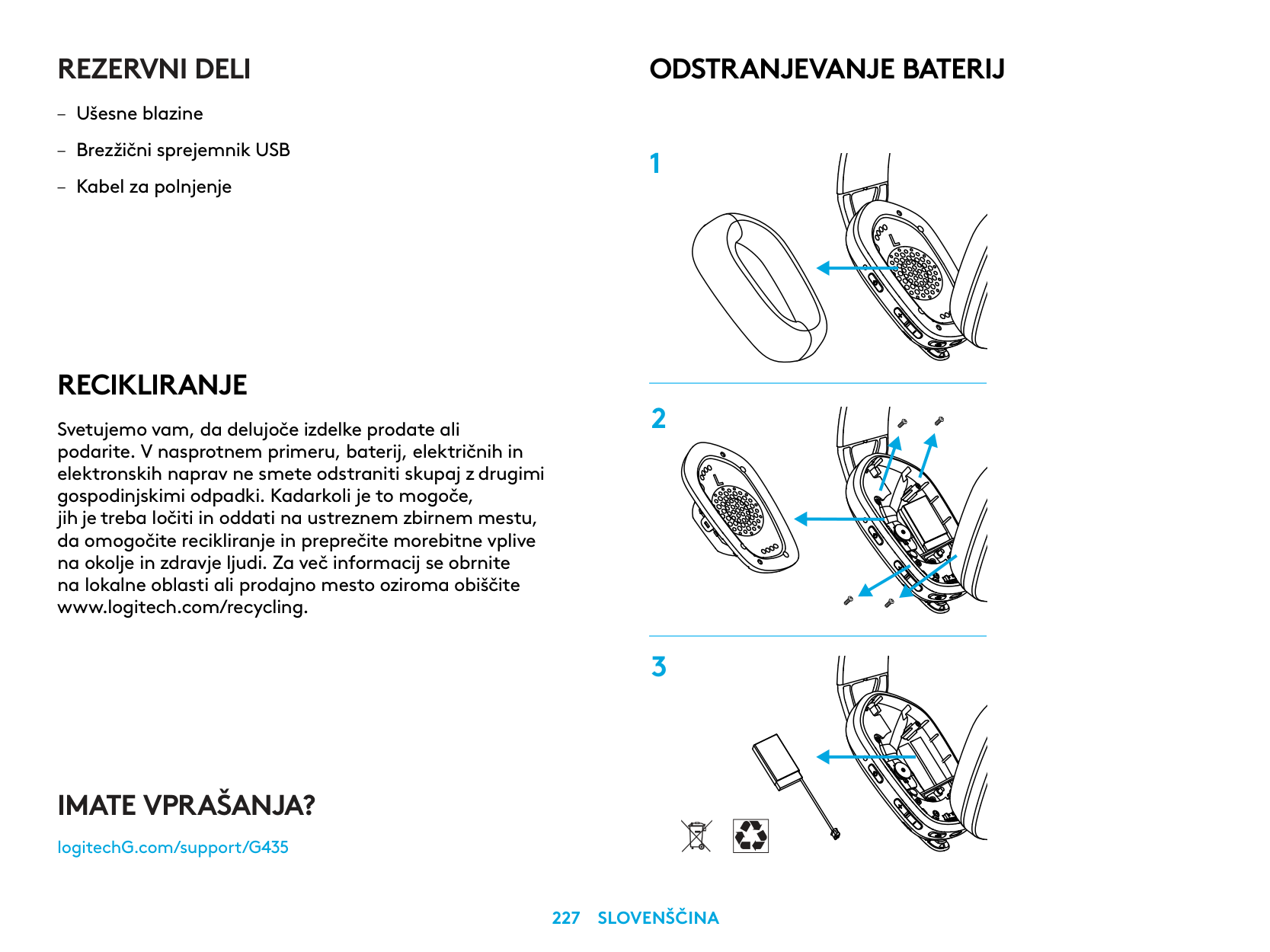
ODSTRANJEVANJE BATERIJ
IMATE VPRAŠANJA?
logitechG.com/support/G435
| | |---|
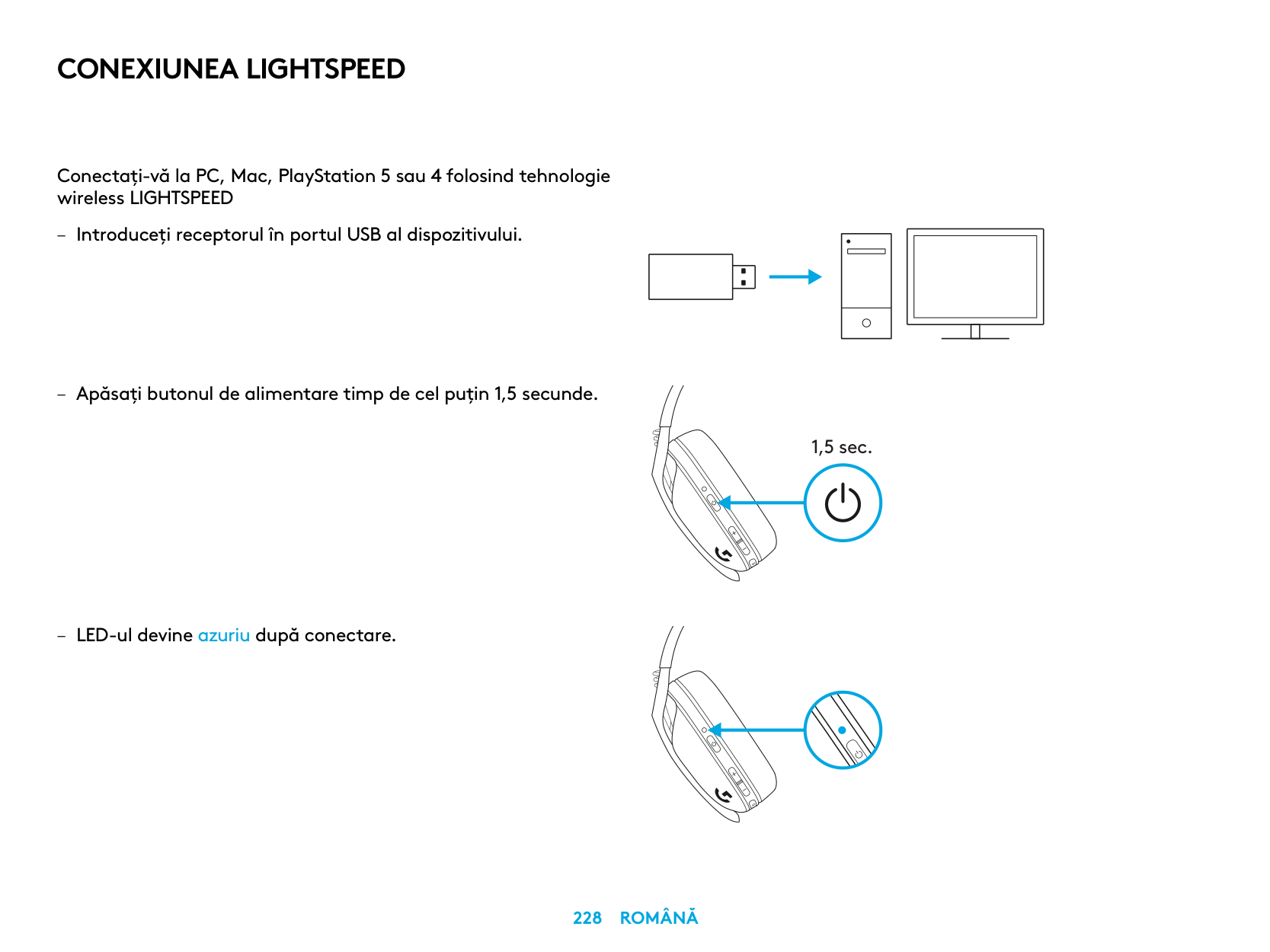
CONEXIUNEA LIGHTSPEED
Conectaţi-vă la PC, Mac, PlayStation 5 sau 4 folosind tehnologie wireless LIGHTSPEED
| | | |---|---| | | | | | |
| | | | |---|---|---| | | | |
| | |---| | |
1,5 sec.
CONEXIUNE BLUETOOTH
– Apăsaţi timp de 3 secunde sau mai mult pe butoanele
de alimentare şi de dezactivare a sunetului
– LED-ul va clipi albastru când se accesează modul
de asociere
Bluetooth pe rând
3 sec.
COMUTAŢI ÎNTRE LIGHTSPEED ŞI BLUETOOTH
– Apăsaţi timp de 3 secunde sau mai mult pe butonul
de dezactivare a sunetului
– Comutaţi la LIGHTSPEED; LED-ul se va aprinde
în azuriu timp de 5 secunde
– Comutaţi la Bluetooth; LED-ul se va aprinde
în azuriu timp de 5 secunde
3 sec.
5 sec.
5 sec.
PORNIREA ŞI OPRIREA
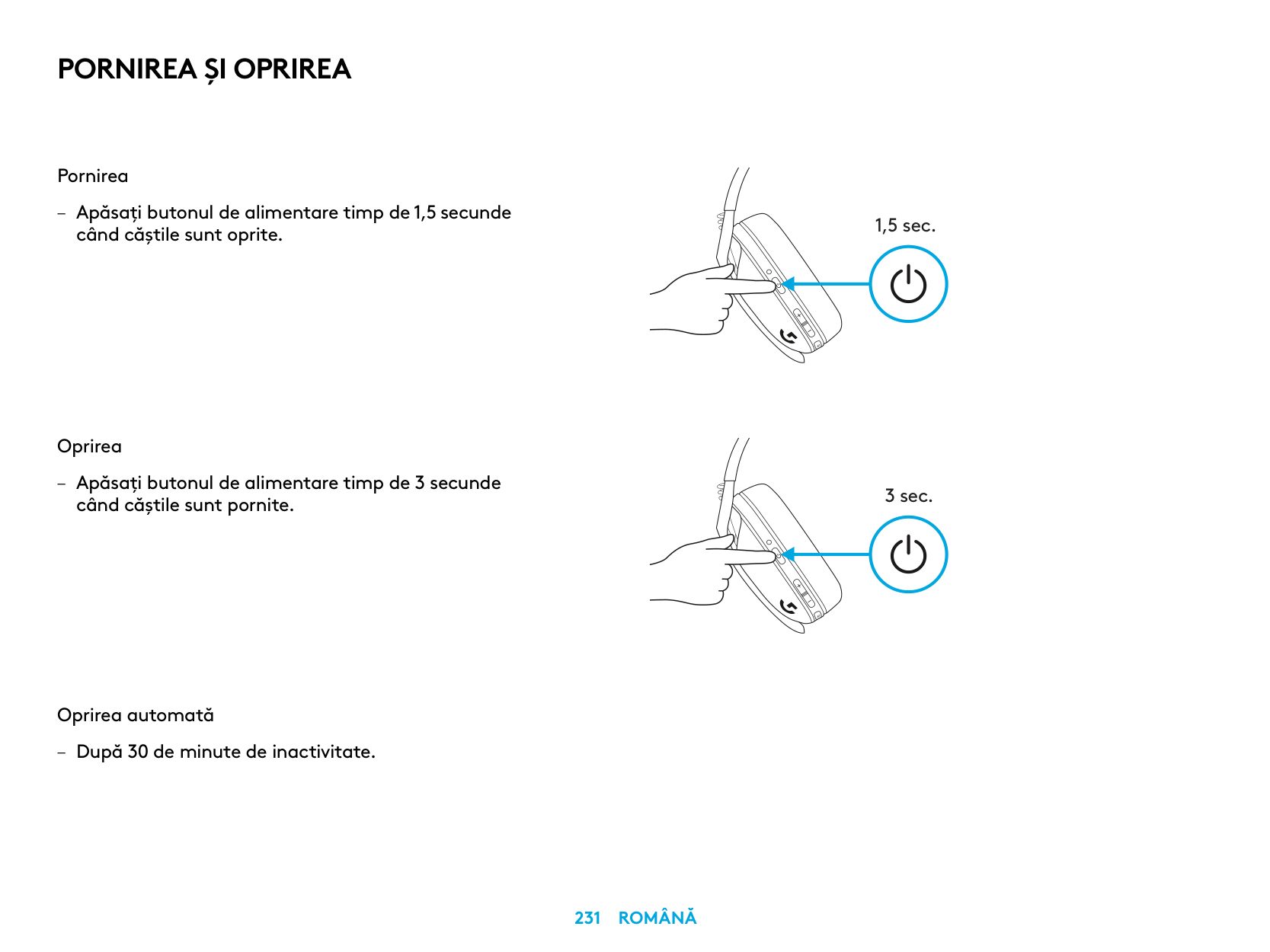
Pornirea
– Apăsaţi butonul de alimentare timp de 1,5 secunde
când căştile sunt oprite
Oprirea
– Apăsaţi butonul de alimentare timp de 3 secunde
când căştile sunt pornite
Oprirea automată
– După 30 de minute de inactivitate
1,5 sec.
3 sec.
DEZACTIVAREA/ACTIVAREA SUNETULUI ŞI VOLUMUL MAXIM
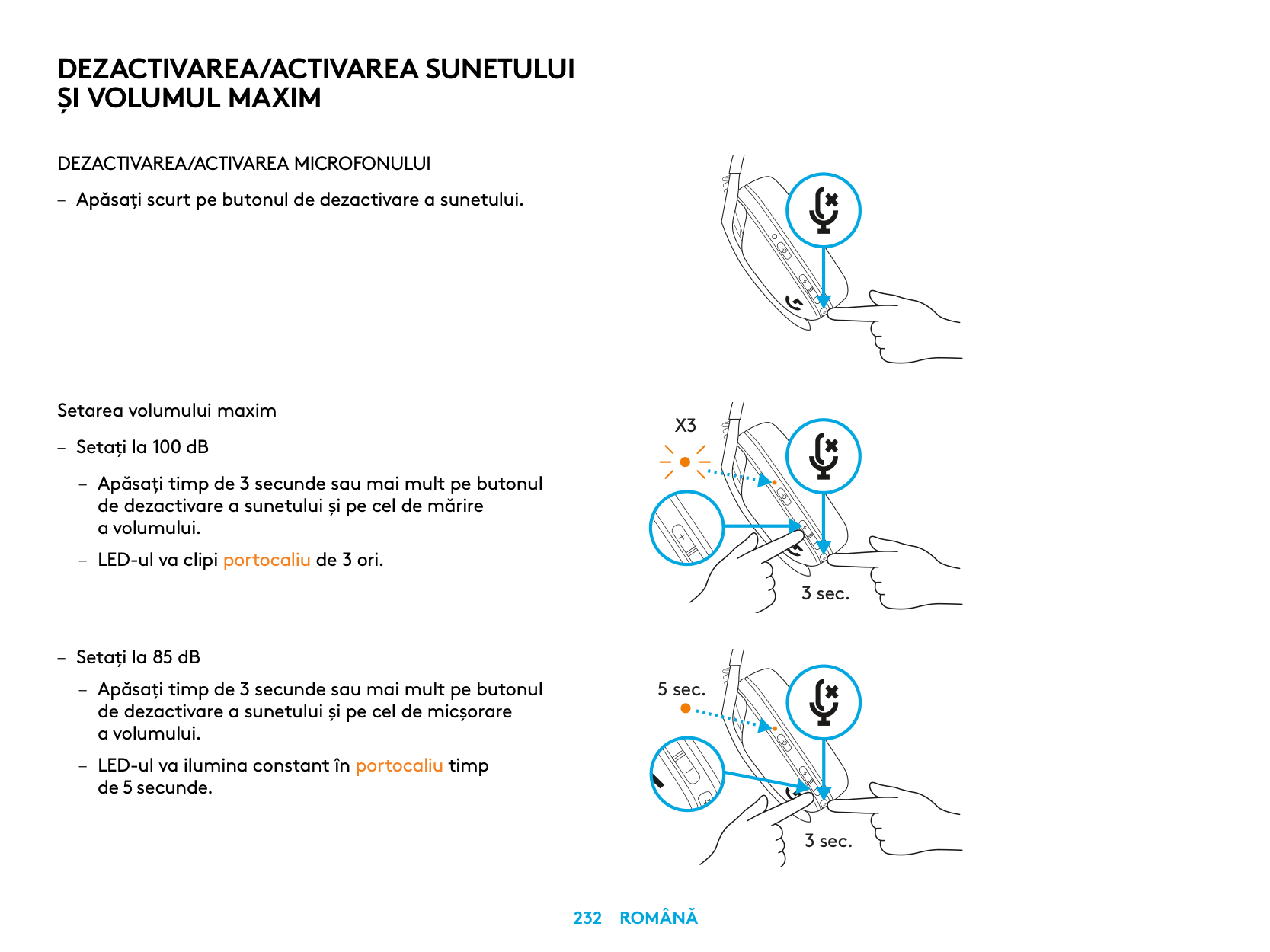
DEZACTIVAREA/ACTIVAREA MICROFONULUI
– Apăsaţi scurt pe butonul de dezactivare a sunetului
Setarea volumului maxim
X3
– Setaţi la 100 dB
3 sec.
– Setaţi la 85 dB
5 sec.
de 5 secunde
3 sec.
VERIFICAREA BATERIEI
– Apăsaţi o singură dată pe butonul de alimentare
când căştile sunt pornite
– Bateria la 31% – 100%: LED-ul se va aprinde
în verde timp de 5 secunde
– Bateria la 15% – 30%: LED-ul se va aprinde
în roşu timp de 5 secunde
– Bateria la <15%: LED-ul va clipi roşu timp
de 5 secunde
5 sec.
5 sec.
5 sec.
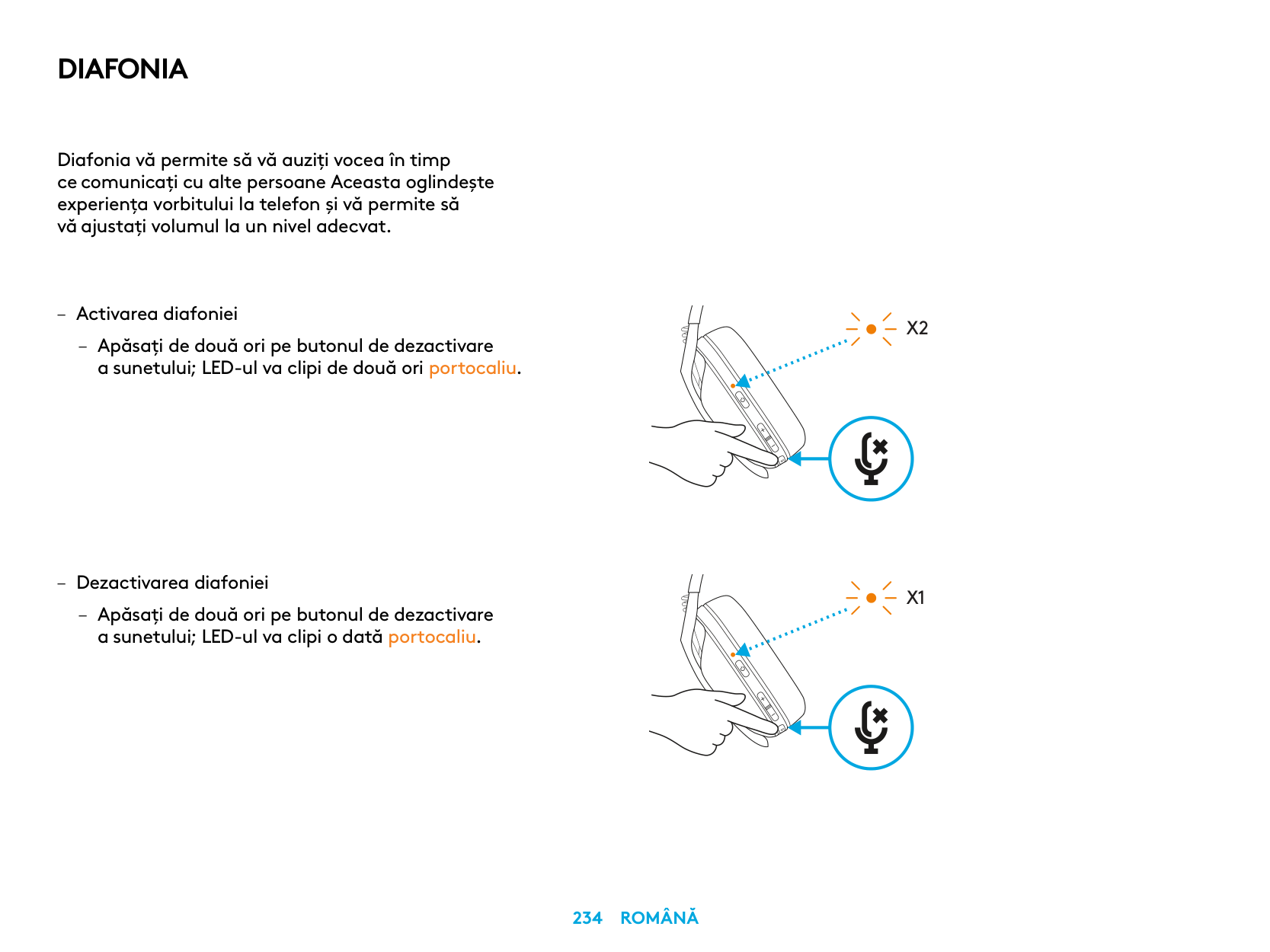
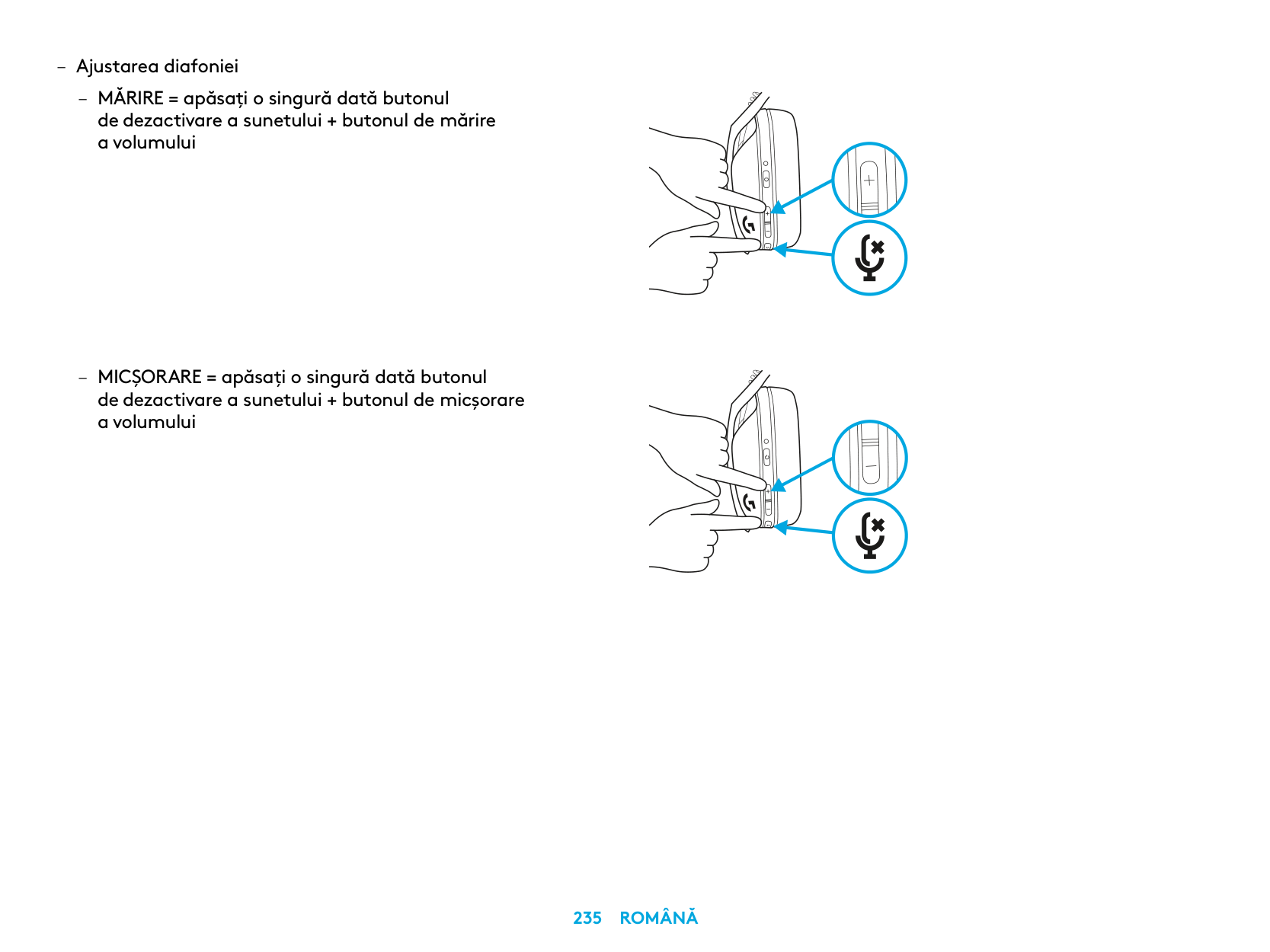
DIAFONIA
Diafonia vă permite să vă auziţi vocea în timp ce comunicaţi cu alte persoane Aceasta oglindeşte experienţa vorbitului la telefon şi vă permite să vă ajustaţi volumul la un nivel adecvat
– Activarea diafoniei
– Apăsaţi de două ori pe butonul de dezactivare
a sunetului; LED-ul va clipi de două ori portocaliu
X2
X1
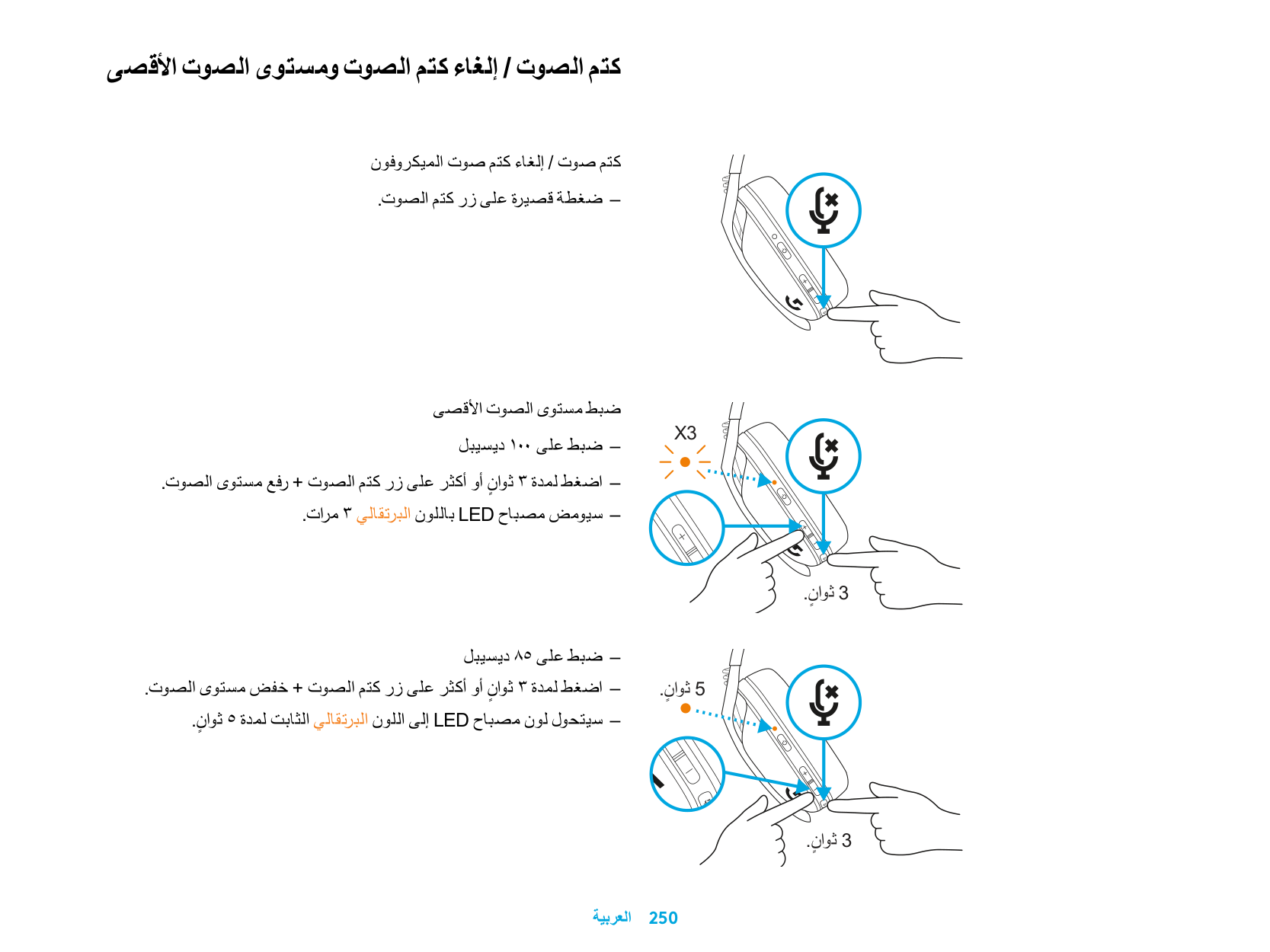
PIESE DE SCHIMB
MOD DE RECICLARE
ELIMINAREA BATERIEI
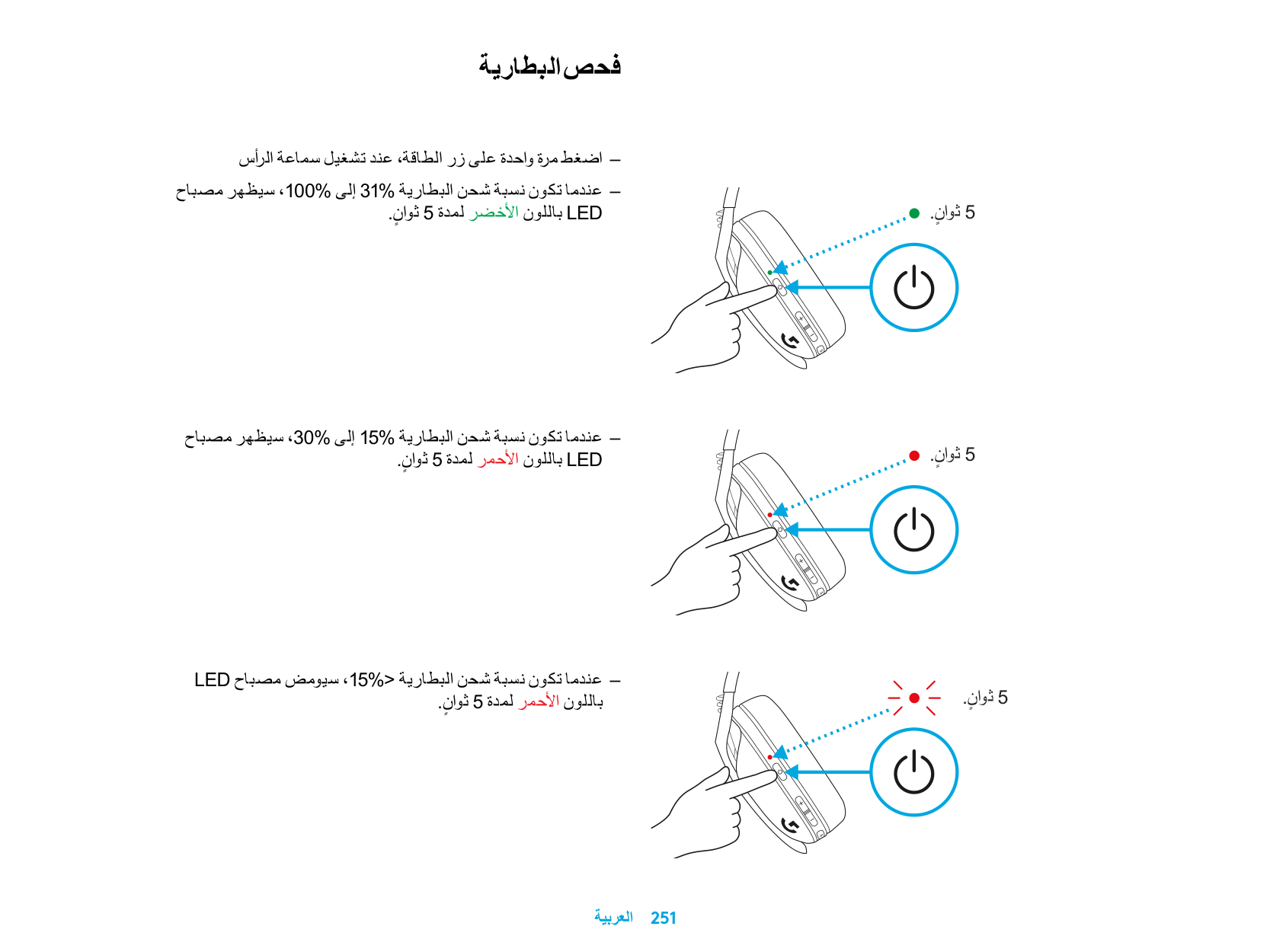
ÎNTREBĂRI?
logitechG.com/support/G435
| | |---|
LIGHTSPEED BAĞLANTISI
LIGHTSPEED Kablosuz Teknolojisi ile bilgisayarınıza, Mac cihazınıza ya da PlayStation 5 veya 4 konsoluna bağlanın.
| | | |---|---|
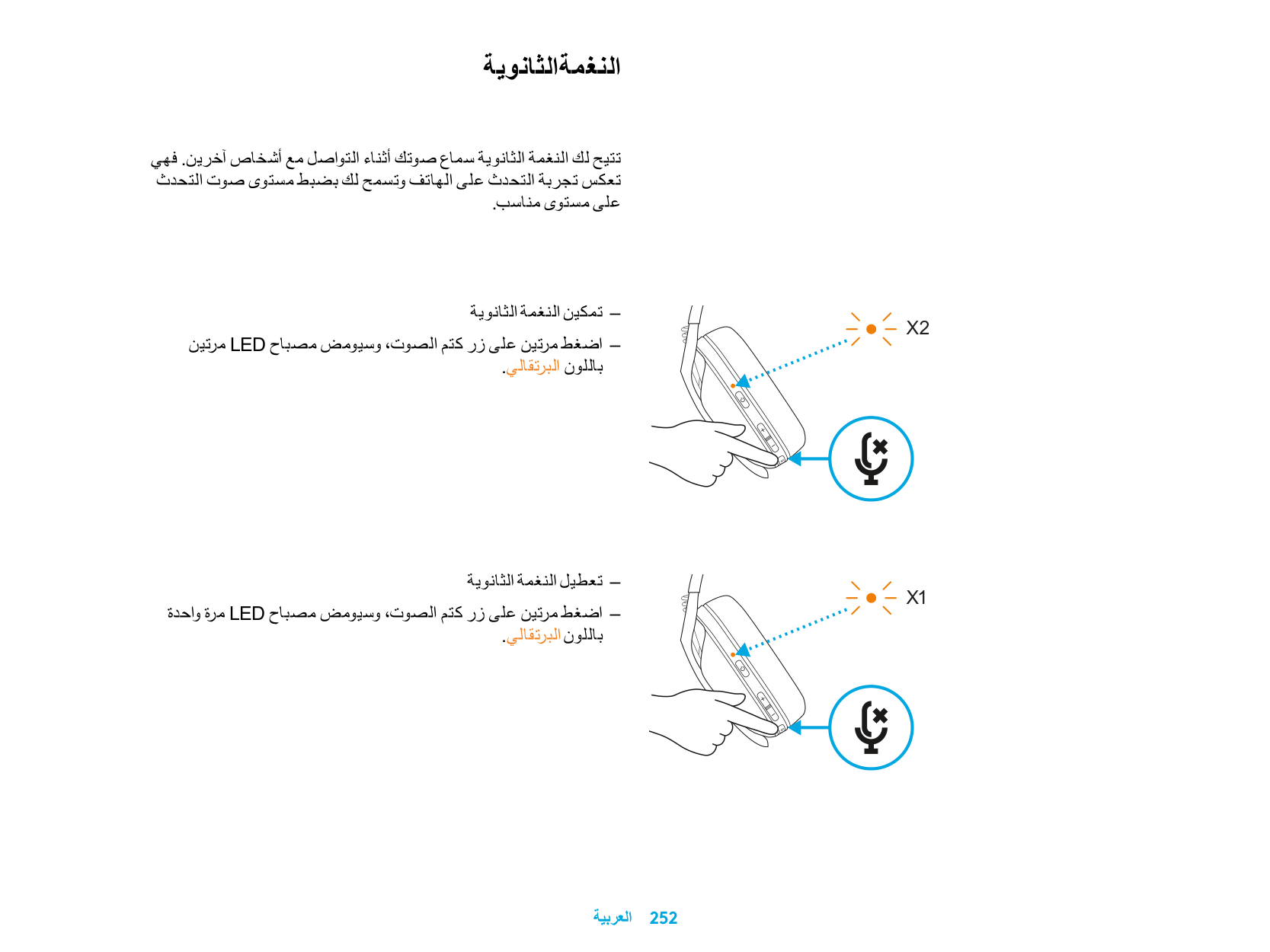
| | | | | |
| | | | |---|---|---| | | | |
| | |---| | |
1,5 sn.
BLUETOOTH BAĞLANTISI
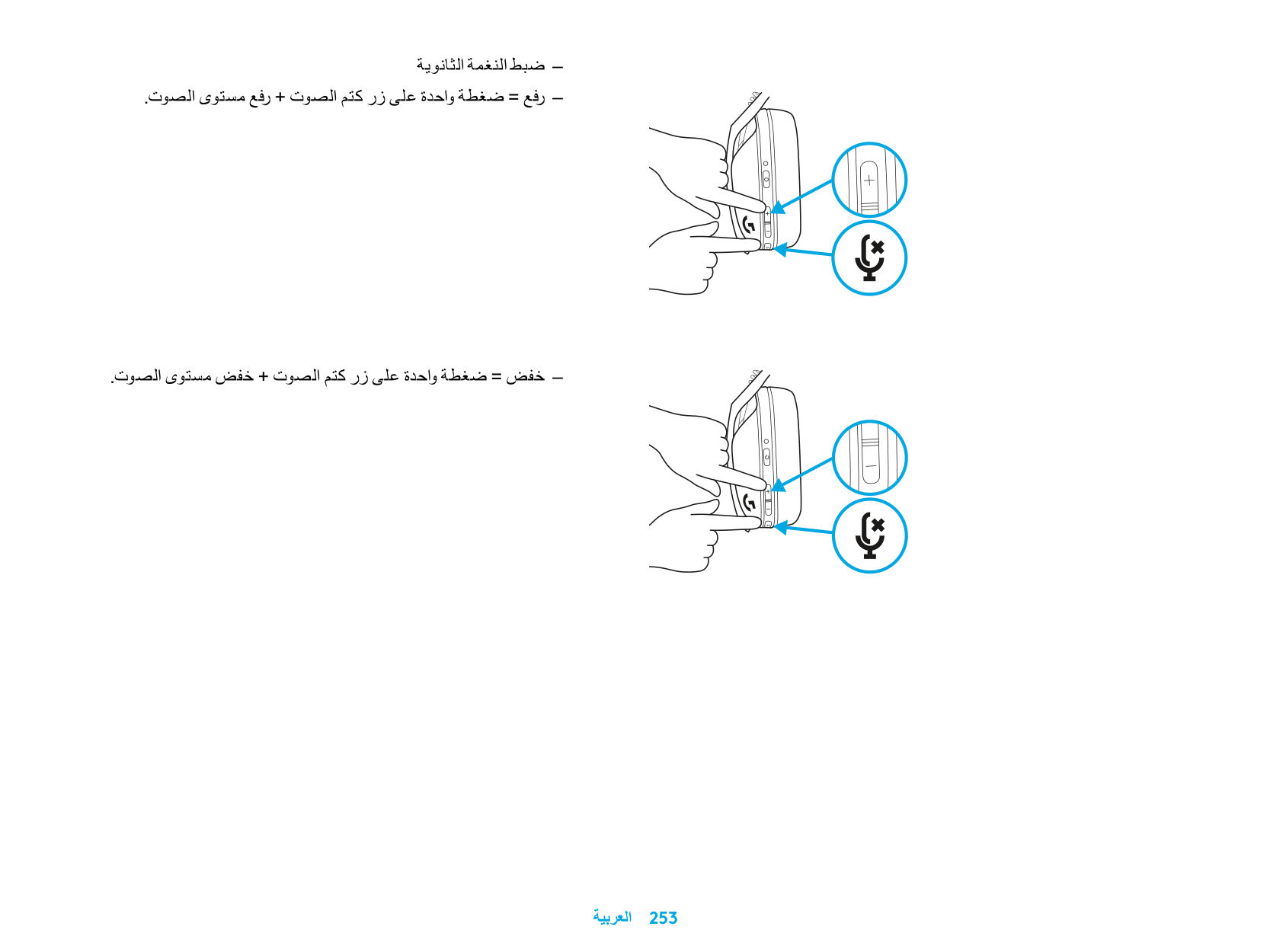
– Güç ve Sesi Kapatma düğmelerini 3 saniye veya
daha uzun süre basılı tutun
– LED ışığı, eşleştirme moduna girdiğinde mavi renkte
yanıp sönecektir
3 sn.
LIGHTSPEED VE BLUETOOTH ARASINDA GEÇIŞ YAPIN
– Sesi Kapatma düğmesini 3 saniye veya daha
uzun süre basılı tutun
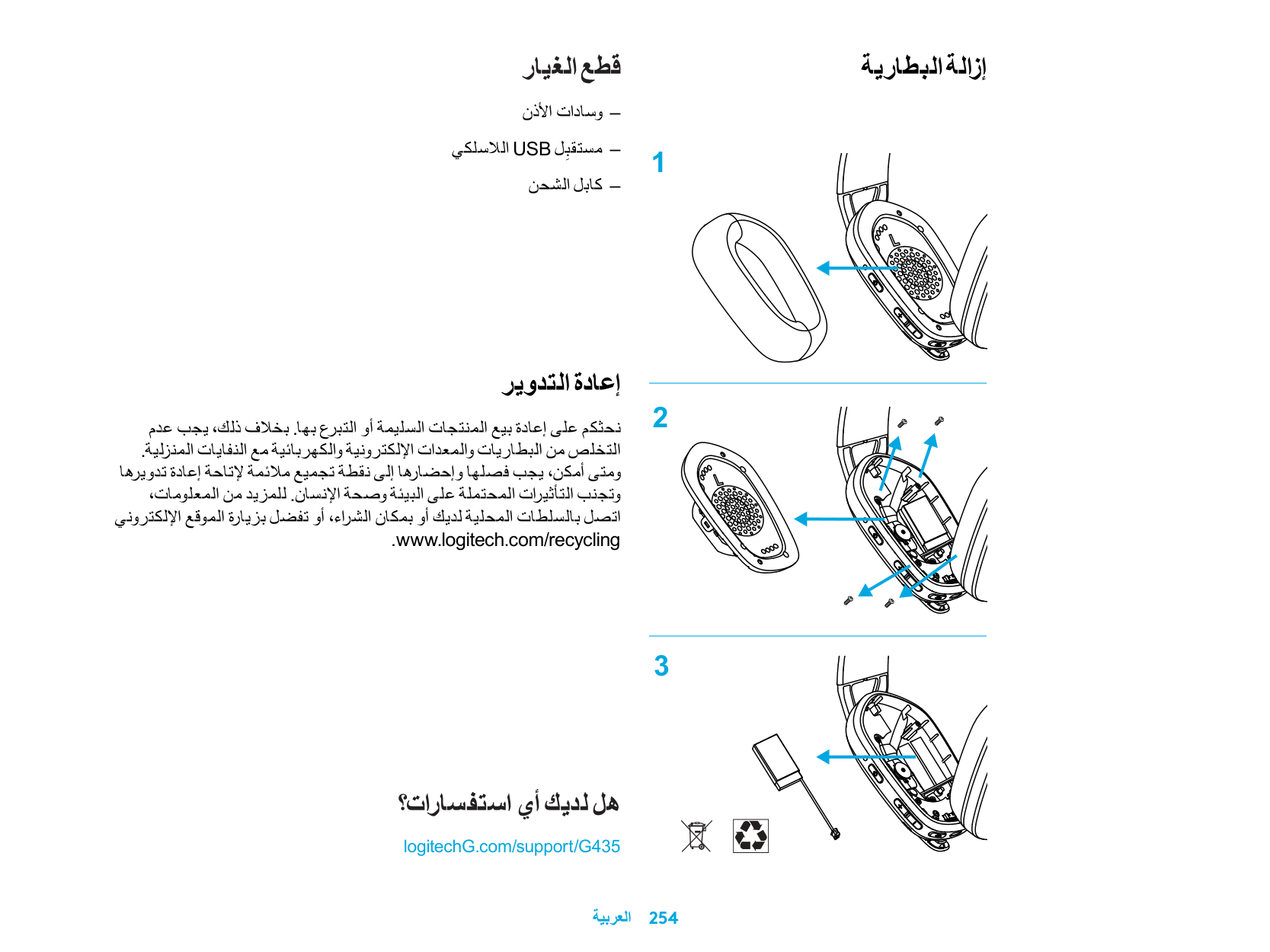
– LIGHTSPEED moduna geçtiğinde LED ışığı,
5 saniye boyunca açık mavi renkte yanacaktır
– Bluetooth moduna geçtiğinde LED ışığı,
5 saniye boyunca mavi renkte yanacaktır
3 sn.
5 sn.
5 sn.
AÇMA VE KAPAMA
AÇMA
– Kulaklık KAPALI durumdayken Güç düğmesini
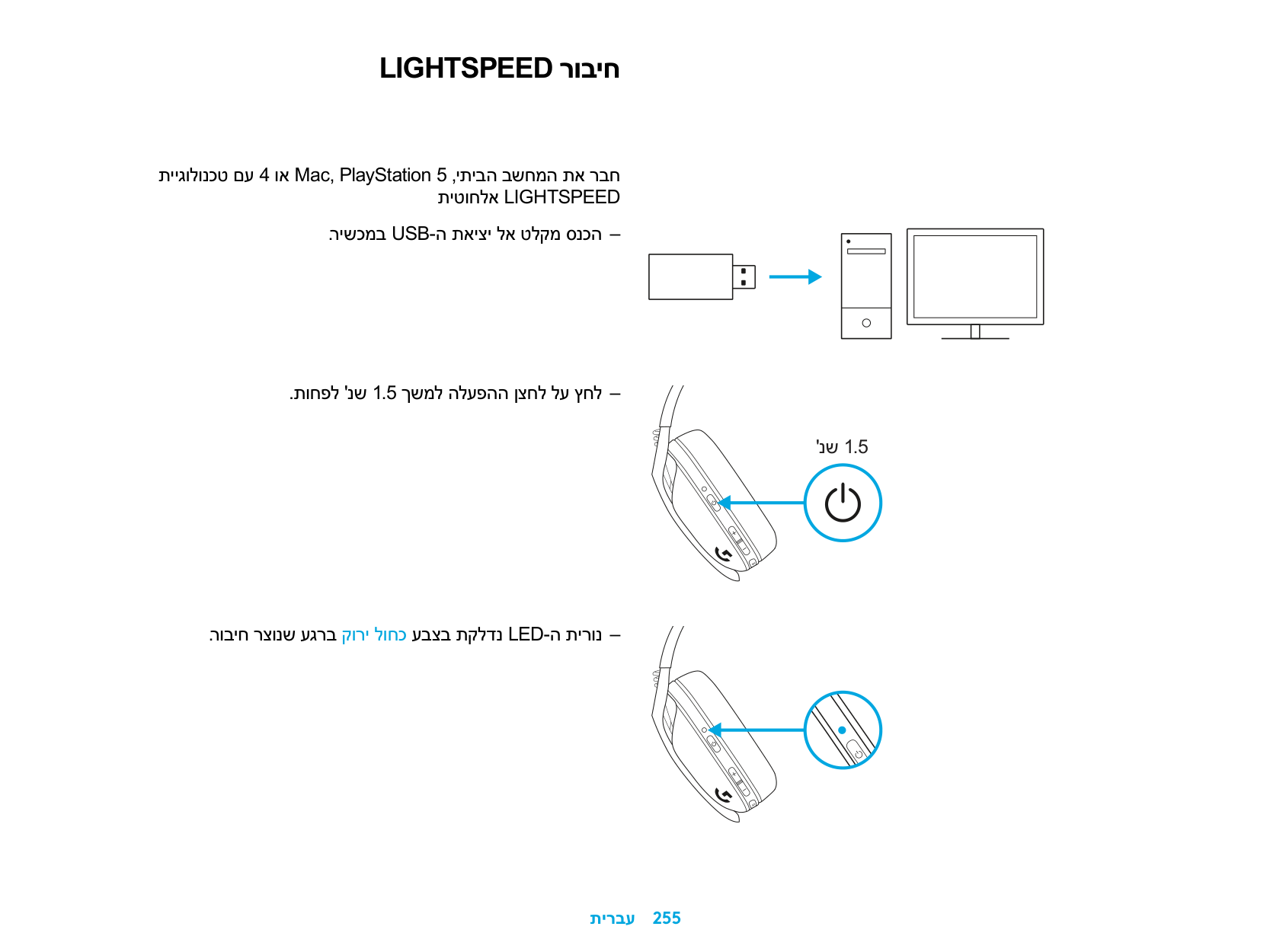
1,5 saniye basılı tutun
KAPAMA
– Kulaklık AÇIK durumdayken Güç düğmesini
3 saniye basılı tutun
Otomatik Kapanma
– 30 dakika boyunca eylem gerçekleştirilmediğinde
1,5 sn.
3 sn.
SESI KAPATMA/AÇMA VE MAKSIMUM SES DÜZEYI
Mikrofonun SESİNİ KAPATMA/AÇMA
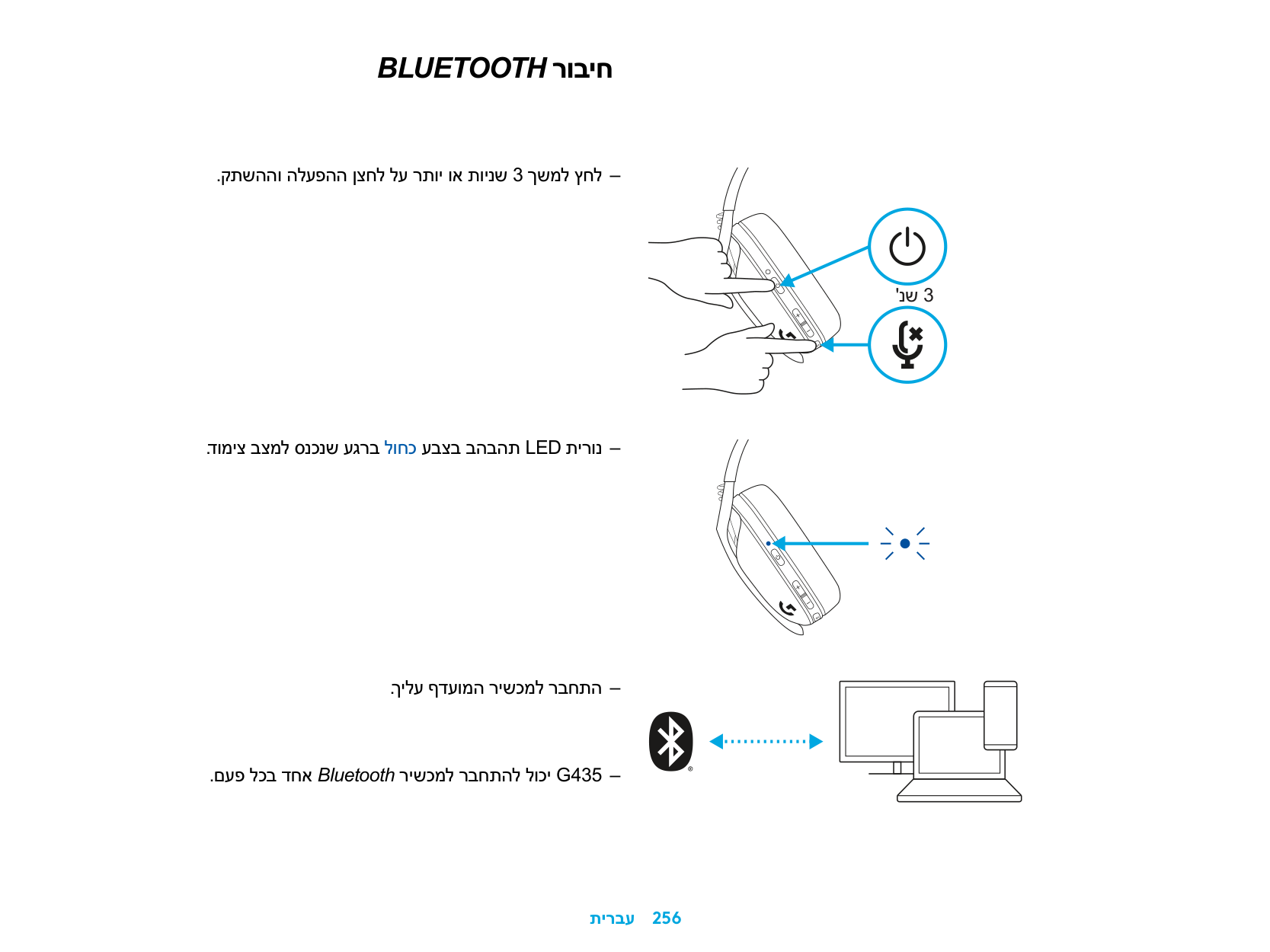
– Sesi Kapatma düğmesine kısa basın
Maksimum Ses Düzeyine Ayarlama
3 kez
– 100 dB’e ayarlama
– Sesi Kapatma ve Ses Düzeyini Artırma düğmelerini
3 saniye veya daha uzun süre basılı tutun
– LED ışığı, turuncu renkte 3 kez yanıp sönecektir
3 sn.
– 85 dB’e ayarlama
– Sesi Kapatma ve Ses Düzeyini Azaltma düğmelerini
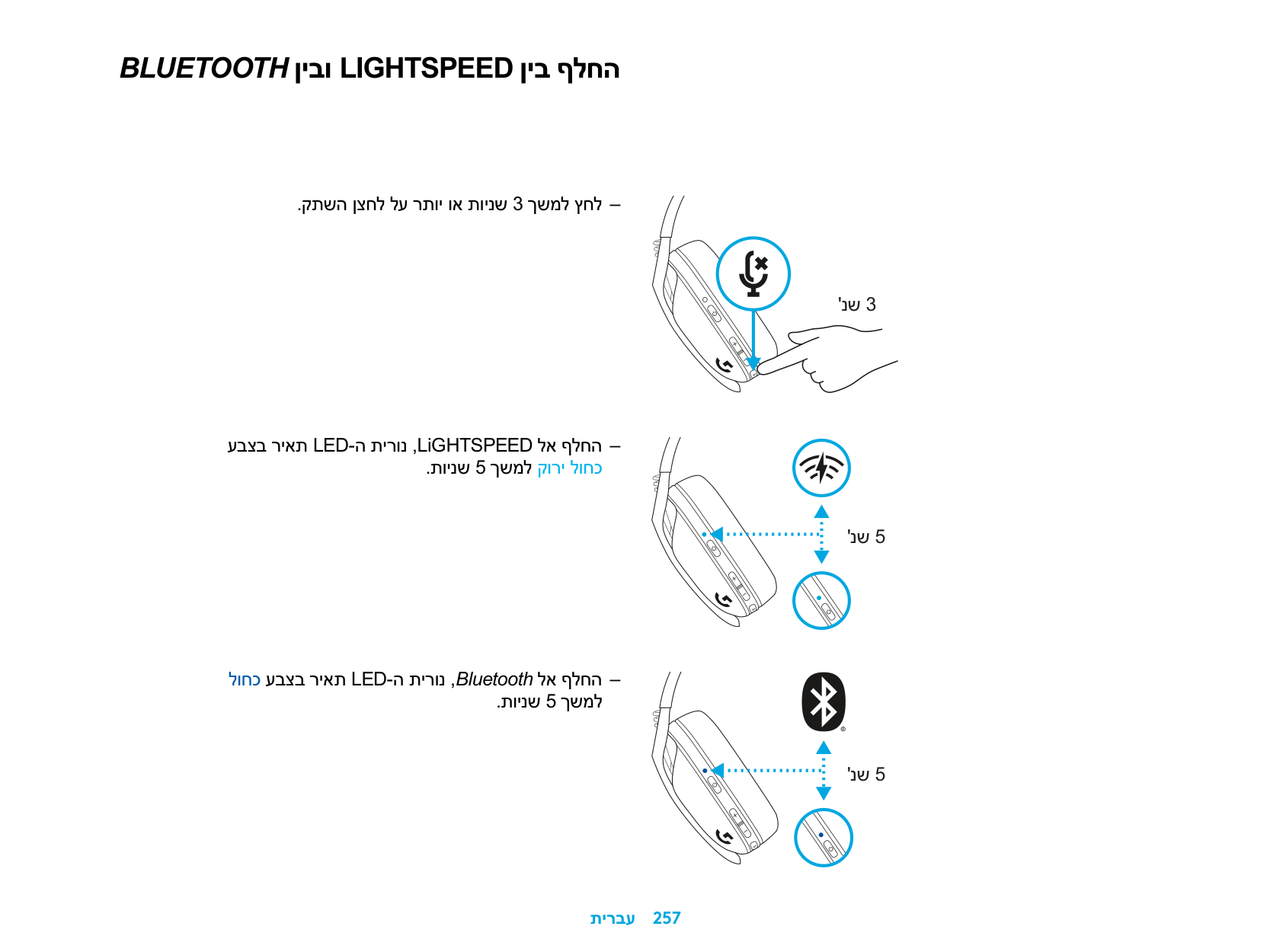
5 sn.
3 saniye veya daha uzun süre basılı tutun
– LED ışığı, 5 saniye boyunca turuncu renkte sabit
şekilde yanacaktır
3 sn.
PIL KONTROLÜ
– Kulaklık AÇIK durumdayken Güç düğmesine bir
kez basın
– LED ışığı, pil seviyesi %31-100 arasındaysa
5 saniye boyunca yeşil renkte yanacaktır
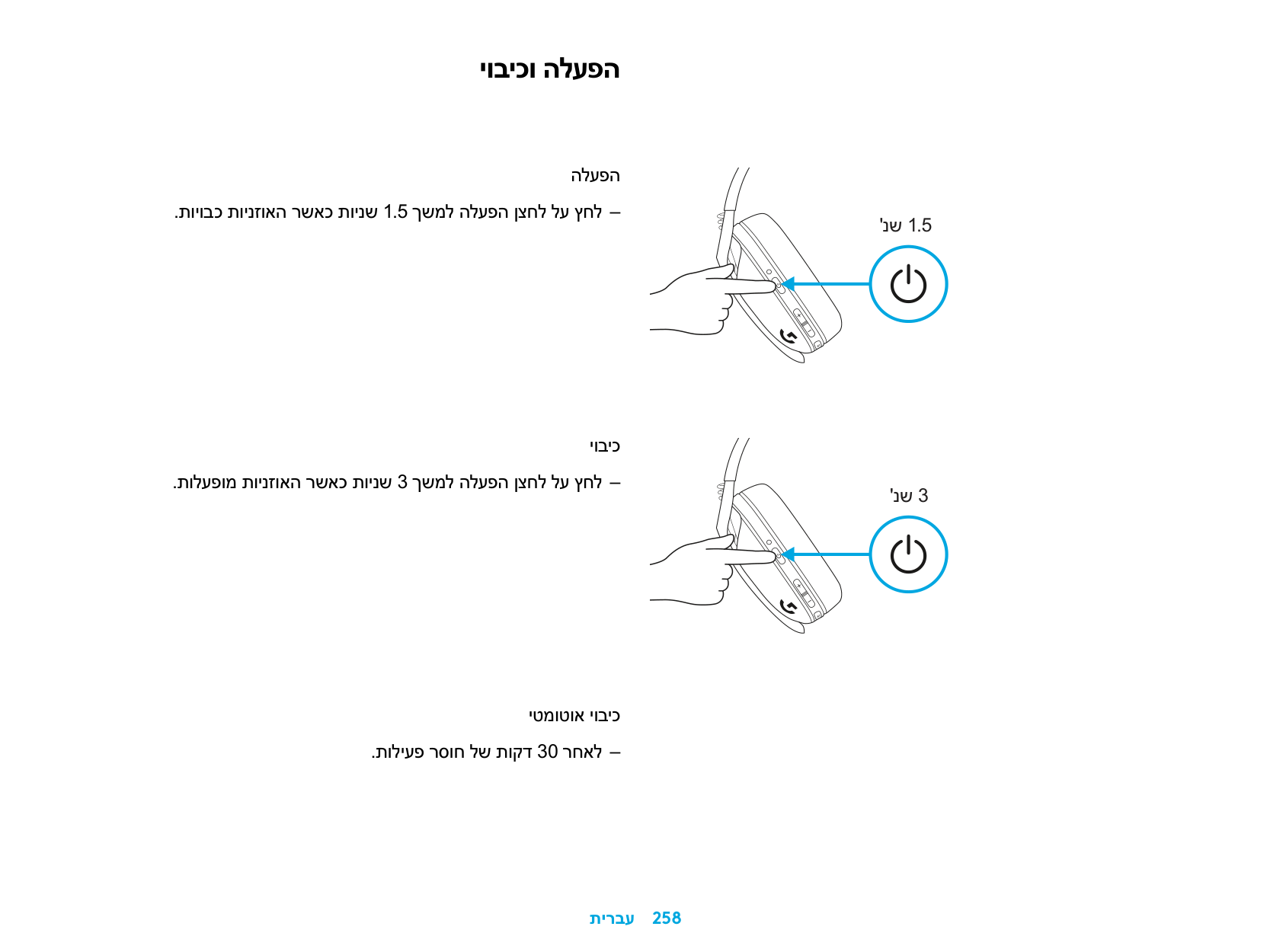
– LED ışığı, pil seviyesi %15-30 arasındaysa 5 saniye
boyunca kırmızı renkte yanacaktır
– LED ışığı, pil seviyesi %15’ten azsa 5 saniye boyunca kırmızı renkte yanıp sönecektir
5 sn.
5 sn.
5 sn.
YAN TON
Yan ton, diğer insanlarla iletişim kurarken kendi sesinizi duymanızı sağlar Telefonda konuşma deneyimini yansıtır ve konuşma ses düzeyini uygun bir seviyeye ayarlamanızı sağlar
– Yan Tonu Etkinleştirme
– Sesi Kapatma düğmesine iki kez bastığınızda
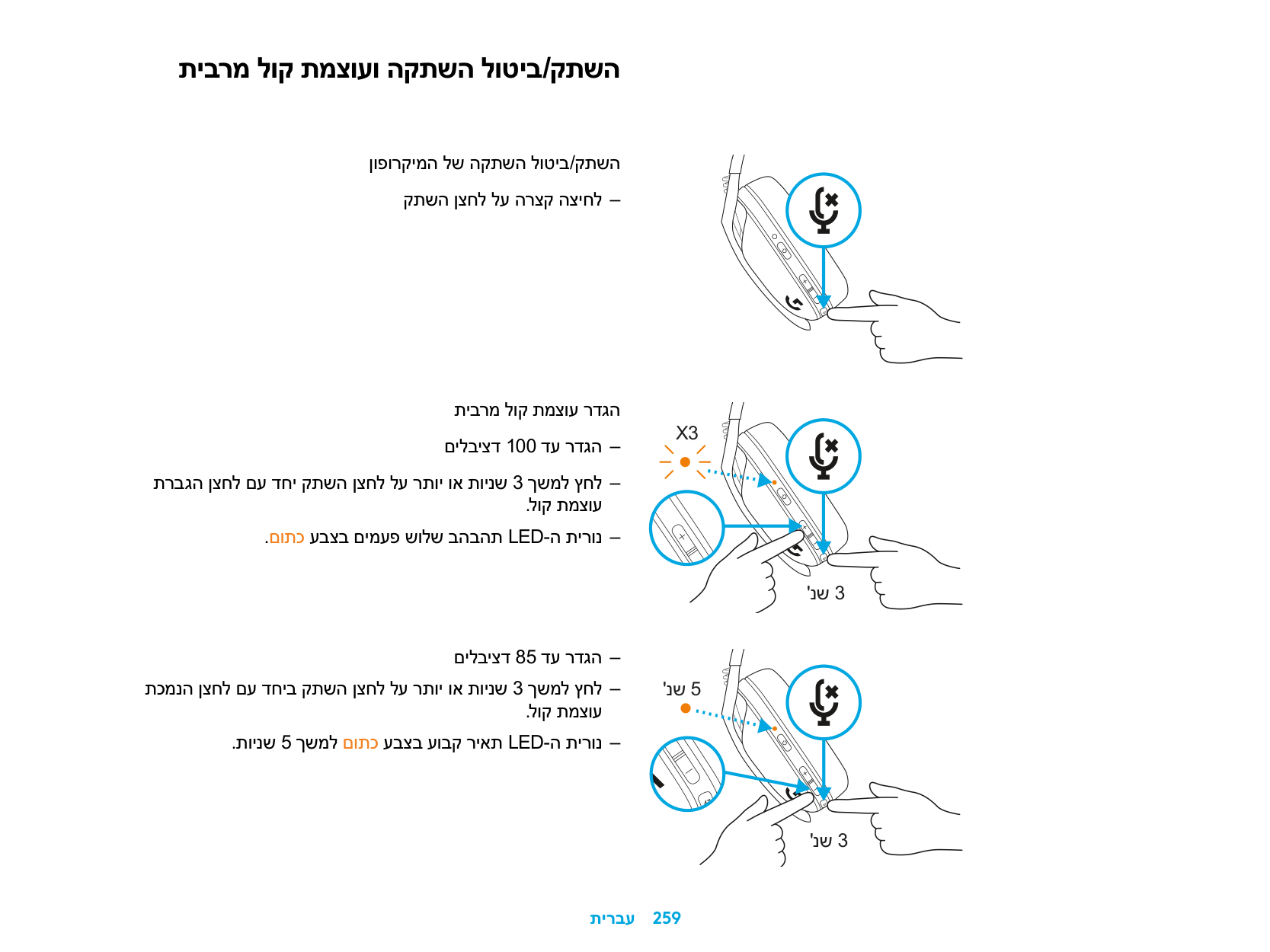
LED ışığı, turuncu renkte iki kez yanıp sönecektir
– Yan Tonu Devre Dışı Bırakma
– Sesi Kapatma düğmesine iki kez bastığınızda
LED ışığı, turuncu renkte bir kez yanıp sönecektir
2 kez
1 kez
– Yan Tonu Ayarlama
– YUKARI = Sesi Kapatma ve Ses Düzeyini Artırma
düğmelerine bir kez basın
– AŞAĞI = Sesi Kapatma ve Ses Düzeyini Azaltma
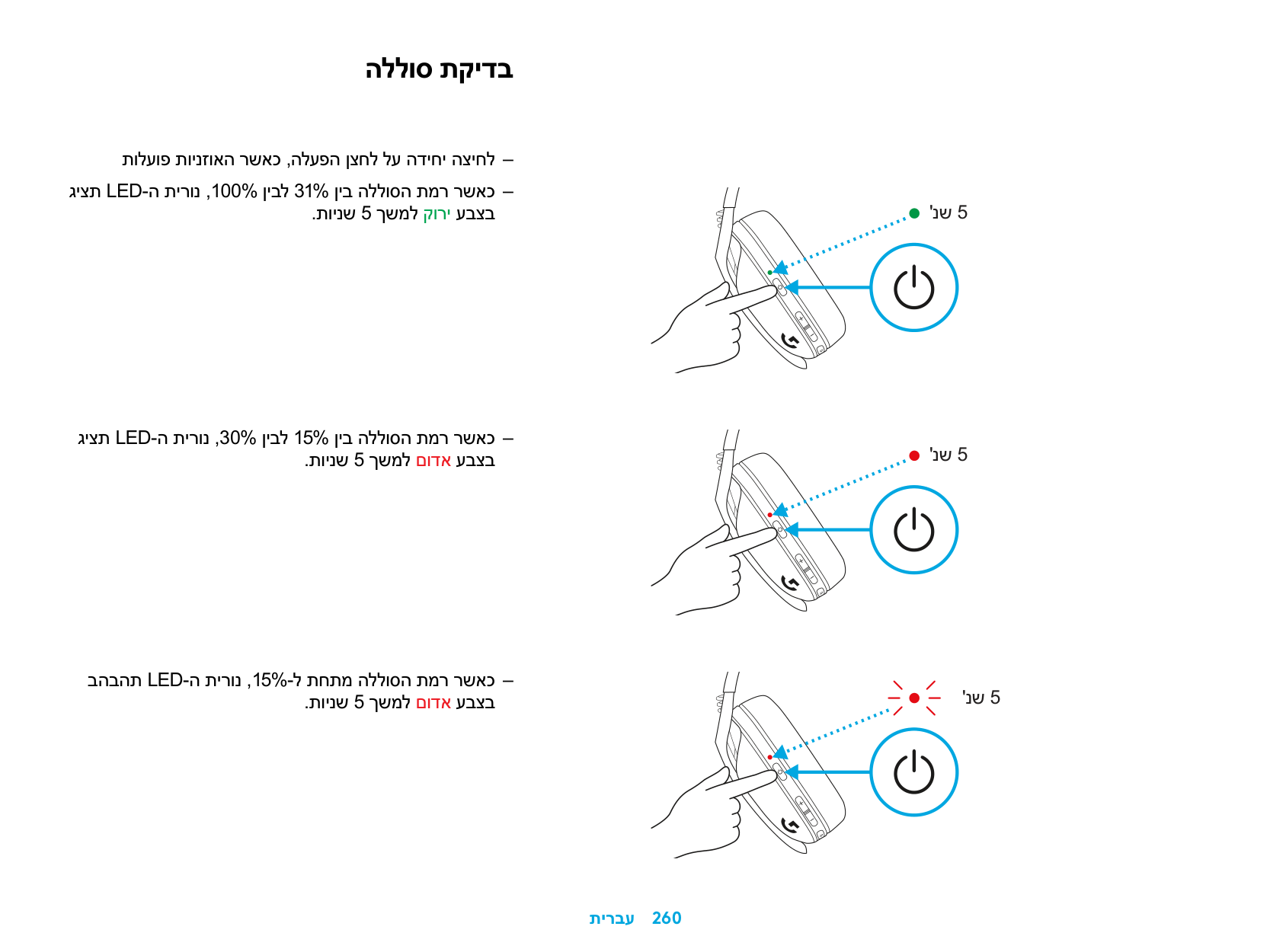
düğmelerine bir kez basın
YEDEK PARÇALAR
– Kulaklık süngerleri – Kablosuz USB Alıcı – Şarj Kablosu
GERI DÖNÜŞÜM
Çalışan ürünleri satmanızı veya bağışlamanızı öneririz. Aksi takdirde, piller, elektronik ve elektrikli ekipmanlar ev atıklarıyla birlikte atılmamalıdır. Mümkünse geri dönüştürülebilmesi ve hem çevre hem de insan sağlığı üzerindeki olası etkilerin önüne geçmek için ayrı tutulmalı ve uygun bir toplama noktasına götürülmelidir. Daha fazla bilgi için bulunduğunuz bölgedeki yetkililere veya ürünü satın aldığınız yere danışın ya da www.logitech.com/recycling adresine gidin
PILIN ÇIKARILMASI
SORUNUZ MU VAR?
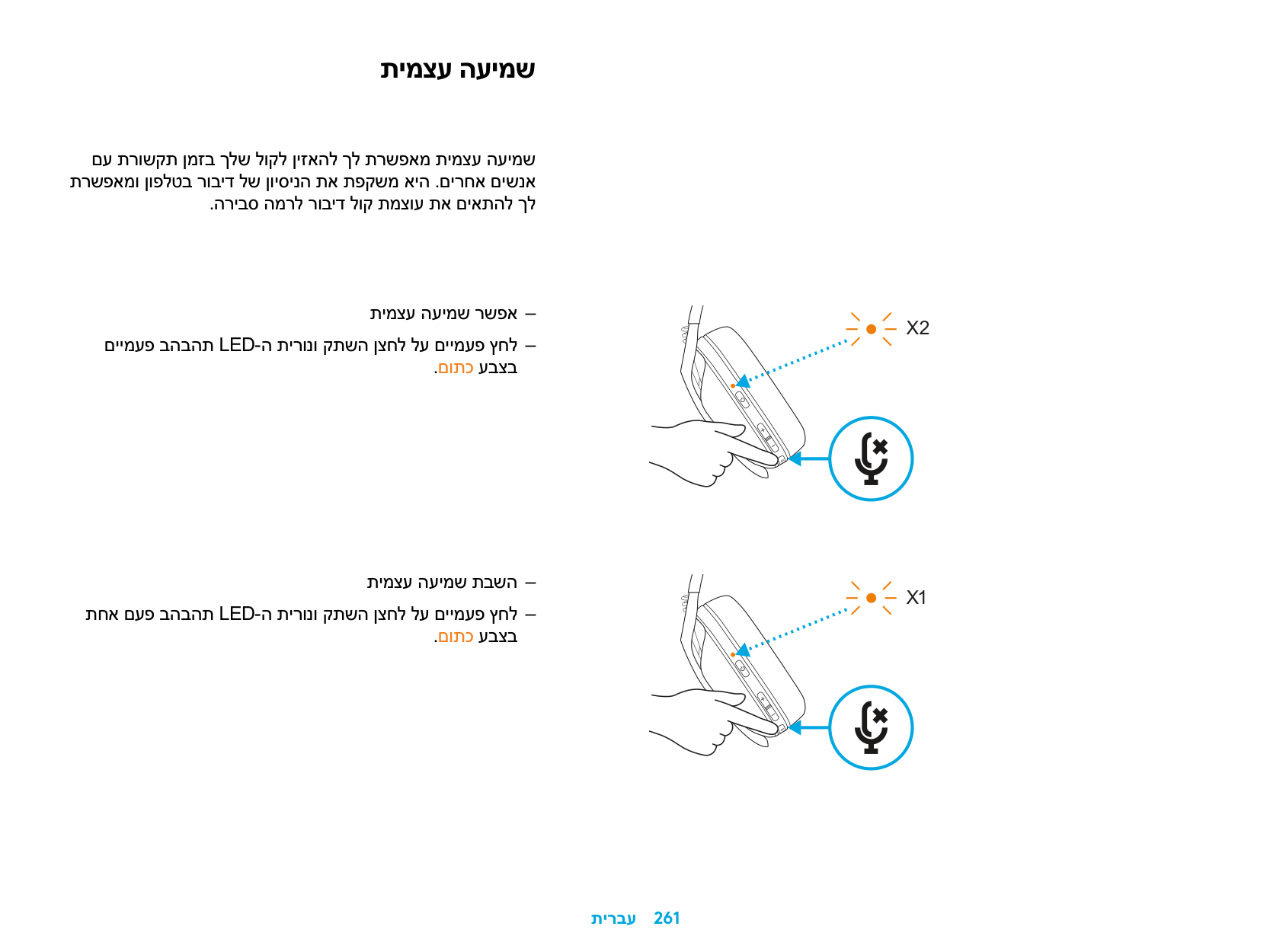
logitechG.com/support/G435
| | |---|
LIGHTSPEED ةينقتب لاصتلاا
PlayStation 4 وأ PlayStation 5 وأ Mac وأ رتويبمكلا زاهجب لاصتلاا كنكمي ةيكلسلالا LIGHTSPEED ةينقت مادختساب
.كزاهجب USB ذفنم يف لبقتسملا لخدأ
.لقلأا ىلع ةيناث 1.5 ةدمل ةقاطلا رز ىلع طغضا
.لاصتلاا روف يوامس ىلإ LED ةشاش نول لوحتي
| | | | |---|---|---| | | | |
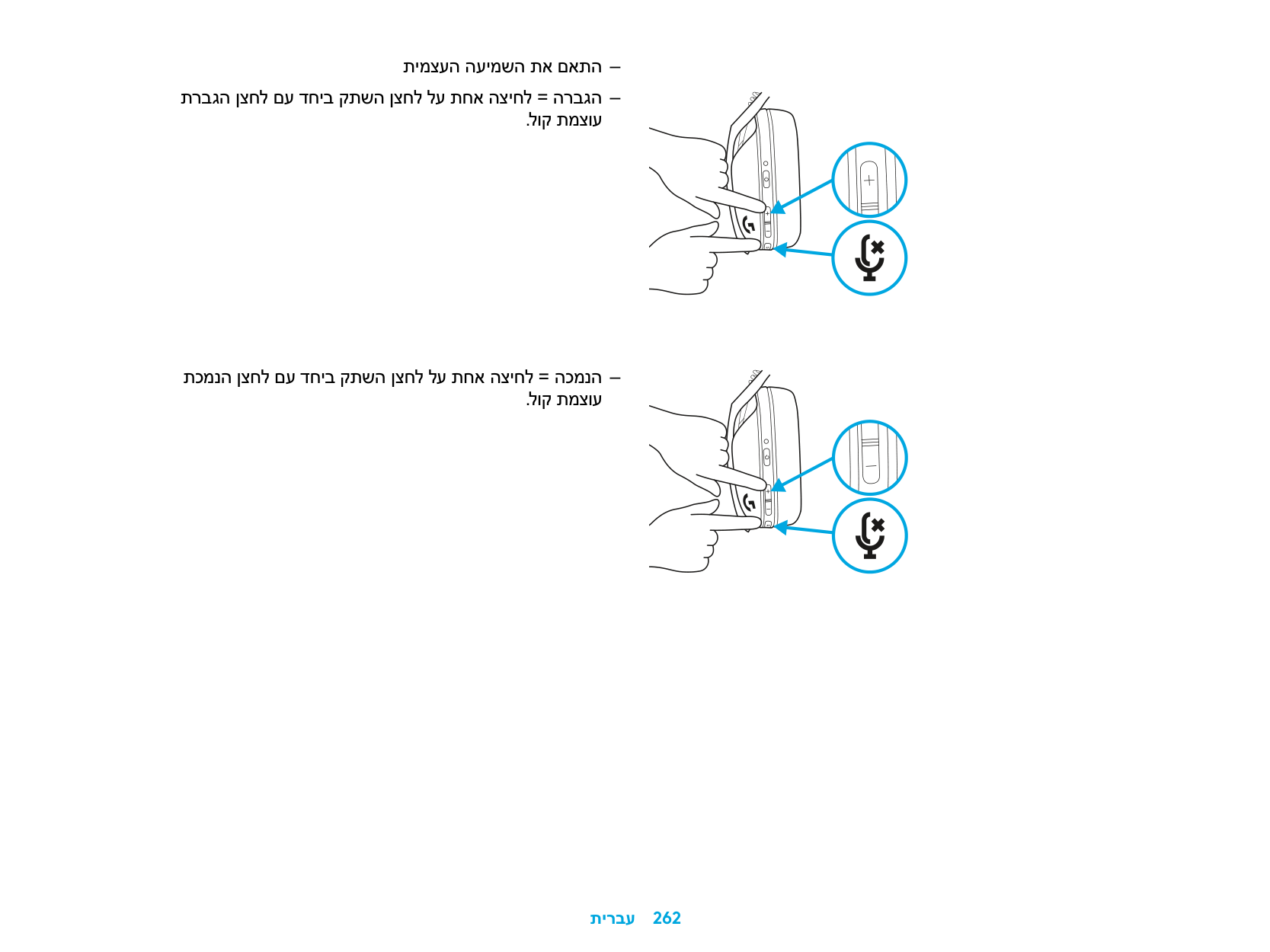
| | |---| | |
| | | |---|---| | | | | | |
.ةيناث 1.5
BLUETOOTH ةينقتب لاصتلاا
.توصلا متكو ةقاطلا رز ىلع رثكأ وأ ٍناوث 3 ةدمل طغضا
.نارقلإا عضو يف لوخدلا دنع قرزلأا نوللاب LED ةشاش ضموتس
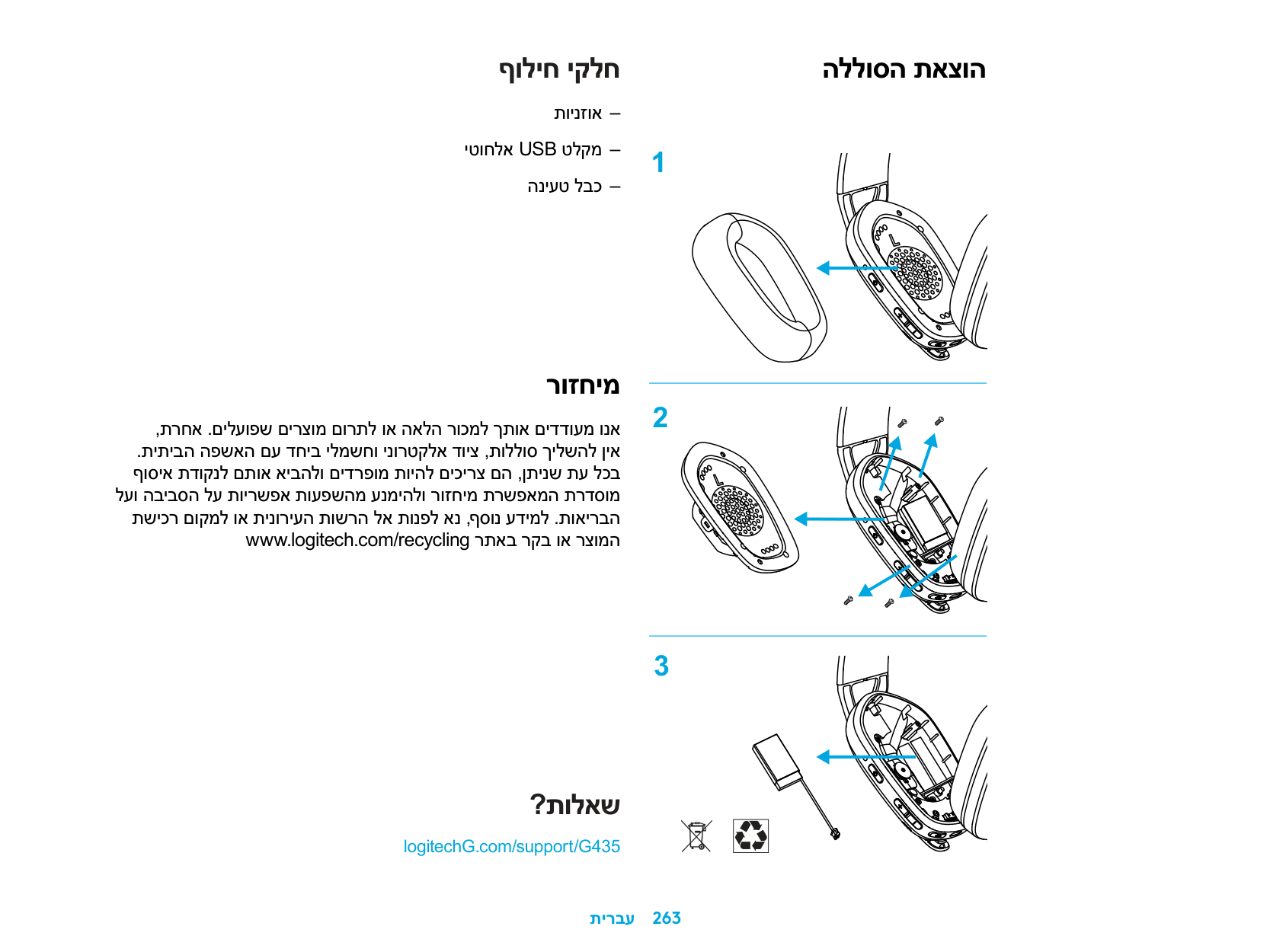
.ٍناو ث 3
.لضفملا كزاهجب ل ِص
.ةدحاولا ةرملا يف دحاو bluetooth زاهجب G435 ليصوت نكمي
ةينقتو LIGHTSPEED ةينقت نيب ليدبتلا BLUETOOTH
.توصلا متك رز ىلع رثكأ وأ ٍناوث 3 ةدمل طغضا
.ٍناو ث 3
نوللاب LED حابصم ءيضيسو ،LIGHTSPEED ةينقت ىلإ لِّدب .ٍناو ث 5 ةدمل يوامسلا
.ٍناو ث 5
قرزلأا نوللاب LED حابصم ءيضيسو ،Bluetooth ةينقت ىلإ لِّدب .ٍناو ث 5 ةدمل
.ٍناو ث 5

ليغشتلا فاقيإو ليغشتلا
ليغشتلا ليغشت فاقيإ دنع ةيناث 1.5 ةدمل ةقاطلا رز ىلع طغضا
.سأرلا ةعامس
ليغشتلا فاقيإ
.سأرلا ةعامس ليغشت دنع ٍناوث 3 ةدمل ةقاطلا رز ىلع طغضا
.ةيناث 1.5
.ٍناو ث 3
يئاقلتلا ليغشتلا فاقيإ
.طاشنلا مدع نم ةقيقد 30 دعب
ىصقلأا توصلا ىوتسمو توصلا متك ءاغلإ / توصلا متك
نوفوركيملا توص متك ءاغلإ / توص متك
.توصلا متك رز ىلع ةريصق ةطغض
ىصقلأا توصلا ىوتسم طبض لبيسيد 100 ىلع طبض
X3
.توصلا ىوتسم عفر + توصلا متك رز ىلع رثكأ وأ ٍناوث 3 ةدمل طغضا .تار م 3 يلاقتربلا نوللاب LED حابصم ضمويس
.ٍناو ث 3
لبيسيد 85 ىلع طبض .توصلا ىوتسم ضفخ + توصلا متك رز ىلع رثكأ وأ ٍناوث 3 ةدمل طغضا .ٍناو ث 5 ةدمل تباثلايلاقتربلانوللا ىلإ LED حابصم نول لوحتيس
.ٍناو ث 5
.ٍناو ث 3
ةيراطبلا صحف
سأرلا ةعامس ليغشت دنع ،ةقاطلا رز ىلع ةدحاو ةرم طغضا حابصم رهظيس ،100% ىلإ 31% ةيراطبلا نحش ةبسن نوكت امدنع .ٍناو ث 5 ةدمل رضخلأا نوللاب LED
حابصم رهظيس ،30% ىلإ 15% ةيراطبلا نحش ةبسن نوكت امدنع .ٍناو ث 5 ةدمل رمحلأا نوللاب LED
LED حابصم ضمويس ،15%< ةيراطبلا نحش ةبسن نوكت امدنع .ٍناو ث 5 ةدمل رمحلأا نوللاب
.ٍناو ث 5
.ٍناو ث 5
.ٍناو ث 5
ةيوناثل اةمغنلا
يهف .نيرخآ صاخشأ عم لصاوتلا ءانثأ كتوص عامس ةيوناثلا ةمغنلا كل حيتت ثدحتلا توص ىوتسم طبضب كل حمستو فتاهلا ىلع ثدحتلا ةبرجت سكعت .بسانم ىوتسم ىلع
ةيوناثلا ةمغنلا نيكمت نيترم LED حابصم ضمويسو ،توصلا متك رز ىلع نيترم طغضا
.يلاقتربلا نوللاب
ةيوناثلا ةمغنلا ليطعت ةدحاو ةرم LED حابصم ضمويسو ،توصلا متك رز ىلع نيترم طغضا
.يلاقتربلانوللاب
X2
X1
ةيوناثلا ةمغنلا طبض .توصلا ىوتسم عفر + توصلا متك رز ىلع ةدحاو ةطغض = عفر
.توصلا ىوتسم ضفخ + توصلا متك رز ىلع ةدحاو ةطغض = ضفخ
رايغلا عطق
نذلأا تاداسو يكلسلالا USB لِبقتسم نحشلا لباك
ريودتلا ةداعإ
مدع بجي ،كلذ فلاخب .اهب عربتلا وأ ةميلسلا تاجتنملا عيب ةداعإ ىلع مكثحن .ةيلزنملا تايافنلا عم ةيئابرهكلاو ةينورتكللإا تادعملاو تايراطبلا نم صلختلا اهريودت ةداعإ ةحاتلإ ةمئلام عيمجت ةطقن ىلإ اهراضحإو اهلصف بجي ،نكمأ ىتمو ،تامولعملا نم ديزملل .ناسنلإا ةحصو ةئيبلا ىلع ةلمتحملا تاريثأتلا بنجتو ينورتكللإا عقوملا ةرايزب لضفت وأ ،ءارشلا ناكمب وأ كيدل ةيلحملا تاطلسلاب لصتا .www.logitech.com/recycling
ةيراطبلا ةلازإ
؟تاراسفتسا يأ كيدل له
logitechG.com/support/G435
| | |---|
LIGHTSPEED רוביח
תייגולונכט םע 4 וא Mac, PlayStation 5 ,יתיבה בשחמה תא רבח תיטוחלא LIGHTSPEED
.רישכמב USB-ה תאיצי לא טלקמ סנכה
.תוחפל 'נש 1.5 ךשמל הלעפהה ןצחל לע ץחל
.רוביח רצונש עגרב קורי לוחכ עבצב תקלדנ LED-ה תירונ
| | | | |---|---|---| | | | |
| | |---| | |
| | | |---|---| | | | | | |
'נש 1.5
BLUETOOTH רוביח
.קתשההו הלעפהה ןצחל לע רתוי וא תוינש 3 ךשמל ץחל
.דומיצ בצמל סנכנש עגרב לוחכ עבצב בהבהת LED תירונ
'נש 3
.ךילע ףדעומה רישכמל רבחתה
.םעפ לכב דחא Bluetooth רישכמל רבחתהל לוכי G435
BLUETOOTH ןיבו LIGHTSPEED ןיב ףלחה
.קתשה ןצחל לע רתוי וא תוינש 3 ךשמל ץחל
'נש 3
עבצב ריאת LED-ה תירונ ,LiGHTSPEED לא ףלחה .תוינש 5 ךשמל קורי לוחכ
'נש 5
לוחכ עבצב ריאת LED-ה תירונ ,Bluetooth לא ףלחה .תוינש 5 ךשמל
'נש 5
יוביכו הלעפה
הלעפה
.תויובכ תוינזואה רשאכ תוינש 1.5 ךשמל הלעפה ןצחל לע ץחל
יוביכ
.תולעפומ תוינזואה רשאכ תוינש 3 ךשמל הלעפה ןצחל לע ץחל
'נש 1.5
'נש 3
יטמוטוא יוביכ
.תוליעפ רסוח לש תוקד 30 רחאל
תיברמ לוק תמצועו הקתשה לוטיב/קתשה
ןופורקימה לש הקתשה לוטיב/קתשה קתשה ןצחל לע הרצק הציחל
תיברמ לוק תמצוע רדגה םילביצד 100 דע רדגה
X3
תרבגה ןצחל םע דחי קתשה ןצחל לע רתוי וא תוינש 3 ךשמל ץחל .לוק תמצוע
.םותכ עבצב םימעפ שולש בהבהת LED-ה תירונ
'נש 3
םילביצד 85 דע רדגה תכמנה ןצחל םע דחיב קתשה ןצחל לע רתוי וא תוינש 3 ךשמל ץחל .לוק תמצוע .תוינש 5 ךשמל םותכ עבצב עובק ריאת LED-ה תירונ
'נש 5
'נש 3
הללוס תקידב
תולעופ תוינזואה רשאכ ,הלעפה ןצחל לע הדיחי הציחל גיצת LED-ה תירונ ,100% ןיבל 31% ןיב הללוסה תמר רשאכ
.תוינש 5 ךשמל קורי עבצב
גיצת LED-ה תירונ ,30% ןיבל 15% ןיב הללוסה תמר רשאכ .תוינש 5 ךשמל םודא עבצב
בהבהת LED-ה תירונ ,15%-ל תחתמ הללוסה תמר רשאכ .תוינש 5 ךשמל םודא עבצב
'נש 5
'נש 5
'נש 5
תימצע העימש
םע תרושקת ןמזב ךלש לוקל ןיזאהל ךל תרשפאמ תימצע העימש תרשפאמו ןופלטב רוביד לש ןויסינה תא תפקשמ איה .םירחא םישנא .הריבס המרל רוביד לוק תמצוע תא םיאתהל ךל
תימצע העימש רשפא םיימעפ בהבהת LED-ה תירונו קתשה ןצחל לע םיימעפ ץחל .םותכ עבצב
תימצע העימש תבשה תחא םעפ בהבהת LED-ה תירונו קתשה ןצחל לע םיימעפ ץחל .םותכ עבצב
X2
X1
תימצעה העימשה תא םאתה תרבגה ןצחל םע דחיב קתשה ןצחל לע תחא הציחל = הרבגה .לוק תמצוע
תכמנה ןצחל םע דחיב קתשה ןצחל לע תחא הציחל = הכמנה .לוק תמצוע
ףוליח יקלח
תוינזוא יטוחלא USB טלקמ הניעט לבכ
רוזחימ
,תרחא .םילעופש םירצומ םורתל וא האלה רוכמל ךתוא םידדועמ ונא .תיתיבה הפשאה םע דחיב ילמשחו ינורטקלא דויצ ,תוללוס ךילשהל ןיא ףוסיא תדוקנל םתוא איבהלו םידרפומ תויהל םיכירצ םה ,ןתינש תע לכב
לעו הביבסה לע תוירשפא תועפשהמ ענמיהלו רוזחימ תרשפאמה תרדסומ תשיכר םוקמל וא תינוריעה תושרה לא תונפל אנ ,ףסונ עדימל .תואירבה www.logitech.com/recycling רתאב רקב וא רצומה
הללוסה תאצוה
?תולאש
logitechG.com/support/G435
| | |---|
©2021 Logitech Logitech, Logitech G, Logi and their respective logos are trademarks or registered trademarks of Logitech Europe S A and/or its affiliates in the U S and other countries All other trademarks are the property of their respective owners Logitech assumes no responsibility for any errors that may appear in this manual Information contained herein is subject to change without notice
###### WEB-621-002086 002