
Ask AI
— answers from the official manualAnswers from the official manual.
Common questions
Common Questions
10 totalWhat fuse ratings are required for the 8508A power input?
The power input fuse (F1) must be a Time delay HBC (High Breaking Capacity) fuse rated at 1.25 A at 250V, IEC 127 (UL/CSA) standard. The rear input current fuse (F2) must be a Fast acting HBC fuse rated at 1.6 A at 250V. Only use fuses with the specified amperage, interrupt, voltage, and speed ratings.
What are the maximum power supply ratings for the 8508A?
The power input is rated at 80 VA maximum and operates at 50-60 Hz. The instrument is available in either 100V to 120V supply version (8508A/01 115) or 200V to 240V supply version (8508A/01 240). The mains power service must be rated for 16 A, and if internally fused, a 10 A fuse must be fitted in the power cable plug.
What should I do before moving or cleaning the Multimeter?
First disconnect the Multimeter from all signal sources, then from the AC line power before moving or cleaning. Use only a damp, lint-free cloth to clean fascia and case parts. Do not remove the cover until the test leads are removed and after the mains power cord has been disconnected.
What is the warranty period for the Fluke 8508A Reference Multimeter?
The warranty period is one year and begins on the date of shipment. Parts, product repairs, and services are warranted for 90 days. The warranty extends only to the original buyer or end-user customer of a Fluke authorized reseller and does not apply to fuses, disposable batteries, or products that have been misused, altered, neglected, or damaged.
How do I change the power supply voltage or replace the line fuse?
Insert a small screwdriver blade in the narrow recess above the catch over the fuse drawer to gain access. To change voltage, remove the voltage selector block and rotate until the desired voltage faces outward, then refit the selector block and fit the corresponding fuse. Refer to Table 1-3 for replacement fuse specifications.
What should I do if I cannot access the calibration menu?
If the calibration menu is selected while the calibration switch is not in the enabled position, the menu is replaced by the warning message 'Calibration Disabled'. The calibration enable switch on the rear panel protects the instrument calibration memory and must be set to ENABLE to access calibration mode.
Full Manual
208 pages
8508A
Reference Multimeter
Users Manual
Pn 1673798
July 2002 Rev. 6, 3/13 © 2002-2013 Fluke Corporation, All rights reserved. Printed in UK. Specifications are subject to change without notice. All product names are trademarks of their respective companies.
Limited Warranty And Limitation Of Liability
Each Fluke product is warranted to be free from defects in material and workmanship under normal use and service. The warranty period is one year and begins on the date of shipment. Parts, product repairs, and services are warranted for 90 days. This warranty extends only to the original buyer or end-user customer of a Fluke authorized reseller, and does not apply to fuses, disposable batteries, or to any product which, in Fluke's opinion, has been misused, altered, neglected, contaminated, or damaged by accident or abnormal conditions of operation or handling. Fluke warrants that software will operate substantially in accordance with its functional specifications for 90 days and that it has been properly recorded on non-defective media. Fluke does not warrant that software will be error free or operate without interruption. Fluke authorized resellers shall extend this warranty on new and unused products to end-user customers only but have no authority to extend a greater or different warranty on behalf of Fluke. Warranty support is available only if product is purchased through a Fluke authorized sales outlet or Buyer has paid the applicable international price. Fluke reserves the right to invoice Buyer for importation costs of repair/replacement parts when product purchased in one country is submitted for repair in another country. Fluke's warranty obligation is limited, at Fluke's option, to refund of the purchase price, free of charge repair, or replacement of a defective product which is returned to a Fluke authorized service center within the warranty period. To obtain warranty service, contact your nearest Fluke authorized service center to obtain return authorization information, then send the product to that service center, with a description of the difficulty, postage and insurance prepaid (FOB Destination). Fluke assumes no risk for damage in transit. Following warranty repair, the product will be returned to Buyer, transportation prepaid (FOB Destination). If Fluke determines that failure was caused by neglect, misuse, contamination, alteration, accident, or abnormal condition of operation or handling, including overvoltage failures caused by use outside the product’s specified rating, or normal wear and tear of mechanical components, Fluke will provide an estimate of repair costs and obtain authorization before commencing the work. Following repair, the product will be returned to the Buyer transportation prepaid and the Buyer will be billed for the repair and return transportation charges (FOB Shipping Point).This Warranty Is Buyer'S Sole And Exclusive Remedy And Is In Lieu Of All Other
WARRANTIES, EXPRESS OR IMPLIED, INCLUDING BUT NOT LIMITED TO ANY IMPLIED WARRANTY OF MERCHANTABILITY OR FITNESS FOR A PARTICULAR PURPOSE. FLUKE SHALL NOT BE LIABLEFor Any Special, Indirect, Incidental, Or Consequential Damages Or Losses,
Including Loss Of Data, Arising From Any Cause Or Theory.
Since some countries or states do not allow limitation of the term of an implied warranty, or exclusion or limitation of incidental or consequential damages, the limitations and exclusions of this warranty may not apply to every buyer. If any provision of this Warranty is held invalid or unenforceable by a court or other decision-maker of competent jurisdiction, such holding will not affect the validity or enforceability of any other provision. Fluke Corporation P.O. Box 9090 Everett, WA 98206-9090U.S.A.
Fluke Europe B.V. P.O. Box 1186 5602 BD Eindhoven The Netherlands11/99
To register your product online, visit register.fluke.com
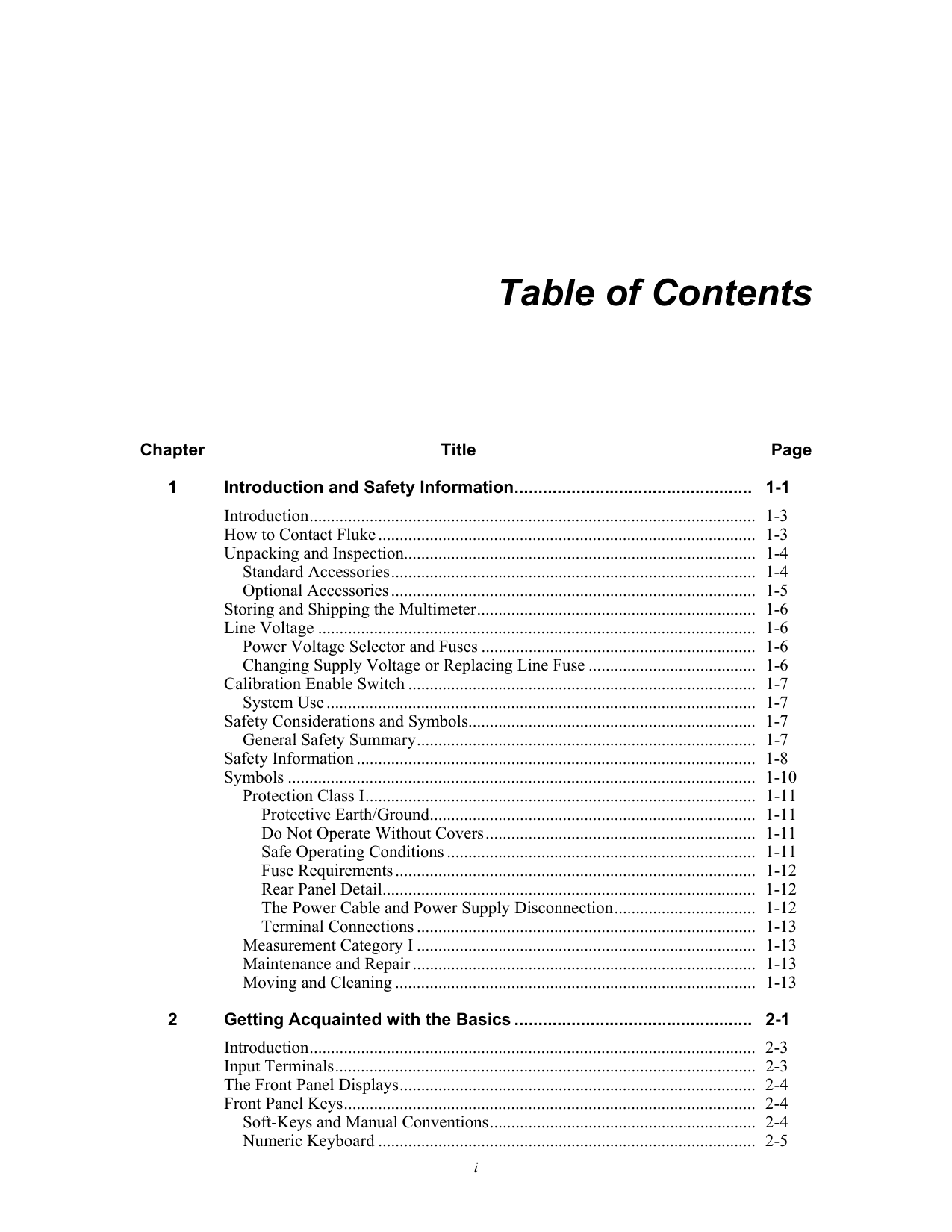
i Table of Contents Chapter Title Page 1 Introduction and Safety Information .................................................. 1-1 Introduction ........................................................................................................ 1-3 How to Contact Fluke ........................................................................................ 1-3 Unpacking and Inspection.................................................................................. 1-4 Standard Accessories ..................................................................................... 1-4 Optional Accessories ..................................................................................... 1-5 Storing and Shipping the Multimeter ................................................................. 1-6 Line Voltage ...................................................................................................... 1-6 Power Voltage Selector and Fuses ................................................................ 1-6 Changing Supply Voltage or Replacing Line Fuse ....................................... 1-6 Calibration Enable Switch ................................................................................. 1-7 System Use .................................................................................................... 1-7 Safety Considerations and Symbols ................................................................... 1-7 General Safety Summary ............................................................................... 1-7 Safety Information ............................................................................................. 1-8 Symbols ............................................................................................................. 1-10 Protection Class I ........................................................................................... 1-11 Protective Earth/Ground ............................................................................ 1-11 Do Not Operate Without Covers ............................................................... 1-11 Safe Operating Conditions ........................................................................ 1-11 Fuse Requirements .................................................................................... 1-12 Rear Panel Detail ....................................................................................... 1-12 The Power Cable and Power Supply Disconnection ................................. 1-12 Terminal Connections ............................................................................... 1-13 Measurement Category I ............................................................................... 1-13 Maintenance and Repair ................................................................................ 1-13 Moving and Cleaning .................................................................................... 1-13 2 Getting Acquainted with the Basics .................................................. 2-1 Introduction ........................................................................................................ 2-3 Input Terminals .................................................................................................. 2-3 The Front Panel Displays ................................................................................... 2-4 Front Panel Keys ................................................................................................ 2-4 Soft-Keys and Manual Conventions .............................................................. 2-4 Numeric Keyboard ........................................................................................ 2-5
8508A
Users Manualii
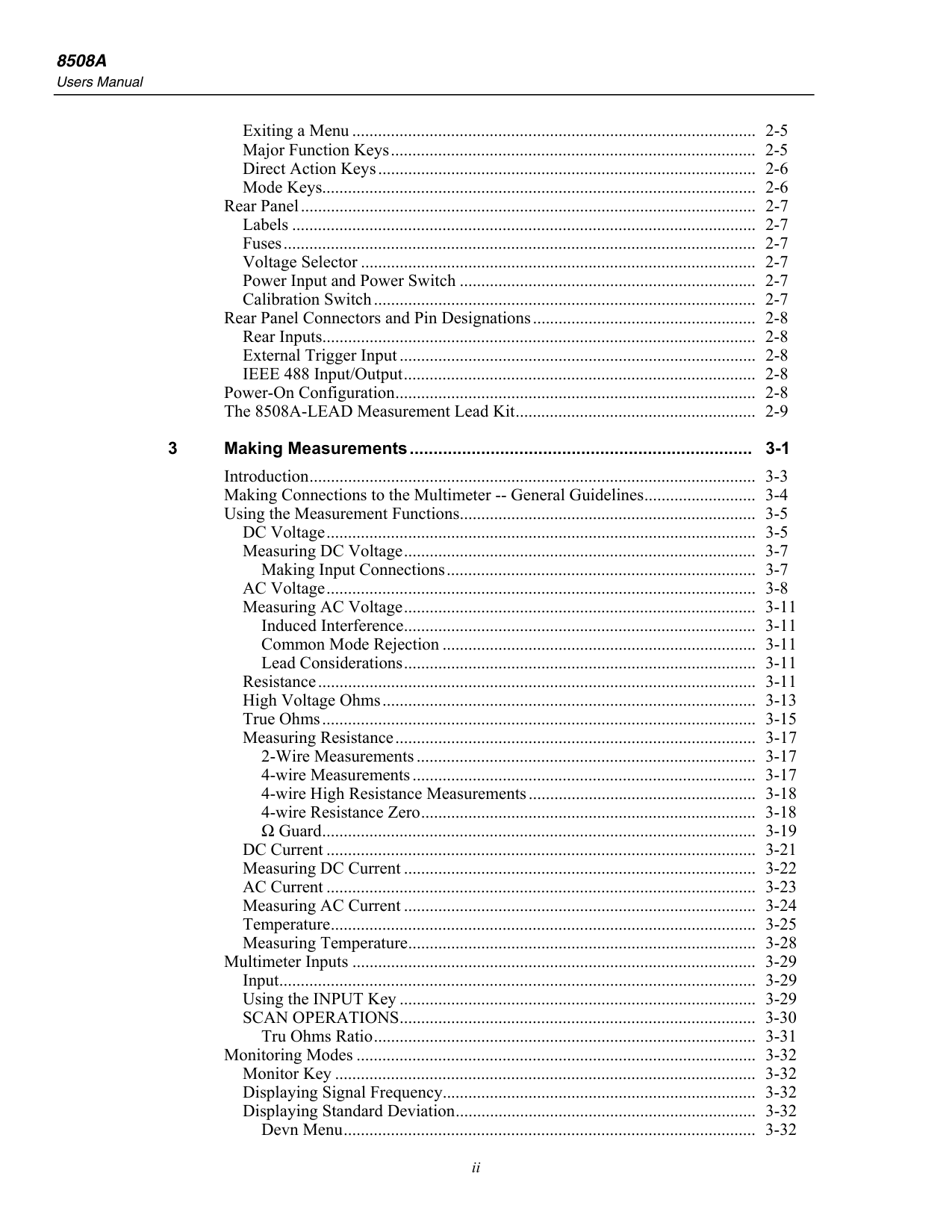
Exiting a Menu .............................................................................................. 2-5 Major Function Keys ..................................................................................... 2-5 Direct Action Keys ........................................................................................ 2-6 Mode Keys..................................................................................................... 2-6 Rear Panel .......................................................................................................... 2-7 Labels ............................................................................................................ 2-7 Fuses .............................................................................................................. 2-7 Voltage Selector ............................................................................................ 2-7 Power Input and Power Switch ..................................................................... 2-7 Calibration Switch ......................................................................................... 2-7 Rear Panel Connectors and Pin Designations .................................................... 2-8 Rear Inputs..................................................................................................... 2-8 External Trigger Input ................................................................................... 2-8 IEEE 488 Input/Output .................................................................................. 2-8 Power-On Configuration .................................................................................... 2-8 The 8508A-LEAD Measurement Lead Kit ........................................................ 2-9 3 Making Measurements ........................................................................ 3-1 Introduction ........................................................................................................ 3-3 Making Connections to the Multimeter -- General Guidelines .......................... 3-4 Using the Measurement Functions ..................................................................... 3-5 DC Voltage .................................................................................................... 3-5 Measuring DC Voltage .................................................................................. 3-7 Making Input Connections ........................................................................ 3-7 AC Voltage .................................................................................................... 3-8 Measuring AC Voltage .................................................................................. 3-11 Induced Interference .................................................................................. 3-11 Common Mode Rejection ......................................................................... 3-11 Lead Considerations .................................................................................. 3-11 Resistance ...................................................................................................... 3-11 High Voltage Ohms ....................................................................................... 3-13 True Ohms ..................................................................................................... 3-15 Measuring Resistance .................................................................................... 3-17 2-Wire Measurements ............................................................................... 3-17 4-wire Measurements ................................................................................ 3-17 4-wire High Resistance Measurements ..................................................... 3-18 4-wire Resistance Zero .............................................................................. 3-18 Ω Guard ..................................................................................................... 3-19 DC Current .................................................................................................... 3-21 Measuring DC Current .................................................................................. 3-22 AC Current .................................................................................................... 3-23 Measuring AC Current .................................................................................. 3-24 Temperature ................................................................................................... 3-25 Measuring Temperature ................................................................................. 3-28 Multimeter Inputs .............................................................................................. 3-29 Input ............................................................................................................... 3-29 Using the INPUT Key ................................................................................... 3-29 SCAN OPERATIONS ................................................................................... 3-30 Tru Ohms Ratio ......................................................................................... 3-31 Monitoring Modes ............................................................................................. 3-32 Monitor Key .................................................................................................. 3-32 Displaying Signal Frequency......................................................................... 3-32 Displaying Standard Deviation ...................................................................... 3-32 Devn Menu ................................................................................................ 3-32
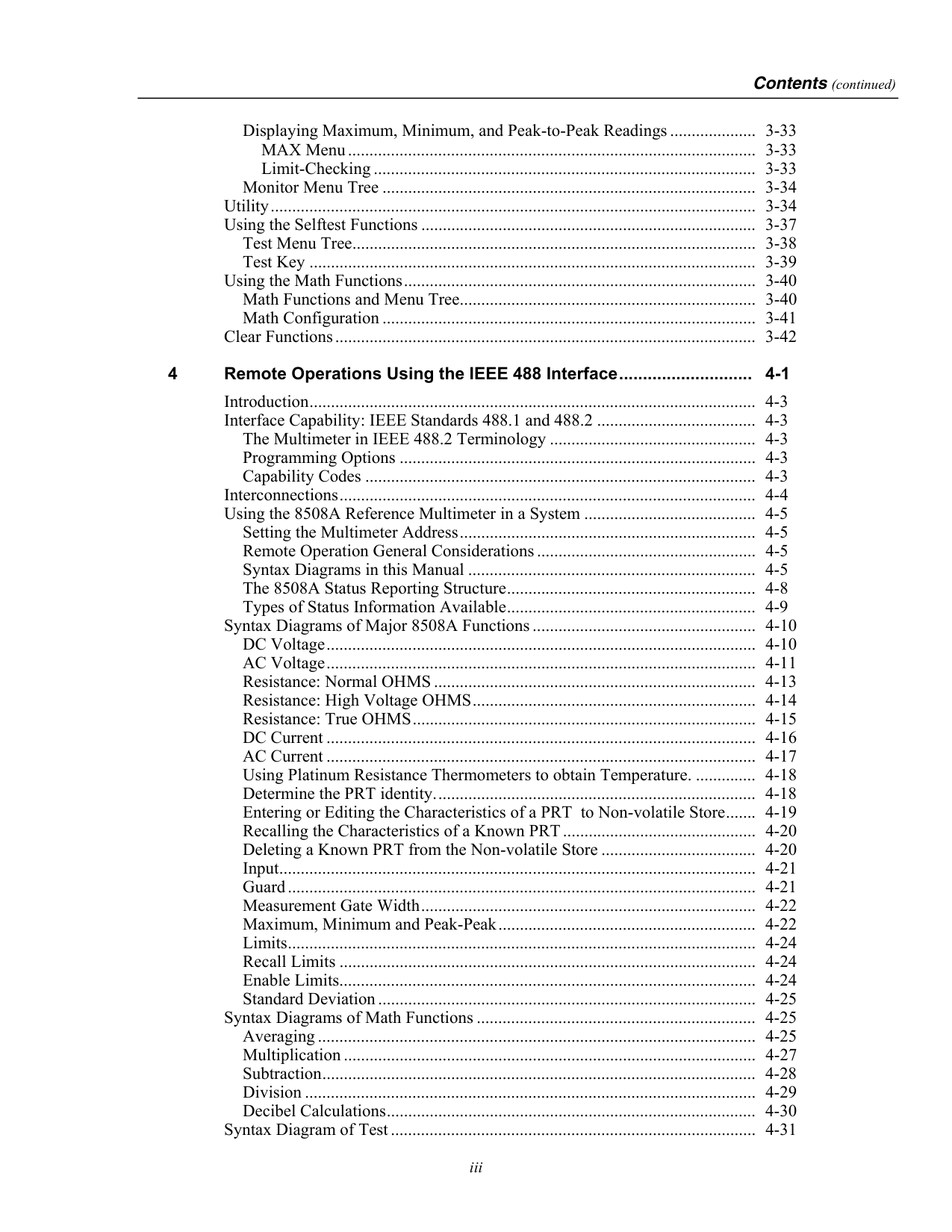
Contents (continued)
iii
Displaying Maximum, Minimum, and Peak-to-Peak Readings .................... 3-33 MAX Menu ............................................................................................... 3-33 Limit-Checking ......................................................................................... 3-33 Monitor Menu Tree ....................................................................................... 3-34 Utility ................................................................................................................. 3-34 Using the Selftest Functions .............................................................................. 3-37 Test Menu Tree .............................................................................................. 3-38 Test Key ........................................................................................................ 3-39 Using the Math Functions .................................................................................. 3-40 Math Functions and Menu Tree..................................................................... 3-40 Math Configuration ....................................................................................... 3-41 Clear Functions .................................................................................................. 3-42 4 Remote Operations Using the IEEE 488 Interface ............................ 4-1 Introduction ........................................................................................................ 4-3 Interface Capability: IEEE Standards 488.1 and 488.2 ..................................... 4-3 The Multimeter in IEEE 488.2 Terminology ................................................ 4-3 Programming Options ................................................................................... 4-3 Capability Codes ........................................................................................... 4-3 Interconnections ................................................................................................. 4-4 Using the 8508A Reference Multimeter in a System ........................................ 4-5 Setting the Multimeter Address ..................................................................... 4-5 Remote Operation General Considerations ................................................... 4-5 Syntax Diagrams in this Manual ................................................................... 4-5 The 8508A Status Reporting Structure .......................................................... 4-8 Types of Status Information Available .......................................................... 4-9 Syntax Diagrams of Major 8508A Functions .................................................... 4-10 DC Voltage .................................................................................................... 4-10 AC Voltage .................................................................................................... 4-11 Resistance: Normal OHMS ........................................................................... 4-13 Resistance: High Voltage OHMS .................................................................. 4-14 Resistance: True OHMS ................................................................................ 4-15 DC Current .................................................................................................... 4-16 AC Current .................................................................................................... 4-17 Using Platinum Resistance Thermometers to obtain Temperature. .............. 4-18 Determine the PRT identity. .......................................................................... 4-18 Entering or Editing the Characteristics of a PRT to Non-volatile Store ....... 4-19 Recalling the Characteristics of a Known PRT ............................................. 4-20 Deleting a Known PRT from the Non-volatile Store .................................... 4-20 Input ............................................................................................................... 4-21 Guard ............................................................................................................. 4-21 Measurement Gate Width .............................................................................. 4-22 Maximum, Minimum and Peak-Peak ............................................................ 4-22 Limits ............................................................................................................. 4-24 Recall Limits ................................................................................................. 4-24 Enable Limits ................................................................................................. 4-24 Standard Deviation ........................................................................................ 4-25 Syntax Diagrams of Math Functions ................................................................. 4-25 Averaging ...................................................................................................... 4-25 Multiplication ................................................................................................ 4-27 Subtraction ..................................................................................................... 4-28 Division ......................................................................................................... 4-29 Decibel Calculations ...................................................................................... 4-30 Syntax Diagram of Test ..................................................................................... 4-31
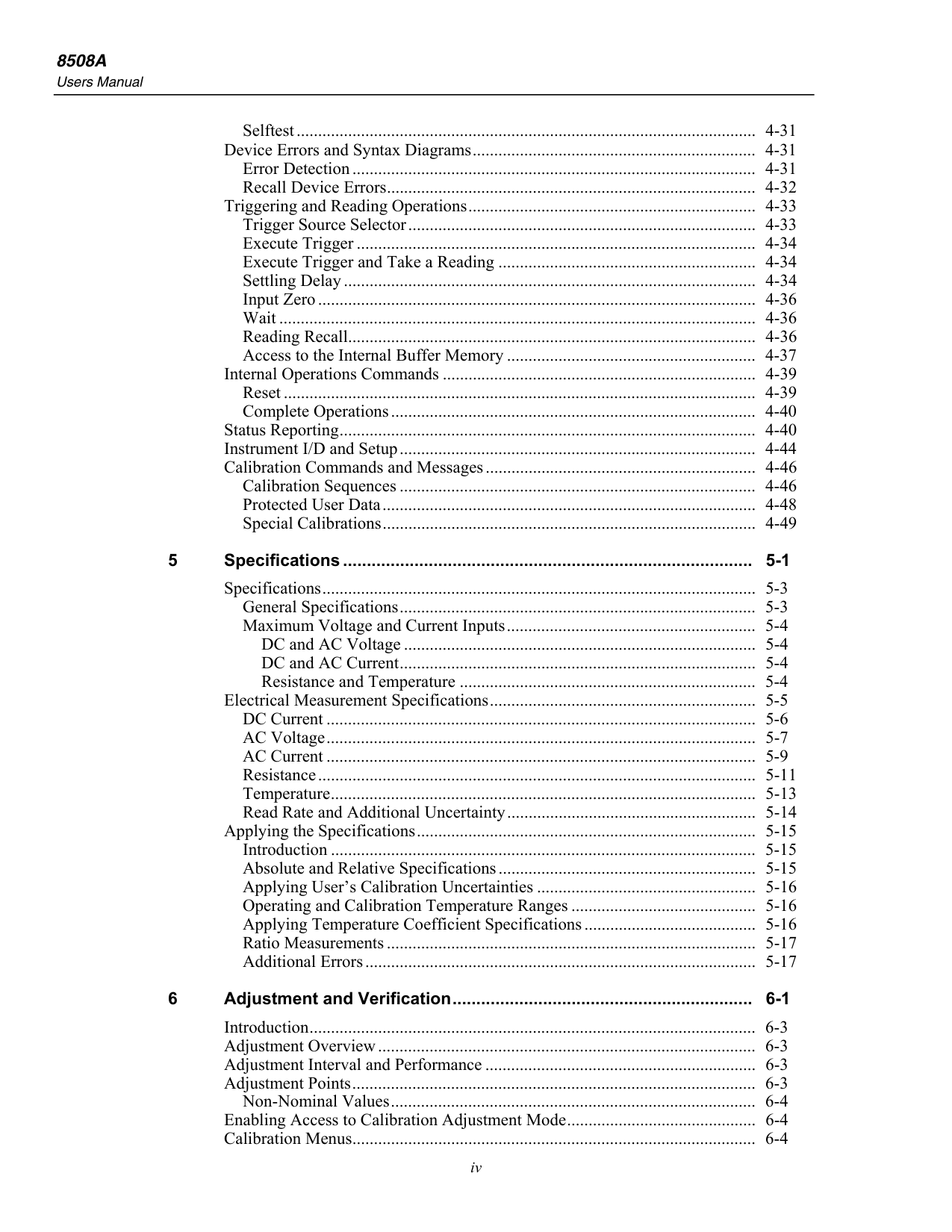
8508A
Users Manualiv
Selftest ........................................................................................................... 4-31 Device Errors and Syntax Diagrams .................................................................. 4-31 Error Detection .............................................................................................. 4-31 Recall Device Errors ...................................................................................... 4-32 Triggering and Reading Operations ................................................................... 4-33 Trigger Source Selector ................................................................................. 4-33 Execute Trigger ............................................................................................. 4-34 Execute Trigger and Take a Reading ............................................................ 4-34 Settling Delay ................................................................................................ 4-34 Input Zero ...................................................................................................... 4-36 Wait ............................................................................................................... 4-36 Reading Recall ............................................................................................... 4-36 Access to the Internal Buffer Memory .......................................................... 4-37 Internal Operations Commands ......................................................................... 4-39 Reset .............................................................................................................. 4-39 Complete Operations ..................................................................................... 4-40 Status Reporting ................................................................................................. 4-40 Instrument I/D and Setup ................................................................................... 4-44 Calibration Commands and Messages ............................................................... 4-46 Calibration Sequences ................................................................................... 4-46 Protected User Data ....................................................................................... 4-48 Special Calibrations ....................................................................................... 4-49 5 Specifications ...................................................................................... 5-1 Specifications ..................................................................................................... 5-3 General Specifications ................................................................................... 5-3 Maximum Voltage and Current Inputs .......................................................... 5-4 DC and AC Voltage .................................................................................. 5-4 DC and AC Current ................................................................................... 5-4 Resistance and Temperature ..................................................................... 5-4 Electrical Measurement Specifications .............................................................. 5-5 DC Current .................................................................................................... 5-6 AC Voltage .................................................................................................... 5-7 AC Current .................................................................................................... 5-9 Resistance ...................................................................................................... 5-11 Temperature ................................................................................................... 5-13 Read Rate and Additional Uncertainty .......................................................... 5-14 Applying the Specifications ............................................................................... 5-15 Introduction ................................................................................................... 5-15 Absolute and Relative Specifications ............................................................ 5-15 Applying User’s Calibration Uncertainties ................................................... 5-16 Operating and Calibration Temperature Ranges ........................................... 5-16 Applying Temperature Coefficient Specifications ........................................ 5-16 Ratio Measurements ...................................................................................... 5-17 Additional Errors ........................................................................................... 5-17 6 Adjustment and Verification ............................................................... 6-1 Introduction ........................................................................................................ 6-3 Adjustment Overview ........................................................................................ 6-3 Adjustment Interval and Performance ............................................................... 6-3 Adjustment Points .............................................................................................. 6-3 Non-Nominal Values ..................................................................................... 6-4 Enabling Access to Calibration Adjustment Mode ............................................ 6-4 Calibration Menus .............................................................................................. 6-4
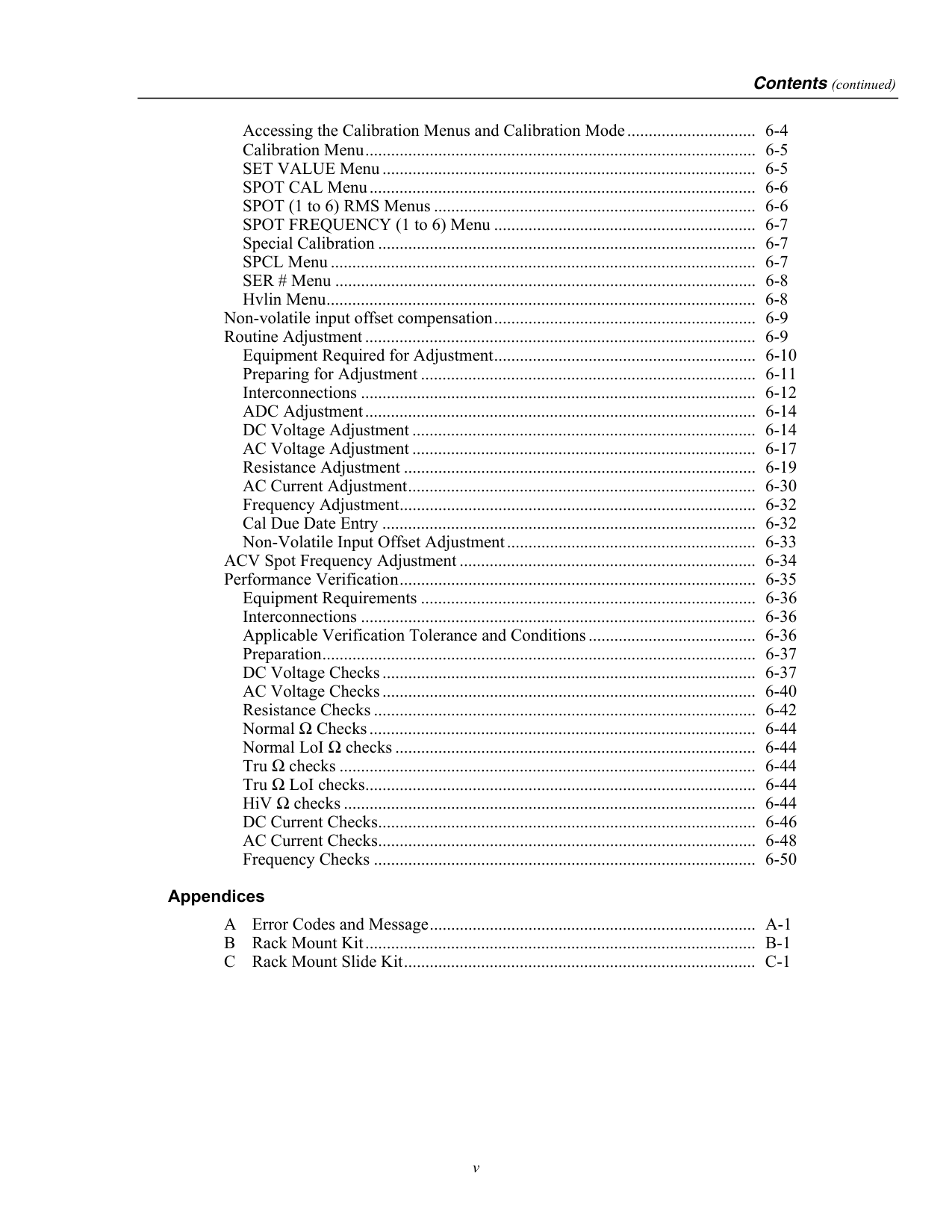
Contents (continued)
v
Accessing the Calibration Menus and Calibration Mode .............................. 6-4 Calibration Menu ........................................................................................... 6-5 SET VALUE Menu ....................................................................................... 6-5 SPOT CAL Menu .......................................................................................... 6-6 SPOT (1 to 6) RMS Menus ........................................................................... 6-6 SPOT FREQUENCY (1 to 6) Menu ............................................................. 6-7 Special Calibration ........................................................................................ 6-7 SPCL Menu ................................................................................................... 6-7 SER # Menu .................................................................................................. 6-8 Hvlin Menu .................................................................................................... 6-8 Non-volatile input offset compensation ............................................................. 6-9 Routine Adjustment ........................................................................................... 6-9 Equipment Required for Adjustment ............................................................. 6-10 Preparing for Adjustment .............................................................................. 6-11 Interconnections ............................................................................................ 6-12 ADC Adjustment ........................................................................................... 6-14 DC Voltage Adjustment ................................................................................ 6-14 AC Voltage Adjustment ................................................................................ 6-17 Resistance Adjustment .................................................................................. 6-19 AC Current Adjustment ................................................................................. 6-30 Frequency Adjustment ................................................................................... 6-32 Cal Due Date Entry ....................................................................................... 6-32 Non-Volatile Input Offset Adjustment .......................................................... 6-33 ACV Spot Frequency Adjustment ..................................................................... 6-34 Performance Verification ................................................................................... 6-35 Equipment Requirements .............................................................................. 6-36 Interconnections ............................................................................................ 6-36 Applicable Verification Tolerance and Conditions ....................................... 6-36 Preparation ..................................................................................................... 6-37 DC Voltage Checks ....................................................................................... 6-37 AC Voltage Checks ....................................................................................... 6-40 Resistance Checks ......................................................................................... 6-42 Normal Ω Checks .......................................................................................... 6-44 Normal LoI Ω checks .................................................................................... 6-44 Tru Ω checks ................................................................................................. 6-44 Tru Ω LoI checks ........................................................................................... 6-44 HiV Ω checks ................................................................................................ 6-44 DC Current Checks ........................................................................................ 6-46 AC Current Checks ........................................................................................ 6-48 Frequency Checks ......................................................................................... 6-50 Appendices A Error Codes and Message ............................................................................ A-1 B Rack Mount Kit ........................................................................................... B-1 C Rack Mount Slide Kit .................................................................................. C-1

8508A
Users Manualvi
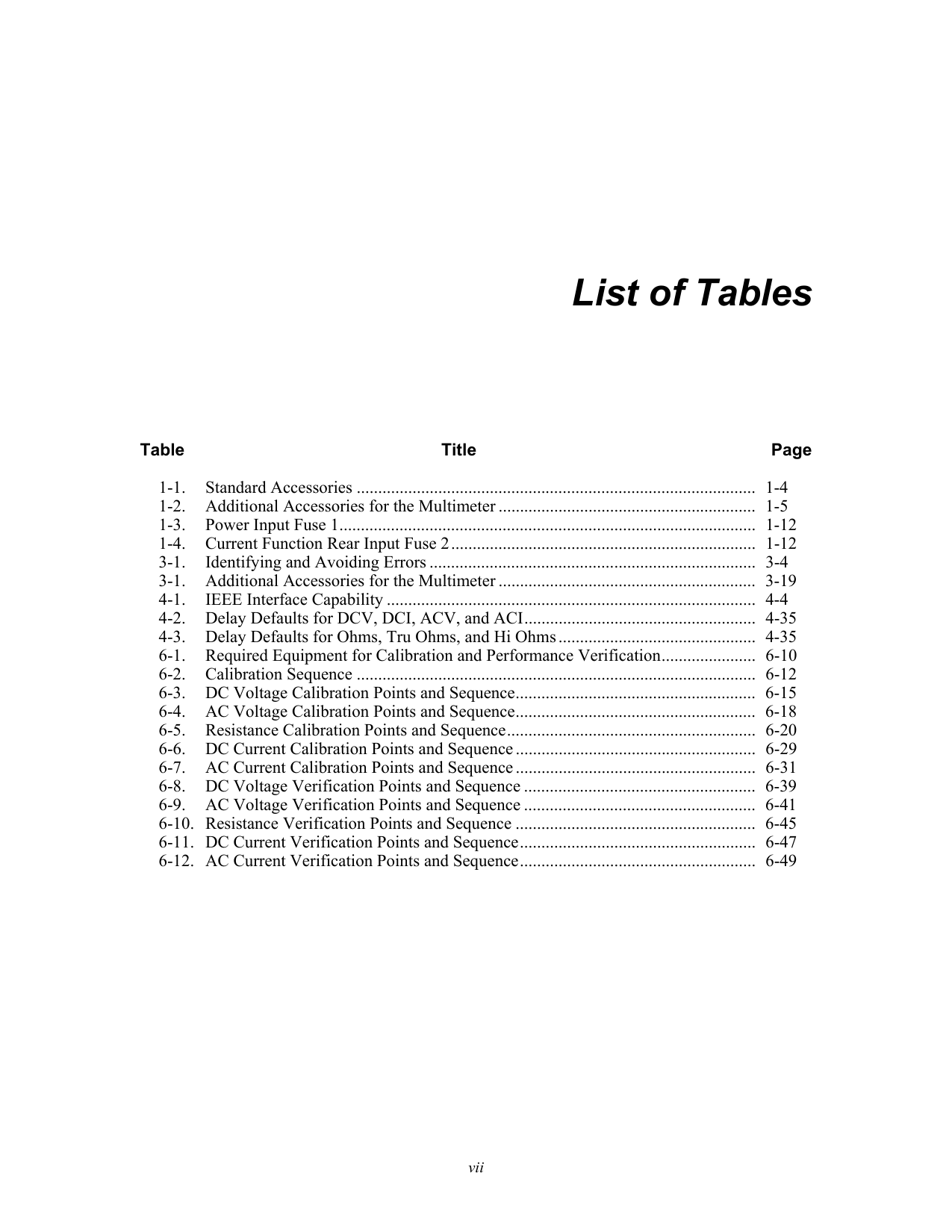
vii List of Tables Table Title Page 1-1. Standard Accessories ............................................................................................. 1-4 1-2. Additional Accessories for the Multimeter ............................................................ 1-5 1-3. Power Input Fuse 1 ................................................................................................. 1-12 1-4. Current Function Rear Input Fuse 2 ....................................................................... 1-12 3-1. Identifying and Avoiding Errors ............................................................................ 3-4 3-1. Additional Accessories for the Multimeter ............................................................ 3-19 4-1. IEEE Interface Capability ...................................................................................... 4-4 4-2. Delay Defaults for DCV, DCI, ACV, and ACI ...................................................... 4-35 4-3. Delay Defaults for Ohms, Tru Ohms, and Hi Ohms .............................................. 4-35 6-1. Required Equipment for Calibration and Performance Verification ...................... 6-10 6-2. Calibration Sequence ............................................................................................. 6-12 6-3. DC Voltage Calibration Points and Sequence ........................................................ 6-15 6-4. AC Voltage Calibration Points and Sequence ........................................................ 6-18 6-5. Resistance Calibration Points and Sequence .......................................................... 6-20 6-6. DC Current Calibration Points and Sequence ........................................................ 6-29 6-7. AC Current Calibration Points and Sequence ........................................................ 6-31 6-8. DC Voltage Verification Points and Sequence ...................................................... 6-39 6-9. AC Voltage Verification Points and Sequence ...................................................... 6-41 6-10. Resistance Verification Points and Sequence ........................................................ 6-45 6-11. DC Current Verification Points and Sequence ....................................................... 6-47 6-12. AC Current Verification Points and Sequence ....................................................... 6-49

8508A
Users Manualviii

ix List of Figures Figure Title Page 1-1. Rear Panel - Power Input Fuse and line Power Locations ..................................... 1-12 2-1. Front Panel Displays .............................................................................................. 2-3 2-2. Front and Rear Input Terminals ............................................................................. 2-3 2-3. Sample of the Main Display ................................................................................... 2-4 2-4. 8508A Rear Panel Detail ........................................................................................ 2-7 2-5. The 8508A-LEAD Measurement Lead Kit ............................................................ 2-10 3-1. Simple Lead Connections ...................................................................................... 3-7 3-2. Twisted-Pair Cable Connections ............................................................................ 3-7 3-3. External Guard Connections .................................................................................. 3-7 3-4. Internal Guard Connections ................................................................................... 3-8 3-5. 2-Wire Measurements ............................................................................................ 3-17 3-6. 4-Wire Measurements ............................................................................................ 3-18 3-7. 4-Wire High Resistance Measurements ................................................................. 3-18 3-8. Resistance Zero Measurements .............................................................................. 3-19 3-9. Ω Guard Measurements ......................................................................................... 3-20 3-10. Internal Guard Connections ................................................................................... 3-20 3-11. PRT Connections ................................................................................................... 3-28 3-12. TruΩ Ratio Measurements ..................................................................................... 3-31 4-1. IEEE 488 Input/Output Connector ......................................................................... 4-4 4-2. 8508A Status Report Structure ............................................................................... 4-8 6-1. Equipment Connections Required for Calibration ................................................. 6-13

8508A
Users Manualx
1-1 Chapter 1 Introduction and Safety Information
Title Page Introduction ........................................................................................................ 1-3 How to Contact Fluke ........................................................................................ 1-3 Unpacking and Inspection.................................................................................. 1-4 Standard Accessories ..................................................................................... 1-4 Optional Accessories ..................................................................................... 1-5 Storing and Shipping the Multimeter ................................................................. 1-6 Line Voltage ...................................................................................................... 1-6 Power Voltage Selector and Fuses ................................................................ 1-6 Changing Supply Voltage or Replacing Line Fuse ....................................... 1-6 Calibration Enable Switch ................................................................................. 1-7 System Use .................................................................................................... 1-7 Safety Considerations and Symbols ................................................................... 1-7 General Safety Summary ............................................................................... 1-7 Safety Information ............................................................................................. 1-8 Symbols ............................................................................................................. 1-10 Protection Class I ........................................................................................... 1-11 Protective Earth/Ground ............................................................................ 1-11 Do Not Operate Without Covers ............................................................... 1-11 Safe Operating Conditions ........................................................................ 1-11 Fuse Requirements .................................................................................... 1-12 Rear Panel Detail ....................................................................................... 1-12 The Power Cable and Power Supply Disconnection ................................. 1-12 Terminal Connections ............................................................................... 1-13 Measurement Category I ............................................................................... 1-13 Maintenance and Repair ................................................................................ 1-13 Moving and Cleaning .................................................................................... 1-13

8508A
Users Manual 1-2
Introduction and Safety Information
Introduction 1
1-3 Introduction The Fluke 8508A Reference Multimeter (hereafter "the Multimeter") is designed for the most demanding measurement applications and provides extremely high measurement precision in both stand-alone and systems applications. Chapter 1 ‘Introduction and Safety Information’ provides unpacking, storage and shipping instructions, line voltage, and safety information. Chapter 2 ‘Getting Acquainted with the Basic” provides an introduction to the front panel keys operation and rear panel connector details. Chapter 3 provides detailed access information to the full range of multimeter facilities, with suggestions for measurement techniques. Chapter 4 provides detailed information for remote control access via the IEEE 488 interface. Chapter 5 provides specification details for the multimeter. Chapter 6 provides detailed information for access to calibration menus, suggested calibration methods and verification of the multimeter. Warning To avoid electric shock, personal injury, or death, carefully read the information under Safety Considerations before attempting to install, use, or service the Multimeter. How to Contact Fluke To contact Fluke, call one of the following telephone numbers:
8508A
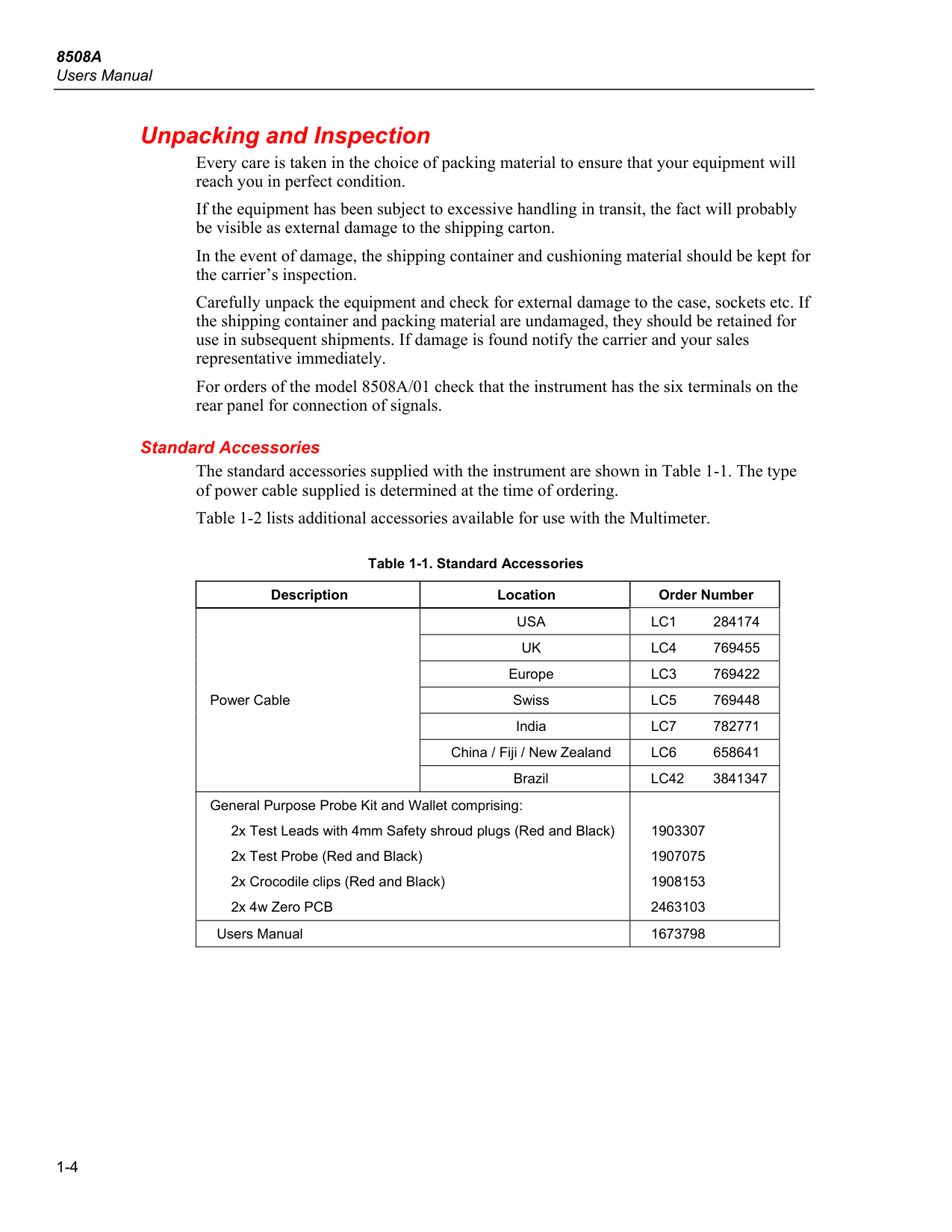
Users Manual 1-4 Unpacking and Inspection Every care is taken in the choice of packing material to ensure that your equipment will reach you in perfect condition. If the equipment has been subject to excessive handling in transit, the fact will probably be visible as external damage to the shipping carton. In the event of damage, the shipping container and cushioning material should be kept for the carrier’s inspection. Carefully unpack the equipment and check for external damage to the case, sockets etc. If the shipping container and packing material are undamaged, they should be retained for use in subsequent shipments. If damage is found notify the carrier and your sales representative immediately. For orders of the model 8508A/01 check that the instrument has the six terminals on the rear panel for connection of signals. Standard Accessories The standard accessories supplied with the instrument are shown in Table 1-1. The type of power cable supplied is determined at the time of ordering. Table 1-2 lists additional accessories available for use with the Multimeter. Table 1-1. Standard Accessories Description Location Order Number Power CableUsa
Lc1 284174
Uk
Lc4 769455
EuropeLc3 769422
SwissLc5 769448
IndiaLc7 782771
China / Fiji / New ZealandLc6 658641
BrazilLc42
3841347 General Purpose Probe Kit and Wallet comprising: 2x Test Leads with 4mm Safety shroud plugs (Red and Black) 2x Test Probe (Red and Black) 2x Crocodile clips (Red and Black) 2x 4w Zero PCB1903307 1907075 1908153 2463103 Users Manual 1673798
Introduction and Safety Information
Unpacking and Inspection 1
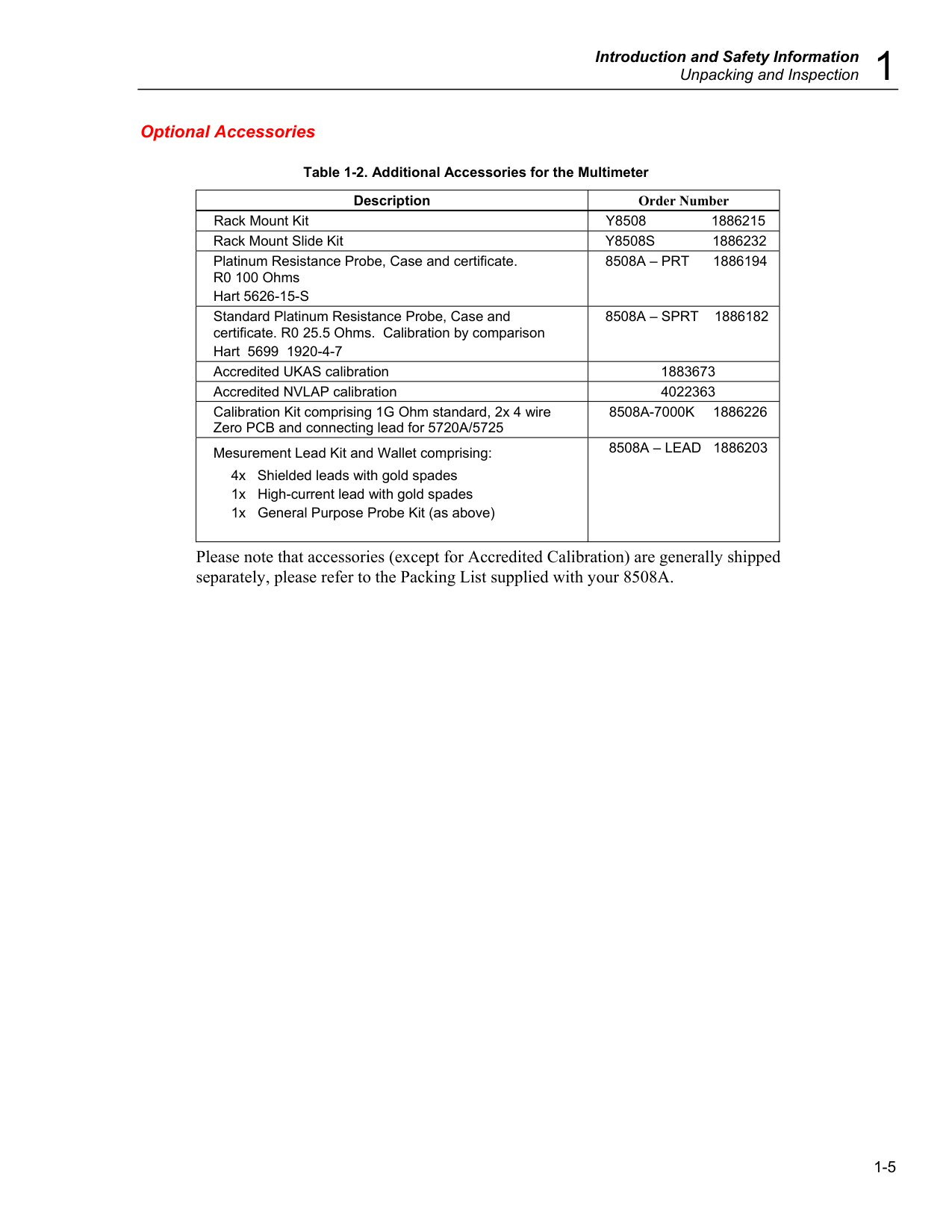
1-5 Optional Accessories Table 1-2. Additional Accessories for the Multimeter Description Order Number Rack Mount Kit
Y8508 1886215
Rack Mount Slide KitY8508S 1886232
Platinum Resistance Probe, Case and certificate. R0 100 Ohms Hart 5626-15-S8508A – Prt 1886194
Standard Platinum Resistance Probe, Case and certificate. R0 25.5 Ohms. Calibration by comparison Hart 5699 1920-4-78508A – Sprt 1886182
Accredited UKAS calibration 1883673 Accredited NVLAP calibration 4022363 Calibration Kit comprising 1G Ohm standard, 2x 4 wire Zero PCB and connecting lead for 5720A/57258508A-7000K 1886226
Mesurement Lead Kit and Wallet comprising: 4x Shielded leads with gold spades 1x High-current lead with gold spades 1x General Purpose Probe Kit (as above)8508A – Lead 1886203
Please note that accessories (except for Accredited Calibration) are generally shipped separately, please refer to the Packing List supplied with your 8508A.
8508A
Users Manual 1-6 Storing and Shipping the Multimeter The Multimeter should be stored under cover. The shipping container provides the most suitable receptacle for storage, as it provides the necessary shock isolation for normal handling operations. Place the Multimeter inside a sealed bag. Place the bag into the cushioning material inside the shipping container, and put the whole package in a location that complies with the storage environment specification described in Chapter 5. If the Multimeter is shipped, use the original shipping container if possible. It provides shock isolation for normal handling operations. Any other container should provide similar shock isolation to the following approximate internal packing dimensions (the front terminals should be free): Container Length Width Depth Box 630 mm (25 in) 550 mm (22 in) 230 mm (9 in) Cushioned 480 mm (19 in) 440 mm (17.3 in) 100 mm (4 in) Place the instrument inside a sealed bag. Fit the bag into the cushioning material inside the shipping container, and secure the whole package. Line Voltage Power Voltage Selector and Fuses The instrument is packed ready for use with a line voltage determined at the time of ordering. 8508A 115 or 8508A/01 115 For 100V to 120V supplies 8508A 240 or 8508A/01 240 For 200V to 240V supplies Changing Supply Voltage or Replacing Line Fuse The integrated POWER SWITCH, POWER INPUT plug contain the fuse drawer which gives access to the line fuse and the line voltage selector. Insert a small screwdriver blade in the narrow recess above the catch over the fuse drawer to gain access to the fuse and the voltage selector. To change from one voltage to the other, remove the voltage selector block and rotate until the desired voltage faces outward. Refit the selector block and fit the corresponding fuse. Check that the desired voltage is visible in the cutout of the fuse drawer. For 200 V to 240 V supplies 230 is shown in the voltage selector window on the rear panel. For 100 V to 120 V supplies 115 is shown in the window. Refer to Table 1-3 for full details of replacement Power Input fuse types.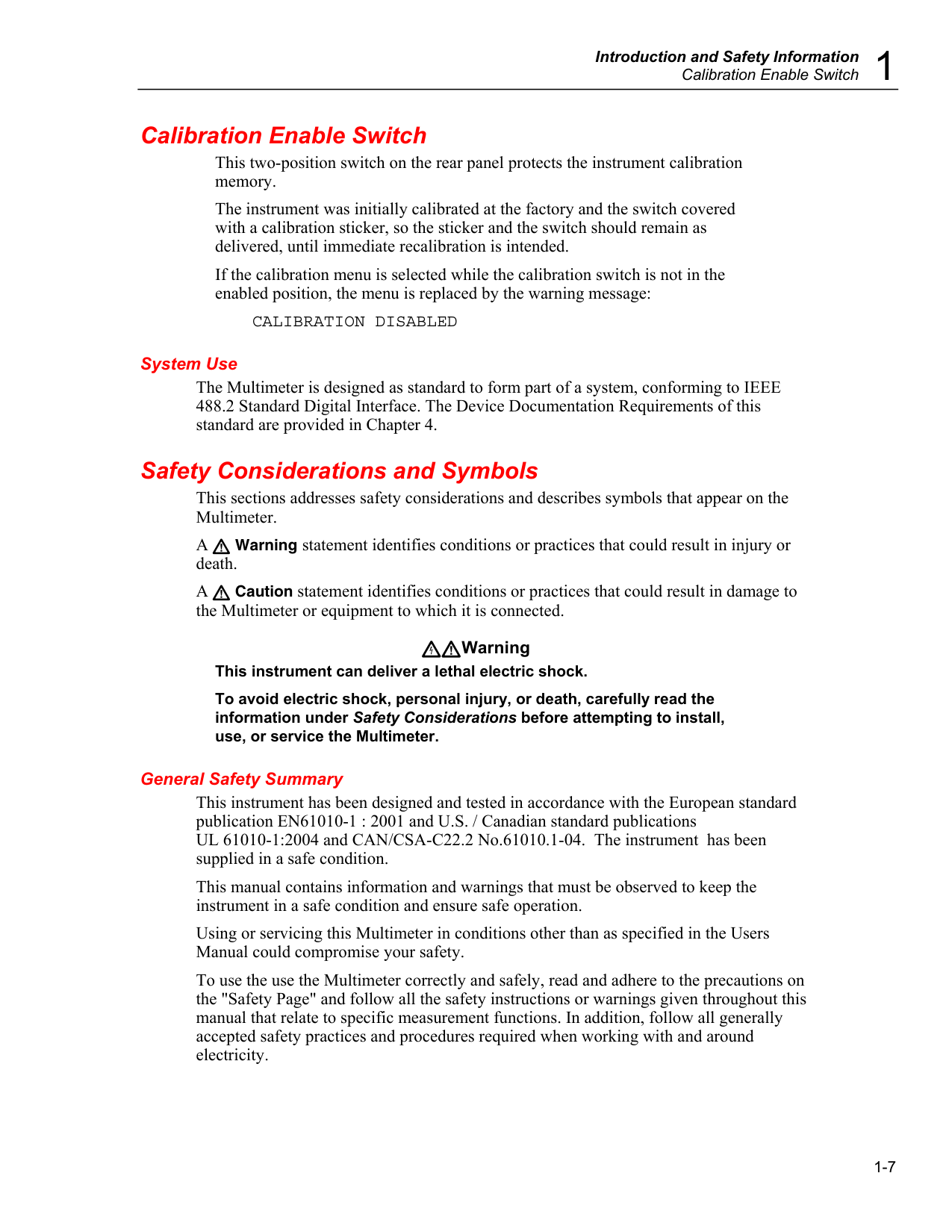
Introduction and Safety Information
Calibration Enable Switch 1
1-7 Calibration Enable Switch This two-position switch on the rear panel protects the instrument calibration memory. The instrument was initially calibrated at the factory and the switch covered with a calibration sticker, so the sticker and the switch should remain as delivered, until immediate recalibration is intended. If the calibration menu is selected while the calibration switch is not in the enabled position, the menu is replaced by the warning message:
Calibration Disabled
System Use The Multimeter is designed as standard to form part of a system, conforming to IEEE 488.2 Standard Digital Interface. The Device Documentation Requirements of this standard are provided in Chapter 4. Safety Considerations and Symbols This sections addresses safety considerations and describes symbols that appear on the Multimeter. A Warning statement identifies conditions or practices that could result in injury or death. A Caution statement identifies conditions or practices that could result in damage to the Multimeter or equipment to which it is connected. Warning This instrument can deliver a lethal electric shock. To avoid electric shock, personal injury, or death, carefully read the information under Safety Considerations before attempting to install, use, or service the Multimeter. General Safety Summary This instrument has been designed and tested in accordance with the European standard publication EN61010-1 : 2001 and U.S. / Canadian standard publications UL 61010-1:2004 and CAN/CSA-C22.2 No.61010.1-04. The instrument has been supplied in a safe condition. This manual contains information and warnings that must be observed to keep the instrument in a safe condition and ensure safe operation. Using or servicing this Multimeter in conditions other than as specified in the Users Manual could compromise your safety. To use the use the Multimeter correctly and safely, read and adhere to the precautions on the "Safety Page" and follow all the safety instructions or warnings given throughout this manual that relate to specific measurement functions. In addition, follow all generally accepted safety practices and procedures required when working with and around electricity.
8508A
Users Manual 1-8 Safety Information A Warning identifies conditions and procedures that are dangerous to the user. Warning To prevent possible electrical shock, fire, or personal injury: • Read all safety information before you use the Product. • Carefully read all instructions. • Use the Product only as specified, or the protection supplied by the Product can be compromised. • Use extreme caution when the Product is in use. The Product can supply a lethal electric shock. • Do not use the Product if it operates incorrectly. • Examine the Product before use. Do not use the Product if it shows signs of damage. Carefully examine the insulation around the connectors. • Do not use the Product around explosive gas, vapor, or in damp or wet environments. • Do not use and disable the Product if it is damaged. • Do not apply more than the rated voltage, between the terminals or between each terminal and earth ground. • Do not touch voltages >30 V ac rms, 42 V ac peak, or 60 V dc. • Measure a known voltage first to make sure that the Product operates correctly. • Do not use test leads if they are damaged. Examine the test leads for damaged insulation, exposed metal, or if the wear indicator shows. Check test lead continuity. • Use conductors of adequate gauge to make current measurements. High current can cause excessive heating of underrated conductors and can cause a fire. • Use this Product indoors only. • Use only the mains power cord and connector approved for the voltage and plug configuration in your country and rated for the Product. • Make sure the ground conductor in the mains power cord is connected to a protective earth ground. Disruption of the protective earth could put voltage on the chassis that could cause death. • Replace the mains power cord if the insulation is damaged or if the insulation shows signs of wear. • If the mains power cord is to be the accessible disconnect device, the mains power cord must not be longer than 3 meters (118.1 inches). • Remove all probes, test leads, and accessories that are not necessary for the measurement. • Do not remove the cover until the test leads are removed. • Turn the Product off and remove the mains power cord. Stop for two minutes to let the power assemblies discharge before you open the fuse door. • Do not operate the Product with covers removed or the case open. Hazardous voltage exposure is possible.
Introduction and Safety Information
Safety Information 1
1-9 • Disconnect the mains power cord before you remove the Product covers. • Remove the input signals before you clean the Product. • Use only specified replacement parts. • Use only specified replacement fuses. • The mains power service must be rated for 16 A, and if the mains power cord is internally fused, a 10 A fuse must be fitted in the mains power cord plug. • Have an approved technician repair the Product. • When the cover is removed, voltages more than 1.5 KV can be present. • Properly terminate the sense leads to prevent exposure to hazardous voltages on the sense terminals. The voltage sense terminals are at output voltage when the two-wire function is set. • Never touch a lead or terminal on the Product when a dangerous voltage is present. • Do not use low voltage spade-terminated leads to connect to a hazardous voltage (>32 V ac rms or >42 V pk). A general purpose probe kit is supplied with the Product for safe measurement at higher voltages. • Do not touch exposed metal on banana plugs, they can have voltages that could cause death. • Do not use test leads if they are damaged. Examine the test leads for damaged insulation and measure a known voltage. • Use the correct terminals, function, and range for measurements. • Keep fingers behind the finger guards on the probes. • Connect the common test lead before the live test lead and remove the live test lead before the common test lead. • Remove signal connections before the protective ground connection is removed. For example, the mains power cord must be connected when the signal leads are connected. • Do not connect or disconnect signal leads while they are connected to a hazardous voltage or current source. • Disconnect power and discharge all high-voltage capacitors before you measure resistance, continuity, capacitance, or a diode junction. • Before the Product is connected to a circuit to make a current measurement, check the fuses on the Product and turn off the power to the circuit. • Limit operation to the specified measurement category, voltage, or amperage ratings. • Do not connect measurement probes directly to mains. • Complete safety tests after a part replacement to make sure the Product is safe. • Do not connect an external capacitance greater than 50 nF to the Product terminals.
8508A
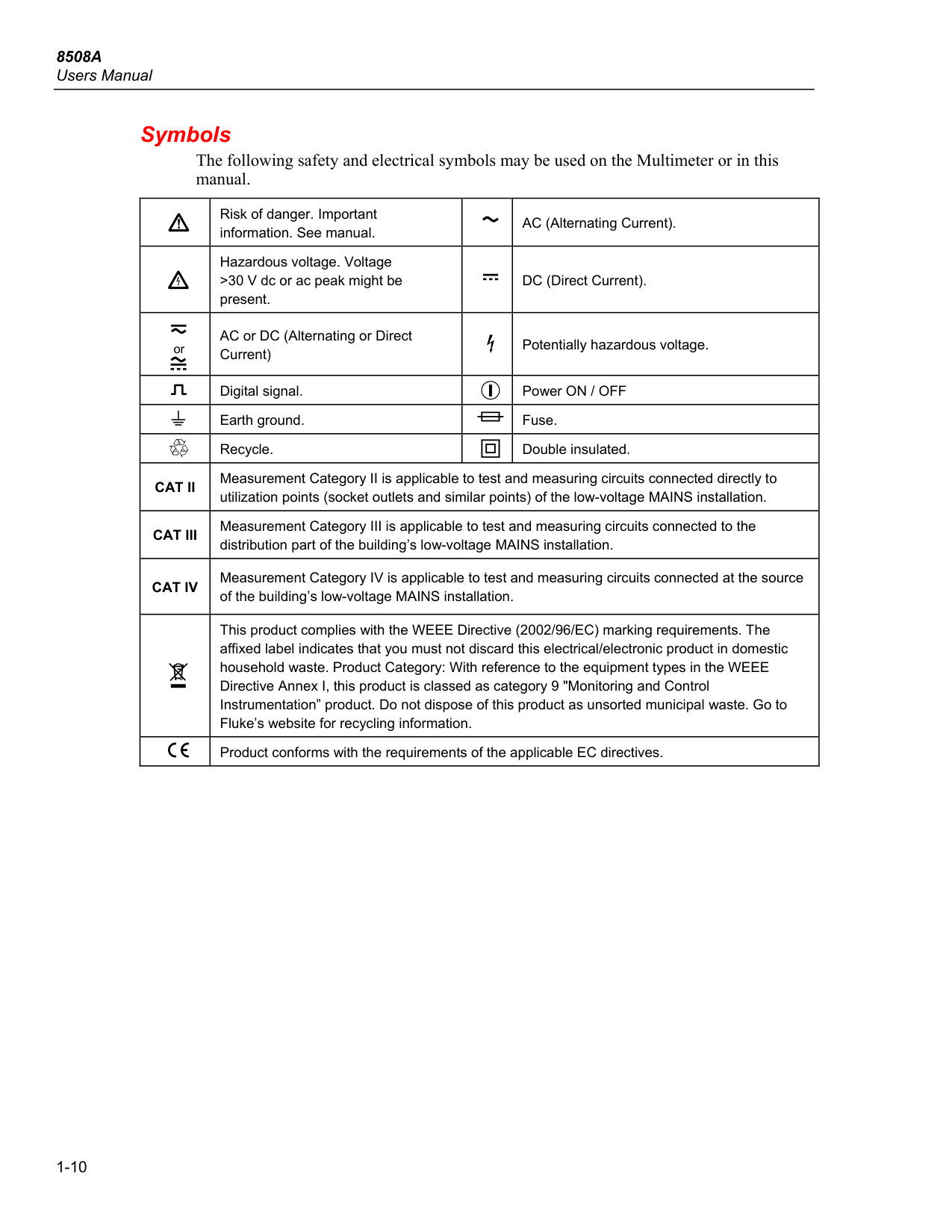
Users Manual 1-10 Symbols The following safety and electrical symbols may be used on the Multimeter or in this manual. Risk of danger. Important information. See manual. AC (Alternating Current). Hazardous voltage. Voltage >30 V dc or ac peak might be present. DC (Direct Current). or AC or DC (Alternating or Direct Current) Potentially hazardous voltage. Digital signal. Power ON / OFF Earth ground. Fuse. Recycle. Double insulated.Cat Ii
Measurement Category II is applicable to test and measuring circuits connected directly to utilization points (socket outlets and similar points) of the low-voltage MAINS installation.Cat Iii
Measurement Category III is applicable to test and measuring circuits connected to the distribution part of the building’s low-voltage MAINS installation.Cat Iv
Measurement Category IV is applicable to test and measuring circuits connected at the source of the building’s low-voltage MAINS installation. This product complies with the WEEE Directive (2002/96/EC) marking requirements. The affixed label indicates that you must not discard this electrical/electronic product in domestic household waste. Product Category: With reference to the equipment types in the WEEE Directive Annex I, this product is classed as category 9 "Monitoring and Control Instrumentation” product. Do not dispose of this product as unsorted municipal waste. Go to Fluke’s website for recycling information. Product conforms with the requirements of the applicable EC directives.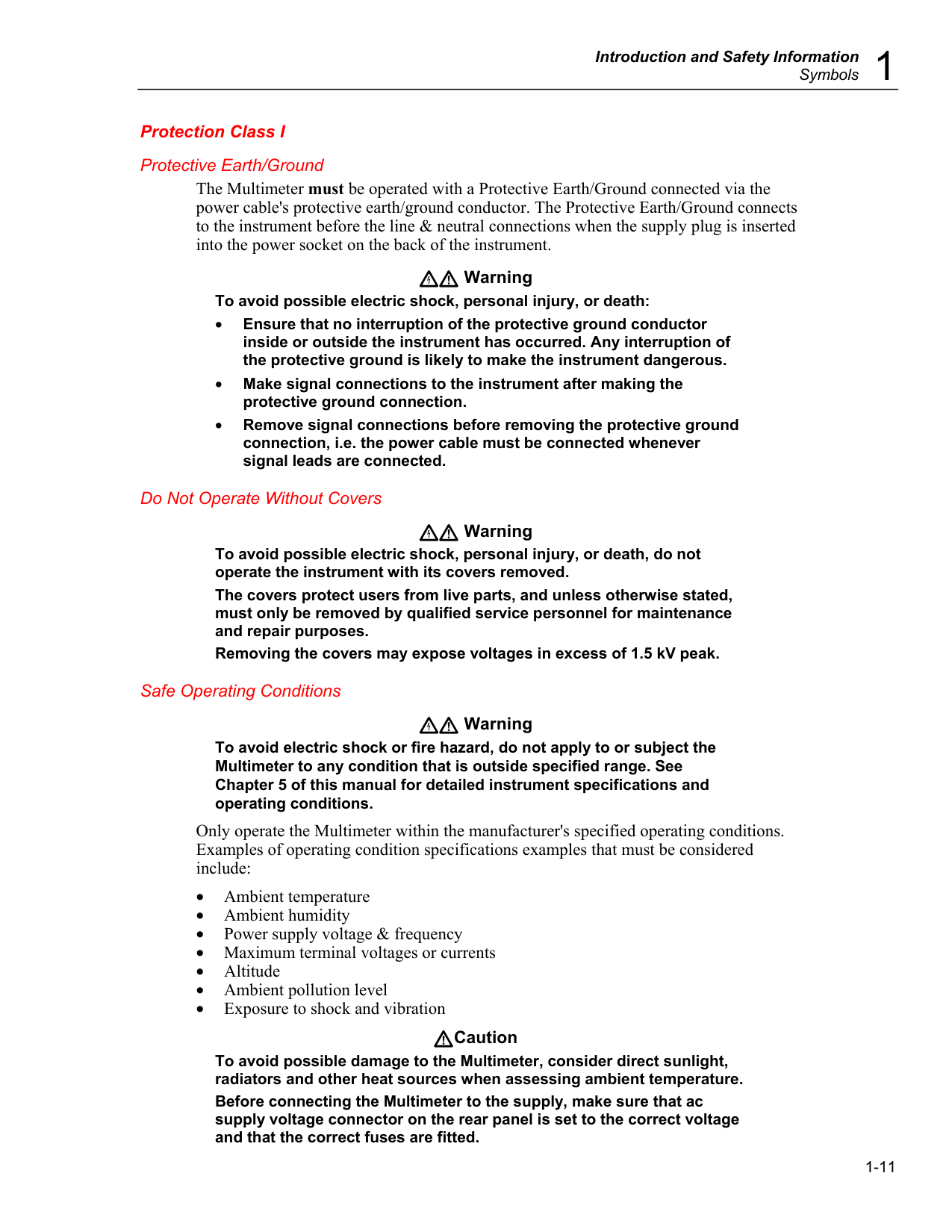
Introduction and Safety Information
Symbols 1
1-11 Protection Class I Protective Earth/Ground The Multimeter must be operated with a Protective Earth/Ground connected via the power cable's protective earth/ground conductor. The Protective Earth/Ground connects to the instrument before the line & neutral connections when the supply plug is inserted into the power socket on the back of the instrument. Warning To avoid possible electric shock, personal injury, or death: • Ensure that no interruption of the protective ground conductor inside or outside the instrument has occurred. Any interruption of the protective ground is likely to make the instrument dangerous. • Make signal connections to the instrument after making the protective ground connection. • Remove signal connections before removing the protective ground connection, i.e. the power cable must be connected whenever signal leads are connected. Do Not Operate Without Covers Warning To avoid possible electric shock, personal injury, or death, do not operate the instrument with its covers removed. The covers protect users from live parts, and unless otherwise stated, must only be removed by qualified service personnel for maintenance and repair purposes. Removing the covers may expose voltages in excess of 1.5 kV peak. Safe Operating Conditions Warning To avoid electric shock or fire hazard, do not apply to or subject the Multimeter to any condition that is outside specified range. See Chapter 5 of this manual for detailed instrument specifications and operating conditions. Only operate the Multimeter within the manufacturer's specified operating conditions. Examples of operating condition specifications examples that must be considered include: • Ambient temperature • Ambient humidity • Power supply voltage & frequency • Maximum terminal voltages or currents • Altitude • Ambient pollution level • Exposure to shock and vibration Caution To avoid possible damage to the Multimeter, consider direct sunlight, radiators and other heat sources when assessing ambient temperature. Before connecting the Multimeter to the supply, make sure that ac supply voltage connector on the rear panel is set to the correct voltage and that the correct fuses are fitted.
8508A
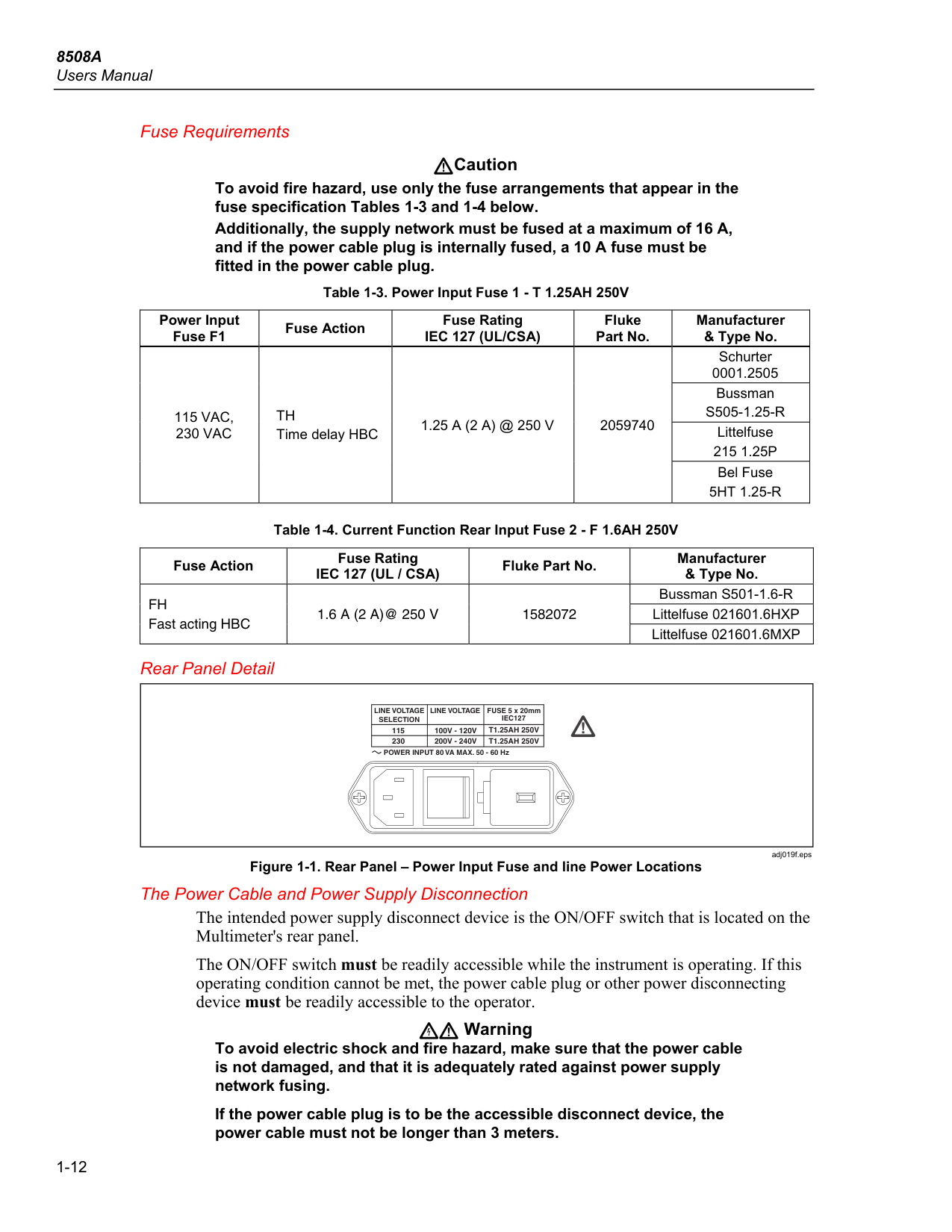
Users Manual 1-12 Fuse Requirements Caution To avoid fire hazard, use only the fuse arrangements that appear in the fuse specification Tables 1-3 and 1-4 below. Additionally, the supply network must be fused at a maximum of 16 A, and if the power cable plug is internally fused, a 10 A fuse must be fitted in the power cable plug. Table 1-3. Power Input Fuse 1 - T 1.25AH 250V Power Input Fuse F1 Fuse Action Fuse RatingIec 127 (Ul/Csa)
Fluke Part No. Manufacturer & Type No.115 Vac,
230 Vac
Th
Time delay HBC1.25 A (2 A) @ 250 V
2059740 Schurter 0001.2505 BussmanS505-1.25-R
Littelfuse215 1.25P
Bel Fuse5Ht 1.25-R
Table 1-4. Current Function Rear Input Fuse 2 - F 1.6AH 250V Fuse Action Fuse RatingIec 127 (Ul / Csa)
Fluke Part No. Manufacturer & Type No.Fh
Fast acting HBC1.6 A (2 A)@ 250 V
1582072 Bussman S501-1.6-R Littelfuse 021601.6HXP Littelfuse 021601.6MXP Rear Panel Detail POWER INPUT 80 VA MAX. 50 - 60 Hz 115 230T1.25Ah 250V
Line Voltage
Selection
FUSE 5 x 20mmIec127
T1.25Ah 250V
Line Voltage
100V - 120V
200V - 240V
adj019f.eps Figure 1-1. Rear Panel – Power Input Fuse and line Power Locations The Power Cable and Power Supply Disconnection The intended power supply disconnect device is the ON/OFF switch that is located on the Multimeter's rear panel. The ON/OFF switch must be readily accessible while the instrument is operating. If this operating condition cannot be met, the power cable plug or other power disconnecting device must be readily accessible to the operator. Warning To avoid electric shock and fire hazard, make sure that the power cable is not damaged, and that it is adequately rated against power supply network fusing. If the power cable plug is to be the accessible disconnect device, the power cable must not be longer than 3 meters.
Introduction and Safety Information
Symbols 1
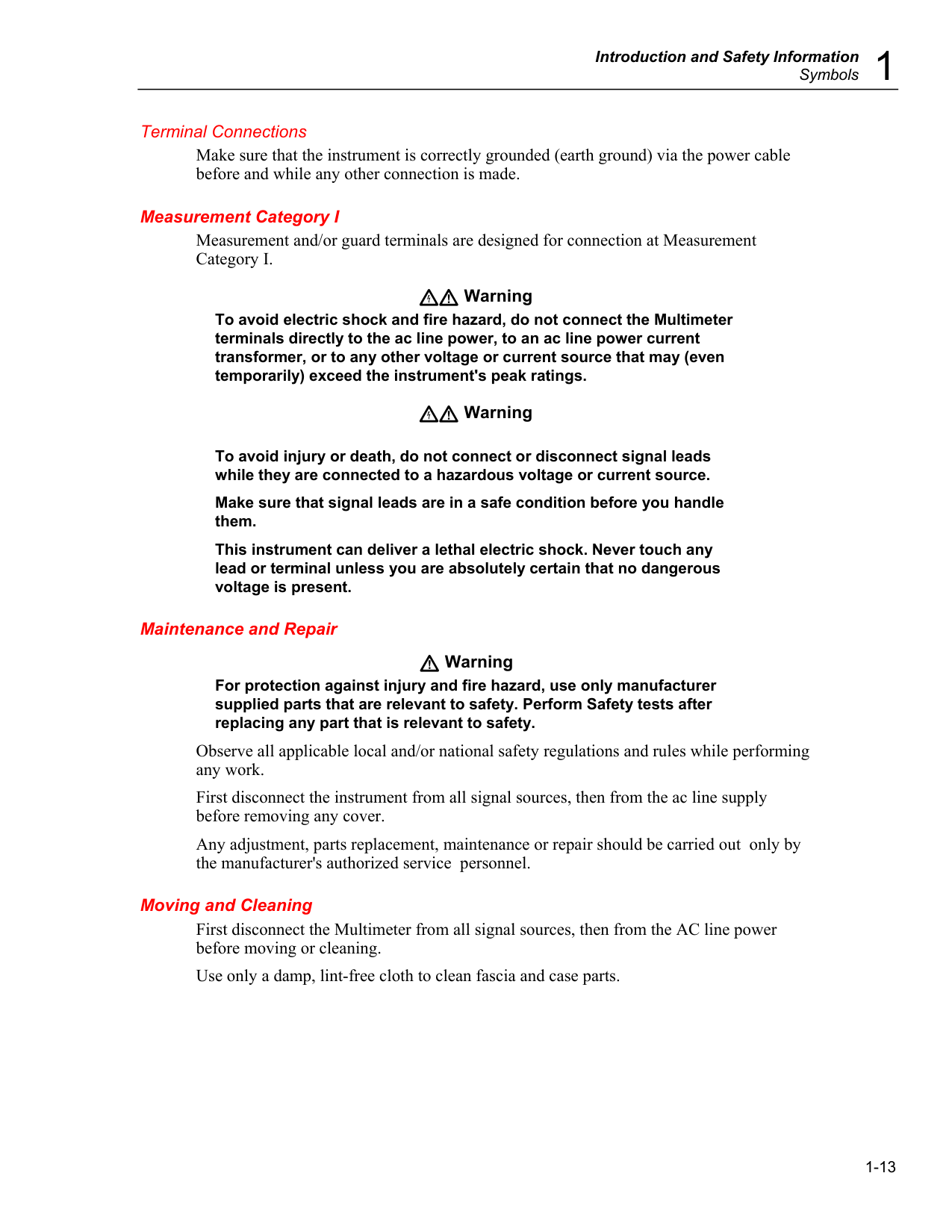
1-13 Terminal Connections Make sure that the instrument is correctly grounded (earth ground) via the power cable before and while any other connection is made. Measurement Category I Measurement and/or guard terminals are designed for connection at Measurement Category I. Warning To avoid electric shock and fire hazard, do not connect the Multimeter terminals directly to the ac line power, to an ac line power current transformer, or to any other voltage or current source that may (even temporarily) exceed the instrument's peak ratings. Warning
To avoid injury or death, do not connect or disconnect signal leads while they are connected to a hazardous voltage or current source. Make sure that signal leads are in a safe condition before you handle them. This instrument can deliver a lethal electric shock. Never touch any lead or terminal unless you are absolutely certain that no dangerous voltage is present. Maintenance and Repair Warning
For protection against injury and fire hazard, use only manufacturer supplied parts that are relevant to safety. Perform Safety tests after replacing any part that is relevant to safety. Observe all applicable local and/or national safety regulations and rules while performing any work. First disconnect the instrument from all signal sources, then from the ac line supply before removing any cover. Any adjustment, parts replacement, maintenance or repair should be carried out only by the manufacturer's authorized service personnel. Moving and Cleaning First disconnect the Multimeter from all signal sources, then from the AC line power before moving or cleaning. Use only a damp, lint-free cloth to clean fascia and case parts.

8508A
Users Manual 1-14
2-1 Chapter 2 Getting Acquainted with the Basics
Title Page Introduction .......................................................................................................... 2-3 Input Terminals .................................................................................................... 2-3 The Front Panel Displays ..................................................................................... 2-4 Front Panel Keys .................................................................................................. 2-4 Soft-Keys and Manual Conventions ................................................................ 2-4 Numeric Keyboard .......................................................................................... 2-5 Exiting a Menu ................................................................................................ 2-5 Major Function Keys ....................................................................................... 2-5 Direct Action Keys .......................................................................................... 2-6 Mode Keys....................................................................................................... 2-6 Rear Panel ............................................................................................................ 2-7 Labels .............................................................................................................. 2-7 Fuses ................................................................................................................ 2-7 Voltage Selector .............................................................................................. 2-7 Power Input and Power Switch ....................................................................... 2-7 Calibration Switch ........................................................................................... 2-7 Rear Panel Connectors and Pin Designations ...................................................... 2-8 Rear Inputs....................................................................................................... 2-8 External Trigger Input ..................................................................................... 2-8 IEEE 488 Input/Output .................................................................................... 2-8 Power-On Configuration ...................................................................................... 2-8 The 8508A-LEAD Measurement Lead Kit .......................................................... 2-9

8508A
Users Manual 2-2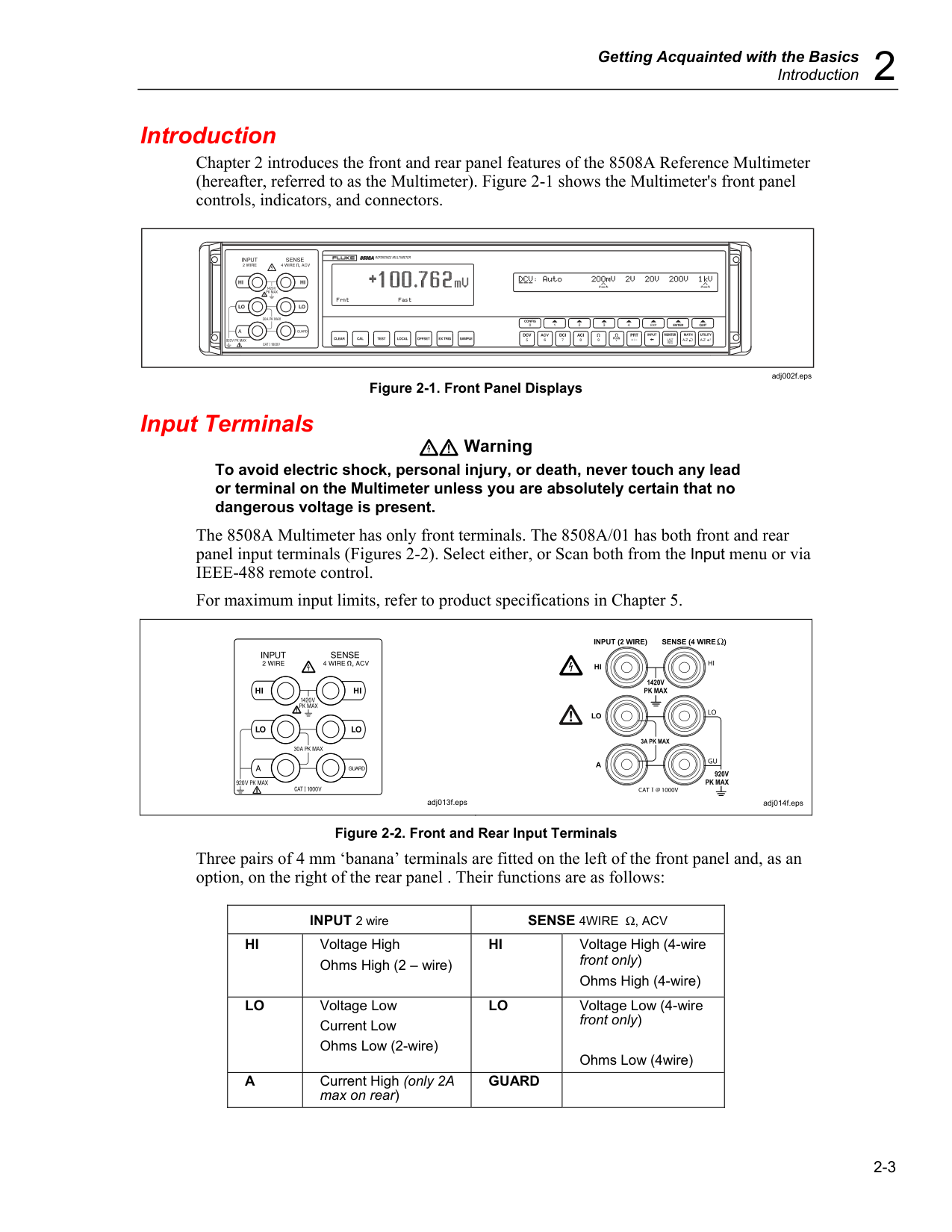
Getting Acquainted with the Basics
Introduction 2
2-3 Introduction Chapter 2 introduces the front and rear panel features of the 8508A Reference Multimeter (hereafter, referred to as the Multimeter). Figure 2-1 shows the Multimeter's front panel controls, indicators, and connectors.
adj002f.eps Figure 2-1. Front Panel Displays Input Terminals Warning To avoid electric shock, personal injury, or death, never touch any lead or terminal on the Multimeter unless you are absolutely certain that no dangerous voltage is present. The 8508A Multimeter has only front terminals. The 8508A/01 has both front and rear panel input terminals (Figures 2-2). Select either, or Scan both from the Input menu or via IEEE-488 remote control. For maximum input limits, refer to product specifications in Chapter 5.
adj013f.eps
adj014f.eps Figure 2-2. Front and Rear Input Terminals Three pairs of 4 mm ‘banana’ terminals are fitted on the left of the front panel and, as an option, on the right of the rear panel . Their functions are as follows: INPUT 2 wire
Sense 4Wire Ω, Acv
Hi
Voltage High Ohms High (2 – wire)Hi
Voltage High (4-wire front only) Ohms High (4-wire)Lo
Voltage Low Current Low Ohms Low (2-wire)Lo
Voltage Low (4-wire front only)Ohms Low (4wire)
A
Current High (only 2A max on rear)Guard
8508A
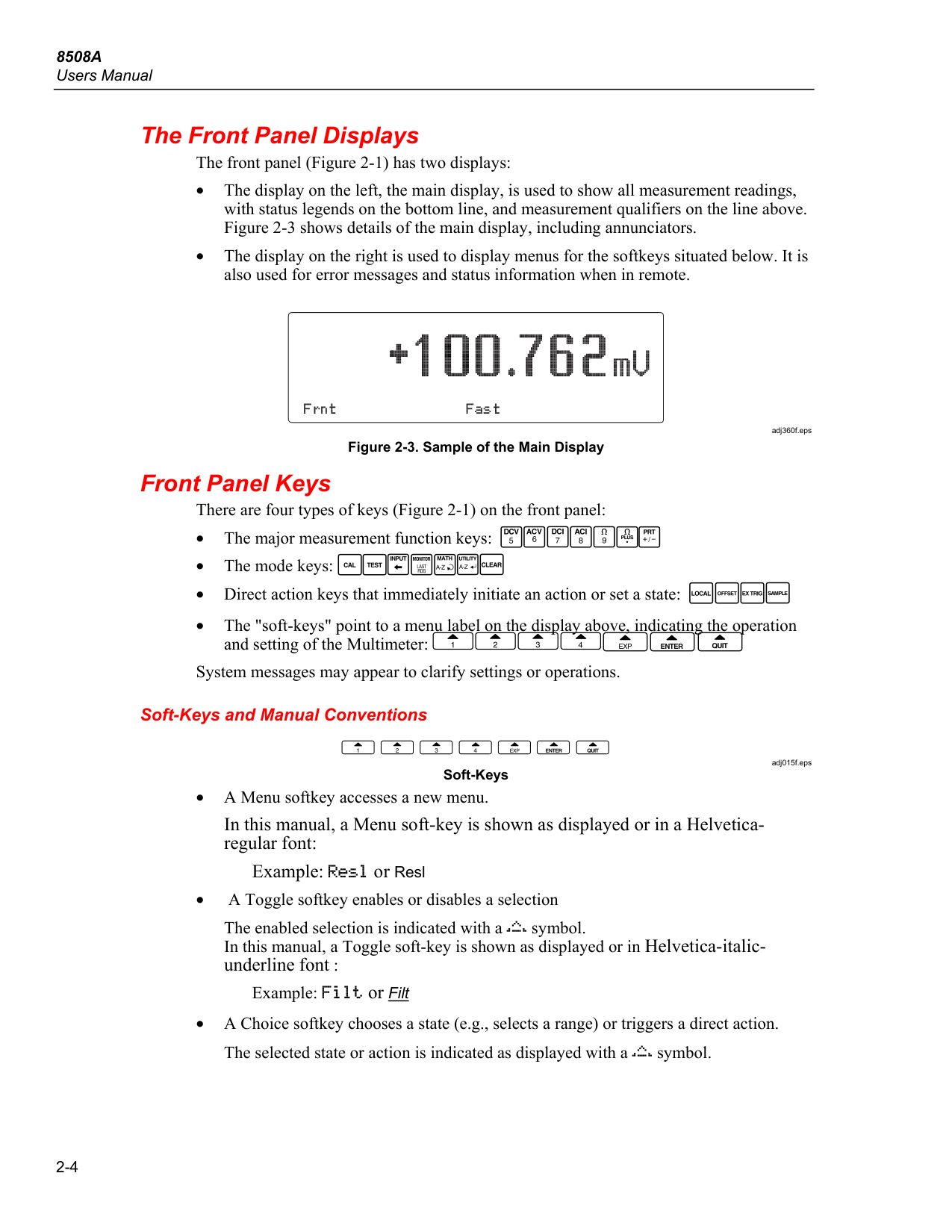
Users Manual 2-4 The Front Panel Displays The front panel (Figure 2-1) has two displays: • The display on the left, the main display, is used to show all measurement readings, with status legends on the bottom line, and measurement qualifiers on the line above. Figure 2-3 shows details of the main display, including annunciators. • The display on the right is used to display menus for the softkeys situated below. It is also used for error messages and status information when in remote.adj360f.eps Figure 2-3. Sample of the Main Display Front Panel Keys There are four types of keys (Figure 2-1) on the front panel: • The major measurement function keys: • The mode keys: • Direct action keys that immediately initiate an action or set a state: • The "soft-keys" point to a menu label on the display above, indicating the operation and setting of the Multimeter: System messages may appear to clarify settings or operations. Soft-Keys and Manual Conventions
adj015f.eps Soft-Keys • A Menu softkey accesses a new menu. In this manual, a Menu soft-key is shown as displayed or in a Helvetica- regular font: Example: or Resl • A Toggle softkey enables or disables a selection The enabled selection is indicated with a symbol. In this manual, a Toggle soft-key is shown as displayed or in Helvetica-italic- underline font : Example: or Filt • A Choice softkey chooses a state (e.g., selects a range) or triggers a direct action. The selected state or action is indicated as displayed with a symbol.

Getting Acquainted with the Basics
Front Panel Keys 2
2-5 In this manual, a Choice soft-key is shown as displayed or in Helvetica-underline font: Example: or 100mV Numeric Keyboard
adj012f.eps Numeric Keyboard The operation of the numeric keys is enabled for appropriate menus. The active keys are: numerals 0 to 9. decimal point polarity for exponent for backspace to enter the last reading taken to confirm the numeric entry to abort the numeric entry. When the numeric keyboard is active other keys are locked out. For some operations the two alpha selection keys are enabled along with the numeric keys. selects the alpha characters (upper case only) and cylces A through Z. enters the selected character and moves the entry point one character to the right. Exiting a Menu You can generally exit from any menu by pressing a measurement function key or a mode key. For those menus where the numeric or alpha numeric keyboard is active, exit by pressing either Enter or Quit. For some menus, a special soft key permits exit by a single keystroke. Major Function Keys
adj016f.eps Each measurement function has a CONFIG (Configuration) menu, from which you can select function-dependent parameters such as resolution and filter settings. Once set, the instrument remembers the function dependant parameters until you change it or turn the Multimeter off.
8508A
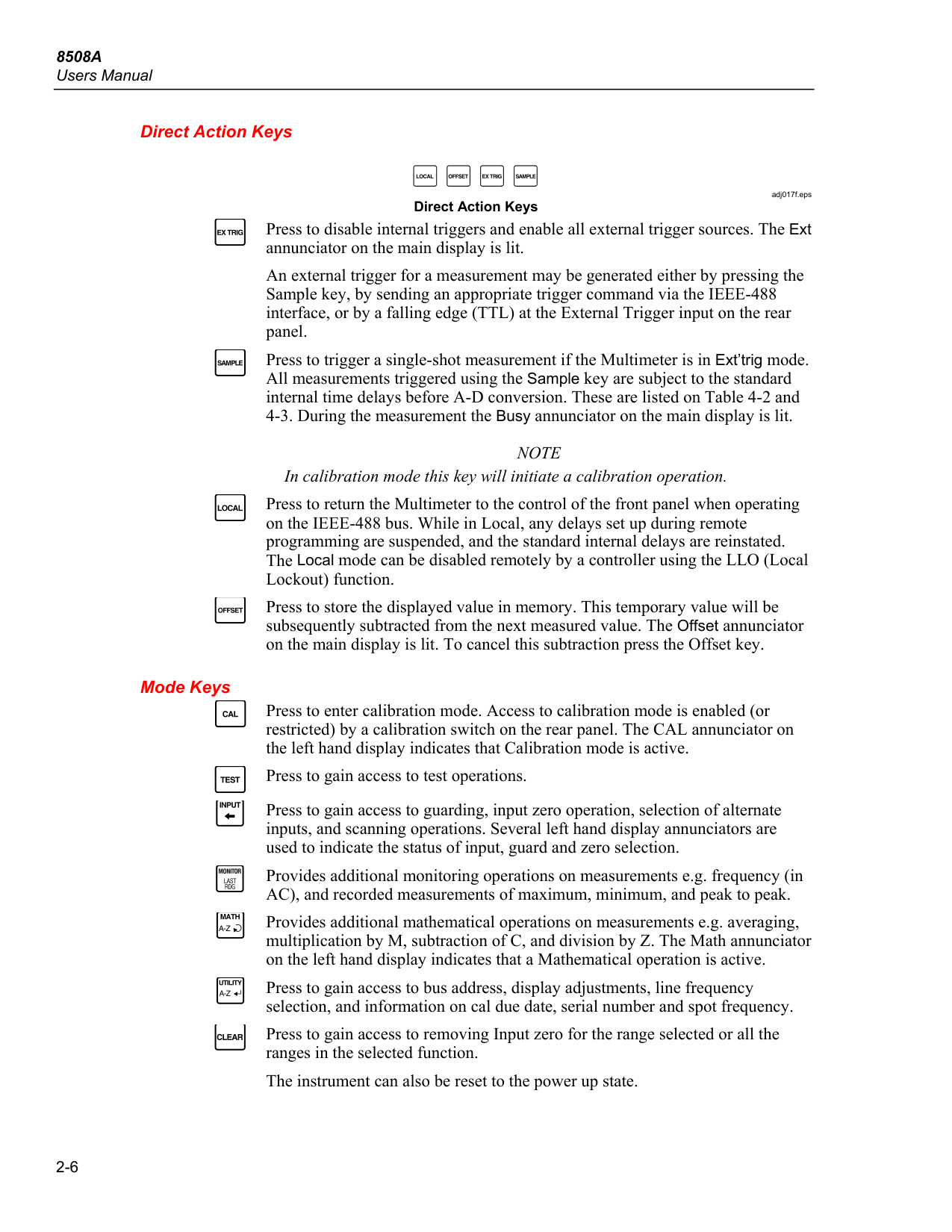
Users Manual 2-6 Direct Action Keysadj017f.eps Direct Action Keys Press to disable internal triggers and enable all external trigger sources. The Ext annunciator on the main display is lit. An external trigger for a measurement may be generated either by pressing the Sample key, by sending an appropriate trigger command via the IEEE-488 interface, or by a falling edge (TTL) at the External Trigger input on the rear panel. Press to trigger a single-shot measurement if the Multimeter is in Ext’trig mode. All measurements triggered using the Sample key are subject to the standard internal time delays before A-D conversion. These are listed on Table 4-2 and 4-3. During the measurement the Busy annunciator on the main display is lit.
Note
In calibration mode this key will initiate a calibration operation. Press to return the Multimeter to the control of the front panel when operating on the IEEE-488 bus. While in Local, any delays set up during remote programming are suspended, and the standard internal delays are reinstated. The Local mode can be disabled remotely by a controller using the LLO (Local Lockout) function. Press to store the displayed value in memory. This temporary value will be subsequently subtracted from the next measured value. The Offset annunciator on the main display is lit. To cancel this subtraction press the Offset key. Mode Keys Press to enter calibration mode. Access to calibration mode is enabled (or restricted) by a calibration switch on the rear panel. The CAL annunciator on the left hand display indicates that Calibration mode is active. Press to gain access to test operations. Press to gain access to guarding, input zero operation, selection of alternate inputs, and scanning operations. Several left hand display annunciators are used to indicate the status of input, guard and zero selection. Provides additional monitoring operations on measurements e.g. frequency (in AC), and recorded measurements of maximum, minimum, and peak to peak. Provides additional mathematical operations on measurements e.g. averaging, multiplication by M, subtraction of C, and division by Z. The Math annunciator on the left hand display indicates that a Mathematical operation is active. Press to gain access to bus address, display adjustments, line frequency selection, and information on cal due date, serial number and spot frequency. Press to gain access to removing Input zero for the range selected or all the ranges in the selected function. The instrument can also be reset to the power up state.
Getting Acquainted with the Basics
Rear Panel 2
2-7 Rear Panel
Rl1 Pp0 Dc1 Dt1 C0 E2
Trig
5V Pk Max
Rear Input
Current
Fuse.
F1.6Ah,
250V
5 x 20mmIec127
Calibration
Enable
Disable
POWER INPUT 80 VA MAX. 50 - 60 Hz 115 230T1.25Ah 250V
Line Voltage
Selection
FUSE 5 x 20mmIec127
Listed. 3012749
Note
T1.25Ah 250V
Conforms To Ul Std. Ul61010-1:2004
CERTIFIED TO CAN/CSA STD. C22.2 No.61010.1-04Aux Earth (Ground)
Made In Uk
Fluke Corporation
www.fluke.comNo User Serviceable Parts Contained. Do Not Remove The Covers.
Refer Service To Qualified Personnel.
Line Voltage
100V - 120V
200V - 240V
C1
adj018f.eps Figure 2-4. 8508A Rear Panel Detail Labels Attached to the rear panel is the identification label for the instrument, and a modification strike label. Fuses Power Fuse: Located in the fuse drawer which is part of the integrated module for power input and voltage selection. Rear Input Current Fuse: Protects the current measuring circuitry when using the rear terminals for signal input. Warning To avoid damage to the Multimeter, or shock, injury, or death, use ONLY fuses with the amperage, interrupt, voltage, and speed ratings specified. Refer to the safety information and "Fuse Requirements" in Chapter 1 of this manual. Voltage Selector The power line voltage selector block is located behind the fuse block drawer, and adapts the instrument to either 115V or 230V line inputs. Power Input and Power Switch The power input socket and power ON/OFF switch are part of the integrated module for power input and voltage selection. Power on default configuration is listed later in this chapter. Calibration Switch Access to calibration mode is enabled (or restricted) by the rear panel calibration switch. Setting the switch to ENABLE will allow access to the calibration mode via the front panel CAL key and the CALIBRATION menu, and will also enable the remote IEEE-488 interface calibration commands. The calibration switch should always be set to DISABLE on completion of any calibration operations. Applying an integrity seal or calibration sticker to cover the rear panel Calibration switch is a convenient way to ensure the security of calibration and prevent unauthorized access to the switch.

8508A
Users Manual 2-8 Rear Panel Connectors and Pin Designations Warning This instrument can deliver a lethal electric shock. To avoid electric shock, personal injury, or death, never touch any lead or terminal unless you are absolutely certain that no dangerous voltage is present. Rear Inputs For details of rear input terminals see Figure 2-2 External Trigger Input This co-axial BNC socket can be used to trigger a measurement when external triggers are enabled. The single pin is pulled up internally to +5V, and requires a negative-going TTL edge to initiate the reading. IEEE 488 Input/Output The IEEE 488 input/output is a 24-way Amphenol connector which is directly compatible with the IEEE 488 interface and the IEC 625 Bus. Note that the Bus Address is set from the front panel. See Chapter 4 for more information about the IEEE 488 connector and remote operations. Power-On Configuration To turn the Multimeter on, use the Power Switch on the rear panel. The Multimeter powers on in the following configuration: FunctionDcv
Range 1 kV Resolution 7-1/2 digits Input Front Filter Off Fast On External Guard Off Scan Off Monitor Off Math Off
Getting Acquainted with the Basics
The 8508A-LEAD Measurement Lead Kit 2
2-9 The 8508A-LEAD Measurement Lead Kit Warning
Safe Use Of Measurement Leads
To avoid electric shock and potential injury or death, DO NOT use low voltage spade-terminated leads to connect to hazardous voltage (>32V ac rms or > 42V pk). A General Purpose Probe Kit is provided for Safe measurement at higher voltages. A General Purpose Probe Kit is provided with the Multimeter. Instructions for use are included. The optional 8508A-LEAD Measurement Lead Kit is a comprehensive set of high integrity measurement leads, designed for metrology applications. The kit and its contents are described below and shown in figure 2-5. The kit includes the following:
8508A
Users Manual 2-10 Four low thermal, PTFE insulated and shielded leads for signal applications. One heavy gauge lead for high current (>2 A rms) applications. General Purpose Probe Kit and Wallet.adj388f.eps Figure 2-5. The 8508A-LEAD Measurement Lead Kit

3-1 Chapter 3 Making Measurements
Title Page Introduction .......................................................................................................... 3-3 Making Connections to the Multimeter -- General Guidelines ............................ 3-4 Using the Measurement Functions ....................................................................... 3-5 DC Voltage ...................................................................................................... 3-5 Measuring DC Voltage .................................................................................... 3-7 Making Input Connections .......................................................................... 3-7 AC Voltage ...................................................................................................... 3-8 Measuring AC Voltage .................................................................................... 3-11 Induced Interference .................................................................................... 3-11 Common Mode Rejection ........................................................................... 3-11 Lead Considerations .................................................................................... 3-11 Resistance ........................................................................................................ 3-11 High Voltage Ohms ......................................................................................... 3-13 True Ohms ....................................................................................................... 3-15 Measuring Resistance ...................................................................................... 3-17 2-Wire Measurements ................................................................................. 3-17 4-wire Measurements .................................................................................. 3-17 4-wire High Resistance Measurements ....................................................... 3-18 4-wire Resistance Zero ................................................................................ 3-18 Ω Guard ....................................................................................................... 3-19 DC Current ...................................................................................................... 3-21 Measuring DC Current .................................................................................... 3-22 AC Current ...................................................................................................... 3-23 Measuring AC Current .................................................................................... 3-24 Temperature ..................................................................................................... 3-25 Measuring Temperature ................................................................................... 3-28 Multimeter Inputs ................................................................................................ 3-29 Input ................................................................................................................. 3-29 Using the INPUT Key ..................................................................................... 3-29 SCAN OPERATIONS ..................................................................................... 3-30 Tru Ohms Ratio ........................................................................................... 3-31 Monitoring Modes ............................................................................................... 3-32 Monitor Key .................................................................................................... 3-32 Displaying Signal Frequency........................................................................... 3-32 Displaying Standard Deviation ........................................................................ 3-32 Devn Menu .................................................................................................. 3-32

8508A
Users Manual 3-2 Displaying Maximum, Minimum, and Peak-to-Peak Readings ...................... 3-33 MAX Menu ................................................................................................. 3-33 Limit-Checking ........................................................................................... 3-33 Monitor Menu Tree ......................................................................................... 3-34 Utility ................................................................................................................... 3-34 Using the Selftest Functions ................................................................................ 3-37 Test Menu Tree ................................................................................................ 3-38 Test Key .......................................................................................................... 3-39 Using the Math Functions .................................................................................... 3-40 Math Functions and Menu Tree....................................................................... 3-40 Math Configuration ......................................................................................... 3-41 Clear Functions .................................................................................................... 3-42
Making Measurements
Introduction 3
3-3 Introduction Warning The Multimeter can deliver a lethal electric shock. To avoid electric shock, personal injury, or death, carefully read the information under "Safety Considerations" in Chapter 1 before attempting to install, use, or service the 8508A Reference Multimeter. A " Warning" statement identifies conditions or practices that could result in injury or death. A " Caution" statement identifies conditions or practices that could result in damage to the Multimeter or equipment to which it is connected. Chapter 3 explains in detail how to use the 8508A Reference Multimeter's (hereafter “the Multimeter”) measurement functions and operating modes. It is organized to provide easy access to the following functions and modes. Functions DC Voltage AC Voltage Resistance DC Current AC Current Temperature Modes Input Control Monitoring Math Utility Clear Test The topics covered in Chapter 3 include: making connections, input limits, types of configurations, accessing and selecting measurement modes, and calculations available. Product specifications and operating limits are in Chapter 5. See Chapter 6 for calibration menus and the recommended calibration routines. All error messages displayed by the Multimeter's front panel or generated by the IEEE 488 system bus are collected and described in Appendix A. Before proceeding make sure that the Multimeter has been properly installed and prepared for operation as described in Chapter 1. Warning The Multimeter can deliver a lethal electric shock. To avoid possible electric shock, personal injury, or death: • Ensure that no interruption of the protective ground conductor inside or outside the instrument has occurred. Any interruption of the protective ground is likely to make the instrument dangerous. • Never touch any lead or terminal unless you are absolutely certain that no dangerous voltage is present.

8508A
Users Manual 3-4 Making Connections to the Multimeter -- General Guidelines The 8508A Reference Multimeter is capable of providing highly accurate traceable measurements. To attain this accuracy, it is necessary to make connections to any external circuitry or load correctly. A few guidelines are given in Table 3-1. Table 3-1. Identifying and Avoiding Errors Sources of Inaccuracy Avoiding or Minimizing Inaccuracy Thermal EMFs These can give rise to series (Normal) mode interference, particularly where large currents have a heating effect at junctions. In otherwise thermoelectrically-balanced measuring circuits, cooling caused by drafts can upset the balance.Ptfe.
Choose low loss insulated leads - PTFE is preferred to PVC. When running leads together in shielded pairs, avoid large voltages between leads in the same screen, especially if using PVC insulation.
Making Measurements
Using the Measurement Functions 3
3-5 Using the Measurement Functions If you are unfamiliar with the front panel controls, review the relevant sections of Chapter 2. DC Voltage Press DCV key to display the DCV menu.
adj055f.eps DCV Menu This function provides both 2-wire and 4-wire measurements, in decade ranges from 200mV to 200V and a 1kV range. To cancel autoranging and enter a manually selected range, press any range selection or the Auto softkey. The Multimeter enters the selected range or reverts to the auto-selected range. DCV Configuration (4 wire Sense, Resolution, LP Filtering and Fast) Press the Config key to see the DCV CONFIG menu:
adj056f.eps DCV Configuration Menu Allows operation with calibrators which provide a remote 4 wire sensing capability by providing connections between INPUT HI and SENSE HI and between INPUT LO and SENSE LO. The 4wV annunciator in the left-hand display indicates that 4-wire sensing is active. Provides selection of the numerical resolution for subsequent readings. Controls a three-pole analog filter for increased noise rejection. The Filter annunciator on the left-hand display indicates that the filter is active and indicates its cut-in frequency. Select a higher read rate. This will result in an increase in uncertainty due to noise. The Fast annunciator on the left-hand display indicates that the higher read rate is active.

8508A
Users Manual 3-6 DCV Resolution Press the Resl key to see the DCV RESL menu:adj058f.eps DCV Resolution Menu 5 5-1/2-digits resolution 6 6-1/2-digits resolution 7 7-1/2-digits resolution 8 8-1/2-digits resolution To revert to the DCV CONFIG menu, press the CONFIG key. To revert to the DCV menu from either DCV RESL or DCV CONFIG, press the DCV key. Refer to Table 3-2 for the ADC integration times applicable to the various resolution and Fast On/Off settings. Table 3-2. Analog to Digital Converter (ADC) signal integration times Function Resolution Integration Time Fast On Fast Off DCV, DCI1, Ohms, True Ohms,
Prt2
5-1/2 3.3ms1 Plc
6-1/21 Plc
16 Plc
7-1/264 Plc
4 x 64 PLC 8-1/2 4 x 64 PLC 16 x 64 PLC HiV Ohms 5-1/264 Plc
6-1/264 Plc
Note: PLC = Power Line Cycles = 20ms at 50Hz line, 16.67ms at 60Hz line.Dcv
Config
Toggle
Toggle
On/Off
On/Off
adj054f.eps DC Voltage Menu Tree

Making Measurements
Using the Measurement Functions 3
3-7 Measuring DC Voltage Making Input Connections Simple Lead Connection For the majority of applications the simple lead connection without external guard will be adequate. See Figure 3-1.The disadvantage of this simple arrangement is that the connecting leads can form a loop. If a stray alternating magnetic field (e.g., from the line transformer of a neighboring instrument) passes through the loop, it will behave as a single-turn secondary winding inducing unwanted AC voltages into the measuring circuit. Use of a twisted-pair will reduce the loop area and adjacent twists will cancel any induced voltages. If problems with stray pick-up are encountered, it is recommended that a shielded twisted-pair cable be used with the screen connected to the Lo terminal at the source as shown in Figure 3-2.
Hi
Lo
Guard
(Internal Guard)adj059f.eps Figure 3-1. Simple Lead Connections Hi Lo Guard Vcm Gu Lo Hi
adj060f.eps Figure 3-2. Twisted-Pair Cable Connections Common Mode Rejection - Use of External Guard Connection Use the Guard terminal with External Guard selected when the source to be measured presents an unbalanced impedance to the measuring terminals, and common mode voltages are present. Regardless of how the Hi and Lo terminals are connected, the Guard terminal should be referred to the source of common mode voltage, as shown in Figure 3-3. This ensures that errors caused by common mode currents in the measuring circuit are minimized by providing a separate common mode current path. Lo Gu Vcm 2 Vcm 1
C1
R1
C2
R2
C3
R3
Case Guard Icm Loop HiR1, C1
= Input impedanceR2, C2
= Input-to-Guard leakage impedanceR3, C3
= Guard-to-Case leakage impedance Vcm1, = Common Mode Vcm2 Voltages Icm = Common Mode Current Icm Loopadj061f.eps Figure 3-3. External Guard Connections

8508A
Users Manual 3-8 Internal Guard Connections External Guard not selected: The Guard terminals on the front and rear panels are isolated from each other and from any internal connection. The internal guard shields and tracks are connected directly to the internal 0V. External Guard selected: The internal guard shields and tracks are disconnected from the internal 0V, and connected to the Guard terminal of the selected front or rear input. Ohms Guard: In the Ohms or PRT Functions the External Guard selection is modified to provide an Ohms Guard. In these cases the internal guard shields, tracks and selected front or rear Guard terminal are connected to the internal 0V. The simplified diagram in Figure 3-4 illustrates the switching arrangement. Guard terminal front External Guard Internal Guard and External Guard (OHMS and PRT) Front Guard terminal rear Internal Guard External Guard(Dcv & I, Acv & I)
Internal Guard Shield and Tracks Rear0 V
adj062f.eps Figure 3-4. Internal Guard Connections Selecting External Guard (ExGd) See Figure 3-3 for a description of External Guard Connections. To select External Guard:
adj064f.eps INPUT Menu
adj066f.eps ACV Menu This function provides both 2-wire and 4-wire measurements, in decade ranges from 200mV to 200V and a 1kV range. To cancel autoranging and enter a manually selected range, press any range selection or the Auto softkey. The Multimeter enters the selected range or reverts to the auto-selected range.

Making Measurements
Using the Measurement Functions 3
3-9 ACV Configuration (4 wire Sense, Resolution, RMS Filtering, Transfer mode, DC- Coupled and Spot Frequency) Press the Config key to see the ACV CONFIG menu.
adj067f.eps ACV CONFIG Menu Allows operation with calibrators which provide a remote 4 wire sensing capability by providing, at an internal reference plane within the DMM, connections between INPUT HI and SENSE HI and between INPUT LO and SENSE LO. Use of an internal reference plane can be helpful in 4wire AC, AC transfer, or 4wire AC – DC transfer applications. The 4wV annunciator in the left-hand display indicates that 4-wire sensing is active. Provides selection of the resolution for subsequent readings. Provides selection of various filters for the RMS converter, allowing measurements to be made down to the chosen filter frequency. One of four filters is always in circuit. The 40Hz filter is the default selection at power on. The Filter annunciator on the left-hand display indicates that the filter is active and indicates its frequency. Controls the internal electronic AC-DC transfer for AC measurement, improving linearity and temperature performance at the expense of read rate. Tfer on is the default selection at power on. The Tfer annunciator on the left-hand display indicates that internal AC- DC transfer is active. DC couples the input circuitry to include DC signal components in the AC measurement when selected. Note DC-coupled should be selected for signal frequencies less than 40 Hz. The DC coupled annunciator in the left-hand display indicates active state. Selects the Spot Frequency measurement mode, where calibration constants derived for up to six previously calibrated spots (Sp1 thru 6) are applied for signal frequencies within ± 10 % of a spot frequency. This can be used to significantly reduce flatness errors in Sine Wave (low crest factor) measurement applications. The Spot annunciator on the left-hand display indicates that Spot corrections are active.

8508A
Users Manual 3-10 ACV Resolution Press the Resl key to see the ACV RESL menu:adj068f.eps ACV RESL Menu 5 5-1/2-digits resolution 6 6-1/2-digits resolution
To revert to the ACV CONFIG menu, press the Config key. ACV Filter Press the Filt key to see the ACV FILT menu:
adj069f.eps ACV FILT Menu The ACV FILT menu allows selection of one of four RMS filters. The indicated value is the lowest signal frequency that can be measured without degradation of accuracy and excessive reading variation. The default setting at power on is 40 Hz. Note Measurement results are invalid when using internal triggers in Transfer mode with the 1 Hz filter selected. For valid results, use Ext Trig and Sample, or trigger via the IEEE-488 interface. AC Voltage - Movement between Menus
Acv
Config
Toggle
Toggle
On/Off
On/Off
Toggle
adj070f.eps AC Voltage Menu Tree

Making Measurements
Using the Measurement Functions 3
3-11 Measuring AC Voltage Induced Interference If inference signals are present or lead pickup takes place during AC measurements, any induced interfering signals will combine with the signal being measured and result in measurement errors. In some circumstances, it may be possible to filter out the unwanted external signals, but it is generally more effective to reduce the interference before it is induced. This is most easily accomplished by operating in a quiet environment, e.g., using a screened cage and, if possible, using twisted or shielded measurement leads as discussed below. Common Mode Rejection The principles of external guarding, outlined in the description of DC voltage measurement, apply generally to AC voltage measurement. For AC a further advantage can be gained by using the external guard as a shield for the input leads. Lead Considerations In all cases, AC voltage measurement accuracy is improved by shortening the leads to the minimum practical length to reduce lead capacitance, lead inductance and loop area. Shielded twisted pair leads are recommended for low frequency measurements and coaxial leads are recommended for low and high frequency measurements. Users should take care to avoid measurement errors from the interaction of lead capacitance and inductance with any source output impedance. Additional information and guidance is available in the Fluke publication Calibration: Philosophy in Practice
(Isbn 0-9638650-0-5).
Resistance Press Ω to go to the OHM menu.adj073f.eps OHM Menu This function provides both 2-wire and 4-wire measurements, in decade ranges from 2 Ω to 2 GΩ. To cancel autoranging and enter a manually selected range, press any range selection or the Auto softkey. The Multimeter enters the selected range or reverts to the auto-selected range.

8508A
Users Manual 3-12 OHMS Configuration (Resolution, Filter, Fast, Low Current and 4-Wire Operation) Press the Config key to see the OHMS CONFIG menu.adj074f.eps OHM CONFIG Menu Provides selection of the resolution for subsequent readings. Controls a single-pole analog filter for increased noise rejection. The Filter annunciator on the left-hand display indicates that the filter is active. Note The pole or time constant of the filter is formed by a Capacitance of 22 nF across the resistor under test. Select a higher read rate. This will result in an increase in uncertainty due to noise. The Fast annunciator on the left-hand display indicates that the higher read rate is active. Controls the measurement currents. The current in use for the selected range is indicated in the left-hand display together with the maximum voltage that will appear across the measured resistance at full scale. With LoI selected the behaviour of Auto Ranging is modified such that the Multimeter will only range up to the 20 MΩ Range.
Note Low Current resistance measurement may be desirable to reduce any self-heating in the device under test or to avoid conduction of any parallel semi-conductor junction. Selects 4-wire resistance measurements in which the stimulus current is fed through the test resistance from the instrument's INPUT Hi and Lo terminals. The resulting potential difference is sensed by the SENSE Hi and Lo terminals. Otherwise all measurements are 2-wire, current being sourced and potential differenced sensed from the INPUT Hi and Lo terminals. The 4wΩ annunciator in the left-hand display indicates that 4 wire sensing is active.

Making Measurements
Using the Measurement Functions 3
3-13 OHMS Resolution Press the Resl key to see the OHMS RESL menu:
adj075f.eps OHM RESL Menu 5 5-1/2-digits resolution 6 6-1/2-digits resolution 7 7-1/2-digits resolution 8 8-1/2-digits resolution Refer to Table 3-2 for the ADC integration times applicable to the various resolution and Fast On/Off settings. To revert to the OHMS CONFIG menu, press the Config key. Ohms - Movement between Menus
Config
Toggle
Toggle
Toggle
On/Off
adj076f.eps Ohms Movement Between Menu High Voltage Ohms Press the Ω PLUS key to see the expanded Ohms selection for True Ohms function and the High Voltage Ohms function. Press HiVΩ key to see the HiVΩ menu:
adj077f.eps
adj078f.eps HiVΩ Menu The function provides both 2-wire and 4-wire measurements of resistance, in decade ranges from 20 MΩ to 20 GΩ. The measurement is performed at High Voltage using a current source with high compliance. The resulting increase in Current through the unknown resistor is valuable to the reduction of leakage and bias current uncertainties. The function may also be used alongside the normal Ohms function to determine Voltage Coefficient in the unknown resistor.

8508A
Users Manual 3-14 The MAXIMUM voltage that could appear across the measured resistor is 240 V. No autoranging is provided in this function. WarningDanger Of Lethal Electric Shock
To avoid LETHAL electrical shock DO NOT CONNECT EXTERNAL CAPACITANCE greater than 50 nF to the Multimeter terminals. The maximum voltage across the measured resistor or open Multimeter terminals while using the HiVΩ function is 240 V. The maximum current that the Multimeter will source while using HiVΩ is 10 µA (Lo to Hi), or 2.0 mA (Guard to Hi if Ext Guard is selected). These characteristics are not considered “Hazardous Live” within the Safety standards applied to this instrument. However, capacitors (>50 nF) external to the Multimeter could accumulate LETHAL charge while making a HiVΩ measurement. DO NOT TOUCH the Multimeter terminals or circuitry under test unless you are sure it is safe to do so.Caution
To avoid equipment damage when using the HiVΩ function make sure that circuits or components connected to the Multimeter can withstand at least 240 V dc. HiVΩ Configuration (Resolution, Filter, and 4-Wire Operation) Press the Config key to see the HiVΩ CONFIG menu.adj079f.eps HiVΩ CONFIG Menu Provides selection of the resolution for subsequent readings. Controls a single-pole analog filter for increased noise rejection. The Filter annunciator on the left-hand display indicates that the filter is active. Note The pole or time constant of the filter is formed by a Capacitance of 22 nF across the resistor under test. Select a higher read rate. This will result in an increase in uncertainty due to noise. Selects 4-wire resistance measurements in which the stimulus current is fed through the test resistance from the instrument's INPUT Hi and Lo terminals. The resulting potential difference is sensed by the SENSE Hi and Lo terminals. Otherwise all measurements are 2-wire, current being sourced and potential difference being sensed from the INPUT Hi and Lo terminals.

Making Measurements
Using the Measurement Functions 3
3-15
HIVΩ Resolution Press the Resl key to see the HIΩ RESL menu:
adj080f.eps HiVΩ RESL Menu 5 5-1/2-digits resolution 6 6-1/2-digits resolution 7 7-1/2-digits resolution 8 8-1/2-digits resolution Refer to Table 3-2 for the ADC integration times applicable to the various resolution and Fast On/Off settings. To revert to the HiVΩ CONFIG menu, press the Config key. To revert to the HiVΩ menu from either HiVΩ RESL or HiVΩ CONFIG, press the HiVΩ menu key. HIVΩ - Movement between Menus
adj085f.eps HiVΩ Movement Between Menu True Ohms
adj081f.eps TruΩ Menu Press the Ω PLUS key to see the expanded Ohms selection for True Ohms function and the High Voltage Ohms function. Press the Tru Ω key for the Tru Ω menu. The TruΩ mode takes two measurements per reading. The second measurement is made with the current reversed relative to the first measurement. The two measurements are combined to eliminate the effects of any external EMFs that may be present. This function provides only 4-wire measurements of resistance, in decade ranges from 2 Ω to 20 kΩ. The stimulus current is fed through the test

8508A
Users Manual 3-16 resistance from the instrument's INPUT Hi and Lo terminals and the resulting potential difference is sensed by the SENSE Hi and Lo terminals To cancel autoranging and enter a manually selected range, press any range selection or the Auto softkey. The Multimeter enters the selected range or reverts to the auto-selected range. TRUΩ Configuration (Resolution, Fast, and Low Current) Press the Config key to see the TRUΩ CONFIG menu.adj082f.eps TRUΩ CONFIG Menu Provides selection of the resolution for subsequent readings. Select a higher read rate. This will result in an increase in uncertainty due to noise. Controls the measurement currents. The current in use for the selected range is indicated in the left-hand display together with the maximum voltage that will appear across the measured resistance at full scale. TRUΩ Resolution Press the Resl key to see the TRUΩ RESL menu:
adj083f.eps TRUΩ RESL Menu 5 5-1/2-digits resolution 6 6-1/2-digits resolution 7 7-1/2-digits resolution 8 8-1/2-digits resolution Refer to Table 3-2 for the ADC integration times applicable to the various resolution and Fast On/Off settings. To revert to the TRUΩ CONFIG menu, press the Config key.

Making Measurements
Using the Measurement Functions 3
3-17 TRUΩ - Movement between Menus
adj086f.eps TRUΩ Movement Between Menu Measuring Resistance 2-Wire Measurements For many applications the simple 2-wire arrangement will be adequate. See Figure 3-5. However, the value displayed will include the resistance of the connecting leads. Use a shielded twisted-pair cable, preferably of PTFE insulation, to reduce induced voltages, induced charge and shunt leakage resistance, particularly where Rx is high. 2-wire resistance measurement is not available when in TruΩ mode and is not well suited to use in the 2 Ω range. In the latter case zero compensation for lead and internal resistance contributions may limit full-scale readout. 2-wire measurements above 1.5 Ω should be made using higher ranges.
Input Hi
Input Hi
Input Lo
Input Lo
Guard
Rxadj091f.eps Figure 3-5. 2-Wire Measurements 4-wire Measurements With a 4-wire connection the lead resistances have negligible effect and only the value of Rx is displayed.

8508A
Users Manual 3-18Sense Hi
Sense Hi
Sense Lo
Sense Lo
Guard
Input Hi
Input Hi
Input Lo
Input Lo
Rxadj092f.eps Figure 3-6. 4-Wire Measurements 4-wire High Resistance Measurements When making very high resistance measurements above about 1 MΩ, a metal screen can be wrapped around the resistor to reduce noise, usually caused by charge injection. Connecting the GUARD terminal to the screen will intercept leakage via the screen (in parallel with the unknown resistor). The resistor under test should not be grounded, as this will make the measurement noisier.
Sense Hi
Sense Hi
Sense Lo
Sense Lo
Guard
Input Hi
Input Hi
Input Lo
Input Lo
Rx Metal ScreenGuard
adj093f.eps Figure 3-7. 4-Wire High Resistance Measurements 4-wire Resistance Zero For accurate measurements of resistance it is essential that a correctly connected zero source be used when performing an Input-Zero operation before making a series of measurements. The preferred arrangement shown in Figure 3-8 ensures that thermal and induced EMF effects, and bias current effects, associated with the multimeter and the measurement cables are eliminated. Two precision 4wire short accessories are supplied as standard within the 8508A – LEAD leadkit. Fitted over the Input Hi, Input Lo, Sense Hi and Sense Lo terminals these provide a convenient means of zeroing the 8508A inputs at the terminals. Use of the 4-wire short device at the multimeter terminals does not address potential sources of error within measurement cables.

Making Measurements
Using the Measurement Functions 3
3-19
Sense Hi
Sense Hi
Sense Lo
Sense Lo
Guard
Guard
Input Hi
Input Hi
Input Lo
Input Lo
Rx Metal Screenadj094f.eps Figure 3-8. 4-Wire Resistance Zero Measurements Ω Guard In the resistance function with Ext Grd selected the Guard terminal functions as Ω Guard. Using the Guard terminal as Ω Guard, the Ω Guard feature can be used to make ‘in-circuit’ resistance measurements by guarding out parallel resistance paths so that only the value of Rx will be displayed. Similarly, Ω Guard can be used to reduce the settling time if Rx is shunted by any capacitance and a suitable tapping point is available. The connections for making Ω Guard measurements are shown in Figure 3-9. Selection of External Guard is required. Table 3-3. Minimum Guard Resistances Range Minimum value for Ra and Rb
2 Ω, 20 Ω
200 Ω
200 Ω
2 kΩ 2 kΩ 20 kΩ, 200 kΩ, 2 MΩ 20 kΩ20 Mω, 200 Mω, 2 Gω, 20 Gω
200 kΩProviding that Ra and Rb are greater than the values shown in Table 3-3. Minimum Guard Resistances, and the Ω Guard resistance (Rg) is less than 1 Ω; the actual value can be calculated from the displayed value Rd by: Rx = Rd x (1 + E) Deviation fraction ‘E’ can be found within 1 % by the simplified formula: E = (Rd x Rg) / (Ra x Rb) (Where Rg is the Ω Guard lead-resistance from the junction of Ra and Rb) Example: If Rd = 100 Ω, Rg = 1 Ω, Ra = Rb = 10 kΩ, then the value of E is given by: E = (100 x 1) / (10 k x 10 k) = 10 -6 (1 ppm of readings) The value of Rx is thus given by: Rx = 100 x (1 + 10 -6) Ohms, = 100.0001 Ohms

8508A
Users Manual 3-20Sense Hi
Sense Hi
Sense Lo
Sense Lo
Input Hi
Input Hi
Input Lo
Input Lo
Rx Ra Rb Rg Metal ScreenGuard
Guard
adj095f.eps Figure 3-9. Ω Guard Measurements Internal Guard Connections External Guard not selected: In the Ohms or PRT Functions the Guard terminals on the front and rear panels are isolated from each other and from any internal connection. The internal guard shields and tracks are connected directly to the internal 0 V. External Guard selected: In the Ohms or PRT Functions selecting the External Guard provides an Ohms Guard function. The internal guard shields, tracks, and the selected front or rear Guard terminal are connected to the internal 0 V. Guard terminal front External Guard Internal Guard and External Guard (OHMS and PRT) Front Guard terminal rear Internal Guard External Guard
(Dcv & I, Acv & I)
Internal Guard Shield and Tracks Rear0 V
adj062f.eps Figure 3-10. Internal Guard Connections Selecting External Guard (ExGd) See Figure 3-9 for connections when using the Ω Guard feature. To select External Guard:
adj064f.eps INPUT Menu

Making Measurements
Using the Measurement Functions 3
3-21 DC Current Press the DCI key to show the DCI menu.
adj097f.eps DCI Menu This function provides measurements, in decade ranges from 200μA to 20A. (NOTE: the 20A range is only available on the front terminals. The front current terminal is not fused.) To cancel autoranging and enter a manually selected range, press any range selection or the Auto softkey. The Multimeter enters the selected range or reverts to the auto-selected range. DCI Configuration (Resolution, LP Filter and Fast) Press the Config key to see the DCI CONFIG menu. Resl is a menu key; Filt and Fast are toggle keys.
adj098f.eps DCI Configuration Menu Provides selection of the resolution for subsequent readings. Controls a three-pole analog filter for increased noise rejection. The Filter annunciator on the left-hand display indicates that the filter is active and indicates its cut-in frequency. Select a higher read rate. This will result in an increase in uncertainty due to noise. The Fast annunciator on the left-hand display indicates that the higher read rate is active. DCI Resolution Press the Resl key to see the DCI RESL menu:
adj099f.eps DCI RESL Menu 5 5-1/2-digits resolution 6 6-1/2-digits resolution 7 7-1/2-digits resolution Refer to Table 3-2 for the ADC integration times applicable to the various resolution and Fast On/Off settings. To revert to the DCI CONFIG menu, press the Config key.

8508A
Users Manual 3-22 DC Current - Movement between MenusDci
adj100f.eps DCI Movement Between Menu Measuring DC Current Insert the Multimeter in the current path via its INPUT A and INPUT Lo terminals, so that conventional current flows from the source Hi into the Multimeter's A terminal and back to the source Lo out of the Lo terminal. Similar connection considerations are required for DC current measurement as for DC voltage measurement. Use shielded twisted-pair cable to reduce induced interference signals, and connect Guard to the source of common mode voltage, to provide a separate common mode current path. Warning
High Current Flow
To avoid fire hazard make sure that conductors of adequate guage are used when making current measurement. High Current can cause excessive heating of underrated conductors and may cause a fire. Note The Current path between DMM terminals is not made when the Current functions are not in use or when Front or Rear terminals are deselected. Note Maximum Input Current capability and protection. The front input terminals may be used to measure currents up to 20 A. The front input A terminal protection is automatic and self-resetting, and does not interrupt current flow. Damage is likely to occur if more than 20 A is applied. The Rear input terminals may be used to measure currents up to 2 A only. The rear input A terminal is protected by a fuse mounted on the rear panel.
Making Measurements
Using the Measurement Functions 3
3-23 AC Current Press the ACI key to show the ACI menu:
adj101f.eps ACI Menu This function provides measurements, in decade ranges from 200μA to 20A. (NOTE: the 20A range is only available on the front terminals. The front current terminal is not fused.) To cancel autoranging and enter a manually selected range, press any range selection or the Auto softkey. The Multimeter enters the selected range or reverts to the auto-selected range. ACI Configuration (Resolution, RMS Filtering and DC Coupled) Press the Config key to see the ACI CONFIG menu:
adj102f.eps ACI CONFIG Menu Provides selection of the resolution for subsequent readings. Provides selection of various filters for the RMS converter, allowing measurements to be made down to the chosen filter frequency. One of four filters is always in circuit. The 40Hz filter is the default selection at power on. The Filter annunciator on the left-hand display indicates that the filter is active and indicates its frequency. Controls the measurement-coupling configuration. Note DC-coupled should be selected for signal frequencies less than 40 Hz.
The DC coupled annunciator in the left-hand display indicates active state. ACI Resolution Press the Resl key to see the ACI RESL menu:
adj103f.eps ACI RESL Menu This menu offers the following resolution choices: 5 5-1/2-digits resolution 6 6-1/2-digits resolution To revert to the ACI CONFIG menu, press the Config key.

8508A
Users Manual 3-24 ACI Filter Press the Filt key to see the ACI FILT menu:adj104f.eps ACI Filt Menu The ACI FILT menu allows selection of one of four RMS filters. The indicated value is the lowest signal frequency that can be measured without degradation of accuracy or excessive reading variation. AC Current - Movement between Menus
Aci
adj100f.eps ACI Movement Between Menu Measuring AC Current Insert the Multimeter in the current path via its A and Lo terminals. Similar connection considerations are required for AC current measurement as for AC voltage measurement. Use shielded twisted pair cable to reduce induced interference signals, and connect Guard to the source of common mode voltage via the screen, to provide a separate common mode current path. The 8508A is designed to minimise the burden (compliance) voltage generated when making current measurements, thus improving measurement accuracy. However, it is recommended that leads of the minimum practical length be used to reduce lead capacitance, lead inductance and loop area. Warning
High Current Flow
To avoid fire hazard make sure that conductors of adequate guage are used when making current measurement. High Current can cause excessive heating of underated conductors and may cause a fire. Note The Current path between DMM terminals is not made when the Current functions are not in use or when Front or Rear terminals are deselected.
Making Measurements
Using the Measurement Functions 3
3-25 Note Lead Impedance - When making AC current measurements pay particular attention to the lead impedance, especially lead capacitance at high frequencies on the lower current ranges. (See "Measuring AC Voltage" earlier in this chapter.) Note Maximum Input Current capability and protection - The front input terminals may be used to measure currents up to 20 A. The front input A terminal protection is automatic and self-resetting, and does not interrupt current flow. Damage is likely to occur if more than 20 A is applied. The Rear input terminals may be used to measure currents up to 2 A only. The rear input A terminal is protected by a fuse mounted on the rear panel. Temperature The 8508A provides a temperature readout by measuring the resistance of the connected PRT or SPRT probe, and converting the resitance value to temperature. The multimeter autoranges between the 200 Ω LoIΩ range and the 2 kΩ Normal Ω range depending on the resistance value obtained at the temperature being measured. Press the PRT key to show the PROBE # menu:
adj105f.eps Select OK to ensure the probe indicated is selected. Probe# Menu
Prt
This function converts resistance measurements from a connected PRT to temperature. This requires that the characteristics of the probe being used are available for the conversion algorithm. The 8508A will store up to 100 sets of probe characteristics and the first menu encountered is used to select from a scrollable list of entered probe identities. Once selected, the stored probe characteristics are used to configure the instrument hardware and implement the conversion of subsequent measurements. If no probes have been stored, then only a default 100 Ω probe is available. To add a new probe, select OK. Press the CONFIG key, select PROBE, then select NEW and follow the instructions for new probe entry below. Temperature is displayed on the main left-hand display, and the measured resistance value is also displayed on the right hand display. PRT Configuration (Temperature Units, Resolution, Probe Configuration Management) Press the Config key to see the PRT CONFIG menu:adj106f.eps PRT CONFIG Menu Provides selection for temperature units.

8508A
Users Manual 3-26 Provides selection of the temperature resolution for subsequent readings. This is the entry point to manage PRT probe information. PROBE Configuration Management (New, Edit, Delete)adj107f.eps PROBE CONFIG Menu The utilization and management of PRT probe data depends upon a probe identity. For example, before using the edit and delete capabilities a probe identity must be selected. For a new probe, defining an identity is the first step in the sequence of establishing the probe’s characteristics. New PROBE Entry
adj108f.eps PROBE# Menu For entry of the characteristics of a new PRT probe a directed sequence of menus, initiated with a NEW command, should be followed. The first menu establishes the identity of the probe using the alphanumeric keyboard entry system. (NOTE: no duplication checks are made on the identity.)
adj109f.eps Connection Menu Selection of the connection method will determine the measurement configuration that is used by the Multimeter. This characteristic cannot be modified via the Edit capability. 2-wire probe configuration. Resistance measurements will be made using the 2-wire connection, with a single polarity stimulus current. 3-wire probe configuration. An equivalent 3-wire measurement will be made by automatically taking a reading with the resistance circuits in 2- wire with a single polarity stimulus current and also in 4-wire with polarity reversal of the stimulus current, and performing a calculation. Equal resistance is assumed for all three probe-leads. Input zeros for 2-wire and 4-wire resistance must be performed prior to the selection of the PRT as these are used in the calculation to remove offsets and internal lead resistance. 4-wire probe configuration. Resistance measurements will be made using the 4-wire connection, with a polarity reversal of the stimulus current.

Making Measurements
Using the Measurement Functions 3
3-27
adj110f.eps Conversion Menu Select the conversion algorithm to be applied. This characteristic cannot be modified via the Edit capability. A measurement annunciator in the left-hand display indicates the active conversion algorithm. This algorithm converts resistance to temperature according to the ITS-90 specifications for SPRTs. For details see the NIST Technical Note 1265, Guidelines for Realizing the International Temperature Scale of 1990. The user-defined parameters for the ITS-90 conversion include two subranges which are entered in subsequent conversion specific menus. This algorithm converts resistance to temperature using the Callender-Van Dusen equations. The user-defined parameters are supplied in the Alpha(α), Delta(δ), and Beta(β) format and are entered in subsequent conversion specific menus. This algorithm converts resistance to temperature using the Callender-Van Dusen equations. The user-defined parameters are supplied A, B, C coefficients and are entered in subsequent conversion specific menus. Note The coefficients Alpha(α), Delta(δ), Beta(β) and A, B, C belong to reciprocally related polynomial expressions. Either may be used according to preference or available data. This algorithm converts resistance to temperature using the Callender-Van Dusen equations. The only user-defined parameter is the R0 value entered in a subsequent conversion specific menu. The other coefficients are defaulted to A = 3.9083E-3, B = -5.775E-7, C = -4.183E-12. Coefficient Entry for a New PROBE On selection of a conversion method the algorithm specific coefficients are set to default values. The subsequent menus to modify these coefficients are conversion specific. The default value for the coefficient may be entered with a labeled softkey.
adj111f.eps Coefficient Menus

8508A
Users Manual 3-28 The Rtp is the resistance of the probe at the triple point of water. For a probe calibrated for the subrange W7 the coefficient a+ is equivalent to a7, coefficient b+ is equivalent to b7, and c+ to c7. Similarly for a probe calibrated for the subrange W4 the coefficient a- is equivalent to a4, and b- to b4. Other subrange coefficients can be substituted for W4 and W7 coefficients. Unused coefficients should be defaulted to 0. A similar group of menus appear for the cvd-A conversion and for the cvd-dflt conversion only the Ro menu appears. On entry of the final coefficient a check is made against limits for correct algorithm operation. A message is displayed indicating the coefficients in error. Coefficient values are not updated. Measuring Temperature Connect the PRT or SPRT probe to the multimeter in the same way as when making resistance measurements, using the appropriate connection shown in figure 3-11. The corresponding 2, 3, or 4-wire measurement configuration will be automatically set based on the stored probe characteristics for the probe selection made. Selection of Ex Gd is recommended. Note: Any input zero operations required must be performed in the resistance function on the 200 Ω LoIΩ and 2 kΩ Normal Ω ranges prior to entering the PRT function. Input zeros must be performed in both 2-wire and 4-wire resistance modes when using the 3-wire PRT configuration. 4-Wire 3-Wire 2-Wireadj131f.eps Figure 3-11. PRT Connections

Making Measurements
Multimeter Inputs 3
3-29 Multimeter Inputs Input The Input key and its menu allow you to select either the Front or Rear panel terminals as the input to the Multimeter: The scan softkey gives access to dual-channel measurement and processing selection which produces a single result. Using the INPUT Key Press the Input key to see the INPUT menu:
adj113f.eps INPUT key Menu Selects Front Input terminals only. Select Rear Input terminals only. Note Total Isolation State -You can put the Multimeter in a state of total isolation by deselecting all the selections on the INPUT and SCAN menus. In this state, the Multimeter has no input. This state is useful in a remote control system, to isolate the Multimeter from the system’s analog bus. Readings are taken alternately from each channel, then measurements are combined as per the selection. Note Selecting Front or Rear cancels any Scan selection. When On, the internal guards are decoupled from Lo and connected to the Guard terminal. Operation of Guard in the resistance function is modified, and includes Ohms Guard. Refer to the ‘making measurements’ section for each function for more details. Initiates a series of measurements to determine and correct for the Input Zero and save the result in volatile memory. An indication of the application of an input zero will appear on the left-hand display. Independent zero corrections are provided for Front and Rear terminals and, when in Ohms functions, 2 wire and four wire connections and normal and low current operation. Input Zero may be up to 0.5 % of Range. For AC always use the lowest possible range. After the Input Zero all subsequent readings will be RSS corrected by this zero. Initiates a series of measurements on each range in the function starting with the highest range, to determine and correct for the Input Zero for each range. Note Input Zeros - Input zero stores are cleared on power up, and may also be cleared by the user from the CLEAR menu, accessed by pressing the CLEAR key.

8508A
Users Manual 3-30Scan Operations
adj128f.eps Scan Menu In each of three Scan modes, measurements are taken alternately from the Front and Rear Terminals and are combined mathematically to produce a single result as shown below. Readings are taken alternately from the front terminals and then the rear to produce the displayed result; Front reading – Rear reading. Readings are taken alternately from the front terminals and then the rear to produce the displayed result; Front reading / Rear reading. Readings are taken alternately from the front terminals and then the rear to produce the displayed result; This is the normalized ‘deviation’ value. Note Scan of the Current functions - Scan is not available in the ACI and DCI functions. Note Scan of the Ohms functions - In the Ohms and HiV Ohms functions the Scan Operation switches both current stimulus and potential difference measurement between the Front and Rear terminals. The Tru Ohms Ratio feature described below scans only the potential difference measurement between Front and Rear terminals, maintaining stimulus current through both Front and Rear terminals. Warning
Danger Of Lethal Electric Shock
To avoid LETHAL electrical shock DO NOT CONNECT EXTERNAL CAPACITANCE greater than 50 nF to the Multimeter terminals. The maximum voltage across the measured resistor or open Multimeter terminals while using the HiVΩ function is 240 V. The maximum current that the Multimeter will source while using HiVΩ is 10 µA (Lo to Hi), or 2.0 mA (Guard to Hi if Ext Guard is selected). These characteristics are not considered “Hazardous Live” within the Safety standards applied to this instrument. However, capacitors (>50 nF) external to the Multimeter could accumulate LETHAL charge while making a HiVΩ measurement. DO NOT TOUCH the Multimeter terminals or circuitry under test unless you are sure it is safe to do so.
Making Measurements
Multimeter Inputs 3
3-31 Caution
High Voltage
To avoid equipment damage when using the HiVΩ function make sure that circuits or components connected to the Multimeter can withstand at least 240 V dc. Note Scan of Temperature Measurement - Scan Mode is not available in the PRT Function. Temperature Measurements from two PRTs (each with its own linearization coefficients) connected to the Front and Rear Terminals may however be compared under remote control of the DMM. Tru Ohms Ratio When the Tru Ohms Scan Mode of operation is selected a stimulus current (of alternating polarity) is applied through both resistors simultaneously, and the potential difference measured across the resistors is scanned between the Front and Rear Terminals, as shown in figure 3-12. This measurement technique can be beneficial for lower value resistance measurements between an unknown and a reference resistor, and reduces self heating (power) modulation that would otherwise result from scanning the stimulus current between the two resistors under test. Front Input Rear InputInput Lo
Sense Lo
Sense Hi
Input Hi
Input Lo
Sense Lo
Sense Hi
Input Hi
Potential Difference Measurement Stimulus Current Source (Reversing)adj132f.eps Figure 3-12. TruΩ Ratio Measurements The sequence of measurement is:

8508A
Users Manual 3-32 Monitoring Modes Monitor Key Press the Monitor key to display MONITOR menu:adj116f.eps MONITOR menu Displaying Signal Frequency When measuring AC voltage or current, select the Freq key to display the frequency corresponding to the rms value shown on the main display. The response rate for the ACV function frequency measurements can be set in the MONITOR CONFIG menu. When Fast is not selected, the frequency measurements are made with a 1 s response rate at a 6.5- digit resolution, otherwise all frequency measurements are made with a 50 ms response rate at a 4.5-digit resolution. The 1 s response rate will slow down the ACV reading rate. Displaying Standard Deviation Press the Devn key to calculate and display the population standard deviation of a block of readings.
The population standard deviation is calculated as ( ) x x n n − − 2 1 1
For the standard deviation of a rolling block of readings the AvR rolling average mode must be configured and selected from the MATH menus.
For the standard deviation of a fixed block of readings the BlocN block average mode must be configured and selected from the MATH menus.
Devn Menu
adj146f.eps Standard Deviation Menu This menu allows selection of the displayed format for the standard deviation. Displays the standard deviation of the block relative to the block mean. Displays the standard deviation of the block as an absolute value.
adj147f.eps Standard Deviation display

Making Measurements
Monitoring Modes 3
3-33 Displaying Maximum, Minimum, and Peak-to-Peak Readings The MAX, MIN, and PKPK menus have the same format and show information derived from measurements taken since the Min, Max, or Pkpk mode was reset. Once one of the three menus has been entered, you can select either of the other two without going through the MONITOR menu. MAX or MIN can be cleared by its own Reset soft key, but the Reset soft-key on the PKPK menu clears both the Max and Min memory. In DCV and DCI, the MAX value is the most positive (or least negative) measurement and the MIN value is the most negative (or least positive) measurement. Note Because Pkpk does not store a value except as a result of calculating the difference between a maximum and a minimum value, if the MAX or MIN memory is cleared, the PKPK menu value is also cleared until the first measurement enters the cleared memory. After this, the PKPK menu value reflects the change by showing the new difference between the maximum and minimum values. The Multimeter does not clear the MAX or MIN values upon a change of function, range, or other measurement parameter. These can be cleared only by pressing the appropriate Reset key. MAX Menu
adj117f.eps MAX menu Limit-Checking Select the Limit key to display whether high and low limits that were previously set, have been exceeded by the most recent measurement. The display indicates a HI LIMIT if the most recent measurement is above the high limit of a preset range, LO LIMIT if it is below the low limit, or PASS if it is within the limit range. Limits can de defined from the LIMIT menu, or from MONITOR CONFIG Menu.
adj118f.eps LIMIT menu The last HI LIMIT/ LO LIMIT value is displayed and the numeric keyboard is activated to allow entry of a new limit. Enter completes the new limit or Quit leaves the value unchanged.

8508A
Users Manual 3-34 Monitor Menu Tree An overview of the Monitor mode and a diagram of the Monitor menu tree follows.On/Off
adj114f.eps Monitor Menu Tree Note From any of these menus, pressing the Config hard key will enter the MONITOR CONFIG menu; pressing the Monitor key reverts to the MONITOR menu. Utility Press the Utility key to see the UTILITY menu:
adj119f.eps Utility Menu This menu has the following menu key selections: Displays the ADDRESS menu to view and change the IEEE-488 bus address of the Multimeter. Provides a contrast menu for adjustment to the left hand or main display.

Making Measurements
Utility 3
3-35 Provides a contrast menu for adjustment to the right hand display. Provides selection of the power line frequency for the Multimeter. When in ACV function this softkey displays the SPOTF menu to view the spot frequencies at which the Multimeter has been calibrated. Displays the SER# menu, to view the serial number of the Multimeter and version of the software in it. Displays the CAL DUE date. This shows the user-entered recommended date for recalibration of the instrument. Provides selection for display styles for the measurements.
Ieee 488 Address
adj120f.eps IEEE Bus address key Menu The menu displays the present address value, and the numeric-keyboard keys are activated. Any valid numeric value (0-30) may be entered. LINE Frequency
adj121f.eps Line Frequency This selection adjusts the integration time of the Analogue to Digital convertor to align with an integral number of power line cycles at 50 Hz or 60 Hz. Correct setting is critical to the Normal Mode and Common Mode rejection of the instrument. Once set, the LINE frequency is retained even after the Multimeter is turned OFF. SPOTF Menu
adj122f.eps SPOTF Menu This display is for information only. The Spot Frequencies cannot be altered except via Calibration at new values. The SPOTF menu has six soft keys (Sp1 through Sp6), each allows the user to view one of the six possible spot frequencies that could have been calibrated for the currently active ACV range.

8508A
Users Manual 3-36 SER# Displayadj123f.eps Ser# display This display is for information only. The serial number cannot be altered except in one of the calibration menus at the factory. The software issue number (last four digits) is embedded in the software itself, and is not user-alterable.
adj144f.eps DP Style Menu The DP style allows the selection of the display format for the readings.
Usa
Eur
Uk
Combinedadj387f.eps
adj145f.eps Calibration Due Menu Calibration Due: this displays the date optionally entered during the exit from the most recent calibration.

Making Measurements
Using the Selftest Functions 3
3-37 Status Reporting - Movement between Menus
adj124.eps Status Reporting -- Movement Between Menus Using the Selftest Functions This section covers the Multimeter's selftest functions that can be performed via the Test key. An overview of the Test mode and a diagram of the Test menu tree is provided in the following figure.

8508A
Users Manual 3-38 Test Menu Tree adj125.eps Test Menu Tree

Making Measurements
Using the Selftest Functions 3
3-39 Test Key Press the Test key to display the TEST menu, from which you can choose to perform a variety of selftests.
adj126f.eps TEST Menu The TEST menu allows you to initiate front panel display and key tests and ‘Circuit’ test. Please note that the instrument should be allowed a warm up period of 10 minutes before performing an internal self test and that ambient temperature should be between 15 oC and 35 oC. Press any key other than Test to step both displays through a sequence of 'walking strobes', which allow you to inspect segments and complete blocks. Press Test during the Disp checks to terminate the display test. Press Keys to test all keys other than Test. The key's hexadecimal matrix position appears to the left of a colon; to the right of the colon an S is followed by the key's switch number, and the name of the key is given on the right of the display. Press Test during the Key checks to terminate the key test. Press to start a selftest and disable all other function keys, signal inputs and normal trigger sources. While selftest is running the display shows a reference number of the test currently being performed. A fail indicator (?) may be added to the display, and this will persist to the end of the test sequence. Press the Abort key to stop the test. In the TEST ABORT and TEST UNSUCCESSFUL menus, repeatedly pressing the List key reads out the failures in turn. The memory of each failure is lost as it is read. Appendix A contains a list of the failure-message numbers. Note The success of Selftest can be inhibited by: Temperature not in the range: 5 °C to 40 °C, and presence of excessive RFI or Line noise.

8508A
Users Manual 3-40 Using the Math Functions Math Functions and Menu Treeadj127f.eps Math Menu Tree Press the Math key to display the MATH menu. The MATH menu provides selections for a variety of linear, averaging, and logarithmic calculations.
adj129f.eps MATH Menu Mathematical operations are performed on the readings obtained from the main measurement function in strict left-to-right order. All operations are independently selectable. The activation of any math operation displays the ‘MATH ’ legend on the main (left-hand) display and the measurement units e.g.V will not be displayed except when the only math operation is ‘–C’. An exponent is added to the numeric value displayed to scale the mathematical results. All constants (except %) used in the mathematical operations are set in the MATH CONFIG menu.

Making Measurements
Using the Math Functions 3
3-41 Note From any of the menus below, pressing the Config key enters the MATH CONFIG menu; pressing the Math key reverts to the MATH menu. Press Enter or Quit to revert automatically to the MATH CONFIG menu. Causes a rolling average of R readings to be made. AvR cross-cancels with BlocN. Causes a block average of N readings to be made. BlocN cross-cancels with AvR. Causes the measurement to be multiplied by a constant, m. − Causes a constant, c, to be subtracted from the measurement. Causes the measurement to be divided by the constant, z. Causes the measurement to be expressed in dB relative to 1, or to z, or to dBref. Constants dBref and z are defined via the MATH CONFIG menu. Causes the measurement to be multiplied by 100. Math Configuration Press the Config key from the MATH menu to display the MATH CONFIG menu, from which you can store the various constants used by the Math operations.
adj130f.eps MATH CONFIG menu The MATH CONFIG menu has six menu keys. Provides selection of the number of readings used in rolling average. Provides a numeric entry menu for the value of N. The most recent N value is shown and the keyboard is activated. Press Enter to store the new value or Quit to leave the old value intact and return to the MATH CONFIG menu. Provides a numeric entry menu for the value of the multiplier constant, m. Provides a numeric entry menu for the value of the subtractor constant, c. Provides a numeric entry menu for the value of the divisor constant, z. Provides selection of the decibel reference constant, dBREF. Only voltage functions can utilize all the settings. Other functions will utilize a unity reference.
50 Ω
Selects a reference of 1 mW in 50 Ω.75 Ω
Selects a reference of 1 mW in 75 Ω. 600 Ω Selects a reference of 1 mW in 600 Ω 1 Selects a unity reference value.
8508A
Users Manual 3-42 Clear Functionsadj143f.eps CLEAR Menu The ‘input zero’ corrections will remain active until power down, but the selections available in this menu will allow the corrections to be cleared. Removes the correction for the currently selected range and function. Removes the correction for all ranges for the currently selected function. Sets the instrument to the conditions which exist at power up.

4-1 Chapter 4 Remote Operations Using the IEEE 488 Interface
Title Page Introduction .......................................................................................................... 4-3 Interface Capability: IEEE Standards 488.1 and 488.2 ....................................... 4-3 The Multimeter in IEEE 488.2 Terminology .................................................. 4-3 Programming Options ..................................................................................... 4-3 Capability Codes ............................................................................................. 4-3 Interconnections ................................................................................................... 4-4 Using the 8508A Reference Multimeter in a System .......................................... 4-5 Setting the Multimeter Address ....................................................................... 4-5 Remote Operation General Considerations ..................................................... 4-5 Syntax Diagrams in this Manual ..................................................................... 4-5 The 8508A Status Reporting Structure ............................................................ 4-8 Types of Status Information Available ............................................................ 4-9 Syntax Diagrams of Major 8508A Functions ...................................................... 4-10 DC Voltage ...................................................................................................... 4-10 AC Voltage ...................................................................................................... 4-11 Resistance: Normal OHMS ............................................................................. 4-13 Resistance: High Voltage OHMS .................................................................... 4-14 Resistance: True OHMS .................................................................................. 4-15 DC Current ...................................................................................................... 4-16 AC Current ...................................................................................................... 4-17 Using Platinum Resistance Thermometers to obtain Temperature. ................ 4-18 Determine the PRT identity. ............................................................................ 4-18 Entering or Editing the Characteristics of a PRT to Non-volatile Store ......... 4-19 Recalling the Characteristics of a Known PRT ............................................... 4-20 Deleting a Known PRT from the Non-volatile Store ...................................... 4-20 Input ................................................................................................................. 4-21 Guard ............................................................................................................... 4-21 Measurement Gate Width ................................................................................ 4-22 Maximum, Minimum and Peak-Peak .............................................................. 4-22 Limits ............................................................................................................... 4-24 Recall Limits ................................................................................................... 4-24 Enable Limits ................................................................................................... 4-24 Standard Deviation .......................................................................................... 4-25 Syntax Diagrams of Math Functions ................................................................... 4-25 Averaging ........................................................................................................ 4-25 Multiplication .................................................................................................. 4-27

8508A
Users Manual 4-2 Subtraction ....................................................................................................... 4-28 Division ........................................................................................................... 4-29 Decibel Calculations ........................................................................................ 4-30 Syntax Diagram of Test ....................................................................................... 4-31 Selftest ............................................................................................................. 4-31 Device Errors and Syntax Diagrams .................................................................... 4-31 Error Detection ................................................................................................ 4-31 Recall Device Errors ........................................................................................ 4-32 Triggering and Reading Operations ..................................................................... 4-33 Trigger Source Selector ................................................................................... 4-33 Execute Trigger ............................................................................................... 4-34 Execute Trigger and Take a Reading .............................................................. 4-34 Settling Delay .................................................................................................. 4-34 Input Zero ........................................................................................................ 4-36 Wait ................................................................................................................. 4-36 Reading Recall ................................................................................................. 4-36 Access to the Internal Buffer Memory ............................................................ 4-37 Internal Operations Commands ........................................................................... 4-39 Reset ................................................................................................................ 4-39 Complete Operations ....................................................................................... 4-40 Status Reporting ................................................................................................... 4-40 Instrument I/D and Setup ..................................................................................... 4-44 Calibration Commands and Messages ................................................................. 4-46 Calibration Sequences ..................................................................................... 4-46 Protected User Data ......................................................................................... 4-48 Special Calibrations ......................................................................................... 4-49
Remote Operations Using the IEEE 488 Interface
Introduction 4
4-3 Introduction Chapter 4 provides the information necessary to operate the 8508A Reference Multimeter remotely via the IEEE 488 Interface. (Hereafter, the 8508A is also referred to as "the Multimeter" or, in the context of IEEE 488.2 terminology, "the device") For users unfamiliar with the IEEE 488 Interface, refer to the standard specification, which appears in the publications ANSI/IEEE Std. 488.1-1987 and IEEE Std. 488.2-

8508A
Users Manual 4-4 Table 4-1. IEEE Interface CapabilityIeee 488.1
SubsetInterface Function
Sh1
Source Handshake CapabilityAh1
Acceptor Handshake CapabilityT6
Talker (basic talker, serial poll, unaddressed to talk if addressed to listen)L4
Listener (basic listener, unaddressed to listen if addressed to talk)Sr1
Service Request CapabilityRl1
Remote/Local Capability (including Local Lockout)Pp0
No Parallel Poll CapabilityDc1
Device Clear CapabilityDt1
Device Trigger CapabilityC0
No Controller CapabilityE2
Open-Collector and Three-State Drivers Interconnections Instruments fitted with an IEEE 488 interface communicate with each other through a standard set of interconnecting cables, as specified in the IEEE 488.1 Standard document. The interface socket is fitted on the rear panel. It accommodates the specified connector, whose pin designations are also standardized as shown in Figure 4-1. 13 24 1 12adj194f.eps IEEE 488 Input/Output - Pin Layout and Designations Pin No. Name Description 1
Dio 1
Data Input/Output Line 1 2Dio 2
Data Input/Output Line 2 3Dio 3
Data Input/Output Line 3 4Dio 4
Data Input/Output Line 4 5Eoi
End or Identify 6Dav
Data Valid 7Nrfd
Not Ready For Data 8Ndac
Not Data Accepted 9Ifc
Interface Clear 10Srq
Service Request 11Atn
Attention 12Shield
Screening on cable (connected to 1281 safety ground) 13Dio 5
Data Input/Output Line 5 14Dio 6
Data Input/Output Line 6 15Dio 7
Data Input/Output Line 7 16Dio 8
Data Input/Output Line 8 17Ren
Remote Enable 18Gnd 6
Gnd wire of DAV twisted pair 19Gnd 7
Gnd wire of NRFD twisted pair 20Gnd 8
Gnd wire of NDAC twisted pair 21Gnd 9
Gnd wire of IFC twisted pair 22Gnd 10
Gnd wire of SRQ twisted pair 23Gnd 11
Gnd wire of ATN twisted pair 24Gnd
8508A Logic Ground (internally connected to 8508A Safety Ground)Figure 4-1. IEEE 488 Input/Output Connector

Remote Operations Using the IEEE 488 Interface
Using the 8508A Reference Multimeter in a System 4
4-5 Using the 8508A Reference Multimeter in a System Setting the Multimeter Address The Multimeter will only respond to Talk or Listen commands from the controller at a specified address. The Multimeter address can only be set manually; using the ADDRESS menu that is accessed via the Utility menu. To change the address, proceed as follows:
adj119f.eps UTILITY menu
adj120f.eps ADDRESS menu The menu displays the present address and the numeric-keyboard keys are activated.

8508A
Users Manual 4-6 which are known as "Program Message Unit Separators". Thus the semi-colon cannot be used for any other purpose. As you can see from the diagram, multiple Program Message Units can be sent if they are separated using semi-colons (shown in the repeat path). The starting circle is used only for the diagram to indicate the start of a complete Program Message. Program Message Unit Program Message Terminator ;adj199f.eps Syntax Diagram of a Simple Program Message Use of Italics Notice that the names of some elements are shown here in italics which indicate "non- literal" text (i.e., names given to particular elements) The actual characters to be sent, are shown in plain-text capitals. Upper/Lower Case Equivalence The Multimeter will not differentiate between upper and lower case characters in literal program text. Numeric Representation The Multimeter accepts a "Flexible Numeric Representation" (Nrf), when receiving numbers. Decimal numeric responses from the Multimeter are in either Nr1 or Nr3 format. In this manual, all syntax diagrams for query contain the response format. The Program Message Terminator The message terminator for the 8508A Reference Multimeter is the hexadecimal number 0A , characterized in IEEE 488.2 as NL. Alternatively, the EOI (end or identify) line can be set true with the last byte to be sent. This is represented on the syntax diagram by
/^End/.
The Program Message Unit Program Message Units (PMUs) can be "Terminal" or "Non-terminal". The final PMU in any Program Message is always Terminal (includes the terminator), whereas all preceding PMUs within the Program Message are obviously Non-terminal. Most of the commands in this handbook are described in the form of non-terminal message units: Data Element , Program Header Program header separatoradj352f.eps Non-Terminal Program Message Unit To save space, the name ‘program header separator’ is abbreviated to ‘phs’.

Remote Operations Using the IEEE 488 Interface
Using the 8508A Reference Multimeter in a System 4
4-7 Data Element , Program Header phs
adj201f.eps Program Header Separator - phs The Program Header The ‘Program Header’ provides the main command identification. This may be followed by ‘Program Data Elements’ and these must be separated from the ‘Program Header’ by a ‘Program Header Separator’. The Program Header Separator The ‘Program Header Separator’ is one or more ‘white space’ characters excluding the message terminator (NL). Program Data Elements Four versions of the defined program data elements are employed. They are emphasized in the following syntax diagrams, taken from the commands available for the Multimeter:
Trg_Srce
Int
phsExt
adj203f.eps Character
Block
phs Nrfadj204f.eps Decimal Numeric (Nrf can be expressed in any of the ways defined by the Standard document.)
Serial
"12 chars " phs '12 chars 'adj205f.eps String ( The maximum size of the string is specified in the command detail.) Arbitrary Block Data Elements Both the "Definite" and "Indefinite" forms specified in the Standard document are used, as shown in the Syntax diagram below. The user message must be limited to a maximum of 63 bytes. The Definite form can be fitted into an assembly of message units, but the Indefinite form (lower path) has no exit to further message units. In this case the program message must be terminated to inform the instrument that the block is complete.

8508A
Users Manual 4-8 Note that the slash-delimited /^END/ box is not outlined. This is to draw attention to the fact that it is not a data element, but represents the EOI line being set true with the last byte NL to terminate the program message.∗Pud
# # 0 1 2 digit user message user message digit digit/^End/
Nl
phsadj206f.eps Arbitrary Block Data Element The 8508A Status Reporting Structure The IEEE 488.2 status reporting structure provides the application programmer with a mechanism to choose the status information required at each stage in the application program. Note: The registers are binarily weighted - the numbers in the boxes are bit numbers, not weighted values. Measurement Event Status Summary Bit 0
Mss
Esb
Mav
Mes
Status Byte
Register
Request for Service Bit Master Status Summary Bit Event Status Summary Bit Message Available Bit Service Request Enable Register 7 6 5 4 3 2 1 0Pon
Urq
Cme
Opc
Exe
Dde
Qye
Query Error Power On User Request Command Error Execution Error Device Dependent Error Operation Complete Standard- Defined Event Status RegisterRqc
Request Control Not used on 1271 Event Status Enable Register 7 6 5 4 3 2 1 Number of Stored Readings Matches Commanded BlockSize Overload Lo Limit Hi Limit Max Mathematical Overflow 7 6 5 4 3 2 1 0O-L
Llm
Hlm
Min
Measurement Event Status RegisterMof
Mesr?
Mese?
MESE phs Nrf Measurement Event Status Enable RegisterRqs
Reading AvailableRav
Min ∗ SRE phs Nrf∗ Sre?
∗ Stb?
∗ ESE phs Nrf∗ Ese?
∗ Esr?
Max
Stc
adj208f.eps Figure 4-2. 8508A Status Report Structure

Remote Operations Using the IEEE 488 Interface
Using the 8508A Reference Multimeter in a System 4
4-9 Standard-Defined and Device-Specific Features In the 8508A, the structure has three main registers, as follows: • The Status Byte Register, and its associated enable register, control the generation of the Status Byte, which summarizes the remainder of the status structure. • The Event Status Register, and its associated enable register, control the generation of the Event Status Byte, whose component bits report Standard-defined types of events. This register is summarized by the ESB bit 5 in the Status Byte. • The Measurement Event Status Register, and its associated enable register, control the generation of the Measurement Event Status Byte, whose component bits relate to measurement events in the 8508A. It is summarized by the MES bit 0 in the Status Byte. In the Event Status Byte the EXE bit is associated with a queue of execution errors related to the 8508A programmed condition, and the DDE bit is associated with a queue of device-dependent errors related to 8508A internal faults. A Note about Queues. These are 'historical' (Last-in - Last Out) stacks, and when the queue stack is full the eldest entries are discarded. It is recommended that the application read the queue as soon as its summary bit is set true, particularly the error bits, otherwise the original cause of the error can be discarded as subsequent dependent errors fill up the stack. However any message indicated by the MAV bit should be read before attempting to obtain the ESR status byte. Access via the Application Program The application designer has access to three enable registers to enable or disable any individual bit in these registers. Thus the application programmer can decide which assigned events will generate an SRQ, by enabling their event bits and then enabling the appropriate summary bit(s) in the Status Byte. The Controller can be programmed to read the Status Byte during a resulting serial poll, and be directed to the appropriate Event Register to discover which event was responsible for originating the SRQ. Types of Status Information Available Status Summary Information The Status Byte (STB) consists of flag bits which direct the Controller’s attention to the type of event which has occurred. Standard-defined events The following events are flagged in the 8-bit latched Event Status Register (ESR), read- accessible to the controller. • Power On - the instrument’s power supply has been switched on. • User Request - This capability is not available in the 8508A. • Command Error - a received bus command does not satisfy the syntax rules programmed into the instrument interface’s parser, and so is not recognized as a valid command. • Execution Error - a received command has been successfully parsed, but it cannot be executed owing to the current programmed condition of the instrument.

8508A
Users Manual 4-10 • Device-Dependent Error - a reportable internal operating fault has been detected. • Query Error - the controller is following an inappropriate message exchange protocol, in attempting to read data from the output queue. • Request Control - provided for devices which are able to assume the role of controller. This capability is not available in the 8508A. • Operation Complete - initiated by a message from the controller, indicates that the 8508A has completed all selected pending operations. Measurement events The following events are flagged in another 8-bit latched register, called the Measurement Event Status Register (MESR), read-accessible to the controller. • A measurement has been completed from an initiating trigger. • When the instrument has been commanded to store a number of measurements in a block, and the specified number of measurements in the block has been stored. • Mathematical Overflow • Overload • Low Limit Reached • High Limit Reached • New Minimum Value Established • New Maximum Value Established Syntax Diagrams of Major 8508A Functions DC Voltage The following commands are used to select the DCV function and set its configuration.Dcv
NrfAuto
Filt_On
Filt_Off
Resl5
Resl6
Resl7
Resl8
Fast_On
Fast_Off
Two_Wr
phs ,Four_Wr
adj209f.eps DC Voltage

Remote Operations Using the IEEE 488 Interface
Syntax Diagrams of Major 8508A Functions 4
4-11 Nrf A numeric value that selects the range for the expected signal. For example, an Nrf of 2, 10, or even 15.6789, selects the 20 V range. Any valid numeric value cancels autorange.
Auto
Selects the autorange mode where the multimeter will determine the appropriate range for the measured signal. If the signal exceeds the maximum capability then RANGE OVERLOAD appears on the front panel, and the appropriate bit is set in the device status registers.Filt_On / Filt_Off
FILT_ON inserts a hardware analog filter into the signal path.Resl5 / Resl6 / Resl7 / Resl8
Sets the resolution of the measurement to 5.5, 6.5, 7.5 or 8.5 digits.Fast_On / Fast_Off
FAST_ON Reduces the A-D integration time, for faster conversions.Two_Wr
Requires only a connection to the input terminals.Four_Wr
Requires a connection to the input terminals and to the sense terminals. Power On and Reset Conditions 1kV, FILT_OFF, RESL7, FAST_ON, TWO_WR AC Voltage The following commands are used to select the ACV function and set its configuration.Acv
NrfAuto
Filt100Hz
Filt40Hz
Filt10Hz
phsAccp
Dccp
Tfer_Off
Tfer_On
Resl6
Resl5
Filt1Hz
Spot_On
Spot_Off
Two_Wr
Four_Wr
,adj210f.eps AC Voltage

8508A
Users Manual 4-12 Nrf A numeric value that selects the range for the expected signal. For example, an Nrf of 2, 10, or even 15.6789, selects the 20 V range. Any valid numeric value cancels autorange.Auto
Selects the autorange mode where the multimeter will determine the appropriate range for the measured signal. If the signal exceeds the maximum capability then RANGE OVERLOAD appears on the front panel and the appropriate bit is set in the device status registers.Filt100Hz / Filt40Hz / Filt10Hz / Filt1Hz
Selects the chosen analog filter for the RMS converter, thus allowing measurement to be made at frequencies down to the chosen filter frequency. One of the four available filters is always in circuit.Tfer_On
This selects an internal electronic AC-DC transfer mode for AC measurement which improves linearity and temperature performance.Tfer_Off
The instrument can take faster readings at some reduction in accuracy.Dccp
Selects DC-coupled measurements. Note - DC-coupled should be selected for signal frequencies less than 40 Hz.Accp
Selects AC-coupled measurements.Resl5 / Resl6
Sets the resolution of the measurement to 5.5 or 6.5 digits.Spot_On / Spot_Off
Applies spot frequency corrections (previously calibrated) when the signal frequency is within 10 % of the spot frequencies.Two_Wr
Requires only a connection to the INPUT terminals.Four_Wr
Requires a connection to the INPUT terminals and to the SENSE terminals. Measurements of RMS Value and Frequency For each RMS measurement trigger, a parallel measurement of signal frequency is also triggered (4.5 or 6.5 digit frequency resolution depending on gate width selection). Power On and Reset Conditions 1kV, FILT40HZ, RESL6, TFER_ON, ACCP, SPOT_OFF, TWO_WR
Remote Operations Using the IEEE 488 Interface
Syntax Diagrams of Major 8508A Functions 4
4-13 Recall of Spot Frequency Value
Spot?
1 2 3 4 5 6 phsadj211f.eps Recall of Spot Frequency (Nr3) Recalls the frequency value for the specified calibrated spot on the active ACV range. Resistance: Normal OHMS The following commands are used to select the Normal OHMS function and set its configuration.
Ohms
, NrfAuto
Filt_On
Filt_Off
Resl5
Resl6
Resl7
Resl8
Fast_On
Fast_Off
Two_Wr
Four_Wr
Loi_Off
phsLoi_On
adj212f.eps Normal OHMS Nrf A numeric value that selects the range for the expected signal. Any valid numeric value cancels autorange.
Auto
Selects the autorange mode where the multimeter will determine the appropriate range for the measured signal. If the signal exceeds the maximum capability then RANGE OVERLOAD appears on the front panel and the appropriate bit is set in the device status registers.Filt_On / Filt_Off
FILT_ON inserts a hardware analog filter into the measurement signal path.
8508A
Users Manual 4-14Resl5 / Resl6 / Resl7 / Resl8
Sets the resolution of the measurement to 5.5, 6.5, 7.5, or 8.5, digits.Fast_On / Fast_Off
FAST_ON Reduces the A-D integration time, for faster conversions.Two_Wr
Selects 2-wire Ohms (Use Hi and Lo terminals). (For backwards compatibility TWR can also be used.)Four_Wr
Selects 4-wire Ohms. (For backwards compatibility FWR can also be used.)Loi_On / Loi_Off
Selects low current mode. Power On and Reset Conditions 20 kΩ, FILT_OFF, RESL7, FAST_ON, TWO_WR, LOI_OFF Resistance: High Voltage OHMS The following commands are used to select the High Voltage OHMS function and set its configuration.Hiv_Ohms
, NrfFilt_On
Filt_Off
Resl5
Resl6
Resl7
Four_Wr
phsTwo_Wr
Fast_Off
Fast_On
Resl8
adj213f.eps High Voltage OHMS Nrf A numeric value that selects the range for the expected signal. Any valid numeric value cancels autorange.
Filt_On / Filt_Off
FILT_ON inserts a hardware analog filter into the measurement signal path.Resl5 / Resl6 / Resl7 / Resl8
Sets the resolution of the measurement to 5.5, 6.5, 7.5, or 8.5, digits.Fast_On / Fast_Off
FAST_ON Reduces the A-D integration time, for faster conversions.
Remote Operations Using the IEEE 488 Interface
Syntax Diagrams of Major 8508A Functions 4
4-15
Two_Wr
Selects 2-wire Ohms (Use Hi and Lo terminals). (For backwards compatibility TWR can also be used.)Four_Wr
Selects 4-wire Ohms. (For backwards compatibility FWR can also be used.) Power On and Reset Conditions20 Mω, Filt_Off, Resl6, Fast_Off, Two_Wr
Resistance: True OHMS The following commands are used to select the True OHMS function and set its configuration.True_Ohms
, NrfAuto
Resl5
Resl6
Resl7
Resl8
Fast_O
Loi_On
Ff
phsFast_On
Loi_Off
adj214f.eps True OHMS Nrf A numeric value that selects the range for the expected signal. Any valid numeric value cancels autorange.
Auto
Selects the autorange mode where the multimeter will determine the appropriate range for the measured signal. If the signal exceeds the maximum capability then RANGE OVERLOAD appears on the front panel and the appropriate bit is set in the device status registers.Resl5 / Resl6 / Resl7 / Resl8
Sets the resolution of the measurement to 5.5, 6.5, 7.5, or 8.5 digits.Fast_On / Fast_Off
FAST_ON Reduces the A-D integration time, for faster conversions.Loi_On / Loi_Off
Selects low current mode. Power On and Reset Conditions 20 kΩ, RESL7, FAST_ON, LOI_OFF
8508A
Users Manual 4-16 DC Current The following commands are used to select the DCI function and set its configuration.Dci
, NrfAuto
Filt_On
Filt_Off
Resl5
Resl6
Resl7
Fast_Off
phsFast_On
adj215f.eps DC Current Nrf A numeric value that selects the range for the expected signal. Any valid numeric value cancels autorange.
Auto
Selects the autorange mode where the multimeter will determine the appropriate range for the measured signal. If the signal exceeds the maximum capability then RANGE OVERLOAD appears on the front panel and the appropriate bit is set in the device status registers.Filt_On / Filt_Off
FILT_ON inserts a hardware analog filter into the measurement signal path.Resl5 / Resl6 / Resl7
Sets the resolution of the measurement to 5.5, 6.5, or 7.5 digits.Fast_On / Fast_Off
FAST_ON Reduces the A-D integration time, for faster conversions. Power On and Reset Conditions2A, Filt_Off, Resl7, Fast_On

Remote Operations Using the IEEE 488 Interface
Syntax Diagrams of Major 8508A Functions 4
4-17 AC Current The following commands are used to select the ACI function and set its configuration.
Aci
, NrfAuto
Filt100Hz
Filt40Hz
Filt10Hz
Filt1Hz
Dccp
Accp
phsResl5
Resl6
adj216f.eps AC Current Nrf A numeric value that selects the range for the expected signal. Any valid numeric value cancels autorange.
Auto
Selects the autorange mode where the multimeter will determine the appropriate range for the measured signal. If the signal exceeds the maximum capability then RANGE OVERLOAD appears on the front panel and the appropriate bit is set in the device status registers.Filt100Hz / Filt40Hz / Filt10Hz / Filt1Hz
Selects the chosen analog filter for the RMS converter, thus allowing measurement to be made at frequencies down to the chosen filter frequency. One of the four available filters is always in circuit.Resl5 / Resl6
Sets the resolution of the measurement to 5.5 or 6.5 digits.Dccp
Selects DC-coupled measurements. Note - DC-coupled should be selected for signal frequencies less than 40 Hz.Accp
Selects AC-coupled measurements. Measurements of RMS Value and Frequency For each RMS measurement trigger, a parallel measurement of signal frequency is also triggered (4.5 or 6.5 digit frequency resolution depending on gate width selection). Power On and Reset Conditions2A, Filt40Hz, Resl6, Accp

8508A
Users Manual 4-18 Using Platinum Resistance Thermometers to obtain Temperature. The following commands are used to select the PRT function and set its configuration.Prt
phs identity ,Deg_K
Deg_C
Deg_F
Resl5
Resl6
Resl7
Resl8
adj356f.eps Platinum Resistance Thermometers Identity This is a string value and thus must be enclosed in double quotes and must be identical in all respects with the identity of an already entered PRT. This command will set the selected PRT as the active measurement probe.
Deg_K / Deg_C / Deg_F
This selects the format for presentation of the temperature.Resl5 / Resl6 / Resl7 / Resl8
Sets the resolution of the measurement and the temperature display to 5.5, 6.5, 7.5 or 8.5 digits. Execution Errors If the identity does not match one of the stored PRT identities the error 1026 is generated. Power On and Reset Conditions The active probe identity if available, DEG_C, RESL6 Determine the PRT identity.Prt?
adj353f.eps PRT Identity Response: (string) Active Probe, (string) next inactive probe There is always the one identity returned as a string, but the second identity is obtained from an incremental search of the available identities. If no other identities exist then the second string with the separating comma is not appended. This command can be used to increment through the list of PRT’s stored. The user should check for a second appearance of the inactive identity to determine when all possible identities have been viewed.

Remote Operations Using the IEEE 488 Interface
Syntax Diagrams of Major 8508A Functions 4
4-19 Entering or Editing the Characteristics of a PRT to Non-volatile Store The following commands are used to construct a PRT identity and set associated parameters and coefficients.
Prt_Chr
phs identity ,Std_Prt
Cvd_Alpha
Cvd_Din
Cvd
,Two_Wr
Three_Wr
Four_Wr
adj357f.eps Entering or editing PRT characteristics This command with its associated parameter can be used to enter characteristics of a new PRT identity to the non-volatile store. Identity This is a string value and thus must be enclosed in double , limited to 17 characters.
Std_Prt
This selects the conversion algorithm to be used. The ITS90 conversion is used for a standard PRT.Cvd_Alpha
This selects the conversion algorithm (Callender Van Deusen) to be used and the method for expressing the conversion coefficients (Rzero α β δ).Cvd_Din
This selects the conversion algorithm to be used and the method for expressing the conversion coefficients (Rzero A B C ).Cvd
This selects the conversion algorithm to be used and requires only the Rzero value. The other parameters are set to a default value.Two_Wr / Three_Wr / Four_Wr
This specifies the type of connection and thus the measurement method. phsPrt_Coef
phs identity , ,adj358f.eps Entering or Editing PRT Coefficients This command with its associated parameter is used to enter the coefficients, or to edit the existing coefficients of a PRT with a known identity. NOTE that when editing all the parameters MUST be given in the correct order. The numbers entered are associated in the following manner: • For CVD only one number is required for the Rzero value. • For CVD_DIN the first number is the Rzero value, the second is the A coefficient, the third the B coefficient and the fourth is the C coefficient. • For CVD_ALPHA the first number is the Rzero value, the second is the α coefficient, the third the β coefficient and the fourth is the δ coefficient. • For STD_PRT the first number is the resistance of the probe at the triple point of water. The second is the a+ value (a7). The third is the b+ value (b7). The fourth is the c+ value (c7). The fifth is the a- value (a4). The sixth is the b- value (b4).

8508A
Users Manual 4-20 Execution Errors If the identity is unknown an error is generated for the coefficient entry. An error is generated if any of the coefficients exceed the limits for correct algorithm operation. Recalling the Characteristics of a Known PRTPrt_Data?
Prt_Data?
phs identityadj355f.eps Recalling PRT data Recalls the characterization data and associated coefficients for the probe identity given. Response Format: This is a variable length response consisting of comma separated elements : (string) Identity , algorithm , connection , (Nr3) Rtp or Rzero , (Nr3) coefficient1 , (Nr3) coefficient2 , (Nr3) coefficient3 , (Nr3) coefficient4 , (Nr3) coefficient5 The ‘Identity’ consists of 17 ASCII characters enclosed with quotes. The ‘algorithm’ will be one of the following: STD_PRT or CVD_ALPHA or CVD_DIN or CVD. The ‘connection’ will be one of the following: TWO_WR or THREE_WR or
Four_Wr.
The first numeric value will be the resistance of the PRT at either the triple point of water (STD_PRT) or zero degrees C (all CVD). The number of coefficients appended to this response detailed above is dependant on the algorithm used: • For CVD there will be no further coefficients. • For CVD_DIN and CVD_ALPHA there are three comma separated numbers. • For STD_PRT there are five comma separated numbers. Deleting a Known PRT from the Non-volatile StorePrt_Del
Prt_Del
phs identityadj354f.eps Deleting a known PRT Removes the probe from the store of probe data for the identity given.

Remote Operations Using the IEEE 488 Interface
Syntax Diagrams of Major 8508A Functions 4
4-21 Input The following commands are used to select an input; or combined usage of the two inputs to calculate the Ratio, Difference and Deviation measurement modes. The selections are mutually exclusive.
Input
Front
Rear
Div_Rear
Sub_Rear
Devtn
Off
phsadj217f.eps Input and Ratio Configurations
Front
This selects the front terminals.Rear
This selects the rear terminals. NOTE – the DCI/ACI signals that can be applied to the rear terminals are restricted to 2A max. and scan operations for these function are not available. Also 4 wire sense for voltage is not available.Off
This isolates all the terminals and deselects the scanning measurements.Div_Rear
This selects the measurement at the front terminals followed by a measurement at the rear terminals and computes the ratio of the signals (Front / Rear).Sub_Rear
This selects the measurement at the front terminals followed by a measurement at the rear terminals and computes the difference of the signals (Front - Rear).Devtn
This selects the measurement at the front terminals followed by a measurement at the rear terminals and computes the deviation of the signals (Front – Rear / Rear). Power On and Reset ConditionsFront
Exit from a Scanning Mode Achieved by selecting one of the two inputs or OFF. Guard Selection of guarding for all functions.Guard
Int
Ext
phsadj218f.eps Remote Guard

8508A
Users Manual 4-22Int / Ext
This selects the connection of the multimeter’s guarding. (For backwards compatibility LCL & REM can also be used.) For scan operations, the guard selection is applied to the channel currently being applied to the A-D converter. Power On and Reset Conditions INT (internal) Measurement Gate Width This command selects the gate width for frequency readings during AC measurements.Gate
Fast_On
Fast_Off
phsadj220f.eps Measurement Gate Width
Fast_On
Selects a gate width of 50ms, and a frequency resolution of 4.5 digits.Fast_Off
Selects a gate width of 1s, and a frequency resolution of 6.5 digits. Both selections are mutually exclusive. The use of the longer gate width results in a 6.5 digit frequency measurement. The frequency gate is triggered at the same point as the A-D conversion which could be significantly shorter than 1 second. This may reduce the read-rate, as the measurement processing cannot begin until both the frequency gate and the A-D conversion are complete. Power On and Reset ConditionsFast_On.
Maximum, Minimum and Peak-Peak Recall Stored ValuesMax?
Min?
Pkpk?
adj221f.eps Recall Stored values
Max?
Recalls the stored value of the maximum signal value to be measured since the most- recent general reset, store reset or function change.Min?
Recalls the stored value representing the minimum signal value to be measured since the most-recent general reset, store reset or function change.
Remote Operations Using the IEEE 488 Interface
Syntax Diagrams of Major 8508A Functions 4
4-23
Pkpk?
Obtains the stored value representing the difference between the maximum and minimum signal values to be measured since the most-recent general reset, store reset or function change. Response Format (Nr3) Max or Min: The returned value represents the signal with two exceptions: • When an overload has occurred, and thus the maximum is not measurable, the response is +200.000000E+33. • When no measurement has been made since a reset, the response is -20.0000000E+36.
(Nr3) PkPk: The returned value represents the difference between the max and min signals with two exceptions: • When an overload occurs in one or both stores, the computation is still performed and thus the response indicates a numeric difference which has an obviously overlarge exponent. • When no measurement has been made since a reset, the response is -40.00000000E+36.
Function Change, Power On and Reset: These automatically clear Max, Min, and thus PkPk values. Reset Max and Min MemoriesClr
Max
Min
phsPkpk
adj222f.eps Reset Max and Min Memories
Max / Min
Resets the specified store only.Pkpk
Resets both the MAX and MIN stores. Function Change, Power On and Reset: These automatically clear Max, Min, and thus PkPk values.
8508A
Users Manual 4-24 Limits Each command sets its corresponding limit, for comparison with each measurement when enabled.Hilt
Nrf phsLolt
adj223f.eps Setting Hi/Lo Limits Nrf A Decimal Numeric Data element that represents the mathematical value to be used for limit-checking. Its resolution is 8.5 significant digits; numbers in excess of this resolution will be rounded to it. The limits are stored in non volatile memory. Recall Limits Each of these queries recalls its corresponding limit value.
Hilt?
Lolt?
adj224f.eps Recall Limits
Hilt?
(Nr3) Recalls the set Hi Limit value.Lolt?
(Nr3) Recalls the set Low limit value. Enable Limits These commands enable and disable the checking of measurements against preset limits.Limit
On
Off
phsadj225f.eps Enable Limits Note Limit calculations are performed after all math operations are complete. Thus the choice of limit values should be relevant to the result of the math operation on the measured signal. Power On and Reset Conditions
Off

Remote Operations Using the IEEE 488 Interface
Syntax Diagrams of Math Functions 4
4-25 Standard Deviation Each of these queries recalls the stored standard deviations for a block of readings.
Devtn? Reading
Devtn? Absolute
adj363f.eps Recall Standard Deviation
Devtn? Reading
(Nr3) Recalls the standard deviation of the block relative to the mean of the block.Devtn? Absolute
(Nr3) Recalls the standard deviation of the block as an absolute quantity. Note To obtain a valid standard deviation value the AvR or BlocN avarage mode must be configured and enabled. Syntax Diagrams of Math Functions Note Combinations of math operations are allowed, but they must be performed in the following order:
8508A
Users Manual 4-26 Enable Averaging All selections are mutually exclusive.Avg
Av4
Av16
Av64
Bloc_N
Off
phsadj226f.eps Enable Averaging
Avg Av...
Averages the number of readings requested (4, 16, or 64) as a rolling average. Note From a cleared average memory, the average is the mean of the number of readings to date, until the selection window number is reached. The average memories are cleared on each command update.Avg Bloc_N
Selects N readings for a block average. Note The parameter BLOC_N selects the average of N readings, where only one result is obtained after the required number of readings (internally triggered) have been obtained.Avg Off
Turn averaging OFF; the number N is not destroyed. Power On and Reset ConditionsOff
Set Block Size Sets the integer constant N for use with the averaging math function.N
Nrf phsadj227f.eps Set Block Size Nrf An integer value to be used as the number of readings to be taken and averaged in each block.. This value is saved in non volatile memory. Example: N 15 sets the number of readings to be averaged to 15. Execution Errors Execution errors will be generated when N > 10,000. Power On and Reset Conditions: No Change. The number N is saved at Power Off.

Remote Operations Using the IEEE 488 Interface
Syntax Diagrams of Math Functions 4
4-27 Recall Block Size
N?
adj228f.eps Recall block Size
N?
(Nr1) Recalls the active value of "N". Multiplication Each signal value is multiplied by a user-defined factor "M". Enable Multiplication Selects the multiplication operation to be performed on the measurement.Mul_M
On
Off
phsadj229f.eps Enable Multiplication Power On and Reset Conditions
Off
Set Multiplication Constant This command allows the definition of the factor M, to be used as the multiplication factor.M
NrfLast_Rdg
phsadj230f.eps Set multiplication constant Nrf A numeric value required for use in the MUL_M command. The decimal data resolution is 8.5 digits; numbers exceeding this resolution will be rounded to 8.5 digits. This value is saved in non volatile memory. Example:
M -3E+2
Sets M at -300.Last_Rdg
Place the most recent reading into the numeric memory. The mathematical processing capability is limited in the range of numbers which it can successfully handle. The maximum resolution of the mantissa is 8.5 digits, and the exponent is limited to ±15. Calculations which result in values outside this range will produce a mathematical overflow error.
8508A
Users Manual 4-28 Recall Multiplication ConstantM?
adj231f.eps Recall Multiplication Constant
M?
( Nr3) Recalls the defined value of M. Subtraction A user-defined constant "C" is subtracted from each signal value. Enable Subtraction Selects the subtraction operation to be performed on the measurement.Sub_C
On
Off
phsadj232f.eps Enable Subtraction Power On and Reset Conditions
Off.
Set Subtraction Constant This command allows the definition of the constant C.C
NrfLast_Rdg
phsadj233f.eps Set Subtraction Constant Nrf A numeric value required for use in the SUB_C processing. The decimal data resolution is 8.5 digits; numbers exceeding this resolution will be rounded to 8.5 digits. This value is saved in non volatile memory. Example: C 10E2 sets the C constant to 1000.
Last_Rdg
Places the most recent reading into the numeric store. The mathematical processing capability is limited in the range of numbers which it can successfully handle. The maximum resolution of the mantissa is 8.5 digits, and the exponent is limited to ±15. Calculations which result in values outside this range will produce an error indicated by the invalid response when accessed by a query command.
Remote Operations Using the IEEE 488 Interface
Syntax Diagrams of Math Functions 4
4-29 Recall Subtraction Constant
C?
adj234f.eps Recall Subtraction Constant
C?
(Nr3) Recalls the defined value of C. Division Each signal value is divided by a user-defined factor "Z". Enable Division Selects the division operation to be performed on the measurement.Div_Z
On
Off
phsadj235f.eps Enable Division Power On and Reset Conditions
Off
Set Division Constant This command allows the definition of the factor Z.Z
NrfLast_Rdg
phsadj236f.eps Set Division Constant Nrf A numeric value required for use in the DIV_Z processing. The decimal data resolution is 8.5 digits; numbers exceeding this resolution will be rounded to 8.5 digits. Divide by zero will set bit 5 (MOF) of the Measurement Event Status Byte. This value is saved in non volatile memory. Example: Z -56.999 sets Z to -56.999.
Last_Rdg
Places the most recent reading into the numeric memory. The mathematical processing capability is limited in the range of numbers which it can successfully handle. The maximum resolution of the mantissa is 8.5 digits, and the exponent is limited to ±15. Calculations which result in values outside this range will produce an error indicated by the invalid response when accessed by a query command.
8508A
Users Manual 4-30 Recall Division ConstantZ?
adj237f.eps Recall Division Constant
Z?
(Nr3) Recalls the defined value of z. Decibel Calculations Decibel operations calculate, and express in decibels, the ratio of the reading to one of four standard references: unity, and 1 mW in either 50 Ω, 75 Ω or 600 Ω. As the dB calculation is set as the final part of any calculation, it is also possible to use the other Math operations to alter the effective reference value. Enable dB Calculation Selects the decibel operation to be performed on the measurement. This operation computes the dB ratio of a corrected A-D result and a stored reference value "R".Db
On
Off
phsadj238f.eps Enable dB Calculation
On / Off
Displays the result of the calculation 20log[(Reading)/dB Ref]. Power On and Reset ConditionsOff.
Set dB Reference Value The user defines the value of the reference R, to be used in dB calculation. All selections are mutually exclusive.Db_Ref
Unity
R50
R600
phsR75
adj239f.eps Set dB Reference
Unity
Selects a dB reference of unity, in whole units of the active function. Each of the following commands selects the dB reference voltage (as shown in parenthesis), which corresponds to 1 mW in the given impedance. These are only available for use in voltage functionsR50
50 Ω (i.e., 0.223606800V)R75
75 Ω
(i.e., 0.273861280V)R600
600 Ω
(i.e., 0.774596670V) Power On and Reset ConditionsUnity.

Remote Operations Using the IEEE 488 Interface
Syntax Diagram of Test 4
4-31 Recall dB Reference Value
Db_Ref?
adj240f.eps Recall dB Reference Value
Db_Ref?
(Nr3) Recalls the current value of the DB_REF voltage. The value returned is the voltage value assigned to the program data elements: The element UNITY:+1.00000000E+00.
The element R50: +223.606800E-03. The element R75: +273.861280E-03. The element R600: +774.596670E-03. Syntax Diagram of Test Selftest This command conforms to the IEEE 488.2 standard requirements.Tst?
∗adj241f.eps Selftest
∗Tst?
Executes a selftest. The success of Selftest can be inhibited by: • Temperature not in the range: 5 °C to 40 °C. • Presence of excessive RFI or Line noise. Response (Nr1) The value returned identifies pass (0) or failure (1) of self test. The errors numbers can be found in the device dependent error queue. Execution Errors: Selftest is not permitted when calibration is enabled. Device Errors and Syntax Diagrams Error Detection All errors which cannot be recovered transparently result in some system action to inform the user via a message, and where possible restore the system to an operational condition. Errors are classified by the method with which they are handled. • Recoverable errors report the error and continue. • System errors which cannot be recovered cause the system to halt with a message displayed. Restarting the system from power on may clear the error, but generally such messages are caused by hardware or software faults.
8508A
Users Manual 4-32 A device-dependent error (DDE) is generated if the device detects an internal operating fault (e.g., during self-test). The DDE bit (3) is set true in the Standard-defined Event Status Byte, and the error code number is appended to the Device-Dependent Error queue. In remote operations, the error is reported by the mechanisms described in the section which deals with status reporting, and the queue entries can be read destructively as LIFO by the query command DDQ?. The remote user can ignore the queue, but it is good practice to read the errors as they occur. In local (front panel) operations, the DDE status is checked at the end of the operation (e.g., Cal, Zero, Test). If true, an error has occurred, and the content of the last entry in the queue is displayed on the front panel. The local user cannot continue until the queue has been read. If both bus and front panel users attempt to read the queue concurrently, the error data is read out destructively on a first-come, first-served basis. Thus one of the users cannot read the data on one interface as it has already been destroyed by reading on the other. This difficulty should be solved by suitable application programming to avoid the possibility of a double readout. Ideally the IEEE 488 interface should set the instrument into REMS or RWLS to prevent confusion. The code numbers for device dependent errors, with their associated descriptions, are given in Appendix A. Recall Device ErrorsDdq?
adj243f.eps Recall Device Errors
Ddq?
Recalls the last error from the queue of device-dependent errors (e.g., errors recorded during a failed selftest). The queue is organized as a last-in - first-out stack, its individual entries being destructively read. If there are no entries in the queue, then use of this command generates a result of 0. Note Read the queue until empty. To prevent unrelated history of errors being retained, read the queue until empty on each occurrence of a device- dependent error. Response (Nr1) The value returned is a specified integer value indicating the fault. Recall Execution ErrorsExq?
adj268f.eps Recall Execution Error

Remote Operations Using the IEEE 488 Interface
Triggering and Reading Operations 4
4-33
Exq?
Recalls the last error from the queue of execution errors. An execution error occurs when a command cannot be complied with. Read the Queue until Empty. It is good practice to read the queue until empty on each occurrence of execution error, to prevent unrelated history of errors being retained. Response (Nr1) The value returned is a integer value indicating the fault. The execution error queue operates as a Last In - First Out stack, and individual entries are read destructively. If there are no entries in the queue, then use of this command produces a result of zero. For details of the number/fault relationship refer to Appendix A. Power On and Reset Conditions The queue is cleared. Triggering and Reading Operations Trigger Source SelectorTrg_Srce
Int
Ext
phsadj244f.eps Trigger Source Selector
Int
Selects the internal interval counter as the source, and disables external trigger sources.Ext
Disables internal triggers and enables three external trigger sources: • Rear panel trigger socket. • Controller-generated GET or *TRG commands. • Front panel Sample key. This will have been disabled when the instrument was transferred from Local to Remote Control. Selections are mutually exclusive. Note Internal triggers or uncontrolled rear panel triggers can produce unexpected results, due to the time required for the A-D conversion, and the A-D triggers being unsynchronized with the IEEE 488 bus operations. Such triggers should be avoided unless they form an essential ingredient of the required measurement. Power On and Reset ConditionsInt.

8508A
Users Manual 4-34 Execute Trigger This command conforms to the IEEE 488.2 standard requirements.Trg
∗adj245f.eps Execute Trigger
*Trg
Equivalent to a Group Execute Trigger (GET). Causes a single reading to be taken. Execute Trigger and Take a ReadingX?
adj246f.eps Execute Trigger and Take Reading
X?
Equivalent to performing an Execute Trigger (*TRG;RDG?) followed by a reading query. X? is intended for high speed use. Settling DelayDelay
NrfDflt
phsadj247f.eps Setting Delay Nrf A numeric value for the required settle delay. The minimum period allowed is 0, and the maximum is 65,000 seconds. Examples: DELAY 0.001 sets a settle delay after trigger of 1ms before the reading begins DELAY DFLT sets the default delay for the selected function, range, filter etc. The programmed delay is active with TRG_SRCE EXT selected, although delays may be programmed whilst unit is in Remote with default (internal) triggers selected. They will then become active upon the selection of the external trigger. Delay Selection Resolution <0.01 s 10 µs 0.01 s to 0.1 s 100 µs 0.1 s to 1 s 1 ms 1 s to 10 s 10 ms >10 s 100 ms Execution Errors: Execution errors are generated if an attempt is made to program the delays when the instrument is not in remote control. An execution error is generated if the selected value of Nrf exceeds the limiting value. Power On and Reset Conditions
Dflt

Remote Operations Using the IEEE 488 Interface
Triggering and Reading Operations 4
4-35 Delay Default Tables The delays listed in the following tables are active unless a specific delay is programmed. Once programmed, a specific delay will be applied to all subsequent readings providing External Trigger mode is selected until either the DELAY DFLT command is received, or the instrument is returned to local control. Delays then return to their default values. Table 4-2. Delay Defaults for DCV, DCI, ACV, and ACI
Function Filter. Resolution 5 6 7 8
Dcv
Out In 0.08 s 0.8 s 0.1 s 1 s 1 s 5 s 5 s 10 sDci
Out In 0.08 s 0.8 s 0.1 s 1 s 0.1 s 1 s ---Acv
Norm (Scan) 100 Hz 40 Hz 10 Hz 1 Hz 0.25 (0.5) s 0.6 (1.25) s 2 (5) s 20 (50) s 0.3 (1.25) s 0.75 (3.25) s 2.5 (12.5) s 25 (125) s --- ---Aci
100 Hz 40 Hz 10 Hz 1 Hz 0.25 s 0.6 s 2 s 20 s --- --- --- Table 4-3. Delay Defaults for Ohms, Tru Ohms, and Hi Ohms Function Filter Resolution 5 6 7 8 1 Ω-100 kΩ Out In 0.8 s 0.8 s 1 s 1 s 5 s 5 s 10 s 10 s1 Mω
Out In 0.8 s 2.5 s 1 s 3 s 5 s 5 s 10 s 10 s10 Mω
Out In 2.5 s 8 s 3 s 10 s 5 s 30 s 10 s 30 s100 Mω
Out In 2.5 s 8 s 3 s 10 s 5 s 30 s 10 s 30 s1 Gω
Out In 2.5 s 8 s 3 s 10 s 5 s 30 s 10 s 30 s 1 Ω-10 kΩ Tru Ohm Out In 0.08 s 0.8 s 0.1 s 1 s 1 s 5 s 5 s 10 s10/100 Mω
HV Ohm Out In 8 s 25 s 10 s 30 s 20 s 50 s 50 s 50 s1/10 Gω
HV Ohm Out In 10 s 30 s 10 s 30 s 20 s 50 s 50 s 50 s
8508A
Users Manual 4-36 Input Zero Determines and corrects for the input zero and stores the result in volatile memory. An Input Zero is stored only for the input channel selected. Each input has its own set of Input Zero stores, for all of the applicable range/function combinations. For OHMS function an independent Input Zero should be executed for the two/four wire connection and for the low/normal current selection. The PRT function utilizes input zero’s obtained in the relevant OHMS/TRU_OHMS ranges.Zero?
Mzero?
adj248f.eps Input Zero
Zero?
Causes an Input Zero operation to be executed for the selected range and function, if the instrument is not in a calibration mode.Mzero?
Multiple ranges are zeroed for the selected function, starting at the highest range. If an error is detected further zeroing ceases. Responses The value returned (Nr1) identifies pass (0) or failure (1)of input zero. The error can be found in the device dependent error queue. Execution Errors Execution errors are generated if calibration is enabled, PRT function is selected or a scan operation is selected. Wait This command conforms to the IEEE 488.2 standard requirements.Wai
∗adj249f.eps Wait
∗Wai
Prevents the instrument from executing any further commands or queries until the No Pending Operations Flag is set true. This is a mandatory command for IEEE-488.2 but has no relevance to this instrument as there are no parallel processes requiring Pending Operation Flags. Reading RecallRdg?
adj250f.eps Reading Recall - Voltage, Current and Resistance Readings Voltage, Current and Resistance Readings
Rdg?
( Nr3) Recalls the most recently triggered reading taken by the instrument.
Remote Operations Using the IEEE 488 Interface
Triggering and Reading Operations 4
4-37 If no trigger has been received to generate a conversion of the input signal, then the response to this command will represent the most-recent measurement. If a trigger has already been received, this query will wait for the completion of the measurement before placing the result in the output queue. The value represents the applied signal together with any mathematical modifications selected with the Math facility. Overload is represented by a value of ±200.0000E+33 and the O-L bit set in the measurement event status register. Power On and Reset Conditions All previous results are cleared at power ON and Reset. Frequency Readings
Freq?
adj251f.eps Reading Recall - Frequency Readings
Freq?
(Nr3) Recalls the frequency associated with the most-recently triggered measurement. A value of 200.0000E+33 is returned if the measurement circuits cannot produce a result. If no trigger has been received to generate a conversion of the input signal, then the response to this command will be the frequency of the most-recent measurement. If a trigger has already been received, this query will wait for the completion of the measurement before placing the result in the output queue. Access to the Internal Buffer Memory Set and Arm Block Measurement ModeBlock
Nrf phsadj293f.eps Set and Arm Block Measurement Mode
Block
Arms the measurement system diversion of measurements to the internal buffer store, and enters the required number of diverted results. Nrf A numeric value for the number of measurements to be stored. This value must lie between 1 and 6000 measurements inclusive. Note that numbers will be rounded to an integer. Putting Readings into Memory Readings are placed into consecutive stores numbered from 1 to 6000. An example for a block of 16 readings is given below:Block 16
. . 1 2 3 4 5 6 7 8 9 10 11 12 13 14 15 16 17 18 19 20 22 stores 16 readings First reading Last readingadj294f.eps Block of 16 readings

8508A
Users Manual 4-38 At the completion of the block of measurements, bit 0 of the 8508A Status Byte is set, providing the appropriate bits of the Service Request Enable register (bit 0) and Measurement Event Status Enable register (bit 6) are set. Use of commands associated with this internal store prior to the completion of the specified number of readings, will abort the diversion of results. Execution Errors Occur when the numeric value exceeds the specified limits. Power On and Reset Conditions Diversion to the internal store is inoperative. Note If BLOCK phs Nrf is selected in external trigger mode, Nrf triggers will be required to complete this sequence. Recall the Number of ResultsCount?
adj295f.eps Recall Number of Results
Count?
(Nr1) Recalls the number of measurements contained in the internal store. If this command is used before a commanded block is complete, the diversion of measurements to store is aborted. This number is set to zero when BLOCK command is executed. Recall Measurements from Internal MemoryBlock?
, phs Nrf Nrfadj296f.eps Recall Measurements from Internal Memory
Block?
(Nr3) Recalls a series of readings between two store locations in the reading buffer. If this command is used before a commanded block is complete, the diversion of measurements to store is aborted. Memory Locations The first Nrf represents the location of the first reading of the series in the buffer, and the second Nrf represents the last reading of the series. All readings between these locations (inclusive) are recalled.
Remote Operations Using the IEEE 488 Interface
Internal Operations Commands 4
4-39 Example:
Block? 6,11
6 7 8 9 10 11 recalls selected readings consecutively from the stored block: First reading Last readingBlock 16
Locations of readings stored by . . 1 2 3 4 5 6 7 8 9 10 11 12 13 14 15 16 17 18 19 20 22adj297f.eps Block of 16 Readings Execution Errors Occur when the start point number is greater than the finish point number, or when the finish point number is greater than the number of readings actually saved. An execution error will also result from either of the numbers being zero. Power On and Reset Conditions No stored readings are available. Internal Operations Commands All of the commands under this heading are common commands defined in the IEEE- 488.2 standard. Reset
Rst
∗adj252f.eps Reset
*Rst
Resets the instrument to a defined condition. The reset condition is independent of past-use history of the instrument except as noted below: *RST does not affect the following: • The selected address of the instrument • Calibration data that affect specifications • SRQ mask conditions • Contents of the Status Byte Register and Event Status Register • The state of the IEEE 488 interface • Stored math constants. The action of the front panel Reset key is not equivalent to *RST, but is a subset of it.
8508A
Users Manual 4-40 Complete Operations*Opc
A synchronization command that generates an operation complete message in the standard Event Status Register when all pending operations have been processed by the parser.Opc
∗adj253f.eps Complete
Opc?
A synchronization command that places the ASCII character ‘1’ in the output queue when all pending operations have been processed by the parser.Opc?
∗adj254f.eps Complete? Status Reporting Most of the commands in this sub-section are standard reporting commands defined in the IEEE-488.2 standard.

Remote Operations Using the IEEE 488 Interface
Status Reporting 4
4-41 Measurement Event Status Summary Bit 0
Mss
Esb
Mav
Mes
Status Byte
Register
Request for Service Bit Master Status Summary Bit Event Status Summary Bit Message Available Bit Service Request Enable Register 7 6 5 4 3 2 1 0Pon
Urq
Cme
Opc
Exe
Dde
Qye
Query Error Power On User Request Command Error Execution Error Device Dependent Error Operation Complete Standard- Defined Event Status RegisterRqc
Request Control Not used on 1281 Event Status Enable Register 7 6 5 4 3 2 1 Number of stored readings matches commanded block size Overload Lo Limit Hi Limit Max Mathematical Overflow 7 6 5 4 3 2 1 0O-L
Llm
Hlm
Min
Measurement Event Status RegisterMof
Mesr?
Mese?
MESE phs Nrf Measurement Event Status Enable RegisterRqs
Reading AvailableRav
Min ∗ SRE phs Nrf∗ Sre?
∗ Stb?
∗ ESE phs Nrf∗ Ese?
∗ Esr?
Max
Stc
adj255f.eps Status Data Structure Read Service Request Register
Stb?
*Stb?
(Nr1) Recalls the service request register for summary bits. The returned value , when converted to base 2 (binary), identifies the summary bits as detailed in the status data structure diagram. There is no method of clearing this byte directly. Its condition relies on the clearing of the overlying status data structure. Service Request Enable Nrf phsSre
∗Sre
Enables the standard and user-defined summary bits in the service request byte, which will generate a service request.
8508A
Users Manual 4-42 Nrf A number which, when rounded to an integer and expressed in base 2 (binary), enables the appropriate bits in this register. The detail definition is contained in the IEEE 488.2 document and in the status data structure diagram. Recall Service Request EnableSre?
*Sre?
(Nr1) Recalls the enable mask for the standard defined event register. The returned value, when converted to base 2 (binary), identifies the enabled bits which will generate a service request. The detail is contained in the IEEE 488.2 document and in the status data structure diagram. Read Event Status RegisterEsr?
∗Esr?
(Nr1) The value returned, when converted to base 2 (binary), identifies the bits as defined in the IEEE 488.2 standard and detailed in the status data structure diagram. Power On and Reset Conditions The Power On condition depends on the condition stored by the common *PSC command - if 0 then it is not cleared; if 1 then the register is cleared. Reset has no effect. Event Status Enable Nrf phsEse
∗Ese
Enables the standard defined event bits which will generate a summary message in the status byte. Nrf A number which, when rounded to an integer and expressed in base 2 (binary), enables the appropriate bits in this event register. The detail definition is contained in the IEEE 488.2 document, and in the status data structure diagram. Recall Event Status EnableEse?

Remote Operations Using the IEEE 488 Interface
Status Reporting 4
4-43
∗Ese?
(Nr1) Recalls the enable mask for the standard defined event register. The returned value, when converted to base 2 (binary), identifies the bits as defined in the IEEE 488.2 standard and detailed in the status data structure diagram. Power On and Reset Conditions The Power ON condition depends on the condition stored by the common *PSC command - if 0 then it is not cleared; if 1 then the register is cleared. Reset has no effect. Read Measurement Event RegisterMesr?
adj258f.eps Read Measurement Event Register
Mesr?
(Nr1) Destructively reads the measurement event register which, when converted to base 2 (binary), identifies the events that have occurred since the most-recent read or general clear of this register. The detail is contained in the status data structure diagram. The register is also cleared by the common command ∗CLS. Power On and Reset Conditions The register is cleared. Measurement Event EnableMese
Nrf phsadj257f.eps Measurement Event Enable
Mese
Enables the measurement event bits which will generate a summary message in the service request byte. See the device status reporting model for detail. Nrf A number which, when rounded to an integer and expressed in base 2 (binary), enables the appropriate bits in this event enable register. Recall Measurement Event Enable This measurement event status data structure conforms to the IEEE 488.2 standard requirements for this structure.Mese?
adj256f.eps Recall Measurement Event Enable
Mese?
(Nr1) Recalls the measurement status register enable mask which, when converted to base 2 (binary), identifies the enabled bits which will generate a summary message in the service request byte. Power On and Reset Conditions Cleared (i.e., nothing enabled).
8508A
Users Manual 4-44 Clear StatusCls
*Cls
Clears all the event registers and queues except the output queue. The output queue and MAV bit will be cleared if *CLS immediately follows a '"Program Message Terminator". Power On Status Clear Nrf phsPsc
*Psc
Sets the flag controlling the clearing of defined registers at Power On. Nrf A number which, when rounded to an integer value of zero, sets the power on clear flag false. This allows the instrument to assert SRQ at power on. When the value rounds to an integer value other than zero it sets the power on clear flag true, which clears the standard event status enable and service request enable registers so that the instrument will not assert an SRQ on power up. This data is saved in non volatile memory for use at Power On. Recall Status Clear FlagPsc?
*Psc?
(Nr1) Recalls the saved Power On status condition: false (0) and true (1). Instrument I/D and Setup I/D (Identification)Idn?
I/D
∗Idn?
Recalls the instrument’s manufacturer, model number, serial number and firmware level. Response The data contained in the four comma separated fields is organized as follows: • First field - Manufacturer • Second field Model • Third field - Serial number
Remote Operations Using the IEEE 488 Interface
Instrument I/D and Setup 4
4-45 • Fourth field - Firmware level (issue.revision). Options
Opt?
*Opt?
(String) Recalls the instrument’s option configuration which matches the options provided in the sales literature. Example: “8508A/01” -- for instrument fitted with rear terminals. Setting Line Frequency Selection of line frequency setting adjusts the integration time of the A-D converter for improved line frequency noise rejection.Linef
phs 50Linef
phs 60adj281f.eps Setting Line Frequency 50 Hz or 60 Hz
Linef 50
Selects a line frequency operation of 50Hz.Linef 60
Selects a line frequency operation of 60Hz. The selection is saved in non volatile memory. Note The only allowed values of Nrf are 50 for 50Hz, and 60 for 60Hz. Numbers exceeding the defined data element resolution will be rounded to that resolution. Power On and Reset Conditions Reactivated at Power On Recall of Line Frequency SettingLinef?
adj282f.eps Recall Line Frequency Setting
Linef?
(Nr1) Recalls the active setting for line frequency.
8508A
Users Manual 4-46 Calibration Commands and Messages Caution The descriptions in the following pages are intended only as a guide to the messages available to calibrate the instrument. They contain neither examples nor calibration routines, and should NOT be used directly as a basis for calibrating any part of the instrument. Some of the commands, if used unwisely, will obliterate an expensive calibration or re-calibration. Calibration Sequences Remote calibration via the IEEE 488 system bus generally follows similar sequences (and is subject to similar constraints) as for local calibration. But because the remote method does not require a human operator to gain access to a sequence of commands via a single menu screen, it is possible to group commands together within bus message units. For this reason the user should not always expect to find a one-to-one correspondence between the local and remote calibration commands.Refer to Chapter 6 for details of the required calibration points and procedure. Enable Calibration
Enbcal
phsExtnl
Special
adj271f.eps Enable Calibration
Enbcal
Allows access to the calibration operations, provided the calibration key switch on the instrument rear panel is set to "ENABLE".Extnl
Selects the external calibration facility where the user supplies the calibration source signals and the calibration trigger commands.Special
Allows access to a mode for ‘special’ calibrations and entry of protected data. Execution Errors An execution error is generated if the rear panel switch is not in the ENABLE position. Power On and Reset Conditions Calibration disabled. Trigger "External Calibration"Cal?
phs Nrfadj272f.eps Trigger External Calibration

Remote Operations Using the IEEE 488 Interface
Calibration Commands and Messages 4
4-47
Cal?
Triggers an external calibration event, including the "SET" feature used for local calibration. Nrf A numeric value representing the "SET" calibration value. This is used as the target for the actual measured value. The difference between these two values is used to determine the calibration factors. The Nrf value is rounded to 8.5 digits resolution. If the Nrf data element is included then phs is required. The number must conform to the limits required for the function being calibrated. If the program header separator (phs) and Nrf are omitted, the instrument assumes that the nominal calibration point value is the target for the actual measured value. Response (Nr1) The value returned identifies the success (0) or failure (1) of the calibration exercise: Execution Errors If calibration is not enabled, or if the number used is incompatible with the setting being calibrated. Select Spot Frequency Selects the spot frequency store to be used by the calibration trigger (ACV only).Selspot
phs NrfSet
Nrf , ,adj273f.eps Spot Frequency
Selspot
Allows the user to select a spot frequency on the active ACV range by entering the spot number. The user then enters the target value that calibrates the selected spot. 1st Nrf A decimal numeric data element representing the selected spot frequency store, from 1 to 6. 2nd Nrf A decimal numeric element that represents the SET value to be applied. This value is preceded by the "SET" element. This is used as the target for the actual measured value. The frequency that will be assigned to the spot number, is allocated by the Multimeter's frequency detector. To complete the calibration a calibration trigger is required (CAL?). Numbers that exceed the required resolution will be rounded. Execution Errors If calibration is not enabled, or if the 1st Nrf is out of range. Calibration Due DateExt_Due?
adj275f.eps Calibration Due Date

8508A
Users Manual 4-48Ext_Due?
(String) Returns the user-entered recommended date for the re-calibration of the instrument. The date is that most-recently entered either as a parameter of EXITCAL, or when an exit was made from the front panel calibration mode. Protected User Data Entry of User Data∗Pud
# # 0 1 2 digit user message user message digit digit/^End/
Nl
phsadj277f.eps Protected User Data where: phs = Program Header Separator digit = one of the ASCII-coded numerals user message = any message up to 63 bytes maximum
*Pud
Allows a user to enter up to 63 bytes of data into a protected area to identify or characterize the instrument. The two representations above are allowed depending on the message length and the number of ‘digits’ required to identify this. The instrument must be in the calibration mode for this command to execute. Execution Errors Execution errors are generated if the instrument is not in calibration mode. Recall of User Data∗Pud?
adj278f.eps Recall User Data
*Pud?
Recalls previously entered user data: If no message is available, the value of the two digits is 00. The data area contains 63 bytes of data. Response Syntax # 2 user message digit digitadj279f.eps Response Syntax where:
digit = one of the ASCII-coded numerals
user message = the saved user message

Remote Operations Using the IEEE 488 Interface
Calibration Commands and Messages 4
4-49 Special Calibrations Perform a "Special" Calibration
Chse?
Adc
Freq
phsHv_Lin
adj280f.eps Special Calibration
Chse?
Triggers special calibrationAdc
Aligns the different resolutions available from the analog to digital converter, so that there are no significant differences in readings when changing resolutions with a constant input value.Freq
Calibrates the frequency counter against an external frequency standard, by correcting an internal frequency ‘gain’ factor.Hv_Lin
ONLY used after the five linearity measurements have been taken using the command HV_LIN?Src_N1K
Src_N500
phsSrc_P1K
Hv_Lin?
Zero
Src_P500
adj361f.eps "Special" measurement commands for DCV Linearity Calculations
Hv_Lin?
Triggers a measurement and records the result for use with the special calibration command CHSE? HV_LIN. The signal supplied for each measurement should match the supplied parameter.Src_N1K
Measurement source is -1000V DC.
8508A
Users Manual 4-50Src_N500
Measurement source is -500V DC.Zero
Measurement source is 0.0V DC.Src_P500
Measurement source is +500V DC.Src_P1K
Measurement source is +1000V DC. Response (Nr1) The value returned identifies the success (0) or failure (1) of the measurement. Execution ErrorsIf special calibration is not enabled.

Remote Operations Using the IEEE 488 Interface
Calibration Commands and Messages 4
4-51 Exit from Calibration
Exitcal
phs date string " " date string ' 'Exit from Calibration adj284f.eps
Exitcal
Exits calibration mode giving the operator the option of entering a due date, or bypassing it as shown in the syntax diagram. Date string Represents a string which should contain 8 ASCII characters, indicating the date next due for external calibration. Any format is suitable, and the date can be returned using the EXT_DUE? command. It can also be displayed by a front panel user, who can enter a new date only via the (protected) calibration mode menu. Execution Errors If the calibration switch is not in the enabled position. Set Instrument Serial Number This number is originally set at manufacture to match the serial number on the rear panel plate and stored in non-volatile RAM. It can be changed only when in special calibration mode. User-access has been provided so that an inventory or asset number can be used to replace the manufacturer’s serial number.Serial
12 chars 12 chars phs ' ' " "adj290f.eps Set Instrument Serial Number
Serial
Allows access to change the serial number. chars ASCII printing characters. The number is in quotes to allow a free format to be used for the serial number itself. It can be recalled together with the manufacturer’s name, model number and firmware level, using the standard IEEE 488 identification message *IDN? Execution Errors Occur if special calibration is not enabled.
8508A
Users Manual 4-52 Clear Calibration MemoryClrmem
All
phsHftrim
adj289f.eps Clear Calibration Memory
Clrmem
Clears the calibration correction memories. Caution This command can obliterate the results of an expensive original calibration or re calibration! The extent of clear is defined by programming the following options:All
Clears allHftrim
Clears AC HF frequency response correction only. Execution Errors If special calibration is not enabled.
5-1 Chapter 5 Specifications
Title Page Specifications ..................................................................................................... 5-3 General Specifications ................................................................................... 5-3 Maximum Voltage and Current Inputs .......................................................... 5-4 DC and AC Voltage .................................................................................. 5-4 DC and AC Current ................................................................................... 5-4 Resistance and Temperature ..................................................................... 5-4 Electrical Measurement Specifications .............................................................. 5-5 DC Current .................................................................................................... 5-6 AC Voltage .................................................................................................... 5-7 AC Current .................................................................................................... 5-9 Resistance ...................................................................................................... 5-11 Temperature ................................................................................................... 5-13 Read Rate and Additional Uncertainty .......................................................... 5-14 Applying the Specifications ............................................................................... 5-15 Introduction ................................................................................................... 5-15 Absolute and Relative Specifications ............................................................ 5-15 Applying User’s Calibration Uncertainties ................................................... 5-16 Operating and Calibration Temperature Ranges ........................................... 5-16 Applying Temperature Coefficient Specifications ........................................ 5-16 Ratio Measurements ...................................................................................... 5-17 Additional Errors ........................................................................................... 5-17

8508A
Users Manual 5-2
Specifications
Specifications 5
5-3 Specifications General Specifications Power Voltage 115 V Setting ..................................................... 100 V to 120 V rms designed for additional voltage fluctuations ±10 %. 230 V Setting ..................................................... 200 V to 240 V rms designed for additional voltage fluctuations ±10 %. Frequency ............................................................... 50 Hz to 60 Hz designed for additional frequency variation of ±3 Hz. Consumption ........................................................... < 80 VA Power Cord ............................................................. NEMA 5-15 plug, IEC 60320-C13 receptacle, cable 3 core 18AWG to
Svt
Dimensions Height ...................................................................... 88 mm (3.5 inches) Width ....................................................................... 427 mm (16.8 inches) Depth ...................................................................... 487 mm (19.2 inches) Weight ..................................................................... 11.5 kg (25.5 lbs) Environment Temperature Operating ............................................................ 0 °C to 50 °C Specified Operation ............................................ 5 °C to 40 °C Calibration (TCal) ................................................ 20 °C to 25 °C Factory Cal Temp ............................................... 23 °C Storage ............................................................... -20 °C to 70 °C Warm Up ............................................................. 4 hours to full uncertainty specification. Relative Humidity (non- condensing) Operating [18] ........................................................ 5 °C to 40 °C < 90 %. Storage .............................................................. 0 °C to 70 °C < 95 % Altitude Operating ............................................................ < 2000 meters Storage ............................................................... < 12000 meters Vibration and Shock ................................................ Complies with MIL-PRF-28800F Class 3. Safety ..................................................................... Designed and tested to IEC/EN61010-1: 2001,Ul 61010-1:2004,
CAN/CSA-C22.2 No.61010.1-04, CE marked and ETL (US & C) listed. Pollution Degree 2. Installation Category II. Equipment Class I (single insulation / Earthed metal case). Protection against water ingress IP20 (general indoor conditions). EMC ........................................................................ EN61326-1:2006 class B, FCC Rules part 15 sub part B,Measurement Isolation Guard to Safety Ground ......................................... < 3300 pF, > 10 GΩ. Lo to Guard In Remote Guard ................................................ < 2800 pF, > 10 GΩ (Not in Resistance function). In Local Guard .................................................... Lo and Guard terminals are internally shorted (in Resistance < 2800 pF, > 10 GΩ). Autorange Range Up ................................................................ 100 % of range. Range Down ........................................................... 9 % of range (18 % on 1000 V range). Remote Interface ................................................... IEEE 488.2 Warranty ................................................................ 1 Year

8508A
Users Manual5-4 Maximum Voltage and Current Inputs Notes to maximum voltage and current input specifications • Maximum DC input equal to maximum rms input. Maximum peak input is rms x 1.414 • Specifications apply equally to front and rear input terminals except where noted below. • Front to rear isolation allows opposing polarity of maximum terminal voltage on each input. • Digital I/O Ground (DigGnd) is internally connected to Safety Ground (Ground). • Maximum Common Mode voltage with respect to Safety Ground is 1.7 x 10⁵ VHz. DC and AC Voltage Maximum rms terminal voltages
Sense Hi
Hi
250 V
Sense Lo
1000 V
1000 V
Lo
250 V
1000 V
1000 V
A
1000 V
1000 V
1000 V
1000 V
Guard
1000 V
250 V
250 V
1000 V
1000 V
DigGnd
650 V
650 V
650 V
650 V
1000 V
1000 V
Ground0 V
650 V
650 V
650 V
650 V
1000 V
1000 V
Notes • The A terminal is open circuit in these functions. • In 4wV mode Sense Hi is internally connected to Hi and Sense Lo is internally connected to Lo. DC and AC Current Maximum rms terminal voltagesSense Hi
Hi
250 V
Sense Lo
1000 V
1000 V
Lo
250 V
1000 V
1000 V
A
5 V
250 V
1000 V
1000 V
Guard
250 V
250 V
250 V
1000 V
1000 V
DigGnd
650 V
650 V
650 V
650 V
1000 V
1000 V
Ground0 V
650 V
650 V
650 V
650 V
1000 V
1000 V
Maximum rms terminal currentsGuard
A
Lo Sense Lo Hi Sense Hi Front Input n.a20 A
20 A
n.a n.a n.a Rear input n.a2 A
2 A
n.a n.a n.a Notes • The Sense Lo, Sense Hi, and Hi Terminals are open circuit in these functions. • The front input A terminal protection is automatic and self-resetting, and does not interrupt current flow. Damage is likely to occur if more than 20 A is applied. • The rear input A terminal is protected by a fuse mounted on the rear panel. Resistance and Temperature Maximum rms terminal voltagesSense Hi
Hi
250 V
Sense Lo
250 V
250 V
Lo
250 V
250 V
250 V
A
250 V
250 V
250 V
250 V
Guard
250 V
250 V
250 V
250 V
250 V
DigGnd
650 V
650 V
650 V
650 V
1000 V
1000 V
Ground0 V
650 V
650 V
650 V
650 V
1000 V
1000 V
Note • The A terminal is open circuit in these functions.
Specifications
Electrical Measurement Specifications 5
5-5 Electrical Measurement Specifications Note Fluke guarantees 8508A performance verification using specifications stated to 99 % confidence level. DC Voltage DC Voltage [1] [2] [3] Range Full Scale [15] Uncertainty Relative to Cal Stds Absolute Uncertainties ± (ppm Reading + ppm Range) [4] 24 hour TCal ±1 °C 90 day TCal ±1 °C 365 day TCal ±1 °C 365 day TCal ±1 °C 365 day TCal
±5 °C
95 % Confidence Level 200 mV 199.990 000 0.7 + 0.5 1.4 + 0.5 2.7 + 0.5 4.5 + 0.5 5.0 + 0.52 V
1.999 900 00 0.5 + 0.2 1.4 + 0.2 2.7 + 0.2 3.0 + 0.2 3.5 + 0.220 V
19.999 000 0 0.5 + 0.2 1.4 + 0.2 2.7 + 0.2 3.0 + 0.2 3.5 + 0.2200 V
199.990 000 1.0 + 0.2 2.6 + 0.2 4.0 + 0.2 4.5 + 0.2 5.5 + 0.21000 V
1050.000 00 1.0 + 0.5 2.6 + 0.5 4.0 + 0.5 4.5 + 0.5 5.5 + 0.5 99 % Confidence Level 200 mV 199.990 000 0.8 + 0.6 2.0 + 0.6 3.5 + 0.6 6.0 + 0.6 6.5 + 0.62 V
1.999 900 00 0.6 + 0.25 1.8 + 0.25 3.5 + 0.25 4.0 + 0.25 4.5 + 0.2520 V
19.999 000 0 0.6 + 0.25 1.8 + 0.25 3.5 + 0.25 4.0 + 0.25 4.5 + 0.25200 V
199.990 000 1.2 + 0.25 3.5 + 0.25 5.2 + 0.25 6.0 + 0.25 7.0 + 0.251000 V
1050.000 00 1.2 + 0.6 3.5 + 0.6 5.2 + 0.6 6.0 + 0.6 7.0 + 0.6 DC Voltage (Secondary Specifications) [1] [2] [3] Range Transfer Uncertainty 20 mins ±1 °C ± (ppm Reading+ ppm Range) Temperature Coefficient15 °C - 30 °C
5 °C - 15 °C
30 °C - 40 °C
5 °C - 40 °C
[16] ± ppm Reading/°C± V/°C
200 mV 0.4 + 0.3 0.4 0.6 100 n2 V
0.12 + 0.1 0.3 0.5 200 n20 V
0.12 + 0.1 0.3 0.5 1 μ200 V
0.4 + 0.1 0.7 1.0 20 μ1000 V
0.4 + 0.3 0.7 1.0 100 μ Type ....................................................................... Multi-slope, multi-cycle A-D Converter CMRR (1 kΩ unbalance) [5] .................................... 140 dB at DC and 1 - 60 HzNmrr
[5] Filter Out ................................................................. 60 dB at 50/60 Hz ±0.09 % Filter In .................................................................... 110 dB at 50/60 Hz ±0.09 % Protection (All ranges) ........................................... 1 kV rms Input Impedance 200 mV to 20 V Ranges .......................................... > 10 GΩ 200 V & 1000 V Ranges ......................................... 10.1 MΩ ± 1 % Max Input Current ................................................. 50 pA Ratio Accuracy Range to Range ...................................................... Apply an RSS summation of Net Front Input Accuracy and Net Rear Input Accuracy [17] Within Range .......................................................... Using the 24 hour or 20 minute Transfer Uncertainty specifications as appropriate, apply an RSS summation of specified accuracy of the Front Input signal and the specified accuracy of the Rear Input signal [17] Settling Time (to 10 ppm step size) Filter Out ................................................................. < 50 ms Filter In .................................................................... < 1 s
8508A
Users Manual5-6 DC Current DC Current [1] [2] [3] Range Full Scale [15] Uncertainty Relative to Cal Stds Absolute Uncertainties ± (ppm Reading + ppm Range) [4] 24 hour TCal ±1 °C 90 day TCal ±1 °C 365 day TCal ±1 °C 365 day TCal ±1 °C 365 day TCal ±5 °C 95 % Confidence Level 200 µA 199.990 00 5.5 + 2.0 6.0 + 2.0 6.5 + 2.0 12 + 2.0 12 + 2.0 2 mA 1.999 900 0 5.5 + 2.0 6.0 + 2.0 6.5 + 2.0 12 + 2.0 12 + 2.0 20 mA 19.999 000 6.5 + 2.0 7.0 + 2.0 8.0 + 2.0 13 + 2.0 14 + 2.0 200 mA 199.990 00 28 + 4.0 30 + 4.0 33 + 4.0 36 + 4.0 48 + 4.0
2 A
1.999 900 0 80 + 8.0 125 + 8.0 170 + 8.0 170 + 8.0 185 + 8.020 A
19.999 000 200 + 20 290 + 20 380 + 20 380 + 20 400 + 20 99 % Confidence Level 200 µA 199.990 00 7.0 + 2.0 7.5 + 2.0 8.0 + 2.0 15 + 2.0 16 + 2.0 2 mA 1.999 900 0 7.0 + 2.0 7.5 + 2.0 8.0 + 2.0 15 + 2.0 16 + 2.0 20 mA 19.999 000 8.0 + 2.0 9.0 + 2.0 10 + 2.0 16 + 2.0 18 + 2.0 200 mA 199.990 00 35 + 4.0 37 + 4.0 40 + 4.0 45 + 4.0 60 + 4.02 A
1.999 900 0 100 + 8.0 150 + 8.0 205 + 8.0 210 + 8.0 225 + 8.020 A
19.999 000 250 + 20 350 + 20 450 + 20 455 + 20 500 + 20 DC Current (Secondary Specifications) [1] [2] [3] Range Input Impedance (Ω) Temperature Coefficient15 °C - 30 °C
5 °C - 15 °C
30 °C - 40 °C
5 °C - 40 °C
[16] Front Rear ± ppm Reading/°C± A/°C
200 μA 150 150 0.4 0.6 50 p 2 mA 15.2 15.2 0.4 0.6 300 p 20 mA 1.8 1.9 1.2 1.8 3 n 200 mA 1.2 1.32 A
0.3 0.4 8.0 12 500 n20 A
0.04Type ........................................................................ Multi-slope, multi-cycle A-D Converter Protection Front Input ............................................................... 20 A rms Rear Input ............................................................... 2 A rms, Rear Panel Fuse Settling Time 200 μA to 200 mA Ranges, to 10 ppm step size .... Filter Out < 50 ms, Filter In < 1 s 2 A Range to 100 ppm step size ........................................... < 1 s to 75 ppm step size ............................................. < 30 s to 30 ppm step size ............................................. < 5 minutes
20 A Range (at 10 A) to 300 ppm step size ........................................... < 1 s to 250 ppm step size ........................................... < 30 s to 100 ppm step size ........................................... < 5 minutes

Specifications
Electrical Measurement Specifications 5
5-7 AC Voltage AC Voltage [1] [2] [6] [7] [9] Range Full Scale [15] Frequency (Hz) Uncertainty Relative to Cal Stds Absolute Uncertainties ± (ppm Reading + ppm Range) [4] 24 hour TCal ±1 °C 90 day TCal ±1 °C 365 day TCal ±1 °C 365 day TCal ±1 °C 365 day TCal ±5 °C 95% Confidence Level 200 mV 199.990 0 1 - 10 80 + 70 120 + 70 120 + 70 160 + 70 165 + 70 10 - 40 80 + 20 120 + 20 120 + 20 130 + 20 140 + 20 40 - 100 60 + 20 100 + 20 100 + 20 110 + 20 115 + 20 100 - 2 k 40 + 10 100 + 10 100 + 10 105 + 10 110 + 10 2k - 10 k 60 + 20 100 + 20 100 + 20 105 + 20 135 + 20 10k - 30 k 250 + 30 300 + 40 300 + 40 305 + 40 340 + 40 30k - 100 k 400 + 100 700 + 100 700 + 100 705 + 100 765 + 100
2 V, 20 V &
200 V
1.999 900 19.999 00 199.990 0 1 - 10 70 + 60 100 + 60 100 + 60 140 + 60 150 + 60 10 - 40 70 + 10 100 + 10 100 + 10 105 + 10 115 + 10 40 - 100 50 + 10 80 + 10 80 + 10 85 + 10 90 + 10 100 - 2 k 30 + 10 60 + 10 60 + 10 65 + 10 75 + 10 2 k - 10 k 50 + 10 80 + 10 80 + 10 85 + 10 110 + 10 10 k - 30 k 100 + 20 200 + 20 200 + 20 205 + 20 220 + 20 30 k - 100 k 250 + 100 500 +100 500 +100 505 + 100 570 + 100 100 k - 300 k 0.15 % + 0.1 % 0.3 % + 0.1 % 0.3 % + 0.1 % 0.3 % + 0.1 % 0.3 % + 0.1 % 300 k - 1 M 1 % + 0.5 % 1 % + 1 % 1 % + 1 % 1 % + 1 % 1 % + 1 %1000 V
[8] 1050.000 1 - 10 70 + 70 100 + 70 100 + 70 140 + 70 150 + 70 10 - 40 70 + 20 100 + 20 100 + 20 110 + 20 120 + 20 40 - 10 k 50 + 20 80 + 20 80 + 20 95 + 20 115 + 20 10 k - 30 k 100 + 40 200 + 40 200 + 40 205 + 40 225 + 40 30 k - 100 k 250 + 200 500 + 200 500 + 200 510 + 200 580 + 200 99% Confidence Level 200 mV 199.990 0 1 - 10 90 + 80 140 + 80 140 + 80 200 + 80 210 + 80 10 - 40 90 + 25 140 + 25 140 + 25 145 + 25 160 + 25 40 - 100 70 + 25 115 + 25 115 + 25 125 + 25 135 + 25 100 - 2 k 45 + 12 115 + 12 115 + 12 125 + 12 135 + 12 2 k - 10 k 70 + 25 115 + 25 115 + 25 125 + 25 165 + 25 10 k - 30 k 270 + 35 340 + 50 340 + 50 345 + 50 395 + 50 30 k - 100 k 450 + 120 750 + 120 750 + 120 755 + 120 855 + 1202 V, 20 V &
200 V
1.999 900 19.999 00 199.990 0 1 - 10 80 + 70 115 + 70 115 + 70 180 + 70 190 + 70 10 - 40 80 + 12 115 + 12 115 + 12 120 + 12 135 + 12 40 - 100 60 + 12 90 + 12 90 + 12 95 + 12 110 + 12 100 - 2 k 35 + 12 70 + 12 70 + 12 75 + 12 90 + 12 2 k - 10 k 60 + 12 90 + 12 90 + 12 95 + 12 135 + 12 10 k - 30 k 115 + 25 240 + 25 240 + 25 245 + 25 260 + 25 30 k - 100 k 270 + 120 550 + 120 550 +120 555 + 120 650 + 120 100 k - 300 k 0.15 %+0.12 % 0.3 %+0.12 % 0.3 % + 0.12 % 0.3 % + 0.12 % 0.3 % + 0.12 % 300 k - 1 M 1 % + 0.6 % 1 % + 1.2 % 1 % + 1.2 % 1 % + 1.2 % 1 % + 1.2 %1000 V
[8] 1050.000 1 - 10 80 + 80 115 + 80 115 + 80 180 + 80 190 + 80 10 - 40 80 + 25 115 + 25 115 + 25 135 + 25 145 + 25 40 - 10 k 60 + 25 90 + 25 90 + 25 110 + 25 140 + 25 10 k - 30 k 115 + 50 240 + 50 240 + 50 250 + 50 265 + 50 30 k - 100 k 270 + 250 600 + 250 600 + 250 615 + 250 700 + 250
8508A
Users Manual5-8 AC Voltage (Secondary Specifications)[1] [2] [9] Range Frequency (Hz) Temperature Coefficient
15 °C - 30 °C
5 °C - 15 °C
30 °C - 40 °C
± ppm Reading/°C 200 mV 1 - 10 5 10 10 - 40 5 10 40 - 100 5 10 100 - 2 k 5 10 2 k - 10 k 12 20 10 k - 30 k 15 20 30 k - 100 k 40 602 V
20 V
200 V
1 - 10 5 10 10 - 40 5 10 40 - 100 5 10 100 - 2 k 5 10 2 k - 10 k 10 15 10 k - 30 k 12 20 30 k - 100 k 40 60 100 k - 300 k 60 90 300 k - 1 M 80 1201000 V
1 - 10 5 10 10 - 40 5 10 40 - 10 k 10 15 10 k - 30 k 12 20 30 k - 100 k 40 60 Type ....................................................................... True rms, AC coupled measures AC component with up to 1000 V DC bias on any range. DC coupled gives ) dc (ac 2 2 +CMRR (1 kΩ unbalance) [5] ..................................... > 90 dB DC - 60 Hz Crest Factor 200 mV to 200 V ranges ........................................ 10:1 at 12 % range, 5:1 at 50 % range, 2.5:1 at full range 1000 V range ......................................................... 10:1 at 25 % range, 5:1 at full range Protection (All ranges) ........................................... 1 kV rms Input Impedance ................................................... 1 MΩ in parallel with 150 pF DC Accuracy (DC Coupled)................................... Add ±(50 ppm Reading + 50 ppm Range + 20 μV) Ratio Accuracy Range to Range ...................................................... Apply an RSS summation of Net Front Input and Rear Input Accuracy [17] Within Range ......................................................... Using the 24 hour specifications as appropriate, apply an RSS summation of specified accuracy of the Front Input signal and the specified accuracy of the Rear Input signal [17] Settling Time (to 100 ppm step size) 100 Hz filter ............................................................. < 0.5 s 40 Hz filter ............................................................... < 1.25 s 10 Hz filter ............................................................... < 5 s 1 Hz filter ................................................................. < 50 s Frequency Measurement Signal Amplitude Range ......................................... 5 % of range to limit set by maximum V.Hz Gate Mode Normal Fast Resolution ......................................................... 6.5 digits 4.5 digits Frequency Range ............................................. 10 Hz - 1 MHz 200 Hz - 1 MHz Accuracy (1 year, 13 °C - 33 °C) ..................... ± (10 ppm of Reading + 2 digits) ± 2 digits Sample Interval ................................................. 1 s 50 ms

Specifications
Electrical Measurement Specifications 5
5-9 AC Current AC Current [1] [2] [6] [9] Range Full Scale [15] Frequency (Hz) Uncertainty Relative to Cal Stds Absolute Uncertainties ± (ppm Reading + ppm Range) [4] 24 hour TCal ±1 °C 90 day TCal ±1 °C 365 day TCal ±1 °C 365 day TCal ±1 °C 365 day TCal ±5 °C 95% Confidence Level 200 μA 199.990 0 1 - 10 200 + 100 250 + 100 250 + 100 475 + 100 500 + 100 10 - 10 k 200 + 100 250 + 100 250 + 100 475 + 100 500 + 100 10 k - 30 k 500 + 100 600 + 100 600 + 100 650 + 100 710 + 100 30 k - 100 k 0.35 % + 100 0.4 % + 100 0.4 % + 100 0.4 % + 100 0.4 % + 100 2 mA & 20 mA 1.999 900 19.9990 00 1 - 10 200 + 100 250 + 100 250 + 100 290 + 100 310+ 100 10 - 10 k 200 + 100 250 + 100 250 + 100 280 + 100 300 + 100 10 k - 30 k 500 + 100 600 + 100 600 + 100 650 + 100 710 + 100 30 k - 100 k 0.35 % + 100 0.4 % + 100 0.4 % + 100 0.4 % + 100 0.4 % + 100 200 mA 199.990 0 1 - 10 200 + 100 250 + 100 250 + 100 290 + 100 310 + 100 10 -10 k 200 + 100 250 + 100 250 + 100 250 + 100 290 + 100 10 k - 30 k 500 + 100 600 + 100 600 + 100 600 + 100 625 + 100
2 A
1.999 900 10 - 2 k 500 + 100 600 + 100 600 + 100 600 + 100 620 + 100 2 k - 10 k 600 + 100 700 + 100 700 + 100 710 + 100 735 + 100 10 k - 30 k 0.25 % + 100 0.3 % + 100 0.3 % + 100 0.3 % + 100 0.3 % + 10020 A
19.999 00 10 - 2 k 700 + 100 800 + 100 800 + 100 800 + 100 820 + 100 2 k - 10 k 0.2 % + 100 0.25 % + 100 0.25 % + 100 0.25 % + 100 0.25 % + 100 99% Confidence Level 200 μA 199.990 0 1 - 10 250 + 120 300 + 120 300 + 120 590 + 120 620 + 120 10 - 10 k 250 + 120 300 + 120 300 + 120 590 + 120 620 + 120 10 k - 30 k 600 + 120 700 + 120 700 + 120 775 + 120 800 + 120 30 k - 100 k 0.35 % + 120 0.4 % + 120 0.4 % + 120 0.4 % + 120 0.4 % + 120 2 mA & 20 mA 1.999 900 19.999 00 1 - 10 250 + 120 300 + 120 300 + 120 380 + 120 400 + 120 10 - 10 k 250 + 120 300 + 120 300 + 120 340 + 120 370 + 120 10 k - 30 k 600+ 120 700 + 120 700 + 120 775 + 120 800 + 120 30 k - 100 k 0.35 % + 120 0.4 % + 120 0.4 % + 120 0.4 % + 120 0.4 % + 120 200 mA 199.990 0 1 - 10 250 + 120 300 + 120 300 + 120 380 + 120 400 + 120 10 - 10 k 250 + 120 300 + 120 300 + 120 305 + 120 360 + 120 10 k - 30 k 600 + 120 700 + 120 700 + 120 700 + 120 740 + 1202 A
1.999 900 10 - 2 k 600 + 120 700 + 120 700 + 120 705 + 120 725 + 120 2 k - 10 k 700 + 120 800 + 120 800 + 120 815 + 120 860 + 120 10 k - 30 k 0.25 % + 120 0.3 % + 120 0.3 % + 120 0.3 % + 120 0.3 % + 12020 A
19.999 00 10 - 2 k 800 + 120 900 + 120 900 + 120 900 + 120 920 + 120 2 k - 10 k 0.2 % + 120 0.25 % + 120 0.25 % + 120 0.25 % + 120 0.25 % + 120
8508A
Users Manual5-10 AC Current (Secondary Specifications) [1] [2] [6] [9] Range Frequency (Hz) Temperature Coefficient Input Impedance (Ω)
15 °C - 30 °C
5 °C - 15 °C
30 °C - 40 °C
± ppm Reading/°C Range Front Rear 200 μA, 2 mA & 20 mA 1 - 10 10 15 200 μA 2 mA 20 mA 150 150 10 - 10 k 10 15 15.2 15.2 10 k - 30 k 12 20 1.8 1.9 30 k - 100 k 40 60200 mA 1 - 10 10 15
1.2 1.3 10 - 10 k 15 20
10 k - 30 k 15 20
2 A
10 - 2 k 10 150.3 0.4 2 k - 10 k 15 20
10 k - 30 k 20 30
20 A
10 - 2 k 20 250.04
Type ........................................................................ True rms, AC coupled. DC coupled gives ) dc (ac 2 2 +
Crest Factor ........................................................... 3:1 at 50 % range, 1.5:1 at full range Protection Front Input ............................................................... 20 A rms Rear Input ............................................................... 2 A rms, Rear Panel Fuse Settling Time 200 μA to 200 mA Ranges 2 A Range 20 A Range (at 10 A)
to 100 ppm of step to 100 ppm of step to 300 ppm of step 100 Hz filter ............................................................. < 0.5 s < 1 s < 1 s 40 Hz filter ............................................................... < 1.25 s < 2 s < 2 s 10 Hz filter ............................................................... < 5 s < 10 s < 10 s 1 Hz filter ................................................................. < 50 s < 50 s < 50 s

Specifications
Electrical Measurement Specifications 5
5-11 Resistance Resistance [1] [2] [3] Range Full Scale [15] Mode [10] Uncertainty Relative to Cal Stds Absolute Uncertainties ± (ppm Reading + ppm Range) [4] 24 hour TCal ±1 °C 90 day TCal ±1 °C 365 day TCal ±1 °C 365 day TCal ±1 °C 365 day TCal ±5 °C 95% Confidence Level
2 Ω
1.999 900 00 Normal 5.0 + 2.0 8.0 + 2.0 10 + 2.0 15 + 2.0 17 + 2.020 Ω
19.999 000 0 Normal 2.5 + 0.7 4.5 + 0.7 7.0 + 0.7 9.0 + 0.7 9.5 + 0.7200 Ω
199.990 000 Normal 1.5 + 0.25 4.0 + 0.25 7.0 + 0.25 7.5 + 0.25 8.0 + 0.25 2 kΩ 1.999 900 00 Normal 1.0 + 0.25 3.5 + 0.25 7.0 + 0.25 7.5 + 0.25 8.0 + 0.25 20 kΩ 19.999 000 0 Normal 1.0 + 0.25 3.5 + 0.25 7.0 + 0.25 7.5 + 0.25 8.0 + 0.25 200 kΩ 199.990 000 Normal 1.0 + 0.25 3.5 + 0.25 7.0 + 0.25 7.5 + 0.25 8.0 + 0.252 Mω
1.999 900 00 Normal 2.0 + 0.5 4.0 + 0.5 7.0 + 0.5 8.5 + 0.5 9.0 + 0.520 Mω
19.999 000 0 Normal 3.5 + 5.0 6.0 + 5.0 9.0 + 5.0 15 + 5.0 20 + 5.0200 Mω
199.990 000 Normal 20 + 50 25 + 50 30 + 50 60 + 50 120 + 502 Gω
1.999 900 00 Normal 250 + 500 350 + 500 500 + 500 525 + 500 1510 + 5002 Ω
1.999 900 00 Lo Current 5.0 + 2.0 8.0 + 2.0 10 + 2.0 15 + 2.0 17 + 2.020 Ω
19.999 000 0 Lo Current 2.5 + 0.7 4.5 + 0.7 7.0 + 0.7 9.0 + 0.7 9.5 + 0.7200 Ω
199.990 000 Lo Current 2.5 + 0.7 5.0 + 0.7 7.0 + 0.7 7.5 + 0.7 8.0 + 0.7 2 kΩ 1.999 900 00 Lo Current 2.5 + 0.7 5.0 + 0.7 7.0 + 0.7 7.5 + 0.7 8.0 + 0.7 20 kΩ 19.999 000 0 Lo Current 2.5 + 0.7 5.0 + 0.7 7.0 + 0.7 7.5 + 0.7 8.0 + 0.7 200 kΩ 199.990 000 Lo Current 5.0 + 0.5 6.5 + 0.5 7.0 + 0.5 7.5 + 0.5 8.0 + 0.52 Mω
1.999 900 00 Lo Current 7.0 + 0.5 8.0 + 0.5 9.0 + 0.5 10 + 0.5 15 + 0.520 Mω
19.999 000 0 Lo Current 20 + 5.0 20 + 5.0 25 + 5.0 35 + 5.0 90 + 5.0200 Mω
199.990 000 Lo Current 250 + 500 350 + 500 500 + 500 515 + 500 1505 + 5002 Gω
1.999 900 00 Lo Current 250 + 500 350 + 500 500 + 500 525 + 500 1510 + 50020 Mω
19.999 000 0 High Voltage 2.0 + 0.5 4.0 + 0.5 7.0 + 0.5 15 + 0.5 17 + 0.5200 Mω
199.990 000 High Voltage 3.5 + 5.0 6.0 + 5.0 9.0 + 5.0 60 + 5.0 65 + 5.02 Gω
1.999 900 00 High Voltage 20 + 50 25 + 50 30 + 50 150 + 50 180 + 5020 Gω
[18] 19.999 000 0 High Voltage 250 + 500 350 + 500 500 + 500 525 + 500 1510 + 500 99% Confidence Level2 Ω
1.999 900 00 Normal 6.0 + 2.5 10 + 2.5 12 + 2.5 19 + 2.5 22 + 2.520 Ω
19.999 000 0 Normal 3.0 + 0.9 5.5 + 0.9 8.5 + 0.9 11.5 + 0.9 12.0 + 0.9200 Ω
199.990 000 Normal 1.8 + 0.3 5.0 + 0.3 8.5 + 0.3 9.5 + 0.3 10 + 0.3 2 kΩ 1.999 900 00 Normal 1.2 + 0.3 4.5 + 0.3 8.5 + 0.3 9.5 + 0.3 10 + 0.3 20 kΩ 19.999 000 0 Normal 1.2 + 0.3 4.5 + 0.3 8.5 + 0.3 9.5 + 0.3 10 + 0.3 200 kΩ 199.990 000 Normal 1.2 + 0.3 4.5 + 0.3 8.5 + 0.3 9.5 + 0.3 10 + 0.32 Mω
1.999 900 00 Normal 2.5 + 0.6 5.0 + 0.6 8.5 + 0.6 10.5 + 0.6 12 + 0.620 Mω
19.999 000 0 Normal 4.5 + 6.0 7.5 + 6.0 12 + 6.0 20 + 6.0 25 + 6.0200 Mω
199.990 000 Normal 25 + 60 30 + 60 35 + 60 75 + 60 150 + 602 Gω
1.999 900 00 Normal 325 + 600 450 + 600 650 + 600 675 + 600 1810 + 6002 Ω
1.999 900 00 Lo Current 6.0 + 2.5 10 + 2.5 12 + 2.5 19 + 2.5 22 + 2.520 Ω
19.999 000 0 Lo Current 3.0 + 0.9 5.5 + 0.9 8.5 + 0.9 11.5 + 0.9 12.0 + 0.9200 Ω
199.990 000 Lo Current 3.0 + 0.9 6.5 + 0.9 8.5 + 0.9 9.5 + 0.9 10.0 + 0.9 2 kΩ 1.999 900 00 Lo Current 3.0 + 0.9 6.5 + 0.9 8.5 + 0.9 9.5 + 0.9 10.0 + 0.9 20 kΩ 19.999 000 0 Lo Current 3.0 + 0.9 6.5 + 0.9 8.5 + 0.9 9.5 + 0.9 10.0 + 0.9 200 kΩ 199.990 000 Lo Current 6.0 + 0.6 8.0 + 0.6 9.0 + 0.6 9.5 + 0.6 10.0 + 0.62 Mω
1.999 900 00 Lo Current 8.0 + 0.6 10.0 + 0.6 12.0 + 0.6 13.0 + 0.6 17.0 + 0.620 Mω
19.999 000 0 Lo Current 25 + 6.0 25 + 6.0 30 + 6.0 45 + 6.0 110 + 6.0200 Mω
199.990 000 Lo Current 325 + 600 450 + 600 650 + 600 670 + 600 1810 + 6002 Gω
1.999 900 00 Lo Current 325 + 600 450 + 600 650 + 600 675 + 600 1810 + 60020 Mω
19.999 000 0 High Voltage 2.5 + 0.6 5.0 + 0.6 8.5 + 0.6 19 + 0.6 20 + 0.6200 Mω
199.990 000 High Voltage 4.5 + 6.0 7.5 + 6.0 12 + 6.0 75 + 6.0 80 + 6.02 Gω
1.999 900 00 High Voltage 25 + 60 30 + 60 35 + 60 195 + 60 230 + 6020 Gω
[18] 19.999 000 0 High Voltage 325 + 600 450 + 600 650 + 600 675 + 600 1810 + 600
8508A
Users Manual5-12 Resistance - Normal Mode (Secondary Specifications) [1] [2] [3] [10] Range Measurement Current Transfer Uncertainty 20 mins ±1 °C ± (ppm Reading + ppm Range) Temperature Coefficient
15 °C - 30 °C
5 °C - 15 °C
30 °C - 40 °C
5 °C - 40 °C
[16] ± ppm Reading/°C± Ω/°C
2 Ω
100 mA 2.0 + 2.0 1.5 2.5 1.5 μ20 Ω
10 mA 0.8 + 0.7 0.6 1.0 15 μ200 Ω
10 mA 0.2 + 0.15 0.5 0.8 20 μ 2 kΩ 1 mA 0.2 + 0.15 0.5 0.8 200 μ 20 kΩ 100 μA 0.2 + 0.15 0.5 0.8 2 m 200 kΩ 100 μA 0.2 + 0.15 0.5 0.8 10 m2 Mω
10 μA 0.5 + 0.5 0.6 1.0 100 m20 Mω
1 μA 2.5 + 5 2 3 1200 Mω
100 nA 15 + 50 20 30 102 Gω
10 nA 200 + 500 200 300 100 Resistance - Lo Current Mode (Secondary Specifications) [1] [2] [3] [10] Range Measurement Current Transfer Uncertainty 20 mins ±1 °C ± (ppm Reading + ppm Range) Temperature Coefficient15 °C - 30 °C
5 °C - 15 °C
30 °C - 40 °C
5 °C - 40 °C
[16] ± ppm Reading/°C± Ω/°C
2 Ω
100 mA 2.0 + 2.0 1.5 2.5 1.5 μ20 Ω
10 mA 0.8 + 0.7 0.6 1.0 15 μ200 Ω
1 mA 0.8 + 0.7 0.6 1.0 150 μ 2 kΩ 100 μA 0.8 + 0.7 0.6 1.0 1.5 m 20 kΩ 10 μA 0.8 + 0.7 0.6 1.0 15 m 200 kΩ 10 μA 0.5 + 0.5 0.6 1.0 20 m2 Mω
1 μA 2.0 + 0.5 2 3 200 m20 Mω
100 nA 15 + 5 20 30 2200 Mω
10 nA 200 + 500 200 300 202 Gω
10 nA 200 + 500 200 300 100 Resistance - High Voltage Mode (Secondary Specifications) [1] [2] [3] Range Measurement Current Transfer Uncertainty 20 mins ±1 °C ± (ppm Reading + ppm Range) Temperature Coefficient15 °C - 30 °C
5 °C - 15 °C
30 °C - 40 °C
5 °C - 40 °C
[16] ± ppm Reading/°C± Ω/°C
20 Mω
10 μA 0.5 + 0.5 0.6 1.0 2200 Mω
1 μA 2.0 + 0.5 2.0 3 202 Gω
100 nA 15 + 50 20 30 20020 Gω
[18] 10 nA 200 + 500 200 300 2kType ........................................................................ True 4-wire with Ohms guard. 2-wire selectable. 2 Wire Adder .......................................................... ±(10 pA/Ir) x 10 6 ppm of Reading ±50 mΩ ±3 mΩ/°C, where Ir is the measurement current, where the temperature related factor is based on the temperature difference between the present operating temperature and the temperature where the instrument was last zeroed.
Max Lead Resistance ............................................ 10 Ω in any or all leads, 1 Ω on 2 Ω range Full Scale Measurement Voltage Normal Mode .......................................................... 200 mV/2 V/20 V Lo Current Mode ..................................................... 200 mV/2 V/20 V High Voltage Mode ................................................. 200 V Protection (All ranges) .......................................... 250 V rms, 360 V pk

Specifications
Electrical Measurement Specifications 5
5-13 Ratio Accuracy Range to Range ...................................................... Apply an RSS summation of Net Front Input and Rear Input Accuracy [17] Within Range .......................................................... Using the 24 hour or 20 minute Transfer Uncertainty specifications as appropriate, apply an RSS summation of specified accuracy of the Front Input signal and the specified accuracy of the Rear Input signal [17] Settling Time ......................................................... Up to 200 kΩ range generally the same as DC Voltage Filter In but depends on external connections Temperature Temperature Readout [1] [2] [3] Resistance Range Absolute Resistance Measurement Uncertainty 365 day Tcal ±1 °C [4] ±(ppm Reading + mΩ) [11] Typical Equivalent Temperature Measurement Uncertainty [12] Probe Type Nominal Temperature
(°C)
Resistance(Ω)
Accuracy± (°C)
95% Confidence Level0 - 199.990 000 Ω
7.5 + 0.1425 Ω Prt/Sprt
-200 5 0.001625 Ω Prt/Sprt
0 25 0.003325 Ω Prt/Sprt
660 84 0.0096100 Ω Prt/Sprt
-200 20 0.0007100 Ω Prt/Sprt
0 100 0.0023100 Ω Prt/Sprt
232 185 0.0042200 - 1999.900 00 Ω
7.5 + 0.5100 Ω Prt/Sprt
400 250 0.0069 99% Confidence Level0 - 199.990 000 Ω
9.5 + 0.1825 Ω Prt/Sprt
-200 5 0.002125 Ω Prt/Sprt
0 25 0.004225 Ω Prt/Sprt
660 84 0.0122100 Ω Prt/Sprt
-200 20 0.0009100 Ω Prt/Sprt
0 100 0.0029100 Ω Prt/Sprt
232 185 0.0053200 - 1999.900 00 Ω
9.5 + 0.6100 Ω Prt/Sprt
400 250 0.0086 Temperature Readout (Secondary Specifications) [1] [2] [3] Resistance Range Resistance Measurement Uncertainty Transfer Uncertainty 20 Minute ±1 °C ±(ppm Reading + mΩ) [11] 2-Wire Adder(Ω)
3-Wire Adder(Ω)
Temp Coeff. ± ppm Reading/°C15 °C - 30 °C
5 °C - 15 °C
30 °C - 40 °C
0 - 199.990 000 Ω
0.8 + 0.14 0.1 0.005 0.6 1.0200 - 1999.900 00 Ω
0.2 + 0.5 0.1 0.005 0.5 0.8Type ....................................................................... 4-wire current reversal resistance measurement with readout of equivalent temperature. 2-wire and 3-wire selectable without current reversal. Refer to Resistance specifications for additional details. Temperature Range .............................................. -200 °C to 660 °C, readout also available in °F or K. Linearization ......................................................... ITS-90 or Callendar van Dusen. Entry and storage of coefficients and nominal resistance for up to 100 probes. Current Source ..................................................... 1 mA

8508A
Users Manual5-14 Read Rate and Additional Uncertainty Read Rate and Additional Uncertainty Function Resolution Filter Frequency (Hz) Read Rate (readings/second) Additional Errors [13] ± (ppm Reading + ppm Range) Normal Fast Normal Fast
Dcv, Dci &
Ohms [10] 81/25 1/6 0 + 0 0 + 0.1 7
1/6 1/2 0 + 0.1 0 + 0.5 6
2 35 1.0 + 0.5 0 + 2.5 5
35 150 0 + 5 0 + 25
Acv & Aci
[6] 6 1 1/500 + 0
10 1/5
0 + 0
40 1/2
0 + 0
100 1
0 + 0
5 1 1/50
0 + 5
10 1/5
0 + 5
40 1/2
0 + 5
100 2
0 + 5
ACV Transfer Off [6]
1 1/25
200 + 20
10 1/2.5
200 + 20
40 1
200 + 20
100 4
200 + 20
PRT & Tru Ohms [14] 8
7
6
5
Notes to Performance Specifications [1] Specifications apply for max resolution in each function, normal mode [2] Assumes 4 hour warm-up period [3] Input zero or offset null required whenever the temperature moves more than ±1 °C from the temperature at which the previous null/zero was performed. [4] TCal = Ambient calibration temperature [5] Integration time >1 Power Line cycle [6] Valid for signals >1 % Full Scale, Transfer Mode On. Signals must be DC coupled <40 Hz. [7] Max Volt.Hertz 3 x 10⁷ [8] >300 V, <10 kHz add: ±0.0004 x (Reading-300)2 ppm >300 V, 10 kHz - 30 kHz add: ± (0.0004 + (Frequency - 10000) x10-7) x (Reading-300)2 ppm >300 V, >30 kHz add: ±0.0024 x (Reading-300)2 ppm [9] Typical below 10 Hz for ACV, below 10 Hz and above 10 kHz for ACI. [10] Tru Ohms mode available on 2 Ω to 20 kΩ ranges. Read Rate reduced in Tru Ohms Mode. Specification for Tru Ohms same as corresponding Normal or Lo Current range [11] Valid for 4-wire sensor [12] Not including sensor uncertainty [13] Assume Range and Full Scale = 2000 V when calculating for 1000 V Range. For DCI, additional errors only apply in 5 digit resolution [14] Fast mode not available in PRT [15] The maximum display value for the Analog to Digital converter is 199 990 000 counts. This sets the maximum value measurable on each range to be a one followed by four nines. For example, the maximum measured values on the 2 V range on DC Voltage are ±1.999 900 00 V. However, the 1000 V ranges are limited to a maximum 1050 V. [16] The zero TC specification only needs to be applied if an input zero has not been performed within ±1 ºC of the current operating temperature. [17] RSS (Root Sum Square). For more information refer to the Ratio Measurements portion of the “Applying the Specifications” area of these specifications [18] >2 GΩ Relative Humidity Operating <80 % to 30°C <70 % to 40°C

Specifications
Applying the Specifications 5
5-15 Applying the Specifications Introduction The Fluke 8508A has been designed specifically for metrologists. Not only does it provide the performance metrologists need, but it is specified in a way to allow users to really understand the uncertainties of the measurements, and easily make allowance for those uncertainty contributions when performing measurement uncertainty analyses and compiling uncertainty budgets. Contemporary metrology practices, including ISO17025 based laboratory accreditation schemes, require uncertainty analysis to be performed in accordance with the statistically based techniques described in the ISO Guide to the Expression of Uncertainty in Measurement (often referred to as the ‘GUM’). For convenience, the 8508A specifications are quoted at a coverage factor of k=2, equivalent to a confidence level of approximately 95 %, as required by these methods. Specifications are also provided at a confidence level of 99 %. Performance specifications for the 8508A consist of two elements, the first is a contribution expressed as parts-per-million of the Reading, and the second contribution is expressed as parts-per-million of the Range. These must be evaluated and combined for the relevant reading and range values applicable to the measurement being made, ensuring that both elements are evaluated on the same basis, such as parts per million of the measured value or in absolute terms (volts, amps, ohms, etc). The two elements are combined by adding algebraically. For example measuring 10 V on the 20 VDC range and applying the 365 day ±1 °C specifications: First, expressing the contributions in terms of parts-per-million of the measured value: ( )
V
10 of ppm 4.3 4.0 0.3 10 20 x 2.0 0.3 ± = + ± = + ± =
Second, expressing the contributions in volts: ( ) μV 34 10 x 4.3 20 x 10 x 2.0 10 x 10 x 0.3 5 6 6 ± = ± = + ± = − − −
The 8508A is designed to provide accuracy and stability without the need for internal auto or self calibration routines which may otherwise compromise the continuity and traceability of measurement performance history. To realise the full potential of the 8508A performance accepted metrology practices should be employed, such as performing a zeroing or null operation to remove any offsets present in the measurement setup when making DC measurements. The 8508A specifications assume that these methods are employed. Absolute and Relative Specifications The Relative to Calibration Standards specifications describe the performance of the 8508A itself for the time periods and temperature range listed excluding the uncertainty of the standards used to perform calibration of the 8508A during manufacture. The Absolute specifications include the uncertainty of the standards used to perform calibration of the 8508A at manufacture and may be used to determine the uncertainty of measurements made with the 8508A for periods up to 1 year and over a temperature range of ±5 °C from calibration. If the user has their 8508A calibrated with different uncertainties, the Relative specifications can be combined with the uncertainties applicable to that calibration to determine the effective absolute uncertainty following that calibration.

8508A
Users Manual5-16 Applying User’s Calibration Uncertainties When the 8508A is calibrated by another laboratory the uncertainties of the calibration standards used may be applied by combining those uncertainties with the 8508A’s Relative to Standards specifications. The applicable calibration uncertainties and the 8508A relative specifications must both be expressed at the same confidence level, and be combined in a RSS (Root Sum Square) summation. Accepted metrology practice mandates that calibration uncertainties are stated at 95 %. Check the applicable calibration uncertainties are stated at 95 % and then combine them with the 8508A 95 % Relative specifications. For example, if the 8508A is calibrated at 10 V DC with an uncertainty of 1.5 ppm at 95 %: The absolute uncertainty at 10 V for a period of 90 days and ±1 °C from calibration is:
V
10 of ppm 3.2 10 20 2.0 4.1 5.1 2 2 ± = × + + ± =
Operating and Calibration Temperature Ranges As a metrology tool, the 8508A will commonly be used in a calibration laboratory where the temperature would be controlled to ±1 °C, and the 8508A ±1 °C specifications are applicable to those situations. The majority of electrical calibration laboratories operate at a nominal temperature of 23 °C, the temperature at which the 8508A is calibrated by Fluke during manufacture and service. The 8508A is also capable of being calibrated at any temperature between 20 °C and 25 °C and the ±1 °C specifications will apply to operation within ±1 °C of that calibration temperature. In the 8508A specification tables the temperature of calibration is referred to as TCal. Specifications for ±5 °C are provided for situations where the 8508A is operated in environments with wider temperature variations up to ±5 °C. For applications where the knowledge of the effect of temperature on 8508A performance is important, temperature coefficients are listed in the 8508A specifications. If the operating temperature is within the range 15 °C to 30 °C the 15 °C to 30 °C temperature coefficient specifications are applicable otherwise use the 5 °C to 15 °C/30 °C to 40 °C figures, provided the temperature lies within that range. The 8508A may be operated at temperatures between 0 °C and 50 °C, but performance is not specified outside the range 5 °C to 40 °C. Applying Temperature Coefficient Specifications The 8508A specification tables include information for the typical operating conditions of ±1 °C for calibration laboratories with tight temperature control, and ±5 °C for calibration laboratories with looser temperature control or uncontrolled environments within that temperature range. For the majority of applications choosing the Absolute specifications for the most appropriate operating temperature range will be adequate. However performance at other temperatures may be determined by including an allowance for temperature coefficient over the additional temperature range. Care should be taken when making this calculation as an amount of temperature coefficient is already included in the 8508A specifications and those specifications are themselves based on combining contributions using techniques similar to those employed in uncertainty analysis. For example, consider operating at 33 °C, 10 °C from the 23 °C calibration temperature. The ±5 °C specifications already include a contribution for 5 °C of temperature difference, so this amount of temperature effect must be removed before the effect of the 10 °C difference is added. Consider 10 V on the 20 VDC range: 365 day absolute specification (95 %) at 33 °C expressed in parts-per-million of 10 V is: ( ) ( )
V
10 of ppm 16 .6 5.0 x 10 3.0 x 5 10 20 2.0 5.3 2 2 2 ± = + − × + ± =

Specifications
Applying the Specifications 5
5-17 Ratio Measurements The 8508A Ratio mode will automatically take measurements of inputs applied to the front and rear terminals and display the result as a ratio in the voltage and resistance functions. The measurements can be made on the same range or different ranges. When making measurements on different ranges the error in each measurement is evaluated by applying the relevant specification for each range and combining the two specifications in an RSS summation, expressing the contributions in parts-per-million of the measured values. For example, making measurements of the ratio of 100 mV on the 200m VDC range and 100 V on the 200 VDC range, applying the 365 day ±1 °C Absolute specifications: ratio the of ppm 37 .7 100 200 x 2.0 5.4 10 x 100 10 x 200 x 5.0 5.4 2 2 3 3 ± = + + + ± = − −
Making measurements on the same range will eliminate range to range errors, such as drift since the time of calibration, and improve the result. When making measurements on the same range these errors will affect both measurements and effectively cancel, leaving short term noise and linearity as the dominant errors. The 20 minute Transfer Uncertainty Specifications are provided to describe the performance obtained when making ratio measurements on the same range. The error in each measurement is evaluated by applying the relevant 20 minute Transfer Uncertainty Specification for each value and combining the two specifications in an RSS summation, expressing the contributions in parts-per-million of the measured values. If the measurements are made within the same range, but independently (not using the ratio mode) with an elapsed time greater than 20 minutes but less than 24 hours between the measurements, then the 24 hour specifications should be applied instead. For example, making measurements of the ratio of 5 V and 10 V on the 20 VDC range, applying the 20 minute Transfer Uncertainty specifications: ratio the of ppm 61 .0 10 20 x 1.0 12 .0 5 20 x 1.0 12 .0 2 2 ± = + + + ± =
Additional Errors The 8508A specifications are listed for the maximum resolution in each function, using the Normal reading mode. For measurements taken in other resolutions or the Fast read mode additional error contributions listed in the Read Rate and Additional Uncertainty table must be included. These additional contributions must be added algebraically to the relevant specifications. For example measuring 10 V on the 20 VDC range at 5 digit resolution in Fast mode and applying the 365 day ±1 °C Absolute specifications: ( ) ( ) ( )
V
10 of ppm
Other additional contributions apply in certain situations and are also to be added algebraically to the relevant specifications. These additional contributions include the DC Accuracy specification to be applied when making DC measurements on the AC Voltage function when DC coupled, and the High Voltage adder when making measurements above 300 V on the AC Voltage function.

8508A
Users Manual5-18

6-1 Chapter 6 Adjustment and Verification
Title Page Introduction .......................................................................................................... 6-3 Adjustment Overview .......................................................................................... 6-3 Adjustment Interval and Performance ................................................................. 6-3 Adjustment Points ................................................................................................ 6-3 Non-Nominal Values ....................................................................................... 6-4 Enabling Access to Calibration Adjustment Mode .............................................. 6-4 Calibration Menus ................................................................................................ 6-4 Accessing the Calibration Menus and Calibration Mode ................................ 6-4 Calibration Menu ............................................................................................. 6-5 SET VALUE Menu ......................................................................................... 6-5 SPOT CAL Menu ............................................................................................ 6-6 SPOT (1 to 6) RMS Menus ............................................................................. 6-6 SPOT FREQUENCY (1 to 6) Menu ............................................................... 6-7 Special Calibration .......................................................................................... 6-7 SPCL Menu ..................................................................................................... 6-7 SER # Menu .................................................................................................... 6-8 Hvlin Menu ...................................................................................................... 6-8 Non-volatile input offset compensation ............................................................... 6-9 Routine Adjustment ............................................................................................. 6-9 Equipment Required for Adjustment ............................................................... 6-10 Preparing for Adjustment ................................................................................ 6-11 Interconnections .............................................................................................. 6-12 ADC Adjustment ............................................................................................. 6-14 DC Voltage Adjustment .................................................................................. 6-14 AC Voltage Adjustment .................................................................................. 6-17 Resistance Adjustment .................................................................................... 6-19 AC Current Adjustment ................................................................................... 6-30 Frequency Adjustment ..................................................................................... 6-32 Cal Due Date Entry ......................................................................................... 6-32 Non-Volatile Input Offset Adjustment ............................................................ 6-33 ACV Spot Frequency Adjustment ....................................................................... 6-34 Performance Verification ..................................................................................... 6-35 Equipment Requirements ................................................................................ 6-36 Interconnections .............................................................................................. 6-36 Applicable Verification Tolerance and Conditions ......................................... 6-36 Preparation ....................................................................................................... 6-37

8508A
Users Manual 6-2 DC Voltage Checks ......................................................................................... 6-37 AC Voltage Checks ......................................................................................... 6-40 Resistance Checks ........................................................................................... 6-42 Normal Ω Checks ............................................................................................ 6-44 Normal LoI Ω checks ...................................................................................... 6-44 Tru Ωchecks ................................................................................................ 6-44 Tru Ω LoI checks ............................................................................................. 6-44 HiV Ω checks .................................................................................................. 6-44 DC Current Checks .......................................................................................... 6-46 AC Current Checks .......................................................................................... 6-48 Frequency Checks ........................................................................................... 6-50
Adjustment and Verification
Introduction 6
6-3 Introduction Chapter 6 describes the calibration menus, and lists the adjustment and performance verification procedures for the 8508A Reference Multimeter. Remote commands for adjustment of the 8508A are described in Chapter 4 Remote Operations using the IEEE 488 Interface. In this chapter menu and button selections are shown as all-caps text. Adjustment Overview The 8508A is adjusted via an electronic autocal feature which allows full adjustment of all functions from the front panel (or remotely via the IEEE 488.2 Interface). No hardware adjustments are required. For each combination of function and range, an appropriate calibration standard (source) is input. At each setting, one keystroke immediately calibrates to the standard by updating an internal non-volatile memory. The instrument automatically determines whether the operation is to be a Zero or Range Gain adjustment; or for AC ranges whether it is to be a Zero, LF Gain or HF Gain adjustment. As part of the adjustment procedure, a non-volatile input-offset compensation is derived independently for the front and rear inputs. The autocal process can operate only when the rear panel Calibration switch is in the ‘Enable’ position. Applying a calibration integrity seal to prevent access to the rear panel Calibration switch is a convenient way to ensure the security of adjustment. When an adjustment operation is performed the 8508A internal adjustment memory is immediately updated. It is possible to adjust a single range or single point if the user chooses to do so. However, it is recommended that the adjustment procedure listed later in this chapter be followed closely. Adjustment Interval and Performance It is recommended that the 8508A be adjusted on either a 365-day or 90-day interval depending on the requirements of the applications for which the 8508A is used and the performance specifications required. The performance of the 8508A is specified for periods of 365 days and 90 days – if readjustment takes place on a 90-day cycle use the 90-day specifications for improved performance. During manufacture, the 8508A is adjusted with low uncertainties, reflected in the Absolute Specifications listed in Chapter 5 Specification section. After readjustment, the user should apply the uncertainties for the standards and for the process applicable to that adjustment by combining those calibration uncertainties with the 8508A Relative to Standards specifications, as described in Chapter 5. Many 8508A owners prefer using Fluke calibration services instead of maintaining their own standards to support their 8508A.To help ensure optimum performance from the 8508A, Fluke offers our calibration service at a variety of worldwide locations. Our worldwide service network provides fast efficient calibration to ensure low uncertainties and optimum accuracy consistent with the original adjustment at manufacture. Adjustment Points There is generally more than one adjustment point for each range. An initial measurement (made when the adjustment is triggered) determines the intended adjustment point. The points for each range and function are listed later in this chapter.

8508A
Users Manual 6-4 Non-Nominal Values The Set facility allows the user to set the adjustment target to the value of the calibration standard available. This facility is most useful when the user’s calibration standard is not available at the nominal values specified, or when the user has knowledge of the actual output of the calibration standard at the required points. In these cases, the use of the Set facility with a table of errors for the calibration source is recommended and will improve the accuracy of the 8508A adjustment. Enabling Access to Calibration Adjustment Mode Rear Panel Calibration Switch The setting of a Calibration-switch on the rear panel enables or restricts access to the Calibration mode. Setting the switch to ENABLE allows access to the adjustment mode via the front panel CAL key and the CALIBRATION menu, and also enables the remote IEEE 488 interface adjustment commands. Setting the switch to DISABLE and applying a calibration integrity seal to cover the Calibration-switch is a convenient way to ensure the security of calibration and to prevent unauthorized access to the switch. Calibration Menus Accessing the Calibration Menus and Calibration Mode Pressing the CAL key on the front panel causes the instrument to respond as follows:
Adjustment and Verification
Calibration Menus 6
6-5 Calibration Menu This menu allows adjustment operations at the adjustment point nominal values via Auto, or selection of adjustment operations at non-nominal values via Set. It also offers access to the special calibration menu. The CAL legend appears in the left-hand display when in CAL mode.
adj134f.eps CALIBRATION Menu This menu defines four menu keys: Indicates to the user that the adjustment point is automatically set according to the amplitude (and frequency in ACV) of the signal detected. Auto is the default selection on entry to the CALIBRATION menu. Refer to the tables appearing later in this chapter for the adjustment points for the selected range. The Set feature is available in all functions, allowing the user to enter the true value of the calibration standard where it differs from the nominal adjustment point value. Pressing Set displays the SET VALUE menu except in ACV Spot Frequency mode, when the SPOT CAL menu is displayed. Spot Frequency adjustment reduces flatness errors within ± 10 % of the spot frequency. Set is not available for DCV, DCI, and Resistance range zero calibrations. Special CAL is indicated on the main display. The SPCL menu is displayed which allows pre-adjustment of the instrument, adjustment of the frequency counter, and entry to other calibration utilities. Exits from the CALIBRATION menu via the CALIBRATION DUE ? menu, where the recommended next adjustment date can be entered, before finally quitting the calibration mode. SET VALUE Menu This menu is obtained by pressing the Set key in the CALIBRATION menu on all functions except ACV Spot Frequency.
adj139f.eps SET VALUE Menu When this menu appears, it shows the nominal adjustment point value, allowing the user to enter the true output value of the calibration standard at the point to be adjusted. The numeric keyboard is activated, locking out all other keys. The Set value is entered in exponential format expressed in Volts, Amps, or Ohms, and must be above 20 % of range (40 % on the 1000 V DCV and ACV ranges). The SAMPLE key has no effect until the Set value is stored by pressing the Enter key. The 8508A always chooses the most-recently stored Set value when adjusting. Set is not available for DCV, DCI, and Resistance range zero adjustments.

8508A
Users Manual 6-6 Caution Enter: The new value is stored and the numeric keyboard is de- activated. The set value remains on the dot-matrix display for comparison with the reading on the main display after the SAMPLE key has been pressed. Quit: Reverts to the CALIBRATION menu. SPOT CAL Menu This menu is obtained by pressing the Set key in the CALIBRATION menu when the 8508A is in ACV Spot Frequency mode. It provides a means of adjusting the 8508A at any of six user-specific spot frequencies, at non-nominal adjustment values for each ACV range. The 8508A will already be set to an ACV range on entry to the menu.adj140f.eps SPOT CAL Menu This menu allows a user to select a spot frequency (Spx) for the selected range. It defines six menu keys: : Displays the SPOT 1 RMS menu, where users define the RMS value for the Spot Frequency 1 adjustment point on the currently selected range. : Same as Sp1 but permitting their own RMS values to be defined. SPOT (1 to 6) RMS Menus On entry to one of the six SPOT (x = 1 to 6) RMS menus, the nominal cardinal point value is displayed and the numeric keyboard is activated. A numeric value can be entered that represents the RMS value of the calibration standard signal.
adj141f.eps SPOT n RMS Menus Stores the displayed RMS value and de-activates the numeric keyboard.
The dot-matrix display moves to the SPOT FREQUENCY (1 to 6) menu, showing the adjustment signal frequency. Reverts to the SPOT CAL menu, not storing any new Spot value. Note The SAMPLE key is still enabled in the next menu.

Adjustment and Verification
Calibration Menus 6
6-7 SPOT FREQUENCY (1 to 6) Menu Enter this menu by pressing Enter in the SPOT (1 to 6) RMS menu, which also stores the RMS value keyed in during this menu. The value in the SPOT FREQUENCY (1 to 6) menu is the measured frequency of the present adjustment input signal.
adj142f.eps SPOT FREQUENCY n Menu Pressing the SAMPLE key causes the selected ACV range to be spot-adjusted at the adjustment signal frequency. The frequency value is stored and can be viewed from the UTILITY menu. If ACV Spot Frequency mode is selected, any subsequent measurement on this range whose frequency is within ±10 % of the stored frequency is accuracy enhanced by reducing frequency response flatness errors. Adjust the spot at a new frequency: To adjust the spot at a new frequency, change the input signal to the desired new frequency and press SAMPLE as before. Reverts to the SPOT CAL menu with the original Spot adjustment intact. Special Calibration The SPCL menu provides alignment of the ADC and adjustment of the frequency counter. It also allows the High Voltage Linearity Pre-Adjustment to be performed and a section of the Non-Volatile memory to be cleared for test purposes. These facilities are used in the factory for initial pre-adjustment processes; they should not require access during the life of the instrument unless repairs have been carried out. They appear here for completeness. SPCL Menu The SPCL menu appears after pressing the Special key in the CALIBRATION menu. At the same time the instrument is placed in special calibration mode, the Special CAL legend appears on the main display. When in Special CAL mode the following front panel keys remain inoperative: CLEAR, TEST, OFFSET, PRT and INPUT. Also, the function of the SAMPLE key changes to become the trigger key for initiating the Hvlin adjustment operation.
adj137f.eps SPCL Menu The SPCL menu provides the selection: Aligns the different resolutions available from the instrument's analog-to- digital converter, so that there are no significant differences in readings when changing resolutions with a constant input value. No external input signals are required for this adjustment. Adjustment is initiated directly by making this selection from the SPCL menu. Calibrates the frequency counter against an external source. Adjustment is initiated directly by making this selection from the SPCL menu.

8508A
Users Manual 6-8 Selects the sequence required to correct the linearity of the 1kV DC range. Provides the capability to clear a section of the non-volatile memory for ‘test purposes only’. Permits entry of the instrument’s serial number. Reverts to the CALIBRATION menu. SER # Menu This menu is obtained by pressing Ser# in the SPCL menu. On entry to the menu, the most-recently-entered serial number is shown, and the numeric keyboard is activated. A numeric value can be entered.adj138f.eps SER# Menu The SER# menu provides the selection: Stores the new serial number, de-activates the numeric keyboard, and reverts to the SPCL menu. Reverts to the SPCL menu, leaving the old serial number intact. Hvlin Menu This menu sequence is obtained by selecting Hvlin from the SPCL menu. It allows the linearity of the 1kV DC range to be adjusted with the application of five input signals of -1000V, -500V, 0V, +500V and +1000V in turn, with the 1kV DC range selected. On entry to the menu, the user is prompted to apply the first input signal required and step through the sequence:
adj135f.eps Hvlin Menus Pressing the SAMPLE key initiates the adjustment operation at the signal level displayed for the step in progress and; also, saves the result for calculation of the Hvlin linearity correction factor at the end of the sequence. Moves back to the previous menu allowing the user to repeat the previous step in the sequence if required. Moves forward through the sequence to the next step and signal level. Initiates calculation and storage of the high voltage linearity correction factor, completing the Hvlin adjustment process.

Adjustment and Verification
Non-volatile input offset compensation 6
6-9 Non-volatile input offset compensation Good metrology practice should ensure that all high-precision measurements made with the 8508A are preceded by an input zero of each measurement. However, a non-volatile input-offset compensation is independently available for the front and rear inputs. This compensation is retained after power down and is unaffected by clearing the volatile input zeros. It is cleared by performing range zero adjustments. Compensation is available on all functions, and includes separate compensation of 2-wire and 4-wire measurements in the resistance functions. Non-volatile input-offset compensation adjustment is available only when the rear panel calibration keyswitch is in the ENABLE position and the CAL legend is not shown on the main display. Adjustment is performed by initiating an input zero operation with the 8508A in this condition, using the INPUT menu as described in Chapter 3 or using the IEEE 488 input zeroing commands described in Chapter 4. Apply a high-integrity low-thermal emf 4- wire short to the input terminals for this operation. Following adjustment for a particular combination of function, range, and input a compensation is stored for the corresponding non-volatile input zero, and the Zero legend is shown on the main display. The Zero legend may be removed from the display without affecting the stored non-volatile compensation by using one of the following operations:

8508A
Users Manual 6-10 adjustment to reduce the uncertainties. The errors may be determined by measurement against suitable standards or may be taken from an applicable certificate of calibration. The uncertainty of the characterized calibrator should be combined with the 8508A Relative to Standards specifications to determine the 8508A performance after adjustment. (RSS summation is recommended). If the calibrator is not characterized to determine its errors from nominal, its output should be assumed to be nominal at all points. Its performance specifications should be used to provide calibration uncertainties to be combined with the 8508A Relative to Standards specifications to determine the 8508A performance after adjustment. (RSS summation is recommended). See Chapter 5 for more details of combining 8508A Relative to Standards specifications and calibration uncertainties. Note The instrument should be thoroughly checked to ensure it is operating correctly before attempting adjustment. A performance verification procedure appears later in this section. Equipment Required for Adjustment The equipment required for Adjustment and Performance Verification is listed in Table 6-1. Table 6-1. Required Equipment for Adjustment and Performance Verification Equipment Required Fluke 5720A Multifunction Calibrator1 2 Fluke 5725A Amplifier2 Fluke 8508A-7000K Calibration kit comprising 1 G Ω Standard, two precision low thermal emf 4-wire short devices, and connecting leads.
Adjustment and Verification
Routine Adjustment 6
6-11 Preparing for Adjustment The following procedures represent the recommended order of adjustment, giving all the necessary setup commands.

8508A
Users Manual 6-12 Table 6-2. Adjustment Sequence General Sequence for Full Instrument Adjustment 1 Enable Calibration Enter Cal mode Set rear panel calibration switch to ENABLE. Access CALIBRATION menu . HVlin Cal Corrects linearity of the 1 kV DC range. Performed only if required. Adc Cal Analog to digital converter alignment. Performed only if required.Dcv
Range Zeros and Range Gains (200 mV to 1 kV Ranges).Acv
Range Zeros, Range LF Gains and Range HF Gains (200 mV to 1 kV Ranges).Dci
Range Zeros and Range Gains (200µA to 20A Ranges).Aci
Range Zeros and Range Gains (200µA to 20A Ranges). Frequency Frequency counter cal at 1MHz Ohms Range Zeros and Range Gains: Ohms: 2 Ω to 2 GΩ Ranges, then LoI Ohms. TruΩ: 2 Ω to 20 kΩ Ranges, then LoI TruΩ. HiVΩ: 20 MΩ to 20 GΩ Ranges. Exit Cal mode NV input offsets Quit the CALIBRATION menu. Front & rear non-volatile input offset adjustments: DCV, Ohms, TruΩ, HiVΩ (including LoI , 2 & 4-wire). Set CAL DUE Set the date for the next adjustment Disable Calibration Set rear panel calibration switch to DISABLE.
Adjustment and Verification
Routine Adjustment 6
6-13
Current
Output
Hi
Lo
Current
Output
Hi
Lo
8508A Reference M Ultim Eter
8508A-7000K
Pm
8508A - 7000K
4 W Short
4 10590 - A
Link guard and ground terminal Link guard and ground terminal Red Red Black Blue Green White Red Red Black Blue Green White White Greenadj381f.eps Figure 6-1. Equipment Connections Required for Calibration

8508A
Users Manual 6-14 ADC Adjustment ADC (analog to digital converter) adjustment aligns the different resolutions available from the 8508A analog to digital converter, so that there are no significant differences in readings when changing resolutions with a constant input value. It is recommended that ADC CAL is only performed if performance verification indicates significant resolution differences. If required, it is recommended that ADC adjustment is performed before any other calibrations. No external equipment or signals are required to perform ADC adjustment. ProcedureStandby.

Adjustment and Verification
Routine Adjustment 6
6-15 Range Zero and Gain Adjustment Procedure After the initial setup and connecting up, use the following procedure to adjust range zero, then positive and negative range gains on all DCV ranges. Just one range can be adjusted if required, but for a full adjustment start with the 200 mV range and work up to the 1kV range, as shown in Table 6-3. Table 6-3. DC Voltage Adjustment Points and Sequence 8508A Range Point Voltage 200 mV
Zero 0 mV Range Gain +ve +100 mV -1 digit -0.00001 mV Range Gain -ve -100 mV
2 V
Zero0 V
Range Gain +ve+1 V
-1 digit-0.0000001 V
Range Gain -ve-1 V
20 V
Zero0 V
Range Gain +ve+10 V
-1 digit-0.000001 V
Range Gain -ve-10 V
200 V
Zero0 V
Range Gain +ve+100 V
-1 digit-0.00001 V
Range Gain -ve-100 V
1000 V
Zero0 V
Range Gain +ve+1000 V
Range Gain -ve-1000 V
The procedure assumes the user has knowledge of the actual output value of the calibrator at the range gain values, from a measurement or from a certificate of calibration. The Set feature allows a user to enter the true output value of the calibration standard where it differs from the nominal range gain point. If the calibrator output is considered to be exactly nominal, use of the Set feature is not required, also omit steps 7 and 13 for the Range Gain Points. On each range, the 8508A automatically recognizes the appropriate value as range zero or range gain from the applied signal amplitude and polarity.
8508A
Users Manual 6-16 Range Zero and Gain Points Notes • To overcome thermal EMF differences when the calibrator polarity is changed, it is necessary to reference negative Range Gain to the minimum negative output (-1 digit) on that range. • For the 8508A 200V and 1kV DC ranges, setting the Calibrator to the Range Gain point will cause the Calibrator output to revert to Standby. It will be necessary to reselect OPR to operate the output. • For the 1kV DC range the Calibrator cannot be Range locked for the zero adjustments, omit steps 2, 9, 10 and 11.
Adjustment and Verification
Routine Adjustment 6
6-17 AC Voltage Adjustment Warning The Calibrator can deliver a lethal electric shock. To avoid electric shock when performing the following adjustment procedures: • Never touch any lead or terminal unless you are absolutely certain that no dangerous voltage is present. • Make sure that signal leads are in a safe condition before you handle them in any way Initial Setup and Connections

8508A
Users Manual 6-18 Table 6-4. AC Voltage Adjustment Points and Sequence 8508A Range Point Voltage Frequency 200 mVZero (5 % Range) 10 mV 1 kHz Range Gain LF 100 mV 1 kHz Range Gain HF 100 mV 60 kHz
2 V
Zero (0.5 % Range) 10 mV 1 kHz Range Gain LF1V
1 kHz Range Gain HF1V
60 kHz20 V
Zero (0.5 % Range) 100 mV 1 kHz Range Gain LF10 V
1 kHz Range Gain HF10 V
60 kHz200 V
Zero (0.5 % Range)1 V
1 kHz Range Gain LF100 V
1 kHz Range Gain HF100 V
60 kHz1000 V1
Zero (0.5 % Range)5 V
1 kHz Range Gain LF500 V
1 kHz Range Gain HF500 V
30 kHz
Adjustment and Verification
Routine Adjustment 6
6-19
Resistance Adjustment When adjusting the resistance function, each of the resistance modes (Normal, LoI, TruΩ, TruΩ LoI and HiVΩ) must be individually adjusted. The following procedure assumes use of a multifunction calibrator and adjusts each resistance mode in turn, range by range. If individual standard resistors are used it may be more convenient to adjust all the modes in turn for each resistance value to avoid connecting the same resistance standard several times during the adjustment sequence. A 1GΩ standard resistor provided in the 8508A-7000K Calibration kit is used for ranges above 200 MΩ as the highest resistance available from the 5720A calibrator is 100 MΩ. In order to minimize connection changes it is recommended that all adjustments using the 1 GΩ Standard resistor are performed together after all other resistance points.

8508A
Users Manual 6-20 Table 6-5. Resistance Adjustment Points and Sequence 8508A Range Modes Point Resistance2 Ω
Normal, Normal LoI, TruΩ, TruΩ LoI Zero
0 Ω
Range Gain1 Ω
20 Ω
Normal, Normal LoI, TruΩ, TruΩ LoI Zero0 Ω
Range Gain10 Ω
200 Ω
Normal, Normal LoI, TruΩ, TruΩ LoI Zero0 Ω
Range Gain100 Ω
2 kΩ Normal, Normal LoI, TruΩ, TruΩ LoI Zero0 Ω
Range Gain 1 kΩ 20 kΩ Normal, Normal LoI, TruΩ, TruΩ LoI Zero0 Ω
Range Gain 10 kΩ 200 kΩ Normal, Normal LoI Zero0 Ω
Range Gain 100 kΩ2 Mω
Normal, Normal LoI Zero0 Ω
Range Gain1 Mω
20 Mω
Normal, Normal LoI, HiVΩ Zero0 Ω
Range Gain10 Mω
200 Mω
Normal, Normal LoI, HiVΩ Zero0 Ω
Range Gain100 Mω
2 Gω
Normal, Normal LoI, HiVΩ Zero0 Ω
Range Gain1 Gω
20 Gω
HiVΩ Zero0 Ω
Range Gain Optional1
Adjustment and Verification
Routine Adjustment 6
6-21 Initial Setup and Connections

8508A
Users Manual 6-22 Range Zero and Gain Points
Adjustment and Verification
Routine Adjustment 6
6-23 Range Zero and Gain Points

8508A
Users Manual 6-24 Range Zero and Gain Points
Adjustment and Verification
Routine Adjustment 6
6-25 Range Zero and Gain Points

8508A
Users Manual 6-26 Range Zero and Gain Adjustment Procedure After the initial setup and connecting up, use the following procedure to adjust range zero and range gain for the ranges and points detailed in Table 6-5 for the HiVΩ mode. Just one range can be adjusted if required, but for a full adjustment start with the 20 MΩ range and work up to the 20 GΩ range. For the 2 GΩ range use the 1 GΩ standard resistor in place of the calibrator. To avoid the requirement for a 10 GΩ standard, the 20 GΩ range is automatically adjusted when the 2 GΩ range gain adjustment is triggered. A 10 GΩ standard resistor may be used for adjusting the 20 GΩ range if available, but if performed, this operation must take place after the 2 GΩ range gain point adjustment to avoid the automatic process overwriting the result. Voltages of approximately 200 V will be developed across the resistance standard at full scale, ensure the resistance standards used are suitable for operation at these voltages. Note that EX SNS (4-wire) is not available on the 5720A 100 MΩ range, and the 8508- 7000K 1 GΩ standard resistor is used as a 2-wire device with the calibrator 2-wire resistance zero used for the corresponding zero points. 4WΩ is deselected on the 8508A when adjusting the 200 MΩ and 2 GΩ range, range zero, and range gain points. On each range, the 8508A automatically recognizes the appropriate value as range zero or range gain from the applied resistance value. Note It is unlikely that the resistance standard will be at exactly the nominal value required. The Set feature allows a user to enter the true output value of the calibration standard where it differs from nominal range gain point. If the resistance value is exactly the nominal value required, omit step 6 for the Range Gain Point .
Adjustment and Verification
Routine Adjustment 6
6-27 Range Zero and Gain Points
Note For the 20MΩ range use 4 wire, for 200MΩ, 2GΩ and 20GΩ ranges use 2 wire mode on both the Calibrator and 8508A.

8508A
Users Manual 6-28 Initial Setup
Adjustment and Verification
Routine Adjustment 6
6-29 Table 6-6. DC Current Adjustment Points and Sequence 8508A Range Point Current 200 μA
Zero 0 μA Range Gain +ve +100 μA Range Gain -ve -100 μA 2 mA Zero 0 mA Range Gain +ve +1 mA Range Gain -ve -1 mA 20 mA Zero 0 mA Range Gain +ve +10 mA Range Gain -ve -10 mA 200 mA Zero 0 mA Range Gain +ve +100 mA Range Gain -ve -100 mA
2 A
Zero0 A
Range Gain +ve+1 A
Range Gain -ve-1 A
20 A
Zero0 A
Range Gain +ve+10 A
Range Gain -ve-10 A
The procedure assumes the user has knowledge of the actual output value of the calibrator at the range gain values, from a measurement or from a certificate of calibration. The Set feature allows a user to enter the true output value of the calibration standard where it differs from the nominal range gain point. If the calibrator output is considered to be exactly nominal, use of the Set feature is not required, also omit steps 7 and 10 for the Range Gain Points. On each range, the 8508A automatically recognizes the appropriate value as range zero or range gain from the applied signal amplitude and polarity. Range Zero and Gain Points
8508A
Users Manual 6-30
Adjustment and Verification
Routine Adjustment 6
6-31 Range Zero and LF Gain Adjustment Procedure After the initial setup and connecting up, use the following procedure to adjust range zero then range gain on all ACI ranges at the currents and frequencies detailed in Table 6-7. Just one range can be adjusted if required, but for a full-adjustment start with the 200 µA range and work up to the 20A range. Table 6-7. AC Current Adjustment Points and Sequence 8508A Range Point Current Frequency 200 μA
Zero (5 % Range) 10 μA 305 Hz Range Gain 100 μA 305 Hz 2 mA Zero (0.5 % Range) 10 μA 305 Hz Range Gain 1 mA 305 Hz 20 mA Zero (0.5 % Range) 100 μA 305 Hz Range Gain 10 mA 305 Hz 200 mA Zero (5 % Range) 10 mA 305 Hz Range Gain 100 mA 305 Hz
2 A
Zero (5 % Range) 100 mA 305 Hz Range Gain1 A
305 Hz20 A
Zero (5 % Range)1 A
305 Hz Range Gain10 A
305 Hz The procedure assumes the user has knowledge of the actual output value of the calibrator at each point, from a measurement or from a certificate of calibration. The Set feature allows a user to enter the true output value of the calibration standard where it differs from the nominal point. If the calibrator output is considered to be exactly nominal, use of the Set feature is not required, also omit steps 4 and 8. On each range, the 8508A automatically recognizes the appropriate value as range zero or range gain from the applied signal amplitude.
8508A
Users Manual 6-32
Adjustment and Verification
Routine Adjustment 6
6-33 Set Cal Due Date

8508A
Users Manual 6-34 ProcedureCalibration Mode Disable

Adjustment and Verification
Performance Verification 6
6-35 To Adjust at Spot Frequencies Spot Adjustment is available only when in AC Voltage function with Spot already selected on the ACV CONFIG menu. Each spot (six per range) can be adjusted at a valid input frequency to a non-nominal RMS value. In subsequent use, frequency response flatness errors are reduced within ±10 % of the adjusted spot frequency. Set up and connect the 8508A as described under AC Voltage Adjustment, Initial Setup and Connections. The configuration defaults to Tfer and RESL6 (both required). Proceed as follows:

8508A
Users Manual 6-36 Equipment Requirements The equipment required for performance verification of the 8508A is identical to the equipment required for routine adjustment listed in Table 6-1. Alternate equipment may be used, but users should ensure it provides adequate uncertainties, and consider the impact of those uncertainties on allowable tolerance limits. Interconnections The Fluke 8508A-7000K Calibration kit contains a specially designed lead set which connects directly to the terminals of the 8508A, the 5720A, and the 5725A for the purpose of 8508A adjustment and performance verification. It is recommended that this lead kit be used to avoid introducing measurement errors due to interconnections and to duplicate the configuration used by Fluke for 8508A Calibration. A diagram showing the interconnections used in detail appears in the Routine Adjustment section. If alternate leads are substituted users must ensure they are metrology grade leads, and of adequate voltage and current rating. Leads should be kept as short as possible, constructed from low capacitance low leakage dielectric material (PTFE) with low thermal emf terminations, and exactly duplicate the configuration and interconnections shown. When checking the 2 GΩ and 20 GΩ resistance ranges the 1 GΩ standard resistor supplied in the Fluke 8508A-7000K Calibration kit plugs directly into the 8508A front input terminals without any interconnecting leads. If alternate resistance standards are used for verifying performance of the resistance function, refer to the resistance measurements section of Chapter 3 ‘Making Measurements’ for connection details. Applicable Verification Tolerance and Conditions The tolerances* listed in this verification procedure are derived from the 8508A 365 day Tcal ±1°C 99 % Confidence Level Absolute specifications, which include contributions for the performance of the 8508A itself and the uncertainty of the calibration standards used to perform adjustment of the 8508A at the Fluke factory. They are applicable to a verification performed within a period of 365 days from adjustment and at a temperature within ±1°C of the temperature at which adjustment was performed (23°C for calibrations performed by Fluke). It is recommended that these tolerances only be used for verification of the 8508A following adjustment by Fluke, and if the above time period and temperature conditions are met. No allowance has been made for the uncertainty of the equipment used for verification. If the required conditions are met but the temperature lies within ±5°C of factory adjustment, it is recommended that the user applies the 365 day Tcal ±5°C Absolute specifications instead. For other circumstances, such as following adjustment by another laboratory, it is recommended that the user derive verification tolerances* from the applicable 8508A 99 % Confidence Level Relative to Standards specifications (90 day or 365 day) combined with the calibration uncertainties applicable to the previous adjustment. (RSS summation is recommended, with calibration uncertainties also expressed at 99 % confidence level). The 8508A temperature coefficient specifications should also be applied if the temperature at verification is outside the range applicable to the 8508A specifications to be used. Refer to Chapter 5 for further information on applying specifications and combining uncertainties. Note that the tolerance testing is done with 7-digit resolution for speed and efficiency reasons. However, the tolerance limits are based on the tighter specifications of 8-digit measurement resolution. (The minor tolerance adders for the reduced resolution are disregarded as practically insignificant in most cases. These adders apply to DC volts,
Adjustment and Verification
Performance Verification 6
6-37 DC current, Ohms and Temperature function verifications.) It is recommended that the 8-digit resolution mode be used if performance verification shows a borderline out-of- tolerance condition. In such cases 8-digit mode can be selected and the specifically borderline verification tests can be repeated. This will provide additional confidence in the in-tolerance or out-of-tolerance decision made during verification.

8508A
Users Manual 6-38 Procedure Repeat the following sequence for each range, starting with the 200mV range and working up to the 1kV range, as listed in Table 6-8. An input zero operation is performed on each 8508A range prior to performing the range verification measurements with the calibrator set to zero by range locking the calibrator in the range from which the output will be obtained.
Adjustment and Verification
Performance Verification 6
6-39 Table 6-8. DC Voltage Verification Points and Sequence 8508A Range Voltage Tolerance 1 200 mV
0 mV Perform input zero operation to calibrator range locked zero output +100 mV ± 0.00072 mV -0.00001 mV Perform input zero operation to calibrator range locked -1d output -100 mV ± 0.00072 mV
2 V
0 V
Perform input zero operation to calibrator range locked zero output+1 V
± 0.0000045 V
-0.0000001 V
Perform input zero operation to calibrator range locked -1d output-1 V
± 0.0000045 V
20 V
0 V
Perform input zero operation to calibrator range locked zero output+1 V
± 0.000009 V
+10 V
± 0.000045 V
+19 V
± 0.000081 V
-0.000001 V
Perform input zero operation to calibrator range locked -1d output-1 V
± 0.000009 V
-10 V
± 0.000045 V
-19 V
± 0.000081 V
200 V
0 V
Perform input zero operation to calibrator range locked zero output+100 V
± 0.00065 V
-0.00001 V
Perform input zero operation to calibrator range locked -1d output-100 V
± 0.00065 V
1000 V
0 V
Perform input zero operation to calibrator zero output+1000 V
± 0.0066 V
-1000 V
± 0.0066 V

8508A
Users Manual 6-40 AC Voltage Checks Warning The Calibrator can deliver a lethal electric shock. To avoid electric shock when performing the following adjustment procedures: • Never touch any lead or terminal unless you are absolutely certain that no dangerous voltage is present. • Make sure that signal leads are in a safe condition before you handle them in any way. Equipment Configuration
Adjustment and Verification
Performance Verification 6
6-41 Table 6-9. AC Voltage Verification Points and Sequence 8508A Range Voltage Frequency 8508A Filter Tolerance 1 200 mV
100 mV 20 Hz 10 Hz ± 0.0195 mV 100 mV 55 Hz 40 Hz ± 0.0175 mV 100 mV 1 kHz 40 Hz ± 0.0149 mV 100 mV 3 kHz 40 Hz ± 0.0175 mV 100 mV 10 kHz 40 Hz ± 0.0175 mV 100 mV 30 kHz 40 Hz ± 0.0445 mV 100 mV 60 kHz 40 Hz ± 0.0995 mV 100 mV 100 kHz 40 Hz ± 0.0995 mV
2 V
1 V
20 Hz 10 Hz± 0.000144 V
1 V
55 Hz 40 Hz± 0.000119 V
1 V
1 kHz 40 Hz± 0.000099 V
1 V
3 kHz 40 Hz± 0.000119 V
1 V
10 kHz 40 Hz± 0.000119 V
1 V
30 kHz 40 Hz± 0.000295 V
1 V
60 kHz 40 Hz± 0.000795 V
1 V
100 kHz 40 Hz± 0.000795 V
1 V
500 kHz 40 Hz± 0.034000 V
1 V
1 MHz 40 Hz± 0.034000 V
20V
1 V
1 kHz 40 Hz± 0.00032 V
10 V
20 Hz 10 Hz± 0.00144 V
10 V
55 Hz 40 Hz± 0.00119 V
10 V
1 kHz 40 Hz± 0.00099 V
10 V
3 kHz 40 Hz± 0.00119 V
10 V
10kHz 40 Hz± 0.00119 V
10 V
30 kHz 40 Hz± 0.00295 V
10 V
60 kHz 40 Hz± 0.00795 V
10 V
100 kHz 40 Hz± 0.00795 V
10 V
500 kHz 40 Hz± 0.34000 V
10 V
1 MHz 40 Hz± 0.34000 V
19 V
1 kHz 40 Hz± 0.00167 V

8508A
Users Manual 6-42Table 6-9. AC Voltage Verification Points and Sequence (cont) 8508A Range Voltage Frequency 8508A Filter Tolerance 1
200V
100 V
20 Hz 10 Hz± 0.0144 V
100 V
55 Hz 40 Hz± 0.0119 V
100 V
1 kHz 40 Hz± 0.0099 V
100 V
3 kHz 40 Hz± 0.0119 V
100 V
10 kHz 40 Hz± 0.0119 V
100 V
30 kHz 40 Hz± 0.0295 V
100 V
60 kHz 40 Hz± 0.0795 V
100 V
100 kHz 40 Hz± 0.0795 V
1000 V
500 V
55 Hz 40 Hz± 0.088 V
500 V
1 kHz 40 Hz± 0.088 V
500 V
3 kHz 40 Hz± 0.088 V
500 V
10 kHz 40 Hz± 0.088 V
500 V
30 kHz 40 Hz± 0.223 V
1000 V
1 kHz 40 Hz± 0.331 V
1000 V
30 kHz 40 Hz± 1.476 V

Adjustment and Verification
Performance Verification 6
6-43 Equipment Configuration

8508A
Users Manual 6-44 Normal Ω Checks8508A.)

Adjustment and Verification
Performance Verification 6
6-45 Table 6-10. Resistance Verification Points and Sequence 8508A Range Resistance Tolerance 1 Normal Ω and TruΩ2 Normal Ω LoI and TruΩ LoI2
2 Ω
0 Ω
Perform input zero operation to calibrator zero output1 Ω
± 0.0000240 Ω
± 0.0000240 Ω
20 Ω
0 Ω
Perform input zero operation to calibrator zero output10 Ω
± 0.000133 Ω
± 0.000133 Ω
200 Ω
0 Ω
Perform input zero operation to calibrator zero output100 Ω
± 0.00101 Ω
± 0.00113 Ω
2 kΩ 0 kΩ Perform input zero operation to calibrator zero output 1 kΩ ± 0.0000101 kΩ ± 0.0000113 kΩ 20 kΩ 0 kΩ Perform input zero operation to calibrator zero output 10 kΩ ± 0.000101 kΩ ± 0.000113 kΩ 200 kΩ 0 kΩ Perform input zero operation to calibrator zero output 100 kΩ ± 0.00101 kΩ ± 0.00107 kΩ2 Mω
0 Mω
Perform input zero operation to calibrator zero output1 Mω
± 0.0000117 Mω
± 0.0000142 Mω
20 Mω
0 Mω
Perform input zero operation to calibrator zero output10 Mω
± 0.000320 Mω
± 0.000570 Mω
200 Mω
0 Mω
Perform input zero operation to calibrator zero output100 Mω
± 0.01950 Mω
± 0.18700 Mω
2 Gω
0 Gω
Perform input zero operation to calibrator zero output1 Gω
± 0.0018750 Gω
± 0.0018750 Gω

8508A
Users Manual 6-46 Table 6-10. Resistance Verification Points and Sequence (cont) 8508A Range Resistance Tolerance 1 HiVΩ220 Mω
0 Gω
Perform input zero operation to calibrator zero output10 Mω
± 0.000202 Mω
200 Mω
0 Gω
Perform input zero operation to calibrator zero output100 Mω
± 0.00870 Mω
2 Gω
0 Gω
Perform input zero operation to calibrator zero output1 Gω
± 0.0003150 Gω
20 Gω
0 Gω
Perform input zero operation to calibrator zero output1 Gω
± 0.012675 Gω

Adjustment and Verification
Performance Verification 6
6-47
0 μA Perform input zero operation to calibrator range locked zero output +100μA ± 0.00190 μA -100μA ± 0.00190 μA 2 mA 0 mA Perform input zero operation to calibrator range locked zero output +1mA ± 0.0000190 mA -1mA ± 0.0000190 mA 20 mA 0 mA Perform input zero operation to calibrator range locked zero output +10mA ± 0.000200 mA -10mA ± 0.000200 mA 200 mA 0 mA Perform input zero operation to calibrator range locked zero output +100mA ± 0.00530 mA -100mA ± 0.00530 mA
2 A
0 A
Perform input zero operation to calibrator range locked zero output+1A
± 0.0002260 A
-1A
± 0.0002260 A
20 A
0 A
Perform input zero operation to calibrator range locked zero output+10A
± 0.004950 A
-10A
± 0.004950 A

8508A
Users Manual 6-48 AC Current Checks Equipment Configuration
Adjustment and Verification
Performance Verification 6
6-49 Table 6-12. AC Current Verification Points and Sequence 8508A Range Current Frequency Tolerance 1 200 μA 100 μA 305 Hz ± 0.0830 μA 100 μA 1 kHz ± 0.0830 μA 100 μA 3 kHz ± 0.0830 μA 100 μA 5 kHz ± 0.0830 μA 100 μA 10 kHz ± 0.0830 μA 2 mA 1 mA 305 Hz ± 0.000580 mA 1 mA 1 kHz ± 0.000580 mA 1 mA 3 kHz ± 0.000580 mA 1 mA 5 kHz ± 0.000580 mA 1 mA 10 kHz ± 0.000580 mA 20 mA 10 mA 305 Hz ± 0.00580 mA 10 mA 1 kHz ± 0.00580 mA 10 mA 3 kHz ± 0.00580 mA 10 mA 5 kHz ± 0.00580 mA 10 mA 10 kHz ± 0.00580 mA 200 mA 100 mA 305 Hz ± 0.0545 mA 100 mA 1 kHz ± 0.0545 mA 100 mA 3 kHz ± 0.0545 mA 100 mA 5 kHz ± 0.0545 mA 100 mA 10 kHz ± 0.0545 mA
2 A
1 A
305 Hz± 0.000945 A
1 A
1 kHz± 0.000945 A
1 A
3 kHz± 0.001055 A
1 A
5 kHz± 0.001055 A
1 A
10 kHz± 0.001055 A
20 A
10 A
305 Hz± 0.01140 A
10 A
1 kHz± 0.01140 A
10 A
3 kHz± 0.02740 A
10 A
5 kHz± 0.02740 A
10 A
10 kHz± 0.02740 A

8508A
Users Manual 6-50 Frequency Checks Equipment Configuration
A-1
Appendix A Error Codes and Message Introduction Note For the sake of completeness, this appendix collects together the error codes which might be generated either on the instrument front panel, or via the IEEE 488 system bus. Error Detection Errors are classified by the method with which they are handled: • Recoverable errors are reported to the user and the Multimeter continues operation. • Fatal errors are reported to the user but the Multimeter cannot recover and halts operation. Restarting the Multimeter from power on may clear the error, but generally such messages are caused by hardware or software faults, which require repair by a service center. Error Messages Fatal Errors For all fatal errors, the error condition is reported only via the front panel. The processor stops after displaying the message. A user must respond by retrying operation from power on, and initiate repair if the fault persists. The following is a list of error numbers displayed, with their associated fault descriptions: 9000- System Kernel Fault 9001- Run Time System Error 9002- Unexpected Exception 9003- PROM Sumcheck Failure 9004- RAM Check Failure 9005- Serial Interface Fault 9006- Option Test Failure 9007- Unknown Engine Instruction 9099- Undefined Fatal Error
8508A
Users ManualA-2
Recoverable Errors Recoverable errors consist of: • Command Errors • Execution Errors • Device-Dependent Errors Command Errors can only be generated due to incorrect remote programming. Some Execution Errors and all Device-Dependent Errors can all be generated by manual operation as well. Each of the reportable Execution and Device-Dependent Errors are identified by a code number. Command Errors (CME) Command Errors are generated when the remote command does not conform to the device command syntax or to the IEEE 488.2 generic syntax. The CME bit (5) is set true in the Standard-defined Event Status Byte, but there is no associated queue. The error is reported by the mechanisms described in the sub-section of Chapter 4 that deals with status reporting. Errors generated due to incorrect front panel manipulation are not reported to the bus; and vice versa. Execution Errors (EXE) An Execution Error is generated if a received command cannot be executed because it is incompatible with the current device state, or because it attempts to command parameters which are out-of-limits. In remote operation, the EXE bit (4) is set true in the Standard-defined Event Status Byte, and the error code number is appended to the Execution Error queue. The error is reported by the mechanisms described in the sub-section of Chapter 4 that deals with status reporting, and the queue entries can be read destructively as LIFO by the Common query command EXQ?. There is no queue when execution errors are generated during manual operation, the description of the error being presented directly on the Menu display. The Execution Error numbers are given below, with their associated descriptions. 1000- EXE queue empty when recalled 1021- Test not allowed when Cal enabled 1001- Option not installed 1024- Illegal Range/Input Combination 1002- Calibration disabled 1025- Auto not available in TruΩ ratio 1005- Input Zero not allowed in Scan 1026- Probe identity unrecognized 1007- Data entry error 1027- Input Zero not allowed in PRT 1008- Must be in AC Function 1028- Only allowed in Voltage function 1010- Divide-by-zero not allowed 1029- Scan modes not allowed in PRT 1012- No more errors in list 1030- Scan modes not allowed in ACI/DCI 1013- Data out of limit 1031- 4wV not available via rear input 1014- Illegal Range/Function combination 1032- Input Zero not allowed in Cal 1015- Command allowed only in Remote 1033- Calibration not allowed in PRT 1016- Not in Special Calibration 1034 PRT Coef Limit @ a+, b+, c+, a-, b-, 1035 Cannot edit the default PRT 1036 Block or Rolling average required
Appendix
Error Codes and Message A
A-3
Device-Dependent Errors (DDE) A Device-Dependent Error is generated if the device detects an internal operating fault (e.g., during self-test). The DDE bit (3) is set true in the Standard-defined Event Status Byte, and the error code number is appended to the Device-Dependent Error queue. In remote mode operations, the error is reported by the mechanisms described in the sub- section of Chapter 4 that deals with status reporting, and the queue entries can be read destructively as LIFO by the Common query command DDQ?. In local mode operations, the DDE status is checked at the end of the operation (e.g., Cal, Zero, Test). If true, an error has occurred, and the content of the last entry in the queue is displayed on the front panel. If both bus and front panel users attempt to read the queue concurrently, the error data is read out destructively on a first-come, first-served basis. Thus one of the users cannot read the data on one interface as it has already been destroyed by reading on the other. This difficulty should be solved by suitable application programming to avoid the possibility of a double readout. Ideally the IEEE 488 interface should set the instrument into REMS or RWLS to prevent confusion. The bus can ignore the queue, but the front panel user will have to read it to continue. Device-Dependent Error Lists Device-dependent errors are associated mainly with test and calibration operations. The error numbers in the following pages are therefore listed in these categories. There is some overlap. External Calibration Operations Correction Errors Micellaneous 2000- Error During Zero Cal 2109- Bad Data from Analog Sys 2001- Error During Gain+ Cal 2022- NV Ram write failure 2002- Error During Gain- Cal 2023- Engine – Load factor err 2003- Error During HF trim Cal 2024- Engine – Store factor err 2004- Error During Input Zero2005- Error During LoI Zero Cal
2006- Error During LoI Gain Cal
2008- Error During A to D Cal 2010- Error During Frequency Cal 2012- Error During DCcp Cal 2025- Error During HiV Lin Read 2026- Error During HiV Lin Calc Corruptions 2014- Serial Number Corrupt 2015- Cal Due Date Corrupt 2017- Bus Address Corrupt 2018- Line Frequency Corrupt 2020- Invalid Corrections (ram) 2021- Calibration Corrupt 2022- NV RAM Write Failure

8508A
Users ManualA-4
Self-Test Errors These self-test error numbers will appear only if the test has not been successful, and should be reported for interpretation to your local Fluke service center, so that the fault can be analyzed. A short description of the test step is also given. Reference Tests 2101 Main Ref Check. 2111 6.2V Ref Check. DC Volts Tests 2201 100mV Range Zero Check. 2211 1V Range Zero Check. 2221 10V Range Zero Check 2231 100V Range Zero Check. 2241 100mV Range Positive Gain Check. 2251 100mV Range Negative Gain Check. 2261 1V Range Positive Gain Check. 2271 1V Range Negative Gain Check. 2281 10V Range Positive Gain Check. 2291 10V Range Negative Gain Check. 2301 100V Range Positive Gain Check. 2311 100V Range Negative Gain Check. DC Current Tests 2401 100µA DC Range: Zero Input Check. 2411 100µA DC Range: 100µA Input Gain Check. 2421 1mA DC Range: Zero Input Check. 2431 1mA DC Range: 1mA Input Gain Check. 2441 10mA DC Range: Zero Input Check. 2451 100µA DC Range: 10mA Input Gain Check. 2461 100mA DC Range: Zero Input Check. 2471 100µA DC Range: 100mA Input Gain Check. 2481 1A DC Range: Zero Input Check. 2491 1A DC Range: 100mA Input Gain Check. Current Tests (AC additional) 2501 1mA AC Range: Zero Input Check. 2511 1mA AC Range: 1mA Input Gain Check. Resistance Tests 2601 Follower Offset Check. 2611 Follower 100mA Output Check. 2621 Follower 10mA Output Check. 2631 Follower 1mA Output Check. 2641 3.6V Clamp Check. 2651 6.7V Clamp Check. 2661 27V Clamp Check. 2671 Current Sink Clamp Check. 2681 10µA Current Sink and Follower 10V Output Check. 2691 1µA Current Sink Check. 2701 100nA Current Sink Check. 2711 10nA Current Sink Check. 2721 HV Ohms Follower Offset Check. 2731 HV Ohms Follower Output Voltage Check. 2741 240V Clamp Check.
Appendix
Error Codes and Message A
A-5
AC Volts Tests 2801 100mV AC Range: Zero Input Check. 2811 100mV AC Range: +179mV DC Input Checks at Pre-Amp Output 2821 100mV AC Range: -179mV DC Input Checks at Pre-Amp Output 2831 1V AC Range: Zero Input Check. 2841 1V AC Range: +993mV DC Input Checks at Pre-Amp Output 2851 1V AC Range: -993mV DC Input Checks at Pre-Amp Output 2861 1V AC Range: +993mV DC Input Checks at RMS Converter Output 2871 1V AC Range: -993mV DC Input Checks at RMS Converter Output 2881 10V AC Range: Zero Input Check. 2891 10V AC Range: +9.78V DC Input Checks at Pre-Amp Output 2901 10V AC Range: -9.78V DC Input Checks at Pre-Amp Output 2911 100V AC Range: Zero Input Check. 2921 100V AC Range: +9.78V DC Input Checks at Pre-Amp Output 2931 100V AC Range: -9.78V DC Input Checks at Pre-Amp Output 2941 1000V AC Range: Zero Input Check. 2951 1000V AC Range: +9.78V DC Input Checks at Pre-Amp Output 2961 1000V AC Range: -9.78V DC Input Checks at Pre-Amp Output
8508A
Users ManualA-6

B-1
Appendix B Rack Mount Kit Introduction A Rack Mount Kit for mounting the Multimeter in a standard 19-inch equipment rack is available as an Option. For instructions on how to install the kit and mount the Multimeter in the equipment rack refer to Figure B-1 and the following procedure. The numbers in the drawing relate directly to the numbers in the procedure. Note Do not remove the top or bottom cover to rack mount the Multimeter.
8508A
Users ManualB-2
adj359f.eps Figure B-1. Installing the 8508A Rack Mount Kit

C-1
Appendix C Rack Mount Slide Kit Introduction A Rack Mount Slide Kit for mounting the Multimeter in a standard 19-inch equipment rack is available as an Option. For instructions on how to install the kit and mount the Multimeter in the equipment rack refer to Figure C-1 and the following procedure. The numbers in the drawing relate directly to the numbers in the procedure. Note Do not remove the top or bottom cover to rack mount the Multimeter.
8508A
Users ManualC-2
adj362f.eps Figure C-1. Installing the 8508A Rack Mount Slide Kit