
Ask AI
— answers from the official manualAnswers from the official manual.
Common questions
Common Questions
10 totalWhat batteries does the Onn Universal Remote require and how do I install them?
The remote requires two (2) AAA Alkaline batteries, which are not included. To install them, slide the battery compartment cover down, match the (+) and (-) marks on the batteries to the marks inside the compartment, insert the batteries, and slide the cover back into place. Be sure to use fresh batteries for optimal performance.
Is setup required to use the Onn Universal Remote?
No setup is required and there is no programming needed to get started. The remote is designed to be easy to use right out of the box.
What devices can the Onn Universal Remote control?
The remote can control up to 4 different audio/video devices such as TV, DVD, VCR, satellite, cable, and audio devices. However, it does not work with Roku Player or Roku Stick.
What is the maximum operation distance and response time for the Onn Universal Remote?
The maximum operation distance is up to 25 feet, and the TV response time is less than 0.1 second. This ensures reliable control from across the room.
How do I program the Onn Universal Remote to control my devices?
There are two ways to program the remote: direct code entry or auto code search. To use direct code entry, press and hold the Mode button until it lights up red, select the device you want to program from the device categories, then enter the 4-digit code from the included code list for your device's category and brand.
What should I do if the remote stops operating properly?
If your remote stops operating properly, replace the batteries with new ones. The remote will retain the codes you have programmed for up to 10 minutes after the batteries are removed.
Show 4 more questions
Full Manual
10 pages
Onn Universal Remote Manual User Manual
About this item ● (TV specification) The remote works for all Onn. Roku TVs. ● (Remote key features) 4 shortcuts buttons for Netflix, Amazon, YouTube and Hulu for your convenience. The remotes has TV power button and Volume buttons. Max operation distance is up 25 ft. TV response time is less than 0.1 second. It's a perfect replacement for your old Roku TV remote. ● (Easy to use) ⚠⚠ No setup Required⚠⚠ NO programming. ● (High-grade material). First-class ABS and silicon not only make the remote feel comfortable but also make it durable. ● (Reminder) ⚠⚠ ATTENTION: the remote does not work with Roku Player and Roku stick. 2 AAA batteries are required, batteries are not included. Note: Products with electrical plugs are designed for use in the US. Outlets and voltage differ internationally and this product may require an adapter or converter for use in your destination. Please check compatibility before purchasing.
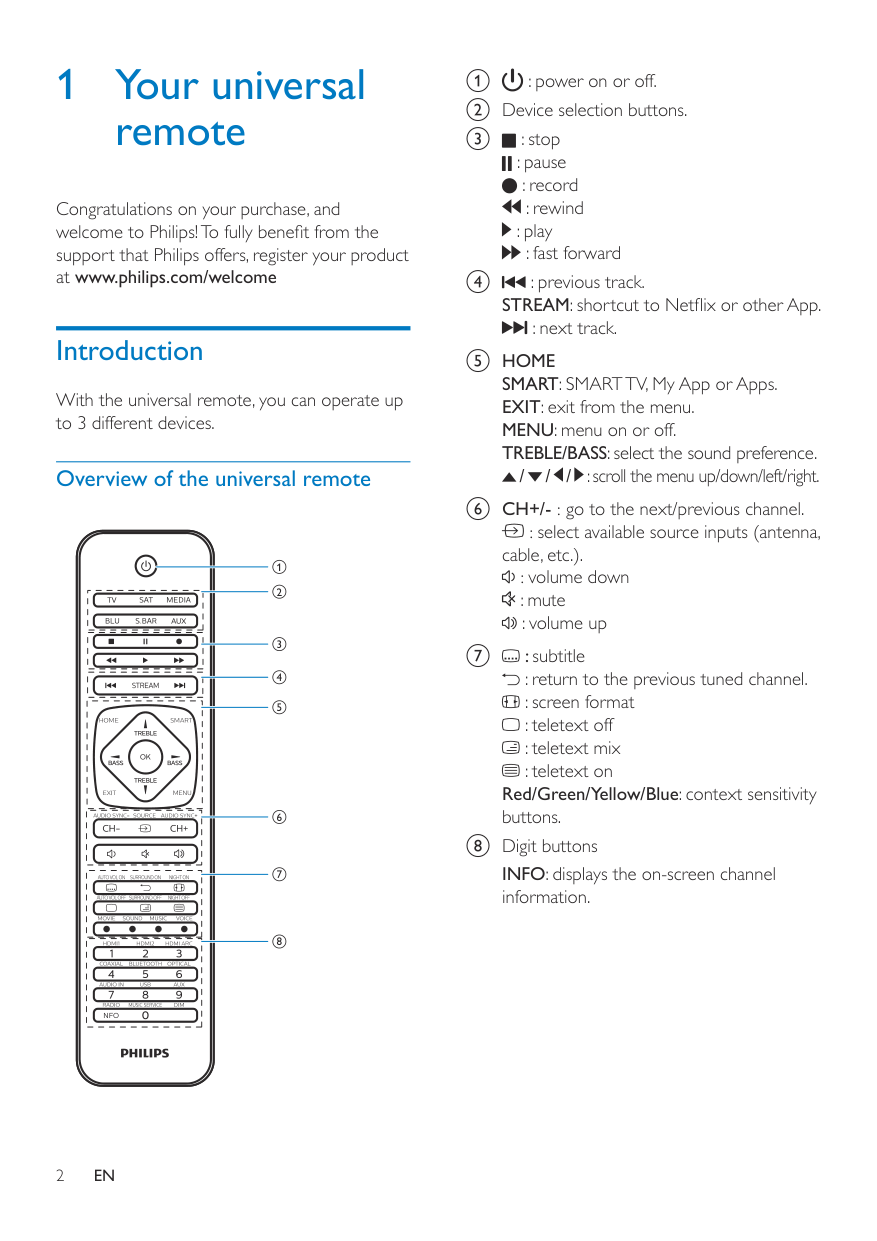
Battery Installation Your universal remote requires two (2) AAA Alkaline batteries (not included). To Install Batteries
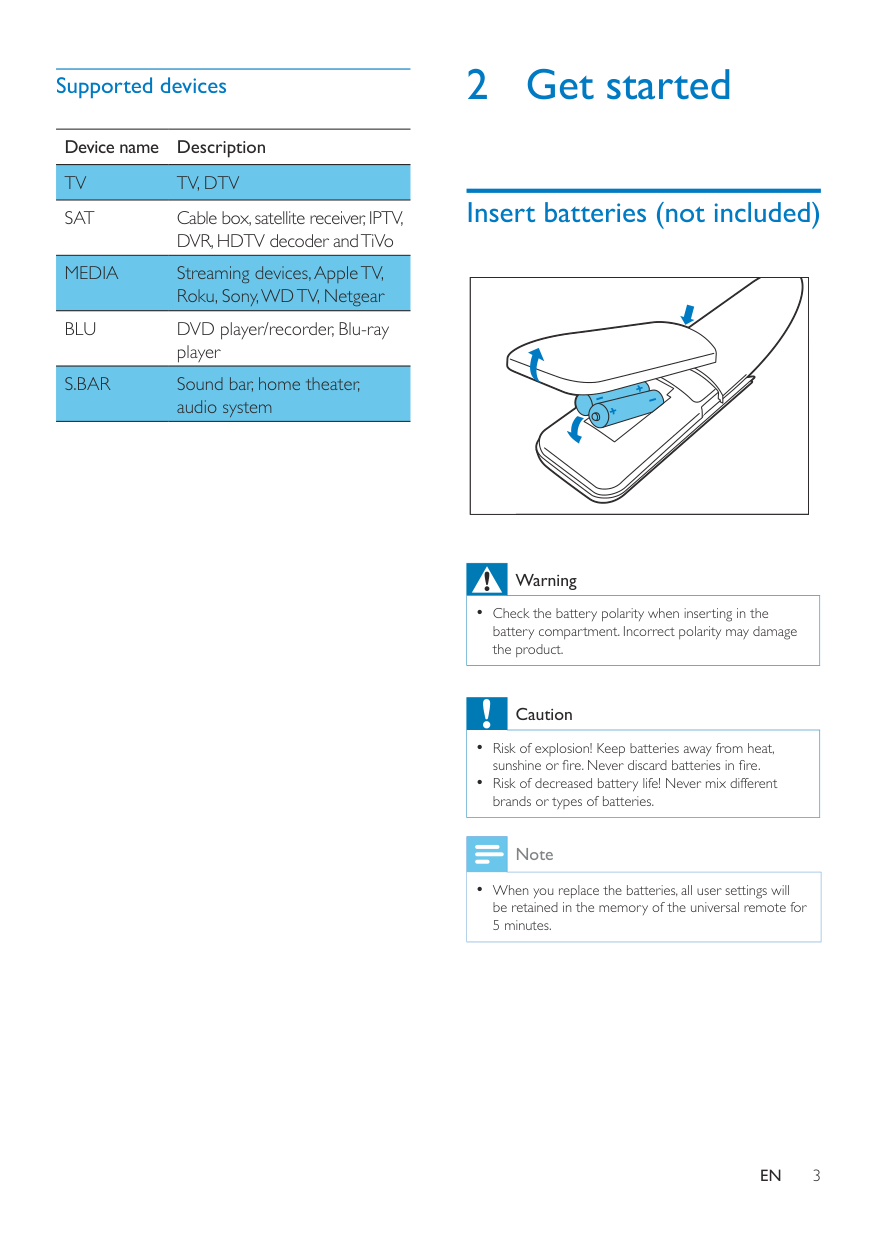
Button Function
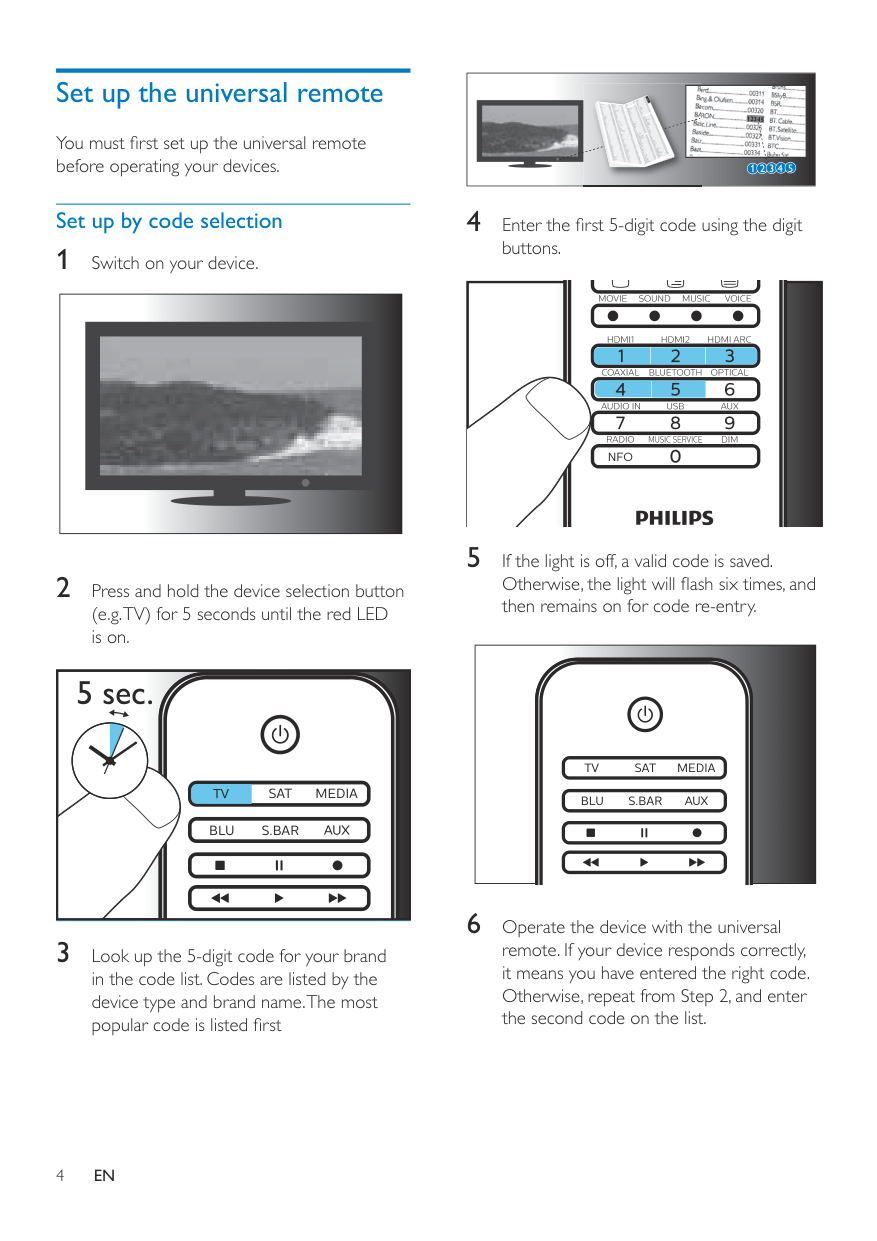
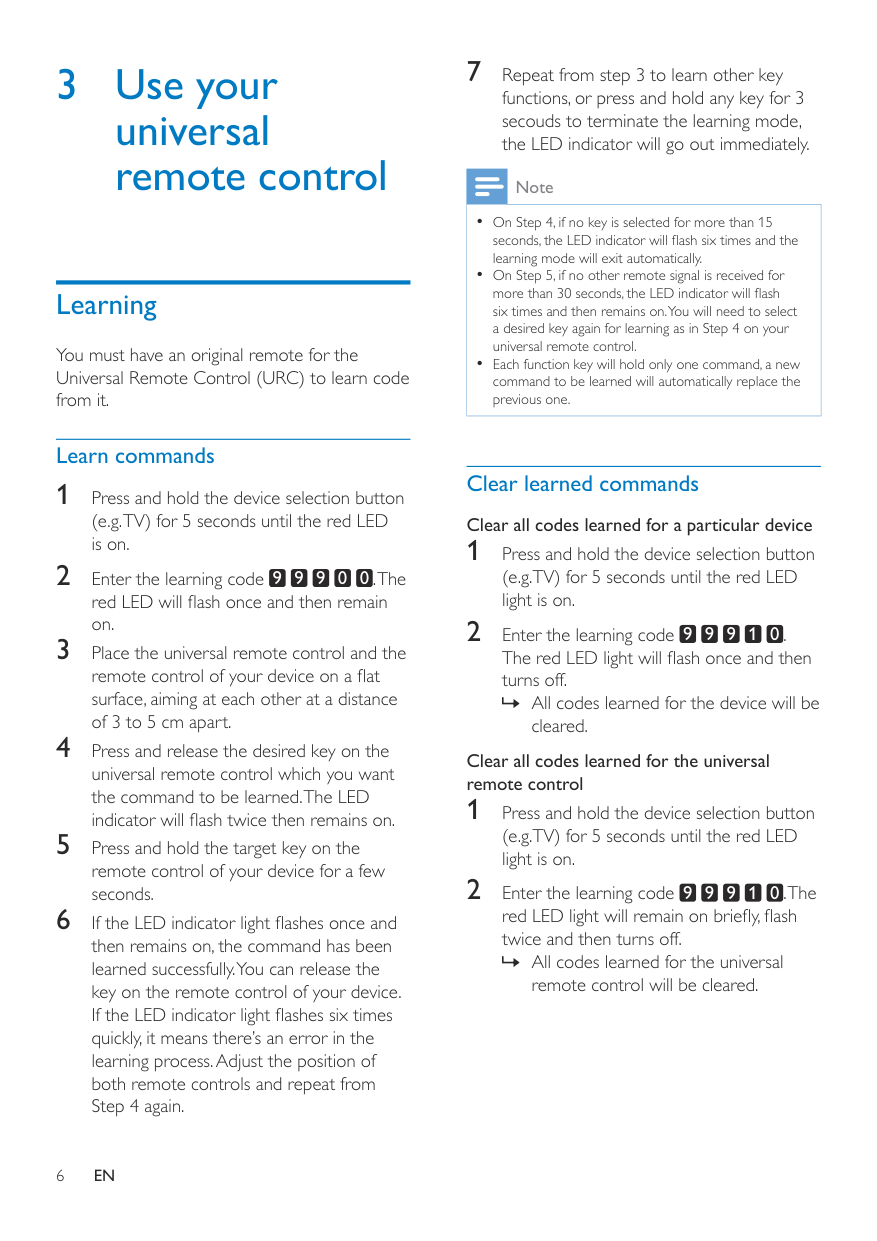
Programming Your Remote Your ONN universal remote control is designed to control up to 4 different audio/video devices such as TV DVD, VCR, sate|lite, cable and audio using only one remote. To use this remote, you will need to program it to control the devices of your choice. There are two ways to program the remote – direct code entry or auto code search. Controlling Combo Devices Some Combo devices Ce.g. TVNCR, TV/DVD, DVDSCR, etc~) will require you to setup up two different Mode buttons to Gont!oI both parts of the Combo device. For example, if you have a TV/DVD Combo, you might need to set up one code under the fV button to control the TV part AND a separate code (under any other Mode button) to control the DVD part. Master Volume Feature The Master Volume Feature allows you to select a single device (fV or audio receiver) that the volume control always controls. For example, the remote can be in TV mode while the volume buttons control the volume on your audio receiver instead of your TV.
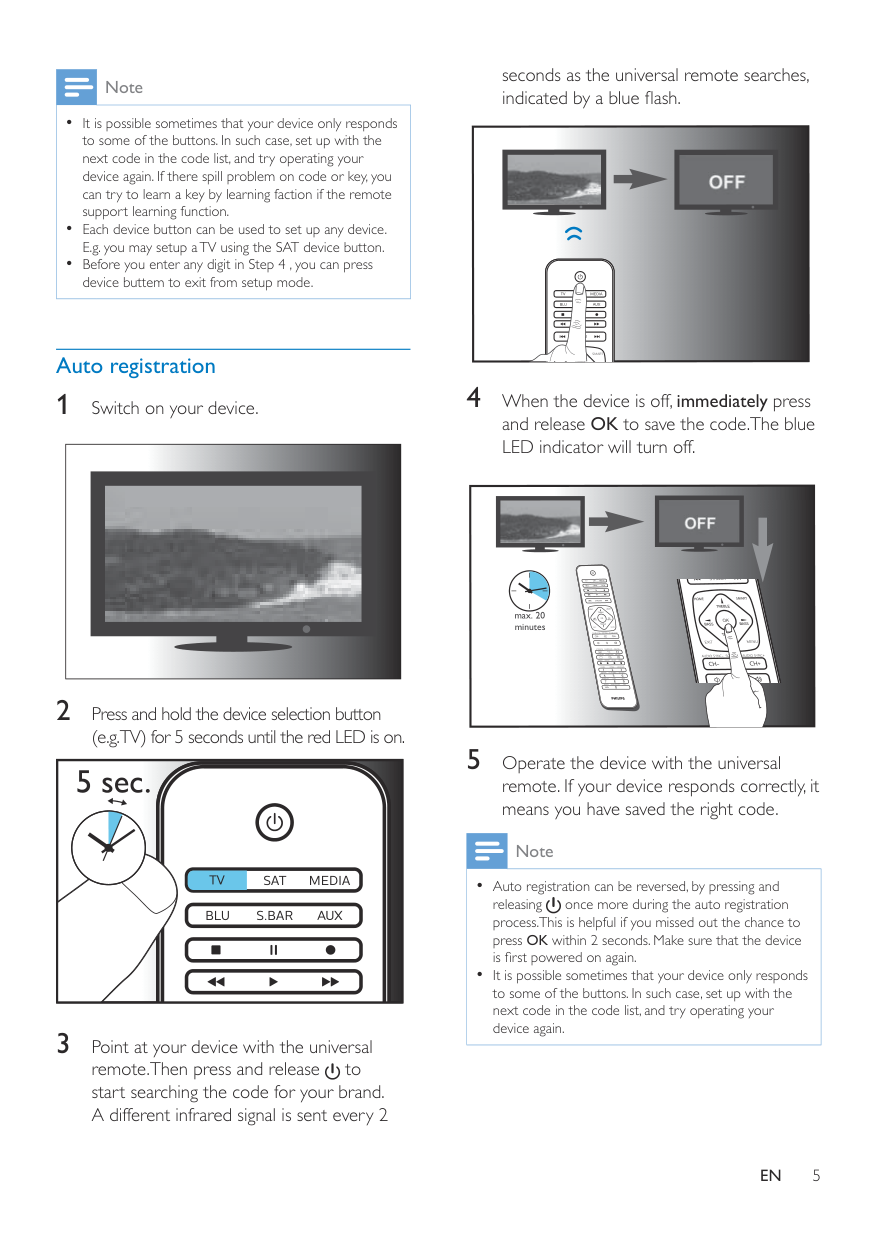
Device Categories: The button’s red indicator light blinks once and remains on. Programming your remote is as easy

● Q: What is the Onn Universal Remote Manual and Codes [ONB13AV004] used for? A: The Onn Universal Remote Manual and Codes [ONB13AV004] is a guide for programming the Onn universal remote control to operate up to four different audio/video devices such as TV, DVD, VCR, satellite, cable, and audio using only one remote. ● Q: What does the manual provide instructions for? A: The manual provides detailed instructions on how to install batteries, program the remote using direct code entry or auto code search, and control combo devices. It also includes a master volume feature that allows users to select a single device (TV or audio receiver) that the volume control always controls. ● Q: What troubleshooting tips are provided in the manual? A: The manual provides troubleshooting tips for situations where the remote does not operate the device or some features of the device.
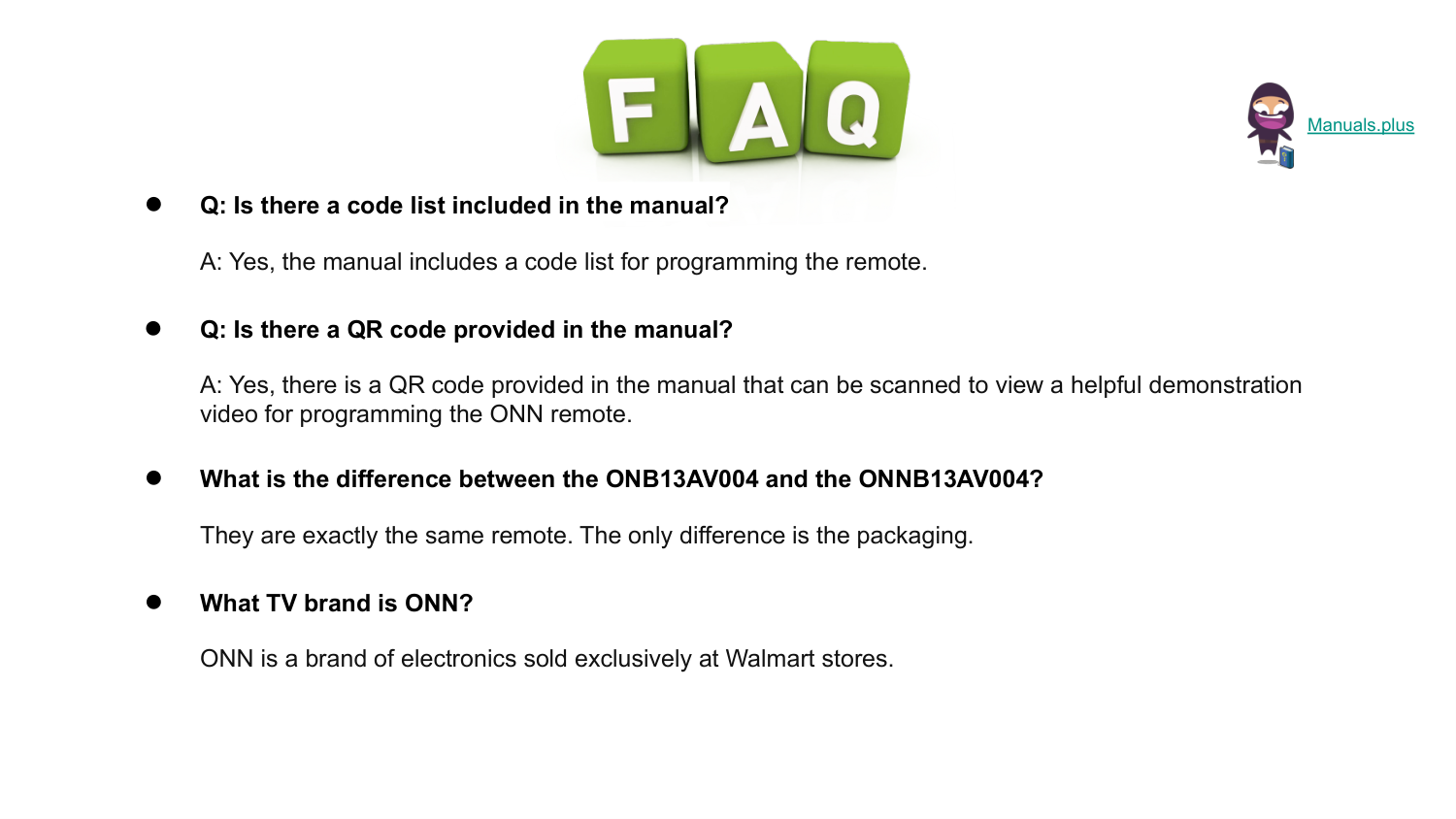
● Q: Is there a code list included in the manual? A: Yes, the manual includes a code list for programming the remote. ● Q: Is there a QR code provided in the manual? A: Yes, there is a QR code provided in the manual that can be scanned to view a helpful demonstration video for programming the ONN remote. ● What is the difference between the ONB13AV004 and the ONNB13AV004? They are exactly the same remote. The only difference is the packaging. ● What TV brand is ONN? ONN is a brand of electronics sold exclusively at Walmart stores.

Like And Subscribe us for more Videos