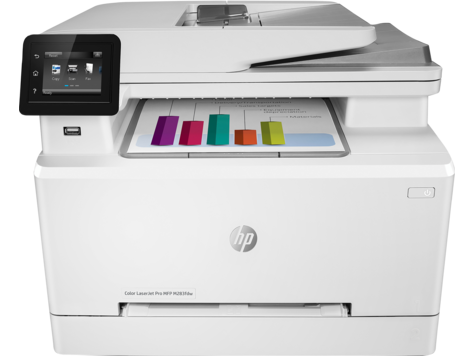
If you're shopping the M282-M285, the model breakdown matters more than the marketing copy makes it look. The five SKUs (M282nw, M283cdw, M283fdw, M285cdw, M285fdw) all run the same engine: 21 ppm at 600 dpi, auto-duplex on every variant, single 250-sheet tray plus a one-sheet priority feed. The fourth letter changes what's wireless and what's wired:
- M282nw: Wi-Fi yes, Wi-Fi Direct no, no fax. Cheapest. Catch is below.
- M283cdw / M285cdw: Adds Wi-Fi Direct. This is what makes AirPrint and HP Smart work without putting the printer on your router.
- M283fdw / M285fdw: Adds analog fax for offices that still need it.
If you don't have a router on the same network as both your phone and the printer, the M282nw isn't the right model — get the M283 or M285. Buyers regularly expect router-less phone-to-printer printing on the M282nw and find out only after setup that the feature isn't there.
Things that will come up
A "50.4" code on the panel. That's a fuser fault. Power-cycle: off, two minutes, back on. If it returns, the fuser is failing and you're shopping for a part. Don't keep printing through a persistent 50.4 — a struggling fuser scorches paper, and once that starts you're down for parts plus a cleaning.
A "13.20" jam that you can't see. 13.20 is the catch-all paper-jam code. The rear door catches more sheets than the front, so open the back first. Pull paper the way it was traveling. Reverse-pulling tears the sheet and leaves shreds inside the path.
Toner replacement timing. Open front, lift the spent cartridge out, pull the orange tab off the new one, seat at the same angle until it clicks. Run a calibration after a full set swap so the registration aligns. The printer also runs auto-calibration periodically on its own, which is why it occasionally pauses for a minute mid-job.
Scan to email. Set the SMTP credentials via the Embedded Web Server (point a browser at the printer's IP, log in, Scan tab). Once that's saved, the panel's Scan → Scan to Email lets you pick a saved address and go. The 50-sheet ADF can double-feed on lighter stock when filled to capacity, so leave a little headroom on multi-page jobs of thinner paper.
USB walk-up printing. Front port, thumb drive, file browser. PDFs and common image formats (JPG, PNG, TIFF) print directly. DOCX and XLSX won't — convert to PDF first.
Where buyers go wrong
The biggest mistake is running the setup wizard against a phone hotspot. The printer accepts the connection, then loses it the moment the phone walks away with the network. Set up against a stationary router and the printer remembers it.
The second mistake is using HP ePrint instead of HP Smart. HP retired the ePrint service on January 31, 2023 (HP support). HP Smart is the current app for setup, scanning to phone, and toner reordering.
Don't run envelopes or labels through Tray 2. The priority slot (Tray 1) is built for them. Envelopes through the main tray jam reliably.
When to call HP
Persistent 50.x or 13.x codes after a power cycle and a visible-jam check are the right time. Fusers and pickup rollers are real wear items on this generation, and HP Support pulls the part numbers for your specific serial.
The HP product page is at https://support.hp.com/us-en/product/details/hp-color-laserjet-pro-m282-mfp.
If this doesn't fit
- LaserJet Pro 400 M401 for mono-only, higher monthly volume
- LaserJet Pro M203 for single-function low volume
- DeskJet Ink Advantage 2135 for inkjet at very low monthly use