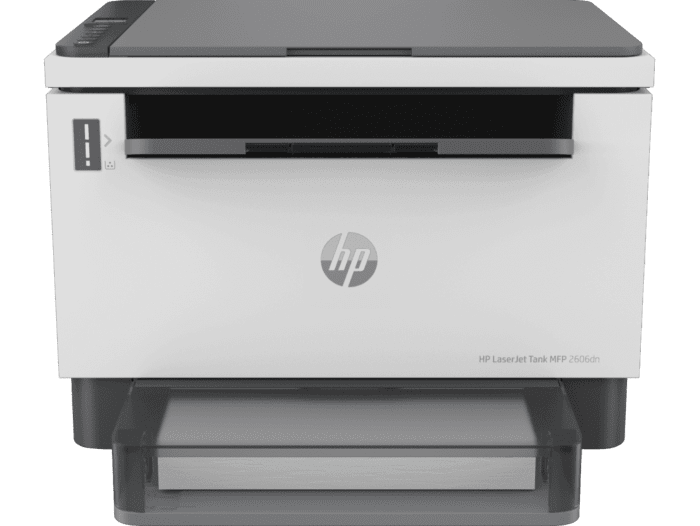
HP Laserjet Tank Mfp 2602 2606 Printer
Ask AI
— answers from the official manualAnswers from the official manual.
Common questions
Common Questions
10 totalWhat is the print speed of the HP LaserJet Tank MFP 2602 printer?
The printer delivers up to 22 ppm (pages per minute) for black printing on A4 paper in normal mode, with automatic two-sided printing reaching up to 14 ipm. The first page prints out as fast as 8 seconds from ready mode.
How long does it take to refill toner in this printer?
You can easily refill Original HP Toner in just 15 seconds. The printer comes pre-filled with 5,000 pages of toner in the tank, and HP offers ultra high yield refill kits with 2,500 and 5,000 page options.
What is the maximum duty cycle for the HP LaserJet Tank MFP 2602?
The monthly duty cycle is up to 25,000 pages on A4 paper, with a recommended monthly page volume of 250-2,500 pages. This makes it suitable for small to medium office environments.
How long does the imaging drum last in this printer?
The imaging drum has a long life of approximately 50,000 single-sided pages (letter or A4 size paper). Many factors determine actual drum useful life, such as temperature, humidity, type of paper, and toner used, and the drum unit is replaceable through authorized service providers.
What are the scanning capabilities of the HP LaserJet Tank MFP 2602?
The printer features a 40-sheet auto document feeder and can scan at up to 19 ppm in black and white or up to 10 ppm in color at normal resolution. It supports scan file formats including JPEG, Raw (BMP), PNG, TIFF, and PDF with optical scan resolution up to 600 dpi.
What connectivity options are available on the 2602sdw model?
The 2602sdw model includes Hi-Speed USB (USB 2.0 compatible), Ethernet 10/100 Base-TX, and dual-band Wi-Fi 802.11a/b/g/n (2.4/5 GHz) with Bluetooth LE. It supports mobile printing through HP Smart app, Apple AirPrint, Mopria Certified, and Wi-Fi Direct Printing.
Full Manual
5 pages
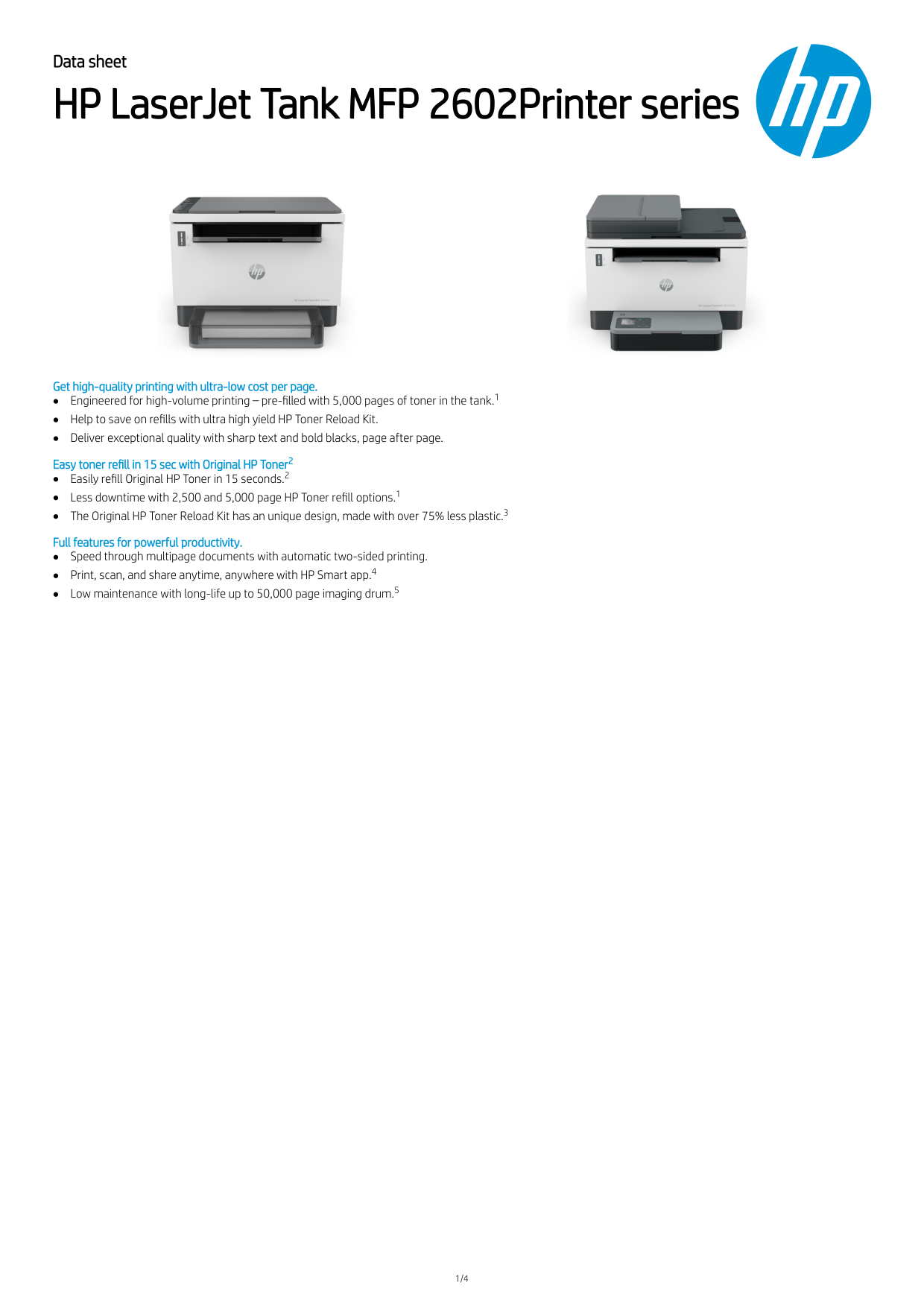
Data sheet HP LaserJet Tank MFP 2602Printer series Get high-quality printing with ultra-low cost per page. Engineered for high-volume printing – pre-filled with 5,000 pages of toner in the tank. Help to save on refills with ultra high yield HP Toner Reload Kit. Deliver exceptional quality with sharp text and bold blacks, page after page. Easy toner refill in 15 sec with Original HP Toner Easily refill Original HP Toner in 15 seconds. Less downtime with 2,500 and 5,000 page HP Toner refill options. The Original HP Toner Reload Kit has an unique design, made with over 75% less plastic. Full features for powerful productivity. Speed through multipage documents with automatic two-sided printing. Print, scan, and share anytime, anywhere with HP Smart app. Low maintenance with long-life up to 50,000 page imaging drum. 1/4 1 2 2 1 3 4 5

Data sheet | HP LaserJet Tank MFP 2602Printer series Product walkaround LaserJet Tank MFP 2602sdw shown
2R3F0A
2R7F6A
2R7F5A
Functions Print, copy, scan Print speed Black (A4, normal) Up to 22 ppm Connectivity Hi-Speed USB (compatible with USB 2.0 specifications; Ethernet 10/100 Base-TX Hi-Speed USB (compatible with USB 2.0 specifications); Ethernet 10/100 Base-TX; 802.11a/b/g/n (2.4/5 GHz) Wi-Fi radio + BLE Recommended monthly page volume 250-2500 Configurable Items, Accessories, Supplies and Support Supplies W1540A HP 154A Black Original LaserJet Tank Toner Reload Kit (~2,500 pages) W1540X HP 154X Black Original LaserJet Tank Toner Reload Kit (~5,000 pages) Service and Support U04TNE 3 years Standard Exchange (available in All EMEA countries Except Adriatic, Africa, CIS, EEM, Israel, Middle East, Russia, South Africa, Turkey) U04TKE 3 years Next Business Day Exchange (available in Austria, Belgium, Czech Rep, Denmark, Finland, France, Germany, Greece, Ireland, Italy, Netherlands, Norway, Poland, Portugal, Romania, Slovakia, Spain, Sweden, Switzerland, UK) U04TSE 3 years Return to Depot (available in Adriatic, Africa, CIS, EEM, Israel, Middle East, Russia, South Africa, Turkey) 2/4
Data sheet | HP LaserJet Tank MFP 2602Printer series Technical specifications Model HP LaserJet Tank MFP 2602dn Printer HP LaserJet Tank MFP 2602sdn Printer HP LaserJet Tank MFP 2602sdw Printer Product number
2R3F0A
2R7F6A
2R7F5A
Control panel Icon LCD; 2 lights (Media, Lid open); 9 buttons (Down, Menu, Up, Copy, ID copy, Info, Resume, Cancel, Power) Icon LCD; 2 lights (Media, Lid open); 10 buttons (WiFi, Down, Menu, Up, Copy, ID copy, Info, Resume, Cancel, Power) Print Print technology Laser Print speed Black (A4, normal) Up to 22 ppm ; Black (A4, duplex): Up to 14 ipm First page out Black (A4, ready): As fast as 8 sec ; Black (A4, sleep): As fast as 8.4 sec Print resolution Black (best): Up to 600 x 600 dpi ; Technology: 600 x 600 dpi; 600 x 400 dpi Monthly duty cycle Up to 25,000 pages A4; Recommended monthly page volume: 250-2500 Printer smart software features Automatic duplex printing, HP Auto-On/Auto-Off, HP Smart App Standard print languages PCLmS; URF; PWG Print area Print margins Top: 2 mm, Bottom: 2 mm, Left: 2 mm, Right: 2 mm; Maximum print area: 215.9 x 355.6 mm Duplex printing Automatic Copy Copy speed Black (A4): Up to 22 cpm Scan Scan speed Normal (A4): Up to 19 ppm (b&w), up to 10 ppm (color) Scan file formatJpeg, Raw(Bmp), Png, Tiff, Pdf
Scanner specifications Scanner type: Flatbed, ADF (Optional); Scan technology: Contact Image Sensor (CIS); Scan input modes: HP Smart App; and user applications via Twain; Twain version: Version 2.1; Duplex ADF scanning: No; Scan size maximum (flatbed): 216 x 297 mm; Optical scan resolution: Up to 600 dpi Recommended monthly scan volume 150 to 1500 Scannable area Maximum media size (flatbed): 216 x 297 mm; Minimum media size (ADF): 148 x 210 mm Maximum media size (ADF): 216 x 356 mm Bit depth/ Grey scale levels 24-bit / 256 Processor speed 500 MHz Connectivity Standard Hi-Speed USB (compatible with USB 2.0 specifications; Ethernet 10/100 Base-TX Hi-Speed USB (compatible with USB 2.0 specifications; Ethernet 10/100 Base-TX; 802.11a/b/g/n (2.4/5 GHz) Wi- Fi radio + BLE Wireless built-in WiFi 802.11b/g/n (2.4/5GHz) Mobile printing capability HP Smart App; Apple AirPrint™; Mopria™ Certified HP Smart App; Apple AirPrint™; Mopria™ Certified; Wi-Fi® Direct Printing Supported network protocols TCP/IP: IPv4; IPv6; LPD; SLP; Bonjour; WS-Discovery; BOOTP/DHCP/AutoIP; SNMP v 1/2/3;HTTP/HTTPS; UDP; IPP Network capabilities Ethernet 10/100Base-TX Ethernet 10/100Base-TX; built-in WiFi 802.11b/g/n (2.4/5GHz) Memory Standard: 64 MB; Maximum: 64 MB SDRAM Media handling Number of paper trays Standard: 1 ; Maximum: 1 Input Tray Media types Plain paper, Heavy paper, Bond paper, Label, Light paper, Envelope Media size Custom (metric): 102 x 152 to 215.9 x 355.6 mm ; Supported (metric): A6; A5; A4; No.10 Env; C5 Env; DL Env; B5 Env; B5(JIS); B6 (JIS); 216mm x 340mm; Custom ; ADF: A4, Letter, Legal Media handling Standard input: 250-sheet input tray Standard input: 250-sheet input tray ADF: Standard, 40 sheets Media weight 60 to 163 g/m²; ADF: 60 to 90 g/m² Input capacity Tray 1: Sheets: 250; Envelopes: 10 Maximum: Up to 250 sheets Tray 1: Sheets: 250; Envelopes: 10 Maximum: Up to 250 sheets ADF: Standard, 40 sheets Output capacity Standard: Up to 100 sheets Envelopes: Up to 10 envelope Transparencies: Does not support transparency Maximum: Up to 100 sheets Compatible operating systems Windows 11; Windows 10; Windows 7; macOS 10.15 Catalina; macOS 11 Big Sur; macOS 12 Monterey; Linux Compatible network operating systems Windows Server 2008 R2 64-bit, Windows Server 2008 R2 64-bit (SP1), Windows Server 2012 64-bit, Windows Server 2012 R2 64-bit, Windows Server 2016 64-bit; Linux (For more information see http://developers.hp.com/hp-linux-imaging-and-printing) Minimum system requirements Windows: Microsoft® Windows® 11, 10, 7 SP1: 32-bit or 64-bit, 2 GB available hard disk space, Internet connection, Microsoft® Internet Explorer or Edge.; Mac: Apple® macOS v10.15 Catalina, macOS v11 Big Sur, macOS v12 Monterey; 2 GB HD; Internet required Software included No CD in box; Downloadable Software from http://www.hp.com or http://123.hp.com Security management Secure Boot, Secure Firmware Integrity, Runtime Code Integrity, password protected EWS, secure browsing via SSL/TLS 1.0, TLS 1.1, TLS 1.2; TLS 1.0/1.1 disabled by default; OpenSSL version 1.1.1; Enable/disable Network ports; SNMPv1, SNMPv2, and SNMPv3, Community password change; Secure defaults, Encrypted data at rest, Active FW update, Admin password by default, Cipher & TLS selection; Account lockout; Secure Wi-Fi setup Printer management HP Printer Assistant (UDC); HP Device Toolbox; HP Utility (Mac) Dimensions and weight Printer dimensions (W x D x H) Minimum 368 X 326 X 255 mm; Maximum: 368 X 390.5 X255mm Minimum 418 X 345 X 311.4 mm; Maximum: 418 X 398.5 X 311.4mm Printer weight 7.9kg 9.5 kg Operating environment Temperature: 15 to 32.5°C; Humidity: 30 to 70% RH Storage conditions Temperature: -20 to 60°C Acoustics Acoustic power emissions: 6.3 B(A); Acoustic pressure emissions: 49 dB(A) Power Requirements: 110V - 127V nominal @ +/-10% (min 99V, max 140V), 50 - 60Hz nominal +/- 3Hz (min 47Hz, max 63Hz), 220V - 240V nominal @ +/-10% (min 198V, Max 264V), 50 - 60Hz nominal +/- 3Hz (min 47Hz, max 63Hz ; Consumption: Active printing: 390w, Ready: 2.7w, Sleep: 0.51w, Manual Off: 0.05w, Auto Off/Manual On: 0.05w, Auto-Off/Wake on LAN: 0.5w ; Typical Electricity Consumption (TEC) : Energy Star: 0.194Kwh/week; Blue Angel: 0.203Kwh/week ; Power supply type: Internal (Built-in) power supply Energy savings feature technology HP Auto-On/Auto-Off Technology; Instant-on Technology Certifications RCM (Australia), TUV and GS Mark (Germany), BSMI (Taiwan), CCC (China), BIS (India), KC (South Korea), SIRIM (Malaysia), Cambodia, Ukraine, EAC, Eastern European approvals, CE Marking, FCC, Energy Star, UL, Paraguay, Chile, Argentina, Indonesia, Singapore, Philippines, etc. Electromagnetic emission standard: CISPR32:2015 & CISPR 35:2016 /EN55032:2015 - Class B; EN 61000-3-2:2019; EN 61000-3-3:2013+A1:2019; EN 55035:2017; FCC Title 47 CFR, Part 15 Class B/ICES-003, Issue 6 Blue Angel; EPEAT® Silver registered Telecom compliance: NA, without wireless module RCM (Australia), TUV and GS Mark (Germany), BSMI (Taiwan), CCC (China), BIS (India), KC (South Korea), SIRIM (Malaysia), Cambodia, Ukraine, EAC, Eastern European approvals, CE Marking, FCC, Energy Star, UL, Paraguay, Chile, Argentina, Indonesia, Singapore, Philippines, etc. Electromagnetic emission standard: CISPR32:2015 & CISPR 35:2016 /EN55032:2015 - Class B; EN 61000-3-2:2019; En 61000-3-3:2013+A1:2019; En 55035:2017;
FCC Title 47 CFR, Part 15 Class B/ICES-003, Issue 6 Blue Angel; EPEAT® Silver registered Telecom compliance: Wireless: EU RED 2014/53/EU; ETSIEn 301 489-1 V2.2.3 / Etsi En 301 489-17: V3.1.1; En
300 328: V2.2.2 / En301 893 V2.1.1/ En300 440-1
V2.1.1; FCC Title 47 CFR, Part 15 Subpart C & E / RSS 247 Issue 1, 2015 & RSS 102 Issue 5, 2015; IEC 62311:2007 /En62311:2008
Sustainable impact specifications Recyclable through HP Planet Partners; Contains post-consumer recycled plastic Blue Angel compliant Yes, Blue Angel DE-UZ 219—only ensured when using Original HP supplies Country of origin Made in Vietnam 1 2 3,4 5 7 6 7
What's in the box 2R3F0A HP LaserJet Tank MFP 2602dn Printer; HP Black Original LaserJet Tank Imaging Drum (introductory ~5000 page black toner yield provided); Power Cord; Setup Guide; Reference Guide; Regulatory/Support Flyers 2R7F6A HP LaserJet Tank MFP 2602sdn Printer; HP Black Original LaserJet Tank Imaging Drum (introductory ~5000 page black toner yield provided); Power Cord; Setup Guide; Reference Guide; Regulatory/Support Flyers 2R7F5A HP LaserJet Tank MFP 2602sdw Printer; HP Black Original LaserJet Tank Imaging Drum (introductory ~5000 page black toner yield provided); Power Cord; Setup Guide; Reference Guide; Regulatory/Support Flyers Warranty Up to 3 years extended warranty upon registration within 60 days at www.hp.com/go/lasertank-warranty 3/4 7

Data sheet | HP LaserJet Tank MFP 2602Printer series Footnotes Actual yield varies considerably based on content of printed pages and other factors. Average based on ISO/IEC 19752 and continuous printing. Additional printed pages require toner reload. For details see www.hp.com/go/learnaboutsupplies. When used in accordance with instructions. Average reload time based on HP internal testing. Over 75% plastic reduction is calculated by comparing the weight of the plastic in HP Neverstop Laser 103/143 A/AD and HP Laser NS 108 A/AD Toner Reload Kit and its packaging. Requires the HP Smart app download. For details on local printing requirements see http://www.hp.com/go/mobileprinting. Certain features/software are available in English language only and differ between desktop and mobile applications. Subscription may be required; subscription may not be available in all countries. See details at HPSmart.com. Internet access required and must be purchased separately. HP account required for full functionality. List of supported operating systems available in app stores. The yield of imaging drum is approximately 50,000 single-sided pages (letter or A4 size paper). There are many factors that determine the actual drum useful life, such as temperature, humidity, type of paper, type of toner used and other variables. The imaging drum unit is replaceable through authorized service provider. Technical specifications disclaimers Measured using ISO/IEC 24734, excludes first set of test documents. For more information see http://www.hp.com/go/printerclaims. Exact speed varies depending on the system configuration, software application, driver, and document complexity. Measured using ISO/IEC 17629. For more information see http://www.hp.com/go/printerclaims. Exact speed varies depending on the system configuration, software application, driver, and document complexity. HP Auto-On/Auto-Off Technology capabilities subject to printer and settings; May require a firmware upgrade. Requires the HP Smart app download. For details on local printing requirements see http://www.hp.com/go/mobileprinting. Certain features/software are available in English language only and differ between desktop and mobile applications. Subscription may be required; Subscription may not be available in all countries. See details at: HPSmart.com; Internet access required and must be purchased separately. HP account required for full functionality. List of supported operating systems available in app stores. Scan speeds measured from ADF. Actual processing speeds may vary depending on scan resolution, network conditions, computer performance, and application software. Power requirements are based on the country/region where the printer is sold. Do not convert operating voltages. This will damage the printer and void the product warranty. Energy Star value typically based on measurement of 115V device. HP Black Original LaserJet Tank Imaging Drum (introductory ~5,000 page black toner yield provided). For yield information included with your printer, see http://www.hp.com/go/toneryield. Yield values measured in accordance with ISO/IEC 19752 and continuous printing. Actual yields vary considerably based on images printed and other factors. © Copyright 2022 HP Development Company, L.P. The information contained herein is subject to change without notice. The only warranties for HP products and services are set forth in the express warranty statements accompanying such products and services. Nothing herein should be construed as constituting an additional warranty. HP shall not be liable for technical or editorial errors or omissions contained herein. ae-en June 2022