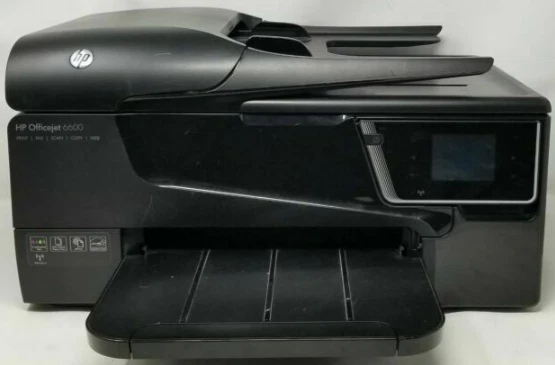
HP Officejet 6600 E All IN One Printer Series H711
Ask AI
— answers from the official manualAnswers from the official manual.
Common questions
Common Questions
28 totalWhat are the print speeds for the HP Officejet 6600 e-All-in-One Printer?
The HP Officejet 6600 prints at ISO speeds of up to 14 ppm black and up to 8 ppm color. Maximum print speed can reach up to 32 ppm black and up to 30 ppm color. These speeds are based on ISO test pages after the first set of pages printed.
What ink cartridges are compatible with the HP Officejet 6600, and what are their page yields?
The printer uses four individual cartridges: HP 932 Black (~400 pages), HP 933 Cyan, Magenta, and Yellow (~330 pages each). High-capacity XL versions are also available: HP 932XL Black (~1,000 pages) and HP 933XL Cyan, Magenta, and Yellow (~825 pages each). Note that high-capacity cartridges are not included in the box and must be purchased separately.
What is included in the box with the HP Officejet 6600?
The box includes the HP Officejet 6600 e-All-in-One printer, HP 932 Black Officejet Ink Cartridge, HP 933 Cyan, Magenta, and Yellow Officejet Ink Cartridges, a setup poster, Getting Started Guide, software CD, and power cord. Note that some ink from the included cartridges is used to start up the printer.
How can I clean the scanner glass on my HP Officejet 6600?
To clean the scanner glass, turn off the printer, lift the lid, and use a soft, lint-free cloth sprayed with mild glass cleaner to wipe it. Dry the glass after cleaning with another dry cloth. Close the lid and restart the printer (Page 23).
How do I resolve issues with my HP Officejet 6600 printing slowly?
If your printer is printing slowly, check if the document is complex or contains large images. Adjust print quality settings to 'draft' mode if high resolution isn't necessary (Page 81).
What wireless and connectivity options does the HP Officejet 6600 support?
The HP Officejet 6600 includes standard connectivity of 1 USB 2.0 port, 1 Wireless 802.11b/g/n, and 1 RJ-11 fax port. It supports mobile printing via HP ePrint, Apple AirPrint, and wireless direct printing. Wireless operations are compatible with 2.4 GHz routers only.
Show 22 more questions
What are the paper handling capacities for the HP Officejet 6600?
What operating systems are compatible with the HP Officejet 6600?
What are the recommended operating temperature and humidity conditions for the HP Officejet 6600?
What are the fax capabilities of the HP Officejet 6600?
How much energy does the HP Officejet 6600 consume, and are there ways to save energy?
What scan file formats and resolutions does the HP Officejet 6600 support?
How do I set up the wireless connection for my HP Officejet 6600 e-All-in-One Printer?
What is the maximum print resolution for black and color documents on my HP Officejet 6600?
How do I print a test page from my HP Officejet 6600 e-All-in-One Printer?
What is the monthly duty cycle for my HP Officejet 6600?
What are the power consumption levels of my HP Officejet 6600 Printer during different modes?
What is the copy resolution of my HP Officejet 6600 e-All-in-One printer?
What is the input voltage range for my HP Officejet 6600 Printer?
How do I scan a document using the ADF on my HP Officejet 6600?
What steps should I follow to turn off my HP Officejet 6600?
What should I do if ink cartridges are missing in my HP Officejet 6600?
How do I troubleshoot a paper mismatch error code on my HP Officejet 6600?
Can I load photo papers on an automatic document feeder?
Which papers are recommended for photo printing with my HP Officejet 6600?
What should I do if the printer is not responding and no documents are printing?
How do I change the print quality mode settings on my HP Officejet 6600?
What is the best way to maintain my HP Officejet 6600 printer?
Full Manual
216 pages

User Guide

HP Officejet 6600
HP Officejet 6600 e-All-inOne series
User Guide
Copyright information © 2014 Copyright Hewlett-Packard Development Company, L.P. Edition 2, 1/2014
###### Hewlett-Packard Company notices
The information contained in this document is subject to change without notice. All rights reserved. Reproduction, adaptation, or translation of this material is prohibited without prior written permission of Hewlett-Packard, except as allowed under copyright laws. The only warranties for HP products and services are set forth in the express warranty statements accompanying such products and services. Nothing herein should be construed as constituting an additional warranty. HP shall not be liable for technical or editorial errors or omissions contained herein.
Acknowledgements Windows, Windows XP, and Windows Vista are U.S. registered trademarks of Microsoft Corporation. ENERGY STAR and the ENERGY STAR mark are registered U.S. marks.
###### Safety information

Always follow basic safety precautions when using this product to reduce risk of injury from fire or electric shock.
Accessibility The printer provides a number of features that make it accessible for people with disabilities. Visual

The printer software is accessible for those with visual impairments or low vision through the use of your operating system's accessibility options and features. It also supports most assistive technology such as screen readers, Braille readers, and voice-to-text applications. For those who are color blind, colored buttons and tabs used in the software and on the printer control panel have simple text or icon labels that convey the appropriate action. Mobility
For those with mobility impairments, the printer software functions can be executed through keyboard commands. The software also supports Windows accessibility options such as StickyKeys, ToggleKeys, FilterKeys, and MouseKeys. The printer doors, buttons, paper trays, and paper guides can be operated by those with limited strength and reach. Support For more details about the accessibility of this product and HP's commitment to product accessibility, visit HP's web site at www.hp.com/ accessibility. For accessibility information for Mac OS X, visit the Apple web site at www.apple.com/accessibility.
Contents
###### 1 Get started
Accessibility................................................................................................................................9 Eco............................................................................................................................................10 Understand the printer parts.....................................................................................................11
Front view...........................................................................................................................11 Printing supplies area.........................................................................................................11 Back view............................................................................................................................12
Use the printer control panel....................................................................................................12 Overview of buttons and lights...........................................................................................12 Control panel display icons.................................................................................................13 Change printer settings......................................................................................................14
Select the mode............................................................................................................14 To select a different mode............................................................................................14 To change settings for a mode.....................................................................................14 Change the printer settings..........................................................................................15
Find the printer model number.................................................................................................15 HP Digital Solutions..................................................................................................................15
Scan to Computer...............................................................................................................15 HP Digital Fax (Fax to PC and Fax to Mac)........................................................................15
Select print media.....................................................................................................................15 Recommended papers for printing and copying.................................................................16 Recommended papers for photo printing...........................................................................17 Tips for selecting and using media.....................................................................................18
Load an original on the scanner glass......................................................................................18 Load an original in the automatic document feeder (ADF).......................................................19 Load media...............................................................................................................................20
Load standard-size media..................................................................................................20 Load envelopes..................................................................................................................21 Load cards and photo paper...............................................................................................22 Load custom-size media.....................................................................................................23
Maintain the printer...................................................................................................................24 Clean the scanner glass.....................................................................................................24 Clean the exterior ..............................................................................................................24 Clean the automatic document feeder................................................................................25
Update the printer.....................................................................................................................25 Turn off the printer....................................................................................................................26
###### 2Print
Print documents........................................................................................................................27 Print documents (Windows)................................................................................................28 Print documents (Mac OS X)..............................................................................................28
Print brochures.........................................................................................................................28 Print brochures (Windows).................................................................................................29 Print brochures (Mac OS X)................................................................................................29
Print on envelopes....................................................................................................................29 Print on envelopes (Windows)............................................................................................30 Print on envelopes (Mac OS X)..........................................................................................30
Print photos..............................................................................................................................31 Print photos on photo paper (Windows).............................................................................31 Print photos on photo paper (Mac OS X)...........................................................................32
Print on special and custom-size paper....................................................................................32 Print on special or custom-size paper (Mac OS X).............................................................33
Print borderless documents......................................................................................................34 Print borderless documents (Windows)..............................................................................34 Print borderless documents (Mac OS X)............................................................................34
###### 3Scan
Scan an original........................................................................................................................36
Scan to a computer............................................................................................................36 Scan using Webscan................................................................................................................37 Scanning documents as editable text.......................................................................................38
To scan documents as editable text...................................................................................38 Guidelines for scanning documents as editable text..........................................................39
###### 4Copy
Copy documents.......................................................................................................................41 Change copy settings...............................................................................................................41
###### 5Fax
Send a fax................................................................................................................................43 Send a standard fax...........................................................................................................43 Send a standard fax from the computer.............................................................................44 Send a fax manually from a phone.....................................................................................45 Send a fax using monitor dialing........................................................................................46 Send a fax from memory....................................................................................................47 Schedule a fax to send later...............................................................................................47 Send a fax to multiple recipients.........................................................................................48 Send a fax in Error Correction Mode..................................................................................48
Receive a fax............................................................................................................................49 Receive a fax manually......................................................................................................49 Set up backup fax...............................................................................................................50 Reprint received faxes from memory..................................................................................50 Poll to receive a fax............................................................................................................51 Forward faxes to another number......................................................................................51 Set the paper size for received faxes.................................................................................52 Set automatic reduction for incoming faxes........................................................................52 Block unwanted fax numbers.............................................................................................52
Add numbers to the junk fax list...................................................................................53 Remove numbers from the junk fax list........................................................................53 Print a Junk Fax Report................................................................................................54
Receive faxes to your computer using HP Digital Fax (Fax to PC and Fax to Mac)..........54 Fax to PC and Fax to Mac requirements......................................................................54 Activate Fax to PC and Fax to Mac..............................................................................55 Modify Fax to PC and Fax to Mac settings...................................................................55
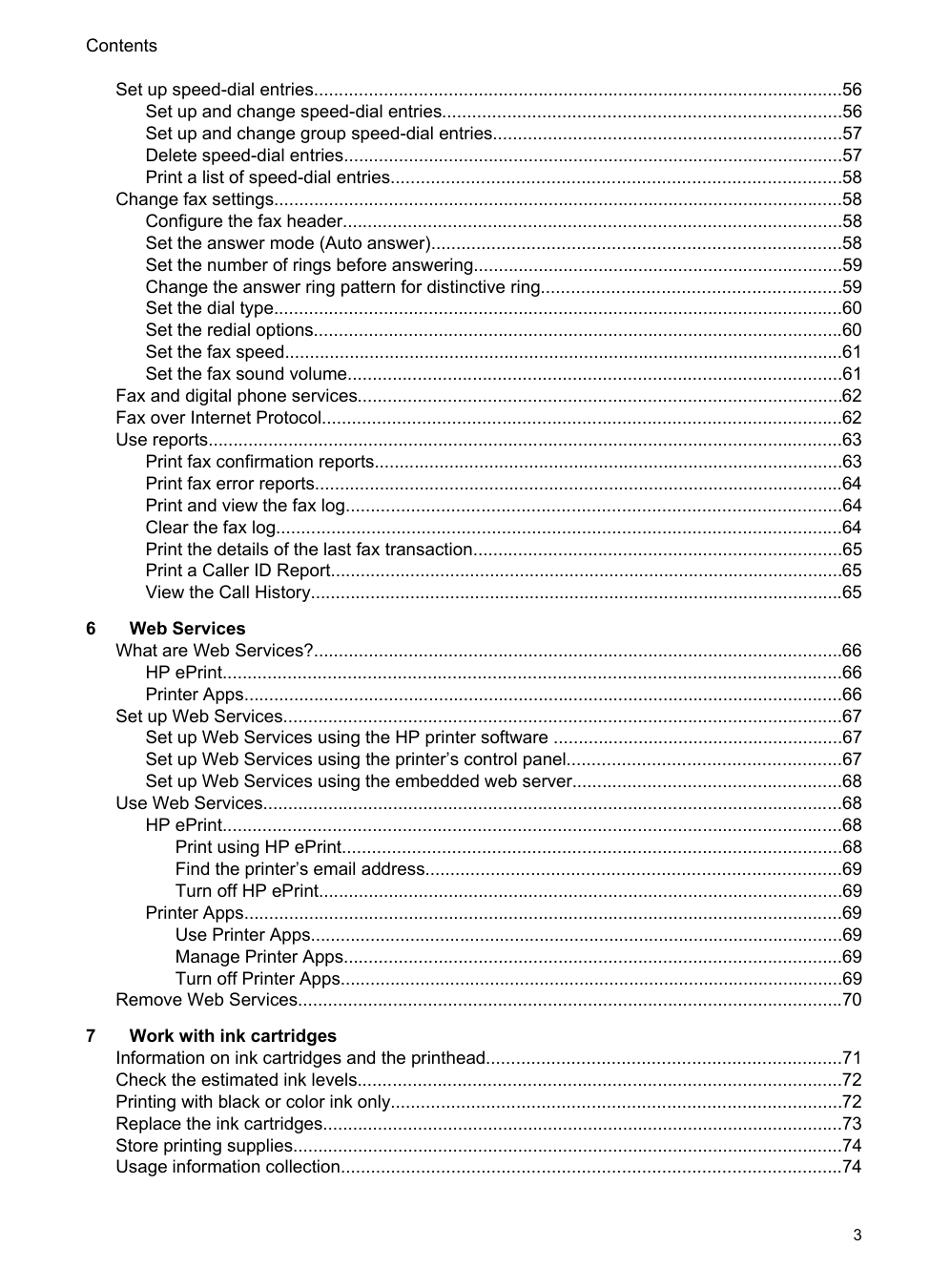
Set up speed-dial entries..........................................................................................................56 Set up and change speed-dial entries................................................................................56 Set up and change group speed-dial entries......................................................................57 Delete speed-dial entries....................................................................................................57 Print a list of speed-dial entries..........................................................................................58
Change fax settings..................................................................................................................58 Configure the fax header....................................................................................................58 Set the answer mode (Auto answer)..................................................................................58 Set the number of rings before answering..........................................................................59 Change the answer ring pattern for distinctive ring............................................................59 Set the dial type..................................................................................................................60 Set the redial options..........................................................................................................60 Set the fax speed................................................................................................................61 Set the fax sound volume...................................................................................................61
Fax and digital phone services.................................................................................................62 Fax over Internet Protocol........................................................................................................62 Use reports...............................................................................................................................63

Print fax confirmation reports..............................................................................................63 Print fax error reports..........................................................................................................64 Print and view the fax log...................................................................................................64 Clear the fax log.................................................................................................................64 Print the details of the last fax transaction..........................................................................65 Print a Caller ID Report.......................................................................................................65 View the Call History...........................................................................................................65
HP ePrint............................................................................................................................66 Printer Apps........................................................................................................................66
Set up Web Services................................................................................................................67 Set up Web Services using the HP printer software ..........................................................67 Set up Web Services using the printer’s control panel.......................................................67 Set up Web Services using the embedded web server......................................................68
Use Web Services....................................................................................................................68
HP ePrint............................................................................................................................68 Print using HP ePrint....................................................................................................68 Find the printer’s email address...................................................................................69 Turn off HP ePrint.........................................................................................................69
Printer Apps........................................................................................................................69 Use Printer Apps...........................................................................................................69 Manage Printer Apps....................................................................................................69 Turn off Printer Apps.....................................................................................................69
Remove Web Services.............................................................................................................70
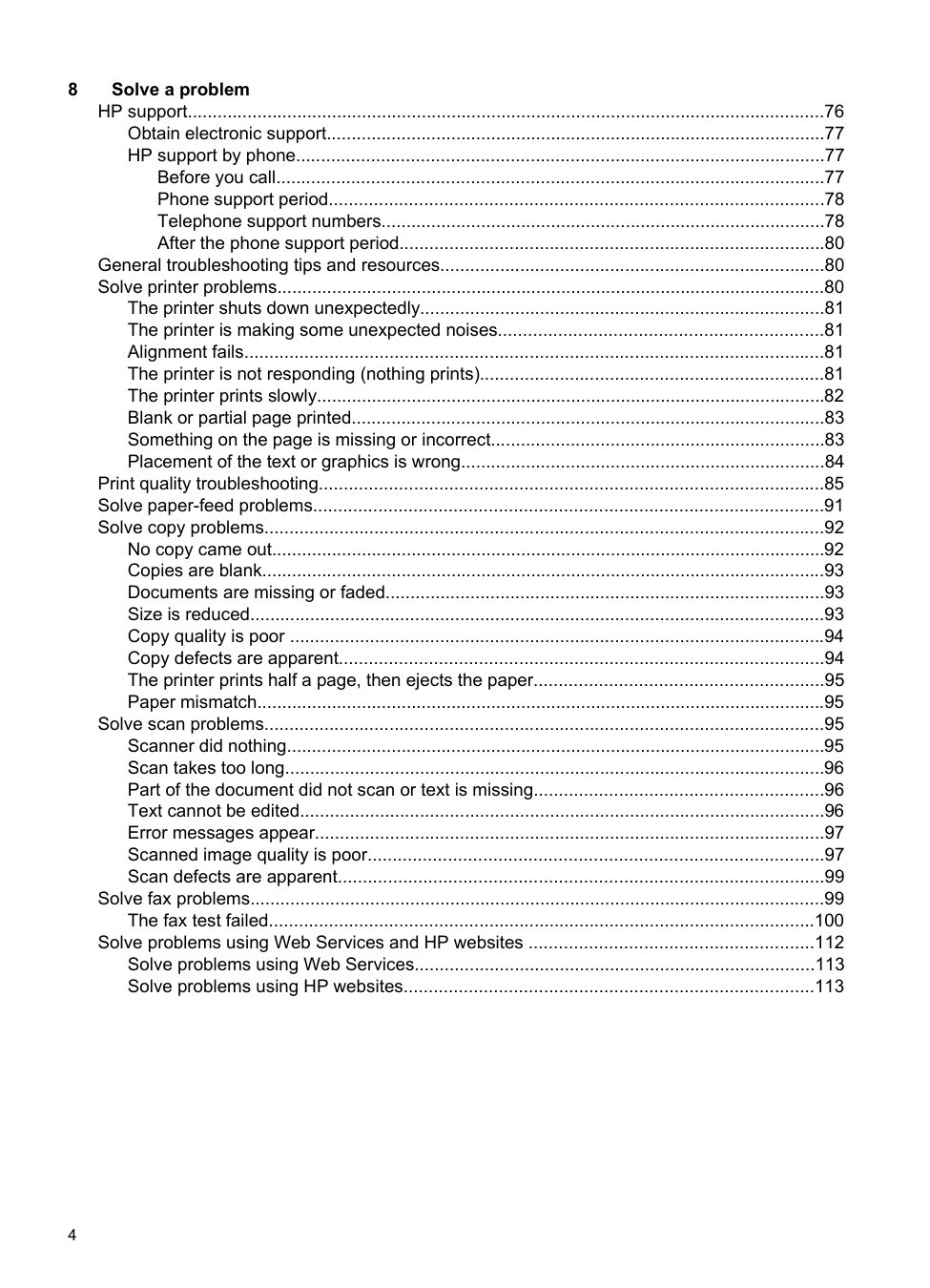
Obtain electronic support....................................................................................................77 HP support by phone..........................................................................................................77
Before you call..............................................................................................................77 Phone support period...................................................................................................78 Telephone support numbers.........................................................................................78 After the phone support period.....................................................................................80
General troubleshooting tips and resources.............................................................................80 Solve printer problems..............................................................................................................80
The printer shuts down unexpectedly.................................................................................81 The printer is making some unexpected noises.................................................................81 Alignment fails....................................................................................................................81 The printer is not responding (nothing prints).....................................................................81 The printer prints slowly......................................................................................................82 Blank or partial page printed...............................................................................................83 Something on the page is missing or incorrect...................................................................83 Placement of the text or graphics is wrong.........................................................................84
Print quality troubleshooting.....................................................................................................85 Solve paper-feed problems......................................................................................................91 Solve copy problems................................................................................................................92
No copy came out...............................................................................................................92 Copies are blank.................................................................................................................93 Documents are missing or faded........................................................................................93 Size is reduced...................................................................................................................93 Copy quality is poor ...........................................................................................................94 Copy defects are apparent.................................................................................................94 The printer prints half a page, then ejects the paper..........................................................95 Paper mismatch..................................................................................................................95
Solve scan problems................................................................................................................95 Scanner did nothing............................................................................................................95 Scan takes too long............................................................................................................96 Part of the document did not scan or text is missing..........................................................96 Text cannot be edited.........................................................................................................96 Error messages appear......................................................................................................97 Scanned image quality is poor...........................................................................................97 Scan defects are apparent.................................................................................................99
Solve fax problems...................................................................................................................99 The fax test failed.............................................................................................................100
Solve problems using Web Services and HP websites .........................................................112 Solve problems using Web Services................................................................................113 Solve problems using HP websites..................................................................................113
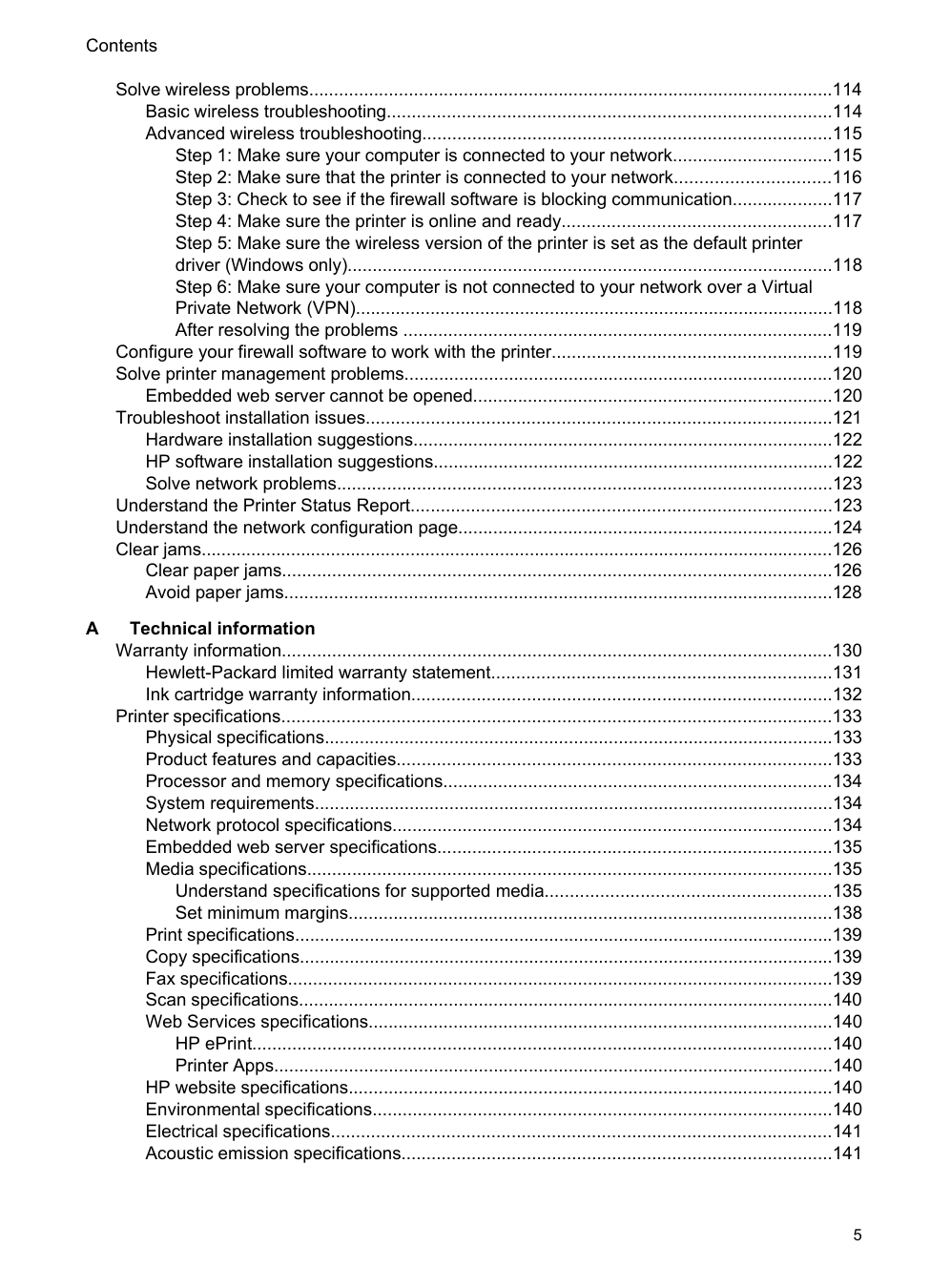
Solve wireless problems.........................................................................................................114 Basic wireless troubleshooting.........................................................................................114 Advanced wireless troubleshooting..................................................................................115
Configure your firewall software to work with the printer........................................................119 Solve printer management problems......................................................................................120
Embedded web server cannot be opened........................................................................120
Troubleshoot installation issues.............................................................................................121 Hardware installation suggestions....................................................................................122 HP software installation suggestions................................................................................122 Solve network problems...................................................................................................123
Understand the Printer Status Report....................................................................................123 Understand the network configuration page...........................................................................124 Clear jams...............................................................................................................................126
Clear paper jams..............................................................................................................126 Avoid paper jams..............................................................................................................128
Hewlett-Packard limited warranty statement....................................................................131 Ink cartridge warranty information....................................................................................132
Printer specifications..............................................................................................................133 Physical specifications......................................................................................................133 Product features and capacities.......................................................................................133 Processor and memory specifications..............................................................................134 System requirements........................................................................................................134 Network protocol specifications........................................................................................134 Embedded web server specifications...............................................................................135 Media specifications.........................................................................................................135
Understand specifications for supported media.........................................................135 Set minimum margins.................................................................................................138
Print specifications............................................................................................................139 Copy specifications...........................................................................................................139 Fax specifications.............................................................................................................139 Scan specifications...........................................................................................................140 Web Services specifications.............................................................................................140
HP ePrint....................................................................................................................140 Printer Apps................................................................................................................140
HP website specifications.................................................................................................140 Environmental specifications............................................................................................140 Electrical specifications....................................................................................................141 Acoustic emission specifications......................................................................................141
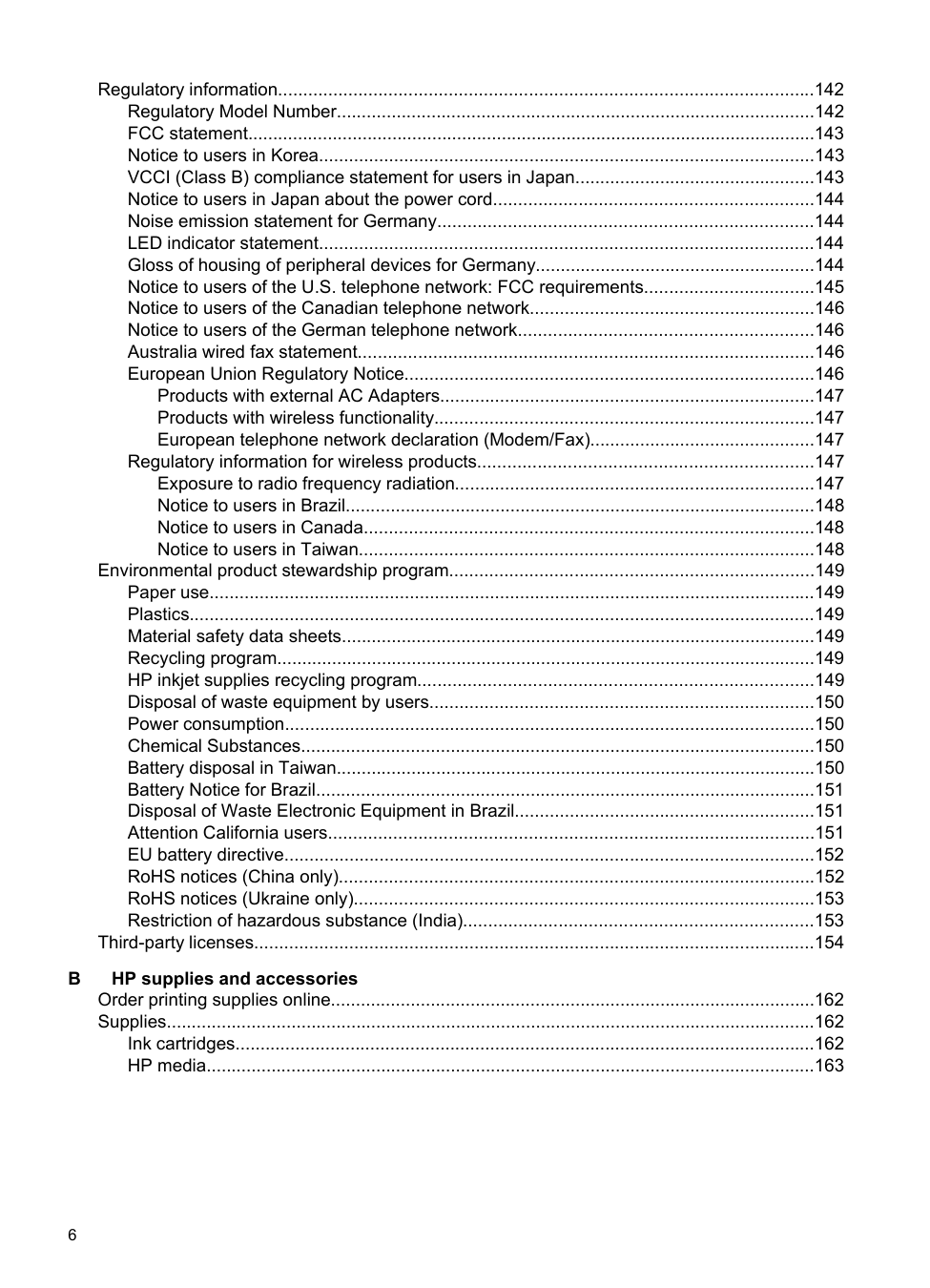
Regulatory information...........................................................................................................142 Regulatory Model Number................................................................................................142 FCC statement..................................................................................................................143 Notice to users in Korea...................................................................................................143 VCCI (Class B) compliance statement for users in Japan................................................143 Notice to users in Japan about the power cord................................................................144 Noise emission statement for Germany...........................................................................144 LED indicator statement...................................................................................................144 Gloss of housing of peripheral devices for Germany........................................................144 Notice to users of the U.S. telephone network: FCC requirements..................................145 Notice to users of the Canadian telephone network.........................................................146 Notice to users of the German telephone network...........................................................146 Australia wired fax statement...........................................................................................146 European Union Regulatory Notice..................................................................................146
Products with external AC Adapters...........................................................................147 Products with wireless functionality............................................................................147 European telephone network declaration (Modem/Fax).............................................147
Regulatory information for wireless products...................................................................147 Exposure to radio frequency radiation........................................................................147 Notice to users in Brazil..............................................................................................148 Notice to users in Canada..........................................................................................148 Notice to users in Taiwan...........................................................................................148
Environmental product stewardship program.........................................................................149 Paper use.........................................................................................................................149 Plastics.............................................................................................................................149 Material safety data sheets...............................................................................................149 Recycling program............................................................................................................149 HP inkjet supplies recycling program...............................................................................149 Disposal of waste equipment by users.............................................................................150 Power consumption..........................................................................................................150 Chemical Substances.......................................................................................................150 Battery disposal in Taiwan................................................................................................150 Battery Notice for Brazil....................................................................................................151 Disposal of Waste Electronic Equipment in Brazil............................................................151 Attention California users.................................................................................................151 EU battery directive..........................................................................................................152 RoHS notices (China only)...............................................................................................152 RoHS notices (Ukraine only)............................................................................................153 Restriction of hazardous substance (India)......................................................................153
Third-party licenses................................................................................................................154
Ink cartridges....................................................................................................................162 HP media..........................................................................................................................163
Select the correct fax setup for your home or office.........................................................165
Serial-type fax setup...............................................................................................................186 Test fax setup.........................................................................................................................187
Before you begin..............................................................................................................188 Set up the printer on your wireless network.....................................................................189 Set up the printer using the HP printer software (Recommended)...................................189 Set up the printer using the Wireless Setup Wizard.........................................................189 Set up the printer using WiFi Protected Setup (WPS)......................................................189
To connect the printer using the Push Button Method...............................................190 To connect the printer using the PIN Method.............................................................190
Set up the printer using the embedded web server (EWS)..............................................190 Change the connection type.............................................................................................190 Test the wireless connection............................................................................................191 Guidelines for ensuring wireless network security............................................................191
Overview of security settings......................................................................................191 Add hardware addresses to a wireless router (MAC filtering)....................................191 Other wireless security guidelines..............................................................................192
Guidelines for reducing interference on a wireless network.............................................192
Change basic network settings...............................................................................................192 View and print network settings........................................................................................193 Turn the wireless radio on and off....................................................................................193
Change advanced network settings.......................................................................................193 Set link speed...................................................................................................................193 View IP settings................................................................................................................193 Change IP settings...........................................................................................................193 Reset network settings.....................................................................................................194
Uninstall and reinstall the HP software...................................................................................194
About cookies...................................................................................................................195 To open the embedded web server..................................................................................196
Index............................................................................................................................................205
1 Get started
This guide provides details about how to use the printer and how to resolve problems.
| | |---|
NOTE: If you are using the printer with a computer running Windows XP Starter Edition, Windows Vista Starter Edition, or Windows 7 Starter Edition, some features might not be available. For more information, see System requirements.
Accessibility
The printer provides a number of features that make it accessible for people with disabilities.
###### Visual
The HP software provided with the printer is accessible for those with visual impairments or low vision by using your operating system's accessibility options and features. The software also supports most assistive technology such as screen readers, Braille readers, and voice-to-text applications. For those who are color blind, colored buttons and tabs used in the HP software and on the printer control panel have simple text or icon labels that convey the appropriate action.
###### Mobility
For those with mobility impairments, the HP software functions can be executed through keyboard commands. The HP software also supports Windows accessibility options such as StickyKeys, ToggleKeys, FilterKeys, and MouseKeys. The printer doors, buttons, paper trays, and paper guides can be operated by those with limited strength and reach.
###### Support
For more details about the accessibility of this printer and HP's commitment to product accessibility, visit HP's web site at www.hp.com/accessibility.
For accessibility information for Mac OS X, visit the Apple web site at www.apple.com/ accessibility.
Get started 9
Eco
Hewlett-Packard is committed to providing quality products in an environmentally sound manner. Design for recycling has been incorporated into this product. For more information, see Environmental product stewardship program.
HP is committed to helping customers reduce their environmental footprint. HP has provided these features to help you focus on ways to assess and reduce the impact of your printing choices.
For more information about HP's environmental initiatives, visit www.hp.com/hpinfo/ globalcitizenship/environment/
Manage Power To conserve electricity, try the following:


(eco button) on the printer's control panel display, touch Screen Brightness, and then set the desired option.
| | |---|
NOTE: The printer's Sleep Mode and Schedule On and Off features are temporarily not available if one or more of the ink cartridges are missing. After the cartridge is reinstalled, these features resume.
CAUTION: HP recommends that you replace any missing cartridges as soon as possible to avoid print quality issues and possible extra ink usage or damage to the ink system. Never turn off the printer when ink cartridges are missing.
Conserve Printing Supplies To conserve printing supplies such as ink and paper, try the following:
Understand the printer parts
This section contains the following topics:
Front view

|1|Automatic document feeder (ADF)| |---|---| |2|Scanner glass| |3|Output tray|
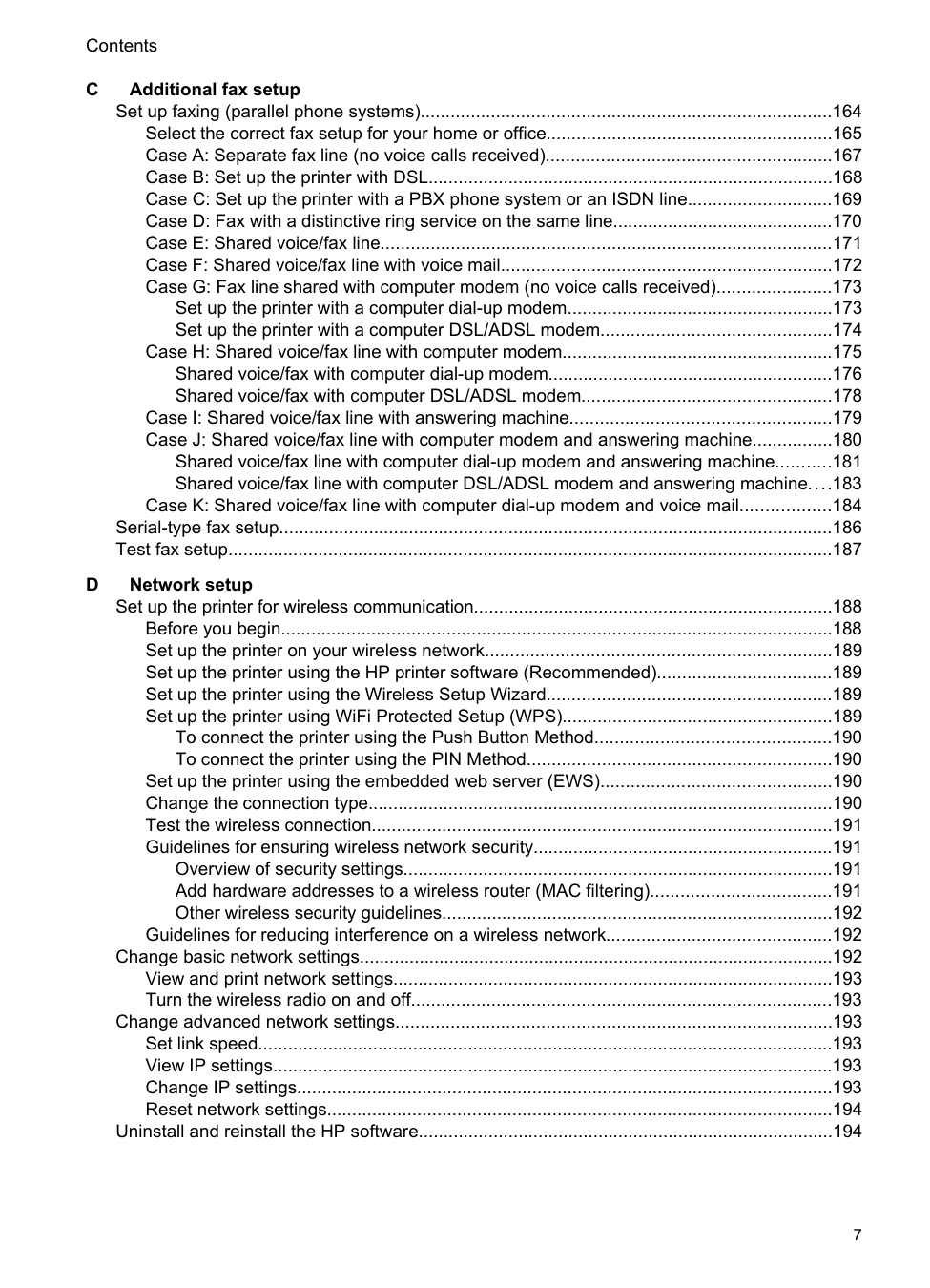
|4|Output tray extension| |5|Input tray| |6|Power button| |7|Control panel display| |8|Control panel| |9|Document feeder tray| |10|Width guides|
Printing supplies area

Understand the printer parts 11
|1|Ink cartridge access door| |---|---| |2|Ink cartridges| |3|Printhead|
| | |---|
NOTE: Printing supplies should be kept in the printer to prevent possible print quality issues or printhead damage. Avoid removing supplies for extended periods of time. Do not turn off the printer when a cartridge is missing.
Back view

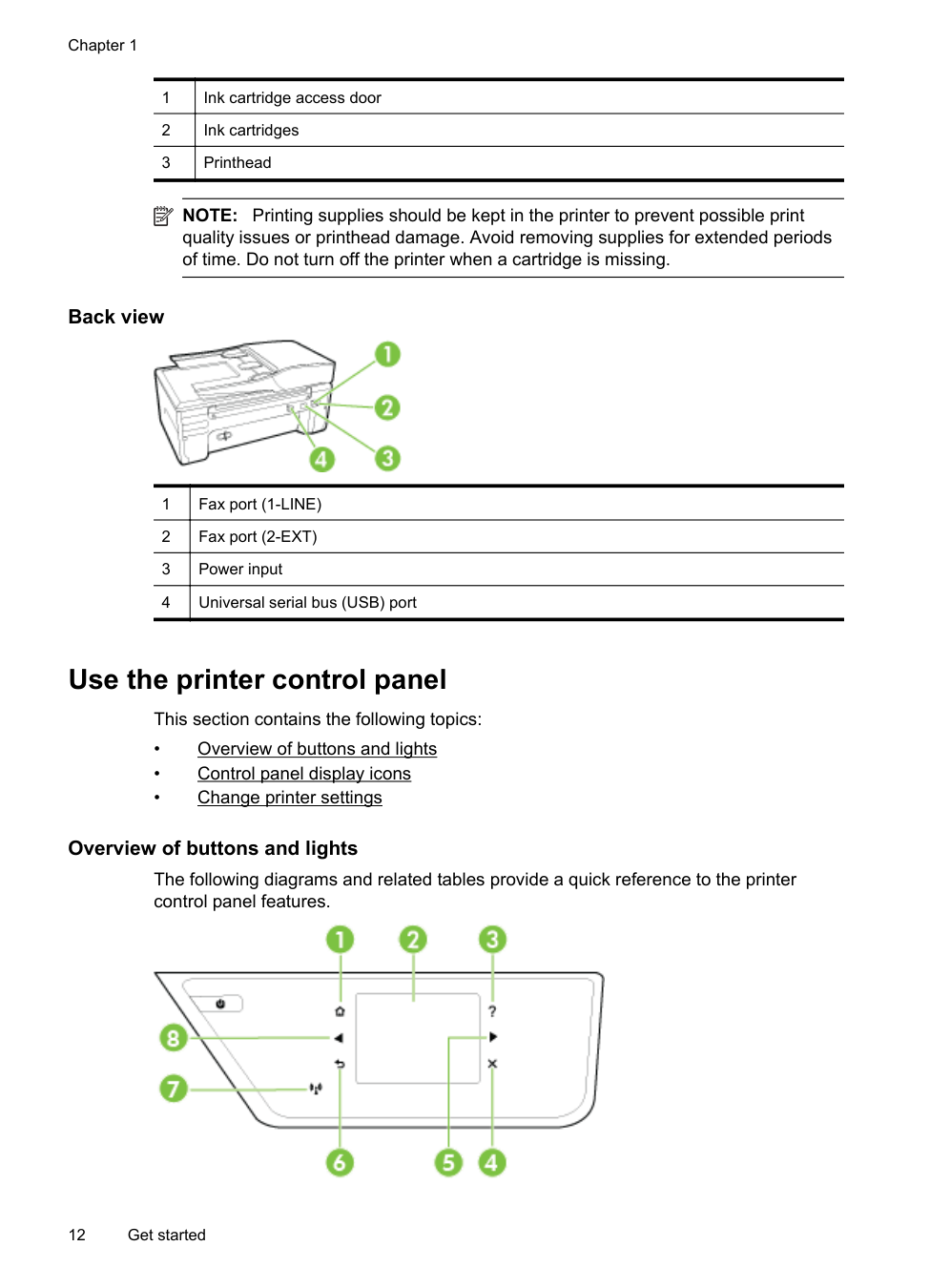
|1|Fax port (1-LINE)| |---|---| |2|Fax port (2-EXT)| |3|Power input| |4|Universal serial bus (USB) port|

Use the printer control panel
This section contains the following topics:
##### Overview of buttons and lights
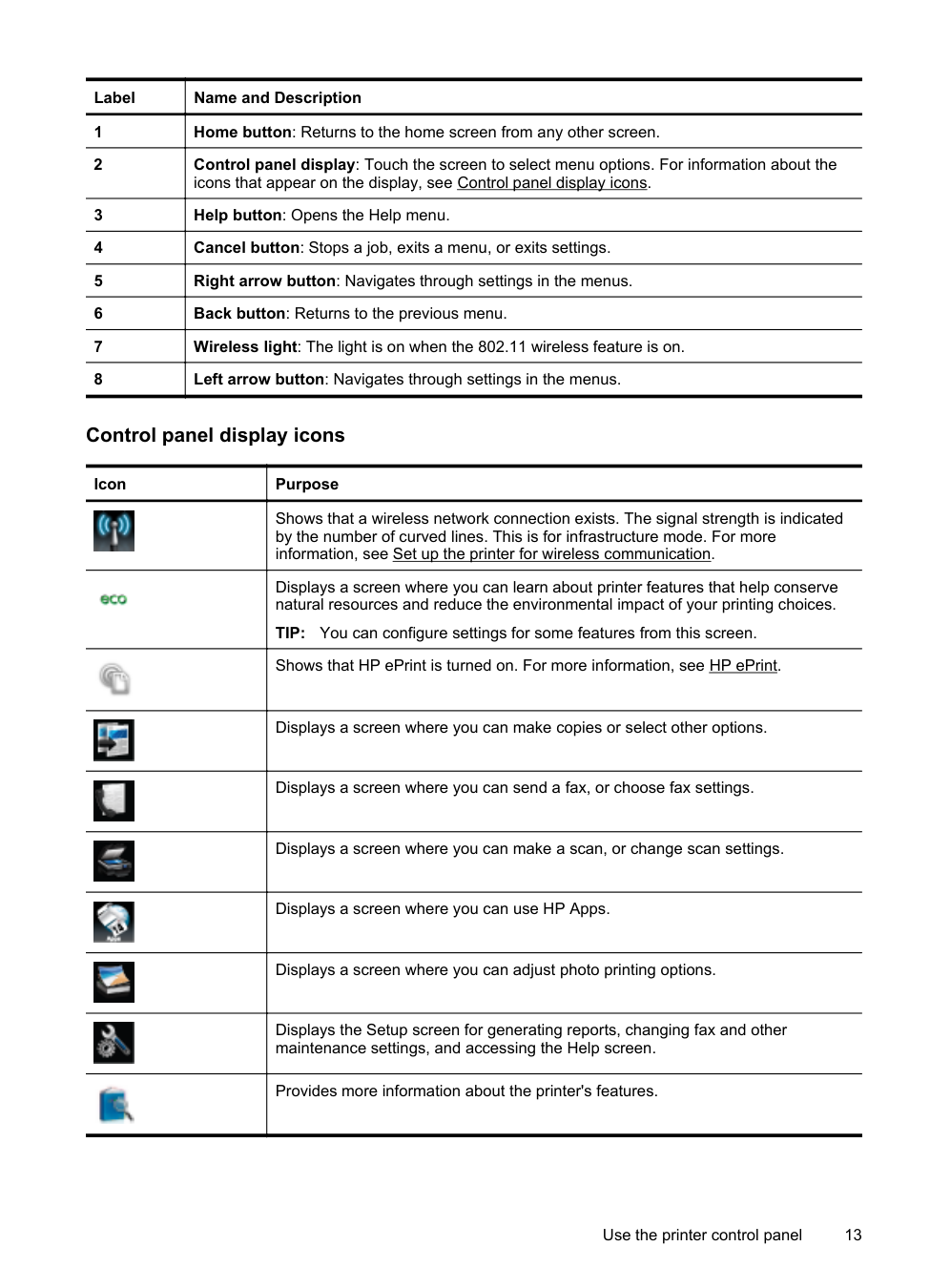
The following diagrams and related tables provide a quick reference to the printer control panel features.

|Label|Name and Description| |---|---| |1|Home button: Returns to the home screen from any other screen.| |2|Control panel display: Touch the screen to select menu options. For information about the icons that appear on the display, see Control panel display icons.
| |3|Help button: Opens the Help menu.| |4|Cancel button: Stops a job, exits a menu, or exits settings.| |5|Right arrow button: Navigates through settings in the menus.| |6|Back button: Returns to the previous menu.| |7|Wireless light: The light is on when the 802.11 wireless feature is on.| |8|Left arrow button: Navigates through settings in the menus.|
##### Control panel display icons
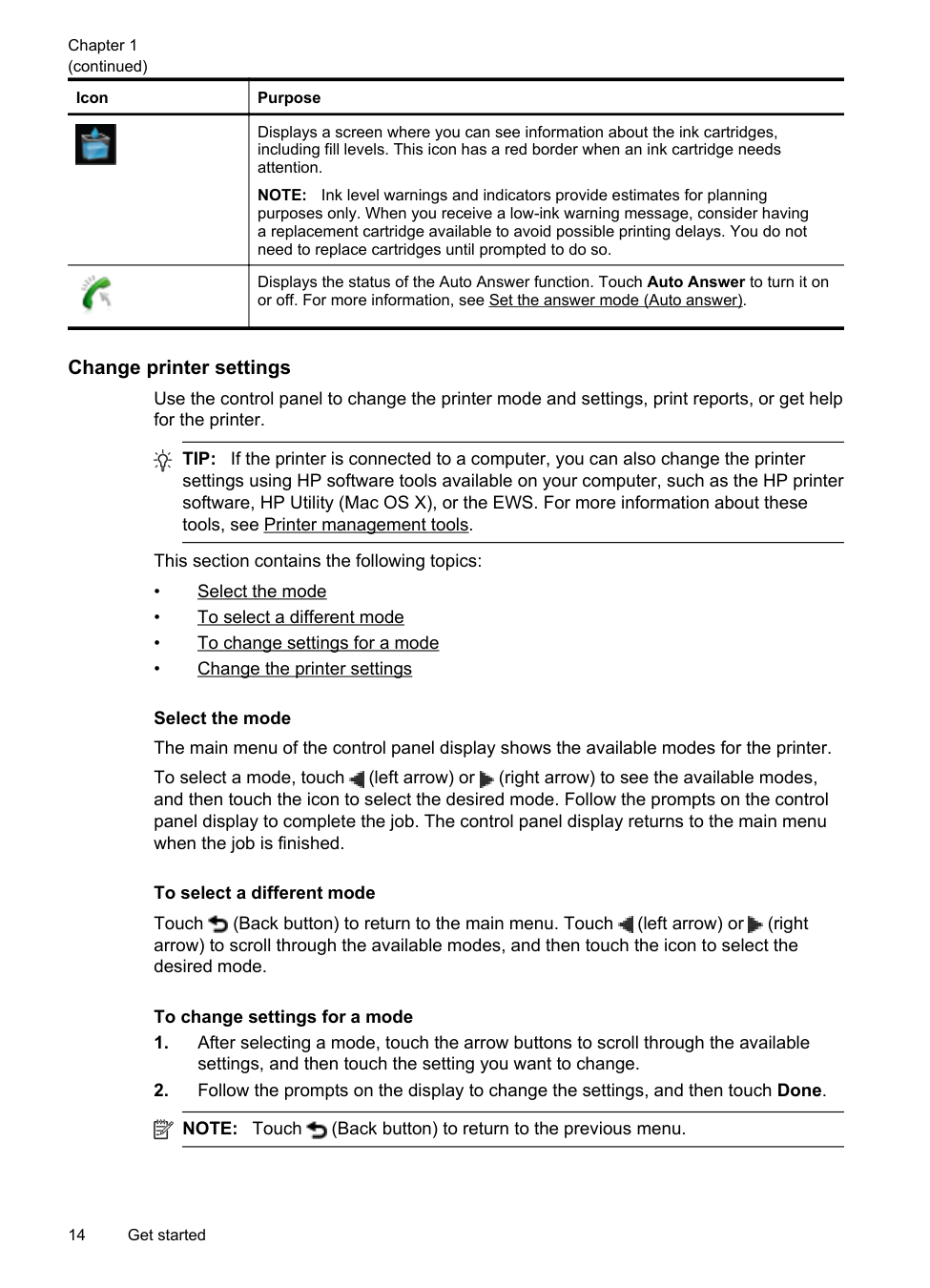
|Icon|Purpose| |---|---| ||Shows that a wireless network connection exists. The signal strength is indicated by the number of curved lines. This is for infrastructure mode. For more information, see Set up the printer for wireless communication.
|
||Displays a screen where you can learn about printer features that help conserve natural resources and reduce the environmental impact of your printing choices.
TIP: You can configure settings for some features from this screen.| ||Shows that HP ePrint is turned on. For more information, see HP ePrint.
| ||Displays a screen where you can make copies or select other options.| ||Displays a screen where you can send a fax, or choose fax settings.| ||Displays a screen where you can make a scan, or change scan settings.| ||Displays a screen where you can use HP Apps.| ||Displays a screen where you can adjust photo printing options.| ||Displays the Setup screen for generating reports, changing fax and other maintenance settings, and accessing the Help screen.| ||Provides more information about the printer's features.|
Use the printer control panel 13
(continued)
|Icon|Purpose| |---|---| ||Displays a screen where you can see information about the ink cartridges, including fill levels. This icon has a red border when an ink cartridge needs attention.
NOTE: Ink level warnings and indicators provide estimates for planning
purposes only. When you receive a low-ink warning message, consider having a replacement cartridge available to avoid possible printing delays. You do not need to replace cartridges until prompted to do so.| ||Displays the status of the Auto Answer function. Touch Auto Answer to turn it on or off. For more information, see Set the answer mode (Auto answer).
|
##### Change printer settings
Use the control panel to change the printer mode and settings, print reports, or get help for the printer.
TIP: If the printer is connected to a computer, you can also change the printer settings using HP software tools available on your computer, such as the HP printer software, HP Utility (Mac OS X), or the EWS. For more information about these tools, see Printer management tools.
This section contains the following topics:
Select the mode The main menu of the control panel display shows the available modes for the printer. To select a mode, touch (left arrow) or (right arrow) to see the available modes, and then touch the icon to select the desired mode. Follow the prompts on the control panel display to complete the job. The control panel display returns to the main menu when the job is finished.
###### To select a different mode
Touch (Back button) to return to the main menu. Touch (left arrow) or (right arrow) to scroll through the available modes, and then touch the icon to select the desired mode.
###### To change settings for a mode
| | |---|
###### Change the printer settings
To change the printer settings or print reports, use the options available in the Setup screen:
| | |---|
Find the printer model number
In addition to the model name that appears on the front of the printer, this printer has a specific model number. You can use this number when obtaining support and to help determine which supplies or accessories are available for your printer.
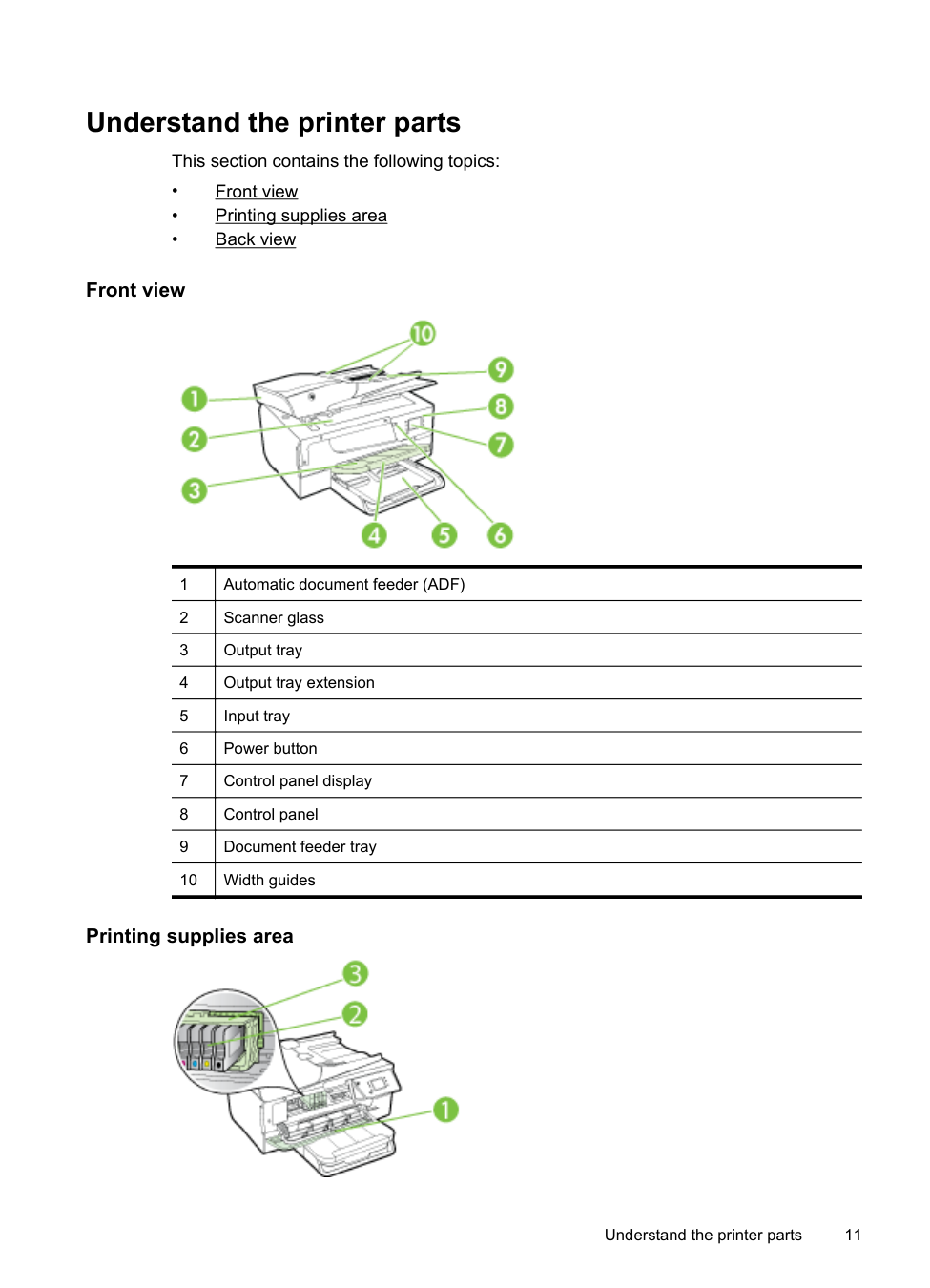
The model number is printed on a label located on the inside of the ink-cartridge access door, near the ink cartridges area.
HP Digital Solutions
The printer includes a collection of digital solutions that can help you simplify and streamline your work.
##### Scan to Computer
You can simply walk up to the printer, touch a button on the control panel, and either scan documents directly to a computer or quickly share them with business partners as e-mail attachments.
For more information, see Scan.
HP Digital Fax (Fax to PC and Fax to Mac) Never lose important faxes misplaced within a stack of paper pages again! Use Fax to PC and Fax to Mac to automatically receive faxes and save faxes directly to your computer. With Fax to PC and Fax to Mac, you can store digital copies of your faxes easily and eliminate the hassle of dealing with bulky paper files. In addition, you can turn off fax printing altogether, saving money on paper and ink, and reduce paper consumption and waste. For more information, see Receive faxes to your computer using HP Digital Fax (Fax to PC and Fax to Mac).
Select print media
The printer is designed to work well with most types of office media. It is best to test a variety of print media types before buying large quantities. Use HP media for
optimum print quality. Visit the HP web site at www.hp.com for more information about HP media.

HP recommends plain papers with the ColorLok logo for printing and copying of everyday documents. All papers with the ColorLok logo are independently tested to meet high standards of reliability and print quality, and produce documents with crisp, vivid color, bolder blacks and dry faster than ordinary plain papers. Look for papers with the ColorLok logo in a variety of weights and sizes from major paper manufacturers.
This section contains the following topics:
##### Recommended papers for printing and copying
If you want the best print quality, HP recommends using HP papers that are specifically designed for the type of project you are printing.
Depending on your country/region, some of these papers might not be available.
|HP Brochure Paper HP Professional Paper|These papers are glossy-coated or matte-coated on both sides for two-sided use. They are the perfect choice for producing professional quality marketing materials such as brochures and mailers, as well as business graphics for report covers and calendars.| |---|---| |HP Premium Presentation Paper
HP Professional Paper|These papers are heavy two-sided matte papers perfect for presentation, proposals, reports, and newsletters. They are heavyweight for an impressive look and feel.| |HP Bright White Inkjet Paper|HP Bright White Inkjet Paper delivers high-contrast colors and sharp text. It is opaque enough for two-sided color usage with no showthrough, which makes it ideal for newsletters, reports, and flyers. It features ColorLok Technology for less smearing, bolder blacks, and vivid colors.| |HP Printing Paper|HP Printing Paper is a high-quality multifunction paper. It produces documents that look and feel more substantial than documents printed on standard multipurpose or copy paper. It features ColorLok Technology for less smearing, bolder blacks, and vivid colors.| |HP Office Paper|HP Office Paper is a high-quality multifunction paper. It is suitable for copies, drafts, memos and other everyday documents. It features ColorLok Technology for less smearing, bolder blacks, and vivid colors.| |HP Office Recycled Paper|HP Office Recycled Paper is a high-quality multifunction paper made with 30% recycled fiber. It features ColorLok Technology for less smearing, bolder blacksm and vivid colors.| |HP Premium Plus Photo Paper|HP’s best photo paper is heavyweight for producing professional quality photos. Features an instant-dry finish for easy handling without smudging. It resists water, smears, fingerprints, and humidity. It is available in several sizes, including A4, 8.5 x 11 inch, 10 x 15 cm|
(continued)
| |(4 x 6 inch), 13 x 18 cm (5 x 7 inch), and two finishes – glossy or softgloss (satin matte). It is acid-free for longer lasting documents.| |---|---| |HP Advanced Photo Paper|This thick photo paper features an instant-dry finish for easy handling without smudging. It resists water, smears, fingerprints, and humidity. Your prints have a look and feel comparable to a store processed photo. It is available in several sizes, including A4, 8.5 x 11 inch, 10 x 15 cm (4 x 6 inch), 13x18 cm (5 x7 inch), and two finishes – glossy or soft gloss (satin matte). It is acid-free for longer lasting documents.| |HP Everyday Photo Paper|Print colorful, everyday snapshots at a low cost, using paper designed for casual photo printing. This affordable, photo paper dries quickly for easy handling. Get sharp, crisp images when you use this paper with any inkjet printer. Available in semi-gloss finish in 8.5 x 11 inch, A4, 4 x 6 inch and 10 x 15 cm. It is acid-free for longer lasting documents.| |HP Iron-On Transfers|HP Iron-on Transfers (for color fabrics or for light or white fabrics) are the ideal solution for creating custom T-shirts from your digital photos.|
To order HP papers and other supplies, go to www.hp.com. Go to Shop for Products & Services, and select Ink, toner & paper .
| | |---|
NOTE: At this time, some portions of the HP web site are available in English only.
##### Recommended papers for photo printing
For the best print quality, HP recommends using HP papers that are specifically designed for the type of project you are printing. Depending on your country/region, some of these papers might not be available.
|HP Premium Plus Photo Paper|HP’s best photo paper is heavyweight for producing professional quality photos. Features an instant-dry finish for easy handling without smudging. It resists water, smears, fingerprints, and humidity. It is available in several sizes, including A4, 8.5 x 11 inch, 10 x 15 cm (4 x 6 inch), 13 x 18 cm (5 x 7 inch), and two finishes – glossy or softgloss (satin matte). It is acid-free for longer lasting documents.| |---|---| |HP Advanced Photo Paper|This thick photo paper features an instant-dry finish for easy handling without smudging. It resists water, smears, fingerprints, and humidity. Your prints have a look and feel comparable to a store processed photo. It is available in several sizes, including A4, 8.5 x 11 inch, 10 x 15 cm (4 x 6 inch), 13x18 cm (5 x7 inch), and two finishes – glossy or soft gloss (satin matte). It is acid-free for longer lasting documents.|
|HP Everyday Photo Paper|Print colorful, everyday snapshots at a low cost, using paper designed for casual photo printing. This affordable, photo paper dries quickly for easy handling. Get sharp, crisp images when you use this paper with any inkjet printer. Available in semi-gloss finish in 8.5 x 11 inch, A4, 4 x 6 inch, and 10 x 15 cm. It is acid-free for longer lasting documents.| |HP Photo Value Packs|HP Photo Value Packs conveniently package original HP ink cartridges and HP Advanced Photo Paper to save you time and take the guesswork out of printing affordable, lab-quality photos with your HP printer. Original HP inks and HP Advanced Photo Paper have been designed to work together so your photos are long lasting and|
(continued)
vivid, print after print. Great for printing out an entire vacation’s worth of photos or multiple prints to share.
To order HP papers and other supplies, go to www.hp.com. Go to Shop for Products & Services and select Ink, toner & paper.
| | |---|
NOTE: At this time, some portions of the HP web site are available in English only.
##### Tips for selecting and using media
For the best results, observe the following guidelines.
| | |---|
NOTE: To scan, copy, or fax documents that contain pages that do not conform to these guidelines, use the scanner glass. For more information, see Load an original on the scanner glass.
Load an original on the scanner glass
You can copy, scan, or fax originals by loading them on the scanner glass.
| | |---|
NOTE: Many of the special features do not work correctly if the glass and lid backing are not clean. For more information, see Maintain the printer.
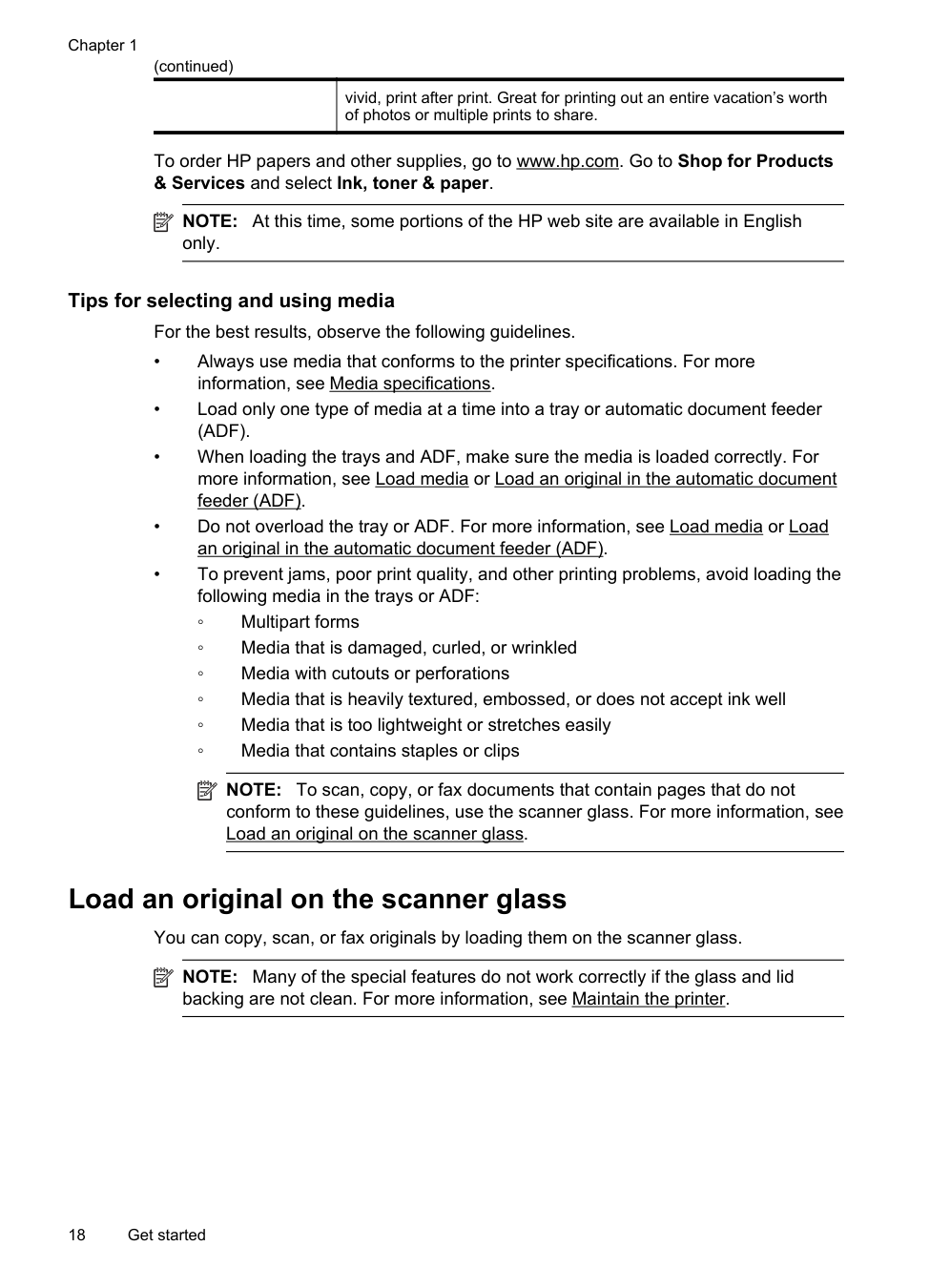
To load an original on the scanner glass Use these steps to load an original on the scanner glass.
TIP: For more help on loading an original, refer to the engraved guides along the edge of the glass.

Load an original in the automatic document feeder (ADF)
You can copy, scan, or fax a document by placing it in the automatic document feeder (ADF).
CAUTION: Do not load photos in the ADF; this might cause damage to your photos. Use only media that is supported by the printer. For more information, see Tips for selecting and using media.
| | |---|
NOTE: Only single-sided documents can be scanned, copied, or faxed using the ADF. The ADF does not support double-sided documents.
NOTE: Some features, such as the Fit to Page copy feature, do not work when you load your originals in the ADF. You must load your originals on the glass.
To load an original in the ADF Use these steps to load a document in the ADF.
TIP: For more help on loading originals in the ADF, refer to the diagram engraved in the document feeder tray.
Load an original in the automatic document feeder (ADF) 19

| | |---|
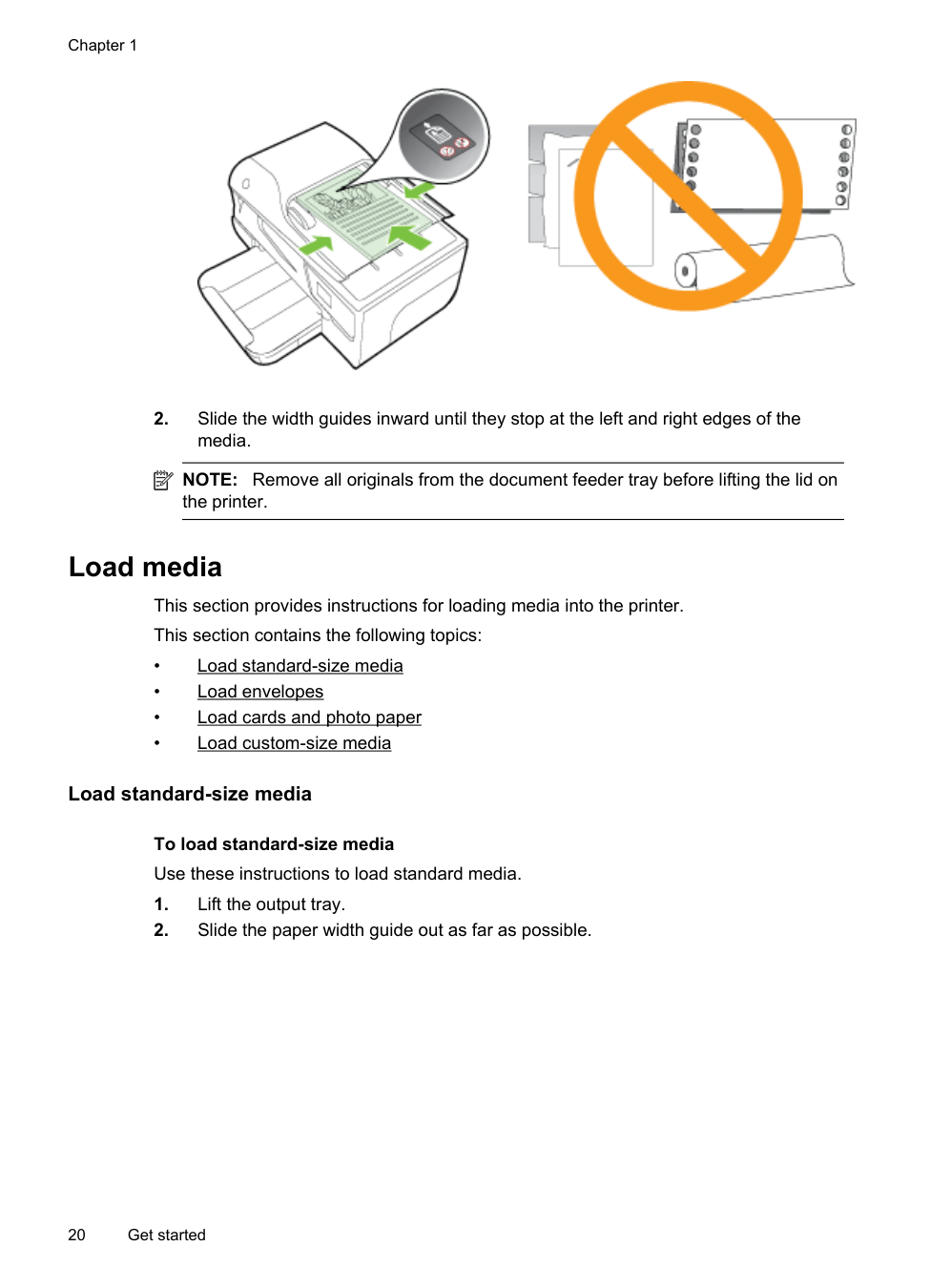
NOTE: Remove all originals from the document feeder tray before lifting the lid on the printer.
Load media This section provides instructions for loading media into the printer. This section contains the following topics:
##### Load standard-size media
To load standard-size media Use these instructions to load standard media.

| | |---|
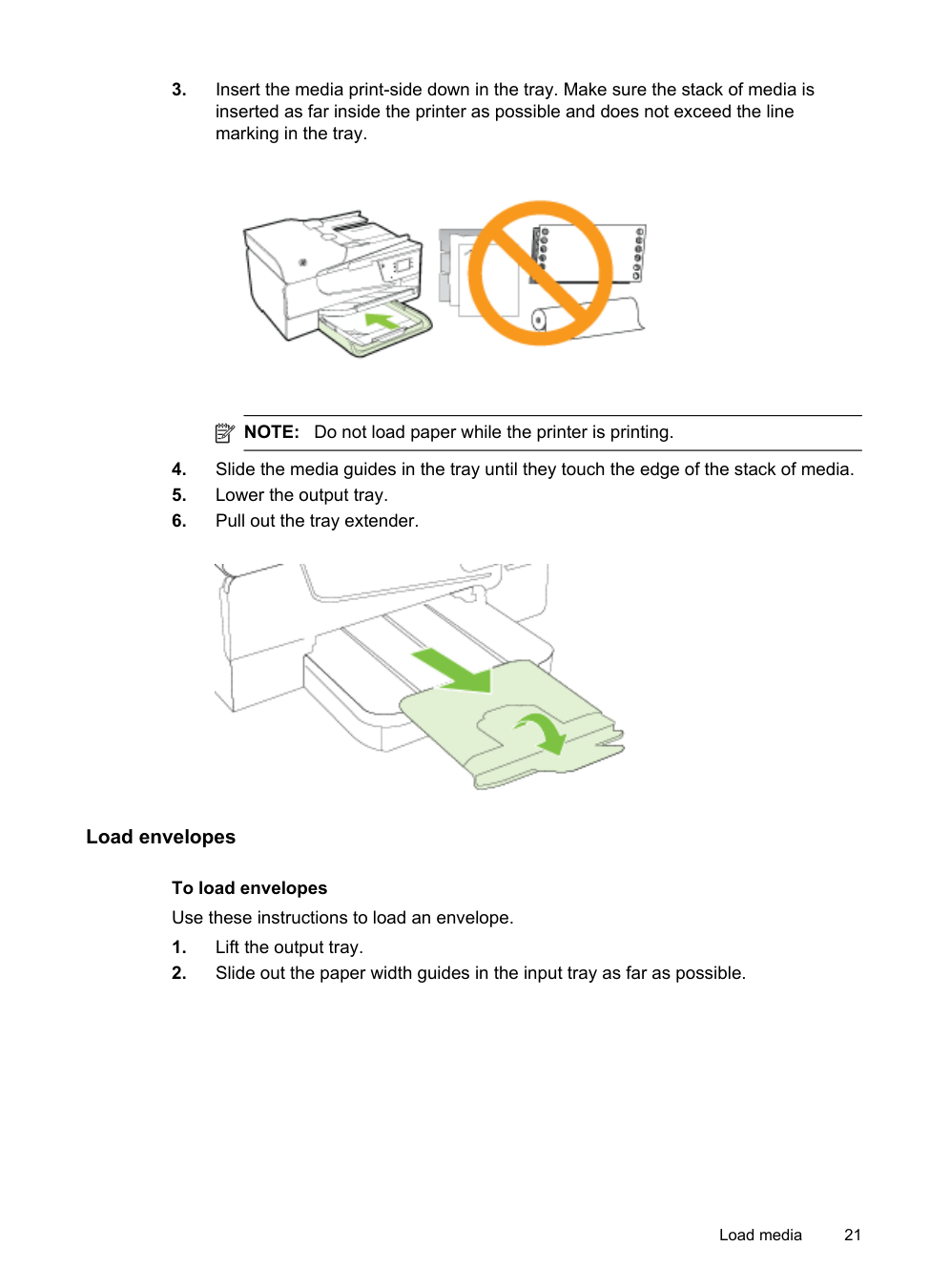
NOTE: Do not load paper while the printer is printing.

##### Load envelopes
To load envelopes Use these instructions to load an envelope.

| | |---|
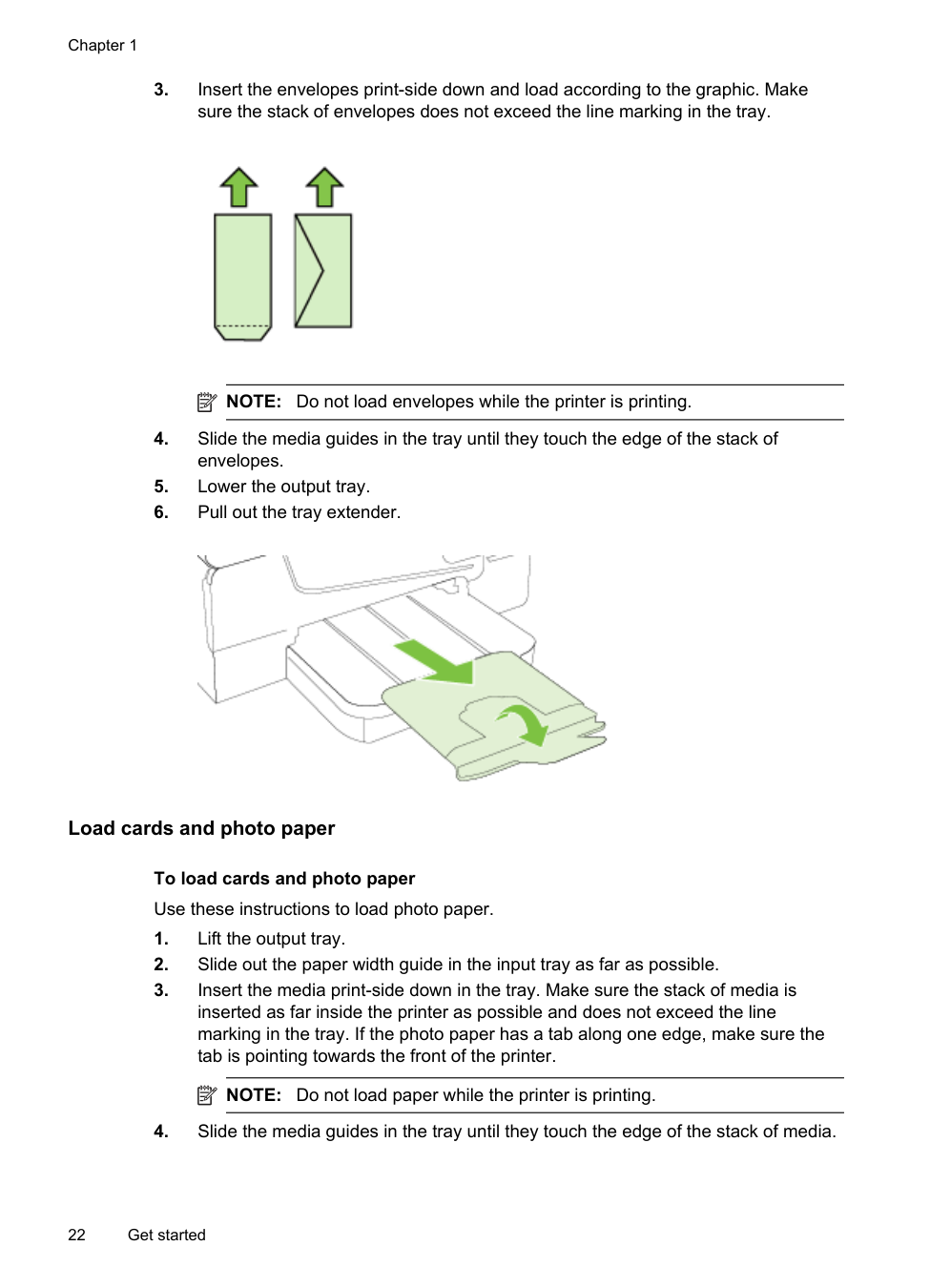
NOTE: Do not load envelopes while the printer is printing.

##### Load cards and photo paper
To load cards and photo paper Use these instructions to load photo paper.
| | |---|
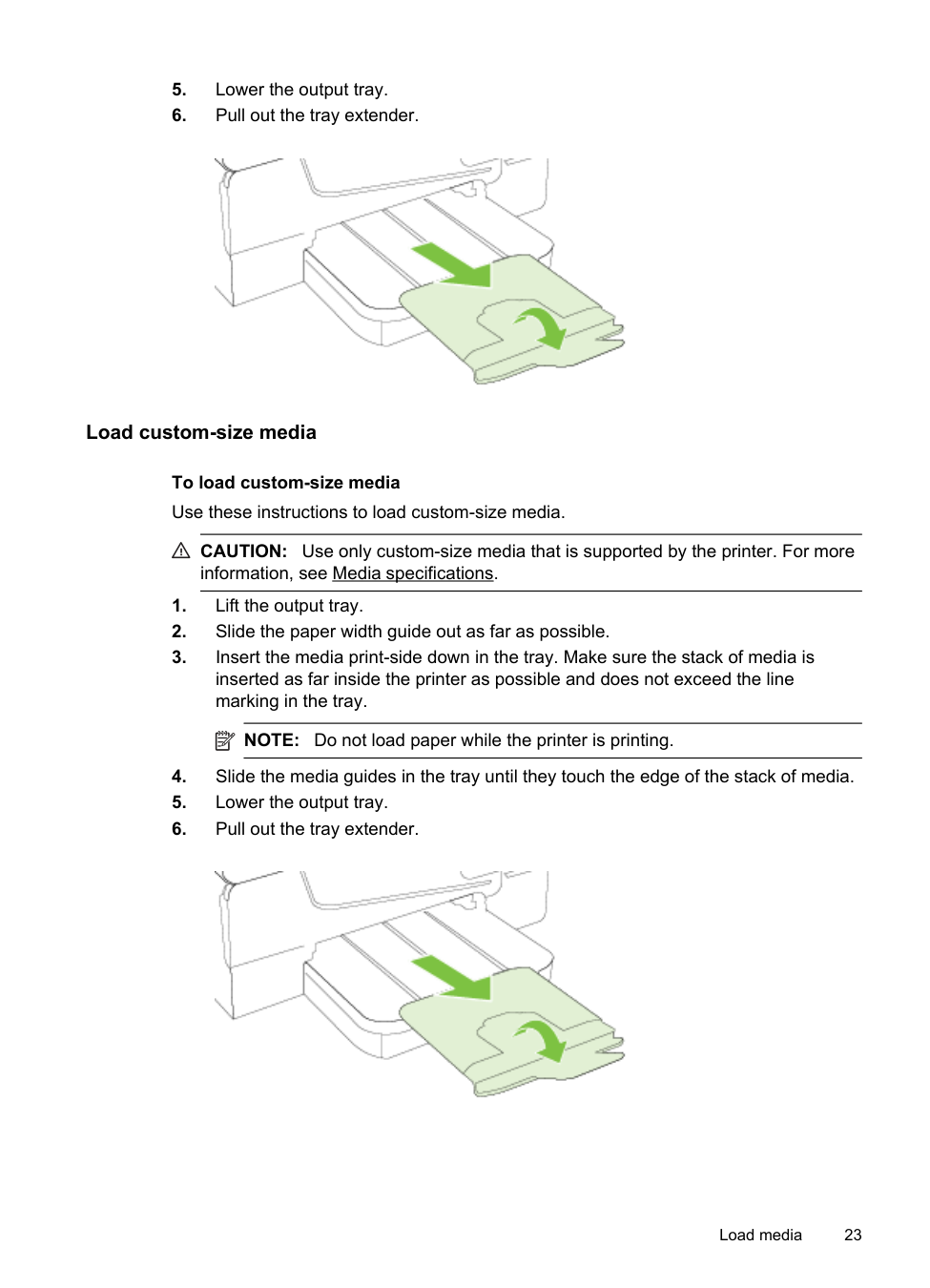
NOTE: Do not load paper while the printer is printing.

##### Load custom-size media
To load custom-size media Use these instructions to load custom-size media.
CAUTION: Use only custom-size media that is supported by the printer. For more information, see Media specifications.
| | |---|
NOTE: Do not load paper while the printer is printing.

Maintain the printer
This section provides instructions for keeping the printer in top working condition. Perform these maintenance procedures as necessary.
##### Clean the scanner glass
| | |---|
NOTE: Dust or dirt on the scanner glass, scanner lid backing, or scanner frame can slow down performance, degrade the quality of scans, and affect the accuracy of special features such as fitting copies to a certain page size.
###### To clean the scanner glass

CAUTION: Use only glass cleaner to clean the scanner glass. Avoid cleaners that contain abrasives, acetone, benzene, and carbon tetrachloride, all of which can damage the scanner glass. Avoid isopropyl alcohol because it can leave streaks on the glass.
CAUTION: Do not spray the glass cleaner directly on the glass. If too much glass cleaner is applied, the cleaner could leak under the glass and damage the scanner.
##### Clean the exterior
WARNING! Before cleaning the printer, turn the printer off by pressing the (Power button) and unplug the power cord from the electrical socket.

Use a soft, damp, lint-free cloth to wipe dust, smudges, and stains off of the case. Keep fluids away from the interior of the printer, as well as from the printer control panel.
##### Clean the automatic document feeder
If the automatic document feeder picks up multiple pages or if it does not pick up plain paper, you can clean the rollers and separator pad. Lift the automatic document feeder cover to access the pick assembly inside the automatic document feeder, clean the rollers or separator pad, and then close the cover.
###### To clean the rollers or separator pad

|1|Automatic document feeder cover| |---|---| |2|Rollers| |3|Separator pad|
| | |---|
NOTE: If the residue does not come off using distilled water, try using isopropyl (rubbing) alcohol.
Update the printer
HP is always working to improve the performance of its printers and bring you the latest features. If the printer is connected to a network and Web Services has been enabled, you can check for and install printer updates.
Update the printer 25
To update the printer, complete the following steps:

TIP: To enable the printer to automatically check for updates, touch Settings, touch Product Updates, touch Auto Update, and then touch Automatically.
Turn off the printer
Turn the printer off by pressing (Power) button located on the printer. Wait until the power light turns off before unplugging the power cord or turning off a power strip.
CAUTION: If you incorrectly turn the printer off, the print carriage might not return to the correct position causing problems with the ink cartridges and print quality issues.
CAUTION: HP recommends that you replace any missing cartridges as soon as possible to avoid print quality issues and possible extra ink usage or damage to the ink system. Never turn off the printer when ink cartridges are missing.
2Print
Most print settings are automatically handled by the software application. Change the settings manually only when you want to change print quality, print on specific types of paper, or use special features. For more information about selecting the best print media for your documents, see Select print media.
Choose a print job to continue:
||Print documents| |---|---| ||Print brochures| ||Print on envelopes| ||Print photos| ||Print on special and custom-size paper| ||Print borderless documents|
Print documents
Follow the instructions for your operating system.
TIP: This printer includes HP ePrint, a free service from HP that allows you to print documents on your HP ePrint-enabled printer anytime, from any location, without any additional software or printer drivers. For more information, see HP ePrint.
Print 27
##### Print documents (Windows)
##### Print documents (Mac OS X)
| | |---|
| | |---|
NOTE: If you do not see any options, click the disclosure triangle next to the Printer pop-up menu or click Show Details.
Print brochures
Follow the instructions for your operating system.
TIP: This printer includes HP ePrint, a free service from HP that allows you to print documents on your HP ePrint-enabled printer anytime, from any location, without any additional software or printer drivers. For more information, see HP ePrint.
##### Print brochures (Windows)
NOTE: To set print settings for all print jobs, make the changes in the HP software provided with the printer. For more information on the HP software, see Printer management tools.
| | |---|
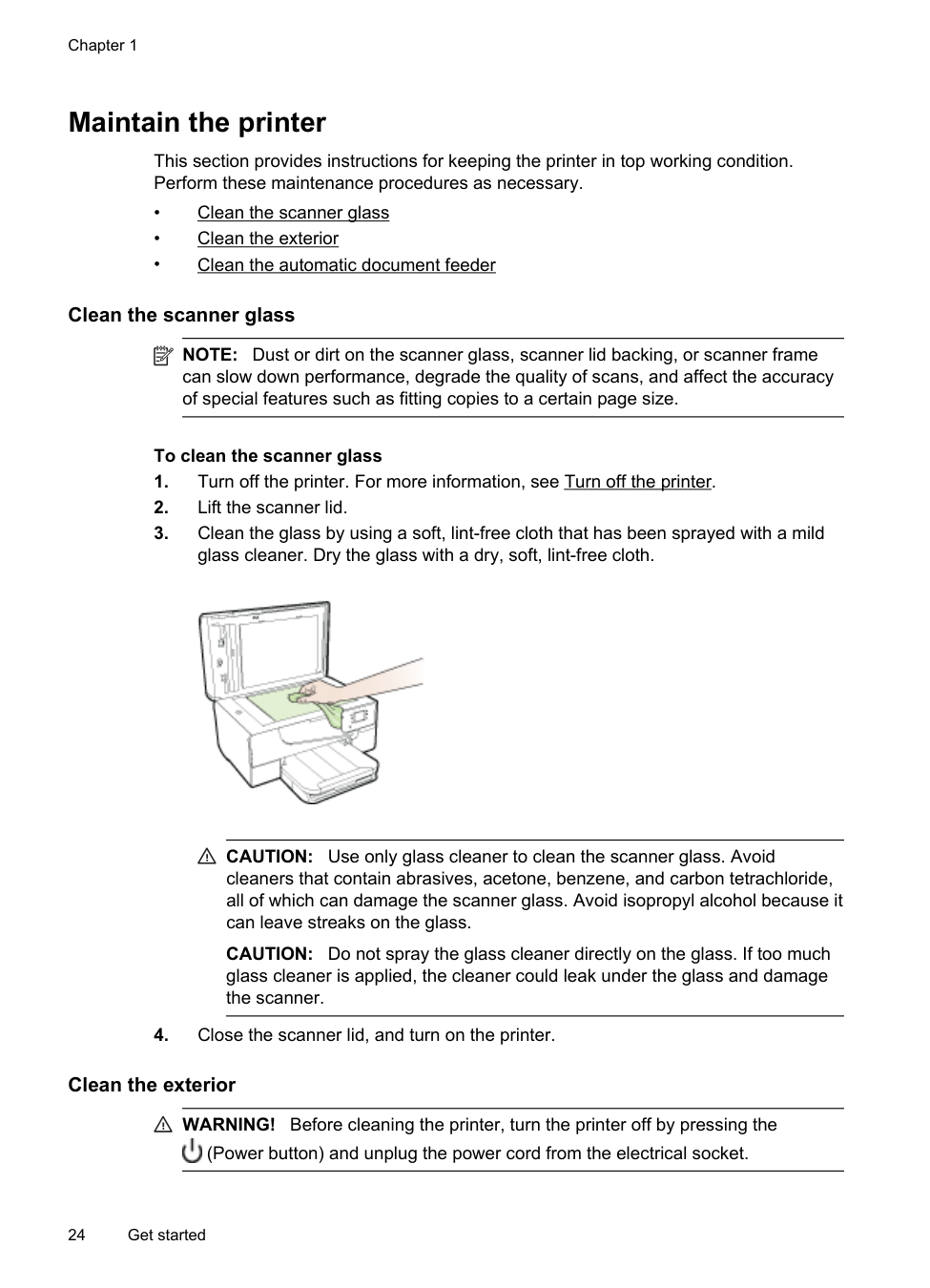
##### Print brochures (Mac OS X)
| | |---|
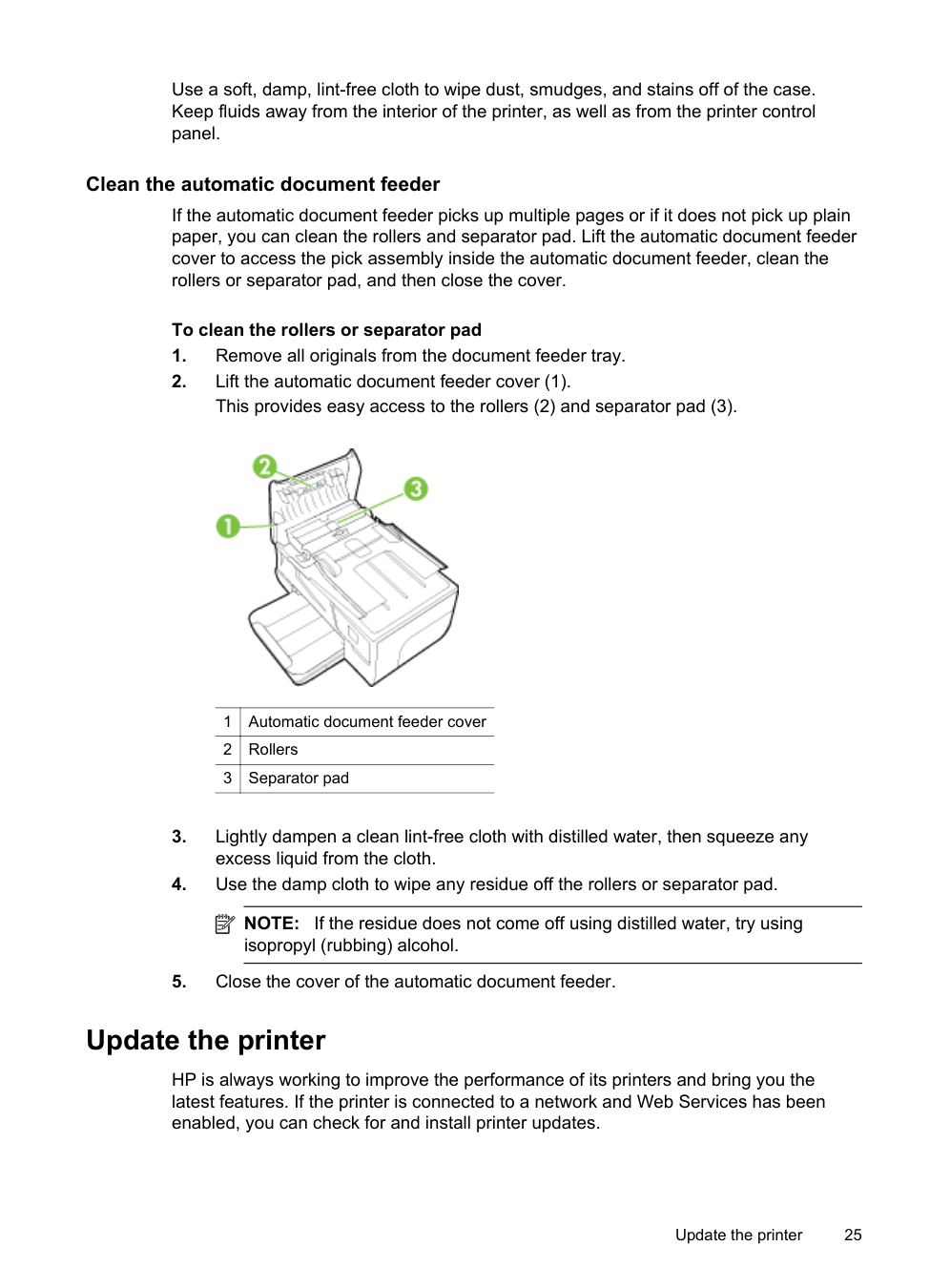
| | |---|
NOTE: If you do not see these options, click the disclosure triangle next to the Printer pop-up menu or click Show Details.
Print on envelopes
Avoid envelopes with the following characteristics:
Print on envelopes 29
NOTE: For more information about printing on envelopes, see the documentation available with the software program you are using.
| | |---|
Follow the instructions for your operating system.
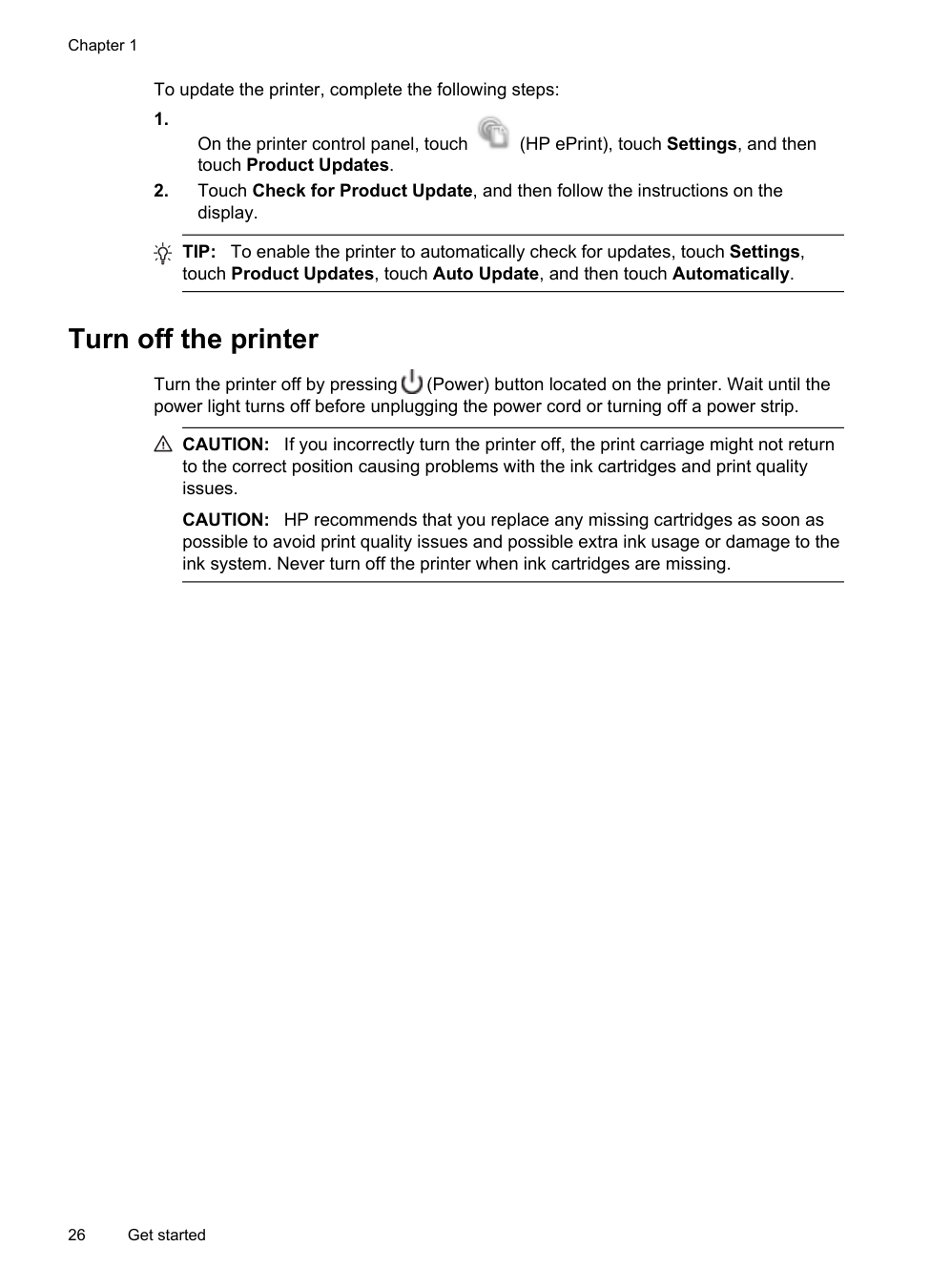
##### Print on envelopes (Windows)
TIP: You can change more options for the print job by using the features available on the other tabs in the dialog box.
##### Print on envelopes (Mac OS X)
| | |---|
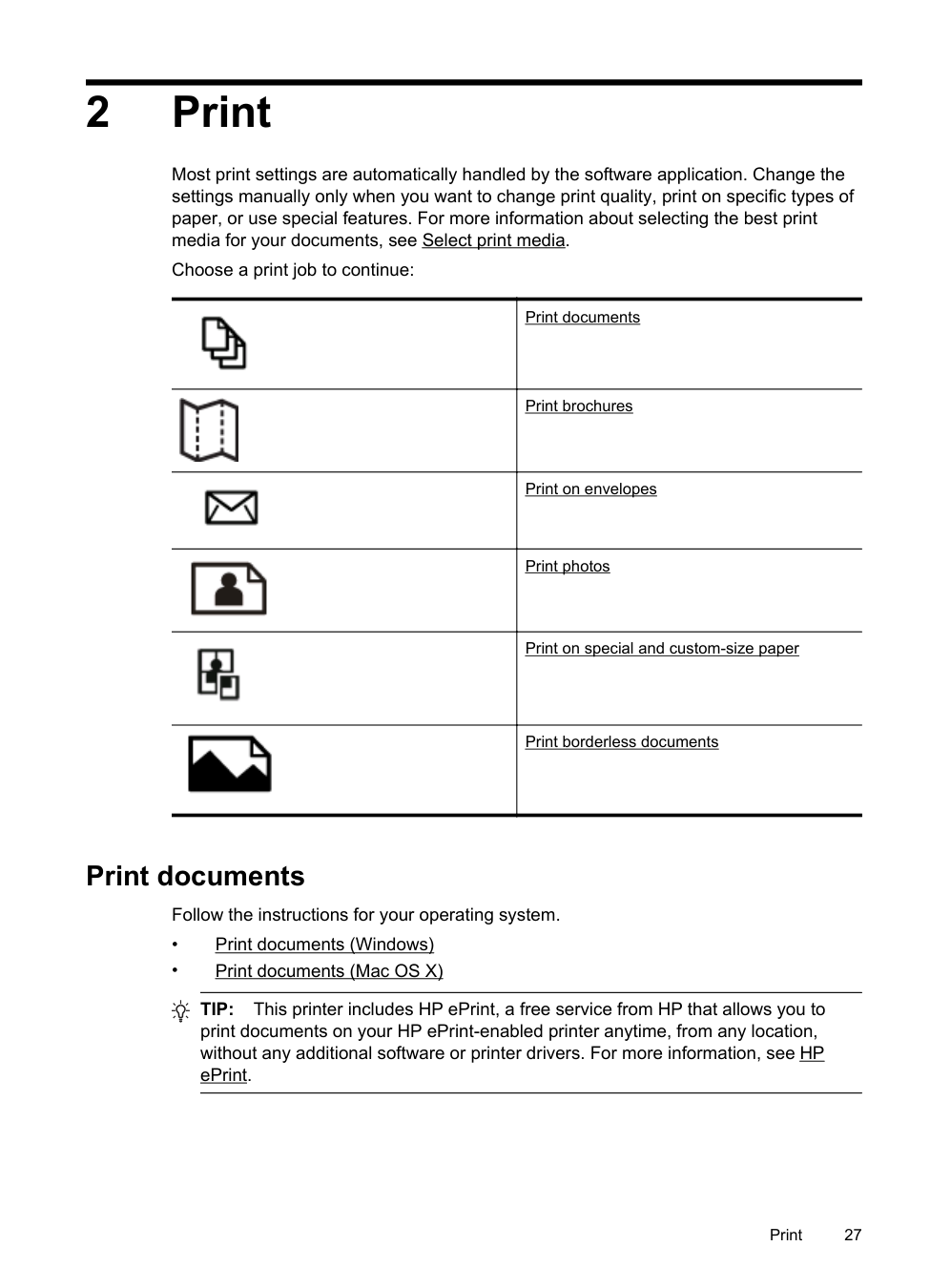
| | |---|
NOTE: If you do not see these options, click the disclosure triangle next to the Printer pop-up menu or click Show Details.
Print photos
Do not leave unused photo paper in the input tray. The paper might start to curl, which could impair the quality of your printout. Photo paper should be flat before printing.
Follow the instructions for your operating system.
TIP: This printer includes HP ePrint, a free service from HP that allows you to print documents on your HP ePrint-enabled printer anytime, from any location, without any additional software or printer drivers. For more information, see HP ePrint.
##### Print photos on photo paper (Windows)
Print photos 31
##### Print photos on photo paper (Mac OS X)
| | |---|
| | |---|
NOTE: If you do not see these options, click the disclosure triangle next to the Printer pop-up menu or click Show Details.
Print on special and custom-size paper
If your application supports custom-size paper, set the size in the application before printing the document. If not, set the size in the printer driver. You might need to reformat existing documents to print them correctly on custom-size paper.
Use only custom-size paper that is supported by the printer. For more information, see Media specifications.
| | |---|
NOTE: Defining custom-size media sizes is only available in the HP printing software in Mac OS X.
Follow the instructions for your operating system.
• Print on special or custom-size paper (Mac OS X)
##### Print on special or custom-size paper (Mac OS X)
NOTE: Before you can print on custom-size paper, you must set up the custom size in the HP software provided with the printer. For instructions, see Set up custom sizes (Mac OS X).
| | |---|
| | |---|
##### Set up custom sizes (Mac OS X)
| | |---|
NOTE: If you do not see these options in the Print dialog, click the disclosure triangle next to the Printer pop-up menu or click Show Details.
Print on special and custom-size paper 33
Print borderless documents
Borderless printing lets you print to the edges of certain photo media types and a range of standard media sizes.
| | |---|
NOTE: You cannot print a borderless document if the paper type is set to Plain paper.
NOTE: Before printing a borderless document, open the file in a software application and assign the image size. Make sure the size corresponds to the media size on which you are printing the image.
NOTE: Not all applications support borderless printing. Follow the instructions for your operating system.
##### Print borderless documents (Windows)
##### Print borderless documents (Mac OS X)
| | |---|
NOTE: If you do not see a Page Setup menu item, go to step 3. b. Make sure the printer you want to use is selected in the Format For pop-up
menu.
c. Select an available borderless paper size from the Paper Size pop-up
menu, and then click OK.
| | |---|
NOTE: If you do not see these options, click the disclosure triangle next to the Printer pop-up menu or click Show Details.
Print borderless documents 35
3 Scan
You can use the printer’s control panel to scan documents, photos, and other originals and send them to a variety of destinations, such as a folder on a computer. You can also scan these originals from your computer using either the HP software provided with the printer or TWAIN-compliant or WIA-compliant programs.
When scanning documents, you can use the HP software to scan documents into a format that you can search, copy, paste, and edit.
| | |---|
NOTE: The HP scanning software does not support TWAIN and WIA scanning on computers running Mac OS X.
NOTE: Some scan functions are only available after you install the HP recommended software.
TIP: If you have problems scanning documents, see Solve scan problems. This section contains the following topics:
Scan an original
This section contains the following topics:
| | |---|
NOTE: Your printer and computer must be connected and turned on.
NOTE: If you are scanning an original from the printer control panel or from your computer using the HP printer software, the HP software provided with the printer must be installed on your computer prior to scanning. In addition, on Windows computers, the HP software must be running prior to scanning.
NOTE: If you are scanning a borderless original, load the original on the scanner glass, not the ADF.
• Scan to a computer
##### Scan to a computer
###### To scan an original to a computer from the printer control panel
| | |---|
NOTE: If your printer is connected to a network and you are scanning to a Windows computer, before you can scan from the control panel, you need to enable scanning from the software. From the computer desktop, click Start, select Programs or All Programs, select the folder for your HP printer, and then select the option for your HP printer. Double-click Scanner Actions, double-click Manage Scan to Computer, and then click Enable.
Use these steps to scan from the control panel.
###### To scan an original from HP scanning software
| | |---|
NOTE: Use the HP software to scan documents into editable text, a format that allows you to search, copy, paste, and edit within the scanned document. Use this format to edit letters, newspaper clippings, and many other documents. For more information, see Scanning documents as editable text.
Scan using Webscan
Webscan is a feature of the embedded web server that lets you scan photos and documents from your printer to your computer using a web browser. This feature is available even if you did not install the printer software on your computer.
NOTE: If you are unable to open Webscan in the EWS, your network administrator might have turned it off. For more information, contact your network administrator or the person who set up your network.
| | |---|
For more information, see Embedded web server.
###### To scan using Webscan
Scan using Webscan 37
TIP: To scan documents as editable text, you must install the HP software included with the printer. For more information, see Scanning documents as editable text.
Scanning documents as editable text
When scanning documents, you can use the HP software to scan documents into a format that you can search, copy, paste, and edit. This allows you to edit letters, newspaper clippings, and many other documents.
This section contains the following topics:
To scan documents as editable text Use the following guidelines for scanning documents as editable text. Follow the instructions for your operating system.
###### Windows
|I want to...|Follow these steps| |---|---| |Extract just the text, without any of the formatting of the original|Select the Save as Editable Text (OCR) shortcut from the list, and then select Text (.txt) from the File Type drop-down menu.| |Extract the text, as well as some of the formatting of the original|Select the Save as Editable Text (OCR) shortcut from the list, and then select Rich Text (.rtf) from the File Type drop-down menu. Or Select the Save as PDF shortcut from the list, and then select Searchable PDF (.pdf) from the File Type drop-down menu.|
###### Mac OS X
|I want to...|Follow these steps| |---|---| |Extract just the text, without any of the formatting of the original|Select TXT from the Format pop-up menu.| |Extract the text, as well as some of the formatting of the original|Select RTF or PDF-Searchable from the Format pop-up menu.|
##### Guidelines for scanning documents as editable text
To ensure that the software can convert your documents successfully, do the following:
Scanning documents as editable text 39
4Copy
You can produce high-quality color and grayscale copies on a variety of paper types and sizes.
NOTE: If you are copying a document when a fax arrives, the fax is stored in the printer's memory until the copying finishes. This can reduce the number of fax pages stored in memory.
| | |---|
This section contains the following topics:
Copy documents
You can make quality copies from the printer control panel.
###### To copy documents
| | |---|
NOTE: If you are copying a photo, place the photo on the scanner glass face down, as shown on the icon on the edge of the scanner glass.
| | |---|
NOTE: If you have a color original, selecting Start Black produces a blackand-white copy of the color original, while selecting Start Color produces a full-color copy of the color original.
Change copy settings
You can customize copy jobs using the various settings available from the printer's control panel, including the following:

Copy 41
Chapter 4
You can use these settings for single copy jobs, or you can save settings to be used as defaults for future jobs.
To change copy settings for a single job
To save the current settings as defaults for future jobs

42 Copy
5Fax
You can use the printer to send and receive faxes, including color faxes. You can schedule faxes to be sent at a later time and set up speed-dials to send faxes quickly and easily to frequently used numbers. From the printer control panel, you can also set a number of fax options, such as resolution and the contrast between lightness and darkness on the faxes you send.
NOTE: Before you begin faxing, make sure you have set up the printer correctly for faxing. You might have already done this as part of the initial setup, by using either the control panel or the HP software provided with the printer. You can verify the fax is set up correctly by running the fax setup test from the control panel. For more information on the fax test, see Test fax setup.
| | |---|
This section contains the following topics:
Send a fax
You can send a fax in a variety of ways. Using the printer control panel, you can send a black-and-white or color fax. You can also send a fax manually from an attached phone. This allows you to speak with the recipient before sending the fax.
This section contains the following topics:
##### Send a standard fax
You can easily send a single- or multiple-page black-and-white or color fax by using the printer control panel.
| | |---|
NOTE: If you need printed confirmation that your faxes were successfully sent, enable fax confirmation before sending any faxes.
Fax 43
TIP: You can also send a fax manually from a phone or by using monitor dialing. These features allow you to control the pace of your dialing. They are also useful when you want to use a calling card to charge the call and you have to respond to tone prompts while dialing.
###### To send a standard fax from the printer control panel
TIP: To add a pause in the fax number you are entering, touch * repeatedly, until a dash (-) appears on the display.
TIP: If the recipient reports issues with the quality of the fax you sent, you can try changing the resolution or contrast of your fax.
##### Send a standard fax from the computer
You can send a document on your computer as a fax, without printing a copy and faxing it from the printer.
NOTE: Faxes sent from your computer by this method use the printer’s fax connection, not your Internet connection or computer modem. Therefore, make sure the printer is connected to a working telephone line and that the fax function is set up and functioning correctly.
| | |---|
To use this feature, you must install the printer software using the installation program provided on the HP software CD provided with the printer.
###### Windows
###### Mac OS X
| | |---|
NOTE: If you cannot find the pop-up menu, try clicking the disclosure triangle next to the Printer selection.
##### Send a fax manually from a phone
Sending a fax manually allows you to make a phone call and talk with the recipient before you send the fax. This is useful if you want to inform the recipient that you are going to send them a fax before sending it. When you send a fax manually, you can hear the dial tones, telephone prompts, or other sounds through the handset on your telephone. This makes it easy for you to use a calling card to send your fax.
Depending on how the recipient has their fax machine set up, the recipient might answer the phone, or the fax machine might take the call. If a person answers the phone, you can speak with the recipient before sending the fax. If a fax machine answers the call, you can send the fax directly to the fax machine when you hear the fax tones from the receiving fax machine.
###### To send a fax manually from an extension phone
| | |---|
NOTE: Do not use the keypad on the control panel of the printer when manually sending a fax. You must use the keypad on your phone to dial the recipient's number.
| | |---|
NOTE: If a fax machine answers the call, you will hear fax tones from the receiving fax machine. Proceed to the next step to transmit the fax.
| | |---|
If you were speaking with the recipient before sending the fax, inform the recipient that they should press Start on their fax machine after they hear fax tones. The telephone line is silent while the fax is transmitting. At this point, you can hang up the telephone. If you want to continue speaking with the recipient, remain on the line until the fax transmission is complete.
##### Send a fax using monitor dialing
Monitor dialing allows you to dial a number from the printer control panel as you would dial a regular telephone. When you send a fax using monitor dialing, you can hear the dial tones, telephone prompts, or other sounds through the speakers on the printer. This enables you to respond to prompts while dialing, as well as control the pace of your dialing.
TIP: If you are using a calling card and do not enter your PIN fast enough, the printer might start sending fax tones too soon and cause your PIN not to be recognized by the calling card service. If this is the case, you can create a speed dial entry to store the PIN for your calling card. For more information, see Set up speed-dial entries.
| | |---|
NOTE: Make sure the volume is turned on to hear a dial tone.
###### To send a fax using monitor dialing from the printer control panel
TIP: If you are using a calling card to send a fax and you have your calling card PIN stored as a speed dial, when prompted to enter your PIN, touch

(Speed Dial) to select the speed dial entry where you have your PIN stored.
Your fax is sent when the receiving fax machine answers.
##### Send a fax from memory
You can scan a black-and-white fax into memory and then send the fax from memory. This feature is useful if the fax number you are trying to reach is busy or temporarily unavailable. The printer scans the originals into memory and sends them once it is able to connect to the receiving fax machine. After the printer scans the pages into memory, you can immediately remove the originals from the document feeder tray or scanner glass.
| | |---|
NOTE: You can only send a black-and-white fax from memory.
###### To send a fax from memory


##### Schedule a fax to send later
You can schedule a black-and-white fax to be sent within the next 24 hours. This enables you to send a black-and-white fax late in the evening, when phone lines are not as busy or phone rates are lower, for example. The printer automatically sends your fax at the specified time.
You can only schedule one fax to be sent at a time. You can continue to send faxes normally, however, while a fax is scheduled.
| | |---|
NOTE: You can only send scheduled faxes in black-and-white.
###### To schedule a fax from the printer control panel


###### To cancel a scheduled fax
– OR – Touch Fax, and then select Fax Options or Fax Settings.
##### Send a fax to multiple recipients
You can send a fax to multiple recipients at once by grouping individual speed dial entries into group speed dial entries.
###### To send a fax to multiple recipients using group speed dial

| | |---|
NOTE: You can only use group speed dial entries to send faxes in black and white, because of memory limitations. The printer scans the fax into memory then dials the first number. When a connection is made, it sends the fax and dials the next number. If a number is busy or not answering, the printer follows the settings for Busy Redial and No Answer Redial. If a connection cannot be made, the next number is dialed and an error report is generated.
##### Send a fax in Error Correction Mode
Error Correction Mode (ECM) prevents loss of data due to poor phone lines by detecting errors that occur during transmission and automatically requesting retransmission of the erroneous portion. Phone charges are unaffected, or might even be reduced, on good phone lines. On poor phone lines, ECM increases sending time and phone charges, but sends the data much more reliably. The default setting is On. Turn ECM off only if it increases phone charges substantially, and if you can accept poorer quality in exchange for reduced charges.
Before turning the ECM setting off, consider the following. If you turn ECM off:
###### To change the ECM setting from the control panel
Receive a fax
You can receive faxes automatically or manually. If you turn off the Auto Answer option, you must receive faxes manually. If you turn on the Auto Answer option (the default setting), the printer automatically answers incoming calls and receives faxes after the number of rings that are specified by the Rings to Answer setting. (The default Rings to Answer setting is five rings.)
If you receive a Legal-size or larger fax and the printer is not currently set to use Legalsize paper, the printer reduces the fax so that it fits on the paper that is loaded. If you have disabled the Automatic Reduction feature, the printer prints the fax on two pages.
NOTE: If you are copying a document when a fax arrives, the fax is stored in the printer memory until the copying finishes. This can reduce the number of fax pages stored in memory.
| | |---|
##### Receive a fax manually
When you are on the phone, the person you are speaking with can send you a fax while you are still connected. This is referred to as manual faxing. Use the instructions in this section to receive a manual fax.
NOTE: You can pick up the handset to talk or listen for fax tones. You can receive faxes manually from a phone that is:
| | |---|
###### To receive a fax manually
##### Set up backup fax
Depending on your preference and security requirements, you can set up the printer to store all the faxes it receives, only the faxes it receives while the printer is in an error condition, or none of the faxes it receives.
The following backup fax modes are available:
|On|The default setting. When Backup fax is On, the printer stores all received faxes in memory. This enables you to reprint up to eight of the most recently printed faxes if they are still saved in memory.
NOTE: When printer memory is low, it overwrites the oldest, printed faxes as it receives new faxes. If the memory becomes full of unprinted faxes, the printer stops answering incoming fax calls.
NOTE: If you receive a fax that is too large, such as a very detailed color photo, it might not be stored in memory due to memory limitations.| |---|---| |On Error Only|Causes the printer to store faxes in memory only if an error condition exists that prevents the printer from printing the faxes (for example, if the printer runs out of paper). The printer continues to store incoming faxes as long as there is memory available. (If the memory becomes full, the printer stops answering incoming fax calls.) When the error condition is resolved, the faxes stored in memory print automatically, and then they are deleted from memory.| |Off|Faxes are never stored in memory. For example, you might want to turn off Backup fax for security purposes. If an error condition occurs that prevents the printer from printing (for example, the printer runs out of paper), the printer stops answering incoming fax calls.|
| | |---|
NOTE: If backup fax is enabled and you turn the printer off, all faxes stored in memory are deleted, including any unprinted faxes that you might have received while the printer was in an error condition. You must contact the senders to ask them to resend any unprinted faxes. For a list of the faxes you have received, print the Fax Log. The Fax Log is not deleted when the printer is turned off.
###### To set backup fax from the printer control panel
##### Reprint received faxes from memory
If you set the Backup fax mode to On, the received faxes are stored in memory, whether the printer has an error condition or not.
NOTE: After the memory becomes full, the oldest, printed faxes are overwritten as new faxes are received. If all the stored faxes are unprinted, the printer does not receive any fax calls until you print or delete the faxes from memory. You might also want to delete the faxes in memory for security or privacy purposes.
| | |---|
Depending on the sizes of the faxes in memory, you can reprint up to eight of the most recently printed faxes, if they are still in memory. For example, you might need to reprint your faxes if you lost the copy of your last printout.
###### To reprint faxes in memory from the printer control panel
##### Poll to receive a fax
Polling allows the printer to ask another fax machine to send a fax that it has in its queue. When you use the Poll to Receive feature, the printer calls the designated fax machine and requests the fax from it. The designated fax machine must be set for polling and have a fax ready to send.
| | |---|
NOTE: The printer does not support polling pass codes. Polling pass codes are a security feature that require the receiving fax machine to provide a pass code to the printer it is polling in order to receive the fax. Make sure the printer you are polling does not have a pass code set up (or has not changed the default pass code) or the printer cannot receive the fax.
###### To set up poll to receive a fax from the printer control panel
##### Forward faxes to another number
You can set up the printer to forward your faxes to another fax number. A received color fax is forwarded in black and white.
HP recommends that you verify the number you are forwarding to is a working fax line. Send a test fax to make sure the fax machine is able to receive your forwarded faxes.
###### To forward faxes from the printer control panel
| | |---|
NOTE: If the printer is not able to forward the fax to the designated fax machine (for example, if it is not turned on), the printer prints the fax. If you set up the printer to print error reports for received faxes, it also prints an error report.
| | |---|
NOTE: You can cancel fax forwarding by selecting Off from the Fax Forwarding menu.
##### Set the paper size for received faxes
You can select the paper size for received faxes. The paper size you select should match what is loaded in your main tray. Faxes can be printed on Letter, A4, or Legal paper only.
NOTE: If an incorrect paper size is loaded in the main tray when you receive a fax, the fax does not print and an error message appears on the display. Load Letter, A4, or Legal paper, and then touch OK to print the fax.
| | |---|
###### To set the paper size for received faxes from the printer control panel
##### Set automatic reduction for incoming faxes
The Automatic Reduction setting determines what the printer does if it receives a fax that is too large for the default paper size. This setting is turned on by default, so the image of the incoming fax is reduced to fit on one page, if possible. If this feature is turned off, information that does not fit on the first page is printed on a second page. Automatic Reduction is useful when you receive a Legal-size fax and Letter-size paper is loaded in the main tray.
###### To set automatic reduction from the printer control panel
##### Block unwanted fax numbers
If you subscribe to a caller ID service through your phone provider, you can block specific fax numbers so the printer does not print faxes received from those numbers.
When an incoming fax call is received, the printer compares the number to the list of junk fax numbers to determine if the call should be blocked. If the number matches a number in the blocked fax numbers list, the fax is not printed. (The maximum number of fax numbers you can block varies by model.)
NOTE: This feature is not supported in all countries/regions. If it is not supported in your country/region, Junk Fax Blocker does not appear in the Fax Options or Fax Settings menu. NOTE: If no phone numbers are added in the Caller ID list, it is assumed that you are not subscribed to a Caller ID service.
| | |---|
Add numbers to the junk fax list You can block specific numbers by adding them to the junk fax list.
###### To add a number to the junk fax list
| | |---|
NOTE: Make sure you enter the fax number as it appears on the control panel display, and not the fax number that appears on the fax header of the received fax, as these numbers can be different.
###### Remove numbers from the junk fax list
If you no longer want to block a fax number, you can remove a number from your junk fax list.
###### To remove numbers from the list of junk fax numbers
Print a Junk Fax Report Use the following procedure to print a list of blocked junk fax numbers.
###### To print a Junk Fax Report
##### Receive faxes to your computer using HP Digital Fax (Fax to PC and Fax to Mac)
If the printer is connected to your computer with a USB cable, you can use HP Digital Fax (Fax to PC and Fax to Mac) to automatically receive faxes and save faxes directly to your computer. With Fax to PC and Fax to Mac, you can store digital copies of your faxes easily and also eliminate the hassle of dealing with bulky paper files.
Received faxes are saved as TIFF (Tagged Image File Format). Once the fax is received, you get an onscreen notification with a link to the folder where the fax is saved.
The files are named in the following method: XXXX_YYYYYYYY_ZZZZZZ.tif, where X is the sender's information, Y is the date, and Z is the time that the fax was received.
NOTE: Fax to PC and Fax to Mac are available for receiving black-and-white faxes only. Color faxes are printed instead of being saved to the computer.
| | |---|
This section contains the following topics:
Fax to PC and Fax to Mac requirements
###### Activate Fax to PC and Fax to Mac
On a computer running Windows, you can use the Digital Fax Setup Wizard to activate Fax to PC. On a Macintosh computer, you can use the HP Utility.
###### To set up Fax to PC (Windows)
###### To set up Fax to Mac (Mac OS X)
###### Modify Fax to PC and Fax to Mac settings
You can update the Fax to PC settings from your computer at any time from the Digital Fax Setup Wizard. You can update the Fax to Mac settings from the HP Utility.
You can turn off Fax to PC or Fax to Mac and disable printing faxes from the printer's control panel.
###### To modify settings from the printer’s control panel
| | |---|
NOTE: Use the HP software on your computer to turn on Fax to PC or Fax to Mac.
###### To modify settings from the HP software (Windows)
###### To modify settings from the HP software (Mac OS X)
###### Turn off Fax to PC or Fax to Mac
Set up speed-dial entries
You can set up frequently used fax numbers as speed-dial entries. This lets you dial those numbers quickly by using the printer’s control panel.
TIP: In addition to creating and managing speed-dial entries from the printer’s
control panel, you can also use tools available on your computer, such as the HP software included with the printer and the printer’s embedded web server (EWS). For more information, see Printer management tools.
This section contains the following topics:
##### Set up and change speed-dial entries
You can store fax numbers as speed-dial entries.
###### To set up speed-dial entries
| | |---|
NOTE: Be sure to include any pauses or other required numbers, such as an area code, an access code for numbers outside a PBX system (usually a 9 or 0), or a long-distance prefix.
###### To change speed-dial entries
| | |---|
NOTE: Be sure to include any pauses or other required numbers, such as an area code, an access code for numbers outside a PBX system (usually a 9 or 0), or a long-distance prefix.
##### Set up and change group speed-dial entries
You can store groups of fax numbers as group speed-dial entries.
###### To set up group speed-dial entries
NOTE: Before you can create a group speed-dial entry, you must have already created at least one speed-dial entry.
| | |---|
###### To change group speed-dial entries
##### Delete speed-dial entries
To delete speed-dial entries or group speed-dial entries, complete the following steps:
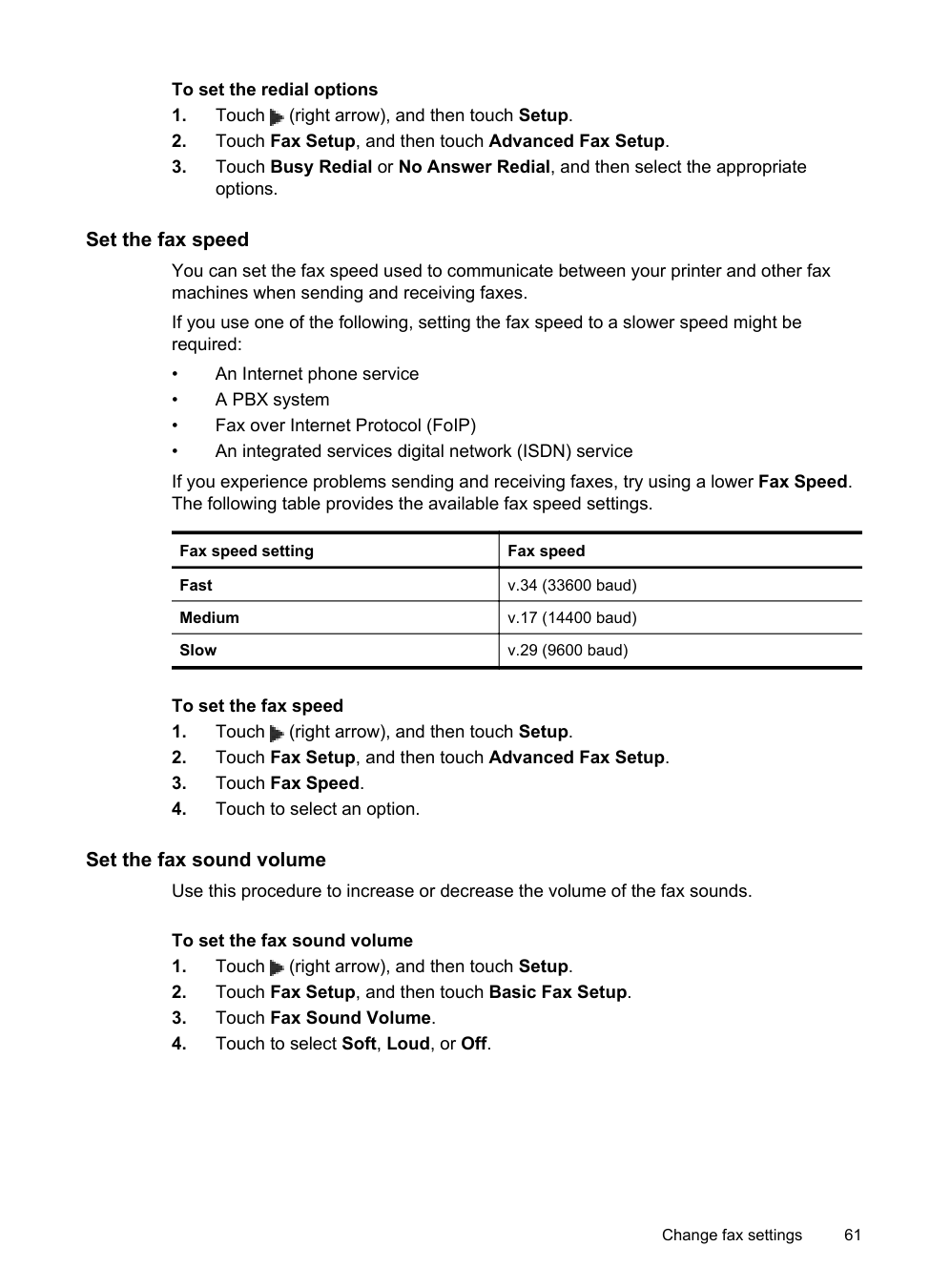
| | |---|
NOTE: Deleting a group speed-dial entry does not delete the individual speed-dial entries.
Set up speed-dial entries 57
##### Print a list of speed-dial entries
To print a list of all of the speed-dial entries that have been set up, complete the following steps:
Change fax settings
After completing the steps in the getting started guide that came with the printer, use the following steps to change the initial settings or to configure other options for faxing.
##### Configure the fax header
The fax header prints your name and fax number on the top of every fax you send. HP recommends that you set up the fax header by using the HP software provided with the printer. You can also set up the fax header from the printer control panel, as described here.
| | |---|
NOTE: In some countries/regions, the fax header information is a legal requirement.
###### To set or change the fax header
##### Set the answer mode (Auto answer)
The answer mode determines whether the printer answers incoming calls.
###### To set the answer mode
##### Set the number of rings before answering
If you turn on the Auto Answer setting, you can specify how many rings occur before incoming calls are automatically answered.
The Rings to Answer setting is important if you have an answering machine on the same phone line as the printer, because you want the answering machine to answer the phone before the printer does. The number of rings to answer for the printer should be greater than the number of rings to answer for the answering machine.
For example, set your answering machine to a low number of rings and the printer to answer in the maximum number of rings. (The maximum number of rings varies by country/region.) In this setup, the answering machine answers the call and the printer monitors the line. If the printer detects fax tones, it receives the fax. If the call is a voice call, the answering machine records the incoming message.
###### To set the number of rings before answering


##### Change the answer ring pattern for distinctive ring
Many phone companies offer a distinctive ring feature that allows you to have several phone numbers on one phone line. When you subscribe to this service, each number is assigned a different ring pattern. You can set up the printer to answer incoming calls that have a specific ring pattern.
If you connect the printer to a line with distinctive ring, have your telephone company assign one ring pattern to voice calls and another ring pattern to fax calls. HP recommends that you request double or triple rings for a fax number. When the printer detects the specified ring pattern, it answers the call and receives the fax.
TIP: You can also use the Ring Pattern Detection feature in the printer’s control panel to set distinctive ring. With this feature, the printer recognizes and records the ring pattern of an incoming call and, based on this call, automatically determines the distinctive ring pattern assigned by your telephone company to fax calls.
If you do not have a distinctive ring service, use the default ring pattern, which is All Rings.
| | |---|
NOTE: The printer cannot receive faxes when the main phone number is off the hook.
###### To change the answer ring pattern for distinctive ring
• Touch the ring pattern assigned by your telephone company to fax calls.
•TouchRing Pattern Detection, and then follow the instructions on the printer’s control panel.
| | |---|
NOTE: If the Ring Pattern Detection feature cannot detect the ring pattern or if you cancel the feature before it finishes, the ring pattern is automatically set to the default, which is All Rings.
NOTE: If you are using a PBX phone system that has different ring patterns for internal and external calls, you must call the fax number from an external number.
##### Set the dial type
Use this procedure to set tone-dialing or pulse-dialing mode. The factory-set default is Tone. Do not change the setting unless you know that your phone line cannot use tone dialing.
| | |---|
NOTE: The pulse-dialing option is not available in all countries/regions.
###### To set the dial type

##### Set the redial options
If the printer was unable to send a fax because the receiving fax machine did not answer or was busy, the printer attempts to redial based on the settings for the busyredial and no-answer-redial options. Use the following procedure to turn the options on or off.
###### To set the redial options
options.
##### Set the fax speed
You can set the fax speed used to communicate between your printer and other fax machines when sending and receiving faxes.
If you use one of the following, setting the fax speed to a slower speed might be required:
If you experience problems sending and receiving faxes, try using a lower Fax Speed. The following table provides the available fax speed settings.
|Fax speed setting|Fax speed| |---|---| |Fast|v.34 (33600 baud)| |Medium|v.17 (14400 baud)| |Slow|v.29 (9600 baud)|
###### To set the fax speed
##### Set the fax sound volume
Use this procedure to increase or decrease the volume of the fax sounds.
###### To set the fax sound volume
Fax and digital phone services
Many telephone companies provide their customers with digital phone services, such as the following:
HP printers are designed specifically for use with traditional analog phone services. If you are in a digital phone environment (such as DSL/ADSL, PBX, or ISDN), you might need to use digital-to-analog filters or converters when setting up the printer for faxing.
| | |---|
NOTE: HP does not guarantee that the printer will be compatible with all digital service lines or providers, in all digital environments, or with all digital-to-analog converters. It is always recommended that you discuss with the telephone company directly for the correct setup options based on their line services provided.
Fax over Internet Protocol
You might be able to subscribe to a low cost phone service that allows you to send and receive faxes with your printer by using the Internet. This method is called Fax over Internet Protocol (FoIP).
You probably use a FoIP service (provided by your telephone company) when you:
| | |---|
NOTE: You can only send and receive faxes by connecting a phone cord to the port labeled "1-LINE" on the printer. This means that your connection to the Internet must be done either through a converter box (which supplies regular analog phone jacks for fax connections) or your telephone company.
TIP: Support for traditional fax transmission over any Internet protocol telephone systems are often limited. If you experience problems faxing, try using a slower fax speed or disabling the fax error-correction mode (ECM). However, if you turn off ECM, you cannot send and receive color faxes. (For more information about changing the fax speed, see Set the fax speed. For more information about using ECM, see Send a fax in Error Correction Mode.
If you have questions about Internet faxing, contact your Internet faxing services support department or your local service provider for further assistance.
Use reports
You can set up the printer to print error reports and confirmation reports automatically for each fax you send and receive. You can also manually print system reports as required; these reports provide useful system information about the printer.
By default, the printer is set to print a report only if there is a problem sending or receiving a fax. A confirmation message that indicates whether a fax was successfully sent appears briefly on the control panel display after each transaction.
| | |---|
NOTE: If the reports are not legible, you can check the estimated ink levels from the control panel or the HP software. For more information, see Printer management tools.
NOTE: Ink level alerts and indicators provide estimates for planning purposes only. When you receive a low-ink alert, consider having a replacement cartridge available to avoid possible printing delays. You do not need to replace the ink cartridges until prompted to do so.
NOTE: Ensure that the printheads and ink cartridges are in good conditions and installed properly. For more information, see Work with ink cartridges.
This section contains the following topics:
##### Print fax confirmation reports
If you require printed confirmation that your faxes were successfully sent, follow these instructions to enable fax confirmation before sending any faxes. Select either On (Fax Send) or On (Send and Receive).
The default fax confirmation setting is Off. This means that a confirmation report is not printed for each fax sent or received. A confirmation message indicating whether a fax was successfully sent appears briefly on the control panel display after each transaction.
| | |---|
NOTE: You can include an image of the first page of the fax on the Fax Sent Confirmation report if you select On (Fax Send) or On (Send and Receive), and if you scan the fax to send from memory or use the Scan and Fax option.
###### To enable fax confirmation
|Off|Does not print a fax confirmation report when you send and receive faxes successfully. This is the default setting.| |---|---| |On (Fax Send)|Prints a fax confirmation report for every fax you send.| |On (Fax Receive)|Prints a fax confirmation report for every fax you receive.| |On (Send and Receive)|Prints a fax confirmation report for every fax you send and receive.|
To include an image of the fax on the report
##### Print fax error reports
You can configure the printer so that it automatically prints a report when there is an error during transmission or reception.
###### To set the printer to print fax error reports automatically
|On (Send and Receive)|Prints whenever a fax error occurs.| |---|---| |Off|Does not print any fax error reports.| |On (Fax Send)|Prints whenever a transmission error occurs. This is the default setting.| |On (Fax Receive)|Prints whenever a receiving error occurs.|
##### Print and view the fax log
You can print a log of faxes that have been received and sent by the printer.
###### To print the fax log from the printer control panel
##### Clear the fax log
Use the following steps to clear the fax log.
| | |---|
NOTE: Clearing the fax log also deletes all faxes stored in memory.
###### To clear the fax log
##### Print the details of the last fax transaction
The Last Fax Transaction report prints the details of the last fax transaction to occur. Details include the fax number, number of pages, and the fax status.
###### To print the Last Fax Transaction report
##### Print a Caller ID Report
Use the following procedure to print a list of Caller ID fax numbers.
###### To print a Caller ID History Report
##### View the Call History
Use the following procedure to view a list of all the calls placed from the printer.
| | |---|
NOTE: The call history cannot be printed. You can only view it from the printer’s control panel display.
###### To view the Call History

6 Web Services
The printer offers innovative, web-enabled solutions that can help you quickly access the Internet, obtain documents, and print them faster and with less hassle—and all without using a computer.
NOTE: To use these web features, the printer must be connected to the Internet using a wireless connection. You cannot use these web features if the printer is connected using a USB cable.
| | |---|
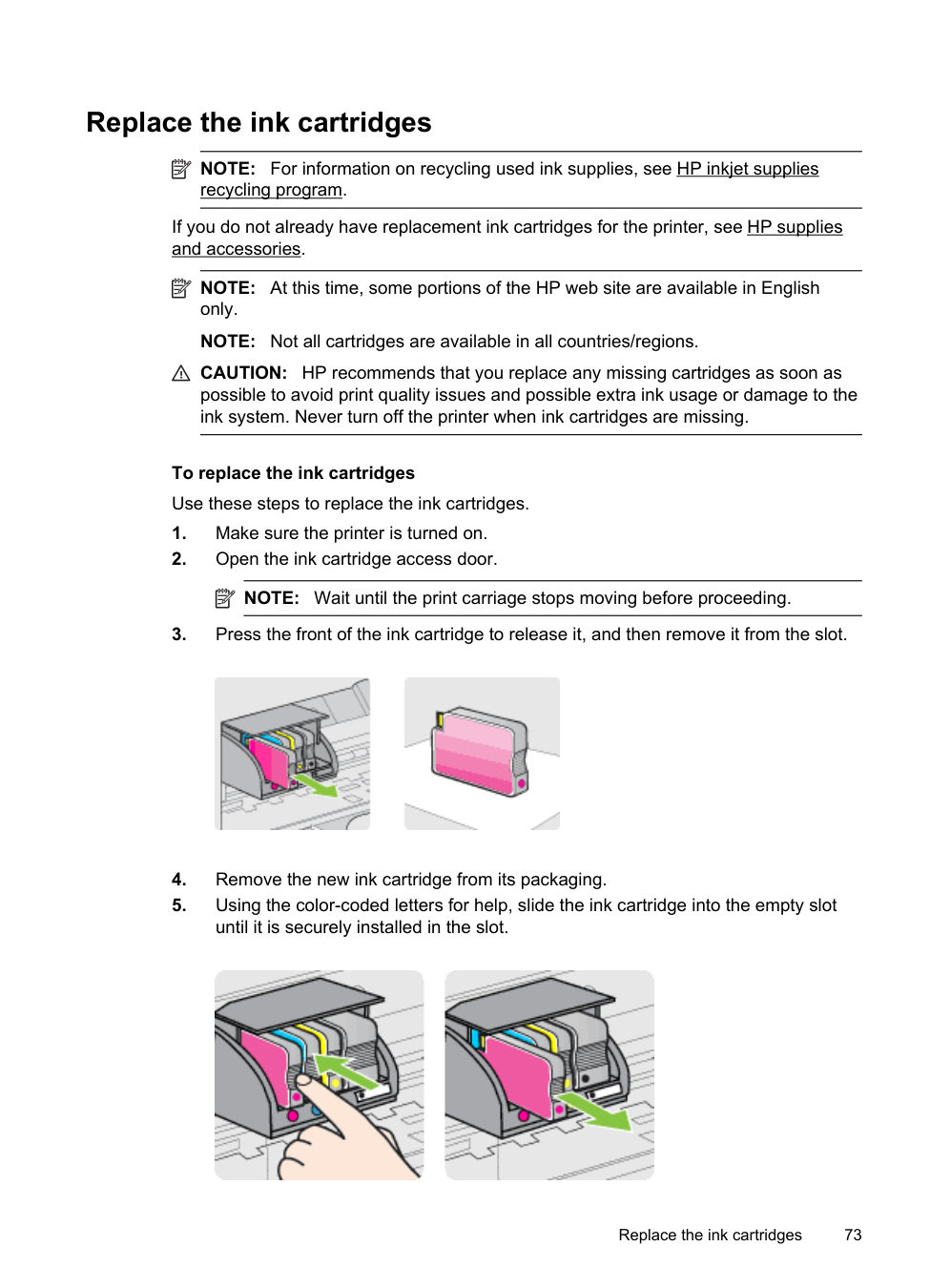
This section contains the following topics:
What are Web Services?
The printer includes the following Web Services:
##### HP ePrint
HP ePrint is a free service from HP that allows you to print to your HP ePrint-enabled printer anytime, from any location. It’s as simple as sending an email to the email address assigned to your printer when you enable Web Services on the printer. No special drivers or software are needed. If you can send an email, you can print from anywhere, using HP ePrint.
Once you have signed up for an account on ePrintCenter, you can sign in to view your HP ePrint job status, manage your HP ePrint printer queue, control who can use your printer’s HP ePrint email address to print, and get help for HP ePrint.
Printer Apps Printer Apps allow you to easily locate and print preformatted web content, directly from your printer. You can also scan and store your documents digitally on the Web. Printer Apps provide a wide range of content, from store coupons to family activities, news, travel, sports, cooking, photos, and many more. You can even view and print your online images from popular photo sites Certain Printer Apps also allow you to schedule the delivery of app content to your printer. Pre-formatted content designed specifically for your printer means no cut-off text and pictures and no extra pages with only one line of text. On some printers, you can also choose paper and print quality settings on the print preview screen. All without even having to turn on your computer!
Set up Web Services
To set up Web Services, complete the following steps.
| | |---|
NOTE: Before you set up Web Services, make sure you are connected to the Internet using a wireless connection.
##### Set up Web Services using the HP printer software
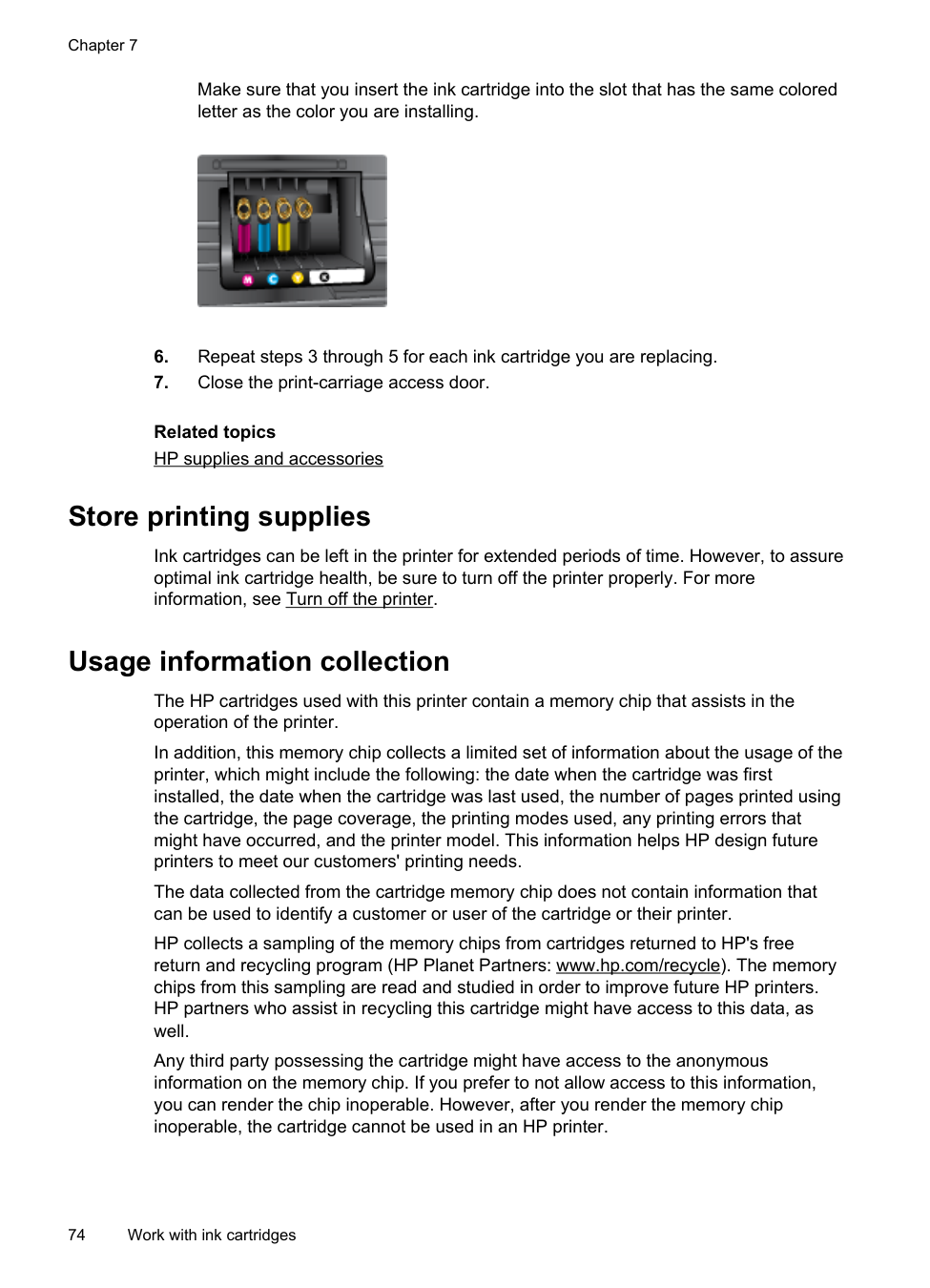
In addition to enabling key printer features, you can use the HP printer software that came with your printer to set up Web Services. If you didn’t set up Web Services when you installed the HP software on your computer, you can still use the software to set up Web Services.
To set up Web Services, complete the following steps for your operating system: Windows:
To set up and manage Web Services in Mac OS X, you can use the printer's embedded web server (EWS). For more information, see Set up Web Services using the embedded web server
Set up Web Services using the printer’s control panel The printer’s control panel provides an easy way to set up and manage Web Services. To set up Web Services, complete the following steps:


Set up Web Services 67

##### Set up Web Services using the embedded web server
You can use the printer’s embedded web server (EWS) to set up and manage Web Services.
To set up Web Services, complete the following steps:
Use Web Services
The following section describes how to use and configure Web Services.
##### HP ePrint
HP ePrint allows you to print to your HP ePrint-enabled printer anytime, from any location.
To use HP ePrint, make sure to have the following:
TIP: For more information about managing and configuring HP ePrint settings and to learn about the latest features, visit ePrintCenter at www.eprintcenter.com.
Print using HP ePrint To print documents using HP ePrint, complete the following steps:
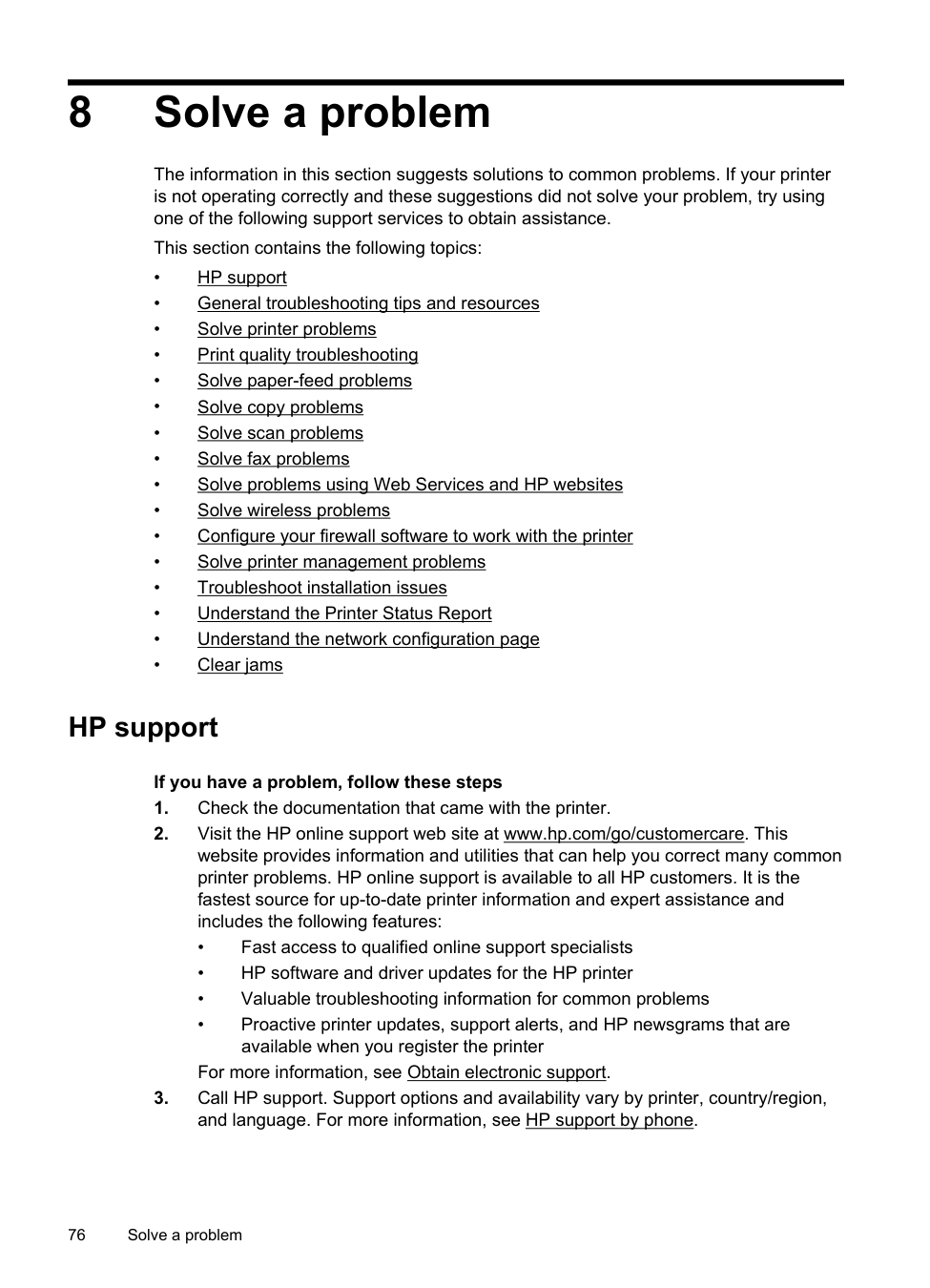
| | |---|
NOTE: For information about using the email application on your computer or mobile device, see the documentation provided with the application.
| | |---|
NOTE: Make sure that the printer’s email address is the only address listed in the “To” line of the email message. If other email addresses are listed in the “To” line, the attachments you are sending might not print.
Find the printer’s email address To display your printer’s HP ePrint email address, complete the following steps:

From the Home screen, touch (HP ePrint). The email address for the printer appears on the display.
TIP: To print the email address, touch Print.
Turn off HP ePrint To turn off HP ePrint, complete the following steps:

| | |---|
##### Printer Apps
Printer Apps allow you to easily locate and print pre-formatted web content, directly from your printer.
###### Use Printer Apps
To use the Printer Apps on your printer, touch Apps on the printer’s control panel display, and then touch the Print App you want to use.
For more information about individual Printer Apps, visit www.eprintcenter.com.
###### Manage Printer Apps
You can manage your Printer Apps with ePrintCenter. You can add, configure, or remove Printer Apps, and set the order in which they appear on your printer’s display.
| | |---|
NOTE: To manage Printer Apps from ePrintCenter, create an account on ePrintCenter and add your printer. For more information, visit www.eprintcenter.com.
Turn off Printer Apps To turn off Printer Apps, complete the following steps:

Use Web Services 69
| |
|---|
NOTE: To remove all Web Services, see Remove Web Services.
Remove Web Services
To remove Web Services, complete the following steps:

7 Work with ink cartridges
To ensure the best print quality from the printer, you need to perform some simple maintenance procedures. This section provides guidelines for handling the ink cartridges, instructions for replacing the ink cartridges, and aligning and cleaning the printhead.
TIP: If you have problems copying documents, see Print quality troubleshooting. This section contains the following topics:
Information on ink cartridges and the printhead
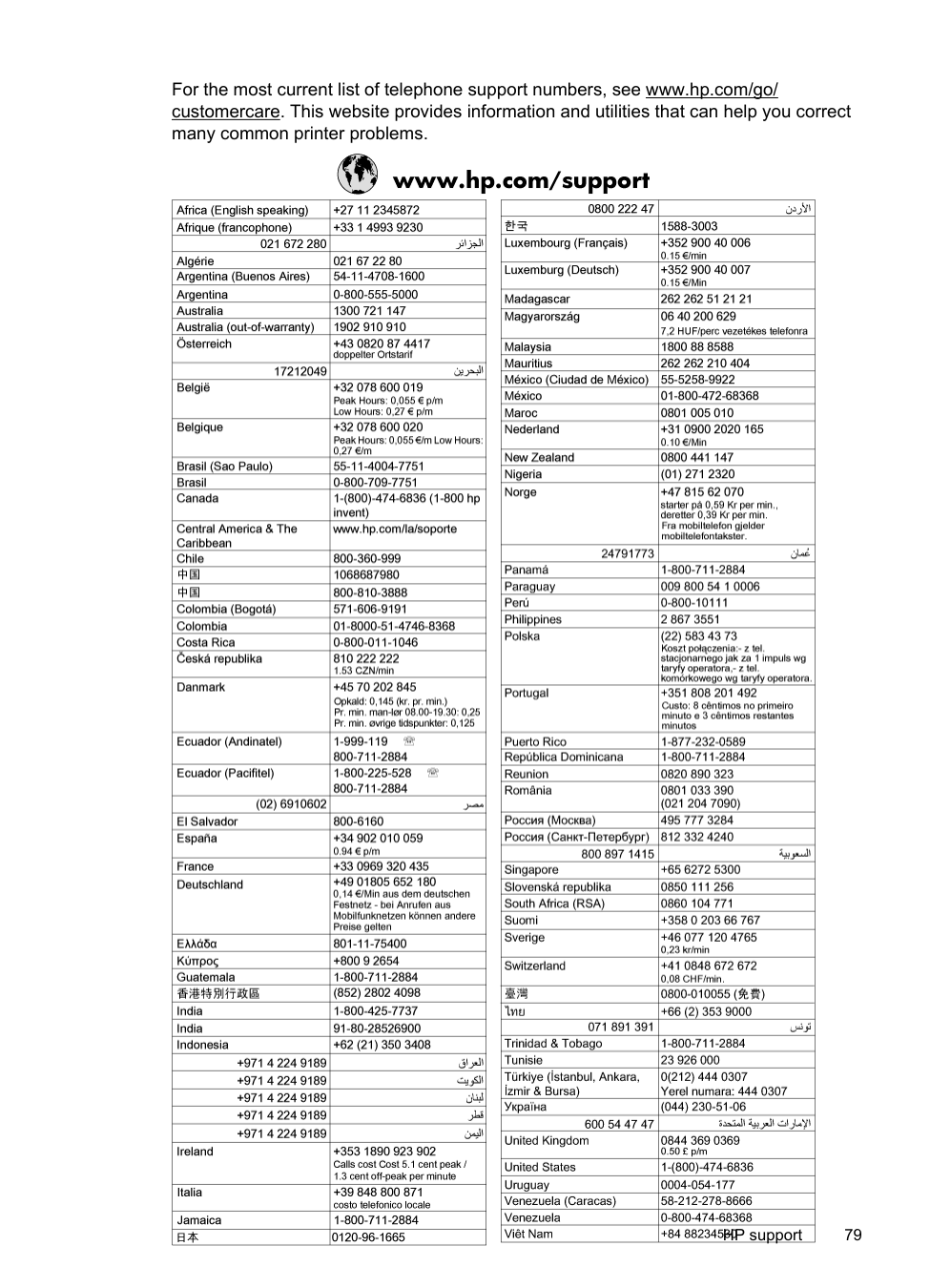
The following tips help maintain HP ink cartridges and ensure consistent print quality.
CAUTION: HP recommends that you replace any missing cartridges as soon as possible to avoid print quality issues and possible extra ink usage or damage to the ink system. Never turn off the printer when ink cartridges are missing.
Related topics Check the estimated ink levels
Work with ink cartridges 71
Check the estimated ink levels
You can check the estimated ink levels from the printer software or from the printer control panel. For information about using these tools, see Printer management tools and Use the printer control panel. You can also print the Printer Status page to view this information (see Understand the Printer Status Report).
| | |---|
NOTE: Ink level alerts and indicators provide estimates for planning purposes only. When you receive a low-ink alert, consider having a replacement cartridge available to avoid possible printing delays. You do not have to replace the cartridges until prompted to do so.
NOTE: If you have installed a refilled or remanufactured cartridge, or a cartridge that has been used in another printer, the ink level indicator might be inaccurate or unavailable.
NOTE: Ink from the cartridges is used in the printing process in a number of different ways, including in the initialization process, which prepares the printer and cartridges for printing, and in printhead servicing, which keeps print nozzles clear and ink flowing smoothly. In addition, some residual ink is left in the cartridge after it is used. For more information, see www.hp.com/go/inkusage.
Printing with black or color ink only
For regular usage, this product is not designed to print using only the black cartridge when the color cartridges are out of ink.
However, your printer is designed to let you print as long as possible when your cartridges start to run out of ink.
When there is sufficient ink in the printhead, the printer will offer you the use of black ink only when one or more of the color cartridges are out of ink, and the use of color ink only when the black cartridge is out of ink.
CAUTION: While ink cartridges are not damaged when left outside of the printer, the printhead does need to have all cartridges installed at all times after the printer is set up and in use. Leaving one or more cartridge slots empty for an extended period may lead to print quality problems and possibly damage the printhead. If you have recently left a cartridge out of the printer for an extended period, or if you have had a recent paper jam, and have noticed poor print quality, clean the printhead. For more information, see Clean the printhead.
Replace the ink cartridges
NOTE: For information on recycling used ink supplies, see HP inkjet supplies recycling program.
| | |---|
If you do not already have replacement ink cartridges for the printer, see HP supplies and accessories.
| | |---|
NOTE: At this time, some portions of the HP web site are available in English only.
NOTE: Not all cartridges are available in all countries/regions.
CAUTION: HP recommends that you replace any missing cartridges as soon as possible to avoid print quality issues and possible extra ink usage or damage to the ink system. Never turn off the printer when ink cartridges are missing.
To replace the ink cartridges Use these steps to replace the ink cartridges.
| | |---|


Replace the ink cartridges 73
Make sure that you insert the ink cartridge into the slot that has the same colored letter as the color you are installing.

Related topics HP supplies and accessories
Store printing supplies
Ink cartridges can be left in the printer for extended periods of time. However, to assure optimal ink cartridge health, be sure to turn off the printer properly. For more information, see Turn off the printer.
Usage information collection
The HP cartridges used with this printer contain a memory chip that assists in the operation of the printer.
In addition, this memory chip collects a limited set of information about the usage of the printer, which might include the following: the date when the cartridge was first installed, the date when the cartridge was last used, the number of pages printed using the cartridge, the page coverage, the printing modes used, any printing errors that might have occurred, and the printer model. This information helps HP design future printers to meet our customers' printing needs.
The data collected from the cartridge memory chip does not contain information that can be used to identify a customer or user of the cartridge or their printer.
HP collects a sampling of the memory chips from cartridges returned to HP's free return and recycling program (HP Planet Partners: www.hp.com/recycle). The memory chips from this sampling are read and studied in order to improve future HP printers. HP partners who assist in recycling this cartridge might have access to this data, as well.
Any third party possessing the cartridge might have access to the anonymous information on the memory chip. If you prefer to not allow access to this information, you can render the chip inoperable. However, after you render the memory chip inoperable, the cartridge cannot be used in an HP printer.
If you are concerned about providing this anonymous information, you can make this information inaccessible by turning off the memory chip's ability to collect the printer's usage information:
###### To turn off usage information collection
| | |---|
NOTE: If you turn off the memory chip's ability to collect the printer's usage information, you can still continue to use the cartridge in the HP printer.
Usage information collection 75
8 Solve a problem
The information in this section suggests solutions to common problems. If your printer is not operating correctly and these suggestions did not solve your problem, try using one of the following support services to obtain assistance.
This section contains the following topics:
HP support
###### If you have a problem, follow these steps
For more information, see Obtain electronic support.
##### Obtain electronic support
To find support and warranty information, go to the HP web site at www.hp.com/go/ customercare. This website provides information and utilities that can help you correct many common printer problems. If prompted, select your country/region, and then click Contact HP for information about calling for technical support.
This web site also offers technical support, drivers, supplies, ordering information and other options such as:
You can also obtain support from the HP software for Windows or Mac OS X, which provide easy, step-by-step solutions to common printing problems. For more information, see Printer management tools.
Support options and availability vary by printer, country/region, and language.
##### HP support by phone
The phone support numbers and associated costs listed here are those in effect at time of publication and are applicable only for calls made on a land line. Different rates may apply for mobile phones.
For the most current HP list of telephone support numbers and call costs information, see www.hp.com/go/customercare.
During the warranty period, you may obtain assistance from the HP Customer Care Center.
| | |---|
NOTE: HP does not provide telephone support for Linux printing. All support is provided online at the following web site: https://launchpad.net/hplip. Click the Ask a question button to begin the support process.
The HPLIP web site does not provide support for Windows or Mac OS X. If you are using these operating systems, see www.hp.com/go/customercare.
This section contains the following topics:
Before you call
Call HP support while you are in front of the computer and the printer. Be prepared to provide the following information:
###### Phone support period
One year of phone support is available in North America, Asia Pacific, and Latin America (including Mexico).
###### Telephone support numbers
In many locations, HP provides toll free telephone support during the warranty period. However, some of the support numbers might not be toll free.
####### For the most current list of telephone support numbers, see www.hp.com/go/ customercare. This website provides information and utilities that can help you correct many common printer problems.

###### After the phone support period
After the phone support period, help is available from HP at an additional cost. Help may also be available at the HP online support web site: www.hp.com/go/ customercare. This website provides information and utilities that can help you correct many common printer problems. Contact your HP dealer or call the support phone number for your country/region to learn more about support options.
General troubleshooting tips and resources
NOTE: Many of the following steps require HP software. If you did not install the HP software, you can install it using the HP software CD included with the printer, or you can download the HP software from the HP support web site, www.hp.com/ go/customercare. This website provides information and utilities that can help you correct many common printer problems.
| | |---|
Check or do the following before you begin troubleshooting:
Solve printer problems
This section contains the following topics:
##### The printer shuts down unexpectedly
Check the power and power connections Make sure the printer's power cord is connected firmly to a functioning power outlet. For voltage requirements, see Electrical specifications.
##### The printer is making some unexpected noises
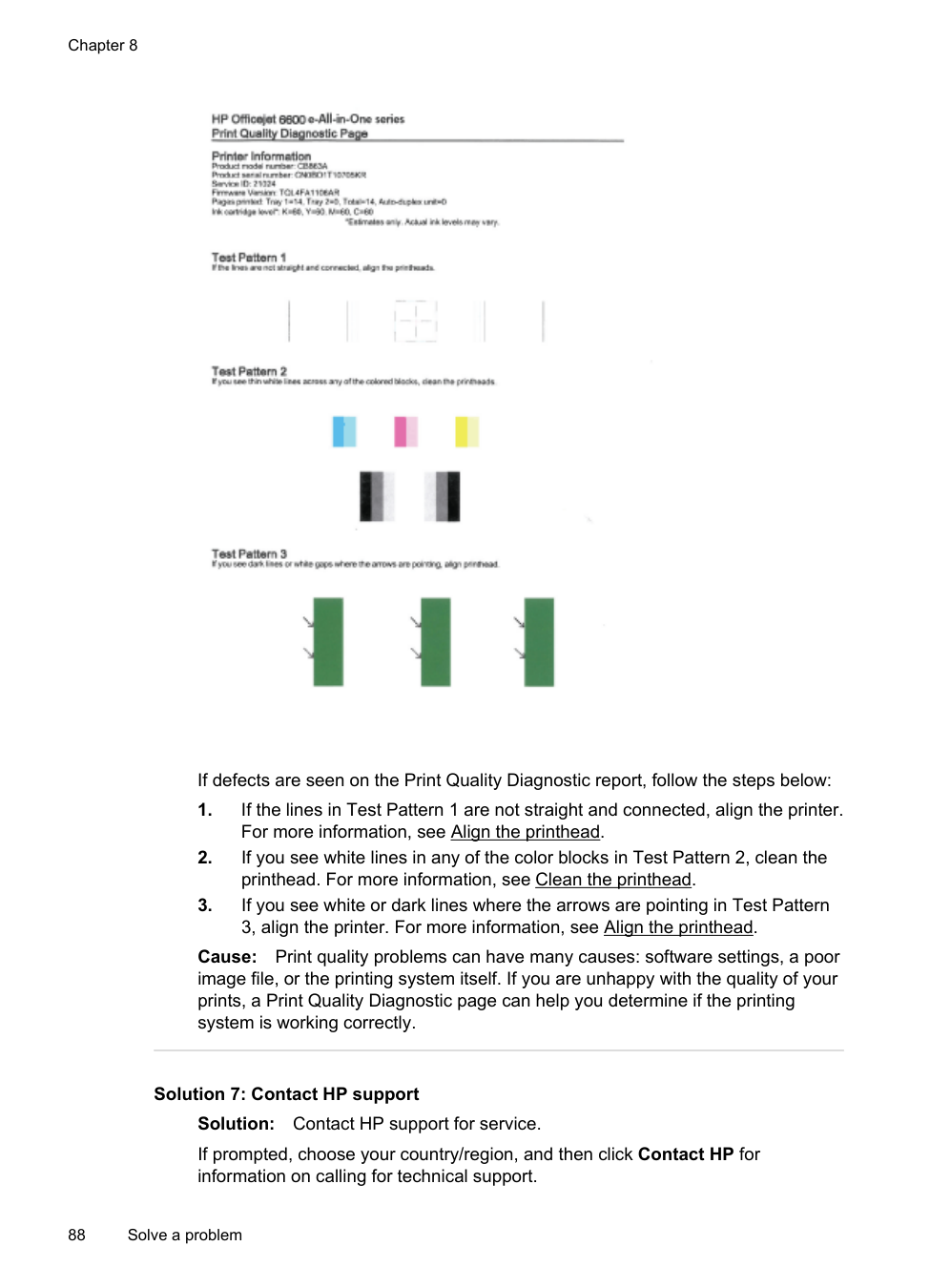
You might hear some unexpected noises made by the printer. These are the servicing sounds when the printer performs automatic servicing functions to maintain the health of the printheads.
| | |---|
NOTE: To prevent any potential damage to your printer: Do not turn off the printer while the printer is performing any servicing. If you are turning off the printer, wait for the printer to come to a complete stop before turning off using the (Power) button. For more information, see Turn off the printer. Make sure all ink cartridges are installed. If any of the ink cartridge is missing, the printer will perform extra servicing to protect the printheads.
##### Alignment fails
If the alignment process fails, make sure you have loaded unused, plain white paper into the input tray. If you have colored paper loaded in the input tray when you align the ink cartridges, the alignment fails.
If the alignment process fails repeatedly, you may need to clean the printhead, or you might have a defective sensor. To clean the printhead, see Clean the printhead.
If cleaning the printhead does not solve the problem, contact HP support. Go to www.hp.com/go/customercare. This website provides information and utilities that can help you correct many common printer problems. If prompted, select your country/ region, and then click Contact HP for information on calling for technical support.
##### The printer is not responding (nothing prints)
###### There are print jobs stuck in the print queue
Open the print queue, cancel all documents, and then reboot the computer. Try to print after the computer reboots. Refer to the Help system for the operating system for more information.
Check the printer setup For more information, see General troubleshooting tips and resources.
Check the HP software installation If the printer is turned off when printing, an alert message should appear on your computer screen; otherwise, the HP software provided with the printer might not be
installed correctly. To resolve this, uninstall the HP software completely, and then reinstall the HP software. For more information, see Uninstall and reinstall the HP software.
###### Check the cable connections
Check any personal firewall software installed on the computer The personal software firewall is a security program that protects a computer from intrusion. However, the firewall might block communication between the computer and the printer. If there is a problem communicating with the printer, try temporarily disabling the firewall. If the problem persists, the firewall is not the source of the communication problem. Re-enable the firewall.
##### The printer prints slowly
Try the following solutions if the printer is printing very slowly.
###### Solution 1: Use a lower print quality setting
Solution: Check the print quality setting. Best and Maximum dpi provide the best quality but are slower than Normal or Draft. Draft provides the fastest print speed.
Cause: The print quality was set to a high setting. If this did not solve the issue, try the next solution.
####### Solution 2: Check the ink levelsSolution: Check the estimated ink levels in the ink cartridges.
| | |---|
NOTE: Ink level alerts and indicators provide estimates for planning purposes only. When you receive a low on ink message, consider having a replacement cartridge available to avoid possible printing delays. You do not need to replace the ink cartridges until prompted to do so.
CAUTION: While ink cartridges are not damaged when left outside of the printer, the printhead does need to have all cartridges installed at all times after the printer is set up and in use. Leaving one or more cartridge slots empty for an extended period may lead to print quality problems and possibly damage the printhead. If you have recently left a cartridge out of the printer for an extended period and have noticed poor print quality, clean the printhead. For more information, see Clean the printhead.
For more information, see: Check the estimated ink levels Cause: The ink cartridges might have insufficient ink. If this did not solve the issue, try the next solution.
Go to: www.hp.com/go/customercare. This website provides information and utilities that can help you correct many common printer problems.
If prompted, choose your country/region, and then click Contact HP for information on calling for technical support.
Cause: There was a problem with the printer.
##### Blank or partial page printed
Clean the printhead Complete the printhead cleaning procedure. The printhead may need to be cleaned if the printer was turned off incorrectly.
| | |---|
NOTE: Incorrectly turning off the printer can cause print quality problems like blank or partial pages. Printhead cleaning can solve these problems, but turning off the printer correctly can prevent them in the first place. Always turn the printer off by pressing the (Power button) on the printer. Wait until the (Power button) light goes out before unplugging the power cord or turning off a power strip.
###### Check the media settings
More than one page is being picked For more information on paper-feed problems, see Solve paper-feed problems.
There is a blank page in the file Check the file to make sure there is no blank page.
##### Something on the page is missing or incorrect
Check the Print Quality Diagnostic page Print a Print Quality Diagnostic page to help you decide whether to run any maintenance tools to improve the print quality of your printouts. For more information, see Understand the Printer Status Report.
Check the margin settings Make sure the margin settings for the document do not exceed the printable area of the printer. For more information, see Set minimum margins.
###### Check the color print settings Make sure Print in Grayscale is not selected in the printer driver.
Check the printer location and length of USB cable High electromagnetic fields (such as those generated by USB cables) can sometimes cause slight distortions to printouts. Move the printer away from the source of the electromagnetic fields. Also, it is recommended that you use a USB cable that is less than 3 meters (9.8 feet) long to minimize the effects of these electromagnetic fields.
Check the paper size Make sure the selected paper size matches the actual loaded paper size.
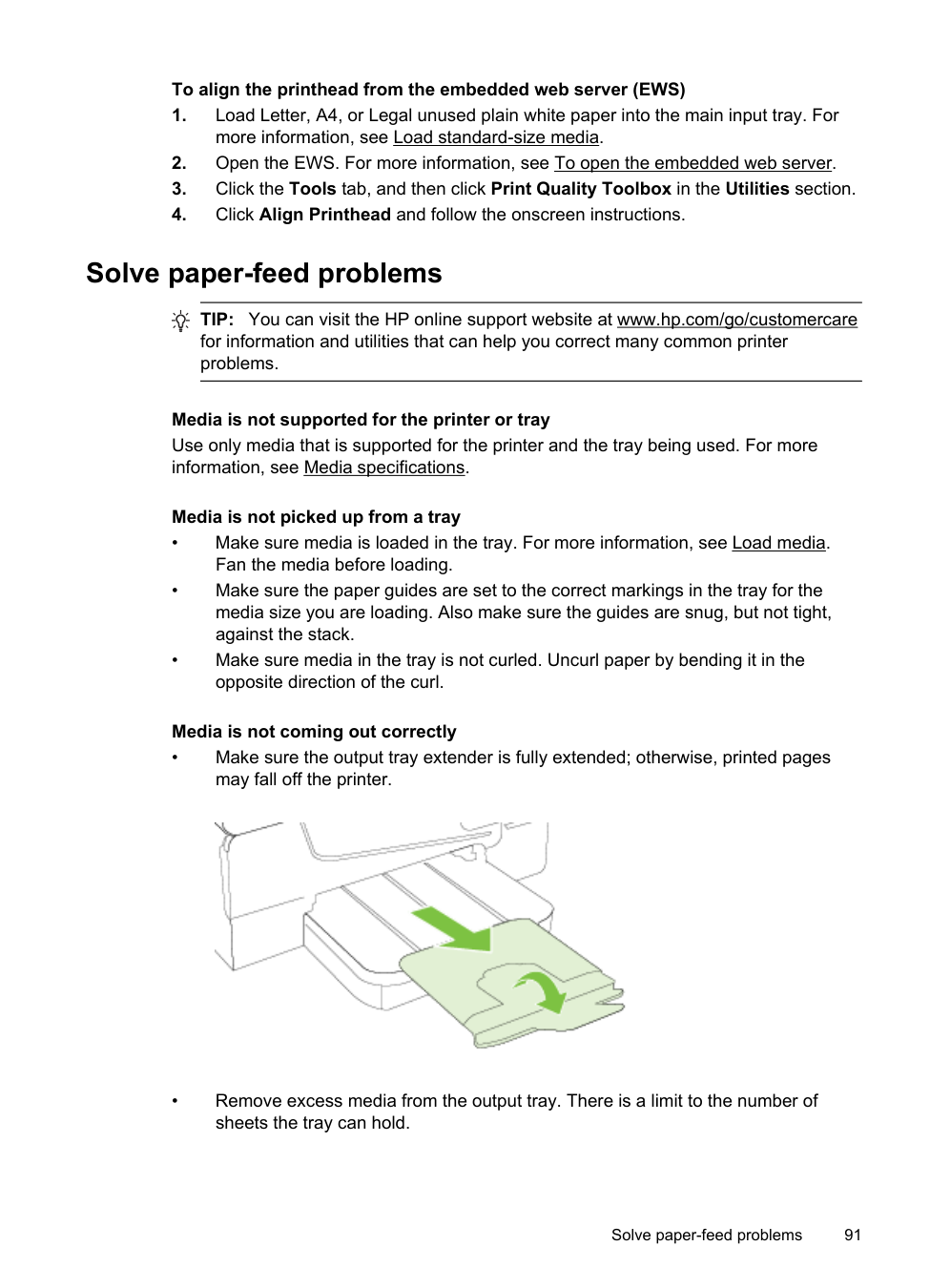
##### Placement of the text or graphics is wrong
Check how the media is loaded Make sure the media width and length guides fit snugly against the edges of the stack of media, and make sure the tray is not overloaded. For more information, see Load media.
###### Check the media size
Check the margin settings If the text or graphics are cut off at the edges of the page, make sure the margin settings for the document do not exceed the printable area of your printer. For more information, see Set minimum margins.
Check the page-orientation setting Make sure the media size and page orientation selected in the application match the settings in the printer driver. For more information, see Print.
Check the printer location and length of USB cable High electromagnetic fields (such as those generated by USB cables) can sometimes cause slight distortions to printouts. Move the printer away from the source of the electromagnetic fields. Also, it is recommended that you use a USB cable that is less than 3 meters (9.8 feet) long to minimize the effects of these electromagnetic fields.
If the above solutions do not work, the problem may be caused by the inability of the application to interpret print settings correctly. See the release notes for known software conflicts, refer to the application's documentation, or contact the software manufacturer for specific help.
TIP: If you are using a computer running Windows, you can visit the HP online support website at www.hp.com/go/customercare. This website provides information and utilities that can help you correct many common printer problems.
Print quality troubleshooting
Try the solutions in this section to resolve print quality problems in your printout.
###### Solution 1: Make sure you are using original HP ink cartridgesSolution: Check to see if your ink cartridges are original HP ink cartridges.
HP recommends that you use original HP ink cartridges. Original HP ink cartridges are designed and tested with HP printers to help you easily produce great results, time after time.
| | |---|
NOTE: HP cannot guarantee the quality or reliability of non-HP supplies. Printer service or repairs required as a result of using a non-HP supply are not covered under warranty.
If you believe you purchased original HP ink cartridges, go to: www.hp.com/go/anticounterfeit
Cause: Non-HP ink cartridges were being used. If this did not solve the issue, try the next solution.
####### Solution 2: Check the ink levelsSolution: Check the estimated ink levels in the ink cartridges.
| | |---|
NOTE: Ink level alerts and indicators provide estimates for planning purposes only. When you receive a low-ink alert, consider having a replacement cartridge available to avoid possible printing delays. You do not need to replace the ink cartridges until prompted to do so.
CAUTION: While ink cartridges are not damaged when left outside of the printer, the printhead does need to have all cartridges installed at all times after the printer is set up and in use. Leaving one or more cartridge slots empty for an extended period may lead to print quality problems and possibly damage the printhead. If you have recently left a cartridge out of the printer for an extended period, or if you have had a recent paper jam, and have noticed poor print quality, clean the printhead. For more information, see Clean the printhead.
For more information, see: Check the estimated ink levels Cause: The ink cartridges might have insufficient ink. If this did not solve the issue, try the next solution.
###### Solution 3: Check the paper loaded in the input tray
Solution: Make sure the paper is loaded correctly and that it is not wrinkled or too thick.
For more information, see: Load media Cause: The paper was loaded incorrectly, or it was wrinkled or too thick. If this did not solve the issue, try the next solution.
###### Solution 4: Check the paper type
Solution: HP recommends that you use HP papers or any other paper type with ColorLok technology that is appropriate for the printer. All papers with the ColorLok logo are independently tested to meet high standards of reliability and print quality, and produce documents with crisp, vivid color, bolder blacks and dry faster than ordinary plain papers.
Always make sure the paper you are printing on is flat. For best results when printing images, use HP Advanced Photo Paper.
Store specialty media in its original packaging inside a resealable plastic bag on a flat surface in a cool, dry place. When you are ready to print, remove only the
paper you plan to use immediately. When you have finished printing, return any unused photo paper to the plastic bag. This prevents the photo paper from curling.
NOTE: For this issue, there is not a problem with your ink supplies. Therefore, replacing the ink cartridges is not necessary.
| | |---|
For more information, see: Select print media Cause: The wrong kind of paper was loaded in the input tray. If this did not solve the issue, try the next solution.
| | |---|
NOTE: On some computer screens, colors might appear differently than they do when printed on paper. In this case, there is nothing wrong with the printer, print settings, or ink cartridges. No further troubleshooting is required.
For more information, see: Select print media Cause: The print settings were set incorrectly. If this did not solve the issue, try the next solution.

If defects are seen on the Print Quality Diagnostic report, follow the steps below:
Cause: Print quality problems can have many causes: software settings, a poor image file, or the printing system itself. If you are unhappy with the quality of your prints, a Print Quality Diagnostic page can help you determine if the printing system is working correctly.
If prompted, choose your country/region, and then click Contact HP for information on calling for technical support.
TIP: If you are using a computer running Windows, you can visit the HP online support website at www.hp.com/go/customercare. This website provides information and utilities that can help you correct many common printer problems.
Cause: There was a problem with the printhead.
##### Printhead maintenance
If you are experiencing problems with printing, you might have a problem with the printhead. You should perform the procedures in the following sections only when directed to do so for resolving print quality issues.
Performing the aligning and cleaning procedures unnecessarily can waste ink and shorten the life of the cartridges.
This section contains the following topics:
###### Clean the printhead
If your printed output is streaked or has any incorrect or missing colors, the printhead might need to be cleaned.
There are two stages of cleaning. Each stage lasts about two minutes, uses one sheet of paper, and uses an increasing amount of ink. After each stage, review the quality of the printed page. You should only initiate the next phase of cleaning if the print quality is poor.
If print quality still seems poor after you complete both stages of cleaning, try aligning the printer. If print quality problems persist after cleaning and aligning, contact HP support. For more information, see HP support.
| | |---|
NOTE: Cleaning uses ink, so clean the printhead only when necessary. The cleaning process takes a few minutes. Some noise might be generated in the process. Before cleaning the printhead, make sure you load paper. For more information, see Load media.
Not turning the printer off correctly can cause print quality problems. For more information, see Turn off the printer.
###### To clean the printhead from the control panel
###### To clean the printhead from HP Utility (Mac OS X)
###### To clean the printhead from the embedded web server (EWS)
Align the printhead The printer automatically aligns the printhead during the initial setup. You might want to use this feature when the printer status page shows streaking or white lines through any of the blocks of color or if you are having print quality issues with your printouts.
###### To align the printhead from the control panel
###### To align the printhead from Toolbox (Windows)
###### To align the printhead from HP Utility (Mac OS X)
###### To align the printhead from the embedded web server (EWS)
Solve paper-feed problems
TIP: You can visit the HP online support website at www.hp.com/go/customercare for information and utilities that can help you correct many common printer problems.
Media is not supported for the printer or tray Use only media that is supported for the printer and the tray being used. For more information, see Media specifications.
###### Media is not picked up from a tray
###### Media is not coming out correctly
####### • Make sure the output tray extender is fully extended; otherwise, printed pagesmay fall off the printer.

####### • Remove excess media from the output tray. There is a limit to the number ofsheets the tray can hold.
Solve paper-feed problems 91
###### Pages are skewing
Multiple pages are being picked up
Solve copy problems
If the following topics do not help, see HP support for information about HP support.
##### No copy came out
##### Copies are blank
##### Documents are missing or faded
##### Size is reduced
Solve copy problems 93
##### Copy quality is poor
##### Copy defects are apparent
For more information, see Load an original in the automatic document feeder (ADF).
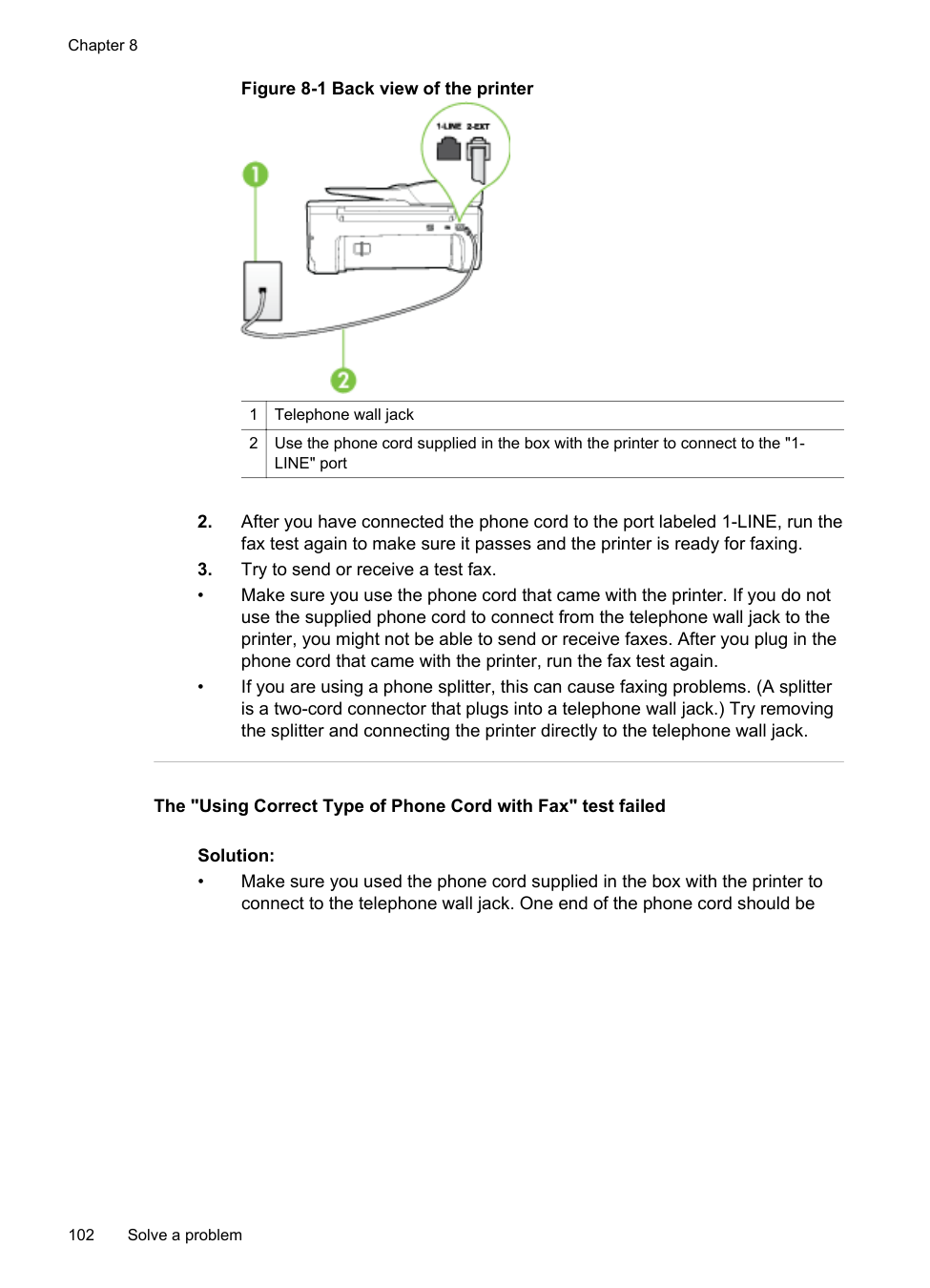
##### The printer prints half a page, then ejects the paper
Check the ink cartridges Make sure the correct ink cartridges are installed and the ink cartridges are not low on ink. For more information, see Printer management tools and Understand the Printer Status Report. HP cannot guarantee the quality of non-HP ink cartridges.
##### Paper mismatch
Check the settings Verify that the loaded media size and type matches the control panel settings.
Solve scan problems
TIP: You can visit the HP online support website at www.hp.com/go/customercare for information and utilities that can help you correct many common printer problems.
##### Scanner did nothing
##### Scan takes too long
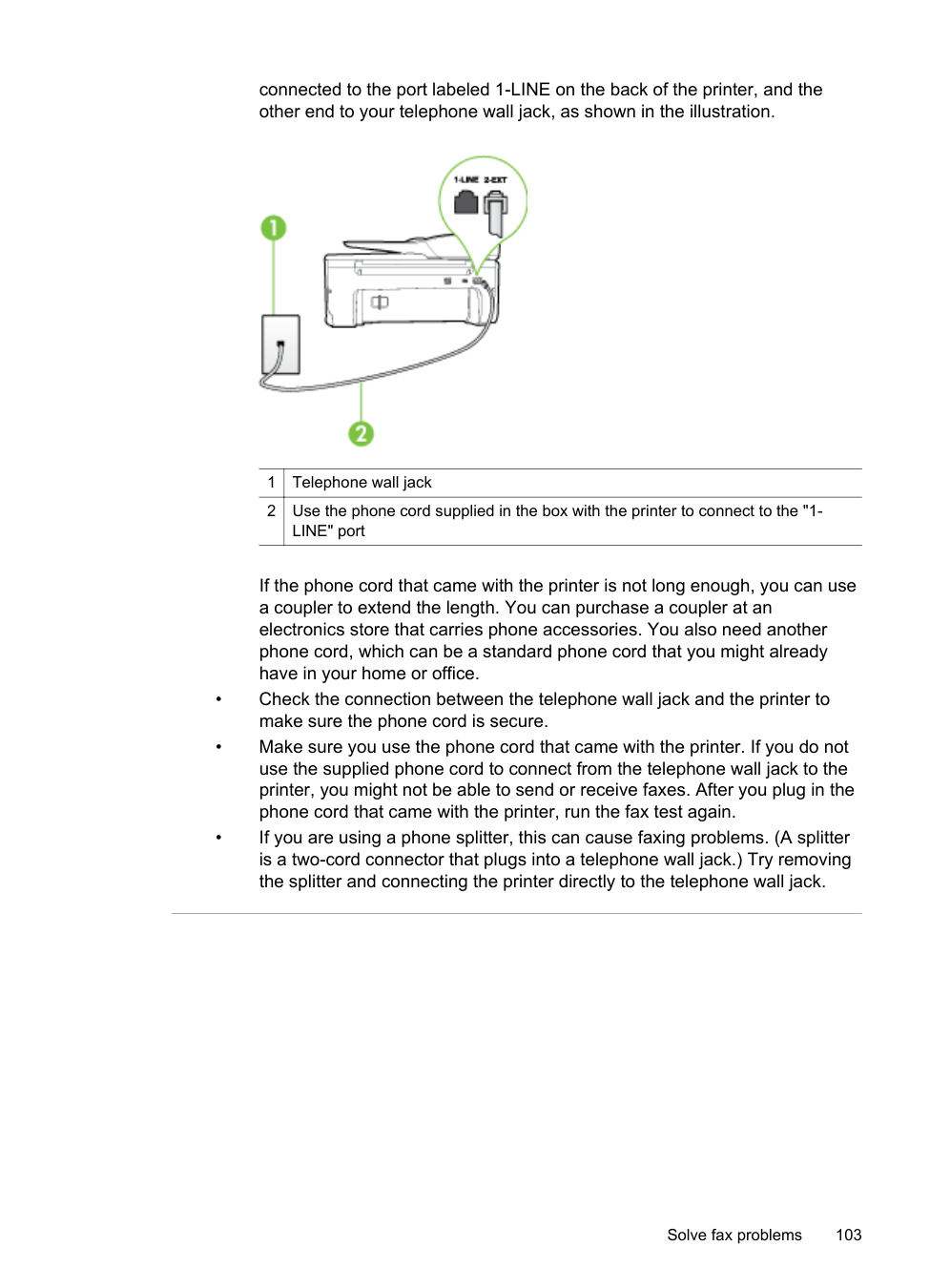
##### Part of the document did not scan or text is missing
###### • Check the original
###### • Check the settings
##### Text cannot be edited
###### • Check the originals
##### Error messages appear
###### • Unable to activate TWAIN source or An error occurred while acquiring theimage
####### • Reload document and then restart jobTouch OK on the printer control panel, and then reload the remaining documentsin the ADF. For more information see Load an original in the automatic documentfeeder (ADF).
Scanned image quality is poor The original is a second-generation photo or picture Reprinted photographs, such as those in newspapers or magazines, are printed by using tiny dots of ink that make an interpretation of the original photograph, which degrades the quality. Often, the ink dots form unwanted patterns that can be detected when the image is scanned or printed or when the image appears on a screen. If the
following suggestions do not solve the problem, you might need to use a better-quality version of the original.
NOTE: Scanning at high resolution can take a long time, and it can take up a large amount of space on your computer.
| | |---|
###### Take steps to improve the scan quality
##### Scan defects are apparent
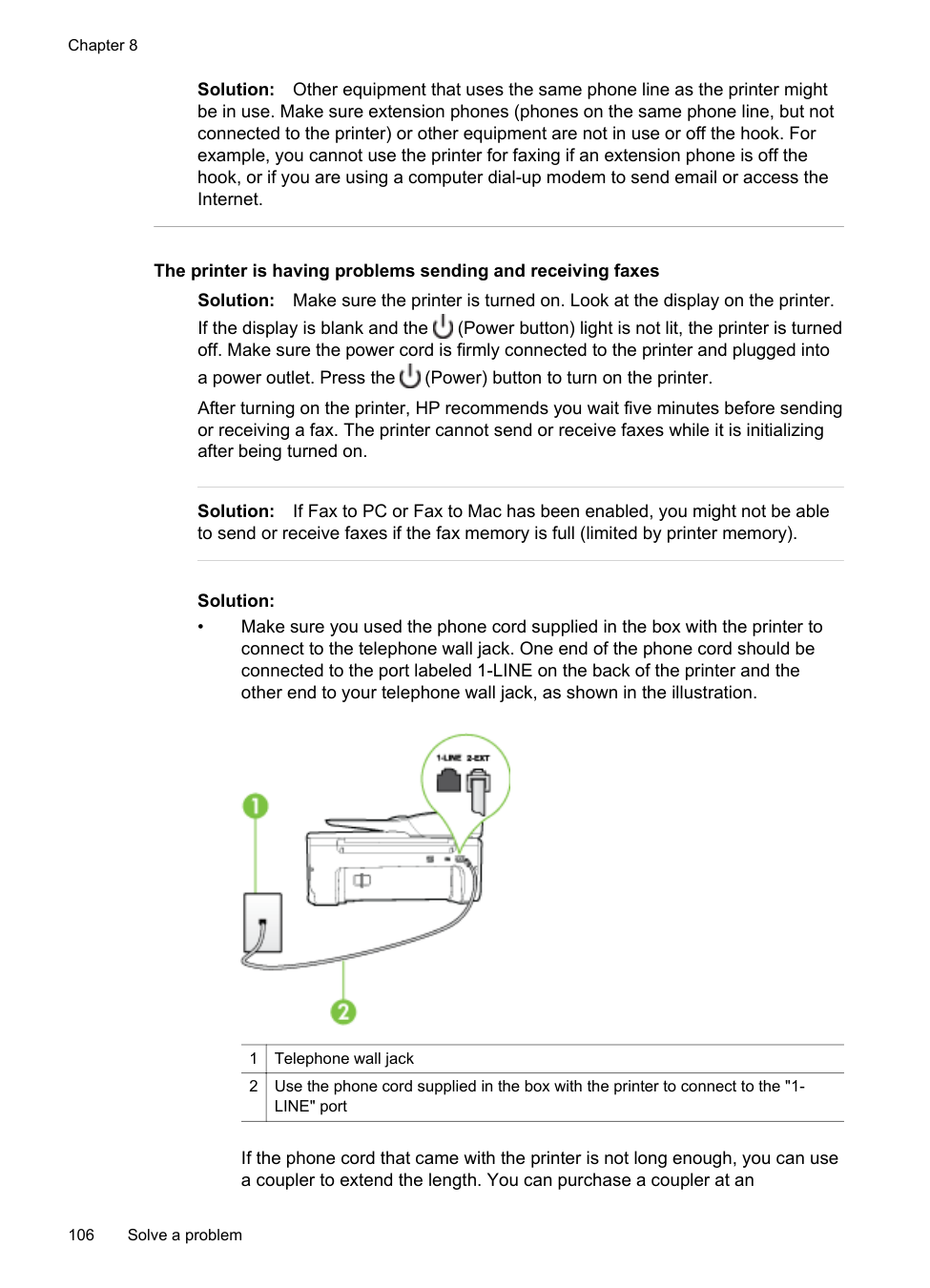
Solve fax problems
This section contains fax setup troubleshooting information for the printer. If the printer is not set up correctly for faxing, you might experience problems when sending faxes, receiving faxes, or both.
If you are having faxing problems, you can print a fax test report to check the status of the printer. The test fails if the printer is not set up correctly for faxing. Perform this test after you have completed setting up the printer for faxing. For more information, see Test fax setup.
If the test fails, review the report for information on how to fix any problems found. For more information, see The fax test failed.
TIP: You can visit the HP online support website at www.hp.com/go/customercare for information and utilities that can help you correct many common printer problems.
##### The fax test failed
If you ran a fax test and the test failed, review the report for basic information about the error. For more detailed information, check the report to see which part of the test failed, and then review the appropriate topic in this section for solutions to try.
This section contains the following topics:
The "Fax Hardware Test" failed Solution:
After you resolve any problems found, run the fax test again to make sure it passes and the printer is ready for faxing. If the Fax Hardware Test continues to fail and you experience problems faxing, contact HP support. Go to www.hp.com/
go/customercare. This website provides information and utilities that can help you correct many common printer problems. If prompted, select your country/region, and then click Contact HP for information on calling for technical support.
The "Fax Connected to Active Telephone Wall Jack" test failed
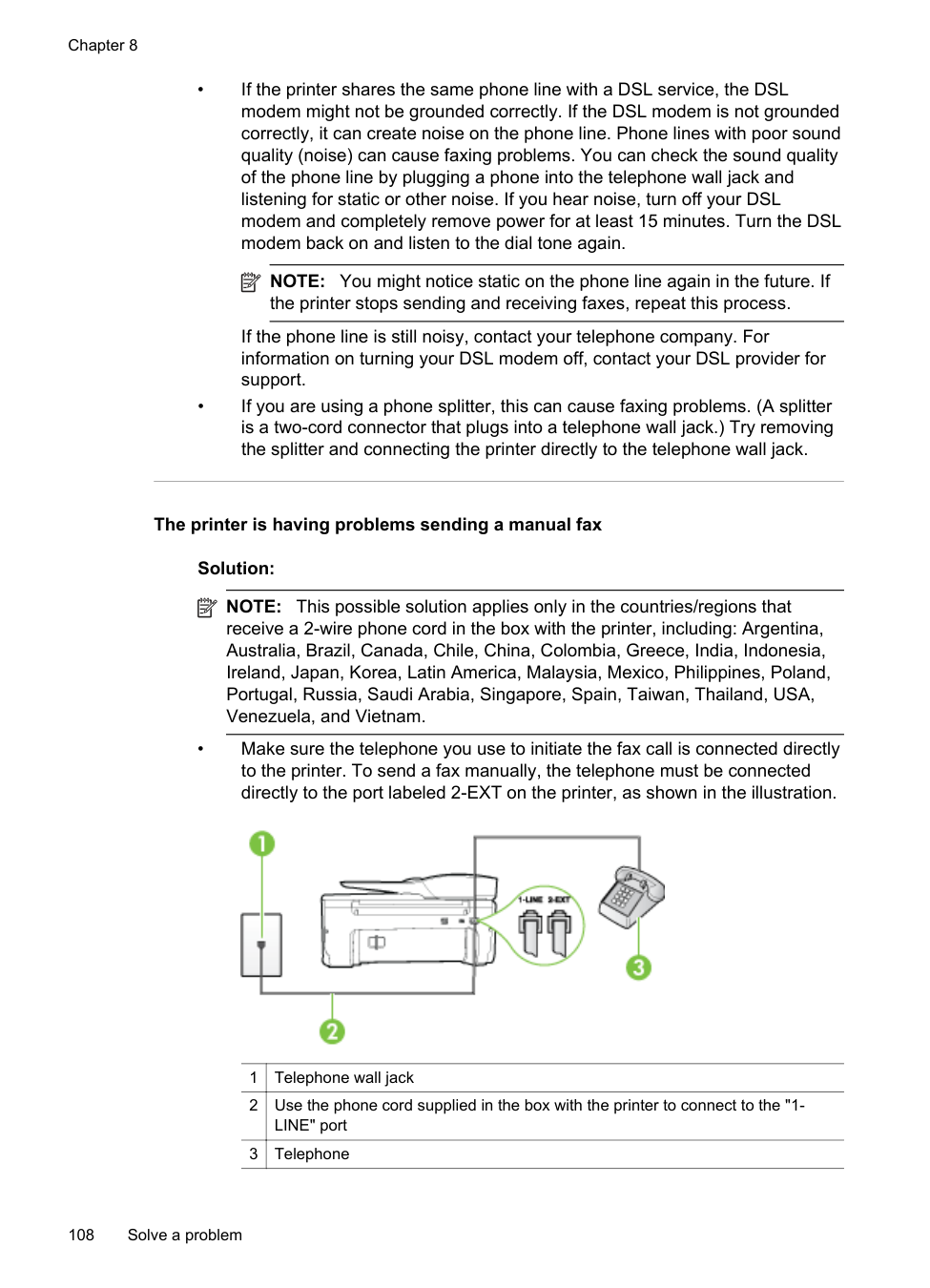
Solution:
After you resolve any problems found, run the fax test again to make sure it passes and the printer is ready for faxing.
The "Phone Cord Connected to Correct Port on Fax" test failed Solution: Plug the phone cord into the correct port.
| | |---|
NOTE: If you use the 2-EXT port to connect to the telephone wall jack, you cannot send or receive faxes. The 2-EXT port should only be used to connect other equipment, such as an answering machine.
###### Figure 8-1 Back view of the printer

|1|Telephone wall jack| |---|---| |2|Use the phone cord supplied in the box with the printer to connect to the "1LINE" port|
The "Using Correct Type of Phone Cord with Fax" test failed
Solution:
connected to the port labeled 1-LINE on the back of the printer, and the other end to your telephone wall jack, as shown in the illustration.

|1|Telephone wall jack| |---|---| |2|Use the phone cord supplied in the box with the printer to connect to the "1LINE" port|
If the phone cord that came with the printer is not long enough, you can use a coupler to extend the length. You can purchase a coupler at an electronics store that carries phone accessories. You also need another phone cord, which can be a standard phone cord that you might already have in your home or office.
The "Dial Tone Detection" test failed
Solution:
After you resolve any problems found, run the fax test again to make sure it passes and the printer is ready for faxing. If the Dial Tone Detection test continues to fail, contact your telephone company and have them check the phone line.
The "Fax Line Condition" test failed
Solution:
After you resolve any problems found, run the fax test again to make sure it passes and the printer is ready for faxing. If the Fax Line Condition test continues to fail and you experience problems faxing, contact your telephone company and have them check the phone line.
###### The display always shows Phone Off Hook
Solution: You are using the wrong type of phone cord. Make sure you are using the phone cord that came with the printer to connect the printer to your phone line. If the phone cord that came with the printer is not long enough, you can use a coupler to extend the length. You can purchase a coupler at an electronics store that carries phone accessories. You also need another phone cord, which can be a standard phone cord that you might already have in your home or office.
Solution: Other equipment that uses the same phone line as the printer might be in use. Make sure extension phones (phones on the same phone line, but not connected to the printer) or other equipment are not in use or off the hook. For example, you cannot use the printer for faxing if an extension phone is off the hook, or if you are using a computer dial-up modem to send email or access the Internet.
The printer is having problems sending and receiving faxes Solution: Make sure the printer is turned on. Look at the display on the printer. If the display is blank and the (Power button) light is not lit, the printer is turned off. Make sure the power cord is firmly connected to the printer and plugged into a power outlet. Press the (Power) button to turn on the printer. After turning on the printer, HP recommends you wait five minutes before sending or receiving a fax. The printer cannot send or receive faxes while it is initializing after being turned on.
Solution: If Fax to PC or Fax to Mac has been enabled, you might not be able to send or receive faxes if the fax memory is full (limited by printer memory).
###### Solution:

|1|Telephone wall jack| |---|---| |2|Use the phone cord supplied in the box with the printer to connect to the "1LINE" port|
If the phone cord that came with the printer is not long enough, you can use a coupler to extend the length. You can purchase a coupler at an
electronics store that carries phone accessories. You also need another phone cord, which can be a standard phone cord that you might already have in your home or office.
| | |---|
NOTE: You might notice static on the phone line again in the future. If the printer stops sending and receiving faxes, repeat this process.
If the phone line is still noisy, contact your telephone company. For information on turning your DSL modem off, contact your DSL provider for support.
The printer is having problems sending a manual fax Solution:
| | |---|
NOTE: This possible solution applies only in the countries/regions that receive a 2-wire phone cord in the box with the printer, including: Argentina, Australia, Brazil, Canada, Chile, China, Colombia, Greece, India, Indonesia, Ireland, Japan, Korea, Latin America, Malaysia, Mexico, Philippines, Poland, Portugal, Russia, Saudi Arabia, Singapore, Spain, Taiwan, Thailand, USA, Venezuela, and Vietnam.

|1|Telephone wall jack| |---|---| |2|Use the phone cord supplied in the box with the printer to connect to the "1LINE" port| |3|Telephone|
NOTE: If using a serial-type phone system, connect your phone directly on top of the printer cable which has a wall plug attached to it.
| | |---|
The printer cannot receive faxes, but can send faxes Solution:
The following actions might help solve these problems:
NOTE: Some digital answering machines might not retain the recorded silence at the end of your outgoing message. Play back your outgoing message to check.
| | |---|
The printer cannot send faxes, but can receive faxes Solution:
Fax tones are recorded on my answering machine Solution:
###### The phone cord that came with my printer is not long enough
Solution: If the phone cord that came with the printer is not long enough, you can use a coupler to extend the length. You can purchase a coupler at an
electronics store that carries phone accessories. You also need another phone cord, which can be a standard phone cord that you might already have in your home or office.
TIP: If the printer came with a 2-wire phone cord adaptor, you can use it with a 4-wire phone cord to extend the length. For information on using the 2-wire phone cord adaptor, see the documentation that came with it.
###### To extend your phone cord
Color faxes do not print Cause: The Incoming Fax Printing option is turned off. Solution: To print color faxes, make sure that the Incoming Fax Printing option in the printer control panel is turned on.
The computer cannot receive faxes (Fax to PC and Fax to Mac) Cause: The computer selected to receive faxes is turned off. Solution: Make sure the computer selected to receive faxes is switched on at all times.
Cause: Different computers are configured for setup and receiving faxes and one of them may be switched off.
Solution: If the computer receiving faxes is different from the one used for setup, both computers should be switched on at all times.
Cause: Fax to PC or Fax to Mac is not activated or the computer is not configured to receive faxes.
Solution: Activate Fax to PC or Fax to Mac and make sure the computer is configured to receive faxes.
Solve problems using Web Services and HP websites
This section provides solutions to common problems using Web Services and HP websites.
##### Solve problems using Web Services
If you are having problems using Web Services, such as HP ePrint and Printer Apps, check the following:
Make sure the printer is connected to the Internet using a wireless connection. (Web Services is not available for Internet connections using 3G or 4G networks.)
NOTE: You cannot use these web features if the printer is connected using a USB cable.
| | |---|
If the proxy settings used by your firewall have changed, you must update these settings in either the printer’s control panel. If these settings are not updated, you will not be able to use Web Services.
For more information, see Set up Web Services using the printer’s control panel.
TIP: For additional help on setting up and using Web Services, visit ePrintCenter at www.eprintcenter.com.
##### Solve problems using HP websites
If you are having problems using HP websites from your computer, check the following:
Solve problems using Web Services and HP websites 113
Solve wireless problems
This section provides information about solving problems you might encounter when connecting the printer to your wireless network.
Follow these suggestions in order, starting with those listed in the “Basic wireless troubleshooting” section. If you still encounter problems, follow the suggestions provided in the “Advanced wireless troubleshooting” section.
TIP: For more information about troubleshooting wireless problems, go to www.hp.com/go/wirelessprinting.
TIP: If you are using a computer running Windows, HP provides a tool called HP Home Network Diagnostic Utility that can help retrieve this information for some systems. To use this tool, visit the HP Wireless Printing Center (www.hp.com/go/ wirelessprinting), and then click Network Diagnostic Utility in the Quick Links section. (At this time, this tool might not be available in all languages.)
| | |---|
NOTE: After you resolve the problem, follow the instructions in After resolving the problems.
##### Basic wireless troubleshooting
Perform the following steps in the order presented.
To print a Wireless Test Report, touch (right arrow), touch Setup, touch Network, and then select Print Wireless Network Test. If a problem is detected, the printed test report includes recommendations that might help solve the problem.
TIP: If the Wireless Network Test indicates the signal is weak, try moving the printer closer to the wireless router.
##### Advanced wireless troubleshooting
If you have tried the steps provided in Basic wireless troubleshooting and are still unable to connect to your printer to the wireless network, try the following steps in the order presented:
###### Step 1: Make sure your computer is connected to your network
Make sure your computer is connected to your wireless network. If the computer is not connected to the network, you cannot use the printer over the network.
###### To check a wireless connection
###### Windows
▲ Click the AirPort icon in the menu bar at the top of the screen. From the menu that appears, you can determine if the AirPort is turned on and which wireless network your computer is connected to.
NOTE: For more detailed information about your AirPort connection, click System Preferences in the Dock, and then click Network. If the wireless connection is working correctly, a green dot appears next to AirPort in the list of connections. For more information, click the Help button in the window.
| | |---|
If you are unable to get your computer connected to your network, contact the person who set up your network or the router manufacturer as there might be a hardware issue with either your router or computer.
TIP: If you are able to access the Internet and are using a computer running Windows, you can also access HP Network Assistant at www.hp.com/sbso/ wireless/tools-setup.html?jumpid=reg_R1002_USEN for help in setting up a network (This web site is only available in English).
###### Step 2: Make sure that the printer is connected to your network
If your printer is not connected to the same network as your computer, you cannot use the printer over the network. Follow the steps described in this section to find out if your printer is actively connected to the correct network.
| | |---|
NOTE: If your wireless router or Apple AirPort Base Station is using a hidden SSID, your printer cannot automatically detect the network.
###### A: Make sure the printer is on the network
|Network Status|• If the Network Status is Ready, the printer is actively connected to a network.
• If the Network Status is Offline, the printer is not connected to a network. Run the Wireless Network Test using the instructions at the beginning of this section, and then follow any recommendations.
| |---|---| |URL|The URL shown here is the network address assigned to the printer by your router. You need this to connect to the embedded web server (EWS).|
For information about connecting the printer to a wireless network, see Set up the printer for wireless communication.
###### B: Check to see if you can access the EWS
After you establish that the computer and the printer both have active connections to a network, you can verify if they are on the same network by accessing the printer's EWS. For more information, see Embedded web server.
###### To access the EWS
| | |---|
NOTE: If you are using a proxy server in your browser, you might need to disable it to access the EWS.
###### Step 3: Check to see if the firewall software is blocking communication
If you cannot access the EWS and are sure both the computer and printer have active connections to the same network, the firewall security software might be blocking communication. Temporarily turn off any firewall security software running on your computer and then try to access the EWS again. If you can access the EWS, try using the printer (for printing).
If you are able to open the EWS and use your printer with the firewall turned off, you need to reconfigure your firewall settings to allow the computer and printer to communicate with each other over the network. For more information, see Configure your firewall software to work with the printer.
If you are able to access the EWS, but are still unable to use the printer even with the firewall turned off, try enabling the firewall software to recognize the printer. For more information, see the documentation provided with your firewall software.
###### Step 4: Make sure the printer is online and ready
If you have the HP software installed, you can check the printer’s status from your computer to see if the printer is paused or offline, preventing you from using it. To check the printer’s status, follow the instructions for your operating system:
Windows
If you can use the printer after performing the steps above but find that the symptoms persist as you continue to use the printer, your firewall might be interfering. For more information, see Configure your firewall software to work with the printer
If you still cannot use the printer over the network, continue to the next section for additional troubleshooting help
###### Step 5: Make sure the wireless version of the printer is set as the default printerdriver (Windows only)
If you install the HP software again, the installer might create a second version of the printer driver in your Printers or Printers and Faxes or Devices and Printers folder. If you have difficulties printing or connecting to the printer, make sure the correct version of the printer driver is set as the default.
| | |---|
NOTE: If there is more than one icon in the folder for the printer, right-click the printer icon for the version of the printer driver that is connected wirelessly, and select Set as Default Printer.
###### Step 6: Make sure your computer is not connected to your network over a VirtualPrivate Network (VPN)
A Virtual Private Network (VPN) is a computer network that uses the Internet to provide a remote, secure connection to an organization’s network. However, most VPN services do not allow you to access local devices (like your printer) on your local network while your computer is connected to the VPN.
To connect to the printer, disconnect from the VPN.
TIP: To use the printer while connected to the VPN, you can connect the printer to your computer with a USB cable. The printer uses its USB and network connections at the same time.
For more information, contact your network administrator or the person who set up the wireless network.
###### After resolving the problems
After you resolve any problems and have successfully connected the printer to your wireless network, complete the following steps for your operating system:
###### Windows
use.
###### Mac OS X
and then follow the onscreen instructions.
Configure your firewall software to work with the printer
A personal firewall, which is security software running on your computer, can block network communication between your printer and your computer.
If you are having problems such as:
The firewall might be preventing your printer from notifying computers on your network where it can be found.
If you are using the HP software on a computer running Windows and cannot find the printer during installation (and you know the printer is on the network)—or if you have already successfully installed HP software and experience problems—check the following:
Configure your firewall software to work with the printer 119
For more information about using your printer with personal firewall software, visit www.hp.com/go/wirelessprinting, and then click Firewall Help in the Need Help Troubleshooting? section.
| | |---|
NOTE: At this time, some portions of this site are not available in all languages.
Solve printer management problems
This section provides solutions to common problems that involve managing the printer. This section contains the following topic:
• Embedded web server cannot be opened
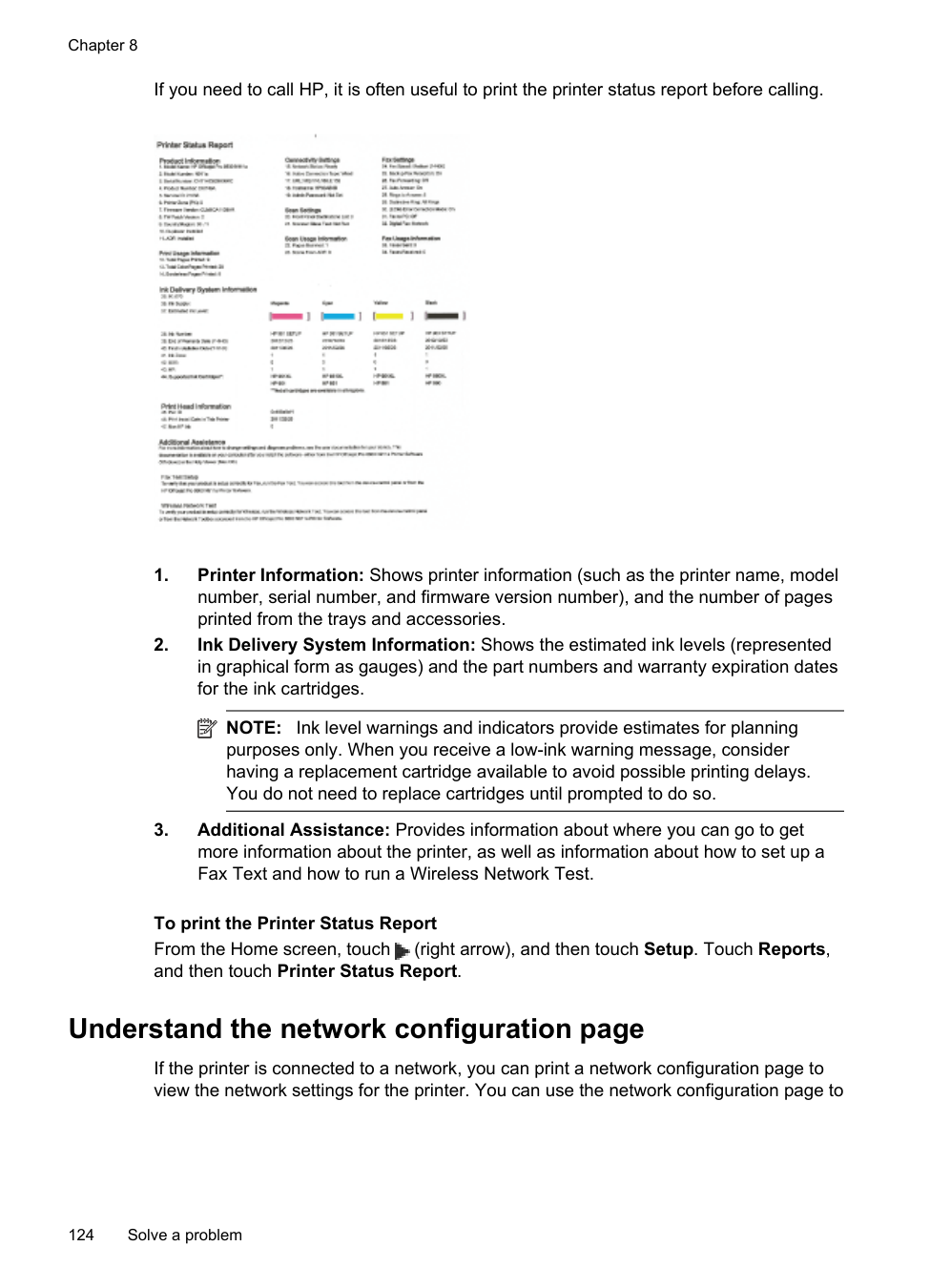
| | |---|
NOTE: To use the embedded web server, the printer must be connected to a network using a wireless connection. You cannot use the embedded web server if the printer is connected to a computer with a USB cable.
TIP: You can visit the HP online support website at www.hp.com/go/customercare for information and utilities that can help you correct many common printer problems.
##### Embedded web server cannot be opened
###### Check your network setup
Check the computer Make sure the computer that you are using is connected to the network.
| | |---|
NOTE: To use the EWS, the printer must be connected to a network. You cannot use the embedded web server if the printer is connected to a computer with a USB cable.
###### Check your web browser
###### Check the printer IP address
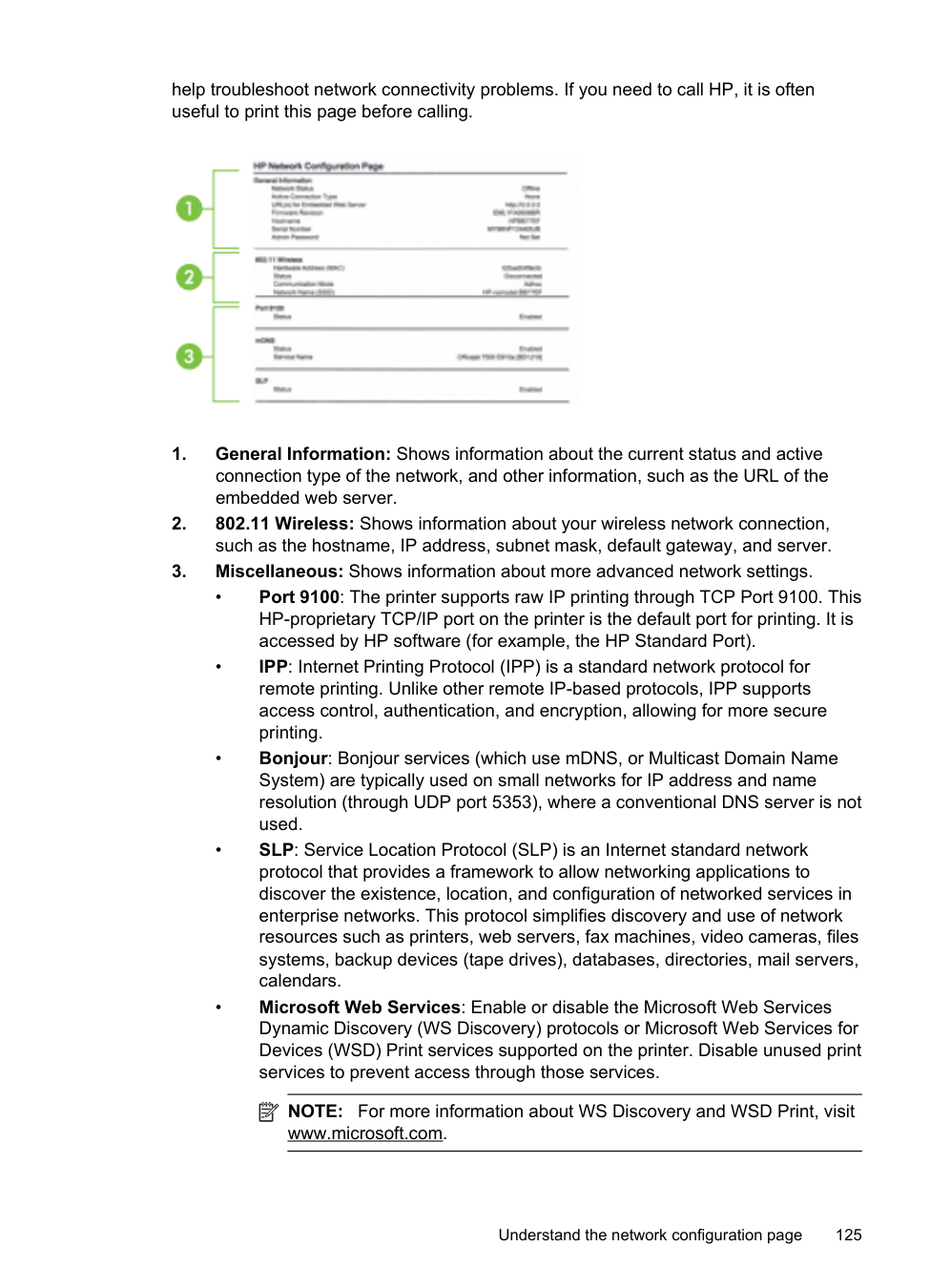
TIP: If you are using a computer running Windows, you can visit the HP online support website at www.hp.com/go/customercare. This website provides information and utilities that can help you correct many common printer problems.
Troubleshoot installation issues
If the following topics do not help, see HP support for information about HP support.
TIP: You can visit the HP online support website at www.hp.com/go/customercare for information and utilities that can help you correct many common printer problems.
Troubleshoot installation issues 121
##### Hardware installation suggestions
###### Check the printer
###### Check the hardware connections
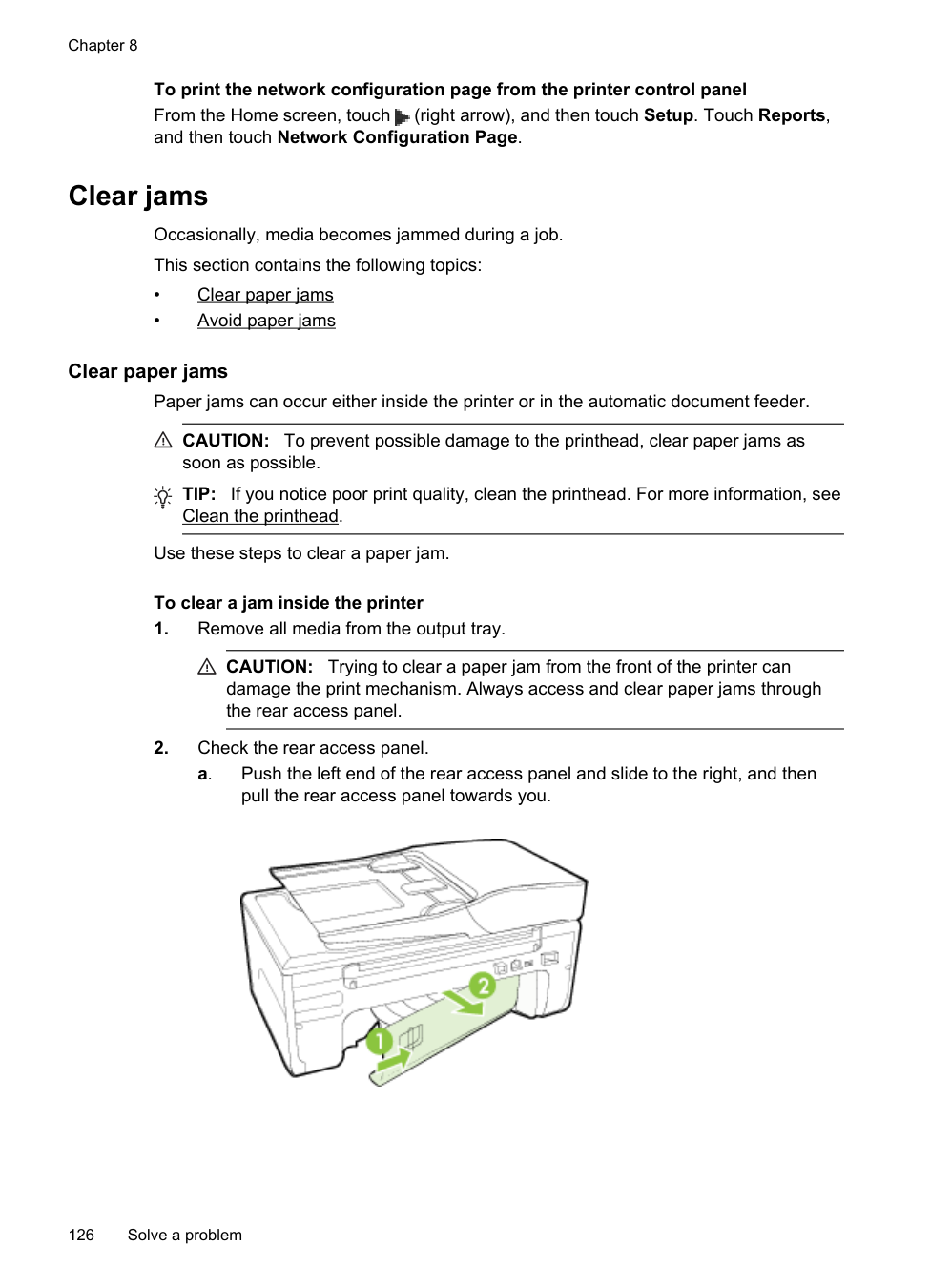
Check the ink cartridges Make sure that all of the ink cartridges are firmly installed and aligned in their correct, color-coded slot. A correctly installed ink cartridge should not move when pulled slightly. The printer cannot work if all the ink cartridges are not installed.
##### HP software installation suggestions
###### Check the computer system
###### Verify installation preliminaries
| | |---|
NOTE: After correcting any problems, run the installation program again.
##### Solve network problems
###### General network troubleshooting
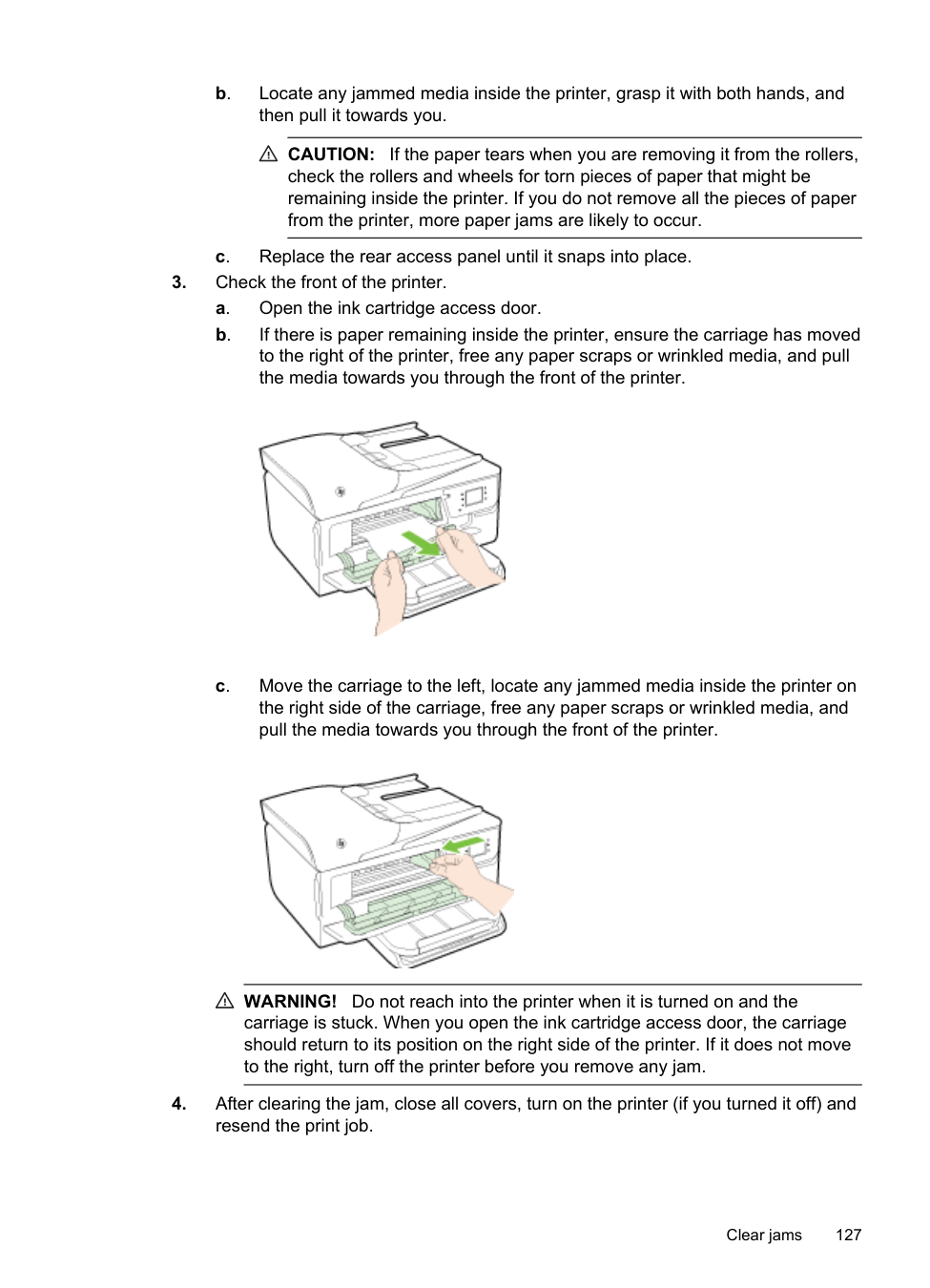
###### To reset the printer's network settings
Understand the Printer Status Report
Use the printer status report to view current printer information and ink cartridge status. Also use the printer status report to help you troubleshoot problems with the printer.
The printer status report also contains a log of recent events.
Understand the Printer Status Report 123
If you need to call HP, it is often useful to print the printer status report before calling.
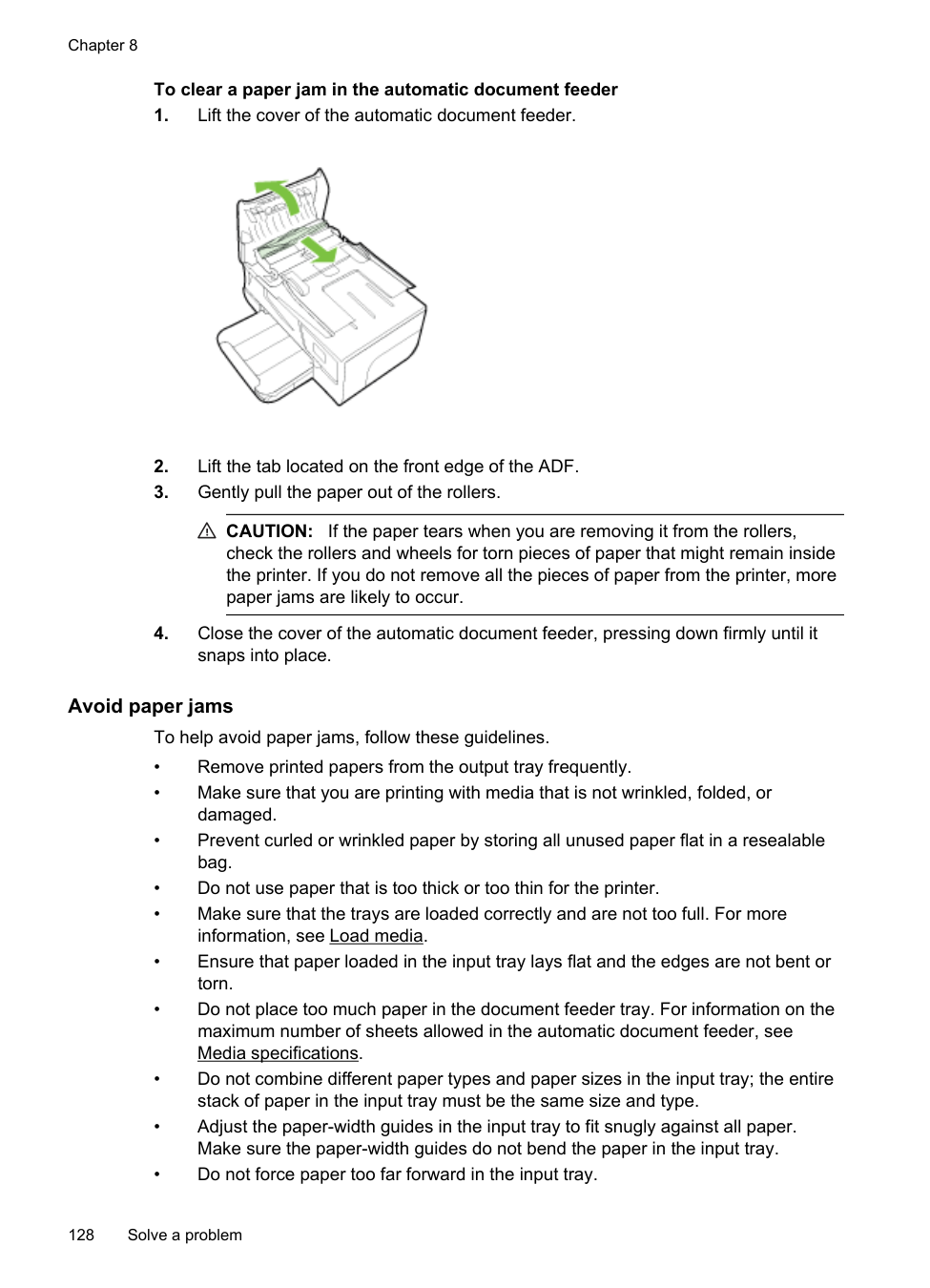

| | |---|
NOTE: Ink level warnings and indicators provide estimates for planning purposes only. When you receive a low-ink warning message, consider having a replacement cartridge available to avoid possible printing delays. You do not need to replace cartridges until prompted to do so.
To print the Printer Status Report From the Home screen, touch (right arrow), and then touch Setup. Touch Reports, and then touch Printer Status Report.
Understand the network configuration page
If the printer is connected to a network, you can print a network configuration page to view the network settings for the printer. You can use the network configuration page to
help troubleshoot network connectivity problems. If you need to call HP, it is often useful to print this page before calling.


| | |---|
NOTE: For more information about WS Discovery and WSD Print, visit www.microsoft.com.
Understand the network configuration page 125
To print the network configuration page from the printer control panel From the Home screen, touch (right arrow), and then touch Setup. Touch Reports, and then touch Network Configuration Page.
Clear jams Occasionally, media becomes jammed during a job. This section contains the following topics:
• Clear paper jams • Avoid paper jams
##### Clear paper jams
Paper jams can occur either inside the printer or in the automatic document feeder.
CAUTION: To prevent possible damage to the printhead, clear paper jams as soon as possible.
TIP: If you notice poor print quality, clean the printhead. For more information, see Clean the printhead.
Use these steps to clear a paper jam.
###### To clear a jam inside the printer
CAUTION: Trying to clear a paper jam from the front of the printer can damage the print mechanism. Always access and clear paper jams through the rear access panel.
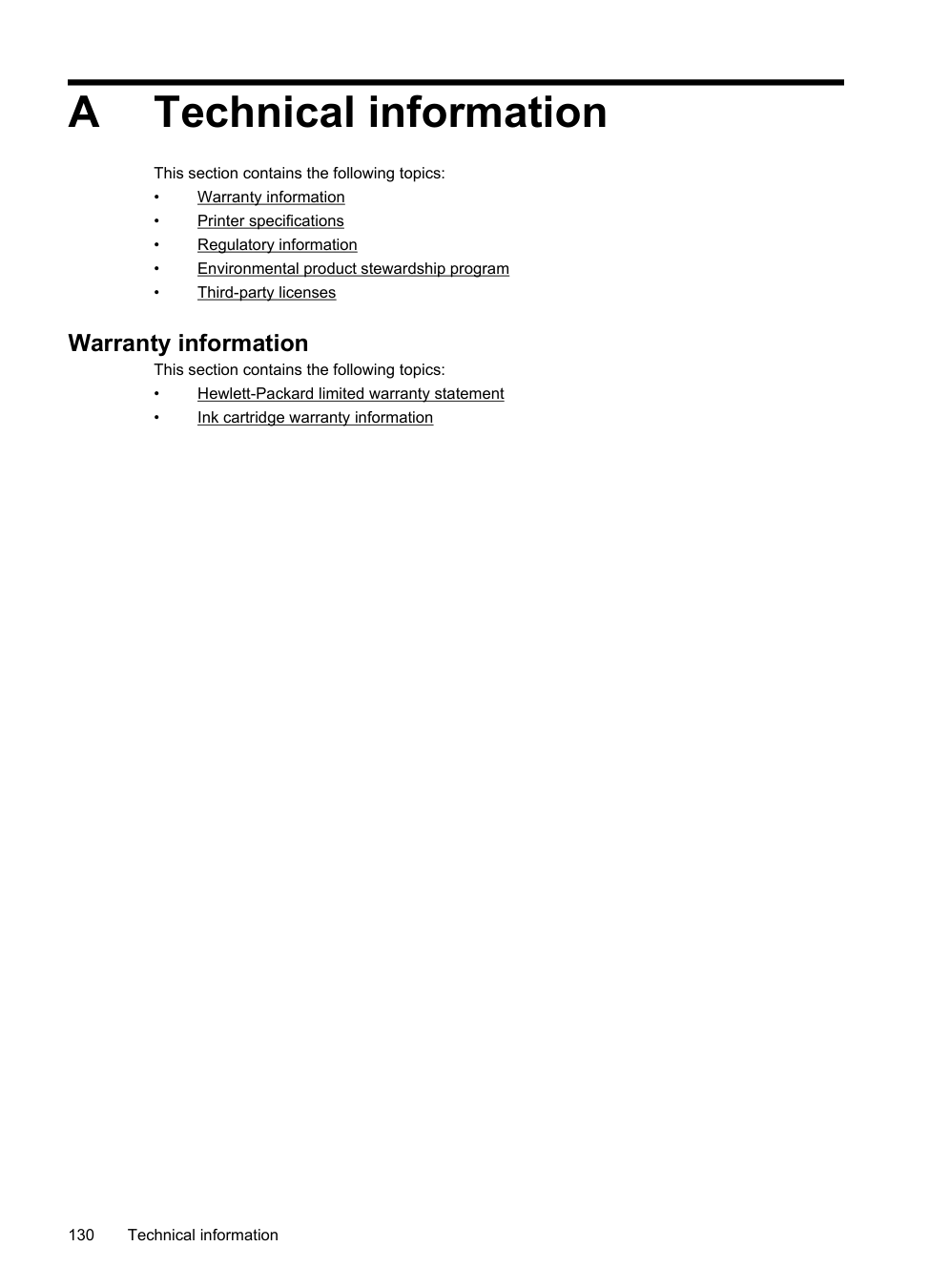

CAUTION: If the paper tears when you are removing it from the rollers, check the rollers and wheels for torn pieces of paper that might be remaining inside the printer. If you do not remove all the pieces of paper from the printer, more paper jams are likely to occur.


WARNING! Do not reach into the printer when it is turned on and the carriage is stuck. When you open the ink cartridge access door, the carriage should return to its position on the right side of the printer. If it does not move to the right, turn off the printer before you remove any jam.
###### To clear a paper jam in the automatic document feeder

CAUTION: If the paper tears when you are removing it from the rollers,
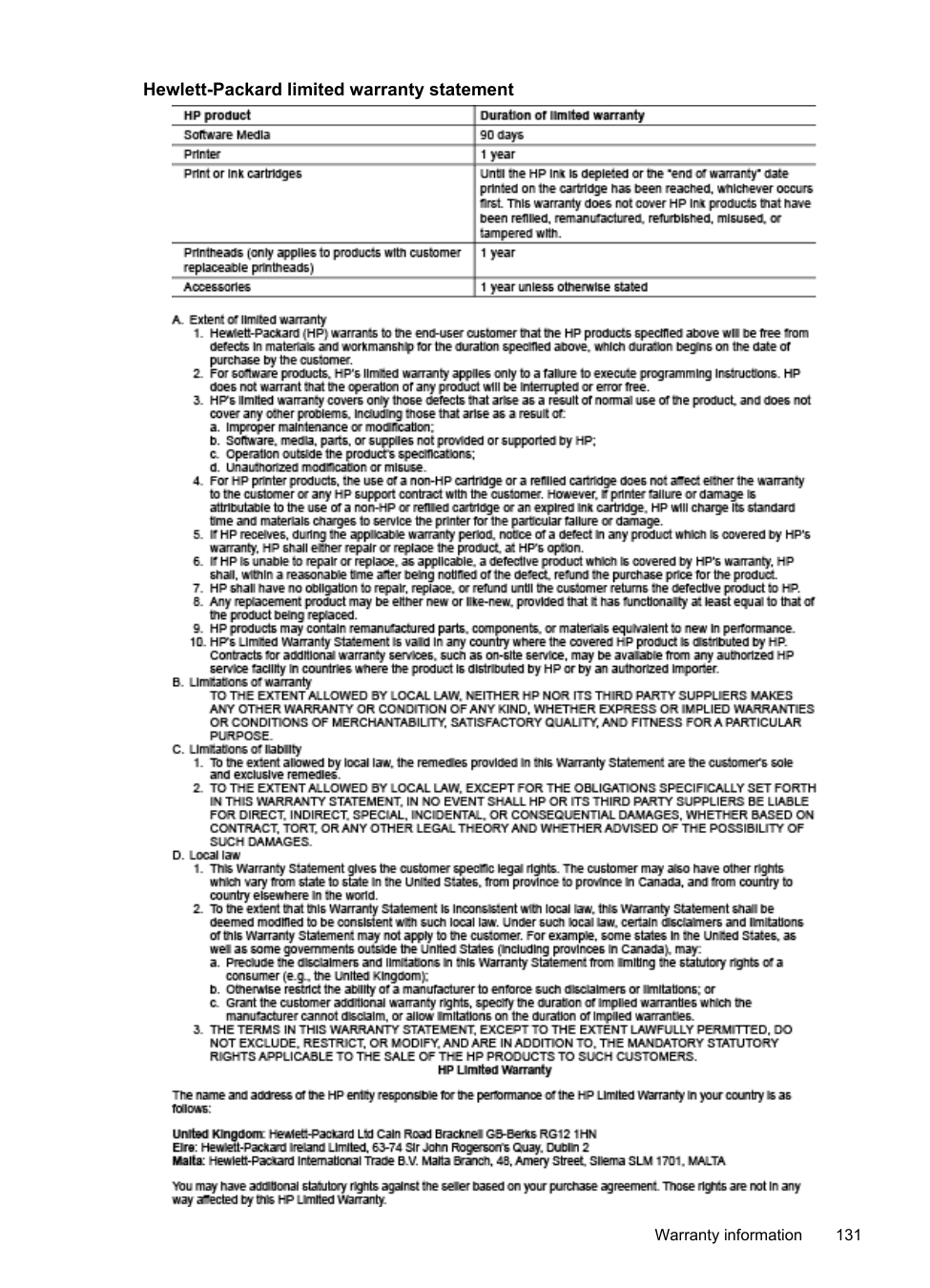
check the rollers and wheels for torn pieces of paper that might remain inside the printer. If you do not remove all the pieces of paper from the printer, more paper jams are likely to occur.
##### Avoid paper jams
To help avoid paper jams, follow these guidelines.
A Technical information
This section contains the following topics:
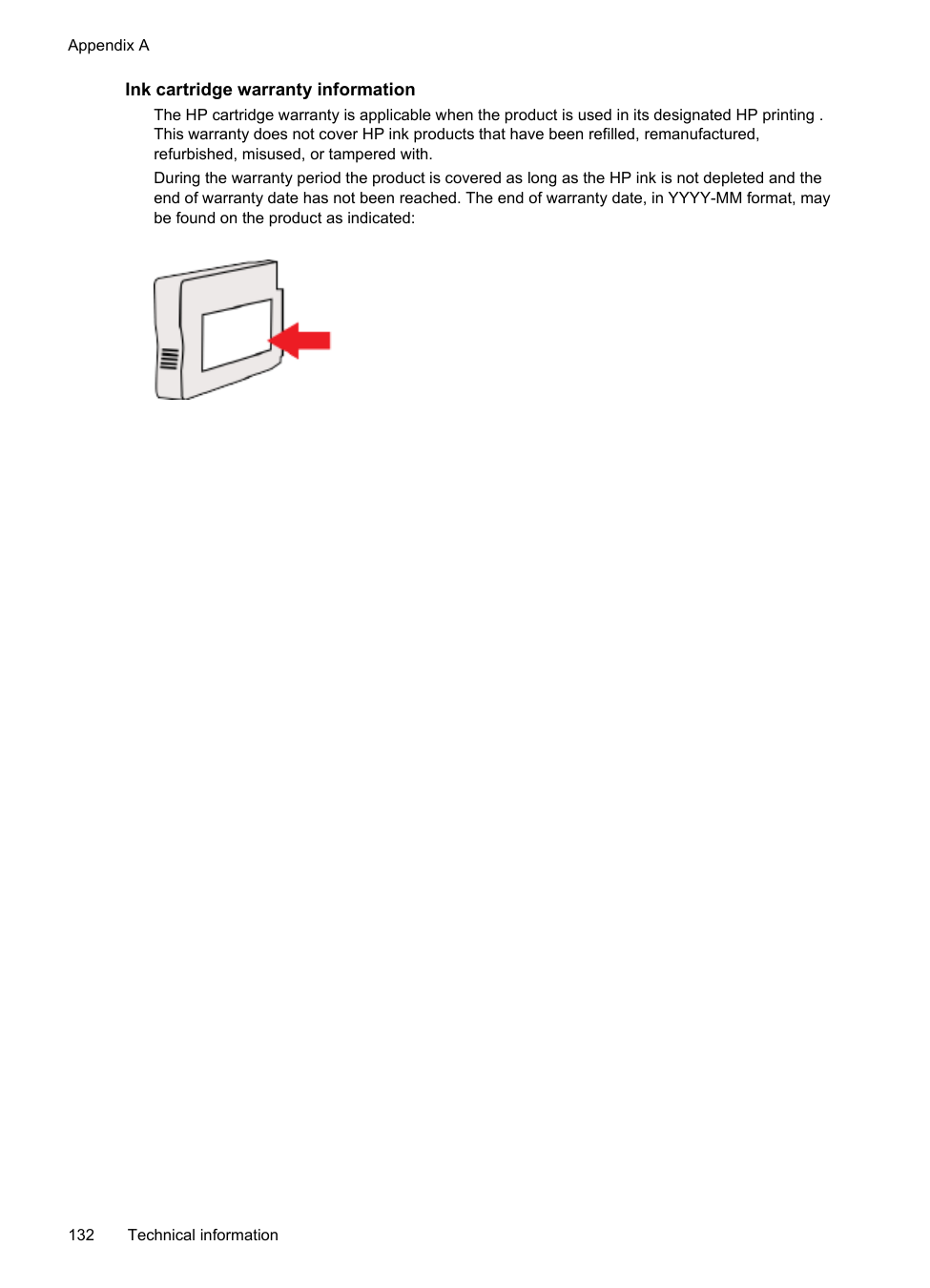
#### Warranty information
This section contains the following topics:
###### Hewlett-Packard limited warranty statement

Warranty information 131
Ink cartridge warranty information The HP cartridge warranty is applicable when the product is used in its designated HP printing . This warranty does not cover HP ink products that have been refilled, remanufactured, refurbished, misused, or tampered with. During the warranty period the product is covered as long as the HP ink is not depleted and the end of warranty date has not been reached. The end of warranty date, in YYYY-MM format, may be found on the product as indicated:

#### Printer specifications
This section contains the following topics:
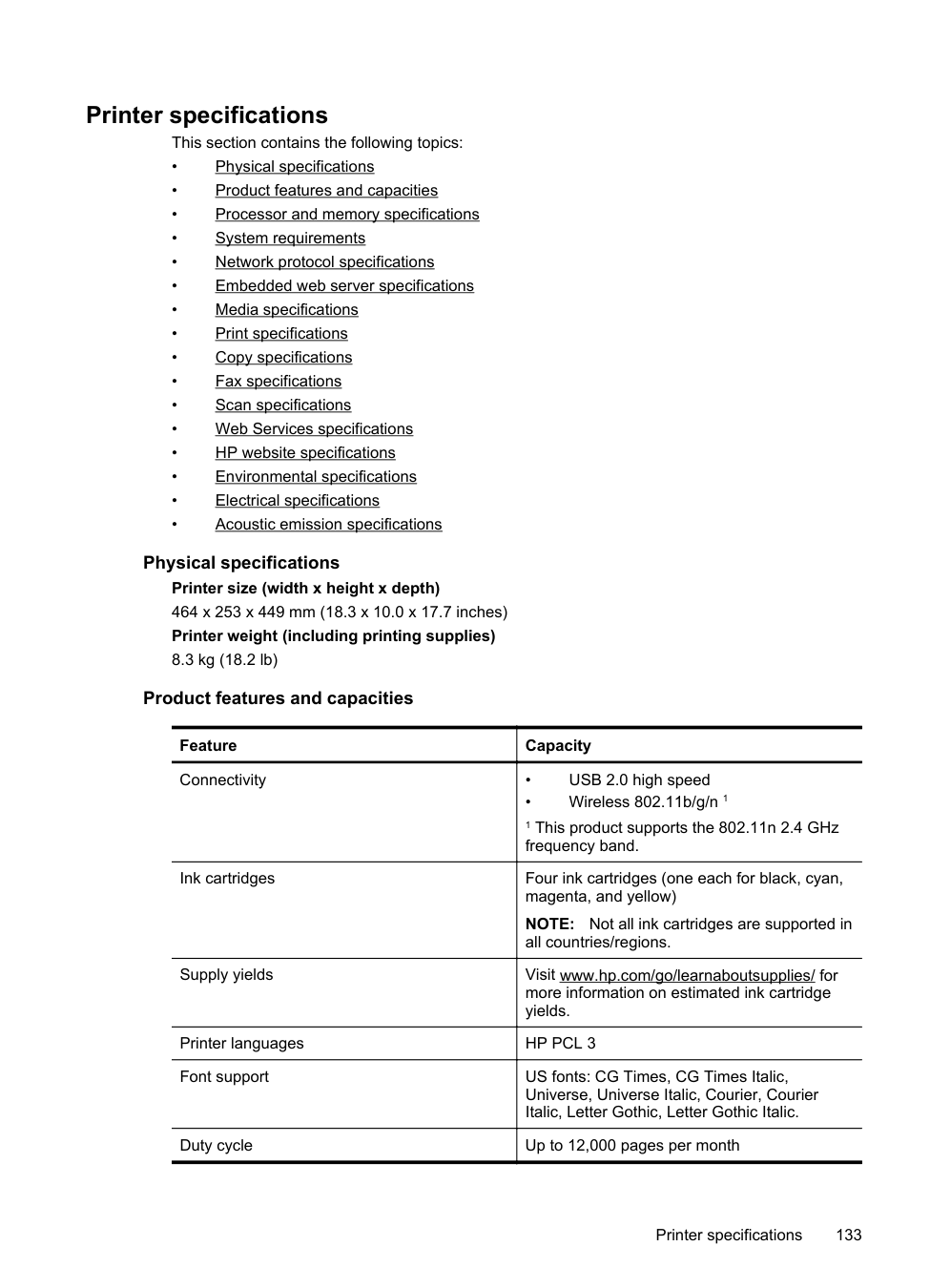
Physical specifications Printer size (width x height x depth) 464 x 253 x 449 mm (18.3 x 10.0 x 17.7 inches) Printer weight (including printing supplies) 8.3 kg (18.2 lb)
###### Product features and capacities
|Feature|Capacity| |---|---| |Connectivity|• USB 2.0 high speed
• Wireless 802.11b/g/n 1
1 This product supports the 802.11n 2.4 GHz frequency band.|
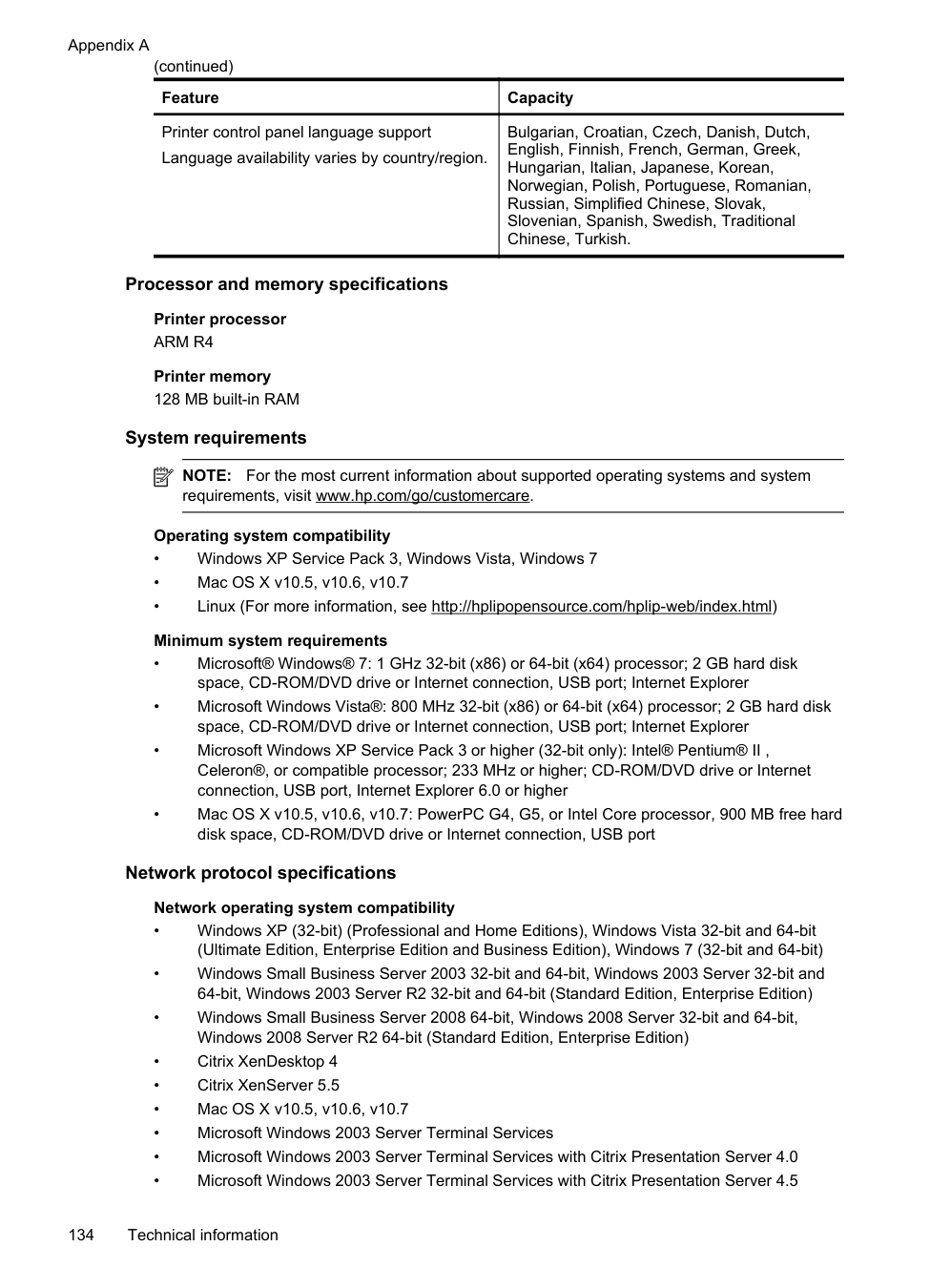
|Ink cartridges|Four ink cartridges (one each for black, cyan, magenta, and yellow)
NOTE: Not all ink cartridges are supported in all countries/regions.| |Supply yields|Visit www.hp.com/go/learnaboutsupplies/ for more information on estimated ink cartridge yields.
| |Printer languages|HP PCL 3| |Font support|US fonts: CG Times, CG Times Italic, Universe, Universe Italic, Courier, Courier Italic, Letter Gothic, Letter Gothic Italic.| |Duty cycle|Up to 12,000 pages per month|
|Feature|Capacity| |---|---| |Printer control panel language support Language availability varies by country/region.|Bulgarian, Croatian, Czech, Danish, Dutch, English, Finnish, French, German, Greek, Hungarian, Italian, Japanese, Korean, Norwegian, Polish, Portuguese, Romanian, Russian, Simplified Chinese, Slovak, Slovenian, Spanish, Swedish, Traditional Chinese, Turkish.|
###### Processor and memory specifications
Printer processor ARM R4
Printer memory 128 MB built-in RAM
###### System requirements
| | |---|
NOTE: For the most current information about supported operating systems and system requirements, visit www.hp.com/go/customercare.
######### Operating system compatibility
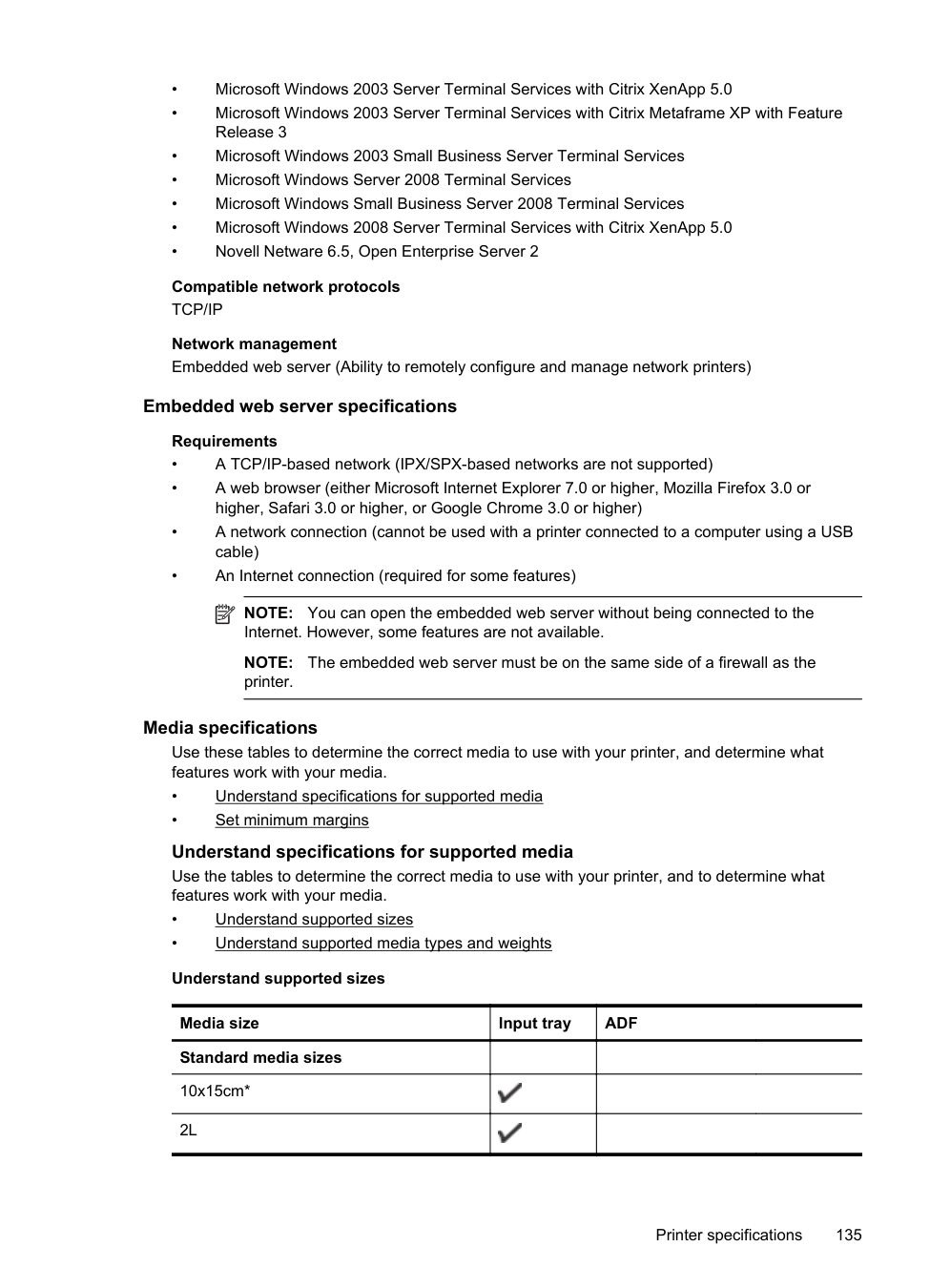
###### Network protocol specifications
######### Network operating system compatibility
Compatible network protocols TCP/IP
Network management Embedded web server (Ability to remotely configure and manage network printers)
###### Embedded web server specifications
######### Requirements
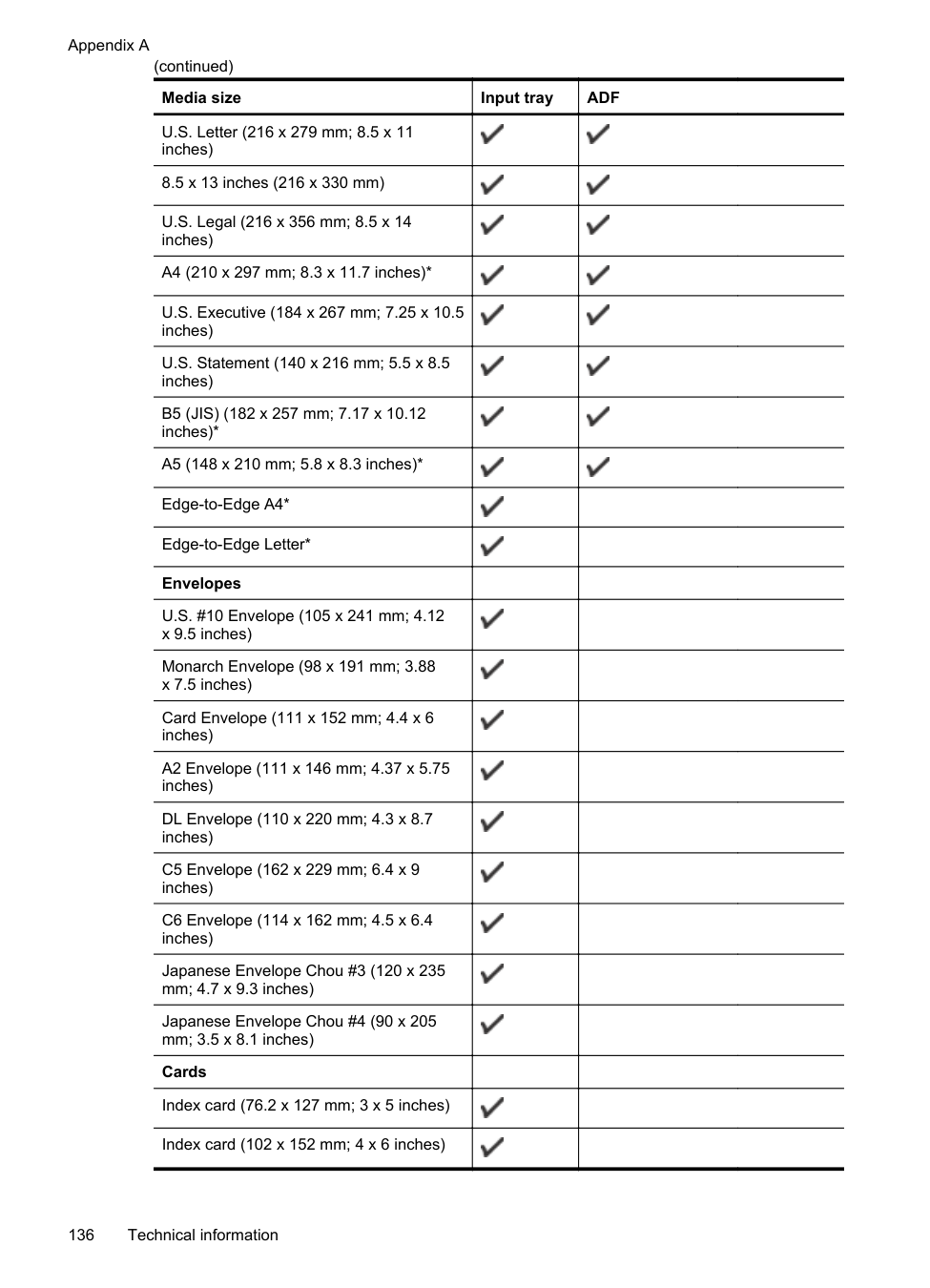
| | |---|
NOTE: You can open the embedded web server without being connected to the Internet. However, some features are not available.
NOTE: The embedded web server must be on the same side of a firewall as the printer.
Media specifications Use these tables to determine the correct media to use with your printer, and determine what features work with your media.
Understand specifications for supported media Use the tables to determine the correct media to use with your printer, and to determine what features work with your media.
|Media size|Input tray|ADF| |---|---|---| |Standard media sizes| | | |10x15cm*|| | |2L|| |
|Media size|Input tray|ADF| |---|---|---| |U.S. Letter (216 x 279 mm; 8.5 x 11 inches)||| |8.5 x 13 inches (216 x 330 mm)|||
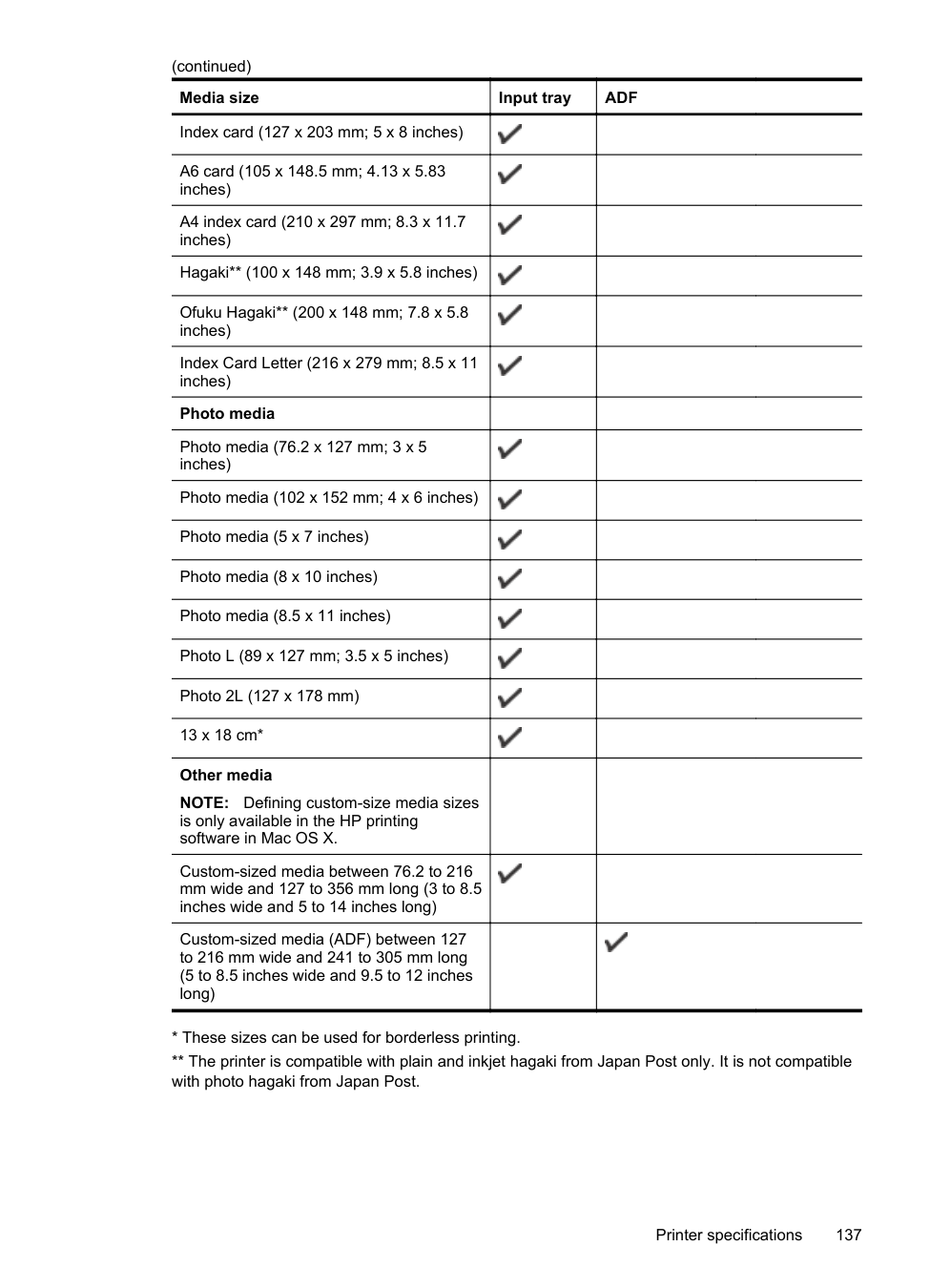
|U.S. Legal (216 x 356 mm; 8.5 x 14 inches)||| |A4 (210 x 297 mm; 8.3 x 11.7 inches)*||| |U.S. Executive (184 x 267 mm; 7.25 x 10.5 inches)||| |U.S. Statement (140 x 216 mm; 5.5 x 8.5 inches)||| |B5 (JIS) (182 x 257 mm; 7.17 x 10.12 inches)*||| |A5 (148 x 210 mm; 5.8 x 8.3 inches)*||| |Edge-to-Edge A4*|| | |Edge-to-Edge Letter*|| | |Envelopes| | | |U.S. #10 Envelope (105 x 241 mm; 4.12 x 9.5 inches)|| | |Monarch Envelope (98 x 191 mm; 3.88 x 7.5 inches)|| | |Card Envelope (111 x 152 mm; 4.4 x 6 inches)|| | |A2 Envelope (111 x 146 mm; 4.37 x 5.75 inches)|| | |DL Envelope (110 x 220 mm; 4.3 x 8.7 inches)|| | |C5 Envelope (162 x 229 mm; 6.4 x 9 inches)|| | |C6 Envelope (114 x 162 mm; 4.5 x 6.4 inches)|| | |Japanese Envelope Chou #3 (120 x 235 mm; 4.7 x 9.3 inches)|| | |Japanese Envelope Chou #4 (90 x 205 mm; 3.5 x 8.1 inches)|| | |Cards| | | |Index card (76.2 x 127 mm; 3 x 5 inches)|| | |Index card (102 x 152 mm; 4 x 6 inches)|| |
|Media size|Input tray|ADF| |---|---|---| |Index card (127 x 203 mm; 5 x 8 inches)|| | |A6 card (105 x 148.5 mm; 4.13 x 5.83 inches)|| | |A4 index card (210 x 297 mm; 8.3 x 11.7 inches)|| | |Hagaki** (100 x 148 mm; 3.9 x 5.8 inches)|| | |Ofuku Hagaki** (200 x 148 mm; 7.8 x 5.8 inches)|| | |Index Card Letter (216 x 279 mm; 8.5 x 11 inches)|| | |Photo media| | | |Photo media (76.2 x 127 mm; 3 x 5 inches)|| | |Photo media (102 x 152 mm; 4 x 6 inches)|| | |Photo media (5 x 7 inches)|| | |Photo media (8 x 10 inches)|| |
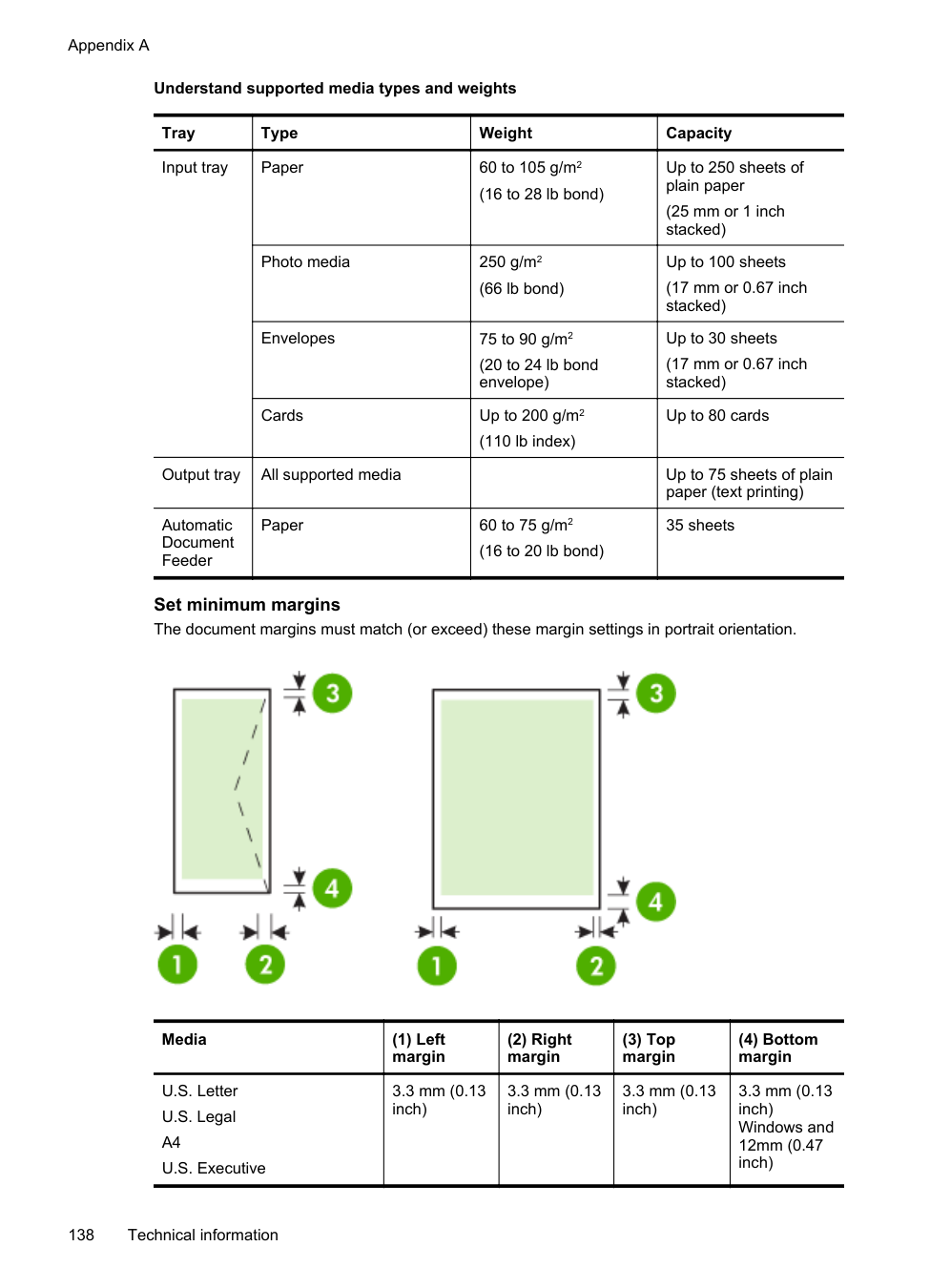
|Photo media (8.5 x 11 inches)|| | |Photo L (89 x 127 mm; 3.5 x 5 inches)|| | |Photo 2L (127 x 178 mm)|| | |13 x 18 cm*|| | |Other media NOTE: Defining custom-size media sizes is only available in the HP printing software in Mac OS X.| | | |Custom-sized media between 76.2 to 216 mm wide and 127 to 356 mm long (3 to 8.5 inches wide and 5 to 14 inches long)|| | |Custom-sized media (ADF) between 127 to 216 mm wide and 241 to 305 mm long (5 to 8.5 inches wide and 9.5 to 12 inches long)| ||
######### Understand supported media types and weights
|Tray|Type|Weight|Capacity| |---|---|---|---| |Input tray|Paper|60 to 105 g/m2 (16 to 28 lb bond)|Up to 250 sheets of plain paper
(25 mm or 1 inch stacked)| |Input tray|Photo media|250 g/m2 (66 lb bond)|Up to 100 sheets (17 mm or 0.67 inch stacked)| |Input tray|Envelopes|75 to 90 g/m2 (20 to 24 lb bond envelope)|Up to 30 sheets (17 mm or 0.67 inch stacked)| |Input tray|Cards|Up to 200 g/m2 (110 lb index)|Up to 80 cards| |Output tray|All supported media| |Up to 75 sheets of plain paper (text printing)| |Automatic Document Feeder|Paper|60 to 75 g/m2 (16 to 20 lb bond)|35 sheets|
Set minimum margins The document margins must match (or exceed) these margin settings in portrait orientation.

|Media|(1) Left margin|(2) Right margin|(3) Top margin|(4) Bottom margin| |---|---|---|---|---| |U.S. Letter U.S. Legal A4 U.S. Executive|3.3 mm (0.13 inch)|3.3 mm (0.13 inch)|3.3 mm (0.13 inch)|3.3 mm (0.13 inch) Windows and 12mm (0.47 inch)|
|Media|(1) Left margin|(2) Right margin|(3) Top margin|(4) Bottom margin| |---|---|---|---|---|
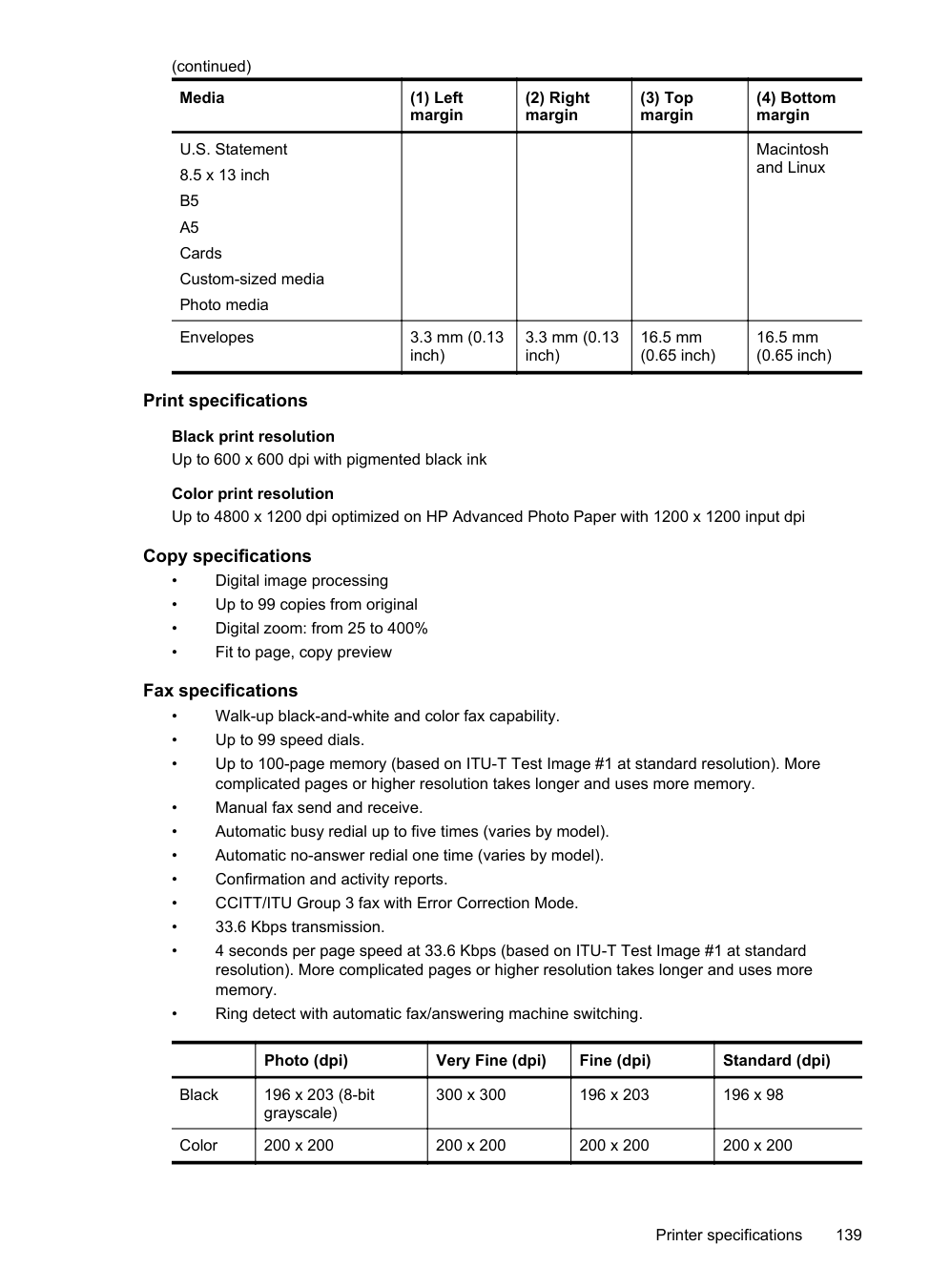
|U.S. Statement 8.5 x 13 inch B5 A5 Cards Custom-sized media Photo media| | | |Macintosh and Linux| |Envelopes|3.3 mm (0.13 inch)|3.3 mm (0.13 inch)|16.5 mm (0.65 inch)|16.5 mm (0.65 inch)|
###### Print specifications
Black print resolution Up to 600 x 600 dpi with pigmented black ink
Color print resolution Up to 4800 x 1200 dpi optimized on HP Advanced Photo Paper with 1200 x 1200 input dpi
###### Copy specifications
###### Fax specifications
| |Photo (dpi)|Very Fine (dpi)|Fine (dpi)|Standard (dpi)| |---|---|---|---|---| |Black|196 x 203 (8-bit grayscale)|300 x 300|196 x 203|196 x 98|
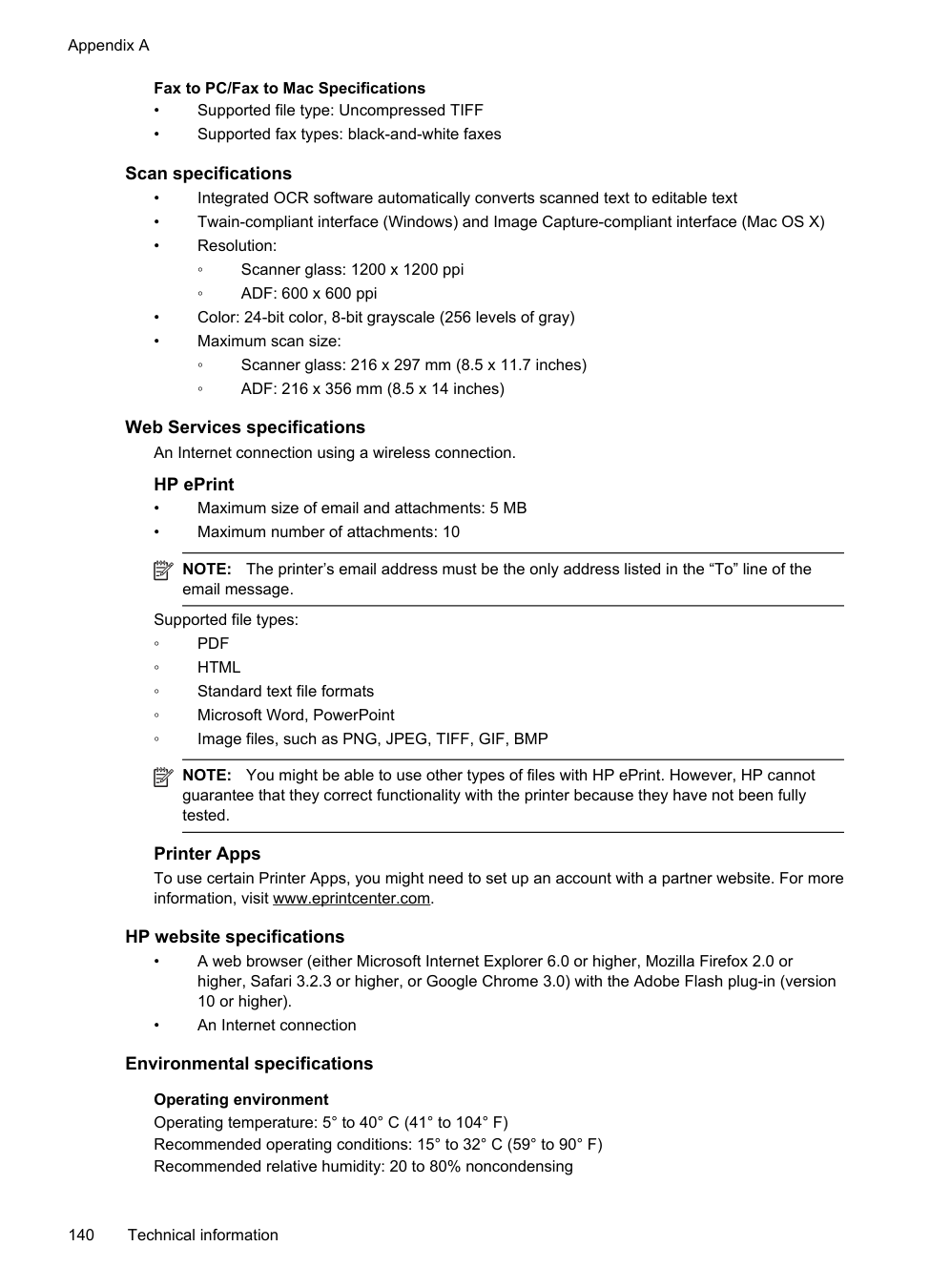
|Color|200 x 200|200 x 200|200 x 200|200 x 200|
######### Fax to PC/Fax to Mac Specifications
###### Scan specifications
Web Services specifications An Internet connection using a wireless connection. HP ePrint
NOTE: The printer’s email address must be the only address listed in the “To” line of the email message.
| |
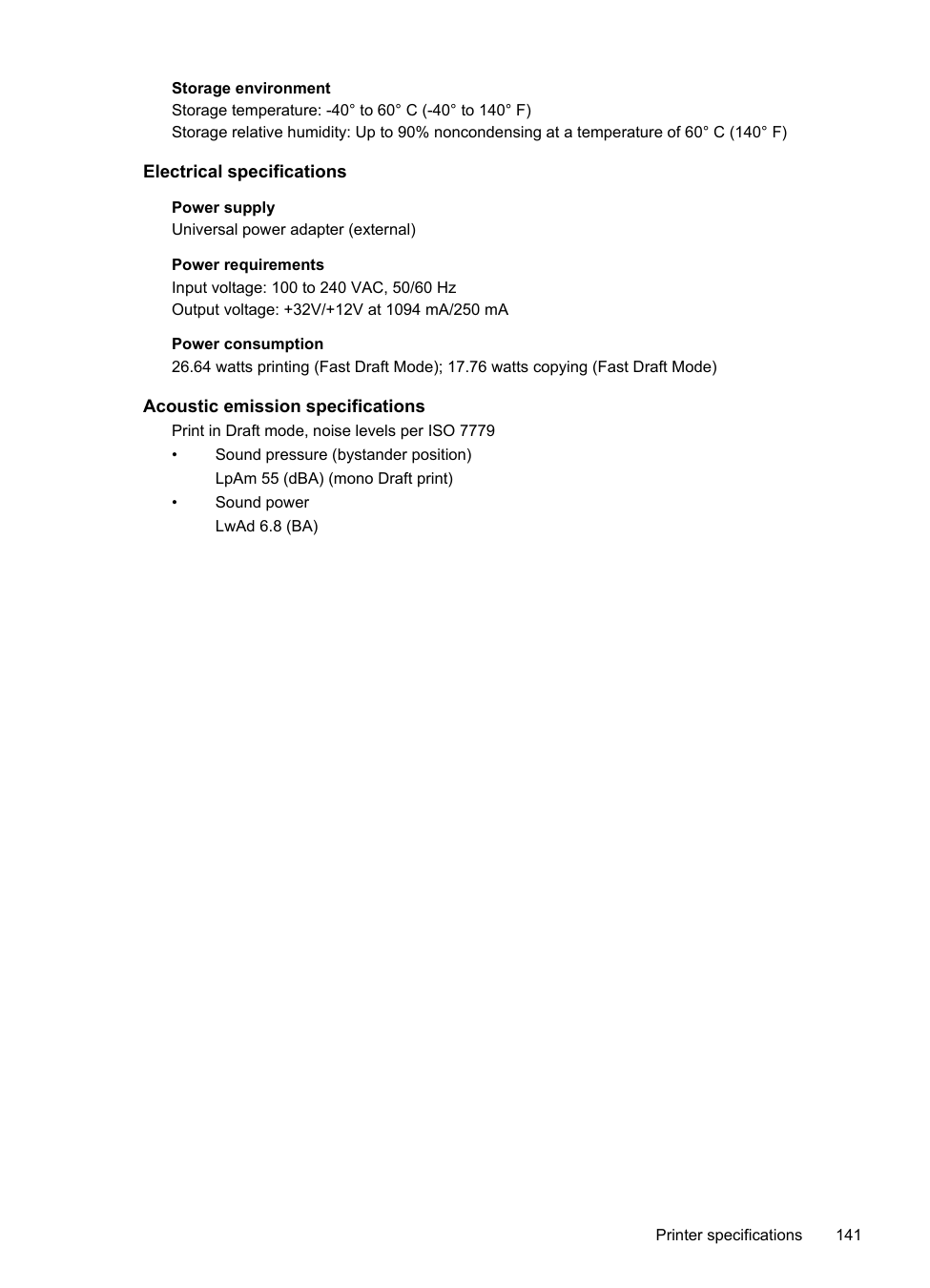
|---|
Supported file types:
| | |---|
NOTE: You might be able to use other types of files with HP ePrint. However, HP cannot guarantee that they correct functionality with the printer because they have not been fully tested.
Printer Apps To use certain Printer Apps, you might need to set up an account with a partner website. For more information, visit www.eprintcenter.com.
###### HP website specifications
###### Environmental specifications
Operating environment Operating temperature: 5° to 40° C (41° to 104° F) Recommended operating conditions: 15° to 32° C (59° to 90° F) Recommended relative humidity: 20 to 80% noncondensing
Storage environment Storage temperature: -40° to 60° C (-40° to 140° F) Storage relative humidity: Up to 90% noncondensing at a temperature of 60° C (140° F)
###### Electrical specifications
Power supply Universal power adapter (external)
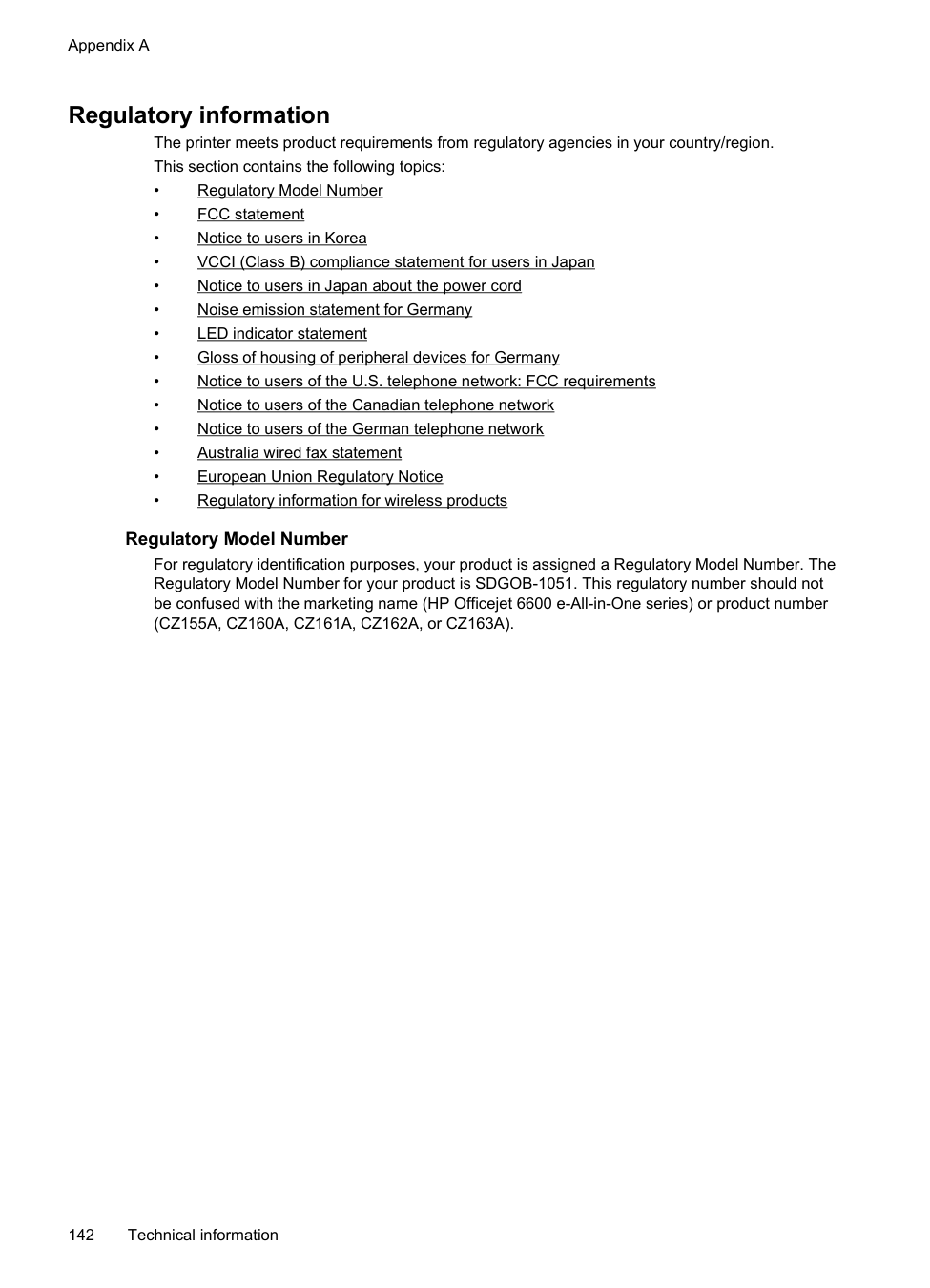
Power requirements Input voltage: 100 to 240 VAC, 50/60 Hz Output voltage: +32V/+12V at 1094 mA/250 mA
Power consumption 26.64 watts printing (Fast Draft Mode); 17.76 watts copying (Fast Draft Mode)
###### Acoustic emission specifications
Print in Draft mode, noise levels per ISO 7779
Regulatory information The printer meets product requirements from regulatory agencies in your country/region. This section contains the following topics:
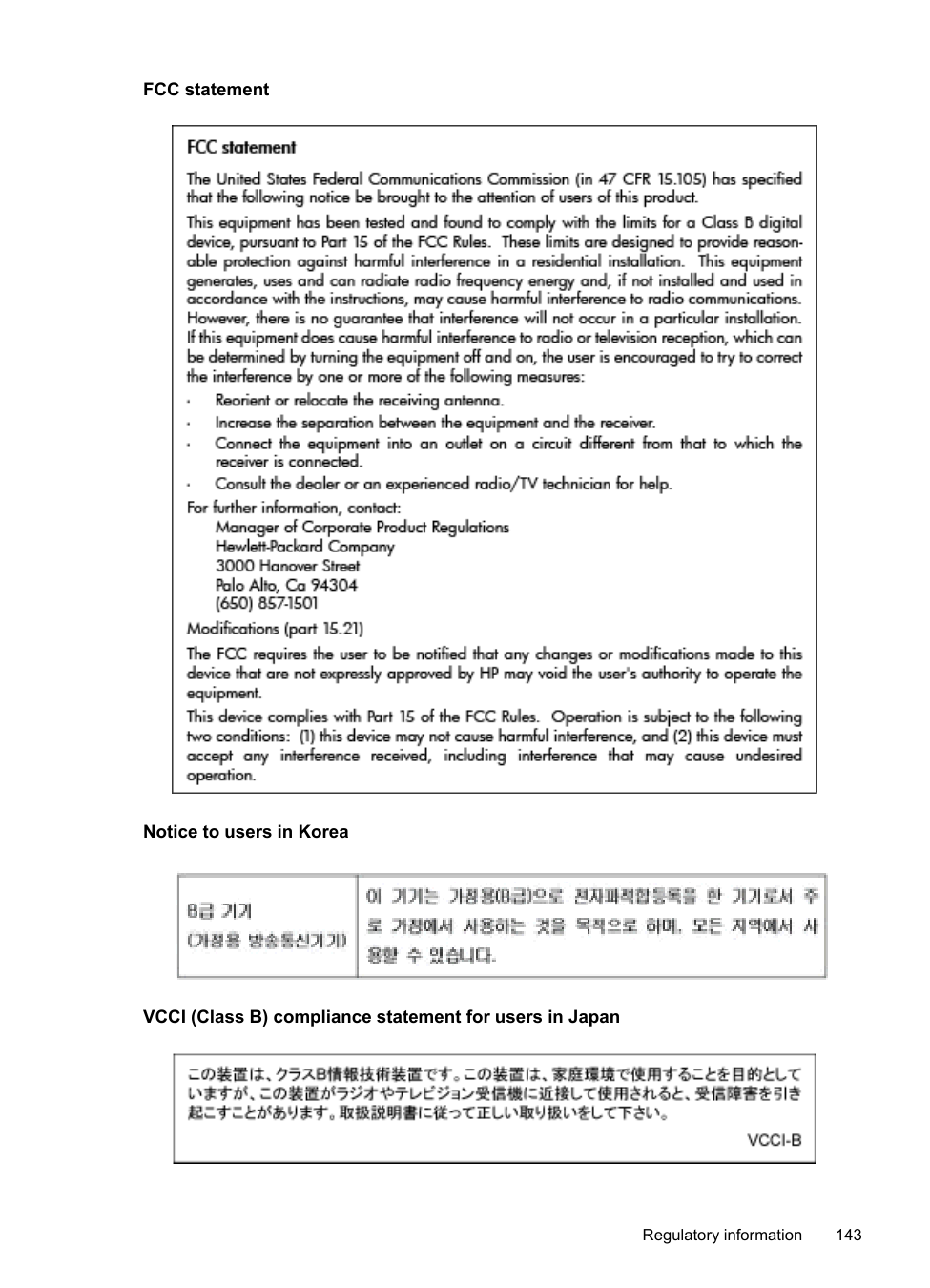
Regulatory Model Number For regulatory identification purposes, your product is assigned a Regulatory Model Number. The Regulatory Model Number for your product is SDGOB-1051. This regulatory number should not be confused with the marketing name (HP Officejet 6600 e-All-in-One series) or product number (CZ155A, CZ160A, CZ161A, CZ162A, or CZ163A).
FCC statement

Notice to users in Korea

VCCI (Class B) compliance statement for users in Japan

Notice to users in Japan about the power cord

Noise emission statement for Germany

LED indicator statement

Gloss of housing of peripheral devices for Germany

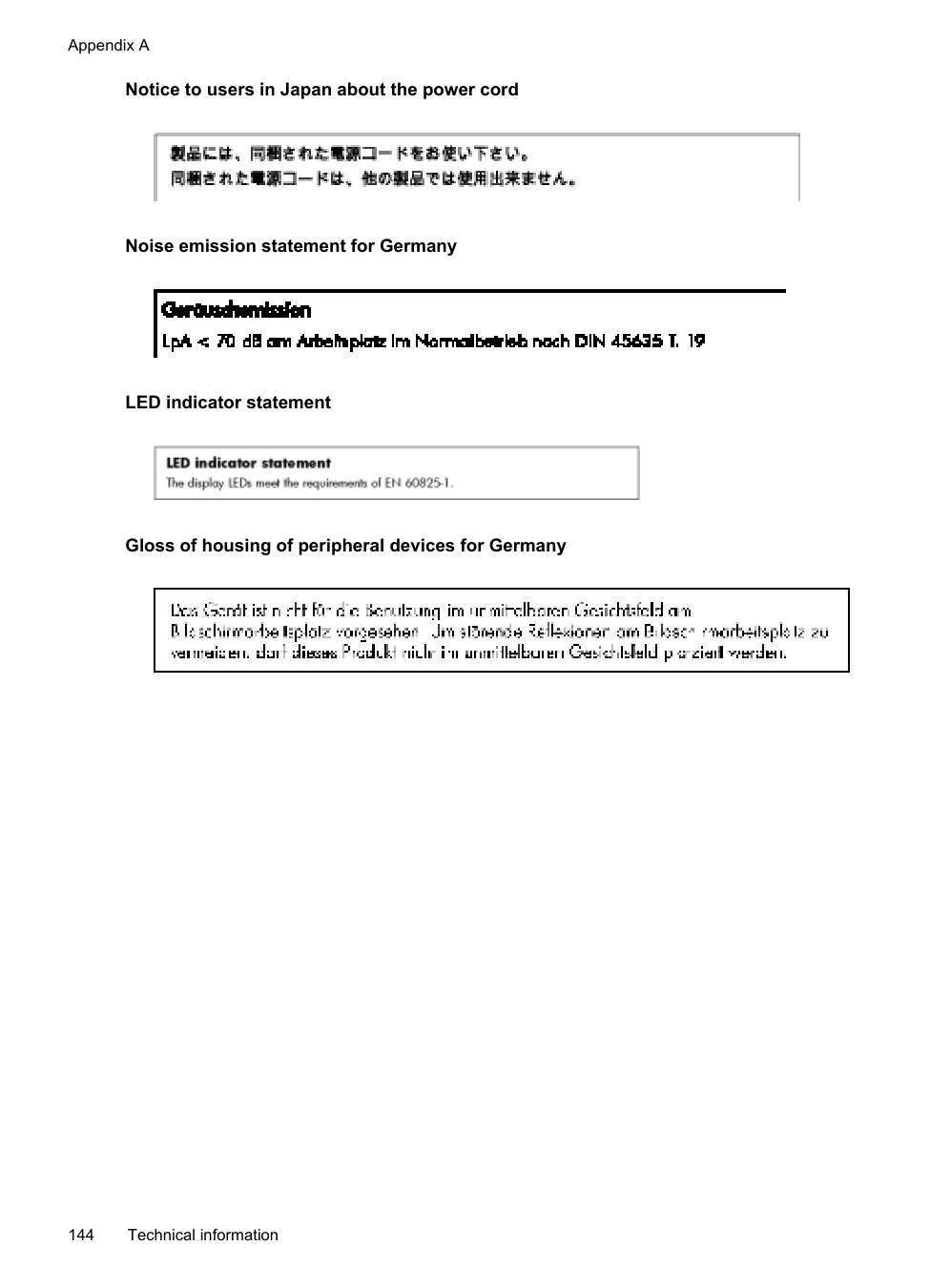
###### Notice to users of the U.S. telephone network: FCC requirements

Notice to users of the Canadian telephone network

Notice to users of the German telephone network

Australia wired fax statement

European Union Regulatory Notice

Products bearing the CE marking comply with one or more of the following EU Directives as may be applicable: Low Voltage Directive 2006/95/EC, EMC Directive 2004/108/EC, Ecodesign Directive 2009/125/EC, R&TTE Directive 1999/5/EC, RoHS Directive 2011/65/EU. Compliance with these directives is assessed using applicable European Harmonised Standards. The full Declaration of Conformity can be found at the following website: www.hp.com/go/certificates (Search with the product model name or its Regulatory Model Number (RMN), which may be found on the regulatory label.) The point of contact for regulatory matters is: Hewlett-Packard GmbH, Dept./MS: HQ-TRE, Herrenberger Strasse 140, 71034 Boeblingen, GERMANY
Products with external AC Adapters CE compliance of this product is valid only if powered with the correct CE-marked AC adapter provided by HP.
Products with wireless functionality EMF This product meets international guidelines (ICNIRP) for exposure to radio frequency radiation. If it incorporates a radio transmitting and receiving device then in normal use, a separation distance of 20 cm ensures that radio frequency exposure levels comply with EU requirements. Wireless functionality in Europe
This product is designed for use without restrictions in all EU countries plus Iceland, Liechtenstein, Norway and Switzerland.
European telephone network declaration (Modem/Fax) HP products with FAX capability comply with the requirements of the R&TTE Directive 1999/5/EC (Annex II) and carry the CE marking accordingly. However, due to differences between the individual PSTNs provided in different countries/regions, the approval does not, of itself, give an unconditional assurance of successful operation on every PSTN network termination point. In the event of problems, you should contact your equipment supplier in the first instance.
###### Regulatory information for wireless products
This section contains the following regulatory information pertaining to wireless products:
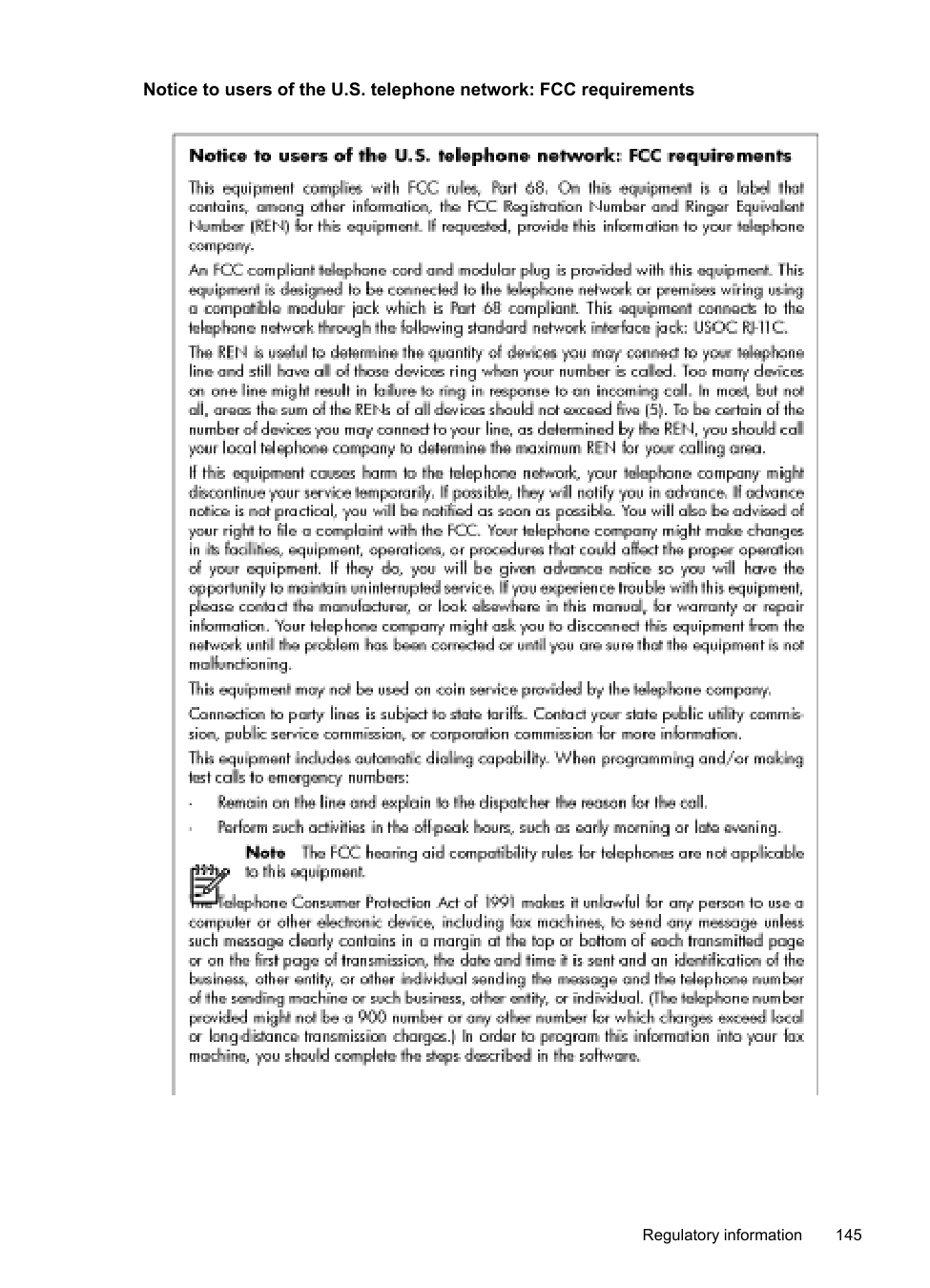

Notice to users in Brazil

Notice to users in Canada

Notice to users in Taiwan

Environmental product stewardship program Hewlett-Packard is committed to providing quality products in an environmentally sound manner. Design for recycling has been incorporated into this product. The number of materials has been kept to a minimum while ensuring proper functionality and reliability. Dissimilar materials have been designed to separate easily. Fasteners and other connections are easy to locate, access, and remove using common tools. High priority parts have been designed to access quickly for efficient disassembly and repair. For more information, visit HP’s Commitment to the Environment web site at: www.hp.com/hpinfo/globalcitizenship/environment/index.html This section contains the following topics:
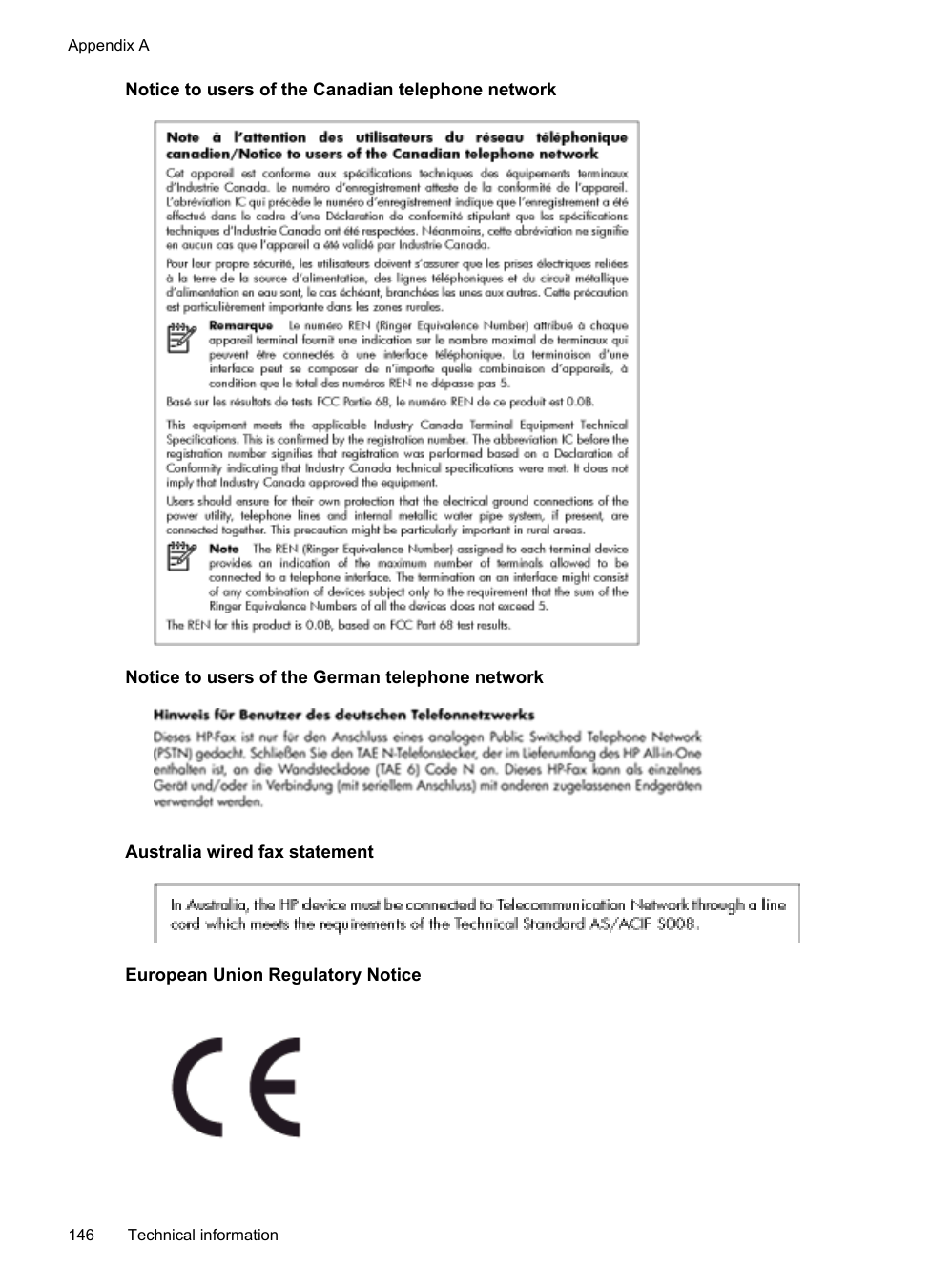
###### Paper use
This product is suited for the use of recycled paper according to DIN 19309 and EN 12281:2002.
Plastics Plastic parts over 25 grams are marked according to international standards that enhance the ability to identify plastics for recycling purposes at the end of product life.
Material safety data sheets Material safety data sheets (MSDS) can be obtained from the HP web site at: www.hp.com/go/msds
Recycling program HP offers an increasing number of product return and recycling programs in many countries/ regions, and partners with some of the largest electronic recycling centers throughout the world. HP conserves resources by reselling some of its most popular products. For more information regarding recycling of HP products, please visit: www.hp.com/hpinfo/globalcitizenship/environment/recycle/
HP inkjet supplies recycling program HP is committed to protecting the environment. The HP Inkjet Supplies Recycling Program is available in many countries/regions, and lets you recycle used print cartridges and ink cartridges free of charge. For more information, go to the following web site:
www.hp.com/hpinfo/globalcitizenship/environment/recycle/ Disposal of waste equipment by users

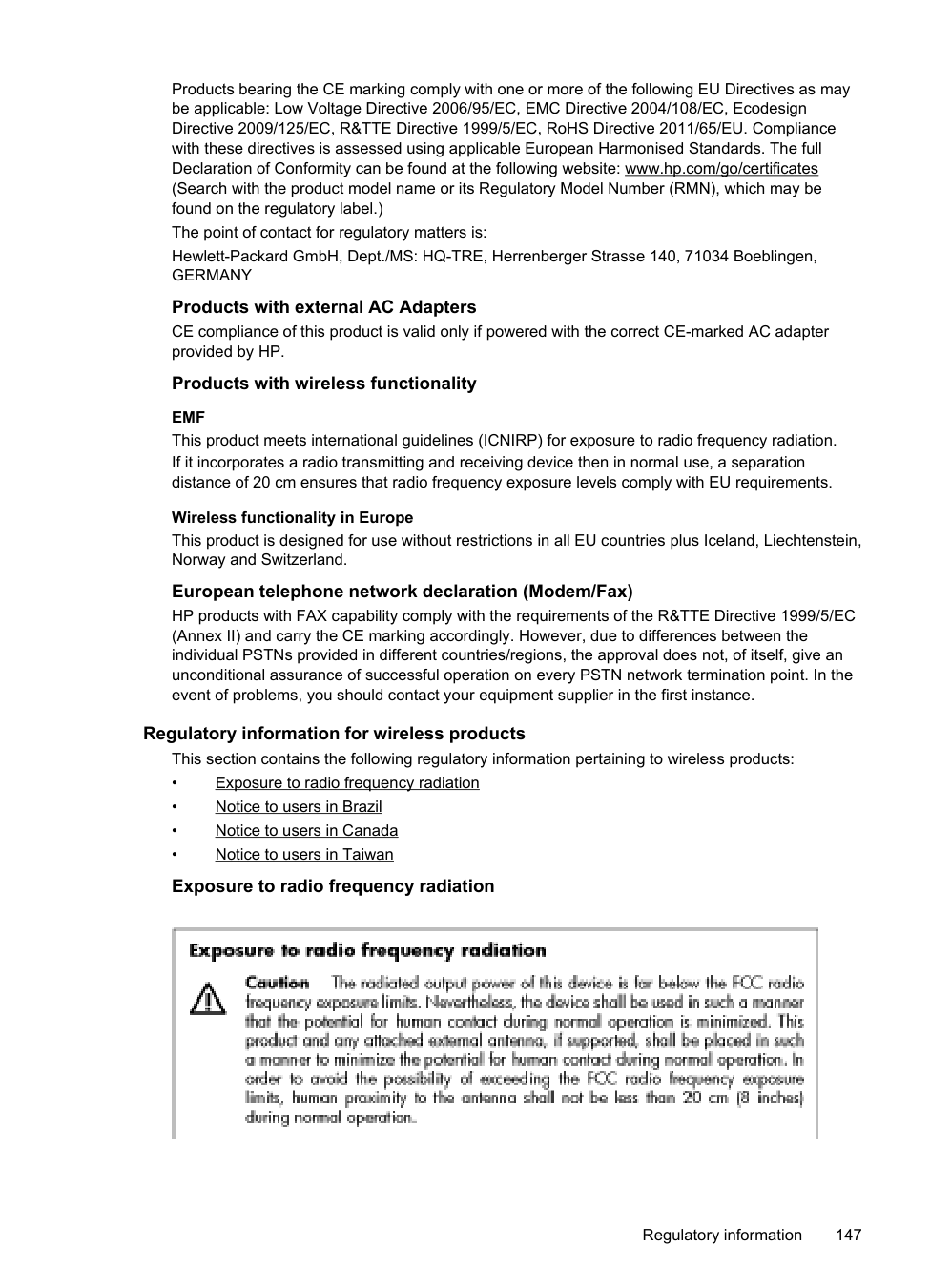
This symbol means do not dispose of your product with your other household waste. Instead, you should protect human health and the environment by handing over your waste equipment to a designated collection point for the recycling of waste electrical and electronic equipment. For more information, please contact your household waste disposal service, or go to http://www.hp.com/ recycle.
Power consumption Hewlett-Packard printing and imaging equipment marked with the ENERGY STAR® logo is qualified to the U.S. Environmental Protection Agency's ENERGY STAR specifications for imaging equipment. The following mark appears on ENERGY STAR qualified imaging products:

Additional ENERGY STAR qualified imaging product model information is listed at: www.hp.com/go/energystar
Chemical Substances HP is committed to providing our customers with information about the chemical substances in our products as needed to comply with legal requirements such as REACH (Regulation EC No 1907/2006 of the European Parliament and the Council). A chemical information report for this product can be found at: www.hp.com/go/reach
###### Battery disposal in Taiwan

Battery Notice for Brazil

Disposal of Waste Electronic Equipment in Brazil

Attention California users The battery supplied with this product may contain perchlorate material. Special handling may apply. For more information, go to the following web site: www.dtsc.ca.gov/hazardouswaste/perchlorate
EU battery directive

RoHS notices (China only) Toxic and hazardous substance table

RoHS notices (Ukraine only)

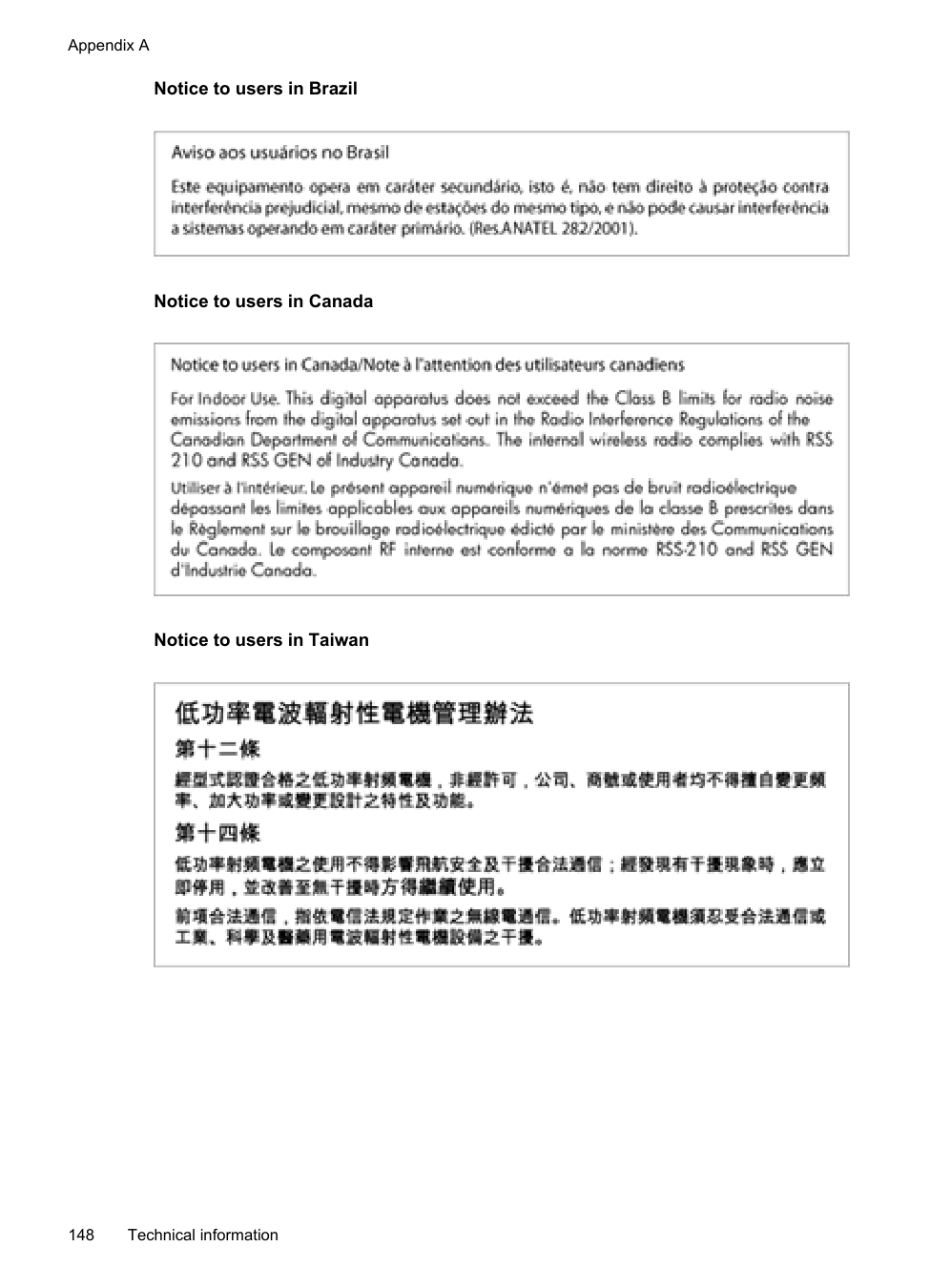
Restriction of hazardous substance (India)

#### Third-party licenses
LICENSE.aes-pubdom--crypto
--------------------/* rijndael-alg-fst.c
LICENSE.expat-mit--expat
--------------------Copyright (c) 1998, 1999, 2000 Thai Open Source Software Center Ltd
Permission is hereby granted, free of charge, to any person obtaining a copy of this software and associated documentation files (the "Software"), to deal in the Software without restriction, including without limitation the rights to use, copy, modify, merge, publish, distribute, sublicense, and/or sell copies of the Software, and to permit persons to whom the Software is furnished to do so, subject to the following conditions:
The above copyright notice and this permission notice shall be included in all copies or substantial portions of the Software.
THE SOFTWARE IS PROVIDED "AS IS", WITHOUT WARRANTY OF ANY KIND, EXPRESS OR IMPLIED, INCLUDING BUT NOT LIMITED TO THE WARRANTIES OF MERCHANTABILITY, FITNESS FOR A PARTICULAR PURPOSE AND NONINFRINGEMENT. IN NO EVENT SHALL THE AUTHORS OR COPYRIGHT HOLDERS BE LIABLE FOR ANY CLAIM, DAMAGES OR OTHER LIABILITY, WHETHER IN AN ACTION OF CONTRACT, TORT OR OTHERWISE, ARISING FROM, OUT OF OR IN CONNECTION WITH THE SOFTWARE OR THE USE OR OTHER DEALINGS IN THE SOFTWARE.
LICENSE.hmac-sha2-bsd--nos_crypto
--------------------/* HMAC-SHA-224/256/384/512 implementation
LICENSE.open_ssl--open_ssl
--------------------Copyright (C) 1995-1998 Eric Young ([email protected]) All rights reserved.
This package is an SSL implementation written by Eric Young ([email protected]). The implementation was written so as to conform with Netscapes SSL.
This library is free for commercial and non-commercial use as long as the following conditions are aheared to. The following conditions apply to all code found in this distribution, be it the RC4, RSA, lhash, DES, etc., code; not just the SSL code. The SSL documentation included with this distribution is covered by the same copyright terms except that the holder is Tim Hudson ([email protected]).
Copyright remains Eric Young's, and as such any Copyright notices in the code are not to be removed. If this package is used in a product, Eric Young should be given attribution as the author of the parts of the library used. This can be in the form of a textual message at program startup or in documentation (online or textual) provided with the package.
Redistribution and use in source and binary forms, with or without modification, are permitted provided that the following conditions are met:
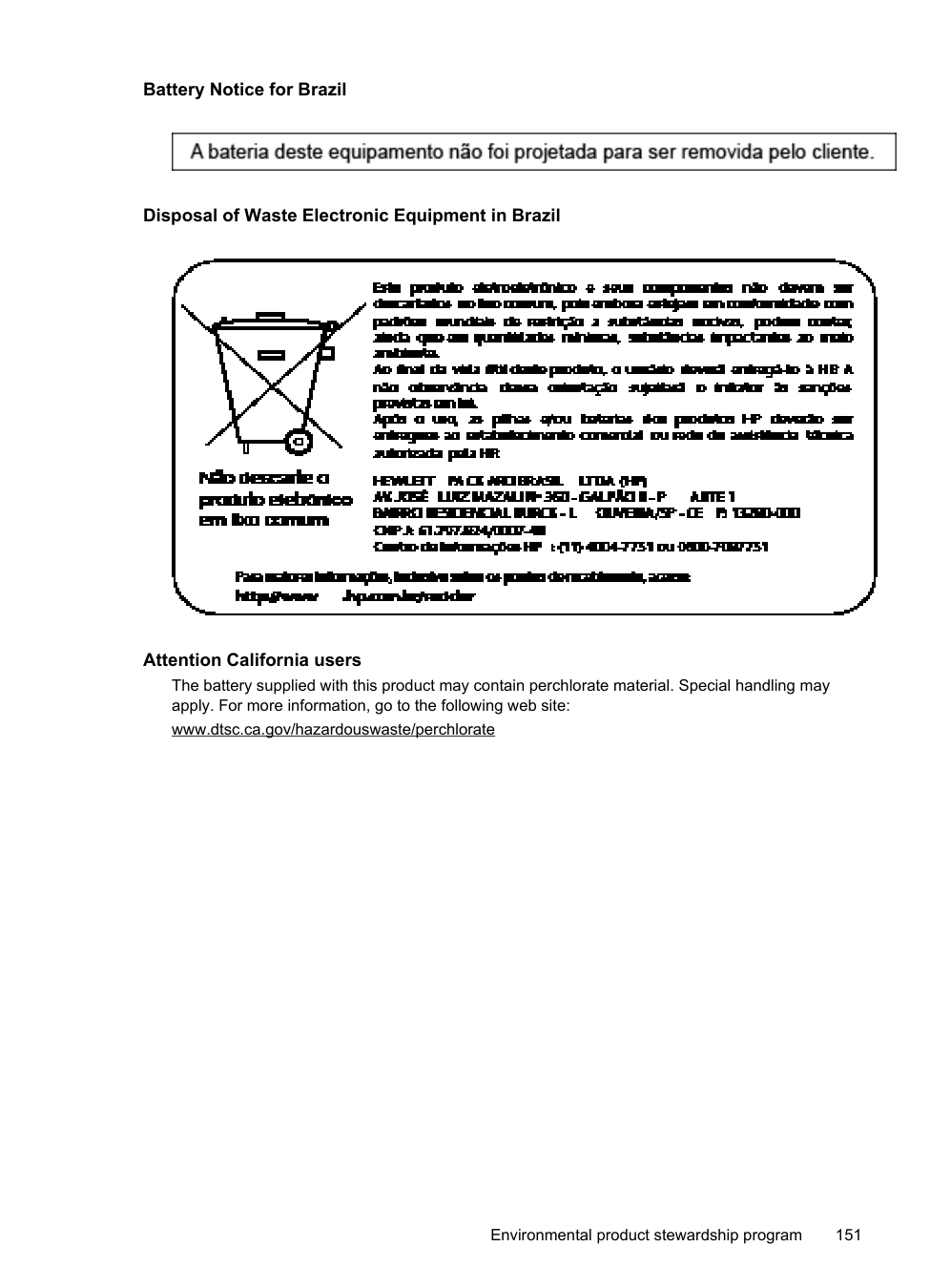
THIS SOFTWARE IS PROVIDED BY ERIC YOUNG ``AS IS'' AND ANY EXPRESS OR IMPLIED WARRANTIES, INCLUDING, BUT NOT LIMITED TO, THE IMPLIED WARRANTIES OF MERCHANTABILITY AND FITNESS FOR A PARTICULAR PURPOSE ARE DISCLAIMED. IN NO EVENT SHALL THE AUTHOR OR CONTRIBUTORS BE LIABLE FOR ANY DIRECT, INDIRECT, INCIDENTAL, SPECIAL, EXEMPLARY, OR CONSEQUENTIAL DAMAGES (INCLUDING, BUT NOT LIMITED TO, PROCUREMENT OF SUBSTITUTE GOODS OR SERVICES; LOSS OF USE, DATA, OR PROFITS; OR BUSINESS INTERRUPTION) HOWEVER CAUSED AND ON ANY THEORY OF LIABILITY, WHETHER IN CONTRACT, STRICT LIABILITY, OR TORT (INCLUDING NEGLIGENCE OR OTHERWISE)
ARISING IN ANY WAY OUT OF THE USE OF THIS SOFTWARE, EVEN IF ADVISED OF THE POSSIBILITY OF SUCH DAMAGE.
The licence and distribution terms for any publically available version or derivative of this code cannot be changed. i.e. this code cannot simply be copied and put under another distribution licence [including the GNU Public Licence.]
==================================================================== Copyright (c) 1998-2001 The OpenSSL Project. All rights reserved.
Redistribution and use in source and binary forms, with or without modification, are permitted provided that the following conditions are met:
THIS SOFTWARE IS PROVIDED BY THE OpenSSL PROJECT ``AS IS'' AND ANY EXPRESSED OR IMPLIED WARRANTIES, INCLUDING, BUT NOT LIMITED TO, THE IMPLIED WARRANTIES OF MERCHANTABILITY AND FITNESS FOR A PARTICULAR PURPOSE ARE DISCLAIMED. IN NO EVENT SHALL THE OpenSSL PROJECT OR
ITS CONTRIBUTORS BE LIABLE FOR ANY DIRECT, INDIRECT, INCIDENTAL, SPECIAL, EXEMPLARY, OR CONSEQUENTIAL DAMAGES (INCLUDING, BUT NOT LIMITED TO, PROCUREMENT OF SUBSTITUTE GOODS OR SERVICES; LOSS OF USE, DATA, OR PROFITS; OR BUSINESS INTERRUPTION) HOWEVER CAUSED AND ON ANY THEORY OF LIABILITY, WHETHER IN CONTRACT, STRICT LIABILITY, OR TORT (INCLUDING NEGLIGENCE OR OTHERWISE) ARISING IN ANY WAY OUT OF THE USE OF THIS SOFTWARE, EVEN IF ADVISED OF THE POSSIBILITY OF SUCH DAMAGE.
====================================================================
This product includes cryptographic software written by Eric Young ([email protected]). This product includes software written by Tim Hudson ([email protected]).
==================================================================== Copyright (c) 1998-2006 The OpenSSL Project. All rights reserved.
Redistribution and use in source and binary forms, with or without modification, are permitted provided that the following conditions are met:
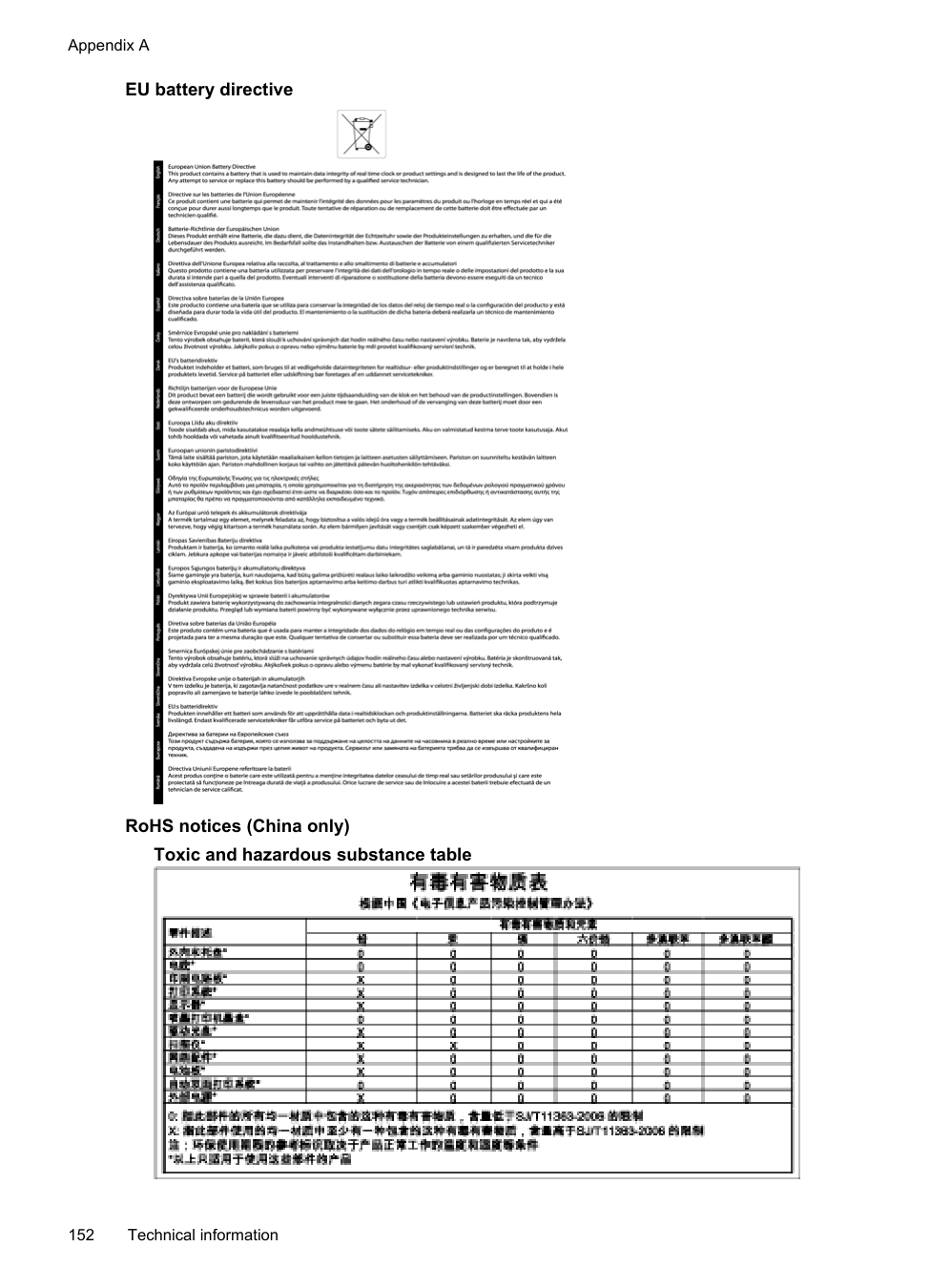
"This product includes software developed by the OpenSSL Project for use in the OpenSSL Toolkit (http://www.openssl.org/)"
THIS SOFTWARE IS PROVIDED BY THE OpenSSL PROJECT ``AS IS'' AND ANY EXPRESSED OR IMPLIED WARRANTIES, INCLUDING, BUT NOT LIMITED TO, THE IMPLIED WARRANTIES OF MERCHANTABILITY AND FITNESS FOR A PARTICULAR PURPOSE ARE DISCLAIMED. IN NO EVENT SHALL THE OpenSSL PROJECT OR ITS CONTRIBUTORS BE LIABLE FOR ANY DIRECT, INDIRECT, INCIDENTAL, SPECIAL, EXEMPLARY, OR CONSEQUENTIAL DAMAGES (INCLUDING, BUT NOT LIMITED TO, PROCUREMENT OF SUBSTITUTE GOODS OR SERVICES; LOSS OF USE, DATA, OR PROFITS; OR BUSINESS INTERRUPTION) HOWEVER CAUSED AND ON ANY THEORY OF LIABILITY, WHETHER IN CONTRACT, STRICT LIABILITY, OR TORT (INCLUDING NEGLIGENCE OR OTHERWISE) ARISING IN ANY WAY OUT OF THE USE OF THIS SOFTWARE, EVEN IF ADVISED OF THE POSSIBILITY OF SUCH DAMAGE.
====================================================================
This product includes cryptographic software written by Eric Young ([email protected]). This product includes software written by Tim Hudson ([email protected]).
==================================================================== Copyright 2002 Sun Microsystems, Inc. ALL RIGHTS RESERVED. ECC cipher suite support in OpenSSL originally developed by SUN MICROSYSTEMS, INC., and contributed to the OpenSSL project.
LICENSE.sha2-bsd--nos_crypto
--------------------/* FIPS 180-2 SHA-224/256/384/512 implementation
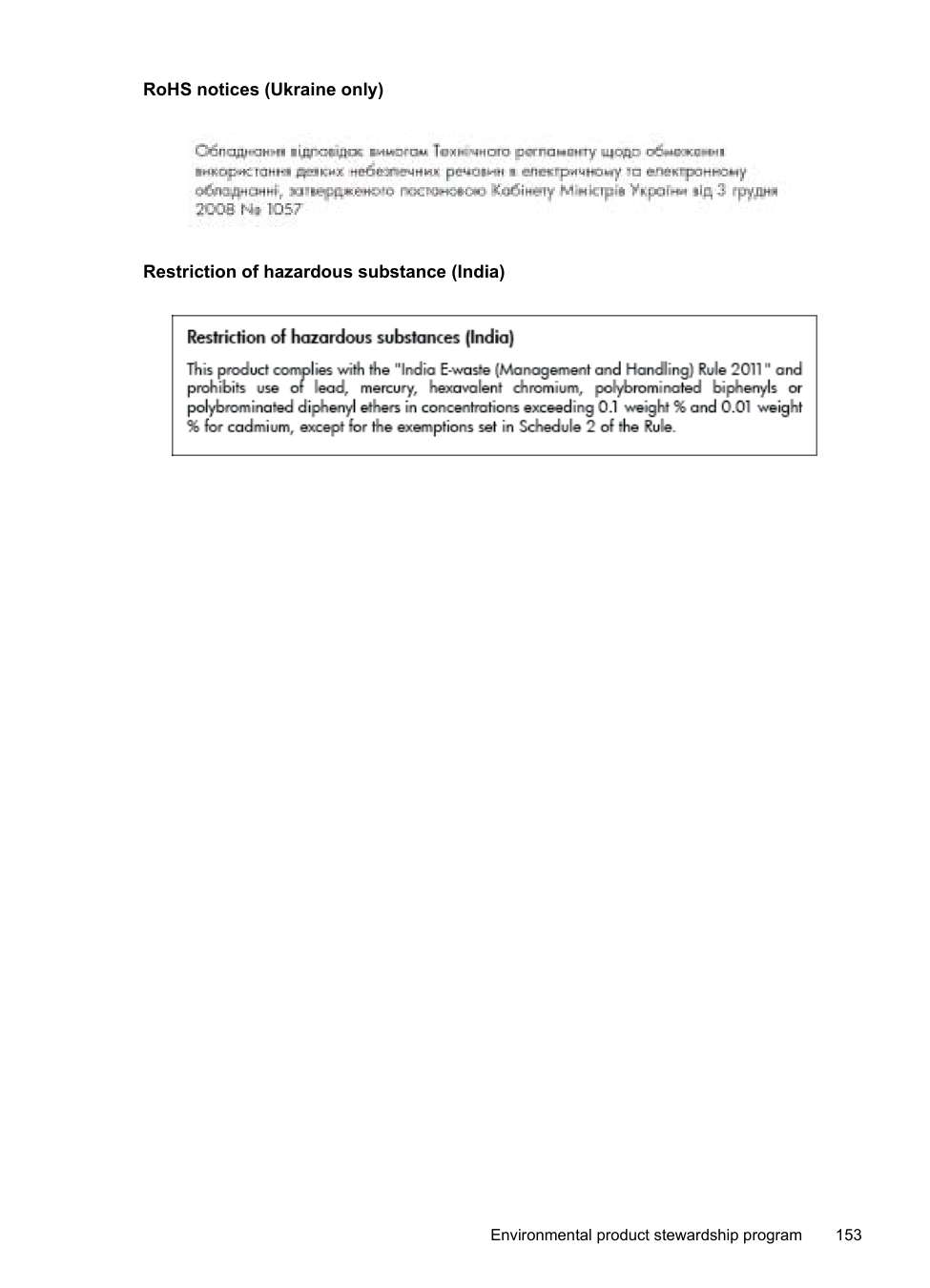
LICENSE.zlib--zlib
--------------------zlib.h -- interface of the 'zlib' general purpose compression library version 1.2.3, July 18th, 2005
Copyright (C) 1995-2005 Jean-loup Gailly and Mark Adler
This software is provided 'as-is', without any express or implied warranty. In no event will the authors be held liable for any damages arising from the use of this software.
Permission is granted to anyone to use this software for any purpose, including commercial applications, and to alter it and redistribute it freely, subject to the following restrictions:
Jean-loup Gailly Mark Adler [email protected] [email protected]
The data format used by the zlib library is described by RFCs (Request for Comments) 1950 to 1952 in the files http://www.ietf.org/rfc/rfc1950.txt (zlib format), rfc1951.txt (deflate format) and rfc1952.txt (gzip format).
B HP supplies and accessories
This section provides information on HP supplies and accessories for the printer. The information is subject to changes, visit the HP web site (www.hpshopping.com) for the latest updates. You may also make purchases through the web site.
NOTE: Not all cartridges are available in all countries/regions. This section contains the following topics:
| | |---|
Order printing supplies online To order supplies online or create a printable shopping list, open the HP software that came with your printer and click Shopping. Select Shop for Supplies Online. The HP software uploads, with your permission, printer information, including model number, serial number, and estimated ink levels. The HP supplies that work in your printer are pre-selected. You can change quantities, add or remove items, and then print the list or purchase online at the HP Store or other online retailers (options differ by country/region). Cartridge information and links to online shopping also appear on ink alert messages. You can also order online by visiting www.hp.com/buy/supplies. If prompted, select your country/ region, follow the prompts to select your printer, and then the supplies you need.
| | |---|
NOTE: Ordering cartridges online is not supported in all countries/regions. However, many countries have information on ordering by telephone, locating a local store and printing a shopping list. In addition, you can select the 'How to Buy' option at the top of the www.hp.com/buy/supplies page to obtain information about purchasing HP products in your country.
#### Supplies
Ink cartridges Ordering cartridges online is not supported in all countries/regions. However, many countries have information on ordering by telephone, locating a local store and printing a shopping list. In addition, you can select the 'How to Buy' option at the top of the www.hp.com/buy/supplies page to obtain information about purchasing HP products in your country. Use only the replacement cartridges that have the same cartridge number as the ink cartridge you are replacing. You can find the cartridge number in the following places:
CAUTION: The Setup ink cartridge that comes with the printer is not available for separate purchase. Check for the correct cartridge number through the EWS, on the printer status report, or on the sticker inside the printer.
162 HP supplies and accessories
| | |---|
NOTE: Ink level warnings and indicators provide estimates for planning purposes only. When you receive a low-ink warning message, consider having a replacement cartridge available to avoid possible printing delays. You do not need to replace cartridges until prompted to do so.
###### HP media
To order media such as HP Premium Paper, go to www.hp.com.

HP recommends plain papers with the ColorLok logo for printing and copying of everyday documents. All papers with the ColorLok logo are independently tested to meet high standards of reliability and print quality, and produce documents with crisp, vivid color, bolder blacks, and that dry faster than ordinary plain papers. Look for papers with the ColorLok logo in a variety of weights and sizes from major paper manufacturers.
Supplies 163
C Additional fax setup
After completing all the steps in the getting started guide, use the instructions in this section to complete your fax setup. Keep your getting started guide for later use. In this section, you learn how to set up the printer so that faxing works successfully with equipment and services you might already have on the same phone line.
TIP: You can also use the Fax Setup Wizard (Windows) or HP Setup Assistant (Mac OS X) to help you quickly set up some important fax settings such as the answer mode and fax header information. You can access these tools through the HP software you installed with the printer. After you run these tools, follow the procedures in this section to complete your fax setup.
This section contains the following topics:
Set up faxing (parallel phone systems) Before you begin setting up the printer for faxing, determine which kind of phone system your country/region uses. The instructions for fax setup differ depending on whether you have a serialor parallel-type phone system.
| | |---|
NOTE: In some countries/regions that use serial-type phone systems, the phone cord that came with the printer might have an additional wall plug attached to it. This enables you to connect other telecom devices to the wall jack where you plug in the printer. You might need to connect the supplied phone cord to the adapter provided for your country/region.
| | |---|
NOTE: If you have a parallel-type phone system, HP recommends you use the 2-wire phone cord supplied with the printer to connect it to the telephone wall jack.
######### Table C-1 Countries/regions with a parallel-type phone system
|Argentina|Australia|Brazil| |---|---|---| |Canada|Chile|China|
|Colombia|Greece|India| |Indonesia|Ireland|Japan| |Korea|Latin America|Malaysia|
Countries/regions with a parallel-type phone system (continued)
|Mexico|Philippines|Poland| |---|---|---| |Portugal|Russia|Saudi Arabia| |Singapore|Spain|Taiwan| |Thailand|USA|Venezuela| |Vietnam| | |
If you are unsure which kind of telephone system you have (serial or parallel), check with your telephone company. This section contains the following topics:
Select the correct fax setup for your home or office To fax successfully, you need to know what types of equipment and services (if any) share the same phone line with the printer. This is important because you might need to connect some of your existing office equipment directly to the printer, and you might also need to change some fax settings before you can fax successfully.
| | |---|
NOTE: If your home or office setup is not described in this section, set up the printer as you would a regular analog phone. Make sure you use the phone cord supplied in the box to connect one end to your telephone wall jack and the other end to the port labeled 1-LINE on the back of the printer. If you use another phone cord, you might experience problems sending and receiving faxes. You might need to connect the supplied phone cord to the adapter provided for your country/ region.
|Other equipment or services sharing your fax line|Other equipment or services sharing your fax line|Other equipment or services sharing your fax line|Other equipment or services sharing your fax line|Other equipment or services sharing your fax line|Other equipment or services sharing your fax line|Other equipment or services sharing your fax line|Recommended fax setup| |---|---|---|---|---|---|---|---| |DSL|PBX|Distinct ive ring service|Voice calls|Computer dial-up modem|Answering machine|Voice mail service|Recommended fax setup| | | | | | | | |Case A: Separate fax line (no voice calls received)
| || | | | | | |Case B: Set up the printer with DSL
| | || | | | | |Case C: Set up the printer with a PBX phone system or an ISDN line
| | | || | | | |Case D: Fax with a distinctive ring service on the same line
| | | | || | | |Case E: Shared voice/fax line
| | | | || | ||Case F: Shared voice/fax line with voice mail
| | | | | || | |Case G: Fax line shared with computer modem (no voice calls received)
| | | | ||| | |Case H: Shared voice/fax line with computer modem
| | | | || || |Case I: Shared voice/fax line with answering machine
|
(continued)
|Other equipment or services sharing your fax line|Other equipment or services sharing your fax line|Other equipment or services sharing your fax line|Other equipment or services sharing your fax line|Other equipment or services sharing your fax line|Other equipment or services sharing your fax line|Other equipment or services sharing your fax line|Recommended fax setup| |---|---|---|---|---|---|---|---| |DSL|PBX|Distinct ive ring service|Voice calls|Computer dial-up modem|Answering machine|Voice mail service|Recommended fax setup| | | | |||| |Case J: Shared voice/fax line with computer modem and answering machine
| | | | ||| ||Case K: Shared voice/fax line with computer dial-up modem and voice mail
|
###### Case A: Separate fax line (no voice calls received)
If you have a separate phone line on which you receive no voice calls, and you have no other equipment connected on this phone line, set up the printer as described in this section.
Back view of the printer

|1|Telephone wall jack| |---|---| |2|Use the phone cord supplied in the box with the printer to connect to the 1-LINE port.
You might need to connect the supplied phone cord to the adapter provided for your country/region.|
######### To set up the printer with a separate fax line
| | |---|
NOTE: You might need to connect the supplied phone cord to the adapter provided for your country/region. If you do not use the supplied cord to connect from the telephone wall jack to the printer, you might not be able to fax successfully. This special phone cord is different from the phone cords you might already have in your home or office.
When the phone rings, the printer answers automatically after the number of rings you set in the Rings to Answer setting. The printer begins emitting fax reception tones to the sending fax machine and receives the fax.
###### Case B: Set up the printer with DSL
If you have a DSL service through your telephone company, and do not connect any equipment to the printer, use the instructions in this section to connect a DSL filter between the telephone wall jack and the printer. The DSL filter removes the digital signal that can interfere with the printer, so the printer can communicate correctly with the phone line. (DSL might be called ADSL in your country/region.)
| | |---|
NOTE: If you have a DSL line and you do not connect the DSL filter, you cannot send and receive faxes with the printer.
###### Back view of the printer

|1|Telephone wall jack| |---|---| |2|DSL (or ADSL) filter and cord supplied by your DSL provider|

|3|Use the phone cord supplied in the box with the printer to connect to the 1-LINE port.
You might need to connect the supplied phone cord to the adapter provided for your country/region.|
######### To set up the printer with DSL
| | |---|
NOTE: You might need to connect the supplied phone cord to the adapter provided for your country/region. If you do not use the supplied cord to connect from the DSL filter to the printer, you might not be able to fax successfully. This special phone cord is different from the phone cords you might already have in your home or office. As only one phone cord is supplied, you might need to obtain additional phone cords for this setup.
###### Case C: Set up the printer with a PBX phone system or an ISDN line
If you are using either a PBX phone system or an ISDN converter/terminal adapter, make sure you do the following:
| | |---|
NOTE: Some ISDN systems allow you to configure the ports for specific phone equipment. For example, you might have assigned one port for telephone and Group 3 fax and another port for multiple purposes. If you have problems when connected to the fax/phone port of your ISDN converter, try using the port designated for multiple purposes; it might be labeled "multi-combi" or something similar.
| | |---|
NOTE: Many digital PBX systems include a call-waiting tone that is set to "on" by default. The call waiting tone interferes with any fax transmission, and you cannot send or receive faxes with the printer. Refer to the documentation that came with your PBX phone system for instructions on how to turn off the call-waiting tone.
If you encounter problems setting up the printer with optional equipment, contact your local service provider or vendor for further assistance.
###### Case D: Fax with a distinctive ring service on the same line
If you subscribe to a distinctive ring service (through your telephone company) that allows you to have multiple phone numbers on one phone line, each with a different ring pattern, set up the printer as described in this section.
###### Back view of the printer

|1|Telephone wall jack| |---|---| |2|Use the phone cord supplied in the box with the printer to connect to the 1-LINE port.
You might need to connect the supplied phone cord to the adapter provided for your country/region.|
######### To set up the printer with a distinctive ring service
| | |---|
NOTE: You might need to connect the supplied phone cord to the adapter provided for your country/region. If you do not use the supplied cord to connect from the telephone wall jack to the printer, you might not be able to fax successfully. This special phone cord is different from the phone cords you might already have in your home or office.
| |
|---|
NOTE: By default, the printer is set to answer all ring patterns. If you do not set the Distinctive Ring to match the ring pattern assigned to your fax number, the printer might answer both voice calls and fax calls or it might not answer at all.
TIP: You can also use the Ring Pattern Detection feature in the printer’s control panel to set distinctive ring. With this feature, the printer recognizes and records the ring pattern of an incoming call and, based on this call, automatically determines the distinctive ring pattern assigned by your telephone company to fax calls. For more information, see Change the answer ring pattern for distinctive ring.
If you encounter problems setting up the printer with optional equipment, contact your local service provider or vendor for further assistance.
###### Case E: Shared voice/fax line
If you receive both voice calls and fax calls at the same phone number, and you have no other office equipment (or voice mail) on this phone line, set up the printer as described in this section.
###### Back view of the printer

|1|Telephone wall jack| |---|---| |2|Use the phone cord supplied in the box with the printer to connect to the 1-LINE port.
You might need to connect the supplied phone cord to the adapter provided for your country/region.| |3|Telephone (optional)|
######### To set up the printer with a shared voice/fax line
| | |---|
NOTE: You might need to connect the supplied phone cord to the adapter provided for your country/region. If you do not use the supplied cord to connect from the telephone wall jack to the printer, you might not be able to fax successfully. This special phone cord is different from the phone cords you might already have in your home or office.
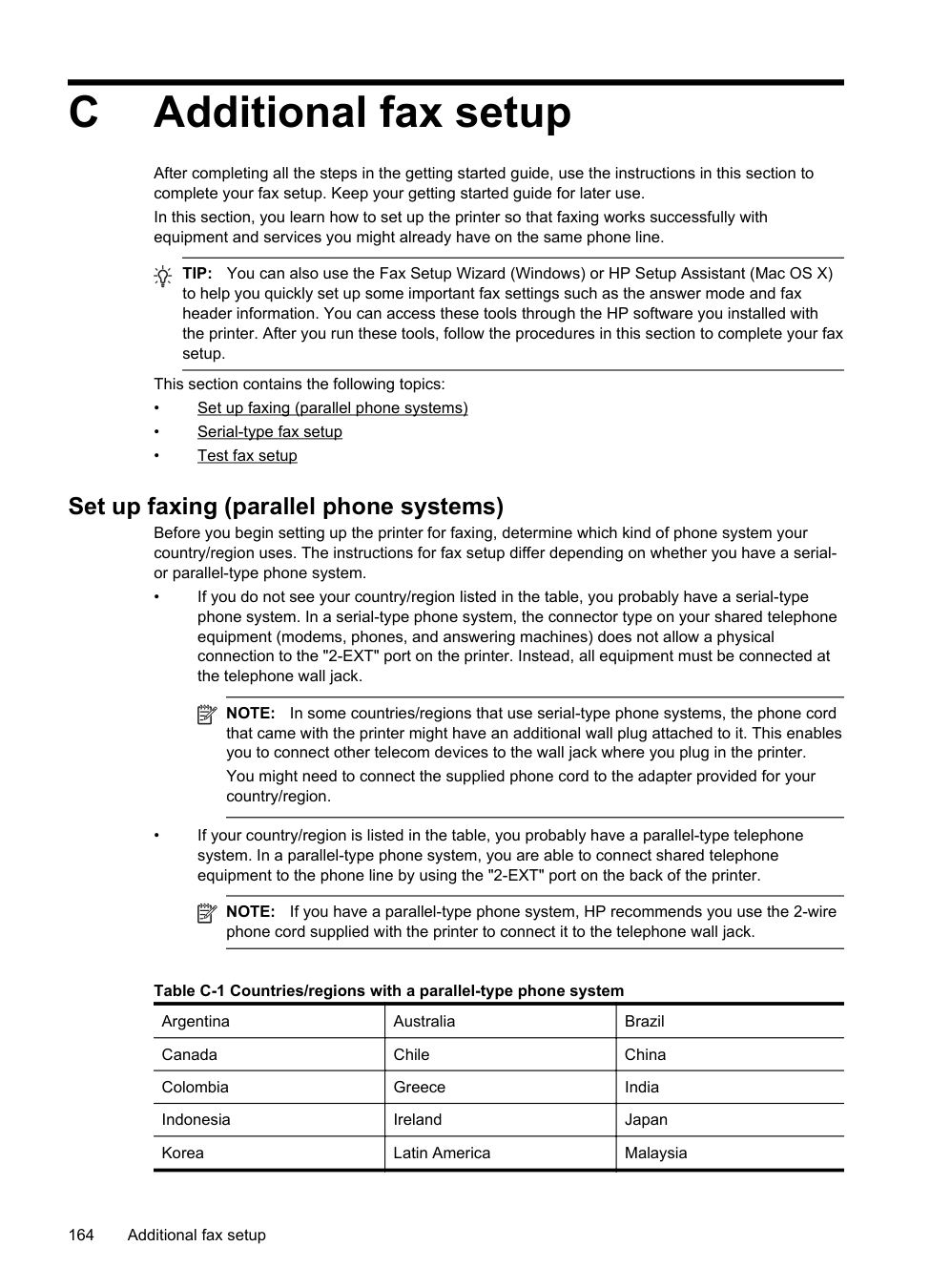
If you encounter problems setting up the printer with optional equipment, contact your local service provider or vendor for further assistance.
###### Case F: Shared voice/fax line with voice mail
If you receive both voice calls and fax calls at the same phone number, and you also subscribe to a voice mail service through your telephone company, set up the printer as described in this section.
| | |---|
NOTE: You cannot receive faxes automatically if you have a voice mail service at the same phone number you use for fax calls. You must receive faxes manually; this means you must be available to respond in person to incoming fax calls. If you want to receive faxes automatically instead, contact your telephone company to subscribe to a distinctive ring service, or to obtain a separate phone line for faxing.
###### Back view of the printer

|1|Telephone wall jack| |---|---| |2|Use the phone cord supplied in the box with the printer to connect to the 1-LINE port.
You might need to connect the supplied phone cord to the adapter provided for your country/region.|
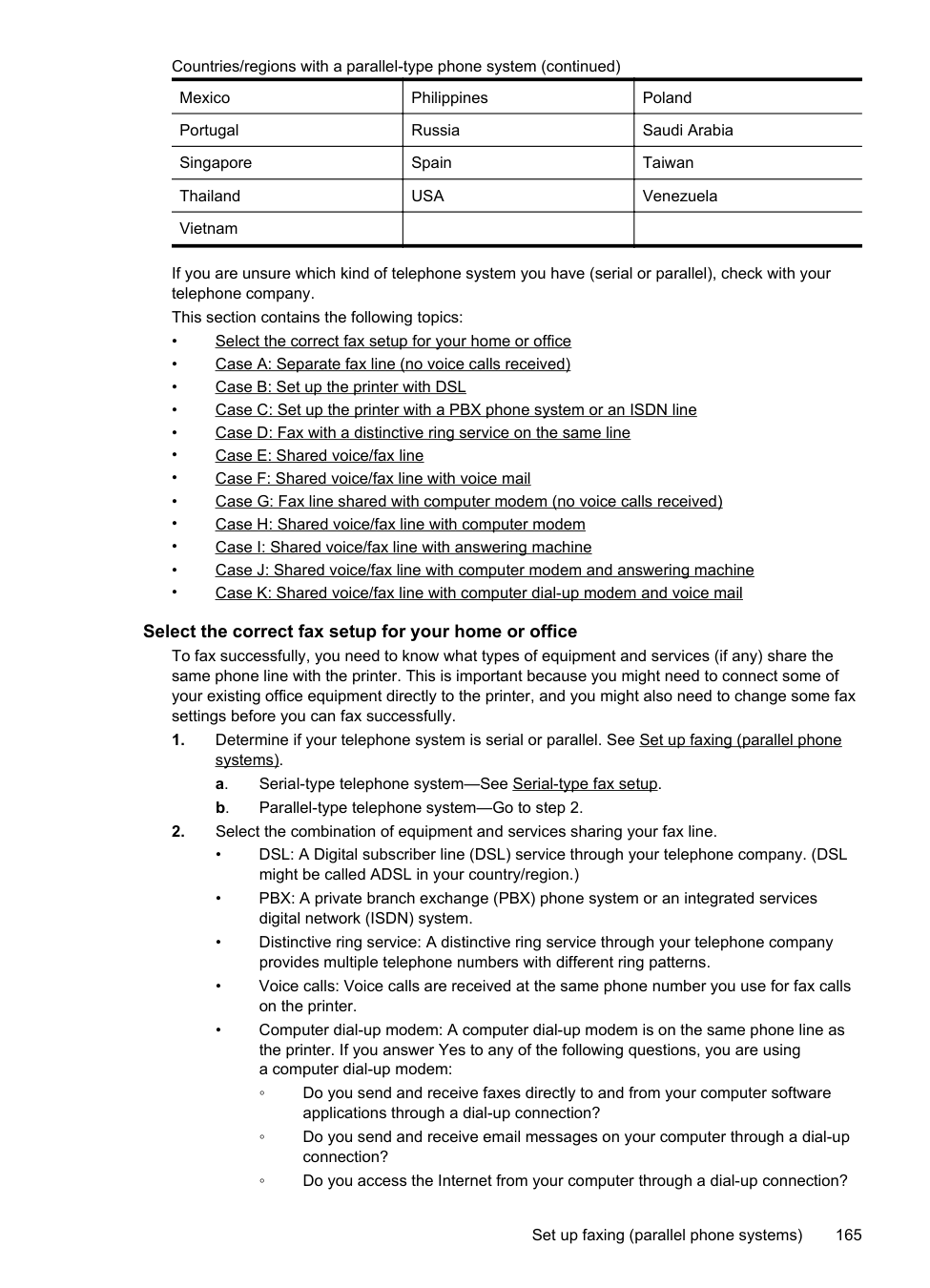
######### To set up the printer with voice mail
| | |---|
NOTE: You might need to connect the supplied phone cord to the adapter provided for your country/region. If you do not use the supplied cord to connect from the telephone wall jack to the printer, you might not be able to fax successfully. This special phone cord is different from the phone cords you might already have in your home or office.
###### Case G: Fax line shared with computer modem (no voice calls received)
If you have a fax line on which you receive no voice calls, and you also have a computer modem connected on this line, set up the printer as described in this section.
NOTE: If you have a computer dial-up modem, your computer dial-up modem shares the
| | |---|
phone line with the printer. You cannot use both your modem and the printer simultaneously. For example, you cannot use the printer for faxing while you are using your computer dial-up modem to send an email or access the Internet.
Set up the printer with a computer dial-up modem If you are using the same phone line for sending faxes and for a computer dial-up modem, follow these directions for setting up the printer.
###### Back view of the printer
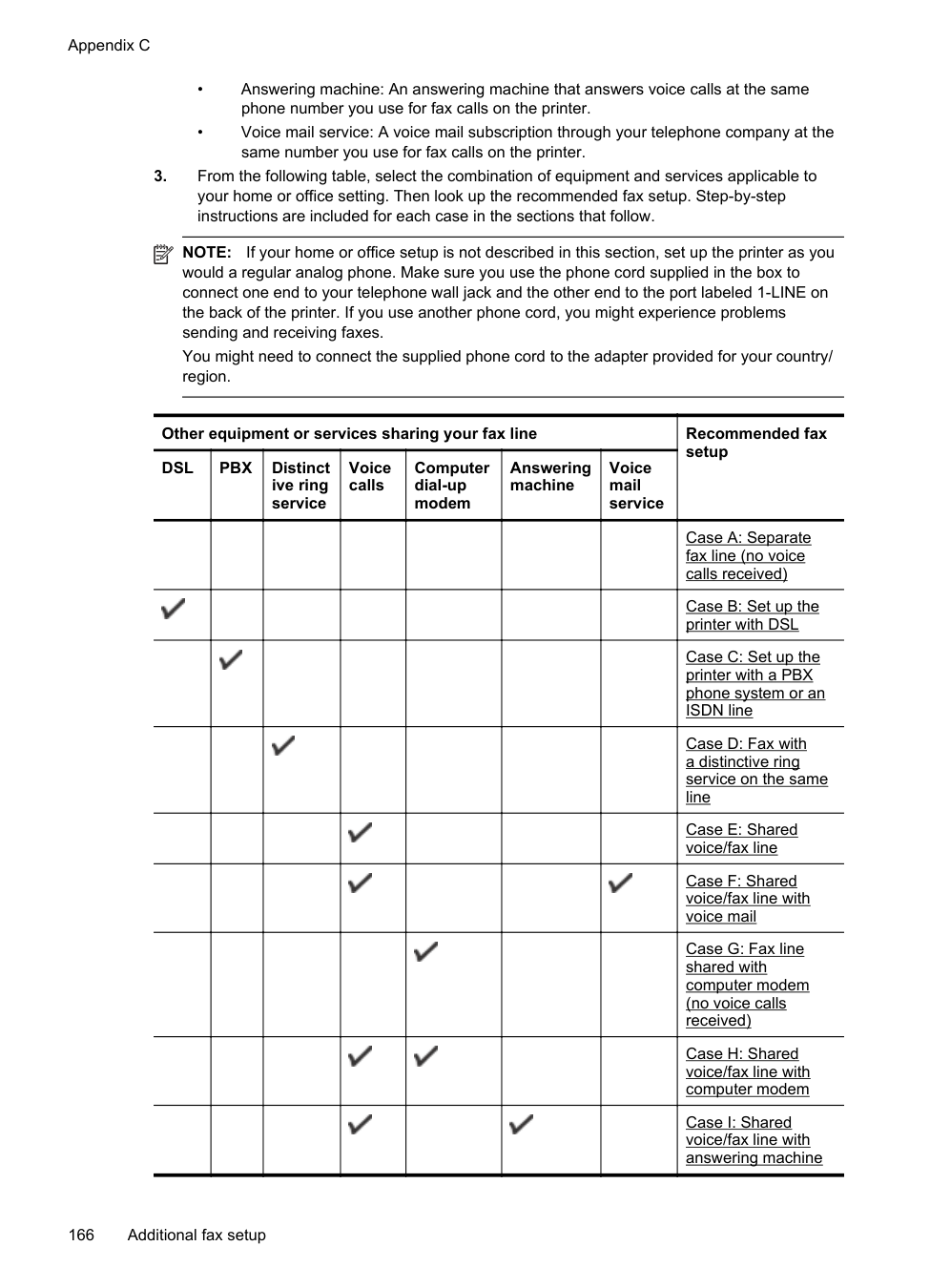

|1|Telephone wall jack| |---|---| |2|Use the phone cord supplied in the box with the printer to connect to the 1-LINE port.|
(continued)
| |You might need to connect the supplied phone cord to the adapter provided for your country/region.| |---|---| |3|Computer with modem|
######### To set up the printer with a computer dial-up modem
| | |---|
NOTE: You might need to connect the supplied phone cord to the adapter provided for your country/region. If you do not use the supplied cord to connect from the telephone wall jack to the printer, you might not be able to fax successfully. This special phone cord is different from the phone cords you might already have in your home or office.
| | |---|
NOTE: If you do not turn off the automatic fax reception setting in your modem software, the printer cannot receive faxes.
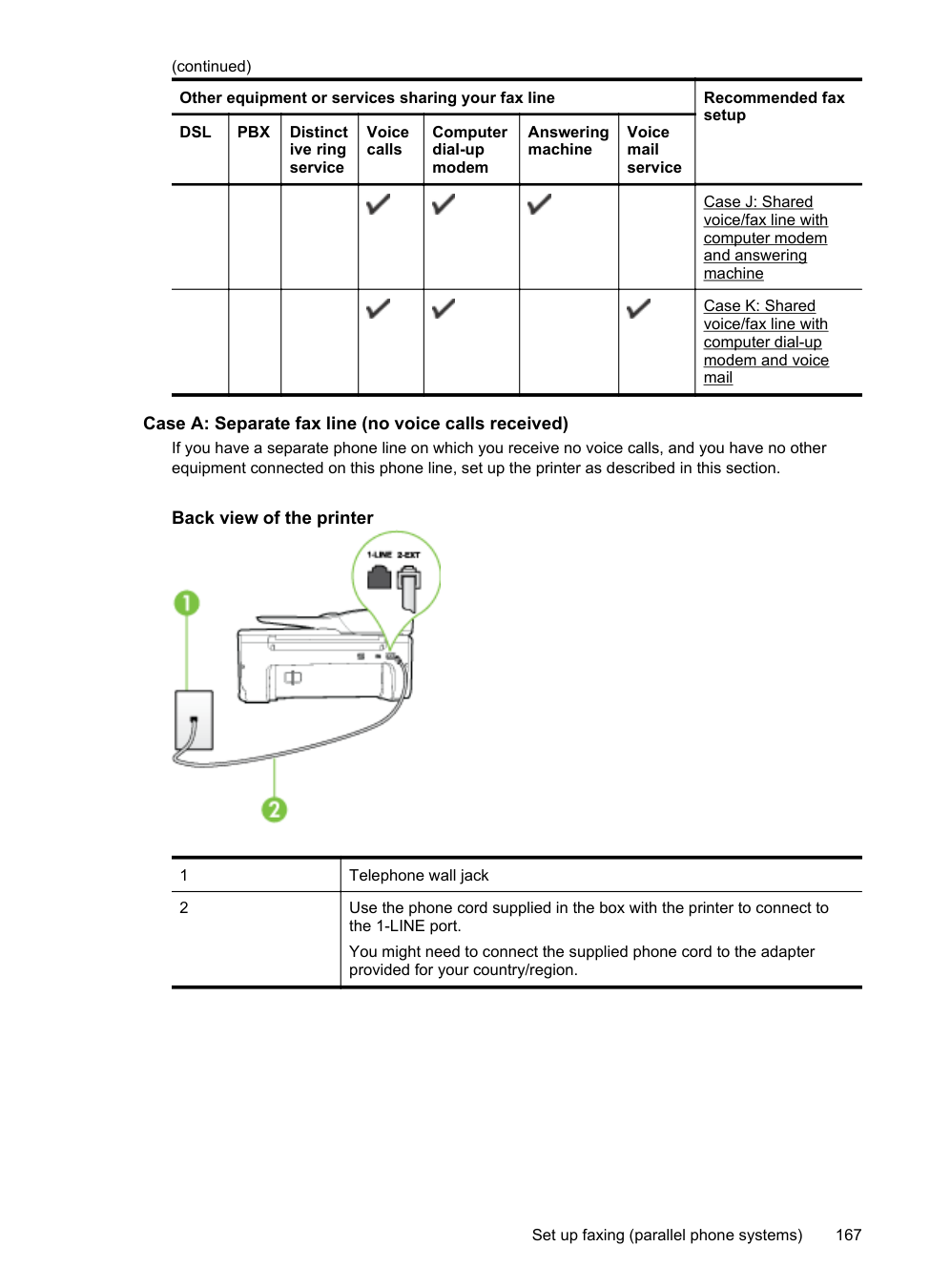
When the phone rings, the printer automatically answers after the number of rings you set in the Rings to Answer setting. The printer begins emitting fax reception tones to the sending fax machine and receives the fax. If you encounter problems setting up the printer with optional equipment, contact your local service provider or vendor for further assistance.
Set up the printer with a computer DSL/ADSL modem If you have a DSL line and use that phone line to send faxes, follow these instructions to set up your fax.

|1|Telephone wall jack| |---|---| |2|Parallel splitter| |3|DSL/ADSL filter
Connect one end of the phone jack that was supplied with the printer to connect to the 1-LINE port on the back of the printer. Connect the other end of the cord to the DSL/ADSL filter.
You might need to connect the supplied phone cord to the adapter provided for your country/region.| |4|Computer| |5|Computer DSL/ADSL modem|
| | |---|
NOTE: You need to purchase a parallel splitter. A parallel splitter has one RJ-11 port on the front and two RJ-11 ports on the back. Do not use a 2–line phone splitter, a serial splitter, or a parallel splitter which has two RJ-11 ports on the front and a plug on the back.

######### To set up the printer with a computer DSL/ADSL modem
| | |---|
NOTE: You might need to connect the supplied phone cord to the adapter provided for your country/region. If you do not use the supplied cord to connect from the DSL filter to the back of the printer, you might not be able to fax successfully. This special phone cord is different from the phone cords you might already have in your home or office.
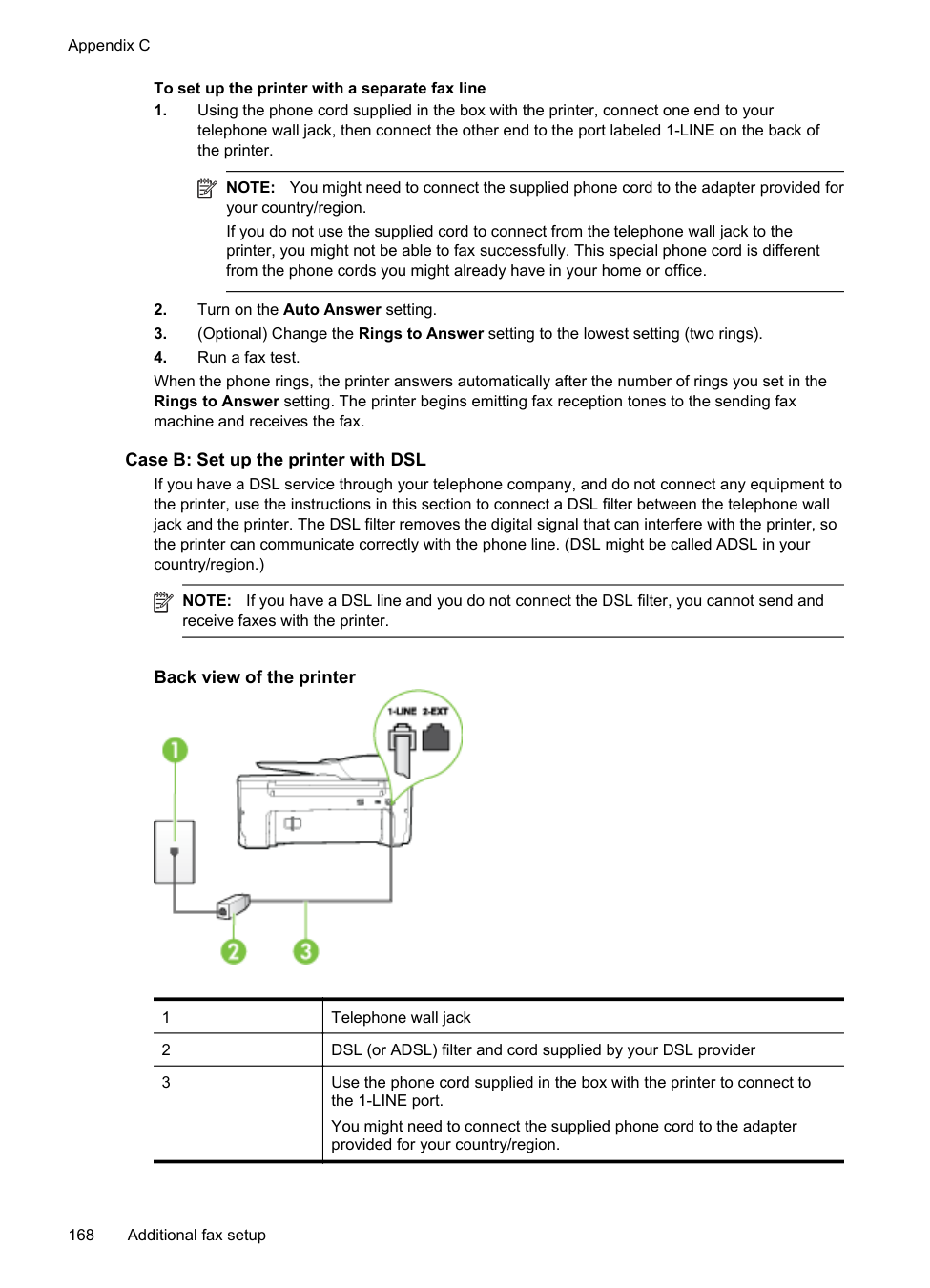
When the phone rings, the printer automatically answers after the number of rings you set in the Rings to Answer setting. The printer begins emitting fax reception tones to the sending fax machine and receives the fax. If you encounter problems setting up the printer with optional equipment, contact your local service provider or vendor for further assistance.
###### Case H: Shared voice/fax line with computer modem
There are two different ways to set up the printer with your computer based on the number of phone ports on your computer. Before you begin, check your computer to see if it has one or two phone ports.
NOTE: If your computer has only one phone port, you need to purchase a parallel splitter (also called a coupler), as shown in the illustration. (A parallel splitter has one RJ-11 port on the front and two RJ-11 ports on the back. Do not use a two-line phone splitter, a serial splitter, or a parallel splitter which has two RJ-11 ports on the front and a plug on the back.)
| | |---|
| | |---|
NOTE: If your computer has only one phone port, you need to purchase a parallel splitter (also called a coupler), as shown in the illustration. (A parallel splitter has one RJ-11 port on the front and two RJ-11 ports on the back. Do not use a two-line phone splitter, a serial splitter, or a parallel splitter which has two RJ-11 ports on the front and a plug on the back.)
###### Example of a parallel splitter

To set up the printer on the same phone line as a computer with two phone ports
###### Back view of the printer

|1|Telephone wall jack| |---|---| |2|Use the phone cord supplied in the box with the printer to connect to the 1-LINE port.| |3|Parallel splitter| |4|Computer with modem| |5|Telephone|
| | |---|
NOTE: You might need to connect the supplied phone cord to the adapter provided for your country/region. If you do not use the supplied cord to connect from the telephone wall jack to the printer, you might not be able to fax successfully. This special phone cord is different from the phone cords you might already have in your home or office.
| | |---|
NOTE: If you do not turn off the automatic fax reception setting in your modem software, the printer cannot receive faxes.
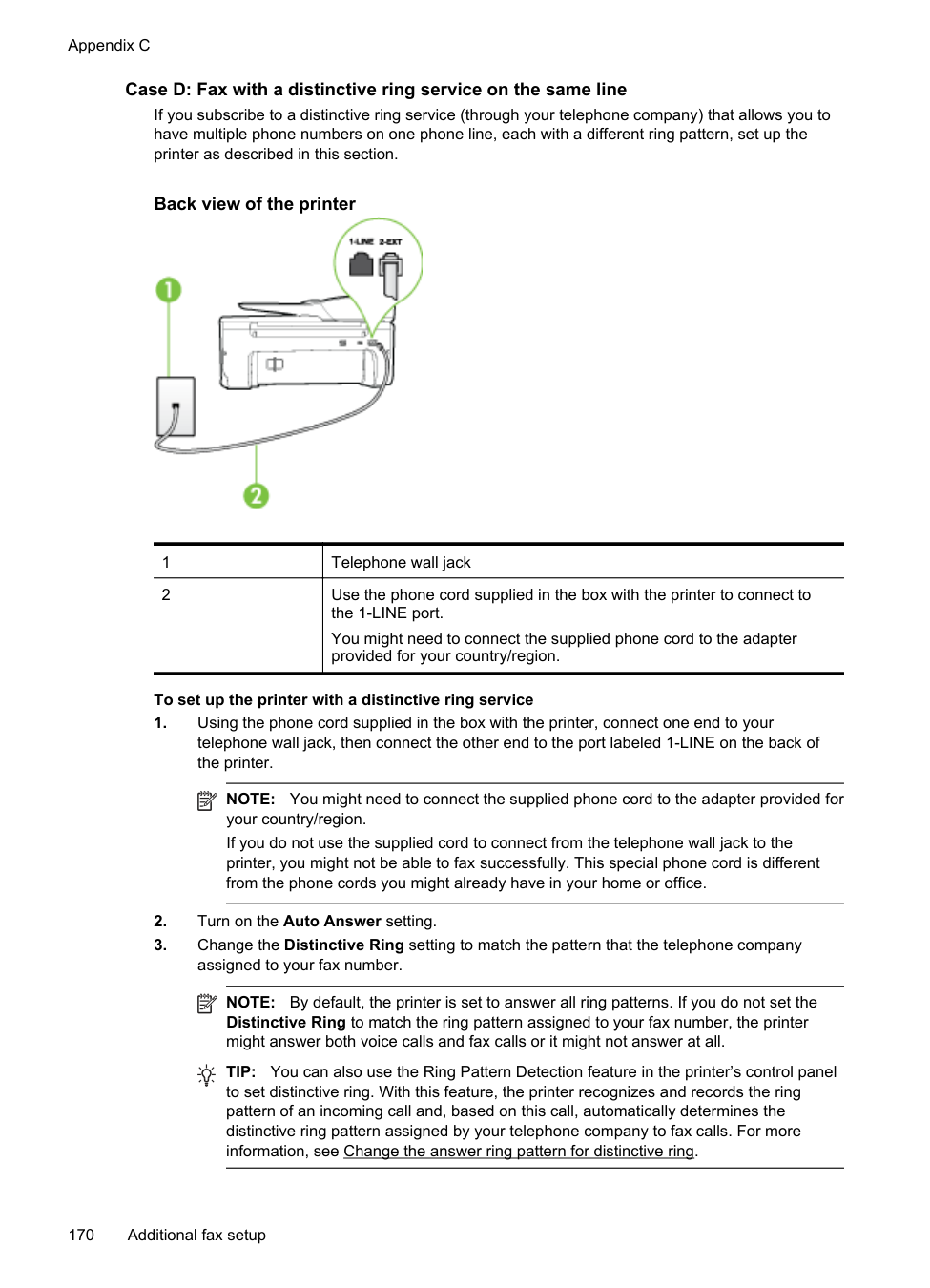
If you encounter problems setting up the printer with optional equipment, contact your local service provider or vendor for further assistance.
Shared voice/fax with computer DSL/ADSL modem Use these instructions if your computer has a DSL/ADSL modem

|1|Telephone wall jack| |---|---| |2|Parallel splitter| |3|DSL/ADSL filter| |4|Use the phone cord provided to connect to the 1-LINE port on the back of the printer.
You might need to connect the supplied phone cord to the adapter provided for your country/region.| |5|DSL/ADSL modem| |6|Computer| |7|Telephone|
| | |---|
NOTE: You need to purchase a parallel splitter. A parallel splitter has one RJ-11 port on the front and two RJ-11 ports on the back. Do not use a 2–line phone splitter, a serial splitter, or a parallel splitter which has two RJ-11 ports on the front and a plug on the back.

######### To set up the printer with a computer DSL/ADSL modem
| | |---|
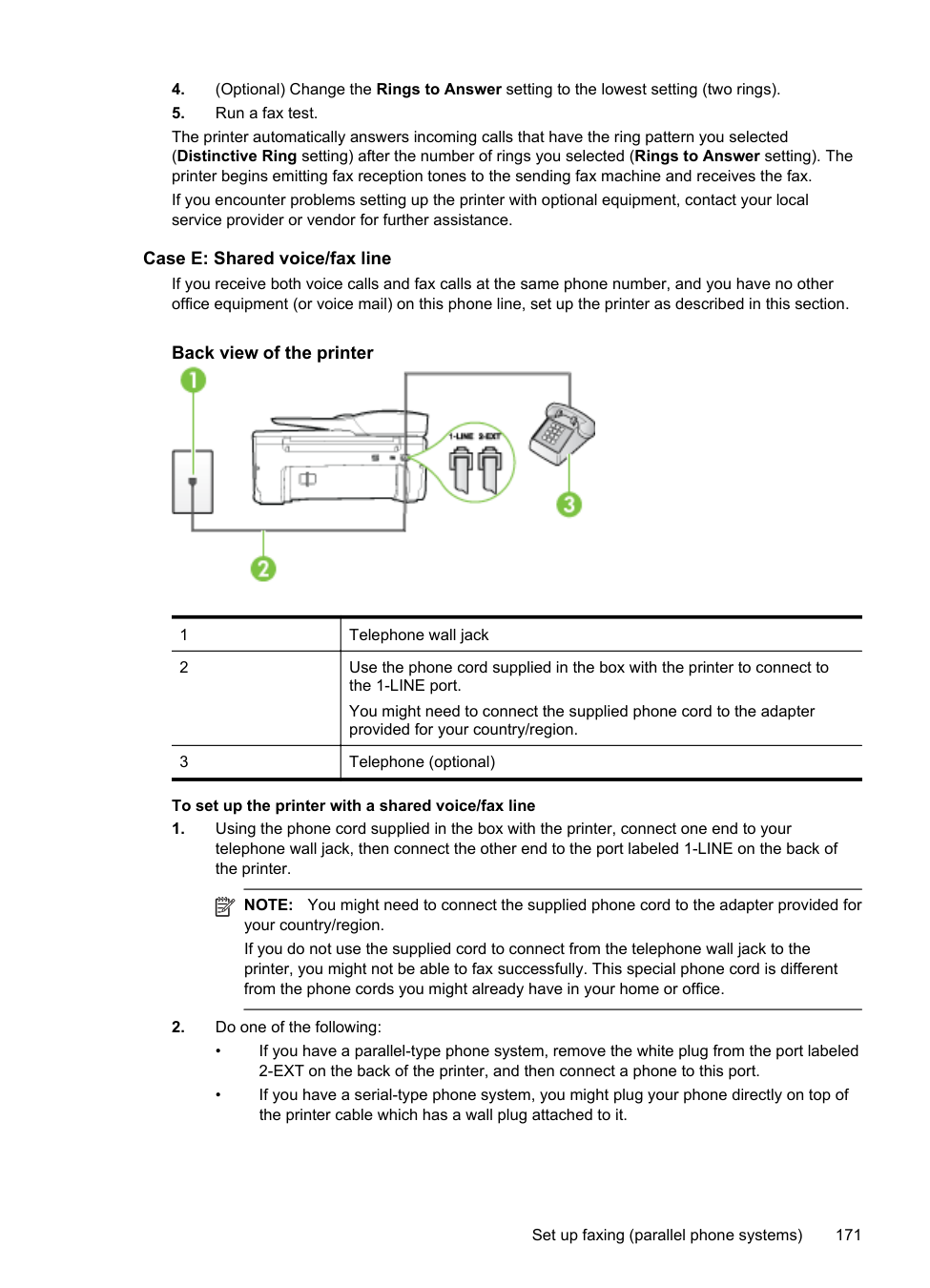
NOTE: Phones in other parts of the home/office sharing the same phone number with DSL service need to be connected to additional DSL filters to avoid noise when making voice calls.
| | |---|
NOTE: You might need to connect the supplied phone cord to the adapter provided for your country/region. If you do not use the supplied cord to connect from the DSL filter to the printer, you might not be able to fax successfully. This special phone cord is different from phone cords you might already have in your home or office.
###### Case I: Shared voice/fax line with answering machine
If you receive both voice calls and fax calls at the same phone number, and you also have an answering machine that answers voice calls at this phone number, set up the printer as described in this section.
###### Back view of the printer

|1|Telephone wall jack| |---|---| |2|Use the phone cord provided to connect to the 1-LINE port on the back of the printer
You might need to connect the supplied phone cord to the adapter provided for your country/region.|
|3|Answering machine| |---|---| |4|Telephone (optional)|
######### To set up the printer with a shared voice/fax line with answering machine
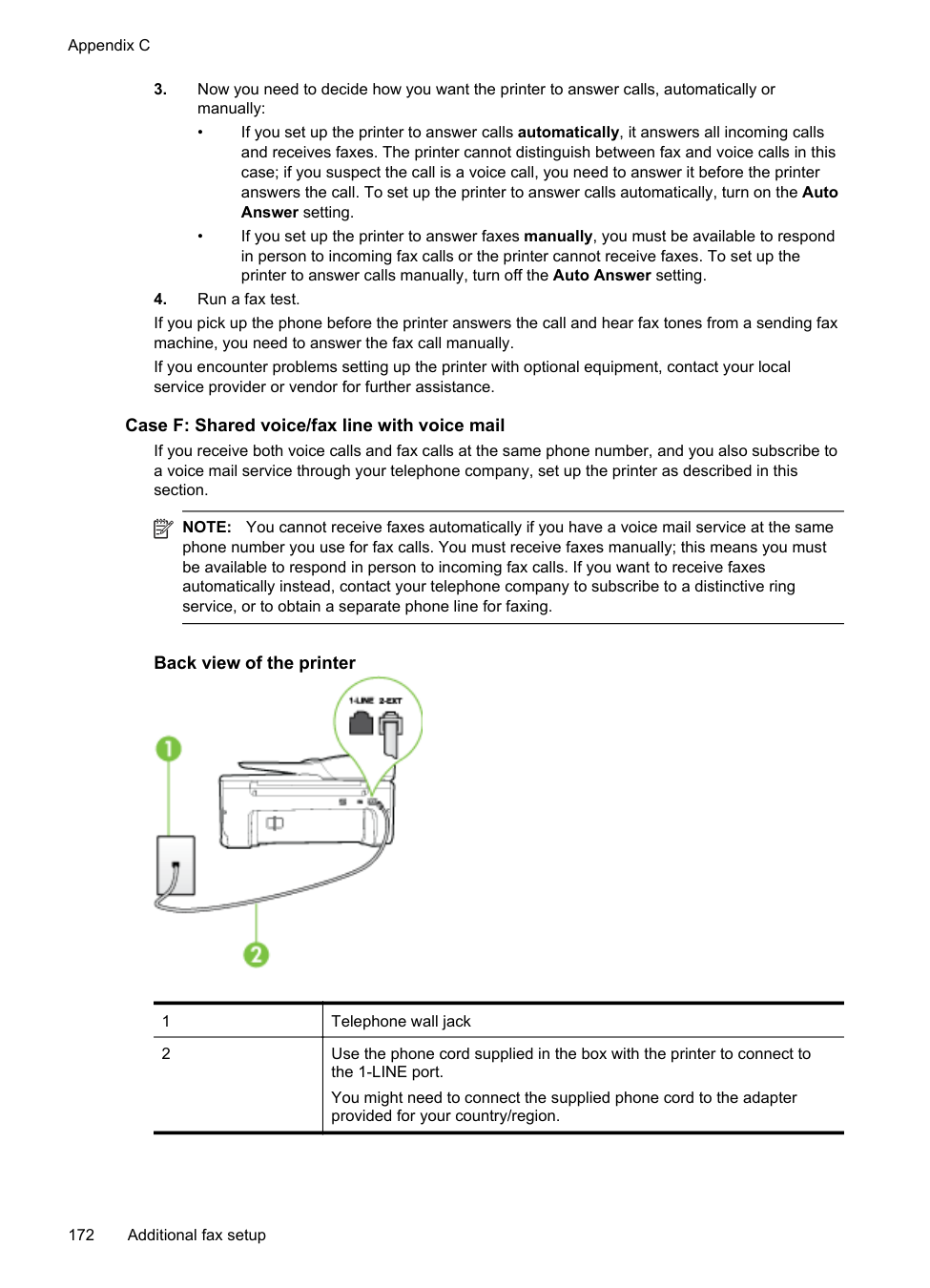
| | |---|
NOTE: If you do not connect your answering machine directly to the printer, fax tones from a sending fax machine might be recorded on your answering machine, and you might not receive faxes with the printer.
| | |---|
NOTE: You might need to connect the supplied phone cord to the adapter provided for your country/region. If you do not use the supplied cord to connect from the telephone wall jack to the printer, you might not be able to fax successfully. This special phone cord is different from the phone cords you might already have in your home or office.
| | |---|
NOTE: If your answering machine does not let you connect an external phone, you can purchase and use a parallel splitter (also known as a coupler) to connect both the answering machine and telephone to the printer. You can use standard phone cords for these connections.
When the phone rings, your answering machine answers after the number of rings you have set, and then plays your recorded greeting. The printer monitors the call during this time, "listening" for fax tones. If incoming fax tones are detected, the printer emits fax reception tones and receives the fax; if there are no fax tones, the printer stops monitoring the line and your answering machine can record a voice message. If you encounter problems setting up the printer with optional equipment, contact your local service provider or vendor for further assistance.
###### Case J: Shared voice/fax line with computer modem and answering machine
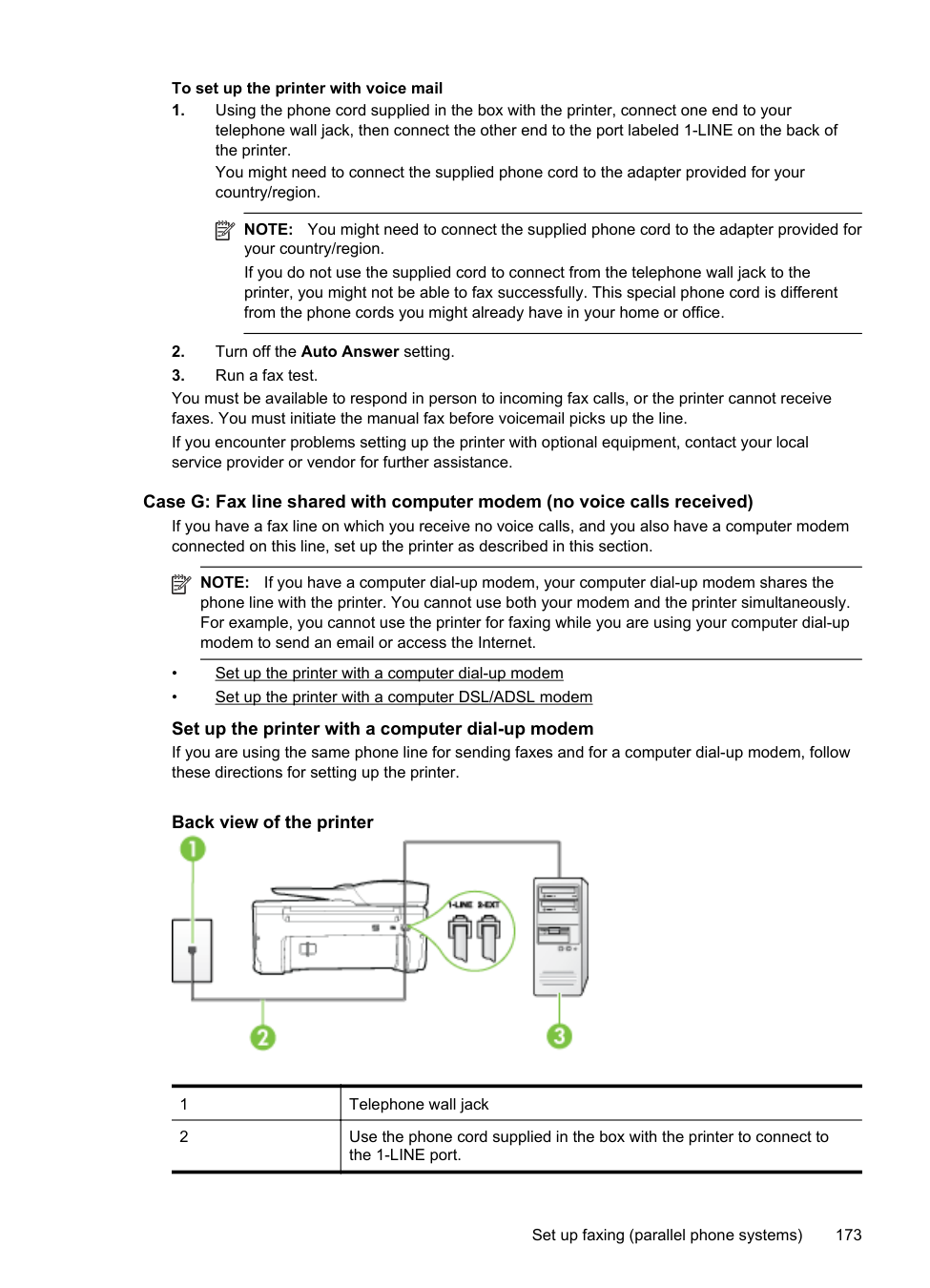
If you receive both voice calls and fax calls at the same phone number, and you also have a computer modem and answering machine connected on this phone line, set up the printer as described in this section.
NOTE: Since your computer dial-up modem shares the phone line with the printer, you
| | |---|
cannot use both your modem and the printer simultaneously. For example, you cannot use the printer for faxing while you are using your computer dial-up modem to send an email or access the Internet.
There are two different ways to set up the printer with your computer based on the number of phone ports on your computer. Before you begin, check your computer to see if it has one or two phone ports.
| | |---|
NOTE: If your computer has only one phone port, you need to purchase a parallel splitter (also called a coupler), as shown in the illustration. (A parallel splitter has one RJ-11 port on the front and two RJ-11 ports on the back. Do not use a two-line phone splitter, a serial splitter, or a parallel splitter which has two RJ-11 ports on the front and a plug on the back.)
###### Example of a parallel splitter

To set up the printer on the same phone line as a computer with two phone ports
###### Back view of the printer

|1|Telephone wall jack| |---|---| |2|"IN" phone port on your computer|
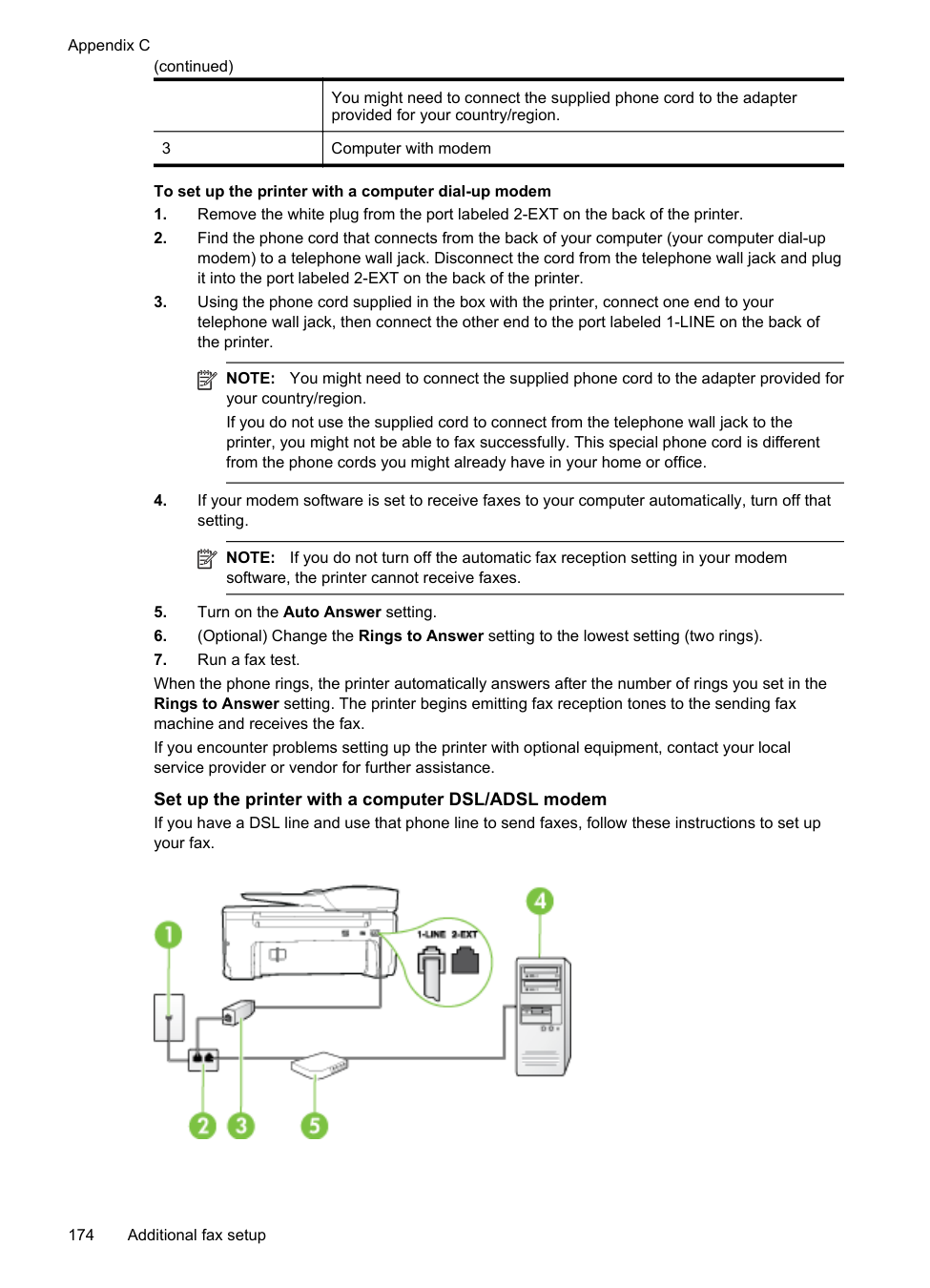
|3|"OUT" phone port on your computer| |4|Telephone (optional)| |5|Answering machine| |6|Computer with modem|
7 Use the phone cord supplied in the box with the printer to connect to the 1-LINE port. You might need to connect the supplied phone cord to the adapter provided for your country/region.
| | |---|
NOTE: You might need to connect the supplied phone cord to the adapter provided for your country/region. If you do not use the supplied cord to connect from the telephone wall jack to the printer, you might not be able to fax successfully. This special phone cord is different from the phone cords you might already have in your home or office.
| | |---|
NOTE: If your answering machine does not let you connect an external phone, you can purchase and use a parallel splitter (also known as a coupler) to connect both the answering machine and telephone to the printer. You can use standard phone cords for these connections.
| | |---|
NOTE: If you do not turn off the automatic fax reception setting in your modem software, the printer cannot receive faxes.
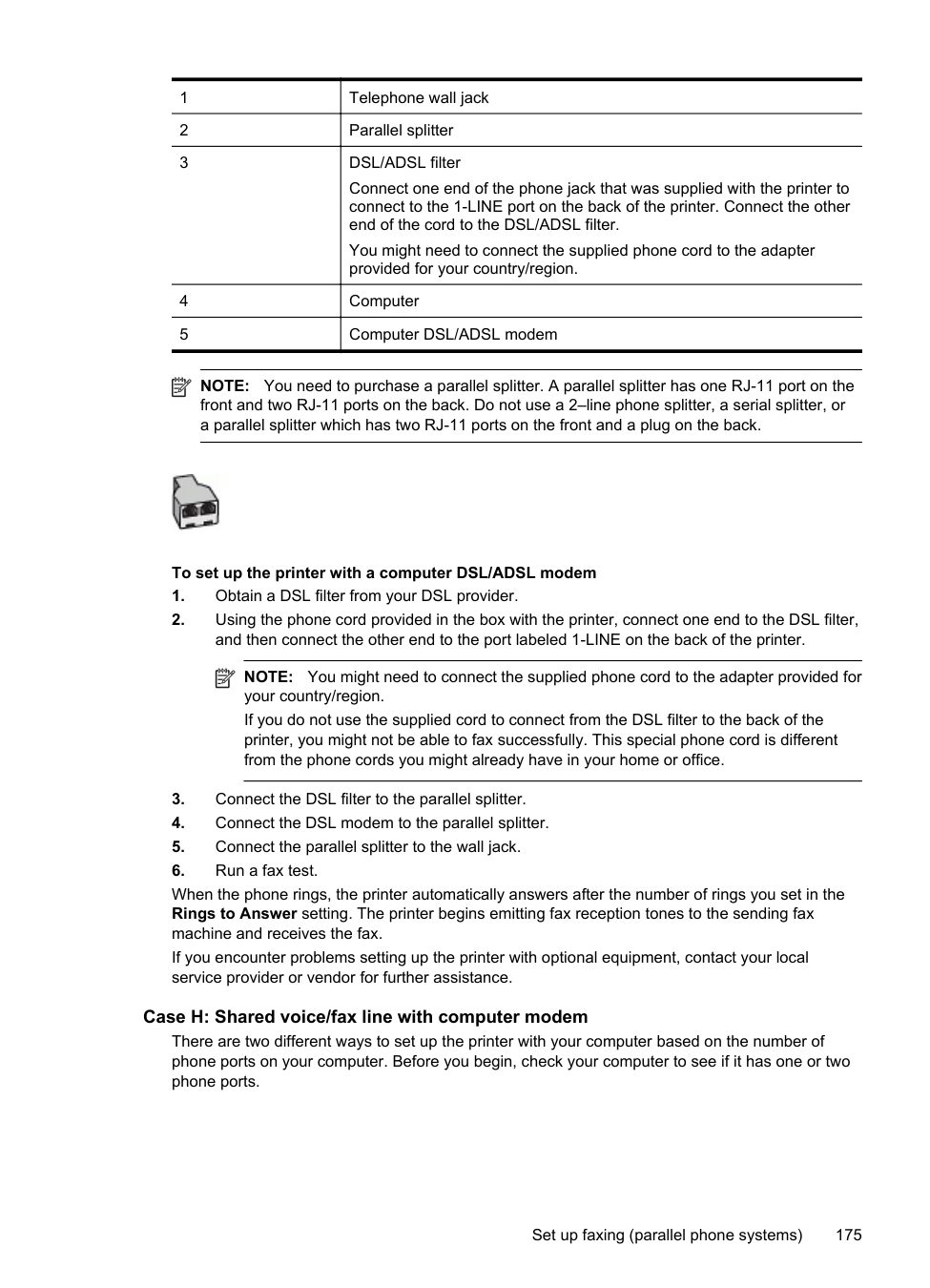
###### Shared voice/fax line with computer DSL/ADSL modem and answering machine

|1|Telephone wall jack| |---|---| |2|Parallel splitter| |3|DSL/ADSL filter| |4|Phone cord provided with the printer connected to the 1-LINE port on the back of the printer
You might need to connect the supplied phone cord to the adapter provided for your country/region.| |5|DSL/ADSL modem| |6|Computer| |7|Answering machine| |8|Telephone (optional)|
| | |---|
NOTE: You need to purchase a parallel splitter. A parallel splitter has one RJ-11 port on the front and two RJ-11 ports on the back. Do not use a 2–line phone splitter, a serial splitter, or a parallel splitter which has two RJ-11 ports on the front and a plug on the back.

######### To set up the printer with a computer DSL/ADSL modem
| | |---|
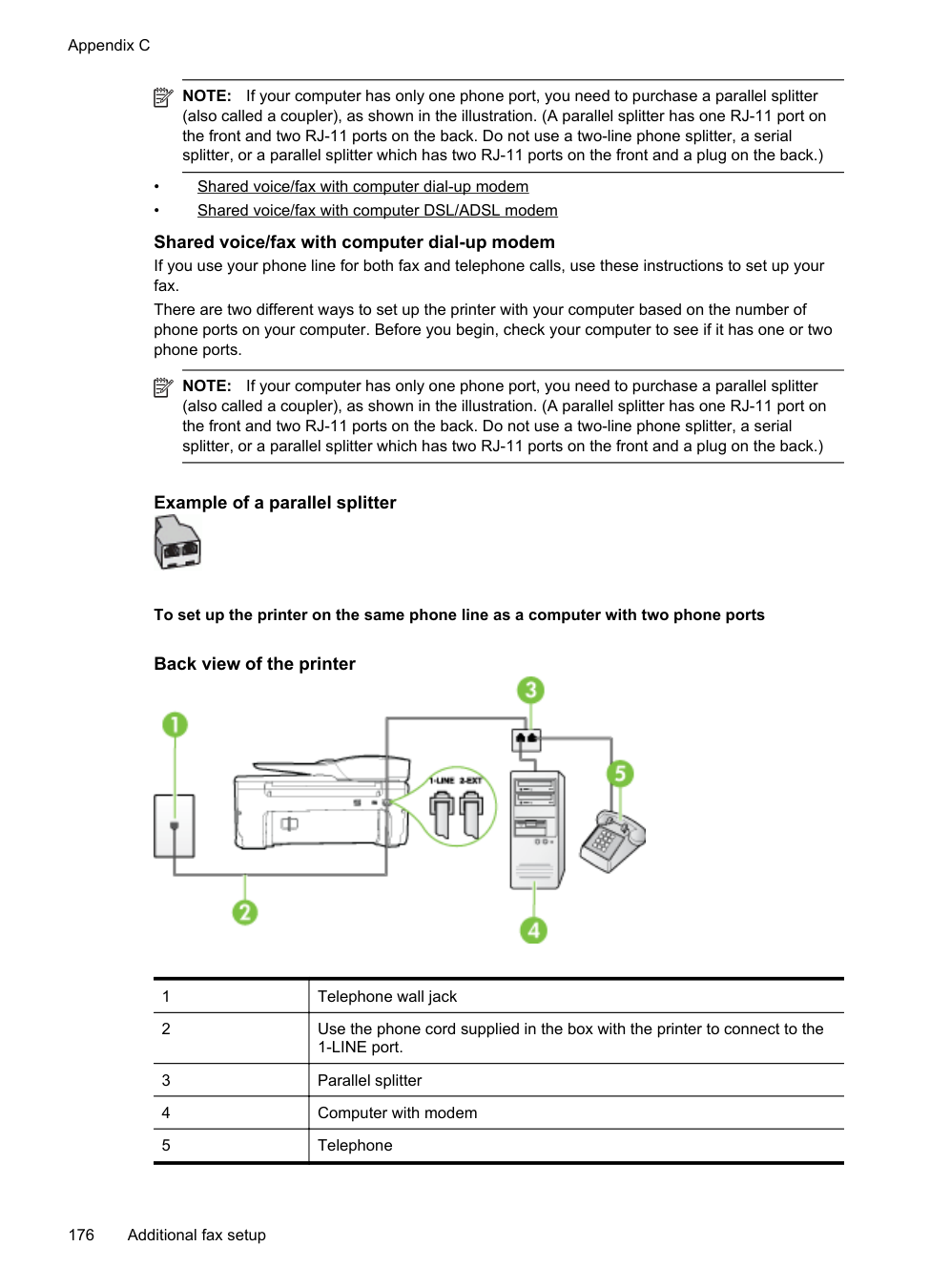
NOTE: Phones in other parts of the home/office sharing the same phone number with DSL/ADSL service need to be connected to additional DSL/ADSL filters, to avoid noise when making voice calls.
| | |---|
NOTE: You might need to connect the supplied phone cord to the adapter provided for your country/region. If you do not use the supplied cord to connect from the DSL/ADSL filter to the printer, you might not be able to fax successfully. This special phone cord is different from the phone cords you might already have in your home or office.
| | |---|
NOTE: If you do not connect your answering machine directly to the printer, fax tones from a sending fax machine might be recorded on your answering machine, and you might not receive faxes with the printer.
| | |---|
NOTE: The maximum number of rings varies by country/region.
If you use the same phone line for telephone, fax, and have a computer DSL modem, follow these instructions to set up your fax. If you encounter problems setting up the printer with optional equipment, contact your local service provider or vendor for further assistance.
###### Case K: Shared voice/fax line with computer dial-up modem and voice mail
If you receive both voice calls and fax calls at the same phone number, use a computer dial-up modem on the same phone line, and subscribe to a voice mail service through your telephone company, set up the printer as described in this section.
| | |---|
NOTE: You cannot receive faxes automatically if you have a voice mail service at the same phone number you use for fax calls. You must receive faxes manually; this means you must be available to respond in person to incoming fax calls. If you want to receive faxes automatically instead, contact your telephone company to subscribe to a distinctive ring service, or to obtain a separate phone line for faxing.
Since your computer dial-up modem shares the phone line with the printer, you cannot use both your modem and the printer simultaneously. For example, you cannot use the printer for faxing if you are using your computer dial-up modem to send an email or access the Internet. There are two different ways to set up the printer with your computer based on the number of phone ports on your computer. Before you begin, check your computer to see if it has one or two phone ports.
Example of a parallel splitter

###### Back view of the printer

|1|Telephone wall jack| |---|---| |2|Use the phone cord supplied in the box with the printer to connect to the 1-LINE port
You might need to connect the supplied phone cord to the adapter provided for your country/region.| |3|Computer with modem| |4|Telephone|
######### To set up the printer on the same phone line as a computer with two phone ports
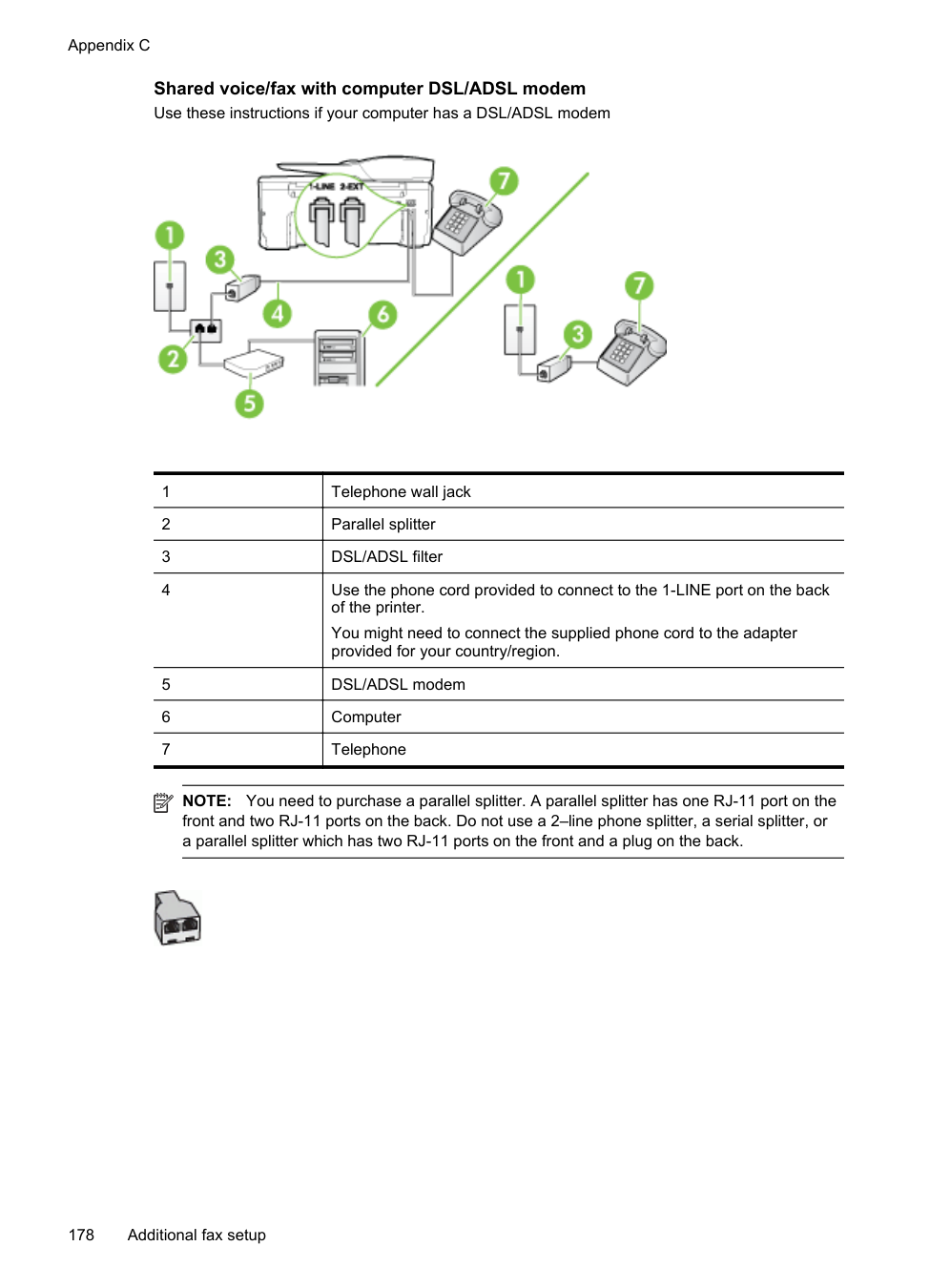
| | |---|
NOTE: You might need to connect the supplied phone cord to the adapter provided for your country/region. If you do not use the supplied cord to connect from the telephone wall jack to the printer, you might not be able to fax successfully. This special phone cord is different from the phone cords you might already have in your home or office.
| | |---|
NOTE: If you do not turn off the automatic fax reception setting in your modem software, the printer cannot receive faxes.
You must be available to respond in person to incoming fax calls, or the printer cannot receive faxes. If you encounter problems setting up the printer with optional equipment, contact your local service provider or vendor for further assistance.
Serial-type fax setup For information on setting up the printer for faxing using a serial-type phone system, see the Fax Configuration web site for your country/region.
|Austria|www.hp.com/at/faxconfig| |---|---| |Germany|www.hp.com/de/faxconfig| |Switzerland (French)|www.hp.com/ch/fr/faxconfig| |Switzerland (German)|www.hp.com/ch/de/faxconfig| |United Kingdom|www.hp.com/uk/faxconfig| |Finland|www.hp.fi/faxconfig| |Denmark|www.hp.dk/faxconfig| |Sweden|www.hp.se/faxconfig| |Norway|www.hp.no/faxconfig|
|Netherlands|www.hp.nl/faxconfig| |Belgium (Dutch)|www.hp.be/nl/faxconfig| |Belgium (French)|www.hp.be/fr/faxconfig| |Portugal|www.hp.pt/faxconfig| |Spain|www.hp.es/faxconfig| |France|www.hp.com/fr/faxconfig| |Ireland|www.hp.com/ie/faxconfig|
(continued)
Italy www.hp.com/it/faxconfig
Test fax setup You can test your fax setup to check the status of the printer and to make sure it is set up correctly for faxing. Perform this test after you have completed setting up the printer for faxing. The test does the following:
The printer prints a report with the results of the test. If the test fails, review the report for information on how to fix the problem and rerun the test.
######### To test fax setup via the printer control panel
Test fax setup 187
D Network setup
You can manage network settings for the printer through the printer control panel as described in the next section. Additional advanced settings are available in the embedded web server, a configuration and status tool you access from your web browser using an existing network connection to the printer. For more information, see Embedded web server. This section contains the following topics:
Set up the printer for wireless communication You can set up the printer for wireless communication. This section contains the following topics:
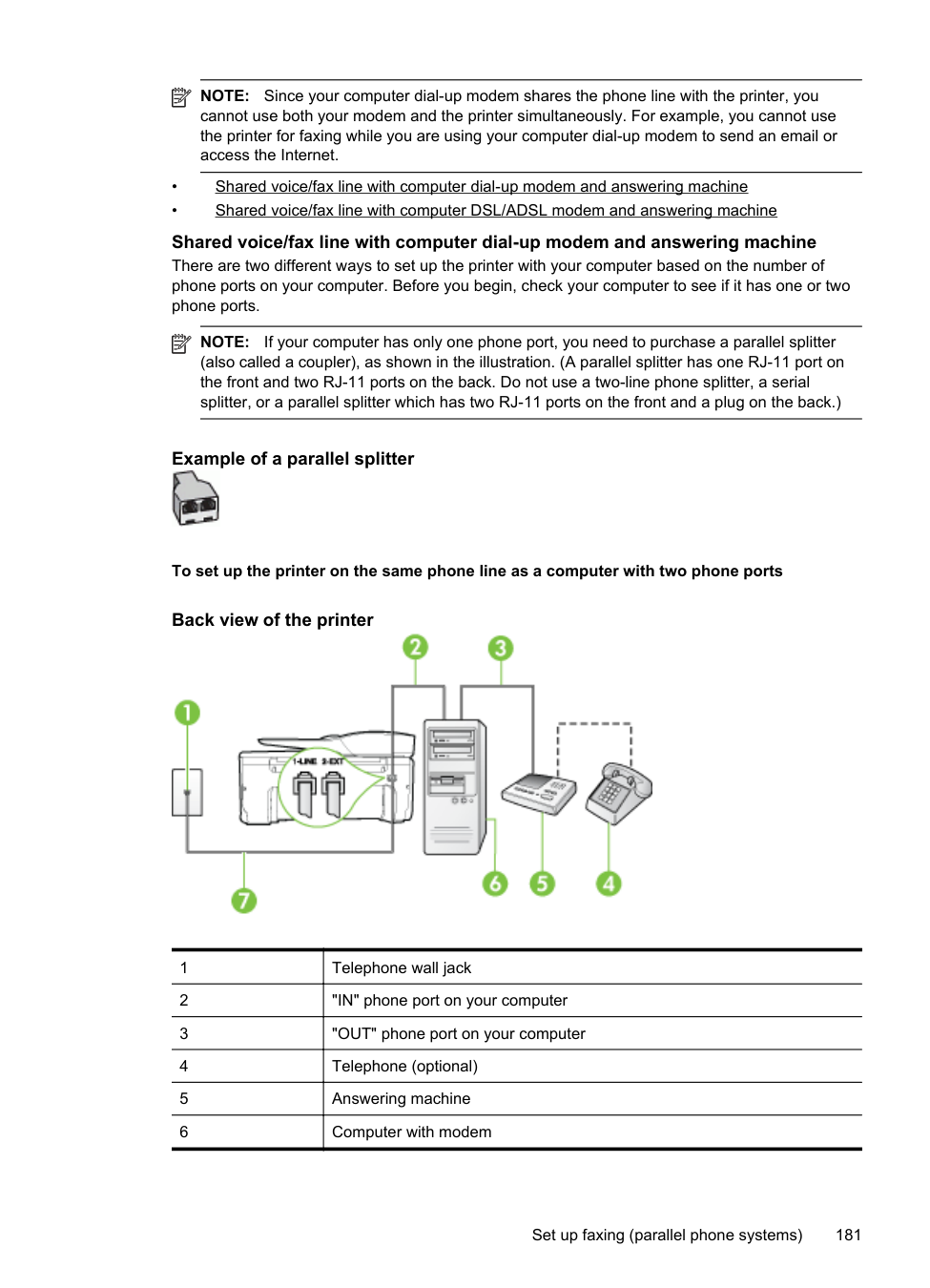
| | |---|
TIP: For more information about setting up and using the printer wirelessly, visit the HP Wireless Printing Center (www.hp.com/go/wirelessprinting).
###### Before you begin
Before you begin setting up the wireless connection, check the following:
If you have not changed the network name or the security passkey since setting up your wireless network, you can sometimes find them on the back or side of the wireless router. If you cannot find the network name or the security passkey or cannot remember this information, see the documentation available with your computer or with the wireless router. If you still cannot find this information, contact your network administrator or the person who set up the wireless network.
TIP: If you are using a computer running Windows, HP provides a tool called HP Home Network Diagnostic Utility that can help retrieve this information for some systems. To use this tool, visit the HP Wireless Printing Center (www.hp.com/go/wirelessprinting), and then click Network Diagnostic Utility in the Quick Links section. (At this time, this tool might not be available in all languages.)
###### Set up the printer on your wireless network
To set up the printer on your wireless network, use one of the following methods:
| | |---|
NOTE: If you have already been using the printer with a different type of connection, such as a USB connection, follow the instructions in Change the connection type to set up the printer on your wireless network.
Set up the printer using the HP printer software (Recommended) In addition to enabling key printer features, you can use the HP printer software that came with your printer to set up wireless communication. If you have already been using the printer with a different type of connection, such as a USB connection, follow the instructions in Change the connection type to set up the printer on your wireless network.
Set up the printer using the Wireless Setup Wizard The Wireless Setup Wizard provides an easy way to set up and manage a wireless connection to your printer from the printer control panel.
| | |---|
NOTE: If you cannot find the wireless network name (SSID) and wireless password (WPA passphrase, WEP key), see Before you begin.
Set up the printer using WiFi Protected Setup (WPS) Wi-Fi Protected Setup (WPS) allows you to quickly set up the printer on your wireless network, without having to enter the wireless network name (SSID), wireless password (WPA passphrase, WEP key), or other wireless settings.
| | |---|
NOTE: Only set up wireless using WPS if your wireless network uses WPA data encryption. If your wireless network uses WEP or is not using any encryption at all, use one of the other methods provided in this section to set up the printer on your wireless network.
NOTE: To use WPS, make sure your wireless router or wireless access point supports WPS. Routers that support WPS often have a (WPS) button or a button labeled "WPS".

You can use one of the following methods to set up the printer using WPS:
•
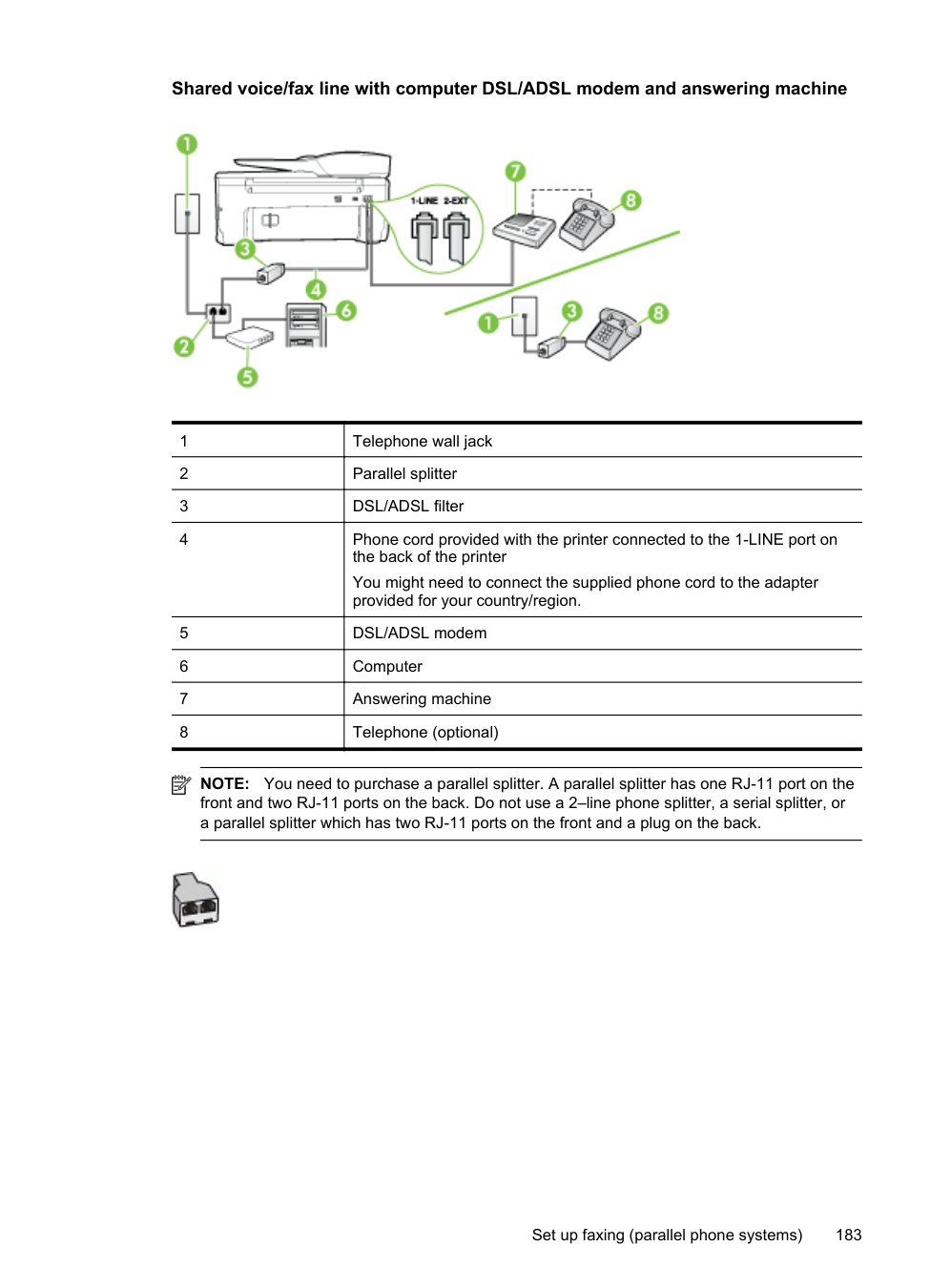

Push Button Method: Use the (WPS) or WPS button, if available, on your router.
• PIN Method: Enter the PIN generated by the printer in the router’s configuration software.
###### To connect the printer using the Push Button Method
###### To connect the printer using the PIN Method
and then enter the WPS PIN.
| | |---|
NOTE: For more information about using the configuration utility, see the documentation provided with the router or wireless access point. Wait for about two minutes. If the printer connects successfully, the wireless light stops blinking but remains lit.
Set up the printer using the embedded web server (EWS) If the printer is connected to a network, you can use the printer’s embedded web server (EWS) to set up wireless communication.
TIP: You can also set up wireless communication by entering or changing individual wireless settings. To change these settings, on the Network tab, click Advanced in the Wireless (802.11) section on the left, change the wireless settings, and then click Apply.
Change the connection type After you have installed the HP software and connected the printer to your computer or to a network, you can use the HP software to change the connection type (for example, from a USB connection to a wireless connection).
NOTE: You might be prompted to temporarily connect a USB cable during the setup process.
| | |---|
To change from a USB connection to a wireless connection Follow the instructions for your operating system.
Windows
To change from a wireless connection to a USB connection To change from a wireless connection to a USB connection, connect the USB cable to the printer.
| | |---|
NOTE: If you are using a computer with Mac OS X, add the printer to the print queue. Click System Preferences in the Dock, click Print & Fax or Print & Scan in the Hardware section, click +, and then select the printer.
Test the wireless connection Print the wireless test page for information about the printer's wireless connection. The wireless test page provides information about the printer's status, hardware (MAC) address, and IP address. If the printer is connected to a network, the test page displays details about the network settings.
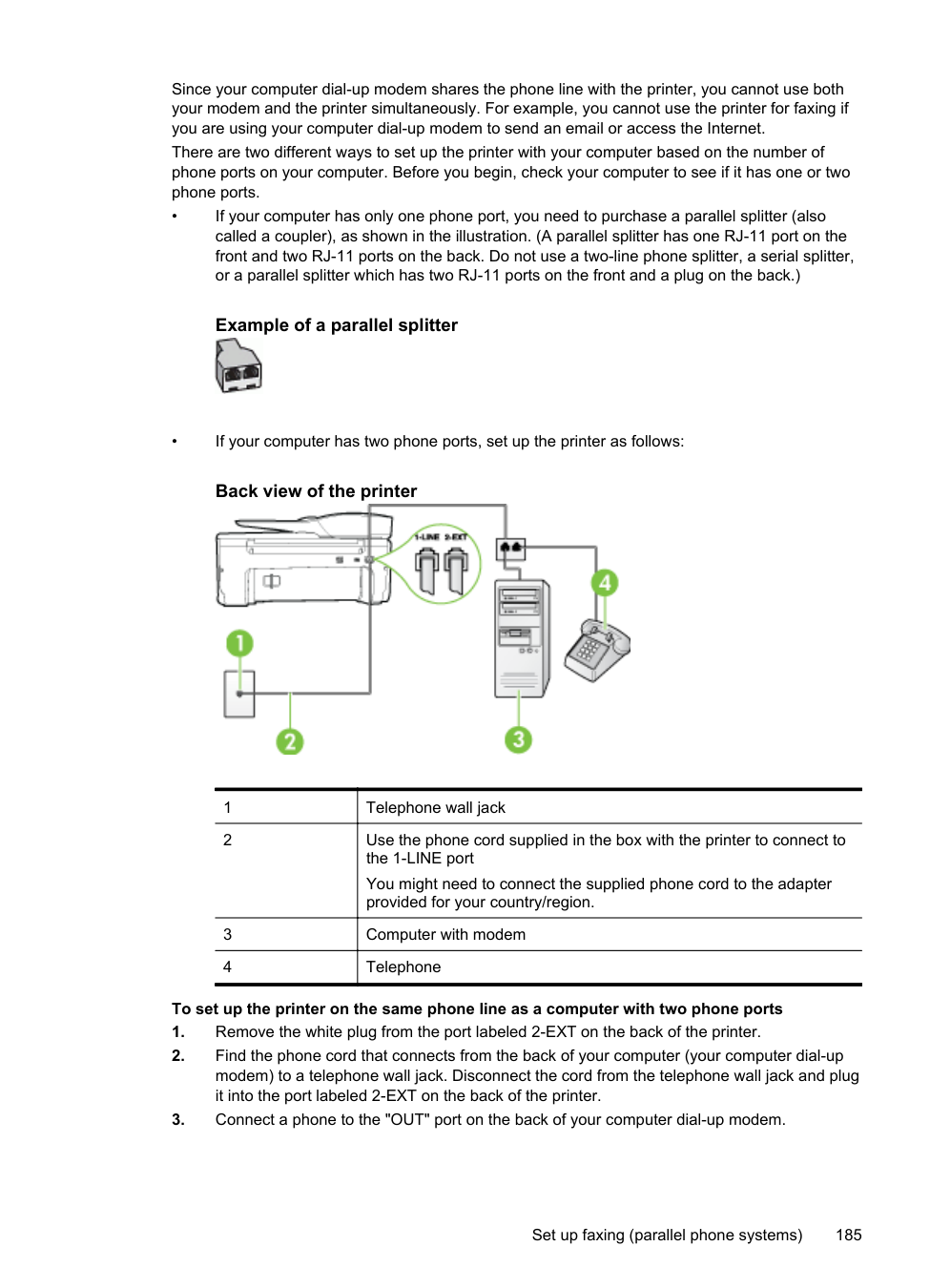
######### To print the wireless test page
Guidelines for ensuring wireless network security The following information can help you keep your wireless network and wireless printer secure from unauthorized use. For more information, visit www.hp.com/go/wirelessprinting. This section contains the following topics:
Overview of security settings To help improve the security of the wireless network and prevent unauthorized access, the printer supports many common types of network authentication, including WEP, WPA, and WPA2.
Add hardware addresses to a wireless router (MAC filtering) MAC filtering is a security feature in which a wireless router or wireless access point is configured with a list of hardware addresses (also called "MAC addresses") of devices that are allowed to gain access to the network through the router.
If the router filters hardware addresses, then the printer's hardware address must be added to the router’s list of accepted hardware addresses. If the router does not have the hardware address of a printer attempting to access the network, the router denies the printer access to the network.
CAUTION: This method is not recommended, however, because your MAC addresses can easily be read and falsified by unwanted users outside your network.
######### To add hardware addresses to a wireless router or wireless access point
more information, see Understand the network configuration page.
NOTE: The printer maintains a separate hardware address for the wireless connection. The hardware address is listed on the printer’s network configuration page.
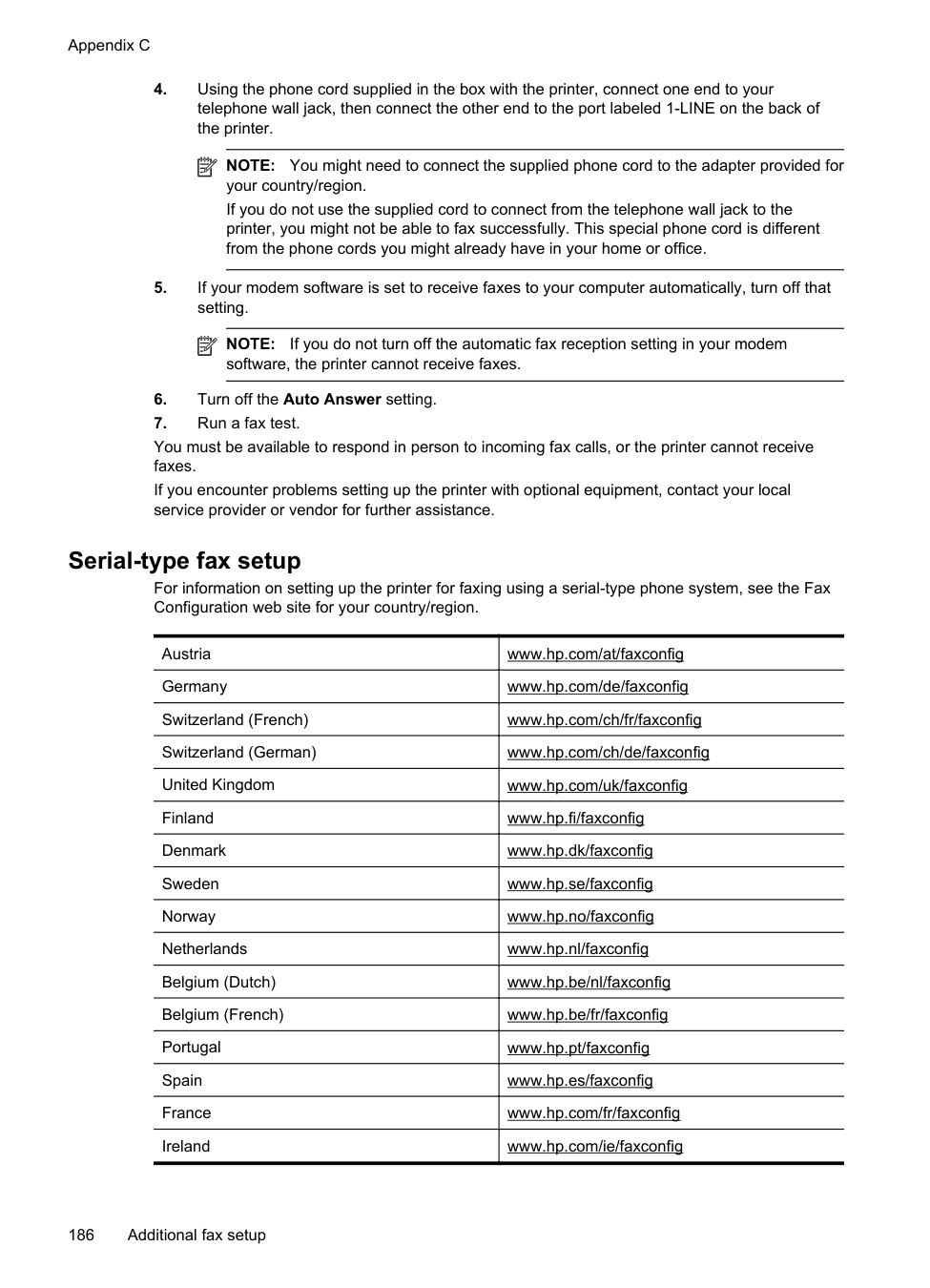
| | |---|
printer's hardware address to the list of accepted hardware addresses.
| | |---|
NOTE: For more information about using the configuration utility, see the documentation provided with the router or wireless access point.
Other wireless security guidelines To keep the wireless network secure, follow these guidelines:
###### Guidelines for reducing interference on a wireless network
The following tips will help reduce the chances for interference in a wireless network:
Change basic network settings The control panel options enable you to set up and manage a wireless connection and to perform a variety of network management tasks. This includes viewing the network settings, restoring the network defaults, turning the wireless radio on and off, and changing the network settings. This section contains the following topics:
View and print network settings You can display a summary of the network settings on the printer control panel or the HP software that came with the printer. You can print a more detailed network configuration page, which lists all of the important network settings such as the IP address, link speed, DNS, and mDNS. For more information, see Understand the network configuration page.
Turn the wireless radio on and off The wireless radio is on by default, as indicated by the blue light on the front of the printer. In order to stay connected to a wireless network, the radio must stay on. However, if you have a USB connection, the radio is not used. In this case you might want to turn the radio off.
#### Change advanced network settings
CAUTION: Network settings are provided for your convenience. However, unless you are an advanced user, you should not change some of these settings (such as the link speed, IP settings, default gateway, and firewall settings).
This section contains the following topics:
Set link speed You can change the speed at which data is transmitted over the network. The default is Automatic.
To view the IP address of the printer:
Change IP settings The default IP setting for the IP settings is Automatic, which sets the IP settings automatically. However, if you are an advanced user, you might want to manually change settings such as the IP address, subnet mask, or the default gateway.
CAUTION: Be careful when manually assigning an IP address. If you enter an invalid IP address during the installation, your network components cannot connect with the printer.
Change advanced network settings 193
###### Reset network settings
To reset the administrator password and network settings
A message appears stating that the network defaults have been restored.
| | |---|
NOTE: Print the network configuration page and verify that the network settings have been reset. For more information, see Understand the network configuration page.
Uninstall and reinstall the HP software If your installation is incomplete, or if you connected the USB cable to the computer before prompted by the HP software installation screen, you might need to uninstall and then reinstall the HP software that came with the printer. Do not simply delete the printer application files from your computer.
######### To uninstall from a Windows computer:
| | |---|
NOTE: It is important that you disconnect the printer before restarting your computer. Do not connect the printer to your computer until after you have reinstalled the HP software.
E Printer management tools
This section contains the following topics:
#### Toolbox (Windows)
The Toolbox provides maintenance information about the printer.
| | |---|
NOTE: The Toolbox can be installed from the HP Software CD if the computer meets the system requirements.
###### Open the Toolbox
folder for your printer, and then select the icon with your printer’s name. 2. Double-click Printer Preferences, and then double-click Maintenance Tasks.
HP Utility (Mac OS X) HP Utility contains tools to configure print settings, calibrate the printer, order supplies online, and find web site support information.
| | |---|
NOTE: The features available in HP Utility vary depending on the selected printer. Ink level warnings and indicators provide estimates for planning purposes only. When you receive a low-ink warning message, consider having a replacement cartridge available to avoid possible printing delays. You do not need to replace cartridges until prompted to do so.
To open HP Utility Double-click the HP Utility icon. This icon is located in the Hewlett-Packard folder in the Applications folder at the top level of the hard disk.
Embedded web server When the printer is connected to a network, you can use the printer's home page (embedded web server or EWS) to view status information, change settings, and manage it from your computer.
NOTE: For a list of system requirements for the embedded web server, see Embedded web server specifications. To view or change some settings, you might need a password. You can open and use the embedded web server without being connected to the Internet. However, some features are not available.
| | |---|
This section contains the following topics:
About cookies The embedded web server (EWS) places very small text files (cookies) on your hard drive when you are browsing. These files let the EWS recognize your computer the next time you visit. For
Printer management tools 195
Appendix E
example, if you have configured the EWS language, a cookie helps remember which language you have selected so that the next time you access the EWS, the pages are displayed in that language. Though some cookies are cleared at the end of each session (such as the cookie that stores the selected language), others (such as the cookie that stores customer-specific preferences) are stored on the computer until you clear them manually. You can configure your browser to accept all cookies, or you can configure it to alert you every time a cookie is offered, which allows you to decide which cookies to accept or refuse. You can also use your browser to remove unwanted cookies.
NOTE: Depending on your printer, if you disable cookies, you also disable one or more of the following features:
| | |---|
###### To open the embedded web server
NOTE: The printer must be on a network and must have an IP address. The IP address and hostname for the printer are listed on the status report. For more information, see Understand the network configuration page.
| | |---|
In a supported web browser on your computer, type the IP address or hostname assigned to the printer. For example, if the IP address is 123.123.123.123, type the following address into the web browser: http://123.123.123.123
TIP: After opening the embedded web server, you can bookmark it so that you can return to it quickly.
TIP: If you are using the Safari web browser in Mac OS X, you can also use the Bonjour bookmark to open the EWS without typing the IP address. To use the Bonjour bookmark, open Safari, and then from the Safari menu, click Preferences. On the Bookmarks tab, in the Bookmarks bar section, select Include Bonjour, and then close the window. Click the Bonjour bookmark, and then select your networked printer to open the EWS.
196 Printer management tools
F How do I?
How do I? 197
G Errors (Windows)
Fax memory full If Backup Fax Reception or HP Digital Fax (Fax to PC or Fax to Mac) is enabled and the printer has a problem (such as a paper jam), the printer saves incoming faxes to memory until the problem is resolved. However, the printer’s memory might fill up with faxes that have not been printed yet or transferred to the computer. To solve this problem, resolve any problems with the printer. For more information, see Solve fax problems.
Unable to communicate with printer The computer cannot communicate with the printer because one of the following events has occurred:

Low on ink The ink cartridge identified in the message is low on ink. Ink level warnings and indicators provide estimates for planning purposes only. When you receive a low ink warning message, consider having a replacement cartridge available to avoid possible printing delays. You do not need to replace cartridges until prompted to do so. For information about replacing ink cartridges, see Replace the ink cartridges. For information about ordering ink cartridges, see Order printing supplies online. For information about recycling used ink supplies, see HP inkjet supplies recycling program.
| | |---|
NOTE: Ink from the cartridges is used in the printing process in a number of different ways, including in the initialization process, which prepares the printer and cartridges for printing. In addition, some residual ink is left in the cartridge after it is used. For more information see www.hp.com/go/inkusage.
Cartridge Problem The ink cartridge identified in the message is missing, damaged, incompatible, or inserted into the wrong slot in the printer.
| | |---|
NOTE: If the cartridge is identified in the message as incompatible, see Order printing supplies online for information about obtaining cartridges for the printer.
To solve this problem, try the following solutions. Solutions are listed in order, with the most likely solution first. If the first solution does not solve the problem, continue trying the remaining solutions until the issue is resolved.
#### Replace the ink cartridge
Replace the indicated ink cartridge. For more information, see Replace the ink cartridges. NOTE: If your cartridge is still under warranty, contact HP support for service or
| | |---|
replacement. For more information about ink cartridge warranty, see Ink cartridge warranty information. If the problem persists after you replace the cartridge, contact HP support. For more information, see HP support.
Paper Mismatch The paper size or type selected in the printer driver does not match the paper loaded in the printer. Make sure that the correct paper is loaded in the printer, and then print the document again. For more information, see Load media.
| | |---|
NOTE: If the paper loaded in the printer is the correct size, change the selected paper size in the printer driver, and then print the document again.
The cartridge cradle cannot move Something is blocking the ink cartridge cradle (the part of the printer that holds the ink cartridges). To clear the obstruction, press (Power) button to turn off the printer, and then check the printer for jams. For more information, see Clear jams.

Paper Jam Paper has become jammed in the printer. Before you try to clear the jam, check the following:
For instructions on clearing jams, as well as more information about how to avoid jams, see Clear jams.
Paper Jam 199
The printer is out of paper The default tray is empty. Load more paper, and then touch OK. For more information, see Load media.
Printer Offline The printer is currently offline. While offline, the printer cannot be used. To change the printer's status, complete the following steps.
Printer Paused The printer is currently paused. While paused, new jobs are added to the queue but are not printed. To change the printer’s status, complete the following steps.
Document failed to print The printer could not print the document because a problem occurred in the printing system. For information about solving printing problems, see Solve printer problems.
Printer failure There was a problem with the printer. Usually, you can resolve such problems by completing the following steps:


If this problem persists, write down the error code provided in the message, and then contact HP support. For more information about contacting HP support, see HP support.
#### Door or cover open
Before the printer can print documents, all doors and covers must be closed.
TIP: When completely closed, most doors and covers snap into place.
If the problem persists after you’ve securely closed all doors and covers, contact HP support. For more information, see HP support.
Previously used ink cartridge installed The ink cartridge identified in the message was previously used in a different printer. You can use ink cartridges in different printers, but if the cartridge was left outside of a printer for an extended period of time, the print quality of your documents might be affected. Also, if you use ink cartridges that have been used in a different printer, the ink level indicator might be inaccurate or unavailable. If the print quality is unsatisfactory, try cleaning the printheads.
NOTE: Ink from the cartridges is used in the printing process in a number of different ways, including in the initialization process, which prepares the printer and cartridges for printing, and in printhead servicing, which keeps print nozzles clear and ink flowing smoothly. In addition, some residual ink is left in the cartridge after it is used. For more information, see www.hp.com/go/inkusage.
| | |---|
For more information about storing ink cartridges, see Supplies.
Ink cartridges depleted The cartridges listed in the message must be replaced to resume printing. HP recommends that you do not remove an ink cartridge until a replacement is ready to install. For more information, see Replace the ink cartridges.

Ink cartridge failure The cartridges listed in the message are damaged or have failed. See Replace the ink cartridges.
Printer supply upgrade The cartridge listed in the message can only be used to upgrade one printer. Click OK to use it on this printer. If you do not wish to proceed with the supply upgrade for this printer, click Cancel Print and then remove the cartridge.
Printer supply upgrade successful The supply upgrade was successful. The cartridges listed in the message can now be used in the printer.
Printer supply upgrade problem The supply upgrade was not successful. The cartridges listed in the message can still be used in this printer. Replace the Supply Upgrade cartridge. For more information, see Replace the ink cartridges.
Non-HP ink cartridges installed HP cannot guarantee the quality or reliability of non-HP supplies. Printer service or repairs required as a result of using a non-HP supply will not be covered under warranty. If you believe you purchased original HP ink cartridges, visit HP at www.hp.com/go/anticounterfeit for more information or to report fraud.
Non-HP ink cartridges installed 201
Using Original HP Cartridges has its Rewards HP rewards loyal customers for using original HP supplies. Click the button below the message to view Rewards online. Reward may not be available in all regions.
Counterfeit Cartridge Advisory The installed cartridge is not a new, original HP cartridge. Contact the store where this cartridge was purchased. To report suspected fraud, visit HP at www.hp.com/go/anticounterfeit. To continue using the cartridge, click Continue.
Used, Refilled or Counterfeit Cartridge Detected The original HP ink in the cartridge has been depleted. The solution for this problem is to replace the ink cartridge or click OK to continue using the cartridge. For more information, see Replace the ink cartridges. HP rewards loyal customers for using original HP supplies. Click the button below the message to view Rewards online. Rewards may not be available in all regions.
WARNING! HP's ink cartridge warranty does not cover non-HP ink or cartridges. HP's printer warranty does not cover repairs or service due to use of non-HP cartridges or ink. HP does not guarantee the quality or reliability of non-HP ink. Information about ink levels will not be available.
#### Use SETUP cartridges
Use the SETUP cartridges that came with the printer for printer initialization. You must replace the cartridge with the setup cartridge to clear this message. For more information, see Replace the ink cartridges.
Do not use SETUP cartridges SETUP cartridges cannot be used after the printer has been initialized. Remove and install nonSETUP cartridges. For more information, see Replace the ink cartridges.
New printhead ink alert The used cartridges listed in the message might not have enough ink to complete one-time startup processes. Solution: Install new cartridges or click Continue to use installed cartridges. If startup cannot complete with installed cartridges, new cartridges will be needed. For information on how to install new cartridges, see Replace the ink cartridges.
Use black ink only? The cartridges listed in the message are out of ink. Solutions: To print in color, replace the empty cartridges. For information about how to install new cartridges, see Replace the ink cartridges. To temporarily print using Black ink only, click Use Black Only. The printer will replace color with grayscale. The empty cartridges will need to be replaced soon.
CAUTION: Do NOT remove the empty color cartridge to print in Use Black Only mode.
#### Use color ink only?
The black cartridge is out of ink.
Solutions: To temporarily replace black with color, click Use Color Only. Black will be simulated. Text and photo quality will differ from those printed when using all cartridges. The black cartridge will need to be replaced soon.
To print with black, replace the black ink cartridge. For information about how to install new cartridges, see Replace the ink cartridges.
CAUTION: Do NOT remove the empty black cartridge to print in Use Color Only mode.
Incompatible ink cartridges The ink cartridge is not compatible with your printer. Solution: Remove this cartridge immediately and replace with a compatible ink cartridge. For information about how to install new cartridges, see Replace the ink cartridges.
Ink sensor warning The ink sensor is reporting an unexpected condition. This could be caused by the cartridge, or the sensor may have failed. If the sensor has failed, it can no longer sense when your cartridges are out of ink. Printing with an empty cartridge will cause air to enter the ink system, which causes poor print quality. Significant amounts of ink will be used up to recover from this condition, which will deplete much of the ink supply for all cartridges. Solution: Click OK to continue printing or replace the cartridge. For information about how to install new cartridges, see Replace the ink cartridges.
Problem with printer preparation The printer clock has failed and ink preparation may not be complete. The estimated Ink Level gauge might be inaccurate. Solution: Check the print quality of your print job. If it is not satisfactory, running the printhead cleaning procedure from the toolbox might improve it.
Color cartridge out of ink The cartridges listed in the message are out of ink. Solutions: To print in color, replace the empty cartridges. For information about how to install new cartridges, see Replace the ink cartridges. To temporarily print using black ink only, click Cancel Print and then re-send the print job. The Use black ink only? message appears before the job prints. The empty cartridges will need to be replaced soon.
CAUTION: Do NOT remove the empty color cartridge to print in Use Black Only mode.
Black cartridge out of ink The black cartridge is out of ink. Solutions: Replace the black ink cartridge. For information about how to install new cartridges, see Replace the ink cartridges.
CAUTION: Do NOT remove the empty black cartridge to print in Use Color Only mode.
Black cartridge out of ink 203
To temporarily replace black with color, click Cancel Print and re-send the print job. The Use color ink only? message appears before the job prints. The black cartridge will need to be replaced soon.
#### Automatic document feeder cover open
Close the cover of the Automatic Document Feeder to continue.
Problem with ink system Please remove the ink cartridges and examine them for any sign of leaks. If any cartridges have leaks, contact HP. Do not use cartridges that are leaking. If there are no leaks, re-install cartridges and close the printer cover. Turn the printer off then on again. If you get this message a second time, contact HP.
Index
printer status report 124 warranty 131
acoustic emissions 141 ADF (automatic document
feeder) load originals 19 media sizes supported 135
ADSL, fax setup with
parallel phone systems 168 after the support period 80 align printhead 90 answer ring pattern
change 59 parallel phone systems 170
answering machine
fax tones recorded 111 set up with fax (parallel
phone systems) 179 set up with fax and
modem 180 automatic document feeder
(ADF) clean 25 feeding problems,
troubleshoot 25 load originals 19 media sizes supported 135
automatic fax reduction 52
copy 41 fax 43
black dots or streaks,
troubleshoot copies 94 scan 99
blank pages, troubleshoot
copy 93 print 83 scan 99
blocked fax numbers
set up 52 broadcast faxing
send 48 buttons, control panel 12 C cancel
scheduled fax 48 Cancel button 13 capacity
trays 138
cards sizes supported 136 tray supporting 138
cartridges. See ink cartridges clean
automatic document
feeder 25 exterior 24 printhead 89 scanner glass 24
clear
fax logs 64 color copy 41 colored text, and OCR 38 computer modem
shared with fax (parallel phone systems) 173
shared with fax and answering machine (parallel phone systems) 180
shared with fax and voice line (parallel phone systems) 175
shared with fax and voice mail (parallel phone systems) 184
Configure
firewall 119 confirmation reports, fax 63 connectors, locating 12 control panel
buttons 12
lights 12 status icons 13
Copy 13 copy
quality 94 settings 41 specifications 139 troubleshoot 92
copy settings
copy 42 correct port test, fax 101 custom-size paper Mac OS 33 print on 32
custom-sized media
sizes supported 137 customer support
electronic 77 cut-off pages, troubleshoot 84 D dark images, troubleshoot
copies 94 scans 99
default settings copy 42 diagnostic page 87 dial tone test, failure 104 dial type, setting 60 dial-up modem
shared with fax (parallel phone systems) 173
shared with fax and answering machine (parallel phone systems) 180
shared with fax and voice line (parallel phone systems) 175
shared with fax and voice mail (parallel phone systems) 184
distinctive ringing change 59 parallel phone systems 170
dots or streaks, troubleshoot
copies 94 dots, troubleshoot
scan 99 driver
warranty 131 DSL, fax setup with
parallel phone systems 168 duty cycle 133
mode edit
text in OCR program 38 electrical specifications 141 embedded web server
about 195 opening 196 system requirements 135 troubleshoot, cannot be
opened 120 Webscan 37
envelopes sizes supported 136 tray supporting 138
environmental specifications 140 environmental sustainability
program 149 error correction mode 48 error messages
unable to activate TWAIN
source 97 error reports, fax 64 EWS. See embedded web
server
troubleshoot 94 fax
answer mode 58 answering machine and
modem, shared with (parallel phone systems) 180 answering machine
troubleshoot 111
answering machine, set up (parallel phone systems) 179
auto answer 58 backup fax 50 blocking numbers 52 confirmation reports 63 dial tone test, failed 104 dial type, setting 60 distinctive ringing setup
(parallel phone systems) 170
distinctive ringing, change pattern 59 DSL, set up (parallel phone
systems) 168 error correction mode 48 error reports 64 forwarding 51 header 58 Internet Protocol, over 62 ISDN line, set up (parallel phone systems) 169 line condition test,
failed 105 log, clear 64 log, print 64 manual receive 49 modem and answering
machine, shared with (parallel phone systems) 180
modem and voice line, shared with (parallel phone systems) 175
modem and voice mail, shared with (parallel phone systems) 184
modem, shared with (parallel phone systems) 173
monitor dialing 46, 48 paper size 52 parallel phone systems 164 PBX system, set up (parallel phone systems) 169
phone cord connection test,
phone cord too short 111 phone cord type test,
poll to receive 51
print last transaction
details 65 receive 49 receive, troubleshoot 106,
109 redial options 60 reduction 52 reports 63 reprint 50 rings to answer 59 schedule 47 send 43 send, troubleshoot 106,
108, 111 separate line setup (parallel
phone systems) 167 settings, change 58 setup types 165 shared phone line setup
(parallel phone systems) 171
sound volume 61 specifications 139 speed 61 test failed 100 test setup 187 troubleshoot 99 voice mail, set up (parallel phone systems) 172
wall jack test, failed 101 Fax screen 13 Firewall
configure 119 firewalls, troubleshoot 82 FoIP 62 fonts supported 133 forwarding faxes 51
G glass, scanner
clean 24 load originals 18 locating 11
grainy or white bands on
copies, troubleshoot 95 graphics
incompletely filled on copies 94 look different from original scan 98
notices 3 HP Utility (Mac OS X) opening 195 humidity specifications 140
check ink levels 72 locating 11 ordering online 162 part numbers 124, 162 replace 73 status 124 supported 133 tips 71 warranty 131 warranty expiration
dates 124
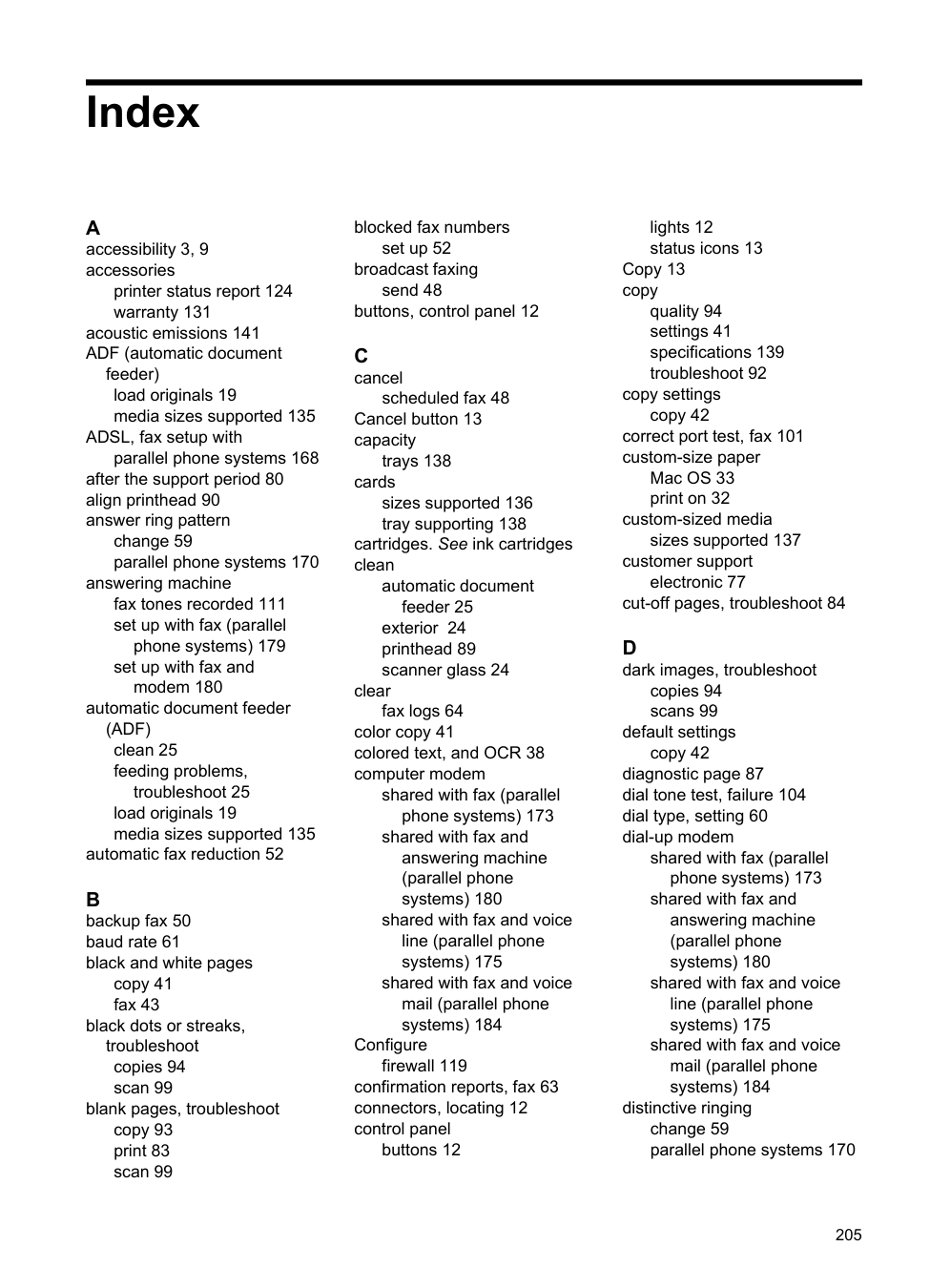
yields 133 ink level icons 14 ink levels, check 72 ink-cartridge access door,
locating 11
input tray capacity 138 media sizes supported 135 media types and weights
supported 138 installation
hardware installation suggestions 122 HP software installation suggestions 122
troubleshooting issues 121 Internet Protocol
fax, using 62 IP address
checking for printer 121 IP settings 193 ISDN line, set up with fax
parallel phone systems 169
clear 126
media to avoid 18 paper 126, 128
junk fax mode 52 L language, printer 133, 134 light images, troubleshoot
copies 94 scans 99
lights, control panel 12 line condition test, fax 105 lines
copies, troubleshoot 94 scans, troubleshoot 98, 99
link speed, setting 193 load
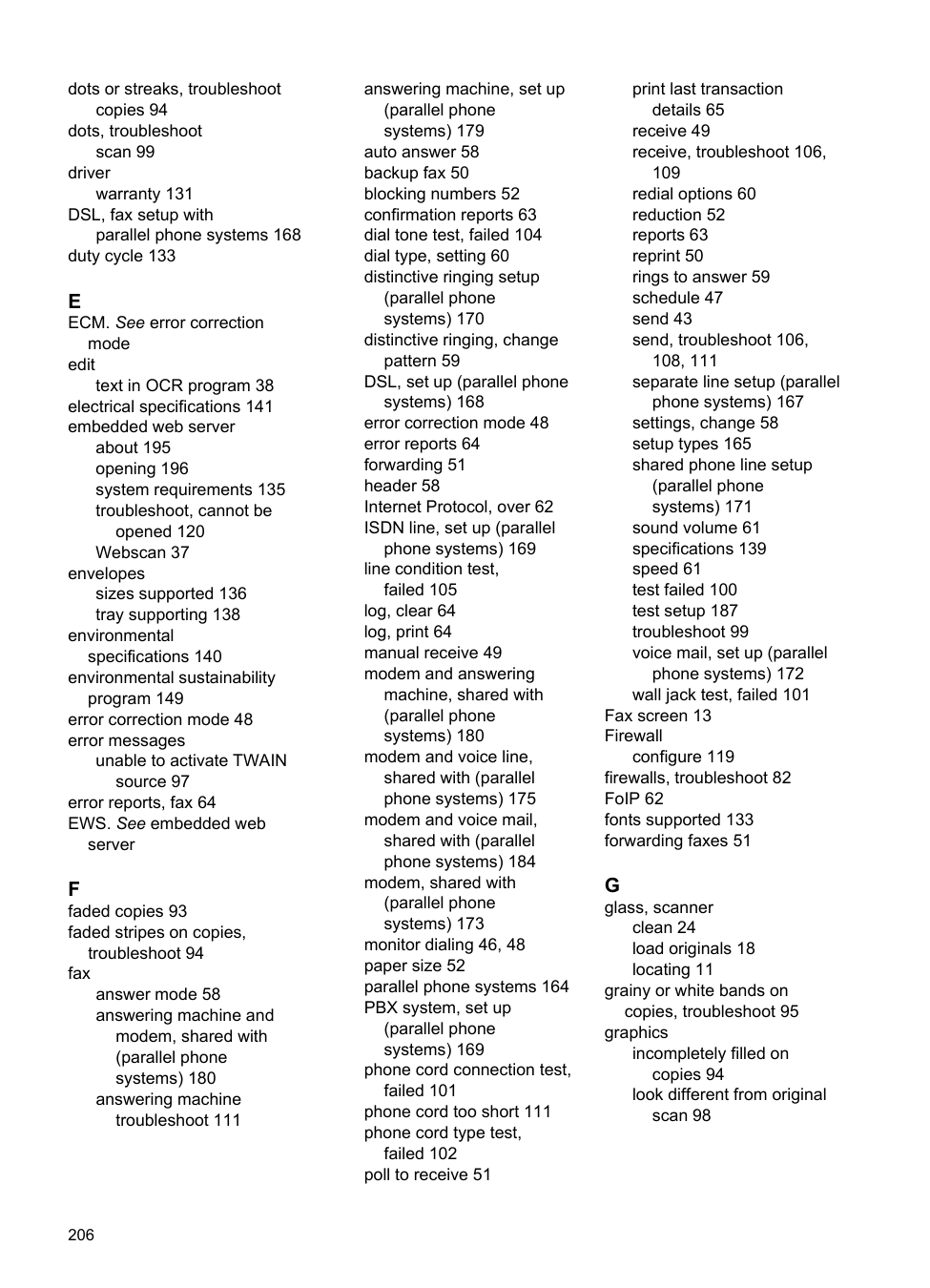
custom-size media 23 photo 22 tray 20, 21
load cards 22 load custom-size media 23 load envelopes 21 load media 20 log, fax
print 64
M Mac OS
custom-size paper 33 Print borderless 34 Print photos 32 print settings 28
Mac OS X
HP Utility 195 maintain
printhead 89
maintenance align printhead 90 check ink levels 72 clean printhead 89 diagnostic page 87 print quality report 87 printhead 89 replace ink cartridges 73
manual faxing receive 49 send 45, 46
margins setting, specifications 138
media clear jams 126 HP, order 163
load tray 20 print on custom-size 32 selecting 18 skewed pages 92 specifications 135 supported sizes 135 troubleshoot feeding 91 types and weights
supported 138
memory reprint faxes 50 save faxes 50 specifications 134
missing or incorrect information,
troubleshoot 83 model number 124 modem
shared with fax (parallel phone systems) 173
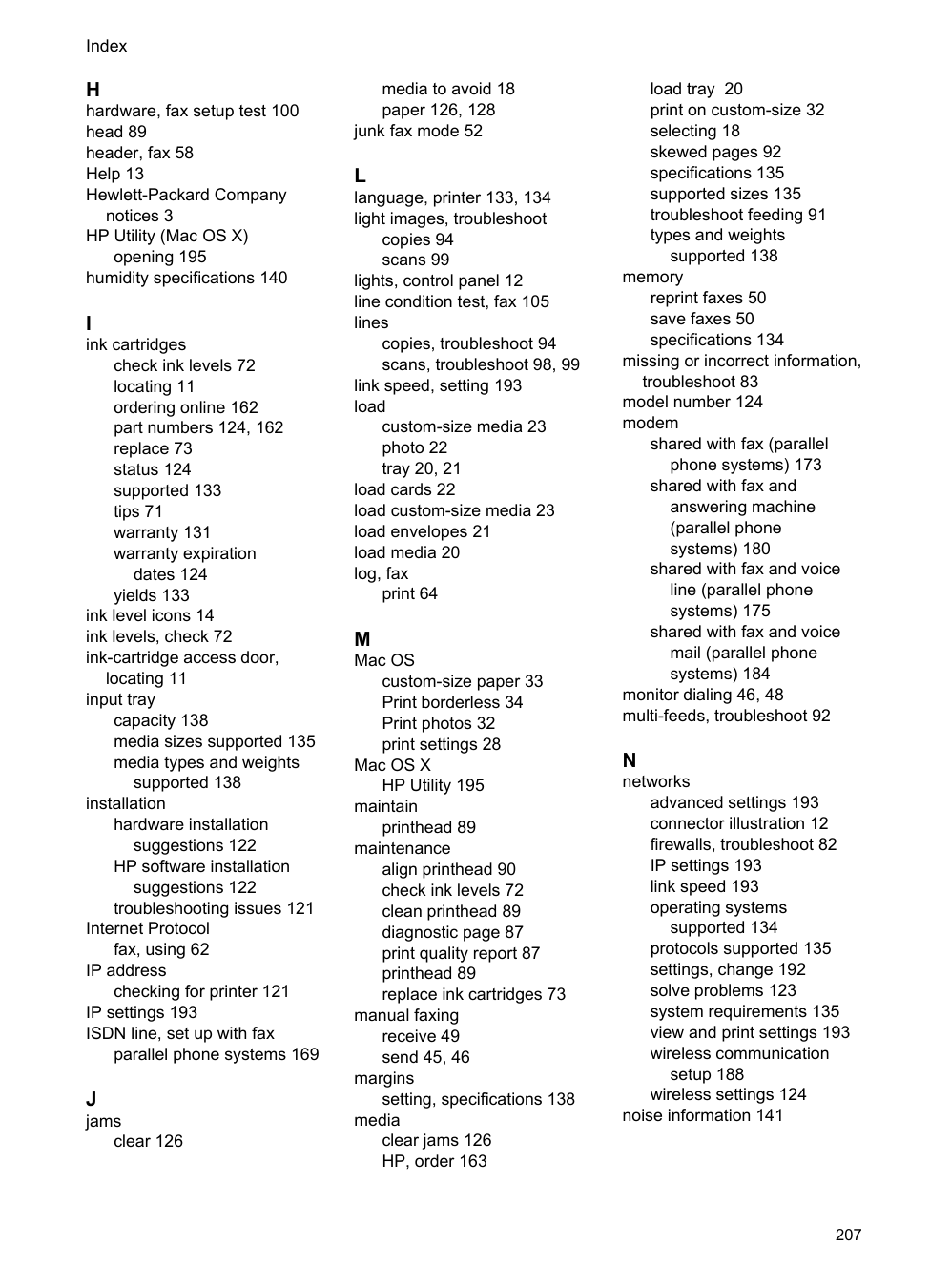
shared with fax and answering machine (parallel phone systems) 180
shared with fax and voice line (parallel phone systems) 175
shared with fax and voice mail (parallel phone systems) 184
monitor dialing 46, 48 multi-feeds, troubleshoot 92
N networks
advanced settings 193 connector illustration 12 firewalls, troubleshoot 82 IP settings 193 link speed 193 operating systems
supported 134 protocols supported 135 settings, change 192 solve problems 123 system requirements 135 view and print settings 193 wireless communication
setup 188
wireless settings 124 noise information 141
edit scanned documents 38 troubleshoot 96 operating environment specifications 140 operating systems
supported 134 originals
scan 36
output tray locating 11 media supported 138
cycle) 133
paper jams 126, 128 size, set for fax 52
paper-feed problems, troubleshoot 91
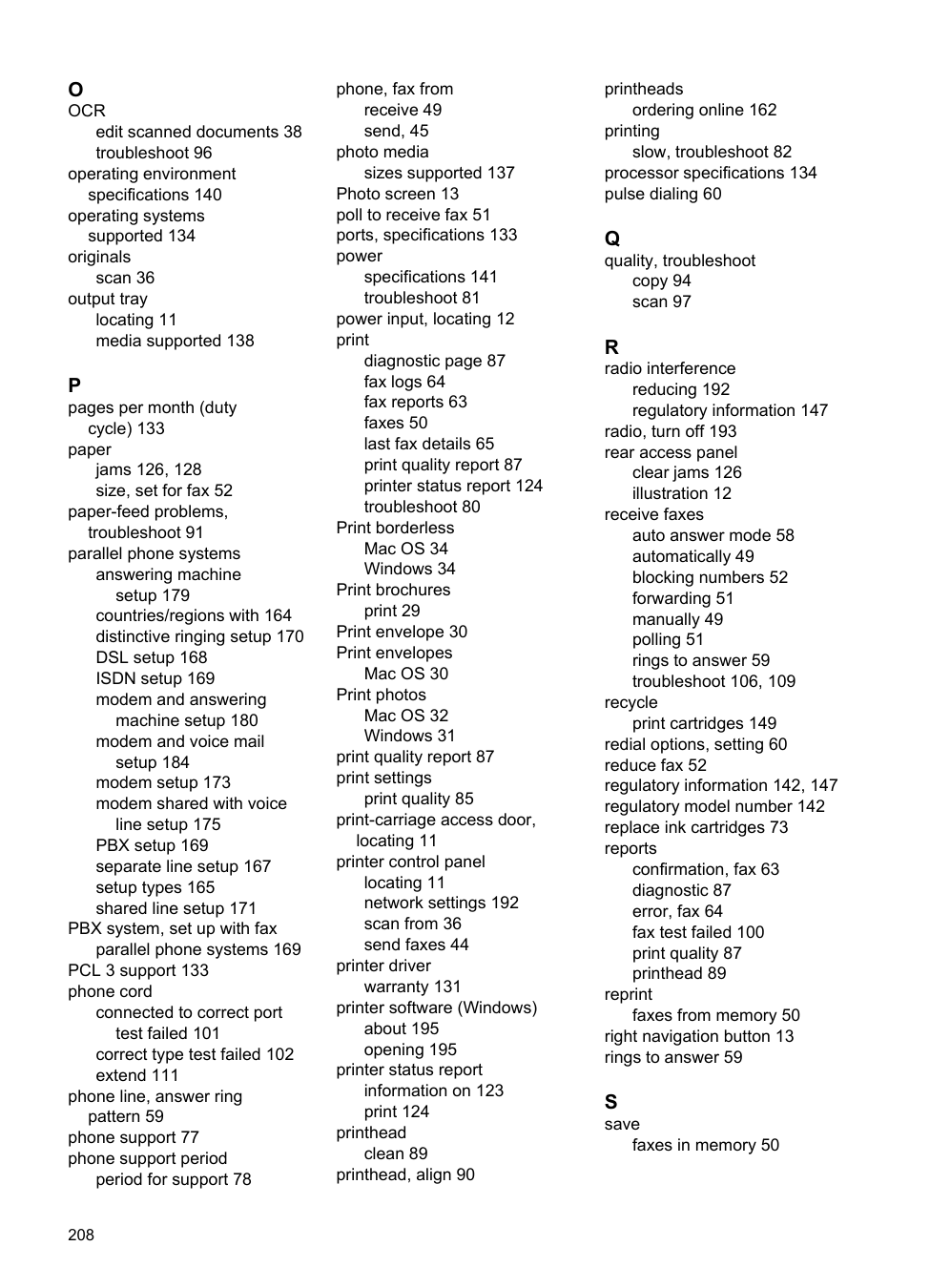
parallel phone systems answering machine
setup 179 countries/regions with 164 distinctive ringing setup 170 DSL setup 168 ISDN setup 169 modem and answering
machine setup 180 modem and voice mail
setup 184 modem setup 173 modem shared with voice
line setup 175 PBX setup 169 separate line setup 167 setup types 165 shared line setup 171
PBX system, set up with fax
parallel phone systems 169 PCL 3 support 133 phone cord
connected to correct port
test failed 101 correct type test failed 102 extend 111
phone line, answer ring
pattern 59 phone support 77 phone support period
period for support 78
phone, fax from receive 49 send, 45
photo media
sizes supported 137 Photo screen 13 poll to receive fax 51 ports, specifications 133 power
specifications 141 troubleshoot 81 power input, locating 12 print
diagnostic page 87 fax logs 64 fax reports 63 faxes 50 last fax details 65 print quality report 87 printer status report 124 troubleshoot 80
Print borderless Mac OS 34 Windows 34
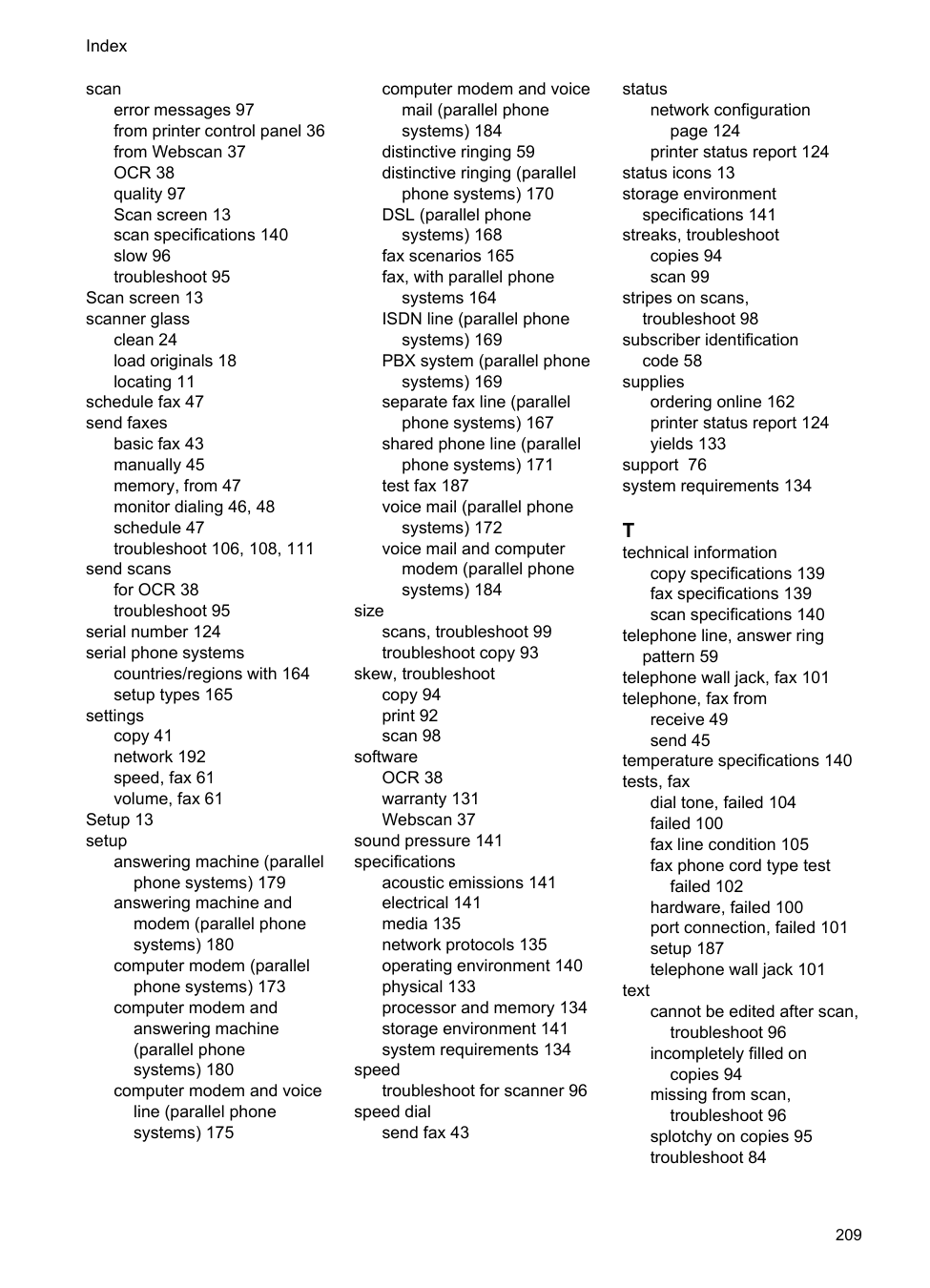
Print brochures print 29 Print envelope 30 Print envelopes
Mac OS 30
Print photos Mac OS 32 Windows 31
print quality report 87 print settings
print quality 85 print-carriage access door, locating 11
printer control panel locating 11 network settings 192 scan from 36 send faxes 44
printer driver warranty 131
printer software (Windows) about 195 opening 195 printer status report information on 123 print 124
printhead clean 89 printhead, align 90
printheads
ordering online 162 printing
slow, troubleshoot 82 processor specifications 134 pulse dialing 60
copy 94 scan 97
reducing 192 regulatory information 147
radio, turn off 193 rear access panel
clear jams 126 illustration 12
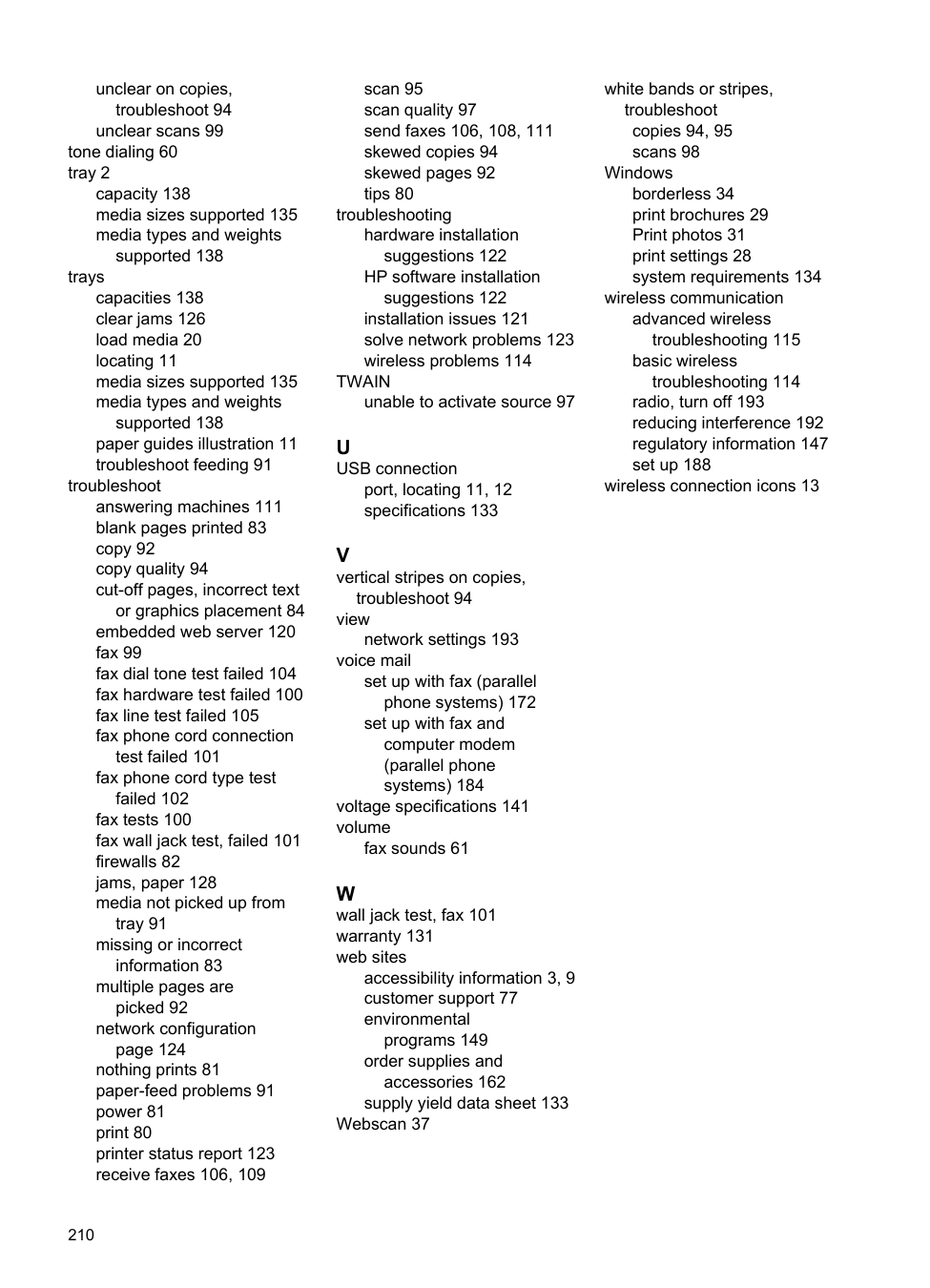
receive faxes auto answer mode 58 automatically 49 blocking numbers 52 forwarding 51 manually 49 polling 51 rings to answer 59 troubleshoot 106, 109
recycle
print cartridges 149 redial options, setting 60 reduce fax 52 regulatory information 142, 147 regulatory model number 142 replace ink cartridges 73 reports
confirmation, fax 63 diagnostic 87 error, fax 64 fax test failed 100 print quality 87 printhead 89
reprint
faxes from memory 50 right navigation button 13 rings to answer 59
faxes in memory 50
scan error messages 97 from printer control panel 36 from Webscan 37 OCR 38 quality 97 Scan screen 13 scan specifications 140 slow 96 troubleshoot 95
Scan screen 13 scanner glass
clean 24 load originals 18 locating 11
schedule fax 47 send faxes
basic fax 43 manually 45 memory, from 47 monitor dialing 46, 48 schedule 47 troubleshoot 106, 108, 111
send scans for OCR 38 troubleshoot 95
serial number 124 serial phone systems
countries/regions with 164 setup types 165
settings copy 41 network 192 speed, fax 61 volume, fax 61

Setup 13 setup
answering machine (parallel phone systems) 179
answering machine and modem (parallel phone systems) 180
computer modem (parallel phone systems) 173
computer modem and answering machine (parallel phone systems) 180
computer modem and voice line (parallel phone systems) 175
computer modem and voice mail (parallel phone systems) 184
distinctive ringing 59 distinctive ringing (parallel phone systems) 170 DSL (parallel phone
systems) 168 fax scenarios 165 fax, with parallel phone
systems 164 ISDN line (parallel phone systems) 169 PBX system (parallel phone systems) 169
separate fax line (parallel phone systems) 167
shared phone line (parallel
phone systems) 171 test fax 187 voice mail (parallel phone
systems) 172
voice mail and computer modem (parallel phone systems) 184
size
scans, troubleshoot 99 troubleshoot copy 93
skew, troubleshoot

copy 94 print 92 scan 98
software OCR 38 warranty 131 Webscan 37 sound pressure 141 specifications
acoustic emissions 141 electrical 141 media 135 network protocols 135 operating environment 140 physical 133 processor and memory 134 storage environment 141 system requirements 134
speed
troubleshoot for scanner 96 speed dial
send fax 43
status network configuration page 124
printer status report 124 status icons 13 storage environment
specifications 141
streaks, troubleshoot copies 94 scan 99
stripes on scans, troubleshoot 98 subscriber identification code 58
supplies ordering online 162 printer status report 124 yields 133
support 76 system requirements 134
T technical information
copy specifications 139 fax specifications 139 scan specifications 140
telephone line, answer ring
pattern 59 telephone wall jack, fax 101 telephone, fax from
receive 49 send 45
temperature specifications 140 tests, fax
dial tone, failed 104 failed 100 fax line condition 105 fax phone cord type test
failed 102 hardware, failed 100 port connection, failed 101 setup 187 telephone wall jack 101
text
cannot be edited after scan,
troubleshoot 96 incompletely filled on
copies 94 missing from scan,
troubleshoot 96 splotchy on copies 95 troubleshoot 84
unclear on copies, troubleshoot 94
unclear scans 99 tone dialing 60 tray 2
capacity 138 media sizes supported 135 media types and weights
supported 138
trays capacities 138 clear jams 126 load media 20 locating 11 media sizes supported 135 media types and weights
supported 138 paper guides illustration 11 troubleshoot feeding 91
troubleshoot answering machines 111 blank pages printed 83 copy 92 copy quality 94 cut-off pages, incorrect text
or graphics placement 84 embedded web server 120 fax 99 fax dial tone test failed 104 fax hardware test failed 100 fax line test failed 105 fax phone cord connection
test failed 101 fax phone cord type test
failed 102 fax tests 100 fax wall jack test, failed 101 firewalls 82 jams, paper 128 media not picked up from
tray 91
missing or incorrect information 83
multiple pages are picked 92 network configuration
page 124 nothing prints 81 paper-feed problems 91 power 81 print 80 printer status report 123 receive faxes 106, 109
scan 95 scan quality 97 send faxes 106, 108, 111 skewed copies 94 skewed pages 92 tips 80
troubleshooting hardware installation suggestions 122 HP software installation
suggestions 122 installation issues 121 solve network problems 123 wireless problems 114
TWAIN unable to activate source 97
port, locating 11, 12 specifications 133
troubleshoot 94 view
network settings 193 voice mail
set up with fax (parallel phone systems) 172
set up with fax and computer modem (parallel phone systems) 184 voltage specifications 141 volume
fax sounds 61
accessibility information 3, 9 customer support 77 environmental
programs 149 order supplies and
accessories 162
supply yield data sheet 133 Webscan 37
white bands or stripes,
troubleshoot copies 94, 95 scans 98
Windows borderless 34 print brochures 29 Print photos 31 print settings 28 system requirements 134
wireless communication advanced wireless
troubleshooting 115 basic wireless
troubleshooting 114 radio, turn off 193 reducing interference 192 regulatory information 147 set up 188
wireless connection icons 13